
Chapter 7 Introduction to HighLevel Language Programming Where
- Slides: 36
Chapter 7 Introduction to High-Level Language Programming
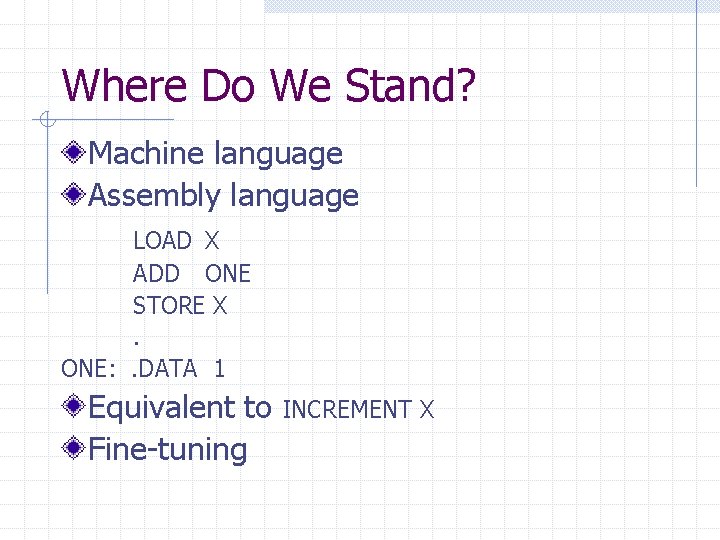
Where Do We Stand? Machine language Assembly language LOAD X ADD ONE STORE X. ONE: . DATA 1 Equivalent to Fine-tuning INCREMENT X
Disadvantages of Assembly Language Manually manage the movement of data items between and among memory locations. Must take a microscopic view of a task Machine-specific Statements are not English-like
High-level Programming Language Data management is much easier. Take a macroscopic view of tasks. High-level languages are more portable. Closer to standard English, use standard mathematical notation. High-level programming languages are often called third-generation language.
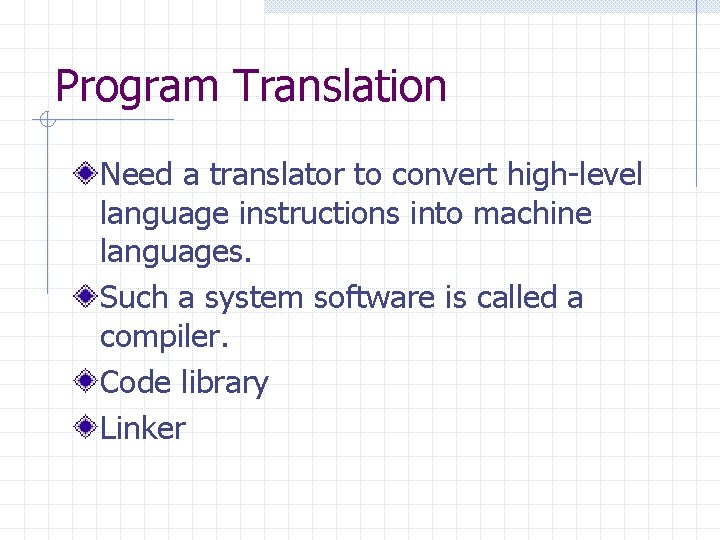
Program Translation Need a translator to convert high-level language instructions into machine languages. Such a system software is called a compiler. Code library Linker
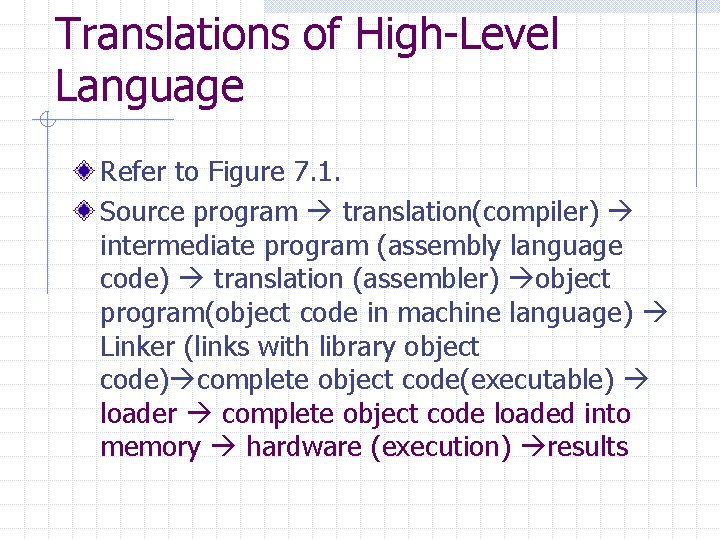
Translations of High-Level Language Refer to Figure 7. 1. Source program translation(compiler) intermediate program (assembly language code) translation (assembler) object program(object code in machine language) Linker (links with library object code) complete object code(executable) loader complete object code loaded into memory hardware (execution) results
The C++ Language Developed in the 1980 s by Bjarne Stroustrup at AT&T Bell labs. Extension of C Object-oriented (more on this topic later)
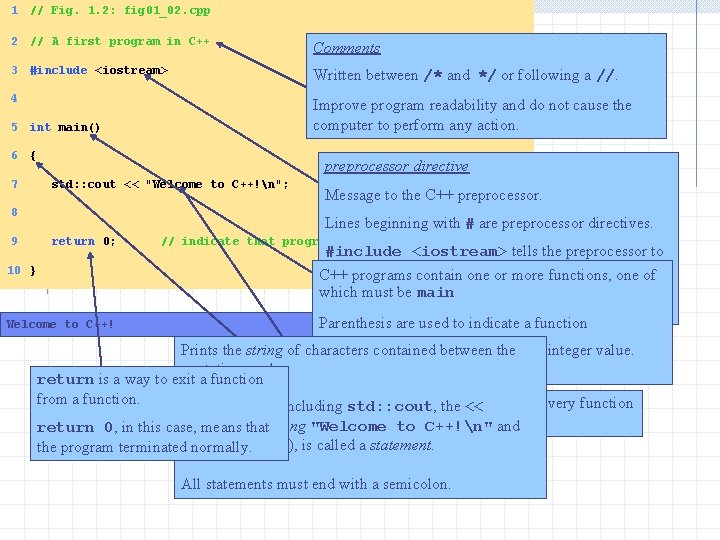
1 // Fig. 1. 2: fig 01_02. cpp 2 // A first program in C++ Comments 3 #include <iostream> Written between /* and */ or following a //. 4 Improve program readability and do not cause the computer to perform any action. 5 int main() 6 { 7 std: : cout << "Welcome to C++!n"; 8 9 preprocessor directive Message to the C++ preprocessor. Lines beginning with # are preprocessor directives. return 0; // indicate that program ended successfully 10 } Welcome to C++! #include <iostream> tells the preprocessor to include the contents the or filemore <iostream>, which C++ programs containofone functions, one of includes input/output which must be main operations (such as printing to the screen). Parenthesis are used to indicate a function int means that main "returns" Prints the string of characters contained between the an integer value. quotation marks. More in Chapter 3. return is a way to exit a function from a function. A left brace { begins The entire line, including std: : cout, the << body of every function and a right to brace. C++!n" } ends it. and operator, return 0, in this case, means the thatstring "Welcome semicolon (; ), is called a statement. the program terminatedthe normally. All statements must end with a semicolon.
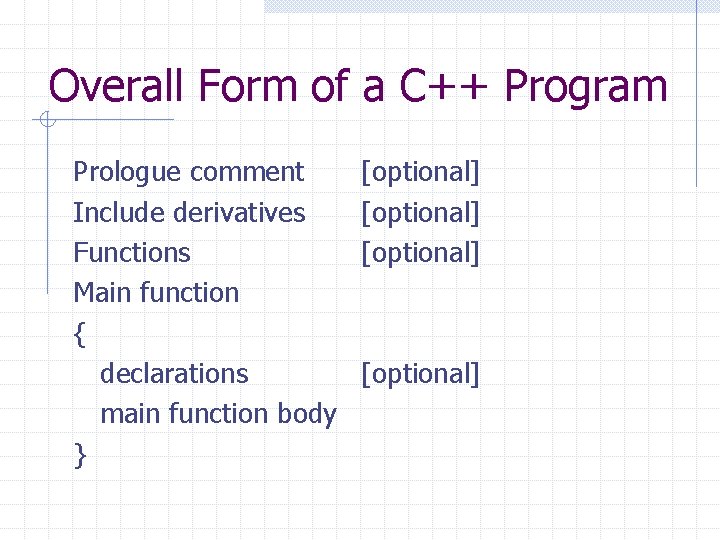
Overall Form of a C++ Program Prologue comment Include derivatives Functions Main function { declarations main function body } [optional]
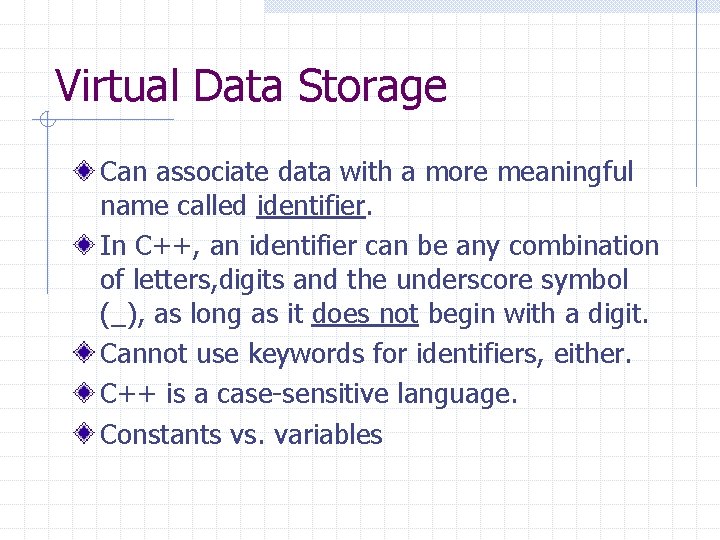
Virtual Data Storage Can associate data with a more meaningful name called identifier. In C++, an identifier can be any combination of letters, digits and the underscore symbol (_), as long as it does not begin with a digit. Cannot use keywords for identifiers, either. C++ is a case-sensitive language. Constants vs. variables
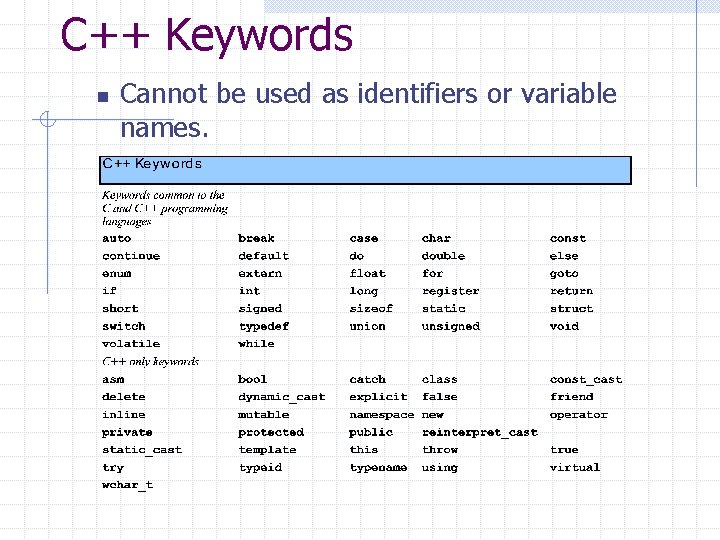
C++ Keywords n Cannot be used as identifiers or variable names.
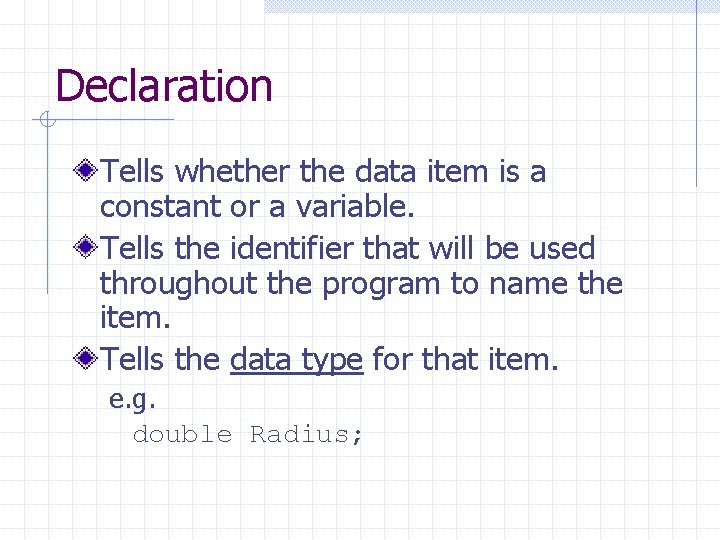
Declaration Tells whether the data item is a constant or a variable. Tells the identifier that will be used throughout the program to name the item. Tells the data type for that item. e. g. double Radius;
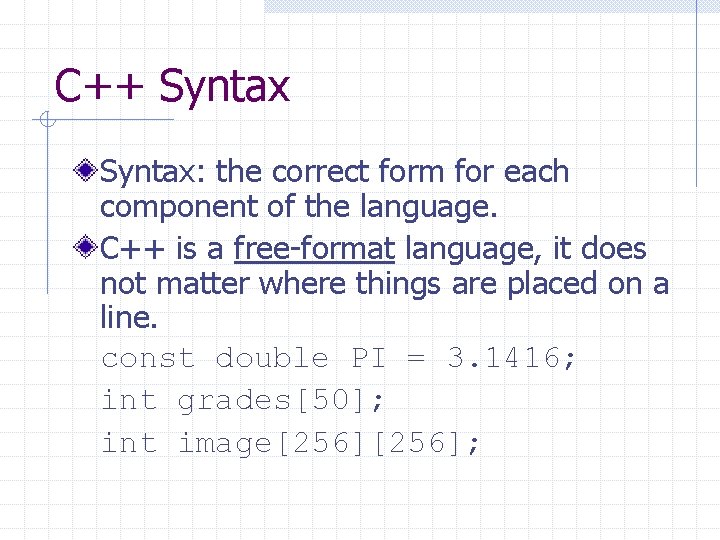
C++ Syntax: the correct form for each component of the language. C++ is a free-format language, it does not matter where things are placed on a line. const double PI = 3. 1416; int grades[50]; int image[256];
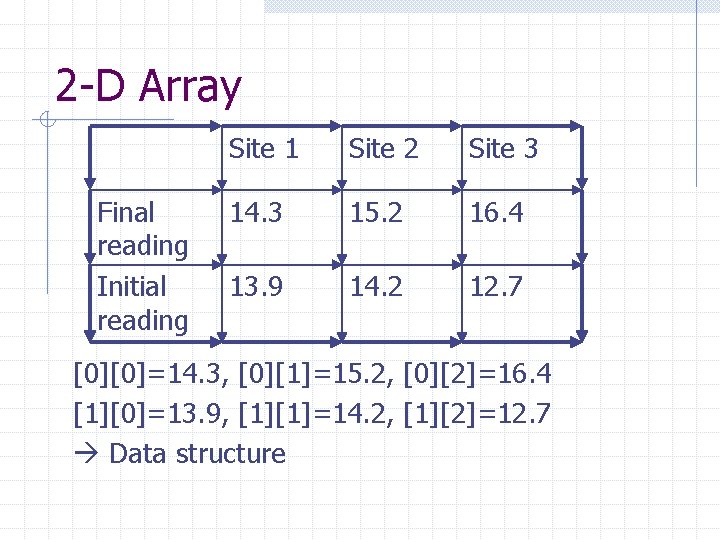
2 -D Array Final reading Initial reading Site 1 Site 2 Site 3 14. 3 15. 2 16. 4 13. 9 14. 2 12. 7 [0][0]=14. 3, [0][1]=15. 2, [0][2]=16. 4 [1][0]=13. 9, [1][1]=14. 2, [1][2]=12. 7 Data structure
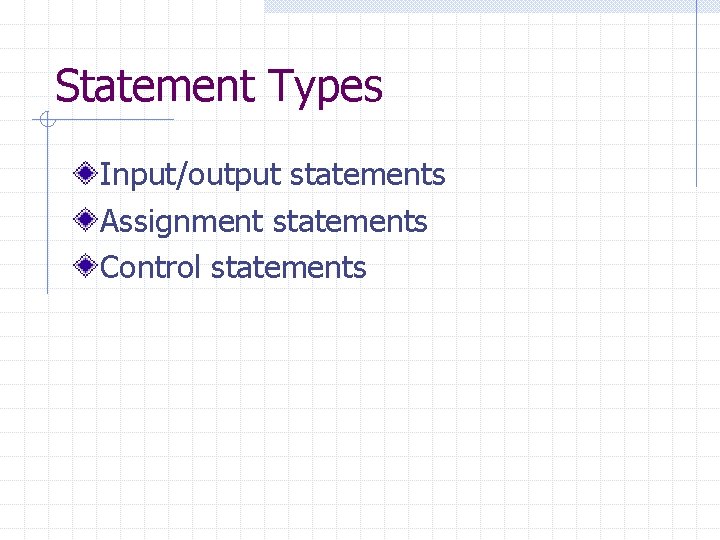
Statement Types Input/output statements Assignment statements Control statements
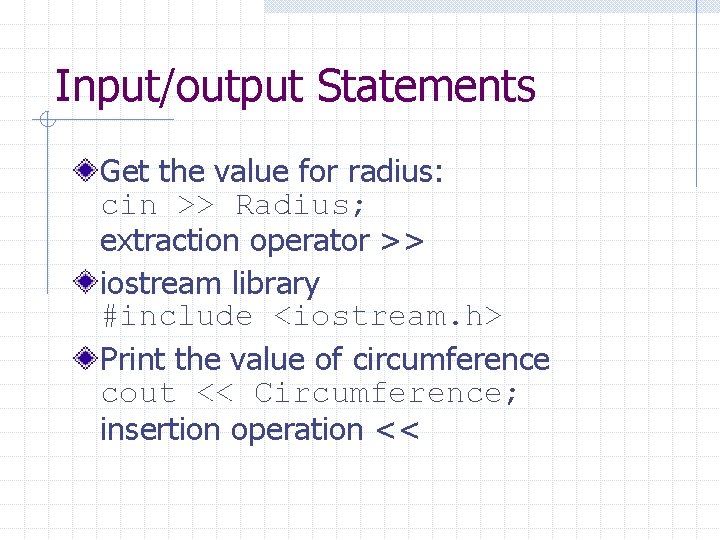
Input/output Statements Get the value for radius: cin >> Radius; extraction operator >> iostream library #include <iostream. h> Print the value of circumference cout << Circumference; insertion operation <<
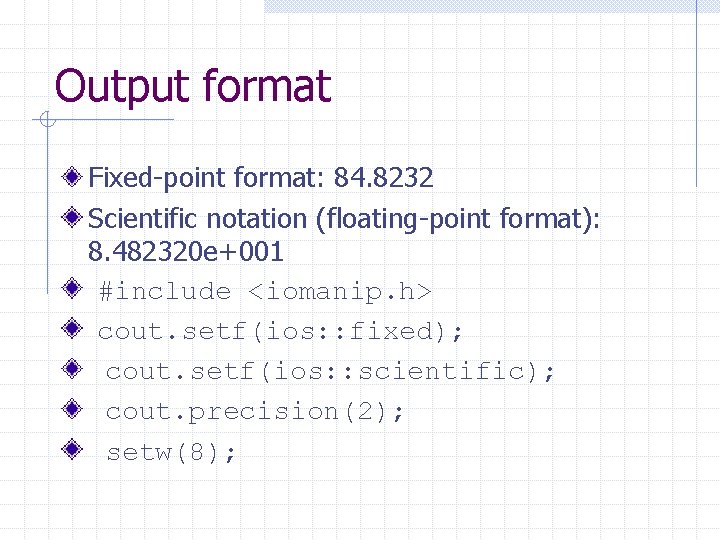
Output format Fixed-point format: 84. 8232 Scientific notation (floating-point format): 8. 482320 e+001 #include <iomanip. h> cout. setf(ios: : fixed); cout. setf(ios: : scientific); cout. precision(2); setw(8);
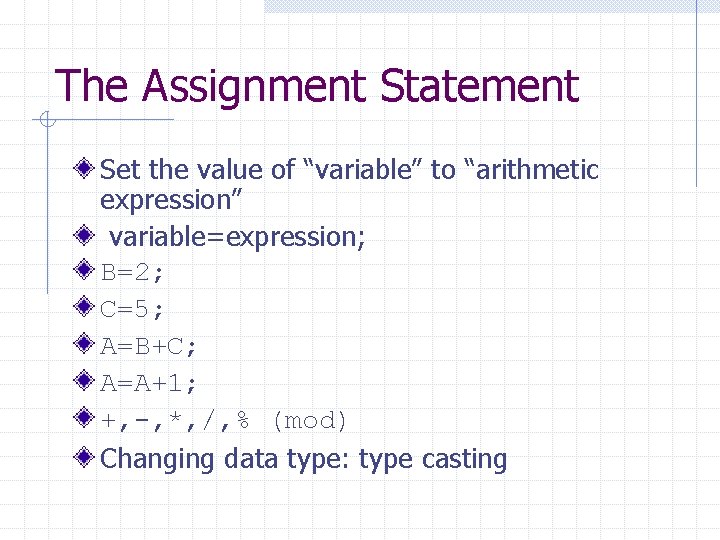
The Assignment Statement Set the value of “variable” to “arithmetic expression” variable=expression; B=2; C=5; A=B+C; A=A+1; +, -, *, /, % (mod) Changing data type: type casting
Control Statements Sequential (default, no action required) Conditional Looping
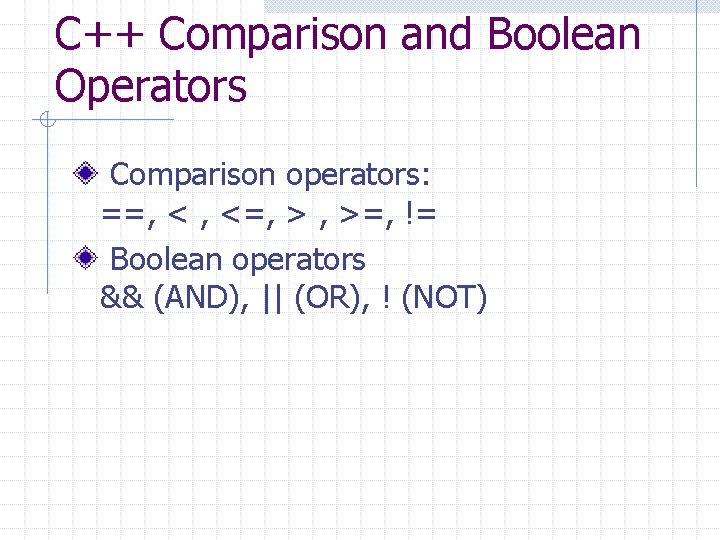
C++ Comparison and Boolean Operators Comparison operators: ==, < , <=, > , >=, != Boolean operators && (AND), || (OR), ! (NOT)
Conditional Statements if-else if Nested-if
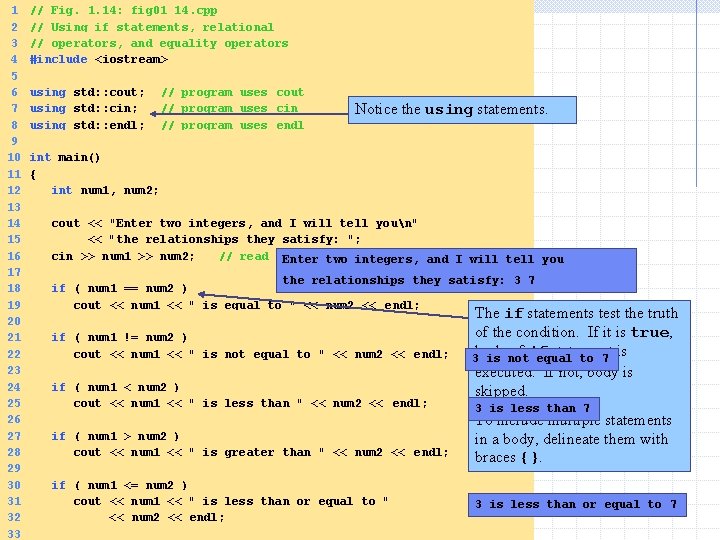
1 2 3 4 5 6 7 8 9 10 11 12 13 14 15 16 17 18 19 20 21 22 23 24 25 26 27 28 29 30 31 32 33 // Fig. 1. 14: fig 01_14. cpp // Using if statements, relational // operators, and equality operators #include <iostream> using std: : cout; // program uses cout using std: : cin; // program uses cin using std: : endl; // program uses endl Notice the using statements. int main() { int num 1, num 2; cout << "Enter two integers, and I will tell youn" << "the relationships they satisfy: "; cin >> num 1 >> num 2; // read two integers Enter two integers, and I will tell you the relationships they satisfy: 3 7 if ( num 1 == num 2 ) cout << num 1 << " is equal to " << num 2 << endl; if ( num 1 != num 2 ) cout << num 1 << " is not equal to " << num 2 << endl; if ( num 1 < num 2 ) cout << num 1 << " is less than " << num 2 << endl; if ( num 1 > num 2 ) cout << num 1 << " is greater than " << num 2 << endl; if ( num 1 <= num 2 ) cout << num 1 << " is less than or equal to " << num 2 << endl; The if statements test the truth of the condition. If it is true, body of if statement is 3 is not equal to 7 executed. If not, body is skipped. 3 is less than 7 To include multiple statements in a body, delineate them with braces {}. 3 is less than or equal to 7
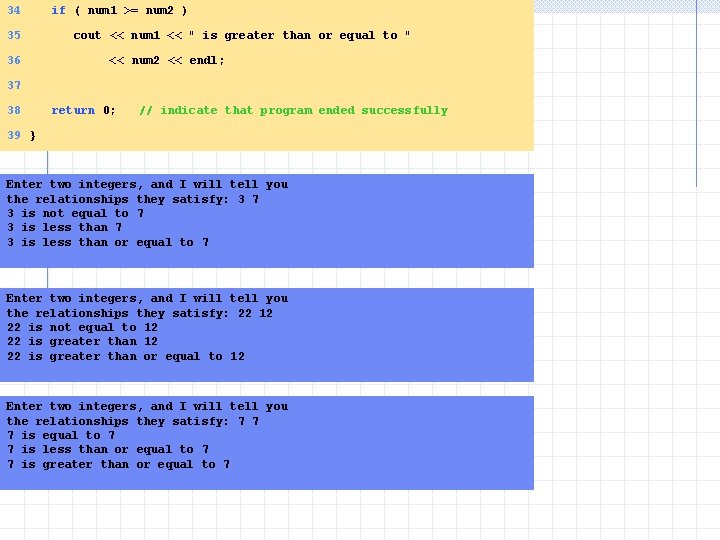
34 if ( num 1 >= num 2 ) 35 cout << num 1 << " is greater than or equal to " 36 << num 2 << endl; 37 38 return 0; // indicate that program ended successfully 39 } Enter two integers, and I will tell you the relationships they satisfy: 3 7 3 is not equal to 7 3 is less than or equal to 7 Enter two integers, and I will tell you the relationships they satisfy: 22 12 22 is not equal to 12 22 is greater than or equal to 12 Enter two integers, and I will tell you the relationships they satisfy: 7 7 7 is equal to 7 7 is less than or equal to 7 7 is greater than or equal to 7
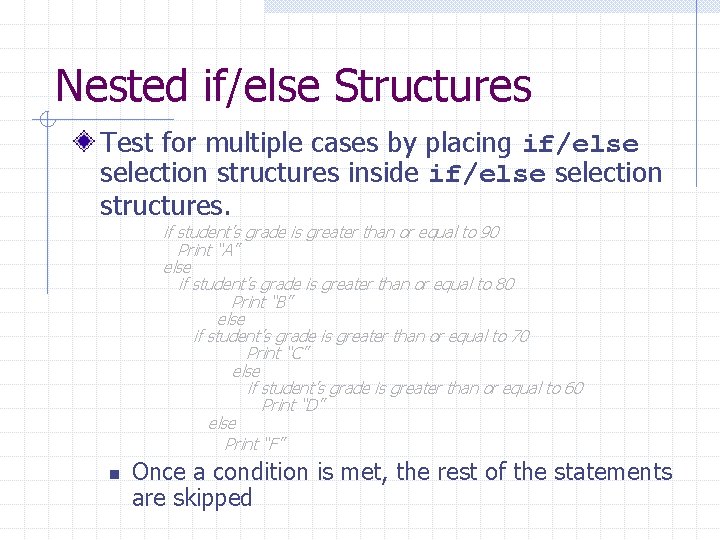
Nested if/else Structures Test for multiple cases by placing if/else selection structures inside if/else selection structures. if student’s grade is greater than or equal to 90 Print “A” else if student’s grade is greater than or equal to 80 Print “B” else if student’s grade is greater than or equal to 70 Print “C” else if student’s grade is greater than or equal to 60 Print “D” else Print “F” n Once a condition is met, the rest of the statements are skipped
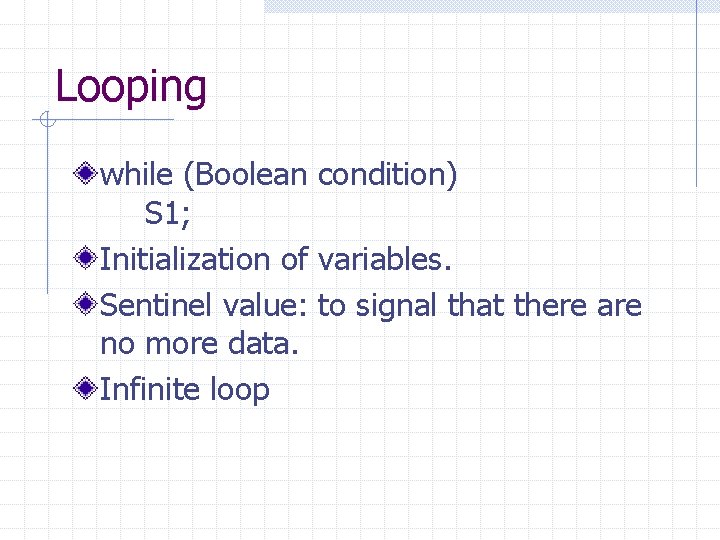
Looping while (Boolean condition) S 1; Initialization of variables. Sentinel value: to signal that there are no more data. Infinite loop
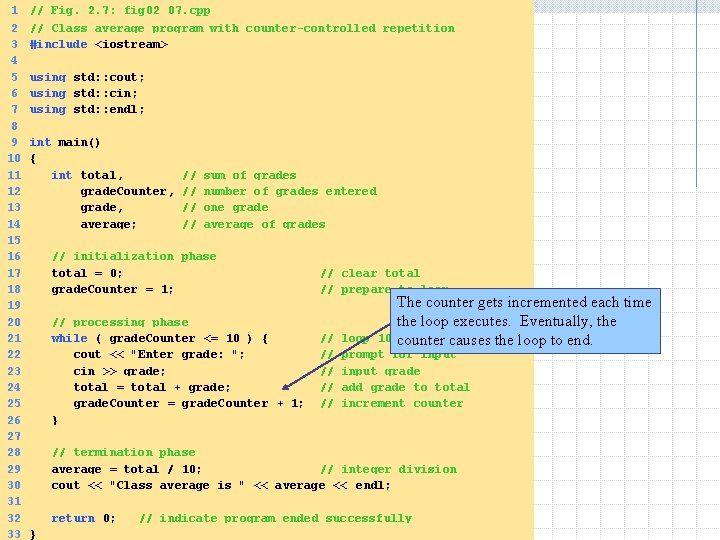
1 2 3 4 5 6 7 8 9 10 11 12 13 14 15 16 17 18 19 20 21 22 23 24 25 26 27 28 29 30 31 32 33 // Fig. 2. 7: fig 02_07. cpp // Class average program with counter-controlled repetition #include <iostream> using std: : cout; using std: : cin; using std: : endl; int main() { int total, // sum of grades grade. Counter, // number of grades entered grade, // one grade average; // average of grades // initialization phase total = 0; // clear total grade. Counter = 1; // prepare to loop The counter gets incremented each time // processing phase the loop executes. Eventually, the while ( grade. Counter <= 10 ) { // loop 10 times counter causes the loop to end. cout << "Enter grade: "; // prompt for input cin >> grade; // input grade total = total + grade; // add grade to total grade. Counter = grade. Counter + 1; // increment counter } // termination phase average = total / 10; // integer division cout << "Class average is " << average << endl; return 0; // indicate program ended successfully }
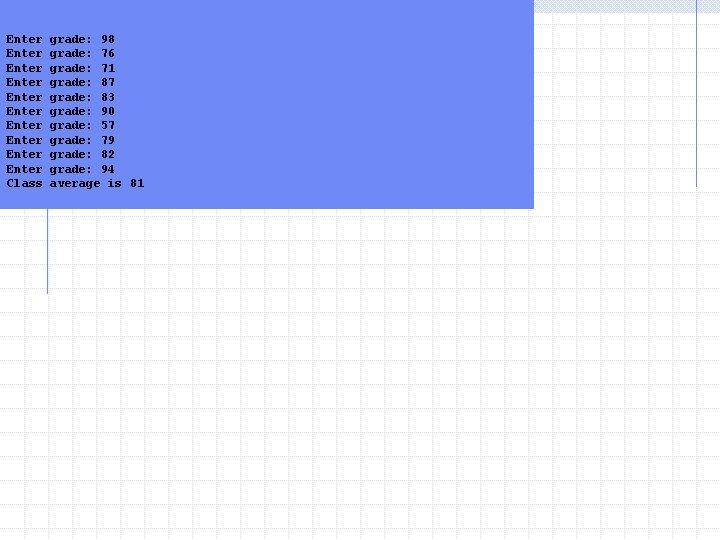
Enter grade: 98 Enter grade: 76 Enter grade: 71 Enter grade: 87 Enter grade: 83 Enter grade: 90 Enter grade: 57 Enter grade: 79 Enter grade: 82 Enter grade: 94 Class average is 81
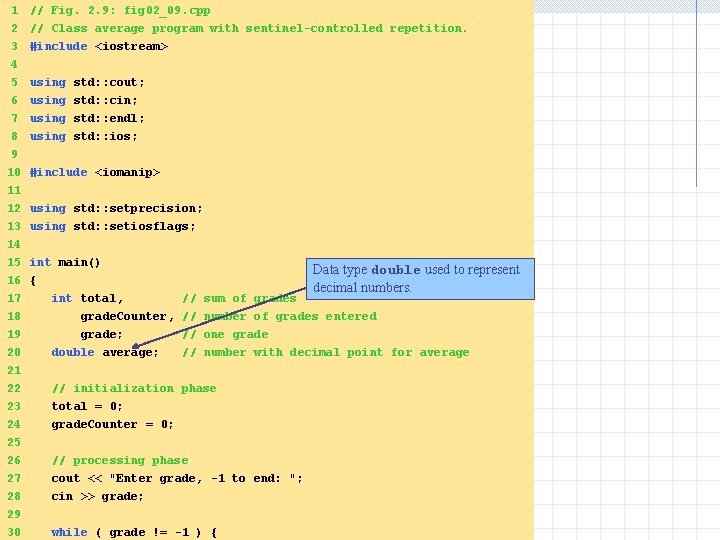
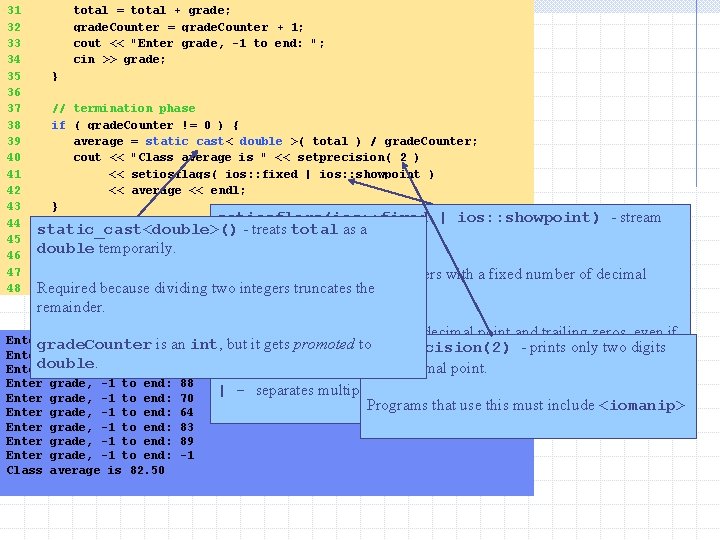
1 // Fig. 2. 9: fig 02_09. cpp 2 3 4 5 6 // Class average program with sentinel-controlled repetition. #include <iostream> 7 using std: : endl; 8 9 using std: : ios; using std: : cout; using std: : cin; 10 #include <iomanip> 11 12 using std: : setprecision; 13 using std: : setiosflags; 14 15 int main() 16 { 17 int total, // sum of grades Data type double used to represent decimal numbers. 18 grade. Counter, // number of grades entered 19 grade; // one grade 20 double average; // number with decimal point for average 21 22 23 24 25 26 // initialization phase total = 0; grade. Counter = 0; // processing phase 27 cout << "Enter grade, -1 to end: "; 28 cin >> grade; 29 30 while ( grade != -1 ) {
31 32 33 34 35 36 37 38 39 40 41 42 43 44 45 46 47 48 total = total + grade; grade. Counter = grade. Counter + 1; cout << "Enter grade, -1 to end: "; cin >> grade; } // termination phase if ( grade. Counter != 0 ) { average = static_cast< double >( total ) / grade. Counter; cout << "Class average is " << setprecision( 2 ) << setiosflags( ios: : fixed | ios: : showpoint ) << average << endl; } setiosflags(ios: : fixed | ios: : showpoint) else static_cast<double>() - treats total as a manipulator cout << "No grades were entered" << endl; - stream double temporarily. return 0; // indicate program ended successfully ios: : fixed - output numbers }Required because dividing two integers truncates the remainder. with a fixed number of decimal points. ios: : showpoint - forces decimal point and trailing zeros, even if Enter grade, -1 to end: 75 grade. Counter is an int, but it gets promoted tosetprecision(2) - prints only two digits unnecessary: 66 printed as 66. 00 Enter grade, -1 to end: 94 double. past decimal point. Enter grade, -1 to end: 97 Enter grade, -1 to end: 88 | - separates multiple option. Enter grade, -1 to end: 70 Programs that use this must include <iomanip> Enter grade, -1 to end: 64 Enter grade, -1 to end: 83 Enter grade, -1 to end: 89 Enter grade, -1 to end: -1 Class average is 82. 50
Meeting Expectations Data management issue Macroscopic view Portability: ANSI standard Closer to human-language
Keeping the Pieces Apart Divide and conquer Using functions n n Function name (identifier) Argument list: what to pass, what gets returned(return indicator) Local vs. global variables Pass by value vs. pass by reference
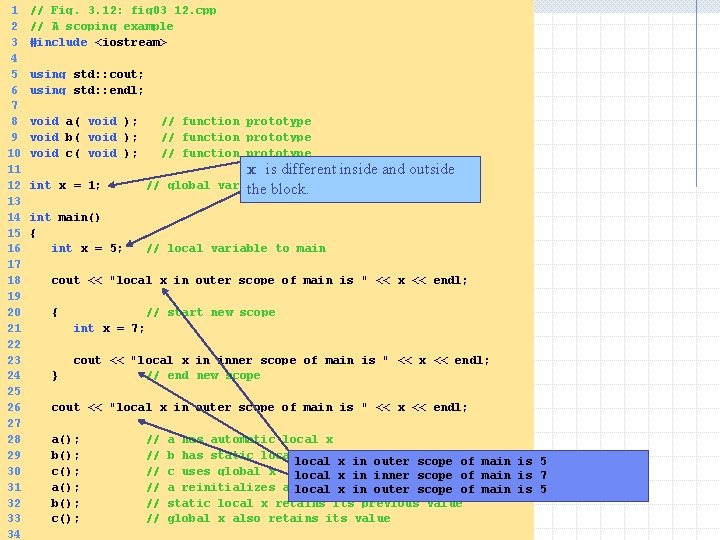
1 2 3 4 5 6 7 8 9 10 11 12 13 14 15 16 17 18 19 20 21 22 23 24 25 26 27 28 29 30 31 32 33 34 // Fig. 3. 12: fig 03_12. cpp // A scoping example #include <iostream> using std: : cout; using std: : endl; void a( void ); // function prototype void b( void ); // function prototype void c( void ); // function prototype x is different inside and outside int x = 1; // global variable the block. int main() { int x = 5; // local variable to main cout << "local x in outer scope of main is " << x << endl; { // start new scope int x = 7; cout << "local x in inner scope of main is " << x << endl; } // end new scope cout << "local x in outer scope of main is " << x << endl; a(); // a has automatic local x b(); // b has static local x in outer scope of main is 5 c(); // c uses global x local x in inner scope of main is 7 a(); // a reinitializes automatic local x in outer scope of main is 5 b(); // static local x retains its previous value c(); // global x also retains its value
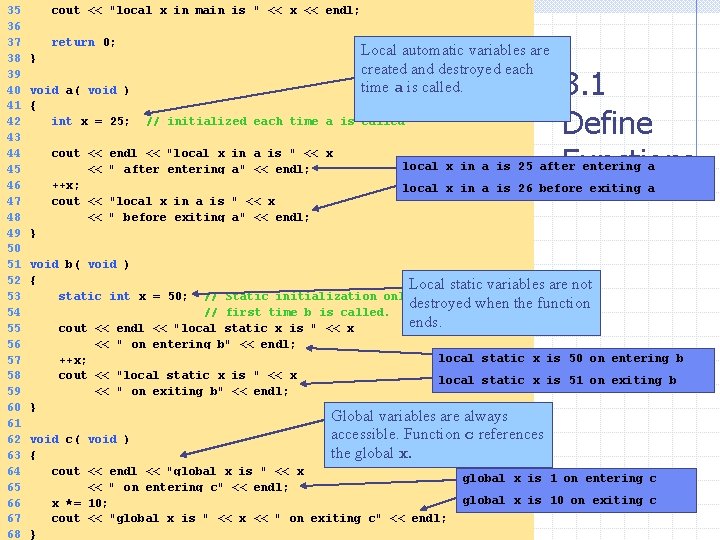
35 36 37 38 39 40 41 42 43 44 45 46 47 48 49 50 51 52 53 54 55 56 57 58 59 60 61 62 63 64 65 66 67 68 cout << "local x in main is " << x << endl; return 0; } Local automatic variables are created and destroyed each time a is called. void a( void ) { int x = 25; // initialized each time a is called cout << endl << "local x in a is " << x << " after entering a" << endl; ++x; cout << "local x in a is " << x << " before exiting a" << endl; } 3. 1 Define Functions local x in a is 25 after entering a local x in a is 26 before exiting a void b( void ) { Local static variables are not static int x = 50; // Static initialization only destroyed when the function // first time b is called. ends. cout << endl << "local static x is " << x << " on entering b" << endl; local static x is 50 on entering b ++x; cout << "local static x is " << x local static x is 51 on exiting b << " on exiting b" << endl; } Global variables are always accessible. Function c references the global x. void c( void ) { cout << endl << "global x is " << x << " on entering c" << endl; x *= 10; cout << "global x is " << x << " on exiting c" << endl; } global x is 1 on entering c global x is 10 on exiting c
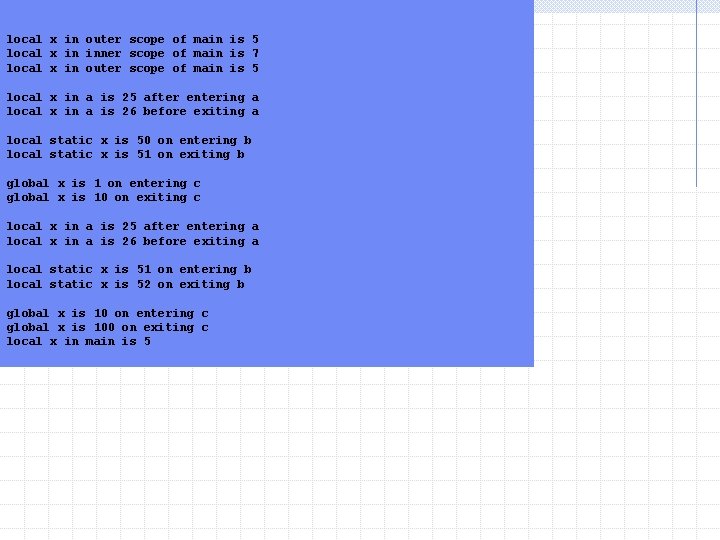
local x in outer scope of main is 5 local x in inner scope of main is 7 local x in outer scope of main is 5 local x in a is 25 after entering a local x in a is 26 before exiting a local static x is 50 on entering b local static x is 51 on exiting b global x is 1 on entering c global x is 10 on exiting c local x in a is 25 after entering a local x in a is 26 before exiting a local static x is 51 on entering b local static x is 52 on exiting b global x is 10 on entering c global x is 100 on exiting c local x in main is 5
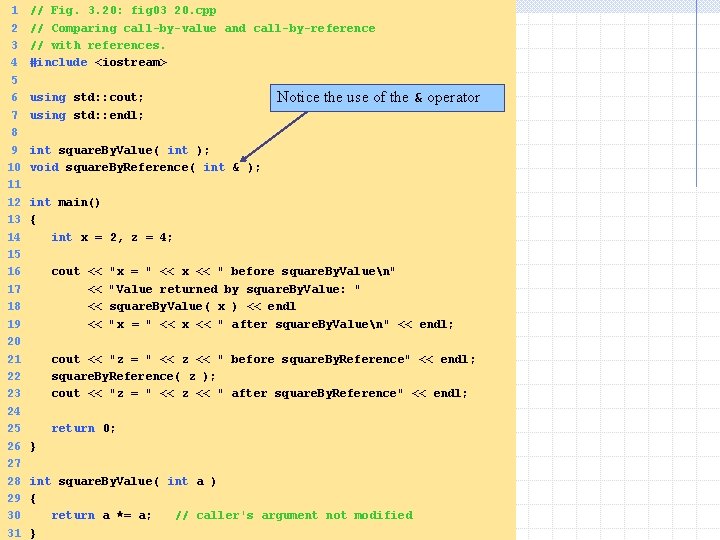
1 2 3 4 5 6 7 8 9 10 11 12 13 14 15 16 17 18 19 20 21 22 23 24 25 26 27 28 29 30 31 // Fig. 3. 20: fig 03_20. cpp // Comparing call-by-value and call-by-reference // with references. #include <iostream> using std: : cout; using std: : endl; Notice the use of the & operator int square. By. Value( int ); void square. By. Reference( int & ); int main() { int x = 2, z = 4; cout << "x = " << x << " before square. By. Valuen" << "Value returned by square. By. Value: " << square. By. Value( x ) << endl << "x = " << x << " after square. By. Valuen" << endl; cout << "z = " << z << " before square. By. Reference" << endl; square. By. Reference( z ); cout << "z = " << z << " after square. By. Reference" << endl; return 0; } int square. By. Value( int a ) { return a *= a; // caller's argument not modified }
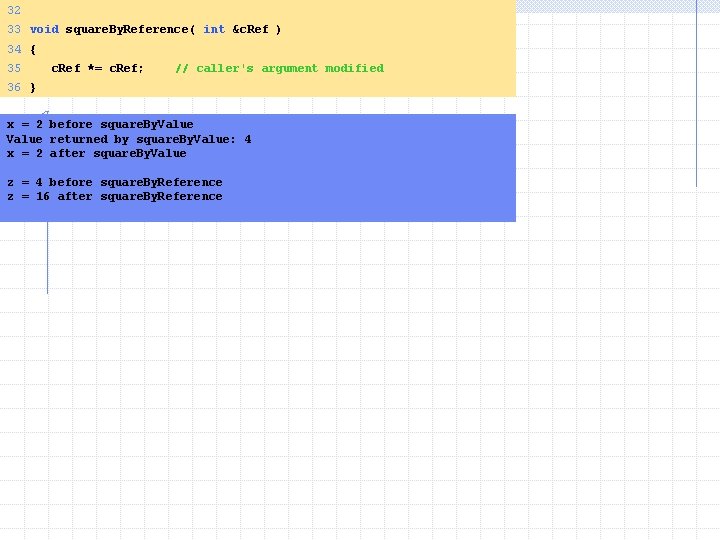
32 33 void square. By. Reference( int &c. Ref ) 34 { 35 c. Ref *= c. Ref; // caller's argument modified 36 } x = 2 before square. By. Value returned by square. By. Value: 4 x = 2 after square. By. Value z = 4 before square. By. Reference z = 16 after square. By. Reference