
chapter 7 Descriptive Statistics Frequency Contingency Tables Instructor
chapter 7 Descriptive Statistics Frequency & Contingency Tables Instructor: Huang, Jia-Ping
Contents Descriptive statistics p Tables p
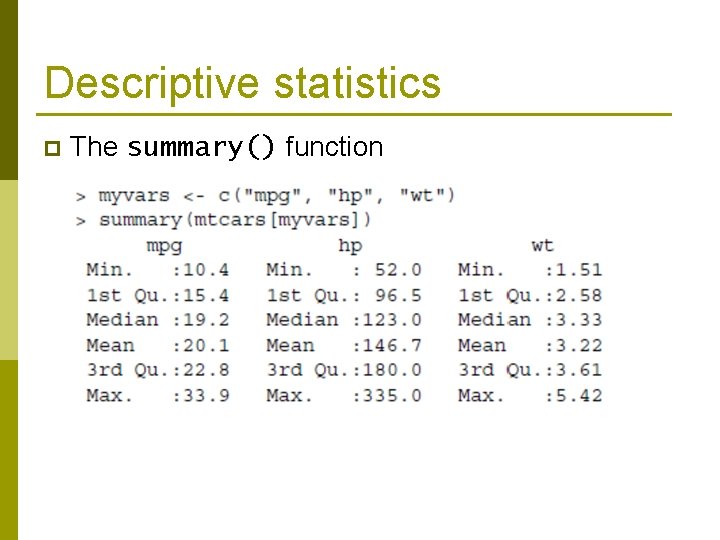
Descriptive statistics p The summary() function
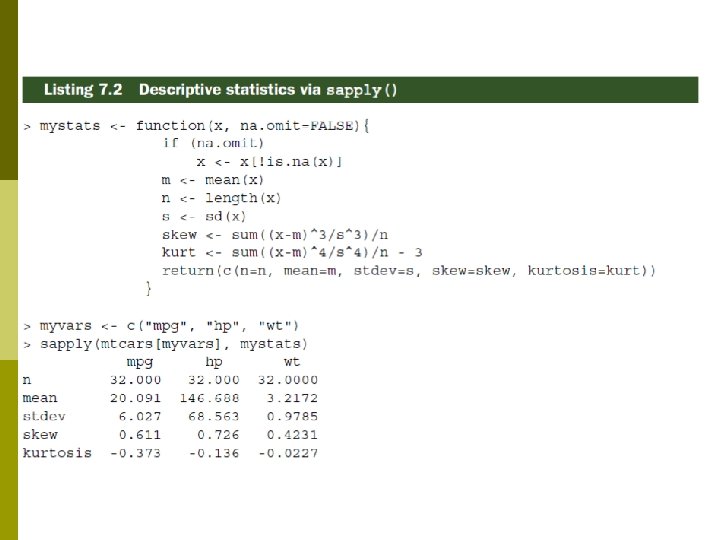
Descriptive statistics The summary() does not provide enough information to understand a sample of data. p Use a combination of sapply() and functions like mean(), sd(), var(), min(), max(), median(), length(), range(), quantile(), etc. , to produce the statistics you need. p
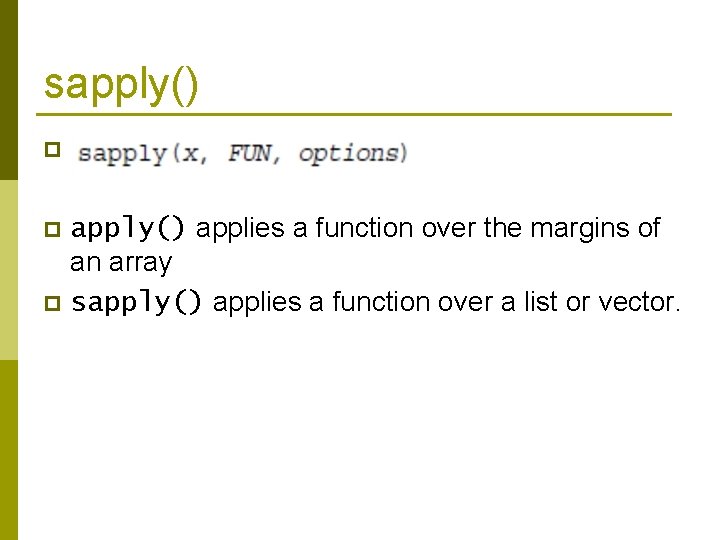
sapply() p apply() applies a function over the margins of an array p sapply() applies a function over a list or vector. p
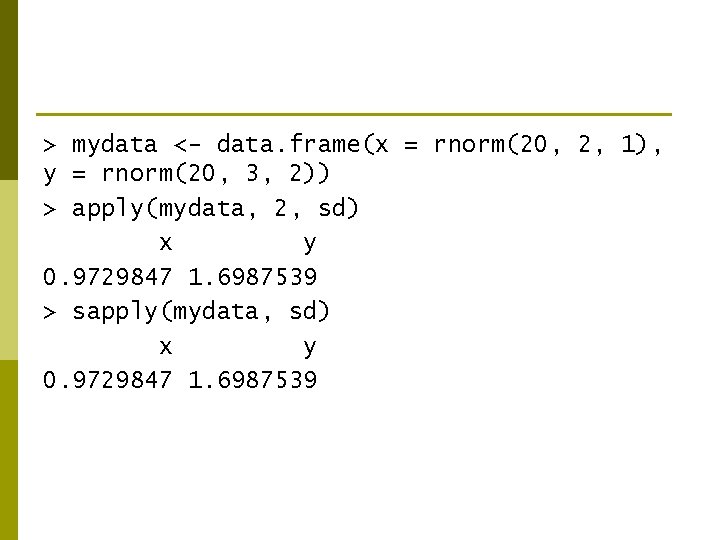
> mydata <- data. frame(x = rnorm(20, 2, 1), y = rnorm(20, 3, 2)) > apply(mydata, 2, sd) x y 0. 9729847 1. 6987539 > sapply(mydata, sd) x y 0. 9729847 1. 6987539
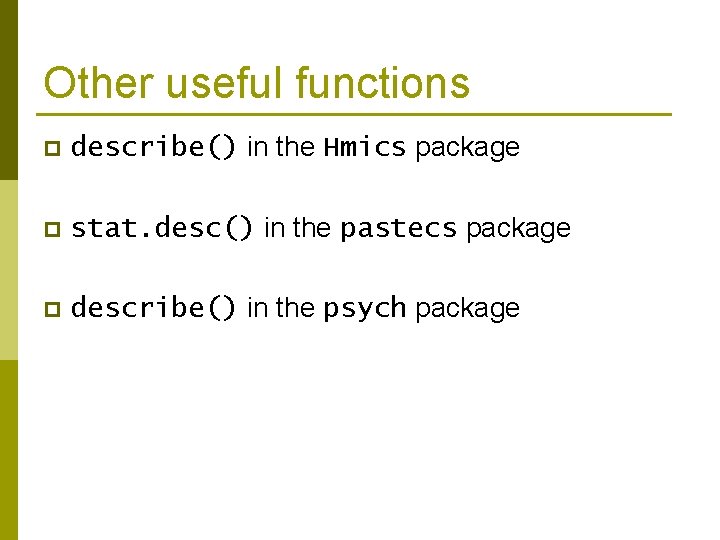
Other useful functions p describe() in the Hmics package p stat. desc() in the pastecs package p describe() in the psych package
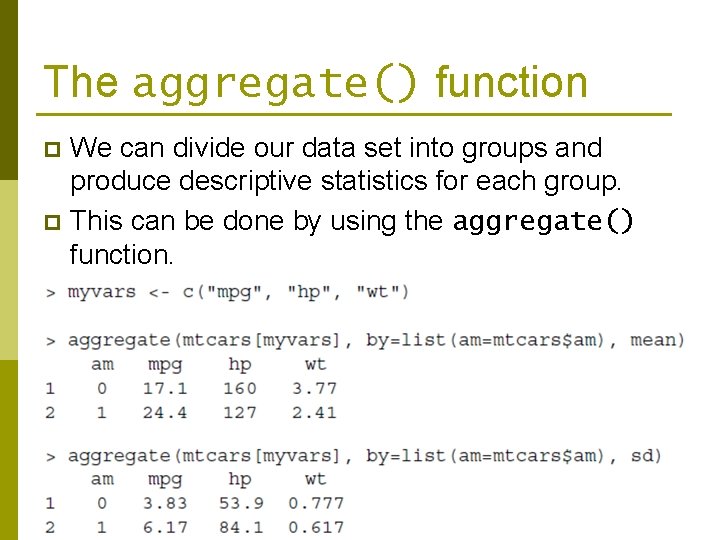
The aggregate() function We can divide our data set into groups and produce descriptive statistics for each group. p This can be done by using the aggregate() function. p
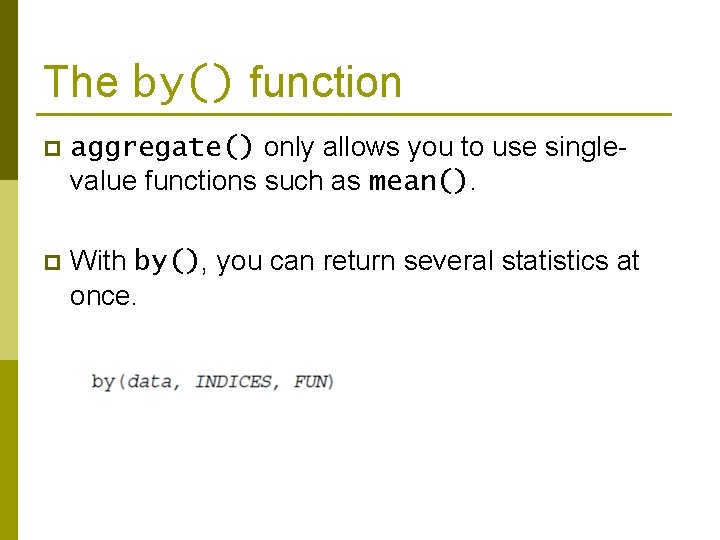
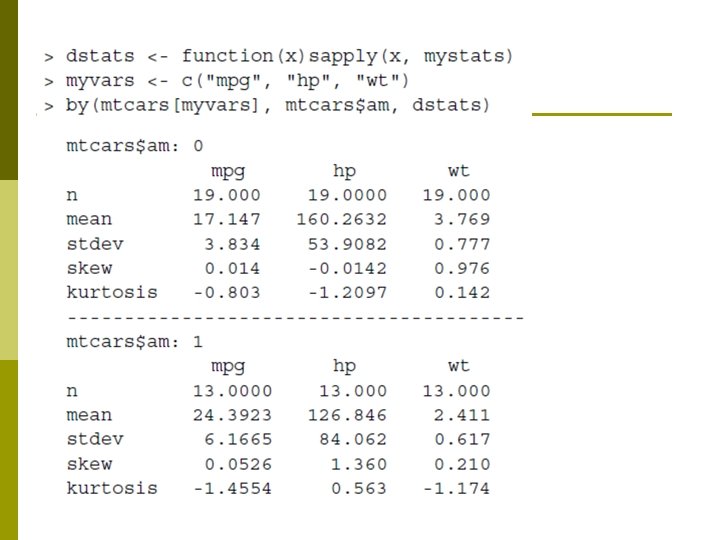
The by() function p aggregate() only allows you to use singlevalue functions such as mean(). p With by(), you can return several statistics at once.
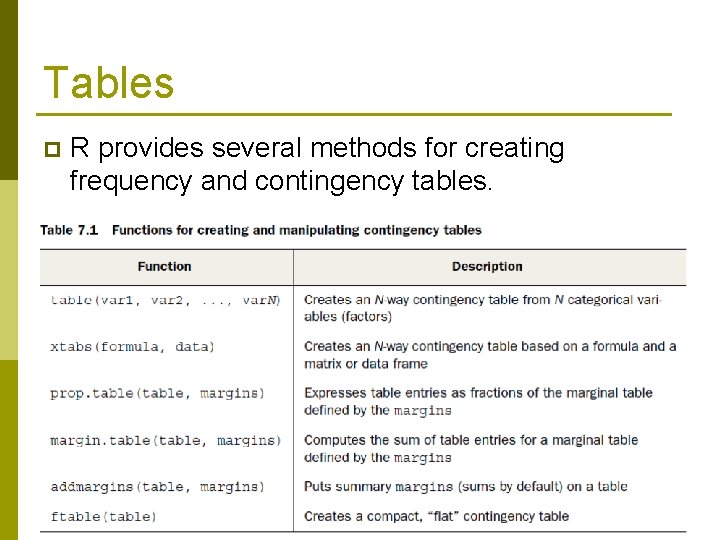
Tables p R provides several methods for creating frequency and contingency tables.
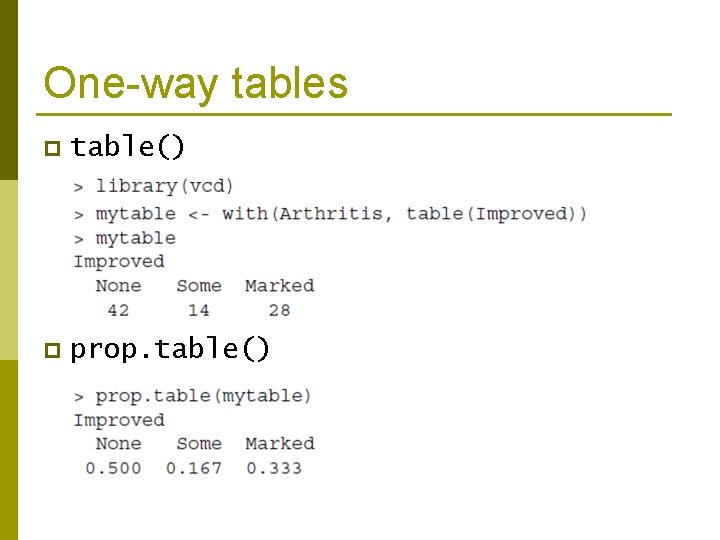
One-way tables p table() p prop. table()
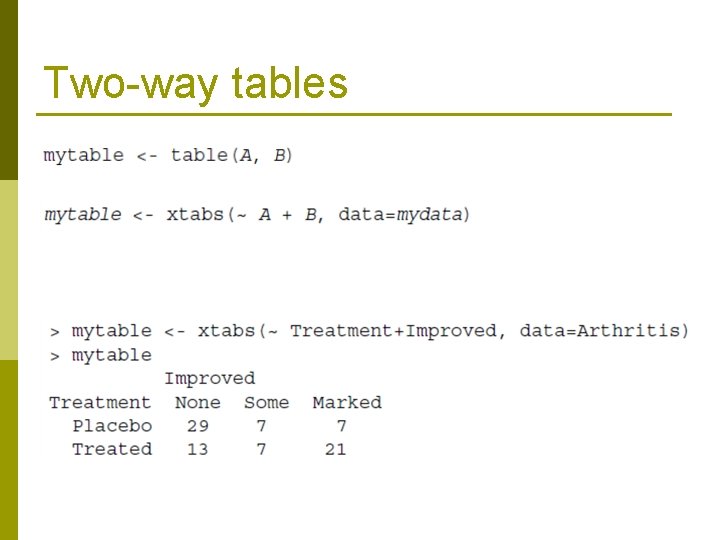
Two-way tables
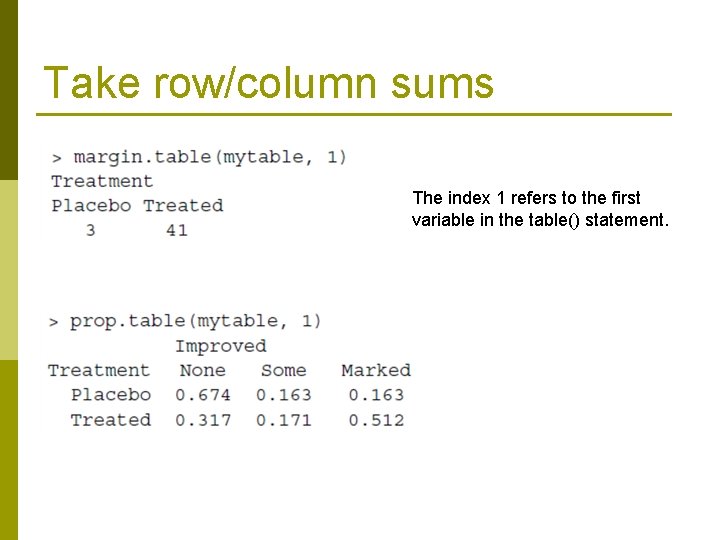
Take row/column sums The index 1 refers to the first variable in the table() statement.
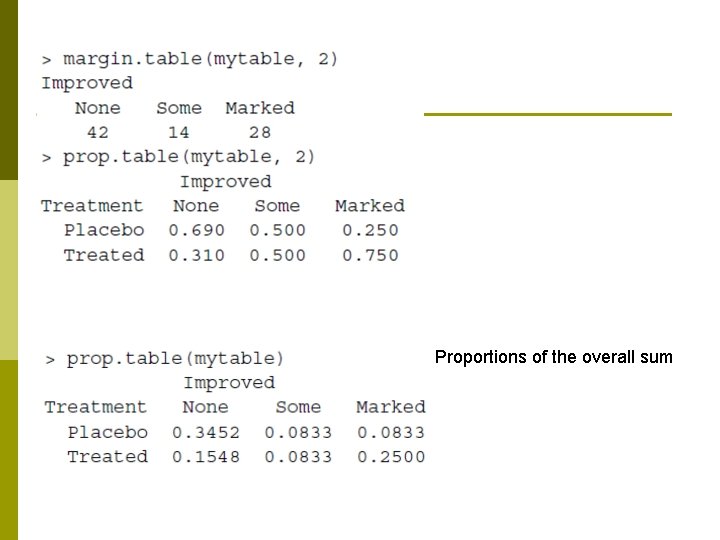
Proportions of the overall sum
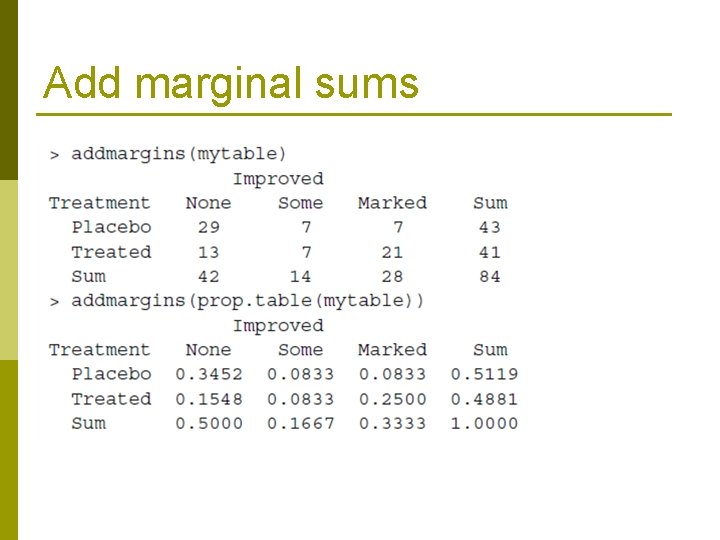
Add marginal sums
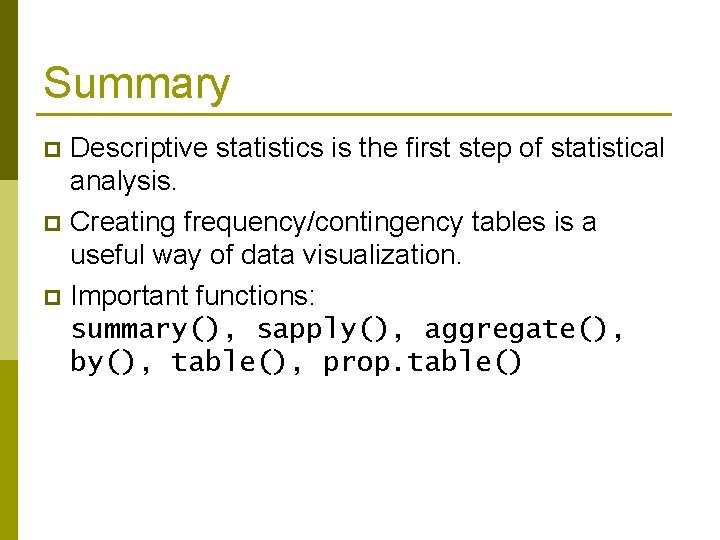
Summary Descriptive statistics is the first step of statistical analysis. p Creating frequency/contingency tables is a useful way of data visualization. p Important functions: summary(), sapply(), aggregate(), by(), table(), prop. table() p
- Slides: 18