
Chapter 7 Computer Networks and Cloud Computing Learning


- Slides: 61
Chapter 7 Computer Networks and Cloud Computing
Learning Objectives (1 of 2) • Describe and compare different network technologies, including dial-up, broadband, and wireless • Explain how different kinds of networks (LAN, WAN) are connected, and how communication works in each • Explain the importance of standards and protocols for communication among computing devices
Learning Objectives (2 of 2) • Name the layers of the network protocol hierarchy, and describe the purpose of each layer • Name four services that computer networks provide and explain their social impact • Explain cloud computing and discuss its potential benefits • Describe the highlights of the history of the Internet and the web
Introduction • • • Computer networks have had revolutionary impact Education, research, medicine, and more benefits Worldwide communications Spread of information and data Possibly a vehicle for spreading misinformation – Fake news – Rumors – Falsehoods • Helps to equalize access to information
Basic Networking Concepts (1 of 22) • Computer network is made up of computing devices, nodes, and interconnections • Networks may be wired or wireless; communication links use various technology • Wired networks – Dial-up – Broadband (cable modems and DSL) • Wireless networks – WLAN, WWAN, MAN, LAN, PAN
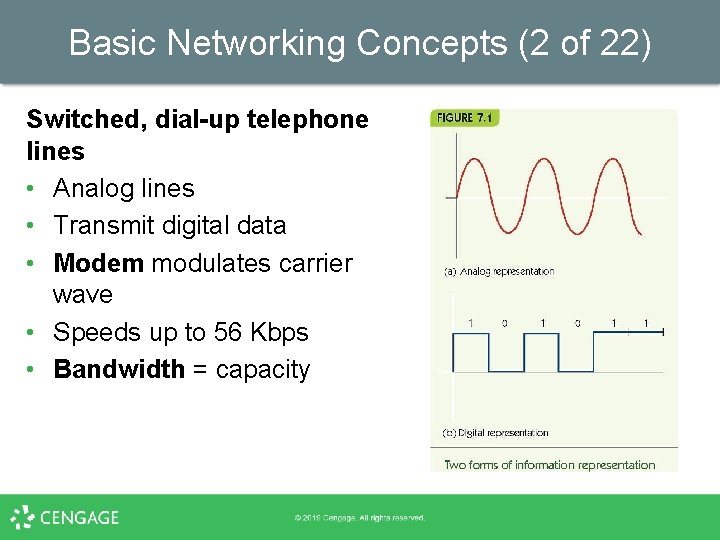
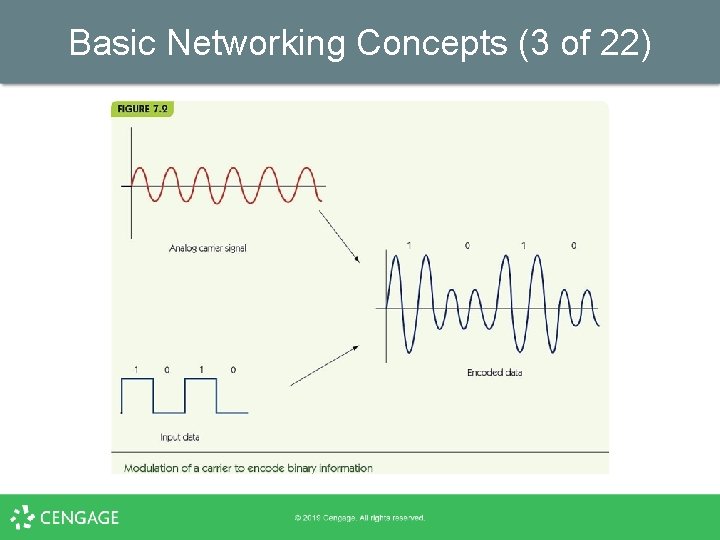
Basic Networking Concepts (2 of 22) Switched, dial-up telephone lines • Analog lines • Transmit digital data • Modem modulates carrier wave • Speeds up to 56 Kbps • Bandwidth = capacity
Basic Networking Concepts (3 of 22)
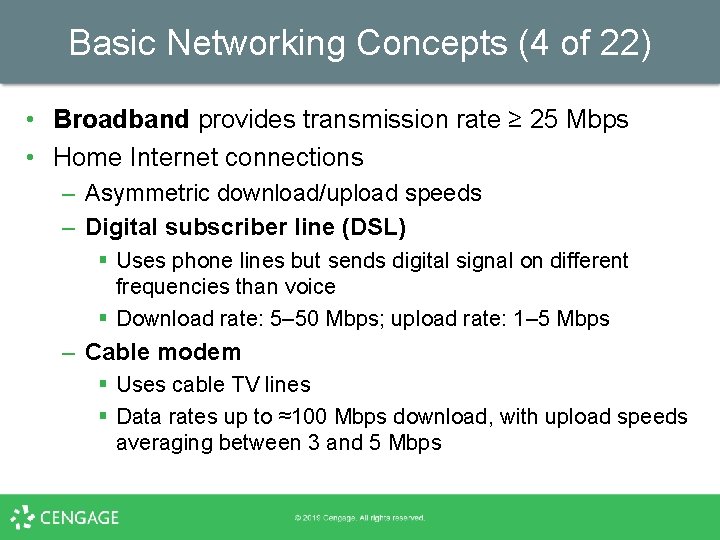
Basic Networking Concepts (4 of 22) • Broadband provides transmission rate ≥ 25 Mbps • Home Internet connections – Asymmetric download/upload speeds – Digital subscriber line (DSL) § Uses phone lines but sends digital signal on different frequencies than voice § Download rate: 5– 50 Mbps; upload rate: 1– 5 Mbps – Cable modem § Uses cable TV lines § Data rates up to ≈100 Mbps download, with upload speeds averaging between 3 and 5 Mbps
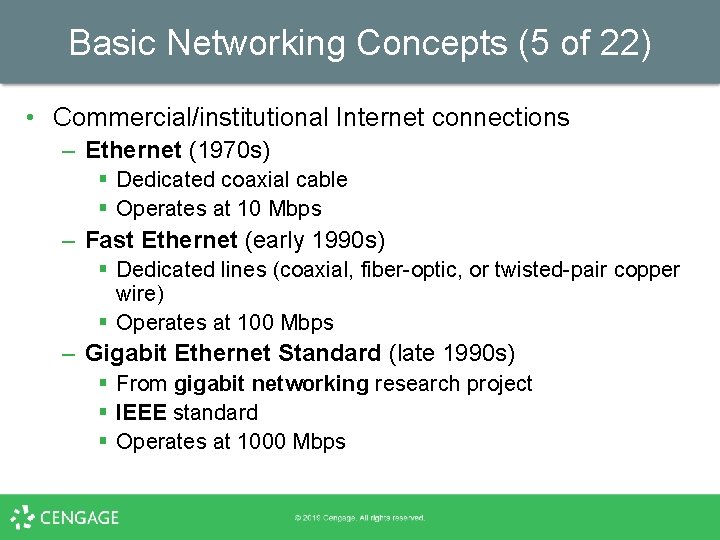
Basic Networking Concepts (5 of 22) • Commercial/institutional Internet connections – Ethernet (1970 s) § Dedicated coaxial cable § Operates at 10 Mbps – Fast Ethernet (early 1990 s) § Dedicated lines (coaxial, fiber-optic, or twisted-pair copper wire) § Operates at 100 Mbps – Gigabit Ethernet Standard (late 1990 s) § From gigabit networking research project § IEEE standard § Operates at 1000 Mbps
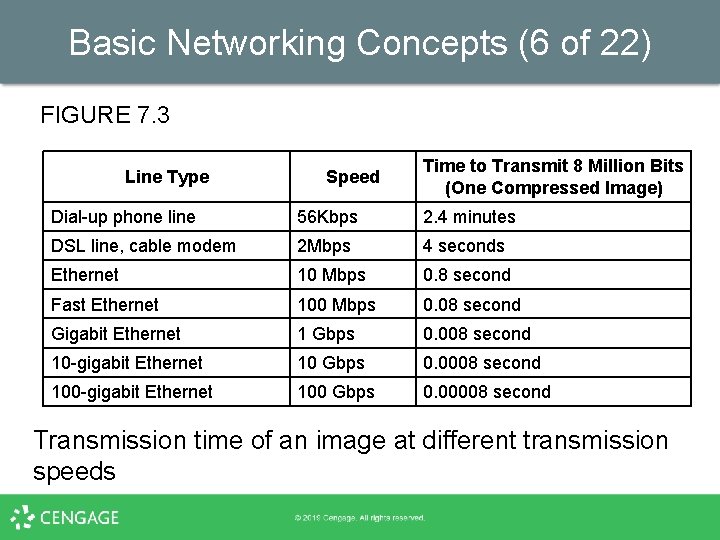
Basic Networking Concepts (6 of 22) FIGURE 7. 3 Line Type Speed Time to Transmit 8 Million Bits (One Compressed Image) Dial-up phone line 56 Kbps 2. 4 minutes DSL line, cable modem 2 Mbps 4 seconds Ethernet 10 Mbps 0. 8 second Fast Ethernet 100 Mbps 0. 08 second Gigabit Ethernet 1 Gbps 0. 008 second 10 -gigabit Ethernet 10 Gbps 0. 0008 second 100 -gigabit Ethernet 100 Gbps 0. 00008 second Transmission time of an image at different transmission speeds
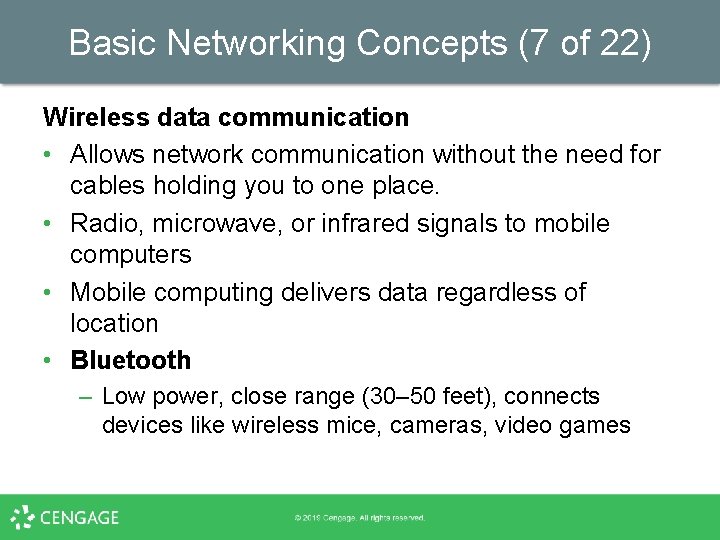
Basic Networking Concepts (7 of 22) Wireless data communication • Allows network communication without the need for cables holding you to one place. • Radio, microwave, or infrared signals to mobile computers • Mobile computing delivers data regardless of location • Bluetooth – Low power, close range (30– 50 feet), connects devices like wireless mice, cameras, video games
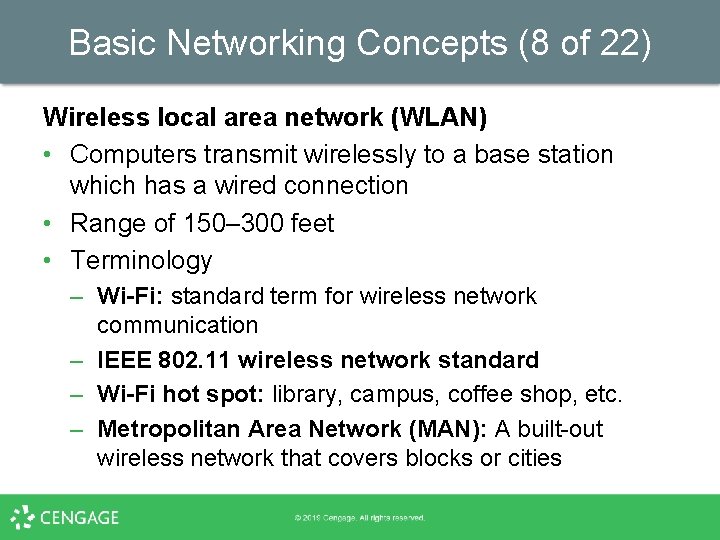
Basic Networking Concepts (8 of 22) Wireless local area network (WLAN) • Computers transmit wirelessly to a base station which has a wired connection • Range of 150– 300 feet • Terminology – Wi-Fi: standard term for wireless network communication – IEEE 802. 11 wireless network standard – Wi-Fi hot spot: library, campus, coffee shop, etc. – Metropolitan Area Network (MAN): A built-out wireless network that covers blocks or cities
Basic Networking Concepts (9 of 22) Wireless wide area network (WWAN) • Computers transmit wirelessly to a remote base station which has a wired connection • Cellular technology involves antennas on towers miles apart • Example: 4 G – Voice and data; transmits at 50– 500 Mbps • Signal may be blocked when indoors • Errors with data transmission can slow performance • Security concern: wireless signals are easy to intercept
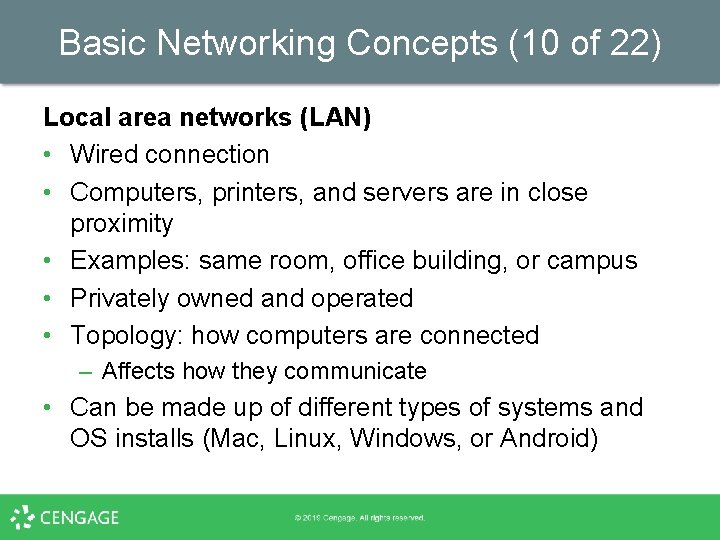
Basic Networking Concepts (10 of 22) Local area networks (LAN) • Wired connection • Computers, printers, and servers are in close proximity • Examples: same room, office building, or campus • Privately owned and operated • Topology: how computers are connected – Affects how they communicate • Can be made up of different types of systems and OS installs (Mac, Linux, Windows, or Android)
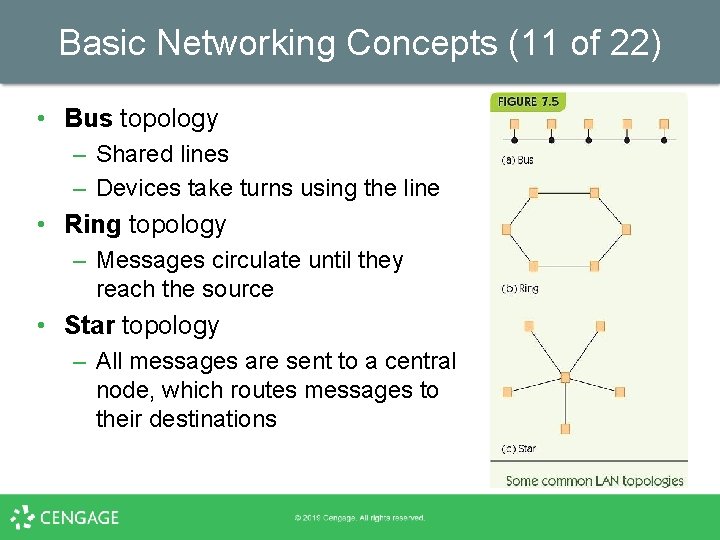
Basic Networking Concepts (11 of 22) • Bus topology – Shared lines – Devices take turns using the line • Ring topology – Messages circulate until they reach the source • Star topology – All messages are sent to a central node, which routes messages to their destinations
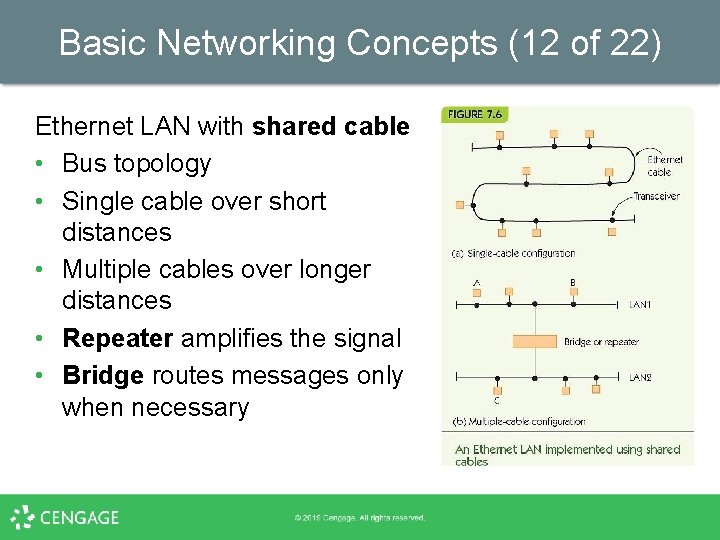
Basic Networking Concepts (12 of 22) Ethernet LAN with shared cable • Bus topology • Single cable over short distances • Multiple cables over longer distances • Repeater amplifies the signal • Bridge routes messages only when necessary
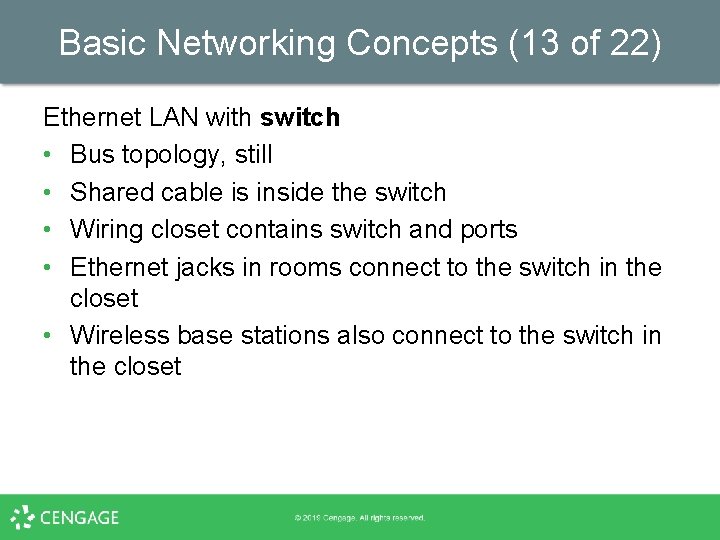
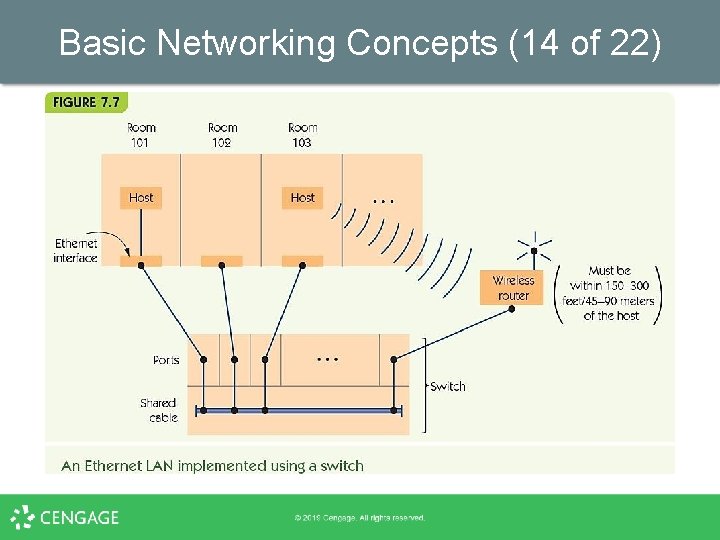
Basic Networking Concepts (13 of 22) Ethernet LAN with switch • Bus topology, still • Shared cable is inside the switch • Wiring closet contains switch and ports • Ethernet jacks in rooms connect to the switch in the closet • Wireless base stations also connect to the switch in the closet
Basic Networking Concepts (14 of 22)
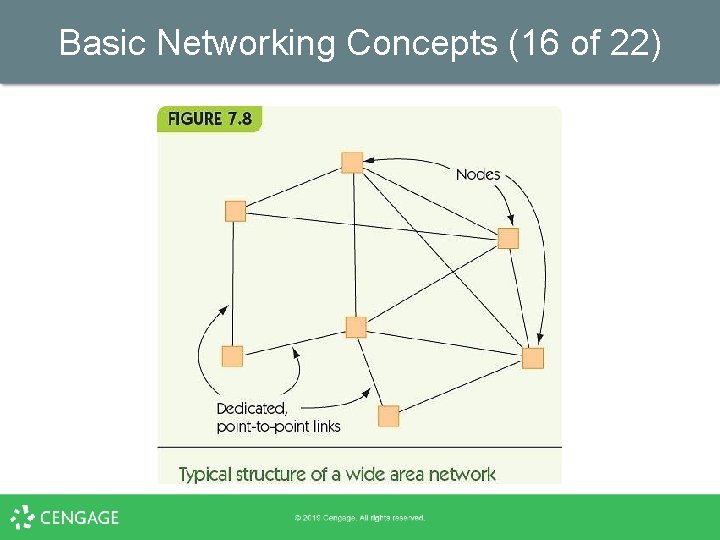
Basic Networking Concepts (15 of 22) Wide area networks (WANs) • Wired connection • Connected computers, located at great distances • Examples: across state, country, or world • Dedicated point-to-point lines – Computers connect to other computers on individual lines • Store-and-forward, packet-switched – Packets go from node to node until reaching their destination
Basic Networking Concepts (16 of 22)
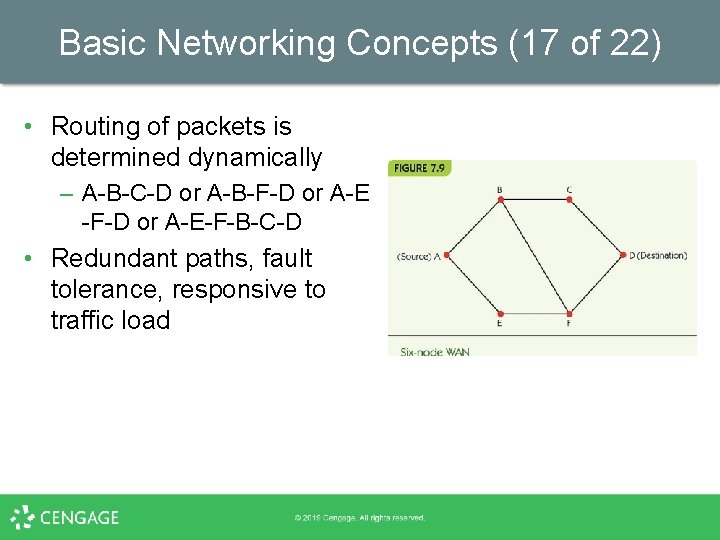
Basic Networking Concepts (17 of 22) • Routing of packets is determined dynamically – A-B-C-D or A-B-F-D or A-E-F-B-C-D • Redundant paths, fault tolerance, responsive to traffic load
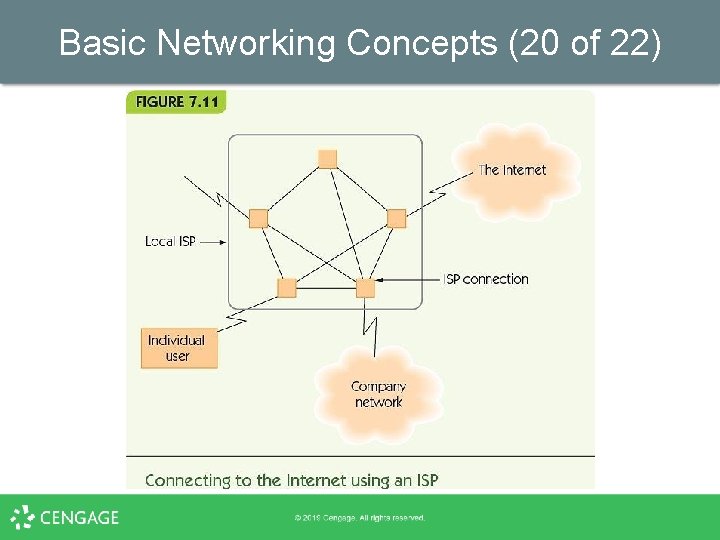
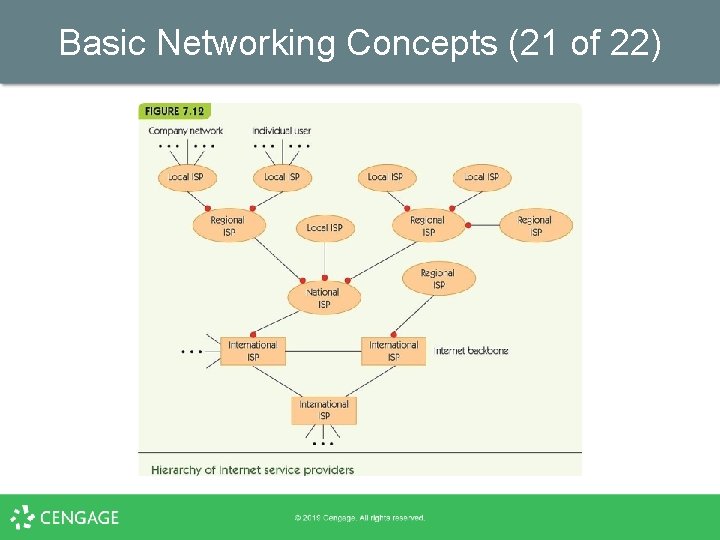
Basic Networking Concepts (18 of 22) Overall Structure of the Internet • Combination of LANs and WANs • Connected by routers that direct message traffic • Internet service provider (ISP) provides access to the Internet for private individuals and organizations • Domain Name Services (DNS) provide addressing information • ISPs exist at multiple levels: local, regional, national, and international (tier-1 network)
Basic Networking Concepts (19 of 22)
Basic Networking Concepts (20 of 22)
Basic Networking Concepts (21 of 22)
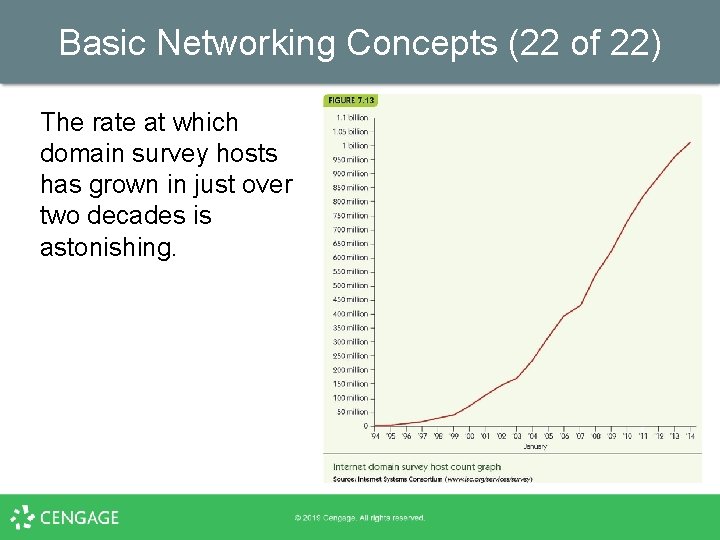
Basic Networking Concepts (22 of 22) The rate at which domain survey hosts has grown in just over two decades is astonishing.
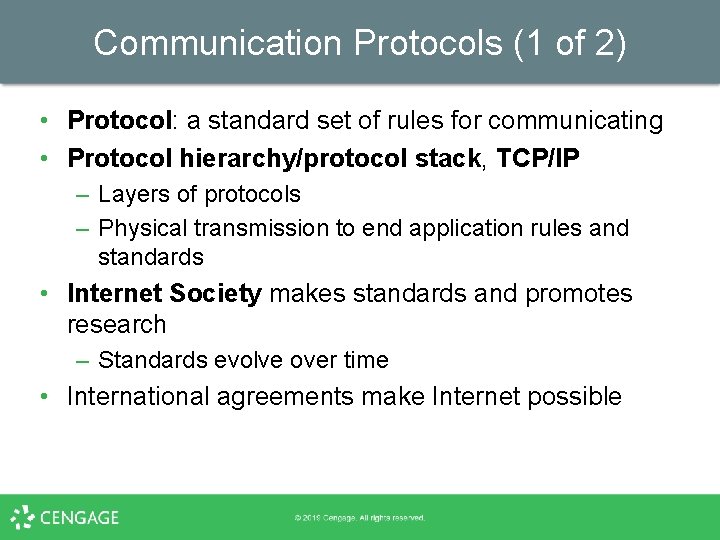
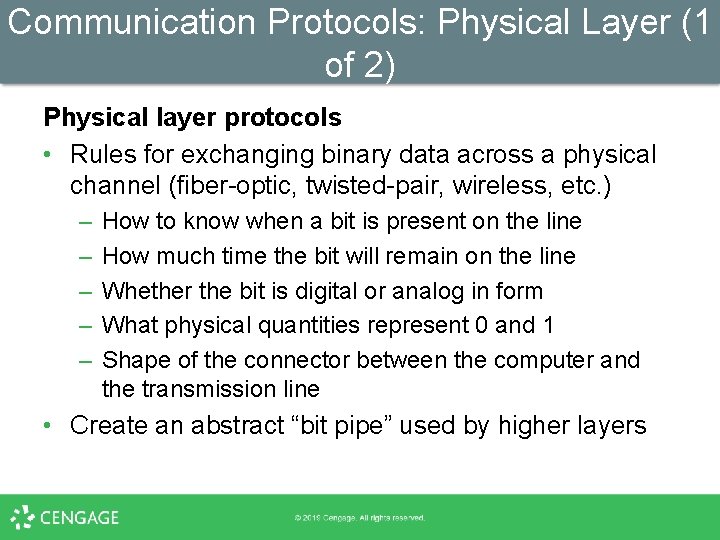
Communication Protocols (1 of 2) • Protocol: a standard set of rules for communicating • Protocol hierarchy/protocol stack, TCP/IP – Layers of protocols – Physical transmission to end application rules and standards • Internet Society makes standards and promotes research – Standards evolve over time • International agreements make Internet possible
Communication Protocols (2 of 2)
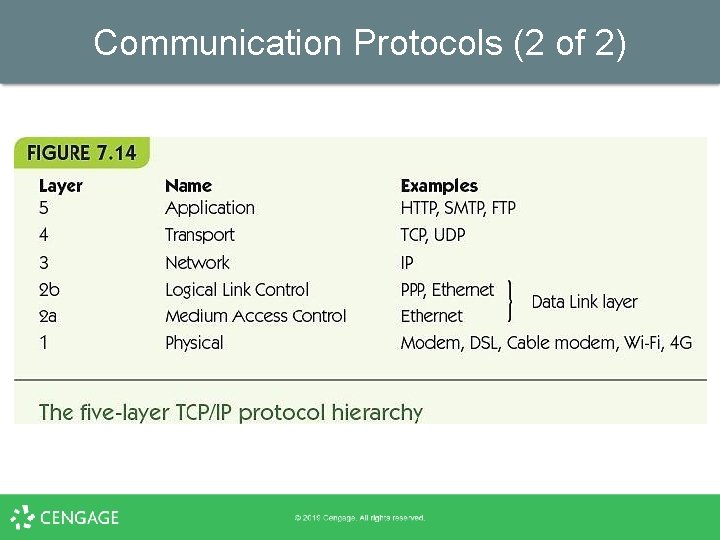
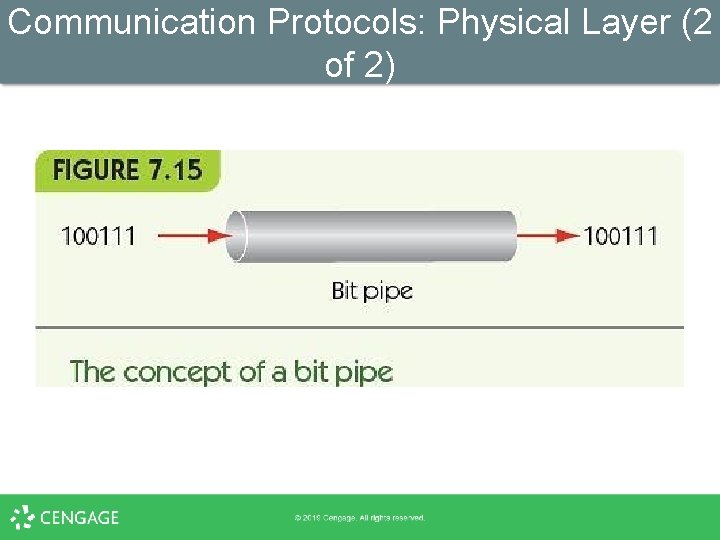
Communication Protocols: Physical Layer (1 of 2) Physical layer protocols • Rules for exchanging binary data across a physical channel (fiber-optic, twisted-pair, wireless, etc. ) – – – How to know when a bit is present on the line How much time the bit will remain on the line Whether the bit is digital or analog in form What physical quantities represent 0 and 1 Shape of the connector between the computer and the transmission line • Create an abstract “bit pipe” used by higher layers
Communication Protocols: Physical Layer (2 of 2)
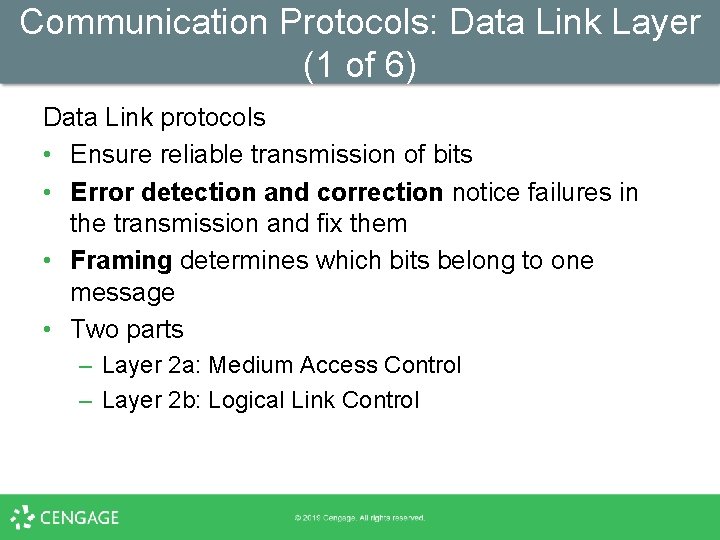
Communication Protocols: Data Link Layer (1 of 6) Data Link protocols • Ensure reliable transmission of bits • Error detection and correction notice failures in the transmission and fix them • Framing determines which bits belong to one message • Two parts – Layer 2 a: Medium Access Control – Layer 2 b: Logical Link Control
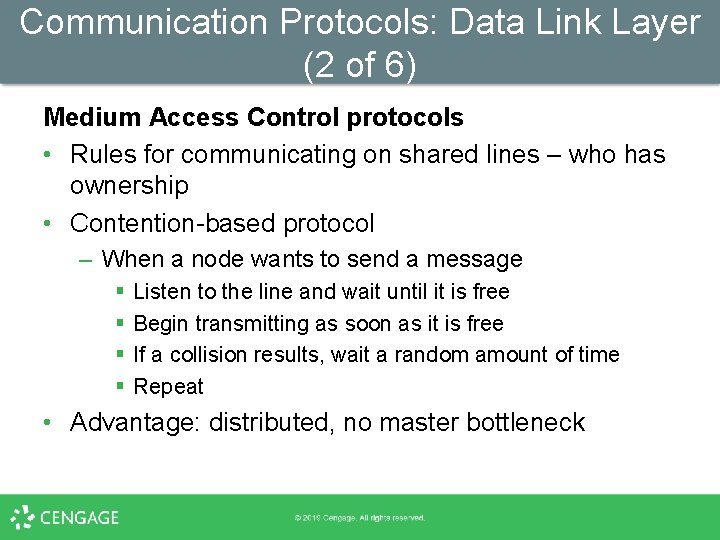
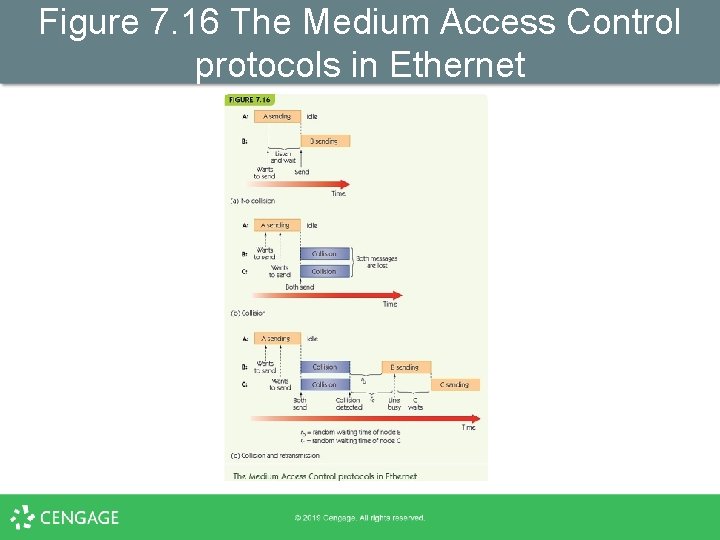
Communication Protocols: Data Link Layer (2 of 6) Medium Access Control protocols • Rules for communicating on shared lines – who has ownership • Contention-based protocol – When a node wants to send a message § § Listen to the line and wait until it is free Begin transmitting as soon as it is free If a collision results, wait a random amount of time Repeat • Advantage: distributed, no master bottleneck
Figure 7. 16 The Medium Access Control protocols in Ethernet
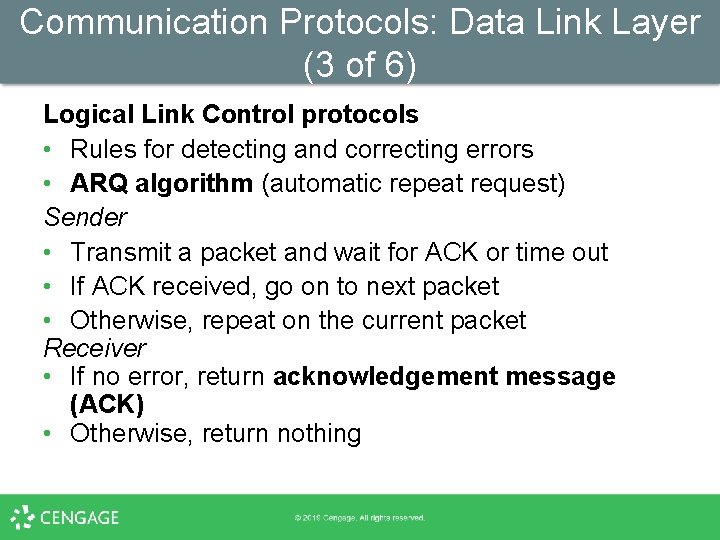
Communication Protocols: Data Link Layer (3 of 6) Logical Link Control protocols • Rules for detecting and correcting errors • ARQ algorithm (automatic repeat request) Sender • Transmit a packet and wait for ACK or time out • If ACK received, go on to next packet • Otherwise, repeat on the current packet Receiver • If no error, return acknowledgement message (ACK) • Otherwise, return nothing
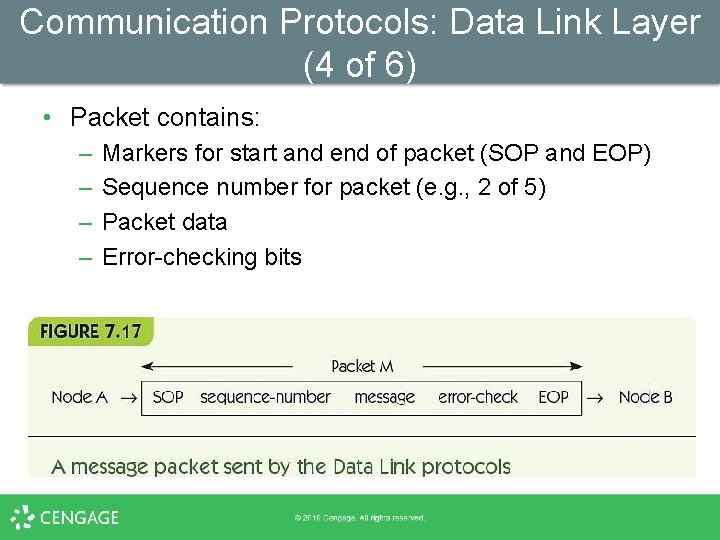
Communication Protocols: Data Link Layer (4 of 6) • Packet contains: – – Markers for start and end of packet (SOP and EOP) Sequence number for packet (e. g. , 2 of 5) Packet data Error-checking bits
Communication Protocols: Data Link Layer (5 of 6) • Purpose of the Data Link layer – Create a virtual error-free message pipe § Messages go in one end § Come out the other correct and in the right order
Communication Protocols: Network Layer (1 of 3) Network layer protocols • Transmit messages across multiple nodes in a network • Good faith transmission model • Requirements – Standard for addressing all network nodes – Routing method for finding a route from any node to any other node • Internet network layer: IP (Internet Protocol)
Communication Protocols: Network Layer (2 of 3) Addressing • Host name: human-friendly name for node • IP address: unique numerical address used by the computer, 141. 140. 1. 5 • Domain Name Service (DNS): maps host names to IP addresses – Symbolic host name goes to a local DNS server – If it has no record, goes to remote servers until one has the host name and retrieves the IP address
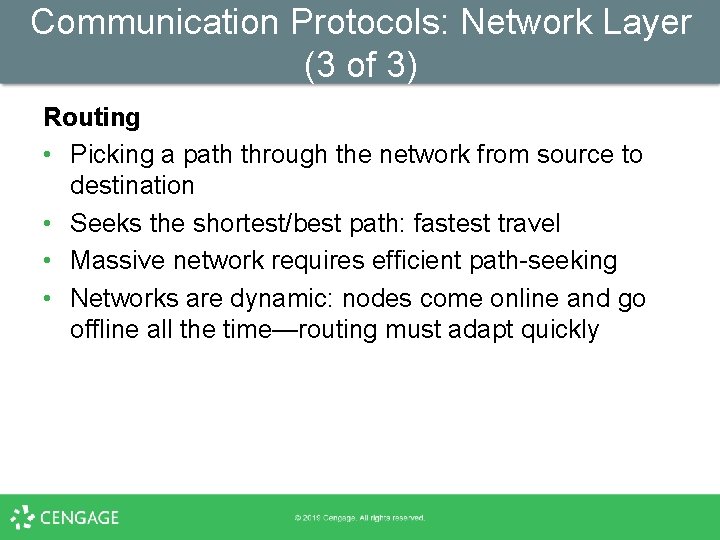
Communication Protocols: Network Layer (3 of 3) Routing • Picking a path through the network from source to destination • Seeks the shortest/best path: fastest travel • Massive network requires efficient path-seeking • Networks are dynamic: nodes come online and go offline all the time—routing must adapt quickly
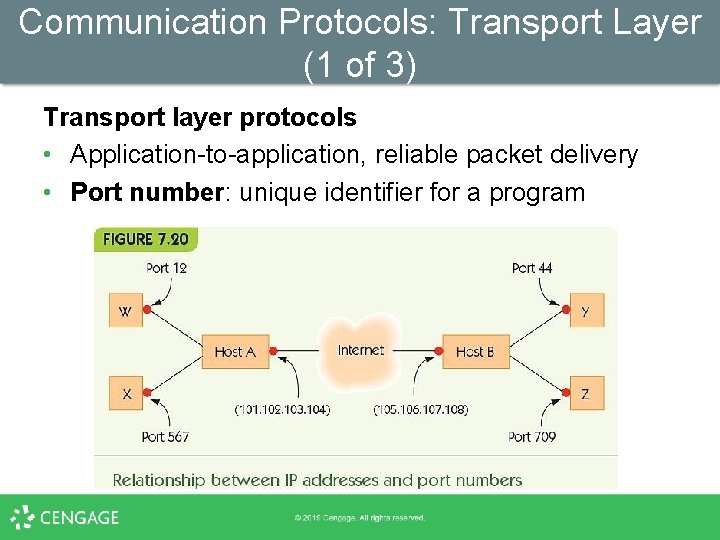
Communication Protocols: Transport Layer (1 of 3) Transport layer protocols • Application-to-application, reliable packet delivery • Port number: unique identifier for a program
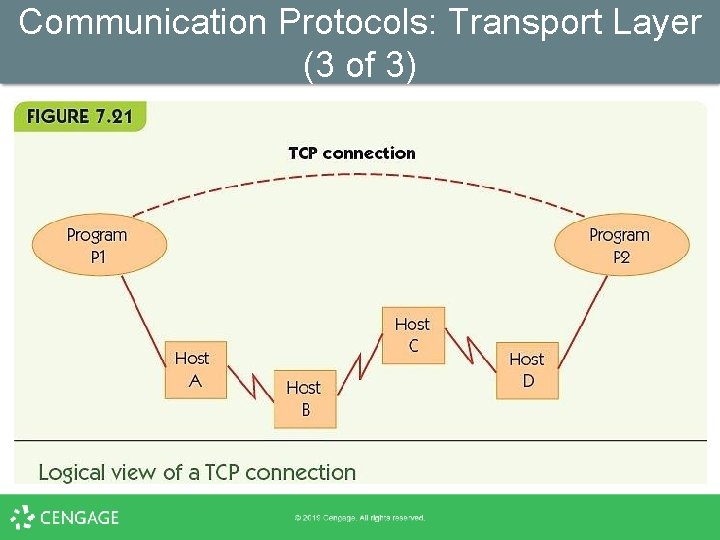
Communication Protocols: Transport Layer (2 of 3) • Application types have standard port numbers – Web server ► port 80 – Domain Name Service ► port 42 – SMTP, sending email ► port 25 • TCP (Transport Control Protocol) – – Ensures no errors Establishes ordered delivery of packets Another version of ARQ algorithm Virtual direct, quality connection between programs
Communication Protocols: Transport Layer (3 of 3)
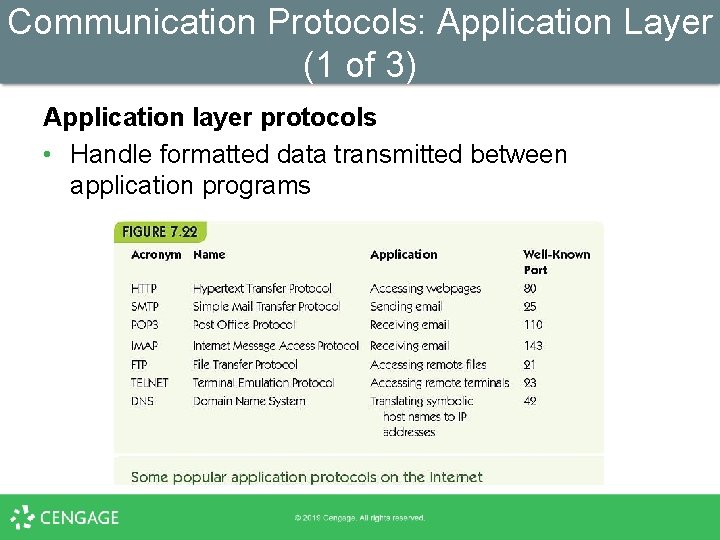
Communication Protocols: Application Layer (1 of 3) Application layer protocols • Handle formatted data transmitted between application programs
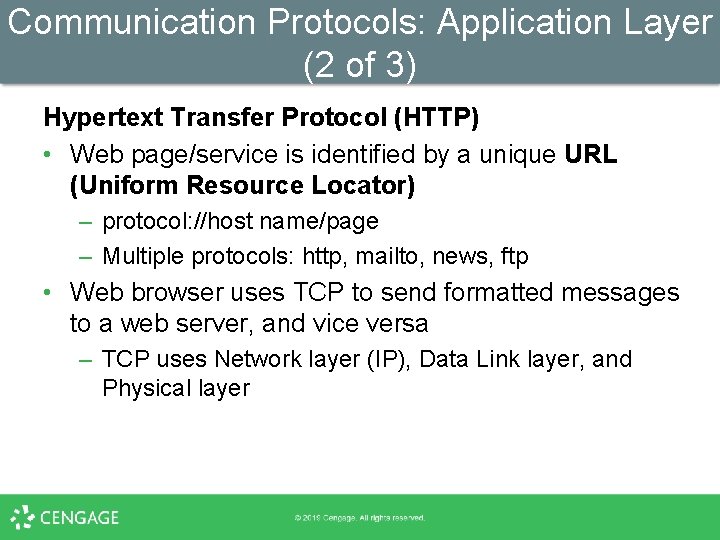
Communication Protocols: Application Layer (2 of 3) Hypertext Transfer Protocol (HTTP) • Web page/service is identified by a unique URL (Uniform Resource Locator) – protocol: //host name/page – Multiple protocols: http, mailto, news, ftp • Web browser uses TCP to send formatted messages to a web server, and vice versa – TCP uses Network layer (IP), Data Link layer, and Physical layer
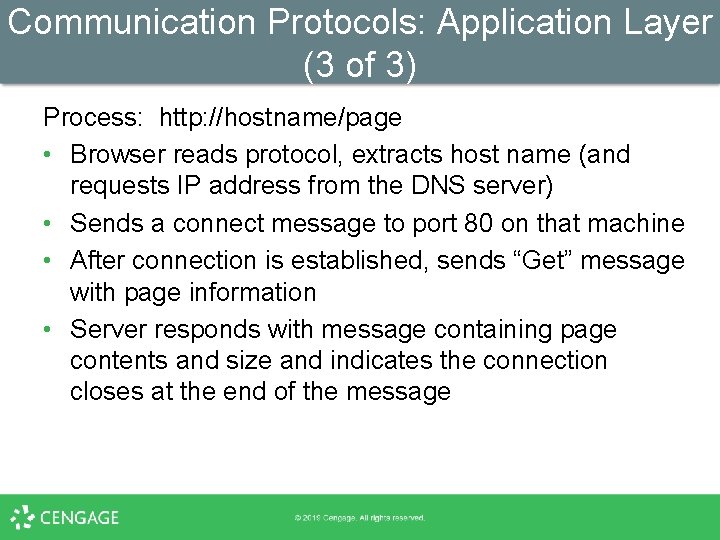
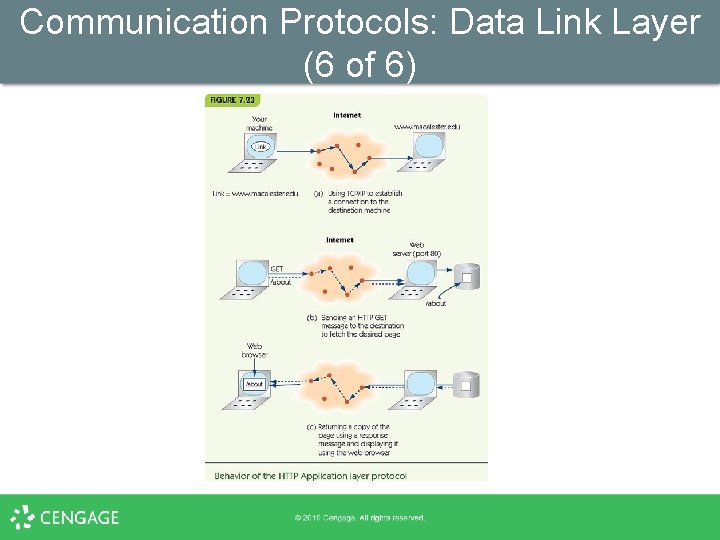
Communication Protocols: Application Layer (3 of 3) Process: http: //hostname/page • Browser reads protocol, extracts host name (and requests IP address from the DNS server) • Sends a connect message to port 80 on that machine • After connection is established, sends “Get” message with page information • Server responds with message containing page contents and size and indicates the connection closes at the end of the message
Communication Protocols: Data Link Layer (6 of 6)
Network Services and Benefits Interpersonal Communications • Electronic mail (email) – A message read at the recipient’s convenience – Fast, multimedia, broadcast medium • Bulletin board system (BBS) – Public forum for shared communications – Evolved into Internet forums, chat rooms • Instant messaging and texting
Network Services and Benefits Social Networking • Evolved out of the bulletin board system • Benefits – Fast communication with people around the globe – The potential for rich discussion around a topic – A public forum where many people can contribute • Pitfalls – Anything posted online can follow you forever – Cyberbullying – Potential invasion of privacy
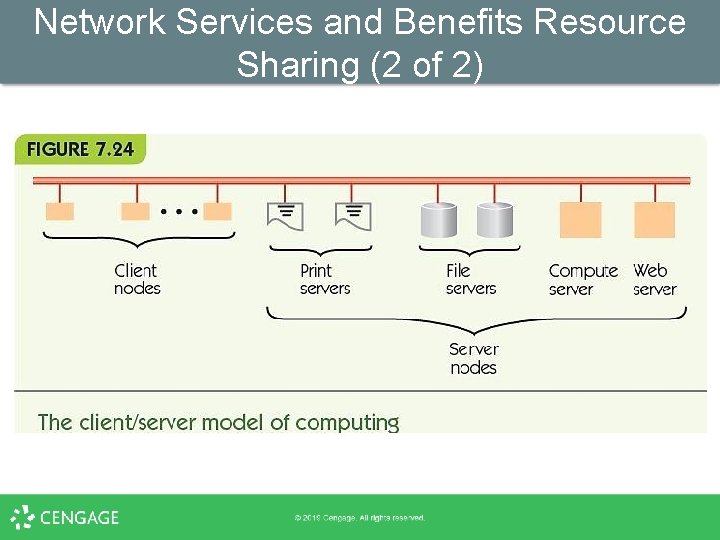
Network Services and Benefits Resource Sharing (1 of 2) • Print servers serve all computers on a LAN • File servers provide storage to all users • Client/server computing – Some nodes provide services; other nodes use those services • Distributed databases and data warehouses – Massive data stored in various sites online • Groupware or wiki – Support collaborative knowledge/data construction
Network Services and Benefits Resource Sharing (2 of 2)
Network Services and Benefits Electronic Commerce (ecommerce) • Early applications – Automatic paycheck deposit – ATMs – Checkout scanners and inventory systems • Current applications – – Online stores Electronic bill payment Online payment systems (Pay. Pal) Individual sales to the world (craigslist, e. Bay, etc. ) • 8% of all retail sales ($335 billion a year)
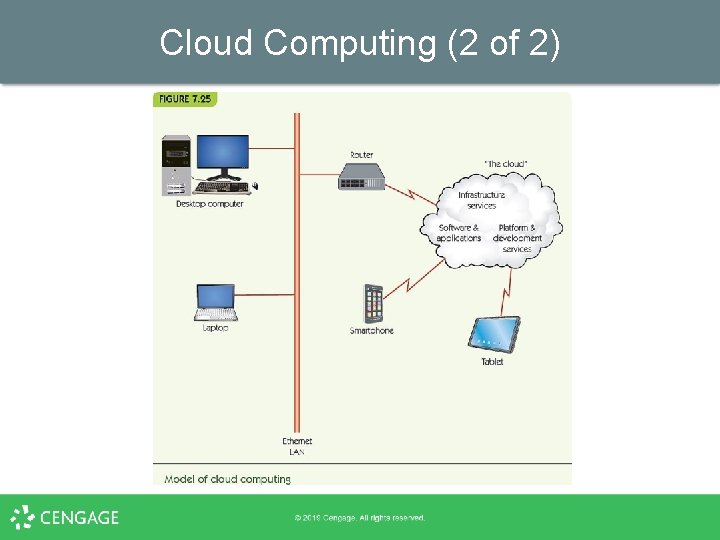
Cloud Computing (1 of 2) • Alternative to client/server model • Nodes are local; server is off-site – May be part of an integrated server farm • Greatly reduced costs • Virtualization – Separation of a service from the entity providing it • Many types of cloud services – Infrastructure – Application – Platform and development
Cloud Computing (2 of 2)
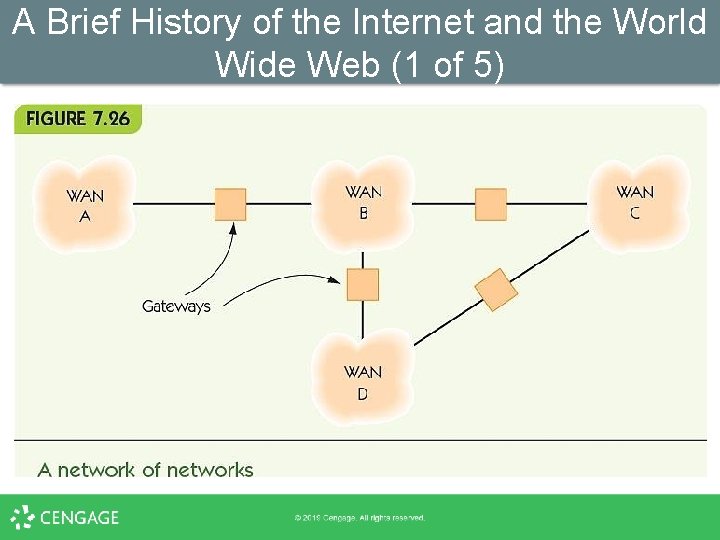
A History of the Internet and the World Wide Web • 1997: “A Brief History of the Internet” by some of the founders • Early years – – 1962: Licklider’s “Galactic Network” 1966: ARPA-funded ARPANET 1972: email 1970 s/1980 s: many networks (e. g. , HEPNet and DECNet) • Internetworking: standards for communication • Gateway: device for translating between networks
A Brief History of the Internet and the World Wide Web (1 of 5)
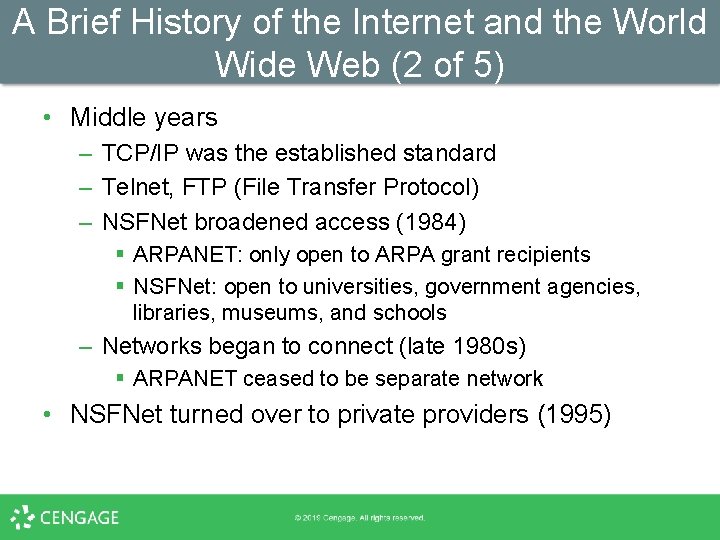
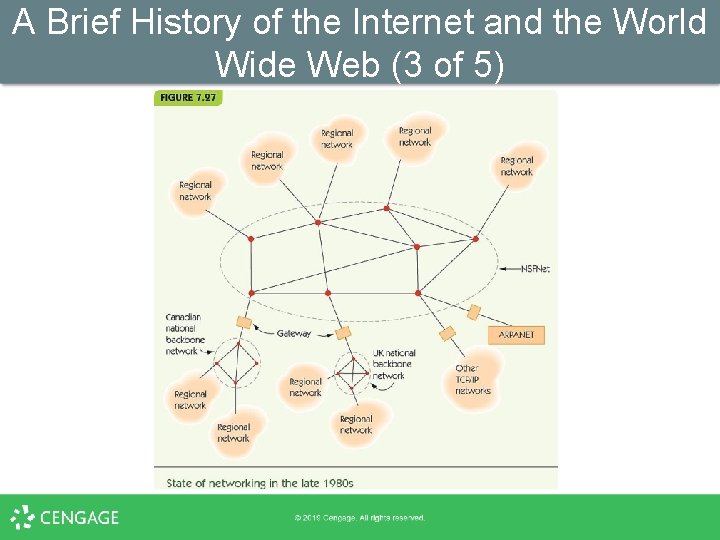
A Brief History of the Internet and the World Wide Web (2 of 5) • Middle years – TCP/IP was the established standard – Telnet, FTP (File Transfer Protocol) – NSFNet broadened access (1984) § ARPANET: only open to ARPA grant recipients § NSFNet: open to universities, government agencies, libraries, museums, and schools – Networks began to connect (late 1980 s) § ARPANET ceased to be separate network • NSFNet turned over to private providers (1995)
A Brief History of the Internet and the World Wide Web (3 of 5)
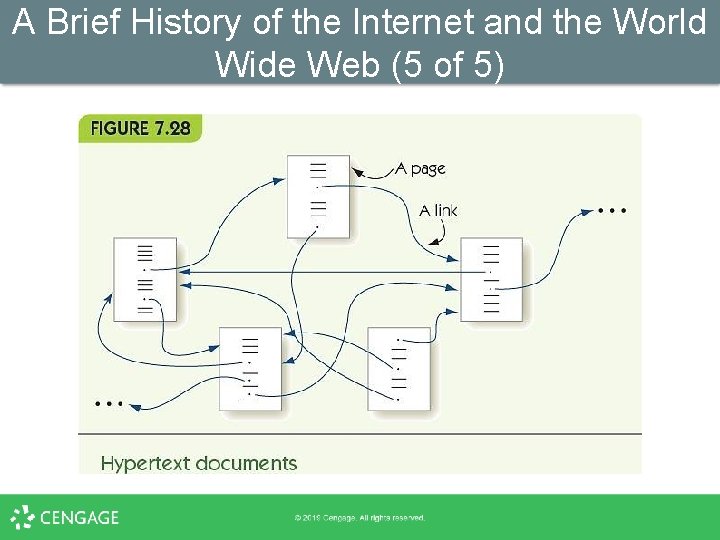
A Brief History of the Internet and the World Wide Web (4 of 5) The World Wide Web • High-energy physicist at CERN, Tim Berners-Lee wanted user-friendly information and data exchange • Hypertext: documents containing links to other documents became the foundation for modern-day webpages • Web protocols were made public; led to rapid expansion
A Brief History of the Internet and the World Wide Web (5 of 5)
Summary (1 of 2) • Computing devices can communicate through various wired and wireless media. • Computer networks vary in size and form, including LANs, WLANs, and WWANs. • LANs are configured differently from WANs and use different communication methods. • The Internet is a WAN of WANs. • Protocols are necessary to standardize communications across different media and among different computers. • Social networking grew out of BBS communities.
Summary (2 of 2) • The protocol hierarchy breaks down network communications into different layers of abstraction. • Protocols like the ARQ algorithm and TCP/IP provide rules for the transfer of information. • The Internet has permitted new kinds of connections among people: email, ecommerce, and resource sharing. • Cloud computing is replacing client/server. • The Internet and web grew from ARPANET and NSFNet as new network applications developed.