
Chapter 7 Class Variables and Methods Chapter 7
Chapter 7: Class Variables and Methods Chapter 7 Class Variables and Methods Java Programming FROM THE BEGINNING 1 Copyright © 2000 W. W. Norton & Company. All rights reserved.
Chapter 7: Class Variables and Methods 7. 1 Class Methods Versus Instance Methods • Review from Chapter 3: – A Java program consists of classes. – Most classes contain both instance variables and instance methods. – Any object created from a class will have its own copy of the class’s instance variables, and that object will be capable of calling the class’s (public) instance methods. • Examples of classes: – Account – String (part of the Java API) Java Programming FROM THE BEGINNING 2 Copyright © 2000 W. W. Norton & Company. All rights reserved.

Chapter 7: Class Variables and Methods Instance Method Review • An instance method may access the instance variables in an object without changing them, or it may modify instance variables. • If acct is an Account variable, the call acct. deposit(1000. 00); deposits $1000 into the Account object that acct represents. • If str contains a String object, the length method can be used to find the length of the string: int len = str. length(); Java Programming FROM THE BEGINNING 3 Copyright © 2000 W. W. Norton & Company. All rights reserved.
Chapter 7: Class Variables and Methods Class Methods • Not all methods require access to instance variables. • For example, a method that computes the square root of a number has nothing to do with objects. • Methods that don’t need access to instance variables are known as class methods (or static methods. ) • A class method—like all methods in Java—must belong to a class. Java Programming FROM THE BEGINNING 4 Copyright © 2000 W. W. Norton & Company. All rights reserved.
Chapter 7: Class Variables and Methods Class Methods • If a class method has been declared public, it can be called as follows: class. method-name ( arguments ) • When a class method is called by another method in the same class, the class name and dot can be omitted. Java Programming FROM THE BEGINNING 5 Copyright © 2000 W. W. Norton & Company. All rights reserved.
Chapter 7: Class Variables and Methods Class Methods • Class methods used in Chapter 2: Simple. IO. prompt Simple. IO. read. Line Convert. to. Double Integer. parse. Int Math. abs Math. max Math. min Math. pow Math. round Math. sqrt Java Programming FROM THE BEGINNING 6 Copyright © 2000 W. W. Norton & Company. All rights reserved.
Chapter 7: Class Variables and Methods Class Methods • Uses of class methods: – To provide a service to other classes. Methods in this category are declared public. – To help other methods in the same class. “Helper” methods provide assistance to other methods in the same class. Helper methods should be private. – To provide access to hidden class variables. If a class variable is private, the only way for a method in a different class to access the variable or to change its value is to call a class method that has permission to access the variable. Methods in this category are declared public. Java Programming FROM THE BEGINNING 7 Copyright © 2000 W. W. Norton & Company. All rights reserved.
Chapter 7: Class Variables and Methods Class Methods • Class methods have another important purpose: to specify where a program begins execution. • Every Java application must have a main method. main is a class method, so every Java application has at least one class method. • Many classes in the Java API provide class methods, including Math, System, and String. Java Programming FROM THE BEGINNING 8 Copyright © 2000 W. W. Norton & Company. All rights reserved.
Chapter 7: Class Variables and Methods Example: The Math Class • The Math class contains no instance variables and no instance methods; it’s just a repository for math functions (class methods) and math constants. • Since Math has no instance variables, so there’s no point in creating instances of this class. • A class from which objects can be created is said to be instantiable. The Math class is not instantiable. Java Programming FROM THE BEGINNING 9 Copyright © 2000 W. W. Norton & Company. All rights reserved.
Chapter 7: Class Variables and Methods Example: The System Class • The System class contains a number of class methods, including exit, which causes program termination. • A call of System. exit: System. exit(0); • The argument (an int value) is a status code that can be tested after program termination. • By convention, 0 indicates normal termination. Any other value (such as – 1) indicates abnormal termination. Java Programming FROM THE BEGINNING 10 Copyright © 2000 W. W. Norton & Company. All rights reserved.
Chapter 7: Class Variables and Methods Example: The System Class • Calling System. exit is a more drastic way to terminate a program than simply returning from main. • If a program displays a frame on the screen, the program won’t terminate until the frame is closed, even if main has completed execution. • On the other hand, calling System. exit causes immediate program termination; any frames that are visible on the screen will be closed. • The System class is not instantiable. Java Programming FROM THE BEGINNING 11 Copyright © 2000 W. W. Norton & Company. All rights reserved.
Chapter 7: Class Variables and Methods Example: The String Class • Java’s String class contains several overloaded class methods named value. Of that convert different types of data to string form. • Examples: String int. String = String. value. Of(607); String double. String = String. value. Of(4. 5); The value of int. String will be "607" and the value of double. String will be "4. 5". • String is an example of a class that contains both instance methods and class methods. Java Programming FROM THE BEGINNING 12 Copyright © 2000 W. W. Norton & Company. All rights reserved.
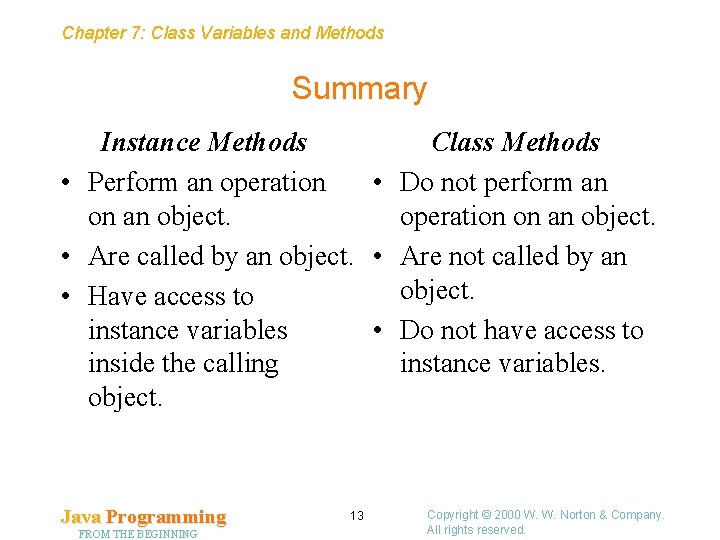
Chapter 7: Class Variables and Methods Summary Instance Methods Class Methods • Perform an operation • Do not perform an on an object. operation on an object. • Are called by an object. • Are not called by an object. • Have access to instance variables • Do not have access to inside the calling instance variables. object. Java Programming FROM THE BEGINNING 13 Copyright © 2000 W. W. Norton & Company. All rights reserved.
Chapter 7: Class Variables and Methods 7. 2 Writing Class Methods • Writing a class method is similar to writing an instance method, except that the declaration of a class method must contain the word static. • Parts of a class method declaration: – – – Access modifier The word static Result type Method name Parameters Body Java Programming FROM THE BEGINNING 14 Copyright © 2000 W. W. Norton & Company. All rights reserved.
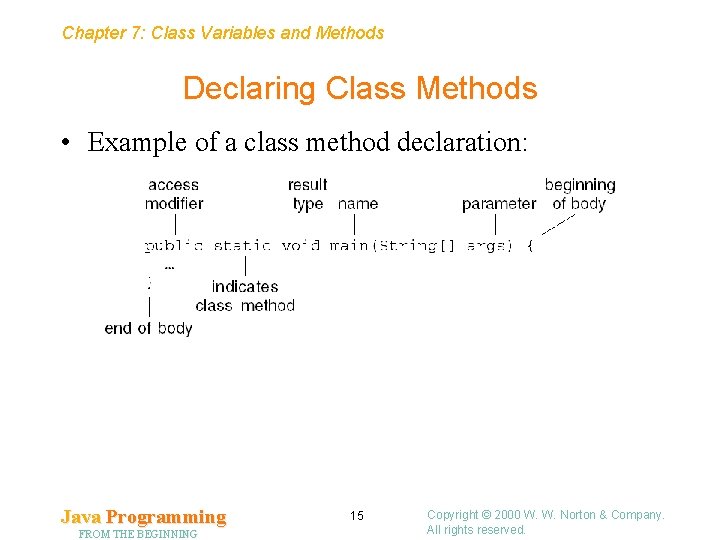
Chapter 7: Class Variables and Methods Declaring Class Methods • Example of a class method declaration: Java Programming FROM THE BEGINNING 15 Copyright © 2000 W. W. Norton & Company. All rights reserved.
Chapter 7: Class Variables and Methods Parameters for Class Methods • Java requires that main’s result type be void and that main have one parameter of type String[] (array of String objects). • Other class methods may have any number of parameters, including none. • If a method has more than one parameter, each parameter except the last must be followed by a comma. Java Programming FROM THE BEGINNING 16 Copyright © 2000 W. W. Norton & Company. All rights reserved.
Chapter 7: Class Variables and Methods Access Modifiers for Class Methods • Java requires that the main method be declared public. Other class methods can be declared either public or private. • Class methods that are intended for use by other classes should be declared public. • Class methods that are intended for use within a single class should be declared private. • A private method can be modified without having to worry about how the changes might affect other classes. Java Programming FROM THE BEGINNING 17 Copyright © 2000 W. W. Norton & Company. All rights reserved.
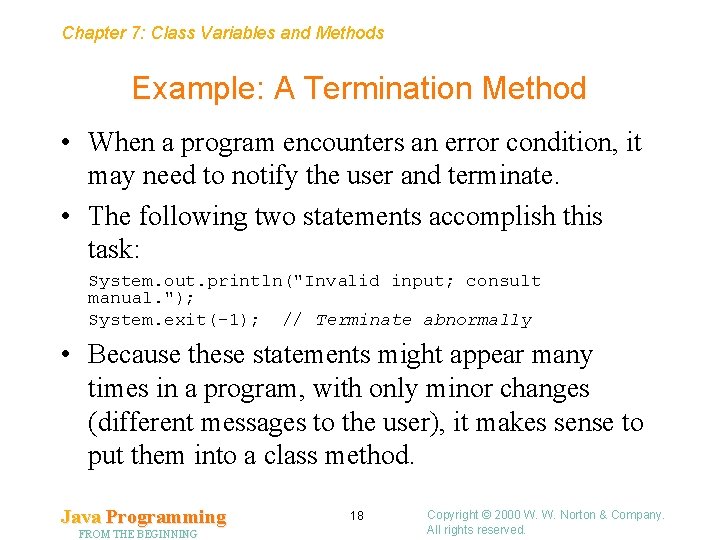
Chapter 7: Class Variables and Methods Example: A Termination Method • When a program encounters an error condition, it may need to notify the user and terminate. • The following two statements accomplish this task: System. out. println("Invalid input; consult manual. "); System. exit(-1); // Terminate abnormally • Because these statements might appear many times in a program, with only minor changes (different messages to the user), it makes sense to put them into a class method. Java Programming FROM THE BEGINNING 18 Copyright © 2000 W. W. Norton & Company. All rights reserved.
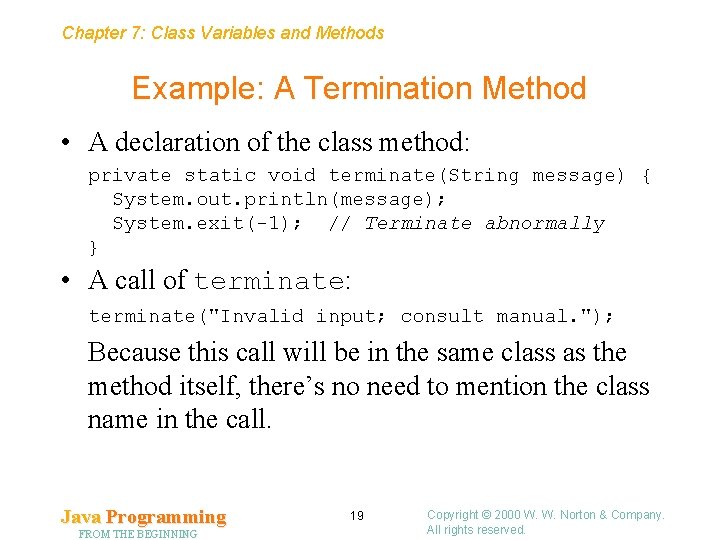
Chapter 7: Class Variables and Methods Example: A Termination Method • A declaration of the class method: private static void terminate(String message) { System. out. println(message); System. exit(-1); // Terminate abnormally } • A call of terminate: terminate("Invalid input; consult manual. "); Because this call will be in the same class as the method itself, there’s no need to mention the class name in the call. Java Programming FROM THE BEGINNING 19 Copyright © 2000 W. W. Norton & Company. All rights reserved.
Chapter 7: Class Variables and Methods Local Variables • The body of any class or instance method may contain declarations of local variables. • Properties of local variables: – A local variable can be accessed only within the method that contains its declaration. – When a method returns, its local variables no longer exist, so their values are lost. – A method is not allowed to access the value stored in a local variable until the variable has been initialized. – A local variable can be declared final to indicate that its value doesn’t change after initialization. Java Programming FROM THE BEGINNING 20 Copyright © 2000 W. W. Norton & Company. All rights reserved.
Chapter 7: Class Variables and Methods 7. 3 The return Statement • When a method has a result type other than void, a return statement must be used to specify what value the method returns. • Form of the return statement: return expression ; • The expression is often just a literal or a variable: return 0; return n; • Expressions containing operators are also allowed: return x * x - 2 * x + 1; Java Programming FROM THE BEGINNING 21 Copyright © 2000 W. W. Norton & Company. All rights reserved.
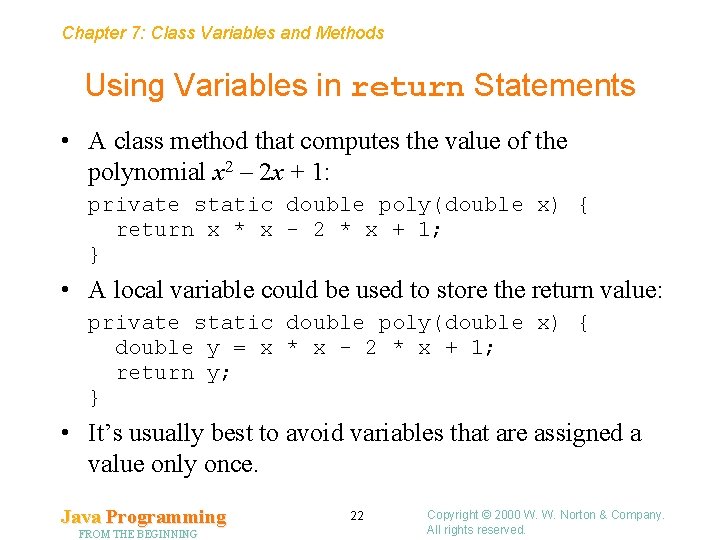
Chapter 7: Class Variables and Methods Using Variables in return Statements • A class method that computes the value of the polynomial x 2 – 2 x + 1: private static double poly(double x) { return x * x - 2 * x + 1; } • A local variable could be used to store the return value: private static double poly(double x) { double y = x * x - 2 * x + 1; return y; } • It’s usually best to avoid variables that are assigned a value only once. Java Programming FROM THE BEGINNING 22 Copyright © 2000 W. W. Norton & Company. All rights reserved.
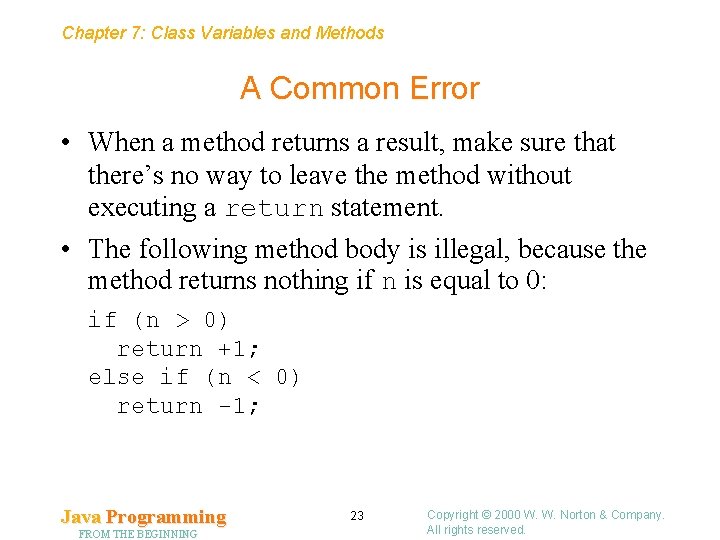
Chapter 7: Class Variables and Methods A Common Error • When a method returns a result, make sure that there’s no way to leave the method without executing a return statement. • The following method body is illegal, because the method returns nothing if n is equal to 0: if (n > 0) return +1; else if (n < 0) return -1; Java Programming FROM THE BEGINNING 23 Copyright © 2000 W. W. Norton & Company. All rights reserved.
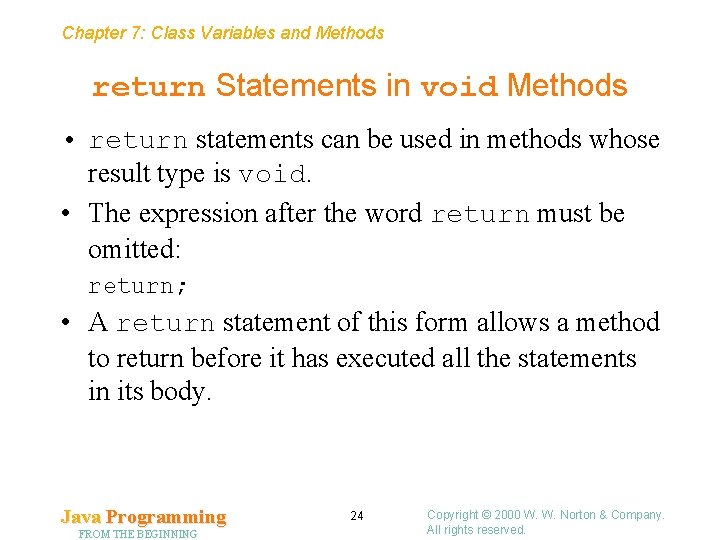
Chapter 7: Class Variables and Methods return Statements in void Methods • return statements can be used in methods whose result type is void. • The expression after the word return must be omitted: return; • A return statement of this form allows a method to return before it has executed all the statements in its body. Java Programming FROM THE BEGINNING 24 Copyright © 2000 W. W. Norton & Company. All rights reserved.
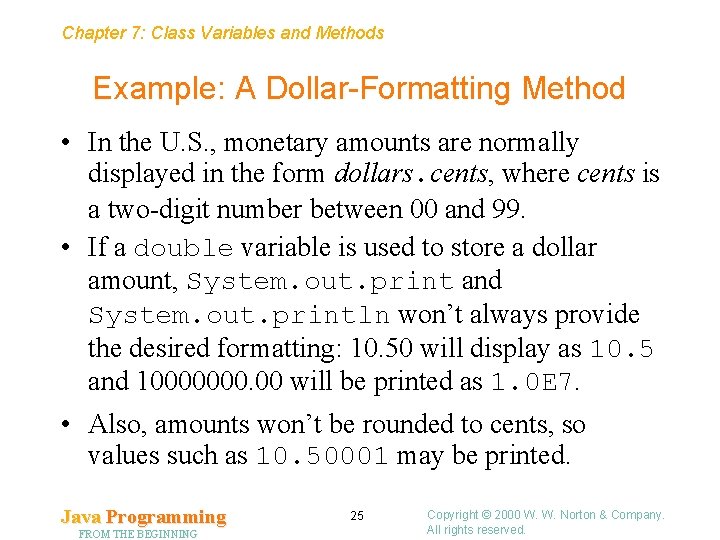
Chapter 7: Class Variables and Methods Example: A Dollar-Formatting Method • In the U. S. , monetary amounts are normally displayed in the form dollars. cents, where cents is a two-digit number between 00 and 99. • If a double variable is used to store a dollar amount, System. out. print and System. out. println won’t always provide the desired formatting: 10. 50 will display as 10. 5 and 10000000. 00 will be printed as 1. 0 E 7. • Also, amounts won’t be rounded to cents, so values such as 10. 50001 may be printed. Java Programming FROM THE BEGINNING 25 Copyright © 2000 W. W. Norton & Company. All rights reserved.
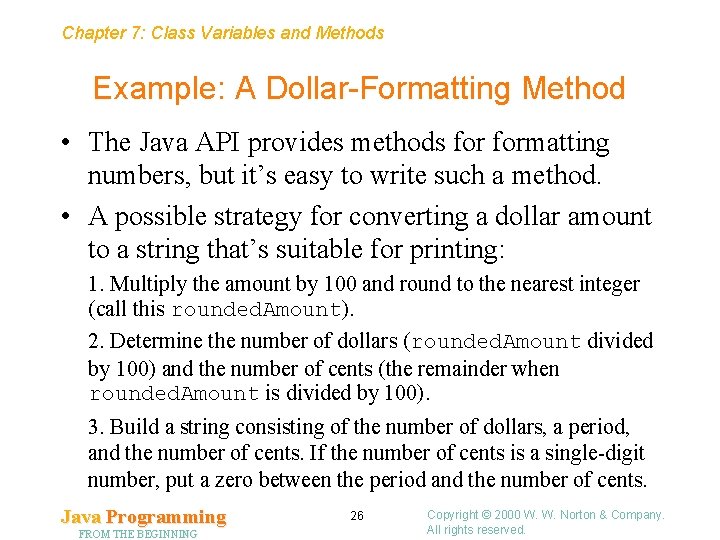
Chapter 7: Class Variables and Methods Example: A Dollar-Formatting Method • The Java API provides methods formatting numbers, but it’s easy to write such a method. • A possible strategy for converting a dollar amount to a string that’s suitable for printing: 1. Multiply the amount by 100 and round to the nearest integer (call this rounded. Amount). 2. Determine the number of dollars (rounded. Amount divided by 100) and the number of cents (the remainder when rounded. Amount is divided by 100). 3. Build a string consisting of the number of dollars, a period, and the number of cents. If the number of cents is a single-digit number, put a zero between the period and the number of cents. Java Programming FROM THE BEGINNING 26 Copyright © 2000 W. W. Norton & Company. All rights reserved.
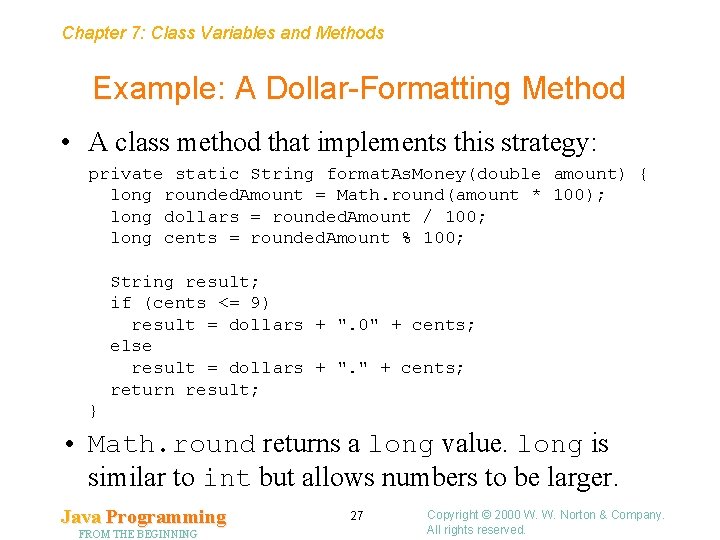
Chapter 7: Class Variables and Methods Example: A Dollar-Formatting Method • A class method that implements this strategy: private static String format. As. Money(double amount) { long rounded. Amount = Math. round(amount * 100); long dollars = rounded. Amount / 100; long cents = rounded. Amount % 100; String result; if (cents <= 9) result = dollars + ". 0" + cents; else result = dollars + ". " + cents; return result; } • Math. round returns a long value. long is similar to int but allows numbers to be larger. Java Programming FROM THE BEGINNING 27 Copyright © 2000 W. W. Norton & Company. All rights reserved.
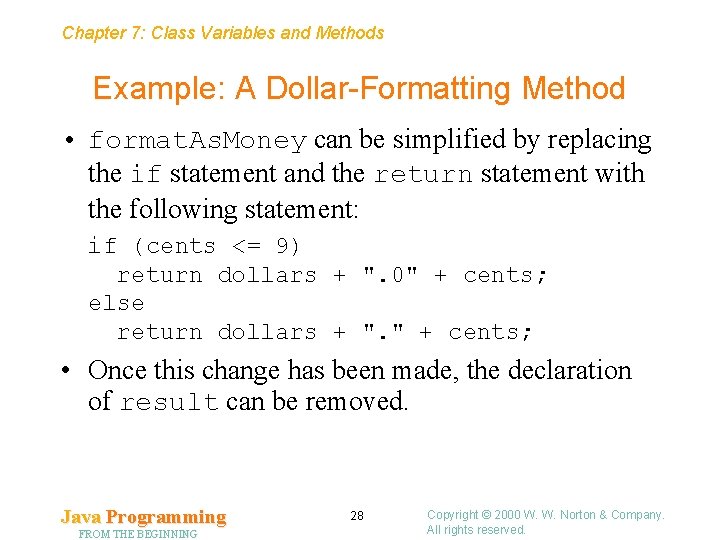
Chapter 7: Class Variables and Methods Example: A Dollar-Formatting Method • format. As. Money can be simplified by replacing the if statement and the return statement with the following statement: if (cents <= 9) return dollars + ". 0" + cents; else return dollars + ". " + cents; • Once this change has been made, the declaration of result can be removed. Java Programming FROM THE BEGINNING 28 Copyright © 2000 W. W. Norton & Company. All rights reserved.
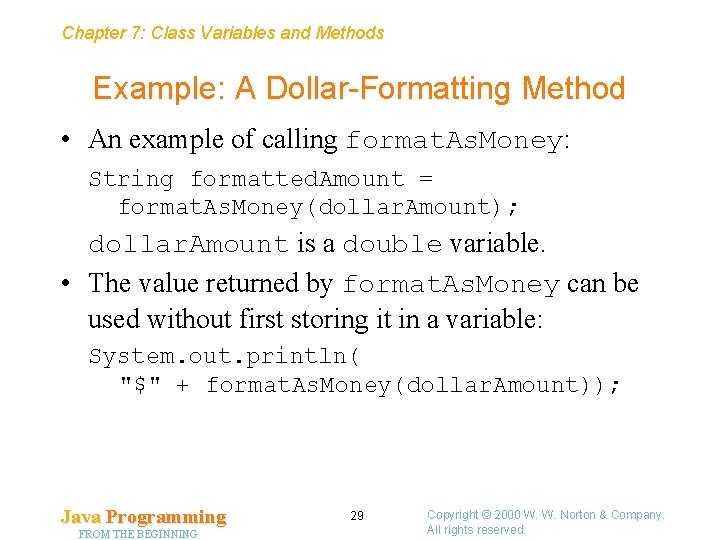
Chapter 7: Class Variables and Methods Example: A Dollar-Formatting Method • An example of calling format. As. Money: String formatted. Amount = format. As. Money(dollar. Amount); dollar. Amount is a double variable. • The value returned by format. As. Money can be used without first storing it in a variable: System. out. println( "$" + format. As. Money(dollar. Amount)); Java Programming FROM THE BEGINNING 29 Copyright © 2000 W. W. Norton & Company. All rights reserved.
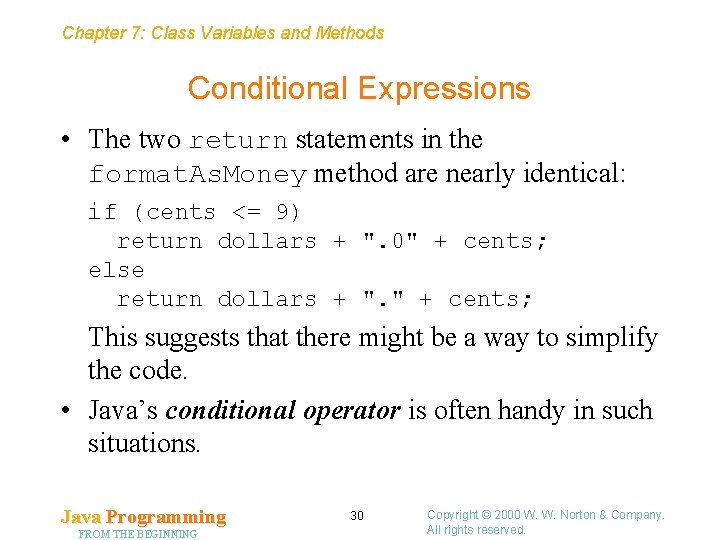
Chapter 7: Class Variables and Methods Conditional Expressions • The two return statements in the format. As. Money method are nearly identical: if (cents <= 9) return dollars + ". 0" + cents; else return dollars + ". " + cents; This suggests that there might be a way to simplify the code. • Java’s conditional operator is often handy in such situations. Java Programming FROM THE BEGINNING 30 Copyright © 2000 W. W. Norton & Company. All rights reserved.
Chapter 7: Class Variables and Methods Conditional Expressions • The conditional operator is similar to the if statement: it tests a condition and performs one of two actions, depending on the outcome of the test. • Unlike the if statement, the conditional operator produces a value. • This property gives the conditional operator greater flexibility than the if statement. Java Programming FROM THE BEGINNING 31 Copyright © 2000 W. W. Norton & Company. All rights reserved.
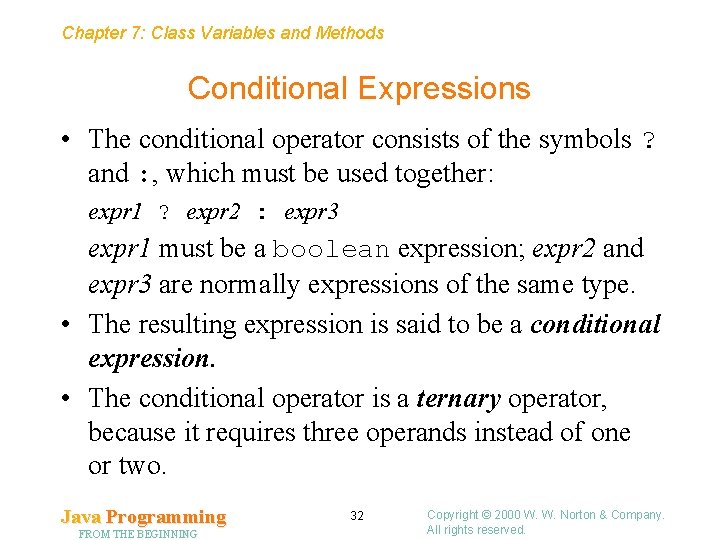
Chapter 7: Class Variables and Methods Conditional Expressions • The conditional operator consists of the symbols ? and : , which must be used together: expr 1 ? expr 2 : expr 3 expr 1 must be a boolean expression; expr 2 and expr 3 are normally expressions of the same type. • The resulting expression is said to be a conditional expression. • The conditional operator is a ternary operator, because it requires three operands instead of one or two. Java Programming FROM THE BEGINNING 32 Copyright © 2000 W. W. Norton & Company. All rights reserved.
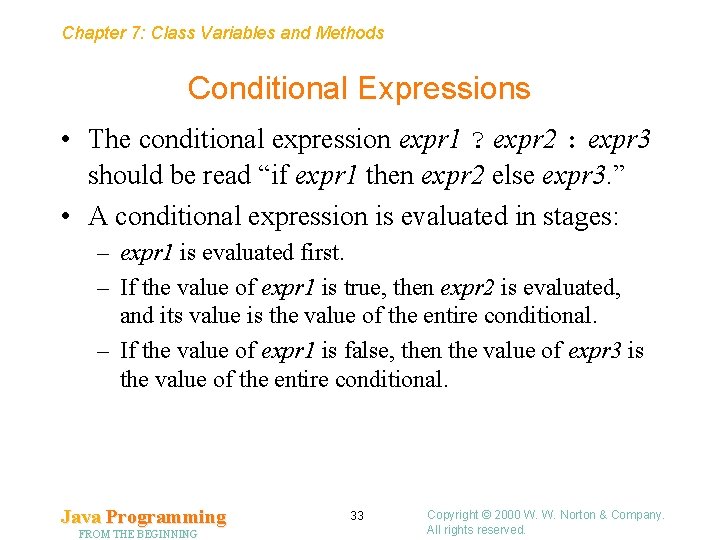
Chapter 7: Class Variables and Methods Conditional Expressions • The conditional expression expr 1 ? expr 2 : expr 3 should be read “if expr 1 then expr 2 else expr 3. ” • A conditional expression is evaluated in stages: – expr 1 is evaluated first. – If the value of expr 1 is true, then expr 2 is evaluated, and its value is the value of the entire conditional. – If the value of expr 1 is false, then the value of expr 3 is the value of the entire conditional. Java Programming FROM THE BEGINNING 33 Copyright © 2000 W. W. Norton & Company. All rights reserved.
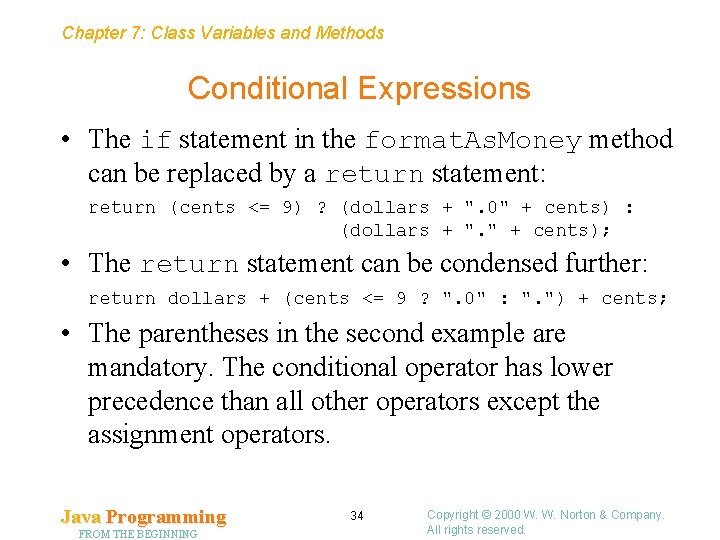
Chapter 7: Class Variables and Methods Conditional Expressions • The if statement in the format. As. Money method can be replaced by a return statement: return (cents <= 9) ? (dollars + ". 0" + cents) : (dollars + ". " + cents); • The return statement can be condensed further: return dollars + (cents <= 9 ? ". 0" : ". ") + cents; • The parentheses in the second example are mandatory. The conditional operator has lower precedence than all other operators except the assignment operators. Java Programming FROM THE BEGINNING 34 Copyright © 2000 W. W. Norton & Company. All rights reserved.
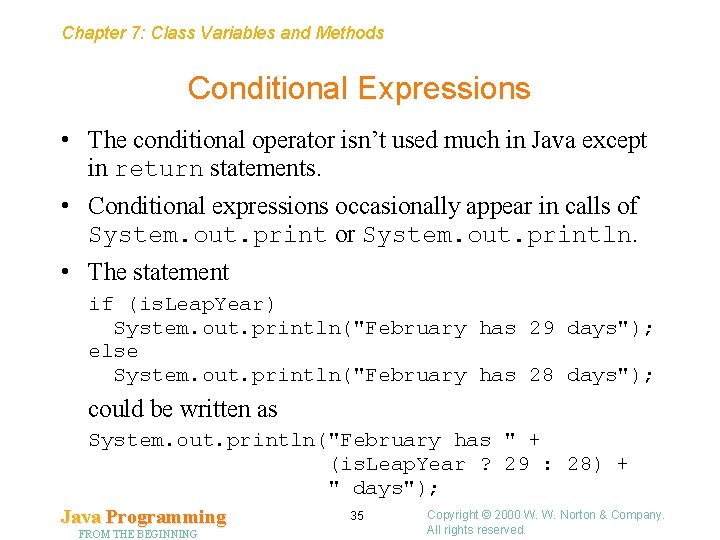
Chapter 7: Class Variables and Methods Conditional Expressions • The conditional operator isn’t used much in Java except in return statements. • Conditional expressions occasionally appear in calls of System. out. print or System. out. println. • The statement if (is. Leap. Year) System. out. println("February has 29 days"); else System. out. println("February has 28 days"); could be written as System. out. println("February has " + (is. Leap. Year ? 29 : 28) + " days"); Copyright © 2000 W. W. Norton & Company. 35 Java Programming All rights reserved. FROM THE BEGINNING
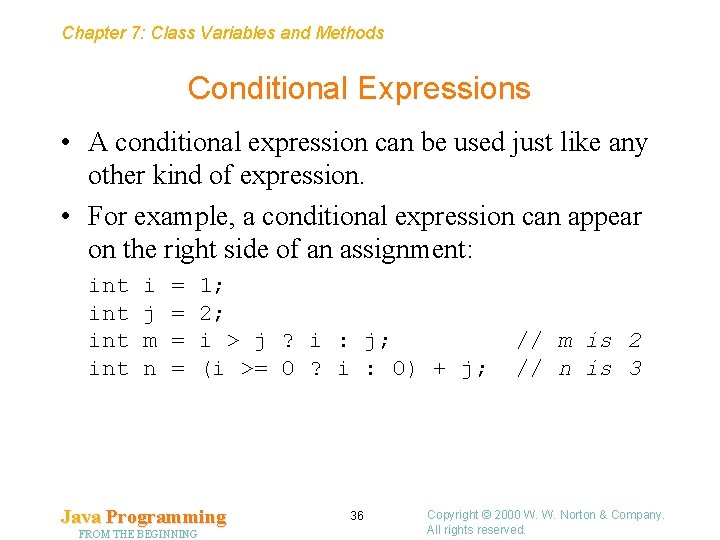
Chapter 7: Class Variables and Methods Conditional Expressions • A conditional expression can be used just like any other kind of expression. • For example, a conditional expression can appear on the right side of an assignment: int int i j m n = = 1; 2; i > j ? i : j; (i >= 0 ? i : 0) + j; Java Programming FROM THE BEGINNING 36 // m is 2 // n is 3 Copyright © 2000 W. W. Norton & Company. All rights reserved.
Chapter 7: Class Variables and Methods 7. 4 Parameters • A method is allowed to have parameters, which represent values that will be supplied when the method is called. • The values actually supplied to the method at the time of the call are said to be arguments. • The issues that arise when parameters are used are relevant to both instance methods and class methods. Java Programming FROM THE BEGINNING 37 Copyright © 2000 W. W. Norton & Company. All rights reserved.
Chapter 7: Class Variables and Methods How Arguments Are Passed • When a method is called, it is supplied with copies of the arguments that appear in the method call. • The arguments are passed by value, because the value of each argument is given to the called method. • The meaning of “copy” depends on the type of the argument. • An object variable contains a reference to an object, not the object itself. • For this reason, classes are said to be reference types. (Array types are also reference types. ) • All other types are said to be primitive types. Java Programming FROM THE BEGINNING 38 Copyright © 2000 W. W. Norton & Company. All rights reserved.
Chapter 7: Class Variables and Methods How Arguments Are Passed • The effect of passing an argument to a method: – Primitive type. The value of the argument is copied into the corresponding parameter. – Reference type. The value of the argument—a reference —is copied into the parameter. • Assigning a new value to a parameter is legal but has no effect on the corresponding argument. • If the parameter refers to an object, then changes made to that object—for example, by calling a method that modifies the object—will be reflected in the argument. Java Programming FROM THE BEGINNING 39 Copyright © 2000 W. W. Norton & Company. All rights reserved.
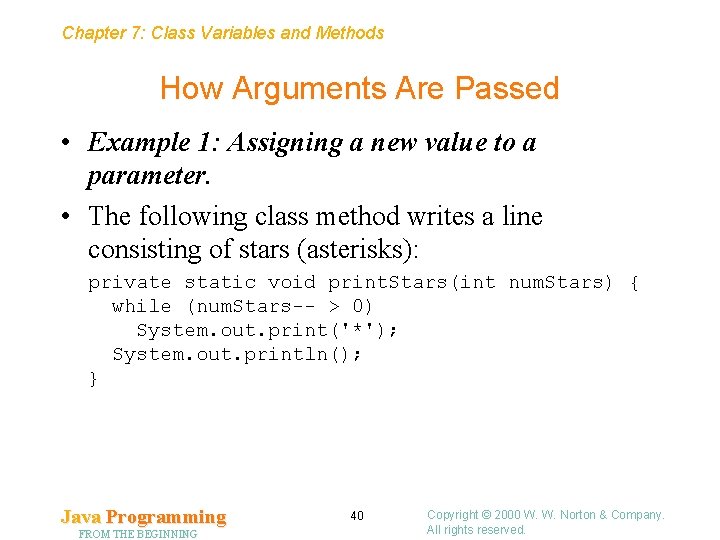
Chapter 7: Class Variables and Methods How Arguments Are Passed • Example 1: Assigning a new value to a parameter. • The following class method writes a line consisting of stars (asterisks): private static void print. Stars(int num. Stars) { while (num. Stars-- > 0) System. out. print('*'); System. out. println(); } Java Programming FROM THE BEGINNING 40 Copyright © 2000 W. W. Norton & Company. All rights reserved.
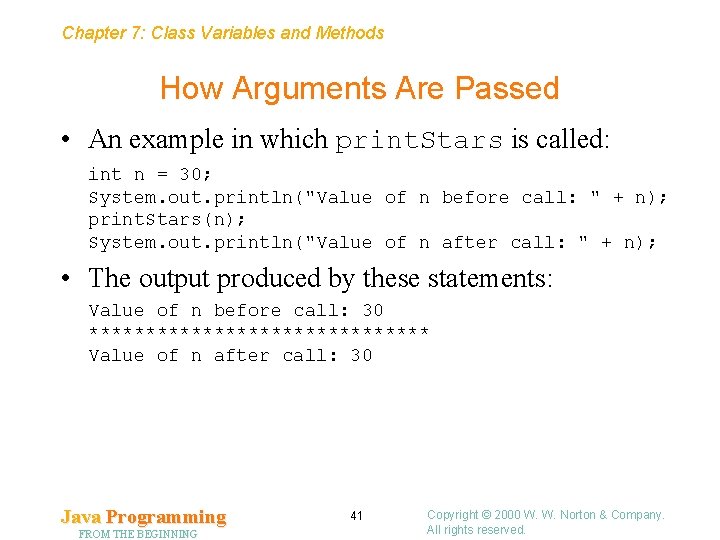
Chapter 7: Class Variables and Methods How Arguments Are Passed • An example in which print. Stars is called: int n = 30; System. out. println("Value of n before call: " + n); print. Stars(n); System. out. println("Value of n after call: " + n); • The output produced by these statements: Value of n before call: 30 *************** Value of n after call: 30 Java Programming FROM THE BEGINNING 41 Copyright © 2000 W. W. Norton & Company. All rights reserved.
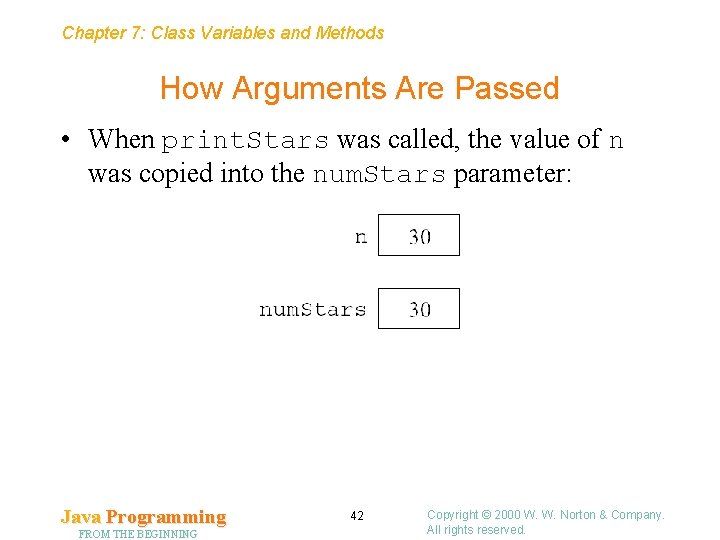
Chapter 7: Class Variables and Methods How Arguments Are Passed • When print. Stars was called, the value of n was copied into the num. Stars parameter: Java Programming FROM THE BEGINNING 42 Copyright © 2000 W. W. Norton & Company. All rights reserved.
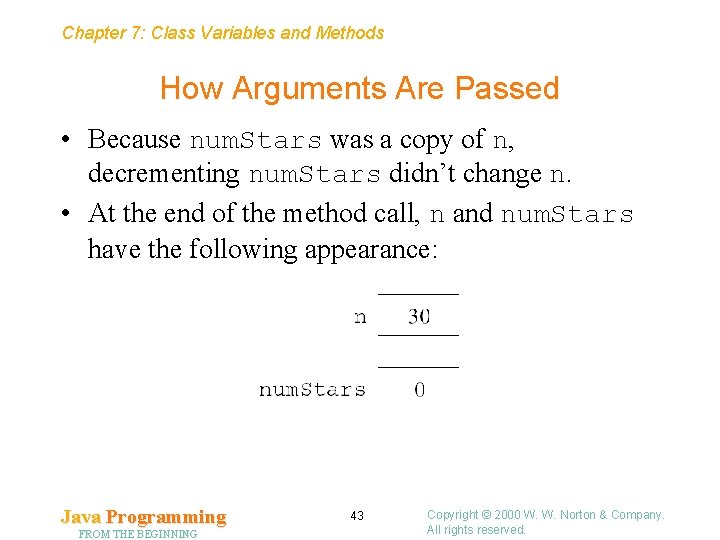
Chapter 7: Class Variables and Methods How Arguments Are Passed • Because num. Stars was a copy of n, decrementing num. Stars didn’t change n. • At the end of the method call, n and num. Stars have the following appearance: Java Programming FROM THE BEGINNING 43 Copyright © 2000 W. W. Norton & Company. All rights reserved.
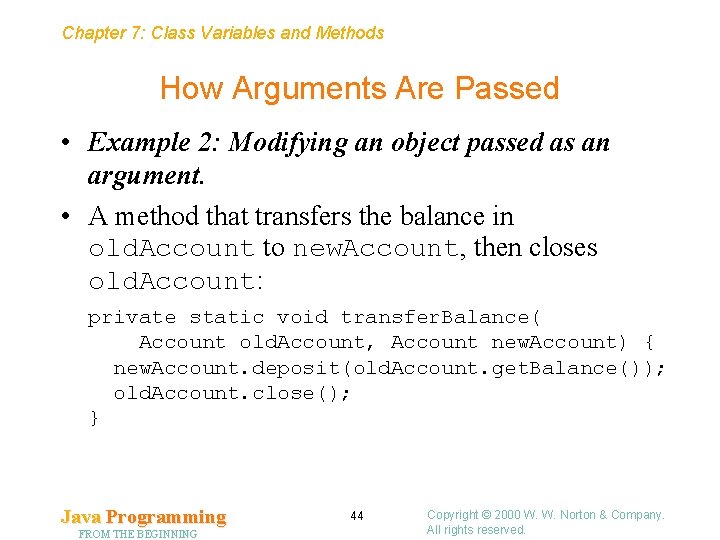
Chapter 7: Class Variables and Methods How Arguments Are Passed • Example 2: Modifying an object passed as an argument. • A method that transfers the balance in old. Account to new. Account, then closes old. Account: private static void transfer. Balance( Account old. Account, Account new. Account) { new. Account. deposit(old. Account. get. Balance()); old. Account. close(); } Java Programming FROM THE BEGINNING 44 Copyright © 2000 W. W. Norton & Company. All rights reserved.
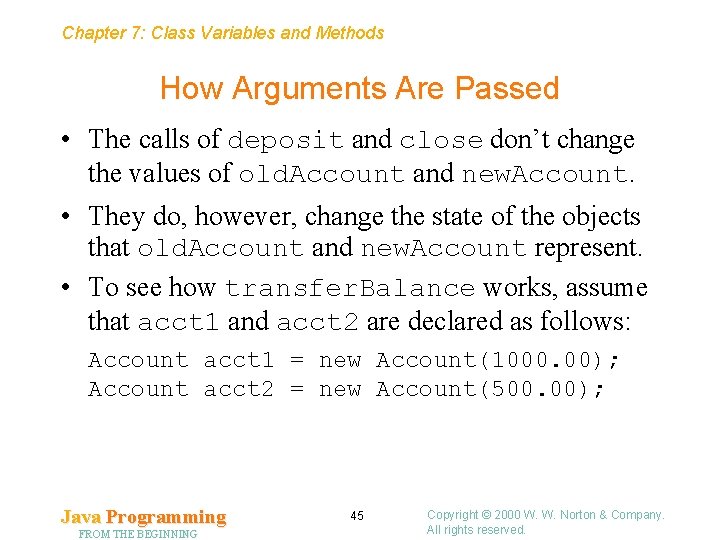
Chapter 7: Class Variables and Methods How Arguments Are Passed • The calls of deposit and close don’t change the values of old. Account and new. Account. • They do, however, change the state of the objects that old. Account and new. Account represent. • To see how transfer. Balance works, assume that acct 1 and acct 2 are declared as follows: Account acct 1 = new Account(1000. 00); Account acct 2 = new Account(500. 00); Java Programming FROM THE BEGINNING 45 Copyright © 2000 W. W. Norton & Company. All rights reserved.
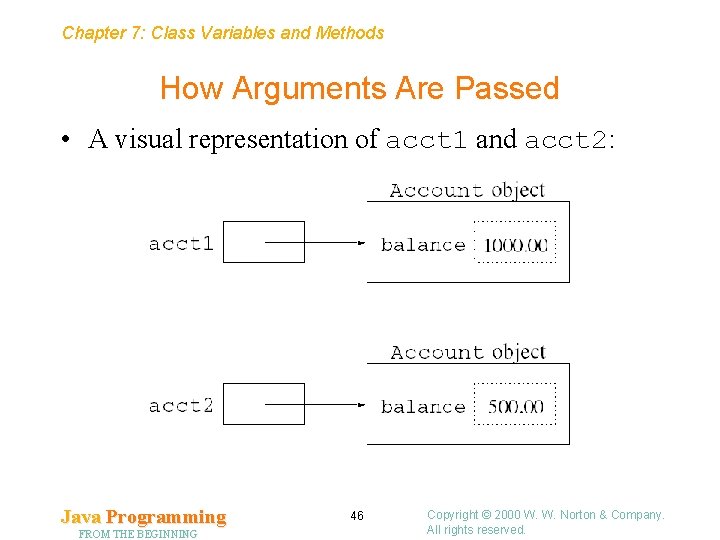
Chapter 7: Class Variables and Methods How Arguments Are Passed • A visual representation of acct 1 and acct 2: Java Programming FROM THE BEGINNING 46 Copyright © 2000 W. W. Norton & Company. All rights reserved.
Chapter 7: Class Variables and Methods How Arguments Are Passed • Now suppose that the following statement is executed: transfer. Balance(acct 1, acct 2); • As the method begins to execute, acct 1 is copied into old. Account, and acct 2 is copied into new. Account. Java Programming FROM THE BEGINNING 47 Copyright © 2000 W. W. Norton & Company. All rights reserved.
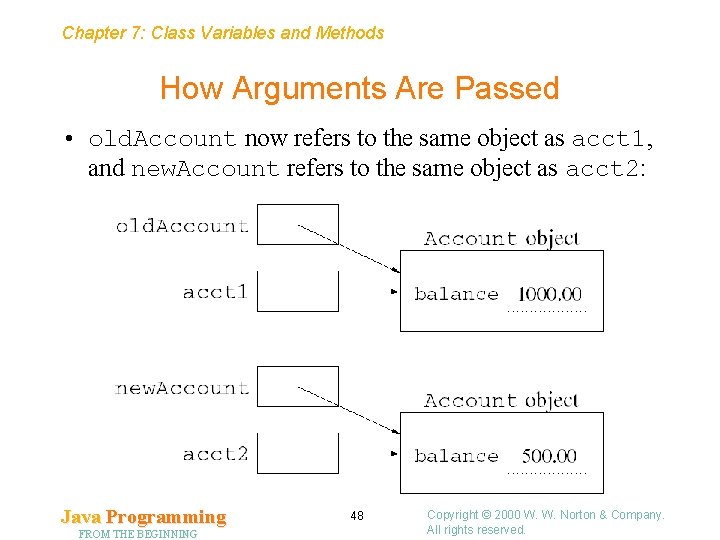
Chapter 7: Class Variables and Methods How Arguments Are Passed • old. Account now refers to the same object as acct 1, and new. Account refers to the same object as acct 2: Java Programming FROM THE BEGINNING 48 Copyright © 2000 W. W. Norton & Company. All rights reserved.
Chapter 7: Class Variables and Methods How Arguments Are Passed • The transfer. Balance method executes the call old. Account. get. Balance(), which returns 1000. • Next, this value is added to the balance stored in the new. Account object, causing its balance to increase to 1500. • Finally, old. Account. close() is executed, causing the balance in the old. Account object to be set to zero. Java Programming FROM THE BEGINNING 49 Copyright © 2000 W. W. Norton & Company. All rights reserved.
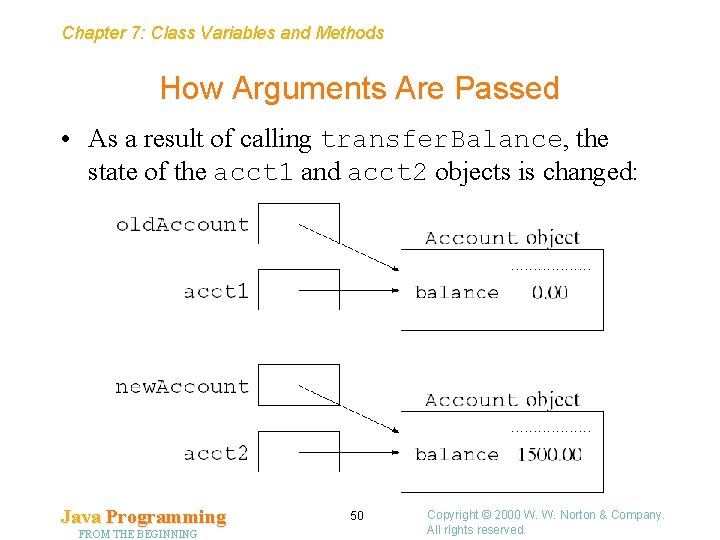
Chapter 7: Class Variables and Methods How Arguments Are Passed • As a result of calling transfer. Balance, the state of the acct 1 and acct 2 objects is changed: Java Programming FROM THE BEGINNING 50 Copyright © 2000 W. W. Norton & Company. All rights reserved.
Chapter 7: Class Variables and Methods Array Parameters • Passing arrays to methods is much like passing objects. • A method that searches an array of strings to see if it contains a particular string (the search key): private static int find. String(String[] strings, String key) { for (int i = 0; i < strings. length; i++) if (strings[i]. equals(key)) return i; return -1; } • If it finds the key in the array, find. String returns the key’s position. If find. String fails to find the key, it returns – 1. Java Programming FROM THE BEGINNING 51 Copyright © 2000 W. W. Norton & Company. All rights reserved.
Chapter 7: Class Variables and Methods Array Parameters • When an array is passed to a method, only a reference to the array is copied. • As a result, passing an array to a method takes very little time. • Also, a method can modify the elements of any array passed to it. • For example, the following method will assign zero to the elements of an array passed to it: private static void set. Elements. To. Zero(int[] a) { for (int i = 0; i < a. length; i++) a[i] = 0; } Java Programming FROM THE BEGINNING 52 Copyright © 2000 W. W. Norton & Company. All rights reserved.
Chapter 7: Class Variables and Methods Program Arguments • In many operating systems, the user can launch programs from a command line. • The Java compiler itself is launched from the command line: javac My. Program. java • javac obtains the name of the. java file from the command line. • When a program is launched from the command line, it can access information (file names, for example) entered as part of the command. Java Programming FROM THE BEGINNING 53 Copyright © 2000 W. W. Norton & Company. All rights reserved.
Chapter 7: Class Variables and Methods Program Arguments • Some programs have switches or options that can be specified on the command line to affect the program’s behavior. • These usually begin with a distinctive character, such as - or /. • javac has a -O option, which causes it to “optimize” a program for better performance: javac -O My. Program. java Java Programming FROM THE BEGINNING 54 Copyright © 2000 W. W. Norton & Company. All rights reserved.
Chapter 7: Class Variables and Methods Program Arguments • The term program arguments (or command-line arguments) refers to any data supplied by the user on the command line (not including the name of the program itself). • Command-line arguments don’t have to be options or file names, although in practice they usually are. Java Programming FROM THE BEGINNING 55 Copyright © 2000 W. W. Norton & Company. All rights reserved.
Chapter 7: Class Variables and Methods Program Arguments • It’s easy to write a program that accesses command-line arguments supplied by the user. • The main method is required to have a single parameter, which is customarily named args: public static void main(String[] args) { … } • When the program is executed, args will contain the program’s command-line arguments. Java Programming FROM THE BEGINNING 56 Copyright © 2000 W. W. Norton & Company. All rights reserved.
Chapter 7: Class Variables and Methods Program Arguments • Suppose that Copy. File is a Java program that’s been launched using the following command: java Copy. File My. Program. java My. Program 2. java • Inside Copy. File’s main method, the args array will contain the following values: args[0] "My. Program. java" args[1] "My. Program 2. java" Java Programming FROM THE BEGINNING 57 Copyright © 2000 W. W. Norton & Company. All rights reserved.
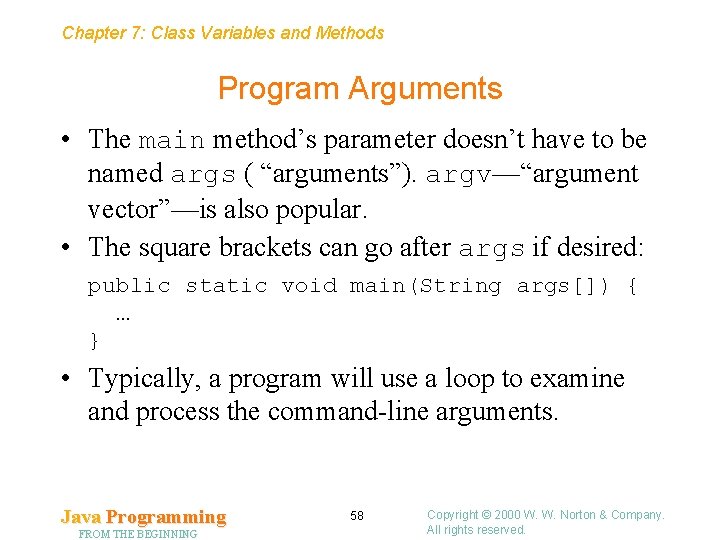
Chapter 7: Class Variables and Methods Program Arguments • The main method’s parameter doesn’t have to be named args ( “arguments”). argv—“argument vector”—is also popular. • The square brackets can go after args if desired: public static void main(String args[]) { … } • Typically, a program will use a loop to examine and process the command-line arguments. Java Programming FROM THE BEGINNING 58 Copyright © 2000 W. W. Norton & Company. All rights reserved.
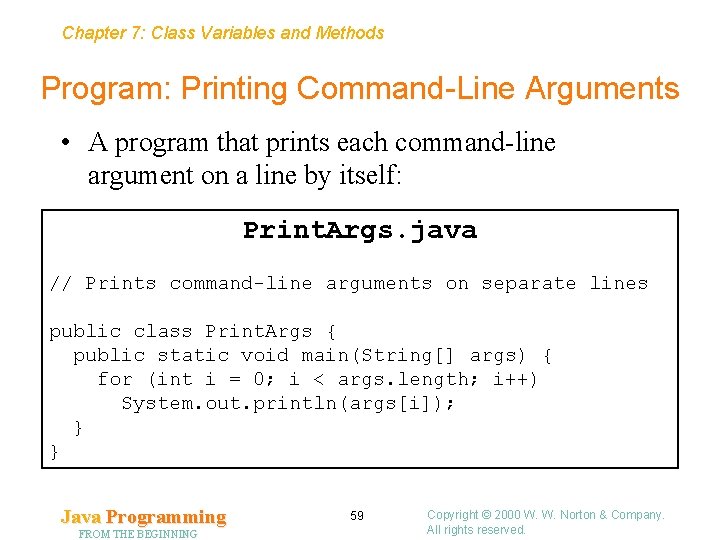
Chapter 7: Class Variables and Methods Program: Printing Command-Line Arguments • A program that prints each command-line argument on a line by itself: Print. Args. java // Prints command-line arguments on separate lines public class Print. Args { public static void main(String[] args) { for (int i = 0; i < args. length; i++) System. out. println(args[i]); } } Java Programming FROM THE BEGINNING 59 Copyright © 2000 W. W. Norton & Company. All rights reserved.
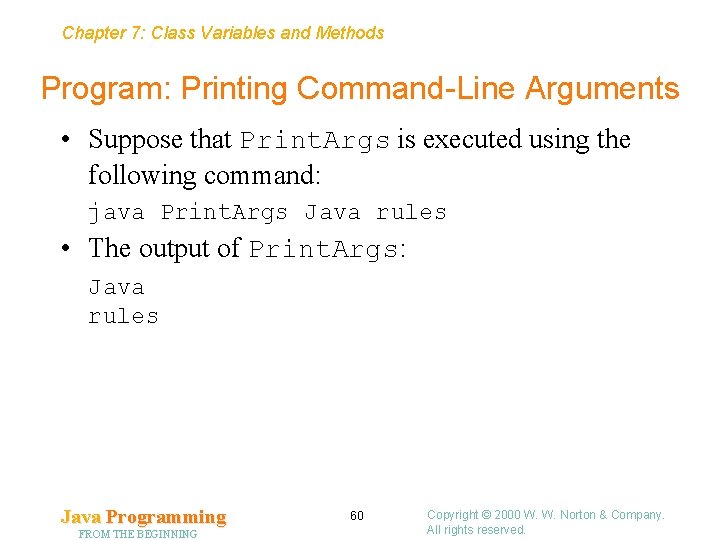
Chapter 7: Class Variables and Methods Program: Printing Command-Line Arguments • Suppose that Print. Args is executed using the following command: java Print. Args Java rules • The output of Print. Args: Java rules Java Programming FROM THE BEGINNING 60 Copyright © 2000 W. W. Norton & Company. All rights reserved.
Chapter 7: Class Variables and Methods 7. 5 Class Variables • Objects store their state in instance variables. Every object has its own set of these variables. • Variables that belong to a class, but not to any particular instance of a class, are called class variables. • Some books use the terms static variables or static fields instead. • Class variables are stored only once in the entire program. Java Programming FROM THE BEGINNING 61 Copyright © 2000 W. W. Norton & Company. All rights reserved.
Chapter 7: Class Variables and Methods Declaring Class Variables • In declarations of class variables, the word static is inserted between the access modifier and the type of the variable: public static int num. Accounts; private static int window. Height; • Variables that are declared public are accessible outside the class. • Variables that are declared private are hidden inside the class. Java Programming FROM THE BEGINNING 62 Copyright © 2000 W. W. Norton & Company. All rights reserved.
Chapter 7: Class Variables and Methods Using Class Variables • A public class variable can be accessed by writing the name of the class, a dot, and the name of the variable. • If the num. Accounts is declared in a class named Account, the following statement is legal: int accounts. Open = Account. num. Accounts; • Within the class in which it’s declared, a class variable can be accessed directly, without a class name or dot: num. Accounts++; • A private class variable can be accessed only within its own class, so the class name and dot aren’t needed: window. Height = 200; Java Programming FROM THE BEGINNING 63 Copyright © 2000 W. W. Norton & Company. All rights reserved.
Chapter 7: Class Variables and Methods Uses for Class Variables • Common uses for class variables: – As global variables. (A global variable is a variable that can be used by any method in any class. ) – As constants. – To store data for class methods. • Class variables can also be used by instance methods. Java Programming FROM THE BEGINNING 64 Copyright © 2000 W. W. Norton & Company. All rights reserved.
Chapter 7: Class Variables and Methods Using Class Variables as Global Variables • In Java, there’s no way to declare a variable that exists “outside” the classes in a program. • Instead, a variable that must be universally available is put into a class and declared to be a public class variable. • Global variables make programs harder to test and harder to modify, so it’s usually best to avoid them. Java Programming FROM THE BEGINNING 65 Copyright © 2000 W. W. Norton & Company. All rights reserved.
Chapter 7: Class Variables and Methods Class Variables in the System Class • Every call of System. out. print or System. out. println involves a global variable. • The System class has three class variables: in, out, and err. • These variables are all public, which means that they can be accessed by writing System. in, System. out, and System. err. • Each variable represents a stream—a source of input or a destination for output. Java Programming FROM THE BEGINNING 66 Copyright © 2000 W. W. Norton & Company. All rights reserved.
Chapter 7: Class Variables and Methods Class Variables in the System Class • System. in represents the standard input stream. By default, the standard input stream is attached to the user’s keyboard. • System. out represents the standard output stream. By default, data written to System. out is displayed in the window in the program was launched. • System. err represents the standard error stream, which is a convenient place to write error messages. By default, data written to System. err is displayed in the same window as data written to System. out. Java Programming FROM THE BEGINNING 67 Copyright © 2000 W. W. Norton & Company. All rights reserved.
Chapter 7: Class Variables and Methods Redirecting the Standard Streams • Operating systems often allow the user to redirect the standard streams. • In Windows or Unix, the standard input stream can be redirected so that data comes from a file instead of from the keyboard: java My. Program <my. Input. File • The output of a program can also be sent to a file: java My. Program >my. Output. File will be created if it doesn’t exist. Java Programming FROM THE BEGINNING 68 Copyright © 2000 W. W. Norton & Company. All rights reserved.
Chapter 7: Class Variables and Methods Redirecting the Standard Streams • A program can read from one file and write to another: java My. Program <my. Input. File >my. Output. File • If the user redirects the program’s output, error messages written to System. out won’t appear on the screen. • Error messages written to System. err will still appear on the screen, because redirecting System. out has no effect on System. err. • Writing to System. err is similar to writing to System. out: System. err. println("Invalid data encountered"); Java Programming FROM THE BEGINNING 69 Copyright © 2000 W. W. Norton & Company. All rights reserved.
Chapter 7: Class Variables and Methods The Print. Stream Class • System. out and System. err are instances of the Print. Stream class, which provides the print and println methods. • Consider a typical call of System. out. println: System. out. println("Java rules!"); • System. out is a class variable that represents an instance of the Print. Stream class. • This object is invoking println, one of the instance methods in the Print. Stream class. Java Programming FROM THE BEGINNING 70 Copyright © 2000 W. W. Norton & Company. All rights reserved.
Chapter 7: Class Variables and Methods Using Class Variables as Constants • Including the word final in the declaration of a class variable makes it a constant. • Java’s Math class contains two final class variables: public class Math { public static final double E = 2. 718284590452354; public static final double PI = 3. 14159265358979323846; … } • E and PI are accessed by writing Math. E and Math. PI. Java Programming FROM THE BEGINNING 71 Copyright © 2000 W. W. Norton & Company. All rights reserved.
Chapter 7: Class Variables and Methods Using Class Variables as Constants • Other examples of class variables used as constants: – Color. white, Color. black, . . . – Font. PLAIN, Font. BOLD, Font. ITALIC • Most API classes follow the convention of using all uppercase letters for names of constants. • Like all class variables, constants can be declared public or private. • Constants that are to be used by other classes must be declared public. Java Programming FROM THE BEGINNING 72 Copyright © 2000 W. W. Norton & Company. All rights reserved.
Chapter 7: Class Variables and Methods Using Class Variables to Store Data for Class Methods • When a method returns, its local variables no longer exist. • If a class method needs to store data where it will be safe after the method returns, it must use a class variable instead of a local variable. • Class variables are also used for sharing data among class methods in a class. • Class variables that store data for class methods should be declared private. Java Programming FROM THE BEGINNING 73 Copyright © 2000 W. W. Norton & Company. All rights reserved.
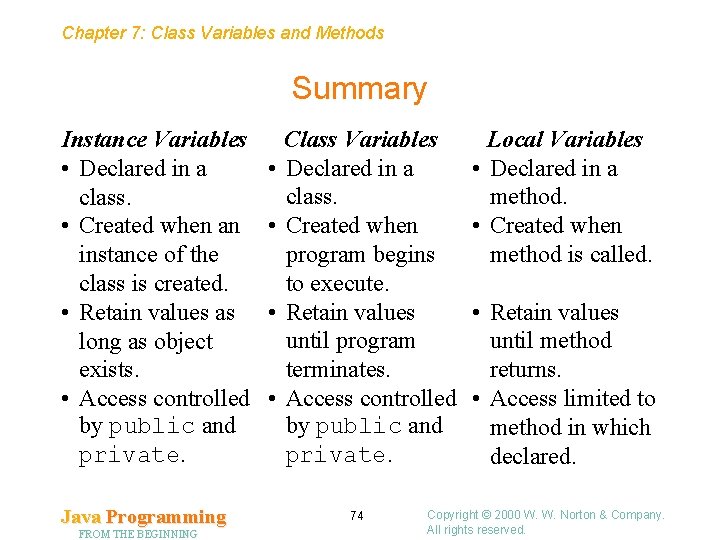
Chapter 7: Class Variables and Methods Summary Instance Variables • Declared in a class. • Created when an instance of the class is created. • Retain values as long as object exists. • Access controlled by public and private. Java Programming FROM THE BEGINNING • • Class Variables Declared in a class. Created when program begins to execute. Retain values until program terminates. Access controlled by public and private. 74 Local Variables • Declared in a method. • Created when method is called. • Retain values until method returns. • Access limited to method in which declared. Copyright © 2000 W. W. Norton & Company. All rights reserved.
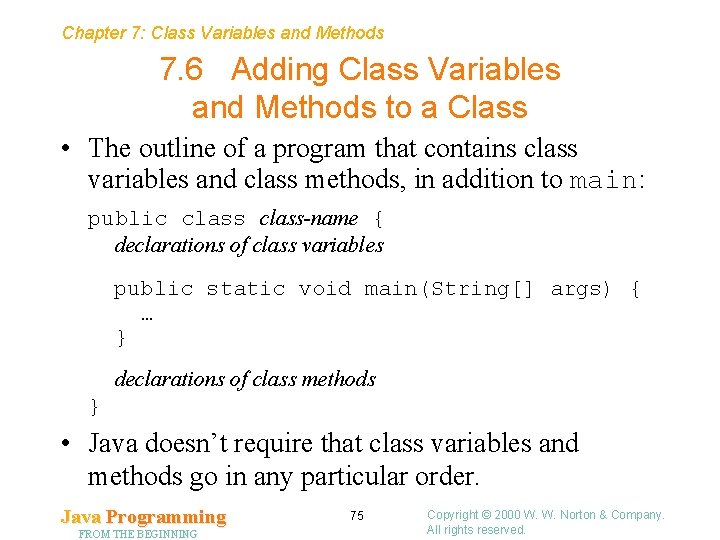
Chapter 7: Class Variables and Methods 7. 6 Adding Class Variables and Methods to a Class • The outline of a program that contains class variables and class methods, in addition to main: public class-name { declarations of class variables public static void main(String[] args) { … } declarations of class methods } • Java doesn’t require that class variables and methods go in any particular order. Java Programming FROM THE BEGINNING 75 Copyright © 2000 W. W. Norton & Company. All rights reserved.
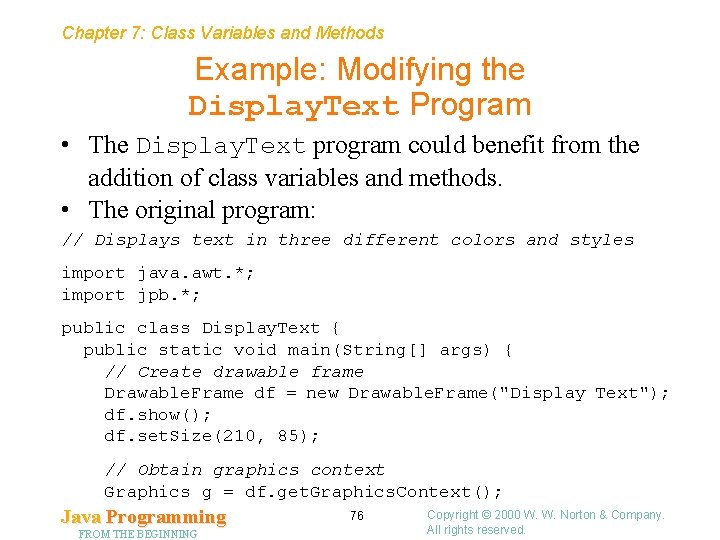
Chapter 7: Class Variables and Methods Example: Modifying the Display. Text Program • The Display. Text program could benefit from the addition of class variables and methods. • The original program: // Displays text in three different colors and styles import java. awt. *; import jpb. *; public class Display. Text { public static void main(String[] args) { // Create drawable frame Drawable. Frame df = new Drawable. Frame("Display Text"); df. show(); df. set. Size(210, 85); // Obtain graphics context Graphics g = df. get. Graphics. Context(); Java Programming FROM THE BEGINNING 76 Copyright © 2000 W. W. Norton & Company. All rights reserved.
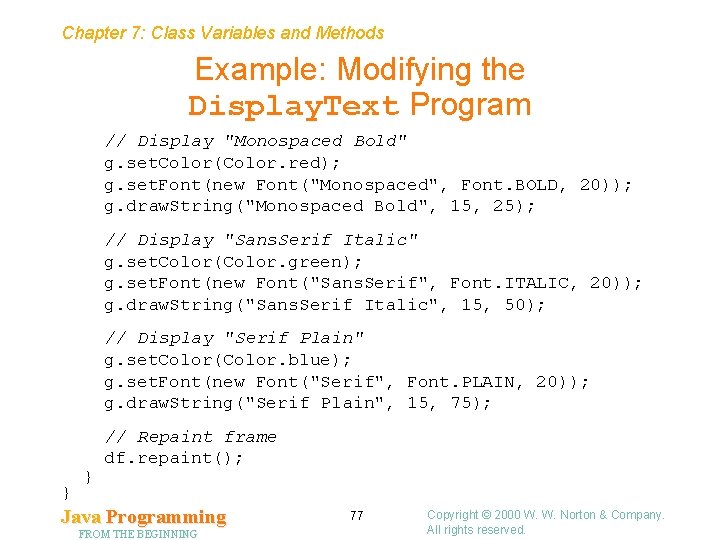
Chapter 7: Class Variables and Methods Example: Modifying the Display. Text Program // Display "Monospaced Bold" g. set. Color(Color. red); g. set. Font(new Font("Monospaced", Font. BOLD, 20)); g. draw. String("Monospaced Bold", 15, 25); // Display "Sans. Serif Italic" g. set. Color(Color. green); g. set. Font(new Font("Sans. Serif", Font. ITALIC, 20)); g. draw. String("Sans. Serif Italic", 15, 50); // Display "Serif Plain" g. set. Color(Color. blue); g. set. Font(new Font("Serif", Font. PLAIN, 20)); g. draw. String("Serif Plain", 15, 75); } } // Repaint frame df. repaint(); Java Programming FROM THE BEGINNING 77 Copyright © 2000 W. W. Norton & Company. All rights reserved.
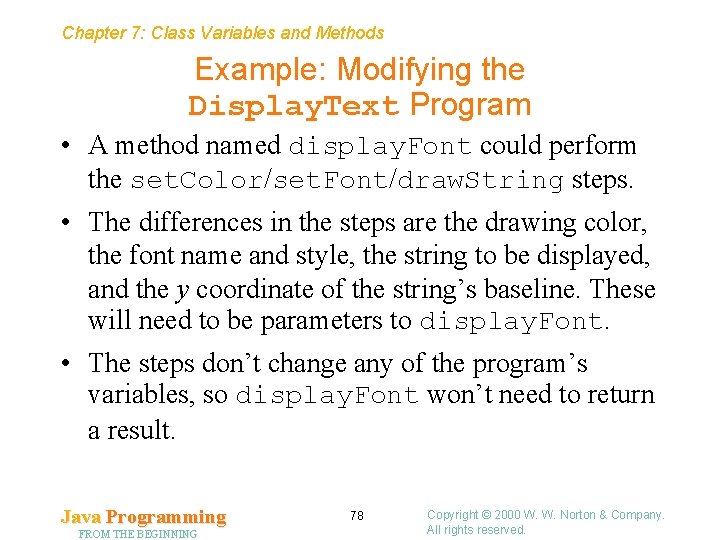
Chapter 7: Class Variables and Methods Example: Modifying the Display. Text Program • A method named display. Font could perform the set. Color/set. Font/draw. String steps. • The differences in the steps are the drawing color, the font name and style, the string to be displayed, and the y coordinate of the string’s baseline. These will need to be parameters to display. Font. • The steps don’t change any of the program’s variables, so display. Font won’t need to return a result. Java Programming FROM THE BEGINNING 78 Copyright © 2000 W. W. Norton & Company. All rights reserved.
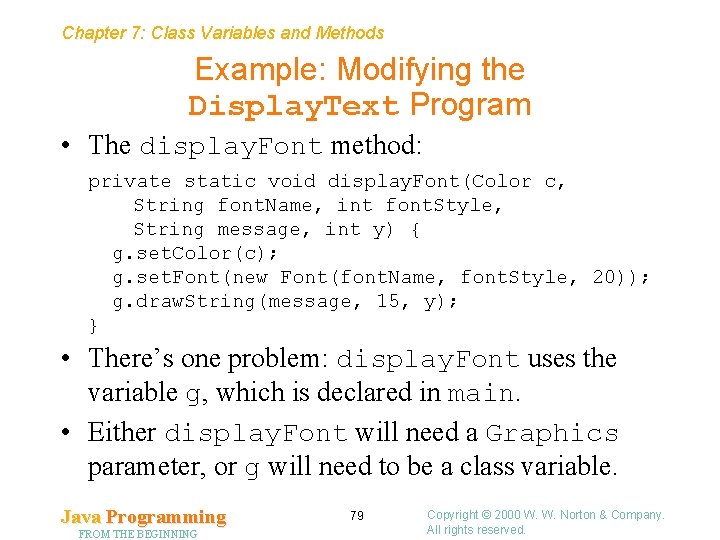
Chapter 7: Class Variables and Methods Example: Modifying the Display. Text Program • The display. Font method: private static void display. Font(Color c, String font. Name, int font. Style, String message, int y) { g. set. Color(c); g. set. Font(new Font(font. Name, font. Style, 20)); g. draw. String(message, 15, y); } • There’s one problem: display. Font uses the variable g, which is declared in main. • Either display. Font will need a Graphics parameter, or g will need to be a class variable. Java Programming FROM THE BEGINNING 79 Copyright © 2000 W. W. Norton & Company. All rights reserved.
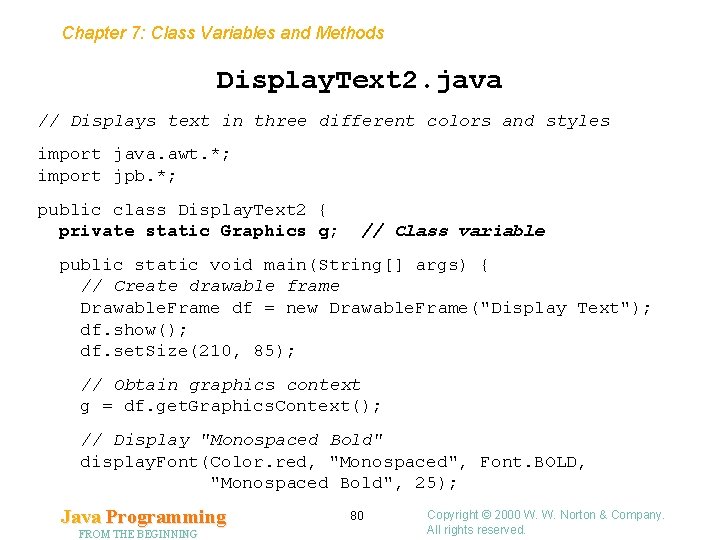
Chapter 7: Class Variables and Methods Display. Text 2. java // Displays text in three different colors and styles import java. awt. *; import jpb. *; public class Display. Text 2 { private static Graphics g; // Class variable public static void main(String[] args) { // Create drawable frame Drawable. Frame df = new Drawable. Frame("Display Text"); df. show(); df. set. Size(210, 85); // Obtain graphics context g = df. get. Graphics. Context(); // Display "Monospaced Bold" display. Font(Color. red, "Monospaced", Font. BOLD, "Monospaced Bold", 25); Java Programming FROM THE BEGINNING 80 Copyright © 2000 W. W. Norton & Company. All rights reserved.
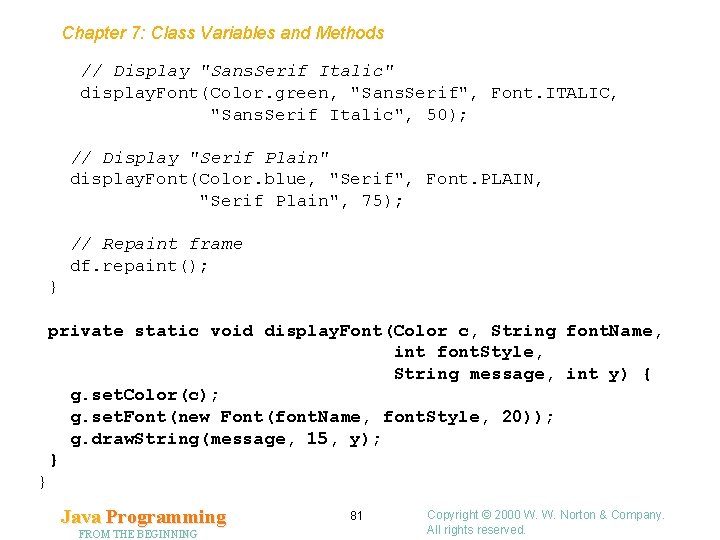
Chapter 7: Class Variables and Methods // Display "Sans. Serif Italic" display. Font(Color. green, "Sans. Serif", Font. ITALIC, "Sans. Serif Italic", 50); // Display "Serif Plain" display. Font(Color. blue, "Serif", Font. PLAIN, "Serif Plain", 75); // Repaint frame df. repaint(); } private static void display. Font(Color c, String font. Name, int font. Style, String message, int y) { g. set. Color(c); g. set. Font(new Font(font. Name, font. Style, 20)); g. draw. String(message, 15, y); } } Java Programming FROM THE BEGINNING 81 Copyright © 2000 W. W. Norton & Company. All rights reserved.
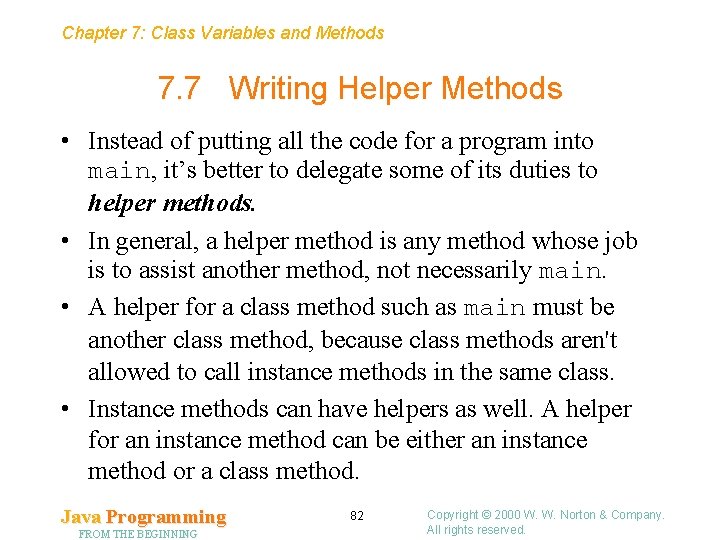
Chapter 7: Class Variables and Methods 7. 7 Writing Helper Methods • Instead of putting all the code for a program into main, it’s better to delegate some of its duties to helper methods. • In general, a helper method is any method whose job is to assist another method, not necessarily main. • A helper for a class method such as main must be another class method, because class methods aren't allowed to call instance methods in the same class. • Instance methods can have helpers as well. A helper for an instance method can be either an instance method or a class method. Java Programming FROM THE BEGINNING 82 Copyright © 2000 W. W. Norton & Company. All rights reserved.
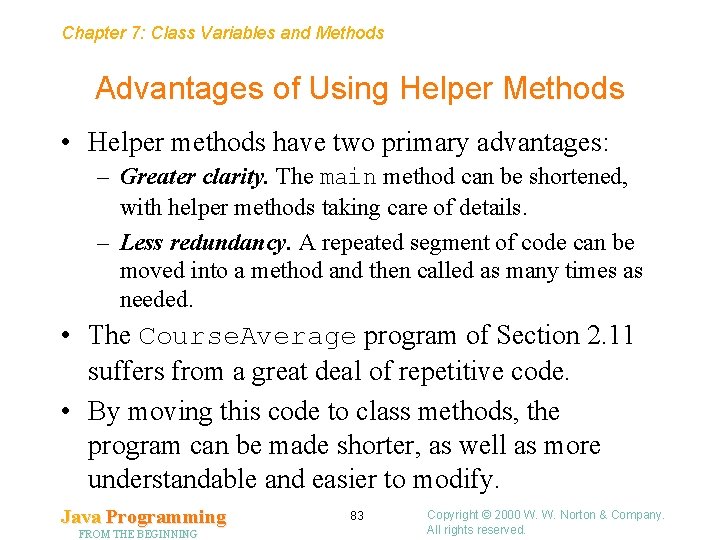
Chapter 7: Class Variables and Methods Advantages of Using Helper Methods • Helper methods have two primary advantages: – Greater clarity. The main method can be shortened, with helper methods taking care of details. – Less redundancy. A repeated segment of code can be moved into a method and then called as many times as needed. • The Course. Average program of Section 2. 11 suffers from a great deal of repetitive code. • By moving this code to class methods, the program can be made shorter, as well as more understandable and easier to modify. Java Programming FROM THE BEGINNING 83 Copyright © 2000 W. W. Norton & Company. All rights reserved.
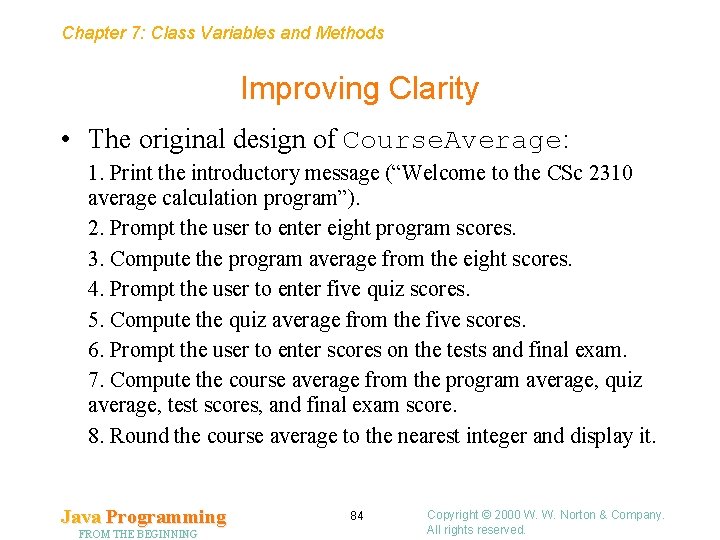
Chapter 7: Class Variables and Methods Improving Clarity • The original design of Course. Average: 1. Print the introductory message (“Welcome to the CSc 2310 average calculation program”). 2. Prompt the user to enter eight program scores. 3. Compute the program average from the eight scores. 4. Prompt the user to enter five quiz scores. 5. Compute the quiz average from the five scores. 6. Prompt the user to enter scores on the tests and final exam. 7. Compute the course average from the program average, quiz average, test scores, and final exam score. 8. Round the course average to the nearest integer and display it. Java Programming FROM THE BEGINNING 84 Copyright © 2000 W. W. Norton & Company. All rights reserved.
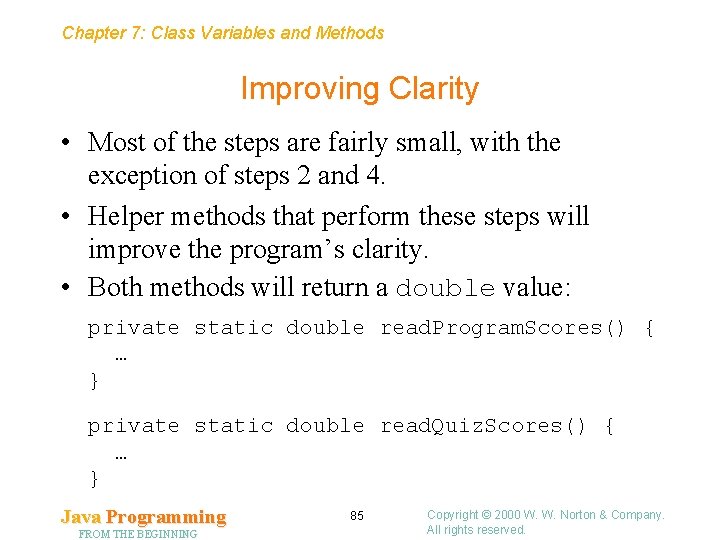
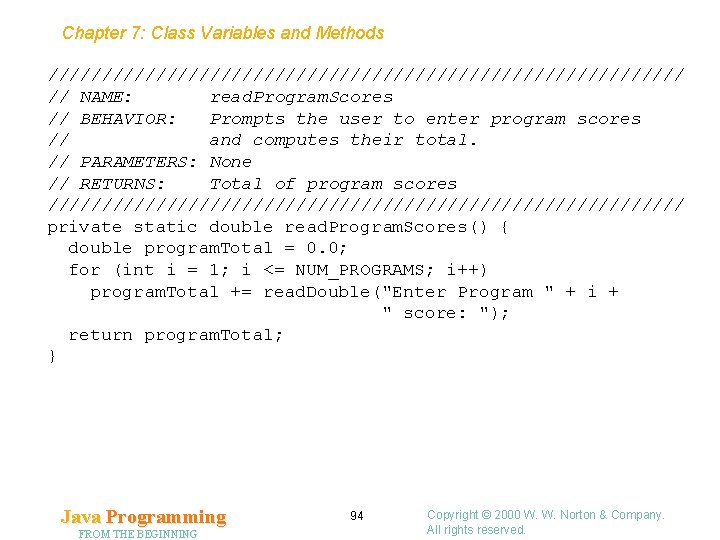
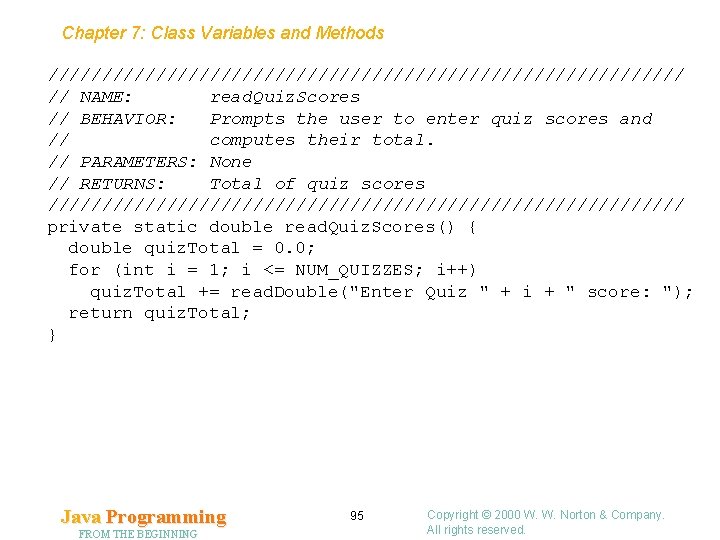
Chapter 7: Class Variables and Methods Improving Clarity • Most of the steps are fairly small, with the exception of steps 2 and 4. • Helper methods that perform these steps will improve the program’s clarity. • Both methods will return a double value: private static double read. Program. Scores() { … } private static double read. Quiz. Scores() { … } Java Programming FROM THE BEGINNING 85 Copyright © 2000 W. W. Norton & Company. All rights reserved.
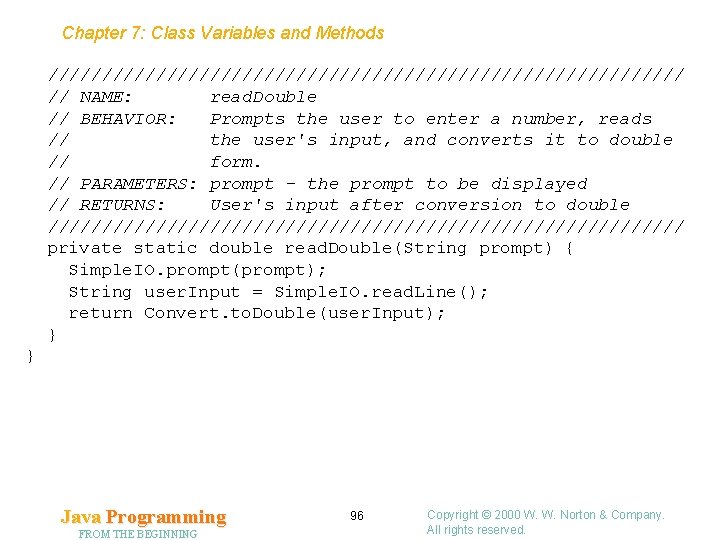
Chapter 7: Class Variables and Methods Reducing Redundancy • read. Program. Scores will consist of eight steps (one for each program score). • Each step involves prompting the user to enter a number, reading the number as a string, and then converting the string to numeric form. • Because the eight steps are nearly identical, it makes sense to write a helper method (read. Double) that performs a single prompt/read/convert step. • read. Double can also be used to help write read. Quiz. Scores. Java Programming FROM THE BEGINNING 86 Copyright © 2000 W. W. Norton & Company. All rights reserved.
Chapter 7: Class Variables and Methods Reducing Redundancy • In the original Course. Average program, a single prompt/read/convert step consists of statements such as the following: Simple. IO. prompt("Enter Program 1 score: "); String user. Input = Simple. IO. read. Line(); double program 1 = Convert. to. Double(user. Input); • Since the prompt is different each time, it will need to be a parameter to read. Double. • read. Double will need to return the value entered by the user, after it has been converted to double form. Java Programming FROM THE BEGINNING 87 Copyright © 2000 W. W. Norton & Company. All rights reserved.
Chapter 7: Class Variables and Methods Reducing Redundancy • The three statements in the prompt/read/convert step will be replaced by a single method call: program 1 = read. Double("Enter Program 1 score: "); • The read. Double method: private static double read. Double(String prompt) { Simple. IO. prompt(prompt); String user. Input = Simple. IO. read. Line(); return Convert. to. Double(user. Input); } Java Programming FROM THE BEGINNING 88 Copyright © 2000 W. W. Norton & Company. All rights reserved.
Chapter 7: Class Variables and Methods The Revised Course. Average Program • The revised Course. Average program has three class methods: read. Program. Scores, read. Quiz. Scores, and read. Double. • Other changes to the program: – Class variables are used as constants. – Loops are used to read the program scores and grades. – The read. Double method is used to help read the test scores and the final exam score. Java Programming FROM THE BEGINNING 89 Copyright © 2000 W. W. Norton & Company. All rights reserved.
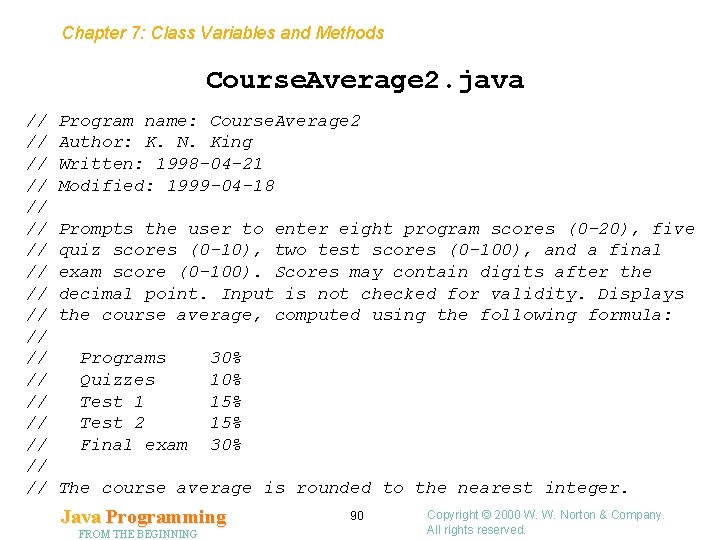
Chapter 7: Class Variables and Methods Course. Average 2. java // // // // // Program name: Course. Average 2 Author: K. N. King Written: 1998 -04 -21 Modified: 1999 -04 -18 Prompts the user to enter eight program scores (0 -20), five quiz scores (0 -10), two test scores (0 -100), and a final exam score (0 -100). Scores may contain digits after the decimal point. Input is not checked for validity. Displays the course average, computed using the following formula: Programs Quizzes Test 1 Test 2 Final exam 30% 15% 15% 30% The course average is rounded to the nearest integer. Java Programming FROM THE BEGINNING 90 Copyright © 2000 W. W. Norton & Company. All rights reserved.
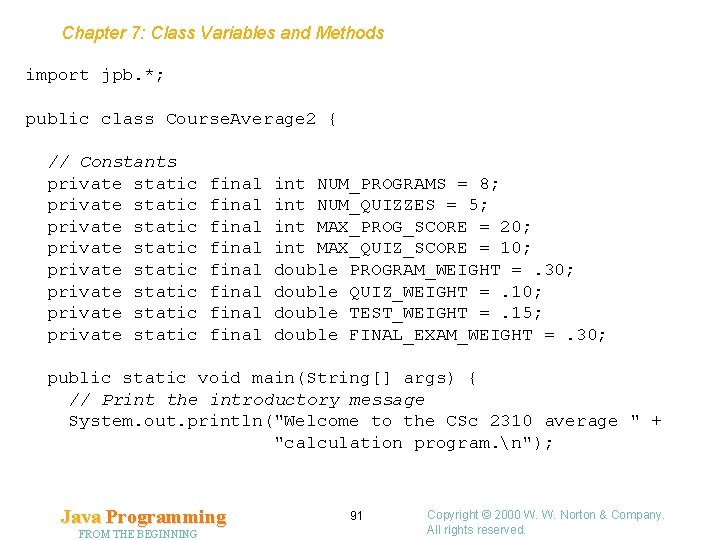
Chapter 7: Class Variables and Methods import jpb. *; public class Course. Average 2 { // Constants private static private static final final int NUM_PROGRAMS = 8; int NUM_QUIZZES = 5; int MAX_PROG_SCORE = 20; int MAX_QUIZ_SCORE = 10; double PROGRAM_WEIGHT =. 30; double QUIZ_WEIGHT =. 10; double TEST_WEIGHT =. 15; double FINAL_EXAM_WEIGHT =. 30; public static void main(String[] args) { // Print the introductory message System. out. println("Welcome to the CSc 2310 average " + "calculation program. n"); Java Programming FROM THE BEGINNING 91 Copyright © 2000 W. W. Norton & Company. All rights reserved.
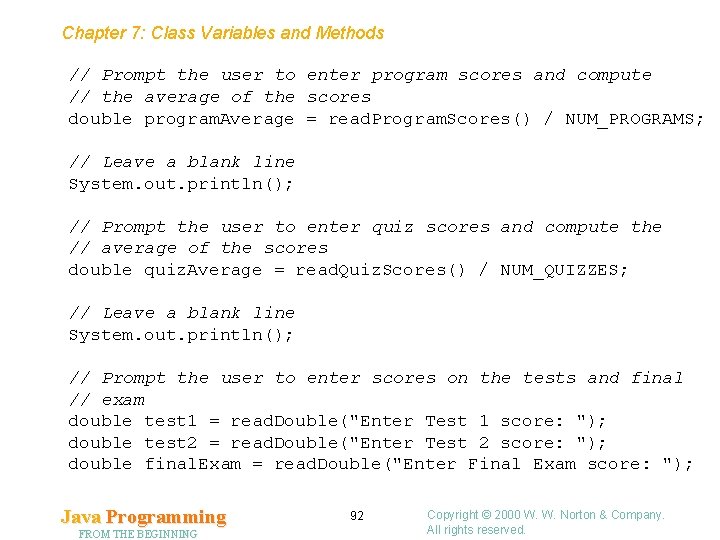
Chapter 7: Class Variables and Methods // Prompt the user to enter program scores and compute // the average of the scores double program. Average = read. Program. Scores() / NUM_PROGRAMS; // Leave a blank line System. out. println(); // Prompt the user to enter quiz scores and compute the // average of the scores double quiz. Average = read. Quiz. Scores() / NUM_QUIZZES; // Leave a blank line System. out. println(); // Prompt the user to enter scores on the tests and final // exam double test 1 = read. Double("Enter Test 1 score: "); double test 2 = read. Double("Enter Test 2 score: "); double final. Exam = read. Double("Enter Final Exam score: "); Java Programming FROM THE BEGINNING 92 Copyright © 2000 W. W. Norton & Company. All rights reserved.
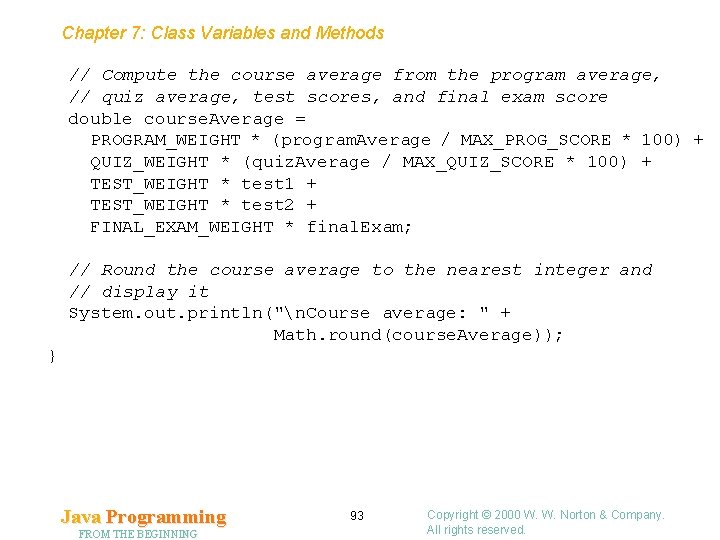
Chapter 7: Class Variables and Methods // Compute the course average from the program average, // quiz average, test scores, and final exam score double course. Average = PROGRAM_WEIGHT * (program. Average / MAX_PROG_SCORE * 100) + QUIZ_WEIGHT * (quiz. Average / MAX_QUIZ_SCORE * 100) + TEST_WEIGHT * test 1 + TEST_WEIGHT * test 2 + FINAL_EXAM_WEIGHT * final. Exam; // Round the course average to the nearest integer and // display it System. out. println("n. Course average: " + Math. round(course. Average)); } Java Programming FROM THE BEGINNING 93 Copyright © 2000 W. W. Norton & Company. All rights reserved.
Chapter 7: Class Variables and Methods ////////////////////////////// // NAME: read. Program. Scores // BEHAVIOR: Prompts the user to enter program scores // and computes their total. // PARAMETERS: None // RETURNS: Total of program scores ////////////////////////////// private static double read. Program. Scores() { double program. Total = 0. 0; for (int i = 1; i <= NUM_PROGRAMS; i++) program. Total += read. Double("Enter Program " + i + " score: "); return program. Total; } Java Programming FROM THE BEGINNING 94 Copyright © 2000 W. W. Norton & Company. All rights reserved.
Chapter 7: Class Variables and Methods ////////////////////////////// // NAME: read. Quiz. Scores // BEHAVIOR: Prompts the user to enter quiz scores and // computes their total. // PARAMETERS: None // RETURNS: Total of quiz scores ////////////////////////////// private static double read. Quiz. Scores() { double quiz. Total = 0. 0; for (int i = 1; i <= NUM_QUIZZES; i++) quiz. Total += read. Double("Enter Quiz " + i + " score: "); return quiz. Total; } Java Programming FROM THE BEGINNING 95 Copyright © 2000 W. W. Norton & Company. All rights reserved.
Chapter 7: Class Variables and Methods ////////////////////////////// // NAME: read. Double // BEHAVIOR: Prompts the user to enter a number, reads // the user's input, and converts it to double // form. // PARAMETERS: prompt - the prompt to be displayed // RETURNS: User's input after conversion to double ////////////////////////////// private static double read. Double(String prompt) { Simple. IO. prompt(prompt); String user. Input = Simple. IO. read. Line(); return Convert. to. Double(user. Input); } } Java Programming FROM THE BEGINNING 96 Copyright © 2000 W. W. Norton & Company. All rights reserved.
Chapter 7: Class Variables and Methods Comment Blocks for Methods • Each method (except main) should be preceded by a comment block that gives the name of the method and describes what the method does. • The comment block should include a description of each parameter and what value (if any) the method returns. • The comment block for a method should not describe how the method is used in the program. Java Programming FROM THE BEGINNING 97 Copyright © 2000 W. W. Norton & Company. All rights reserved.
Chapter 7: Class Variables and Methods Reusing Helper Methods • Some helper methods (read. Program. Scores and read. Quiz. Scores, for example) are specific to a particular program. • Others, like read. Double, are potentially useful in other programs as well. • Section 10. 8 shows how to create separate classes for helper methods, making them easier to reuse in other programs. Java Programming FROM THE BEGINNING 98 Copyright © 2000 W. W. Norton & Company. All rights reserved.
Chapter 7: Class Variables and Methods 7. 8 Designing Methods • Issues that arise in the design of methods: – When is a method needed? – What should the name of the method be? – What parameters will it need? • Most of these issues are relevant for instance methods as well. Java Programming FROM THE BEGINNING 99 Copyright © 2000 W. W. Norton & Company. All rights reserved.
Chapter 7: Class Variables and Methods Cohesion • A method should perform a single, clearly defined task that can be stated in a sentence or two. • A method that performs a single task is said to be cohesive. Java Programming FROM THE BEGINNING 100 Copyright © 2000 W. W. Norton & Company. All rights reserved.
Chapter 7: Class Variables and Methods Stepwise Refinement • If a method is too large, often the best thing to do is write helper methods for the method. • Dividing larger methods into smaller ones is part of a design strategy known as stepwise refinement or topdown decomposition. • If a method will perform the same action two or more times, the code for performing the action should go into a separate method. • If an action is performed in just one place, but the action is rather long and complicated, it’s often a good idea to move it to a separate method as well. Java Programming FROM THE BEGINNING 101 Copyright © 2000 W. W. Norton & Company. All rights reserved.
Chapter 7: Class Variables and Methods Stepwise Refinement • Ideally, the final program will contain only short methods. • Stepwise refinement begins with main. A welldesigned main method shouldn’t be very long. • main should reveal the program’s top-level design, not get bogged down in details. • Stepwise refinement may require more than one iteration. Methods that were spun off from main may need helper methods. Those methods may then need additional helper methods, and so on. Java Programming FROM THE BEGINNING 102 Copyright © 2000 W. W. Norton & Company. All rights reserved.
Chapter 7: Class Variables and Methods by Other Names … • Simplifying a programming task by dividing it into smaller parts is one of the oldest ideas in programming. • The first programming book (Preparation of Programs for an Electronic Digital Computer, 1951) was a collection of subroutines. • The subroutine concept dates back even further. In 1837, Charles Babbage published a description of a mechanical computer. • The Analytical Engine was programmable, using punched cards; the same cards would be used each time a particular calculation needed to be done. Java Programming FROM THE BEGINNING 103 Copyright © 2000 W. W. Norton & Company. All rights reserved.
Chapter 7: Class Variables and Methods Choosing Method Names • Choosing method names wisely will have a big impact on program readability. • Guidelines for choosing method names: – Start with a verb. – If the verb isn’t descriptive enough by itself, include a noun. – Add adjectives if necessary to clarify the noun. Java Programming FROM THE BEGINNING 104 Copyright © 2000 W. W. Norton & Company. All rights reserved.
Chapter 7: Class Variables and Methods Choosing Method Names • Start with a verb. Actions are described by verbs in English, so method names nearly always include a verb. • Examples: – – – deposit withdraw read. Line terminate format. As. Money • If a method returns a boolean value, the method’s name should begin with a verb such as is or has (for example, is. Integer). Java Programming FROM THE BEGINNING 105 Copyright © 2000 W. W. Norton & Company. All rights reserved.
Chapter 7: Class Variables and Methods Choosing Method Names • If the verb isn’t descriptive enough by itself, include a noun. • In many cases, a noun will need to be included in to indicate the target of the action. • Examples: – get. Balance is better than get – read. Line is better than read – format. As. Money is better than format Java Programming FROM THE BEGINNING 106 Copyright © 2000 W. W. Norton & Company. All rights reserved.
Chapter 7: Class Variables and Methods Choosing Method Names • Add adjectives if necessary to clarify the noun. • convert. To. Dollars isn’t a good method name if there are methods for converting British pounds to U. S. dollars and to Canadian dollars. • The names convert. To. USDollars and convert. To. Canadian. Dollars are better. Java Programming FROM THE BEGINNING 107 Copyright © 2000 W. W. Norton & Company. All rights reserved.
Chapter 7: Class Variables and Methods Choosing Method Names • Java’s conventions sometimes deviate slightly from these guidelines. • In particular, a method that converts an object to type T is customarily named to. T (the verb “convert” is implied). • to. String is an example of this convention. Java Programming FROM THE BEGINNING 108 Copyright © 2000 W. W. Norton & Company. All rights reserved.
Chapter 7: Class Variables and Methods Parameters Versus Class Variables • Class methods have two ways to obtain any data that they need: through parameters and through class variables. • It’s better for a method to obtain data via parameters. A method that relies solely on parameters is self-contained; a method that accesses class variables is not. • Class variables are best used to maintain long-term information about the state of a class, rather than being used to supply data to class methods. Java Programming FROM THE BEGINNING 109 Copyright © 2000 W. W. Norton & Company. All rights reserved.
Chapter 7: Class Variables and Methods Parameters Versus Class Variables • However, methods shouldn’t have so many parameters that they become difficult to use. • Remembering what the parameters are becomes difficult, as does formatting the method’s declaration and its calls. • If methods require an excessive number of parameters, or if the same variable will be needed by most of the methods in a class, class variables should be considered. Java Programming FROM THE BEGINNING 110 Copyright © 2000 W. W. Norton & Company. All rights reserved.
Chapter 7: Class Variables and Methods Return Type • Part of designing a method involves deciding whether or not the method returns a value. • A method is allowed to return any value, whether it be a value of a primitive type (such as an int value or double value) or an object. • Some methods obviously produce a result: – get. Balance returns the amount of money in an account. – read. Line returns the line of text that it read. – format. As. Money returns a string containing a dollar amount. Java Programming FROM THE BEGINNING 111 Copyright © 2000 W. W. Norton & Company. All rights reserved.
Chapter 7: Class Variables and Methods Return Type • The only other way for a class method to leave data behind is to alter a class variable, which should usually be avoided. • It’s easy for someone reading a program to see that a method has returned a value; it’s much more difficult to detect that a method has changed class variables. Java Programming FROM THE BEGINNING 112 Copyright © 2000 W. W. Norton & Company. All rights reserved.
- Slides: 112