
CHAPTER 6 Value Returning Functions and Modules Copyright
- Slides: 27
CHAPTER 6 Value. Returning Functions and Modules Copyright © 2012 Pearson Education, Inc. Publishing as Pearson Addison-Wesley
Topics • Introduction to Value-returning Functions: Generating Random Numbers • Writing Your Own Value-Returning Functions • The math Module • Storing Functions in Modules Copyright © 2012 Pearson Education, Inc. Publishing as Pearson Addison-Wesley
Introduction to Value. Returning Functions: Generating Random Numbers • Simple function: group of statements within a program for performing a specific task – Call function when you need to perform the task • Value-returning function: similar to simple function, returns a value – Value returned to part of program that called the function when function finishes executing Copyright © 2012 Pearson Education, Inc. Publishing as Pearson Addison-Wesley
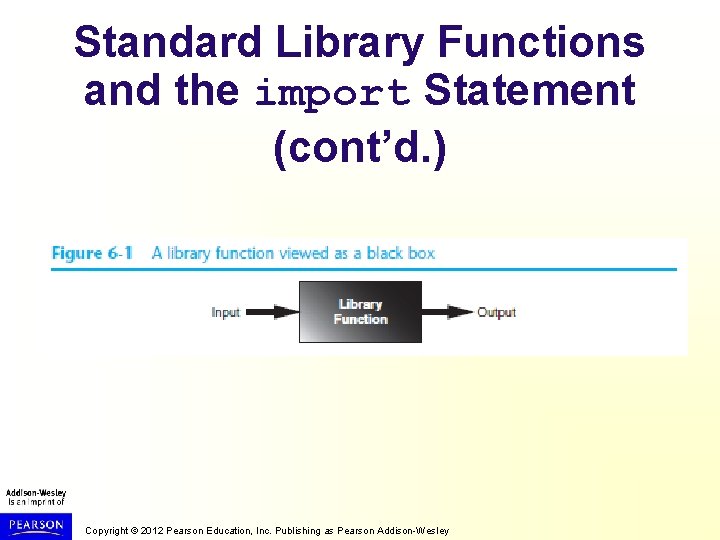
Standard Library Functions and the import Statement • Standard library: library of pre-written functions that comes with Python – Library functions perform tasks that programmers commonly need • Example: print, input, range • Viewed by programmers as a “black box” • Some library functions built into Python interpreter – To use, just call the function Copyright © 2012 Pearson Education, Inc. Publishing as Pearson Addison-Wesley
Standard Library Functions and the import Statement (cont’d. ) • Modules: files that stores functions of the standard library – Help organize library functions not built into the interpreter – Copied to computer when you install Python • To call a function stored in a module, need to write an import statement – Written at the top of the program – Format: import module_name Copyright © 2012 Pearson Education, Inc. Publishing as Pearson Addison-Wesley
Standard Library Functions and the import Statement (cont’d. ) Copyright © 2012 Pearson Education, Inc. Publishing as Pearson Addison-Wesley
Generating Random Numbers • Random number are useful in a lot of programming tasks • random module: includes library functions for working with random numbers • Dot notation: notation for calling a function belonging to a module – Format: module_name. function_name() Copyright © 2012 Pearson Education, Inc. Publishing as Pearson Addison-Wesley
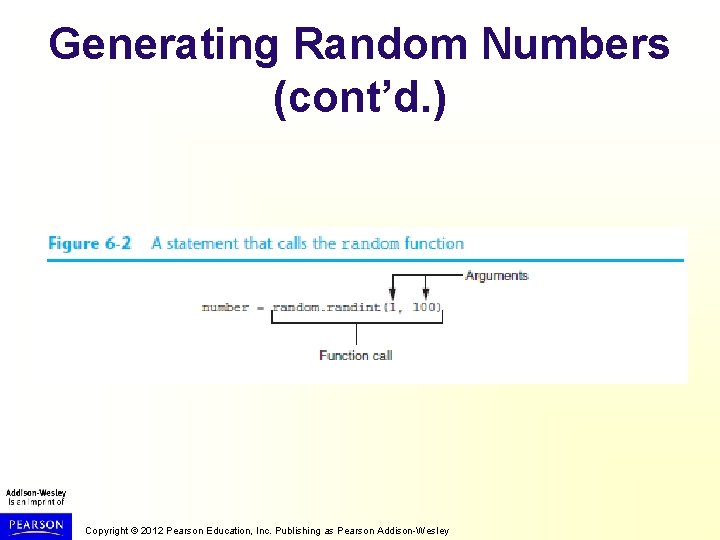
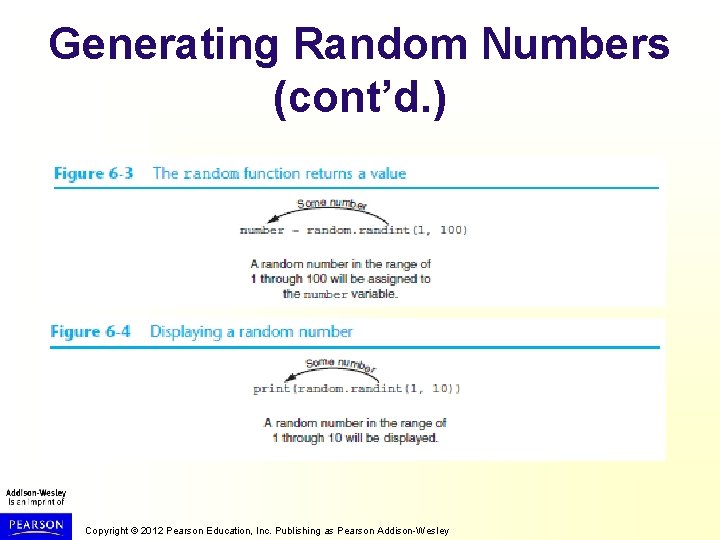
Generating Random Numbers (cont’d. ) • randint function: generates a random number in the range provided by the arguments – Returns the random number to part of program that called the function – Returned integer can be used anywhere that an integer would be used – You can experiment with the function in interactive mode Copyright © 2012 Pearson Education, Inc. Publishing as Pearson Addison-Wesley
Generating Random Numbers (cont’d. ) Copyright © 2012 Pearson Education, Inc. Publishing as Pearson Addison-Wesley
Generating Random Numbers (cont’d. ) Copyright © 2012 Pearson Education, Inc. Publishing as Pearson Addison-Wesley
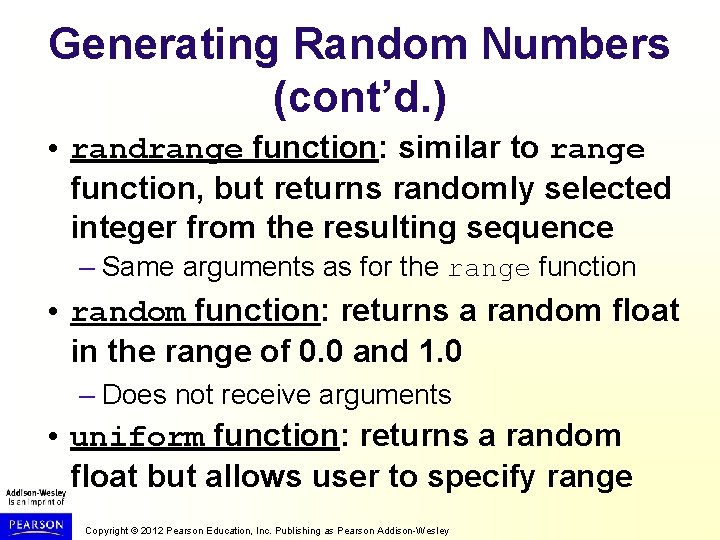
Generating Random Numbers (cont’d. ) • randrange function: similar to range function, but returns randomly selected integer from the resulting sequence – Same arguments as for the range function • random function: returns a random float in the range of 0. 0 and 1. 0 – Does not receive arguments • uniform function: returns a random float but allows user to specify range Copyright © 2012 Pearson Education, Inc. Publishing as Pearson Addison-Wesley
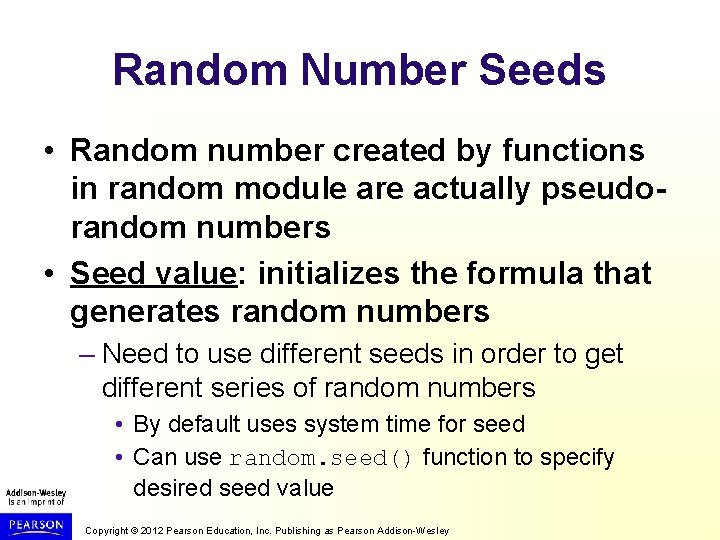
Random Number Seeds • Random number created by functions in random module are actually pseudorandom numbers • Seed value: initializes the formula that generates random numbers – Need to use different seeds in order to get different series of random numbers • By default uses system time for seed • Can use random. seed() function to specify desired seed value Copyright © 2012 Pearson Education, Inc. Publishing as Pearson Addison-Wesley
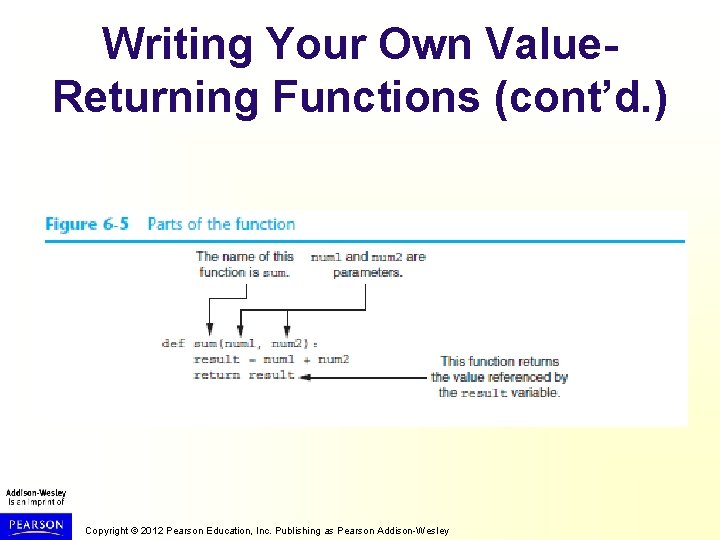
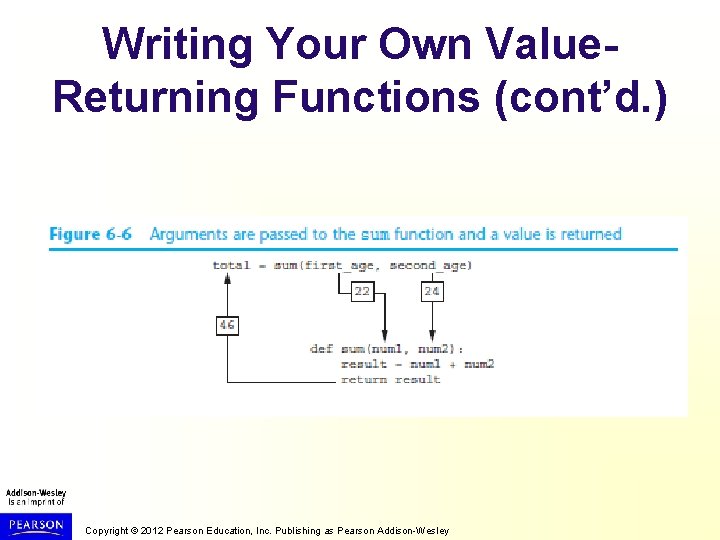
Writing Your Own Value. Returning Functions • To write a value-returning function, you write a simple function and add one or more return statements – Format: return expression • The value for expression will be returned to the part of the program that called the function – The expression in the return statement can be a complex expression, such as a sum of two variables or the result of another valuereturning function Copyright © 2012 Pearson Education, Inc. Publishing as Pearson Addison-Wesley
Writing Your Own Value. Returning Functions (cont’d. ) Copyright © 2012 Pearson Education, Inc. Publishing as Pearson Addison-Wesley
Writing Your Own Value. Returning Functions (cont’d. ) Copyright © 2012 Pearson Education, Inc. Publishing as Pearson Addison-Wesley
How to Use Value-Returning Functions • Value-returning function can be useful in specific situations – Example: have function prompt user for input and return the user’s input – Simplify mathematical expressions – Complex calculations that need to be repeated throughout the program • Use the returned value – Assign it to a variable or use as an argument in another function Copyright © 2012 Pearson Education, Inc. Publishing as Pearson Addison-Wesley
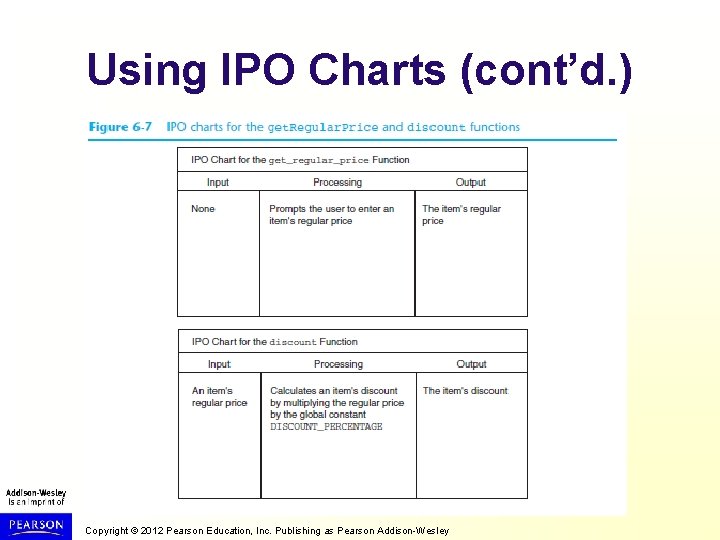
Using IPO Charts • IPO chart: describes the input, processing, and output of a function – Tool for designing and documenting functions – Typically laid out in columns – Usually provide brief descriptions of input, processing, and output, without going into details • Often includes enough information to be used instead of a flowchart Copyright © 2012 Pearson Education, Inc. Publishing as Pearson Addison-Wesley
Using IPO Charts (cont’d. ) Copyright © 2012 Pearson Education, Inc. Publishing as Pearson Addison-Wesley
Returning Boolean Values • Boolean function: returns either True or False – Use to test a condition such as for decision and repetition structures • Common calculations, such as whether a number is even, can be easily repeated by calling a function – Use to simplify complex input validation code Copyright © 2012 Pearson Education, Inc. Publishing as Pearson Addison-Wesley
Returning Multiple Values • In Python, a function can return multiple values – Specified after the return statement separated by commas • Format: return expression 1, expression 2, etc. – When you call such a function in an assignment statement, you need a separate variable on the left side of the = operator to receive each returned value Copyright © 2012 Pearson Education, Inc. Publishing as Pearson Addison-Wesley
The math Module • math module: part of standard library that contains functions that are useful for performing mathematical calculations – Typically accept one or more values as arguments, perform mathematical operation, and return the result – Use of module requires an import math statement Copyright © 2012 Pearson Education, Inc. Publishing as Pearson Addison-Wesley
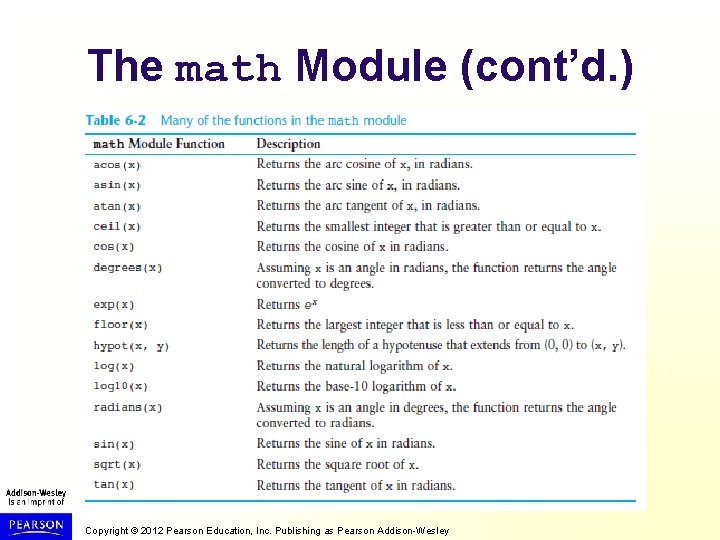
The math Module (cont’d. ) Copyright © 2012 Pearson Education, Inc. Publishing as Pearson Addison-Wesley
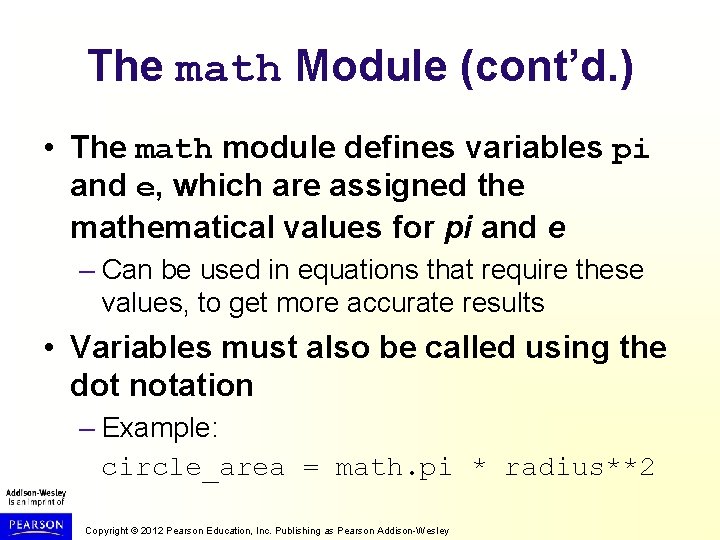
The math Module (cont’d. ) • The math module defines variables pi and e, which are assigned the mathematical values for pi and e – Can be used in equations that require these values, to get more accurate results • Variables must also be called using the dot notation – Example: circle_area = math. pi * radius**2 Copyright © 2012 Pearson Education, Inc. Publishing as Pearson Addison-Wesley
Storing Functions in Modules • In large, complex programs, it is important to keep code organized • Modularization: grouping related functions in modules – Makes program easier to understand, test, and maintain – Make it easier to reuse code for multiple different programs • Import the module containing the required function to each program that needs it Copyright © 2012 Pearson Education, Inc. Publishing as Pearson Addison-Wesley
Storing Functions in Modules (cont’d. ) • Module is a file that contains Python code – Contains function definition but does not contain calls to the functions • Importing programs will call the functions • Rules for module names: – File name should end in. py – Cannot be the same as a Python keyword • Import module using import statement Copyright © 2012 Pearson Education, Inc. Publishing as Pearson Addison-Wesley
Menu Driven Programs • Menu-driven program: displays a list of operations on the screen, allowing user to select the desired operation – List of operations displayed on the screen is called a menu • Program uses a decision structure to determine the selected menu option and required operation • Typically repeats in loop till user quits Copyright © 2012 Pearson Education, Inc. Publishing as Pearson Addison-Wesley
Summary • This chapter covered: – Value-returning functions, including: • Writing value-returning functions • Using value-returning functions • Functions returning multiple values – Using library functions and the import statement – Modules, including: • The random and math modules • Grouping your own functions in modules Copyright © 2012 Pearson Education, Inc. Publishing as Pearson Addison-Wesley