
Chapter 6 TwoDimensional Viewing 2010 1 Chapter 6
- Slides: 39
Chapter 6. Two-Dimensional Viewing 2010 -1학기 Chapter 6. Two-Dimensional Viewing 1
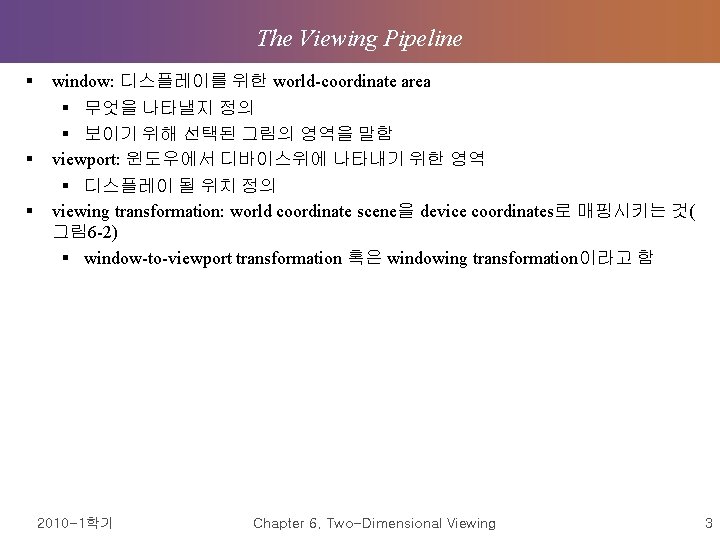
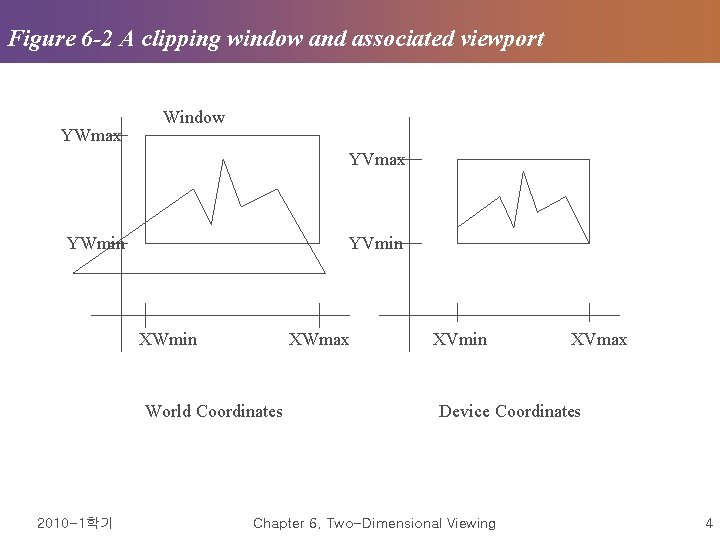
The Viewing Pipeline § § § window: 디스플레이를 위한 world-coordinate area § 무엇을 나타낼지 정의 § 보이기 위해 선택된 그림의 영역을 말함 viewport: 윈도우에서 디바이스위에 나타내기 위한 영역 § 디스플레이 될 위치 정의 viewing transformation: world coordinate scene을 device coordinates로 매핑시키는 것( 그림 6 -2) § window-to-viewport transformation 혹은 windowing transformation이라고 함 2010 -1학기 Chapter 6. Two-Dimensional Viewing 3
Figure 6 -2 A clipping window and associated viewport YWmax Window YVmax YWmin YVmin XWmax World Coordinates 2010 -1학기 XVmin XVmax Device Coordinates Chapter 6. Two-Dimensional Viewing 4
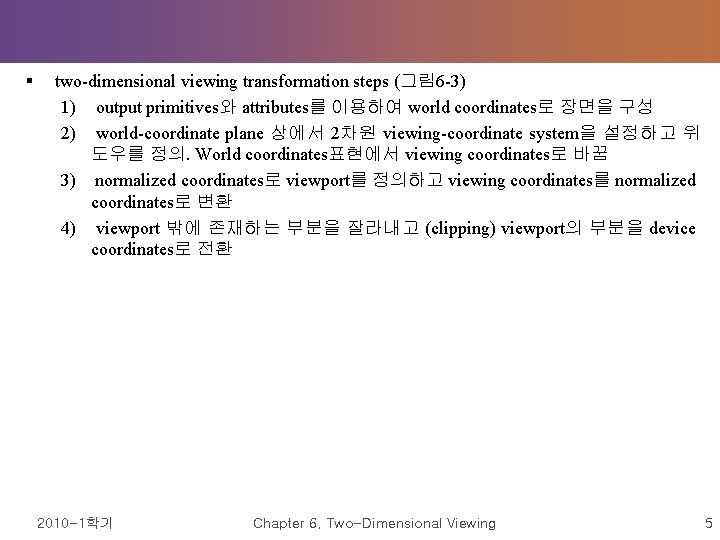
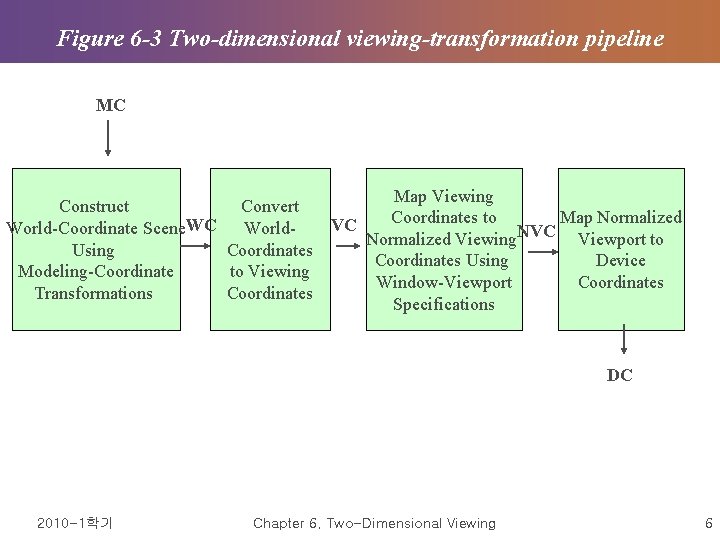
§ two-dimensional viewing transformation steps (그림 6 -3) 1) output primitives와 attributes를 이용하여 world coordinates로 장면을 구성 2) world-coordinate plane 상에서 2차원 viewing-coordinate system을 설정하고 위 도우를 정의. World coordinates표현에서 viewing coordinates로 바꿈 3) normalized coordinates로 viewport를 정의하고 viewing coordinates를 normalized coordinates로 변환 4) viewport 밖에 존재하는 부분을 잘라내고 (clipping) viewport의 부분을 device coordinates로 전환 2010 -1학기 Chapter 6. Two-Dimensional Viewing 5
Figure 6 -3 Two-dimensional viewing-transformation pipeline MC Map Viewing Construct Convert Coordinates to Map Normalized VC World-Coordinate Scene WC World. Normalized Viewing NVC Viewport to Using Coordinates Using Device Modeling-Coordinate to Viewing Window-Viewport Coordinates Transformations Coordinates Specifications DC 2010 -1학기 Chapter 6. Two-Dimensional Viewing 6
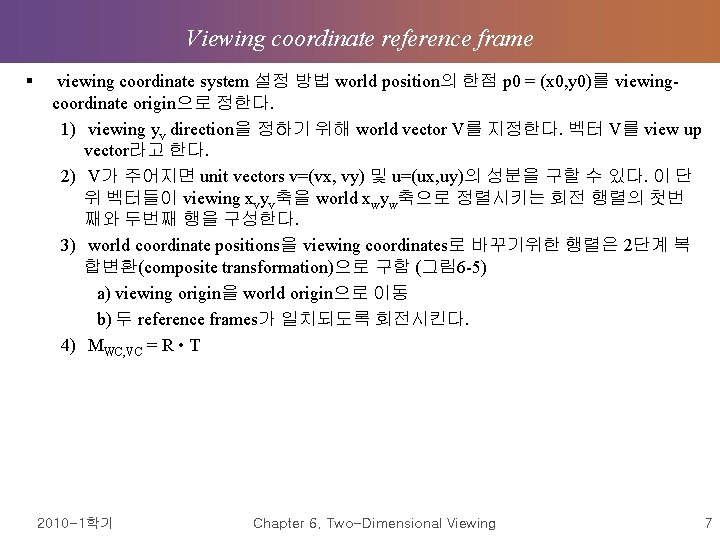
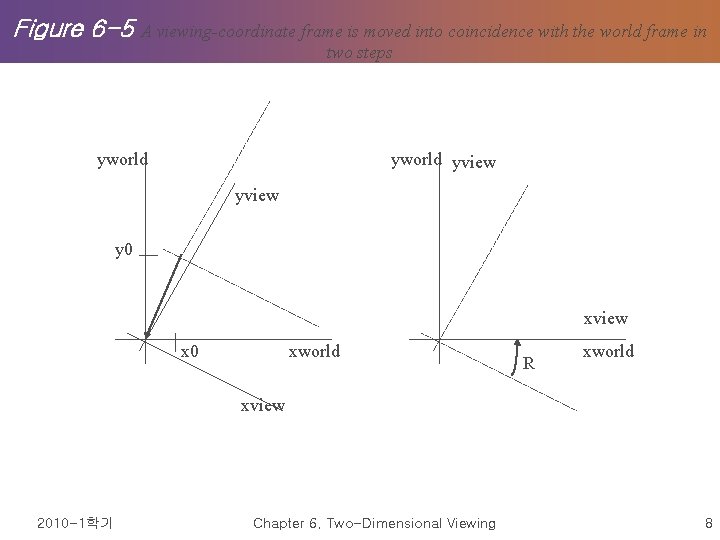
Viewing coordinate reference frame § viewing coordinate system 설정 방법 world position의 한점 p 0 = (x 0, y 0)를 viewingcoordinate origin으로 정한다. 1) viewing yv direction을 정하기 위해 world vector V를 지정한다. 벡터 V를 view up vector라고 한다. 2) V가 주어지면 unit vectors v=(vx, vy) 및 u=(ux, uy)의 성분을 구할 수 있다. 이 단 위 벡터들이 viewing xvyv축을 world xwyw축으로 정렬시키는 회전 행렬의 첫번 째와 두번째 행을 구성한다. 3) world coordinate positions을 viewing coordinates로 바꾸기위한 행렬은 2단계 복 합변환(composite transformation)으로 구함 (그림 6 -5) a) viewing origin을 world origin으로 이동 b) 두 reference frames가 일치되도록 회전시킨다. 4) MWC, VC = R • T 2010 -1학기 Chapter 6. Two-Dimensional Viewing 7
Figure 6 -5 A viewing-coordinate frame is moved into coincidence with the world frame in two steps yworld yview y 0 xview x 0 xworld R xworld xview 2010 -1학기 Chapter 6. Two-Dimensional Viewing 8
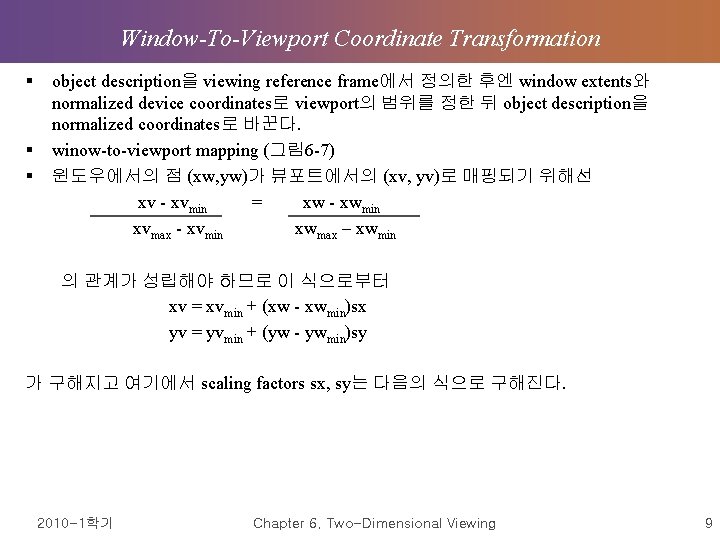
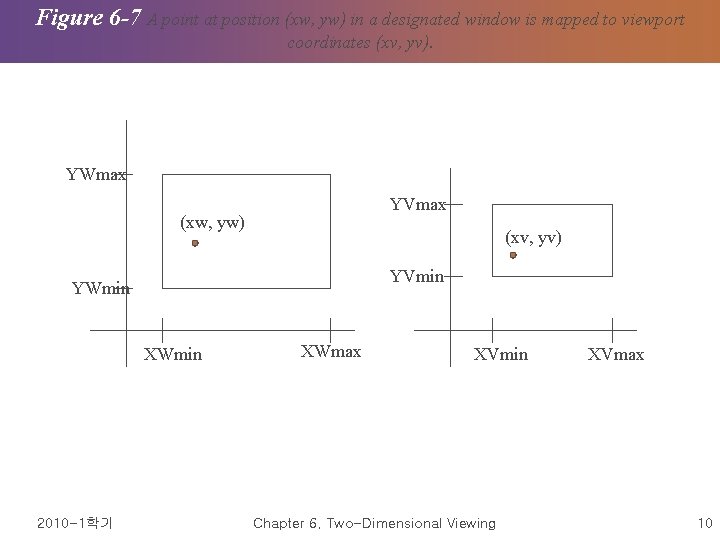
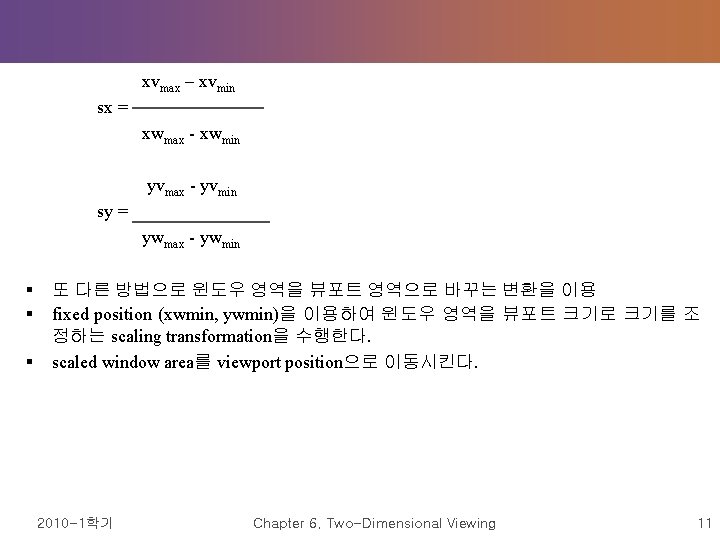
Window-To-Viewport Coordinate Transformation § § § object description을 viewing reference frame에서 정의한 후엔 window extents와 normalized device coordinates로 viewport의 범위를 정한 뒤 object description을 normalized coordinates로 바꾼다. winow-to-viewport mapping (그림 6 -7) 윈도우에서의 점 (xw, yw)가 뷰포트에서의 (xv, yv)로 매핑되기 위해선 xv - xvmin = xw - xwmin xvmax - xvmin xwmax – xwmin 의 관계가 성립해야 하므로 이 식으로부터 xv = xvmin + (xw - xwmin)sx yv = yvmin + (yw - ywmin)sy 가 구해지고 여기에서 scaling factors sx, sy는 다음의 식으로 구해진다. 2010 -1학기 Chapter 6. Two-Dimensional Viewing 9
Figure 6 -7 A point at position (xw, yw) in a designated window is mapped to viewport coordinates (xv, yv). YWmax YVmax (xw, yw) (xv, yv) YVmin YWmin XWmin 2010 -1학기 XWmax XVmin Chapter 6. Two-Dimensional Viewing XVmax 10
xvmax – xvmin sx = xwmax - xwmin yvmax - yvmin sy = ywmax - ywmin § § § 또 다른 방법으로 윈도우 영역을 뷰포트 영역으로 바꾸는 변환을 이용 fixed position (xwmin, ywmin)을 이용하여 윈도우 영역을 뷰포트 크기로 크기를 조 정하는 scaling transformation을 수행한다. scaled window area를 viewport position으로 이동시킨다. 2010 -1학기 Chapter 6. Two-Dimensional Viewing 11
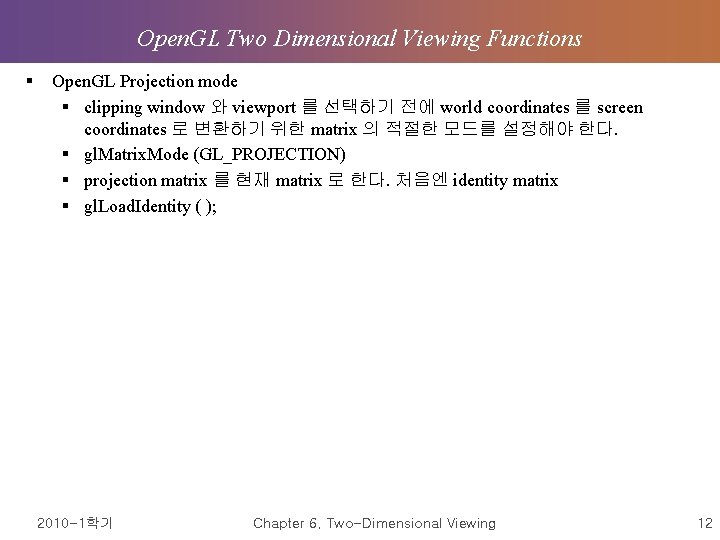
Open. GL Two Dimensional Viewing Functions § Open. GL Projection mode § clipping window 와 viewport 를 선택하기 전에 world coordinates 를 screen coordinates 로 변환하기 위한 matrix 의 적절한 모드를 설정해야 한다. § gl. Matrix. Mode (GL_PROJECTION) § projection matrix 를 현재 matrix 로 한다. 처음엔 identity matrix § gl. Load. Identity ( ); 2010 -1학기 Chapter 6. Two-Dimensional Viewing 12
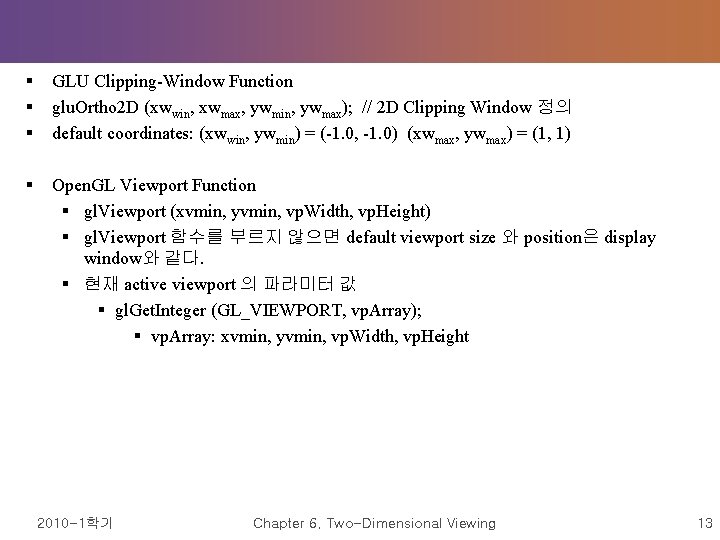
§ § § GLU Clipping-Window Function glu. Ortho 2 D (xwwin, xwmax, ywmin, ywmax); // 2 D Clipping Window 정의 default coordinates: (xwwin, ywmin) = (-1. 0, -1. 0) (xwmax, ywmax) = (1, 1) § Open. GL Viewport Function § gl. Viewport (xvmin, yvmin, vp. Width, vp. Height) § gl. Viewport 함수를 부르지 않으면 default viewport size 와 position은 display window와 같다. § 현재 active viewport 의 파라미터 값 § gl. Get. Integer (GL_VIEWPORT, vp. Array); § vp. Array: xvmin, yvmin, vp. Width, vp. Height 2010 -1학기 Chapter 6. Two-Dimensional Viewing 13
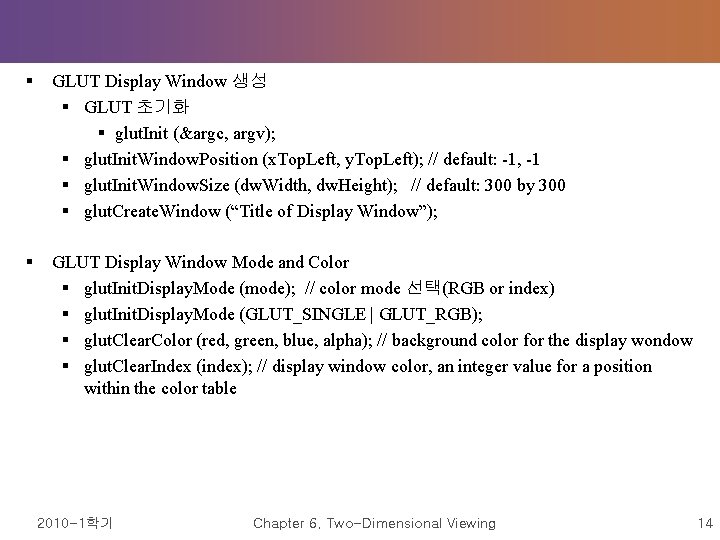
§ GLUT Display Window 생성 § GLUT 초기화 § glut. Init (&argc, argv); § glut. Init. Window. Position (x. Top. Left, y. Top. Left); // default: -1, -1 § glut. Init. Window. Size (dw. Width, dw. Height); // default: 300 by 300 § glut. Create. Window (“Title of Display Window”); § GLUT Display Window Mode and Color § glut. Init. Display. Mode (mode); // color mode 선택(RGB or index) § glut. Init. Display. Mode (GLUT_SINGLE | GLUT_RGB); § glut. Clear. Color (red, green, blue, alpha); // background color for the display wondow § glut. Clear. Index (index); // display window color, an integer value for a position within the color table 2010 -1학기 Chapter 6. Two-Dimensional Viewing 14
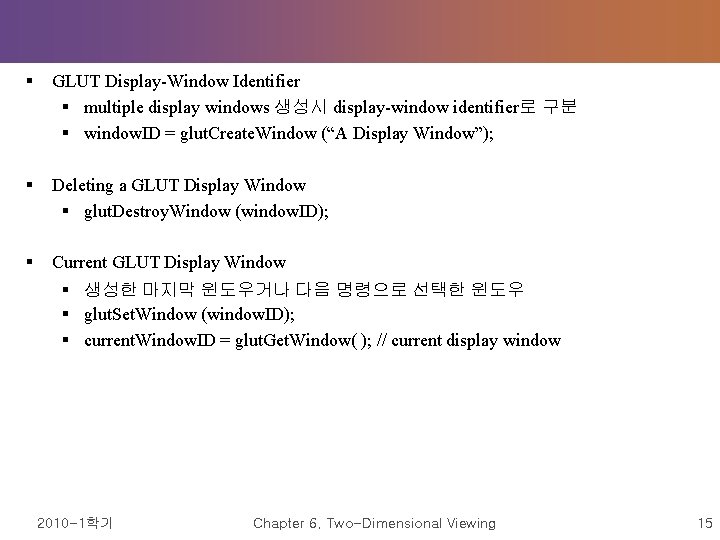
§ GLUT Display-Window Identifier § multiple display windows 생성시 display-window identifier로 구분 § window. ID = glut. Create. Window (“A Display Window”); § Deleting a GLUT Display Window § glut. Destroy. Window (window. ID); § Current GLUT Display Window § 생성한 마지막 윈도우거나 다음 명령으로 선택한 윈도우 § glut. Set. Window (window. ID); § current. Window. ID = glut. Get. Window( ); // current display window 2010 -1학기 Chapter 6. Two-Dimensional Viewing 15
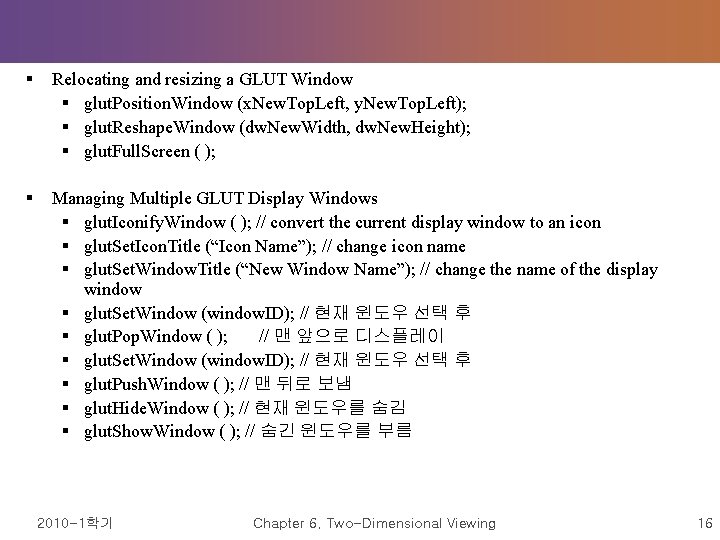
§ Relocating and resizing a GLUT Window § glut. Position. Window (x. New. Top. Left, y. New. Top. Left); § glut. Reshape. Window (dw. New. Width, dw. New. Height); § glut. Full. Screen ( ); § Managing Multiple GLUT Display Windows § glut. Iconify. Window ( ); // convert the current display window to an icon § glut. Set. Icon. Title (“Icon Name”); // change icon name § glut. Set. Window. Title (“New Window Name”); // change the name of the display window § glut. Set. Window (window. ID); // 현재 윈도우 선택 후 § glut. Pop. Window ( ); // 맨 앞으로 디스플레이 § glut. Set. Window (window. ID); // 현재 윈도우 선택 후 § glut. Push. Window ( ); // 맨 뒤로 보냄 § glut. Hide. Window ( ); // 현재 윈도우를 숨김 § glut. Show. Window ( ); // 숨긴 윈도우를 부름 2010 -1학기 Chapter 6. Two-Dimensional Viewing 16
§ GLUT Subwindows § display wondow를 여러 부분으로 나눌 때 사용 § glut. Create. Sub. Window (wundow. ID, x. Bottom. Left, y. Bottom. Left, width, height); § Selecting a Display-Window Screen-Cursor Shape § glut. Set. Cursor (shape); // request a shape for the screen cursor § Viewing Graphics Objects in a GLUT Display Window § glut. Display. Func (picture. Descript) ; // picture. Descript: 현재 윈도우에 디스플레이 할 내용을 기술하는 callback function, Open. GL primitives and attributes 포함 § glut. Post. Redisplay ( ); // 현재 윈도우의 내용을 갱신 § Executing the Application Program § glut. Main. Loop ( ); // 윈도우와 그래픽 내용이 스크린으로 보내짐 2010 -1학기 Chapter 6. Two-Dimensional Viewing 17
§ § § Other GLUT Functions glut. Idle. Func (function); // a background function or a procedure to update parameters glut. Get (state. Param); // current state parameters § Open. GL Two-Dimensional Viewing Program Example Þ 책 참고 2010 -1학기 Chapter 6. Two-Dimensional Viewing 18
Clipping Operations § applications of clipping § extracting part of a defined scene for viewing § identifying visible surfaces in three-dimensional views § antialiasing line segments or object boundaries § creating objects using solid-modeling procedures § displaying a multiwindow environment § Clipping algorithms의 종류 § Point clipping § Line clipping (straight-line segments) § Area clipping (polygons) § Curve clipping § Text clipping 2010 -1학기 Chapter 6. Two-Dimensional Viewing 19
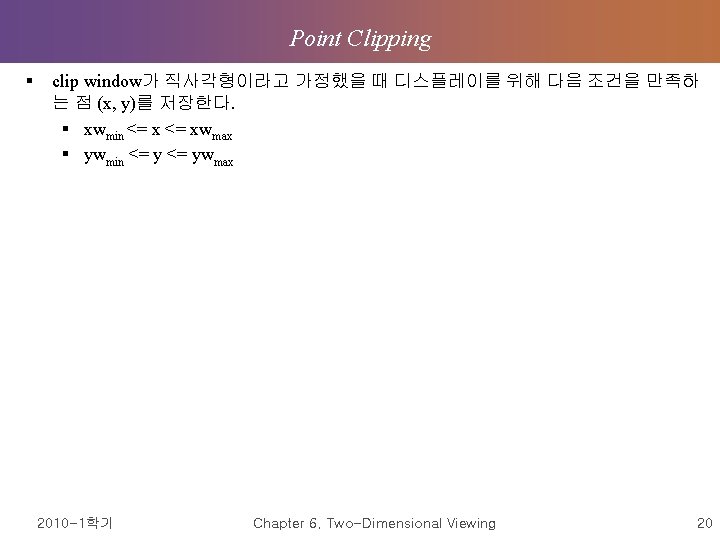
Point Clipping § clip window가 직사각형이라고 가정했을 때 디스플레이를 위해 다음 조건을 만족하 는 점 (x, y)를 저장한다. § xwmin <= xwmax § ywmin <= ywmax 2010 -1학기 Chapter 6. Two-Dimensional Viewing 20
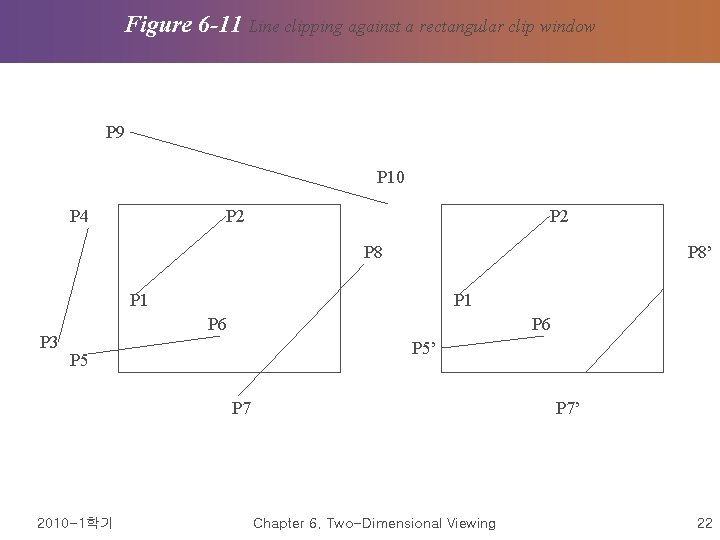
Figure 6 -11 Line clipping against a rectangular clip window P 9 P 10 P 4 P 2 P 8’ P 1 P 3 P 1 P 6 P 5’ P 5 P 7 2010 -1학기 P 7’ Chapter 6. Two-Dimensional Viewing 22
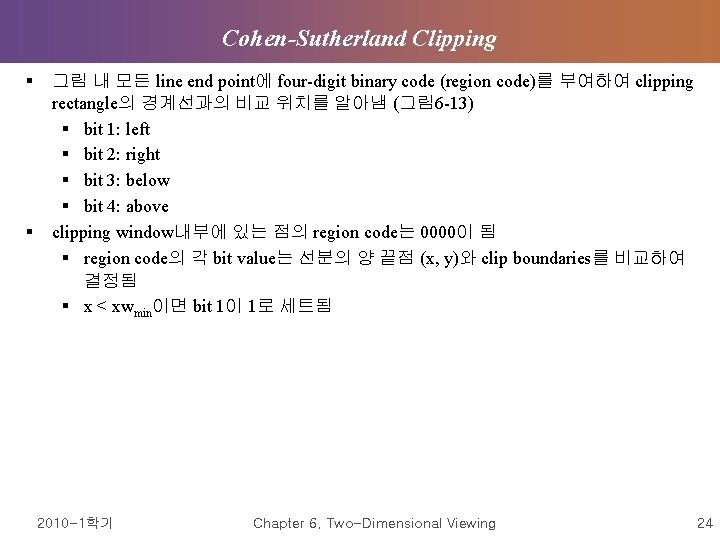
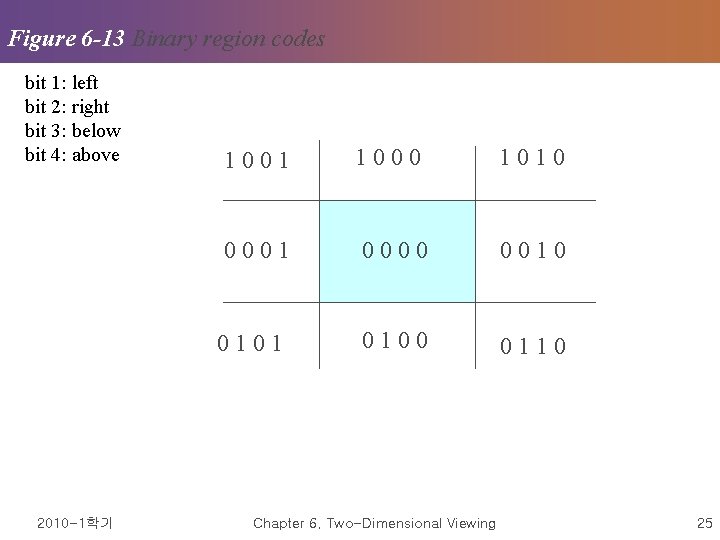
Cohen-Sutherland Clipping § § 그림 내 모든 line end point에 four-digit binary code (region code)를 부여하여 clipping rectangle의 경계선과의 비교 위치를 알아냄 (그림 6 -13) § bit 1: left § bit 2: right § bit 3: below § bit 4: above clipping window내부에 있는 점의 region code는 0000이 됨 § region code의 각 bit value는 선분의 양 끝점 (x, y)와 clip boundaries를 비교하여 결정됨 § x < xwmin이면 bit 1이 1로 세트됨 2010 -1학기 Chapter 6. Two-Dimensional Viewing 24
Figure 6 -13 Binary region codes bit 1: left bit 2: right bit 3: below bit 4: above 1 0 0 0 1 0 1 2010 -1학기 1 0 0 0 0 1 0 0 0 1 1 0 Chapter 6. Two-Dimensional Viewing 25
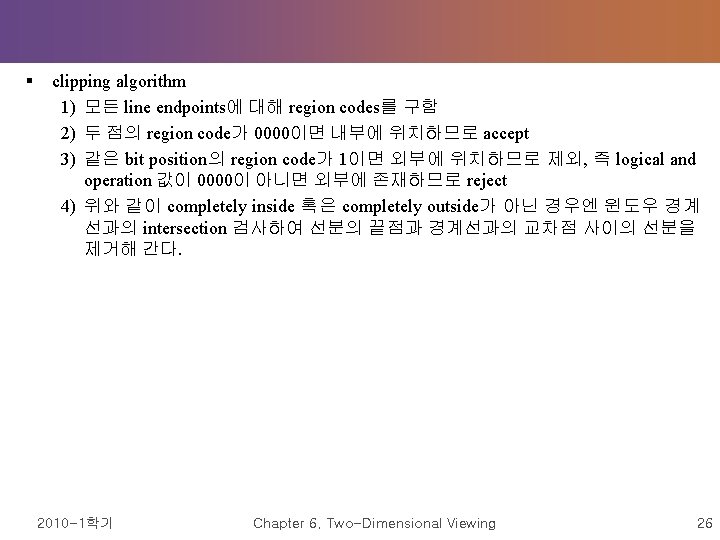
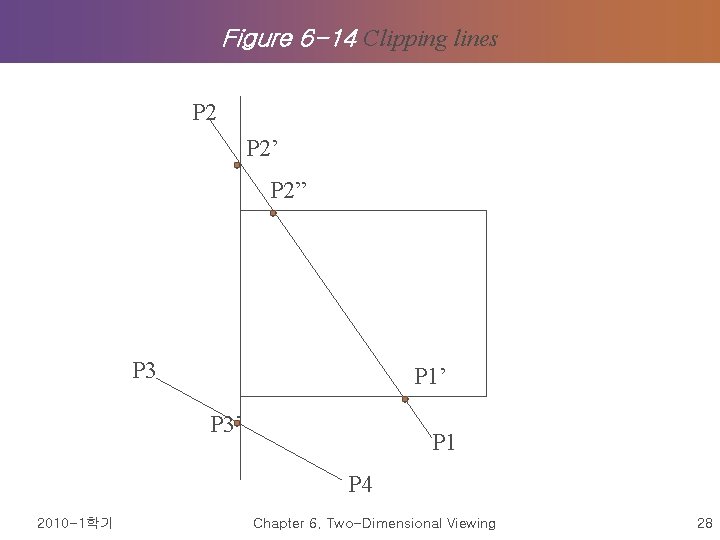
§ clipping algorithm 1) 모든 line endpoints에 대해 region codes를 구함 2) 두 점의 region code가 0000이면 내부에 위치하므로 accept 3) 같은 bit position의 region code가 1이면 외부에 위치하므로 제외, 즉 logical and operation 값이 0000이 아니면 외부에 존재하므로 reject 4) 위와 같이 completely inside 혹은 completely outside가 아닌 경우엔 윈도우 경계 선과의 intersection 검사하여 선분의 끝점과 경계선과의 교차점 사이의 선분을 제거해 간다. 2010 -1학기 Chapter 6. Two-Dimensional Viewing 26
Figure 6 -14 Clipping lines P 2’ P 2” P 3 P 1’ P 3’ P 1 P 4 2010 -1학기 Chapter 6. Two-Dimensional Viewing 28
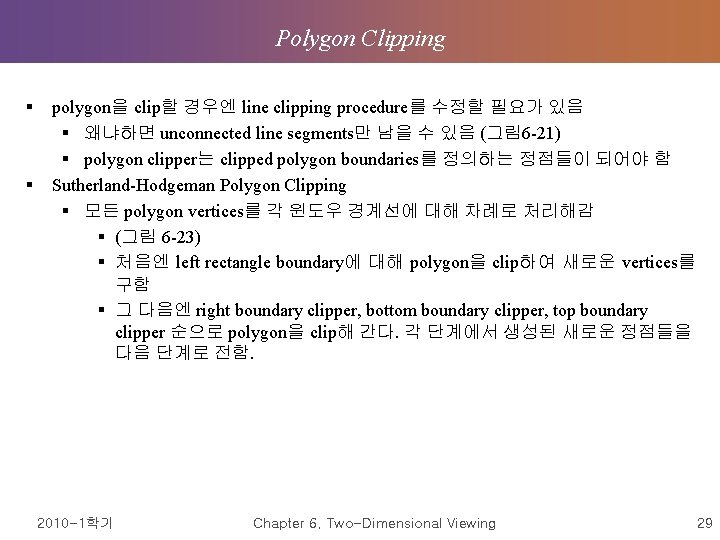
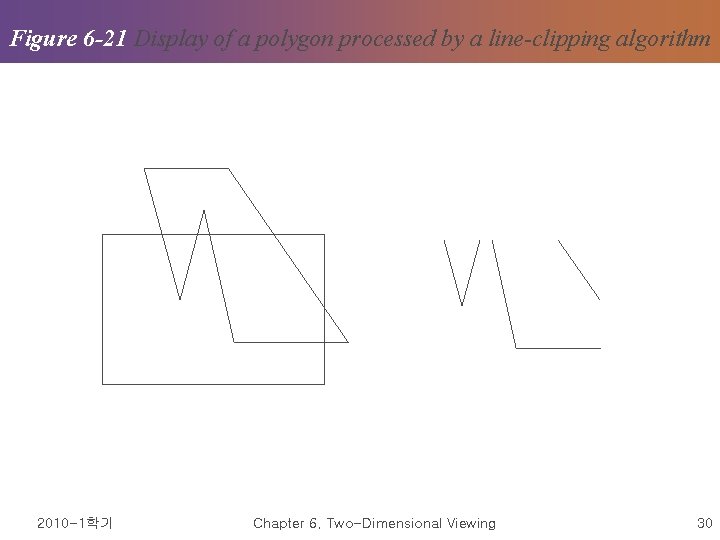
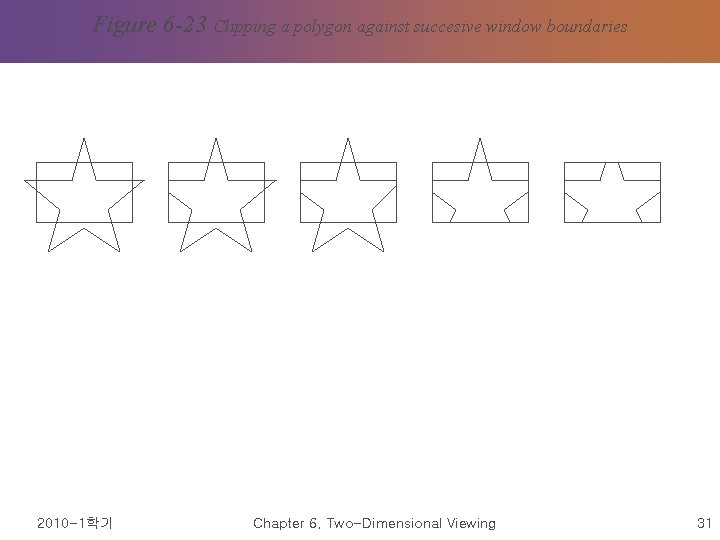
Polygon Clipping § § polygon을 clip할 경우엔 line clipping procedure를 수정할 필요가 있음 § 왜냐하면 unconnected line segments만 남을 수 있음 (그림 6 -21) § polygon clipper는 clipped polygon boundaries를 정의하는 정점들이 되어야 함 Sutherland-Hodgeman Polygon Clipping § 모든 polygon vertices를 각 윈도우 경계선에 대해 차례로 처리해감 § (그림 6 -23) § 처음엔 left rectangle boundary에 대해 polygon을 clip하여 새로운 vertices를 구함 § 그 다음엔 right boundary clipper, bottom boundary clipper, top boundary clipper 순으로 polygon을 clip해 간다. 각 단계에서 생성된 새로운 정점들을 다음 단계로 전함. 2010 -1학기 Chapter 6. Two-Dimensional Viewing 29
Figure 6 -21 Display of a polygon processed by a line-clipping algorithm 2010 -1학기 Chapter 6. Two-Dimensional Viewing 30
Figure 6 -23 Clipping a polygon against succesive window boundaries 2010 -1학기 Chapter 6. Two-Dimensional Viewing 31
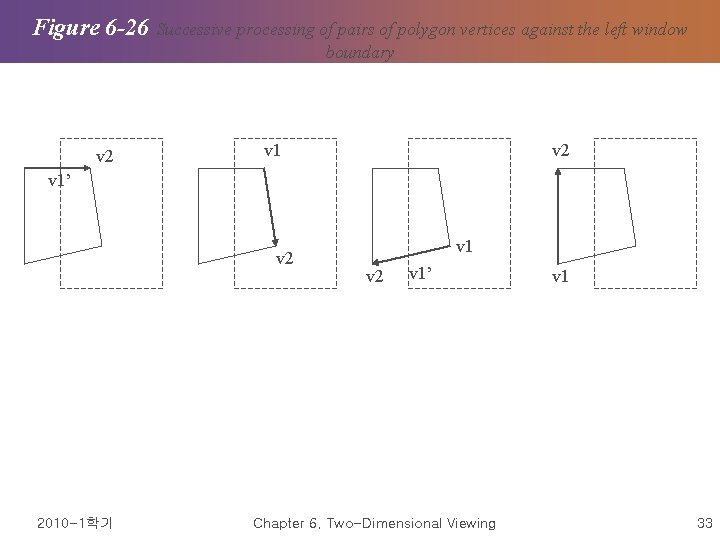
§ 4 가지 경우가 발생: polygon vertices중 2개 인접한 정점들이 window clipper에 전달 되면서 다음의 테스트를 거침 (그림 6 -26) § first vertex가 outside에 있고 second vertex가 inside에 있으면 intersection point와 second vertex를 output vertex list에 저장 § first, second vertex가 모두 inside에 있을 경우엔 second vertex만 output list에 첨 가 § first vertex가 inside에 있고 second vertex가 outside에 있으면 intersection point만 output vertex list에 첨가 § first, second vertex가 모두 outside에 있는 경우엔 아무것도 첨가하지 않음 2010 -1학기 Chapter 6. Two-Dimensional Viewing 32
Figure 6 -26 Successive processing of pairs of polygon vertices against the left window boundary v 2 v 1’ v 2 2010 -1학기 v 1 v 2 v 1’ Chapter 6. Two-Dimensional Viewing v 1 33
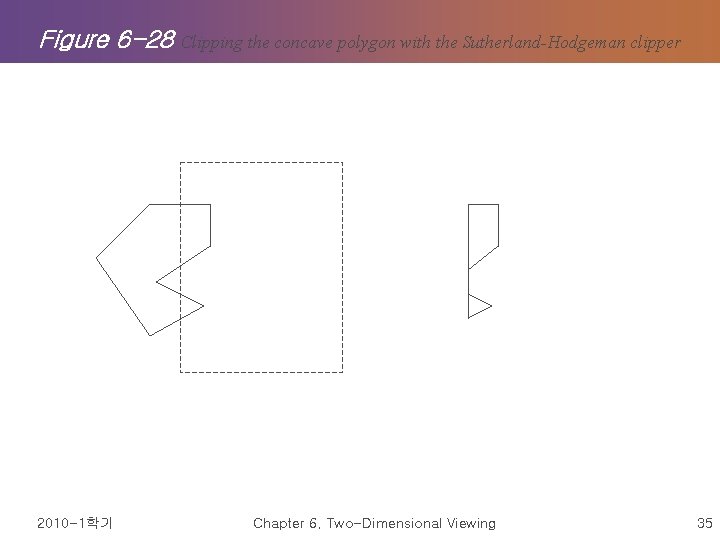
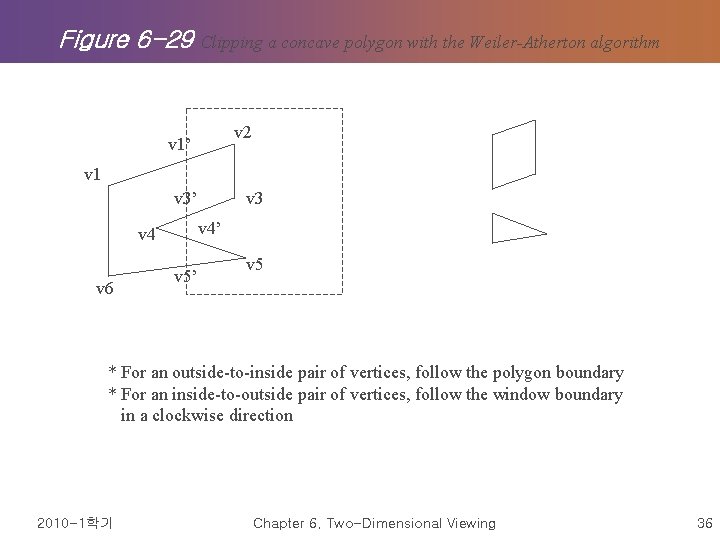
§ Weiler-Atherton Polygon Clipping § Sutherland-Hodgeman clipper는 concave polygon 처리시 문제 발생 (그림 6 -28) § vertices를 처리해 갈 때 polygon edges를 따라 clipping해가는 것이 아니라 window boundaries를 따르기도 함 (그림 6 -29) § 어떤 path를 따르냐는 polygon-processing direction (clockwise or counterclockwise) 과 polygon vertex pair가 outside-to-inside pair냐 inside-tooutside pair냐에 따라 결정됨 § 두 polygon vertex가 clockwise일 경우 다음의 rule을 따름 § outside-to-inside pair의 경우엔 polygon boundary를 따름 § inside-to-outside pair의 경우엔 window boundary를 따름 2010 -1학기 Chapter 6. Two-Dimensional Viewing 34
Figure 6 -28 2010 -1학기 Clipping the concave polygon with the Sutherland-Hodgeman clipper Chapter 6. Two-Dimensional Viewing 35
Figure 6 -29 Clipping a concave polygon with the Weiler-Atherton algorithm v 2 v 1’ v 1 v 3’ v 4 v 6 v 3 v 5’ v 5 * For an outside-to-inside pair of vertices, follow the polygon boundary * For an inside-to-outside pair of vertices, follow the window boundary in a clockwise direction 2010 -1학기 Chapter 6. Two-Dimensional Viewing 36
Curve Clipping § § § nonlinear equation 포함 more processing than objects with linear boundaries (그림 6 -32) => 책 참고 2010 -1학기 Chapter 6. Two-Dimensional Viewing 37
Text Clipping => 책 참고 § § § all-or-none string-clipping technology (그림 6 -33) all-or-none character-clipping technology (그림 6 -34) clip the components of individual characters (그림 6 -35) 2010 -1학기 Chapter 6. Two-Dimensional Viewing 38
2010 -1학기 Chapter 6. Two-Dimensional Viewing 39