
Chapter 6 Statistical Analysis of Output from Terminating
- Slides: 29
Chapter 6 Statistical Analysis of Output from Terminating Simulations
Statistical Analysis of Output from Terminating Simulations • Random input leads to random output (RIRO) • Run a simulation (once) — what does it mean? – Was this run “typical” or not? – Variability from run to run (of the same model)? • Need statistical analysis of output data – From a single model configuration – Compare two or more different configurations – Search for an optimal configuration • Statistical analysis of output is often ignored – This is a big mistake – no idea of precision of results – Not hard or time-consuming to do this – it just takes a little planning and thought, then some (cheap) computer time Simulation with Arena Chapter 5 – Detailed Modeling and Terminating Statistical Analysis 2
Output Analysis Output analysis is concerned with • Designing replications Obtain most reliable info with minimum number of replications and minimum run length. • Computing statistics Point and confidence interval estimation Size and independency issues • Presenting them in a textual and graphical format. Aim is to understand the system behavior and generate predictions for it! Simulation with Arena Chapter 5 – Detailed Modeling and Terminating Statistical Analysis 3
Time Frame of Simulations • Terminating: Specific starting, stopping conditions – Run length will be well-defined (and finite) • Steady-state: Long-run (technically forever) – Theoretically, initial conditions don’t matter (but practically they usually do) – Not clear how to terminate a simulation run • This is really a question of intent of the study • Has major impact on how output analysis is done • Sometimes it’s not clear which is appropriate Simulation with Arena Chapter 5 – Detailed Modeling and Terminating Statistical Analysis 4
Model 6. 1 • Same as Model 5. 3 Number of trunk lines=26 No additional staff during 5 -8 hrs. • 10 runs are made For terminating case, make IID replications Run>Setup>Replication Parameters: Number of Replications =10 Check both boxes for Initialize Between Replications • Outputs are saved to. dat files Statistics Module, Type=output, Data file name= Filename. dat Asli Sencer 5
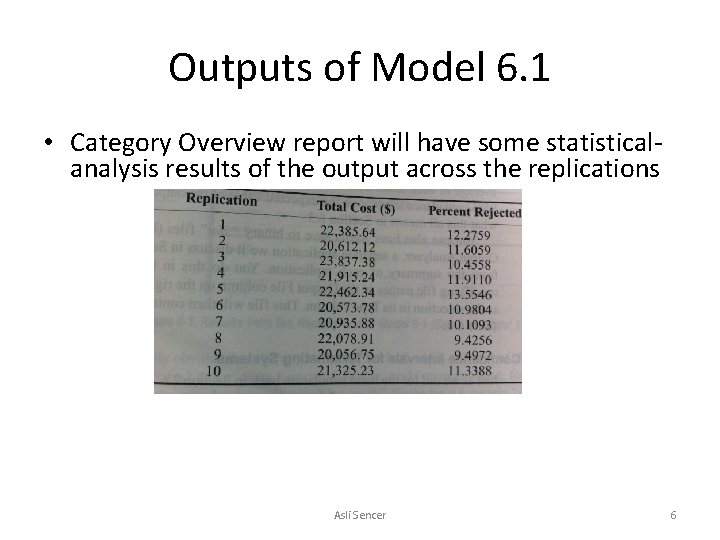
Outputs of Model 6. 1 • Category Overview report will have some statisticalanalysis results of the output across the replications Asli Sencer 6
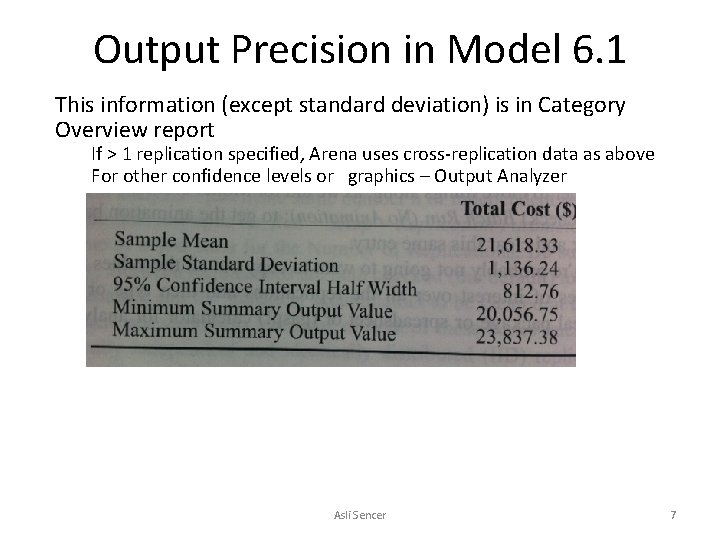
Output Precision in Model 6. 1 This information (except standard deviation) is in Category Overview report If > 1 replication specified, Arena uses cross-replication data as above For other confidence levels or graphics – Output Analyzer Asli Sencer 7
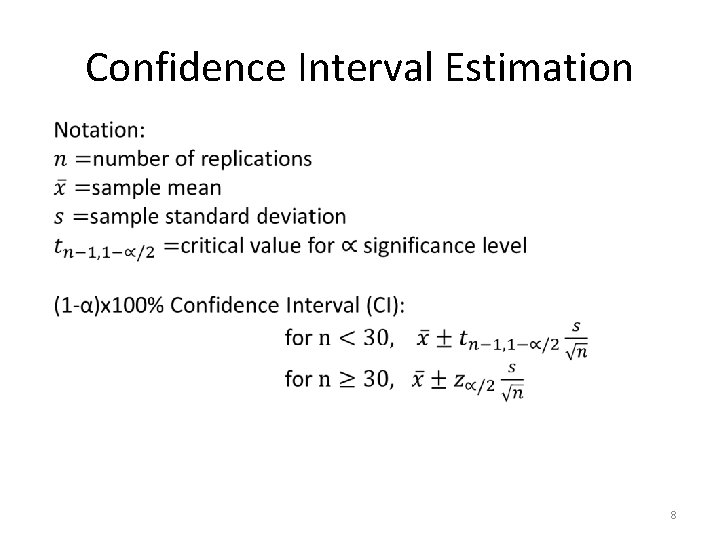
Confidence Interval Estimation 8
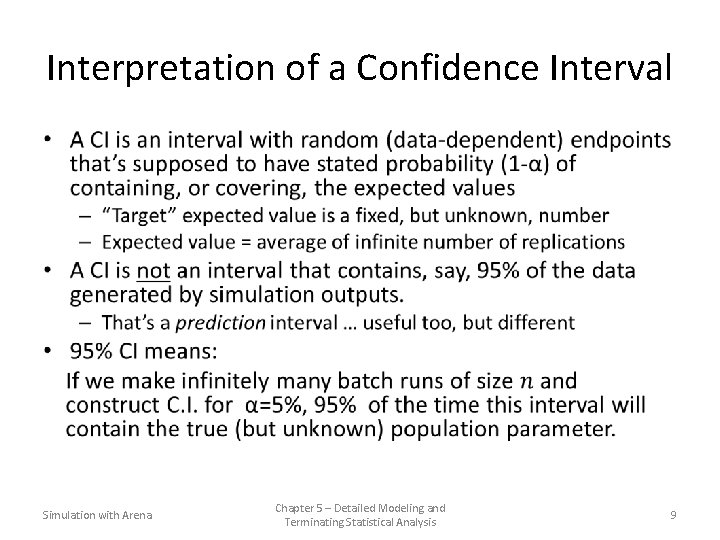
Interpretation of a Confidence Interval • Simulation with Arena Chapter 5 – Detailed Modeling and Terminating Statistical Analysis 9
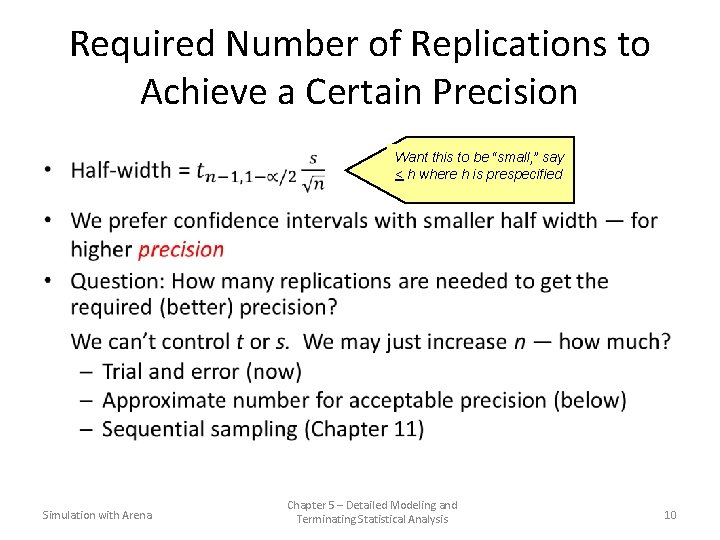
Required Number of Replications to Achieve a Certain Precision Simulation with Arena Want this to be “small, ” say < h where h is prespecified Chapter 5 – Detailed Modeling and Terminating Statistical Analysis 10
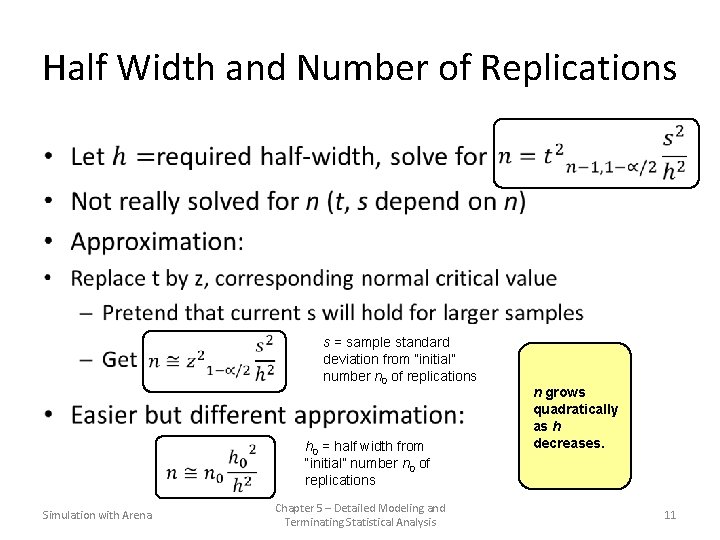
Half Width and Number of Replications • Simulation with Arena s = sample standard deviation from “initial” number n 0 of replications h 0 = half width from “initial” number n 0 of replications Chapter 5 – Detailed Modeling and Terminating Statistical Analysis n grows quadratically as h decreases. 11
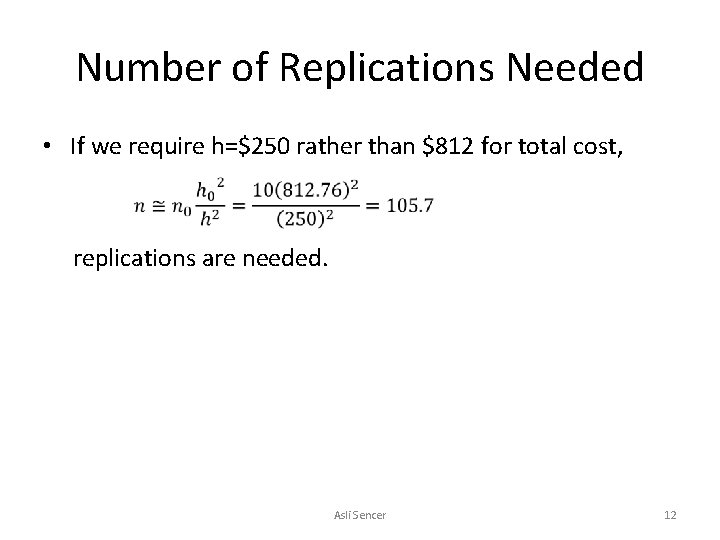
Number of Replications Needed • If we require h=$250 rather than $812 for total cost, replications are needed. Asli Sencer 12
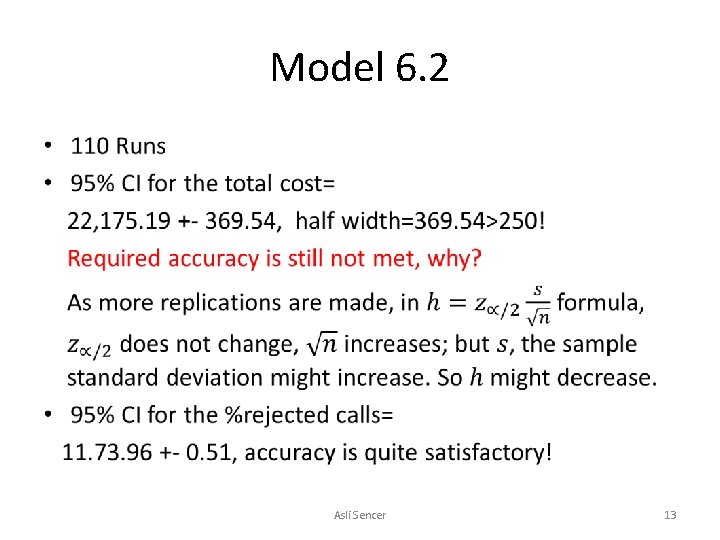
Model 6. 2 • Asli Sencer 13
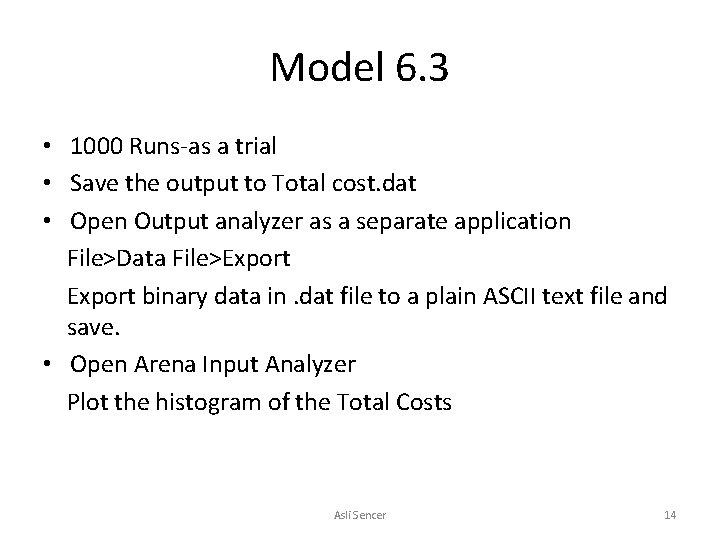
Model 6. 3 • 1000 Runs-as a trial • Save the output to Total cost. dat • Open Output analyzer as a separate application File>Data File>Export binary data in. dat file to a plain ASCII text file and save. • Open Arena Input Analyzer Plot the histogram of the Total Costs Asli Sencer 14
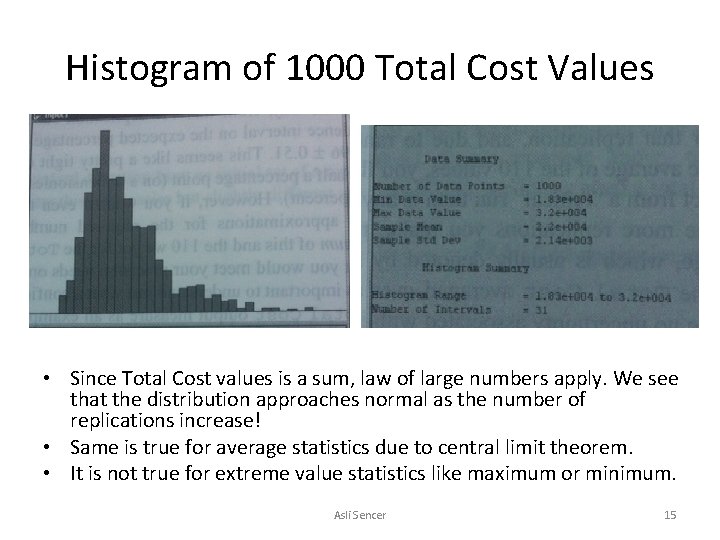
Histogram of 1000 Total Cost Values • Since Total Cost values is a sum, law of large numbers apply. We see that the distribution approaches normal as the number of replications increase! • Same is true for average statistics due to central limit theorem. • It is not true for extreme value statistics like maximum or minimum. Asli Sencer 15
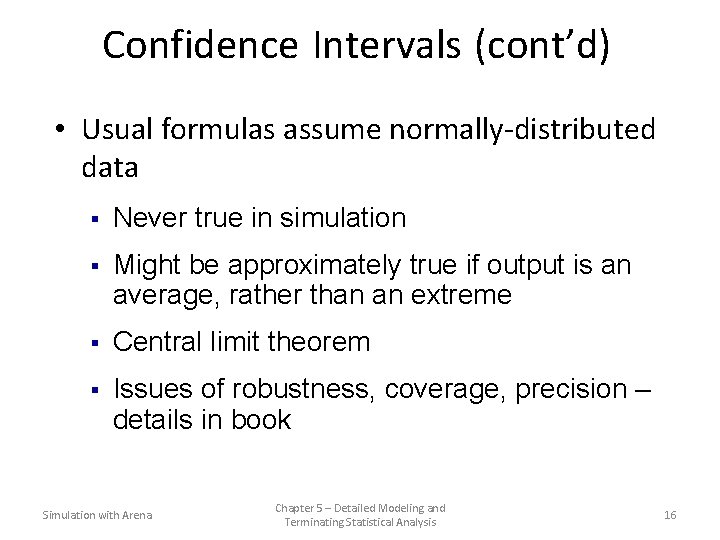
Confidence Intervals (cont’d) • Usual formulas assume normally-distributed data § Never true in simulation § Might be approximately true if output is an average, rather than an extreme § Central limit theorem § Issues of robustness, coverage, precision – details in book Simulation with Arena Chapter 5 – Detailed Modeling and Terminating Statistical Analysis 16
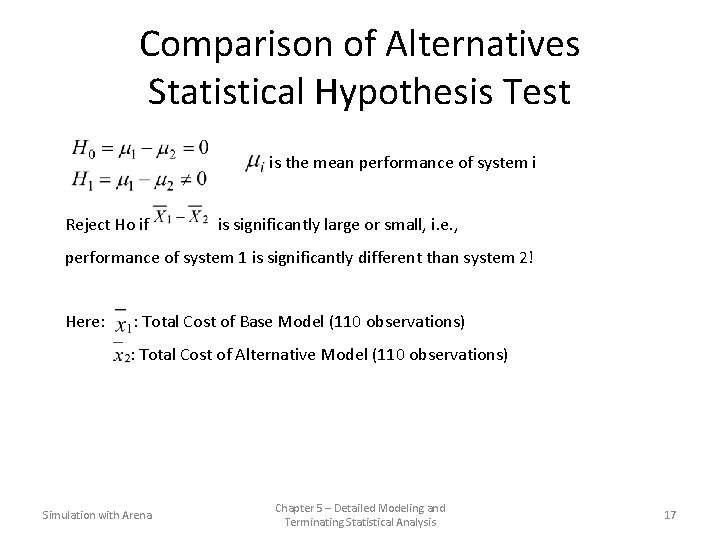
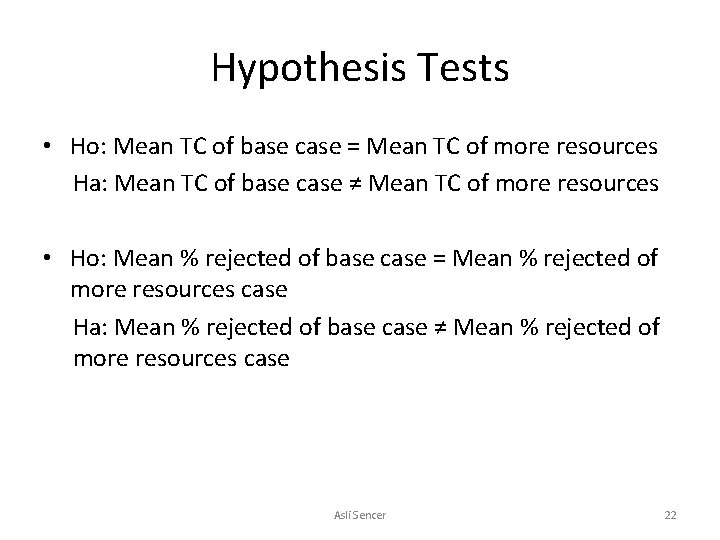
Comparison of Alternatives Statistical Hypothesis Test is the mean performance of system i Reject Ho if is significantly large or small, i. e. , performance of system 1 is significantly different than system 2! Here: : Total Cost of Base Model (110 observations) : Total Cost of Alternative Model (110 observations) Simulation with Arena Chapter 5 – Detailed Modeling and Terminating Statistical Analysis 17
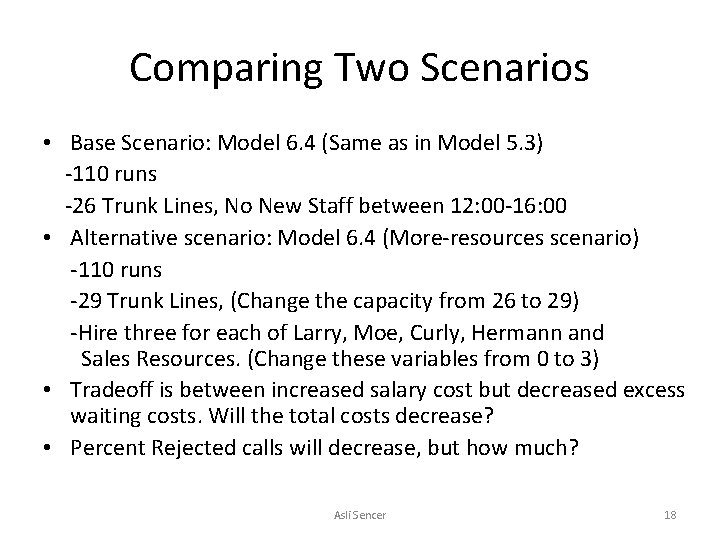
Comparing Two Scenarios • Base Scenario: Model 6. 4 (Same as in Model 5. 3) -110 runs -26 Trunk Lines, No New Staff between 12: 00 -16: 00 • Alternative scenario: Model 6. 4 (More-resources scenario) -110 runs -29 Trunk Lines, (Change the capacity from 26 to 29) -Hire three for each of Larry, Moe, Curly, Hermann and Sales Resources. (Change these variables from 0 to 3) • Tradeoff is between increased salary cost but decreased excess waiting costs. Will the total costs decrease? • Percent Rejected calls will decrease, but how much? Asli Sencer 18
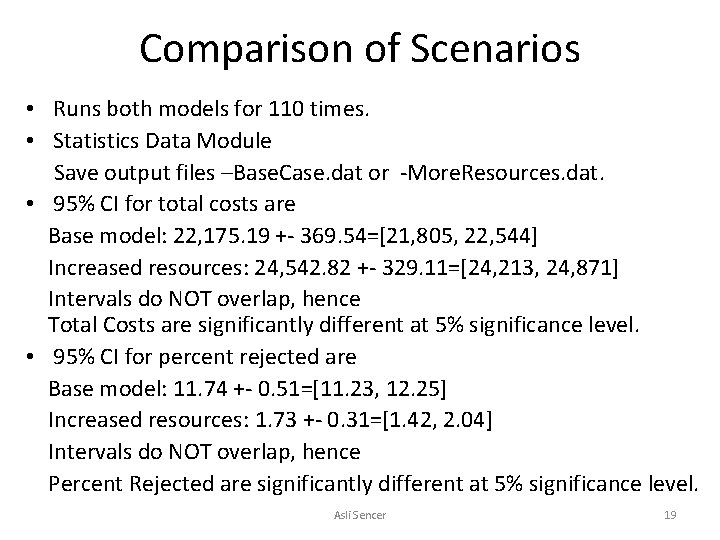
Comparison of Scenarios • Runs both models for 110 times. • Statistics Data Module Save output files –Base. Case. dat or -More. Resources. dat. • 95% CI for total costs are Base model: 22, 175. 19 +- 369. 54=[21, 805, 22, 544] Increased resources: 24, 542. 82 +- 329. 11=[24, 213, 24, 871] Intervals do NOT overlap, hence Total Costs are significantly different at 5% significance level. • 95% CI for percent rejected are Base model: 11. 74 +- 0. 51=[11. 23, 12. 25] Increased resources: 1. 73 +- 0. 31=[1. 42, 2. 04] Intervals do NOT overlap, hence Percent Rejected are significantly different at 5% significance level. Asli Sencer 19
Arena Output Analyzer • Separate application in Arena • Operates in output files (. dat) generated by Arena through the Statistics data module • Data in. dat file is in binary format to be opened by Arena Output Analyzer only! • Provides confidence intervals on expected output statistics as also appear in Arena output reports. • Provides statistical comparison of two scenarios, and others. Asli Sencer 20
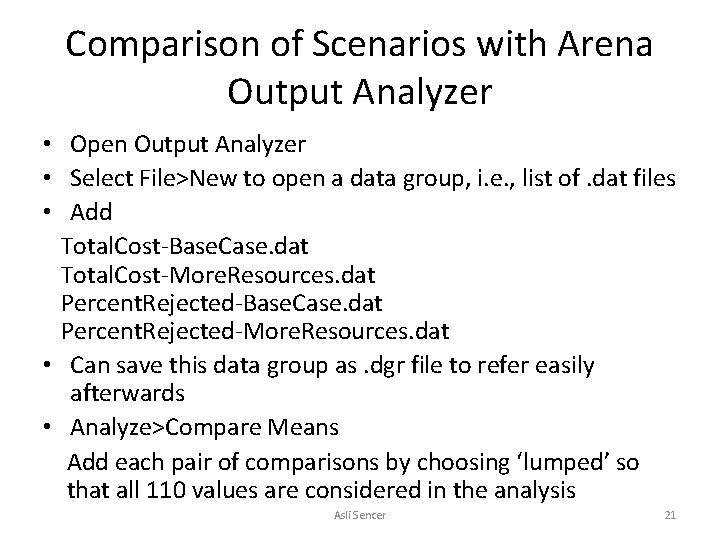
Comparison of Scenarios with Arena Output Analyzer • Open Output Analyzer • Select File>New to open a data group, i. e. , list of. dat files • Add Total. Cost-Base. Case. dat Total. Cost-More. Resources. dat Percent. Rejected-Base. Case. dat Percent. Rejected-More. Resources. dat • Can save this data group as. dgr file to refer easily afterwards • Analyze>Compare Means Add each pair of comparisons by choosing ‘lumped’ so that all 110 values are considered in the analysis Asli Sencer 21
Hypothesis Tests • Ho: Mean TC of base case = Mean TC of more resources Ha: Mean TC of base case ≠ Mean TC of more resources • Ho: Mean % rejected of base case = Mean % rejected of more resources case Ha: Mean % rejected of base case ≠ Mean % rejected of more resources case Asli Sencer 22
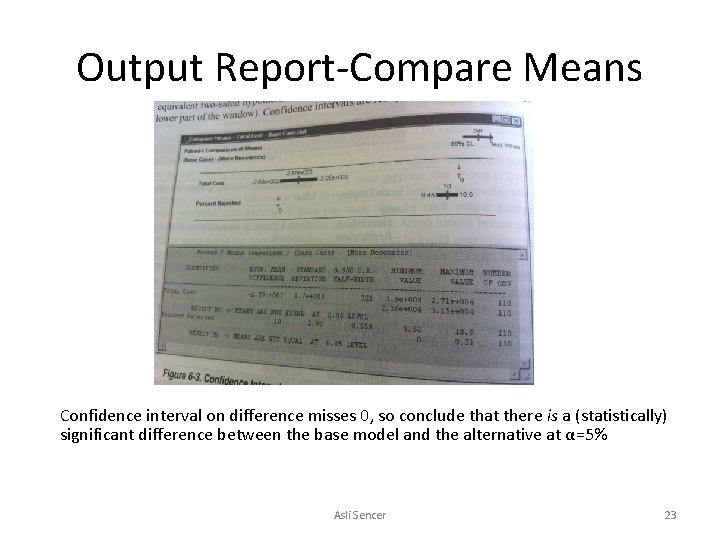
Output Report-Compare Means Confidence interval on difference misses 0, so conclude that there is a (statistically) significant difference between the base model and the alternative at α=5% Asli Sencer 23
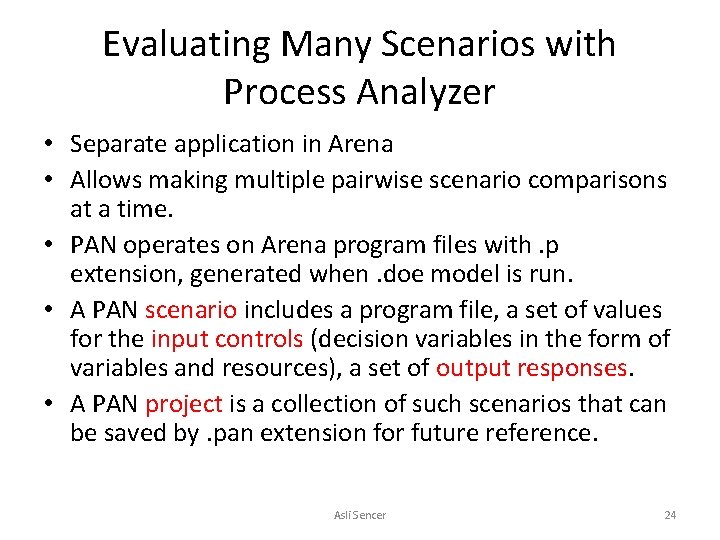
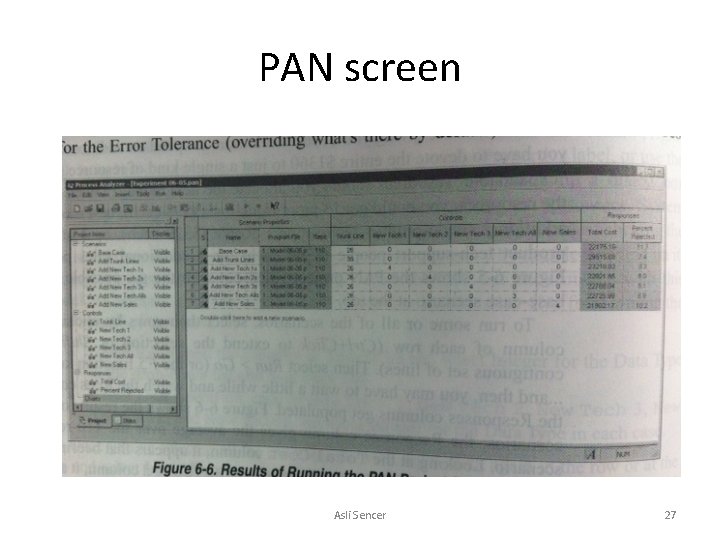
Evaluating Many Scenarios with Process Analyzer • Separate application in Arena • Allows making multiple pairwise scenario comparisons at a time. • PAN operates on Arena program files with. p extension, generated when. doe model is run. • A PAN scenario includes a program file, a set of values for the input controls (decision variables in the form of variables and resources), a set of output responses. • A PAN project is a collection of such scenarios that can be saved by. pan extension for future reference. Asli Sencer 24
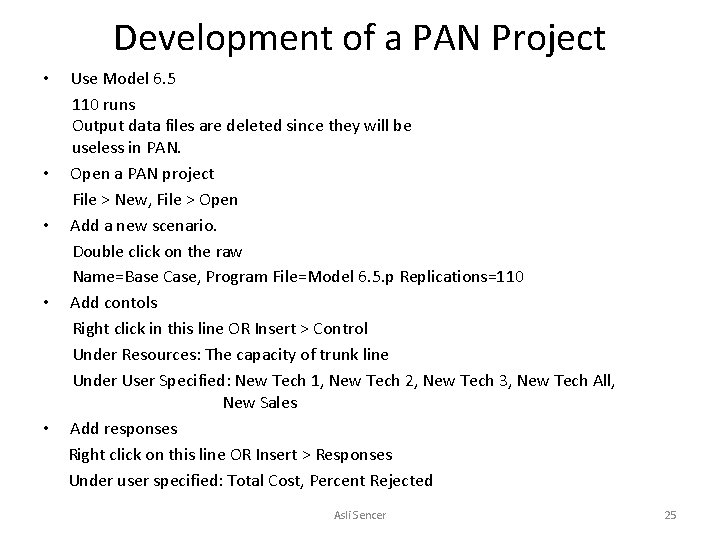
Development of a PAN Project • Use Model 6. 5 110 runs Output data files are deleted since they will be useless in PAN. • Open a PAN project File > New, File > Open • Add a new scenario. Double click on the raw Name=Base Case, Program File=Model 6. 5. p Replications=110 • Add contols Right click in this line OR Insert > Control Under Resources: The capacity of trunk line Under User Specified: New Tech 1, New Tech 2, New Tech 3, New Tech All, New Sales • Add responses Right click on this line OR Insert > Responses Under user specified: Total Cost, Percent Rejected Asli Sencer 25
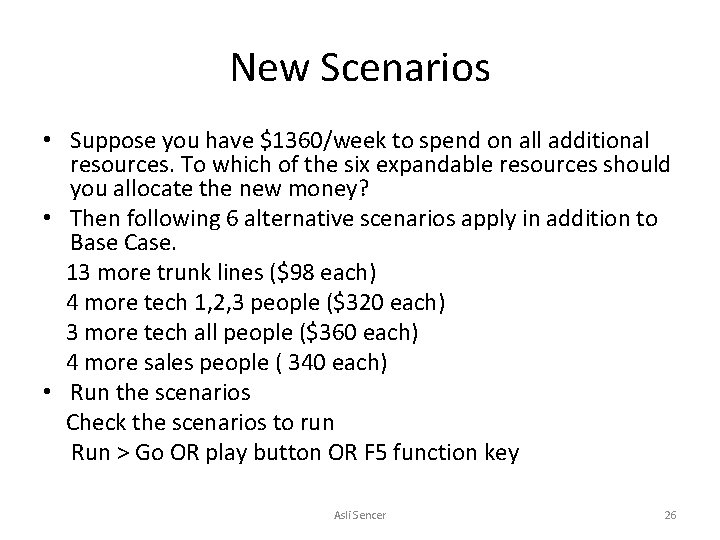
New Scenarios • Suppose you have $1360/week to spend on all additional resources. To which of the six expandable resources should you allocate the new money? • Then following 6 alternative scenarios apply in addition to Base Case. 13 more trunk lines ($98 each) 4 more tech 1, 2, 3 people ($320 each) 3 more tech all people ($360 each) 4 more sales people ( 340 each) • Run the scenarios Check the scenarios to run Run > Go OR play button OR F 5 function key Asli Sencer 26
PAN screen Asli Sencer 27
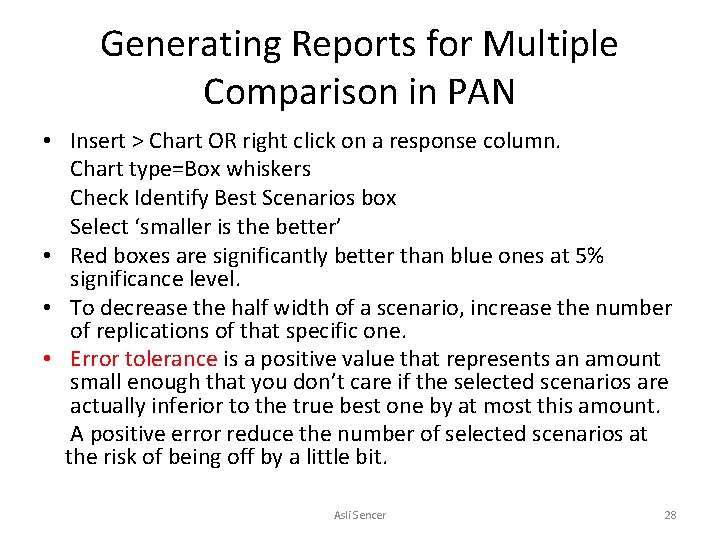
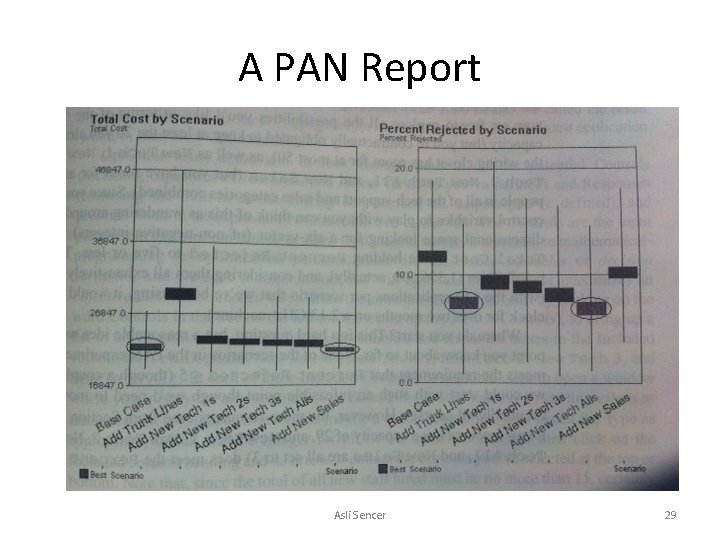
Generating Reports for Multiple Comparison in PAN • Insert > Chart OR right click on a response column. Chart type=Box whiskers Check Identify Best Scenarios box Select ‘smaller is the better’ • Red boxes are significantly better than blue ones at 5% significance level. • To decrease the half width of a scenario, increase the number of replications of that specific one. • Error tolerance is a positive value that represents an amount small enough that you don’t care if the selected scenarios are actually inferior to the true best one by at most this amount. A positive error reduce the number of selected scenarios at the risk of being off by a little bit. Asli Sencer 28
A PAN Report Asli Sencer 29