
Chapter 6 Shading Ed Angel Professor of Computer
- Slides: 56
Chapter 6: Shading Ed Angel Professor of Computer Science, Electrical and Computer Engineering, and Media Arts University of New Mexico Angel: Interactive Computer Graphics 4 E © Addison Wesley 2005 1
Objectives Learn to shade objects so their images appear three dimensional • Introduce the types of light material interactions • Build a simple reflection model the Phong model that can be used with real time graphics hardware • Angel: Interactive Computer Graphics 4 E © Addison Wesley 2005 2
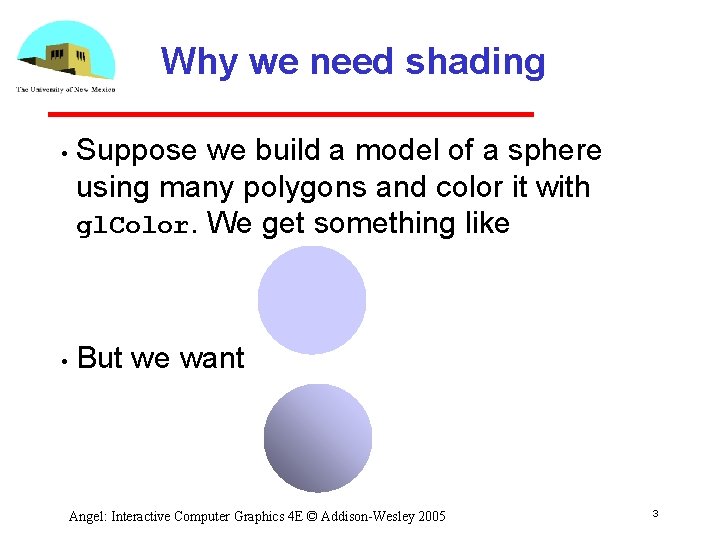
Why we need shading • • Suppose we build a model of a sphere using many polygons and color it with gl. Color. We get something like But we want Angel: Interactive Computer Graphics 4 E © Addison Wesley 2005 3
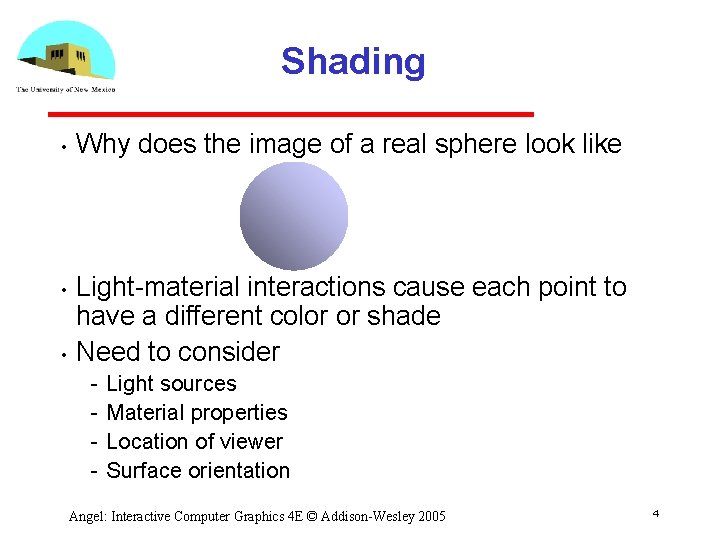
Shading • • • Why does the image of a real sphere look like Light material interactions cause each point to have a different color or shade Need to consider Light sources Material properties Location of viewer Surface orientation Angel: Interactive Computer Graphics 4 E © Addison Wesley 2005 4
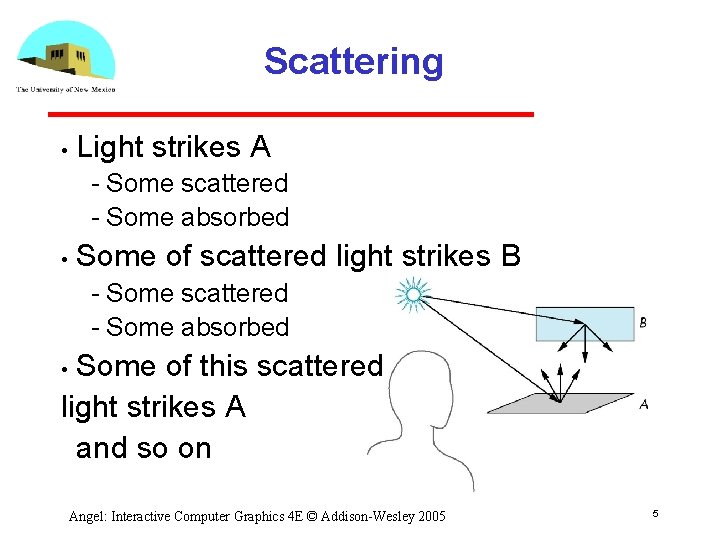
Scattering • Light strikes A Some scattered Some absorbed • Some of scattered light strikes B Some scattered Some absorbed Some of this scattered light strikes A and so on • Angel: Interactive Computer Graphics 4 E © Addison Wesley 2005 5
Rendering Equation • The infinite scattering and absorption of light can be described by the rendering equation Cannot be solved in general Ray tracing is a special case for perfectly reflecting surfaces • Rendering equation is global and includes Shadows Multiple scattering from object to object Angel: Interactive Computer Graphics 4 E © Addison Wesley 2005 6
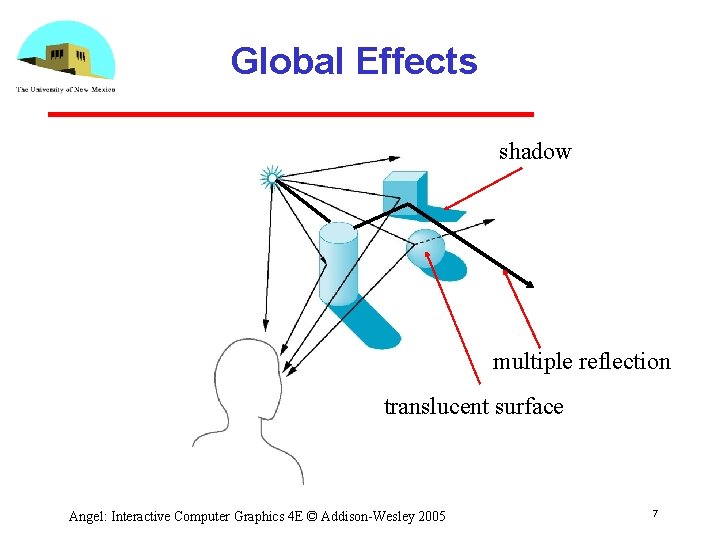
Global Effects shadow multiple reflection translucent surface Angel: Interactive Computer Graphics 4 E © Addison Wesley 2005 7
Local vs Global Rendering • Correct shading requires a global calculation involving all objects and light sources Incompatible with pipeline model which shades each polygon independently (local rendering) • However, in computer graphics, especially real time graphics, we are happy if things “look right” Exist many techniques for approximating global effects Angel: Interactive Computer Graphics 4 E © Addison Wesley 2005 8
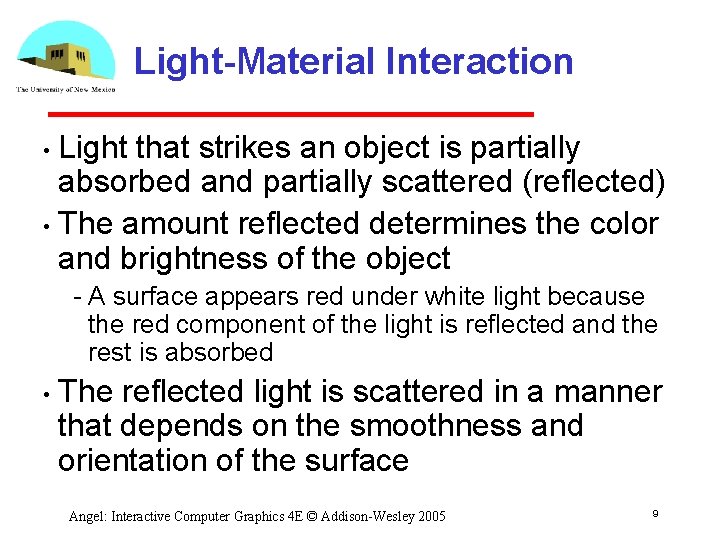
Light-Material Interaction Light that strikes an object is partially absorbed and partially scattered (reflected) • The amount reflected determines the color and brightness of the object • A surface appears red under white light because the red component of the light is reflected and the rest is absorbed • The reflected light is scattered in a manner that depends on the smoothness and orientation of the surface Angel: Interactive Computer Graphics 4 E © Addison Wesley 2005 9
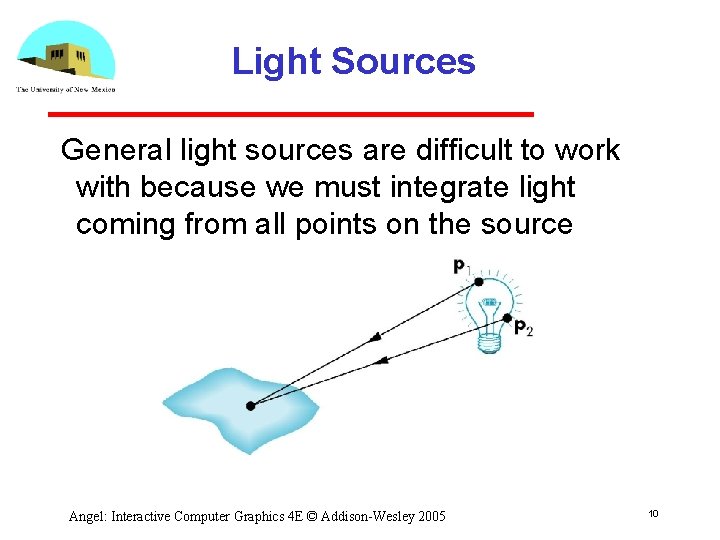
Light Sources General light sources are difficult to work with because we must integrate light coming from all points on the source Angel: Interactive Computer Graphics 4 E © Addison Wesley 2005 10
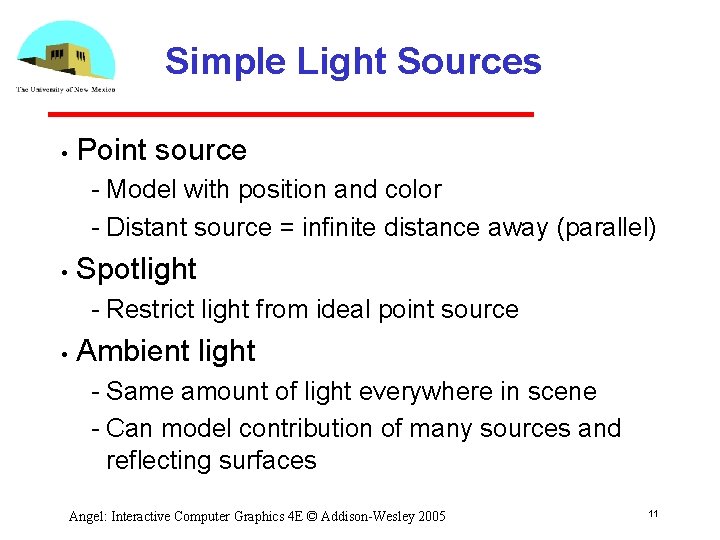
Simple Light Sources • Point source Model with position and color Distant source = infinite distance away (parallel) • Spotlight Restrict light from ideal point source • Ambient light Same amount of light everywhere in scene Can model contribution of many sources and reflecting surfaces Angel: Interactive Computer Graphics 4 E © Addison Wesley 2005 11
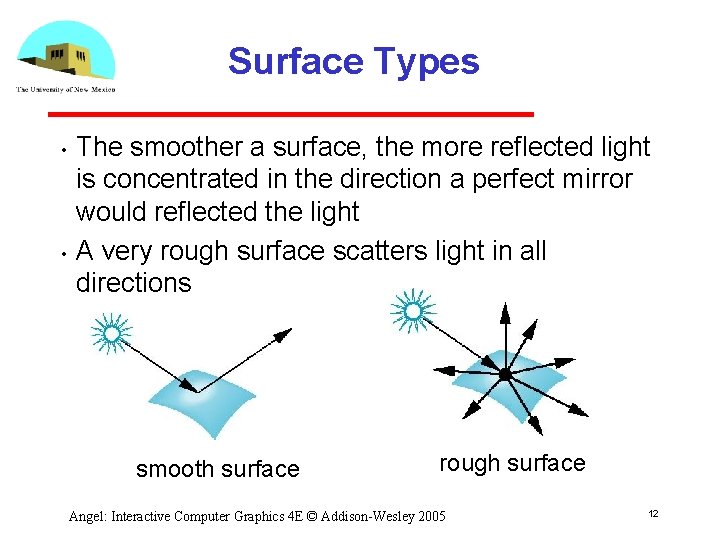
Surface Types • • The smoother a surface, the more reflected light is concentrated in the direction a perfect mirror would reflected the light A very rough surface scatters light in all directions smooth surface rough surface Angel: Interactive Computer Graphics 4 E © Addison Wesley 2005 12
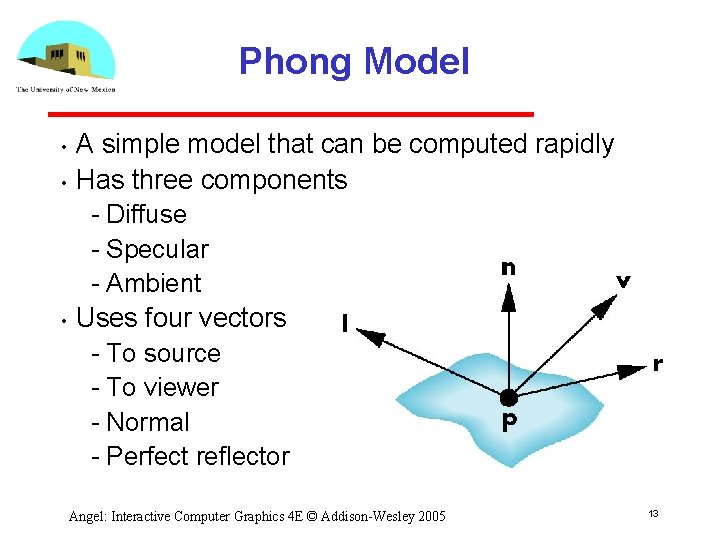
Phong Model • • • A simple model that can be computed rapidly Has three components Diffuse Specular Ambient Uses four vectors To source To viewer Normal Perfect reflector Angel: Interactive Computer Graphics 4 E © Addison Wesley 2005 13
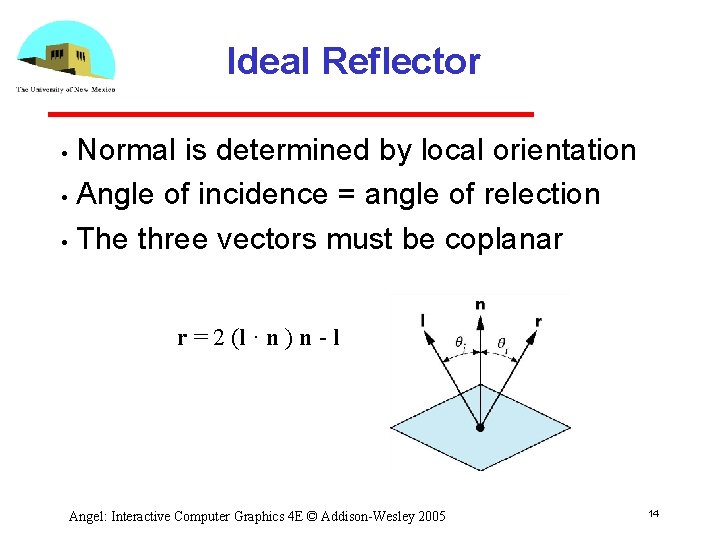
Ideal Reflector Normal is determined by local orientation • Angle of incidence = angle of relection • The three vectors must be coplanar • r = 2 (l · n ) n l Angel: Interactive Computer Graphics 4 E © Addison Wesley 2005 14
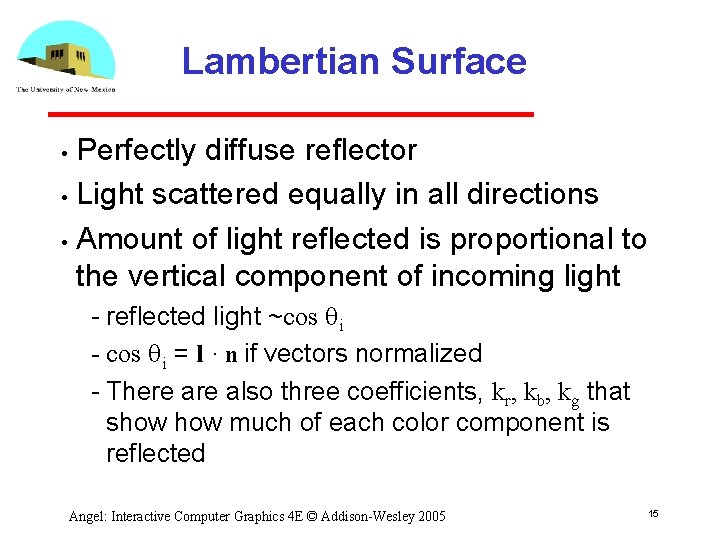
Lambertian Surface Perfectly diffuse reflector • Light scattered equally in all directions • Amount of light reflected is proportional to the vertical component of incoming light • reflected light ~cos qi = l · n if vectors normalized There also three coefficients, kr, kb, kg that show much of each color component is reflected Angel: Interactive Computer Graphics 4 E © Addison Wesley 2005 15
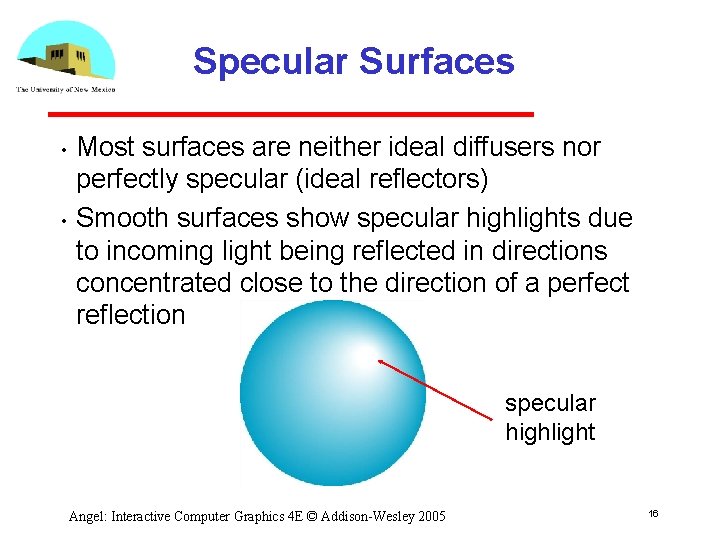
Specular Surfaces • • Most surfaces are neither ideal diffusers nor perfectly specular (ideal reflectors) Smooth surfaces show specular highlights due to incoming light being reflected in directions concentrated close to the direction of a perfect reflection specular highlight Angel: Interactive Computer Graphics 4 E © Addison Wesley 2005 16
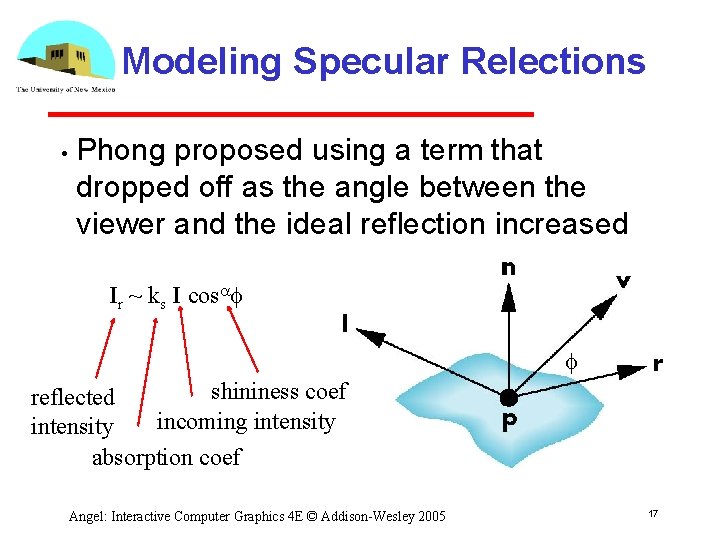
Modeling Specular Relections • Phong proposed using a term that dropped off as the angle between the viewer and the ideal reflection increased Ir ~ ks I cosaf f shininess coef reflected incoming intensity absorption coef Angel: Interactive Computer Graphics 4 E © Addison Wesley 2005 17
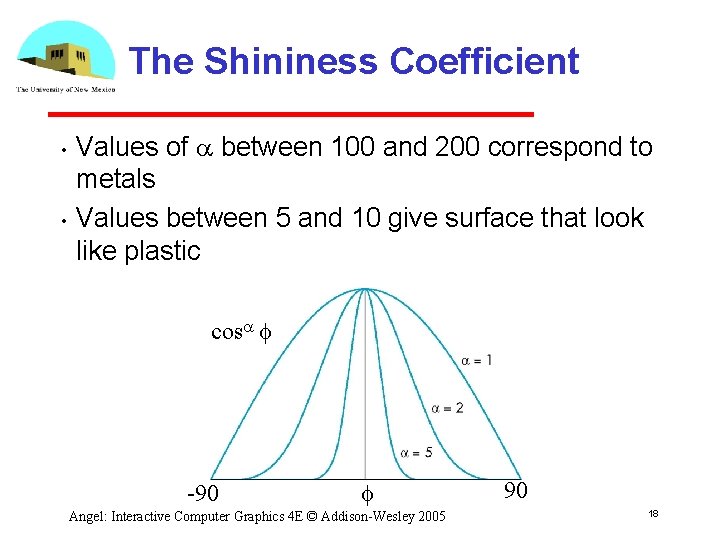
The Shininess Coefficient • • Values of a between 100 and 200 correspond to metals Values between 5 and 10 give surface that look like plastic cosa f 90 f Angel: Interactive Computer Graphics 4 E © Addison Wesley 2005 90 18
Shading II Ed Angel Professor of Computer Science, Electrical and Computer Engineering, and Media Arts University of New Mexico Angel: Interactive Computer Graphics 4 E © Addison Wesley 2005 19
Objectives Continue discussion of shading • Introduce modified Phong model • Consider computation of required vectors • Angel: Interactive Computer Graphics 4 E © Addison Wesley 2005 20
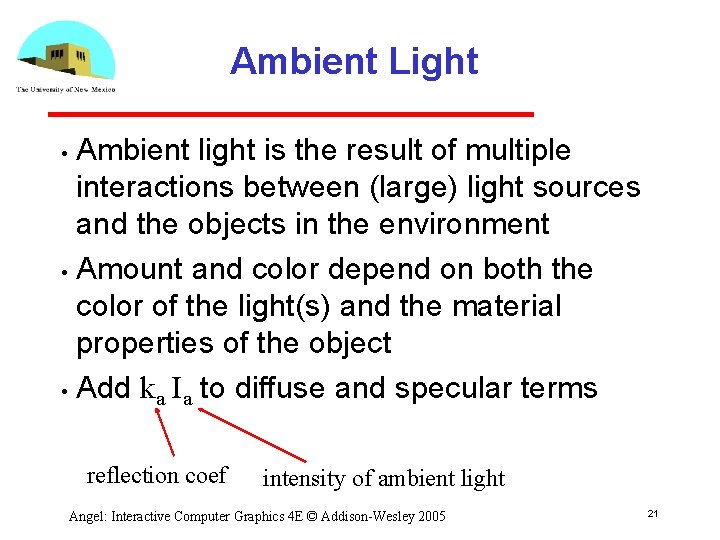
Ambient Light Ambient light is the result of multiple interactions between (large) light sources and the objects in the environment • Amount and color depend on both the color of the light(s) and the material properties of the object • Add ka Ia to diffuse and specular terms • reflection coef intensity of ambient light Angel: Interactive Computer Graphics 4 E © Addison Wesley 2005 21
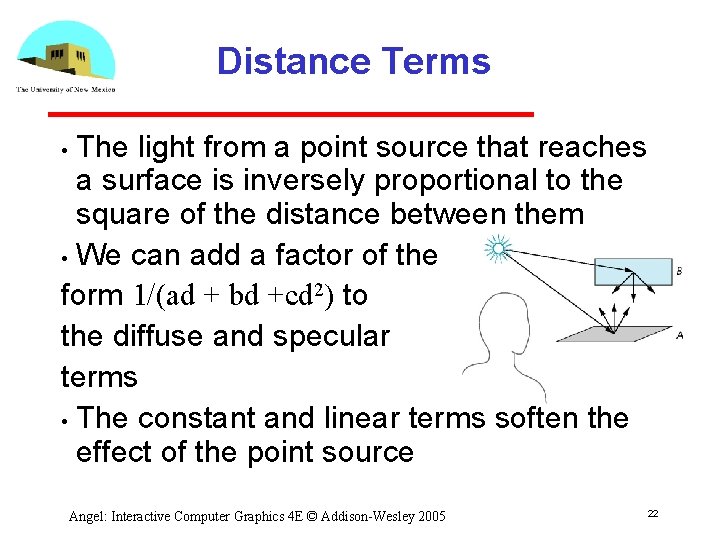
Distance Terms The light from a point source that reaches a surface is inversely proportional to the square of the distance between them • We can add a factor of the form 1/(ad + bd +cd 2) to the diffuse and specular terms • The constant and linear terms soften the effect of the point source • Angel: Interactive Computer Graphics 4 E © Addison Wesley 2005 22
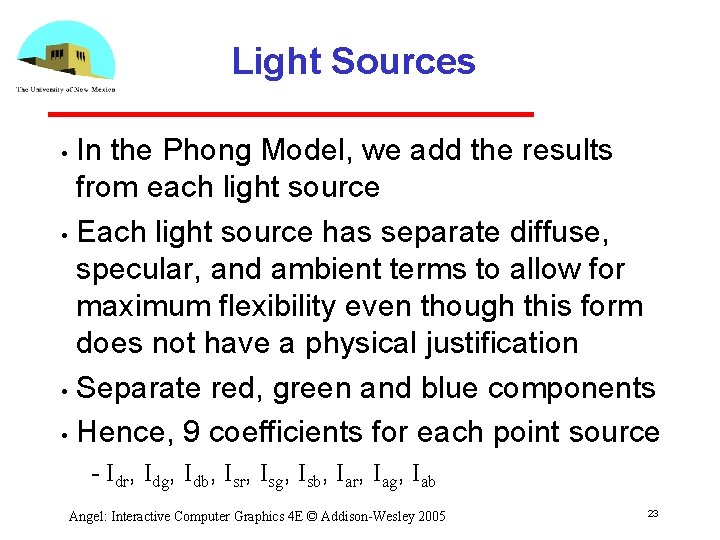
Light Sources In the Phong Model, we add the results from each light source • Each light source has separate diffuse, specular, and ambient terms to allow for maximum flexibility even though this form does not have a physical justification • Separate red, green and blue components • Hence, 9 coefficients for each point source • Idr, Idg, Idb, Isr, Isg, Isb, Iar, Iag, Iab Angel: Interactive Computer Graphics 4 E © Addison Wesley 2005 23
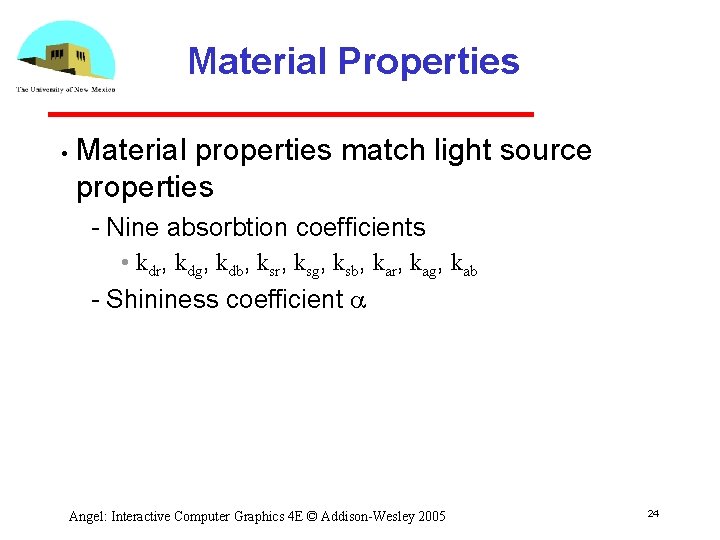
Material Properties • Material properties match light source properties Nine absorbtion coefficients • kdr, kdg, kdb, ksr, ksg, ksb, kar, kag, kab Shininess coefficient a Angel: Interactive Computer Graphics 4 E © Addison Wesley 2005 24
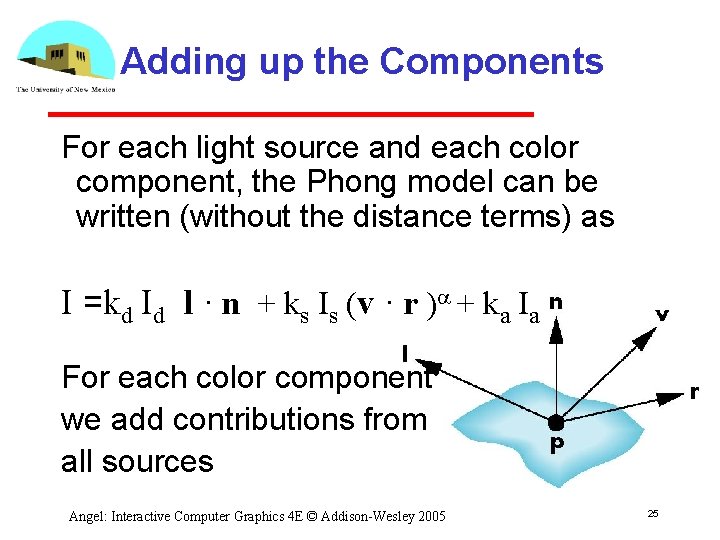
Adding up the Components For each light source and each color component, the Phong model can be written (without the distance terms) as I =kd Id l · n + ks Is (v · r )a + ka Ia For each color component we add contributions from all sources Angel: Interactive Computer Graphics 4 E © Addison Wesley 2005 25
Modified Phong Model The specular term in the Phong model is problematic because it requires the calculation of a new reflection vector and view vector for each vertex • Blinn suggested an approximation using the halfway vector that is more efficient • Angel: Interactive Computer Graphics 4 E © Addison Wesley 2005 26
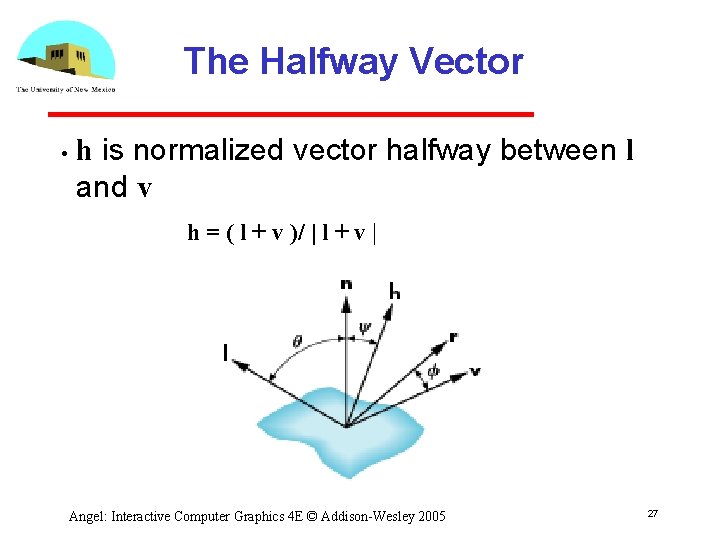
The Halfway Vector • h is normalized vector halfway between l and v h = ( l + v )/ | l + v | Angel: Interactive Computer Graphics 4 E © Addison Wesley 2005 27
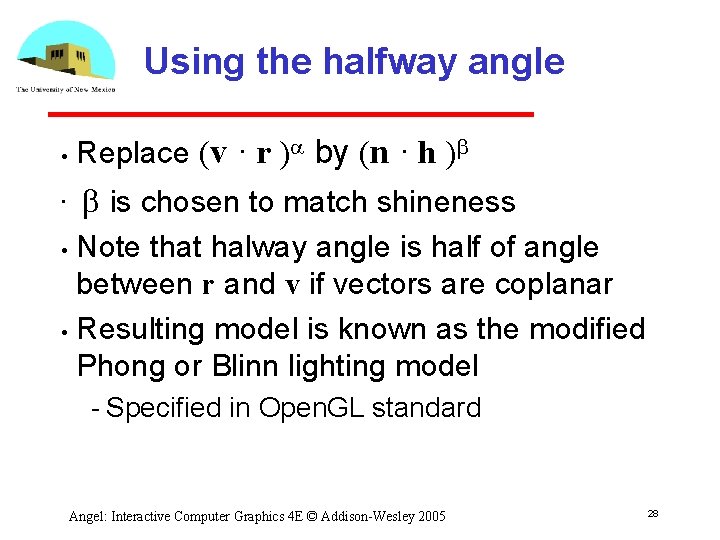
Using the halfway angle • • Replace (v · r )a by (n · h )b b is chosen to match shineness Note that halway angle is half of angle between r and v if vectors are coplanar • Resulting model is known as the modified Phong or Blinn lighting model • Specified in Open. GL standard Angel: Interactive Computer Graphics 4 E © Addison Wesley 2005 28
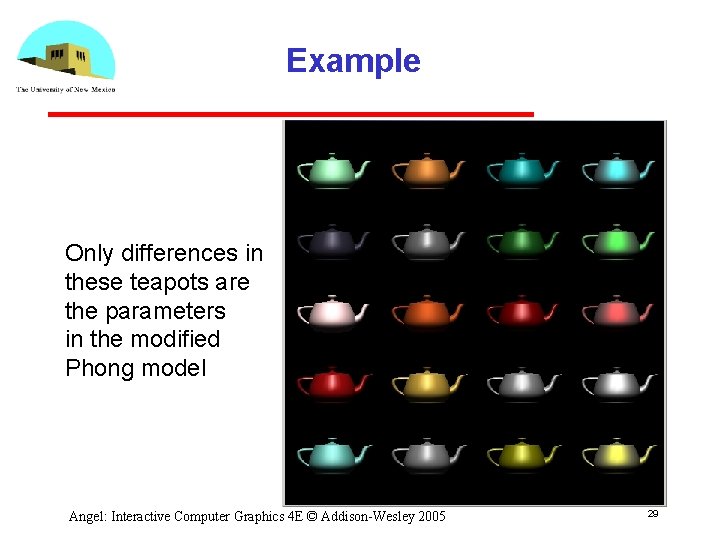
Example Only differences in these teapots are the parameters in the modified Phong model Angel: Interactive Computer Graphics 4 E © Addison Wesley 2005 29
Computation of Vectors • • • l and v are specified by the application Can computer r from l and n Problem is determining n For simple surfaces is can be determined but how we determine n differs depending on underlying representation of surface Open. GL leaves determination of normal to application Exception for GLU quadrics and Bezier surfaces (Chapter 11) Angel: Interactive Computer Graphics 4 E © Addison Wesley 2005 30
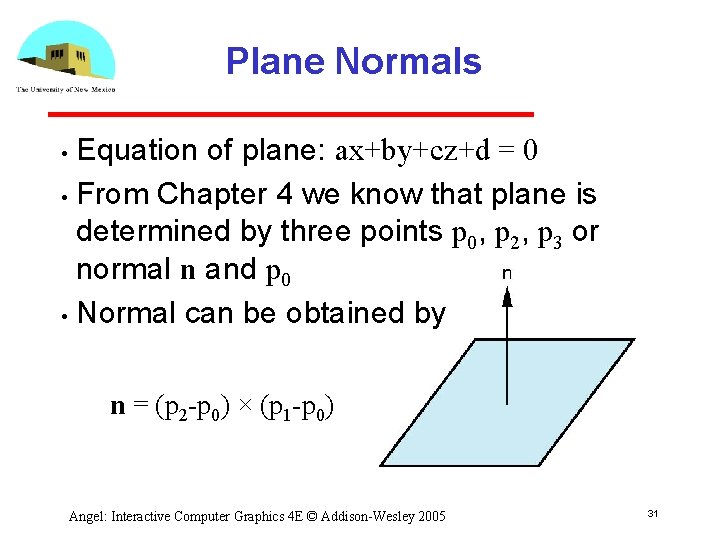
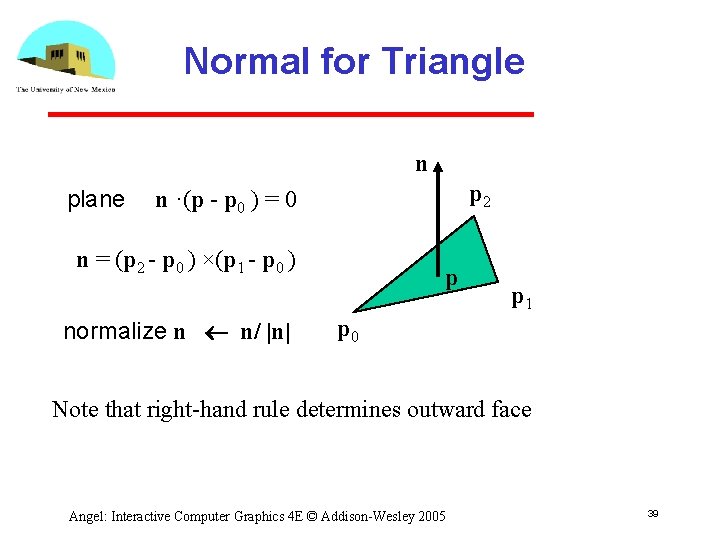
Plane Normals Equation of plane: ax+by+cz+d = 0 • From Chapter 4 we know that plane is determined by three points p 0, p 2, p 3 or normal n and p 0 • Normal can be obtained by • n = (p 2 p 0) × (p 1 p 0) Angel: Interactive Computer Graphics 4 E © Addison Wesley 2005 31
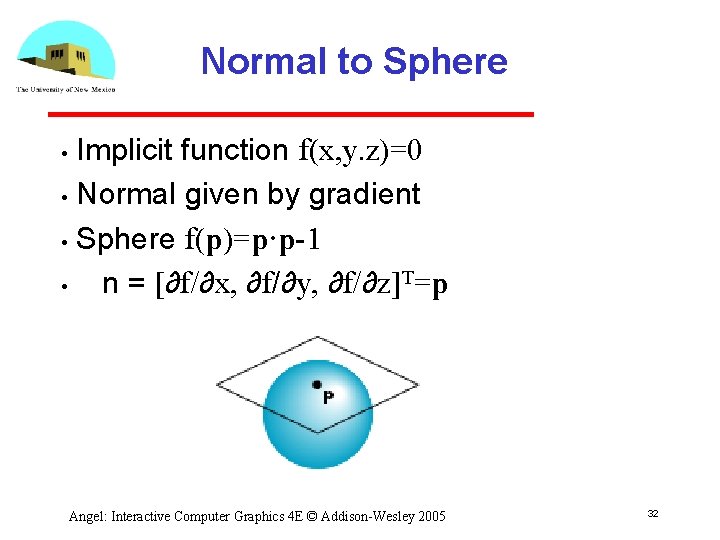
Normal to Sphere Implicit function f(x, y. z)=0 • Normal given by gradient • Sphere f(p)=p·p 1 • n = [∂f/∂x, ∂f/∂y, ∂f/∂z]T=p • Angel: Interactive Computer Graphics 4 E © Addison Wesley 2005 32
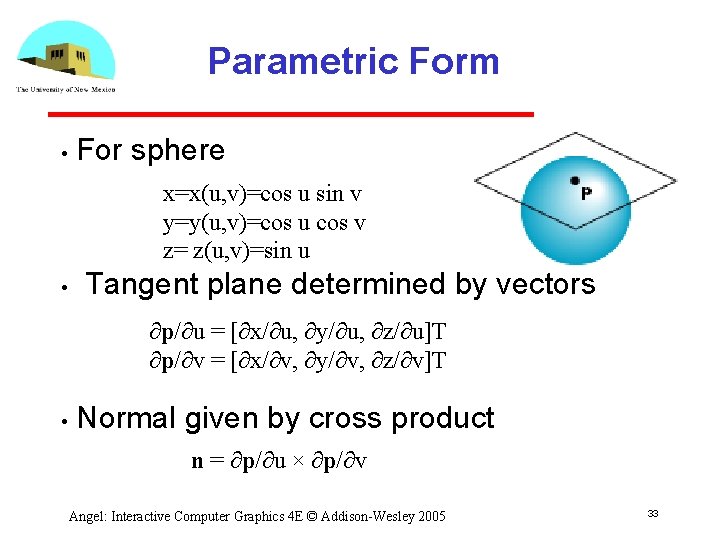
Parametric Form • For sphere x=x(u, v)=cos u sin v y=y(u, v)=cos u cos v z= z(u, v)=sin u • Tangent plane determined by vectors ∂p/∂u = [∂x/∂u, ∂y/∂u, ∂z/∂u]T ∂p/∂v = [∂x/∂v, ∂y/∂v, ∂z/∂v]T • Normal given by cross product n = ∂p/∂u × ∂p/∂v Angel: Interactive Computer Graphics 4 E © Addison Wesley 2005 33
General Case • We can compute parametric normals for other simple cases Quadrics Parameteric polynomial surfaces • Bezier surface patches (Chapter 11) Angel: Interactive Computer Graphics 4 E © Addison Wesley 2005 34
Shading in Open. GL Ed Angel Professor of Computer Science, Electrical and Computer Engineering, and Media Arts University of New Mexico Angel: Interactive Computer Graphics 4 E © Addison Wesley 2005 35
Objectives Introduce the Open. GL shading functions • Discuss polygonal shading • Flat Smooth Gouraud Angel: Interactive Computer Graphics 4 E © Addison Wesley 2005 36
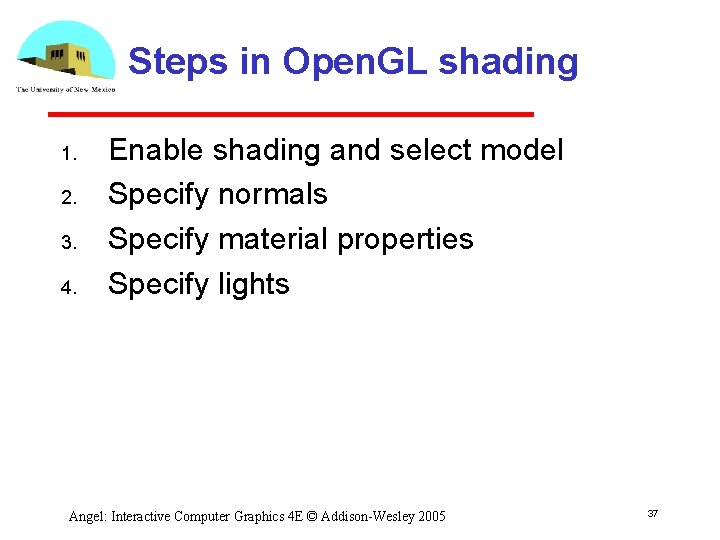
Steps in Open. GL shading 1. 2. 3. 4. Enable shading and select model Specify normals Specify material properties Specify lights Angel: Interactive Computer Graphics 4 E © Addison Wesley 2005 37
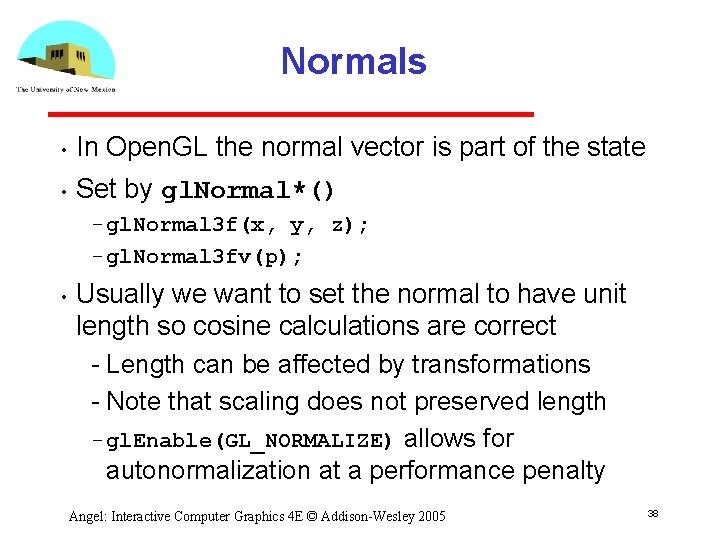
Normals • In Open. GL the normal vector is part of the state • Set by gl. Normal*() gl. Normal 3 f(x, y, z); gl. Normal 3 fv(p); • Usually we want to set the normal to have unit length so cosine calculations are correct Length can be affected by transformations Note that scaling does not preserved length gl. Enable(GL_NORMALIZE) allows for autonormalization at a performance penalty Angel: Interactive Computer Graphics 4 E © Addison Wesley 2005 38
Normal for Triangle n plane p 2 n ·(p p 0 ) = 0 n = (p 2 p 0 ) ×(p 1 p 0 ) normalize n n/ |n| p p 1 p 0 Note that right hand rule determines outward face Angel: Interactive Computer Graphics 4 E © Addison Wesley 2005 39
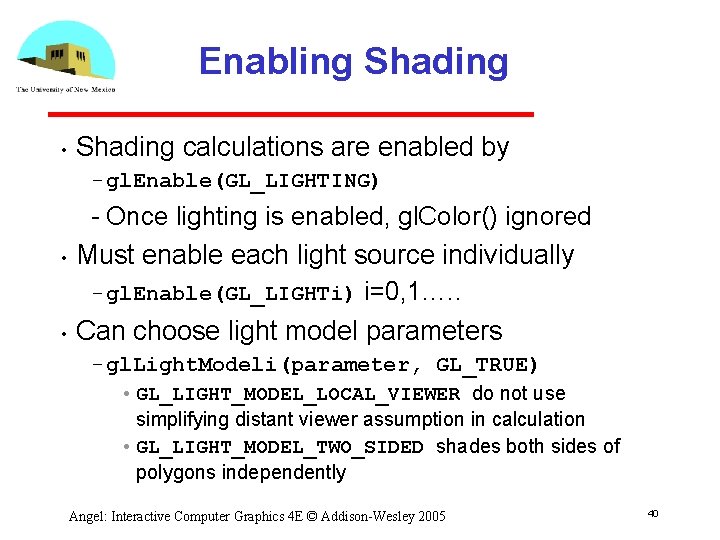
Enabling Shading • Shading calculations are enabled by gl. Enable(GL_LIGHTING) • • Once lighting is enabled, gl. Color() ignored Must enable each light source individually gl. Enable(GL_LIGHTi) i=0, 1…. . Can choose light model parameters gl. Light. Modeli(parameter, GL_TRUE) • GL_LIGHT_MODEL_LOCAL_VIEWER do not use simplifying distant viewer assumption in calculation • GL_LIGHT_MODEL_TWO_SIDED shades both sides of polygons independently Angel: Interactive Computer Graphics 4 E © Addison Wesley 2005 40
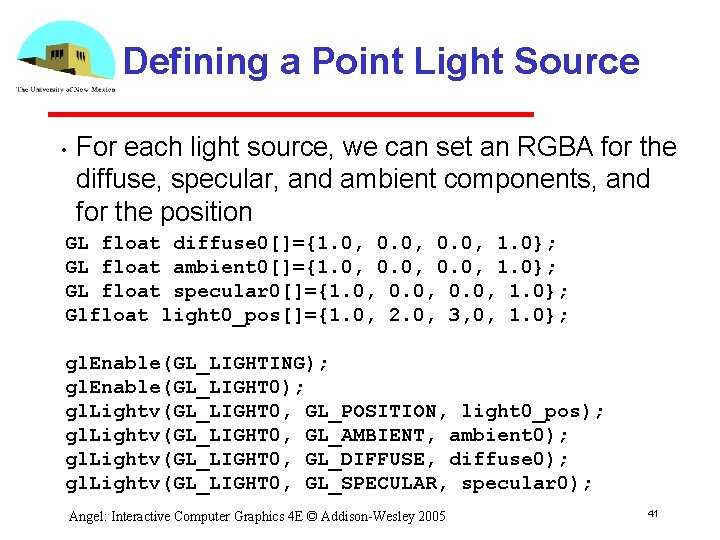
Defining a Point Light Source • For each light source, we can set an RGBA for the diffuse, specular, and ambient components, and for the position GL float diffuse 0[]={1. 0, 0. 0, 1. 0}; GL float ambient 0[]={1. 0, 0. 0, 1. 0}; GL float specular 0[]={1. 0, 0. 0, 1. 0}; Glfloat light 0_pos[]={1. 0, 2. 0, 3, 0, 1. 0}; gl. Enable(GL_LIGHTING); gl. Enable(GL_LIGHT 0); gl. Lightv(GL_LIGHT 0, GL_POSITION, light 0_pos); gl. Lightv(GL_LIGHT 0, GL_AMBIENT, ambient 0); gl. Lightv(GL_LIGHT 0, GL_DIFFUSE, diffuse 0); gl. Lightv(GL_LIGHT 0, GL_SPECULAR, specular 0); Angel: Interactive Computer Graphics 4 E © Addison Wesley 2005 41
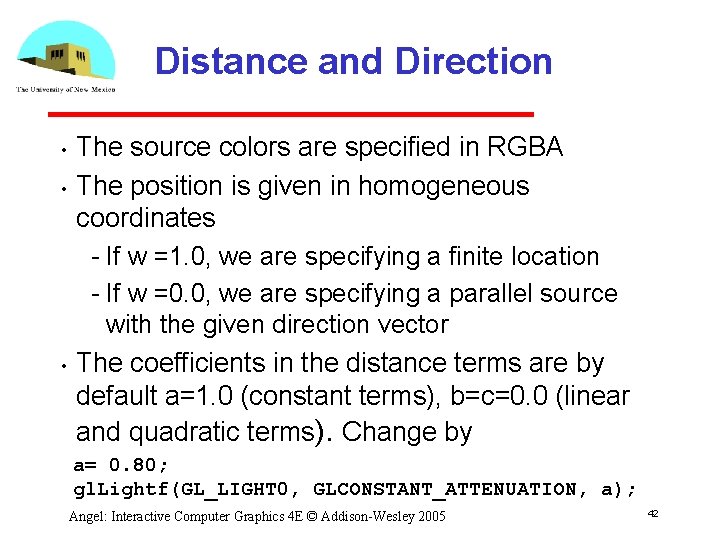
Distance and Direction • • • The source colors are specified in RGBA The position is given in homogeneous coordinates If w =1. 0, we are specifying a finite location If w =0. 0, we are specifying a parallel source with the given direction vector The coefficients in the distance terms are by default a=1. 0 (constant terms), b=c=0. 0 (linear and quadratic terms). Change by a= 0. 80; gl. Lightf(GL_LIGHT 0, GLCONSTANT_ATTENUATION, a); Angel: Interactive Computer Graphics 4 E © Addison Wesley 2005 42
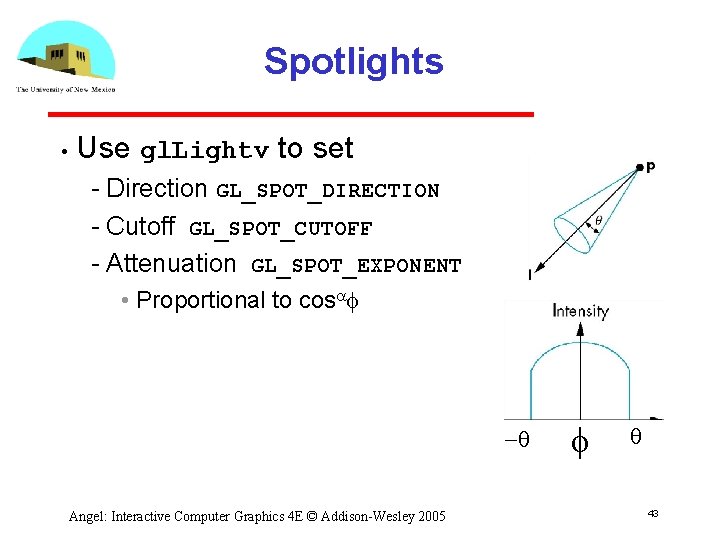
Spotlights • Use gl. Lightv to set Direction GL_SPOT_DIRECTION Cutoff GL_SPOT_CUTOFF Attenuation GL_SPOT_EXPONENT • Proportional to cosaf -q Angel: Interactive Computer Graphics 4 E © Addison Wesley 2005 f q 43
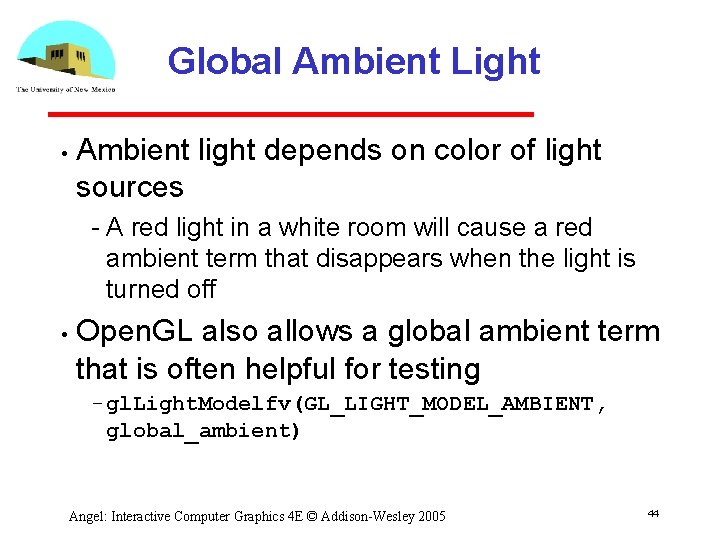
Global Ambient Light • Ambient light depends on color of light sources A red light in a white room will cause a red ambient term that disappears when the light is turned off • Open. GL also allows a global ambient term that is often helpful for testing gl. Light. Modelfv(GL_LIGHT_MODEL_AMBIENT, global_ambient) Angel: Interactive Computer Graphics 4 E © Addison Wesley 2005 44
Moving Light Sources Light sources are geometric objects whose positions or directions are affected by the model view matrix • Depending on where we place the position (direction) setting function, we can • Move the light source(s) with the object(s) Fix the object(s) and move the light source(s) Fix the light source(s) and move the object(s) Move the light source(s) and object(s) independently Angel: Interactive Computer Graphics 4 E © Addison Wesley 2005 45
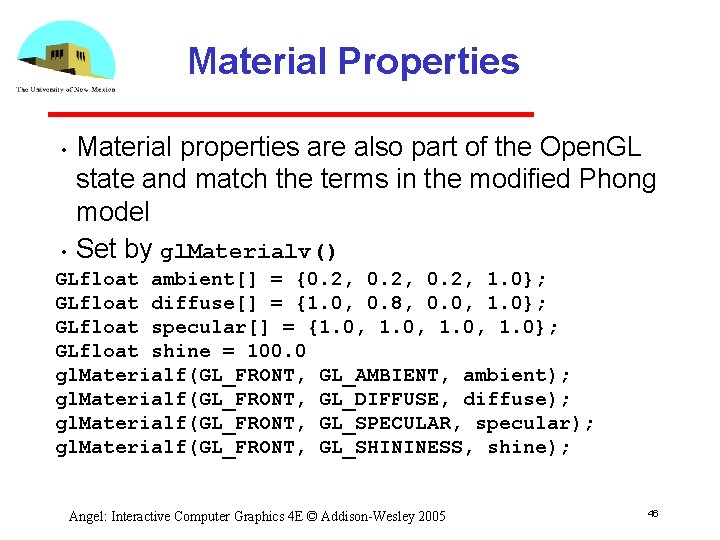
Material Properties • • Material properties are also part of the Open. GL state and match the terms in the modified Phong model Set by gl. Materialv() GLfloat ambient[] = {0. 2, 1. 0}; GLfloat diffuse[] = {1. 0, 0. 8, 0. 0, 1. 0}; GLfloat specular[] = {1. 0, 1. 0}; GLfloat shine = 100. 0 gl. Materialf(GL_FRONT, GL_AMBIENT, ambient); gl. Materialf(GL_FRONT, GL_DIFFUSE, diffuse); gl. Materialf(GL_FRONT, GL_SPECULAR, specular); gl. Materialf(GL_FRONT, GL_SHININESS, shine); Angel: Interactive Computer Graphics 4 E © Addison Wesley 2005 46
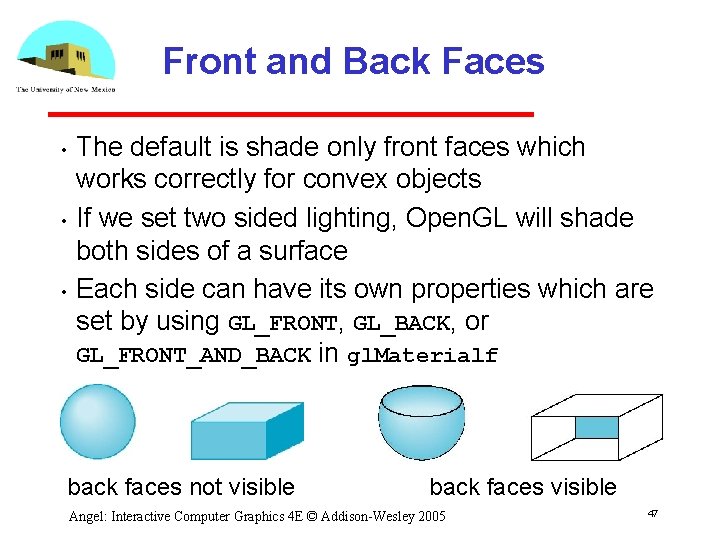
Front and Back Faces • • • The default is shade only front faces which works correctly for convex objects If we set two sided lighting, Open. GL will shade both sides of a surface Each side can have its own properties which are set by using GL_FRONT, GL_BACK, or GL_FRONT_AND_BACK in gl. Materialf back faces not visible back faces visible Angel: Interactive Computer Graphics 4 E © Addison Wesley 2005 47
Emissive Term We can simulate a light source in Open. GL by giving a material an emissive component • This component is unaffected by any sources or transformations • GLfloat emission[] = 0. 0, 0. 3, 1. 0); gl. Materialf(GL_FRONT, GL_EMISSION, emission); Angel: Interactive Computer Graphics 4 E © Addison Wesley 2005 48
Transparency Material properties are specified as RGBA values • The A value can be used to make the surface translucent • The default is that all surfaces are opaque regardless of A • Later we will enable blending and use this feature • Angel: Interactive Computer Graphics 4 E © Addison Wesley 2005 49
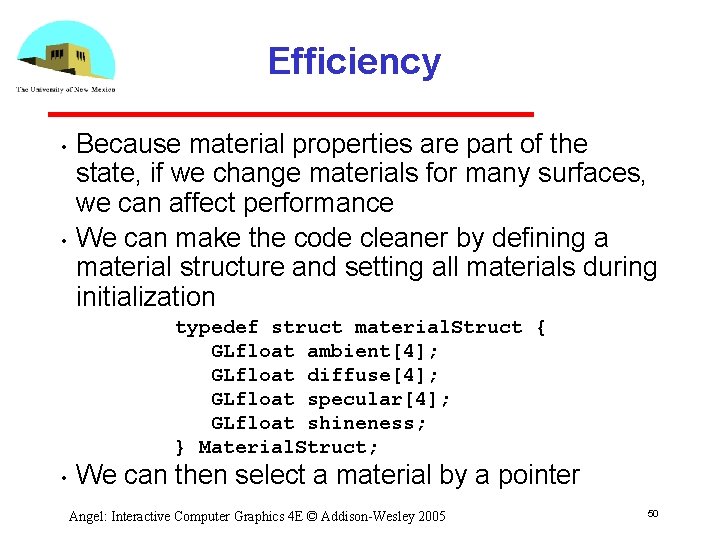
Efficiency • • Because material properties are part of the state, if we change materials for many surfaces, we can affect performance We can make the code cleaner by defining a material structure and setting all materials during initialization typedef struct material. Struct { GLfloat ambient[4]; GLfloat diffuse[4]; GLfloat specular[4]; GLfloat shineness; } Material. Struct; • We can then select a material by a pointer Angel: Interactive Computer Graphics 4 E © Addison Wesley 2005 50
Polygonal Shading • Shading calculations are done for each vertex Vertex colors become vertex shades • By default, vertex shades are interpolated across the polygon gl. Shade. Model(GL_SMOOTH); • If we use gl. Shade. Model(GL_FLAT); the color at the first vertex will determine the shade of the whole polygon Angel: Interactive Computer Graphics 4 E © Addison Wesley 2005 51
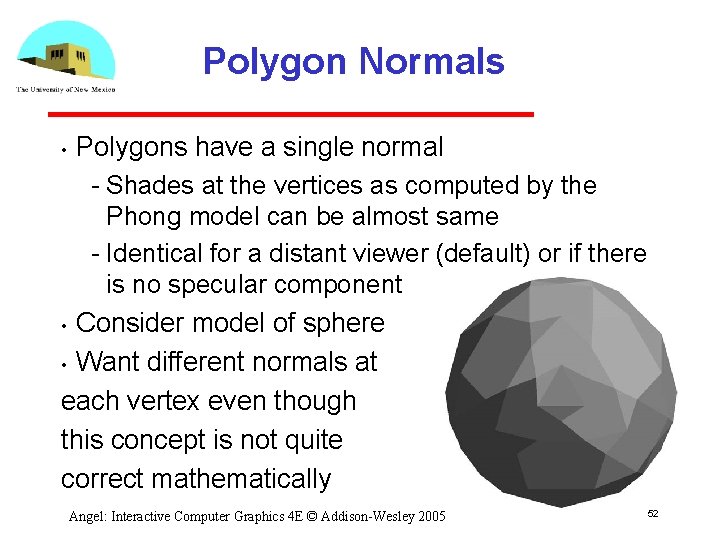
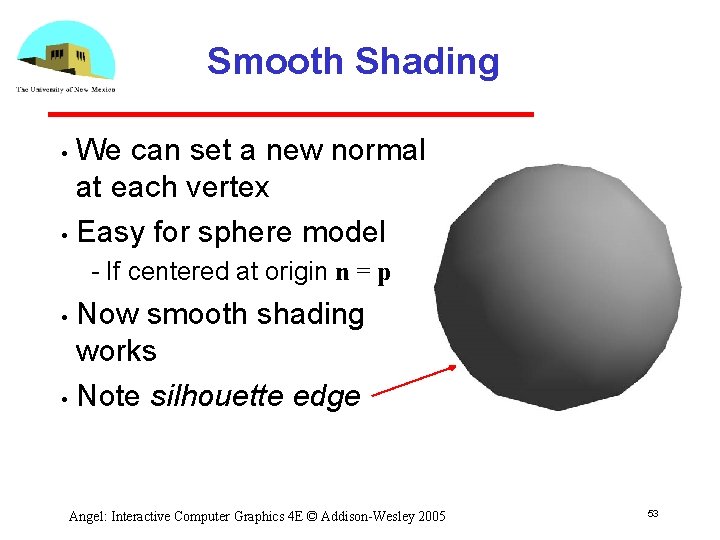
Polygon Normals Polygons have a single normal Shades at the vertices as computed by the Phong model can be almost same Identical for a distant viewer (default) or if there is no specular component • Consider model of sphere • Want different normals at each vertex even though this concept is not quite correct mathematically • Angel: Interactive Computer Graphics 4 E © Addison Wesley 2005 52
Smooth Shading We can set a new normal at each vertex • Easy for sphere model • If centered at origin n = p Now smooth shading works • Note silhouette edge • Angel: Interactive Computer Graphics 4 E © Addison Wesley 2005 53
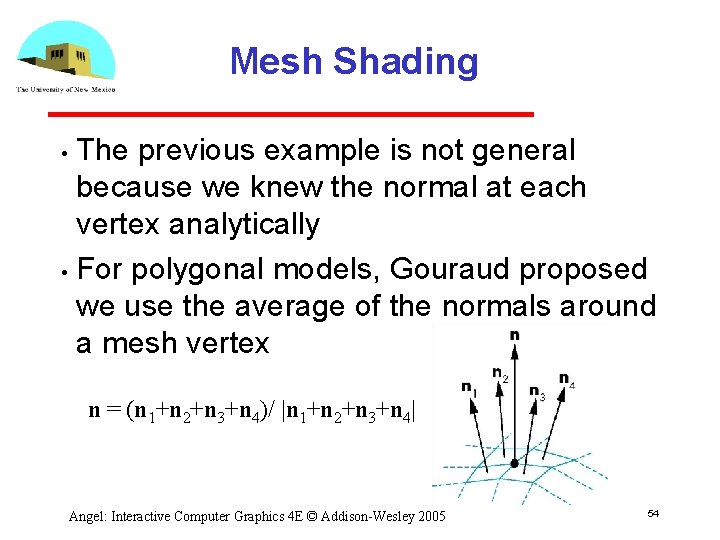
Mesh Shading The previous example is not general because we knew the normal at each vertex analytically • For polygonal models, Gouraud proposed we use the average of the normals around a mesh vertex • n = (n 1+n 2+n 3+n 4)/ |n 1+n 2+n 3+n 4| Angel: Interactive Computer Graphics 4 E © Addison Wesley 2005 54
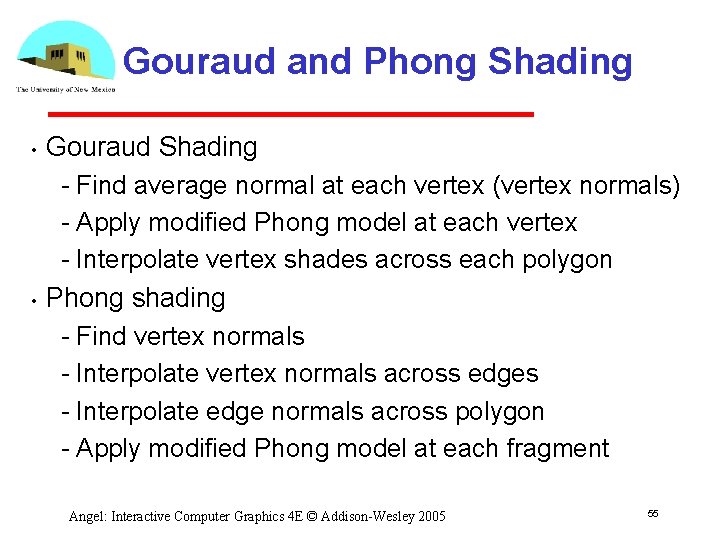
Gouraud and Phong Shading • • Gouraud Shading Find average normal at each vertex (vertex normals) Apply modified Phong model at each vertex Interpolate vertex shades across each polygon Phong shading Find vertex normals Interpolate vertex normals across edges Interpolate edge normals across polygon Apply modified Phong model at each fragment Angel: Interactive Computer Graphics 4 E © Addison Wesley 2005 55
Comparison • • • If the polygon mesh approximates surfaces with a high curvatures, Phong shading may look smooth while Gouraud shading may show edges Phong shading requires much more work than Gouraud shading Until recently not available in real time systems Now can be done using fragment shaders (see Chapter 9) Both need data structures to represent meshes so we can obtain vertex normals Angel: Interactive Computer Graphics 4 E © Addison Wesley 2005 56