
Chapter 6 Java Script Introduction to Scripting Internet

- Slides: 73
Chapter 6 Java. Script: Introduction to Scripting Internet & World Wide Web How to Program, 5/e © 1992 -2012 by Pearson Education, Inc. All Rights Reserved.
© 1992 -2012 by Pearson Education, Inc. All Rights Reserved.
© 1992 -2012 by Pearson Education, Inc. All Rights Reserved.
6. 1 Introduction Java. Script § Scripting language which is used to enhance the functionality and appearance of web pages. Before you can run code examples with Java. Script on your computer, you may need to change your browser’s security settings. § IE 9 prevents scripts on the local computer from running by default § Firefox, Chrome, Opera, Safari (including on the i. Phone) and the Android browser have Java. Script enabled by default. © 1992 -2012 by Pearson Education, Inc. All Rights Reserved.
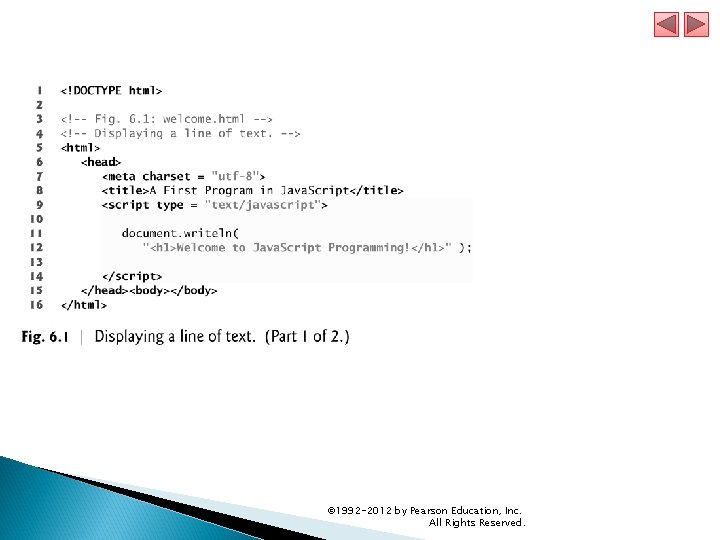
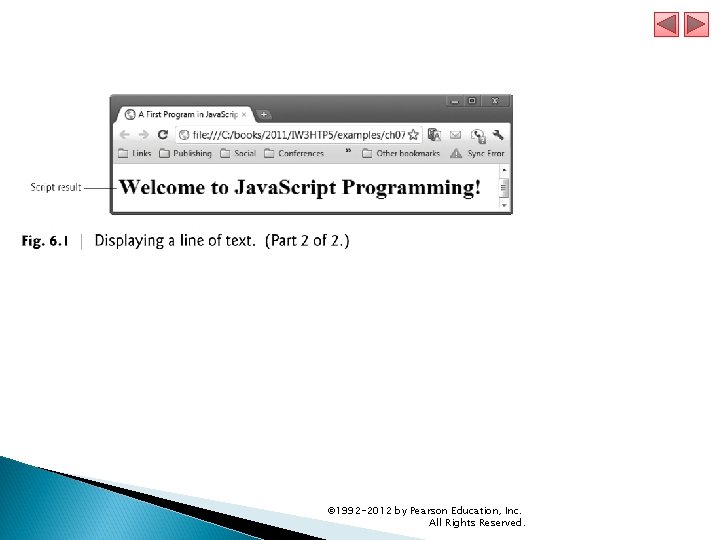
6. 2 Your First Script: Displaying a Line of Text with Java. Script in a Web Page We begin with a simple script that displays the text "Welcome to Java. Script Programming!" in the HTML 5 document. All major web browsers contain Java. Script interpreters, which process the commands written in Java. Script. The Java. Script code and its result are shown in Fig. 6. 1. © 1992 -2012 by Pearson Education, Inc. All Rights Reserved.
© 1992 -2012 by Pearson Education, Inc. All Rights Reserved.
© 1992 -2012 by Pearson Education, Inc. All Rights Reserved.
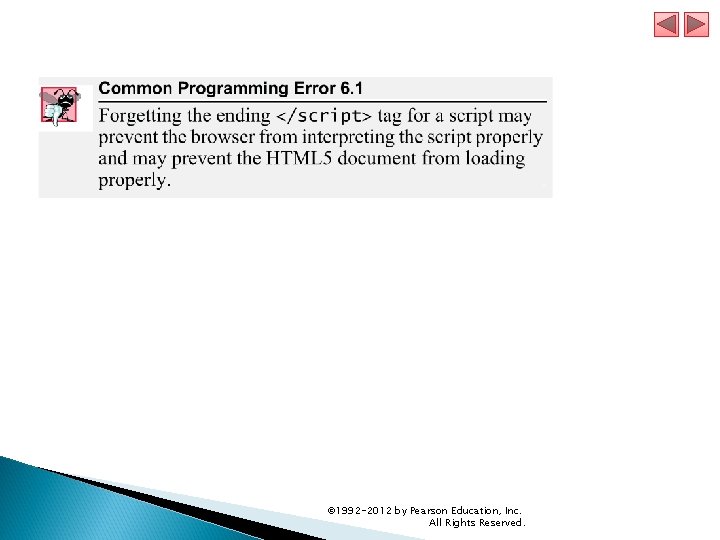
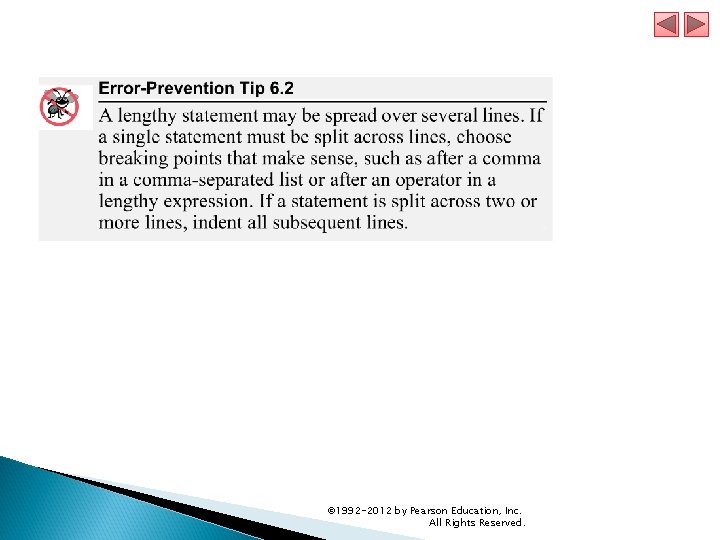
6. 2 Your First Script: Displaying a Line of Text with Java. Script in a Web Page (cont. ) Spacing displayed by a browser in a web page is determined by the HTML 5 elements used to format the page Often, Java. Scripts appear in the <head> section of the HTML 5 document The browser interprets the contents of the <head> section first The <script> tag indicates to the browser that the text that follows is part of a script. Attribute type specifies the scripting language used in the script— such as text/javascript © 1992 -2012 by Pearson Education, Inc. All Rights Reserved.
6. 2 Your First Script: Displaying a Line of Text with Java. Script in a Web Page (cont. ) The script Element and Commenting Your Scripts The <script> tag indicates to the browser that the text which follows is part of a script. The type attribute specifies the MIME type of the script as well as the scripting language used in the script—in this case, a text file written in javascript. In HTML 5, the default MIME type for a <script> is "text/html", so you can omit the type attribute from your <script> tags. You’ll see it in legacy HTML documents with embedded Java. Scripts. © 1992 -2012 by Pearson Education, Inc. All Rights Reserved.
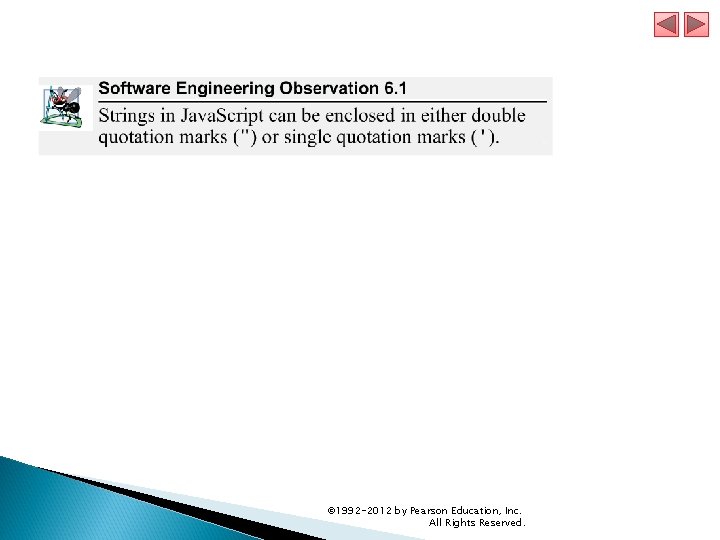
6. 2 Your First Script: Displaying a Line of Text with Java. Script in a Web Page (cont. ) A string of characters can be contained between double quotation (") marks (also called a string literal) © 1992 -2012 by Pearson Education, Inc. All Rights Reserved.
© 1992 -2012 by Pearson Education, Inc. All Rights Reserved.
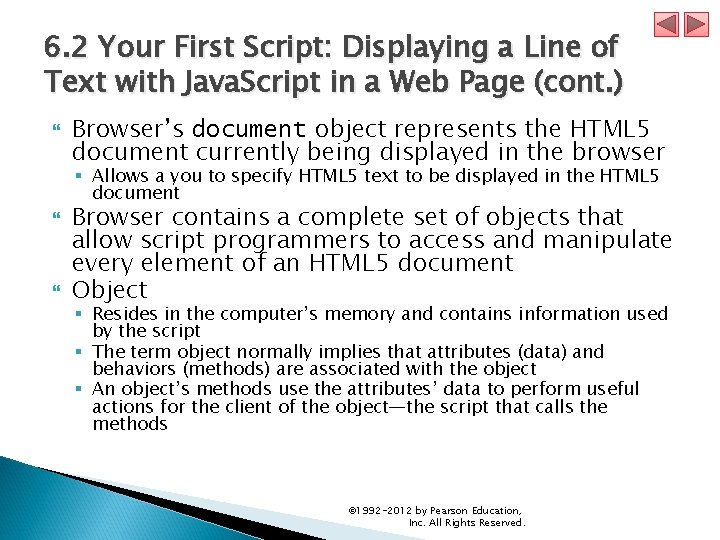
6. 2 Your First Script: Displaying a Line of Text with Java. Script in a Web Page (cont. ) Browser’s document object represents the HTML 5 document currently being displayed in the browser § Allows a you to specify HTML 5 text to be displayed in the HTML 5 document Browser contains a complete set of objects that allow script programmers to access and manipulate every element of an HTML 5 document Object § Resides in the computer’s memory and contains information used by the script § The term object normally implies that attributes (data) and behaviors (methods) are associated with the object § An object’s methods use the attributes’ data to perform useful actions for the client of the object—the script that calls the methods © 1992 -2012 by Pearson Education, Inc. All Rights Reserved.
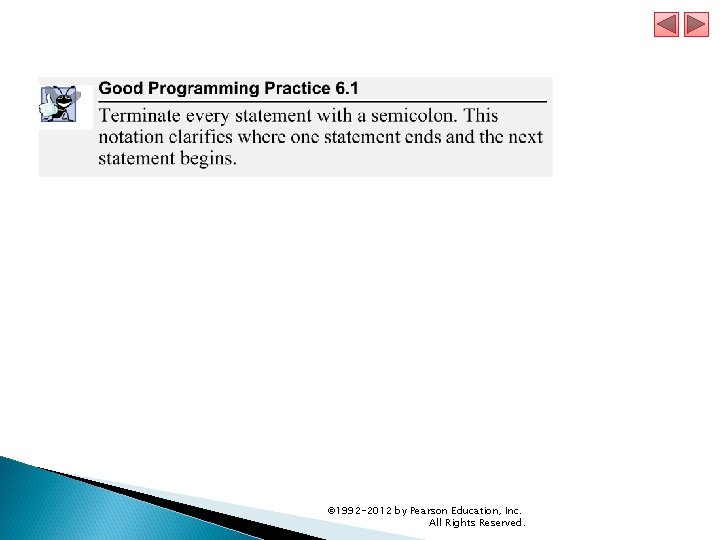
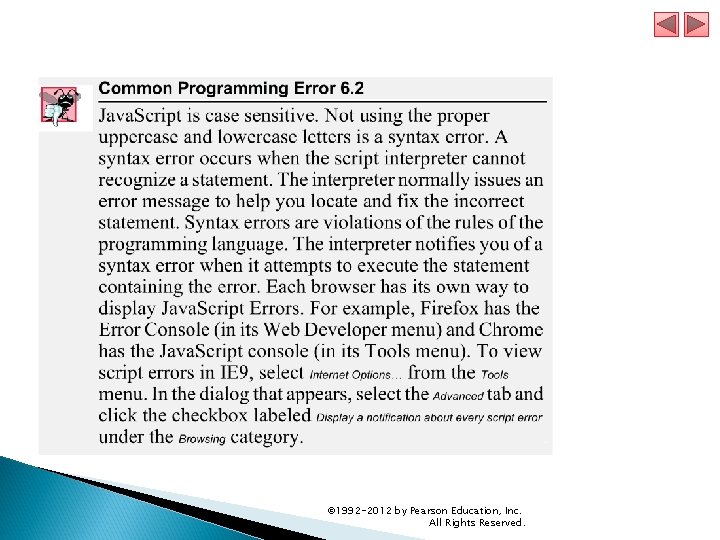
6. 2 Your First Script: Displaying a Line of Text with Java. Script in a Web Page (cont. ) The parentheses following the name of a method contain the arguments that the method requires to perform its task (or its action) Every statement should end with a semicolon (also known as the statement terminator), although none is required by Java. Script is case sensitive § Not using the proper uppercase and lowercase letters is a syntax error © 1992 -2012 by Pearson Education, Inc. All Rights Reserved.
© 1992 -2012 by Pearson Education, Inc. All Rights Reserved.
© 1992 -2012 by Pearson Education, Inc. All Rights Reserved.
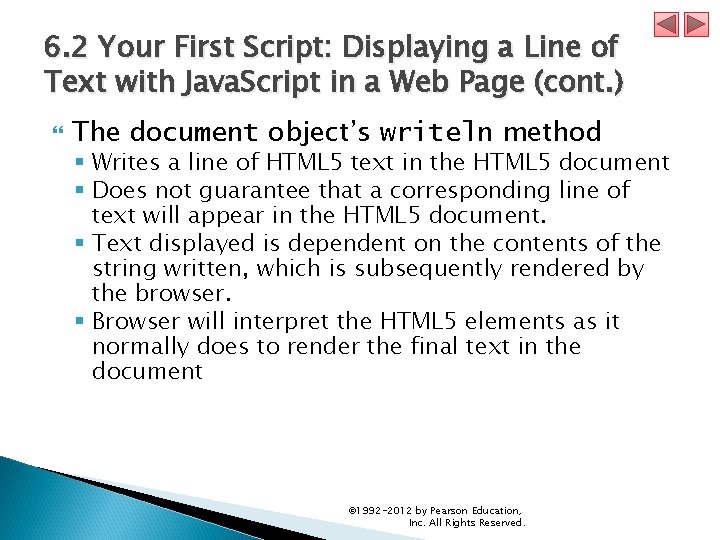
6. 2 Your First Script: Displaying a Line of Text with Java. Script in a Web Page (cont. ) The document object’s writeln method § Writes a line of HTML 5 text in the HTML 5 document § Does not guarantee that a corresponding line of text will appear in the HTML 5 document. § Text displayed is dependent on the contents of the string written, which is subsequently rendered by the browser. § Browser will interpret the HTML 5 elements as it normally does to render the final text in the document © 1992 -2012 by Pearson Education, Inc. All Rights Reserved.
© 1992 -2012 by Pearson Education, Inc. All Rights Reserved.
© 1992 -2012 by Pearson Education, Inc. All Rights Reserved.
6. 2 Your First Script: Displaying a Line of Text with Java. Script in a Web Page (cont. ) A Note About Embedding Java. Script Code into HTML 5 Documents Java. Script code is typically placed in a separate file, then included in the HTML 5 document that uses the script. This makes the code more reusable, because it can be included into any HTML 5 document —as is the case with the many Java. Script libraries used in professional web development today. We’ll begin separating both CSS 3 and Java. Script into separate files starting in Chapter 10. © 1992 -2012 by Pearson Education, Inc. All Rights Reserved.
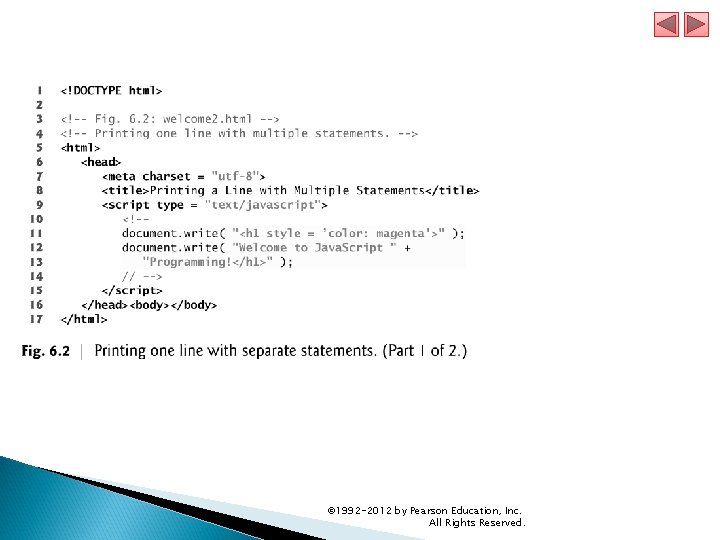
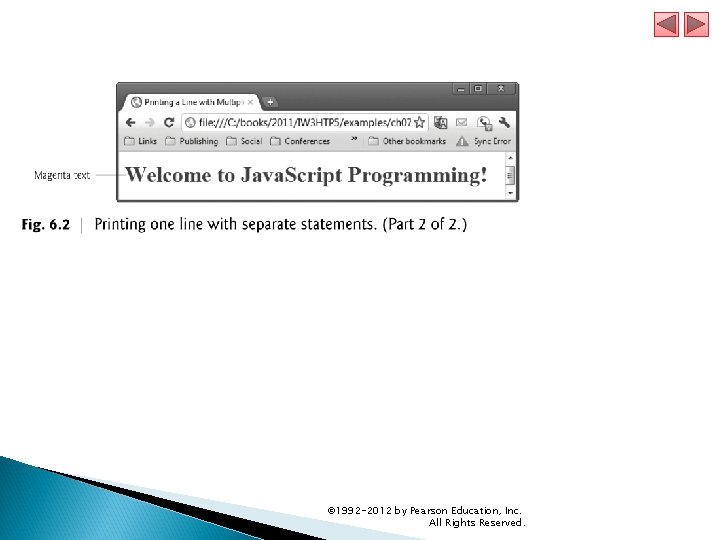
6. 3 Modifying Your First Script A script can display Welcome to Java. Script Programming! in many ways. Figure 6. 2 displays the text in magenta, using the CSS color property. Method write displays a string like writeln, but does not position the output cursor in the HTML 5 document at the beginning of the next line after writing its argument © 1992 -2012 by Pearson Education, Inc. All Rights Reserved.
© 1992 -2012 by Pearson Education, Inc. All Rights Reserved.
© 1992 -2012 by Pearson Education, Inc. All Rights Reserved.
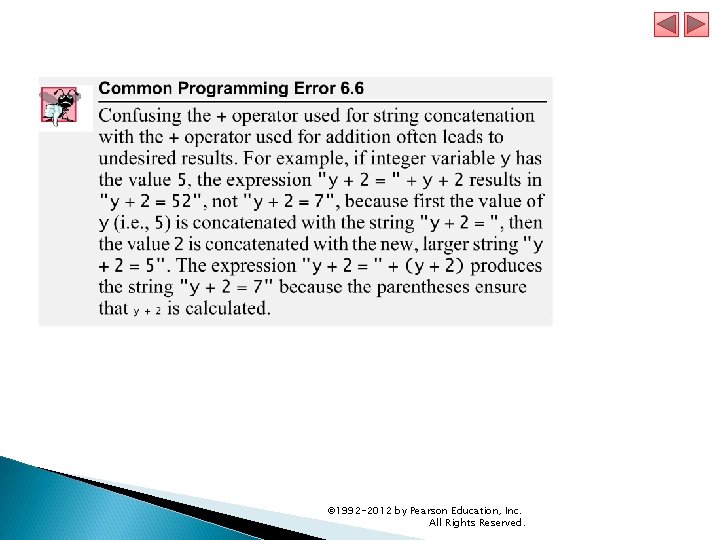
6. 3 Modifying Your First Script (Cont. ) The + operator (called the “concatenation operator” when used in this manner) joins two strings together © 1992 -2012 by Pearson Education, Inc. All Rights Reserved.
© 1992 -2012 by Pearson Education, Inc. All Rights Reserved.
© 1992 -2012 by Pearson Education, Inc. All Rights Reserved.
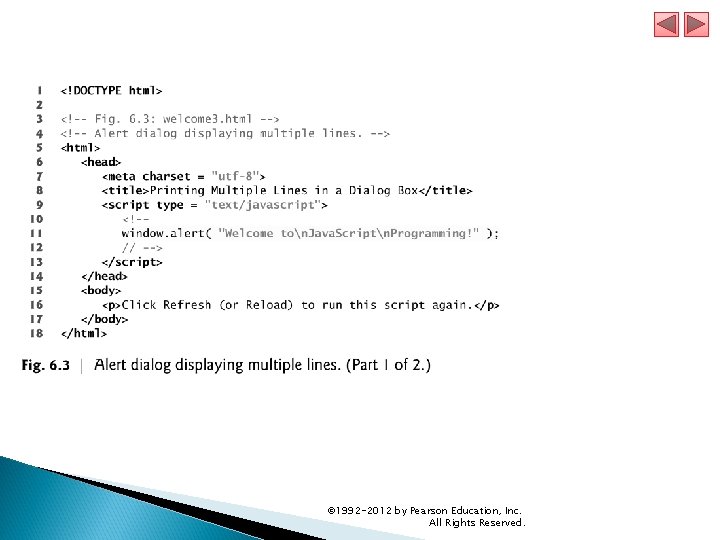
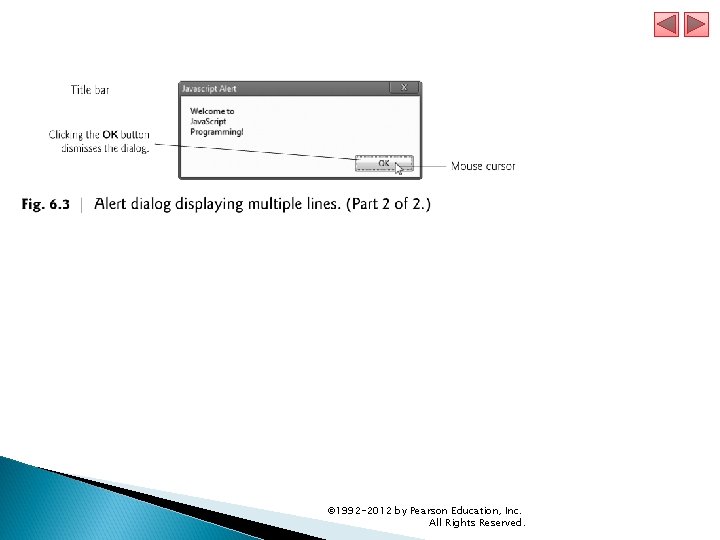
6. 3 Modifying Your First Script (Cont. ) Displaying Text in an Alert Dialogs § Useful to display information in windows that “pop up” on the screen to grab the user’s attention § Typically used to display important messages to the user browsing the web page § Browser’s window object uses method alert to display an alert dialog § Method alert requires as its argument the string to be displayed © 1992 -2012 by Pearson Education, Inc. All Rights Reserved.
© 1992 -2012 by Pearson Education, Inc. All Rights Reserved.
© 1992 -2012 by Pearson Education, Inc. All Rights Reserved.
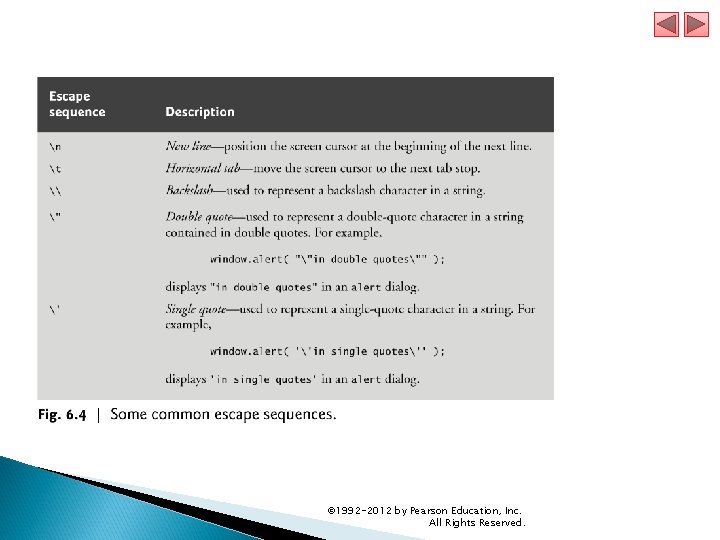
6. 3 Modifying Your First Script (Cont. ) Escape Sequences When a backslash is encountered in a string of characters, the next character is combined with the backslash to form an escape sequence. The escape sequence n is the newline character. It causes the cursor in the HTML 5 document to move to the beginning of the next line. © 1992 -2012 by Pearson Education, Inc. All Rights Reserved.
© 1992 -2012 by Pearson Education, Inc. All Rights Reserved.
6. 4 Obtaining User Input with prompt Dialogs Scripting § Gives you the ability to generate part or all of a web page’s content at the time it is shown to the user § Such web pages are said to be dynamic, as opposed to static, since their content has the ability to change © 1992 -2012 by Pearson Education, Inc. All Rights Reserved.
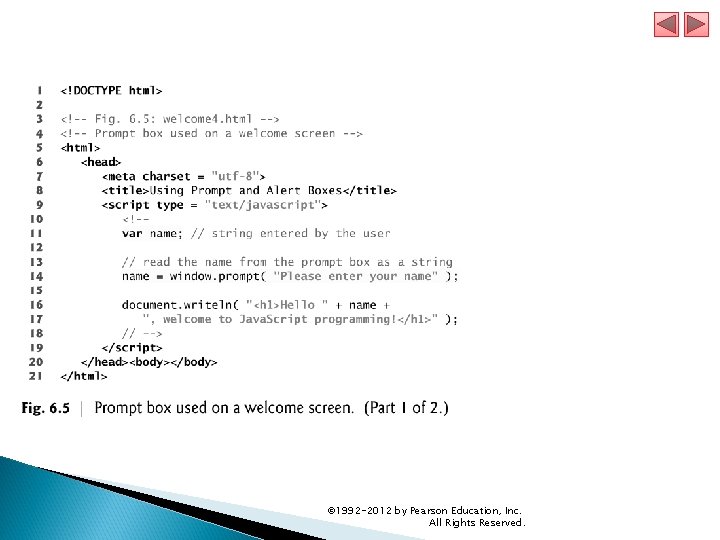
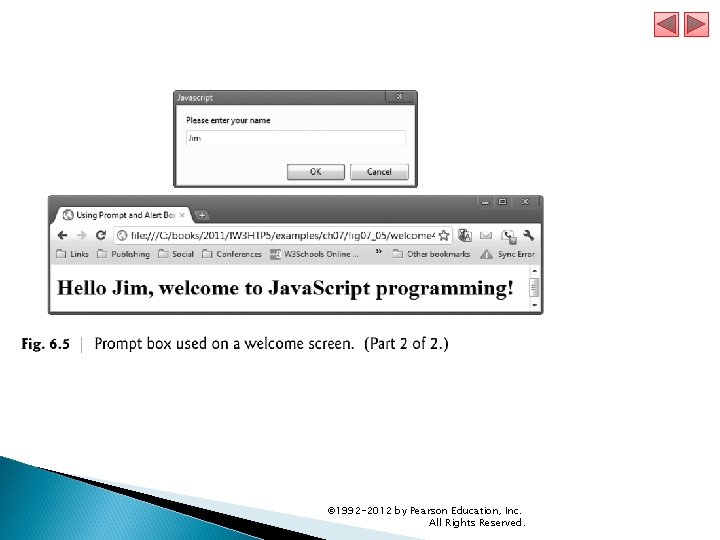
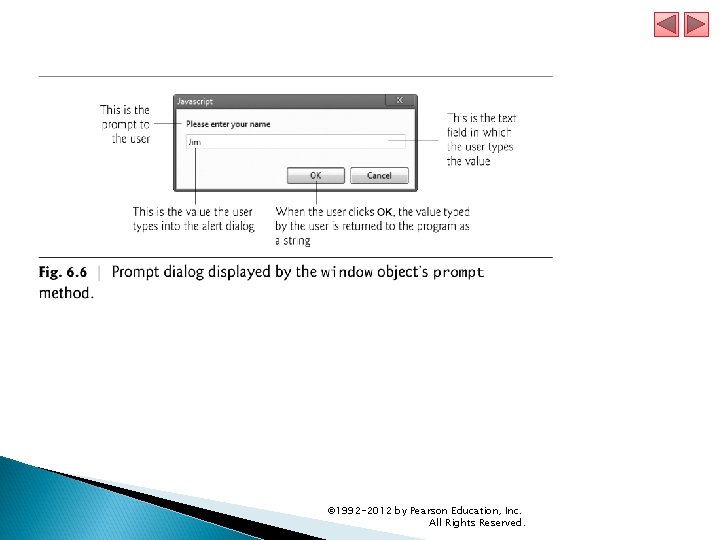
6. 4. 1 Dynamic Welcome Page The next script creates a dynamic welcome page that obtains the user’s name, then displays it on the page. The script uses another predefined dialog box from the window object—a prompt dialog—which allows the user to enter a value that the script can use. Figure 6. 5 presents the script and sample output. © 1992 -2012 by Pearson Education, Inc. All Rights Reserved.
© 1992 -2012 by Pearson Education, Inc. All Rights Reserved.
© 1992 -2012 by Pearson Education, Inc. All Rights Reserved.
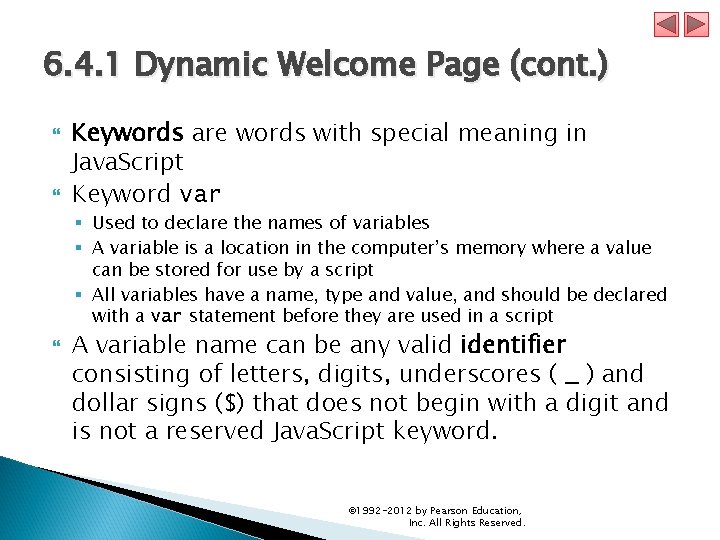
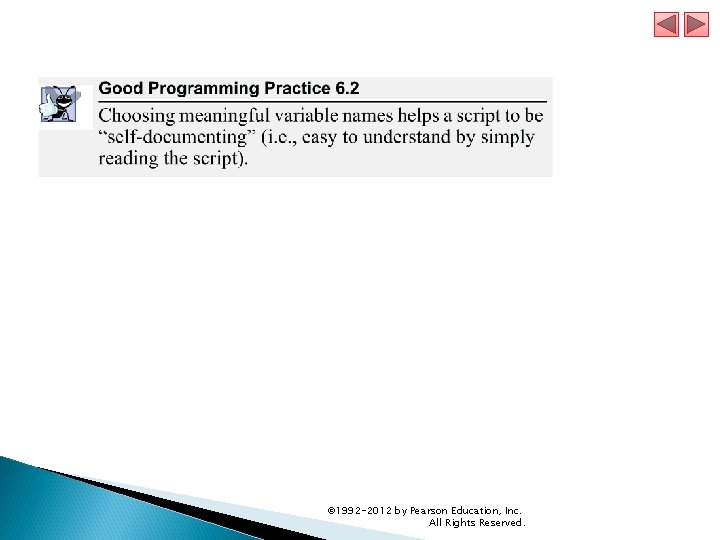
6. 4. 1 Dynamic Welcome Page (cont. ) Keywords are words with special meaning in Java. Script Keyword var § Used to declare the names of variables § A variable is a location in the computer’s memory where a value can be stored for use by a script § All variables have a name, type and value, and should be declared with a var statement before they are used in a script A variable name can be any valid identifier consisting of letters, digits, underscores ( _ ) and dollar signs ($) that does not begin with a digit and is not a reserved Java. Script keyword. © 1992 -2012 by Pearson Education, Inc. All Rights Reserved.
© 1992 -2012 by Pearson Education, Inc. All Rights Reserved.
© 1992 -2012 by Pearson Education, Inc. All Rights Reserved.
© 1992 -2012 by Pearson Education, Inc. All Rights Reserved.
6. 4. 1 Dynamic Welcome Page (cont. ) Declarations end with a semicolon (; ) and can be split over several lines, with each variable in the declaration separated by a comma (forming a comma-separated list of variable names) § Several variables may be declared in one declaration or in multiple declarations. Comments § A single-line comment begins with the characters // and terminates at the end of the line § Comments do not cause the browser to perform any action when the script is interpreted; rather, comments are ignored by the Java. Script interpreter § Multiline comments begin with delimiter /* and end with delimiter */ All text between the delimiters of the comment is ignored by the interpreter. © 1992 -2012 by Pearson Education, Inc. All Rights Reserved.
© 1992 -2012 by Pearson Education, Inc. All Rights Reserved.
6. 4. 1 Dynamic Welcome Page (cont. ) The window object’s prompt method displays a dialog into which the user can type a value. § The first argument is a message (called a prompt) that directs the user to take a specific action. § The optional second argument is the default string to display in the text field. Script can then use the value that the user inputs. © 1992 -2012 by Pearson Education, Inc. All Rights Reserved.
© 1992 -2012 by Pearson Education, Inc. All Rights Reserved.
6. 4. 1 Dynamic Welcome Page (cont. ) A variable is assigned a value with an assignment statement, using the assignment operator, =. The = operator is called a binary operator, because it has two operands. © 1992 -2012 by Pearson Education, Inc. All Rights Reserved.
© 1992 -2012 by Pearson Education, Inc. All Rights Reserved.
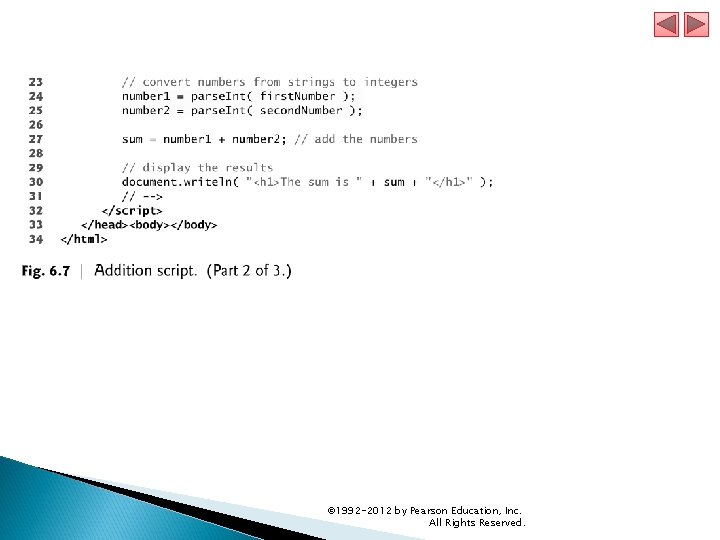
6. 4. 1 Dynamic Welcome Page (cont. ) null keyword § Signifies that a variable has no value § null is not a string literal, but rather a predefined term indicating the absence of value § Writing a null value to the document, however, displays the word “null” Function parse. Int § converts its string argument to an integer Java. Script has a version of the + operator for string concatenation that enables a string and a value of another data type (including another string) to be concatenated © 1992 -2012 by Pearson Education, Inc. All Rights Reserved.
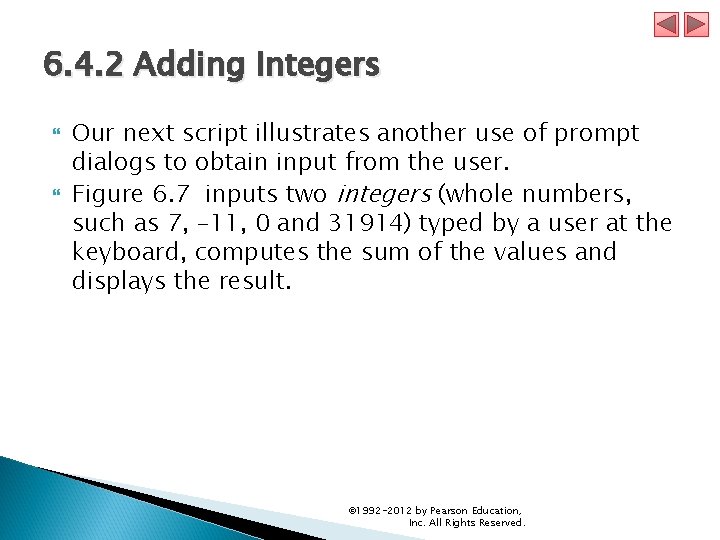
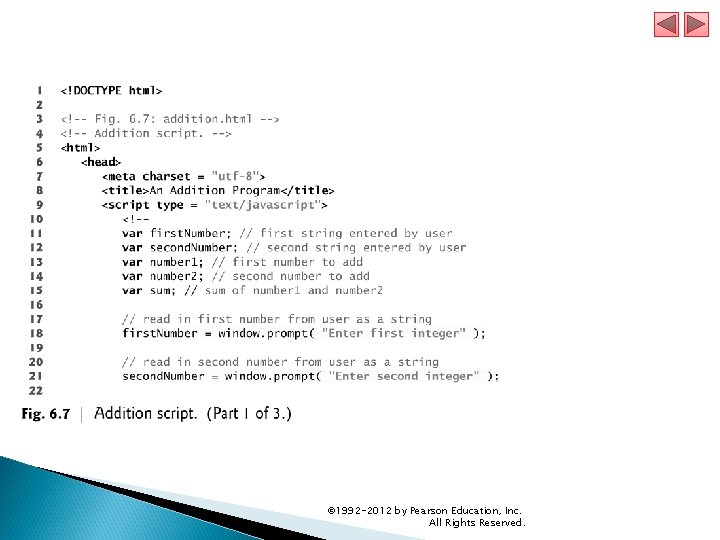
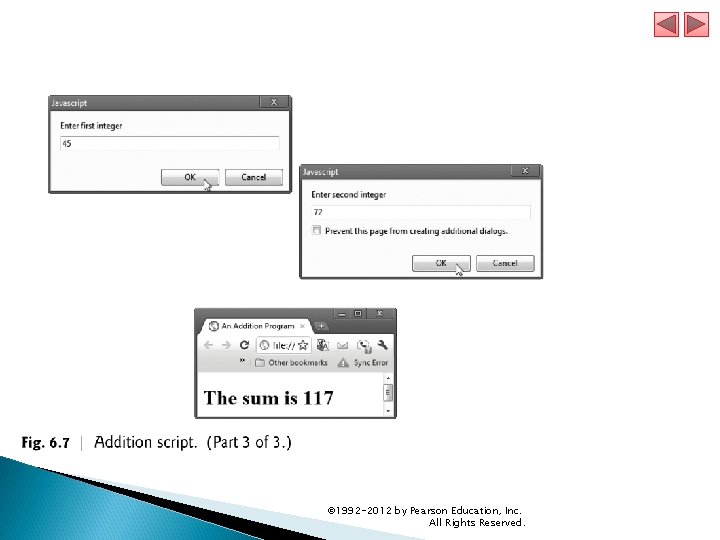
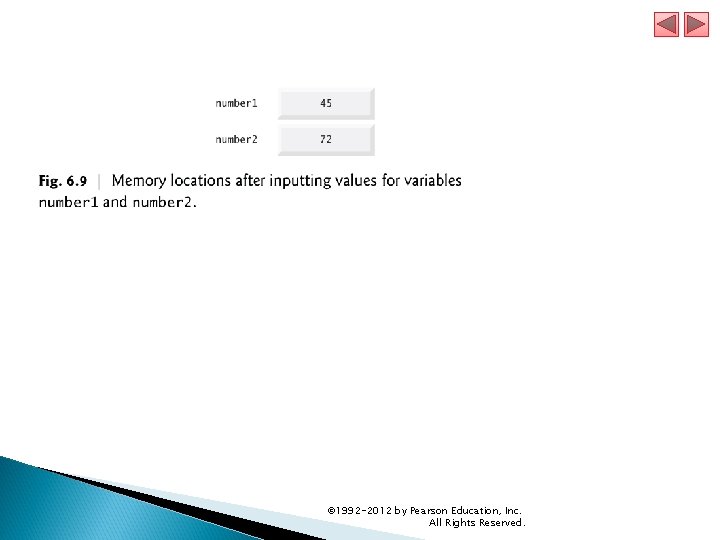
6. 4. 2 Adding Integers Our next script illustrates another use of prompt dialogs to obtain input from the user. Figure 6. 7 inputs two integers (whole numbers, such as 7, – 11, 0 and 31914) typed by a user at the keyboard, computes the sum of the values and displays the result. © 1992 -2012 by Pearson Education, Inc. All Rights Reserved.
© 1992 -2012 by Pearson Education, Inc. All Rights Reserved.
© 1992 -2012 by Pearson Education, Inc. All Rights Reserved.
© 1992 -2012 by Pearson Education, Inc. All Rights Reserved.
© 1992 -2012 by Pearson Education, Inc. All Rights Reserved.
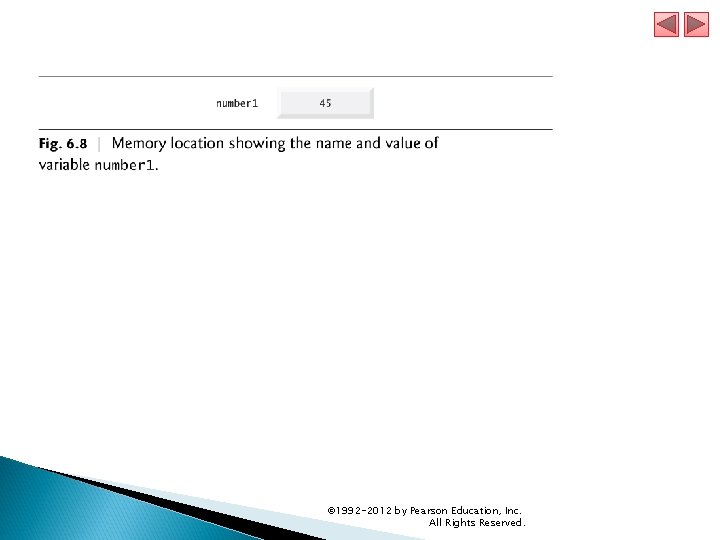
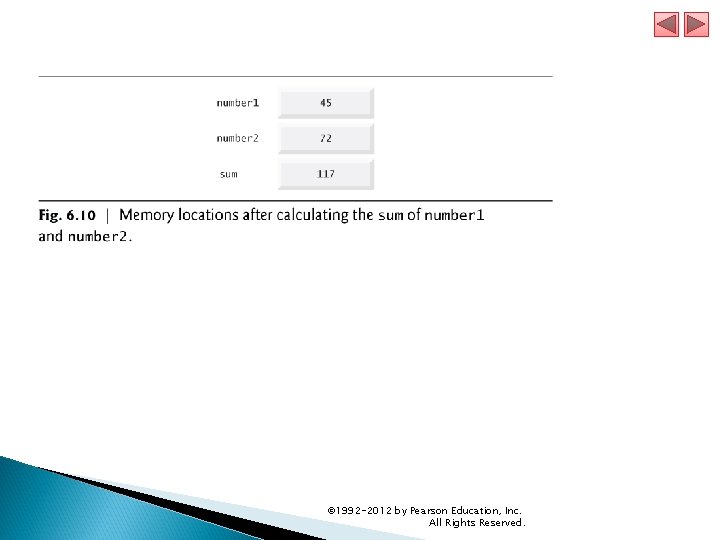
6. 5 Memory Concepts Variable names correspond to locations in the computer’s memory. Every variable has a name, a type and a value. When a value is placed in a memory location, the value replaces the previous value in that location. When a value is read out of a memory location, the process is nondestructive. © 1992 -2012 by Pearson Education, Inc. All Rights Reserved.
© 1992 -2012 by Pearson Education, Inc. All Rights Reserved.
© 1992 -2012 by Pearson Education, Inc. All Rights Reserved.
© 1992 -2012 by Pearson Education, Inc. All Rights Reserved.
6. 5 Memory Concepts (Cont. ) Java. Script does not require variables to have a type before they can be used in a script A variable in Java. Script can contain a value of any data type, and in many situations, Java. Script automatically converts between values of different types for you Java. Script is referred to as a loosely typed language When a variable is declared in Java. Script, but is not given a value, it has an undefined value. § Attempting to use the value of such a variable is normally a logic error. When variables are declared, they are not assigned default values, unless specified otherwise by the programmer. § To indicate that a variable does not contain a value, you can assign the value null to it. © 1992 -2012 by Pearson Education, Inc. All Rights Reserved.
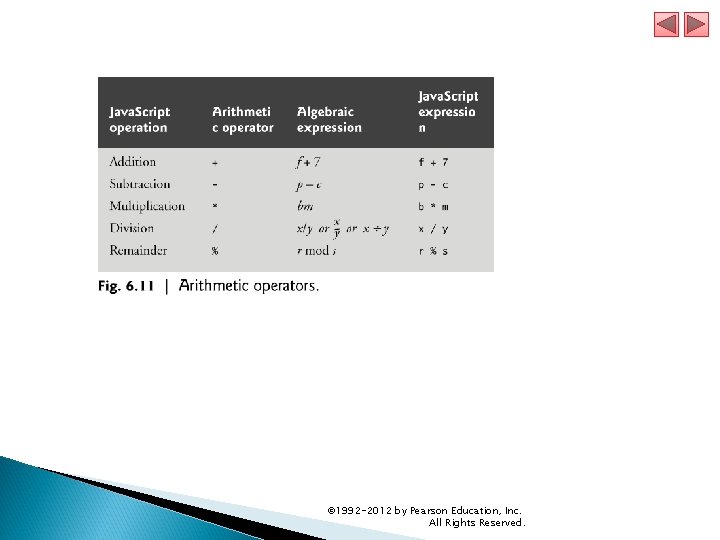
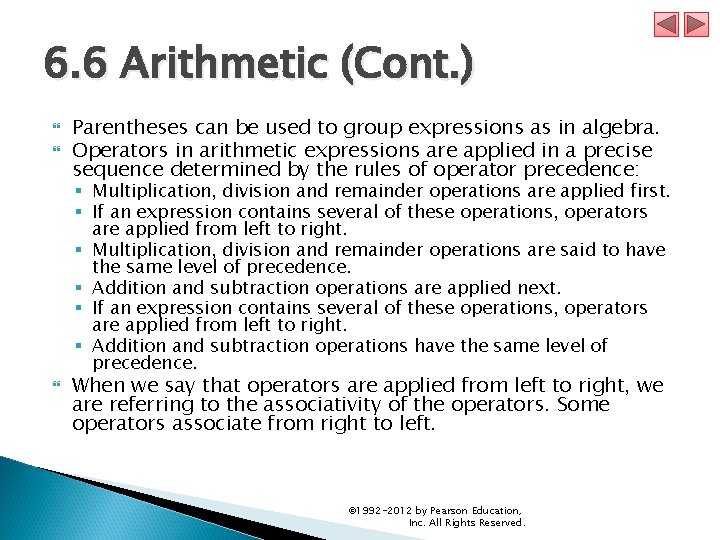
6. 6 Arithmetic The basic arithmetic operators (+, -, *, /, and %) are binary operators, because they each operate on two operands Java. Script provides the remainder operator, %, which yields the remainder after division Arithmetic expressions in Java. Script must be written in straight-line form to facilitate entering programs into the computer © 1992 -2012 by Pearson Education, Inc. All Rights Reserved.
© 1992 -2012 by Pearson Education, Inc. All Rights Reserved.
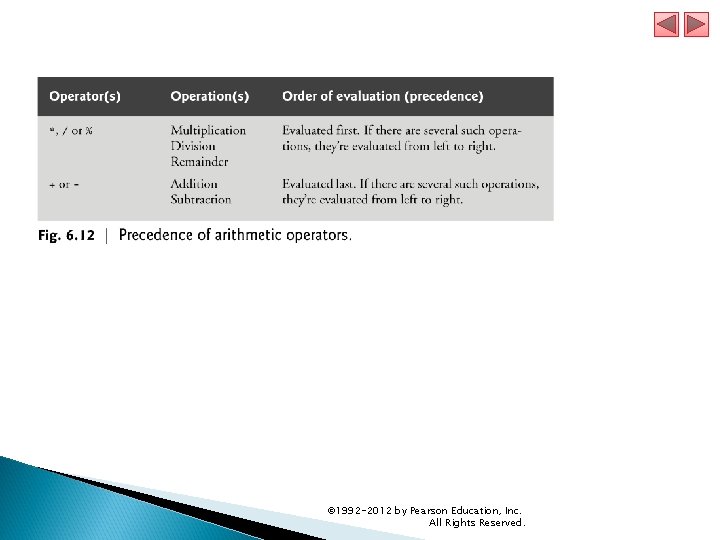
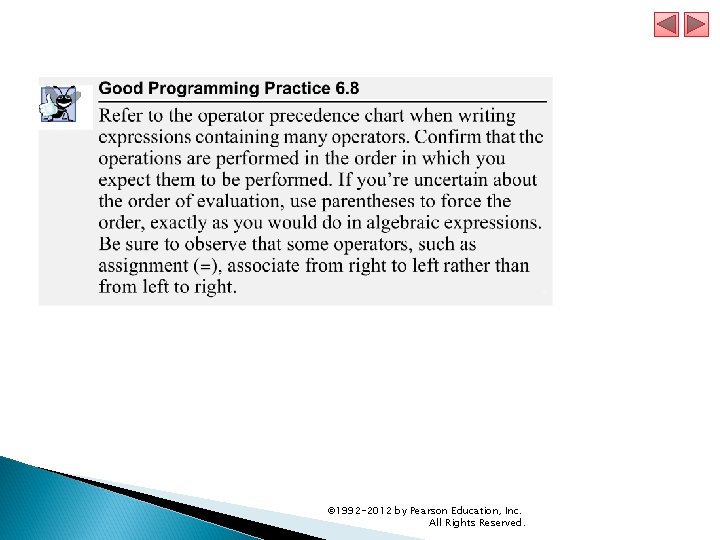
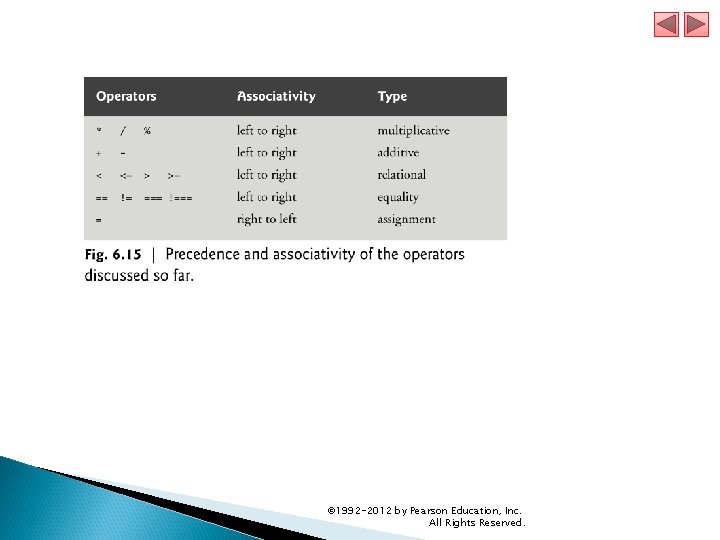
6. 6 Arithmetic (Cont. ) Parentheses can be used to group expressions as in algebra. Operators in arithmetic expressions are applied in a precise sequence determined by the rules of operator precedence: § Multiplication, division and remainder operations are applied first. § If an expression contains several of these operations, operators are applied from left to right. § Multiplication, division and remainder operations are said to have the same level of precedence. § Addition and subtraction operations are applied next. § If an expression contains several of these operations, operators are applied from left to right. § Addition and subtraction operations have the same level of precedence. When we say that operators are applied from left to right, we are referring to the associativity of the operators. Some operators associate from right to left. © 1992 -2012 by Pearson Education, Inc. All Rights Reserved.
© 1992 -2012 by Pearson Education, Inc. All Rights Reserved.
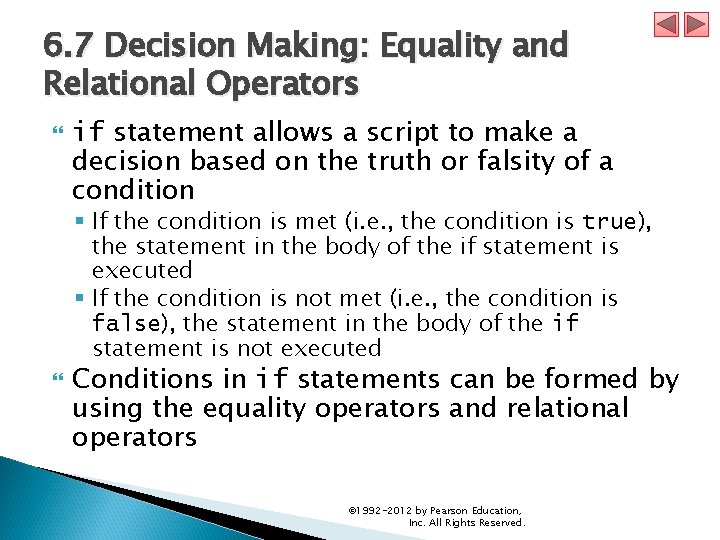
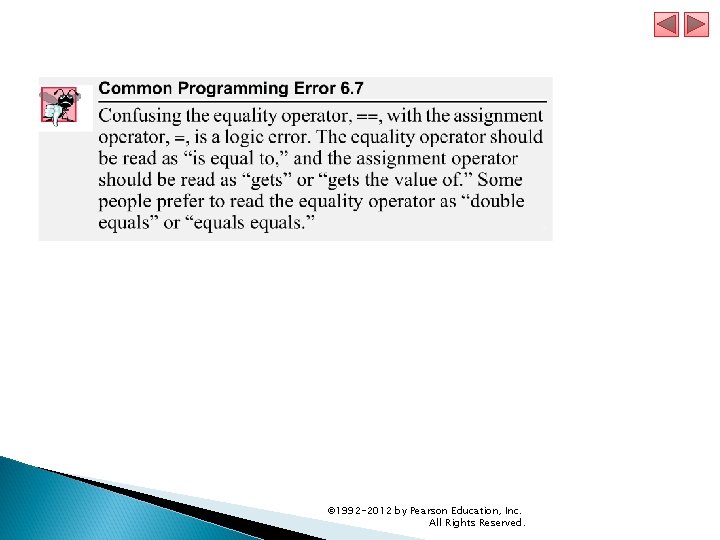
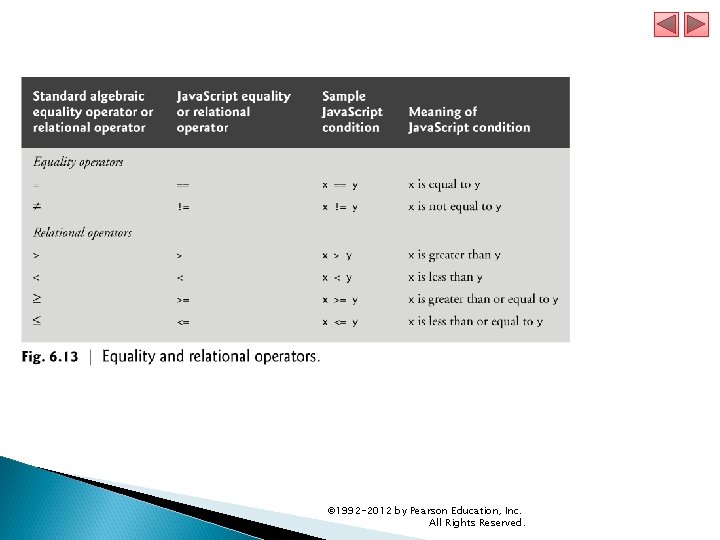
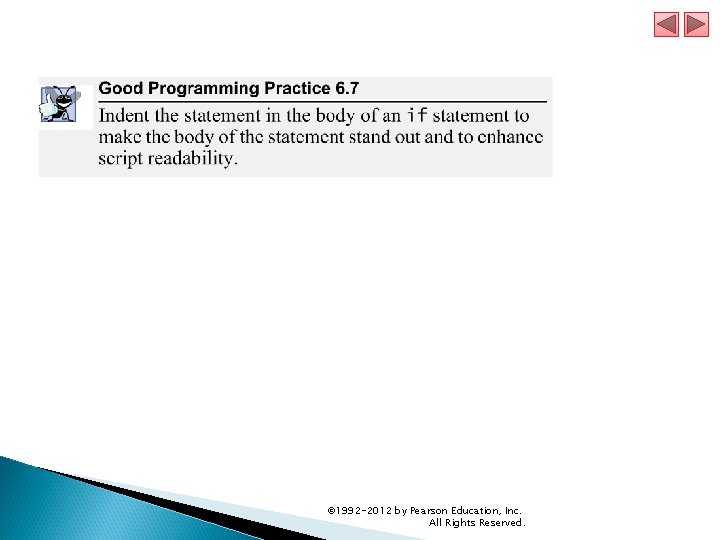
6. 7 Decision Making: Equality and Relational Operators if statement allows a script to make a decision based on the truth or falsity of a condition § If the condition is met (i. e. , the condition is true), the statement in the body of the if statement is executed § If the condition is not met (i. e. , the condition is false), the statement in the body of the if statement is not executed Conditions in if statements can be formed by using the equality operators and relational operators © 1992 -2012 by Pearson Education, Inc. All Rights Reserved.
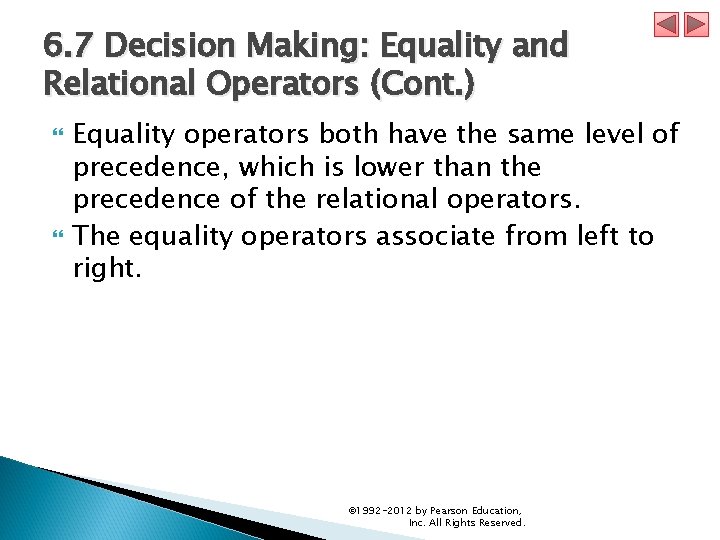
6. 7 Decision Making: Equality and Relational Operators (Cont. ) Equality operators both have the same level of precedence, which is lower than the precedence of the relational operators. The equality operators associate from left to right. © 1992 -2012 by Pearson Education, Inc. All Rights Reserved.
© 1992 -2012 by Pearson Education, Inc. All Rights Reserved.
© 1992 -2012 by Pearson Education, Inc. All Rights Reserved.
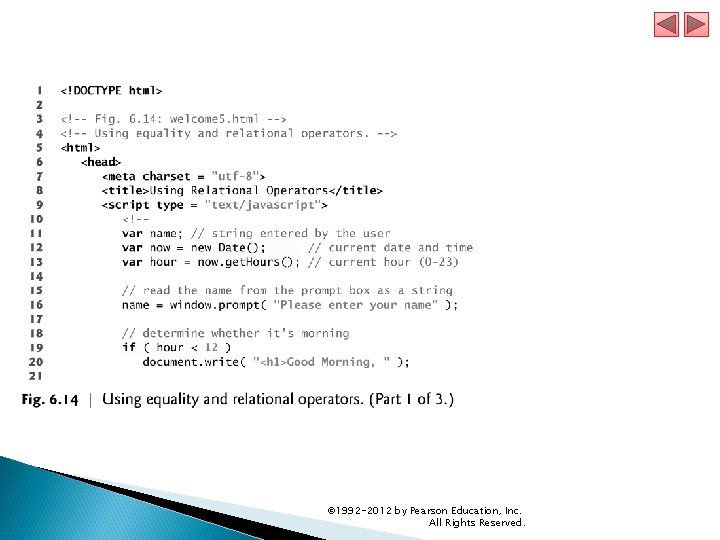
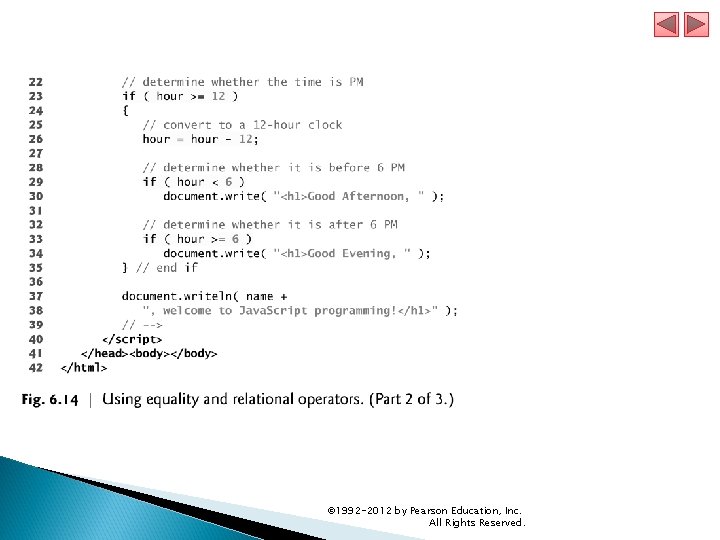
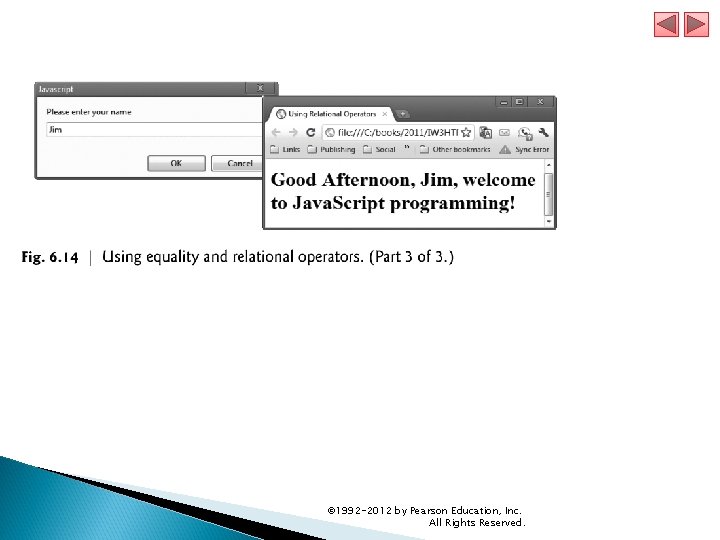
6. 7 Decision Making: Equality and Relational Operators (Cont. ) The script in Fig. 6. 14 uses four if statements to display a time-sensitive greeting on a welcome page. © 1992 -2012 by Pearson Education, Inc. All Rights Reserved.
© 1992 -2012 by Pearson Education, Inc. All Rights Reserved.
© 1992 -2012 by Pearson Education, Inc. All Rights Reserved.
© 1992 -2012 by Pearson Education, Inc. All Rights Reserved.
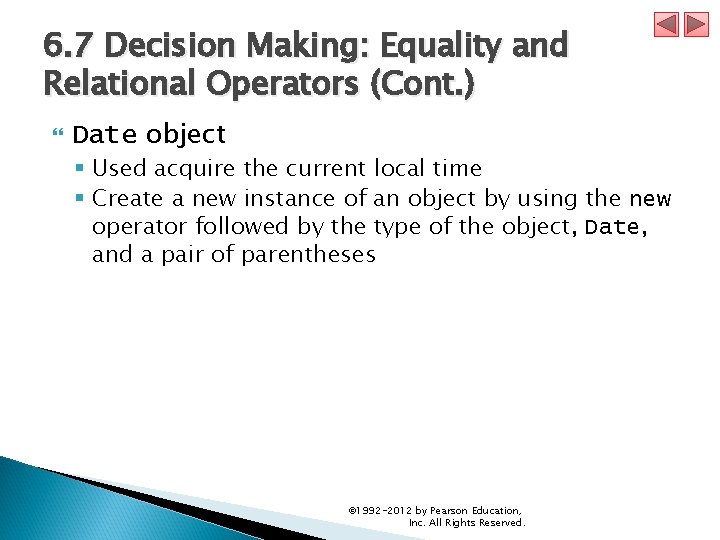
6. 7 Decision Making: Equality and Relational Operators (Cont. ) Date object § Used acquire the current local time § Create a new instance of an object by using the new operator followed by the type of the object, Date, and a pair of parentheses © 1992 -2012 by Pearson Education, Inc. All Rights Reserved.
© 1992 -2012 by Pearson Education, Inc. All Rights Reserved.
© 1992 -2012 by Pearson Education, Inc. All Rights Reserved.
© 1992 -2012 by Pearson Education, Inc. All Rights Reserved.
© 1992 -2012 by Pearson Education, Inc. All Rights Reserved.
© 1992 -2012 by Pearson Education, Inc. All Rights Reserved.