
CHAPTER 6 INTRODUCTION TO SQL OUTLINE SQL Language
- Slides: 39
CHAPTER 6: INTRODUCTION TO SQL
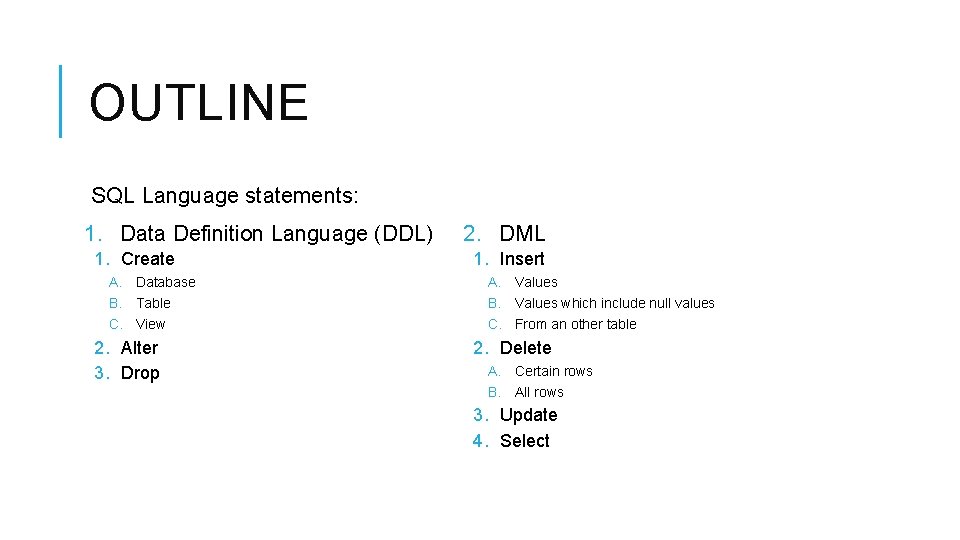
OUTLINE SQL Language statements: 1. Data Definition Language (DDL) 1. Create A. Database B. Table C. View 2. Alter 3. Drop 2. DML 1. Insert A. Values B. Values which include null values C. From an other table 2. Delete A. Certain rows B. All rows 3. Update 4. Select
SQL OVERVIEW Structured Query Language: The standard for relational database management systems (RDBMS). RDBMS: A database management system that manages data as a collection of tables in which all relationships are represented by common values in related tables
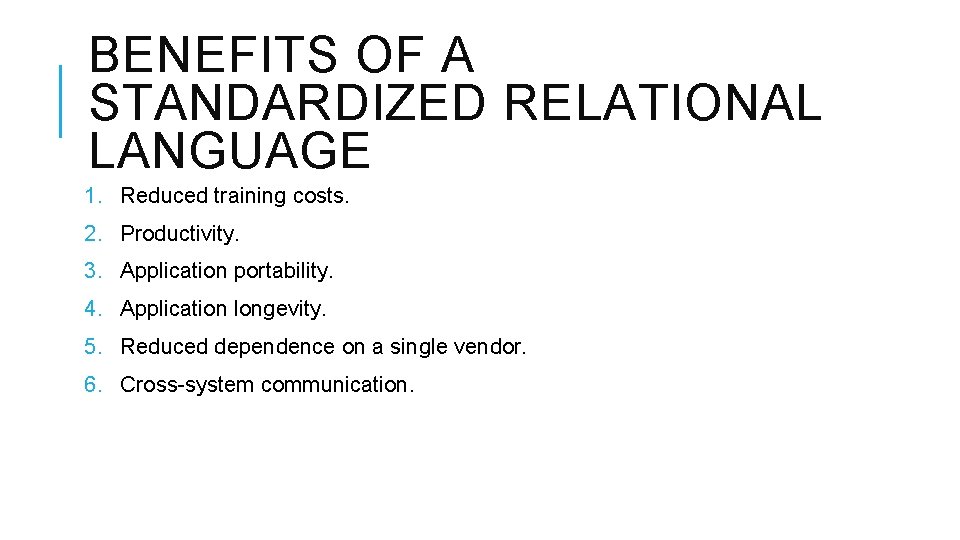
BENEFITS OF A STANDARDIZED RELATIONAL LANGUAGE 1. Reduced training costs. 2. Productivity. 3. Application portability. 4. Application longevity. 5. Reduced dependence on a single vendor. 6. Cross-system communication.
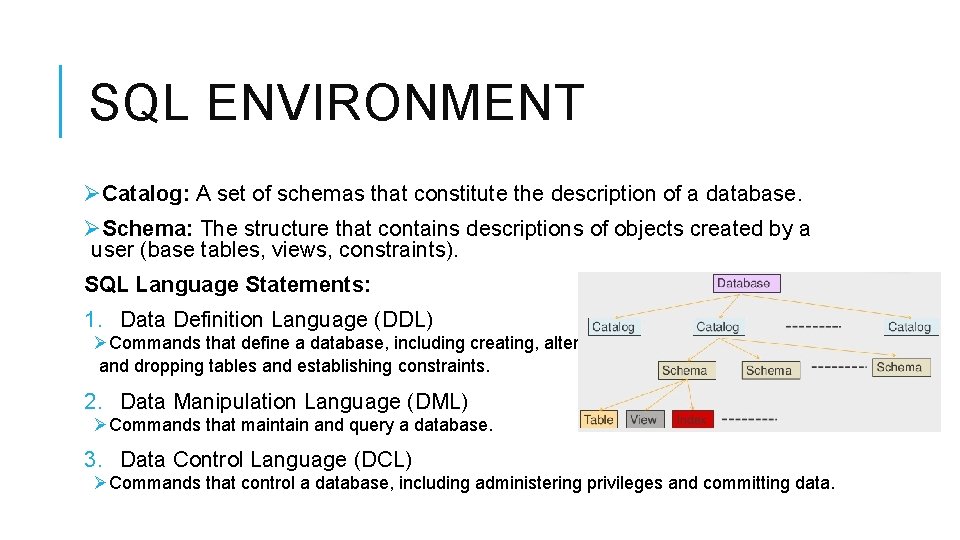
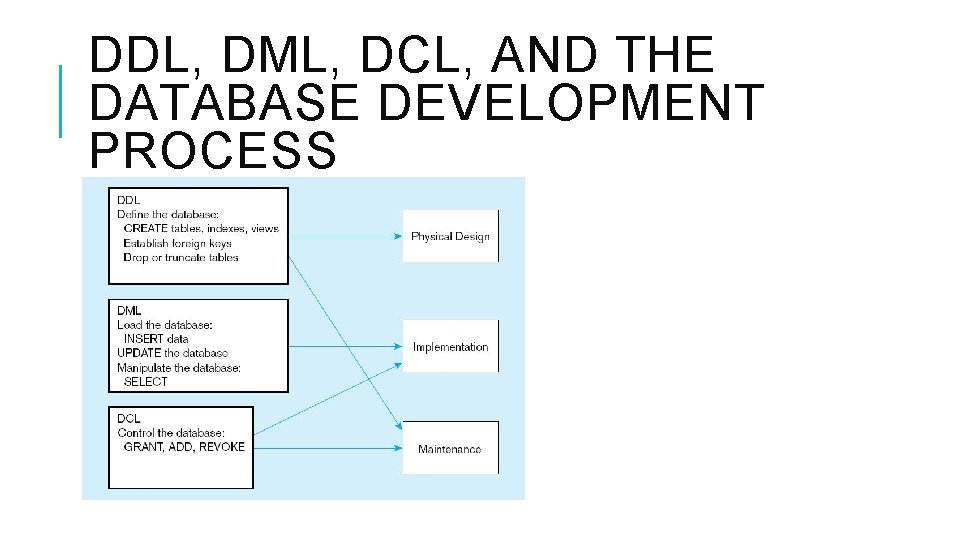
SQL ENVIRONMENT ØCatalog: A set of schemas that constitute the description of a database. ØSchema: The structure that contains descriptions of objects created by a user (base tables, views, constraints). SQL Language Statements: 1. Data Definition Language (DDL) ØCommands that define a database, including creating, altering, and dropping tables and establishing constraints. 2. Data Manipulation Language (DML) ØCommands that maintain and query a database. 3. Data Control Language (DCL) ØCommands that control a database, including administering privileges and committing data.
DDL, DML, DCL, AND THE DATABASE DEVELOPMENT PROCESS
DATA DEFINITION LANGUAGE (DDL) 1. SQL create statements. 2. SQL alter statements. 3. SQL drop statements.
1. SQL CREATE STATEMENTS Major CREATE statements: A. CREATE DATABASE–defines a database. B. CREATE TABLE–defines a new table and its fields (columns). C. CREATE VIEW–defines a logical table from one or more tables or views. Other CREATE statements: CHARACTER SCHEMA, SET, COLLATION, TRANSLATION, ASSERTION, DOMAIN.
A. CREATE DATABASE SYNTAX: CREATE DATABASE database. Name; Example: CREATE DATABASE Pine. Valley;
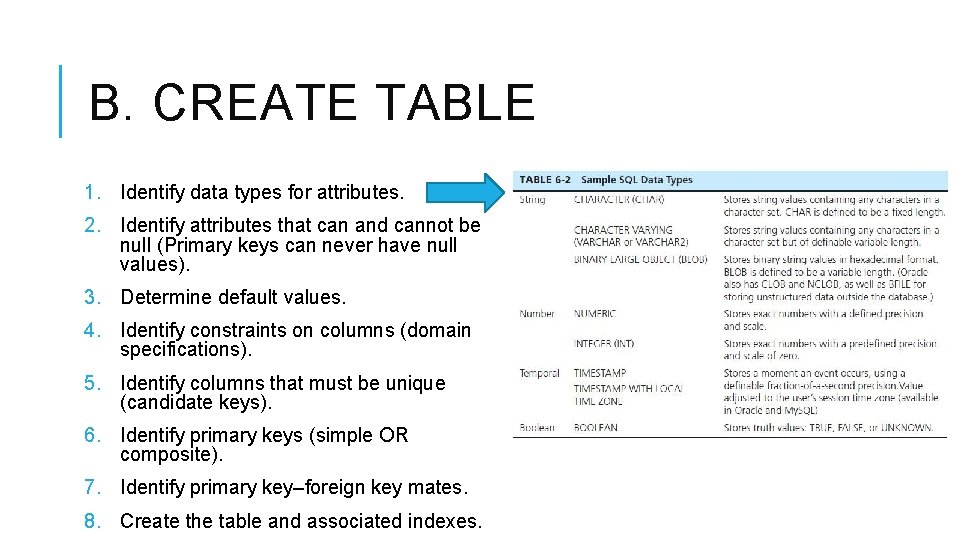
B. CREATE TABLE 1. Identify data types for attributes. 2. Identify attributes that can and cannot be null (Primary keys can never have null values). 3. Determine default values. 4. Identify constraints on columns (domain specifications). 5. Identify columns that must be unique (candidate keys). 6. Identify primary keys (simple OR composite). 7. Identify primary key–foreign key mates. 8. Create the table and associated indexes.
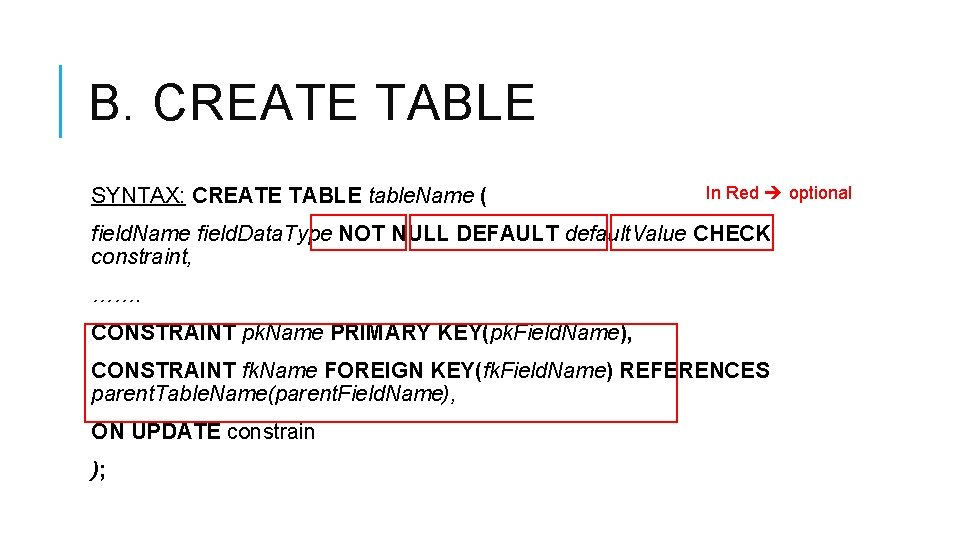
B. CREATE TABLE SYNTAX: CREATE TABLE table. Name ( In Red optional field. Name field. Data. Type NOT NULL DEFAULT default. Value CHECK constraint, ……. CONSTRAINT pk. Name PRIMARY KEY(pk. Field. Name), CONSTRAINT fk. Name FOREIGN KEY(fk. Field. Name) REFERENCES parent. Table. Name(parent. Field. Name), ON UPDATE constrain );
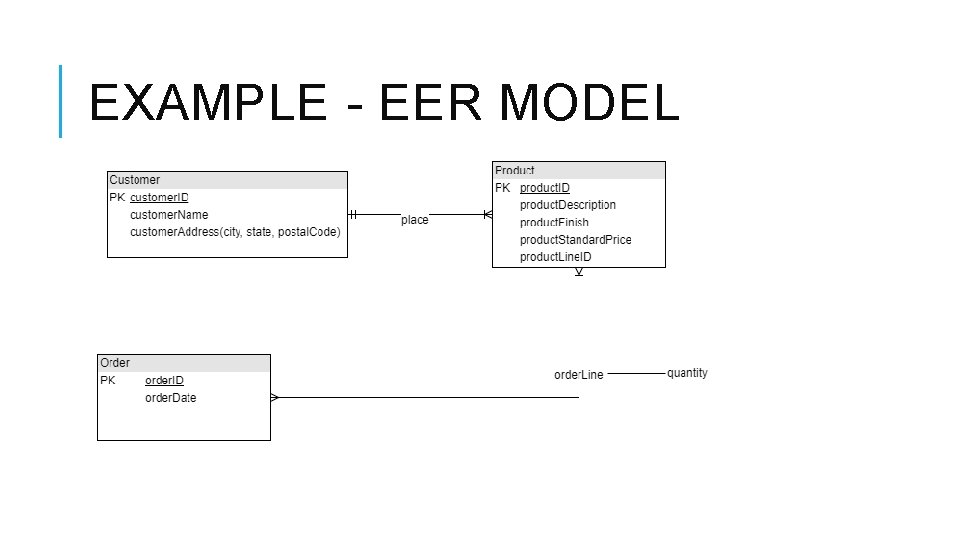
EXAMPLE - EER MODEL
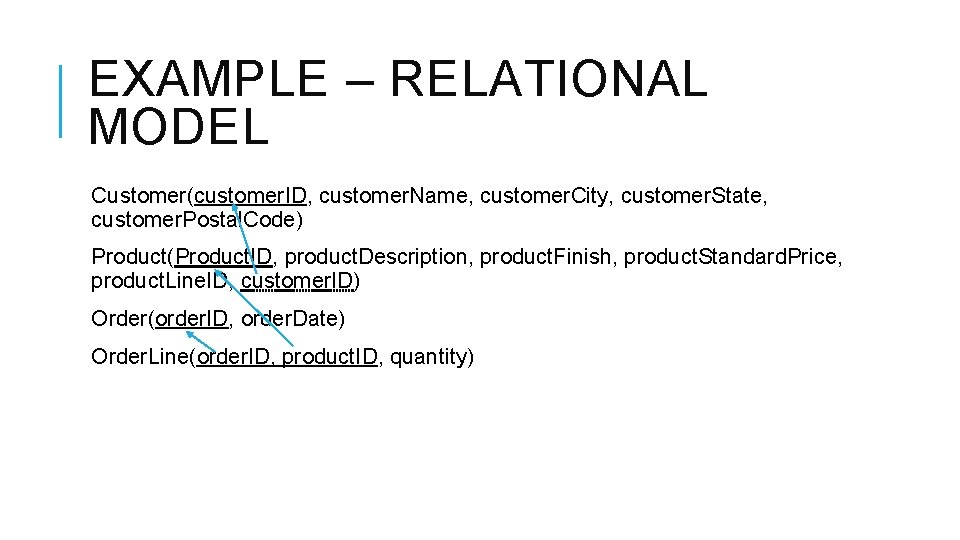
EXAMPLE – RELATIONAL MODEL Customer(customer. ID, customer. Name, customer. City, customer. State, customer. Postal. Code) Product(Product. ID, product. Description, product. Finish, product. Standard. Price, product. Line. ID, customer. ID) Order(order. ID, order. Date) Order. Line(order. ID, product. ID, quantity)
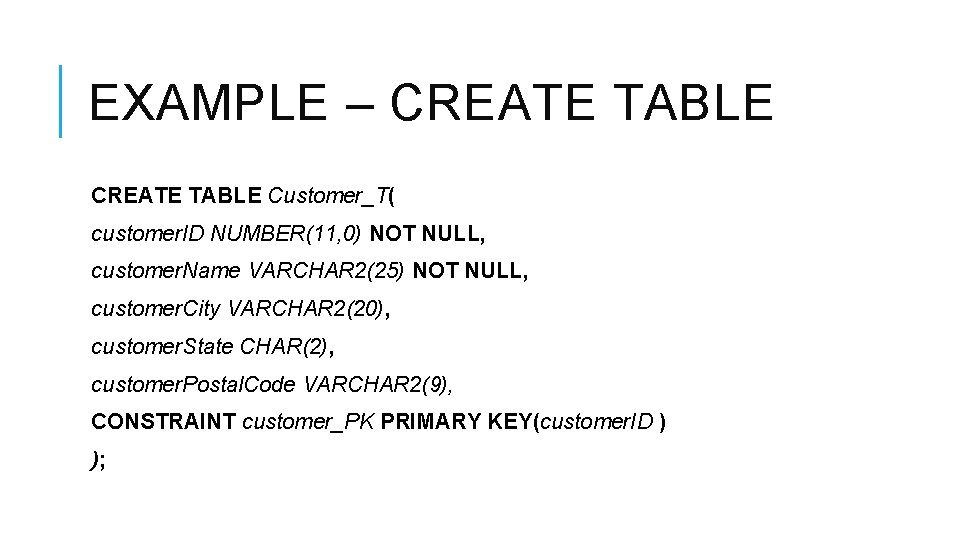
EXAMPLE – CREATE TABLE Customer_T( customer. ID NUMBER(11, 0) NOT NULL, customer. Name VARCHAR 2(25) NOT NULL, customer. City VARCHAR 2(20), customer. State CHAR(2), customer. Postal. Code VARCHAR 2(9), CONSTRAINT customer_PK PRIMARY KEY(customer. ID ) );
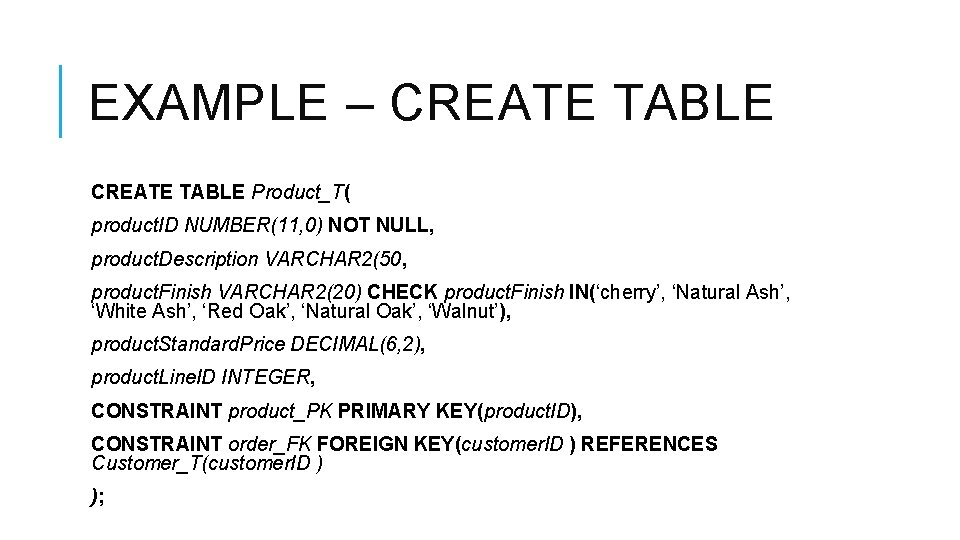
EXAMPLE – CREATE TABLE Product_T( product. ID NUMBER(11, 0) NOT NULL, product. Description VARCHAR 2(50, product. Finish VARCHAR 2(20) CHECK product. Finish IN(‘cherry’, ‘Natural Ash’, ‘White Ash’, ‘Red Oak’, ‘Natural Oak’, ‘Walnut’), product. Standard. Price DECIMAL(6, 2), product. Line. ID INTEGER, CONSTRAINT product_PK PRIMARY KEY(product. ID), CONSTRAINT order_FK FOREIGN KEY(customer. ID ) REFERENCES Customer_T(customer. ID ) );
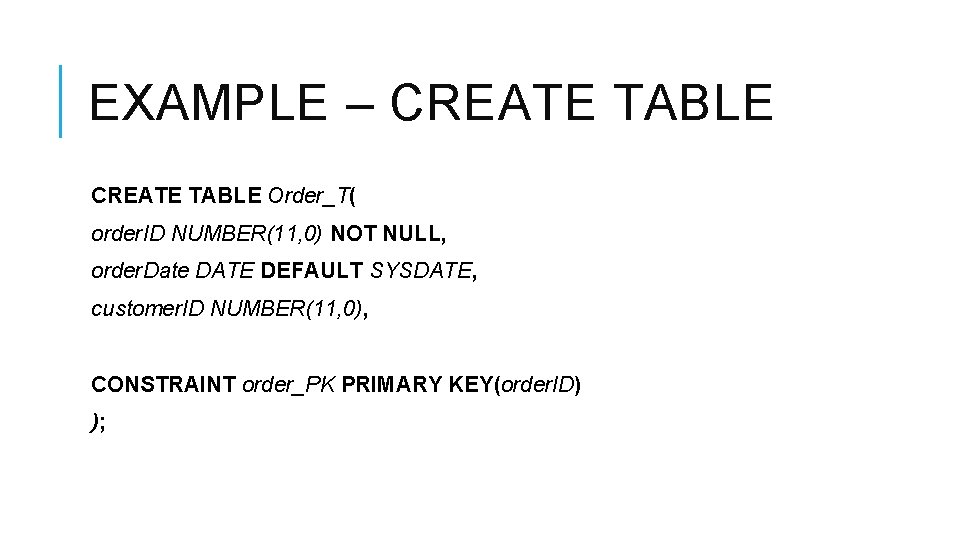
EXAMPLE – CREATE TABLE Order_T( order. ID NUMBER(11, 0) NOT NULL, order. Date DATE DEFAULT SYSDATE, customer. ID NUMBER(11, 0), CONSTRAINT order_PK PRIMARY KEY(order. ID) );
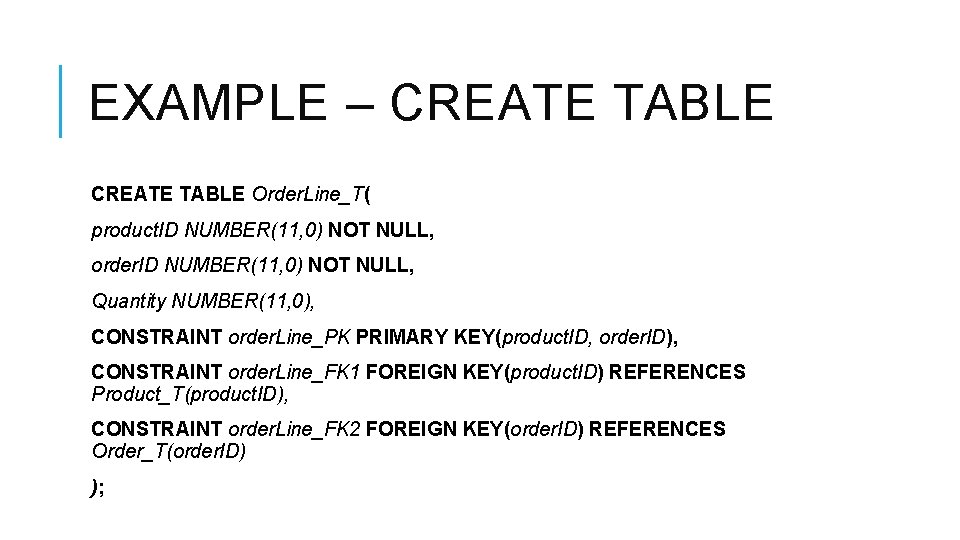
EXAMPLE – CREATE TABLE Order. Line_T( product. ID NUMBER(11, 0) NOT NULL, order. ID NUMBER(11, 0) NOT NULL, Quantity NUMBER(11, 0), CONSTRAINT order. Line_PK PRIMARY KEY(product. ID, order. ID), CONSTRAINT order. Line_FK 1 FOREIGN KEY(product. ID) REFERENCES Product_T(product. ID), CONSTRAINT order. Line_FK 2 FOREIGN KEY(order. ID) REFERENCES Order_T(order. ID) );
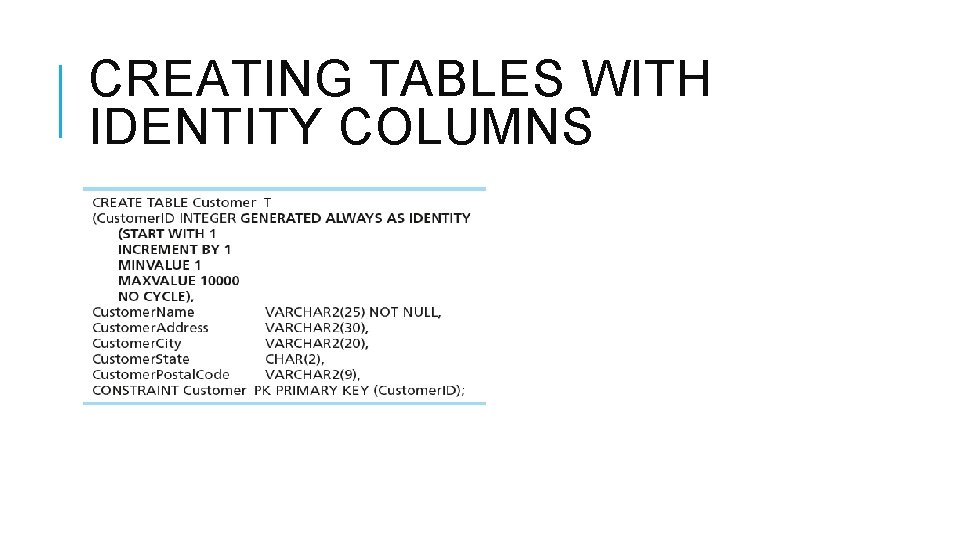
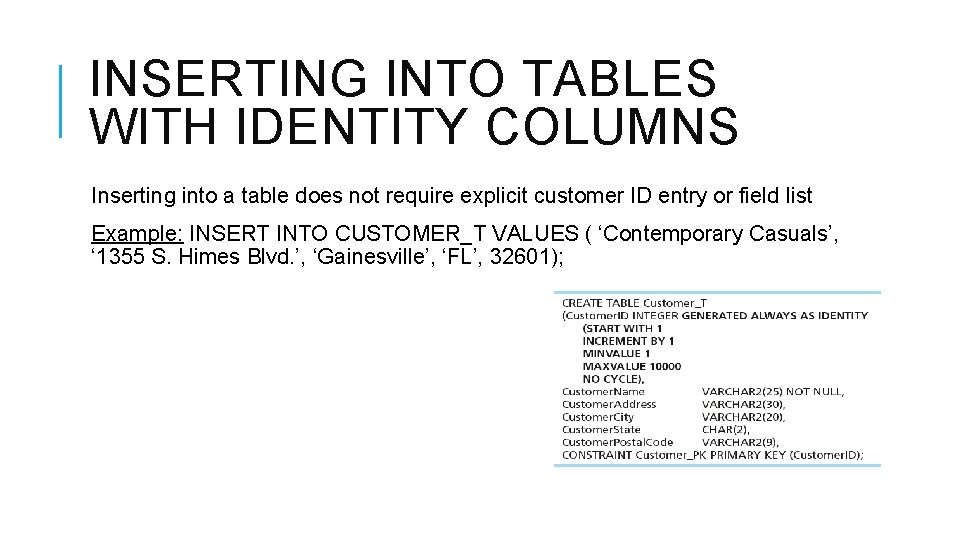
CREATING TABLES WITH IDENTITY COLUMNS
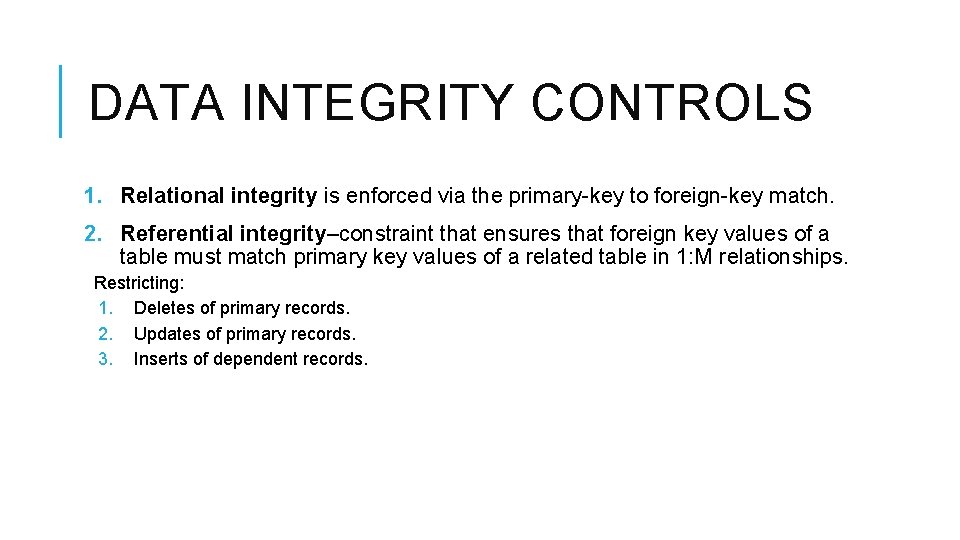
DATA INTEGRITY CONTROLS 1. Relational integrity is enforced via the primary-key to foreign-key match. 2. Referential integrity–constraint that ensures that foreign key values of a table must match primary key values of a related table in 1: M relationships. Restricting: 1. Deletes of primary records. 2. Updates of primary records. 3. Inserts of dependent records.
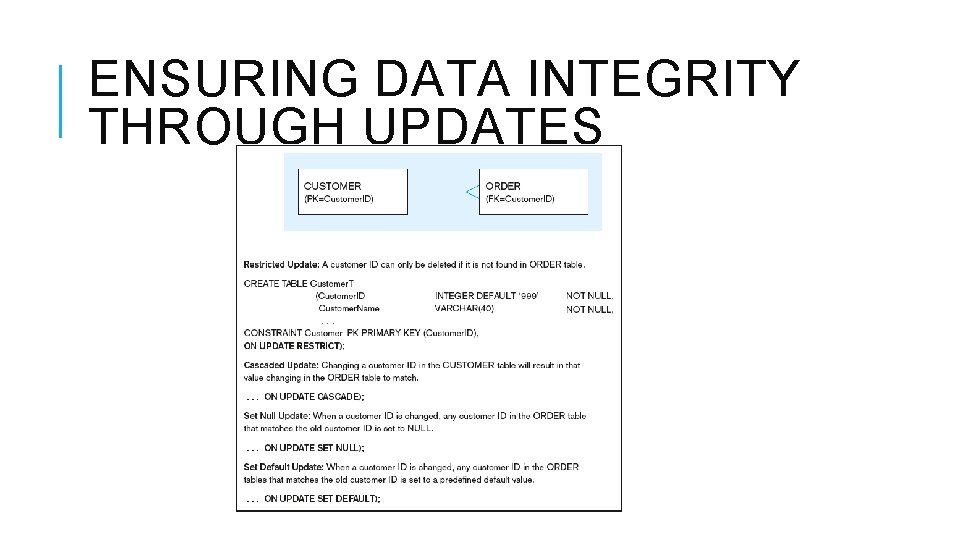
ENSURING DATA INTEGRITY THROUGH UPDATES
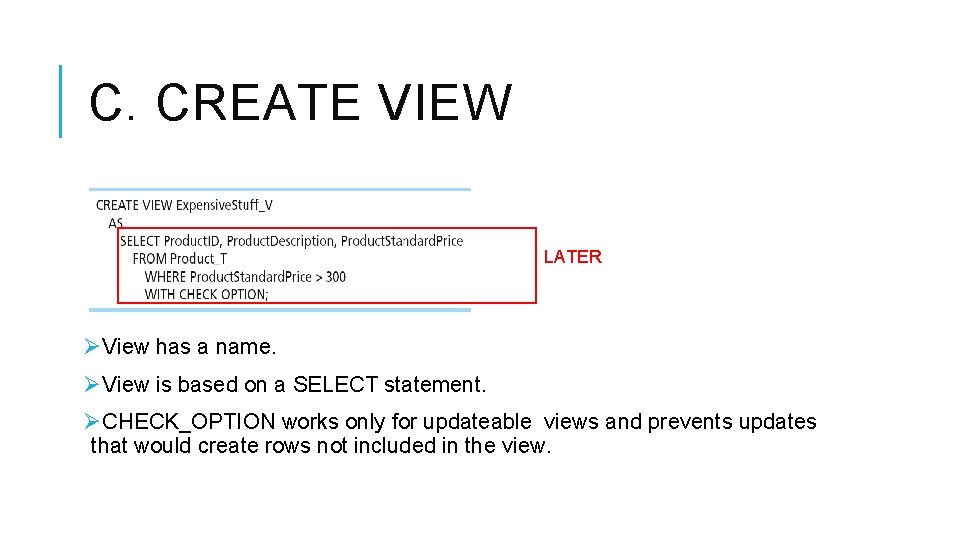
C. CREATE VIEW LATER ØView has a name. ØView is based on a SELECT statement. ØCHECK_OPTION works only for updateable views and prevents updates that would create rows not included in the view.
USING AND DEFINING VIEWS Views provide users controlled access to tables. Base Table is the table containing the raw data. Dynamic View ØA “virtual table” created dynamically upon request by a user. ØNo data actually stored; instead data from base table made available to user. ØBased on SQL SELECT statement on base tables or other views. Materialized View ØCopy or replication of data. ØData actually stored. ØMust be refreshed periodically to match corresponding base tables.
ADVANTAGES OF VIEWS +Simplify query commands. +Assist with data security (but don't rely on views for security, there are more important security measures). +Enhance programming productivity. +Contain most current base table data. +Use little storage space. +Provide customized view for user. +Establish physical data independence.
DISADVANTAGES OF VIEWS -Use processing time each time view is referenced. -May or may not be directly updateable.
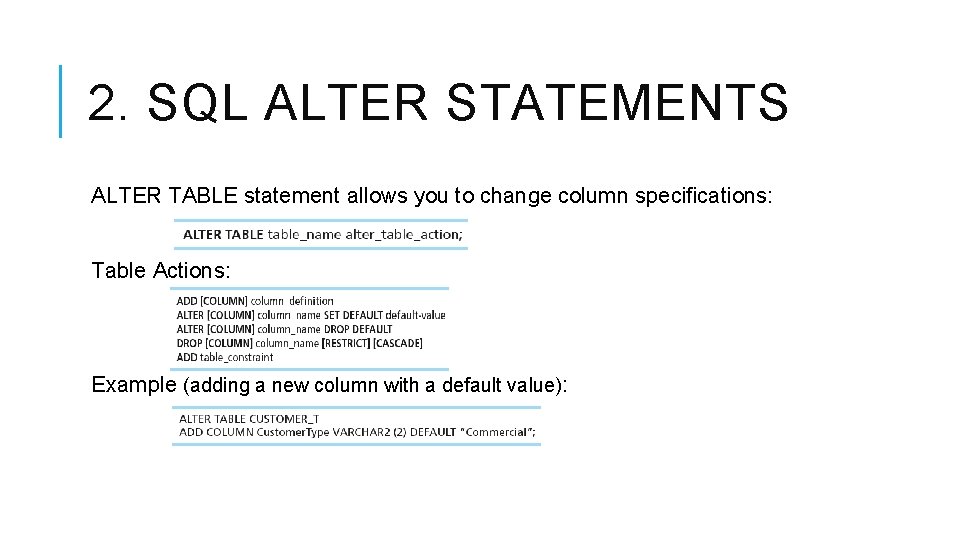
2. SQL ALTER STATEMENTS ALTER TABLE statement allows you to change column specifications: Table Actions: Example (adding a new column with a default value):
3. SQL DROP STATEMENT DROP statement allows you to remove tables from your schema. SYNTAX: DROP TABLE table_name; Example: DROP TABLE CUSTOMER_T;
DATA MANIPULATION LANGUAGE (DML) 1. SQL INSERT statements. 2. SQL UPDATE statements. 3. SQL DELETE statements. 4. SQL SELECT statements.
1. INSERT STATEMENT INSERT statement adds one or more rows to a table. A. Inserting values into a table SYNTAX: INSERT INTO table_name VALUES(……. ); Example: INSERT INTO Customer_T VALUES(001, ‘Contemporary Casuals’, ‘Gainsville’, ‘FL’, 32601); B. Inserting a record that has some null attributes requires identifying the fields that actually get data SYNTAX: INSERT INTO table_name(……) VALUES(……. ); Example: INSERT INTO Customer_T (customer. ID, customer. Name, customer. Postal. Code) VALUES (001, ‘Contemporary Casuals’, 32601); C. Inserting from another table SYNTAX: INSERT INTO table_name SELECT statement; Example: INSERT INTO Customer_T SELECT * FROM Customer_T WHERE Customer. State=‘CA’; LATER
INSERTING INTO TABLES WITH IDENTITY COLUMNS Inserting into a table does not require explicit customer ID entry or field list Example: INSERT INTO CUSTOMER_T VALUES ( ‘Contemporary Casuals’, ‘ 1355 S. Himes Blvd. ’, ‘Gainesville’, ‘FL’, 32601);
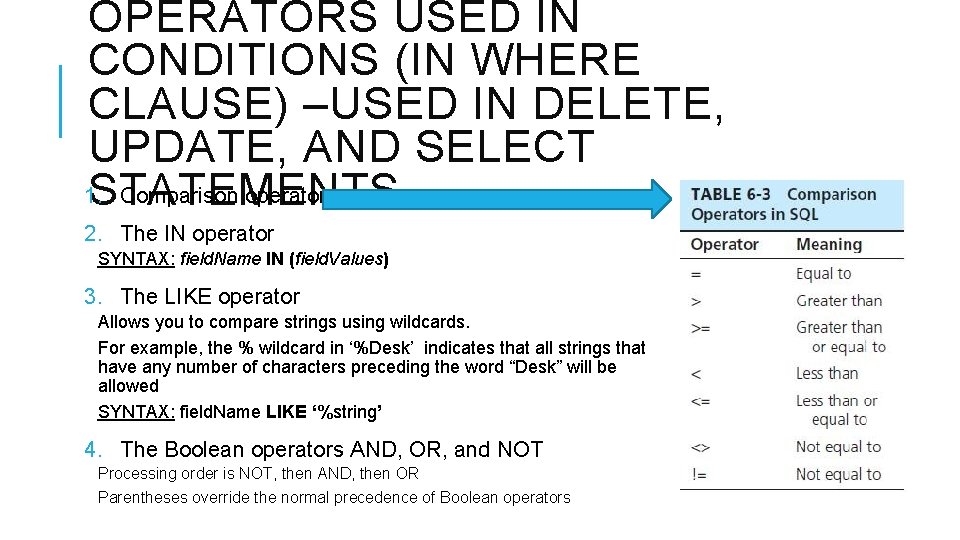
OPERATORS USED IN CONDITIONS (IN WHERE CLAUSE) –USED IN DELETE, UPDATE, AND SELECT 1. Comparison operators. STATEMENTS 2. The IN operator SYNTAX: field. Name IN (field. Values) 3. The LIKE operator Allows you to compare strings using wildcards. For example, the % wildcard in ‘%Desk’ indicates that all strings that have any number of characters preceding the word “Desk” will be allowed SYNTAX: field. Name LIKE ‘%string’ 4. The Boolean operators AND, OR, and NOT Processing order is NOT, then AND, then OR Parentheses override the normal precedence of Boolean operators
2. DELETE STATEMENT Removes rows from a table A. Delete certain rows SYNTAX: DELETE FROM Table_Name WHERE condition; Example: DELETE FROM CUSTOMER_T WHERE CUSTOMERSTATE = ‘HI’; B. Delete all rows SYNTAX: DELETE FROM Table_Name; Example: DELETE FROM CUSTOMER_T;
3. UPDATE STATEMENT Modifies data in existing rows. SYNTAX: UPDATE table. Name SET fieldname = new. Value WHERE condition; Example: UPDATE Product_T SET product. Standard. Price = 775 WHERE product. ID=7;
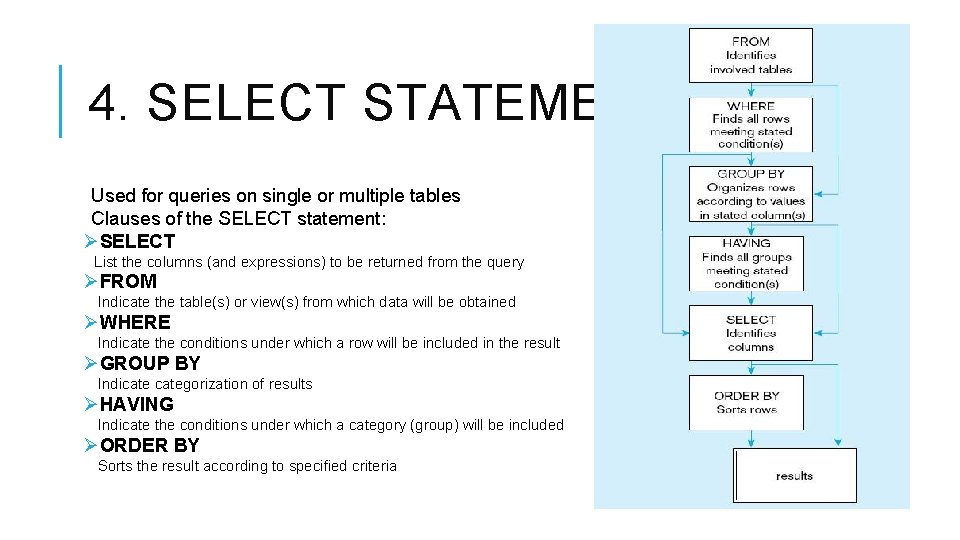
4. SELECT STATEMENT Used for queries on single or multiple tables Clauses of the SELECT statement: ØSELECT List the columns (and expressions) to be returned from the query ØFROM Indicate the table(s) or view(s) from which data will be obtained ØWHERE Indicate the conditions under which a row will be included in the result ØGROUP BY Indicategorization of results ØHAVING Indicate the conditions under which a category (group) will be included ØORDER BY Sorts the result according to specified criteria
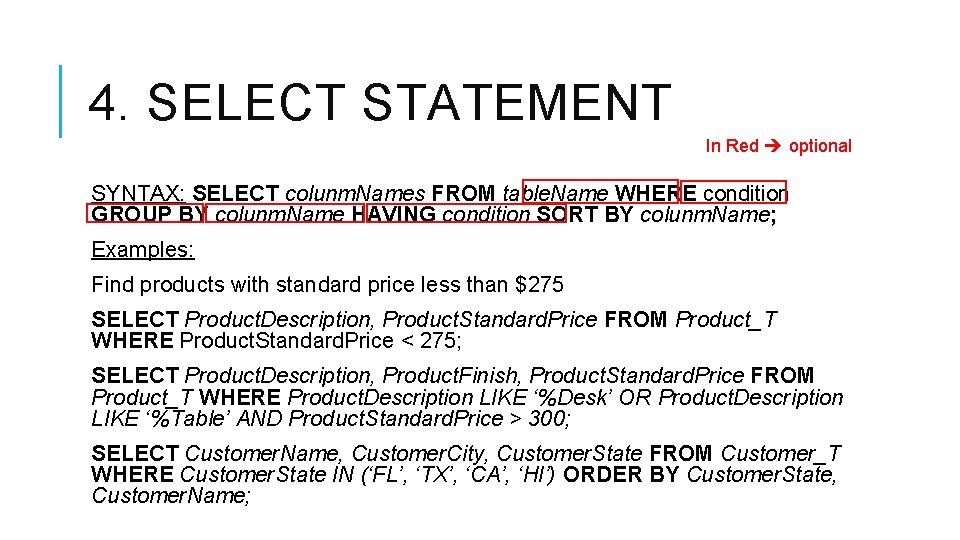
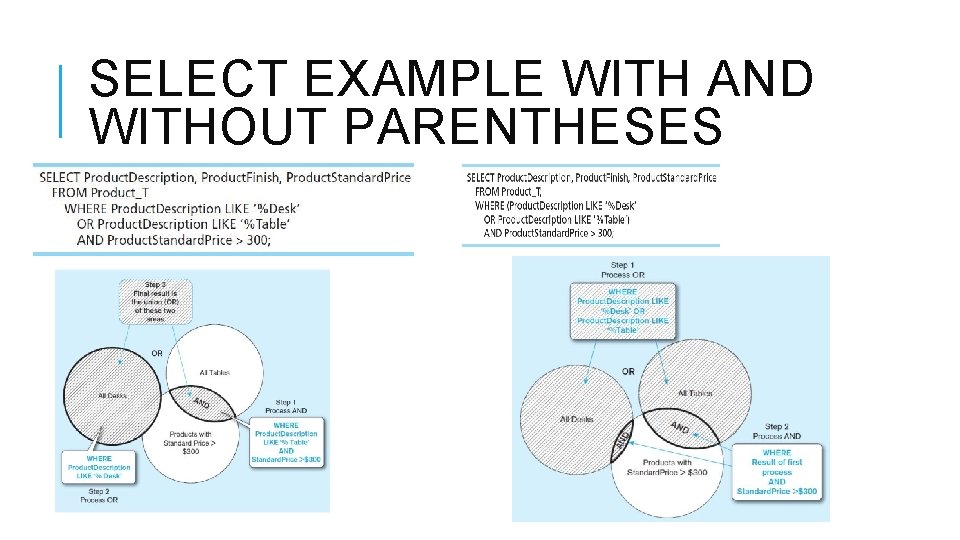
4. SELECT STATEMENT In Red optional SYNTAX: SELECT colunm. Names FROM table. Name WHERE condition GROUP BY colunm. Name HAVING condition SORT BY colunm. Name; Examples: Find products with standard price less than $275 SELECT Product. Description, Product. Standard. Price FROM Product_T WHERE Product. Standard. Price < 275; SELECT Product. Description, Product. Finish, Product. Standard. Price FROM Product_T WHERE Product. Description LIKE ‘%Desk’ OR Product. Description LIKE ‘%Table’ AND Product. Standard. Price > 300; SELECT Customer. Name, Customer. City, Customer. State FROM Customer_T WHERE Customer. State IN (‘FL’, ‘TX’, ‘CA’, ‘HI’) ORDER BY Customer. State, Customer. Name;
SELECT EXAMPLE USING A FUNCTION Using the COUNT aggregate function to find totals SELECT COUNT(*) FROM Order. Line_T WHERE Order. ID= 1004; Note: With aggregate functions you can’t have single-valued columns included in the SELECT clause, unless they are included in the GROUP BY clause.
SELECT EXAMPLE WITH AND WITHOUT PARENTHESES
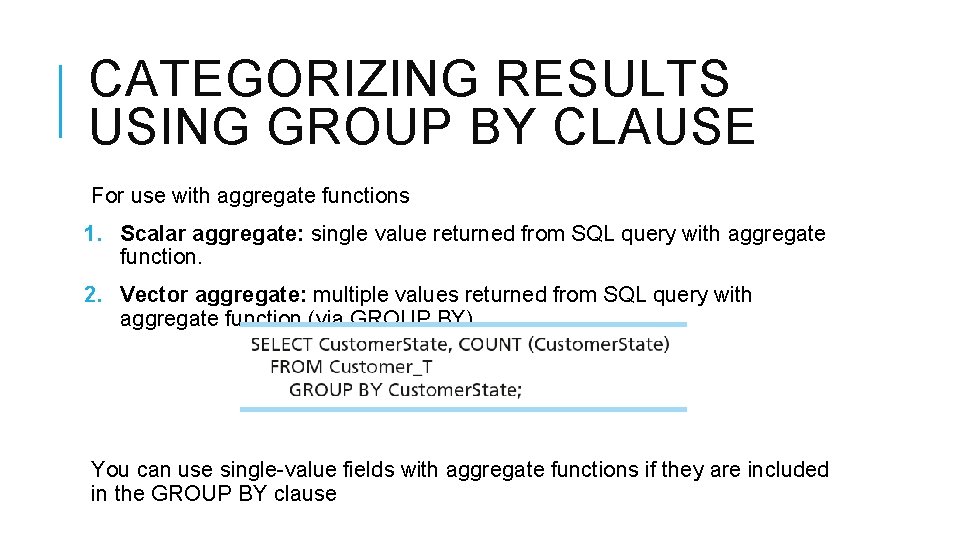
CATEGORIZING RESULTS USING GROUP BY CLAUSE For use with aggregate functions 1. Scalar aggregate: single value returned from SQL query with aggregate function. 2. Vector aggregate: multiple values returned from SQL query with aggregate function (via GROUP BY). You can use single-value fields with aggregate functions if they are included in the GROUP BY clause
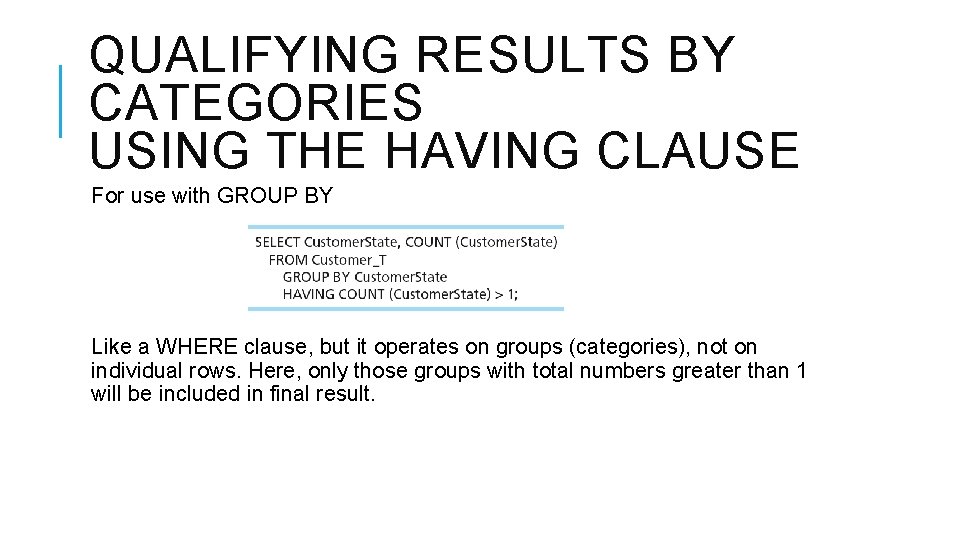
QUALIFYING RESULTS BY CATEGORIES USING THE HAVING CLAUSE For use with GROUP BY Like a WHERE clause, but it operates on groups (categories), not on individual rows. Here, only those groups with total numbers greater than 1 will be included in final result.
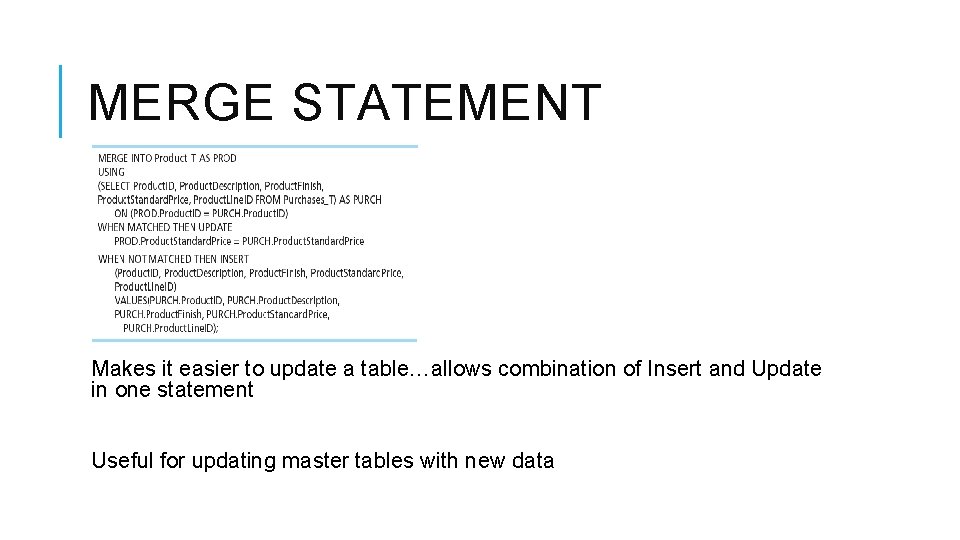
MERGE STATEMENT Makes it easier to update a table…allows combination of Insert and Update in one statement Useful for updating master tables with new data