
Chapter 6 Arrays Liang Introduction to Java Programming
![Arrays of Primitive Data Types F Array Declaration <data type> [ ] <variable> <data](https://slidetodoc.com/presentation_image_h/88fe16a87eab08a76b4af7c0840f3b78/image-6.jpg "Arrays of Primitive Data Types F Array Declaration <data type> [ ] <variable> <data")
![Declaring Array Variables F datatype[] array. Ref. Var; Example: double[] my. List; F datatype](https://slidetodoc.com/presentation_image_h/88fe16a87eab08a76b4af7c0840f3b78/image-11.jpg "Declaring Array Variables F datatype[] array. Ref. Var; Example: double[] my. List; F datatype")
![Creating Arrays array. Ref. Var = new datatype[array. Size]; Example: my. List = new](https://slidetodoc.com/presentation_image_h/88fe16a87eab08a76b4af7c0840f3b78/image-12.jpg "Creating Arrays array. Ref. Var = new datatype[array. Size]; Example: my. List = new")
![Declaring and Creating in One Step datatype[] array. Ref. Var = new datatype[array. Size];](https://slidetodoc.com/presentation_image_h/88fe16a87eab08a76b4af7c0840f3b78/image-13.jpg "Declaring and Creating in One Step datatype[] array. Ref. Var = new datatype[array. Size];")
![Array Initializers F Declaring, creating, initializing in one step: double[] my. List = {1.](https://slidetodoc.com/presentation_image_h/88fe16a87eab08a76b4af7c0840f3b78/image-18.jpg "Array Initializers F Declaring, creating, initializing in one step: double[] my. List = {1.")
![Declaring, creating, initializing Using the Shorthand Notation double[] my. List = {1. 9, 2.](https://slidetodoc.com/presentation_image_h/88fe16a87eab08a76b4af7c0840f3b78/image-21.jpg "Declaring, creating, initializing Using the Shorthand Notation double[] my. List = {1. 9, 2.")
![animation Trace Program with Arrays After this line is executed, value[1] is 1 public](https://slidetodoc.com/presentation_image_h/88fe16a87eab08a76b4af7c0840f3b78/image-26.jpg "animation Trace Program with Arrays After this line is executed, value[1] is 1 public")
![animation Trace Program with Arrays public class Test { public static void main(String[] args)](https://slidetodoc.com/presentation_image_h/88fe16a87eab08a76b4af7c0840f3b78/image-28.jpg "animation Trace Program with Arrays public class Test { public static void main(String[] args)")
![animation Trace Program with Arrays After this line is executed, values[2] is 3 (2](https://slidetodoc.com/presentation_image_h/88fe16a87eab08a76b4af7c0840f3b78/image-29.jpg "animation Trace Program with Arrays After this line is executed, values[2] is 3 (2")
![animation Trace Program with Arrays After this line, values[3] becomes 6 (3 + 3)](https://slidetodoc.com/presentation_image_h/88fe16a87eab08a76b4af7c0840f3b78/image-32.jpg "animation Trace Program with Arrays After this line, values[3] becomes 6 (3 + 3)")
![animation Trace Program with Arrays After this, values[4] becomes 10 (4 + 6) public](https://slidetodoc.com/presentation_image_h/88fe16a87eab08a76b4af7c0840f3b78/image-35.jpg "animation Trace Program with Arrays After this, values[4] becomes 10 (4 + 6) public")
![animation Trace Program with Arrays After this line, values[0] is 11 (1 + 10)](https://slidetodoc.com/presentation_image_h/88fe16a87eab08a76b4af7c0840f3b78/image-38.jpg "animation Trace Program with Arrays After this line, values[0] is 11 (1 + 10)")
![Finding the largest element double max = my. List[0]; for (int i = 1;](https://slidetodoc.com/presentation_image_h/88fe16a87eab08a76b4af7c0840f3b78/image-44.jpg "Finding the largest element double max = my. List[0]; for (int i = 1;")
![Accessing Individual Elements public class Test { public static void main(String[] args) { int](https://slidetodoc.com/presentation_image_h/88fe16a87eab08a76b4af7c0840f3b78/image-48.jpg "Accessing Individual Elements public class Test { public static void main(String[] args) { int")
![Copying Arrays Using a loop: int[] source. Array = {2, 3, 1, 5, 10};](https://slidetodoc.com/presentation_image_h/88fe16a87eab08a76b4af7c0840f3b78/image-50.jpg "Copying Arrays Using a loop: int[] source. Array = {2, 3, 1, 5, 10};")
![The arraycopy Utility public class Test. Max { public static void main(String[] args) {](https://slidetodoc.com/presentation_image_h/88fe16a87eab08a76b4af7c0840f3b78/image-52.jpg "The arraycopy Utility public class Test. Max { public static void main(String[] args) {")
![Passing Arrays to Methods public static void print. Array(int[] array) { for (int i](https://slidetodoc.com/presentation_image_h/88fe16a87eab08a76b4af7c0840f3b78/image-53.jpg "Passing Arrays to Methods public static void print. Array(int[] array) { for (int i")
![Example 1 import javax. swing. *; class ARRAYExample { public static void read(int []](https://slidetodoc.com/presentation_image_h/88fe16a87eab08a76b4af7c0840f3b78/image-54.jpg "Example 1 import javax. swing. *; class ARRAYExample { public static void read(int []")
![Anonymous Array The statement print. Array(new int[]{3, 1, 2, 6, 4, 2}); creates an](https://slidetodoc.com/presentation_image_h/88fe16a87eab08a76b4af7c0840f3b78/image-55.jpg "Anonymous Array The statement print. Array(new int[]{3, 1, 2, 6, 4, 2}); creates an")
![Simple Example public class Test { public static void main(String[] args) { int x](https://slidetodoc.com/presentation_image_h/88fe16a87eab08a76b4af7c0840f3b78/image-57.jpg "Simple Example public class Test { public static void main(String[] args) { int x")
![Returning an Array from a Method public static int[] reverse(int[] list) { int[] result](https://slidetodoc.com/presentation_image_h/88fe16a87eab08a76b4af7c0840f3b78/image-64.jpg "Returning an Array from a Method public static int[] reverse(int[] list) { int[] result")
![animation Trace the reverse Method int[] list 1 = {1, 2, 3, 4, 5,](https://slidetodoc.com/presentation_image_h/88fe16a87eab08a76b4af7c0840f3b78/image-65.jpg "animation Trace the reverse Method int[] list 1 = {1, 2, 3, 4, 5,")
![animation Trace the reverse Method, cont. int[] list 1 = new int[]{1, 2, 3,](https://slidetodoc.com/presentation_image_h/88fe16a87eab08a76b4af7c0840f3b78/image-66.jpg "animation Trace the reverse Method, cont. int[] list 1 = new int[]{1, 2, 3,")
![animation Trace the reverse Method, cont. int[] list 1 = new int[]{1, 2, 3,](https://slidetodoc.com/presentation_image_h/88fe16a87eab08a76b4af7c0840f3b78/image-67.jpg "animation Trace the reverse Method, cont. int[] list 1 = new int[]{1, 2, 3,")
![animation Trace the reverse Method, cont. int[] list 1 = new int[]{1, 2, 3,](https://slidetodoc.com/presentation_image_h/88fe16a87eab08a76b4af7c0840f3b78/image-68.jpg "animation Trace the reverse Method, cont. int[] list 1 = new int[]{1, 2, 3,")
![animation Trace the reverse Method, cont. int[] list 1 = new int[]{1, 2, 3,](https://slidetodoc.com/presentation_image_h/88fe16a87eab08a76b4af7c0840f3b78/image-69.jpg "animation Trace the reverse Method, cont. int[] list 1 = new int[]{1, 2, 3,")
![animation Trace the reverse Method, cont. int[] list 1 = new int[]{1, 2, 3,](https://slidetodoc.com/presentation_image_h/88fe16a87eab08a76b4af7c0840f3b78/image-70.jpg "animation Trace the reverse Method, cont. int[] list 1 = new int[]{1, 2, 3,")
![animation Trace the reverse Method, cont. int[] list 1 = new int[]{1, 2, 3,](https://slidetodoc.com/presentation_image_h/88fe16a87eab08a76b4af7c0840f3b78/image-71.jpg "animation Trace the reverse Method, cont. int[] list 1 = new int[]{1, 2, 3,")
![animation Trace the reverse Method, cont. int[] list 1 = new int[]{1, 2, 3,](https://slidetodoc.com/presentation_image_h/88fe16a87eab08a76b4af7c0840f3b78/image-72.jpg "animation Trace the reverse Method, cont. int[] list 1 = new int[]{1, 2, 3,")
![animation Trace the reverse Method, cont. int[] list 1 = new int[]{1, 2, 3,](https://slidetodoc.com/presentation_image_h/88fe16a87eab08a76b4af7c0840f3b78/image-73.jpg "animation Trace the reverse Method, cont. int[] list 1 = new int[]{1, 2, 3,")
![animation Trace the reverse Method, cont. int[] list 1 = new int[]{1, 2, 3,](https://slidetodoc.com/presentation_image_h/88fe16a87eab08a76b4af7c0840f3b78/image-74.jpg "animation Trace the reverse Method, cont. int[] list 1 = new int[]{1, 2, 3,")
![animation Trace the reverse Method, cont. int[] list 1 = new int[]{1, 2, 3,](https://slidetodoc.com/presentation_image_h/88fe16a87eab08a76b4af7c0840f3b78/image-75.jpg "animation Trace the reverse Method, cont. int[] list 1 = new int[]{1, 2, 3,")
![animation Trace the reverse Method, cont. int[] list 1 = new int[]{1, 2, 3,](https://slidetodoc.com/presentation_image_h/88fe16a87eab08a76b4af7c0840f3b78/image-76.jpg "animation Trace the reverse Method, cont. int[] list 1 = new int[]{1, 2, 3,")
![animation Trace the reverse Method, cont. int[] list 1 = new int[]{1, 2, 3,](https://slidetodoc.com/presentation_image_h/88fe16a87eab08a76b4af7c0840f3b78/image-77.jpg "animation Trace the reverse Method, cont. int[] list 1 = new int[]{1, 2, 3,")
![animation Trace the reverse Method, cont. int[] list 1 = new int[]{1, 2, 3,](https://slidetodoc.com/presentation_image_h/88fe16a87eab08a76b4af7c0840f3b78/image-78.jpg "animation Trace the reverse Method, cont. int[] list 1 = new int[]{1, 2, 3,")
![animation Trace the reverse Method, cont. int[] list 1 = new int[]{1, 2, 3,](https://slidetodoc.com/presentation_image_h/88fe16a87eab08a76b4af7c0840f3b78/image-79.jpg "animation Trace the reverse Method, cont. int[] list 1 = new int[]{1, 2, 3,")
![animation Trace the reverse Method, cont. int[] list 1 = new int[]{1, 2, 3,](https://slidetodoc.com/presentation_image_h/88fe16a87eab08a76b4af7c0840f3b78/image-80.jpg "animation Trace the reverse Method, cont. int[] list 1 = new int[]{1, 2, 3,")
![animation Trace the reverse Method, cont. int[] list 1 = new int[]{1, 2, 3,](https://slidetodoc.com/presentation_image_h/88fe16a87eab08a76b4af7c0840f3b78/image-81.jpg "animation Trace the reverse Method, cont. int[] list 1 = new int[]{1, 2, 3,")
![animation Trace the reverse Method, cont. int[] list 1 = new int[]{1, 2, 3,](https://slidetodoc.com/presentation_image_h/88fe16a87eab08a76b4af7c0840f3b78/image-82.jpg "animation Trace the reverse Method, cont. int[] list 1 = new int[]{1, 2, 3,")
![animation Trace the reverse Method, cont. int[] list 1 = new int[]{1, 2, 3,](https://slidetodoc.com/presentation_image_h/88fe16a87eab08a76b4af7c0840f3b78/image-83.jpg "animation Trace the reverse Method, cont. int[] list 1 = new int[]{1, 2, 3,")
![animation Trace the reverse Method, cont. int[] list 1 = new int[]{1, 2, 3,](https://slidetodoc.com/presentation_image_h/88fe16a87eab08a76b4af7c0840f3b78/image-84.jpg "animation Trace the reverse Method, cont. int[] list 1 = new int[]{1, 2, 3,")
![animation Trace the reverse Method, cont. int[] list 1 = new int[]{1, 2, 3,](https://slidetodoc.com/presentation_image_h/88fe16a87eab08a76b4af7c0840f3b78/image-85.jpg "animation Trace the reverse Method, cont. int[] list 1 = new int[]{1, 2, 3,")
![animation Trace the reverse Method, cont. int[] list 1 = new int[]{1, 2, 3,](https://slidetodoc.com/presentation_image_h/88fe16a87eab08a76b4af7c0840f3b78/image-86.jpg "animation Trace the reverse Method, cont. int[] list 1 = new int[]{1, 2, 3,")
- Slides: 105
Chapter 6 Arrays Liang, Introduction to Java Programming, Eighth Edition, (c) 2011 Pearson Education, Inc. All rights reserved. 0132130807 1
Opening Problem Read one hundred numbers, compute their average, and find out how many numbers are above the average. Liang, Introduction to Java Programming, Eighth Edition, (c) 2011 Pearson Education, Inc. All rights reserved. 0132130807 2
Solution Analyze. Numbers Run with prepared input Liang, Introduction to Java Programming, Eighth Edition, (c) 2011 Pearson Education, Inc. All rights reserved. 0132130807 3
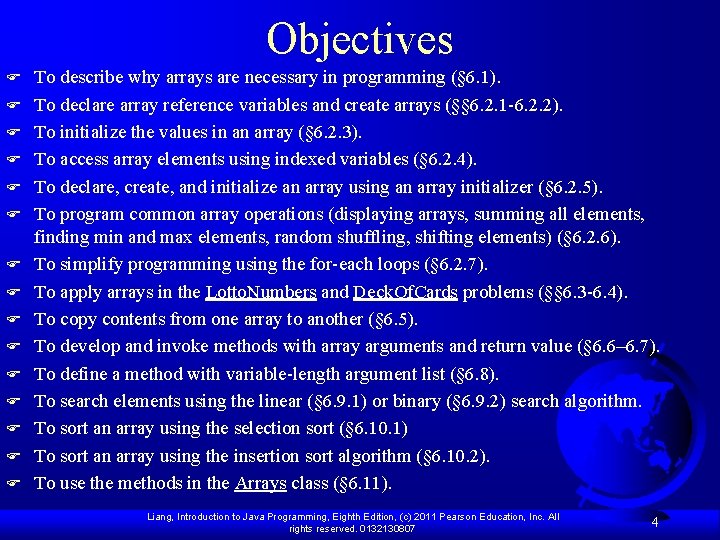
Objectives F F F F To describe why arrays are necessary in programming (§ 6. 1). To declare array reference variables and create arrays (§§ 6. 2. 1 -6. 2. 2). To initialize the values in an array (§ 6. 2. 3). To access array elements using indexed variables (§ 6. 2. 4). To declare, create, and initialize an array using an array initializer (§ 6. 2. 5). To program common array operations (displaying arrays, summing all elements, finding min and max elements, random shuffling, shifting elements) (§ 6. 2. 6). To simplify programming using the for-each loops (§ 6. 2. 7). To apply arrays in the Lotto. Numbers and Deck. Of. Cards problems (§§ 6. 3 -6. 4). To copy contents from one array to another (§ 6. 5). To develop and invoke methods with array arguments and return value (§ 6. 6– 6. 7). To define a method with variable-length argument list (§ 6. 8). To search elements using the linear (§ 6. 9. 1) or binary (§ 6. 9. 2) search algorithm. To sort an array using the selection sort (§ 6. 10. 1) To sort an array using the insertion sort algorithm (§ 6. 10. 2). To use the methods in the Arrays class (§ 6. 11). Liang, Introduction to Java Programming, Eighth Edition, (c) 2011 Pearson Education, Inc. All rights reserved. 0132130807 4
Array Basics F An array is a collection of data values. F If your program needs to deal with 100 integers, 500 Account objects, 365 real numbers, etc. , you will use an array. F In Java, an array is an indexed collection of data values of the same type. Liang, Introduction to Java Programming, Eighth Edition, (c) 2011 Pearson Education, Inc. All rights reserved. 0132130807
Arrays of Primitive Data Types F Array Declaration <data type> [ ] <variable> <data type> <variable>[ ] F //variation 1 //variation 2 Array Creation <variable> = new <data type> [ <size> ] F Example Variation 2 Variation 1 double[ ] x; int x [ ]; x = new double[12]; x = new int[12]; Liang, Introduction to Java Programming, Eighth Edition, (c) 2011 Pearson Education, Inc. All rights reserved. 0132130807
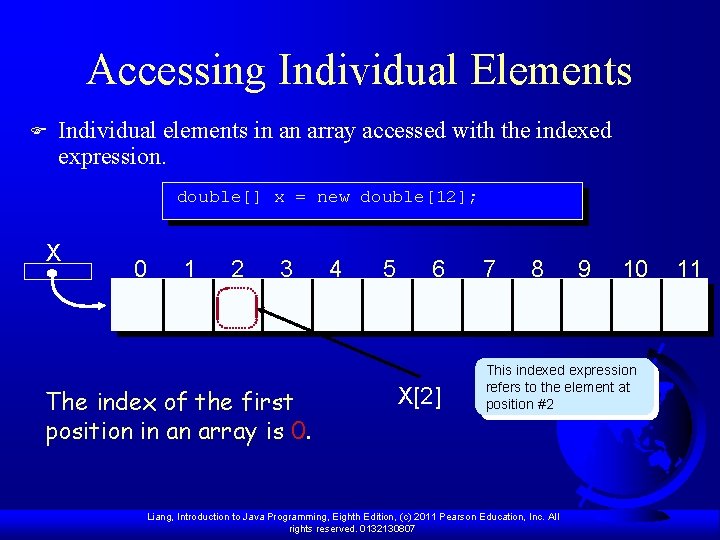
Accessing Individual Elements F Individual elements in an array accessed with the indexed expression. double[] x = new double[12]; X 0 1 2 3 The index of the first position in an array is 0. 4 5 6 X[2] 7 8 9 10 This indexed expression refers to the element at position #2 Liang, Introduction to Java Programming, Eighth Edition, (c) 2011 Pearson Education, Inc. All rights reserved. 0132130807 11
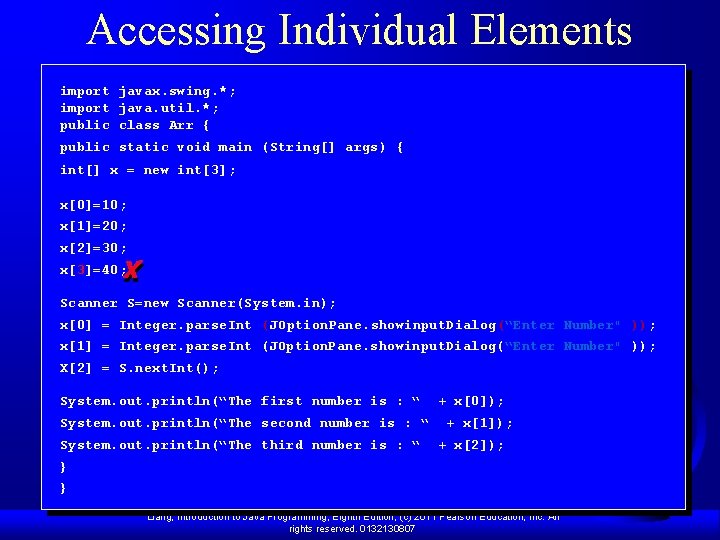
Accessing Individual Elements import javax. swing. *; import java. util. *; public class Arr { public static void main (String[] args) { int[] x = new int[3]; x[0]=10; x[1]=20; x[2]=30; x[3]=40; Scanner S=new Scanner(System. in); x[0] = Integer. parse. Int (JOption. Pane. showinput. Dialog(“Enter Number" )); x[1] = Integer. parse. Int (JOption. Pane. showinput. Dialog(“Enter Number" )); X[2] = S. next. Int(); System. out. println(“The first number is : “ + x[0]); System. out. println(“The second number is : “ + x[1]); System. out. println(“The third number is : “ + x[2]); } } Liang, Introduction to Java Programming, Eighth Edition, (c) 2011 Pearson Education, Inc. All rights reserved. 0132130807
Example Liang, Introduction to Java Programming, Eighth Edition, (c) 2011 Pearson Education, Inc. All rights reserved. 0132130807
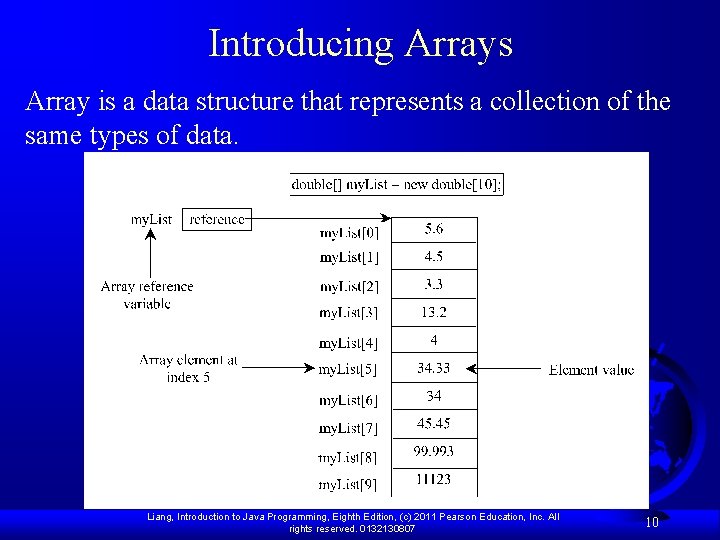
Introducing Arrays Array is a data structure that represents a collection of the same types of data. Liang, Introduction to Java Programming, Eighth Edition, (c) 2011 Pearson Education, Inc. All rights reserved. 0132130807 10
Declaring Array Variables F datatype[] array. Ref. Var; Example: double[] my. List; F datatype array. Ref. Var[]; // This style is allowed, but not preferred Example: double my. List[]; Liang, Introduction to Java Programming, Eighth Edition, (c) 2011 Pearson Education, Inc. All rights reserved. 0132130807 11
Creating Arrays array. Ref. Var = new datatype[array. Size]; Example: my. List = new double[10]; my. List[0] references the first element in the array. my. List[9] references the last element in the array. Liang, Introduction to Java Programming, Eighth Edition, (c) 2011 Pearson Education, Inc. All rights reserved. 0132130807 12
Declaring and Creating in One Step datatype[] array. Ref. Var = new datatype[array. Size]; F double[] my. List = new double[10]; F datatype array. Ref. Var[] = new datatype[array. Size]; double my. List[] = new double[10]; Liang, Introduction to Java Programming, Eighth Edition, (c) 2011 Pearson Education, Inc. All rights reserved. 0132130807 13
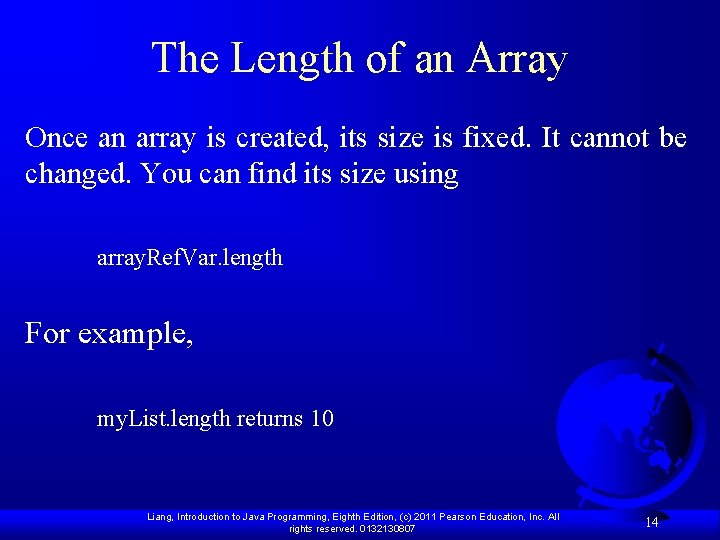
The Length of an Array Once an array is created, its size is fixed. It cannot be changed. You can find its size using array. Ref. Var. length For example, my. List. length returns 10 Liang, Introduction to Java Programming, Eighth Edition, (c) 2011 Pearson Education, Inc. All rights reserved. 0132130807 14
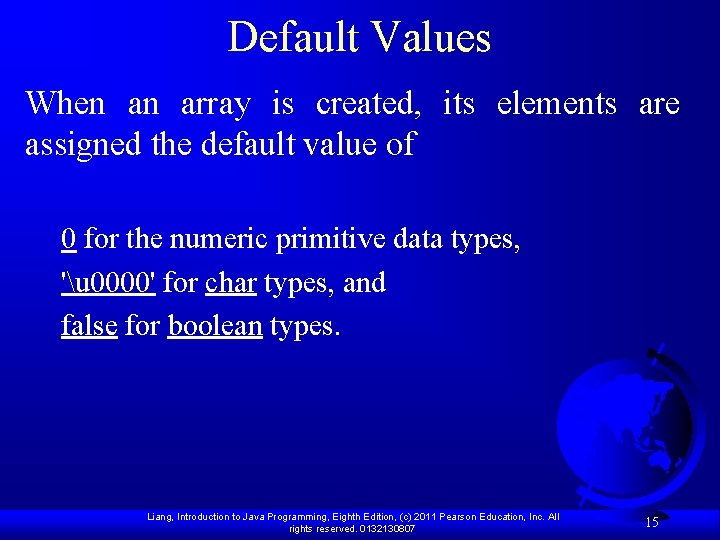
Default Values When an array is created, its elements are assigned the default value of 0 for the numeric primitive data types, 'u 0000' for char types, and false for boolean types. Liang, Introduction to Java Programming, Eighth Edition, (c) 2011 Pearson Education, Inc. All rights reserved. 0132130807 15
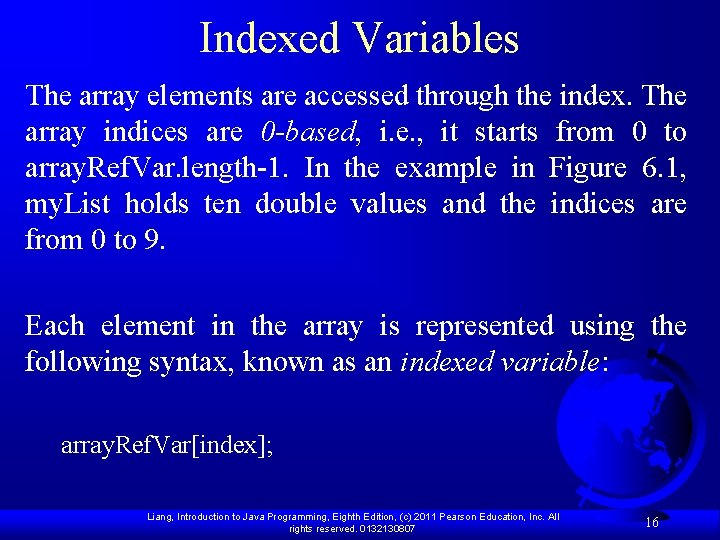
Indexed Variables The array elements are accessed through the index. The array indices are 0 -based, i. e. , it starts from 0 to array. Ref. Var. length-1. In the example in Figure 6. 1, my. List holds ten double values and the indices are from 0 to 9. Each element in the array is represented using the following syntax, known as an indexed variable: array. Ref. Var[index]; Liang, Introduction to Java Programming, Eighth Edition, (c) 2011 Pearson Education, Inc. All rights reserved. 0132130807 16
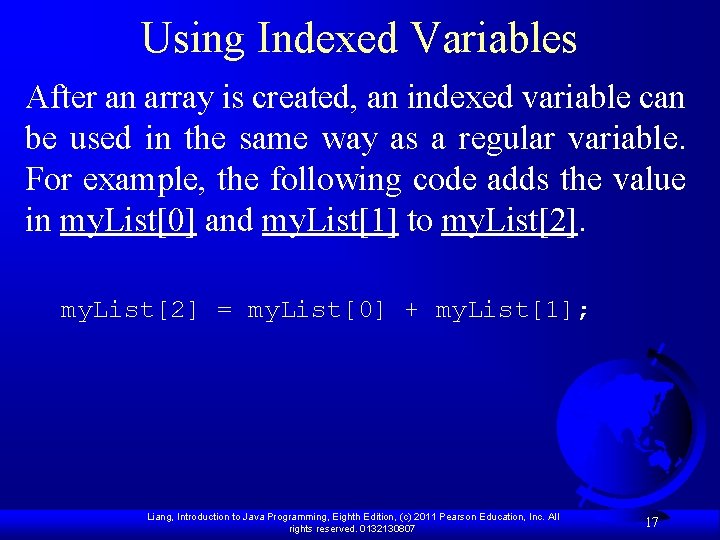
Using Indexed Variables After an array is created, an indexed variable can be used in the same way as a regular variable. For example, the following code adds the value in my. List[0] and my. List[1] to my. List[2] = my. List[0] + my. List[1]; Liang, Introduction to Java Programming, Eighth Edition, (c) 2011 Pearson Education, Inc. All rights reserved. 0132130807 17
Array Initializers F Declaring, creating, initializing in one step: double[] my. List = {1. 9, 2. 9, 3. 4, 3. 5}; This shorthand syntax must be in one statement. Liang, Introduction to Java Programming, Eighth Edition, (c) 2011 Pearson Education, Inc. All rights reserved. 0132130807 18
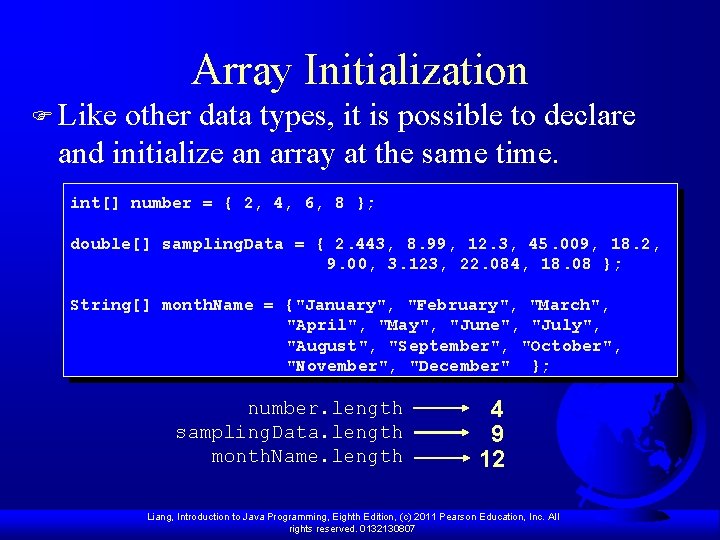
Array Initialization F Like other data types, it is possible to declare and initialize an array at the same time. int[] number = { 2, 4, 6, 8 }; double[] sampling. Data = { 2. 443, 8. 99, 12. 3, 45. 009, 18. 2, 9. 00, 3. 123, 22. 084, 18. 08 }; String[] month. Name = {"January", "February", "March", "April", "May", "June", "July", "August", "September", "October", "November", "December" }; number. length sampling. Data. length month. Name. length 4 9 12 Liang, Introduction to Java Programming, Eighth Edition, (c) 2011 Pearson Education, Inc. All rights reserved. 0132130807
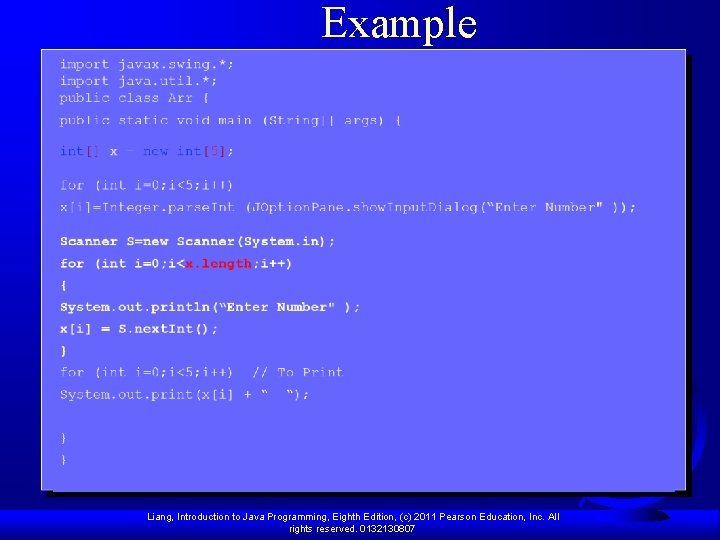
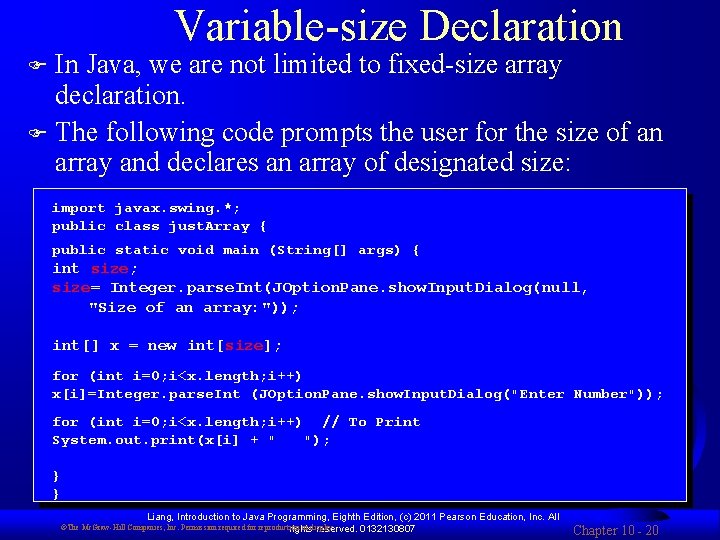
Variable-size Declaration In Java, we are not limited to fixed-size array declaration. F The following code prompts the user for the size of an array and declares an array of designated size: F import javax. swing. *; public class just. Array { public static void main (String[] args) { int size; size= Integer. parse. Int(JOption. Pane. show. Input. Dialog(null, "Size of an array: ")); int[] x = new int[size]; for (int i=0; i<x. length; i++) x[i]=Integer. parse. Int (JOption. Pane. show. Input. Dialog("Enter Number")); for (int i=0; i<x. length; i++) // To Print System. out. print(x[i] + " "); } } Liang, Introduction to Java Programming, Eighth Edition, (c) 2011 Pearson Education, Inc. All 0132130807 ©The Mc. Graw-Hill Companies, Inc. Permission required for reproduction or display. rights reserved. Chapter 10 - 20
Declaring, creating, initializing Using the Shorthand Notation double[] my. List = {1. 9, 2. 9, 3. 4, 3. 5}; This shorthand notation is equivalent to the following statements: double[] my. List = new double[4]; my. List[0] = 1. 9; my. List[1] = 2. 9; my. List[2] = 3. 4; my. List[3] = 3. 5; Liang, Introduction to Java Programming, Eighth Edition, (c) 2011 Pearson Education, Inc. All rights reserved. 0132130807 21
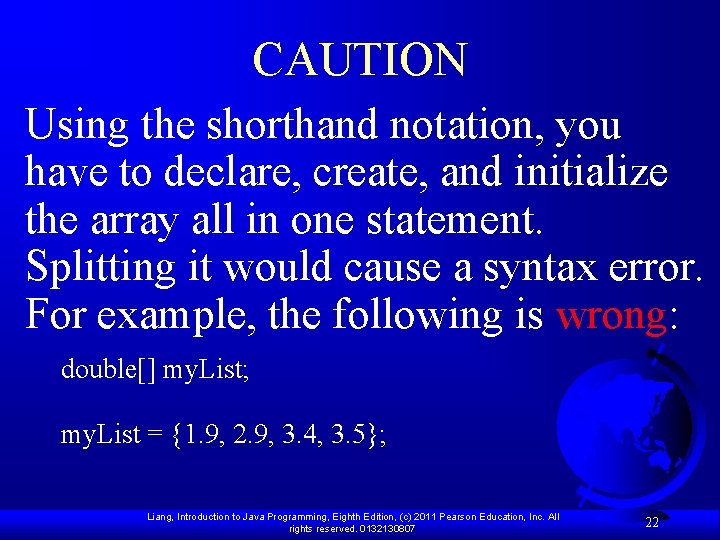
CAUTION Using the shorthand notation, you have to declare, create, and initialize the array all in one statement. Splitting it would cause a syntax error. For example, the following is wrong: double[] my. List; my. List = {1. 9, 2. 9, 3. 4, 3. 5}; Liang, Introduction to Java Programming, Eighth Edition, (c) 2011 Pearson Education, Inc. All rights reserved. 0132130807 22
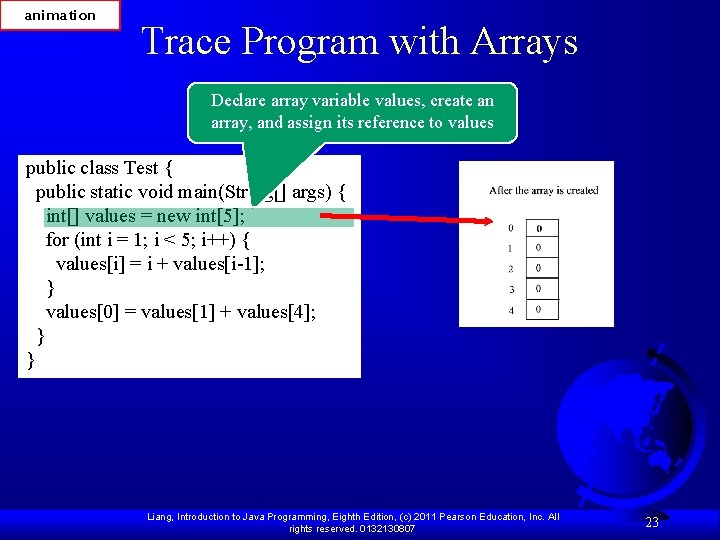
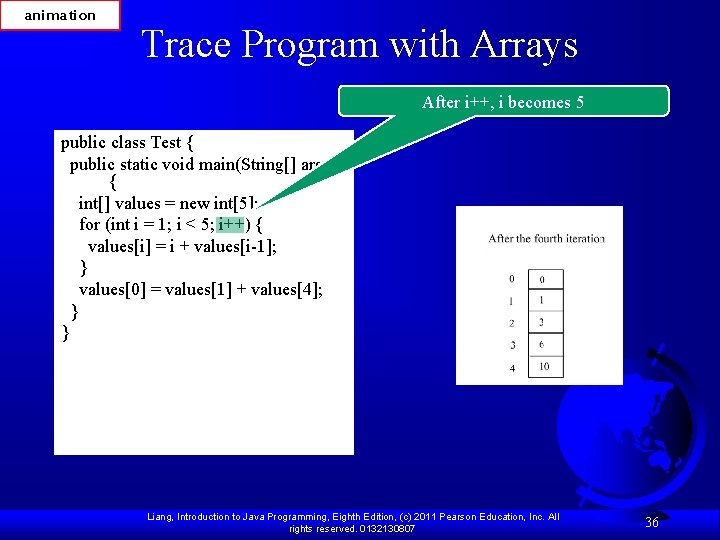
animation Trace Program with Arrays Declare array variable values, create an array, and assign its reference to values public class Test { public static void main(String[] args) { int[] values = new int[5]; for (int i = 1; i < 5; i++) { values[i] = i + values[i-1]; } values[0] = values[1] + values[4]; } } Liang, Introduction to Java Programming, Eighth Edition, (c) 2011 Pearson Education, Inc. All rights reserved. 0132130807 23
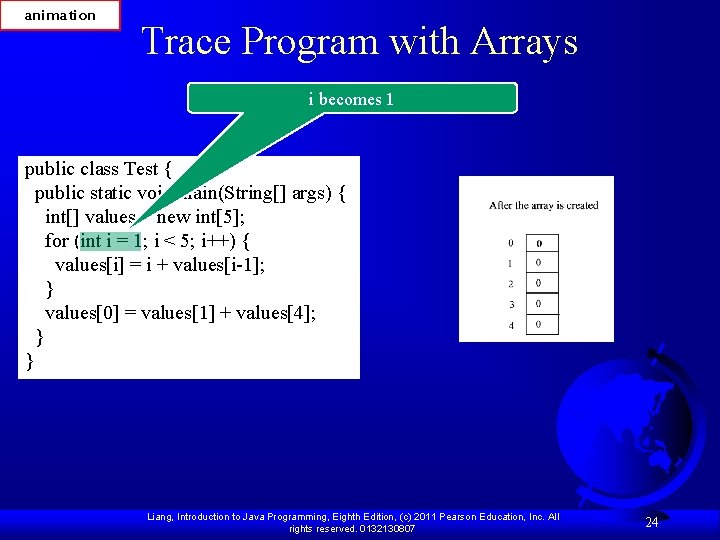
animation Trace Program with Arrays i becomes 1 public class Test { public static void main(String[] args) { int[] values = new int[5]; for (int i = 1; i < 5; i++) { values[i] = i + values[i-1]; } values[0] = values[1] + values[4]; } } Liang, Introduction to Java Programming, Eighth Edition, (c) 2011 Pearson Education, Inc. All rights reserved. 0132130807 24
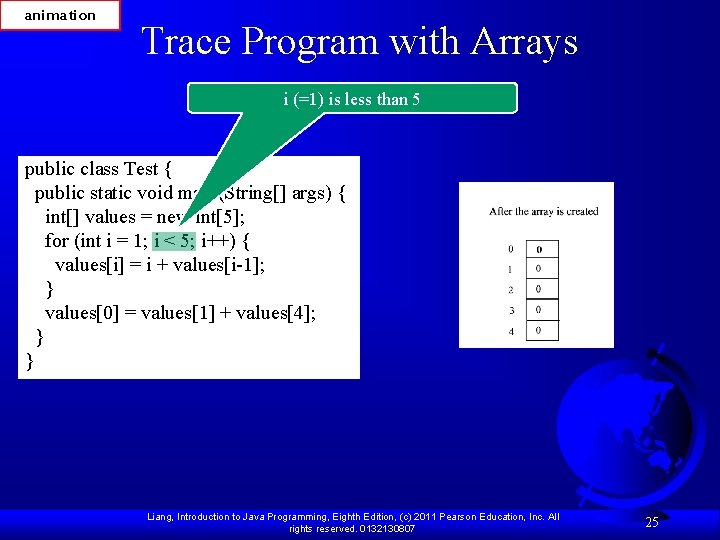
animation Trace Program with Arrays i (=1) is less than 5 public class Test { public static void main(String[] args) { int[] values = new int[5]; for (int i = 1; i < 5; i++) { values[i] = i + values[i-1]; } values[0] = values[1] + values[4]; } } Liang, Introduction to Java Programming, Eighth Edition, (c) 2011 Pearson Education, Inc. All rights reserved. 0132130807 25
animation Trace Program with Arrays After this line is executed, value[1] is 1 public class Test { public static void main(String[] args) { int[] values = new int[5]; for (int i = 1; i < 5; i++) { values[i] = i + values[i-1]; } values[0] = values[1] + values[4]; } } Liang, Introduction to Java Programming, Eighth Edition, (c) 2011 Pearson Education, Inc. All rights reserved. 0132130807 26
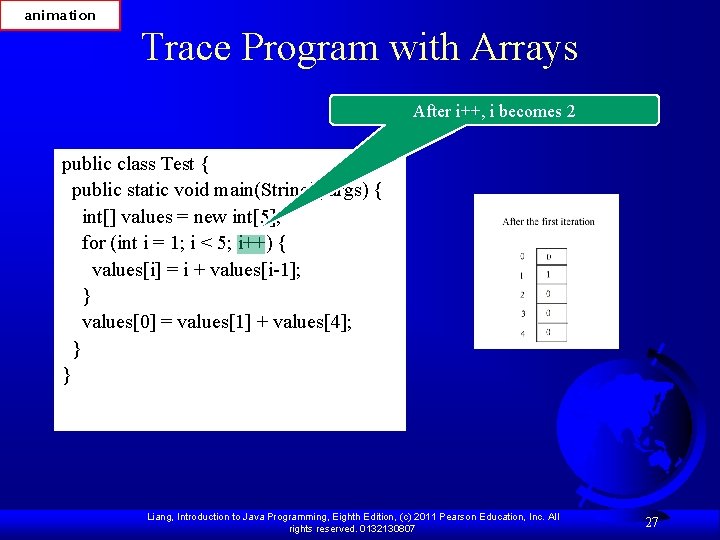
animation Trace Program with Arrays After i++, i becomes 2 public class Test { public static void main(String[] args) { int[] values = new int[5]; for (int i = 1; i < 5; i++) { values[i] = i + values[i-1]; } values[0] = values[1] + values[4]; } } Liang, Introduction to Java Programming, Eighth Edition, (c) 2011 Pearson Education, Inc. All rights reserved. 0132130807 27
animation Trace Program with Arrays public class Test { public static void main(String[] args) { int[] values = new int[5]; for (int i = 1; i < 5; i++) { values[i] = i + values[i-1]; } values[0] = values[1] + values[4]; } } i (= 2) is less than 5 Liang, Introduction to Java Programming, Eighth Edition, (c) 2011 Pearson Education, Inc. All rights reserved. 0132130807 28
animation Trace Program with Arrays After this line is executed, values[2] is 3 (2 + 1) public class Test { public static void main(String[] args) { int[] values = new int[5]; for (int i = 1; i < 5; i++) { values[i] = i + values[i-1]; } values[0] = values[1] + values[4]; } } Liang, Introduction to Java Programming, Eighth Edition, (c) 2011 Pearson Education, Inc. All rights reserved. 0132130807 29
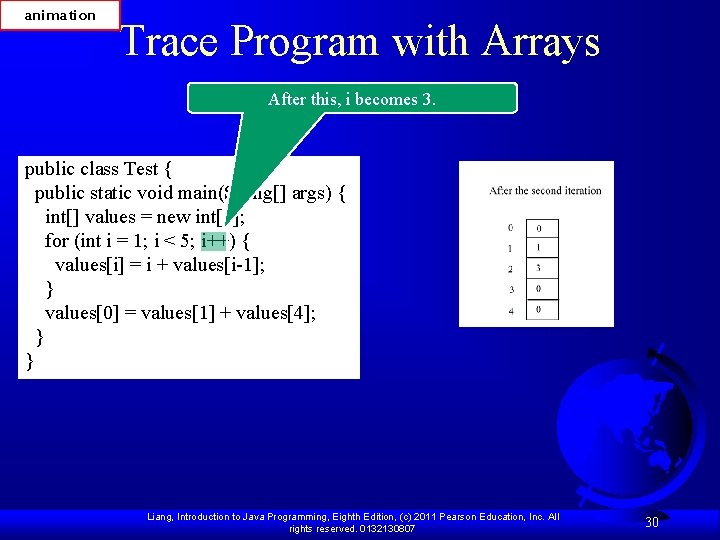
animation Trace Program with Arrays After this, i becomes 3. public class Test { public static void main(String[] args) { int[] values = new int[5]; for (int i = 1; i < 5; i++) { values[i] = i + values[i-1]; } values[0] = values[1] + values[4]; } } Liang, Introduction to Java Programming, Eighth Edition, (c) 2011 Pearson Education, Inc. All rights reserved. 0132130807 30
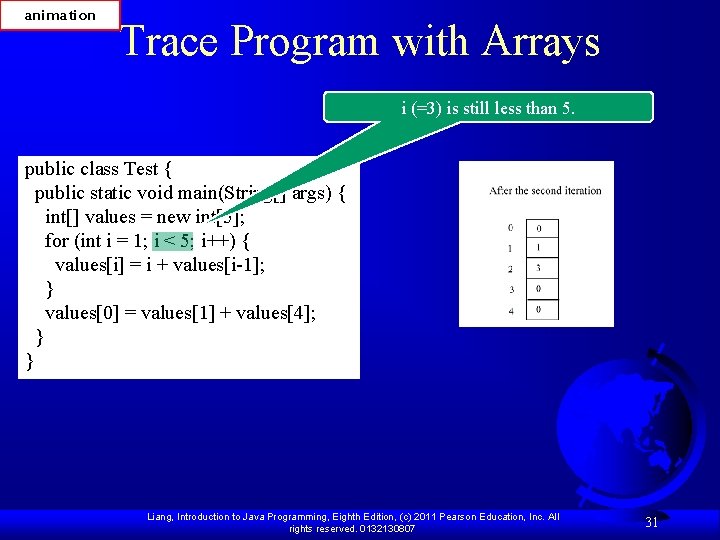
animation Trace Program with Arrays i (=3) is still less than 5. public class Test { public static void main(String[] args) { int[] values = new int[5]; for (int i = 1; i < 5; i++) { values[i] = i + values[i-1]; } values[0] = values[1] + values[4]; } } Liang, Introduction to Java Programming, Eighth Edition, (c) 2011 Pearson Education, Inc. All rights reserved. 0132130807 31
animation Trace Program with Arrays After this line, values[3] becomes 6 (3 + 3) public class Test { public static void main(String[] args) { int[] values = new int[5]; for (int i = 1; i < 5; i++) { values[i] = i + values[i-1]; } values[0] = values[1] + values[4]; } } Liang, Introduction to Java Programming, Eighth Edition, (c) 2011 Pearson Education, Inc. All rights reserved. 0132130807 32
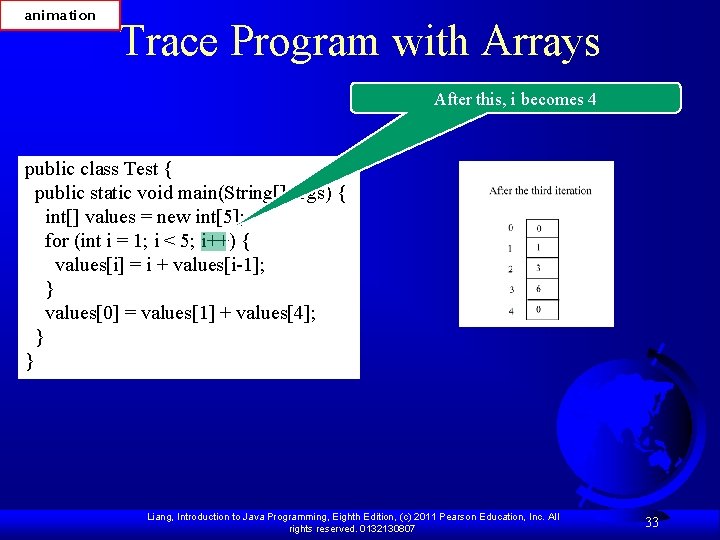
animation Trace Program with Arrays After this, i becomes 4 public class Test { public static void main(String[] args) { int[] values = new int[5]; for (int i = 1; i < 5; i++) { values[i] = i + values[i-1]; } values[0] = values[1] + values[4]; } } Liang, Introduction to Java Programming, Eighth Edition, (c) 2011 Pearson Education, Inc. All rights reserved. 0132130807 33
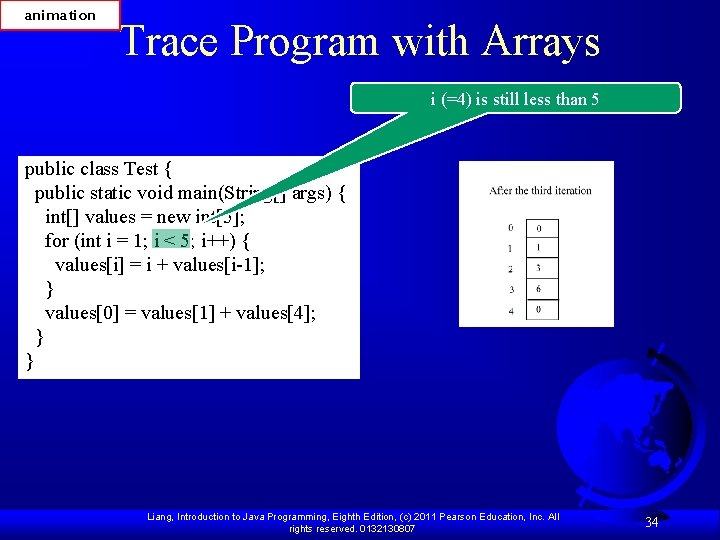
animation Trace Program with Arrays i (=4) is still less than 5 public class Test { public static void main(String[] args) { int[] values = new int[5]; for (int i = 1; i < 5; i++) { values[i] = i + values[i-1]; } values[0] = values[1] + values[4]; } } Liang, Introduction to Java Programming, Eighth Edition, (c) 2011 Pearson Education, Inc. All rights reserved. 0132130807 34
animation Trace Program with Arrays After this, values[4] becomes 10 (4 + 6) public class Test { public static void main(String[] args) { int[] values = new int[5]; for (int i = 1; i < 5; i++) { values[i] = i + values[i-1]; } values[0] = values[1] + values[4]; } } Liang, Introduction to Java Programming, Eighth Edition, (c) 2011 Pearson Education, Inc. All rights reserved. 0132130807 35
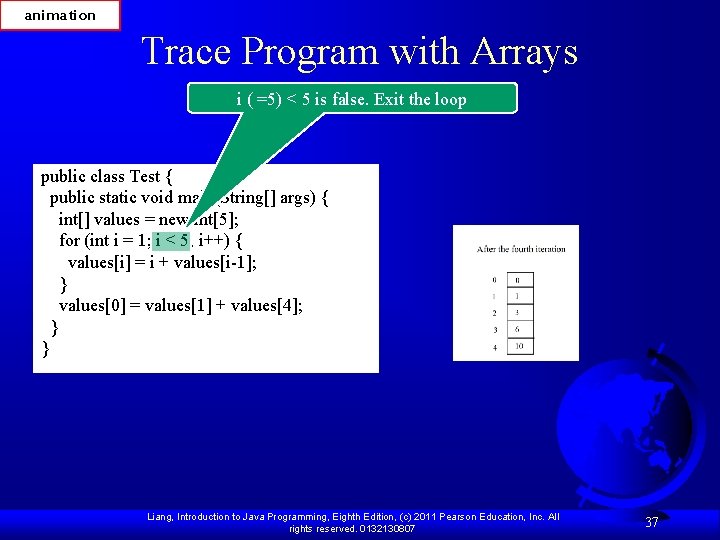
animation Trace Program with Arrays After i++, i becomes 5 public class Test { public static void main(String[] args) { int[] values = new int[5]; for (int i = 1; i < 5; i++) { values[i] = i + values[i-1]; } values[0] = values[1] + values[4]; } } Liang, Introduction to Java Programming, Eighth Edition, (c) 2011 Pearson Education, Inc. All rights reserved. 0132130807 36
animation Trace Program with Arrays i ( =5) < 5 is false. Exit the loop public class Test { public static void main(String[] args) { int[] values = new int[5]; for (int i = 1; i < 5; i++) { values[i] = i + values[i-1]; } values[0] = values[1] + values[4]; } } Liang, Introduction to Java Programming, Eighth Edition, (c) 2011 Pearson Education, Inc. All rights reserved. 0132130807 37
animation Trace Program with Arrays After this line, values[0] is 11 (1 + 10) public class Test { public static void main(String[] args) { int[] values = new int[5]; for (int i = 1; i < 5; i++) { values[i] = i + values[i-1]; } values[0] = values[1] + values[4]; } } Liang, Introduction to Java Programming, Eighth Edition, (c) 2011 Pearson Education, Inc. All rights reserved. 0132130807 38
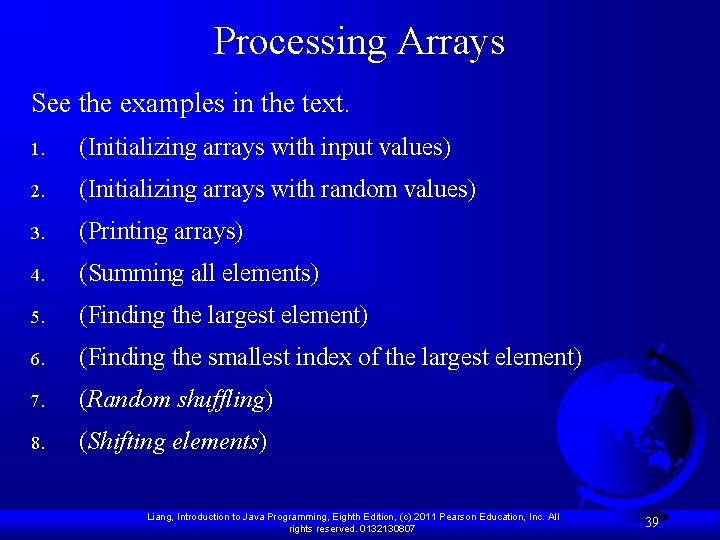
Processing Arrays See the examples in the text. 1. (Initializing arrays with input values) 2. (Initializing arrays with random values) 3. (Printing arrays) 4. (Summing all elements) 5. (Finding the largest element) 6. (Finding the smallest index of the largest element) 7. (Random shuffling) 8. (Shifting elements) Liang, Introduction to Java Programming, Eighth Edition, (c) 2011 Pearson Education, Inc. All rights reserved. 0132130807 39
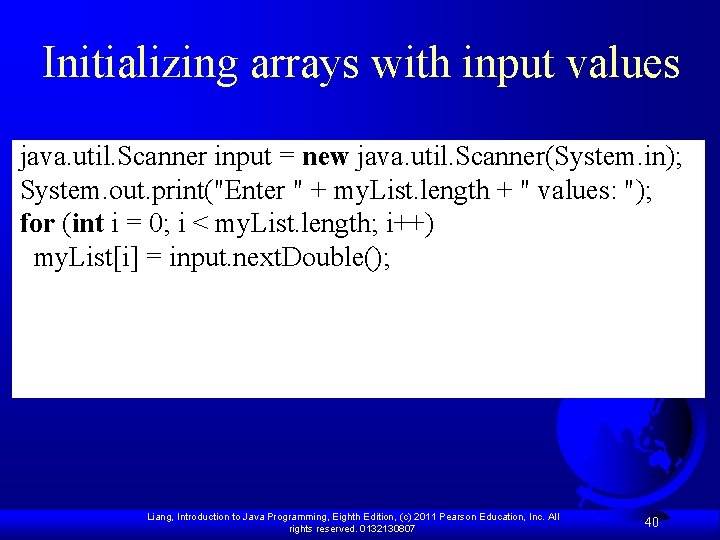
Initializing arrays with input values java. util. Scanner input = new java. util. Scanner(System. in); System. out. print("Enter " + my. List. length + " values: "); for (int i = 0; i < my. List. length; i++) my. List[i] = input. next. Double(); Liang, Introduction to Java Programming, Eighth Edition, (c) 2011 Pearson Education, Inc. All rights reserved. 0132130807 40
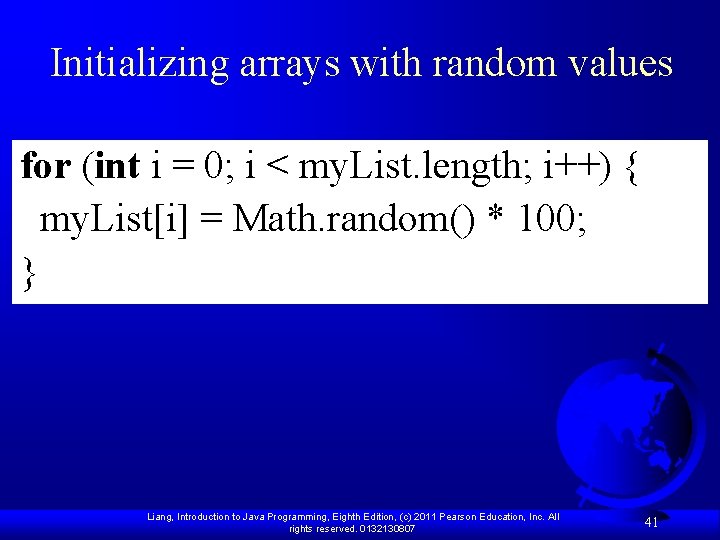
Initializing arrays with random values for (int i = 0; i < my. List. length; i++) { my. List[i] = Math. random() * 100; } Liang, Introduction to Java Programming, Eighth Edition, (c) 2011 Pearson Education, Inc. All rights reserved. 0132130807 41
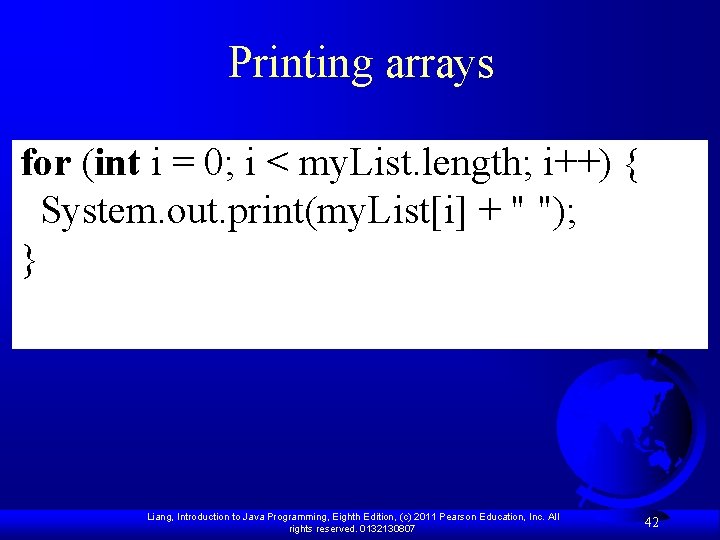
Printing arrays for (int i = 0; i < my. List. length; i++) { System. out. print(my. List[i] + " "); } Liang, Introduction to Java Programming, Eighth Edition, (c) 2011 Pearson Education, Inc. All rights reserved. 0132130807 42
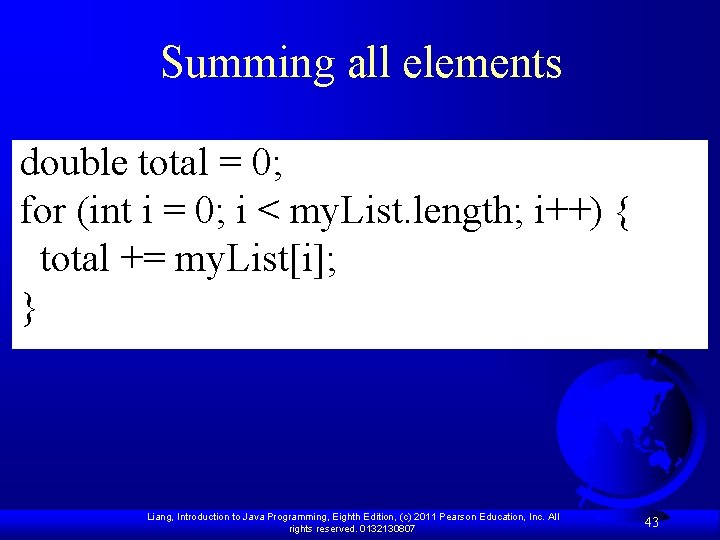
Summing all elements double total = 0; for (int i = 0; i < my. List. length; i++) { total += my. List[i]; } Liang, Introduction to Java Programming, Eighth Edition, (c) 2011 Pearson Education, Inc. All rights reserved. 0132130807 43
Finding the largest element double max = my. List[0]; for (int i = 1; i < my. List. length; i++) { if (my. List[i] > max) max = my. List[i]; } Liang, Introduction to Java Programming, Eighth Edition, (c) 2011 Pearson Education, Inc. All rights reserved. 0132130807 44
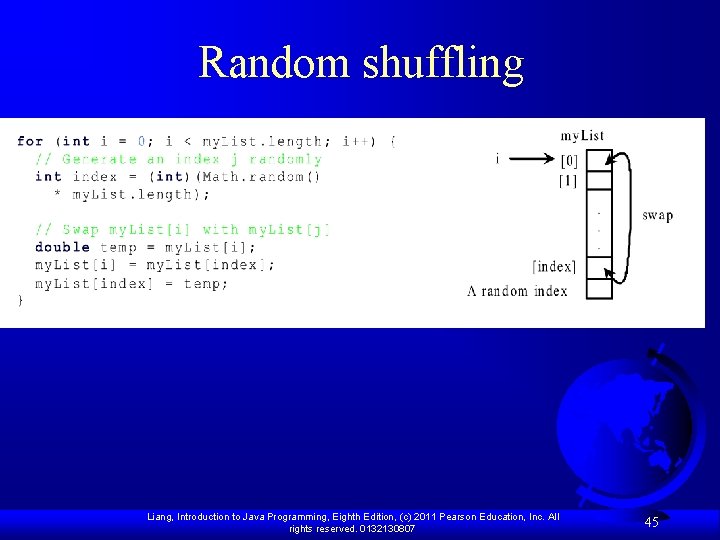
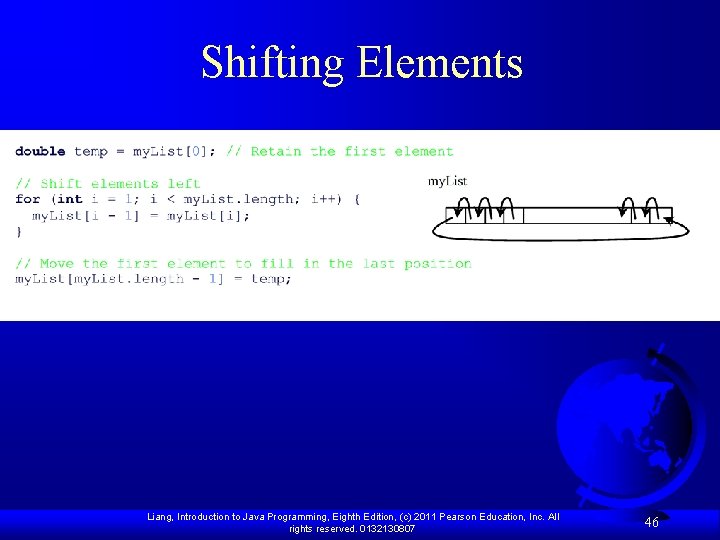
Random shuffling Liang, Introduction to Java Programming, Eighth Edition, (c) 2011 Pearson Education, Inc. All rights reserved. 0132130807 45
Shifting Elements Liang, Introduction to Java Programming, Eighth Edition, (c) 2011 Pearson Education, Inc. All rights reserved. 0132130807 46
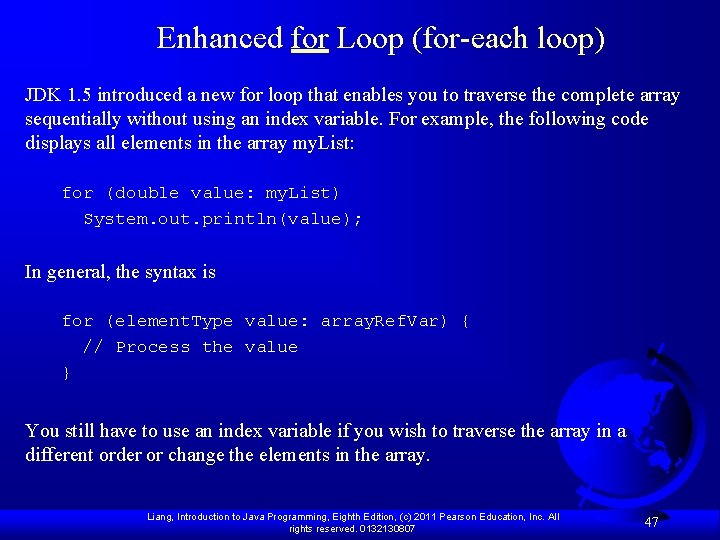
Enhanced for Loop (for-each loop) JDK 1. 5 introduced a new for loop that enables you to traverse the complete array sequentially without using an index variable. For example, the following code displays all elements in the array my. List: for (double value: my. List) System. out. println(value); In general, the syntax is for (element. Type value: array. Ref. Var) { // Process the value } You still have to use an index variable if you wish to traverse the array in a different order or change the elements in the array. Liang, Introduction to Java Programming, Eighth Edition, (c) 2011 Pearson Education, Inc. All rights reserved. 0132130807 47
Accessing Individual Elements public class Test { public static void main(String[] args) { int x []={1, 2, 3, 4, 5}; for (int i=0; i<5; i++) System. out. print(x[i]+" "); System. out. println(); for (int i: x) System. out. print(i+" "); } } OUTPUT 1 2 3 4 5 Liang, Introduction to Java Programming, Eighth Edition, (c) 2011 Pearson Education, Inc. All rights reserved. 0132130807
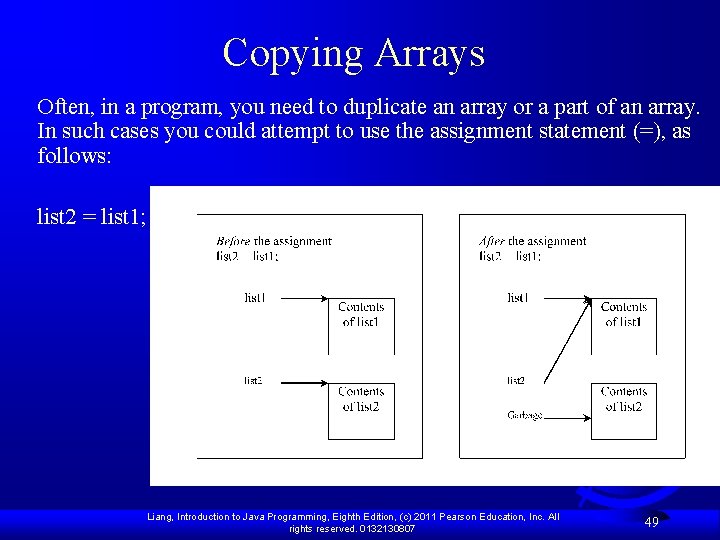
Copying Arrays Often, in a program, you need to duplicate an array or a part of an array. In such cases you could attempt to use the assignment statement (=), as follows: list 2 = list 1; Liang, Introduction to Java Programming, Eighth Edition, (c) 2011 Pearson Education, Inc. All rights reserved. 0132130807 49
Copying Arrays Using a loop: int[] source. Array = {2, 3, 1, 5, 10}; int[] target. Array = new int[source. Array. length]; for (int i = 0; i < source. Arrays. length; i++) target. Array[i] = source. Array[i]; Liang, Introduction to Java Programming, Eighth Edition, (c) 2011 Pearson Education, Inc. All rights reserved. 0132130807 50
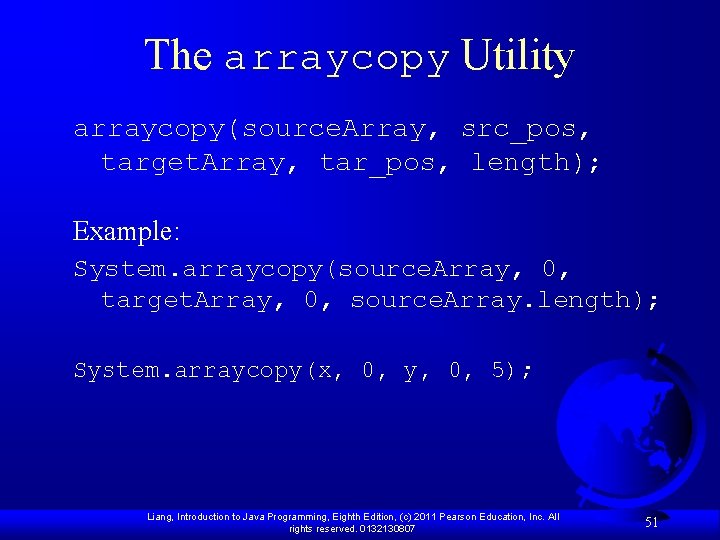
The arraycopy Utility arraycopy(source. Array, src_pos, target. Array, tar_pos, length); Example: System. arraycopy(source. Array, 0, target. Array, 0, source. Array. length); System. arraycopy(x, 0, y, 0, 5); Liang, Introduction to Java Programming, Eighth Edition, (c) 2011 Pearson Education, Inc. All rights reserved. 0132130807 51
The arraycopy Utility public class Test. Max { public static void main(String[] args) { int x []={1, 2, 3, 4, 5}; int y []={9, 8, 7, 6, 5}; System. arraycopy(x, 1, y, 2, 3); for (int i: y) System. out. print(i+" "); } } OUTPUT 9 8 2 3 4 Liang, Introduction to Java Programming, Eighth Edition, (c) 2011 Pearson Education, Inc. All rights reserved. 0132130807 52
Passing Arrays to Methods public static void print. Array(int[] array) { for (int i = 0; i < array. length; i++) { System. out. print(array[i] + " "); } } Invoke the method int[] list = {3, 1, 2, 6, 4, 2}; print. Array(list); Invoke the method print. Array(new int[]{3, 1, 2, 6, 4, 2}); Anonymous array Liang, Introduction to Java Programming, Eighth Edition, (c) 2011 Pearson Education, Inc. All rights reserved. 0132130807 53
Example 1 import javax. swing. *; class ARRAYExample { public static void read(int [] x){ for (int i=0; i<5; i++) x[i]=Integer. parse. Int (JOption. Pane. show. Input. Dialog("Enter Number" )); } public static void print(int [] x){ for (int i=0; i<5; i++) System. out. print(x[i] + " "); } public static void main (String[] args) { int[] y = new int[5]; read(y); print(y); } } Liang, Introduction to Java Programming, Eighth Edition, (c) 2011 Pearson Education, Inc. All 0132130807 ©The Mc. Graw-Hill Companies, Inc. Permission required for reproduction or display. rights reserved. Chapter 10 - 54
Anonymous Array The statement print. Array(new int[]{3, 1, 2, 6, 4, 2}); creates an array using the following syntax: new data. Type[]{literal 0, literal 1, . . . , literalk}; There is no explicit reference variable for the array. Such array is called an anonymous array. Liang, Introduction to Java Programming, Eighth Edition, (c) 2011 Pearson Education, Inc. All rights reserved. 0132130807 55
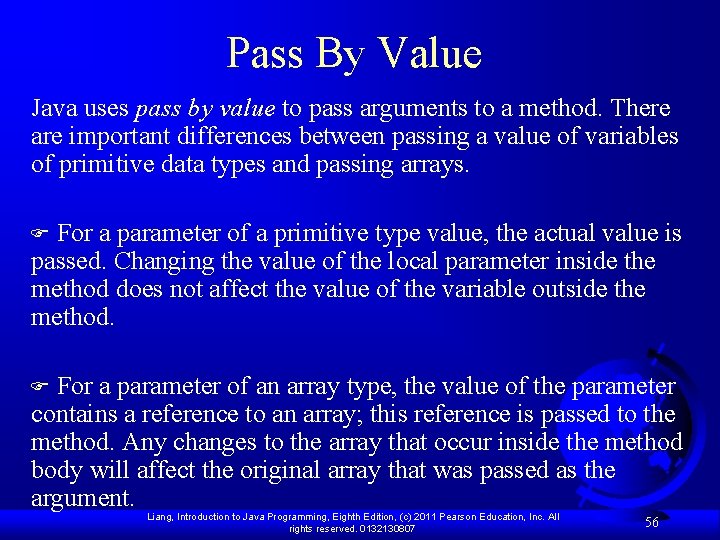
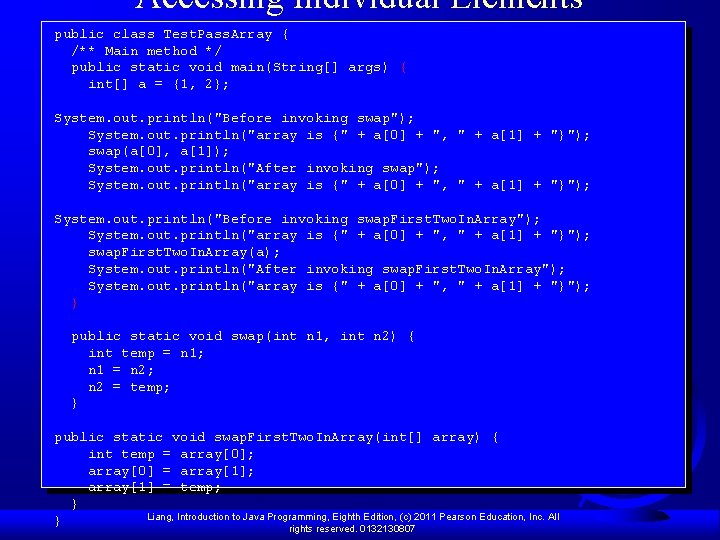
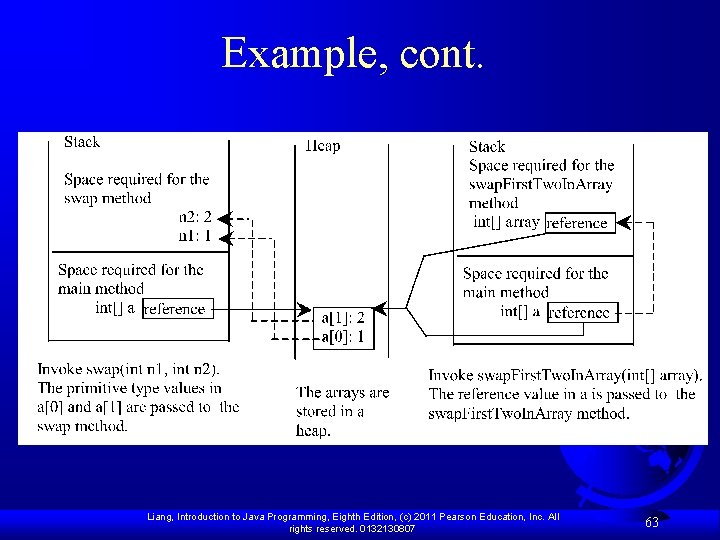
Pass By Value Java uses pass by value to pass arguments to a method. There are important differences between passing a value of variables of primitive data types and passing arrays. F For a parameter of a primitive type value, the actual value is passed. Changing the value of the local parameter inside the method does not affect the value of the variable outside the method. F For a parameter of an array type, the value of the parameter contains a reference to an array; this reference is passed to the method. Any changes to the array that occur inside the method body will affect the original array that was passed as the argument. Liang, Introduction to Java Programming, Eighth Edition, (c) 2011 Pearson Education, Inc. All rights reserved. 0132130807 56
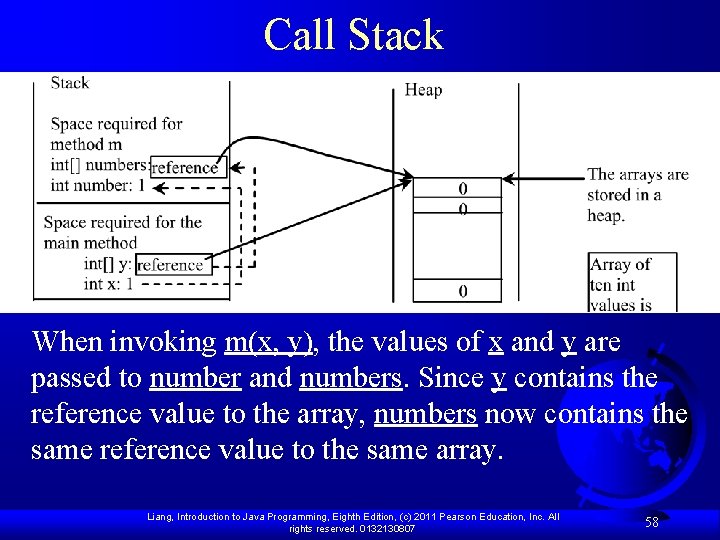
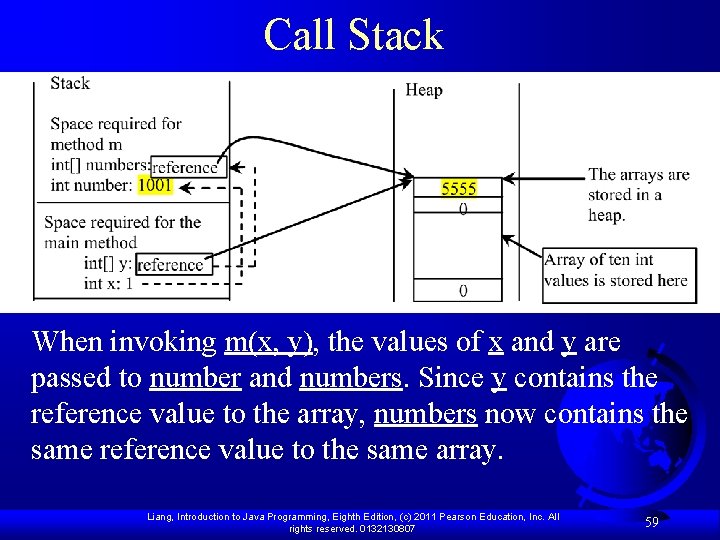
Simple Example public class Test { public static void main(String[] args) { int x = 1; // x represents an int value int[] y = new int[10]; // y represents an array of int values m(x, y); // Invoke m with arguments x and y System. out. println("x is " + x); System. out. println("y[0] is " + y[0]); } public static void m(int number, int[] numbers) { number = 1001; // Assign a new value to numbers[0] = 5555; // Assign a new value to numbers[0] } } Liang, Introduction to Java Programming, Eighth Edition, (c) 2011 Pearson Education, Inc. All rights reserved. 0132130807 57
Call Stack When invoking m(x, y), the values of x and y are passed to number and numbers. Since y contains the reference value to the array, numbers now contains the same reference value to the same array. Liang, Introduction to Java Programming, Eighth Edition, (c) 2011 Pearson Education, Inc. All rights reserved. 0132130807 58
Call Stack When invoking m(x, y), the values of x and y are passed to number and numbers. Since y contains the reference value to the array, numbers now contains the same reference value to the same array. Liang, Introduction to Java Programming, Eighth Edition, (c) 2011 Pearson Education, Inc. All rights reserved. 0132130807 59
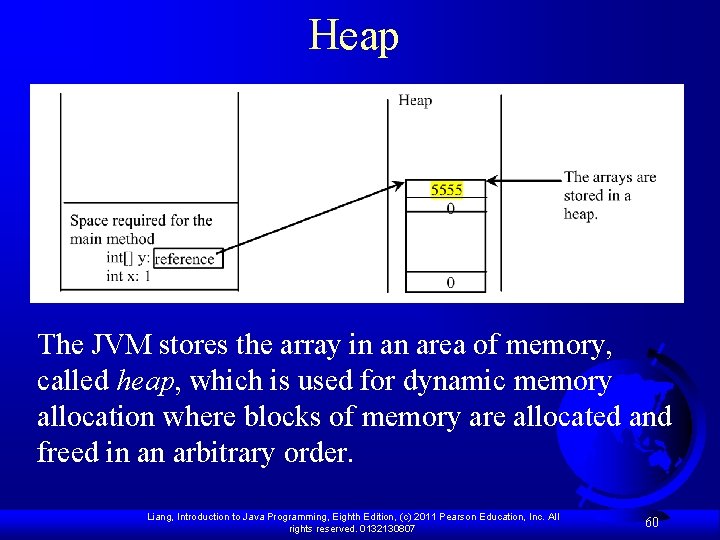
Heap The JVM stores the array in an area of memory, called heap, which is used for dynamic memory allocation where blocks of memory are allocated and freed in an arbitrary order. Liang, Introduction to Java Programming, Eighth Edition, (c) 2011 Pearson Education, Inc. All rights reserved. 0132130807 60
Passing Arrays as Arguments F Objective: Demonstrate differences of passing primitive data type variables and array variables. Test. Pass. Array Run Liang, Introduction to Java Programming, Eighth Edition, (c) 2011 Pearson Education, Inc. All rights reserved. 0132130807 61
Accessing Individual Elements public class Test. Pass. Array { /** Main method */ public static void main(String[] args) { int[] a = {1, 2}; System. out. println("Before invoking swap"); System. out. println("array is {" + a[0] + ", " + a[1] + "}"); swap(a[0], a[1]); System. out. println("After invoking swap"); System. out. println("array is {" + a[0] + ", " + a[1] + "}"); System. out. println("Before invoking swap. First. Two. In. Array"); System. out. println("array is {" + a[0] + ", " + a[1] + "}"); swap. First. Two. In. Array(a); System. out. println("After invoking swap. First. Two. In. Array"); System. out. println("array is {" + a[0] + ", " + a[1] + "}"); } public static void swap(int n 1, int n 2) { int temp = n 1; n 1 = n 2; n 2 = temp; } public static void swap. First. Two. In. Array(int[] array) { int temp = array[0]; array[0] = array[1]; array[1] = temp; } Liang, Introduction to Java Programming, Eighth Edition, (c) 2011 Pearson Education, Inc. All } rights reserved. 0132130807
Example, cont. Liang, Introduction to Java Programming, Eighth Edition, (c) 2011 Pearson Education, Inc. All rights reserved. 0132130807 63
Returning an Array from a Method public static int[] reverse(int[] list) { int[] result = new int[list. length]; for (int i = 0, j = result. length - 1; i < list. length; i++, j--) { result[j] = list[i]; } list return result; } result int[] list 1 = new int[]{1, 2, 3, 4, 5, 6}; int[] list 2 = reverse(list 1); Liang, Introduction to Java Programming, Eighth Edition, (c) 2011 Pearson Education, Inc. All rights reserved. 0132130807 64
animation Trace the reverse Method int[] list 1 = {1, 2, 3, 4, 5, 6}; int[] list 2 = reverse(list 1); Declare result and create array public static int[] reverse(int[] list) { int[] result = new int[list. length]; for (int i = 0, j = result. length - 1; i < list. length; i++, j--) { result[j] = list[i]; } return result; } list result 1 2 3 4 5 6 0 0 0 Liang, Introduction to Java Programming, Eighth Edition, (c) 2011 Pearson Education, Inc. All rights reserved. 0132130807 65
animation Trace the reverse Method, cont. int[] list 1 = new int[]{1, 2, 3, 4, 5, 6}; int[] list 2 = reverse(list 1); i = 0 and j = 5 public static int[] reverse(int[] list) { int[] result = new int[list. length]; for (int i = 0, j = result. length - 1; i < list. length; i++, j--) { result[j] = list[i]; } return result; } list result 1 2 3 4 5 6 0 0 0 Liang, Introduction to Java Programming, Eighth Edition, (c) 2011 Pearson Education, Inc. All rights reserved. 0132130807 66
animation Trace the reverse Method, cont. int[] list 1 = new int[]{1, 2, 3, 4, 5, 6}; int[] list 2 = reverse(list 1); i (= 0) is less than 6 public static int[] reverse(int[] list) { int[] result = new int[list. length]; for (int i = 0, j = result. length - 1; i < list. length; i++, j--) { result[j] = list[i]; } return result; } list result 1 2 3 4 5 6 0 0 0 Liang, Introduction to Java Programming, Eighth Edition, (c) 2011 Pearson Education, Inc. All rights reserved. 0132130807 67
animation Trace the reverse Method, cont. int[] list 1 = new int[]{1, 2, 3, 4, 5, 6}; int[] list 2 = reverse(list 1); i = 0 and j = 5 Assign list[0] to result[5] public static int[] reverse(int[] list) { int[] result = new int[list. length]; for (int i = 0, j = result. length - 1; i < list. length; i++, j--) { result[j] = list[i]; } return result; } list result 1 2 3 4 5 6 0 0 0 1 Liang, Introduction to Java Programming, Eighth Edition, (c) 2011 Pearson Education, Inc. All rights reserved. 0132130807 68
animation Trace the reverse Method, cont. int[] list 1 = new int[]{1, 2, 3, 4, 5, 6}; int[] list 2 = reverse(list 1); After this, i becomes 1 and j becomes 4 public static int[] reverse(int[] list) { int[] result = new int[list. length]; for (int i = 0, j = result. length - 1; i < list. length; i++, j--) { result[j] = list[i]; } return result; } list result 1 2 3 4 5 6 0 0 0 1 Liang, Introduction to Java Programming, Eighth Edition, (c) 2011 Pearson Education, Inc. All rights reserved. 0132130807 69
animation Trace the reverse Method, cont. int[] list 1 = new int[]{1, 2, 3, 4, 5, 6}; int[] list 2 = reverse(list 1); i (=1) is less than 6 public static int[] reverse(int[] list) { int[] result = new int[list. length]; for (int i = 0, j = result. length - 1; i < list. length; i++, j--) { result[j] = list[i]; } return result; } list result 1 2 3 4 5 6 0 0 0 1 Liang, Introduction to Java Programming, Eighth Edition, (c) 2011 Pearson Education, Inc. All rights reserved. 0132130807 70
animation Trace the reverse Method, cont. int[] list 1 = new int[]{1, 2, 3, 4, 5, 6}; int[] list 2 = reverse(list 1); i = 1 and j = 4 Assign list[1] to result[4] public static int[] reverse(int[] list) { int[] result = new int[list. length]; for (int i = 0, j = result. length - 1; i < list. length; i++, j--) { result[j] = list[i]; } return result; } list result 1 2 3 4 5 6 0 0 2 1 Liang, Introduction to Java Programming, Eighth Edition, (c) 2011 Pearson Education, Inc. All rights reserved. 0132130807 71
animation Trace the reverse Method, cont. int[] list 1 = new int[]{1, 2, 3, 4, 5, 6}; int[] list 2 = reverse(list 1); After this, i becomes 2 and j becomes 3 public static int[] reverse(int[] list) { int[] result = new int[list. length]; for (int i = 0, j = result. length - 1; i < list. length; i++, j--) { result[j] = list[i]; } return result; } list result 1 2 3 4 5 6 0 0 2 1 Liang, Introduction to Java Programming, Eighth Edition, (c) 2011 Pearson Education, Inc. All rights reserved. 0132130807 72
animation Trace the reverse Method, cont. int[] list 1 = new int[]{1, 2, 3, 4, 5, 6}; int[] list 2 = reverse(list 1); i (=2) is still less than 6 public static int[] reverse(int[] list) { int[] result = new int[list. length]; for (int i = 0, j = result. length - 1; i < list. length; i++, j--) { result[j] = list[i]; } return result; } list result 1 2 3 4 5 6 0 0 2 1 Liang, Introduction to Java Programming, Eighth Edition, (c) 2011 Pearson Education, Inc. All rights reserved. 0132130807 73
animation Trace the reverse Method, cont. int[] list 1 = new int[]{1, 2, 3, 4, 5, 6}; int[] list 2 = reverse(list 1); i = 2 and j = 3 Assign list[i] to result[j] public static int[] reverse(int[] list) { int[] result = new int[list. length]; for (int i = 0, j = result. length - 1; i < list. length; i++, j--) { result[j] = list[i]; } return result; } list result 1 2 3 4 5 6 0 0 0 3 2 1 Liang, Introduction to Java Programming, Eighth Edition, (c) 2011 Pearson Education, Inc. All rights reserved. 0132130807 74
animation Trace the reverse Method, cont. int[] list 1 = new int[]{1, 2, 3, 4, 5, 6}; int[] list 2 = reverse(list 1); After this, i becomes 3 and j becomes 2 public static int[] reverse(int[] list) { int[] result = new int[list. length]; for (int i = 0, j = result. length - 1; i < list. length; i++, j--) { result[j] = list[i]; } return result; } list result 1 2 3 4 5 6 0 0 0 3 2 1 Liang, Introduction to Java Programming, Eighth Edition, (c) 2011 Pearson Education, Inc. All rights reserved. 0132130807 75
animation Trace the reverse Method, cont. int[] list 1 = new int[]{1, 2, 3, 4, 5, 6}; int[] list 2 = reverse(list 1); i (=3) is still less than 6 public static int[] reverse(int[] list) { int[] result = new int[list. length]; for (int i = 0, j = result. length - 1; i < list. length; i++, j--) { result[j] = list[i]; } return result; } list result 1 2 3 4 5 6 0 0 0 3 2 1 Liang, Introduction to Java Programming, Eighth Edition, (c) 2011 Pearson Education, Inc. All rights reserved. 0132130807 76
animation Trace the reverse Method, cont. int[] list 1 = new int[]{1, 2, 3, 4, 5, 6}; int[] list 2 = reverse(list 1); i = 3 and j = 2 Assign list[i] to result[j] public static int[] reverse(int[] list) { int[] result = new int[list. length]; for (int i = 0, j = result. length - 1; i < list. length; i++, j--) { result[j] = list[i]; } return result; } list result 1 2 3 4 5 6 0 0 4 3 2 1 Liang, Introduction to Java Programming, Eighth Edition, (c) 2011 Pearson Education, Inc. All rights reserved. 0132130807 77
animation Trace the reverse Method, cont. int[] list 1 = new int[]{1, 2, 3, 4, 5, 6}; int[] list 2 = reverse(list 1); After this, i becomes 4 and j becomes 1 public static int[] reverse(int[] list) { int[] result = new int[list. length]; for (int i = 0, j = result. length - 1; i < list. length; i++, j--) { result[j] = list[i]; } return result; } list result 1 2 3 4 5 6 0 0 4 3 2 1 Liang, Introduction to Java Programming, Eighth Edition, (c) 2011 Pearson Education, Inc. All rights reserved. 0132130807 78
animation Trace the reverse Method, cont. int[] list 1 = new int[]{1, 2, 3, 4, 5, 6}; int[] list 2 = reverse(list 1); i (=4) is still less than 6 public static int[] reverse(int[] list) { int[] result = new int[list. length]; for (int i = 0, j = result. length - 1; i < list. length; i++, j--) { result[j] = list[i]; } return result; } list result 1 2 3 4 5 6 0 0 4 3 2 1 Liang, Introduction to Java Programming, Eighth Edition, (c) 2011 Pearson Education, Inc. All rights reserved. 0132130807 79
animation Trace the reverse Method, cont. int[] list 1 = new int[]{1, 2, 3, 4, 5, 6}; int[] list 2 = reverse(list 1); i = 4 and j = 1 Assign list[i] to result[j] public static int[] reverse(int[] list) { int[] result = new int[list. length]; for (int i = 0, j = result. length - 1; i < list. length; i++, j--) { result[j] = list[i]; } return result; } list result 1 2 3 4 5 6 0 5 4 3 2 1 Liang, Introduction to Java Programming, Eighth Edition, (c) 2011 Pearson Education, Inc. All rights reserved. 0132130807 80
animation Trace the reverse Method, cont. int[] list 1 = new int[]{1, 2, 3, 4, 5, 6}; int[] list 2 = reverse(list 1); After this, i becomes 5 and j becomes 0 public static int[] reverse(int[] list) { int[] result = new int[list. length]; for (int i = 0, j = result. length - 1; i < list. length; i++, j--) { result[j] = list[i]; } return result; } list result 1 2 3 4 5 6 0 5 4 3 2 1 Liang, Introduction to Java Programming, Eighth Edition, (c) 2011 Pearson Education, Inc. All rights reserved. 0132130807 81
animation Trace the reverse Method, cont. int[] list 1 = new int[]{1, 2, 3, 4, 5, 6}; int[] list 2 = reverse(list 1); i (=5) is still less than 6 public static int[] reverse(int[] list) { int[] result = new int[list. length]; for (int i = 0, j = result. length - 1; i < list. length; i++, j--) { result[j] = list[i]; } return result; } list result 1 2 3 4 5 6 0 5 4 3 2 1 Liang, Introduction to Java Programming, Eighth Edition, (c) 2011 Pearson Education, Inc. All rights reserved. 0132130807 82
animation Trace the reverse Method, cont. int[] list 1 = new int[]{1, 2, 3, 4, 5, 6}; int[] list 2 = reverse(list 1); i = 5 and j = 0 Assign list[i] to result[j] public static int[] reverse(int[] list) { int[] result = new int[list. length]; for (int i = 0, j = result. length - 1; i < list. length; i++, j--) { result[j] = list[i]; } return result; } list result 1 2 3 4 5 6 6 5 4 3 2 1 Liang, Introduction to Java Programming, Eighth Edition, (c) 2011 Pearson Education, Inc. All rights reserved. 0132130807 83
animation Trace the reverse Method, cont. int[] list 1 = new int[]{1, 2, 3, 4, 5, 6}; int[] list 2 = reverse(list 1); After this, i becomes 6 and j becomes -1 public static int[] reverse(int[] list) { int[] result = new int[list. length]; for (int i = 0, j = result. length - 1; i < list. length; i++, j--) { result[j] = list[i]; } return result; } list result 1 2 3 4 5 6 6 5 4 3 2 1 Liang, Introduction to Java Programming, Eighth Edition, (c) 2011 Pearson Education, Inc. All rights reserved. 0132130807 84
animation Trace the reverse Method, cont. int[] list 1 = new int[]{1, 2, 3, 4, 5, 6}; int[] list 2 = reverse(list 1); i (=6) < 6 is false. So exit the loop. public static int[] reverse(int[] list) { int[] result = new int[list. length]; for (int i = 0, j = result. length - 1; i < list. length; i++, j--) { result[j] = list[i]; } return result; } list result 1 2 3 4 5 6 6 5 4 3 2 1 Liang, Introduction to Java Programming, Eighth Edition, (c) 2011 Pearson Education, Inc. All rights reserved. 0132130807 85
animation Trace the reverse Method, cont. int[] list 1 = new int[]{1, 2, 3, 4, 5, 6}; int[] list 2 = reverse(list 1); Return result public static int[] reverse(int[] list) { int[] result = new int[list. length]; for (int i = 0, j = result. length - 1; i < list. length; i++, j--) { result[j] = list[i]; } return result; } list 1 2 3 4 5 6 6 5 4 3 2 1 list 2 result Liang, Introduction to Java Programming, Eighth Edition, (c) 2011 Pearson Education, Inc. All rights reserved. 0132130807 86
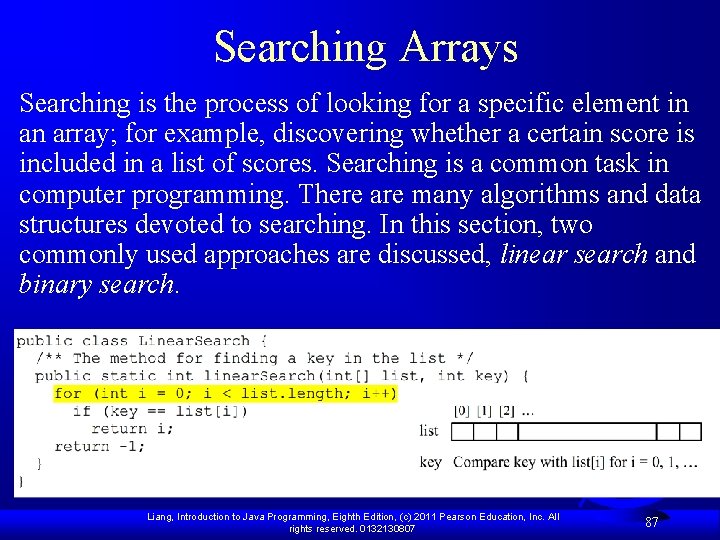
Searching Arrays Searching is the process of looking for a specific element in an array; for example, discovering whether a certain score is included in a list of scores. Searching is a common task in computer programming. There are many algorithms and data structures devoted to searching. In this section, two commonly used approaches are discussed, linear search and binary search. Liang, Introduction to Java Programming, Eighth Edition, (c) 2011 Pearson Education, Inc. All rights reserved. 0132130807 87
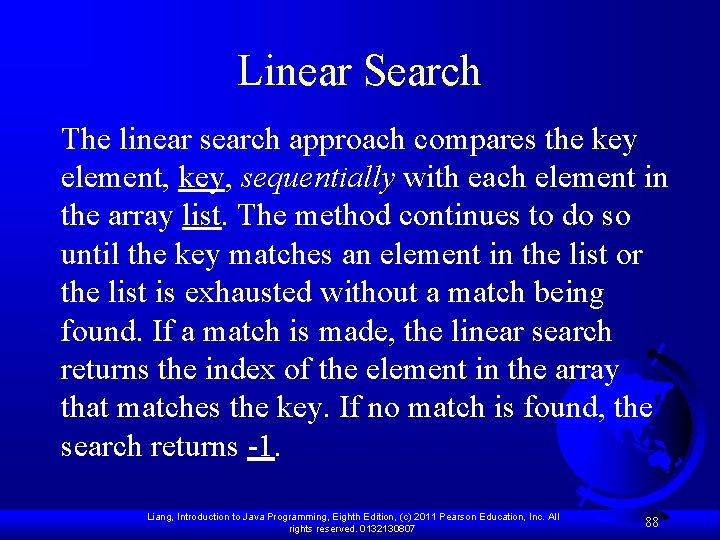
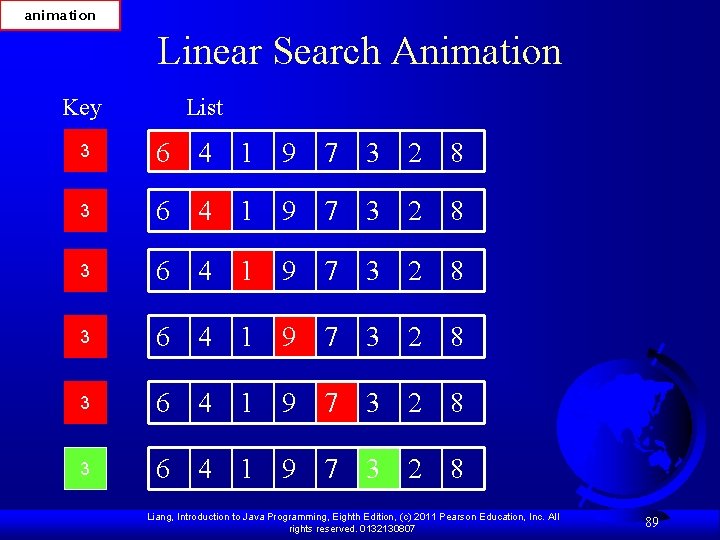
Linear Search The linear search approach compares the key element, key, sequentially with each element in the array list. The method continues to do so until the key matches an element in the list or the list is exhausted without a match being found. If a match is made, the linear search returns the index of the element in the array that matches the key. If no match is found, the search returns -1. Liang, Introduction to Java Programming, Eighth Edition, (c) 2011 Pearson Education, Inc. All rights reserved. 0132130807 88
animation Linear Search Animation Key List 3 6 4 1 9 7 3 2 8 3 6 4 1 9 7 3 2 8 Liang, Introduction to Java Programming, Eighth Edition, (c) 2011 Pearson Education, Inc. All rights reserved. 0132130807 89
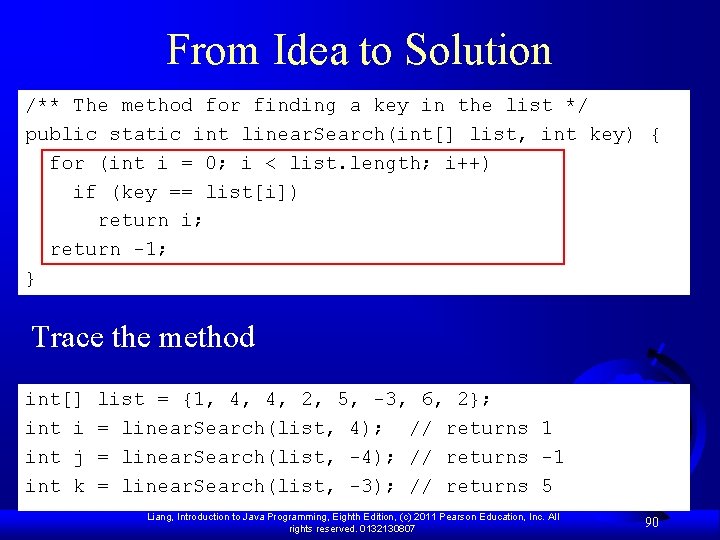
From Idea to Solution /** The method for finding a key in the list */ public static int linear. Search(int[] list, int key) { for (int i = 0; i < list. length; i++) if (key == list[i]) return i; return -1; } Trace the method int[] list = {1, 4, 4, 2, 5, -3, 6, 2}; int i = linear. Search(list, 4); // returns 1 int j = linear. Search(list, -4); // returns -1 int k = linear. Search(list, -3); // returns 5 Liang, Introduction to Java Programming, Eighth Edition, (c) 2011 Pearson Education, Inc. All rights reserved. 0132130807 90
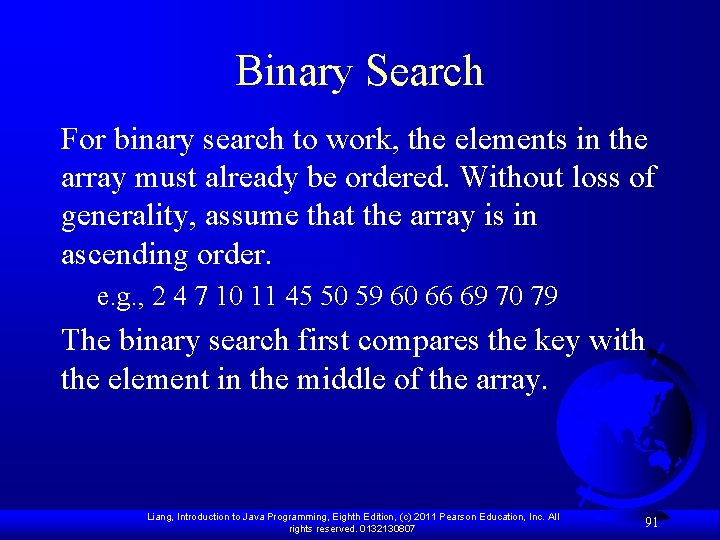
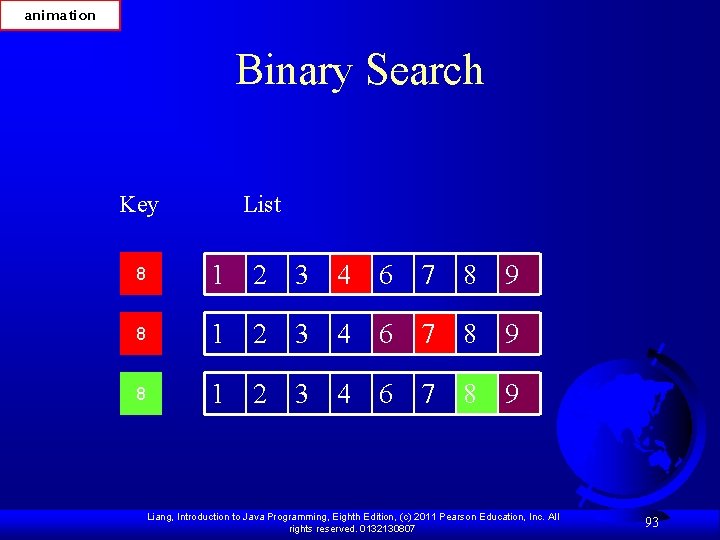
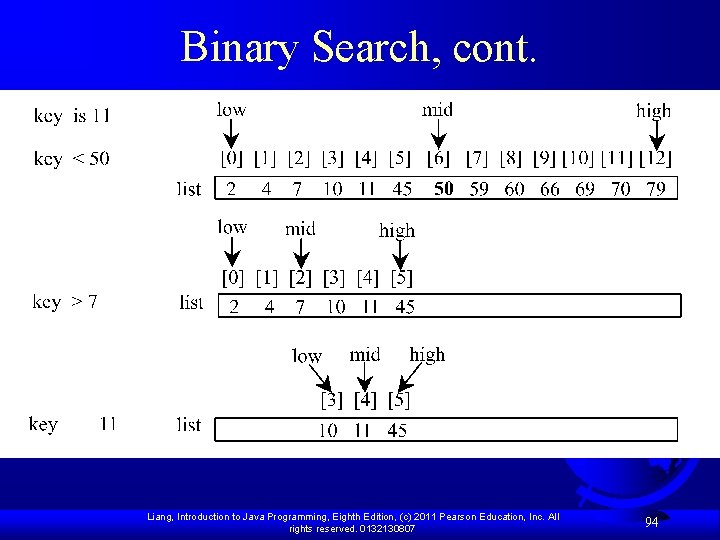
Binary Search For binary search to work, the elements in the array must already be ordered. Without loss of generality, assume that the array is in ascending order. e. g. , 2 4 7 10 11 45 50 59 60 66 69 70 79 The binary search first compares the key with the element in the middle of the array. Liang, Introduction to Java Programming, Eighth Edition, (c) 2011 Pearson Education, Inc. All rights reserved. 0132130807 91
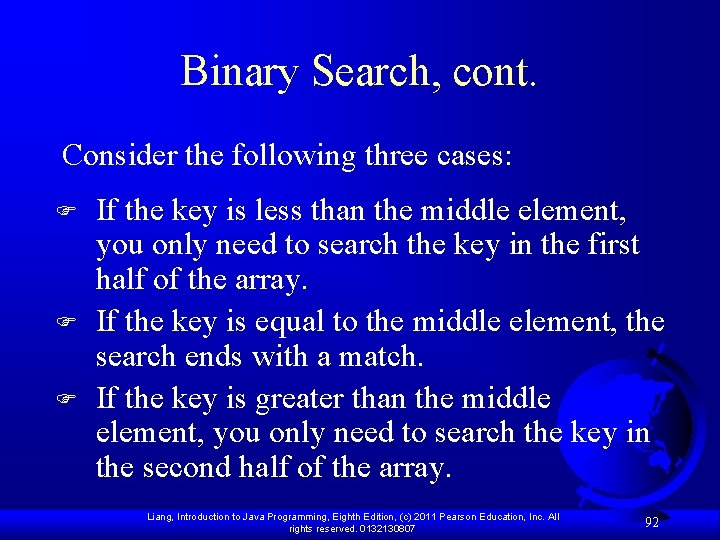
Binary Search, cont. Consider the following three cases: F F F If the key is less than the middle element, you only need to search the key in the first half of the array. If the key is equal to the middle element, the search ends with a match. If the key is greater than the middle element, you only need to search the key in the second half of the array. Liang, Introduction to Java Programming, Eighth Edition, (c) 2011 Pearson Education, Inc. All rights reserved. 0132130807 92
animation Binary Search Key List 8 1 2 3 4 6 7 8 9 Liang, Introduction to Java Programming, Eighth Edition, (c) 2011 Pearson Education, Inc. All rights reserved. 0132130807 93
Binary Search, cont. Liang, Introduction to Java Programming, Eighth Edition, (c) 2011 Pearson Education, Inc. All rights reserved. 0132130807 94
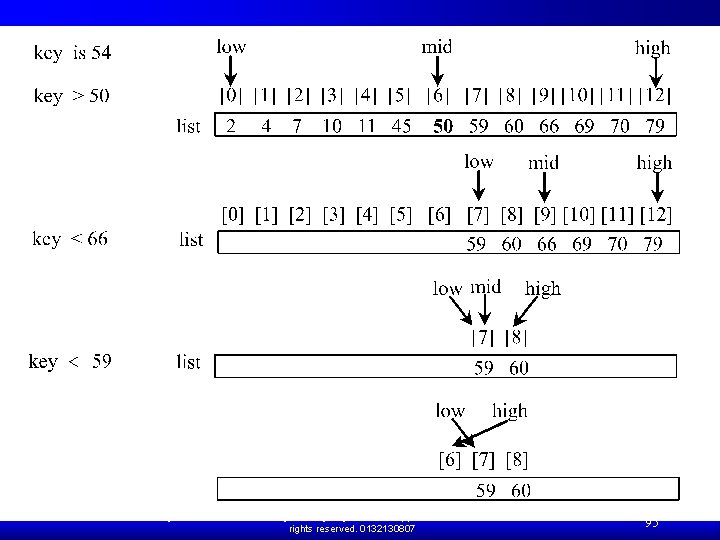
Binary Search, cont. Liang, Introduction to Java Programming, Eighth Edition, (c) 2011 Pearson Education, Inc. All rights reserved. 0132130807 95
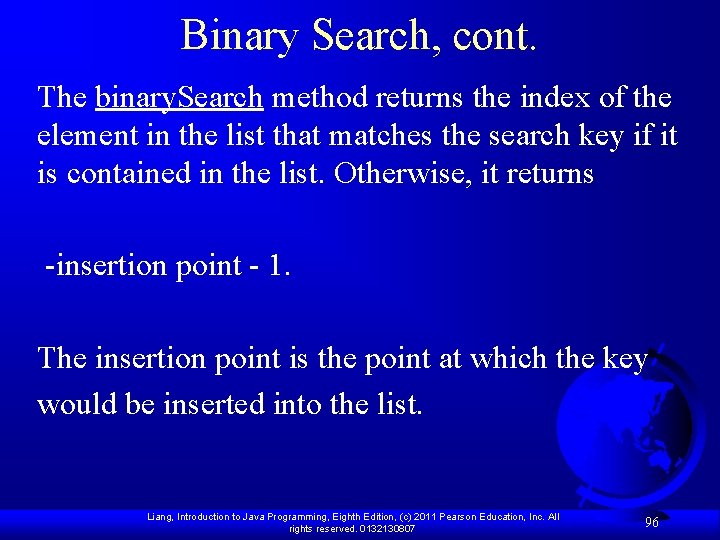
Binary Search, cont. The binary. Search method returns the index of the element in the list that matches the search key if it is contained in the list. Otherwise, it returns -insertion point - 1. The insertion point is the point at which the key would be inserted into the list. Liang, Introduction to Java Programming, Eighth Edition, (c) 2011 Pearson Education, Inc. All rights reserved. 0132130807 96
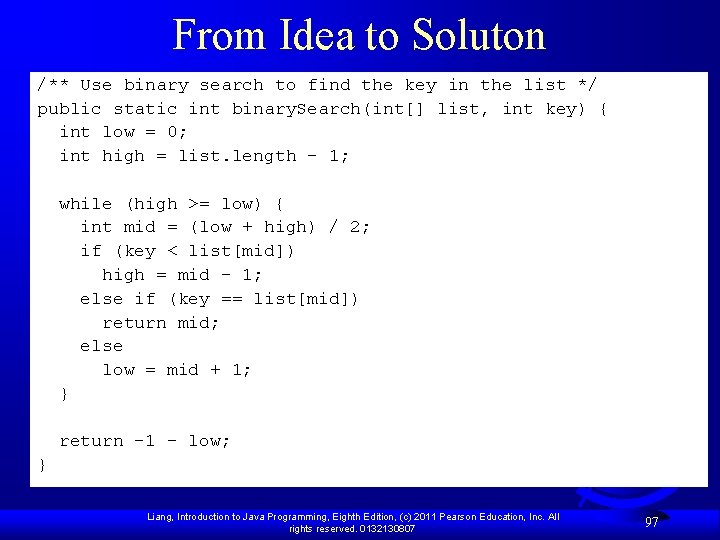
From Idea to Soluton /** Use binary search to find the key in the list */ public static int binary. Search(int[] list, int key) { int low = 0; int high = list. length - 1; while (high >= low) { int mid = (low + high) / 2; if (key < list[mid]) high = mid - 1; else if (key == list[mid]) return mid; else low = mid + 1; } return -1 - low; } Liang, Introduction to Java Programming, Eighth Edition, (c) 2011 Pearson Education, Inc. All rights reserved. 0132130807 97
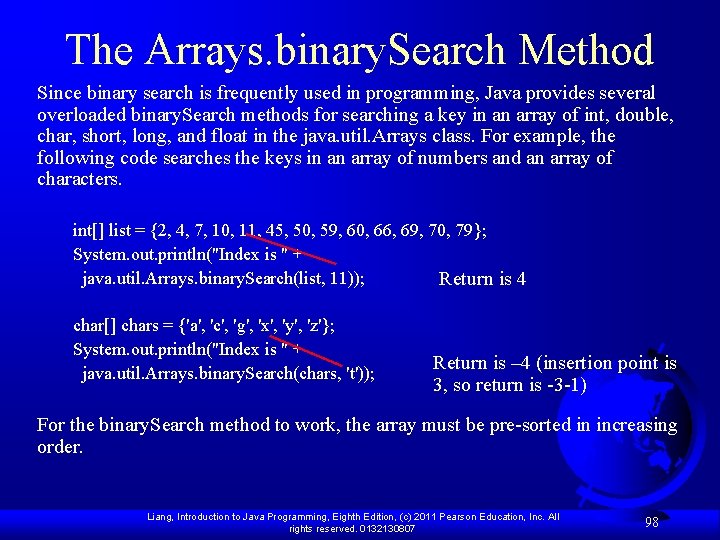
The Arrays. binary. Search Method Since binary search is frequently used in programming, Java provides several overloaded binary. Search methods for searching a key in an array of int, double, char, short, long, and float in the java. util. Arrays class. For example, the following code searches the keys in an array of numbers and an array of characters. int[] list = {2, 4, 7, 10, 11, 45, 50, 59, 60, 66, 69, 70, 79}; System. out. println("Index is " + java. util. Arrays. binary. Search(list, 11)); Return is 4 char[] chars = {'a', 'c', 'g', 'x', 'y', 'z'}; System. out. println("Index is " + Return is – 4 (insertion point is java. util. Arrays. binary. Search(chars, 't')); 3, so return is -3 -1) For the binary. Search method to work, the array must be pre-sorted in increasing order. Liang, Introduction to Java Programming, Eighth Edition, (c) 2011 Pearson Education, Inc. All rights reserved. 0132130807 98
Sorting Arrays Sorting, like searching, is also a common task in computer programming. Many different algorithms have been developed for sorting. This section introduces two simple, intuitive sorting algorithms: selection sort and insertion sort. Liang, Introduction to Java Programming, Eighth Edition, (c) 2011 Pearson Education, Inc. All rights reserved. 0132130807 99
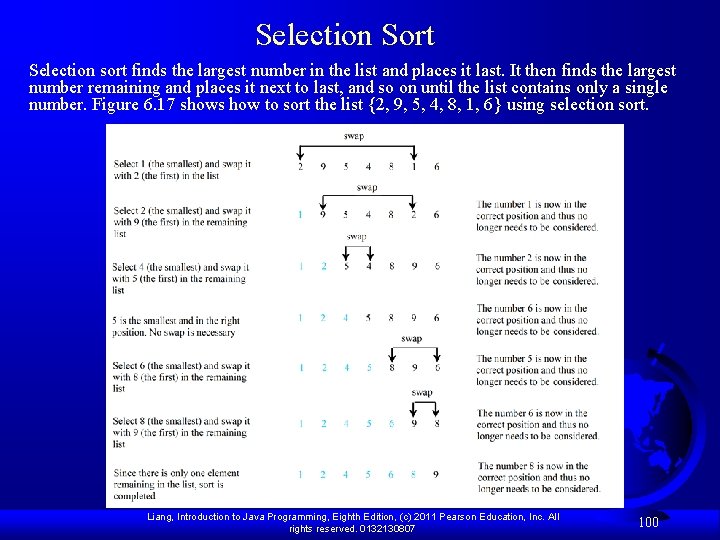
Selection Sort Selection sort finds the largest number in the list and places it last. It then finds the largest number remaining and places it next to last, and so on until the list contains only a single number. Figure 6. 17 shows how to sort the list {2, 9, 5, 4, 8, 1, 6} using selection sort. Liang, Introduction to Java Programming, Eighth Edition, (c) 2011 Pearson Education, Inc. All rights reserved. 0132130807 100
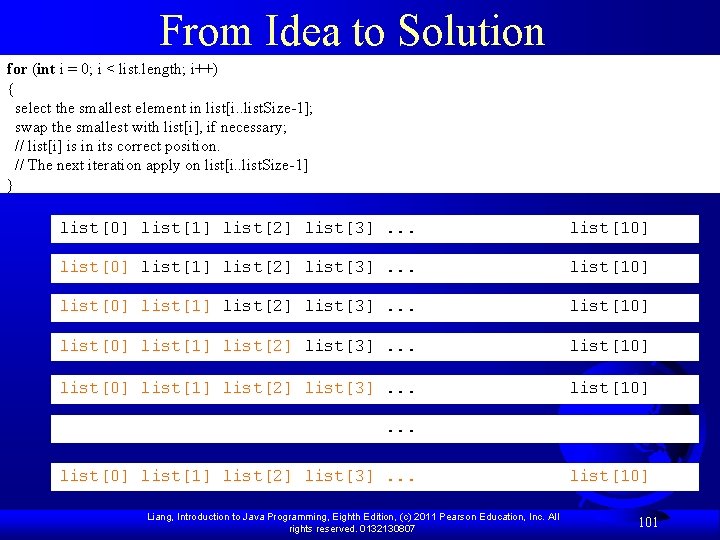
From Idea to Solution for (int i = 0; i < list. length; i++) { select the smallest element in list[i. . list. Size-1]; swap the smallest with list[i], if necessary; // list[i] is in its correct position. // The next iteration apply on list[i. . list. Size-1] } list[0] list[1] list[2] list[3]. . . list[10] . . . list[0] list[1] list[2] list[3]. . . list[10] Liang, Introduction to Java Programming, Eighth Edition, (c) 2011 Pearson Education, Inc. All rights reserved. 0132130807 101
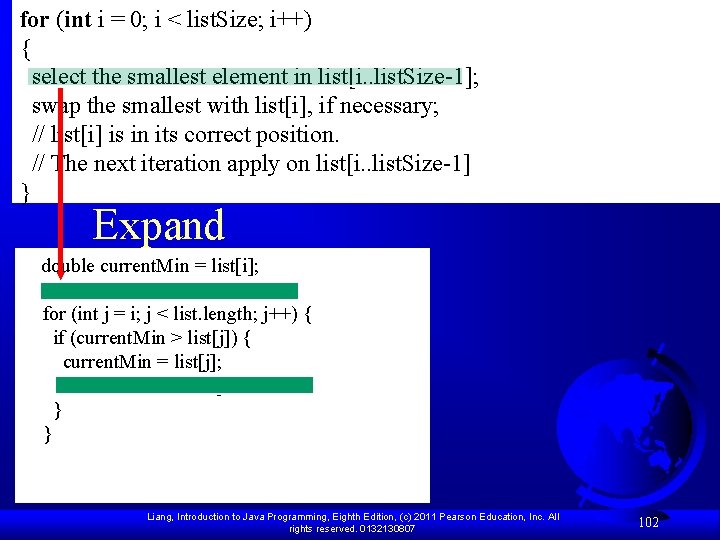
for (int i = 0; i < list. Size; i++) { select the smallest element in list[i. . list. Size-1]; swap the smallest with list[i], if necessary; // list[i] is in its correct position. // The next iteration apply on list[i. . list. Size-1] } Expand double current. Min = list[i]; int current. Min. Index = i; for (int j = i; j < list. length; j++) { if (current. Min > list[j]) { current. Min = list[j]; current. Min. Index = j; } } Liang, Introduction to Java Programming, Eighth Edition, (c) 2011 Pearson Education, Inc. All rights reserved. 0132130807 102
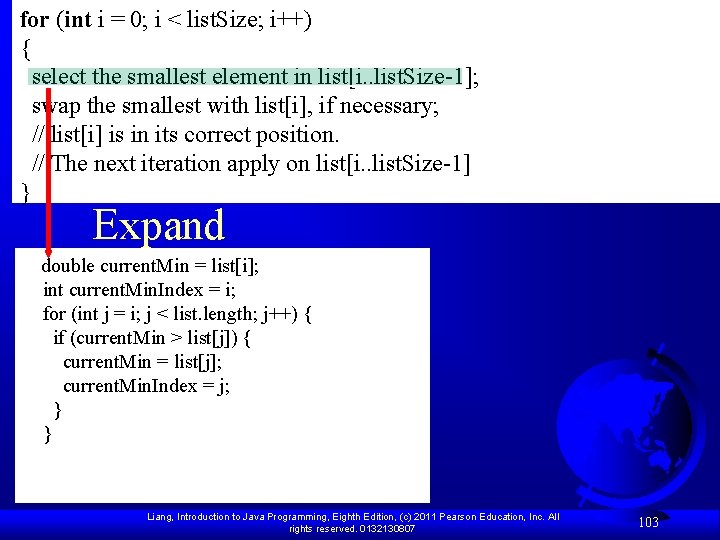
for (int i = 0; i < list. Size; i++) { select the smallest element in list[i. . list. Size-1]; swap the smallest with list[i], if necessary; // list[i] is in its correct position. // The next iteration apply on list[i. . list. Size-1] } Expand double current. Min = list[i]; int current. Min. Index = i; for (int j = i; j < list. length; j++) { if (current. Min > list[j]) { current. Min = list[j]; current. Min. Index = j; } } Liang, Introduction to Java Programming, Eighth Edition, (c) 2011 Pearson Education, Inc. All rights reserved. 0132130807 103
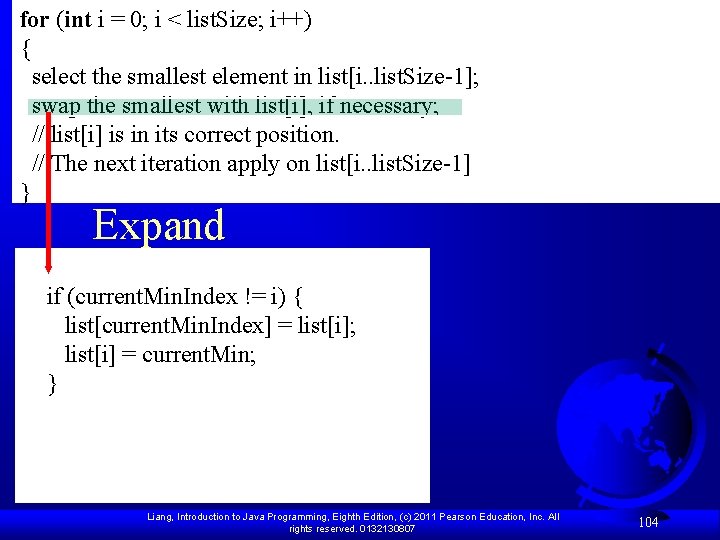
for (int i = 0; i < list. Size; i++) { select the smallest element in list[i. . list. Size-1]; swap the smallest with list[i], if necessary; // list[i] is in its correct position. // The next iteration apply on list[i. . list. Size-1] } Expand if (current. Min. Index != i) { list[current. Min. Index] = list[i]; list[i] = current. Min; } Liang, Introduction to Java Programming, Eighth Edition, (c) 2011 Pearson Education, Inc. All rights reserved. 0132130807 104
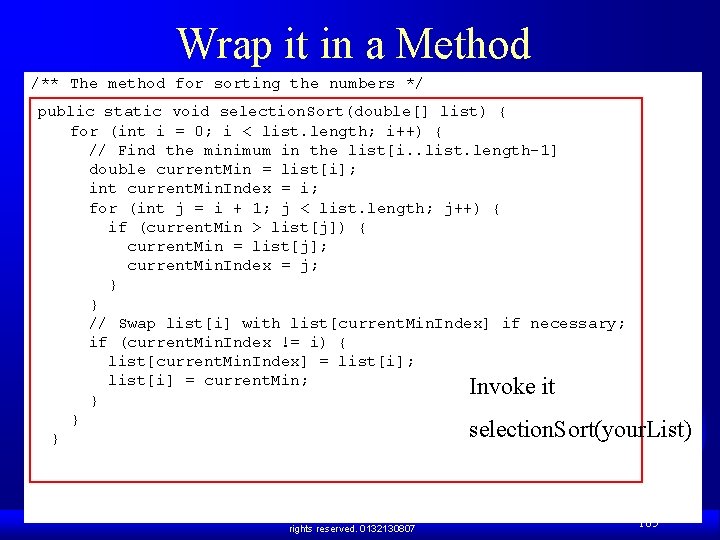
Wrap it in a Method /** The method for sorting the numbers */ public static void selection. Sort(double[] list) { for (int i = 0; i < list. length; i++) { // Find the minimum in the list[i. . list. length-1] double current. Min = list[i]; int current. Min. Index = i; for (int j = i + 1; j < list. length; j++) { if (current. Min > list[j]) { current. Min = list[j]; current. Min. Index = j; } } // Swap list[i] with list[current. Min. Index] if necessary; if (current. Min. Index != i) { list[current. Min. Index] = list[i]; list[i] = current. Min; Invoke it } } selection. Sort(your. List) } Liang, Introduction to Java Programming, Eighth Edition, (c) 2011 Pearson Education, Inc. All rights reserved. 0132130807 105