
Chapter 6 and 7 Objectives Introduce different linking
Chapter 6 and 7
Objectives �Introduce different linking methods �Explain 2 main methods of linking documents �How this relates to images
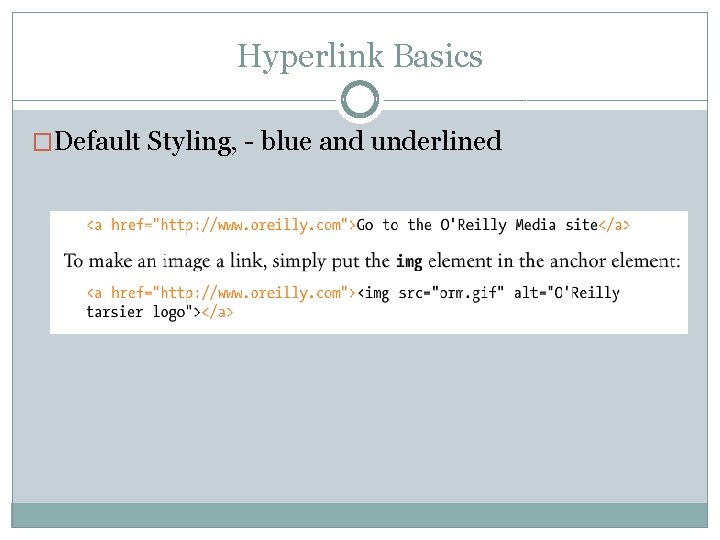
Hyperlink Basics �Default Styling, - blue and underlined
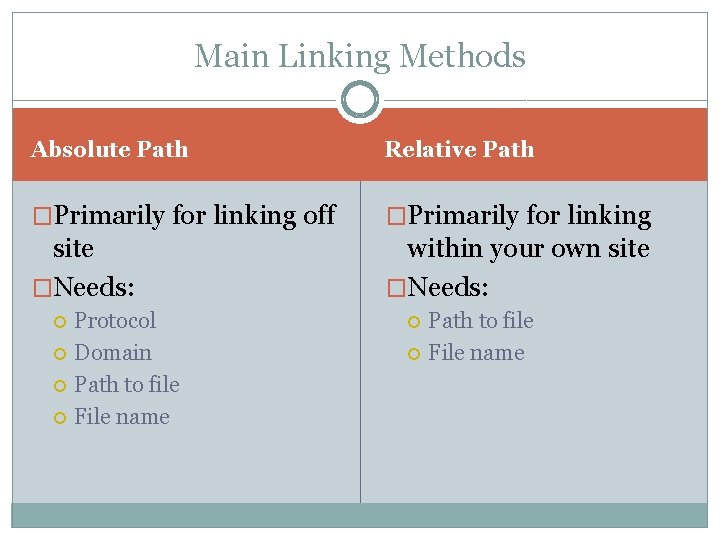
Main Linking Methods Absolute Path Relative Path �Primarily for linking off �Primarily for linking site �Needs: within your own site �Needs: Protocol Domain Path to file File name
Absolute Paths �Generally links to an external page �Recommend using the protocol relative method https: //www. paulirish. com/2010/the-protocol-relative-url/ https: //arstechnica. com/informationtechnology/2015/10/chrome-finally-kills-off-the-httpsmixed-content-warning/ �Examples: http: //www. google. com/directory/subdirectory/file. html https: //domains-are-fun. com/smiles. html
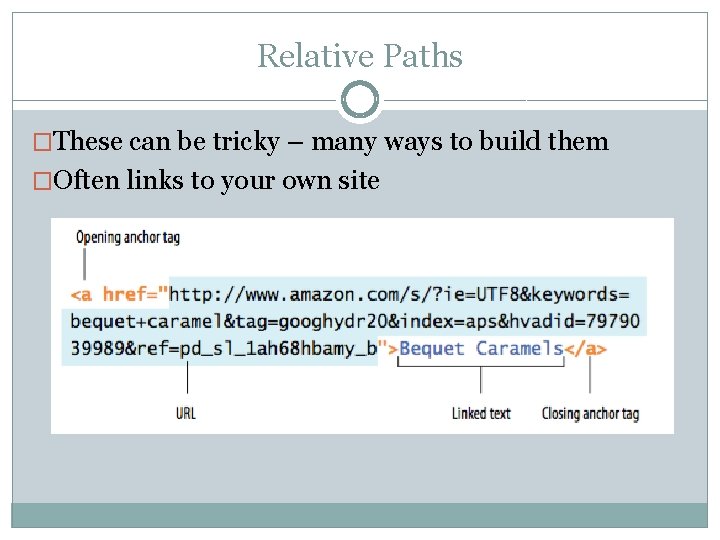
Relative Paths �These can be tricky – many ways to build them �Often links to your own site
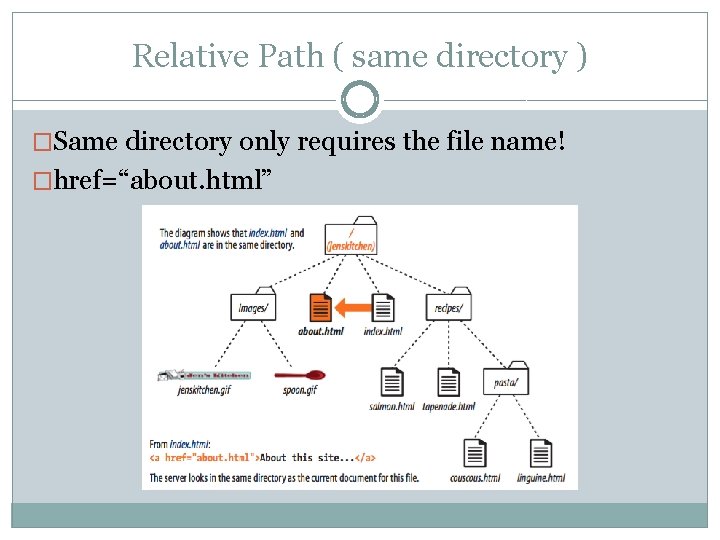
Relative Path ( same directory ) �Same directory only requires the file name! �href=“about. html”
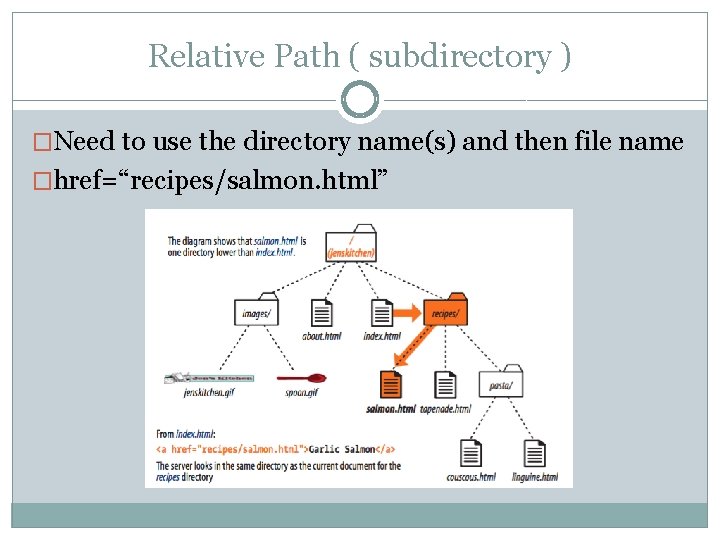
Relative Path ( subdirectory ) �Need to use the directory name(s) and then file name �href=“recipes/salmon. html”
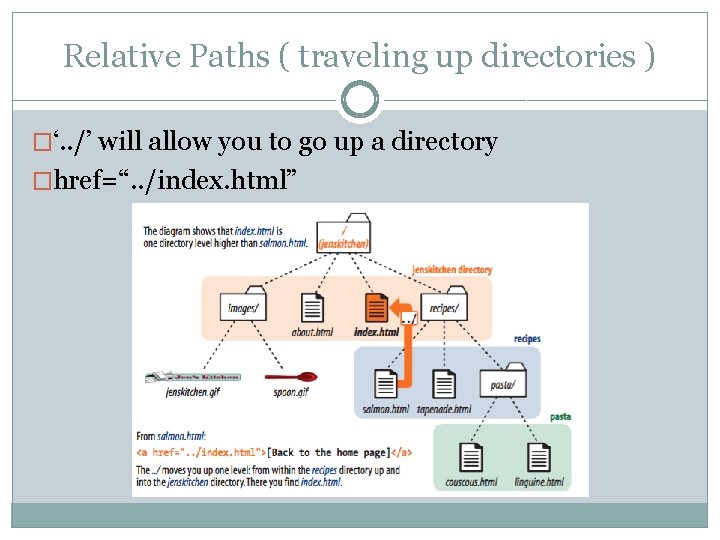
Relative Paths ( traveling up directories ) �‘. . /’ will allow you to go up a directory �href=“. . /index. html”
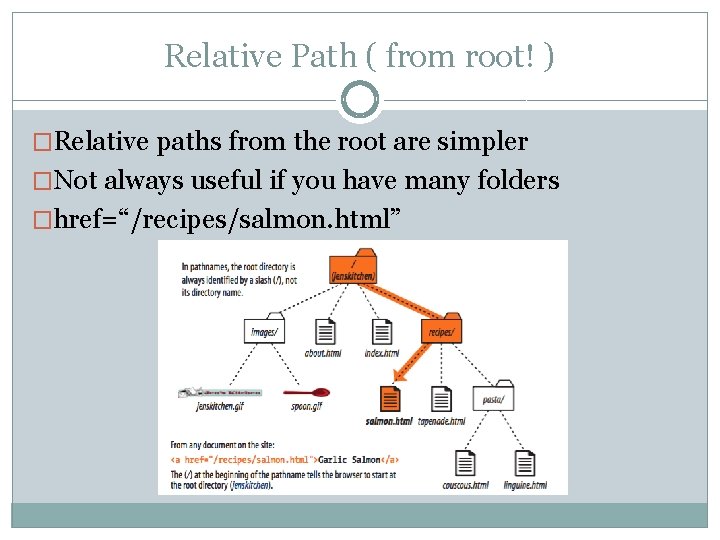
Relative Path ( from root! ) �Relative paths from the root are simpler �Not always useful if you have many folders �href=“/recipes/salmon. html”
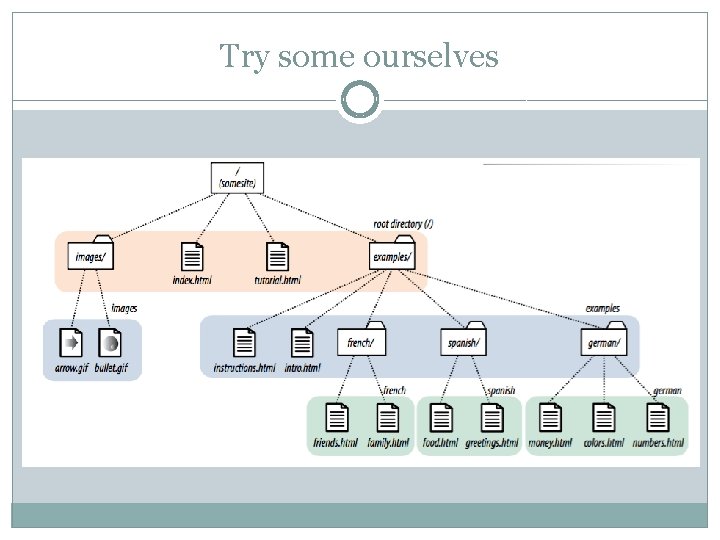
Try some ourselves
Linking to specific spots �Regular link: https: //developers. facebook. com/docs/marketingapi/lookalike-audience-targeting/v 2. 8 �Specific link: https: //developers. facebook. com/docs/marketingapi/lookalike-audience-targeting/v 2. 8#targeting �Remember id’s on a element?
What else can we do with links? �How about controller WHERE they open up! �Target attribute: http: //www. w 3 schools. com/TAgs/att_a_target. asp �Use with caution! Can be confusing for people with screen readers and can lead your user down a rabbit hole
Other cool things �But wait! Call now and I’ll throw in more fun things! �Click to send an email? href=mailto: jtomaszewski@siena. edu �Click to call? href=“tel: +15181234567” � Remember the country code ( WORLD WIDE web )
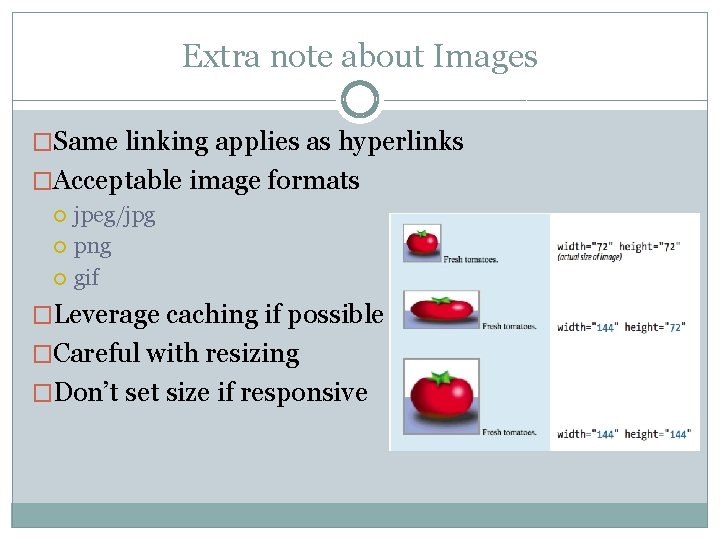
Extra note about Images �Same linking applies as hyperlinks �Acceptable image formats jpeg/jpg png gif �Leverage caching if possible �Careful with resizing �Don’t set size if responsive
- Slides: 15