
Chapter 5 Router Configuration Sem 2 V 2
- Slides: 21
Chapter 5 Router Configuration Sem 2 V 2
Configuration files can come from the console NVRAM TFTP server. The router has several modes: ·privileged mode - used for copying and managing entire configuration files ·global configuration mode - is used for one-line commands and commands that change the entire router ·other configuration modes - used for multiple command lines and detailed configurations The router provides a host name, a banner, and interface descriptions that aid in identification.
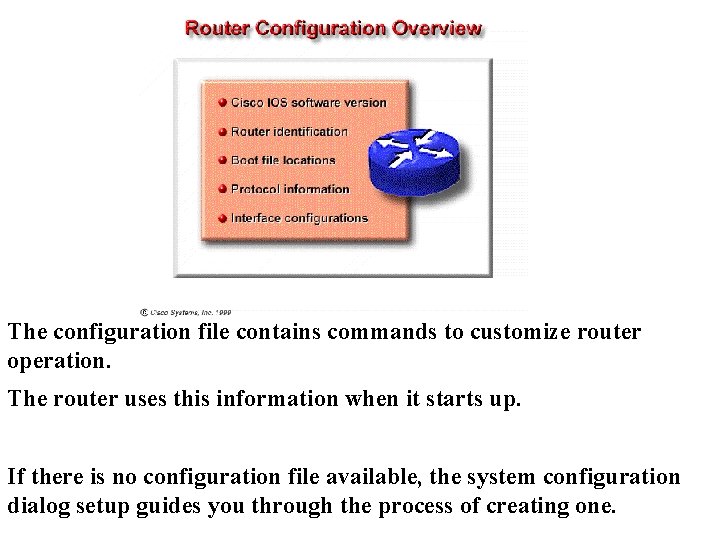
The configuration file contains commands to customize router operation. The router uses this information when it starts up. If there is no configuration file available, the system configuration dialog setup guides you through the process of creating one.
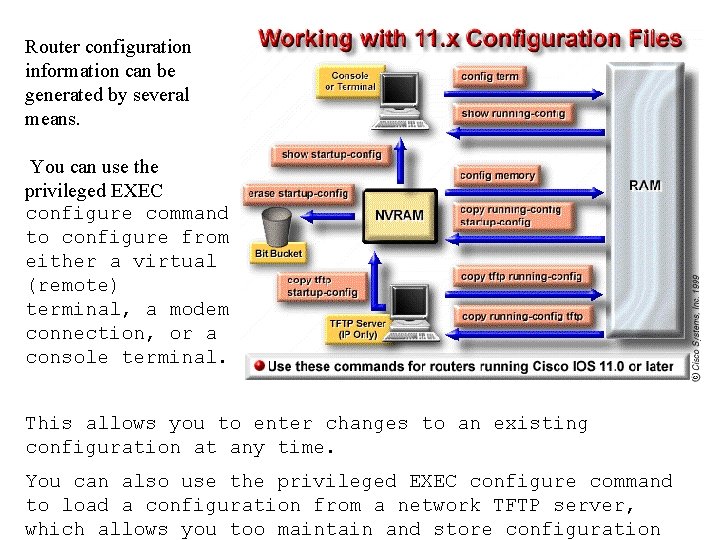
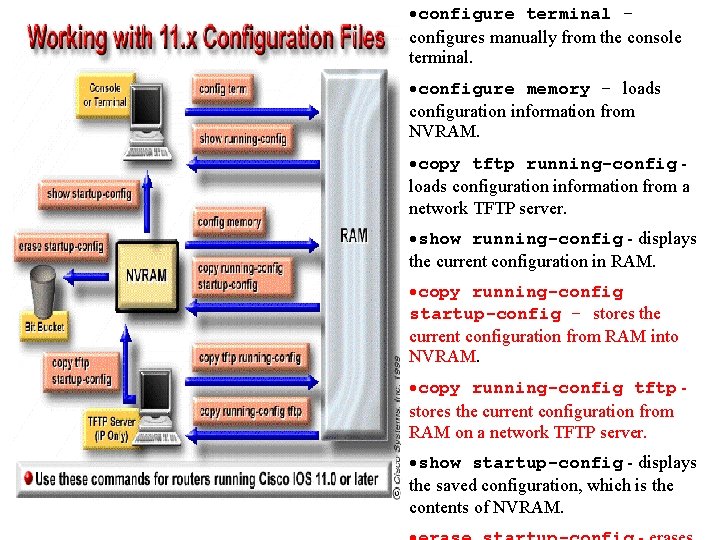
Router configuration information can be generated by several means. You can use the privileged EXEC configure command to configure from either a virtual (remote) terminal, a modem connection, or a console terminal. This allows you to enter changes to an existing configuration at any time. You can also use the privileged EXEC configure command to load a configuration from a network TFTP server, which allows you too maintain and store configuration
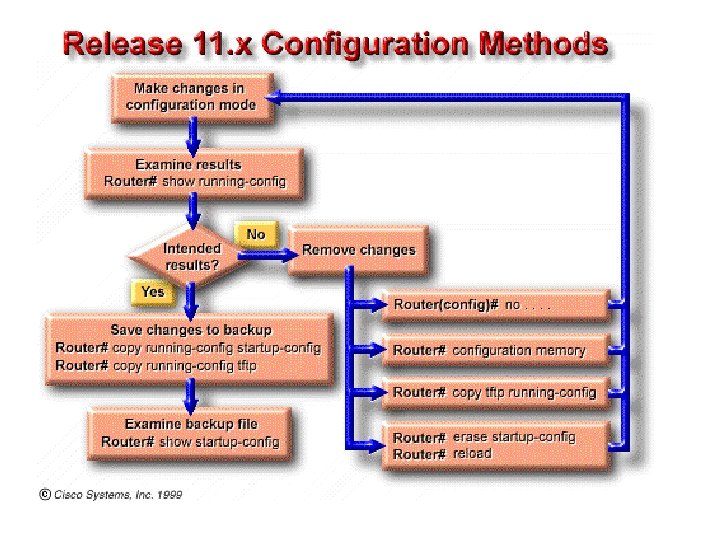
·configure terminal configures manually from the console terminal. ·configure memory - loads configuration information from NVRAM. ·copy tftp running-config loads configuration information from a network TFTP server. ·show running-config - displays the current configuration in RAM. ·copy running-config startup-config - stores the current configuration from RAM into NVRAM. ·copy running-config tftp stores the current configuration from RAM on a network TFTP server. ·show startup-config - displays the saved configuration, which is the contents of NVRAM.
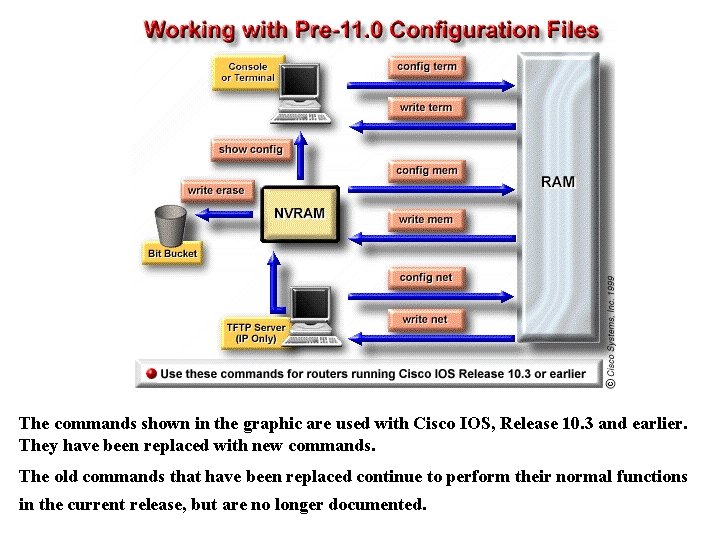
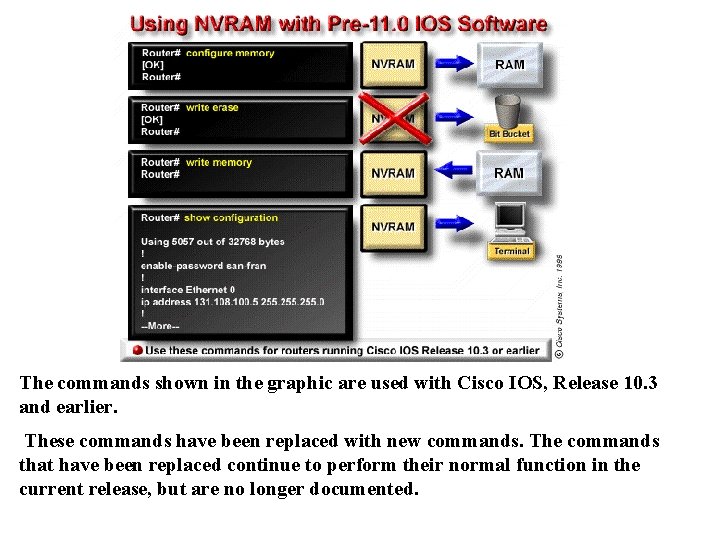
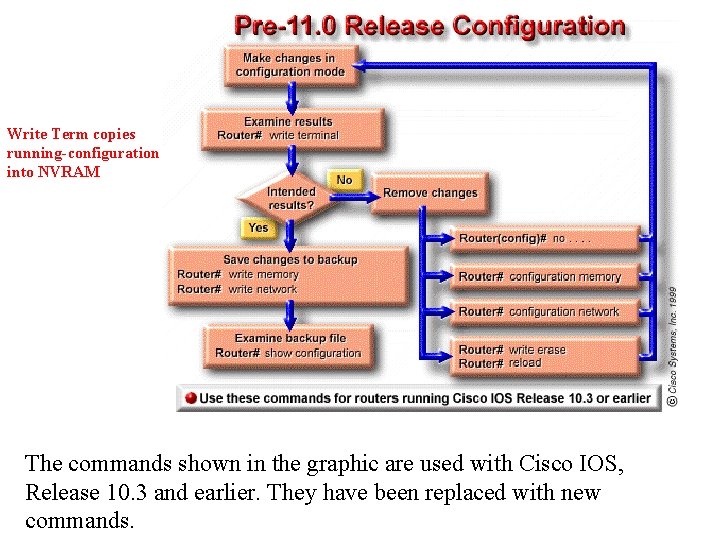
The commands shown in the graphic are used with Cisco IOS, Release 10. 3 and earlier. They have been replaced with new commands. The old commands that have been replaced continue to perform their normal functions in the current release, but are no longer documented.
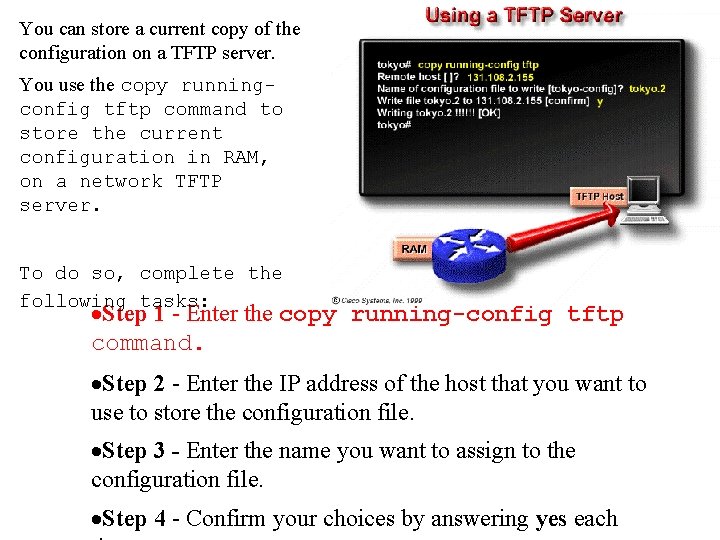
You can store a current copy of the configuration on a TFTP server. You use the copy runningconfig tftp command to store the current configuration in RAM, on a network TFTP server. To do so, complete the following tasks: ·Step 1 - Enter the copy running-config tftp command. ·Step 2 - Enter the IP address of the host that you want to use to store the configuration file. ·Step 3 - Enter the name you want to assign to the configuration file. ·Step 4 - Confirm your choices by answering yes each
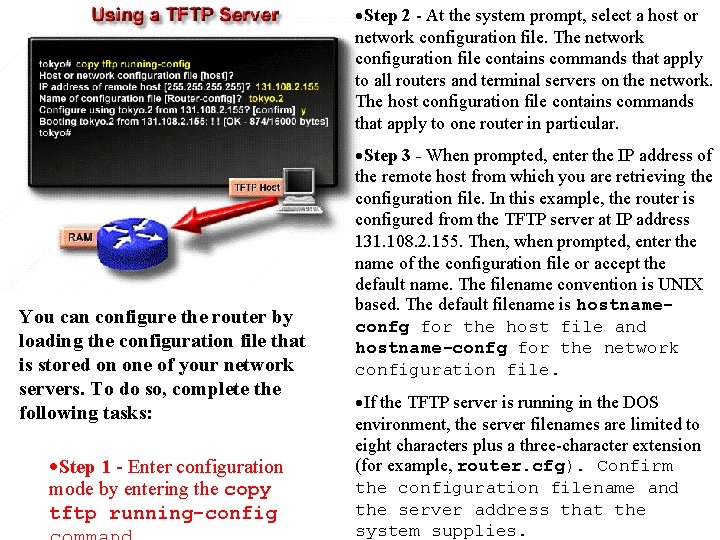
·Step 2 - At the system prompt, select a host or network configuration file. The network configuration file contains commands that apply to all routers and terminal servers on the network. The host configuration file contains commands that apply to one router in particular. You can configure the router by loading the configuration file that is stored on one of your network servers. To do so, complete the following tasks: ·Step 1 - Enter configuration mode by entering the copy tftp running-config ·Step 3 - When prompted, enter the IP address of the remote host from which you are retrieving the configuration file. In this example, the router is configured from the TFTP server at IP address 131. 108. 2. 155. Then, when prompted, enter the name of the configuration file or accept the default name. The filename convention is UNIX based. The default filename is hostnameconfg for the host file and hostname-confg for the network configuration file. ·If the TFTP server is running in the DOS environment, the server filenames are limited to eight characters plus a three-character extension (for example, router. cfg). Confirm the configuration filename and the server address that the system supplies.
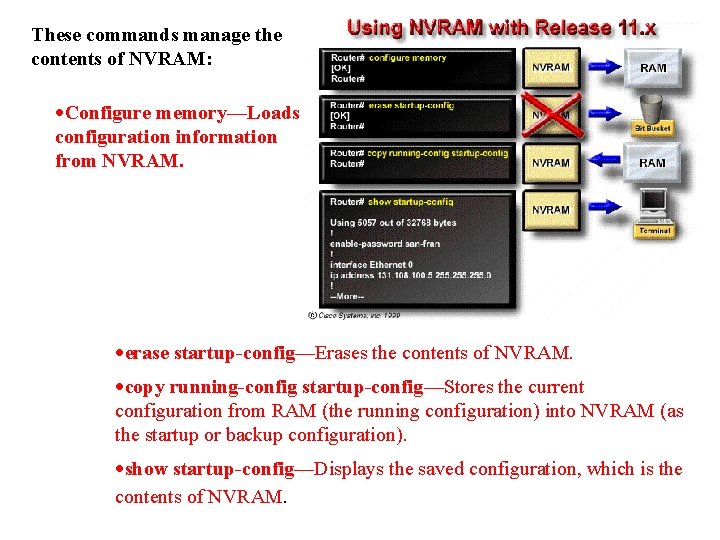
These commands manage the contents of NVRAM: ·Configure memory—Loads configuration information from NVRAM. ·erase startup-config—Erases the contents of NVRAM. ·copy running-config startup-config—Stores the current configuration from RAM (the running configuration) into NVRAM (as the startup or backup configuration). ·show startup-config—Displays the saved configuration, which is the contents of NVRAM.
The commands shown in the graphic are used with Cisco IOS, Release 10. 3 and earlier. These commands have been replaced with new commands. The commands that have been replaced continue to perform their normal function in the current release, but are no longer documented.
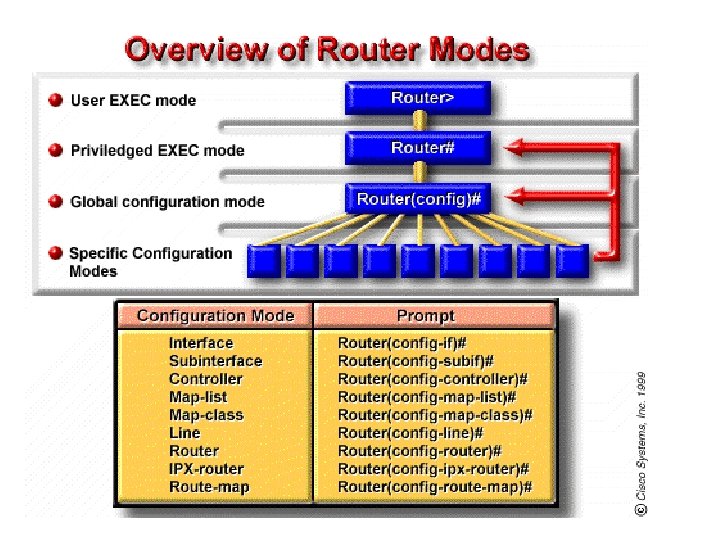
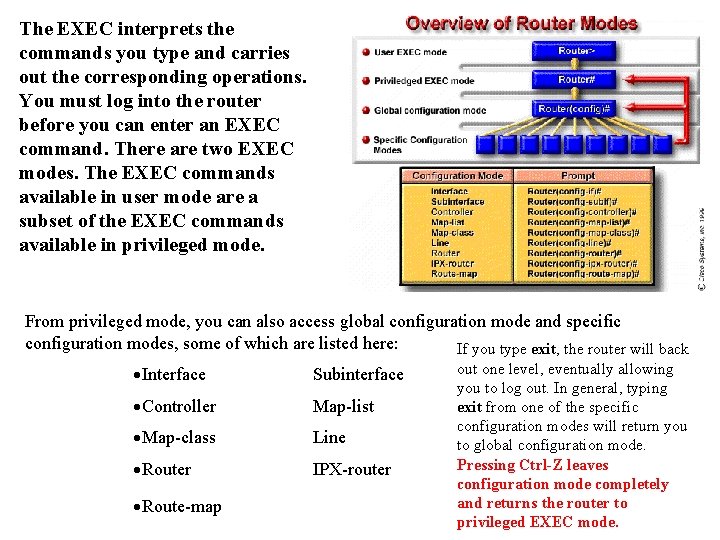
The EXEC interprets the commands you type and carries out the corresponding operations. You must log into the router before you can enter an EXEC command. There are two EXEC modes. The EXEC commands available in user mode are a subset of the EXEC commands available in privileged mode. From privileged mode, you can also access global configuration mode and specific configuration modes, some of which are listed here: If you type exit, the router will back ·Interface Subinterface ·Controller Map-list ·Map-class Line ·Router IPX-router ·Route-map out one level, eventually allowing you to log out. In general, typing exit from one of the specific configuration modes will return you to global configuration mode. Pressing Ctrl-Z leaves configuration mode completely and returns the router to privileged EXEC mode.
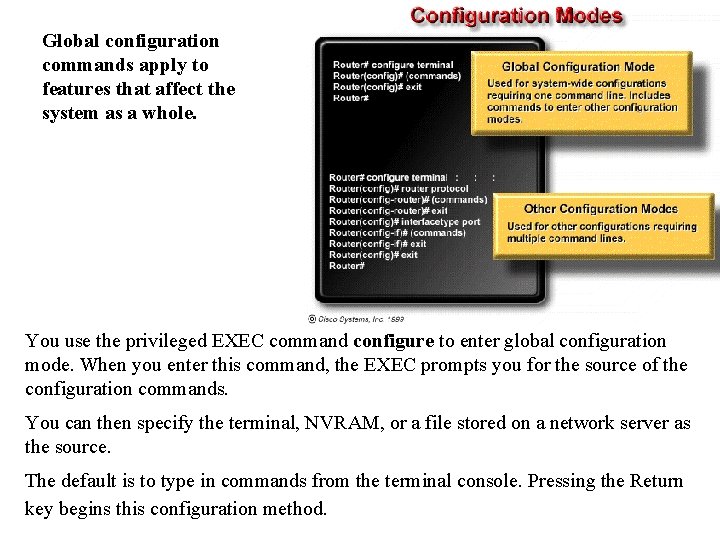
Global configuration commands apply to features that affect the system as a whole. You use the privileged EXEC command configure to enter global configuration mode. When you enter this command, the EXEC prompts you for the source of the configuration commands. You can then specify the terminal, NVRAM, or a file stored on a network server as the source. The default is to type in commands from the terminal console. Pressing the Return key begins this configuration method.
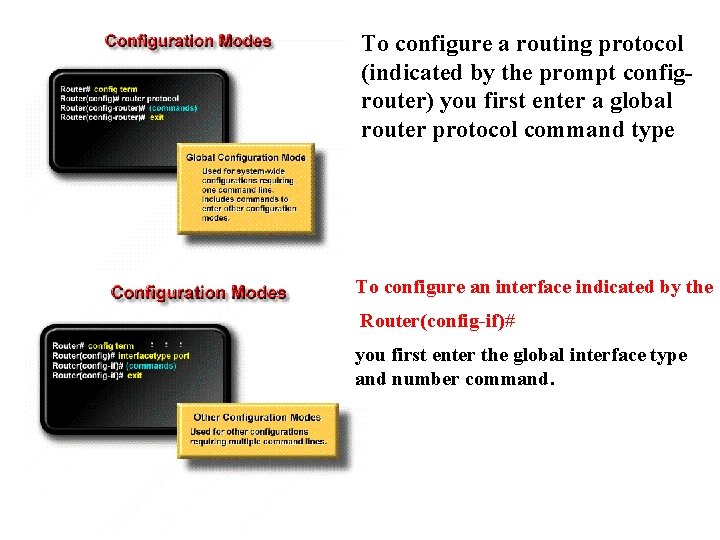
To configure a routing protocol (indicated by the prompt configrouter) you first enter a global router protocol command type To configure an interface indicated by the Router(config-if)# you first enter the global interface type and number command.
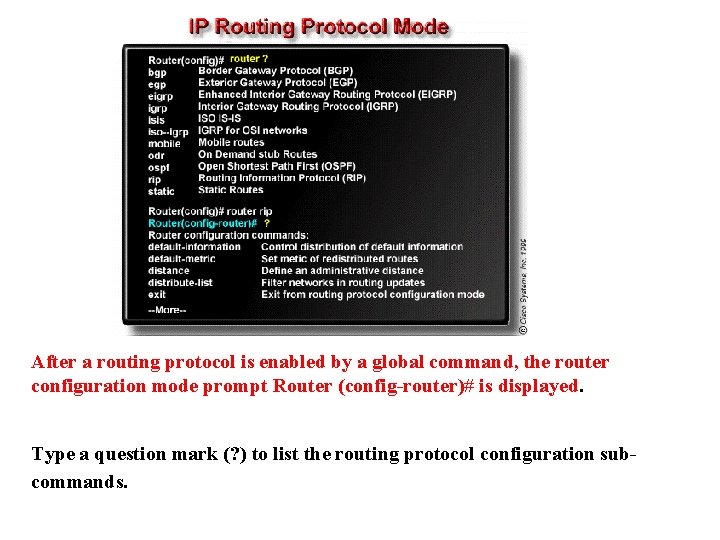
After a routing protocol is enabled by a global command, the router configuration mode prompt Router (config-router)# is displayed. Type a question mark (? ) to list the routing protocol configuration subcommands.
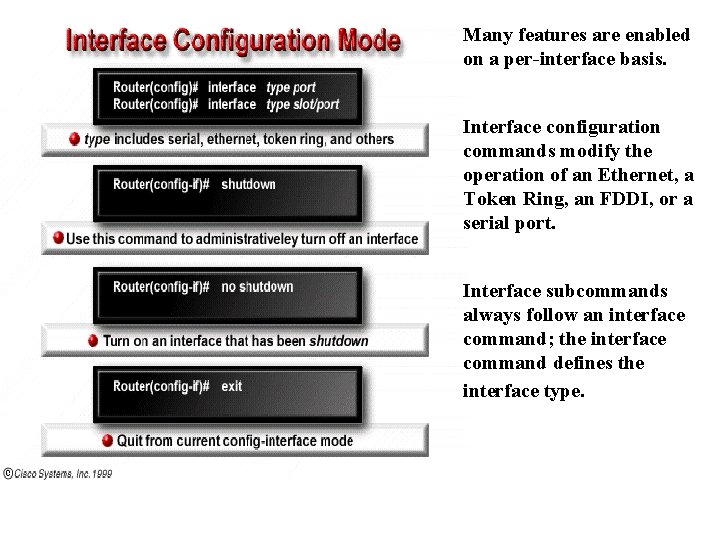
Many features are enabled on a per-interface basis. Interface configuration commands modify the operation of an Ethernet, a Token Ring, an FDDI, or a serial port. Interface subcommands always follow an interface command; the interface command defines the interface type.
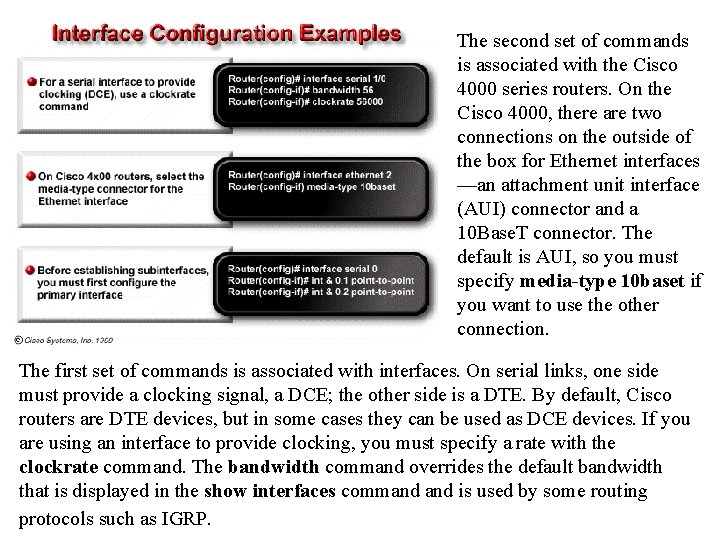
The second set of commands is associated with the Cisco 4000 series routers. On the Cisco 4000, there are two connections on the outside of the box for Ethernet interfaces —an attachment unit interface (AUI) connector and a 10 Base. T connector. The default is AUI, so you must specify media-type 10 baset if you want to use the other connection. The first set of commands is associated with interfaces. On serial links, one side must provide a clocking signal, a DCE; the other side is a DTE. By default, Cisco routers are DTE devices, but in some cases they can be used as DCE devices. If you are using an interface to provide clocking, you must specify a rate with the clockrate command. The bandwidth command overrides the default bandwidth that is displayed in the show interfaces command is used by some routing protocols such as IGRP.
Write Term copies running-configuration into NVRAM The commands shown in the graphic are used with Cisco IOS, Release 10. 3 and earlier. They have been replaced with new commands.
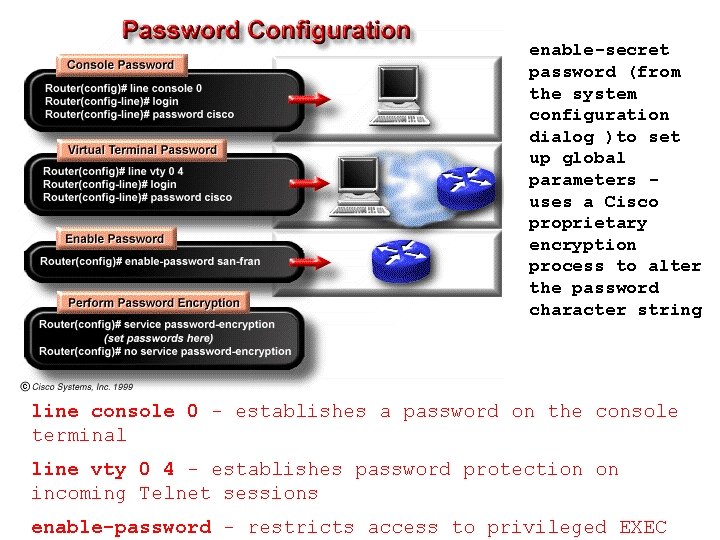
enable-secret password (from the system configuration dialog )to set up global parameters uses a Cisco proprietary encryption process to alter the password character string line console 0 - establishes a password on the console terminal line vty 0 4 - establishes password protection on incoming Telnet sessions enable-password - restricts access to privileged EXEC
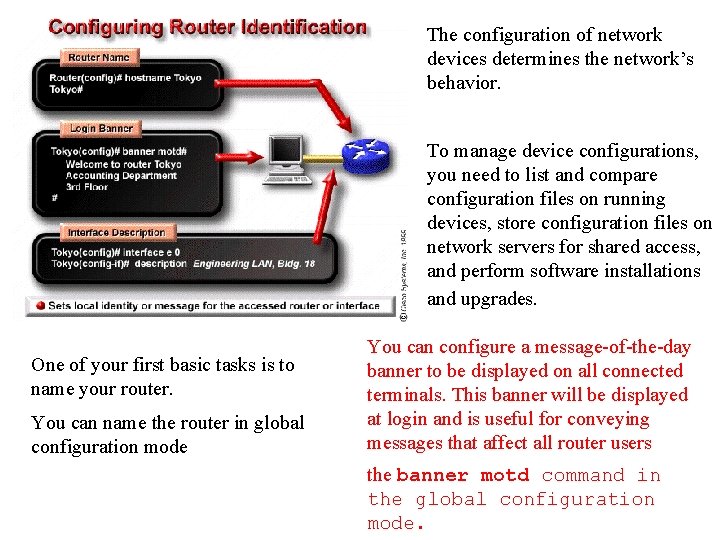
The configuration of network devices determines the network’s behavior. To manage device configurations, you need to list and compare configuration files on running devices, store configuration files on network servers for shared access, and perform software installations and upgrades. One of your first basic tasks is to name your router. You can name the router in global configuration mode You can configure a message-of-the-day banner to be displayed on all connected terminals. This banner will be displayed at login and is useful for conveying messages that affect all router users the banner motd command in the global configuration mode.