
Chapter 5 Methods Lecture 13 Wednesday 18 th
![Simple. Method. java public class Simple. Method { public static void main(String[] args) {](https://slidetodoc.com/presentation_image/7acaace5c88c1479c307fdff04031d85/image-9.jpg "Simple. Method. java public class Simple. Method { public static void main(String[] args) {")
![Loop. Call. java public class Loop. Call { public static void main(String[] args) {](https://slidetodoc.com/presentation_image/7acaace5c88c1479c307fdff04031d85/image-10.jpg "Loop. Call. java public class Loop. Call { public static void main(String[] args) {")
![Deep. And. Deeper. java public class Deep. And. Deeper { public static void main(String[]](https://slidetodoc.com/presentation_image/7acaace5c88c1479c307fdff04031d85/image-15.jpg "Deep. And. Deeper. java public class Deep. And. Deeper { public static void main(String[]")
![Deep. And. Deeper. java public class Deep. And. Deeper { public static void main(String[]](https://slidetodoc.com/presentation_image/7acaace5c88c1479c307fdff04031d85/image-17.jpg "Deep. And. Deeper. java public class Deep. And. Deeper { public static void main(String[]")
![Example: Pass. By. Value. java o o o public static void main(String[] args) {](https://slidetodoc.com/presentation_image/7acaace5c88c1479c307fdff04031d85/image-26.jpg "Example: Pass. By. Value. java o o o public static void main(String[] args) {")
![Example: Pass. String. java public static void main(String[] args) { // Create a String](https://slidetodoc.com/presentation_image/7acaace5c88c1479c307fdff04031d85/image-31.jpg "Example: Pass. String. java public static void main(String[] args) { // Create a String")
![Example: Local. Vars. java public static void main(String[] args) { texas(); california(); }](https://slidetodoc.com/presentation_image/7acaace5c88c1479c307fdff04031d85/image-34.jpg "Example: Local. Vars. java public static void main(String[] args) { texas(); california(); }")
- Slides: 35
Chapter 5 : Methods Lecture 13: Wednesday 18 th of October
Why Write Methods? o o Methods are commonly used to break a problem down into small manageable pieces. This is called divide and conquer. Methods simplify programs. If a specific task is performed in several places in the program, a method can be written once to perform that task, and then be executed anytime it is needed. This is known as code reuse.
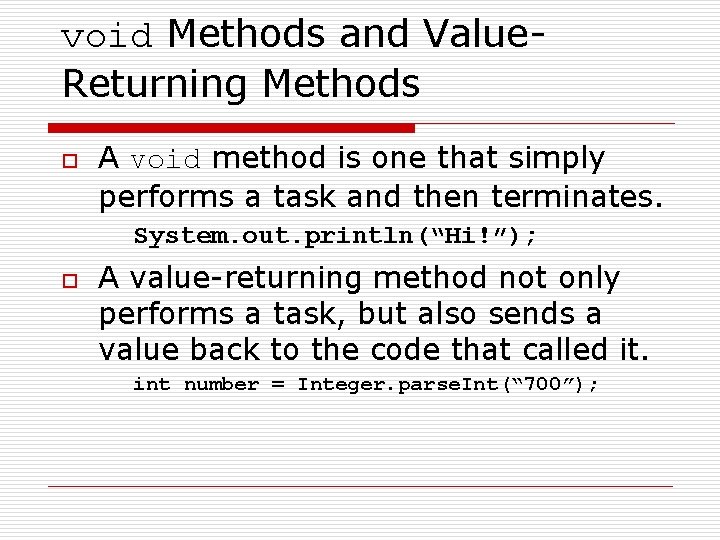
void Methods and Value. Returning Methods o A void method is one that simply performs a task and then terminates. System. out. println(“Hi!”); o A value-returning method not only performs a task, but also sends a value back to the code that called it. int number = Integer. parse. Int(“ 700”);
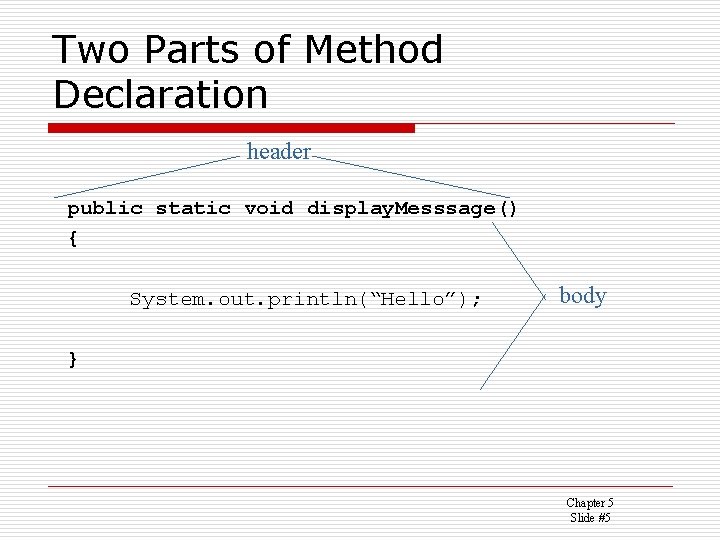
Defining a void Method o o o To create a method, you must write a definition, which consists of a header and a body. The method header, which appears at the beginning of a method definition, lists several important things about the method, including the method’s name. The method body is a collection of statements that are performed when the method is executed.
Two Parts of Method Declaration header public static void display. Messsage() { System. out. println(“Hello”); body } Chapter 5 Slide #5
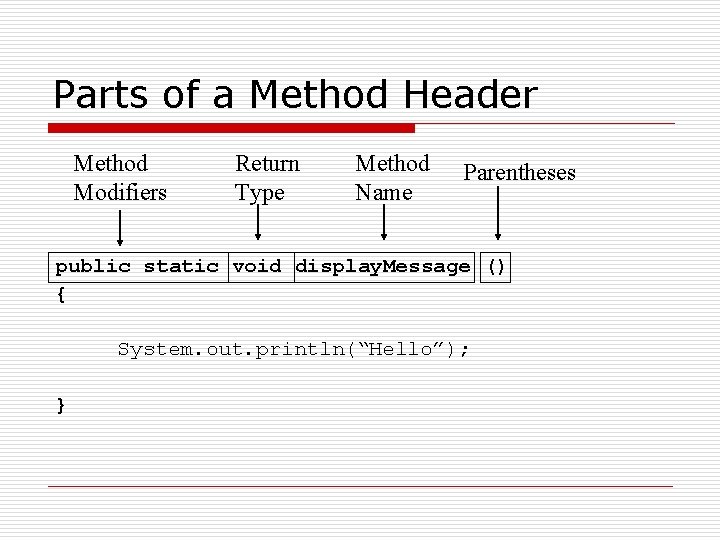
Parts of a Method Header Method Modifiers Return Type Method Name Parentheses public static void display. Message () { System. out. println(“Hello”); }
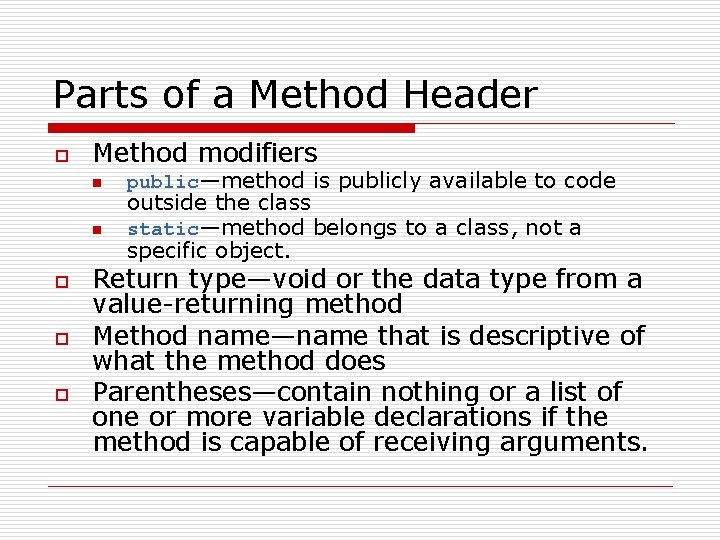
Parts of a Method Header o Method modifiers n n o o o public—method is publicly available to code outside the class static—method belongs to a class, not a specific object. Return type—void or the data type from a value-returning method Method name—name that is descriptive of what the method does Parentheses—contain nothing or a list of one or more variable declarations if the method is capable of receiving arguments.
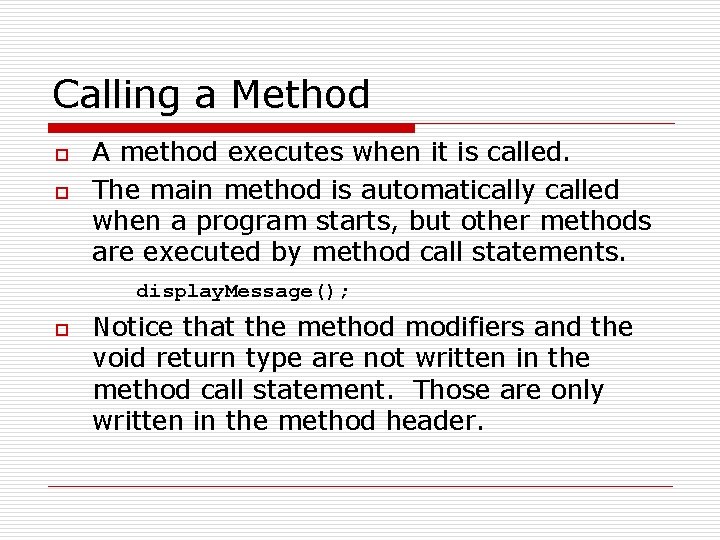
Calling a Method o o A method executes when it is called. The main method is automatically called when a program starts, but other methods are executed by method call statements. display. Message(); o Notice that the method modifiers and the void return type are not written in the method call statement. Those are only written in the method header.
Simple. Method. java public class Simple. Method { public static void main(String[] args) { System. out. println("Hello from the main method. "); display. Message(); System. out. println("Back in the main method. "); } public static void display. Message() { System. out. println("Hello from the display. Message method. "); } }
Loop. Call. java public class Loop. Call { public static void main(String[] args) { System. out. println("Hello from the main method. "); for (int i = 0; i < 5; i++) display. Message(); System. out. println("Back in the main method. "); } public static void display. Message() { System. out. println("Hello from display. Message method. "); } }
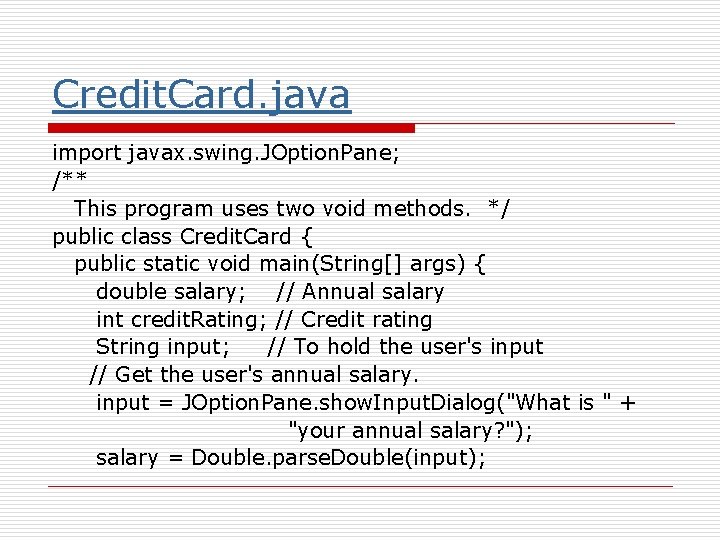
Credit. Card. java import javax. swing. JOption. Pane; /** This program uses two void methods. */ public class Credit. Card { public static void main(String[] args) { double salary; // Annual salary int credit. Rating; // Credit rating String input; // To hold the user's input // Get the user's annual salary. input = JOption. Pane. show. Input. Dialog("What is " + "your annual salary? "); salary = Double. parse. Double(input);
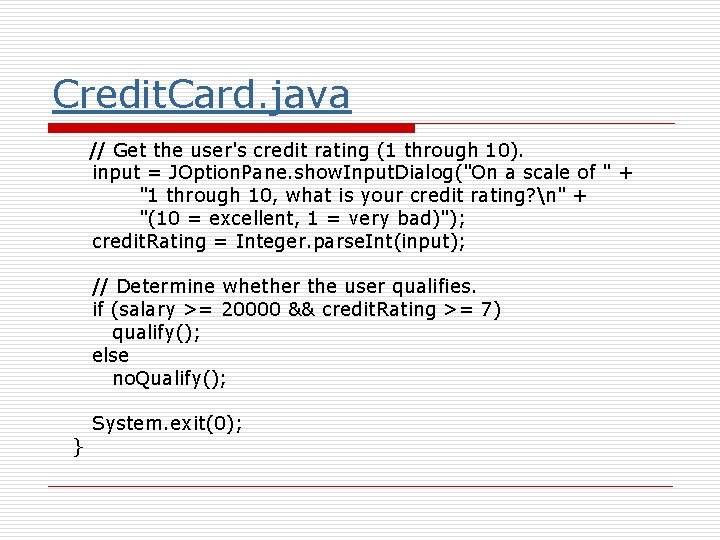
Credit. Card. java // Get the user's credit rating (1 through 10). input = JOption. Pane. show. Input. Dialog("On a scale of " + "1 through 10, what is your credit rating? n" + "(10 = excellent, 1 = very bad)"); credit. Rating = Integer. parse. Int(input); // Determine whether the user qualifies. if (salary >= 20000 && credit. Rating >= 7) qualify(); else no. Qualify(); } System. exit(0);
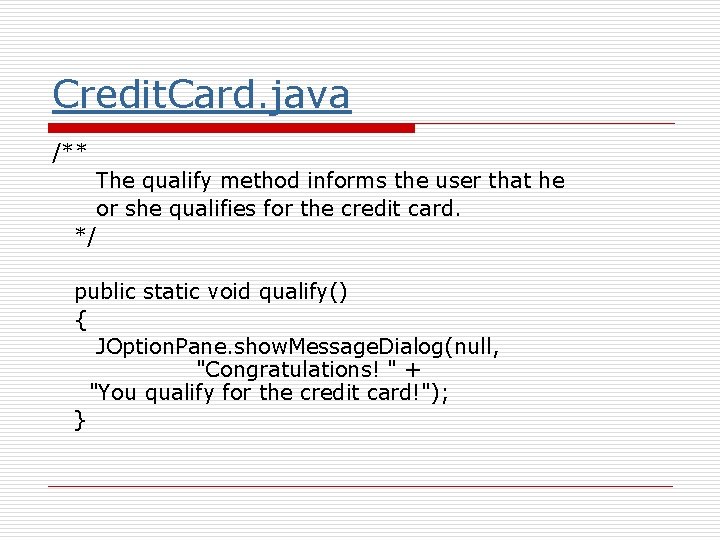
Credit. Card. java /** The qualify method informs the user that he or she qualifies for the credit card. */ public static void qualify() { JOption. Pane. show. Message. Dialog(null, "Congratulations! " + "You qualify for the credit card!"); }
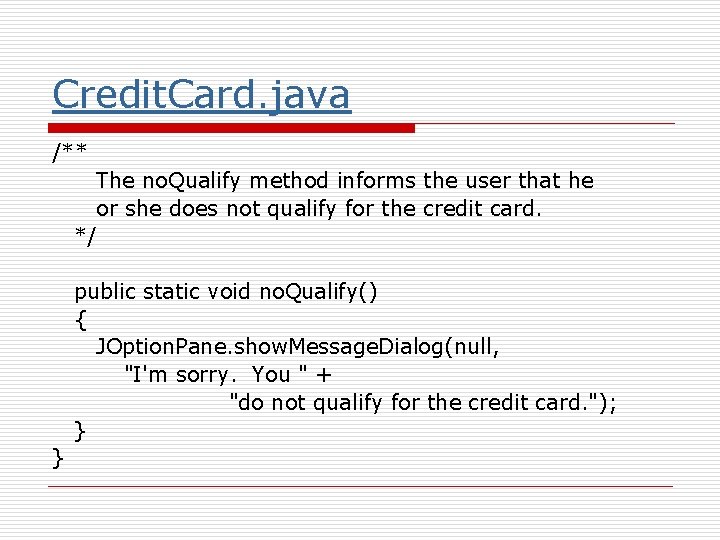
Credit. Card. java /** The no. Qualify method informs the user that he or she does not qualify for the credit card. */ public static void no. Qualify() { JOption. Pane. show. Message. Dialog(null, "I'm sorry. You " + "do not qualify for the credit card. "); } }
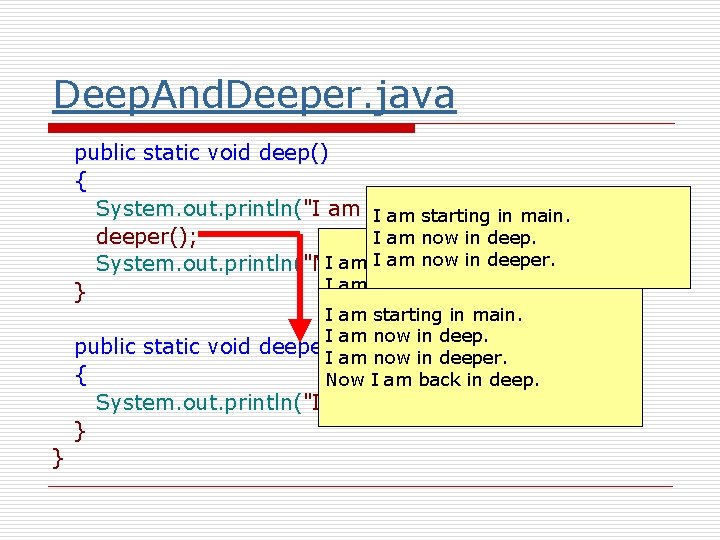
Deep. And. Deeper. java public class Deep. And. Deeper { public static void main(String[] args) { System. out. println("I am starting in main. "); deep(); System. out. println("Now I am back in main. "); } I am starting in main.
Deep. And. Deeper. java public static void deep() { System. out. println("I am now deep. "); I am in starting in main. deeper(); I am now in deep. am now I am. IIstarting inin main. System. out. println("Now am back indeeper. deep. "); I am now in deep. } I am starting in main. I am now in deep. public static void deeper() I am now in deeper. { Now I am back in deep. System. out. println("I am now in deeper. "); } }
Deep. And. Deeper. java public class Deep. And. Deeper { public static void main(String[] args) { System. out. println("I am starting in main. "); deep(); System. out. println("Now I am back in main. "); } I am starting in main. I am now in deeper. Now I am back in deep. Now I am back in main.
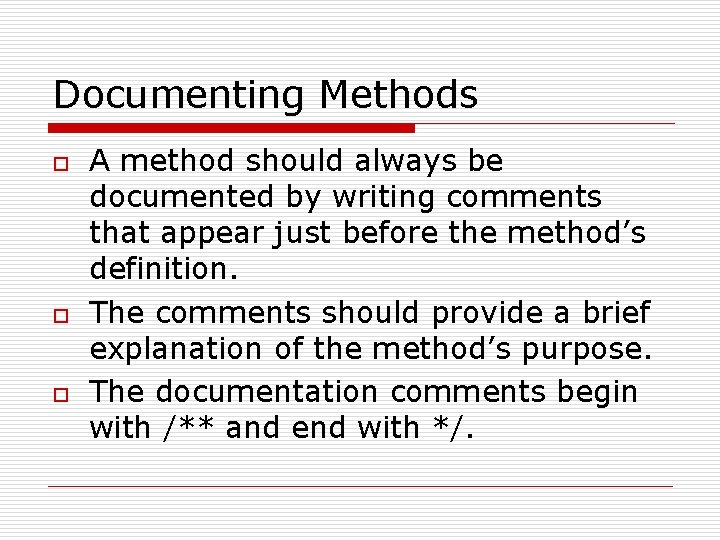
Documenting Methods o o o A method should always be documented by writing comments that appear just before the method’s definition. The comments should provide a brief explanation of the method’s purpose. The documentation comments begin with /** and end with */.
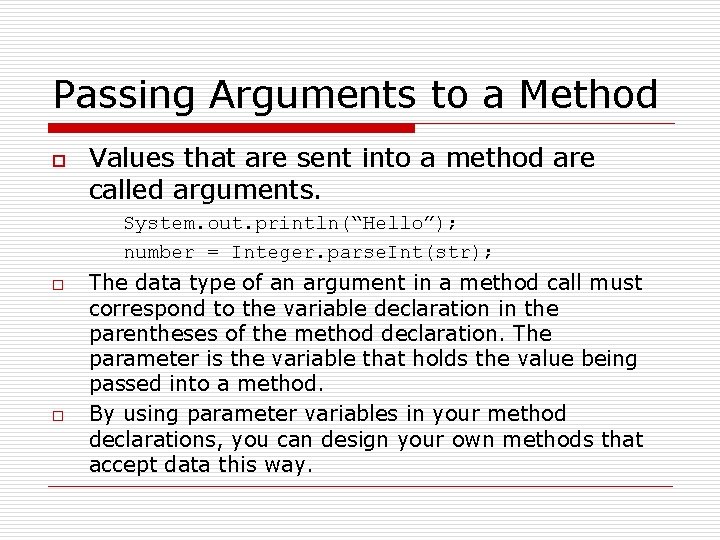
Passing Arguments to a Method o Values that are sent into a method are called arguments. System. out. println(“Hello”); number = Integer. parse. Int(str); o o The data type of an argument in a method call must correspond to the variable declaration in the parentheses of the method declaration. The parameter is the variable that holds the value being passed into a method. By using parameter variables in your method declarations, you can design your own methods that accept data this way.
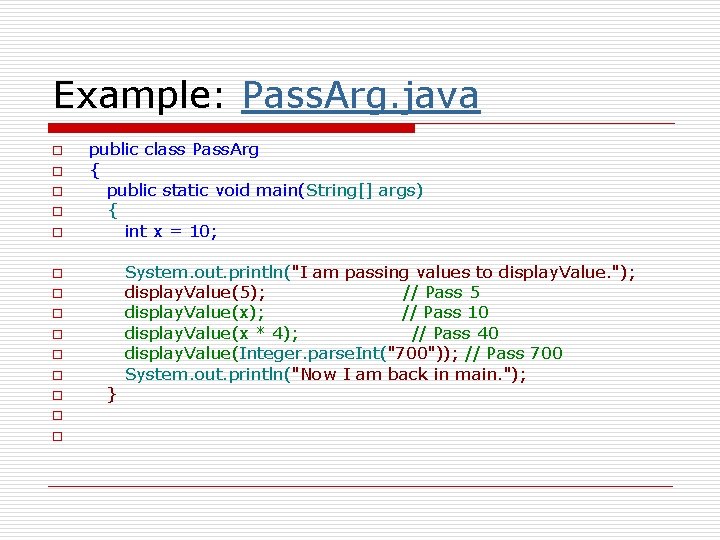
Example: Pass. Arg. java o o o public class Pass. Arg { public static void main(String[] args) { int x = 10; o o o o o } System. out. println("I am passing values to display. Value. "); display. Value(5); // Pass 5 display. Value(x); // Pass 10 display. Value(x * 4); // Pass 40 display. Value(Integer. parse. Int("700")); // Pass 700 System. out. println("Now I am back in main. ");
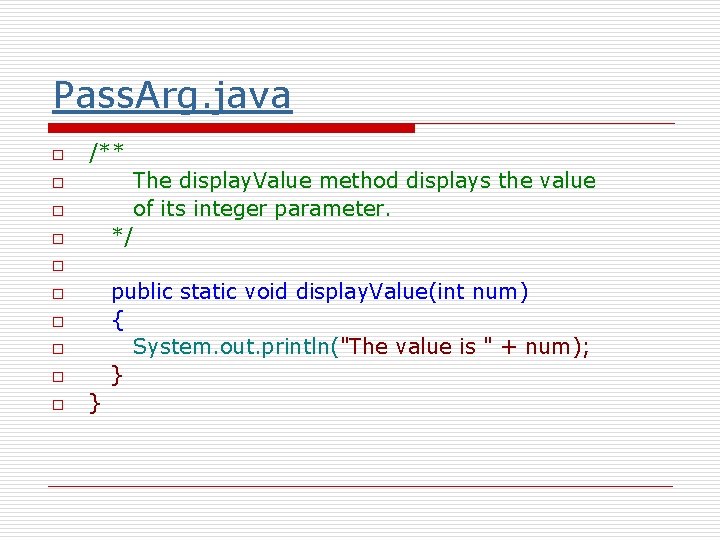
Pass. Arg. java o /** The display. Value method displays the value of its integer parameter. */ o o public static void display. Value(int num) { System. out. println("The value is " + num); } o o o }
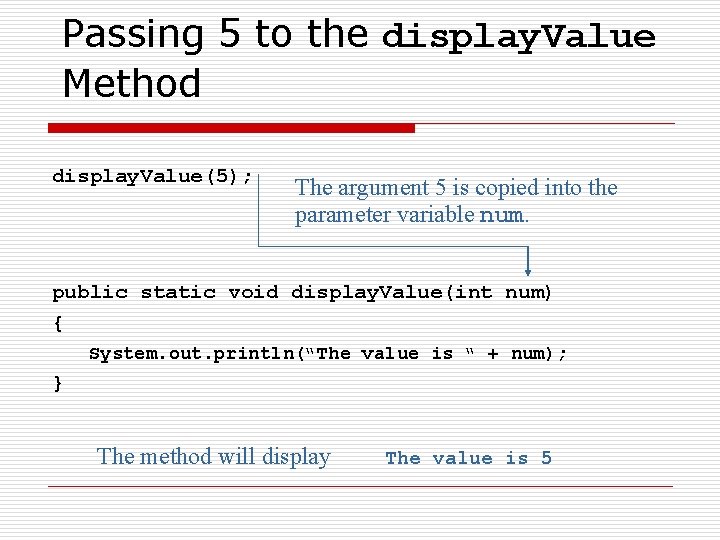
Passing 5 to the display. Value Method display. Value(5); The argument 5 is copied into the parameter variable num. public static void display. Value(int num) { System. out. println(“The value is “ + num); } The method will display The value is 5
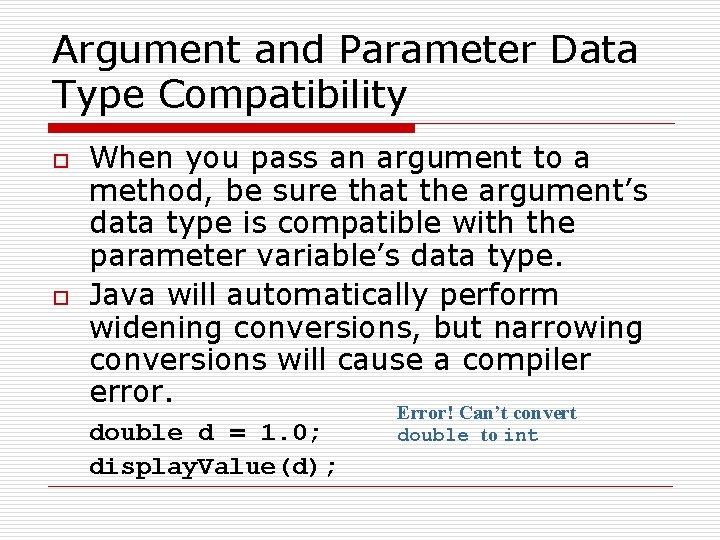
Argument and Parameter Data Type Compatibility o o When you pass an argument to a method, be sure that the argument’s data type is compatible with the parameter variable’s data type. Java will automatically perform widening conversions, but narrowing conversions will cause a compiler error. double d = 1. 0; display. Value(d); Error! Can’t convert double to int
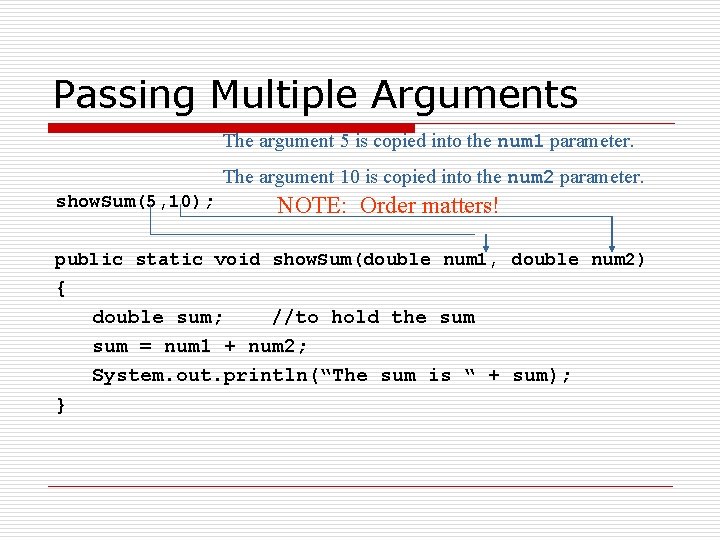
Passing Multiple Arguments The argument 5 is copied into the num 1 parameter. The argument 10 is copied into the num 2 parameter. show. Sum(5, 10); NOTE: Order matters! public static void show. Sum(double num 1, double num 2) { double sum; //to hold the sum = num 1 + num 2; System. out. println(“The sum is “ + sum); }
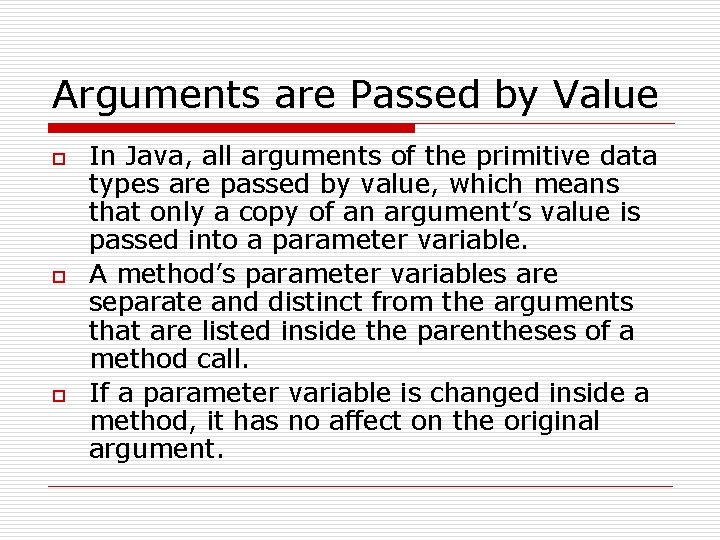
Arguments are Passed by Value o o o In Java, all arguments of the primitive data types are passed by value, which means that only a copy of an argument’s value is passed into a parameter variable. A method’s parameter variables are separate and distinct from the arguments that are listed inside the parentheses of a method call. If a parameter variable is changed inside a method, it has no affect on the original argument.
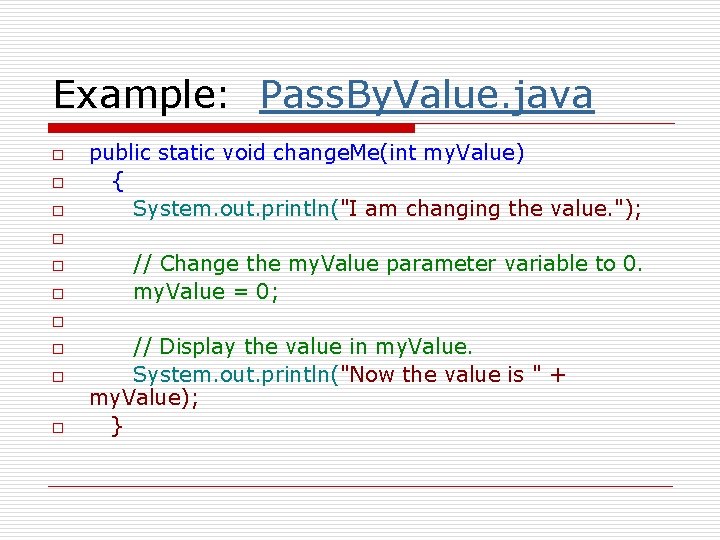
Example: Pass. By. Value. java o o o public static void main(String[] args) { int number = 99; // number starts with 99 o // Display the value in number. System. out. println("number is " + number); o o o // Call change. Me, passing the value in number // as an argument. change. Me(number); o o o o } // Display the value in number again. System. out. println("number is " + number);
Example: Pass. By. Value. java o o o public static void change. Me(int my. Value) { System. out. println("I am changing the value. "); o o o // Change the my. Value parameter variable to 0. my. Value = 0; o o // Display the value in my. Value. System. out. println("Now the value is " + my. Value); }
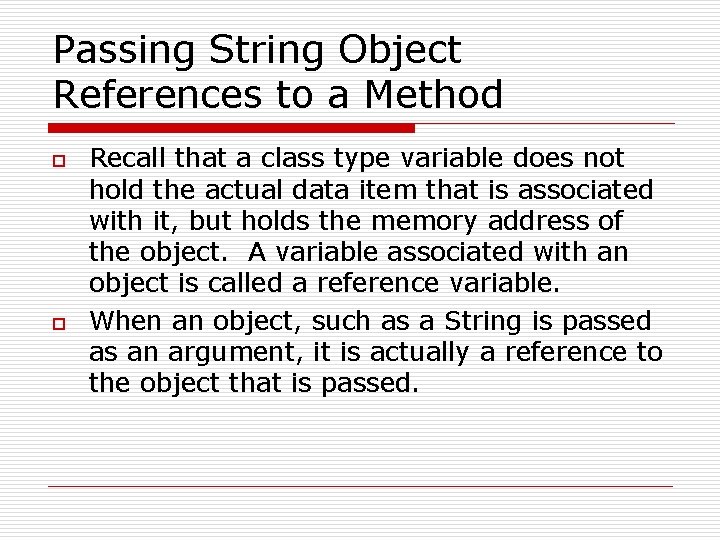
Passing String Object References to a Method o o Recall that a class type variable does not hold the actual data item that is associated with it, but holds the memory address of the object. A variable associated with an object is called a reference variable. When an object, such as a String is passed as an argument, it is actually a reference to the object that is passed.
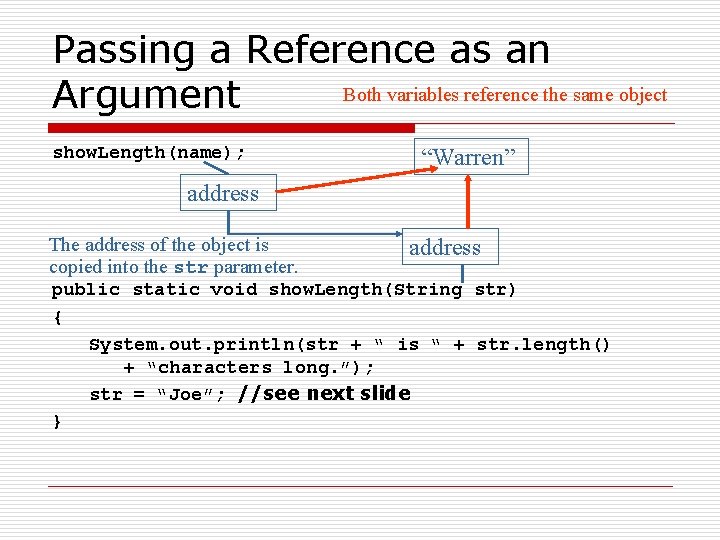
Passing a Reference as an Both variables reference the same object Argument show. Length(name); “Warren” address The address of the object is copied into the str parameter. address public static void show. Length(String str) { System. out. println(str + “ is “ + str. length() + “characters long. ”); str = “Joe”; //see next slide }
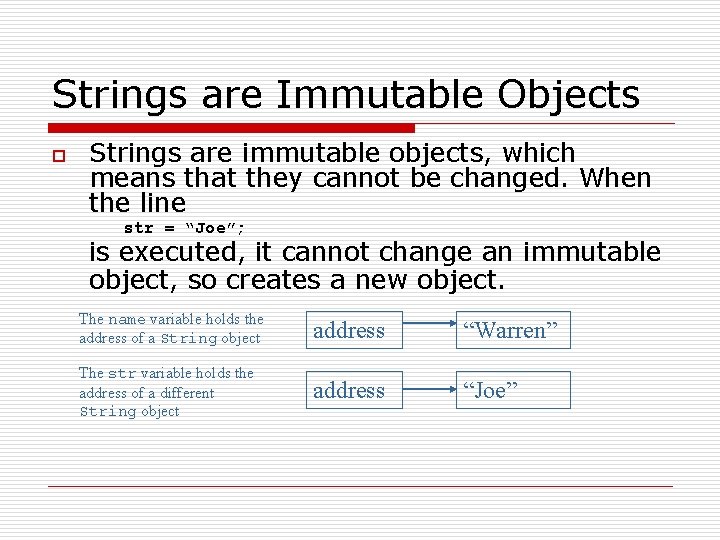
Strings are Immutable Objects o Strings are immutable objects, which means that they cannot be changed. When the line str = “Joe”; is executed, it cannot change an immutable object, so creates a new object. The name variable holds the address of a String object address “Warren” The str variable holds the address of a different String object address “Joe”
Example: Pass. String. java public static void main(String[] args) { // Create a String object containing "Shakespeare". // The name variable references the object. String name = "Shakespeare"; System. out. println("In main, the name is " + name); change. Name(name); } // Display the String referenced by the name variable. System. out. println("Back in main, the name is " + name);
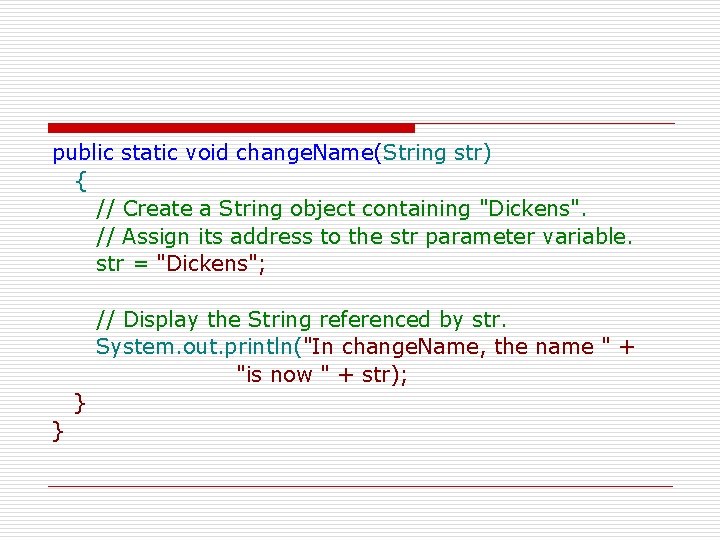
public static void change. Name(String str) { // Create a String object containing "Dickens". // Assign its address to the str parameter variable. str = "Dickens"; // Display the String referenced by str. System. out. println("In change. Name, the name " + "is now " + str); } }
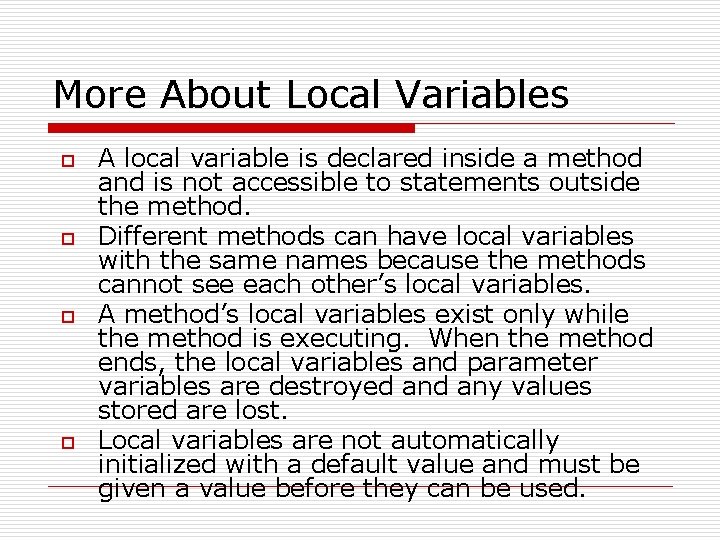
More About Local Variables o o A local variable is declared inside a method and is not accessible to statements outside the method. Different methods can have local variables with the same names because the methods cannot see each other’s local variables. A method’s local variables exist only while the method is executing. When the method ends, the local variables and parameter variables are destroyed any values stored are lost. Local variables are not automatically initialized with a default value and must be given a value before they can be used.
Example: Local. Vars. java public static void main(String[] args) { texas(); california(); }
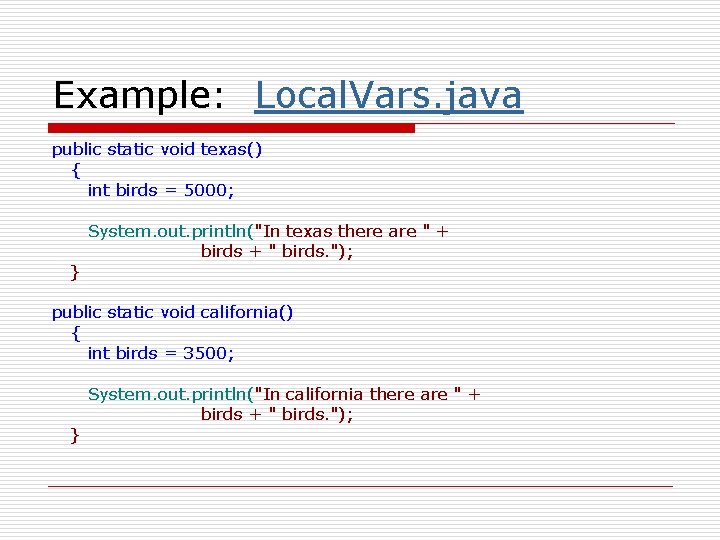
Example: Local. Vars. java public static void texas() { int birds = 5000; } System. out. println("In texas there are " + birds + " birds. "); public static void california() { int birds = 3500; } System. out. println("In california there are " + birds + " birds. ");