
Chapter 5 GrowthAdjusted Seasonal Factors Model Original Data

- Slides: 52
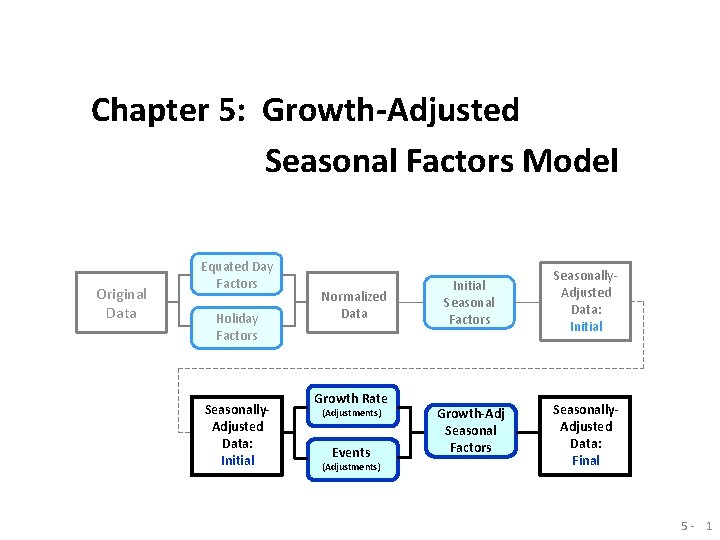
Chapter 5: Growth-Adjusted Seasonal Factors Model Original Data Equated Day Factors Holiday Factors Seasonally. Adjusted Data: Initial Normalized Data Growth Rate (Adjustments) Events (Adjustments) Initial Seasonal Factors Seasonally. Adjusted Data: Initial Growth-Adj Seasonal Factors Seasonally. Adjusted Data: Final 5 - 1
Growth-Adjusted Seasonal Factors Model 1. Introduction 2. 3. 4. Inputs Calc Trend This chapter will walk through the model structure that will be used to arrive at the growth-adjusted seasonal factors. 1. 2. 3. 4. Introduction – why growth-adjust? Model Structure: Inputs Model Structure: Calc Model Structure: Trend 5 - 2
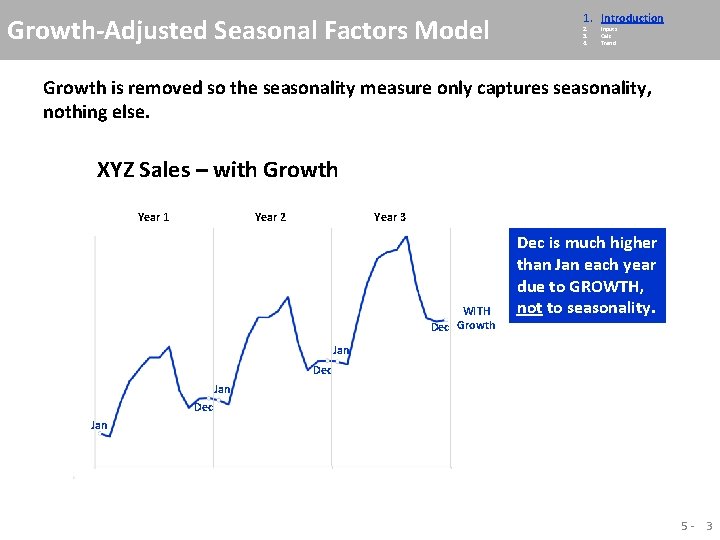
Growth-Adjusted Seasonal Factors Model 1. Introduction 2. 3. 4. Inputs Calc Trend Growth is removed so the seasonality measure only captures seasonality, nothing else. XYZ Sales – with Growth Year 1 Year 2 Year 3 WITH Dec Growth Dec is much higher than Jan each year due to GROWTH, not to seasonality. Jan Dec Jan 5 - 3
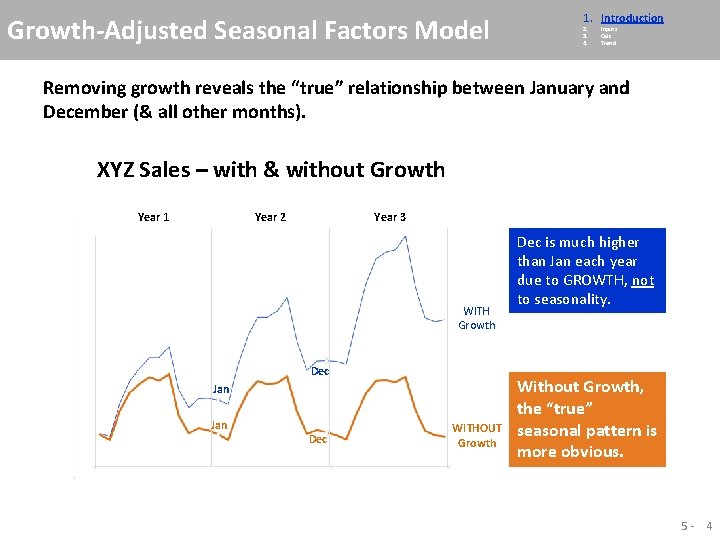
Growth-Adjusted Seasonal Factors Model 1. Introduction 2. 3. 4. Inputs Calc Trend Removing growth reveals the “true” relationship between January and December (& all other months). XYZ Sales – with & without Growth Year 1 Year 2 Year 3 WITH Growth Dec Jan Dec WITHOUT Growth Dec is much higher than Jan each year due to GROWTH, not to seasonality. Without Growth, the “true” seasonal pattern is more obvious. 5 - 4
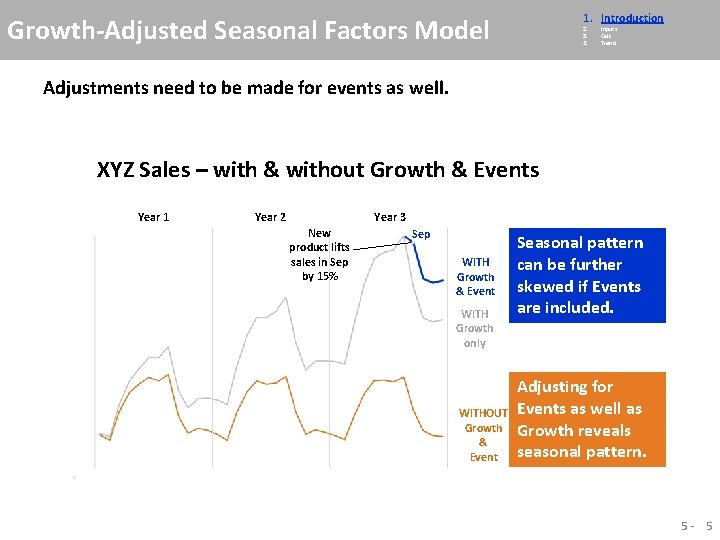
1. Introduction Growth-Adjusted Seasonal Factors Model 2. 3. 4. Inputs Calc Trend Adjustments need to be made for events as well. XYZ Sales – with & without Growth & Events Year 1 Year 2 Year 3 New product lifts sales in Sep by 15% Sep WITH Growth & Event WITH Growth only WITHOUT Growth & Event Seasonal pattern can be further skewed if Events are included. Adjusting for Events as well as Growth reveals seasonal pattern. 5 - 5
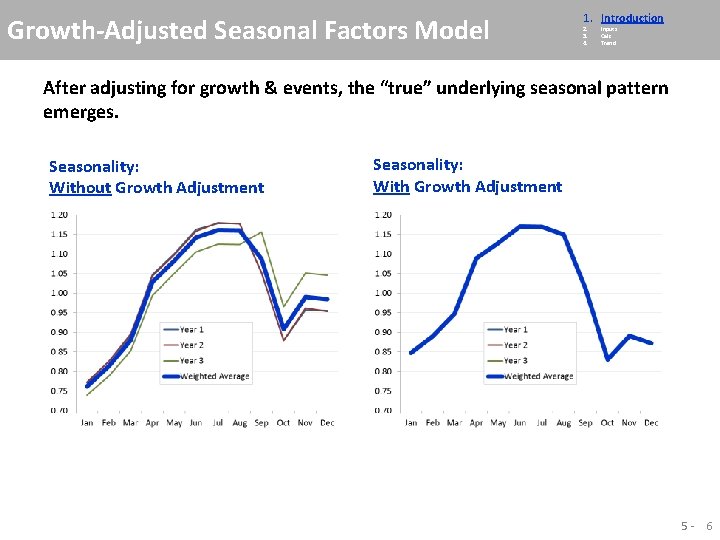
Growth-Adjusted Seasonal Factors Model 1. Introduction 2. 3. 4. Inputs Calc Trend After adjusting for growth & events, the “true” underlying seasonal pattern emerges. Seasonality: Without Growth Adjustment Seasonality: With Growth Adjustment 5 - 6
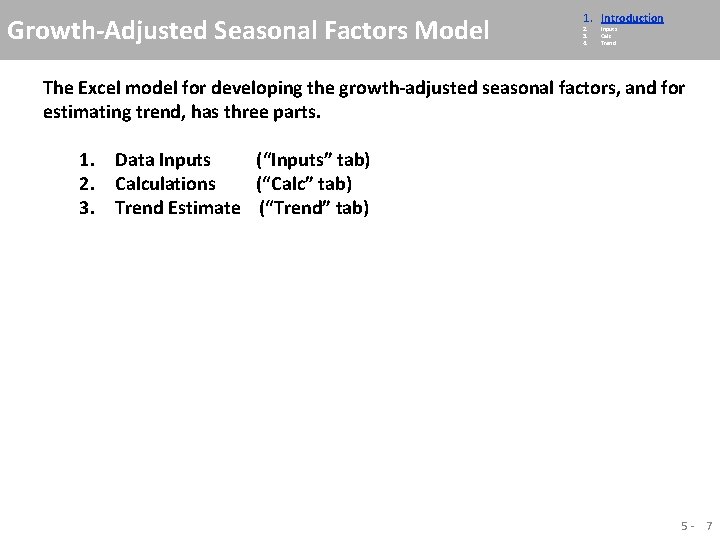
Growth-Adjusted Seasonal Factors Model 1. Introduction 2. 3. 4. Inputs Calc Trend The Excel model for developing the growth-adjusted seasonal factors, and for estimating trend, has three parts. 1. Data Inputs (“Inputs” tab) 2. Calculations (“Calc” tab) 3. Trend Estimate (“Trend” tab) 5 - 7
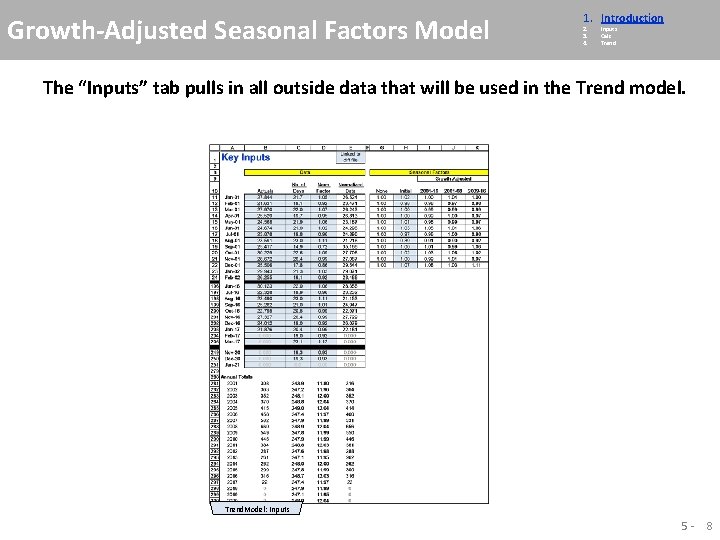
Growth-Adjusted Seasonal Factors Model 1. Introduction 2. 3. 4. Inputs Calc Trend The “Inputs” tab pulls in all outside data that will be used in the Trend model. Trend. Model: Inputs 5 - 8
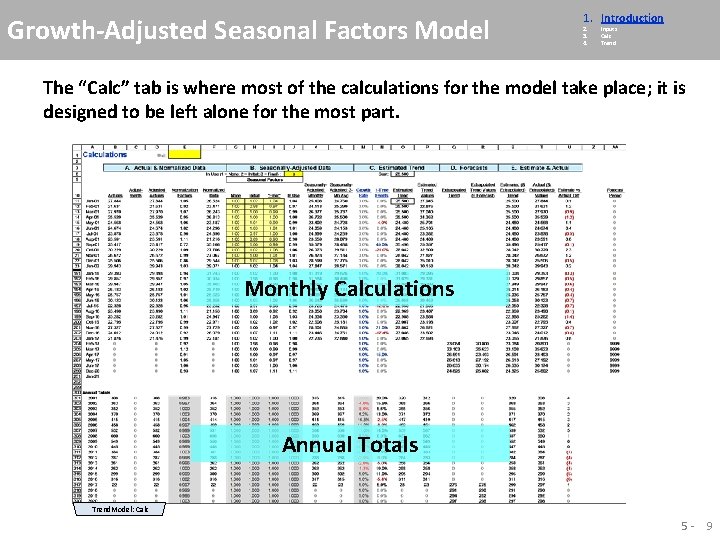
Growth-Adjusted Seasonal Factors Model 1. Introduction 2. 3. 4. Inputs Calc Trend The “Calc” tab is where most of the calculations for the model take place; it is designed to be left alone for the most part. Monthly Calculations Annual Totals Trend. Model: Calc 5 - 9
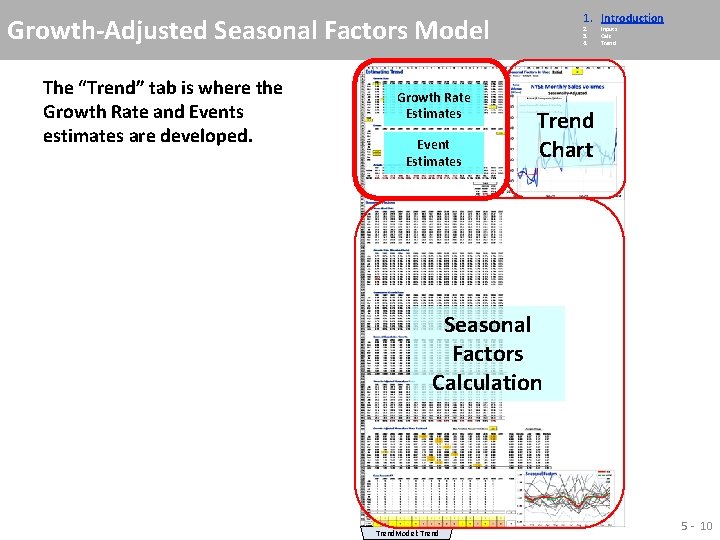
1. Introduction Growth-Adjusted Seasonal Factors Model The “Trend” tab is where the Growth Rate and Events estimates are developed. Growth Rate Estimates Event Estimates 2. 3. 4. Inputs Calc Trend Chart Seasonal Factors Calculation Trend. Model: Trend 5 - 10
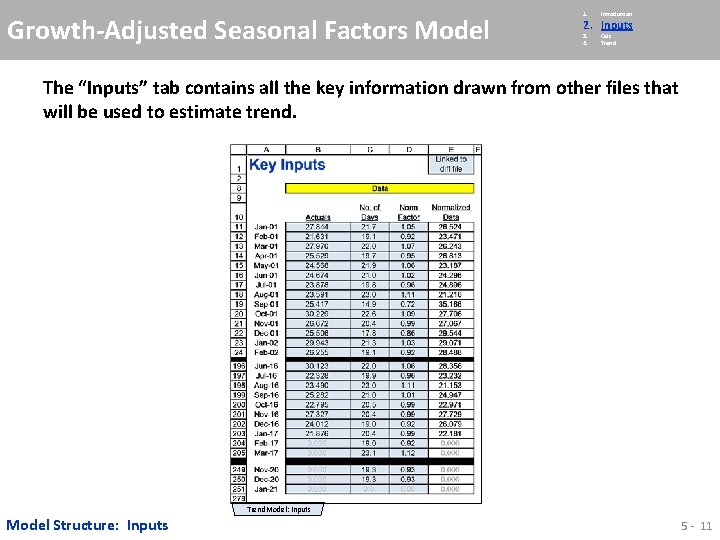
Growth-Adjusted Seasonal Factors Model 1. Introduction 3. 4. Calc Trend 2. Inputs The “Inputs” tab contains all the key information drawn from other files that will be used to estimate trend. Trend. Model: Inputs Model Structure: Inputs 5 - 11
Growth-Adjusted Seasonal Factors Model 1. Introduction 3. 4. Calc Trend 2. Inputs The “Inputs” tab also brings in the seasonal factors – the initial factors already developed, and the growth-adjusted factors to be developed in the model. Trend. Model: Inputs 5 - 12
Growth-Adjusted Seasonal Factors Model 1. 2. Introduction Inputs 4. Trend 3. Calc The “Calc” tab is where all the calculations are performed. Except for updating monthly data, this tab need never be touched. Trend. Model: Calc Model Structure: Calc 5 - 13
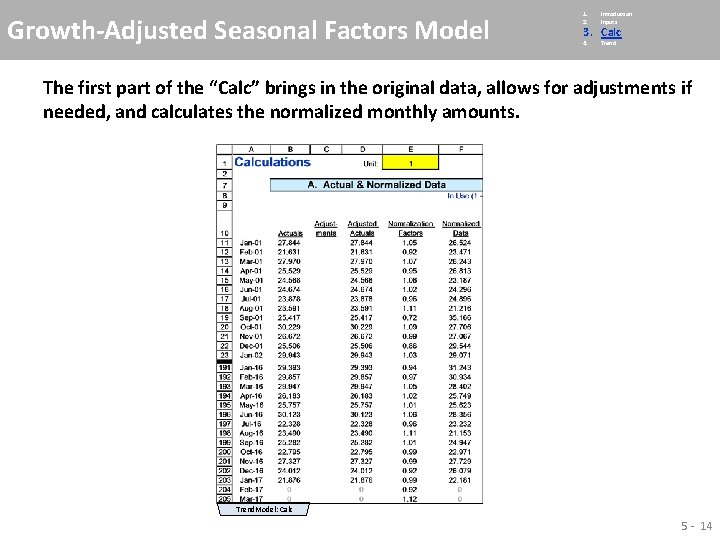
Growth-Adjusted Seasonal Factors Model 1. 2. Introduction Inputs 4. Trend 3. Calc The first part of the “Calc” brings in the original data, allows for adjustments if needed, and calculates the normalized monthly amounts. Trend. Model: Calc 5 - 14
Growth-Adjusted Seasonal Factors Model 1. 2. Introduction Inputs 4. Trend 3. Calc The next section seasonally-adjusts the data, using one of the 3 sets of seasonal factors. Choice of Seasonal Factors In Use Trend. Model: Calc 5 - 15
Growth-Adjusted Seasonal Factors Model 1. 2. Introduction Inputs 4. Trend 3. Calc The 3 rd section estimates the data trend, using the Growth Rates and Events that will be estimated in the “Trend” tab. Starting Level Trend. Model: Calc 5 - 16
Growth-Adjusted Seasonal Factors Model 1. 2. Introduction Inputs 4. Trend 3. Calc Each month’s Estimated Trend is calculated by taking the prior month’s value and applying to it 1/12 th of the growth rate, and all of the event estimate. The Estimated Trend calculation applies the Growth & Events estimates to a running trend figure Trend. Model: Calc 5 - 17
Growth-Adjusted Seasonal Factors Model 1. 2. Introduction Inputs 4. Trend 3. Calc Each month’s Estimated Trend is calculated by taking the prior month’s value and applying to it 1/12 th of the growth rate, and all of the event estimate. Estimated Trend Values put back in the noise of the calendar effect & seasonality Trend. Model: Calc 5 - 18
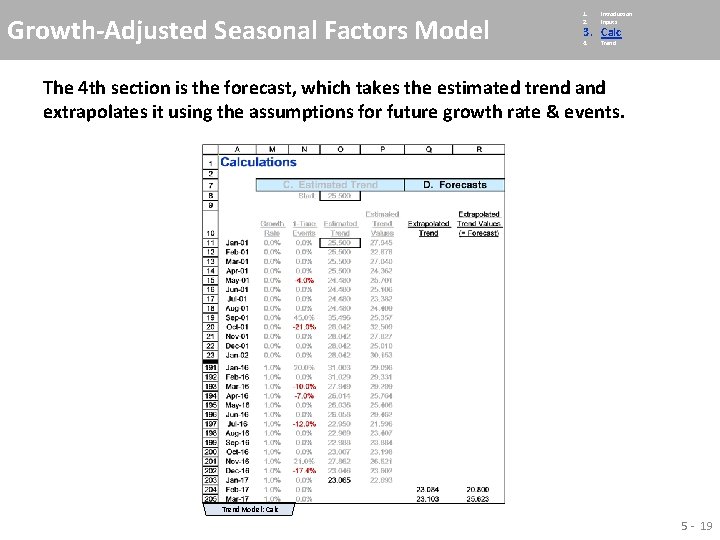
Growth-Adjusted Seasonal Factors Model 1. 2. Introduction Inputs 4. Trend 3. Calc The 4 th section is the forecast, which takes the estimated trend and extrapolates it using the assumptions for future growth rate & events. Trend. Model: Calc 5 - 19
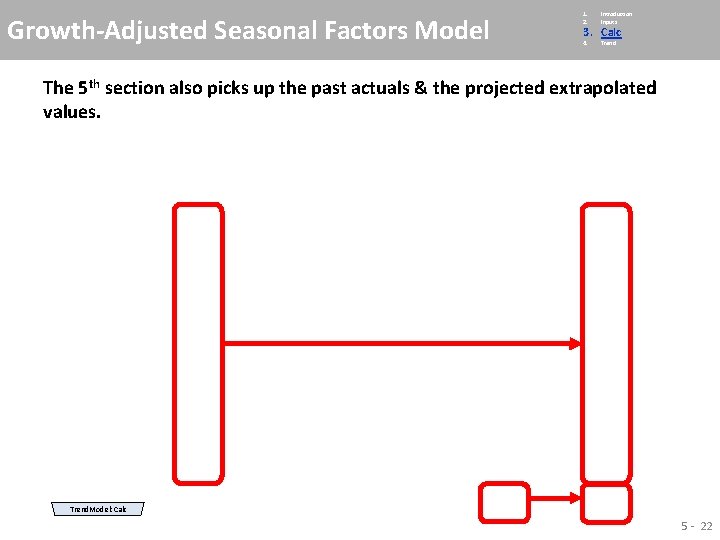
Growth-Adjusted Seasonal Factors Model 1. 2. Introduction Inputs 4. Trend 3. Calc The 5 th & final section picks up the past & projected trend, as well as the past actuals and extrapolated trend values. Trend. Model: Calc 5 - 20
Growth-Adjusted Seasonal Factors Model 1. 2. Introduction Inputs 4. Trend 3. Calc The 5 th & final section picks up the past & projected trend. Trend. Model: Calc 5 - 21
Growth-Adjusted Seasonal Factors Model 1. 2. Introduction Inputs 4. Trend 3. Calc The 5 th section also picks up the past actuals & the projected extrapolated values. Trend. Model: Calc 5 - 22
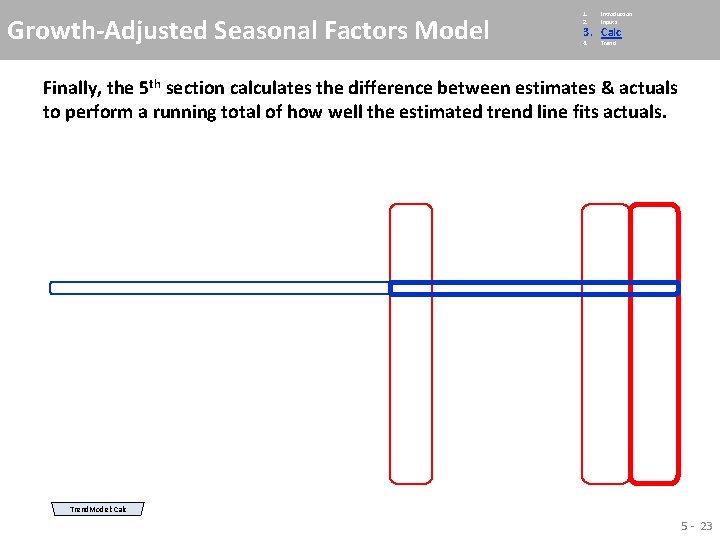
Growth-Adjusted Seasonal Factors Model 1. 2. Introduction Inputs 4. Trend 3. Calc Finally, the 5 th section calculates the difference between estimates & actuals to perform a running total of how well the estimated trend line fits actuals. Trend. Model: Calc 5 - 23
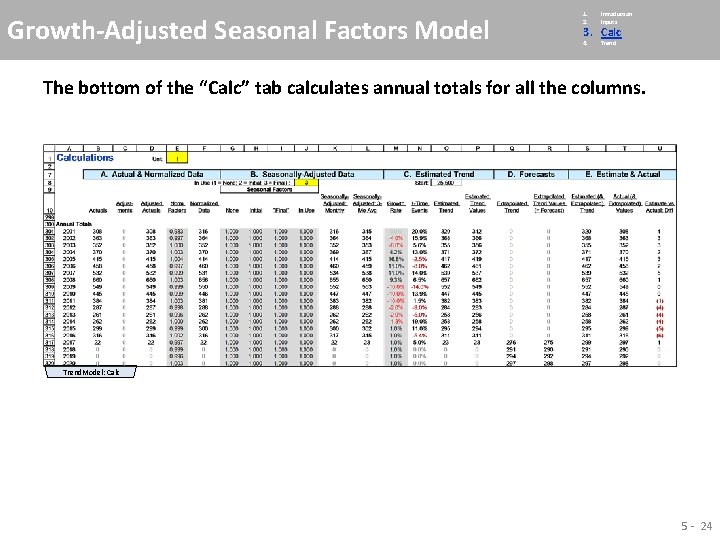
Growth-Adjusted Seasonal Factors Model 1. 2. Introduction Inputs 4. Trend 3. Calc The bottom of the “Calc” tab calculates annual totals for all the columns. Trend. Model: Calc 5 - 24
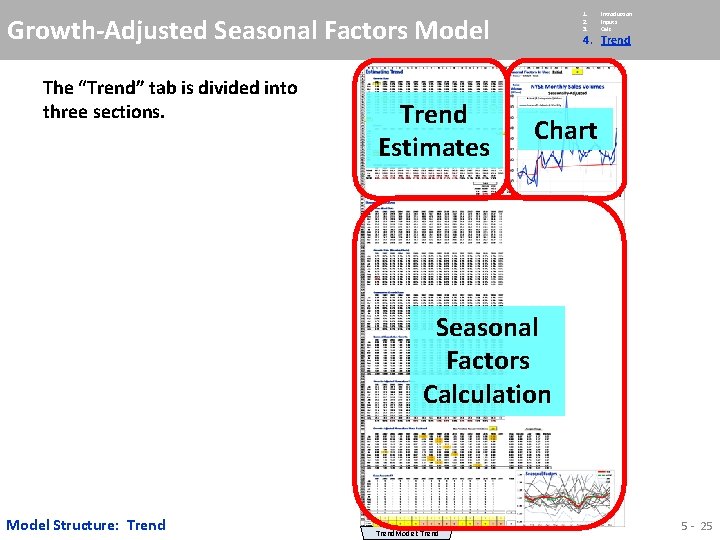
1. 2. 3. Growth-Adjusted Seasonal Factors Model The “Trend” tab is divided into three sections. Trend Estimates Introduction Inputs Calc 4. Trend Chart Seasonal Factors Calculation Model Structure: Trend. Model: Trend 5 - 25
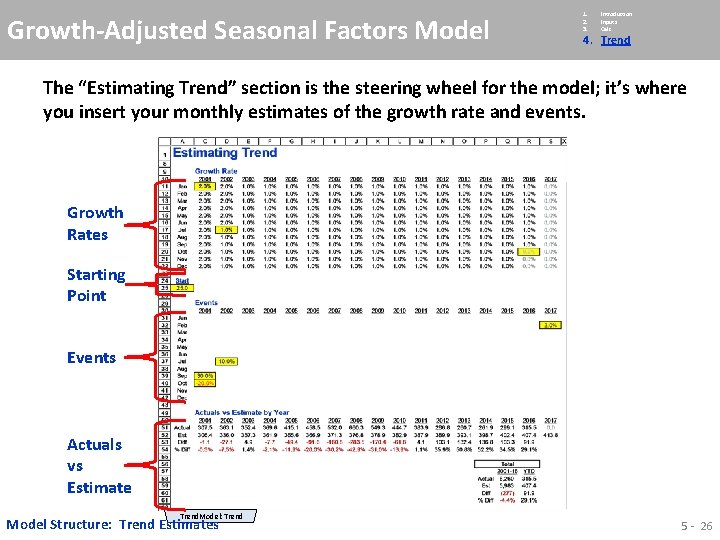
Growth-Adjusted Seasonal Factors Model 1. 2. 3. Introduction Inputs Calc 4. Trend The “Estimating Trend” section is the steering wheel for the model; it’s where you insert your monthly estimates of the growth rate and events. Growth Rates Starting Point Events Actuals vs Estimate Trend. Model: Trend Model Structure: Trend Estimates 5 - 26
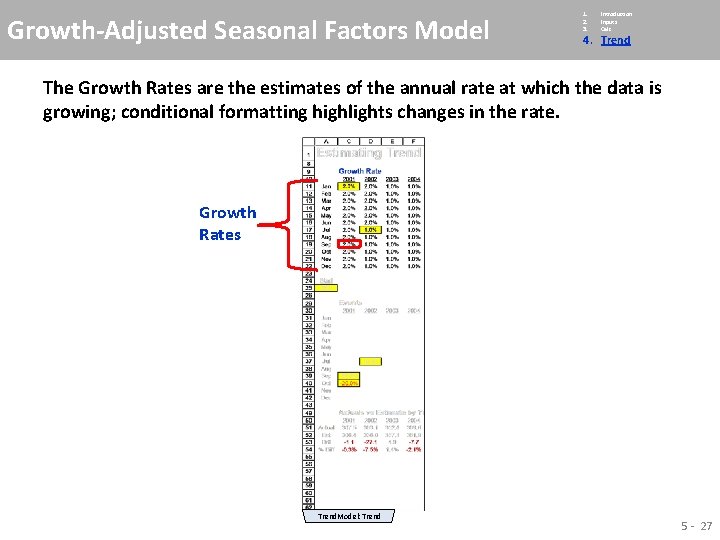
Growth-Adjusted Seasonal Factors Model 1. 2. 3. Introduction Inputs Calc 4. Trend The Growth Rates are the estimates of the annual rate at which the data is growing; conditional formatting highlights changes in the rate. Growth Rates Trend. Model: Trend 5 - 27
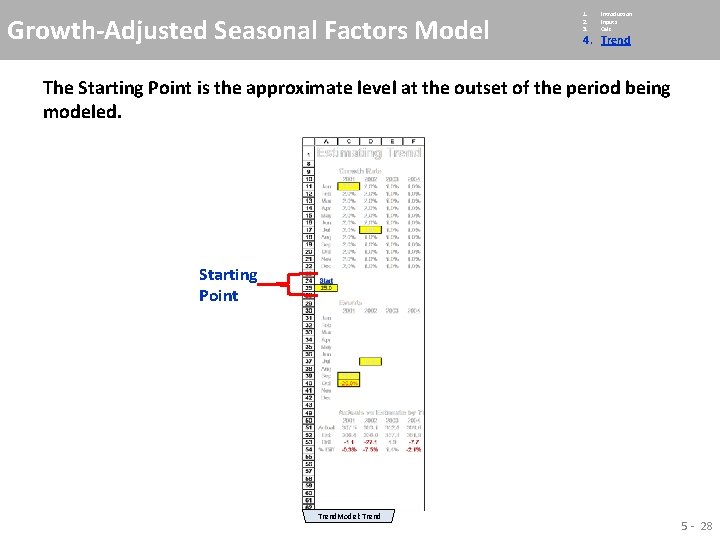
Growth-Adjusted Seasonal Factors Model 1. 2. 3. Introduction Inputs Calc 4. Trend The Starting Point is the approximate level at the outset of the period being modeled. Starting Point Trend. Model: Trend 5 - 28
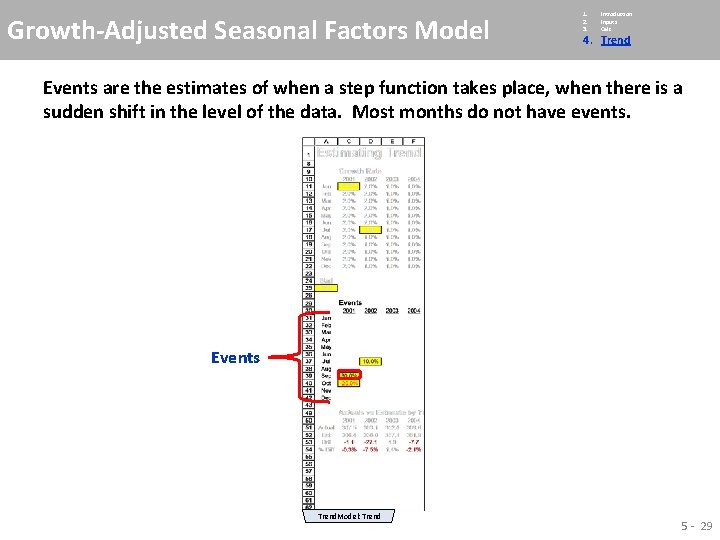
Growth-Adjusted Seasonal Factors Model 1. 2. 3. Introduction Inputs Calc 4. Trend Events are the estimates of when a step function takes place, when there is a sudden shift in the level of the data. Most months do not have events. Events Trend. Model: Trend 5 - 29
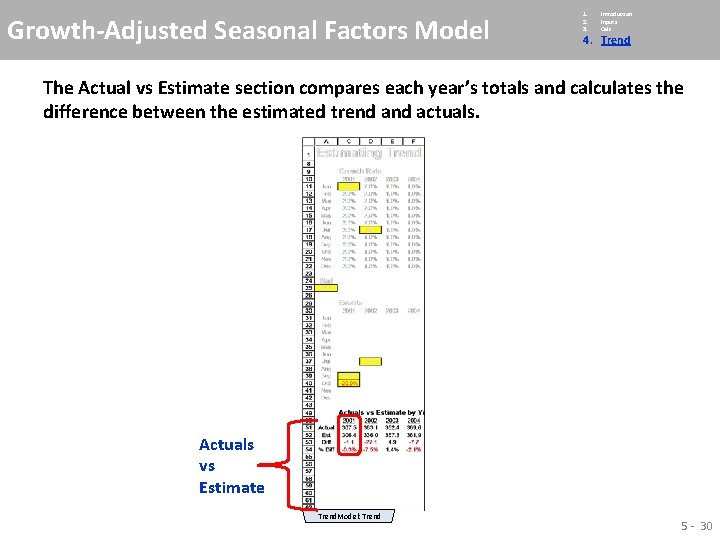
Growth-Adjusted Seasonal Factors Model 1. 2. 3. Introduction Inputs Calc 4. Trend The Actual vs Estimate section compares each year’s totals and calculates the difference between the estimated trend actuals. Actuals vs Estimate Trend. Model: Trend 5 - 30
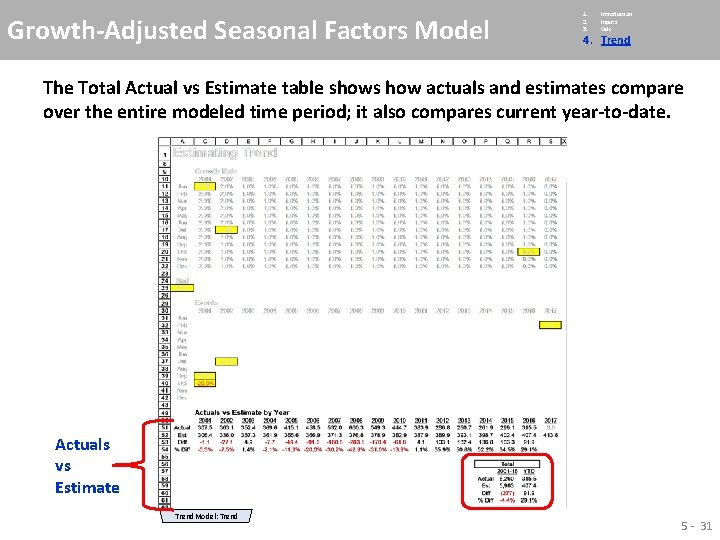
Growth-Adjusted Seasonal Factors Model 1. 2. 3. Introduction Inputs Calc 4. Trend The Total Actual vs Estimate table shows how actuals and estimates compare over the entire modeled time period; it also compares current year-to-date. Actuals vs Estimate Trend. Model: Trend 5 - 31
Growth-Adjusted Seasonal Factors Model 1. 2. 3. Introduction Inputs Calc 4. Trend While hidden here because it isn’t applicable, there is a section here for “Other Info” that may provide a useful reference. Other Info Trend. Model: Trend 5 - 32
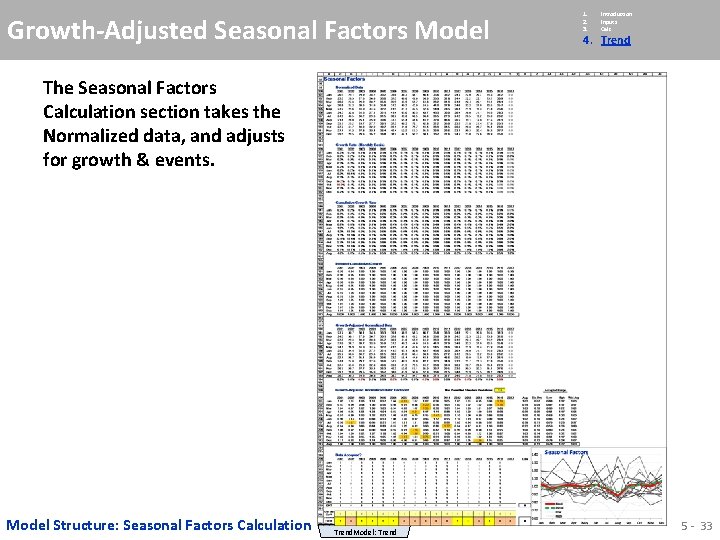
Growth-Adjusted Seasonal Factors Model 1. 2. 3. Introduction Inputs Calc 4. Trend The Seasonal Factors Calculation section takes the Normalized data, and adjusts for growth & events. Model Structure: Seasonal Factors Calculation Trend. Model: Trend 5 - 33
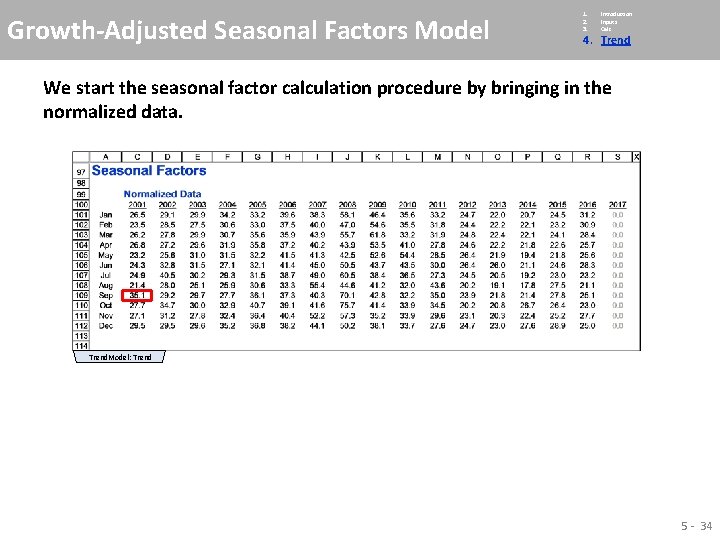
Growth-Adjusted Seasonal Factors Model 1. 2. 3. Introduction Inputs Calc 4. Trend We start the seasonal factor calculation procedure by bringing in the normalized data. Trend. Model: Trend 5 - 34
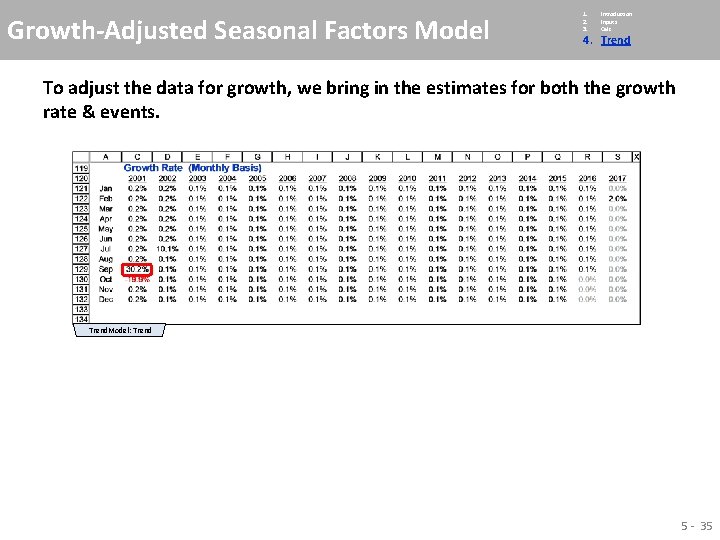
Growth-Adjusted Seasonal Factors Model 1. 2. 3. Introduction Inputs Calc 4. Trend To adjust the data for growth, we bring in the estimates for both the growth rate & events. Trend. Model: Trend 5 - 35
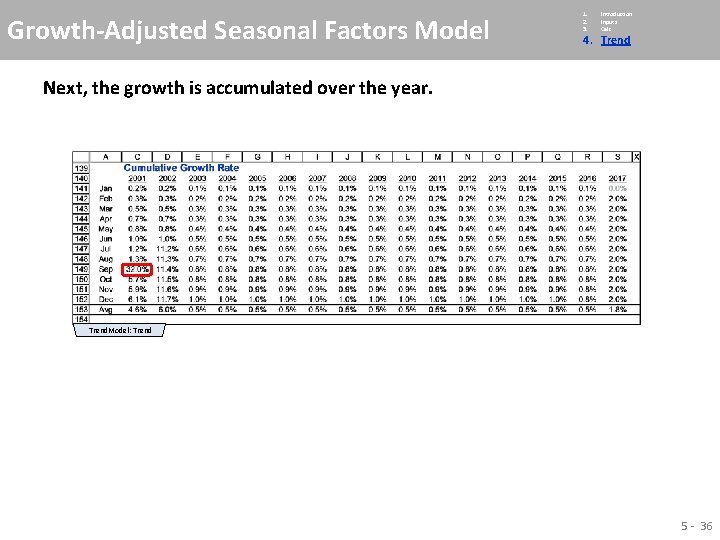
Growth-Adjusted Seasonal Factors Model 1. 2. 3. Introduction Inputs Calc 4. Trend Next, the growth is accumulated over the year. Trend. Model: Trend 5 - 36
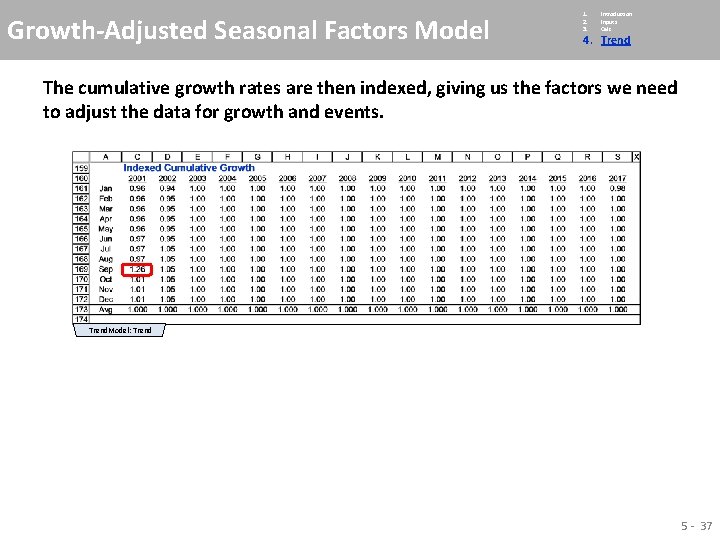
Growth-Adjusted Seasonal Factors Model 1. 2. 3. Introduction Inputs Calc 4. Trend The cumulative growth rates are then indexed, giving us the factors we need to adjust the data for growth and events. Trend. Model: Trend 5 - 37
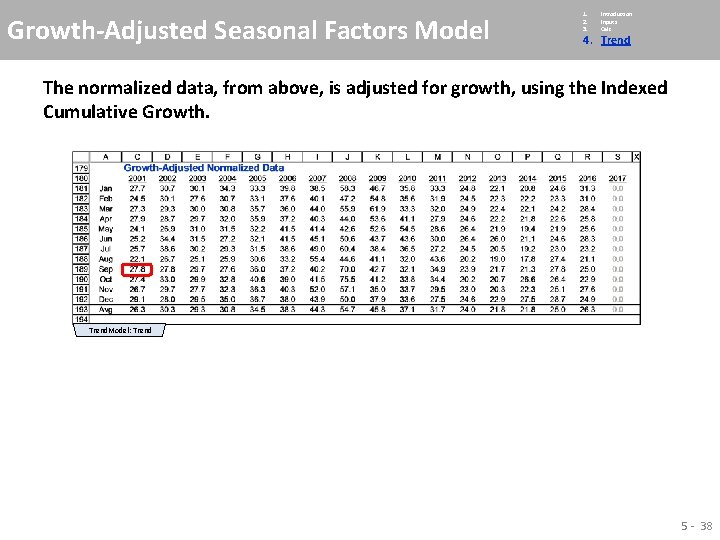
Growth-Adjusted Seasonal Factors Model 1. 2. 3. Introduction Inputs Calc 4. Trend The normalized data, from above, is adjusted for growth, using the Indexed Cumulative Growth. Trend. Model: Trend 5 - 38
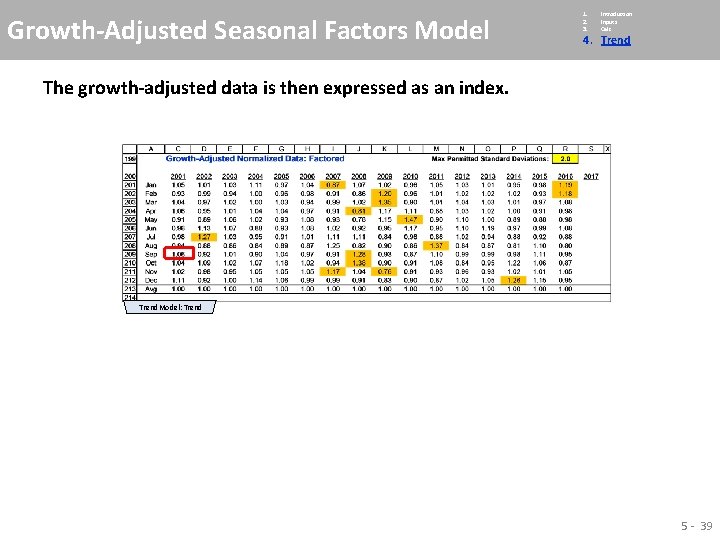
Growth-Adjusted Seasonal Factors Model 1. 2. 3. Introduction Inputs Calc 4. Trend The growth-adjusted data is then expressed as an index. Trend. Model: Trend 5 - 39
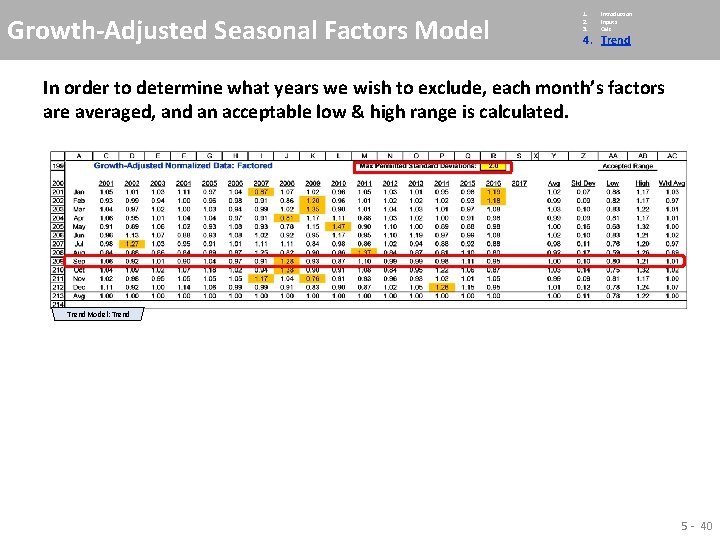
Growth-Adjusted Seasonal Factors Model 1. 2. 3. Introduction Inputs Calc 4. Trend In order to determine what years we wish to exclude, each month’s factors are averaged, and an acceptable low & high range is calculated. Trend. Model: Trend 5 - 40
Growth-Adjusted Seasonal Factors Model 1. 2. 3. Introduction Inputs Calc 4. Trend A “Data Accepted? ” table is added that flushes out those years where one or more months fall outside the accepted range. Trend. Model: Trend 5 - 41
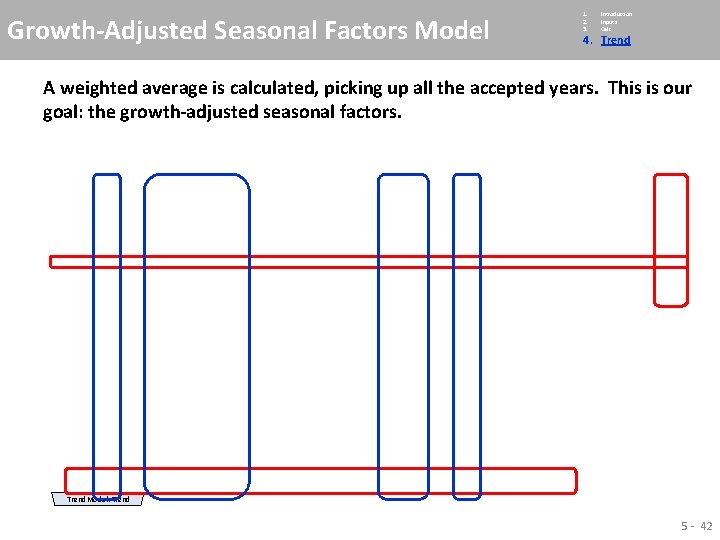
Growth-Adjusted Seasonal Factors Model 1. 2. 3. Introduction Inputs Calc 4. Trend A weighted average is calculated, picking up all the accepted years. This is our goal: the growth-adjusted seasonal factors. Trend. Model: Trend 5 - 42
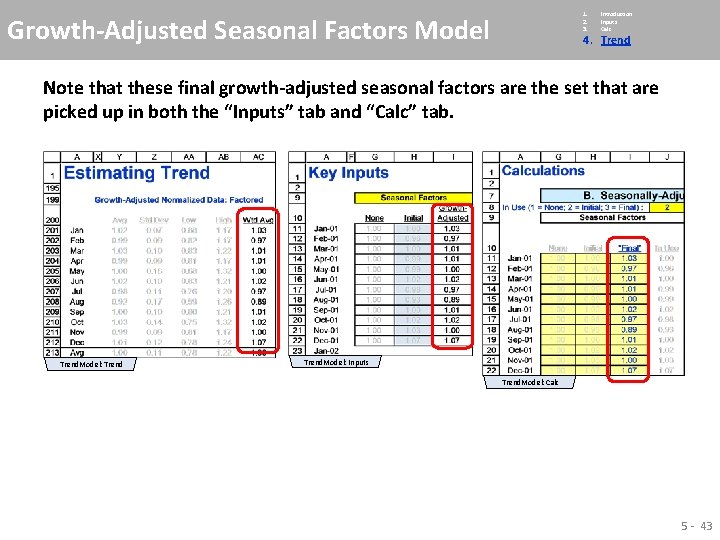
1. 2. 3. Growth-Adjusted Seasonal Factors Model Introduction Inputs Calc 4. Trend Note that these final growth-adjusted seasonal factors are the set that are picked up in both the “Inputs” tab and “Calc” tab. Trend. Model: Inputs Trend. Model: Calc 5 - 43
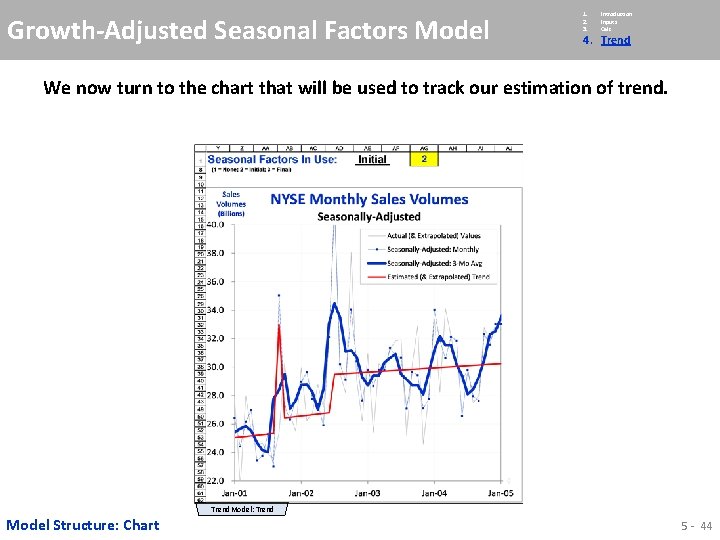
Growth-Adjusted Seasonal Factors Model 1. 2. 3. Introduction Inputs Calc 4. Trend We now turn to the chart that will be used to track our estimation of trend. Trend. Model: Trend Model Structure: Chart 5 - 44
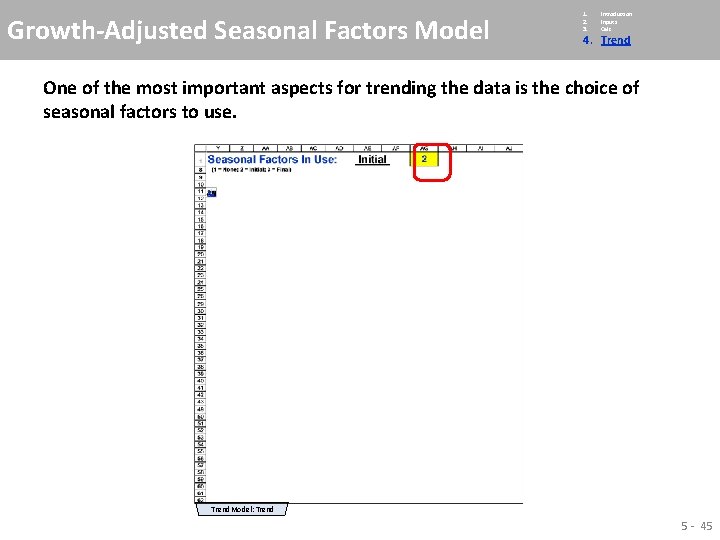
Growth-Adjusted Seasonal Factors Model 1. 2. 3. Introduction Inputs Calc 4. Trend One of the most important aspects for trending the data is the choice of seasonal factors to use. Trend. Model: Trend 5 - 45
Growth-Adjusted Seasonal Factors Model 1. 2. 3. Introduction Inputs Calc 4. Trend Focusing on the chart, we start by setting the time range to the 1 st three-four years of the series. Trend. Model: Trend 5 - 46
Growth-Adjusted Seasonal Factors Model 1. 2. 3. Introduction Inputs Calc 4. Trend Focusing on the chart, we start by setting the time range to the 1 st three-four years of the series. Trend. Model: Trend 5 - 47
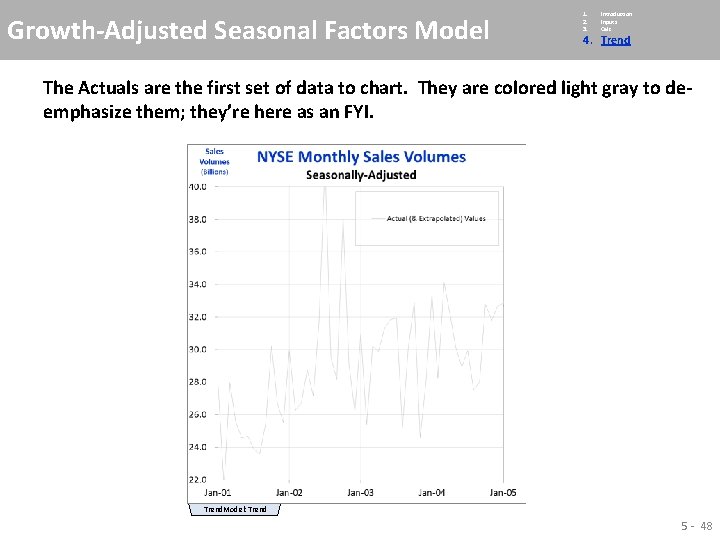
Growth-Adjusted Seasonal Factors Model 1. 2. 3. Introduction Inputs Calc 4. Trend The Actuals are the first set of data to chart. They are colored light gray to deemphasize them; they’re here as an FYI. Trend. Model: Trend 5 - 48
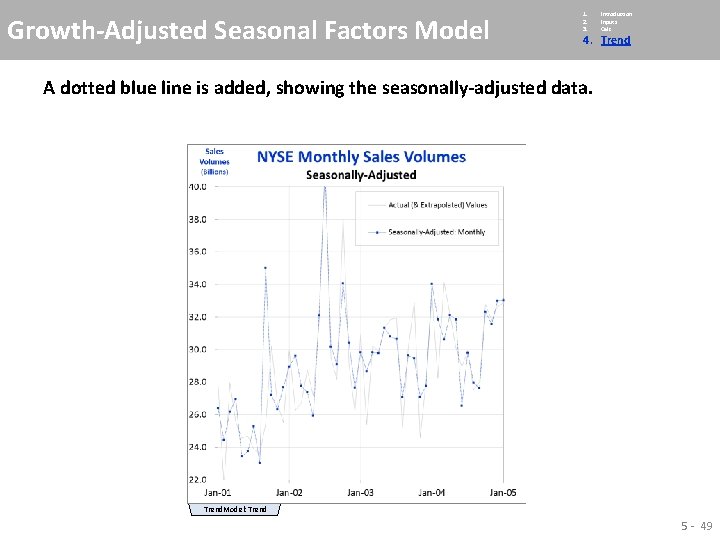
Growth-Adjusted Seasonal Factors Model 1. 2. 3. Introduction Inputs Calc 4. Trend A dotted blue line is added, showing the seasonally-adjusted data. Trend. Model: Trend 5 - 49
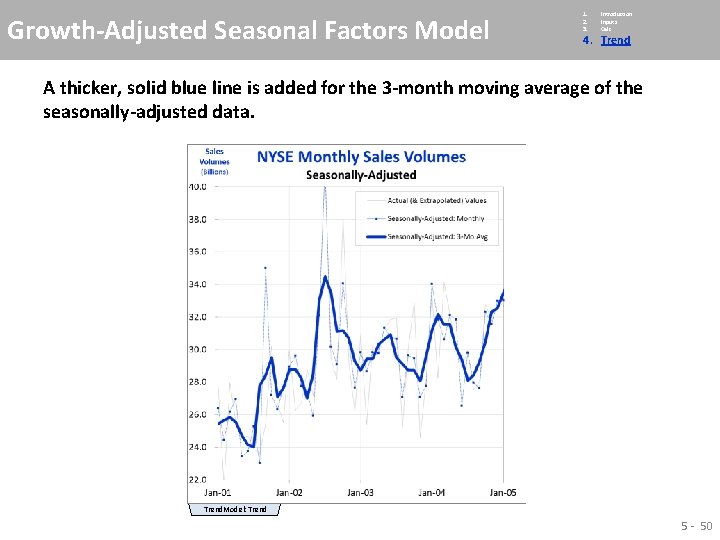
Growth-Adjusted Seasonal Factors Model 1. 2. 3. Introduction Inputs Calc 4. Trend A thicker, solid blue line is added for the 3 -month moving average of the seasonally-adjusted data. Trend. Model: Trend 5 - 50
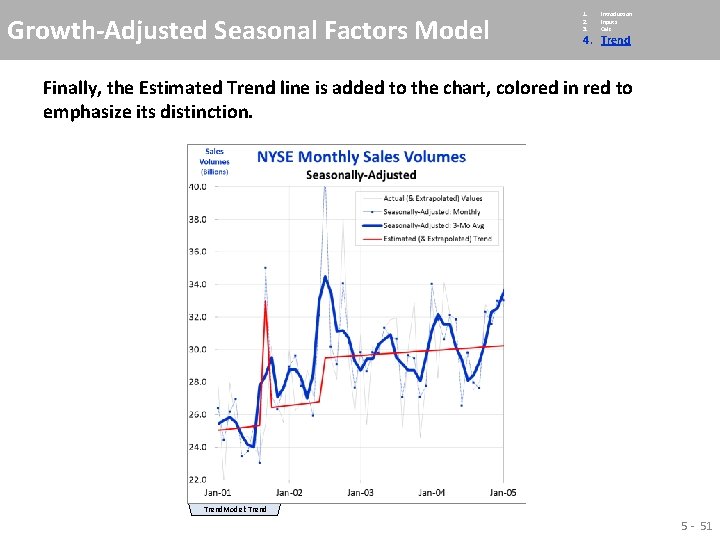
Growth-Adjusted Seasonal Factors Model 1. 2. 3. Introduction Inputs Calc 4. Trend Finally, the Estimated Trend line is added to the chart, colored in red to emphasize its distinction. Trend. Model: Trend 5 - 51
Growth-Adjusted Seasonal Factors Model 1. 2. 3. Introduction Inputs Calc 4. Trend The heart of the estimation trend analysis is performed at the top of the “Trend” tab. Trend. Model: Trend 5 - 52