
Chapter 5 Functions Outline 5 1 5 2
- Slides: 33
Chapter 5 - Functions Outline 5. 1 5. 2 5. 3 5. 4 5. 5 5. 6 5. 7 5. 8 5. 9 5. 10 5. 11 5. 12 5. 13 5. 14 5. 15 Introduction Program Modules in C Math Library Functions Function Definitions Function Prototypes Header Files Calling Functions: Call by Value and Call by Reference Random Number Generation Example: A Game of Chance Storage Classes Scope Rules Recursion Example Using Recursion: The Fibonacci Series Recursion vs. Iteration 2000 Prentice Hall, Inc. All rights reserved.
5. 1 Introduction • Divide and conquer – Construct a program from smaller pieces or components • These smaller pieces are called modules – Each piece more manageable than the original program 2000 Prentice Hall, Inc. All rights reserved.
5. 2 Program Modules in C • Functions – Modules in C – Programs combine user-defined functions with library functions • C standard library has a wide variety of functions • Function calls – Invoking functions • Provide function name and arguments (data) • Function performs operations or manipulations • Function returns results – Function call analogy: • Boss asks worker to complete task – Worker gets information, does task, returns result – Information hiding: boss does not know details 2000 Prentice Hall, Inc. All rights reserved.
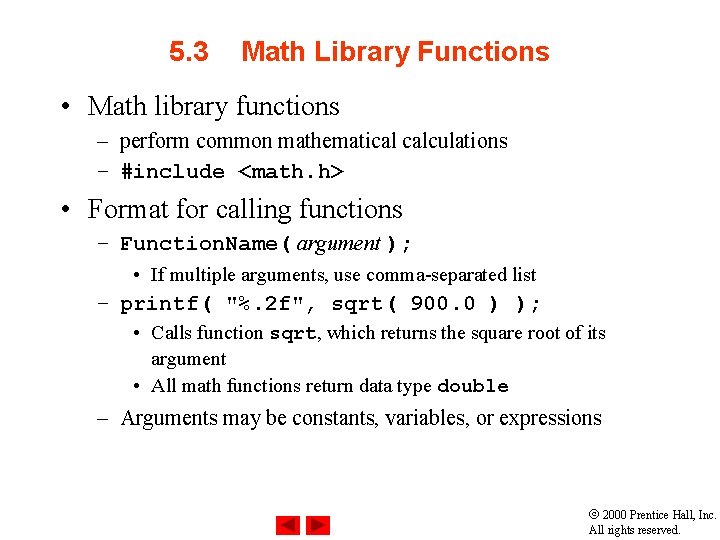
5. 3 Math Library Functions • Math library functions – perform common mathematical calculations – #include <math. h> • Format for calling functions – Function. Name( argument ); • If multiple arguments, use comma-separated list – printf( "%. 2 f", sqrt( 900. 0 ) ); • Calls function sqrt, which returns the square root of its argument • All math functions return data type double – Arguments may be constants, variables, or expressions 2000 Prentice Hall, Inc. All rights reserved.
5. 4 Functions • Functions – Modularize a program – All variables declared inside functions are local variables • Known only in function defined – Parameters • Communicate information between functions • Local variables • Benefits of functions – Divide and conquer • Manageable program development – Software reusability • Use existing functions as building blocks for new programs • Abstraction - hide internal details (library functions) – Avoid code repetition 2000 Prentice Hall, Inc. All rights reserved.
5. 5 Function Definitions • Function definition format return-value-type function-name( parameter-list ) { declarations and statements } – Function-name: any valid identifier – Return-value-type: data type of the result (default int) • void – indicates that the function returns nothing – Parameter-list: comma separated list, declares parameters • A type must be listed explicitly for each parameter unless, the parameter is of type int 2000 Prentice Hall, Inc. All rights reserved.
5. 5 Function Definitions • Function definition format (continued) return-value-type function-name( parameter-list ) { declarations and statements } – Declarations and statements: function body (block) • Variables can be declared inside blocks (can be nested) • Functions can not be defined inside other functions – Returning control • If nothing returned – return; – or, until reaches right brace • If something returned – return expression; 2000 Prentice Hall, Inc. All rights reserved.
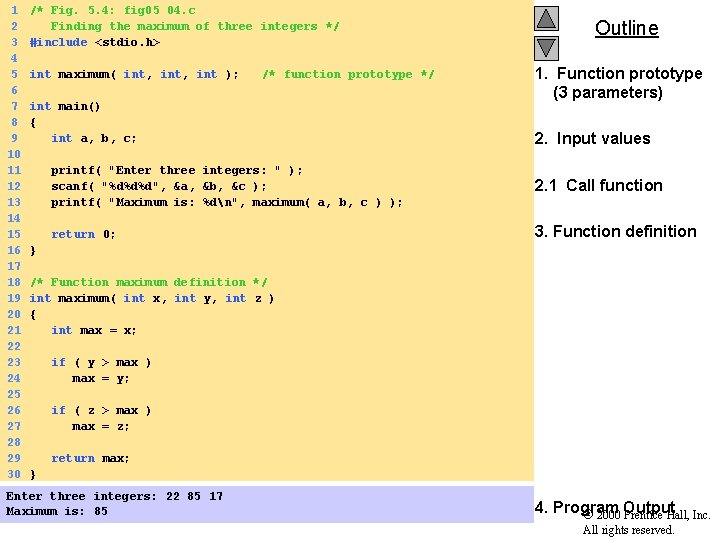
1 2 3 4 5 6 7 8 9 10 11 12 13 14 15 16 17 18 19 20 21 22 23 24 25 26 27 28 29 30 /* Fig. 5. 4: fig 05_04. c Finding the maximum of three integers */ #include <stdio. h> int maximum( int, int ); /* function prototype */ int main() { int a, b, c; Outline 1. Function prototype (3 parameters) 2. Input values printf( "Enter three integers: " ); scanf( "%d%d%d", &a, &b, &c ); printf( "Maximum is: %dn", maximum( a, b, c ) ); 2. 1 Call function return 0; 3. Function definition } /* Function maximum definition */ int maximum( int x, int y, int z ) { int max = x; if ( y > max ) max = y; if ( z > max ) max = z; return max; } Enter three integers: 22 85 17 Maximum is: 85 4. Program 2000 Output Prentice Hall, Inc. All rights reserved.
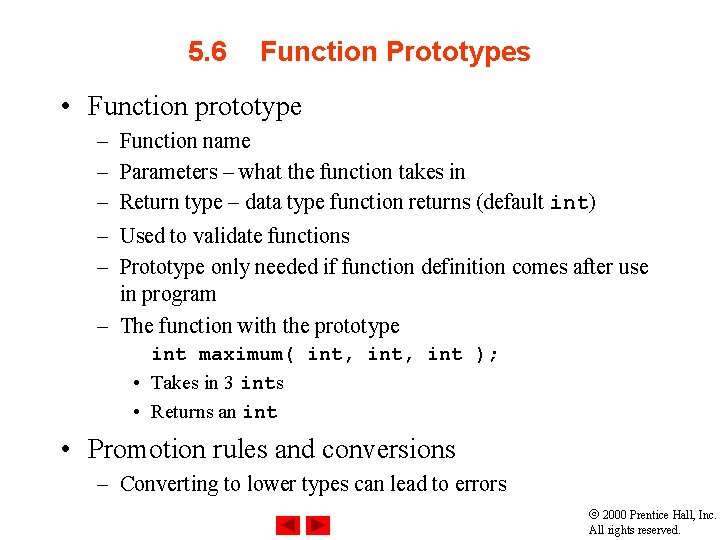
5. 6 Function Prototypes • Function prototype – – – Function name Parameters – what the function takes in Return type – data type function returns (default int) Used to validate functions Prototype only needed if function definition comes after use in program – The function with the prototype int maximum( int, int ); • Takes in 3 ints • Returns an int • Promotion rules and conversions – Converting to lower types can lead to errors 2000 Prentice Hall, Inc. All rights reserved.
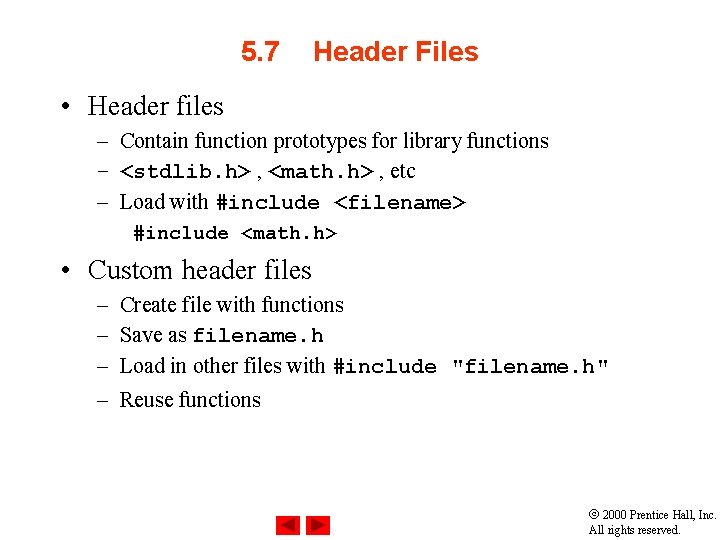
5. 7 Header Files • Header files – Contain function prototypes for library functions – <stdlib. h> , <math. h> , etc – Load with #include <filename> #include <math. h> • Custom header files – – Create file with functions Save as filename. h Load in other files with #include "filename. h" Reuse functions 2000 Prentice Hall, Inc. All rights reserved.
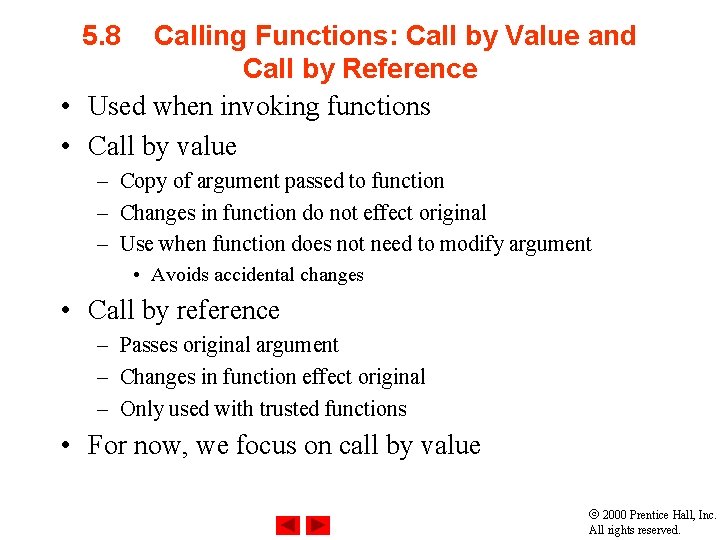
5. 8 Calling Functions: Call by Value and Call by Reference • Used when invoking functions • Call by value – Copy of argument passed to function – Changes in function do not effect original – Use when function does not need to modify argument • Avoids accidental changes • Call by reference – Passes original argument – Changes in function effect original – Only used with trusted functions • For now, we focus on call by value 2000 Prentice Hall, Inc. All rights reserved.
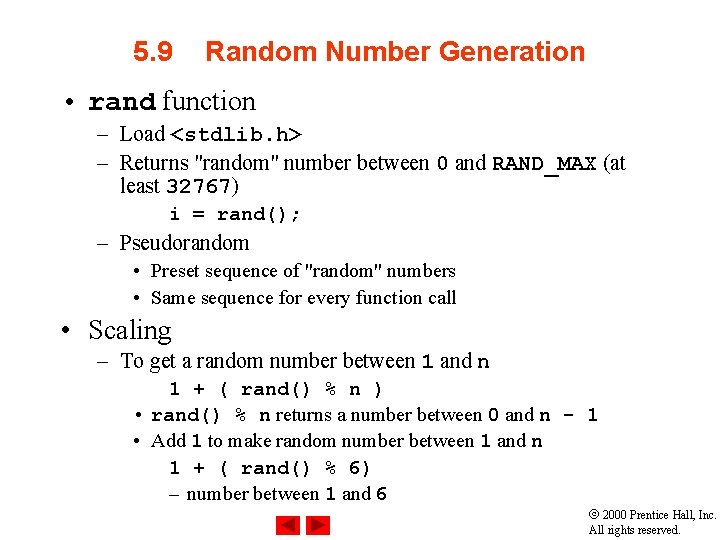
5. 9 Random Number Generation • rand function – Load <stdlib. h> – Returns "random" number between 0 and RAND_MAX (at least 32767) i = rand(); – Pseudorandom • Preset sequence of "random" numbers • Same sequence for every function call • Scaling – To get a random number between 1 and n 1 + ( rand() % n ) • rand() % n returns a number between 0 and n - 1 • Add 1 to make random number between 1 and n 1 + ( rand() % 6) – number between 1 and 6 2000 Prentice Hall, Inc. All rights reserved.
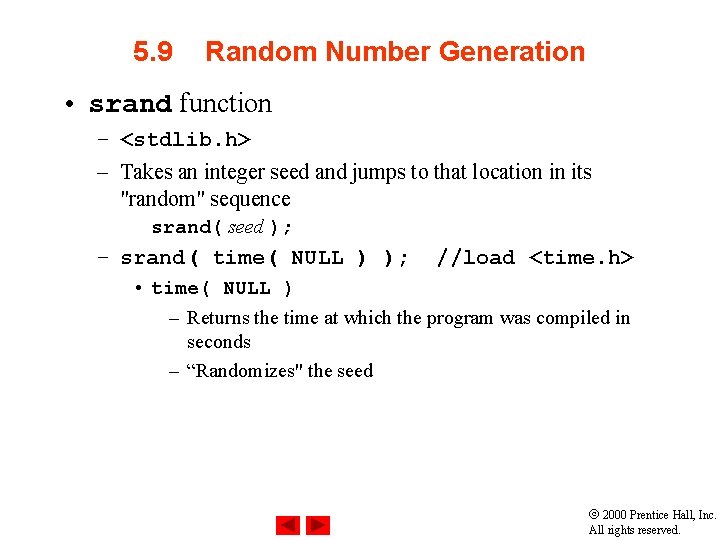
5. 9 Random Number Generation • srand function – <stdlib. h> – Takes an integer seed and jumps to that location in its "random" sequence srand( seed ); – srand( time( NULL ) ); //load <time. h> • time( NULL ) – Returns the time at which the program was compiled in seconds – “Randomizes" the seed 2000 Prentice Hall, Inc. All rights reserved.
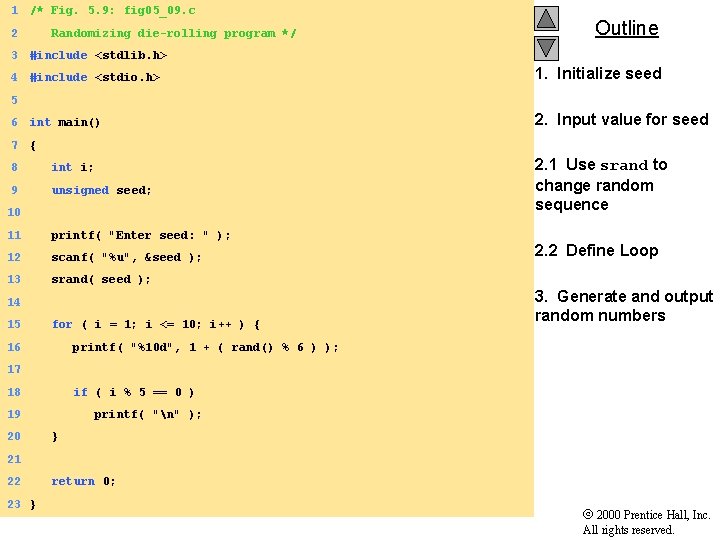
1 /* Fig. 5. 9: fig 05_09. c 2 Randomizing die-rolling program */ Outline 3 #include <stdlib. h> 4 #include <stdio. h> 1. Initialize seed 6 int main() 2. Input value for seed 7 { 5 8 int i; 9 unsigned seed; 10 11 printf( "Enter seed: " ); 12 scanf( "%u", &seed ); 13 srand( seed ); 14 15 for ( i = 1; i <= 10; i++ ) { 16 2. 1 Use srand to change random sequence 2. 2 Define Loop 3. Generate and output random numbers printf( "%10 d", 1 + ( rand() % 6 ) ); 17 18 if ( i % 5 == 0 ) 19 20 printf( "n" ); } 21 22 23 } return 0; 2000 Prentice Hall, Inc. All rights reserved.
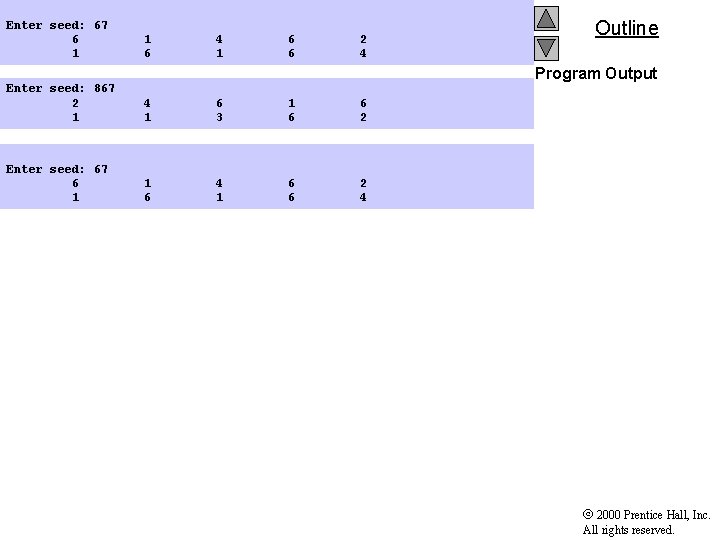
Enter seed: 67 6 1 1 6 4 1 6 6 2 4 Outline Program Output Enter seed: 867 2 1 4 1 6 3 1 6 6 2 Enter seed: 67 6 1 1 6 4 1 6 6 2 4 2000 Prentice Hall, Inc. All rights reserved.
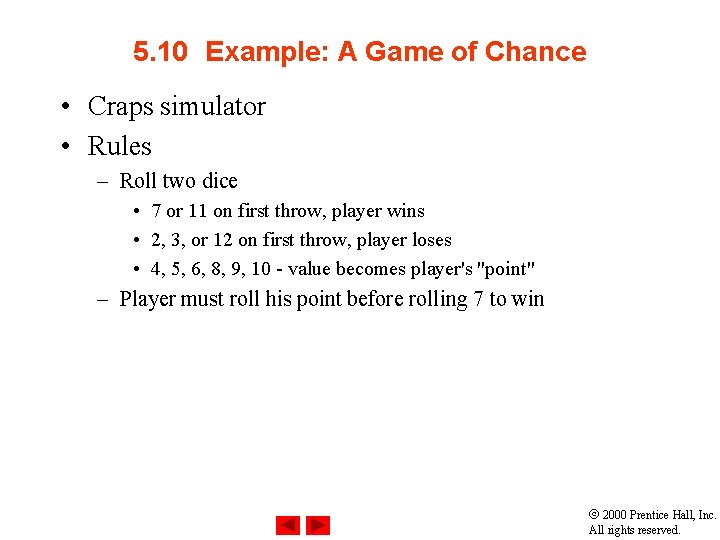
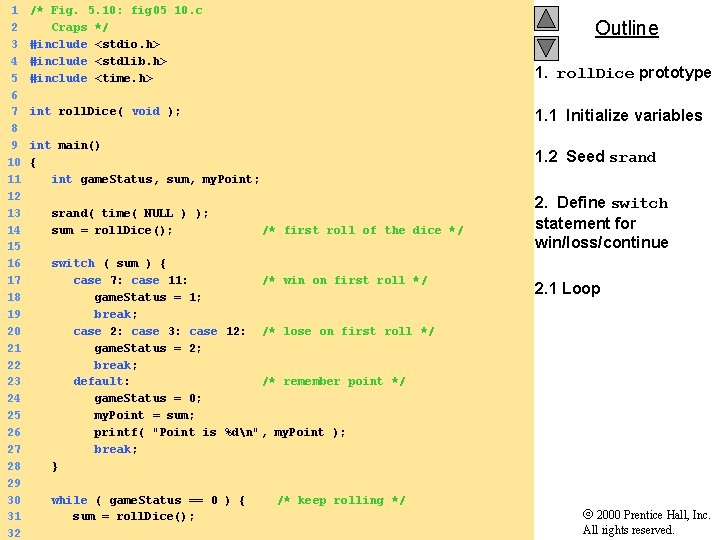
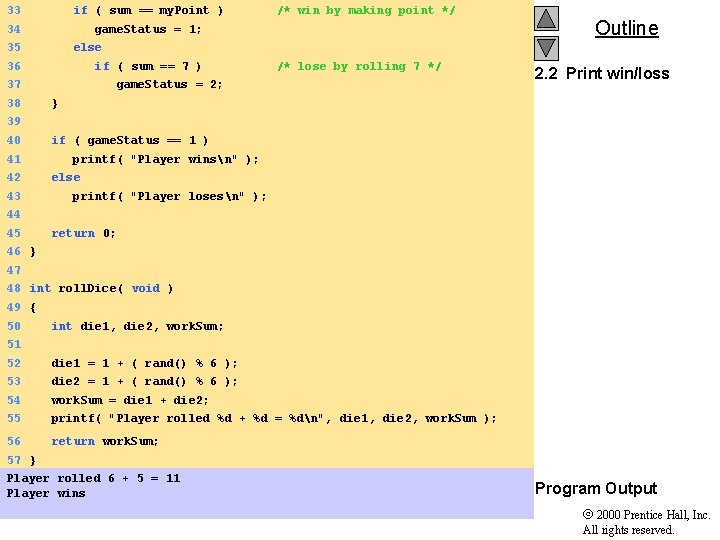
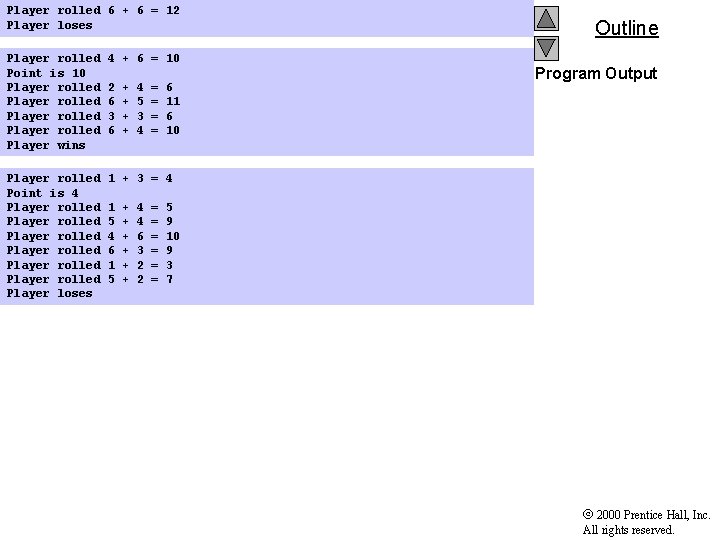
5. 10 Example: A Game of Chance • Craps simulator • Rules – Roll two dice • 7 or 11 on first throw, player wins • 2, 3, or 12 on first throw, player loses • 4, 5, 6, 8, 9, 10 - value becomes player's "point" – Player must roll his point before rolling 7 to win 2000 Prentice Hall, Inc. All rights reserved.
1 2 3 4 5 6 7 8 9 10 11 12 13 14 15 16 17 18 19 20 21 22 23 24 25 26 27 28 29 30 31 32 /* Fig. 5. 10: fig 05_10. c Craps */ #include <stdio. h> #include <stdlib. h> #include <time. h> 1. roll. Dice prototype int roll. Dice( void ); 1. 1 Initialize variables int main() { int game. Status, sum, my. Point; 1. 2 Seed srand( time( NULL ) ); sum = roll. Dice(); Outline /* first roll of the dice */ switch ( sum ) { case 7: case 11: /* win on first roll */ game. Status = 1; break; case 2: case 3: case 12: /* lose on first roll */ game. Status = 2; break; default: /* remember point */ game. Status = 0; my. Point = sum; printf( "Point is %dn", my. Point ); break; } while ( game. Status == 0 ) { sum = roll. Dice(); /* keep rolling */ 2. Define switch statement for win/loss/continue 2. 1 Loop 2000 Prentice Hall, Inc. All rights reserved.
33 if ( sum == my. Point ) 34 game. Status = 1; 35 Outline else 36 if ( sum == 7 ) 37 38 /* win by making point */ /* lose by rolling 7 */ game. Status = 2; 2. 2 Print win/loss } 39 40 41 42 43 if ( game. Status == 1 ) printf( "Player winsn" ); else printf( "Player losesn" ); 44 45 return 0; 46 } 47 48 int roll. Dice( void ) 49 { 50 int die 1, die 2, work. Sum; 51 52 die 1 = 1 + ( rand() % 6 ); 53 die 2 = 1 + ( rand() % 6 ); 54 work. Sum = die 1 + die 2; 55 printf( "Player rolled %d + %d = %dn", die 1, die 2, work. Sum ); 56 return work. Sum; 57 } Player rolled 6 + 5 = 11 Player wins Program Output 2000 Prentice Hall, Inc. All rights reserved.
Player rolled 6 + 6 = 12 Player loses Player rolled Point is 10 Player rolled Player wins 4 + 6 = 10 Player rolled Point is 4 Player rolled Player rolled Player loses 1 + 3 = 4 2 6 3 6 1 5 4 6 1 5 + + + + + 4 5 3 4 4 4 6 3 2 2 = = = = = 6 11 6 10 Outline Program Output 5 9 10 9 3 7 2000 Prentice Hall, Inc. All rights reserved.
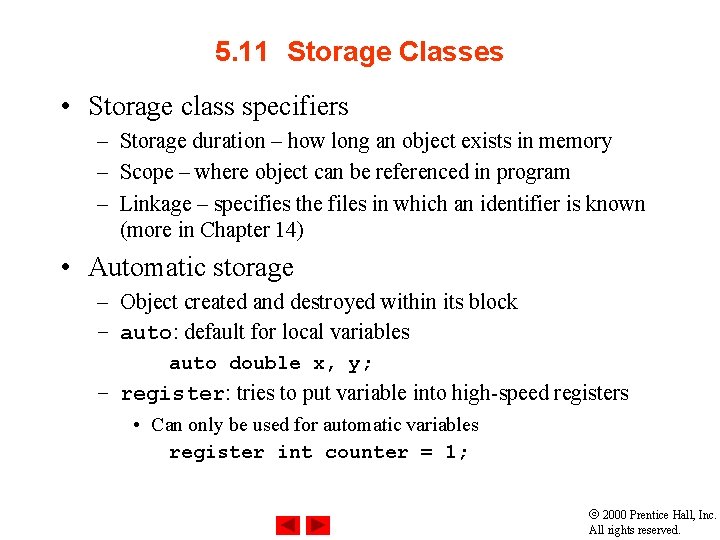
5. 11 Storage Classes • Storage class specifiers – Storage duration – how long an object exists in memory – Scope – where object can be referenced in program – Linkage – specifies the files in which an identifier is known (more in Chapter 14) • Automatic storage – Object created and destroyed within its block – auto: default for local variables auto double x, y; – register: tries to put variable into high-speed registers • Can only be used for automatic variables register int counter = 1; 2000 Prentice Hall, Inc. All rights reserved.
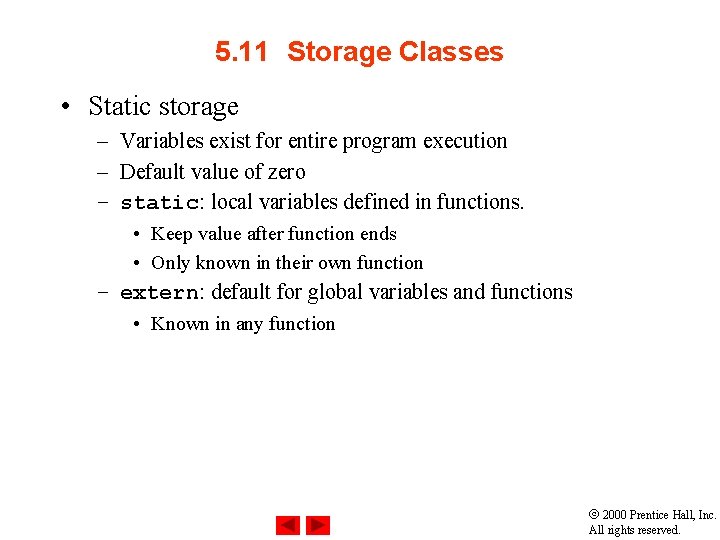
5. 11 Storage Classes • Static storage – Variables exist for entire program execution – Default value of zero – static: local variables defined in functions. • Keep value after function ends • Only known in their own function – extern: default for global variables and functions • Known in any function 2000 Prentice Hall, Inc. All rights reserved.
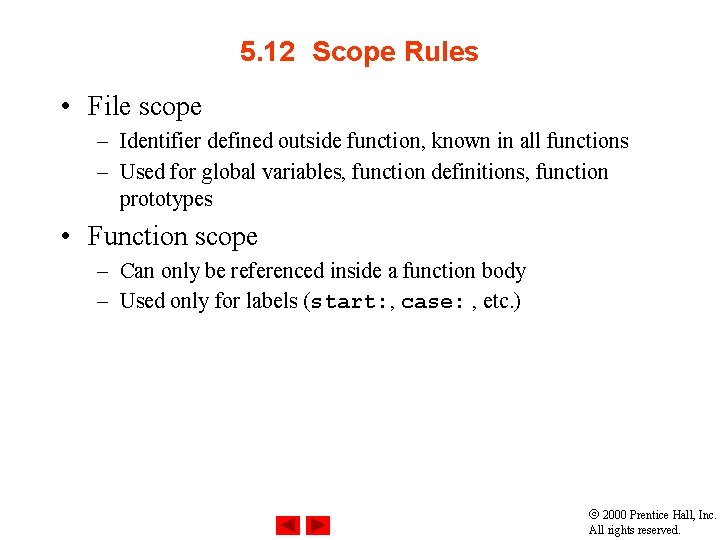
5. 12 Scope Rules • File scope – Identifier defined outside function, known in all functions – Used for global variables, function definitions, function prototypes • Function scope – Can only be referenced inside a function body – Used only for labels (start: , case: , etc. ) 2000 Prentice Hall, Inc. All rights reserved.
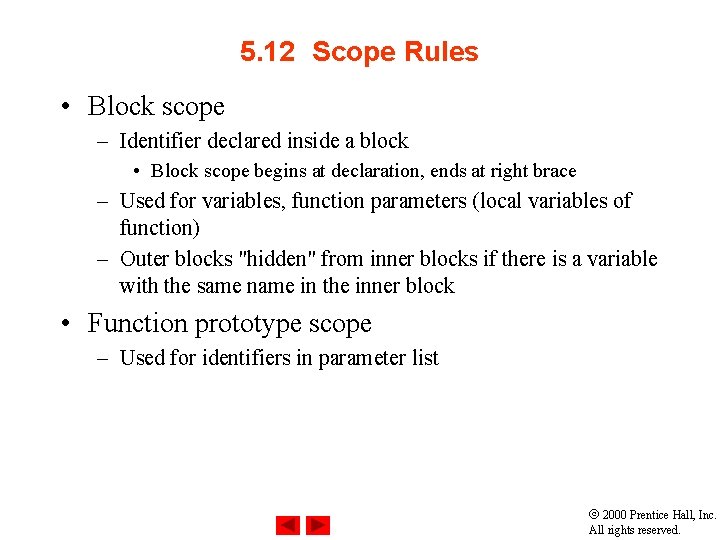
5. 12 Scope Rules • Block scope – Identifier declared inside a block • Block scope begins at declaration, ends at right brace – Used for variables, function parameters (local variables of function) – Outer blocks "hidden" from inner blocks if there is a variable with the same name in the inner block • Function prototype scope – Used for identifiers in parameter list 2000 Prentice Hall, Inc. All rights reserved.
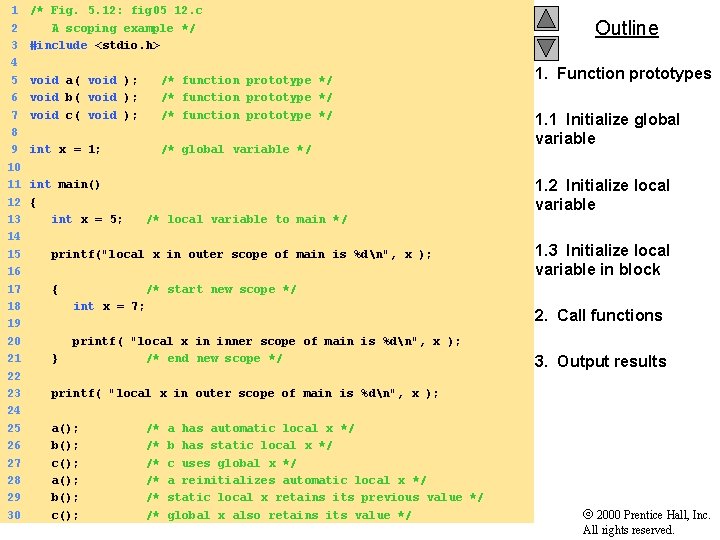
1 2 3 4 5 6 7 8 9 10 11 12 13 14 15 16 17 18 19 20 21 22 23 24 25 26 27 28 29 30 /* Fig. 5. 12: fig 05_12. c A scoping example */ #include <stdio. h> void a( void ); void b( void ); void c( void ); /* function prototype */ int x = 1; /* global variable */ int main() { int x = 5; /* local variable to main */ printf("local x in outer scope of main is %dn", x ); { 1. Function prototypes 1. 1 Initialize global variable 1. 2 Initialize local variable 1. 3 Initialize local variable in block /* start new scope */ int x = 7; } Outline 2. Call functions printf( "local x in inner scope of main is %dn", x ); /* end new scope */ 3. Output results printf( "local x in outer scope of main is %dn", x ); a(); b(); c(); /* /* /* a has automatic local x */ b has static local x */ c uses global x */ a reinitializes automatic local x */ static local x retains its previous value */ global x also retains its value */ 2000 Prentice Hall, Inc. All rights reserved.
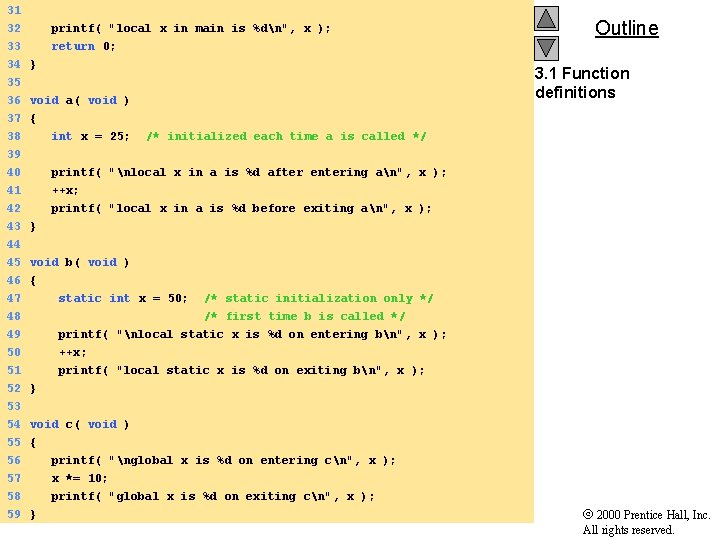
31 32 printf( "local x in main is %dn", x ); 33 return 0; 34 } 35 36 void a( void ) Outline 3. 1 Function definitions 37 { 38 39 int x = 25; /* initialized each time a is called */ 40 41 42 printf( "nlocal x in a is %d after entering an", x ); ++x; printf( "local x in a is %d before exiting an", x ); 43 } 44 45 void b( void ) 46 { 47 static int x = 50; /* static initialization only */ 48 /* first time b is called */ 49 50 printf( "nlocal static x is %d on entering bn", x ); ++x; 51 printf( "local static x is %d on exiting bn", x ); 52 } 53 54 void c( void ) 55 { 56 printf( "nglobal x is %d on entering cn", x ); 57 58 59 } x *= 10; printf( "global x is %d on exiting cn", x ); 2000 Prentice Hall, Inc. All rights reserved.
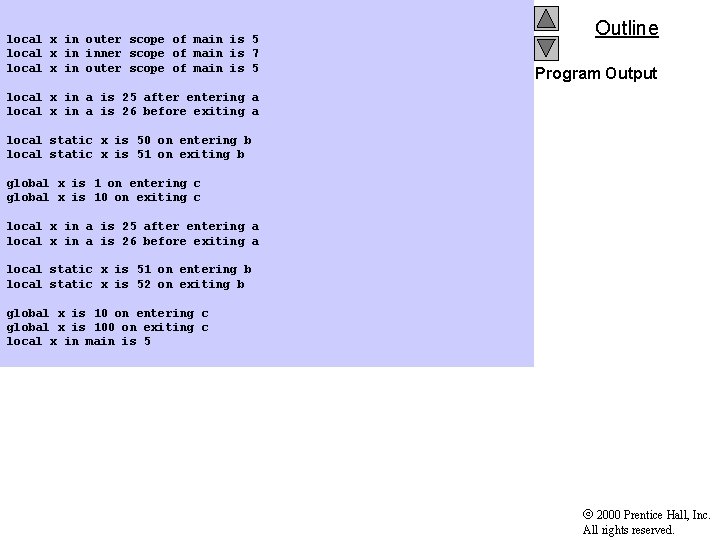
local x in outer scope of main is 5 local x in inner scope of main is 7 local x in outer scope of main is 5 Outline Program Output local x in a is 25 after entering a local x in a is 26 before exiting a local static x is 50 on entering b local static x is 51 on exiting b global x is 1 on entering c global x is 10 on exiting c local x in a is 25 after entering a local x in a is 26 before exiting a local static x is 51 on entering b local static x is 52 on exiting b global x is 10 on entering c global x is 100 on exiting c local x in main is 5 2000 Prentice Hall, Inc. All rights reserved.
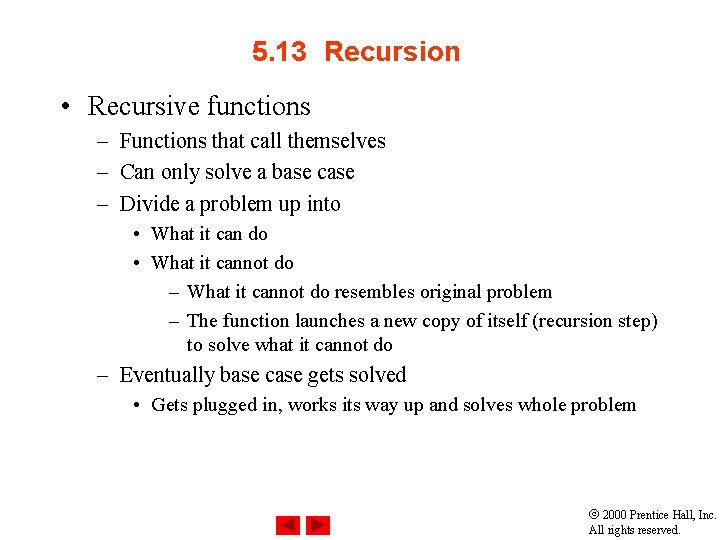
5. 13 Recursion • Recursive functions – Functions that call themselves – Can only solve a base case – Divide a problem up into • What it can do • What it cannot do – What it cannot do resembles original problem – The function launches a new copy of itself (recursion step) to solve what it cannot do – Eventually base case gets solved • Gets plugged in, works its way up and solves whole problem 2000 Prentice Hall, Inc. All rights reserved.
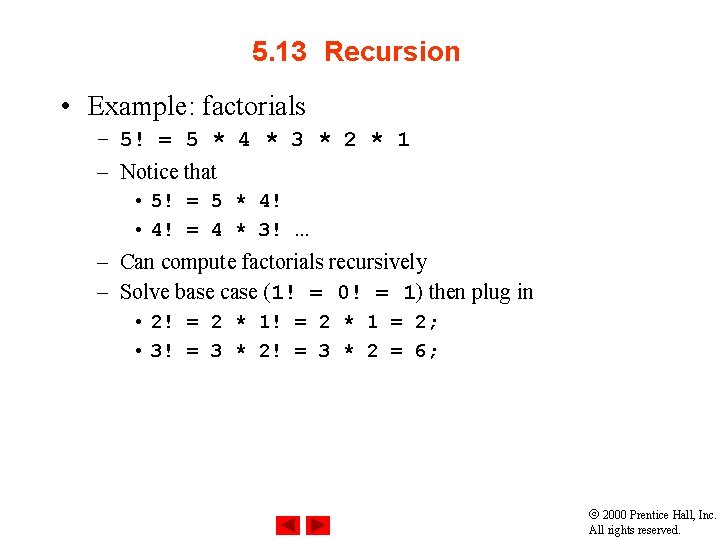
5. 13 Recursion • Example: factorials – 5! = 5 * 4 * 3 * 2 * 1 – Notice that • 5! = 5 * 4! • 4! = 4 * 3!. . . – Can compute factorials recursively – Solve base case (1! = 0! = 1) then plug in • 2! = 2 * 1 = 2; • 3! = 3 * 2 = 6; 2000 Prentice Hall, Inc. All rights reserved.
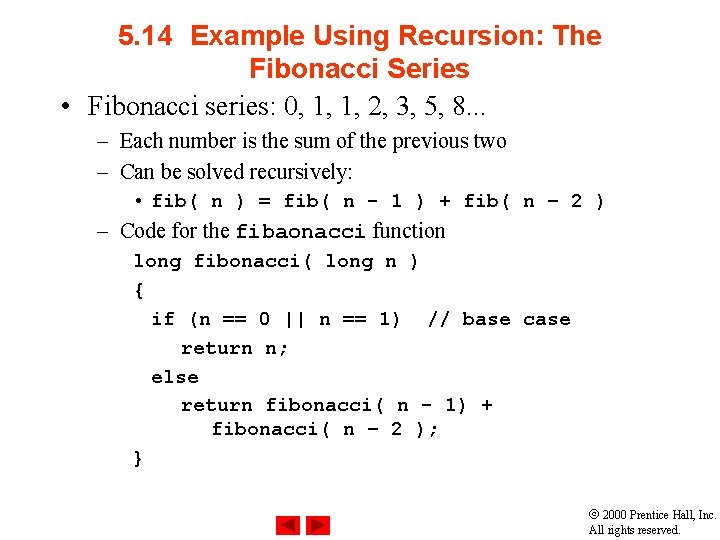
5. 14 Example Using Recursion: The Fibonacci Series • Fibonacci series: 0, 1, 1, 2, 3, 5, 8. . . – Each number is the sum of the previous two – Can be solved recursively: • fib( n ) = fib( n - 1 ) + fib( n – 2 ) – Code for the fibaonacci function long fibonacci( long n ) { if (n == 0 || n == 1) // base case return n; else return fibonacci( n - 1) + fibonacci( n – 2 ); } 2000 Prentice Hall, Inc. All rights reserved.
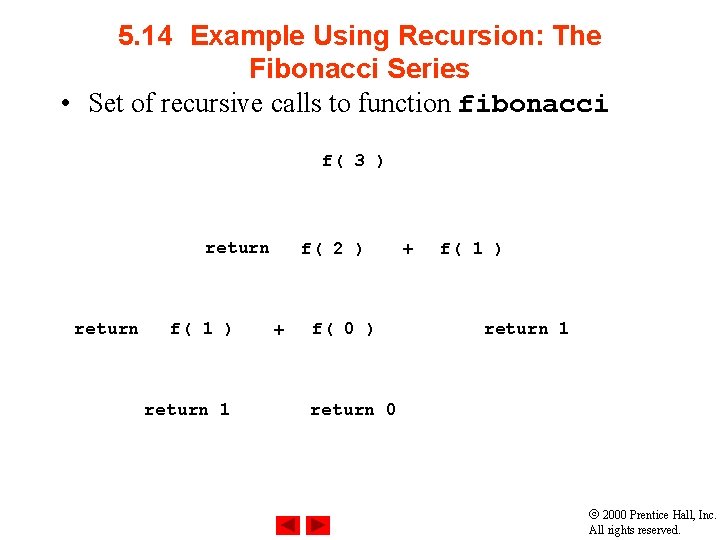
5. 14 Example Using Recursion: The Fibonacci Series • Set of recursive calls to function fibonacci f( 3 ) return f( 1 ) return 1 f( 2 ) + f( 0 ) + f( 1 ) return 1 return 0 2000 Prentice Hall, Inc. All rights reserved.
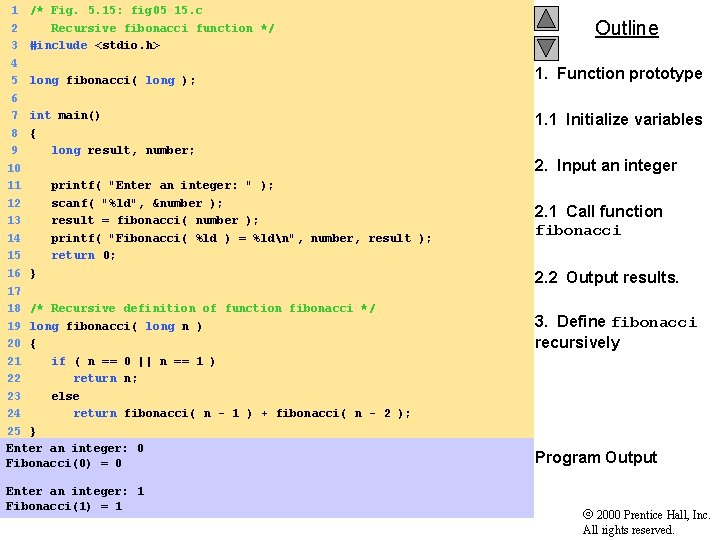
1 /* Fig. 5. 15: fig 05_15. c 2 Recursive fibonacci function */ 3 #include <stdio. h> 4 5 long fibonacci( long ); 6 7 int main() 8 { 9 long result, number; 10 11 printf( "Enter an integer: " ); 12 scanf( "%ld", &number ); 13 result = fibonacci( number ); 14 printf( "Fibonacci( %ld ) = %ldn", number, result ); 15 return 0; 16 } 17 18 /* Recursive definition of function fibonacci */ 19 long fibonacci( long n ) 20 { 21 if ( n == 0 || n == 1 ) 22 return n; 23 else 24 return fibonacci( n - 1 ) + fibonacci( n - 2 ); 25 } Enter an integer: 0 Fibonacci(0) = 0 Enter an integer: 1 Fibonacci(1) = 1 Outline 1. Function prototype 1. 1 Initialize variables 2. Input an integer 2. 1 Call function fibonacci 2. 2 Output results. 3. Define fibonacci recursively Program Output 2000 Prentice Hall, Inc. All rights reserved.
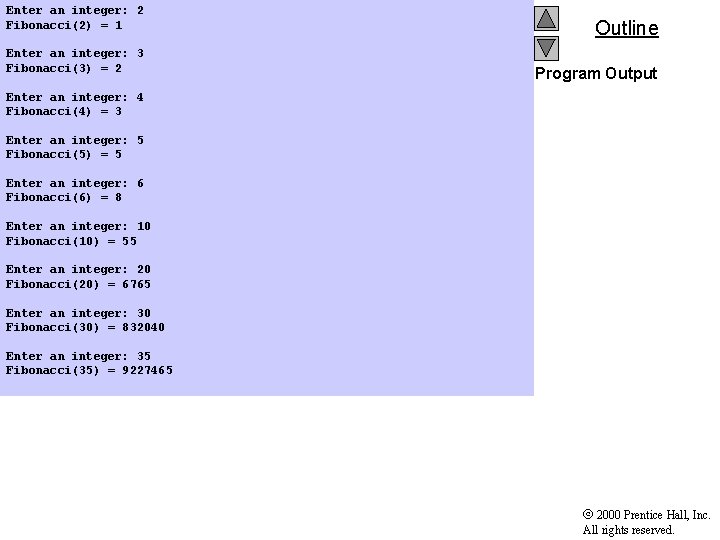
Enter an integer: 2 Fibonacci(2) = 1 Enter an integer: 3 Fibonacci(3) = 2 Outline Program Output Enter an integer: 4 Fibonacci(4) = 3 Enter an integer: 5 Fibonacci(5) = 5 Enter an integer: 6 Fibonacci(6) = 8 Enter an integer: 10 Fibonacci(10) = 55 Enter an integer: 20 Fibonacci(20) = 6765 Enter an integer: 30 Fibonacci(30) = 832040 Enter an integer: 35 Fibonacci(35) = 9227465 2000 Prentice Hall, Inc. All rights reserved.
5. 15 Recursion vs. Iteration • Repetition – Iteration: explicit loop – Recursion: repeated function calls • Termination – Iteration: loop condition fails – Recursion: base case recognized • Both can have infinite loops • Balance – Choice between performance (iteration) and good software engineering (recursion) 2000 Prentice Hall, Inc. All rights reserved.