
Chapter 5 Electronic mail security 1 Outline Pretty


- Slides: 40
Chapter 5 Electronic mail security 1
Outline • Pretty good privacy • S/MIME • Recommended web sites 2
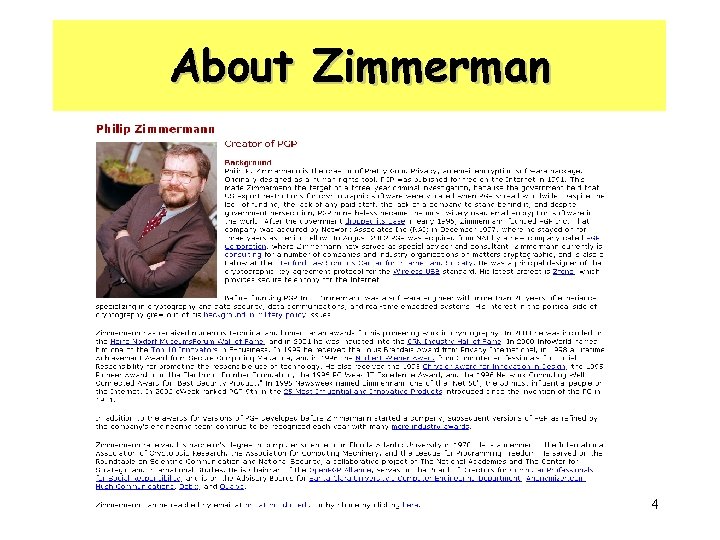
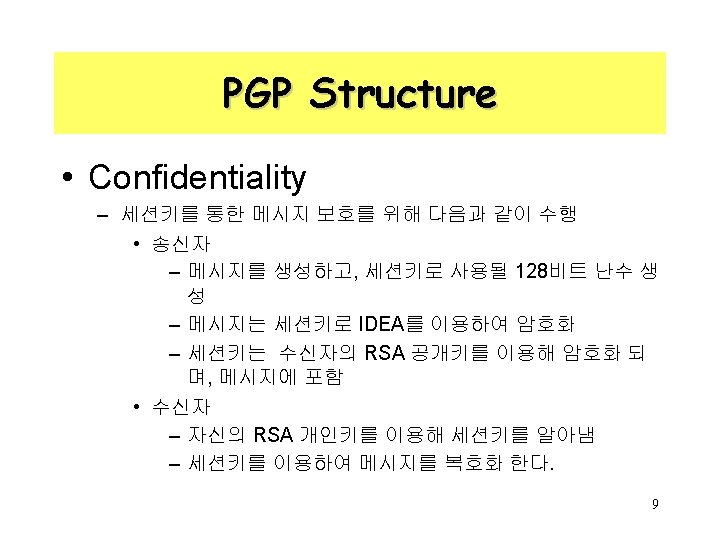
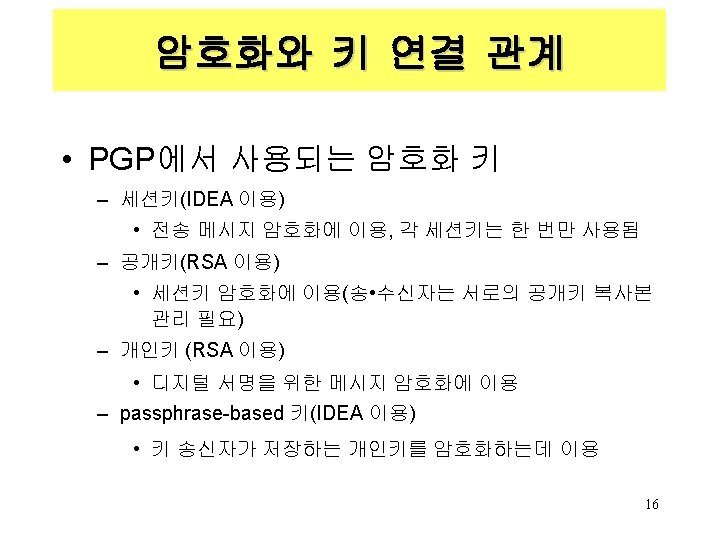
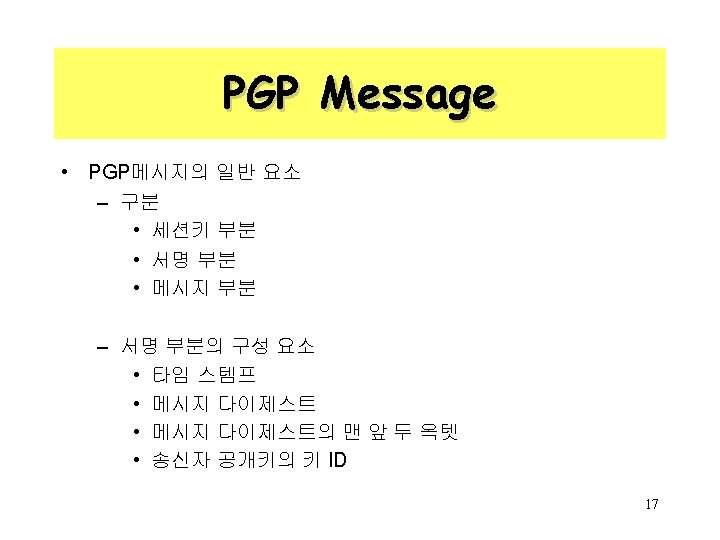
Pretty Good Privacy • Philip R. Zimmerman is the creator of PGP. • PGP provides a confidentiality and authentication service that can be used for electronic mail and file storage applications. 3
About Zimmerman 4
Why Is PGP Popular? • It is availiable free on a variety of platforms. • Based on well known algorithms. • Wide range of applicability • Not developed or controlled by governmental or standards organizations 5
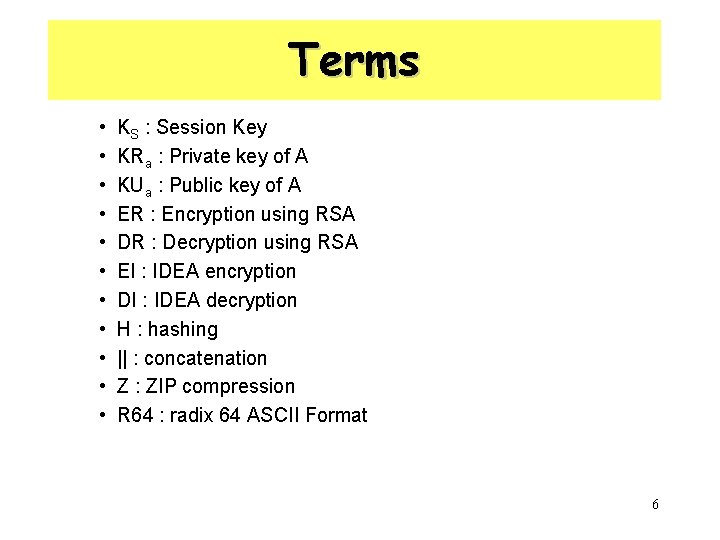
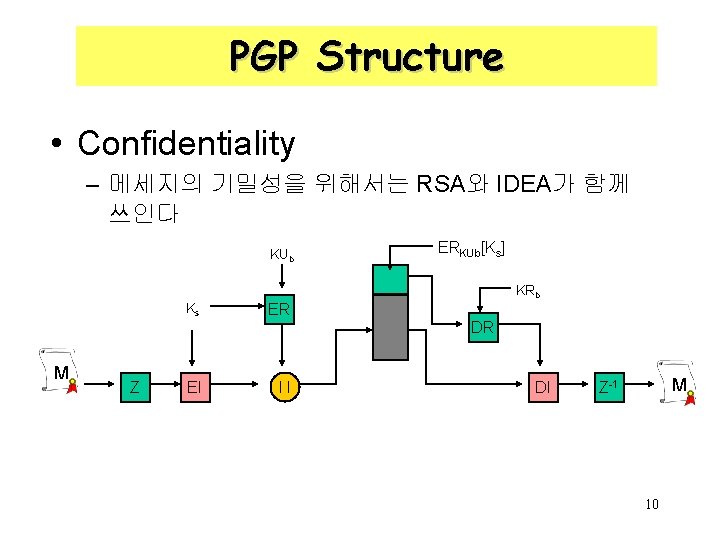
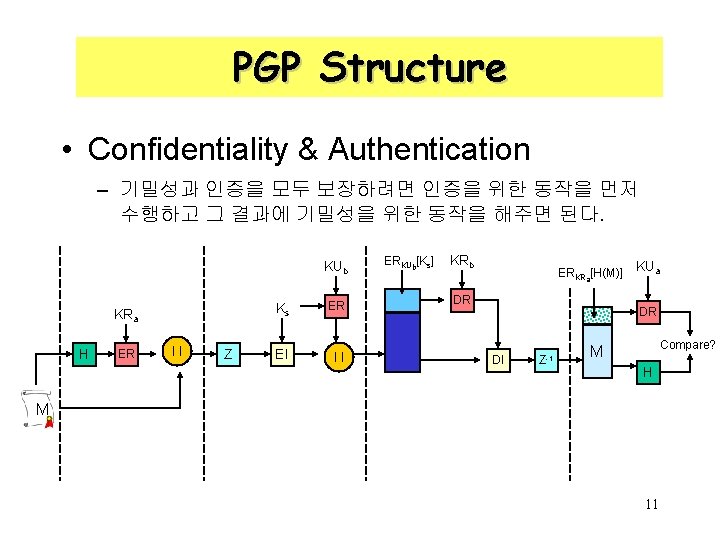
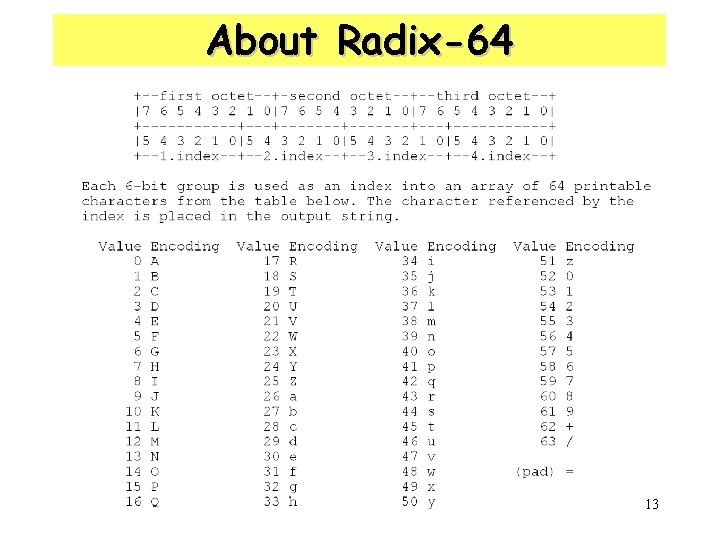
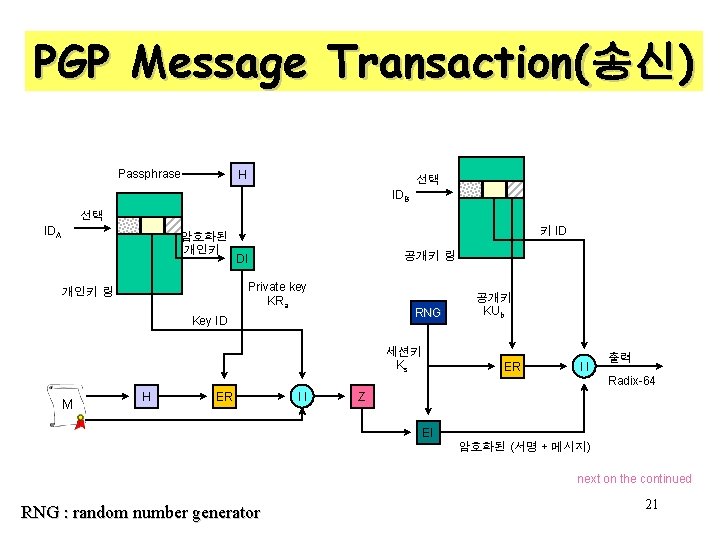
Terms • • • KS : Session Key KRa : Private key of A KUa : Public key of A ER : Encryption using RSA DR : Decryption using RSA EI : IDEA encryption DI : IDEA decryption H : hashing || : concatenation Z : ZIP compression R 64 : radix 64 ASCII Format 6
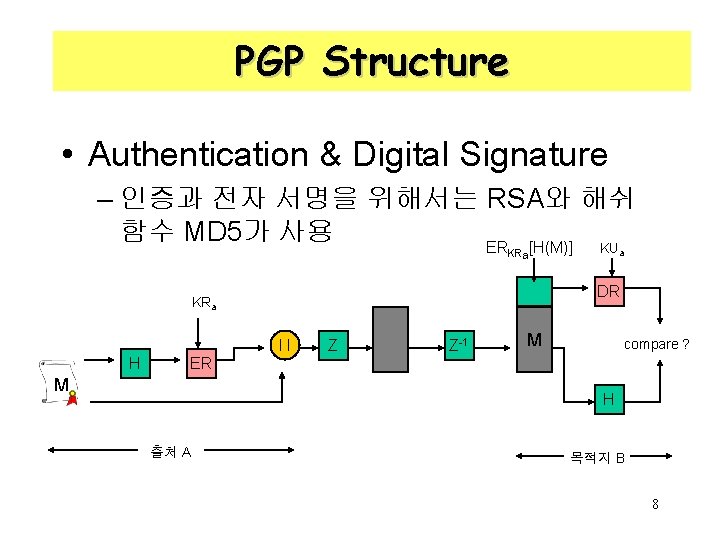
PGP Structure • Authentication & Digital Signature – 인증과 전자 서명을 위해서는 RSA와 해쉬 함수 MD 5가 사용 KU ER [H(M)] KRa DR KRa l l H a Z Z-1 M compare ? ER M H 출처 A 목적지 B 8
PGP Structure • Confidentiality – 메세지의 기밀성을 위해서는 RSA와 IDEA가 함께 쓰인다 KUb Ks ERKUb[Ks] KRb ER DR M Z EI l l DI M Z-1 10
PGP Structure • Confidentiality & Authentication – 기밀성과 인증을 모두 보장하려면 인증을 위한 동작을 먼저 수행하고 그 결과에 기밀성을 위한 동작을 해주면 된다. KUb KRa H ER l l Z Ks ER EI l l ERKUb[Ks] KRb ERKRa[H(M)] DR KUa DR DI Z-1 Compare? M H M 11
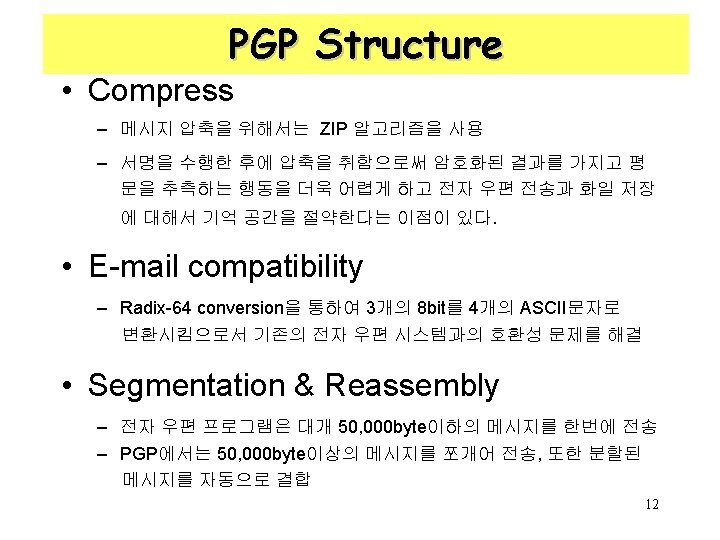
About Radix-64 13
PGP Message Transaction(송신) Passphrase H 선택 IDB 선택 IDA 암호화된 개인키 키 ID 공개키 링 DI Private key KRa 개인키 링 RNG Key ID 세션키 Ks 공개키 KUb ER l l 출력 Radix-64 M H ER l l Z EI 암호화된 (서명 + 메시지) next on the continued RNG : random number generator 21
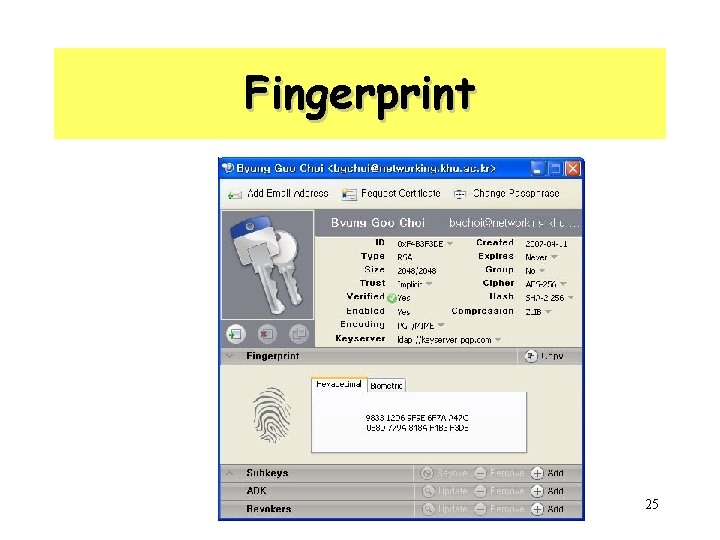
Fingerprint 25
PGP install • PGP를 구할 수 있는 곳 – http: //www. pgpi. org/ • PGP Version – PGP 2. 3 a – PGP 2. 6 ui – MIT PGP 2. 6. 2 – PGP 2. 6. 3 i – PGP 3. 0 – 현재 최신 version으로 PGP 8. 0 26
Revoking Public Keys • The owner issues a key revocation certificate. • The same form as normal signature certificate with a revote indicator. • Corresponding private key is used to sign the certificate that revoke the use of this public key 27
S/MIME • Secure/Multipurpose Internet Mail Extension • S/MIME will probably emerge as the industry standard. • PGP for personal e-mail security 28
Simple Mail Transfer Protocol (SMTP, RFC 822) • SMTP Limitations – Can not transmit executable files, or other binary files (jpeg image) – Can not transmit“national language” characters (non -ASCII) : SMTP is limited to 7 -bit ASCII – SMTP servers may reject mail messages over a certain size – SMTP gateways : ASCII to EBCDIC translation problems – Truncating or wrapping lines longer than a certain length (ex, 76 characters) 29
Header fields in MIME • MIME-Version: Must be “ 1. 0” -> RFC 2045, RFC 2046 • Content-Type: Describing the data contained in the body. – More types being added by developers (application/word) • Content-Transfer-Encoding: How message has been encoded (radix-64) • Content-ID: Unique identifying character string – To identify MIME entities uniquely in multiple contexts • Content Description: Needed when content is not readable text (e. g. , mpeg) 30
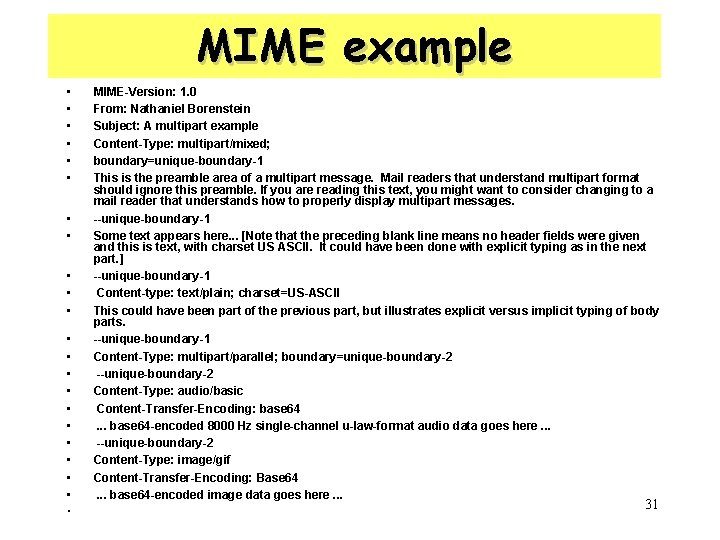
MIME example • • • • MIME-Version: 1. 0 From: Nathaniel Borenstein Subject: A multipart example Content-Type: multipart/mixed; boundary=unique-boundary-1 This is the preamble area of a multipart message. Mail readers that understand multipart format should ignore this preamble. If you are reading this text, you might want to consider changing to a mail reader that understands how to properly display multipart messages. --unique-boundary-1 Some text appears here. . . [Note that the preceding blank line means no header fields were given and this is text, with charset US ASCII. It could have been done with explicit typing as in the next part. ] --unique-boundary-1 Content-type: text/plain; charset=US-ASCII This could have been part of the previous part, but illustrates explicit versus implicit typing of body parts. --unique-boundary-1 Content-Type: multipart/parallel; boundary=unique-boundary-2 --unique-boundary-2 Content-Type: audio/basic Content-Transfer-Encoding: base 64 . . . base 64 -encoded 8000 Hz single-channel u-law-format audio data goes here. . . --unique-boundary-2 Content-Type: image/gif Content-Transfer-Encoding: Base 64 . . . base 64 -encoded image data goes here. . . • • • 31
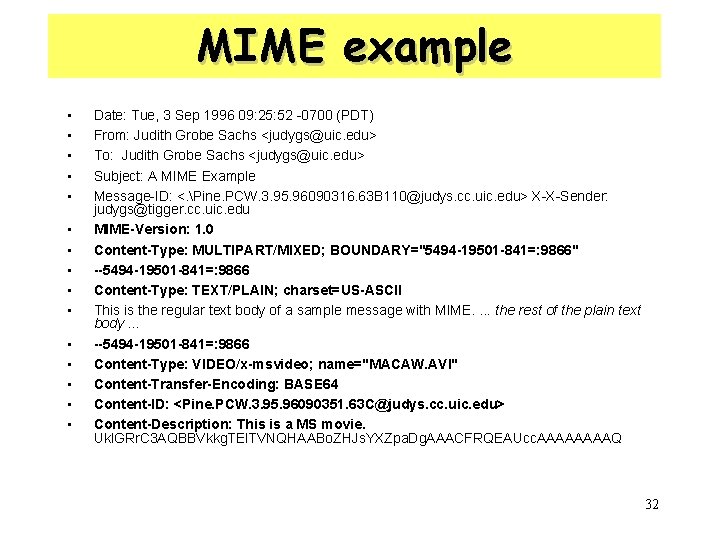
MIME example • • • • Date: Tue, 3 Sep 1996 09: 25: 52 -0700 (PDT) From: Judith Grobe Sachs <judygs@uic. edu> To: Judith Grobe Sachs <judygs@uic. edu> Subject: A MIME Example Message-ID: <. Pine. PCW. 3. 95. 96090316. 63 B 110@judys. cc. uic. edu> X-X-Sender: judygs@tigger. cc. uic. edu MIME-Version: 1. 0 Content-Type: MULTIPART/MIXED; BOUNDARY="5494 -19501 -841=: 9866" --5494 -19501 -841=: 9866 Content-Type: TEXT/PLAIN; charset=US-ASCII This is the regular text body of a sample message with MIME. . the rest of the plain text body. . . --5494 -19501 -841=: 9866 Content-Type: VIDEO/x-msvideo; name="MACAW. AVI" Content-Transfer-Encoding: BASE 64 Content-ID: <Pine. PCW. 3. 95. 96090351. 63 C@judys. cc. uic. edu> Content-Description: This is a MS movie. Ukl. GRr. C 3 AQBBVkkg. TEl. TVNQHAABo. ZHJs. YXZpa. Dg. AAACFRQEAUcc. AAAAQ 32
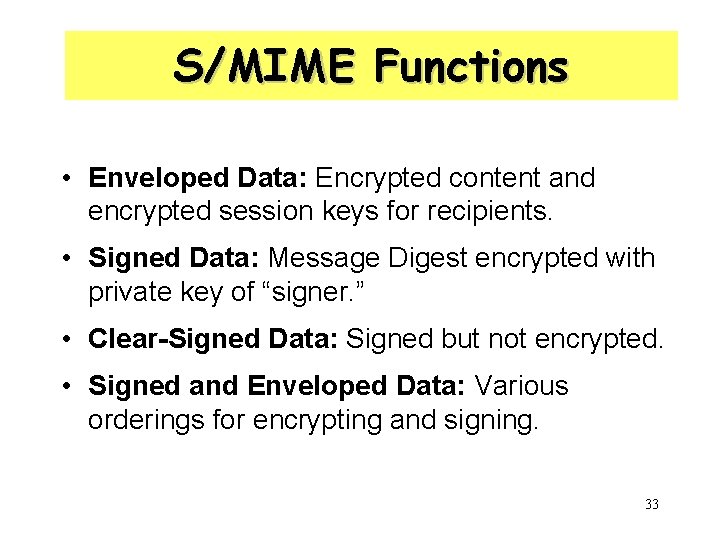
S/MIME Functions • Enveloped Data: Encrypted content and encrypted session keys for recipients. • Signed Data: Message Digest encrypted with private key of “signer. ” • Clear-Signed Data: Signed but not encrypted. • Signed and Enveloped Data: Various orderings for encrypting and signing. 33
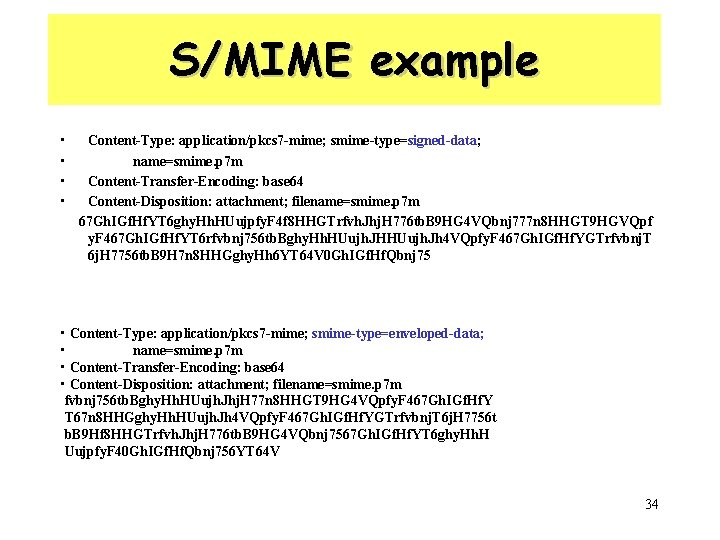
S/MIME example • • Content-Type: application/pkcs 7 -mime; smime-type=signed-data; name=smime. p 7 m Content-Transfer-Encoding: base 64 Content-Disposition: attachment; filename=smime. p 7 m 67 Gh. IGf. Hf. YT 6 ghy. Hh. HUujpfy. F 4 f 8 HHGTrfvh. Jhj. H 776 tb. B 9 HG 4 VQbnj 777 n 8 HHGT 9 HGVQpf y. F 467 Gh. IGf. Hf. YT 6 rfvbnj 756 tb. Bghy. Hh. HUujh. JHHUujh. Jh 4 VQpfy. F 467 Gh. IGf. Hf. YGTrfvbnj. T 6 j. H 7756 tb. B 9 H 7 n 8 HHGghy. Hh 6 YT 64 V 0 Gh. IGf. Hf. Qbnj 75 • Content-Type: application/pkcs 7 -mime; smime-type=enveloped-data; • name=smime. p 7 m • Content-Transfer-Encoding: base 64 • Content-Disposition: attachment; filename=smime. p 7 m fvbnj 756 tb. Bghy. Hh. HUujh. Jhj. H 77 n 8 HHGT 9 HG 4 VQpfy. F 467 Gh. IGf. Hf. Y T 67 n 8 HHGghy. Hh. HUujh. Jh 4 VQpfy. F 467 Gh. IGf. Hf. YGTrfvbnj. T 6 j. H 7756 t b. B 9 Hf 8 HHGTrfvh. Jhj. H 776 tb. B 9 HG 4 VQbnj 7567 Gh. IGf. Hf. YT 6 ghy. Hh. H Uujpfy. F 40 Gh. IGf. Hf. Qbnj 756 YT 64 V 34
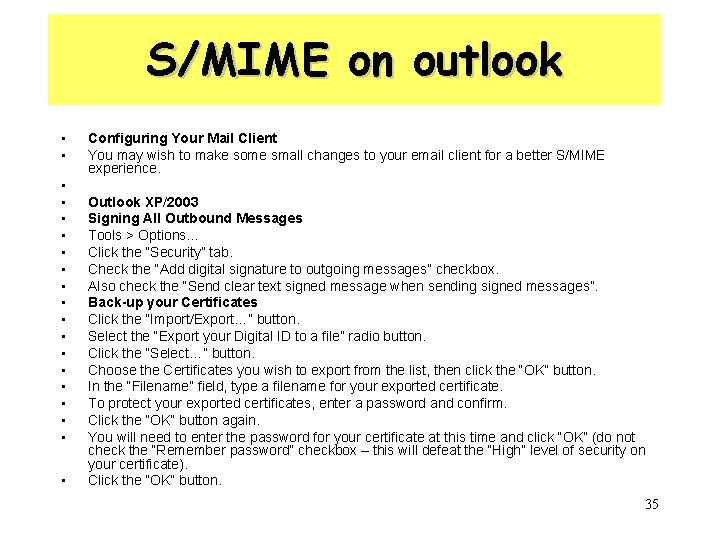
S/MIME on outlook • • • • • Configuring Your Mail Client You may wish to make some small changes to your email client for a better S/MIME experience. Outlook XP/2003 Signing All Outbound Messages Tools > Options… Click the “Security” tab. Check the “Add digital signature to outgoing messages” checkbox. Also check the “Send clear text signed message when sending signed messages”. Back-up your Certificates Click the “Import/Export…” button. Select the “Export your Digital ID to a file” radio button. Click the “Select…” button. Choose the Certificates you wish to export from the list, then click the “OK” button. In the “Filename” field, type a filename for your exported certificate. To protect your exported certificates, enter a password and confirm. Click the “OK” button again. You will need to enter the password for your certificate at this time and click “OK” (do not check the “Remember password” checkbox – this will defeat the “High” level of security on your certificate). Click the “OK” button. 35
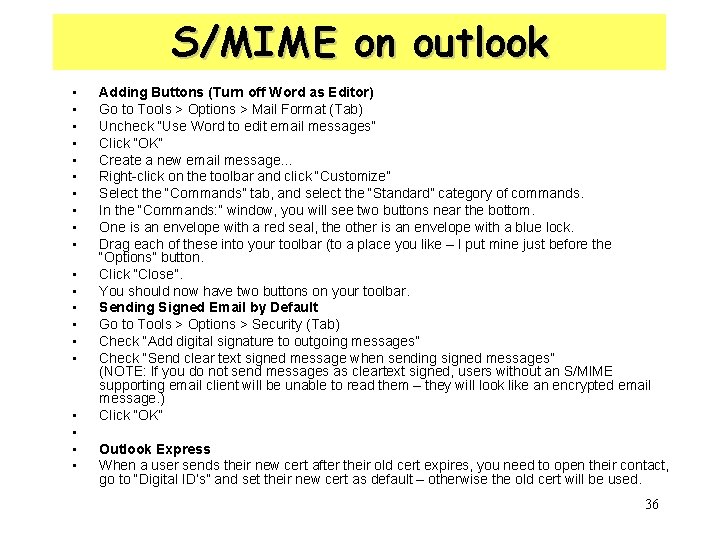
S/MIME on outlook • • • • • Adding Buttons (Turn off Word as Editor) Go to Tools > Options > Mail Format (Tab) Uncheck “Use Word to edit email messages” Click “OK” Create a new email message… Right-click on the toolbar and click “Customize” Select the “Commands” tab, and select the “Standard” category of commands. In the “Commands: ” window, you will see two buttons near the bottom. One is an envelope with a red seal, the other is an envelope with a blue lock. Drag each of these into your toolbar (to a place you like – I put mine just before the “Options” button. Click “Close”. You should now have two buttons on your toolbar. Sending Signed Email by Default Go to Tools > Options > Security (Tab) Check “Add digital signature to outgoing messages” Check “Send clear text signed message when sending signed messages” (NOTE: If you do not send messages as cleartext signed, users without an S/MIME supporting email client will be unable to read them – they will look like an encrypted email message. ) Click “OK” Outlook Express When a user sends their new cert after their old cert expires, you need to open their contact, go to “Digital ID’s” and set their new cert as default – otherwise the old cert will be used. 36
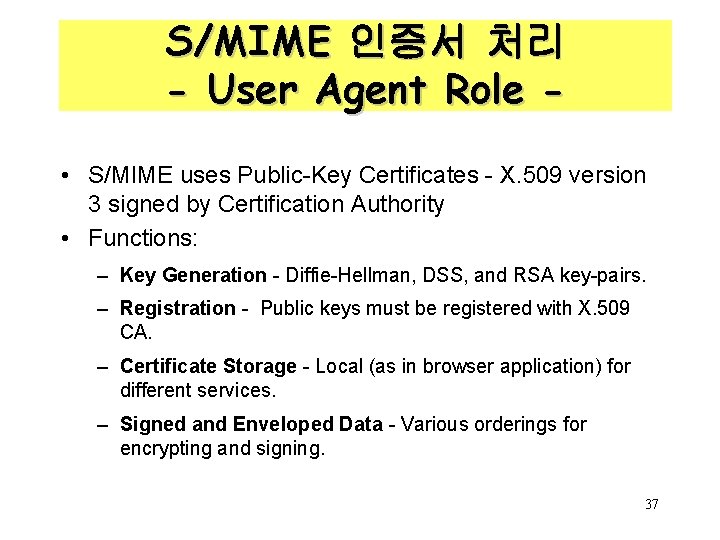
S/MIME 인증서 처리 - User Agent Role • S/MIME uses Public-Key Certificates - X. 509 version 3 signed by Certification Authority • Functions: – Key Generation - Diffie-Hellman, DSS, and RSA key-pairs. – Registration - Public keys must be registered with X. 509 CA. – Certificate Storage - Local (as in browser application) for different services. – Signed and Enveloped Data - Various orderings for encrypting and signing. 37
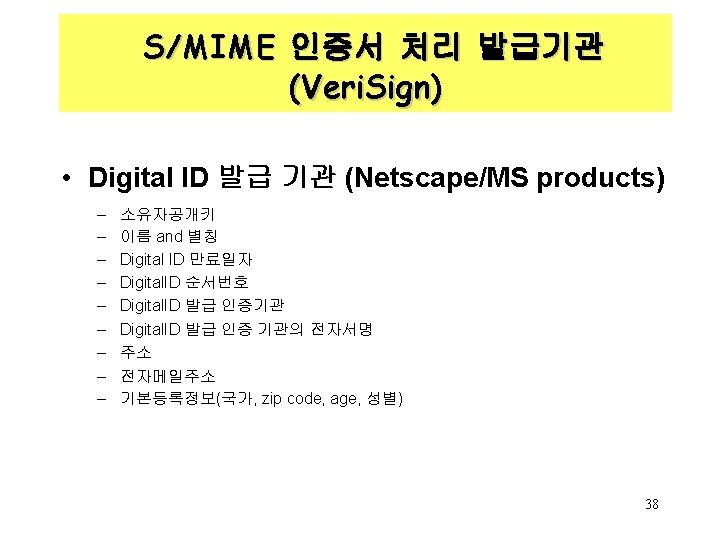
S/MIME 인증서 처리 발급기관 (Veri. Sign) • Verisign (www. verisign. com) – Class-1: confirmed buyer’s email address by emailing vital information (PIN and Digital ID) – Class-2: Postal address is confirmed as well – Class-3: An individual must prove his or her name by providing notarized credentials or applying in person (offline) 39
Algorithms Used • Message Digesting: SHA-1 and MD 5 • Digital Signatures: DSS • Secret-Key Encryption: Triple-DES, RC 2/40 (exportable) • Public-Private Key Encryption: RSA with key sizes of 512 and 1024 bits, and Diffie. Hellman (for session keys). 40