
Chapter 5 Data Manipulation and Transaction Control Oracle
- Slides: 33
Chapter 5 Data Manipulation and Transaction Control Oracle 10 g: SQL
Objectives • Use the INSERT command to add a record to an existing table • Understand constraint violations during data manipulation • Use a subquery to copy records from an existing table • Use the UPDATE command to modify the existing rows of a table • Use substitution variables with an UPDATE command Oracle 10 g: SQL 2
Objectives (continued) • Delete records • Manage transactions with transaction control statements COMMIT, ROLLBACK, and SAVEPOINT • Differentiate between a shared lock and an exclusive lock • Use the SELECT…FOR UPDATE command to create a shared lock Oracle 10 g: SQL 3
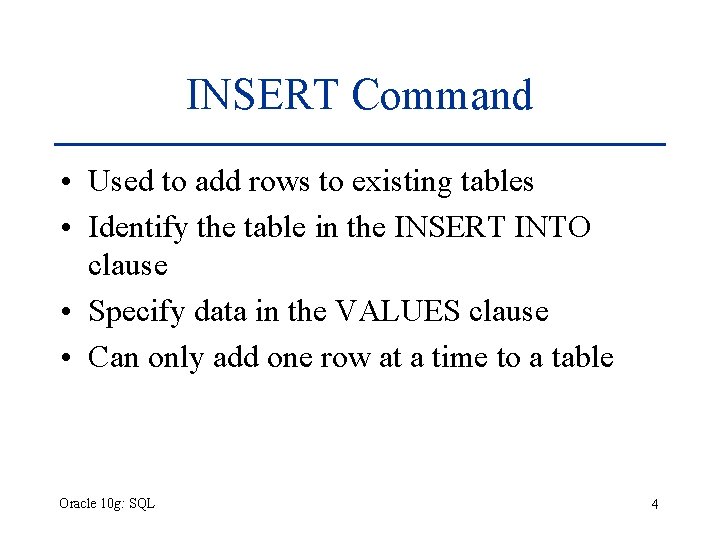
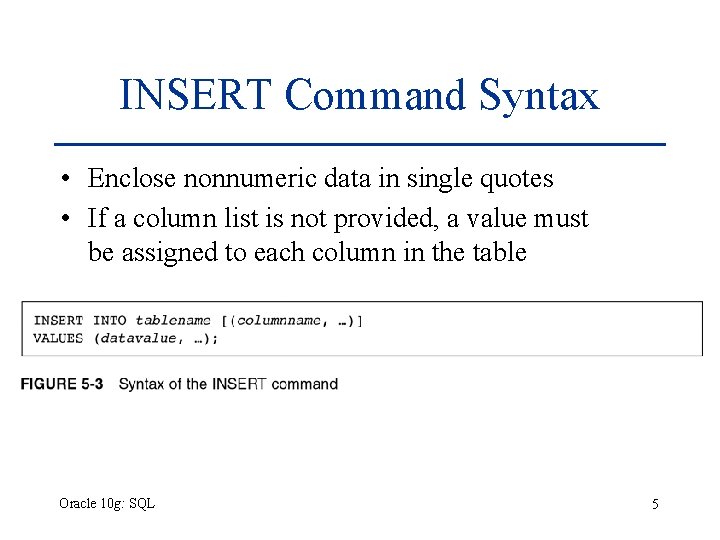
INSERT Command • Used to add rows to existing tables • Identify the table in the INSERT INTO clause • Specify data in the VALUES clause • Can only add one row at a time to a table Oracle 10 g: SQL 4
INSERT Command Syntax • Enclose nonnumeric data in single quotes • If a column list is not provided, a value must be assigned to each column in the table Oracle 10 g: SQL 5
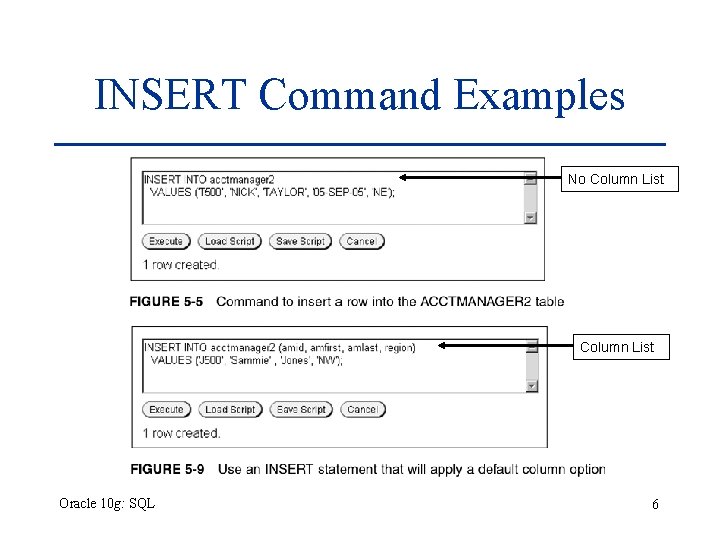
INSERT Command Examples No Column List Oracle 10 g: SQL 6
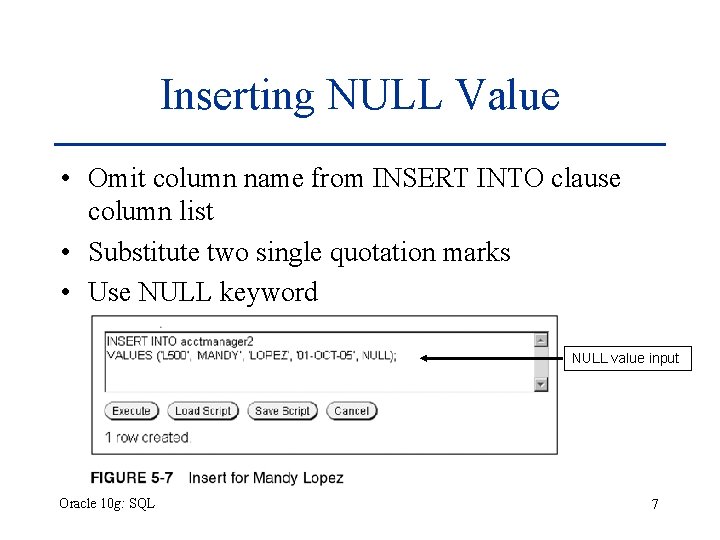
Inserting NULL Value • Omit column name from INSERT INTO clause column list • Substitute two single quotation marks • Use NULL keyword NULL value input Oracle 10 g: SQL 7
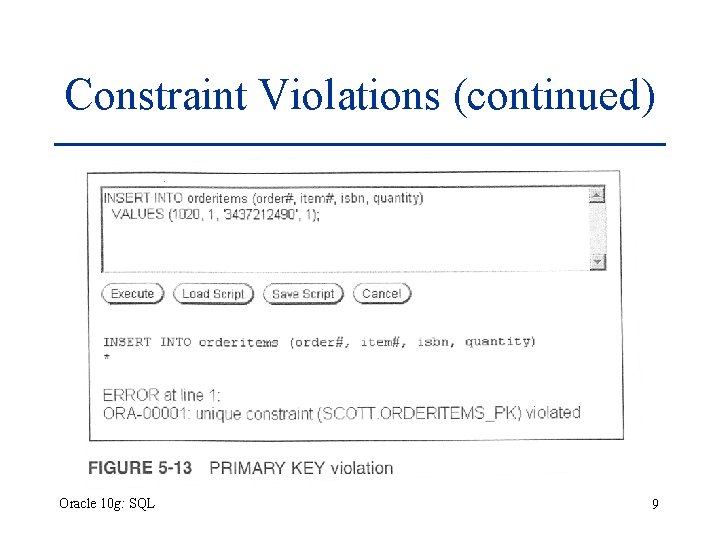
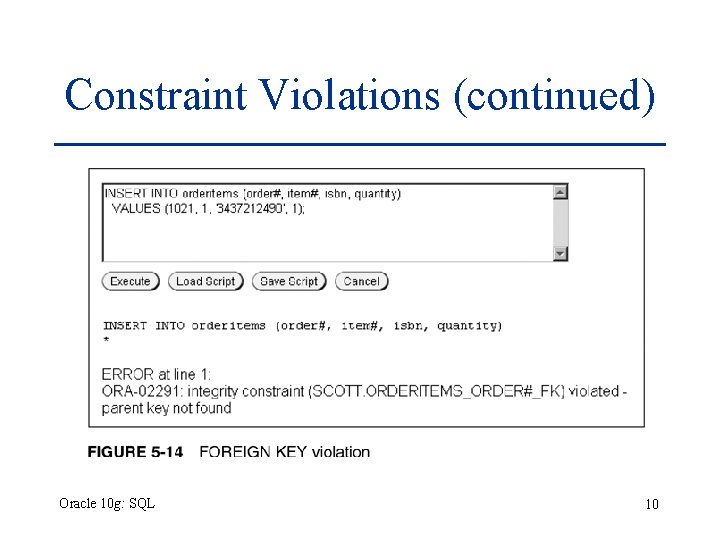
Constraint Violations • When you add or modify table data, the data is checked for compliance with any applicable constraints Oracle 10 g: SQL 8
Constraint Violations (continued) Oracle 10 g: SQL 9
Constraint Violations (continued) Oracle 10 g: SQL 10
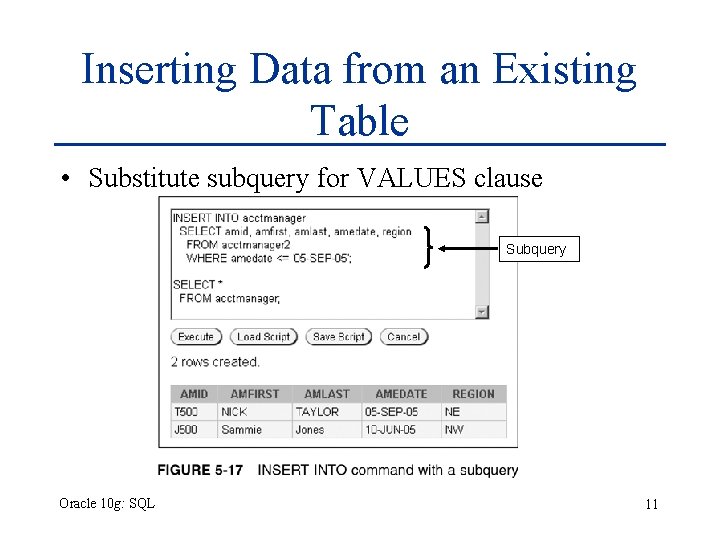
Inserting Data from an Existing Table • Substitute subquery for VALUES clause Subquery Oracle 10 g: SQL 11
Modifying Existing Rows • Modify rows using UPDATE command • Use UPDATE command to: – Add values to an existing row (replace NULL values) – Change existing values Oracle 10 g: SQL 12
UPDATE Command • UPDATE clause identifies table • SET clause identifies column(s) being changed and new value(s) • Optional WHERE clause specifies row(s) to be changed – if omitted, all rows will be updated! Oracle 10 g: SQL 13
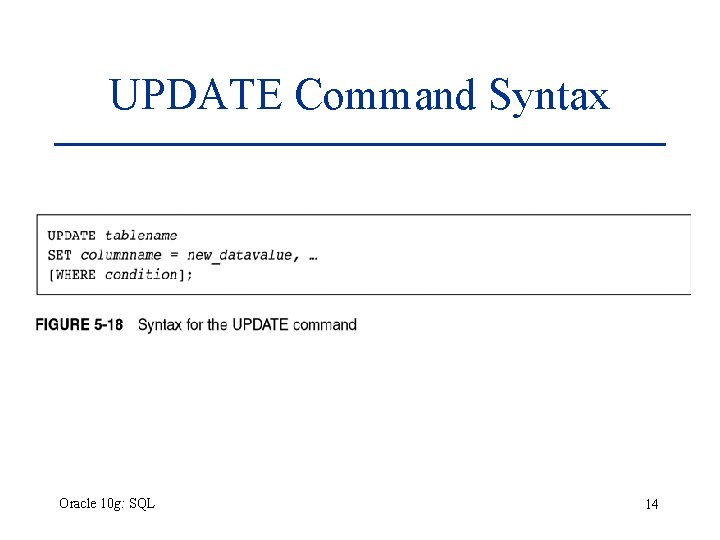
UPDATE Command Syntax Oracle 10 g: SQL 14
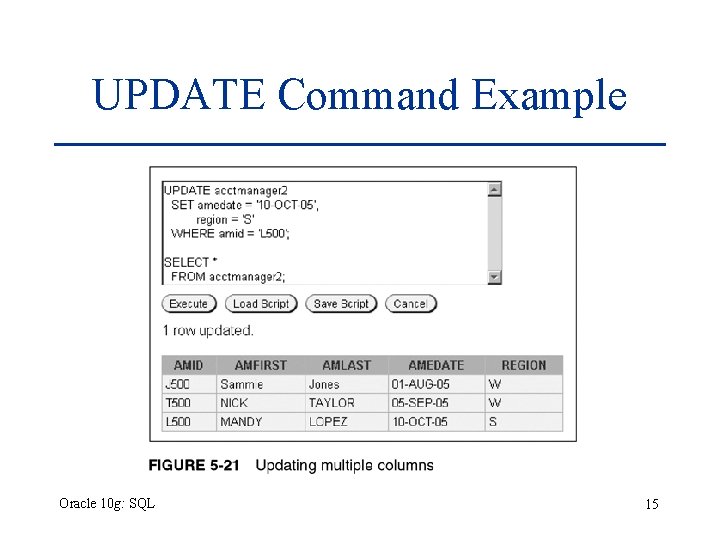
UPDATE Command Example Oracle 10 g: SQL 15
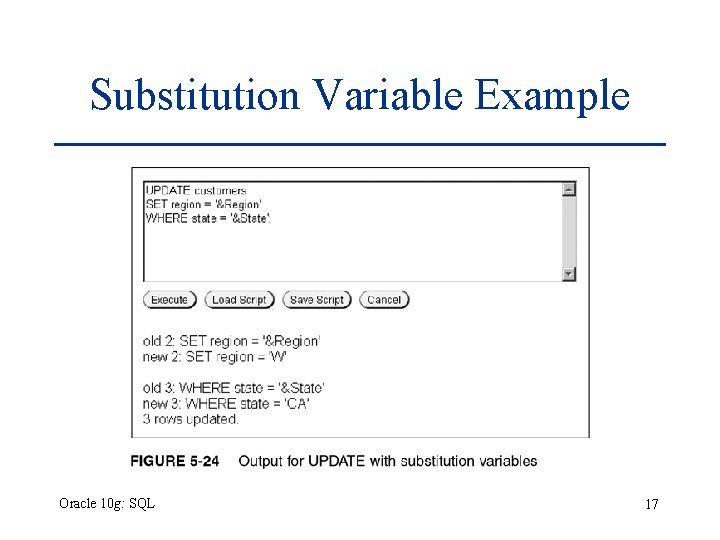
Substitution Variables • Prompts user for value • Identified by ampersand (&) preceding variable name • Can be used to create interactive scripts Oracle 10 g: SQL 16
Substitution Variable Example Oracle 10 g: SQL 17
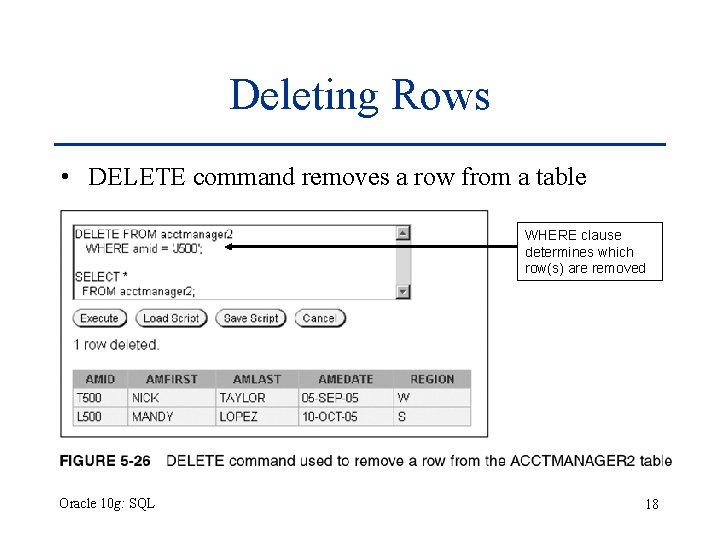
Deleting Rows • DELETE command removes a row from a table WHERE clause determines which row(s) are removed Oracle 10 g: SQL 18
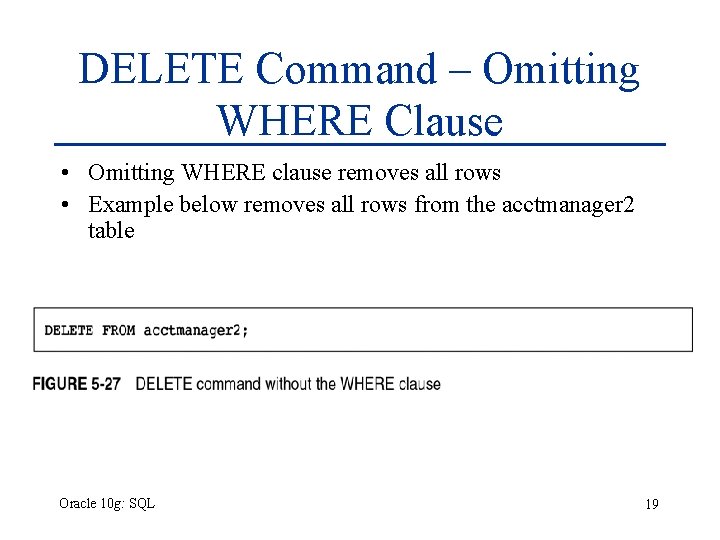
DELETE Command – Omitting WHERE Clause • Omitting WHERE clause removes all rows • Example below removes all rows from the acctmanager 2 table Oracle 10 g: SQL 19
Transaction Control Statements • Results of Data Manipulation Language (DML) are not permanently updated to a table until explicit or implicit COMMIT occurs • Transaction control statements can: – Commit data through COMMIT command – Undo data changes through ROLLBACK command Oracle 10 g: SQL 20
COMMIT Command • Explicit COMMIT occurs by executing COMMIT; • Implicit COMMIT occurs when DDL command is executed or user properly exits system • Permanently updates table(s) and allows other users to view changes Oracle 10 g: SQL 21
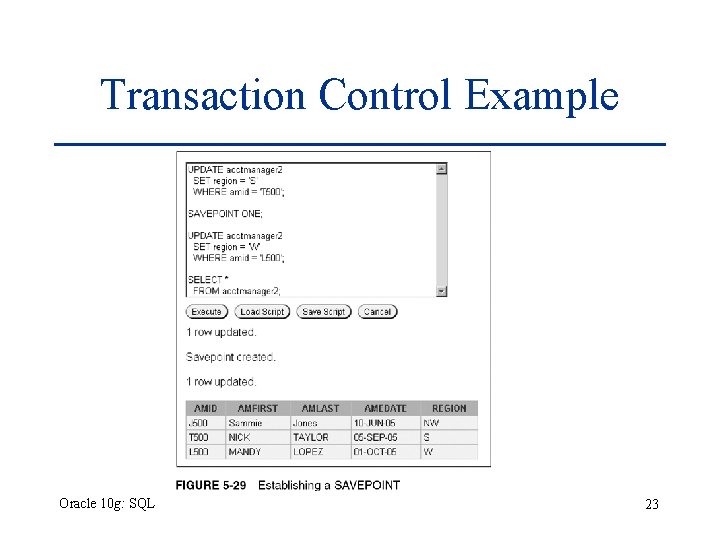
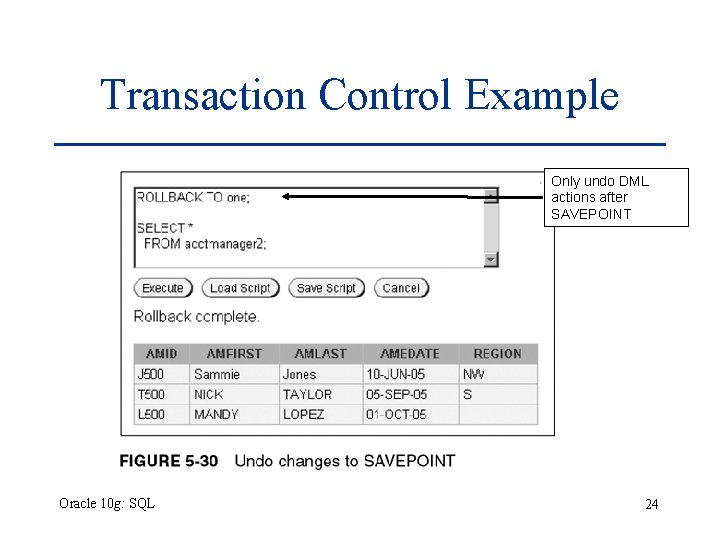
ROLLBACK Command • Used to “undo” changes that have not been committed • Occurs when: – ROLLBACK; is executed – System restarts after a crash • SAVEPOINT marks a specific spot within the transaction • Can ROLLBACK to a SAVEPOINT to undo part of the transaction Oracle 10 g: SQL 22
Transaction Control Example Oracle 10 g: SQL 23
Transaction Control Example Only undo DML actions after SAVEPOINT Oracle 10 g: SQL 24
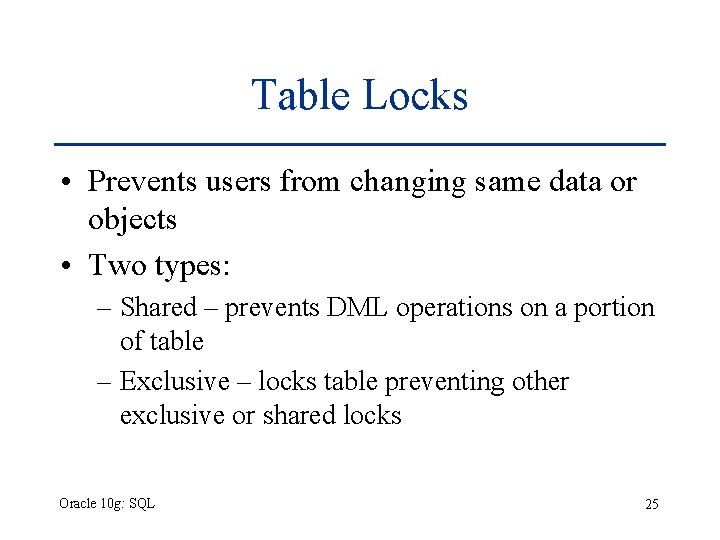
Table Locks • Prevents users from changing same data or objects • Two types: – Shared – prevents DML operations on a portion of table – Exclusive – locks table preventing other exclusive or shared locks Oracle 10 g: SQL 25
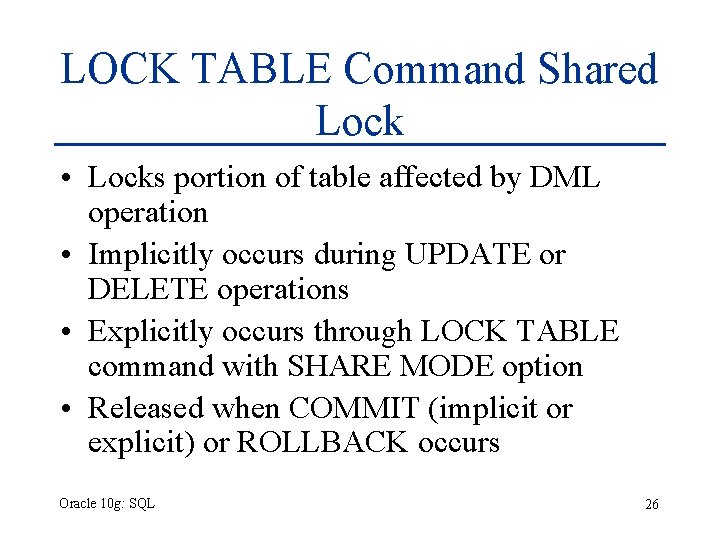
LOCK TABLE Command Shared Lock • Locks portion of table affected by DML operation • Implicitly occurs during UPDATE or DELETE operations • Explicitly occurs through LOCK TABLE command with SHARE MODE option • Released when COMMIT (implicit or explicit) or ROLLBACK occurs Oracle 10 g: SQL 26
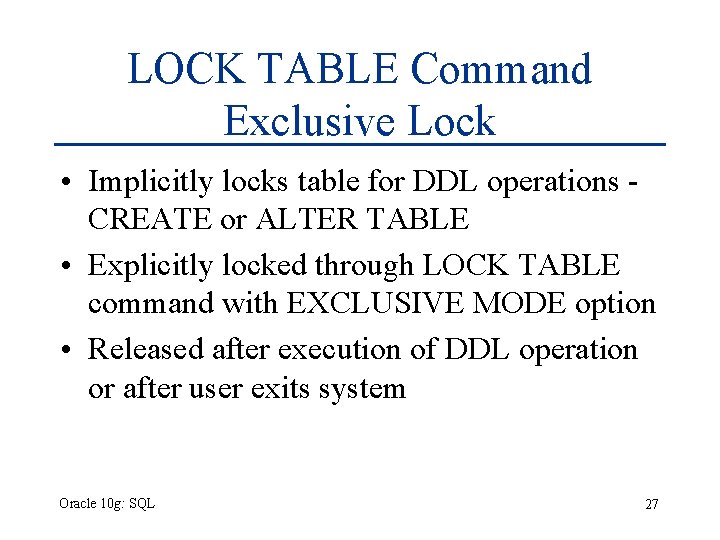
LOCK TABLE Command Exclusive Lock • Implicitly locks table for DDL operations CREATE or ALTER TABLE • Explicitly locked through LOCK TABLE command with EXCLUSIVE MODE option • Released after execution of DDL operation or after user exits system Oracle 10 g: SQL 27
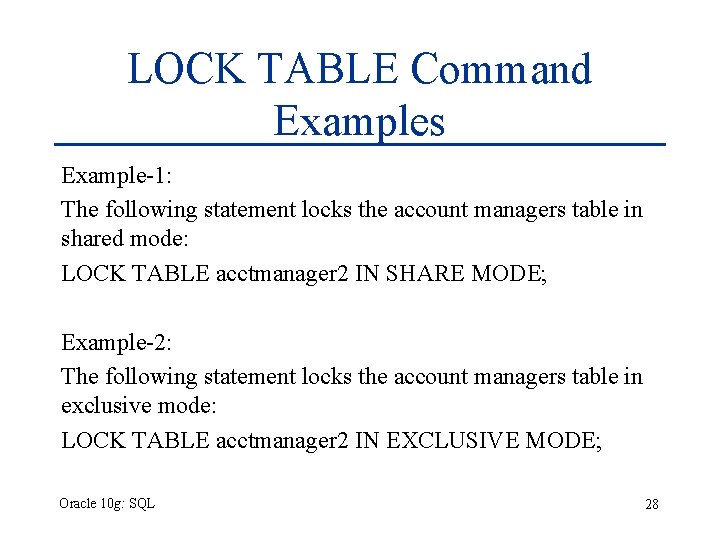
LOCK TABLE Command Examples Example-1: The following statement locks the account managers table in shared mode: LOCK TABLE acctmanager 2 IN SHARE MODE; Example-2: The following statement locks the account managers table in exclusive mode: LOCK TABLE acctmanager 2 IN EXCLUSIVE MODE; Oracle 10 g: SQL 28
SELECT…FOR UPDATE Command • Creates shared lock on retrieved portion of table • Prevents one user from changing a row while another user is selecting rows to be changed • Released through implicit or explicit commit Oracle 10 g: SQL 29
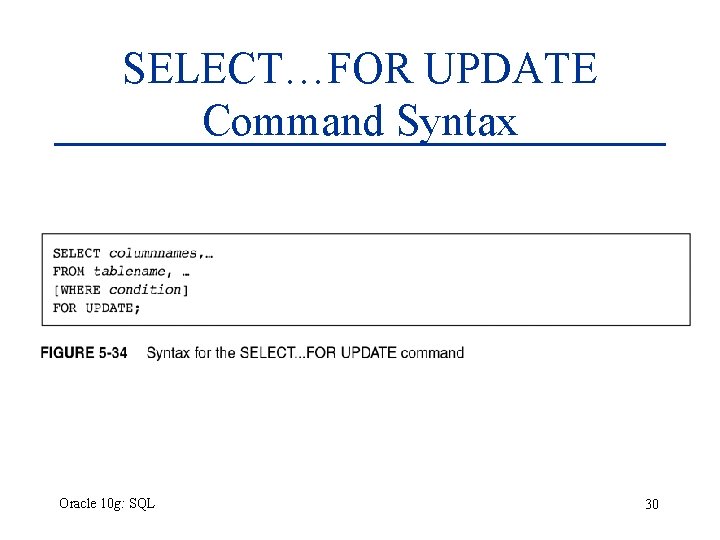
SELECT…FOR UPDATE Command Syntax Oracle 10 g: SQL 30
Summary • Data manipulation language (DML) includes the INSERT, UPDATE, DELETE, COMMIT, and ROLLBACK commands • The INSERT INTO command is used to add new rows to an existing table • To assign a DEFAULT option value, a column must be excluded from the column list in an INSERT • You can change the contents of a row or group of rows with the UPDATE command Oracle 10 g: SQL 31
Summary (continued) • DML operations are not permanently stored in a table until a commit command is issued either implicitly or explicitly • A set of DML operations that are committed as a block is considered a transaction • Uncommitted DML operations can be undone by issuing the ROLLBACK command • A SAVEPOINT serves as a marker for a point in a transaction and allows only a portion of the transaction to be rolled back Oracle 10 g: SQL 32
Summary (continued) • Use the DELETE command to remove records from a table – If the WHERE clause is omitted, all rows in the table are deleted • Table locks can be used to prevent users from mistakenly overwriting changes made by other users • Table locks can be in SHARE mode or EXCLUSIVE mode • EXCLUSIVE MODE is the most restrictive table lock and prevents any other user from obtaining any locks on the same table Oracle 10 g: SQL 33