
Chapter 5 Case Study MVC Architecture for Web
Chapter 5 Case Study: MVC Architecture for Web Applications
Objectives of This Chapter • • • Overview MVC Basics JDBC A Case Study: On-Line Shopping Application Introduce concepts of MVC design architecture Demonstrate the Java implementation of MVC architecture • Introduce concepts of JDBC • Provide step by step tutorials on MVC design and development
Overview • Overview The Model-View-Controller (MVC) object-oriented architecture originally came from Smalltalk-80 as a methodology to separate user interface presentation from the underlying data. The MVC is very similar to the Presentation-Abstraction-Control (PAC) model. The purpose of MVC is to decompose the whole system into three subsystems (modules) that are Model, View, and Controller. It is also called a component-based architectural style because each module can be implemented by software components: data components, presentation components, input controls, control dispatch, and business process components. Each module in the MVC architecture has its own responsibility. Project team members with different expertise can work more efficiently in their own areas. For example, graphic professionals work on presentation of GUI interface module, programmer professionals work on input processing such as authentication, flow logic, job dispatching in the Controller module, and data processing and data base professionals can focus on the Model module to provide all the data the Web application needs.
Overview contd…. The connections between modules are also well defined in MVC. The Controller takes the inputs and does the authorization and authentication checking, dispatches incoming requests to the corresponding module or submodule in Model by instantiating new instances of data sources in Model module and calling the methods provided by the data source objects. The data source forwards the controls to a specific representation module and lets that module be in charge of rendering the data retrieved from the data source objects. The data-Model module may generate events to notify the Model listeners when the data is changed. The View module listens to the data-Model module as its event listener. When such an event occurs the View module needs to update its presentation views.
Overview contd…. Since the MVC architecture is object oriented, each module may consist of number of components. MVC does not restrict an application to single view and controller. Typically for Java technology, most designers would like to have multiple JSP pages in a View module, multiple Java. Beans in a Model module, and necessary number of Servlet classes in a Controller module. Generally, one Java. Bean needs to have a corresponding data base table to support it. We will discuss Java Data Base Connectivity (JDBC) topic in this chapter to show the database supports the Java. Bean in MVC. Since we have already introduced Java Servlet, JSP, and Java. Bean technologies, this is a good time for us to explore the Java implementation of MVC architecture.

MVC Basics MVC Type-1 Architecture MVC Module-1 architecture combines Controller and View together into a single module to take care of input and output processing; the rest of the tasks are handled in Data-Model module. In a Java implementation, the front module is implemented using JSP technology and back-end module is implemented with Java. Bean technology. JSP on the Web server accepts requests, instantiates the required Java. Beans and generates HTML pages for response. We know that each Java. Bean object will usually have a relational table to support it.
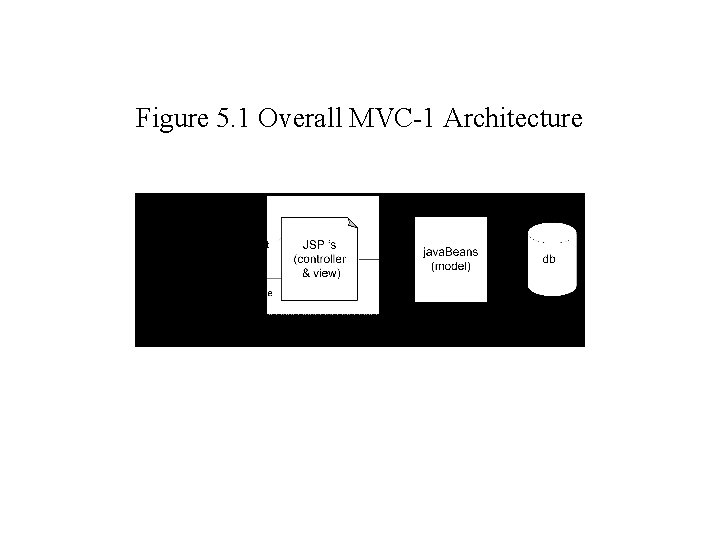
Figure 5. 1 Overall MVC-1 Architecture
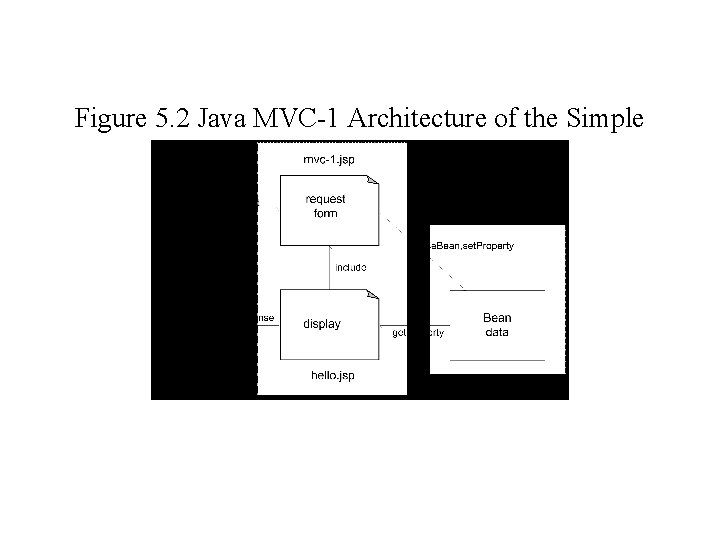
Figure 5. 2 Java MVC-1 Architecture of the Simple Example
MVC Type-1 Architecture (cont. . ) Here is a simple MVC-1 Web application example implemented by JSP and Java. Beans. There are two JSP pages in the front-module of this MVC-1 architecture: mvc-1. jsp and hello. jsp. As we discussed before, there may be many components working together in a single module. There is one Java. Bean in the data module; that is the my. Bean Java. Bean class. Let’s look at the front module first.

MVC Type-1 Architecture (cont. . ) mvc-1. jsp <%@ page import= “my. Package. *” %> <jsp: use. Bean id="my. Bean" class="my. Package. My. Bean" scope="request"/> <jsp: set. Property name="my. Bean" property="*"/> <html> <body> <form method=”get”> <input type=”text” value=”user. Name”> <input type=”submit” value=”Submit”> </form> <% if ${param[‘username’]} != null) { %> <%@ include file = “hello. jsp” %> <% } %> </body> </html>
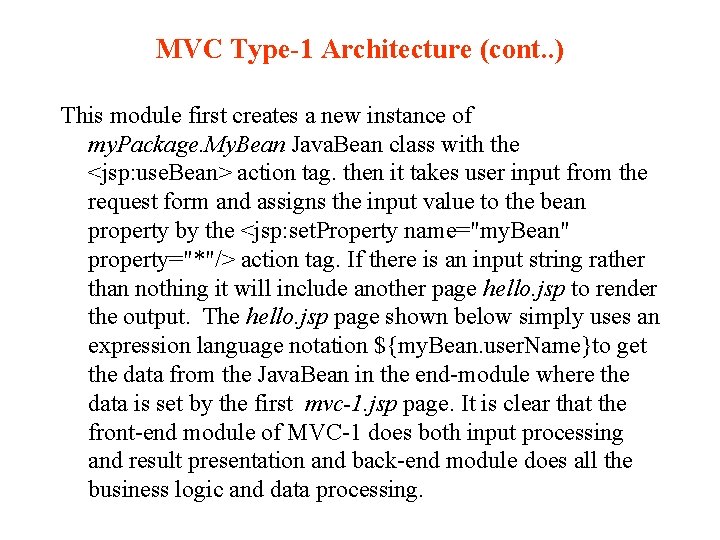
MVC Type-1 Architecture (cont. . ) This module first creates a new instance of my. Package. My. Bean Java. Bean class with the <jsp: use. Bean> action tag. then it takes user input from the request form and assigns the input value to the bean property by the <jsp: set. Property name="my. Bean" property="*"/> action tag. If there is an input string rather than nothing it will include another page hello. jsp to render the output. The hello. jsp page shown below simply uses an expression language notation ${my. Bean. user. Name}to get the data from the Java. Bean in the end-module where the data is set by the first mvc-1. jsp page. It is clear that the front-end module of MVC-1 does both input processing and result presentation and back-end module does all the business logic and data processing.
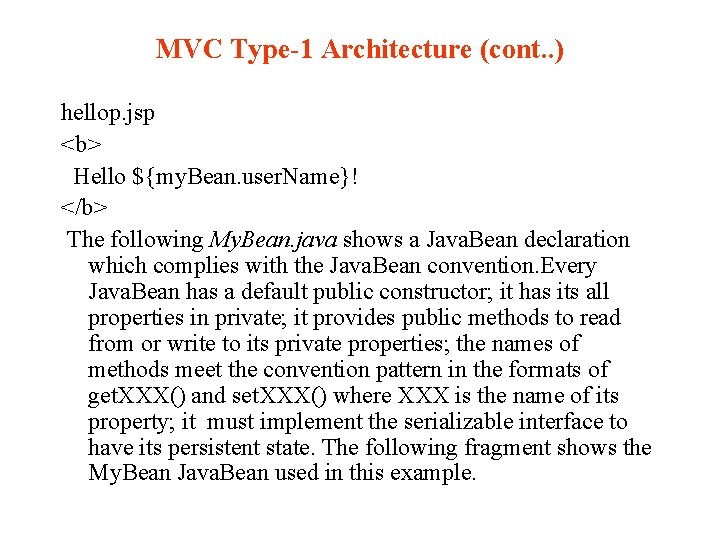
MVC Type-1 Architecture (cont. . ) hellop. jsp <b> Hello ${my. Bean. user. Name}! </b> The following My. Bean. java shows a Java. Bean declaration which complies with the Java. Bean convention. Every Java. Bean has a default public constructor; it has its all properties in private; it provides public methods to read from or write to its private properties; the names of methods meet the convention pattern in the formats of get. XXX() and set. XXX() where XXX is the name of its property; it must implement the serializable interface to have its persistent state. The following fragment shows the My. Bean Java. Bean used in this example.
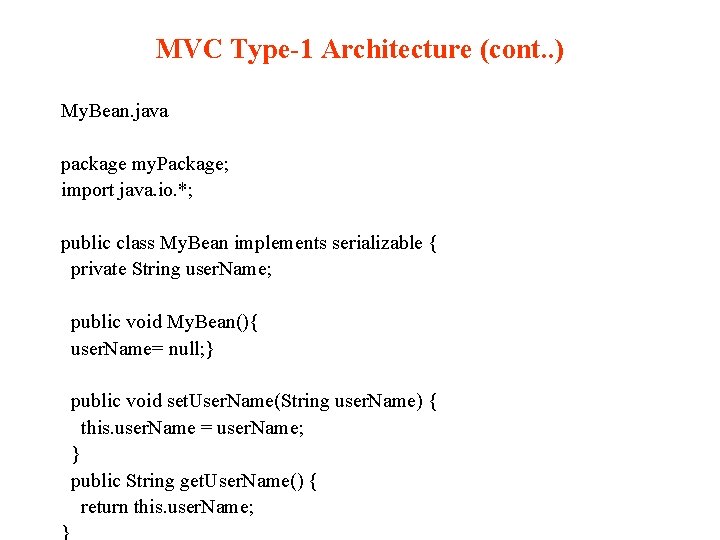
MVC Type-1 Architecture (cont. . ) My. Bean. java package my. Package; import java. io. *; public class My. Bean implements serializable { private String user. Name; public void My. Bean(){ user. Name= null; } public void set. User. Name(String user. Name) { this. user. Name = user. Name; } public String get. User. Name() { return this. user. Name; }
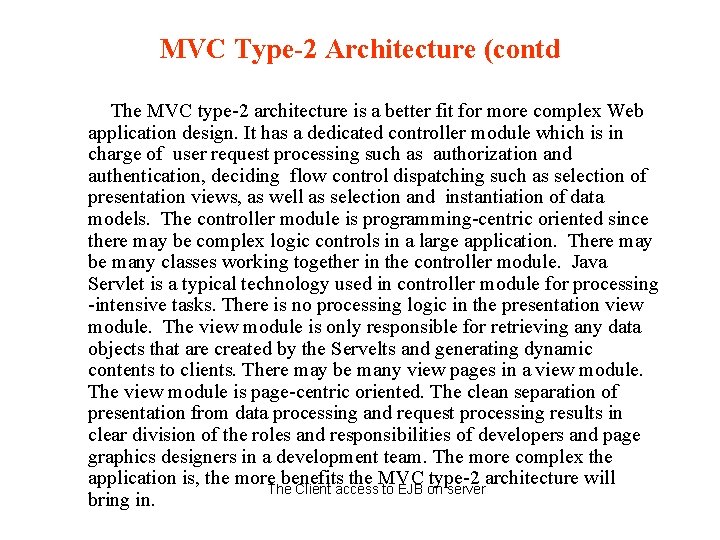
MVC Type-2 Architecture (contd The MVC type-2 architecture is a better fit for more complex Web application design. It has a dedicated controller module which is in charge of user request processing such as authorization and authentication, deciding flow control dispatching such as selection of presentation views, as well as selection and instantiation of data models. The controller module is programming-centric oriented since there may be complex logic controls in a large application. There may be many classes working together in the controller module. Java Servlet is a typical technology used in controller module for processing -intensive tasks. There is no processing logic in the presentation view module. The view module is only responsible for retrieving any data objects that are created by the Servelts and generating dynamic contents to clients. There may be many view pages in a view module. The view module is page-centric oriented. The clean separation of presentation from data processing and request processing results in clear division of the roles and responsibilities of developers and page graphics designers in a development team. The more complex the application is, the more. The benefits the MVC type-2 architecture will Client access to EJB on server bring in.
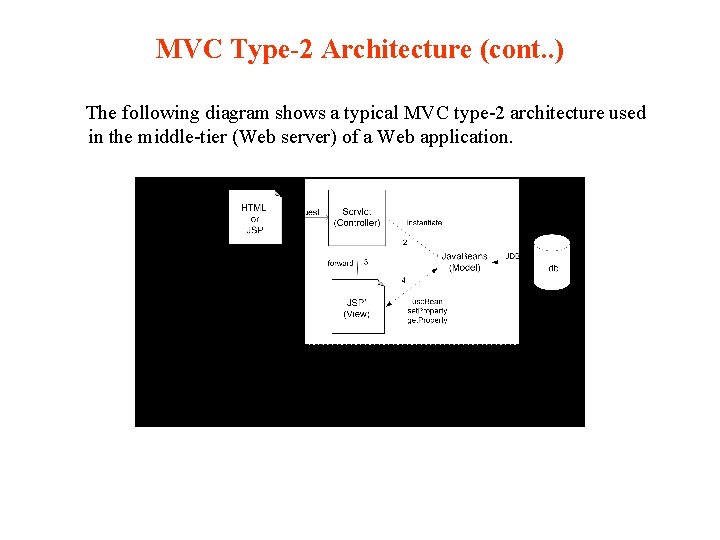
MVC Type-2 Architecture (cont. . ) The following diagram shows a typical MVC type-2 architecture used in the middle-tier (Web server) of a Web application.
A Simple MVC-2 example The following example illustrates a simplementation of an MVC architecture where there is only one Java class in each of the three modules in the MVC architecture. The My. Bean Java. Bean class plays the role of model, My. Servlet class plays the role of controller, and the from. Servlet JSP plays a role of view in the MVC architecture. Figure 5. 4 shows the architecture diagram of this Web application. This example emphasizes the MVC so we omit the user input interfaces. The my. Servlet set a username and stores this name in a Java. Bean named my. Bean, then transfers the control to a JSP page named from. Servlet. jsp which retrieves the username from the my. Bean and displays on a Web page.
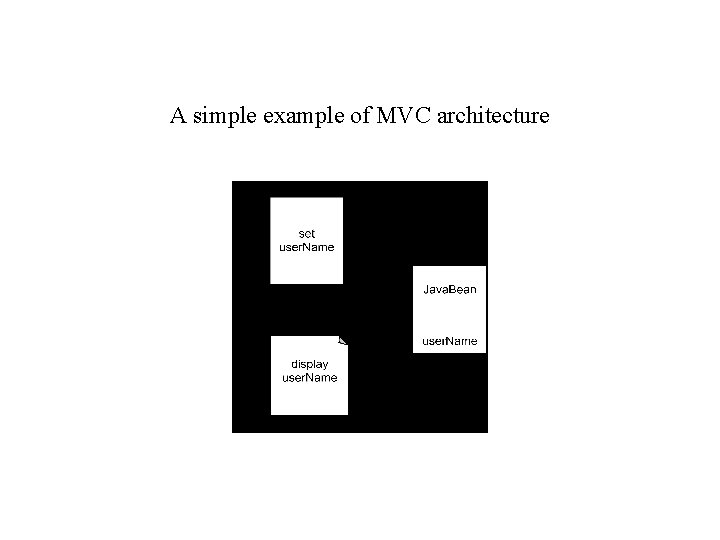
A simple example of MVC architecture
My. Bean is a Java. Bean class responsible for storing and providing data for business processing. This data Java. Bean has one user. Name private property and two public methods to read from and write to this user. Name property. My. Bean. java package my. Package; public class My. Bean { private String user. Name; public My. Bean(){ username=””; } public void set. User. Name(String user. Name) { this. user. Name = user. Name; } public String get. User. Name() { return this. user. Name; }
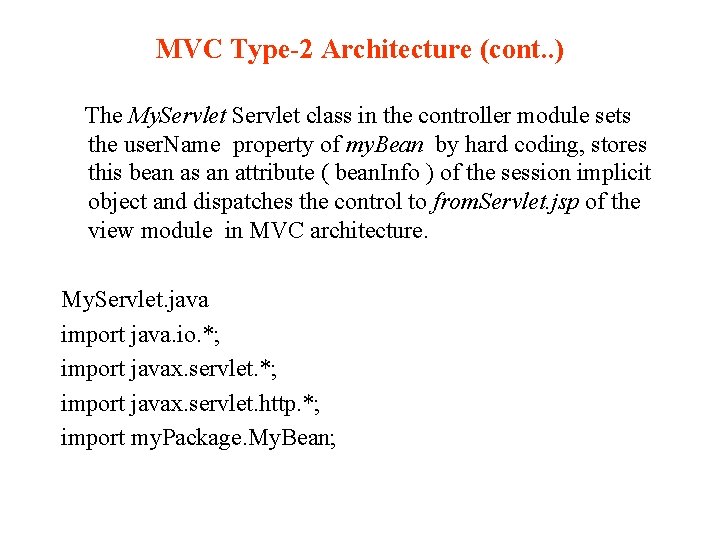
MVC Type-2 Architecture (cont. . ) The My. Servlet class in the controller module sets the user. Name property of my. Bean by hard coding, stores this bean as an attribute ( bean. Info ) of the session implicit object and dispatches the control to from. Servlet. jsp of the view module in MVC architecture. My. Servlet. java import java. io. *; import javax. servlet. http. *; import my. Package. My. Bean;
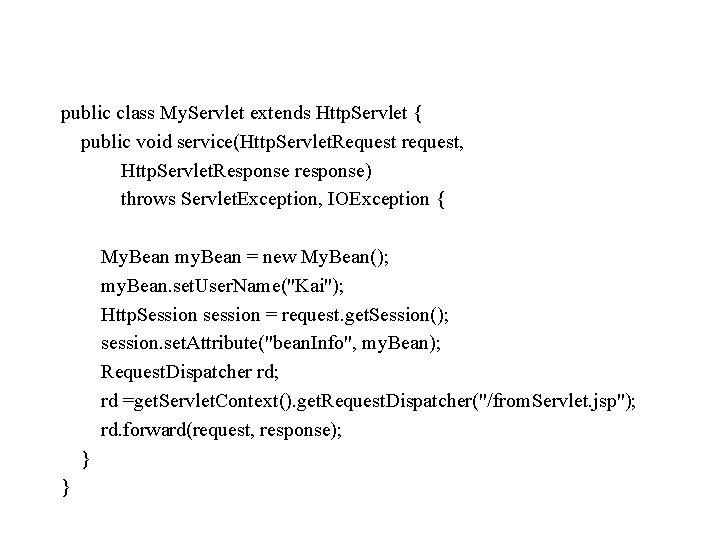
public class My. Servlet extends Http. Servlet { public void service(Http. Servlet. Request request, Http. Servlet. Response response) throws Servlet. Exception, IOException { My. Bean my. Bean = new My. Bean(); my. Bean. set. User. Name("Kai"); Http. Session session = request. get. Session(); session. set. Attribute("bean. Info", my. Bean); Request. Dispatcher rd; rd =get. Servlet. Context(). get. Request. Dispatcher("/from. Servlet. jsp"); rd. forward(request, response); } }
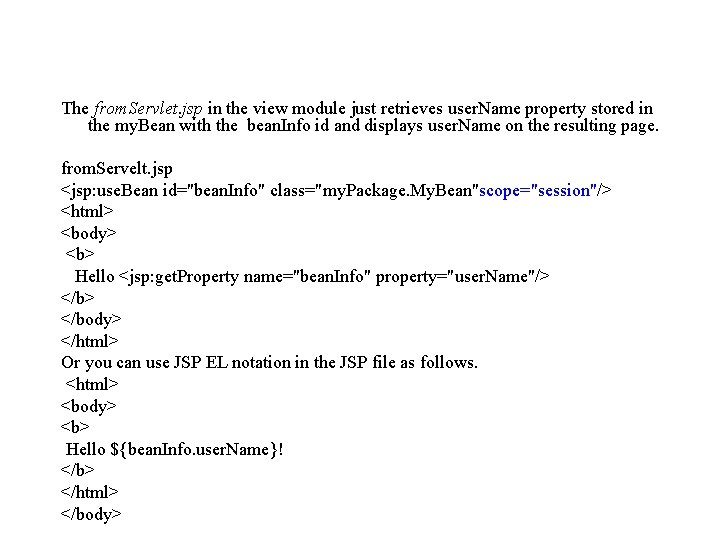
The from. Servlet. jsp in the view module just retrieves user. Name property stored in the my. Bean with the bean. Info id and displays user. Name on the resulting page. from. Servelt. jsp <jsp: use. Bean id="bean. Info" class="my. Package. My. Bean"scope="session"/> <html> <body> <b> Hello <jsp: get. Property name="bean. Info" property="user. Name"/> </body> </html> Or you can use JSP EL notation in the JSP file as follows. <html> <body> <b> Hello ${bean. Info. user. Name}! </b> </html> </body>
JDBC Overview Java Data. Base Connectivity (JDBC) is a standard that describes how to connect to and talk to a database from within a Java application or applet. JDBC is a layer of abstraction that allows users to choose between databases. It provides cross-DBMS connectivity to a wide range of SQL databases It allows you to access virtually any SQL database engine with the single JDBC API. JDBC allows you to write database applications as Java applications, Java Applets, Servlets, or EJB without having to concern yourself with the underlying details of a particular database.
JDBC (cont. . ) The JDBC API provides Java programmers with a uniform interface to a wide range of relational databases. All Java database related classes and interfaces are packaged together in the API package of java. sql which includes both the JDBC interfaces and the JDBC driver manager. A JDBC driver is a set of Java classes that implement the JDBC interfaces and translate vendor-neutral JDBC calls to vendor-specific DBMS commands so that JDBC can talk to any specific SQL database. JDBC drivers are provided by database vendors. A JDBC driver can be preinstalled by downloading. The JDBC driver must register with the JDBC driver manager will connect to a given database upon requests from Java application or Java applet.
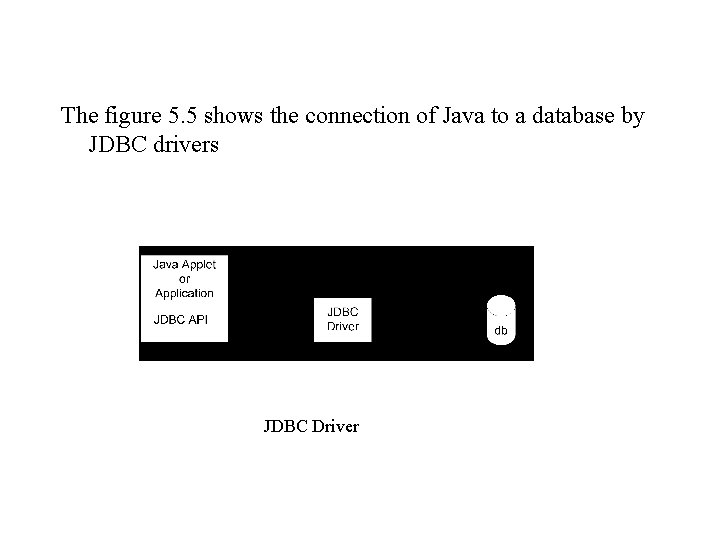
The figure 5. 5 shows the connection of Java to a database by JDBC drivers JDBC Driver
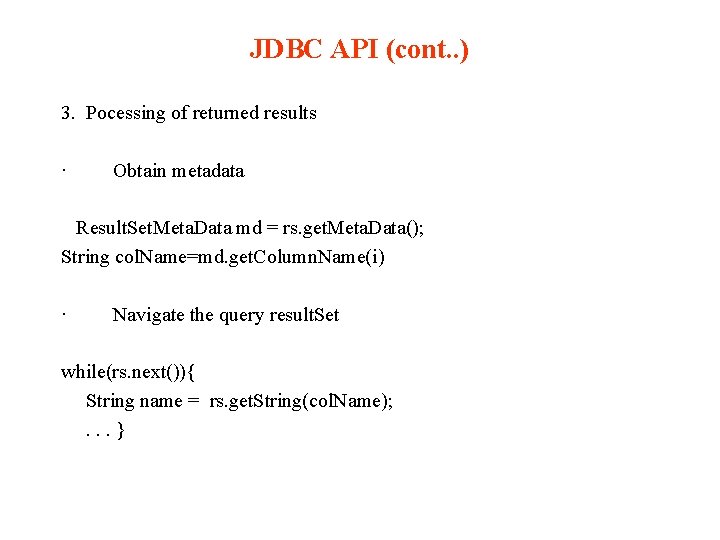
JDBC API The JDBC API provides a set of interfaces and classes for Java programmers to make a connection to a given database via the JDBC driver manager, prepare a SQL statement, make the query or update requests by the prepared SQL statement, get the results and save them in the result. Set, and go over the data in the result. Set. We can summerize any JDBC operation into the following steps: 1. Connection Load and Register the driver • Class. for. Name(“oracle. jdbc. driver. Oracle. Driver”); or Driver. Manager. register. Driver(new oracle. jdbc. driver. Oracle. Driver()); Connect to the database Connection conn = Driver. Manager. get. Connection(“jdbc. oracle: thin@host. port: dbname”, “Scott”, “Tiger”); // thin driver is a pure java driver which can be downloded for a Java Applet to use. // jdbc. oracle: thin is the URL for this JDBC connection
JDBC API (cont. . ) 2. SQL Statement · Prepare a SQL statement(query or update) Statement st = conn. create. Statement(); · Access SQL database by execute the SQL statement Result. Set rs = st. execute. Query( sql-query-statement); or Int count = st. execute. Update(sql-update-stament); For example, the sql-query-statement may look like : select * from customers; Life Cycle of a Stateless Session Bean
JDBC API (cont. . ) 3. Pocessing of returned results · Obtain metadata Result. Set. Meta. Data md = rs. get. Meta. Data(); String col. Name=md. get. Column. Name(i) · Navigate the query result. Set while(rs. next()){ String name = rs. get. String(col. Name); . . . }
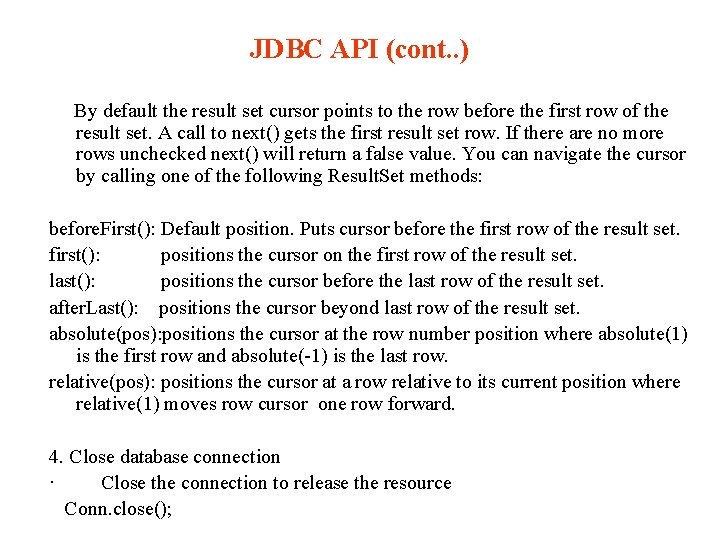
JDBC API (cont. . ) By default the result set cursor points to the row before the first row of the result set. A call to next() gets the first result set row. If there are no more rows unchecked next() will return a false value. You can navigate the cursor by calling one of the following Result. Set methods: before. First(): Default position. Puts cursor before the first row of the result set. first(): positions the cursor on the first row of the result set. last(): positions the cursor before the last row of the result set. after. Last(): positions the cursor beyond last row of the result set. absolute(pos): positions the cursor at the row number position where absolute(1) is the first row and absolute(-1) is the last row. relative(pos): positions the cursor at a row relative to its current position where relative(1) moves row cursor one row forward. 4. Close database connection · Close the connection to release the resource Conn. close();
JDBC Drivers A JDBC driver is a program which processes JDBC calls from any Java application and translates them to fit specific requirements of certain data sources. JDBC drivers simplify the Java database access activities just like any other type drivers such as printer drivers, network drivers, scanner drivers, and so on. The JDBC drivers themselves may be written purely in Java or partially in Java, db independent or db dependent, network protocol specific or non-network protocol specific, fat or thin, Java Applet supported or Java application only.
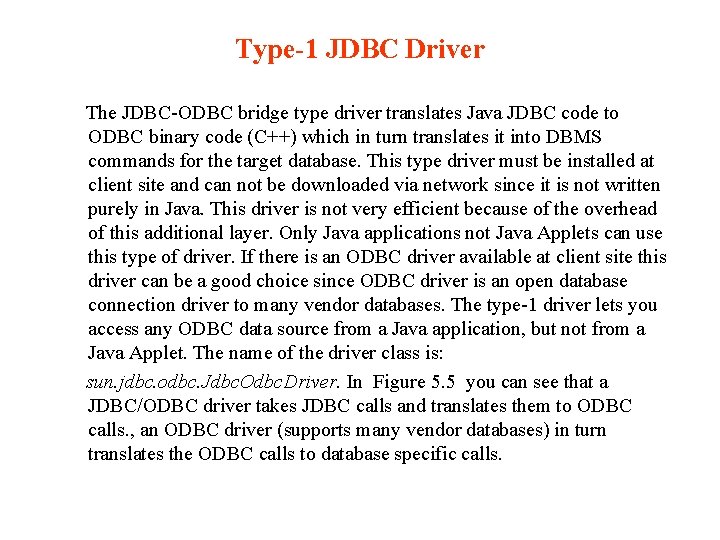
Type-1 JDBC Driver The JDBC-ODBC bridge type driver translates Java JDBC code to ODBC binary code (C++) which in turn translates it into DBMS commands for the target database. This type driver must be installed at client site and can not be downloaded via network since it is not written purely in Java. This driver is not very efficient because of the overhead of this additional layer. Only Java applications not Java Applets can use this type of driver. If there is an ODBC driver available at client site this driver can be a good choice since ODBC driver is an open database connection driver to many vendor databases. The type-1 driver lets you access any ODBC data source from a Java application, but not from a Java Applet. The name of the driver class is: sun. jdbc. odbc. Jdbc. Odbc. Driver. In Figure 5. 5 you can see that a JDBC/ODBC driver takes JDBC calls and translates them to ODBC calls. , an ODBC driver (supports many vendor databases) in turn translates the ODBC calls to database specific calls.
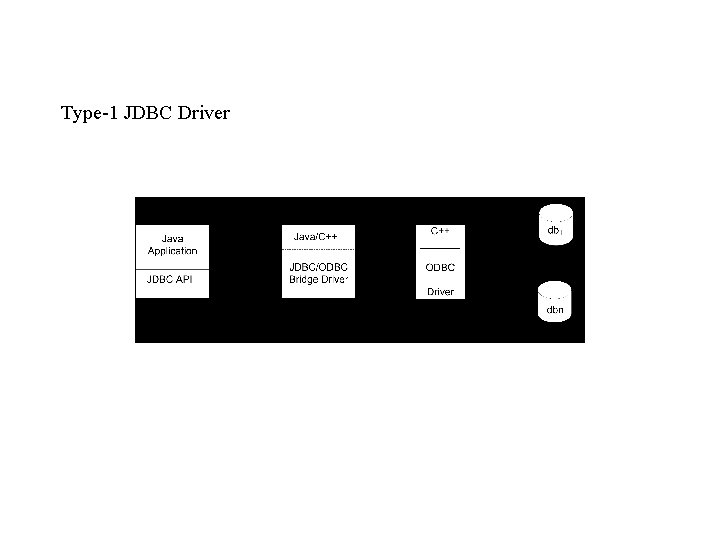
Type-1 JDBC Driver
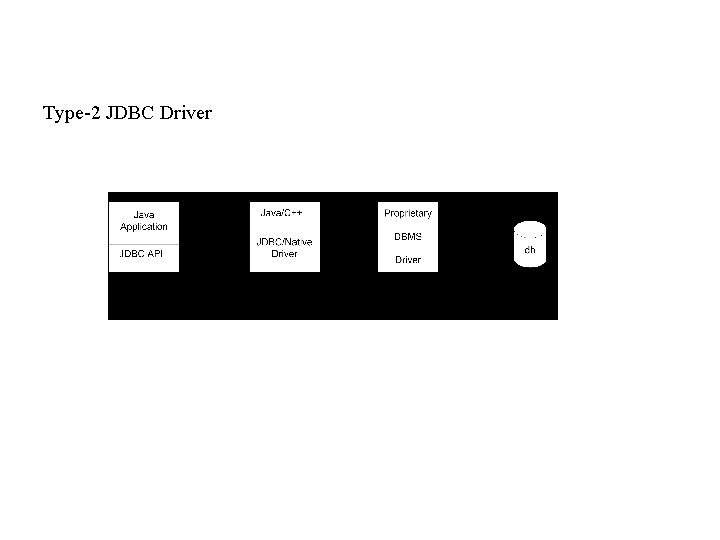
Type-2 JDBC Driver
Type-2 JDBC Driver (cont. . ) The native-API partly-Java driver type uses Java code to call native (non-Java) code to a DBMS-specific API, jdbc: oracle: oci for oracle. jdbc. driver. Oracle. Driver is an example of such driver that Oracle provides. The vertical dash line indicates the division of client site and server site. This type driver can make use of existing DBMS-specific drivers; therefore it is more efficient than a type-1 driver. Due to the use of native code on the client, and because the driver is DBMS specific a Java Applet cannot use this type driver. This type also requires prior installation of client software. Compared with type-4 driver this type driver is called a fat driver.
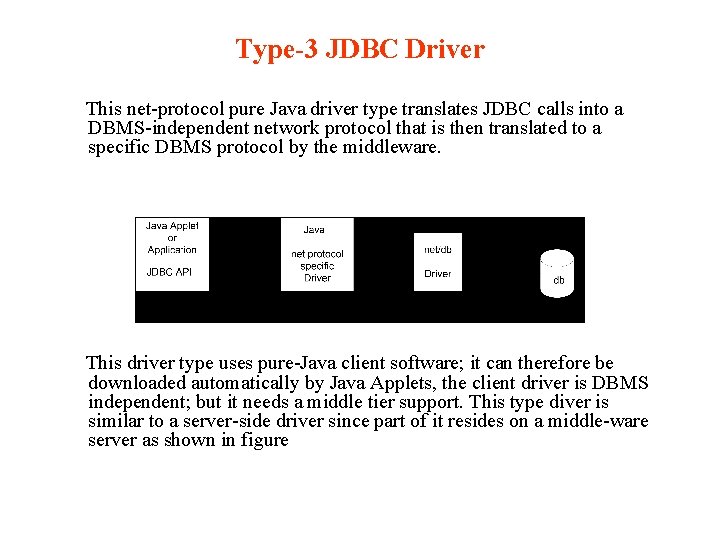
Type-3 JDBC Driver This net-protocol pure Java driver type translates JDBC calls into a DBMS-independent network protocol that is then translated to a specific DBMS protocol by the middleware. This driver type uses pure-Java client software; it can therefore be downloaded automatically by Java Applets, the client driver is DBMS independent; but it needs a middle tier support. This type diver is similar to a server-side driver since part of it resides on a middle-ware server as shown in figure
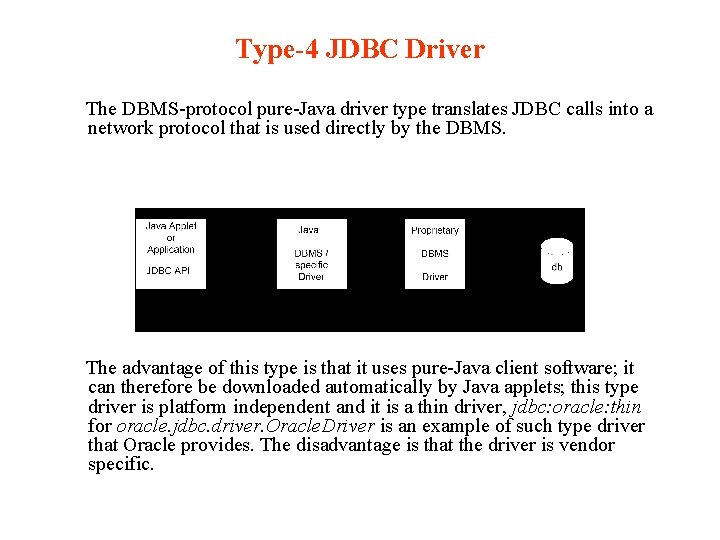
Type-4 JDBC Driver The DBMS-protocol pure-Java driver type translates JDBC calls into a network protocol that is used directly by the DBMS. The advantage of this type is that it uses pure-Java client software; it can therefore be downloaded automatically by Java applets; this type driver is platform independent and it is a thin driver, jdbc: oracle: thin for oracle. jdbc. driver. Oracle. Driver is an example of such type driver that Oracle provides. The disadvantage is that the driver is vendor specific.
5. 3. 3 JDBC Application Examples My. SQL database management system was released in January 1998. It is an open source relational database management system (RDBMS). My. SQL is free, and may be downloaded from at My. SQL. http: //dev. mysql. com/downloads/mysql/5. 0. html. The current version is 5. 0. After you get the My. SQL binary distribution download, you can use Win. Zip command to unzip the. zip archive and "tar" unix command to uncompress the. tar. archive. Once you extracted the distribution archive, you can install the JDBC mysql driver by placing mysql-connector-java-[version]-bin. jar with its full path in your classpath environment variable. If you use this driver with the JDBC Driver. Manager, the class name is "com. mysql. jdbc. Driver". In this chapter We choose My. SQL for the target of JDBC.
Example 1: A Simple Java JDBC Command-line Application This simple Java program illustrates how JDBC works with a database. The JDBC driver used in this example is a type-3 mysql driver. The customers data table is built in the test My. SQL database. The schema of the table consists of three columns: customer_id, name, and Phone. Only three rows of customer data are stored in the table. The following script file is used to create a customers table in the test database and insert three rows into this table. At the My. SQL prompt, type the command “source create_customers” to create the table and insert the data, and then verify it by the select SQL command. You will see the following screen.
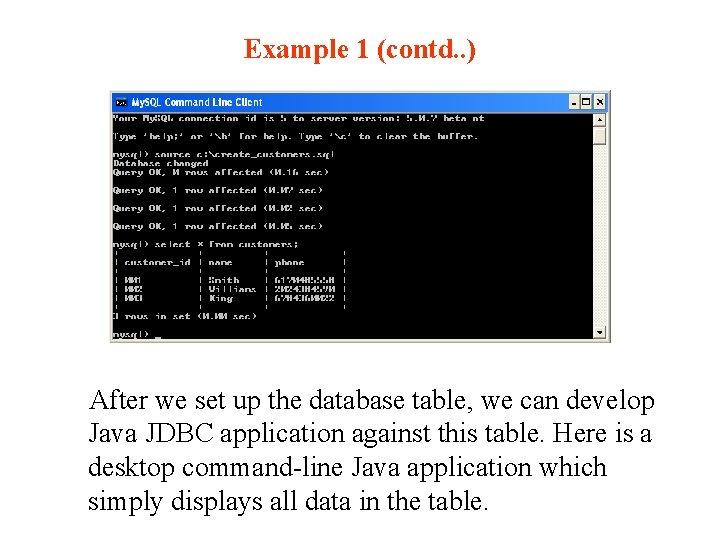
Example 1 (contd. . ) After we set up the database table, we can develop Java JDBC application against this table. Here is a desktop command-line Java application which simply displays all data in the table.
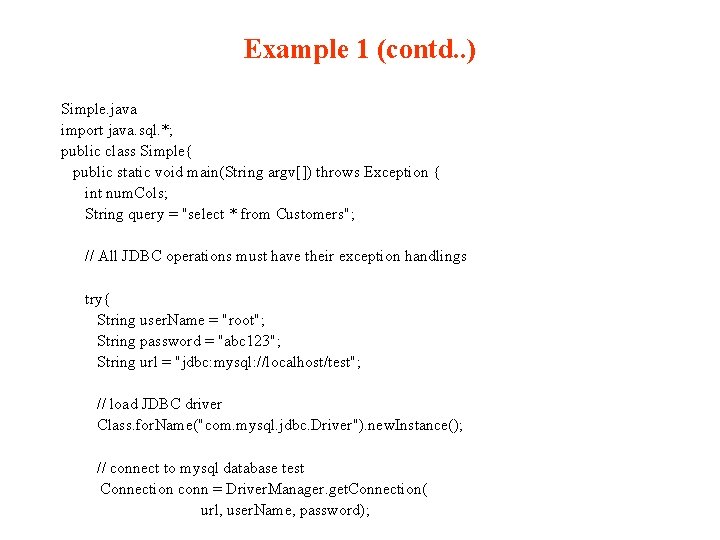
Example 1 (contd. . ) Simple. java import java. sql. *; public class Simple{ public static void main(String argv[]) throws Exception { int num. Cols; String query = "select * from Customers"; // All JDBC operations must have their exception handlings try{ String user. Name = "root"; String password = "abc 123"; String url = "jdbc: mysql: //localhost/test"; // load JDBC driver Class. for. Name("com. mysql. jdbc. Driver"). new. Instance(); // connect to mysql database test Connection conn = Driver. Manager. get. Connection( url, user. Name, password);
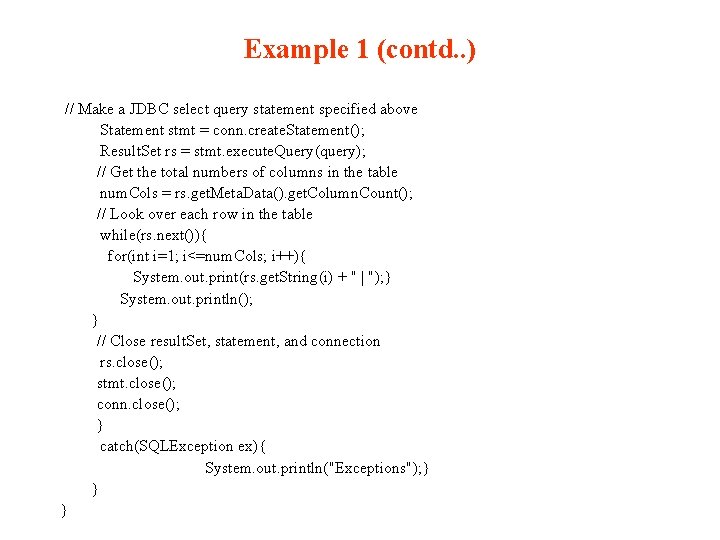
Example 1 (contd. . ) // Make a JDBC select query statement specified above Statement stmt = conn. create. Statement(); Result. Set rs = stmt. execute. Query(query); // Get the total numbers of columns in the table num. Cols = rs. get. Meta. Data(). get. Column. Count(); // Look over each row in the table while(rs. next()){ for(int i=1; i<=num. Cols; i++){ System. out. print(rs. get. String(i) + " | "); } System. out. println(); } // Close result. Set, statement, and connection rs. close(); stmt. close(); conn. close(); } catch(SQLException ex){ System. out. println("Exceptions"); } } }
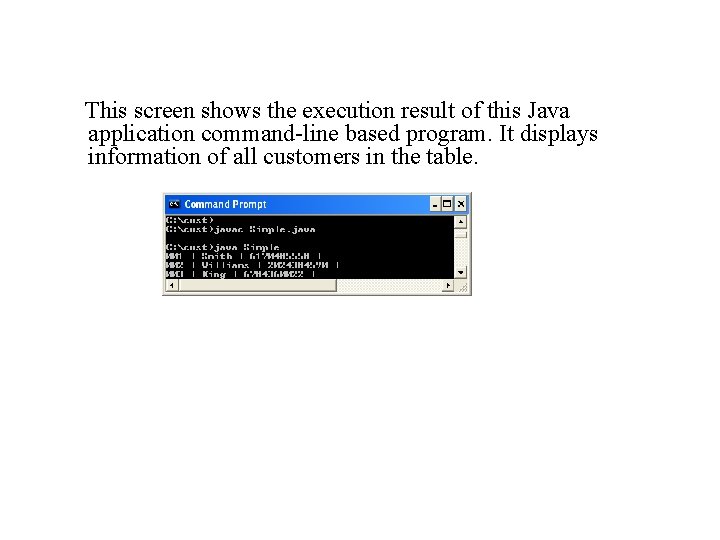
This screen shows the execution result of this Java application command-line based program. It displays information of all customers in the table.
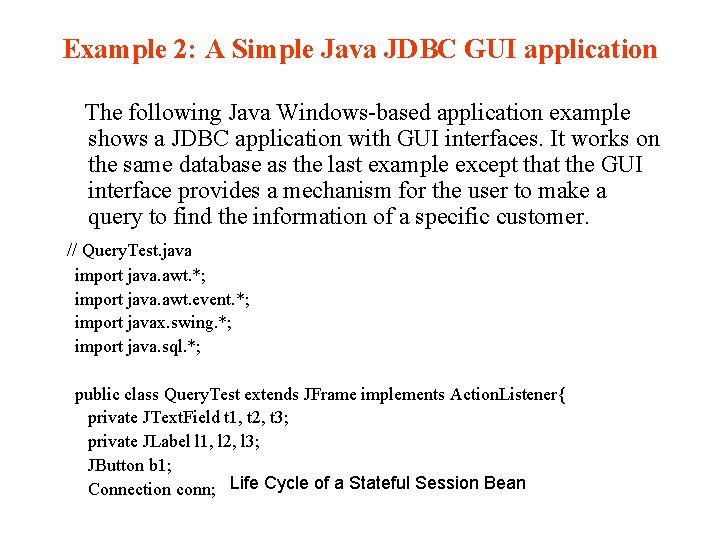
Example 2: A Simple Java JDBC GUI application The following Java Windows-based application example shows a JDBC application with GUI interfaces. It works on the same database as the last example except that the GUI interface provides a mechanism for the user to make a query to find the information of a specific customer. // Query. Test. java import java. awt. *; import java. awt. event. *; import javax. swing. *; import java. sql. *; public class Query. Test extends JFrame implements Action. Listener{ private JText. Field t 1, t 2, t 3; private JLabel l 1, l 2, l 3; JButton b 1; Connection conn; Life Cycle of a Stateful Session Bean
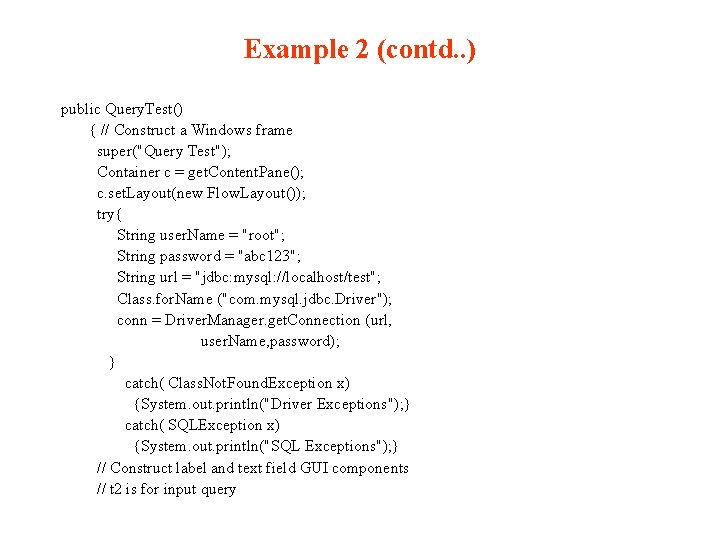
Example 2 (contd. . ) public Query. Test() { // Construct a Windows frame super("Query Test"); Container c = get. Content. Pane(); c. set. Layout(new Flow. Layout()); try{ String user. Name = "root"; String password = "abc 123"; String url = "jdbc: mysql: //localhost/test"; Class. for. Name ("com. mysql. jdbc. Driver"); conn = Driver. Manager. get. Connection (url, user. Name, password); } catch( Class. Not. Found. Exception x) {System. out. println("Driver Exceptions"); } catch( SQLException x) {System. out. println("SQL Exceptions"); } // Construct label and text field GUI components // t 2 is for input query
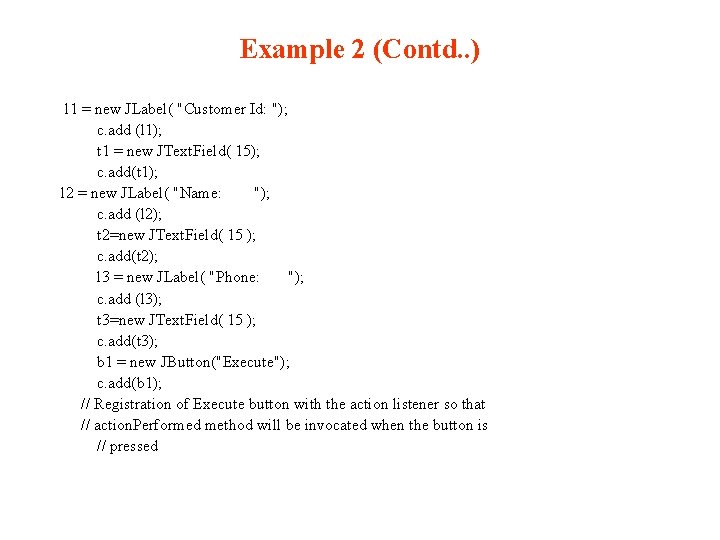
Example 2 (Contd. . ) l 1 = new JLabel( "Customer Id: "); c. add (l 1); t 1 = new JText. Field( 15); c. add(t 1); l 2 = new JLabel( "Name: "); c. add (l 2); t 2=new JText. Field( 15 ); c. add(t 2); l 3 = new JLabel( "Phone: "); c. add (l 3); t 3=new JText. Field( 15 ); c. add(t 3); b 1 = new JButton("Execute"); c. add(b 1); // Registration of Execute button with the action listener so that // action. Performed method will be invocated when the button is // pressed
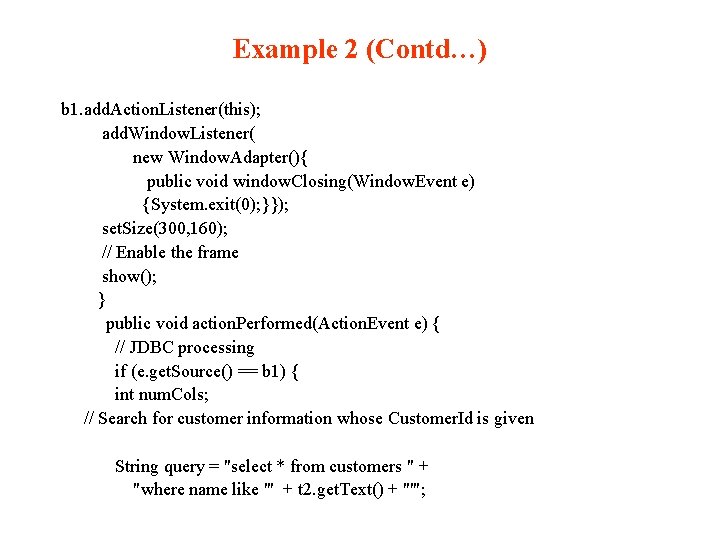
Example 2 (Contd…) b 1. add. Action. Listener(this); add. Window. Listener( new Window. Adapter(){ public void window. Closing(Window. Event e) {System. exit(0); }}); set. Size(300, 160); // Enable the frame show(); } public void action. Performed(Action. Event e) { // JDBC processing if (e. get. Source() == b 1) { int num. Cols; // Search for customer information whose Customer. Id is given String query = "select * from customers " + "where name like '" + t 2. get. Text() + "'";
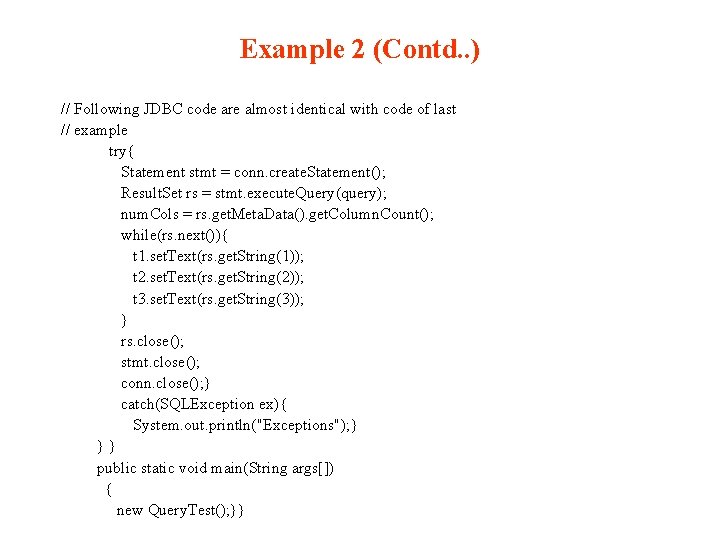
Example 2 (Contd. . ) // Following JDBC code are almost identical with code of last // example try{ Statement stmt = conn. create. Statement(); Result. Set rs = stmt. execute. Query(query); num. Cols = rs. get. Meta. Data(). get. Column. Count(); while(rs. next()){ t 1. set. Text(rs. get. String(1)); t 2. set. Text(rs. get. String(2)); t 3. set. Text(rs. get. String(3)); } rs. close(); stmt. close(); conn. close(); } catch(SQLException ex){ System. out. println("Exceptions"); } }} public static void main(String args[]) { new Query. Test(); }}
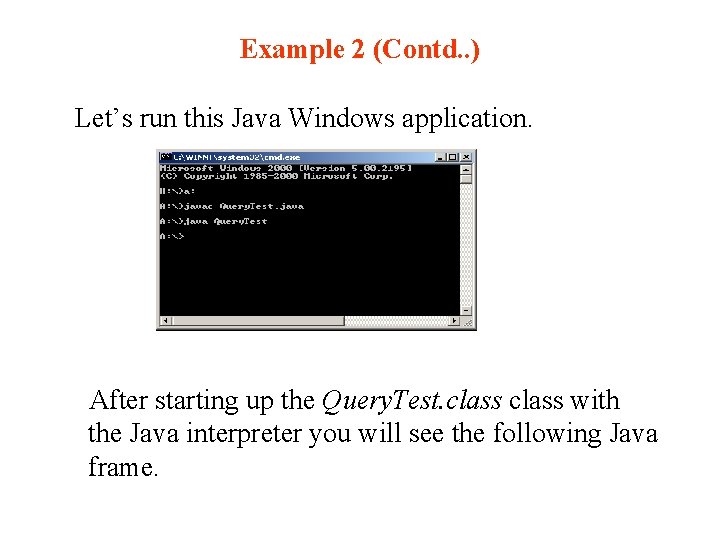
Example 2 (Contd. . ) Let’s run this Java Windows application. After starting up the Query. Test. class with the Java interpreter you will see the following Java frame.
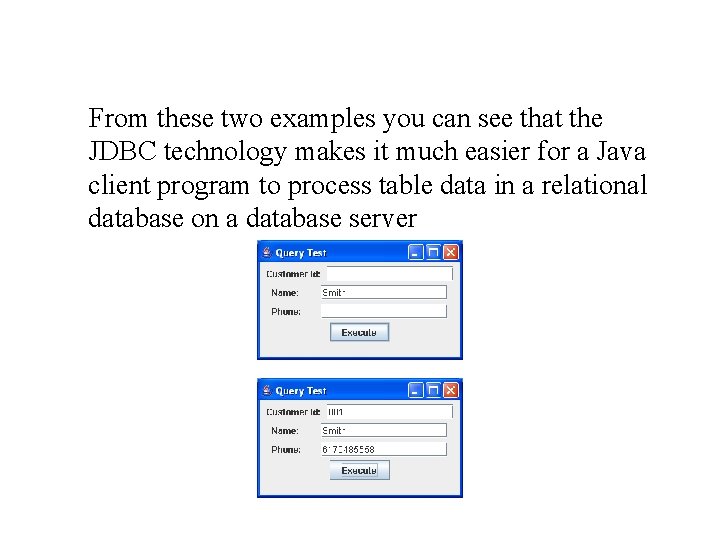
From these two examples you can see that the JDBC technology makes it much easier for a Java client program to process table data in a relational database on a database server
5. 4 Case Study: An Online Shopping Cart Implementation This section presents a Java MVC architecture design for an online shopping cart application. Diagram 5. 10 illustrates the Model module, View module, and Controller module, the connections between the modules, and the back-end database support as well. There a variety of ways to implement an online store. Many functionalities of an online store are not included in this implementation such as customer information processing, shipping and handling processing, accounting processing, and etc. We have simplified the implementation in order to focus on the MVC design architecture so you will have a better picture of it. We divide the system into three subsystems which will be discussed in the following sections. Figure 5. 10 depicts the overall MVC architecture of this DVD online store Web application.
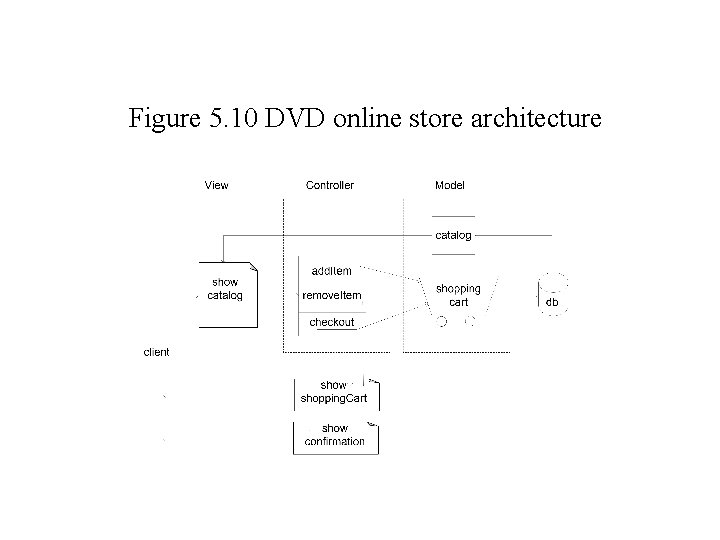
Figure 5. 10 DVD online store architecture
5. 4. 1 View Module of DVD Online Shopping Cart Application In this section, we present the presentation logic (View module) which has the following responsibilities: · enabling client browsing of the DVD catalog · selecting the items and adding them to the shopping cart · removing items from the shopping cart · displaying the shopping cart contents · checking out. The view module is also responsible for displaying a confirmation message after clients check out or displaying error messages when an error occurs. First, let’s look at the front page, Show. Product. Catalog. jsp which displays the DVD catalog. The initial page looks like the one below.
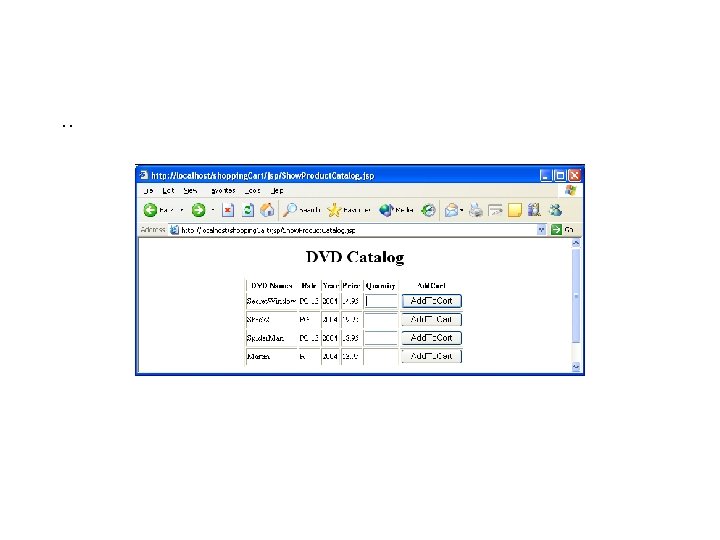
The Show. Product. Catalog. jsp is a JSP file which displays the DVD catalog from the database. The Product. Data. Bean Java. Bean is responsible for getting the catalog data from the database. The first time clients browse this page, the <jsp: use. Bean> tag will instantiate an instance of the Product. Data. Bean which makes a connection to a database to load the catalog data and display them as shown above. This page also includes another Display. Shopping. Cart. jsp page as part of itself. If the cart is empty then nothing is displayed. The details of the Java. Bean classes here will be discussed in the Model module section. When the client adds any item to the shopping cart, the parameter data is saved in the implicit request object and the request is sent to the add. To. Shopping. Cart. java Servelt for processing.
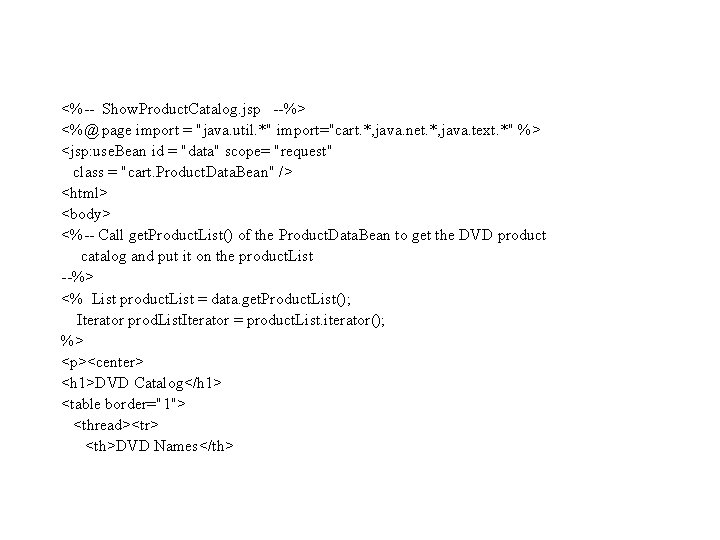
<%-- Show. Product. Catalog. jsp --%> <%@ page import = "java. util. *" import="cart. *, java. net. *, java. text. *" %> <jsp: use. Bean id = "data" scope= "request" class = "cart. Product. Data. Bean" /> <html> <body> <%-- Call get. Product. List() of the Product. Data. Bean to get the DVD product catalog and put it on the product. List --%> <% List product. List = data. get. Product. List(); Iterator prod. List. Iterator = product. List. iterator(); %> <p><center> <h 1>DVD Catalog</h 1> <table border="1"> <thread><tr> <th>DVD Names</th>
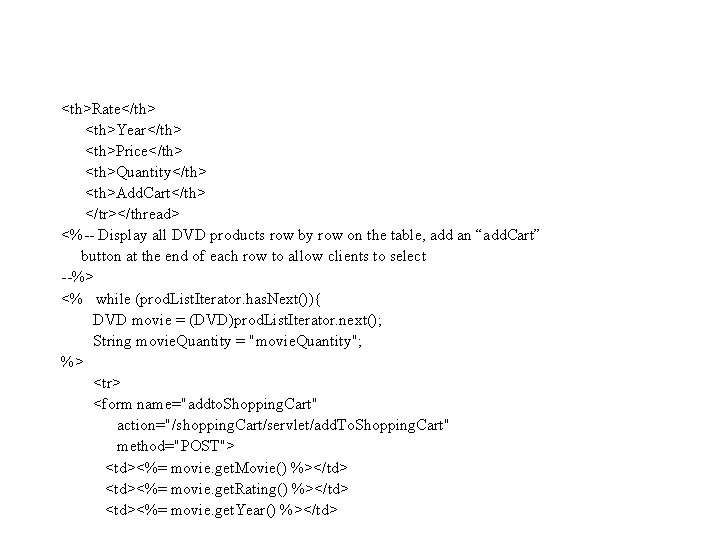
<th>Rate</th> <th>Year</th> <th>Price</th> <th>Quantity</th> <th>Add. Cart</th> </tr></thread> <%-- Display all DVD products row by row on the table, add an “add. Cart” button at the end of each row to allow clients to select --%> <% while (prod. List. Iterator. has. Next()){ DVD movie = (DVD)prod. List. Iterator. next(); String movie. Quantity = "movie. Quantity"; %> <tr> <form name="addto. Shopping. Cart" action="/shopping. Cart/servlet/add. To. Shopping. Cart" method="POST"> <td><%= movie. get. Movie() %></td> <td><%= movie. get. Rating() %></td> <td><%= movie. get. Year() %></td>
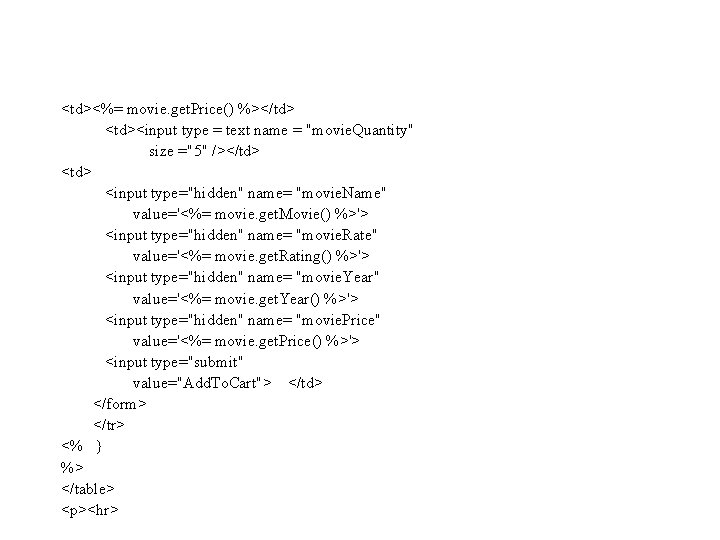
<td><%= movie. get. Price() %></td> <td><input type = text name = "movie. Quantity" size ="5" /></td> <input type="hidden" name= "movie. Name" value='<%= movie. get. Movie() %>'> <input type="hidden" name= "movie. Rate" value='<%= movie. get. Rating() %>'> <input type="hidden" name= "movie. Year" value='<%= movie. get. Year() %>'> <input type="hidden" name= "movie. Price" value='<%= movie. get. Price() %>'> <input type="submit" value="Add. To. Cart"> </td> </form> </tr> <% } %> </table> <p><hr>
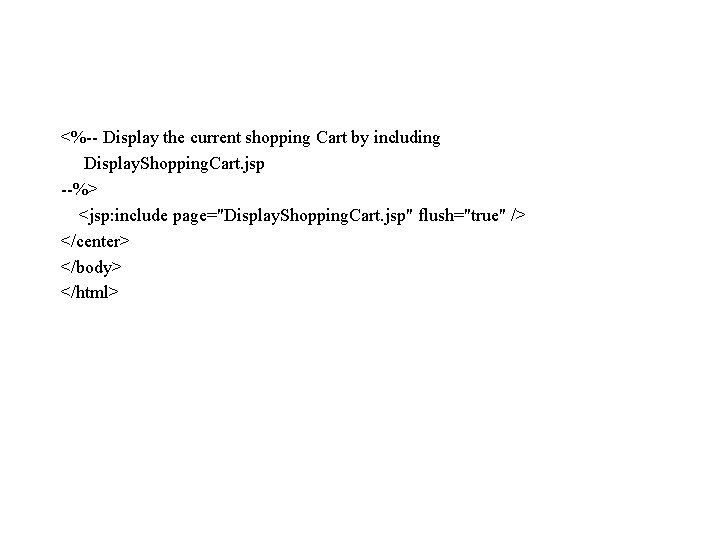
<%-- Display the current shopping Cart by including Display. Shopping. Cart. jsp --%> <jsp: include page="Display. Shopping. Cart. jsp" flush="true" /> </center> </body> </html>
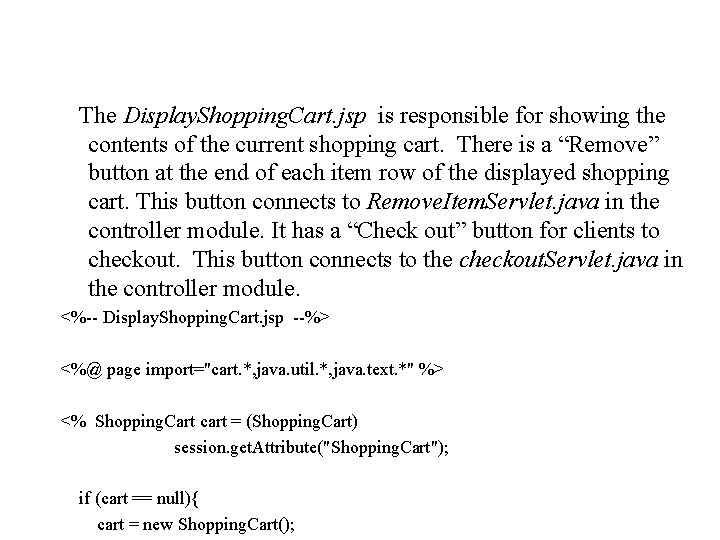
The Display. Shopping. Cart. jsp is responsible for showing the contents of the current shopping cart. There is a “Remove” button at the end of each item row of the displayed shopping cart. This button connects to Remove. Item. Servlet. java in the controller module. It has a “Check out” button for clients to checkout. This button connects to the checkout. Servlet. java in the controller module. <%-- Display. Shopping. Cart. jsp --%> <%@ page import="cart. *, java. util. *, java. text. *" %> <% Shopping. Cart cart = (Shopping. Cart) session. get. Attribute("Shopping. Cart"); if (cart == null){ cart = new Shopping. Cart();
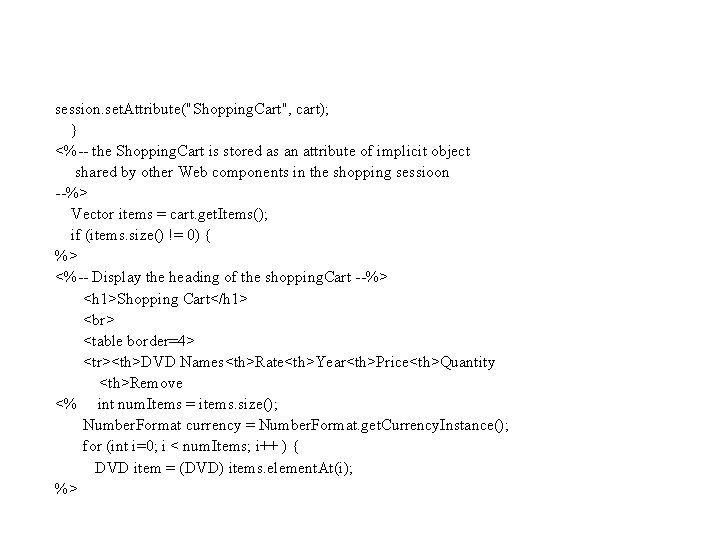
session. set. Attribute("Shopping. Cart", cart); } <%-- the Shopping. Cart is stored as an attribute of implicit object shared by other Web components in the shopping sessioon --%> Vector items = cart. get. Items(); if (items. size() != 0) { %> <%-- Display the heading of the shopping. Cart --%> <h 1>Shopping Cart</h 1> <table border=4> <tr><th>DVD Names<th>Rate<th>Year<th>Price<th>Quantity <th>Remove <% int num. Items = items. size(); Number. Format currency = Number. Format. get. Currency. Instance(); for (int i=0; i < num. Items; i++ ) { DVD item = (DVD) items. element. At(i); %>
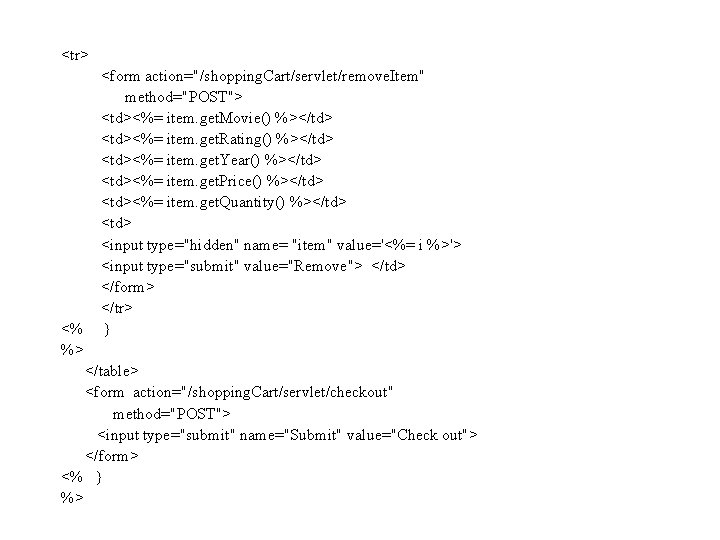
<tr> <% %> <form action="/shopping. Cart/servlet/remove. Item" method="POST"> <td><%= item. get. Movie() %></td> <td><%= item. get. Rating() %></td> <td><%= item. get. Year() %></td> <td><%= item. get. Price() %></td> <td><%= item. get. Quantity() %></td> <input type="hidden" name= "item" value='<%= i %>'> <input type="submit" value="Remove"> </td> </form> </tr> } </table> <form action="/shopping. Cart/servlet/checkout" method="POST"> <input type="submit" name="Submit" value="Check out"> </form> <% } %>
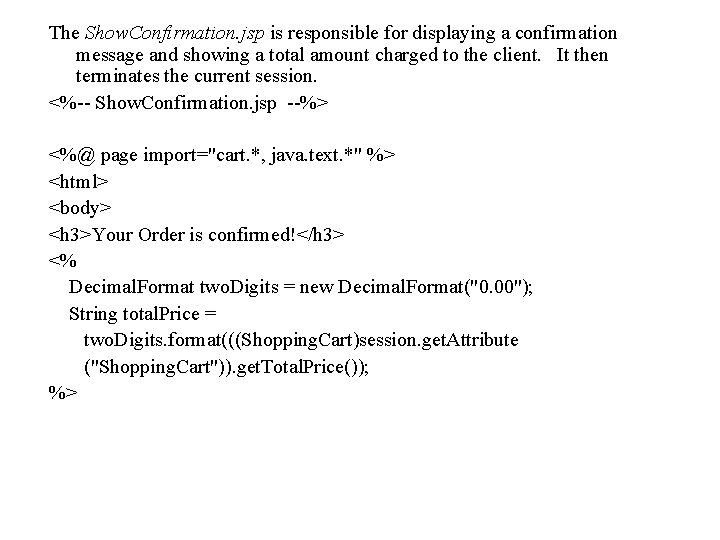
The Show. Confirmation. jsp is responsible for displaying a confirmation message and showing a total amount charged to the client. It then terminates the current session. <%-- Show. Confirmation. jsp --%> <%@ page import="cart. *, java. text. *" %> <html> <body> <h 3>Your Order is confirmed!</h 3> <% Decimal. Format two. Digits = new Decimal. Format("0. 00"); String total. Price = two. Digits. format(((Shopping. Cart)session. get. Attribute ("Shopping. Cart")). get. Total. Price()); %>
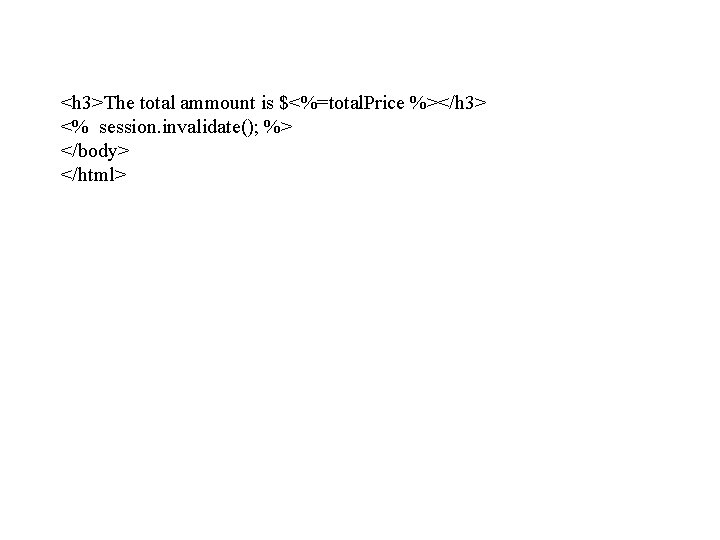
<h 3>The total ammount is $<%=total. Price %></h 3> <% session. invalidate(); %> </body> </html>
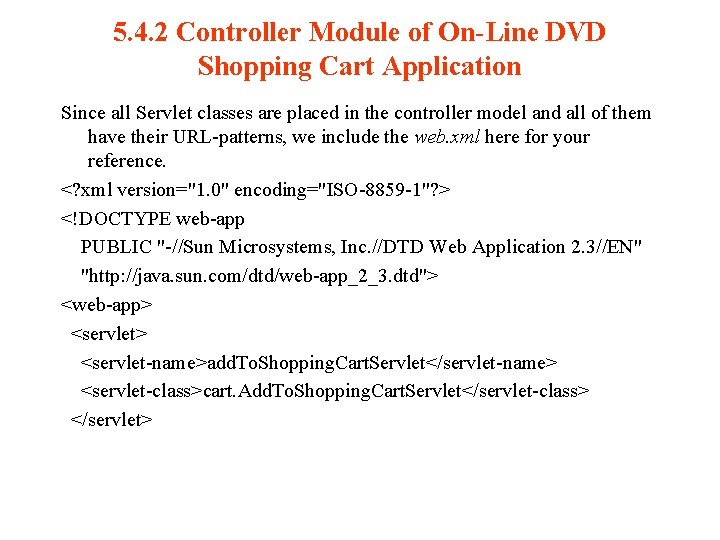
5. 4. 2 Controller Module of On-Line DVD Shopping Cart Application Since all Servlet classes are placed in the controller model and all of them have their URL-patterns, we include the web. xml here for your reference. <? xml version="1. 0" encoding="ISO-8859 -1"? > <!DOCTYPE web-app PUBLIC "-//Sun Microsystems, Inc. //DTD Web Application 2. 3//EN" "http: //java. sun. com/dtd/web-app_2_3. dtd"> <web-app> <servlet-name>add. To. Shopping. Cart. Servlet</servlet-name> <servlet-class>cart. Add. To. Shopping. Cart. Servlet</servlet-class> </servlet>
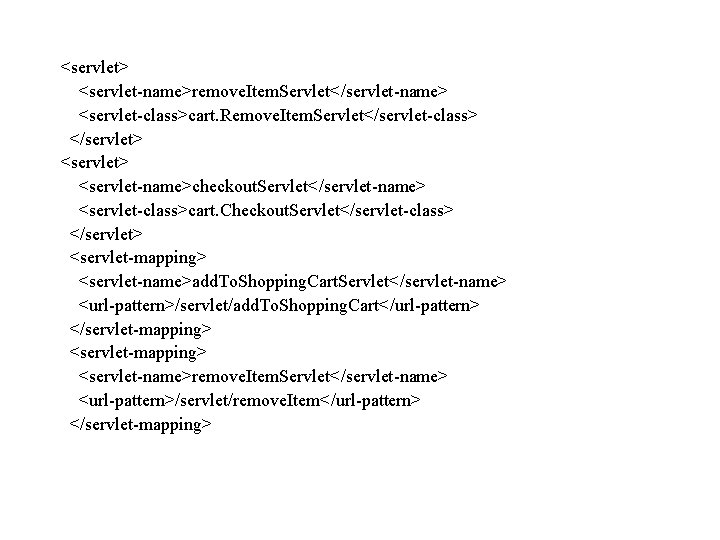
<servlet> <servlet-name>remove. Item. Servlet</servlet-name> <servlet-class>cart. Remove. Item. Servlet</servlet-class> </servlet> <servlet-name>checkout. Servlet</servlet-name> <servlet-class>cart. Checkout. Servlet</servlet-class> </servlet> <servlet-mapping> <servlet-name>add. To. Shopping. Cart. Servlet</servlet-name> <url-pattern>/servlet/add. To. Shopping. Cart</url-pattern> </servlet-mapping> <servlet-name>remove. Item. Servlet</servlet-name> <url-pattern>/servlet/remove. Item</url-pattern> </servlet-mapping>
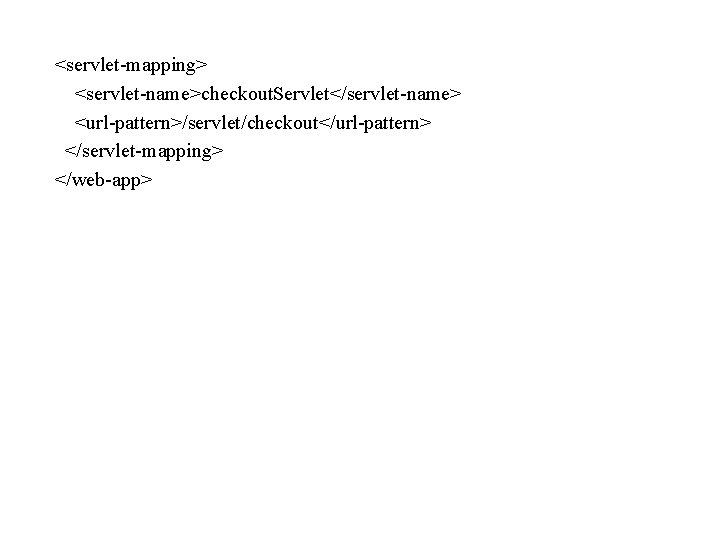
<servlet-mapping> <servlet-name>checkout. Servlet</servlet-name> <url-pattern>/servlet/checkout</url-pattern> </servlet-mapping> </web-app>
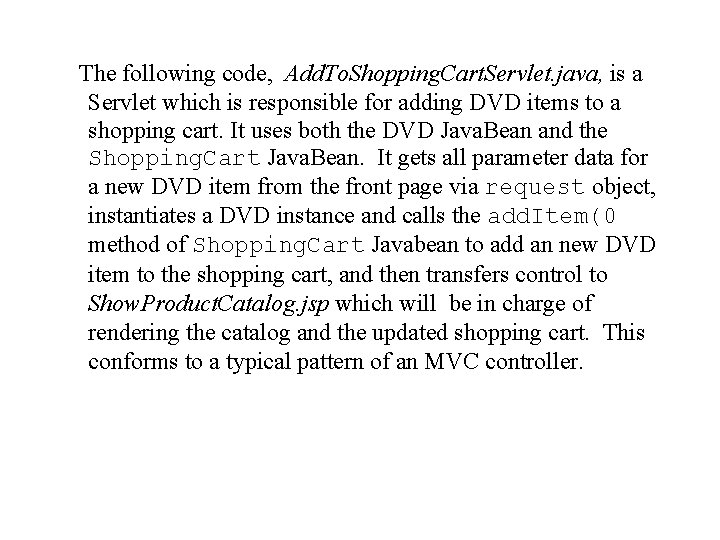
The following code, Add. To. Shopping. Cart. Servlet. java, is a Servlet which is responsible for adding DVD items to a shopping cart. It uses both the DVD Java. Bean and the Shopping. Cart Java. Bean. It gets all parameter data for a new DVD item from the front page via request object, instantiates a DVD instance and calls the add. Item(0 method of Shopping. Cart Javabean to add an new DVD item to the shopping cart, and then transfers control to Show. Product. Catalog. jsp which will be in charge of rendering the catalog and the updated shopping cart. This conforms to a typical pattern of an MVC controller.
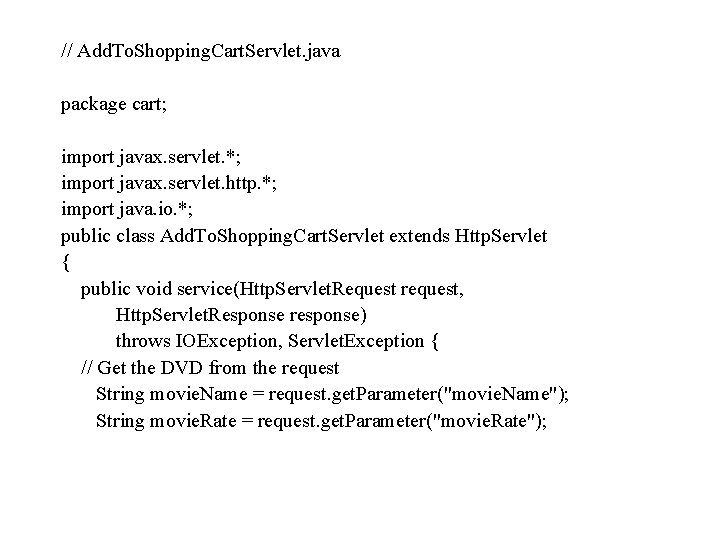
// Add. To. Shopping. Cart. Servlet. java package cart; import javax. servlet. *; import javax. servlet. http. *; import java. io. *; public class Add. To. Shopping. Cart. Servlet extends Http. Servlet { public void service(Http. Servlet. Request request, Http. Servlet. Response response) throws IOException, Servlet. Exception { // Get the DVD from the request String movie. Name = request. get. Parameter("movie. Name"); String movie. Rate = request. get. Parameter("movie. Rate");
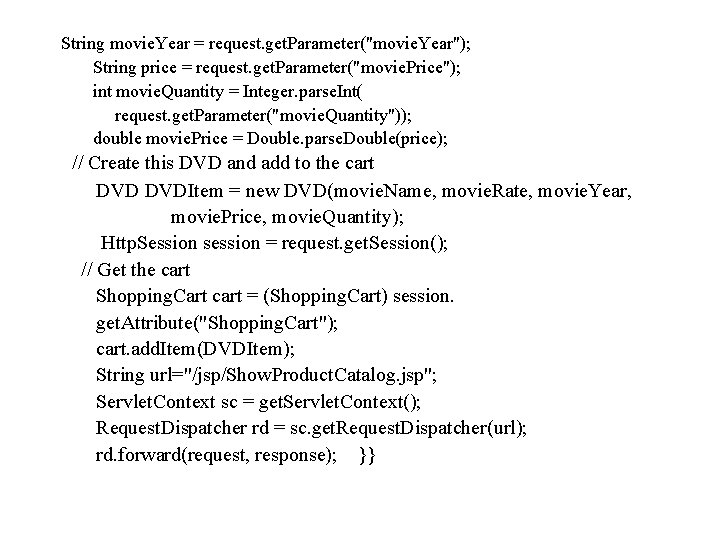
String movie. Year = request. get. Parameter("movie. Year"); String price = request. get. Parameter("movie. Price"); int movie. Quantity = Integer. parse. Int( request. get. Parameter("movie. Quantity")); double movie. Price = Double. parse. Double(price); // Create this DVD and add to the cart DVDItem = new DVD(movie. Name, movie. Rate, movie. Year, movie. Price, movie. Quantity); Http. Session session = request. get. Session(); // Get the cart Shopping. Cart cart = (Shopping. Cart) session. get. Attribute("Shopping. Cart"); cart. add. Item(DVDItem); String url="/jsp/Show. Product. Catalog. jsp"; Servlet. Context sc = get. Servlet. Context(); Request. Dispatcher rd = sc. get. Request. Dispatcher(url); rd. forward(request, response); }}
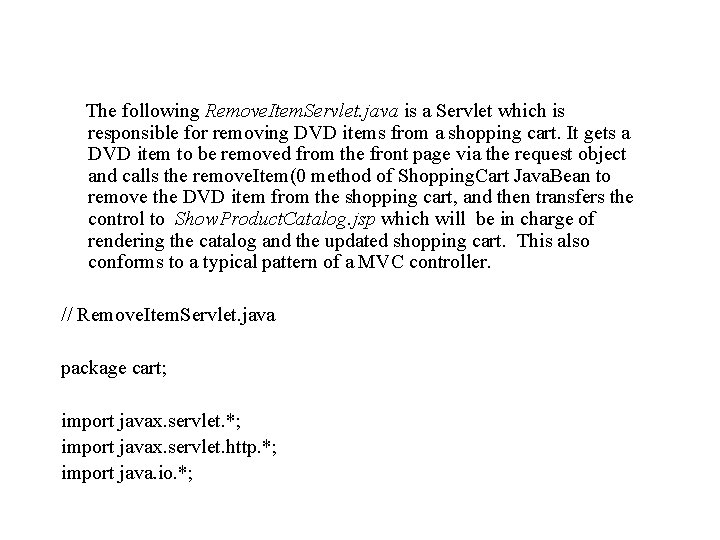
The following Remove. Item. Servlet. java is a Servlet which is responsible for removing DVD items from a shopping cart. It gets a DVD item to be removed from the front page via the request object and calls the remove. Item(0 method of Shopping. Cart Java. Bean to remove the DVD item from the shopping cart, and then transfers the control to Show. Product. Catalog. jsp which will be in charge of rendering the catalog and the updated shopping cart. This also conforms to a typical pattern of a MVC controller. // Remove. Item. Servlet. java package cart; import javax. servlet. *; import javax. servlet. http. *; import java. io. *;
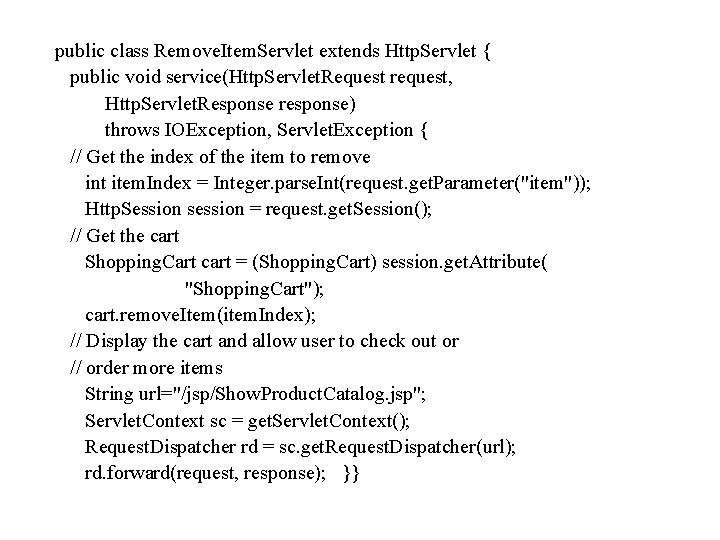
public class Remove. Item. Servlet extends Http. Servlet { public void service(Http. Servlet. Request request, Http. Servlet. Response response) throws IOException, Servlet. Exception { // Get the index of the item to remove int item. Index = Integer. parse. Int(request. get. Parameter("item")); Http. Session session = request. get. Session(); // Get the cart Shopping. Cart cart = (Shopping. Cart) session. get. Attribute( "Shopping. Cart"); cart. remove. Item(item. Index); // Display the cart and allow user to check out or // order more items String url="/jsp/Show. Product. Catalog. jsp"; Servlet. Context sc = get. Servlet. Context(); Request. Dispatcher rd = sc. get. Request. Dispatcher(url); rd. forward(request, response); }}
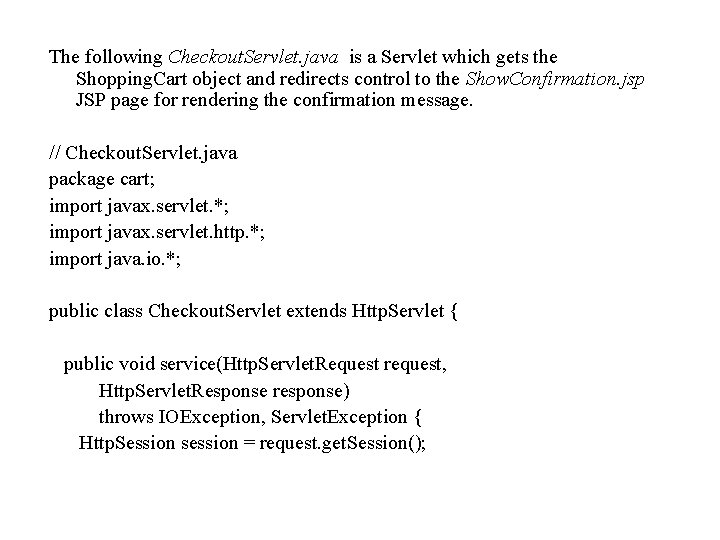
The following Checkout. Servlet. java is a Servlet which gets the Shopping. Cart object and redirects control to the Show. Confirmation. jsp JSP page for rendering the confirmation message. // Checkout. Servlet. java package cart; import javax. servlet. *; import javax. servlet. http. *; import java. io. *; public class Checkout. Servlet extends Http. Servlet { public void service(Http. Servlet. Request request, Http. Servlet. Response response) throws IOException, Servlet. Exception { Http. Session session = request. get. Session();
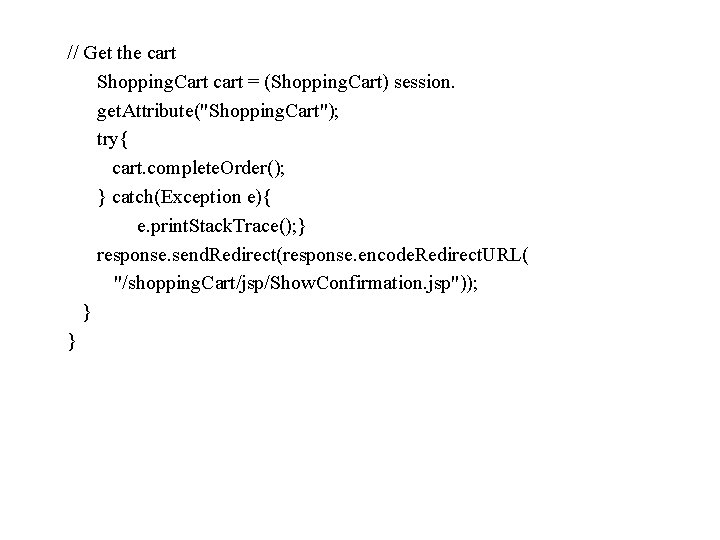
// Get the cart Shopping. Cart cart = (Shopping. Cart) session. get. Attribute("Shopping. Cart"); try{ cart. complete. Order(); } catch(Exception e){ e. print. Stack. Trace(); } response. send. Redirect(response. encode. Redirect. URL( "/shopping. Cart/jsp/Show. Confirmation. jsp")); } }
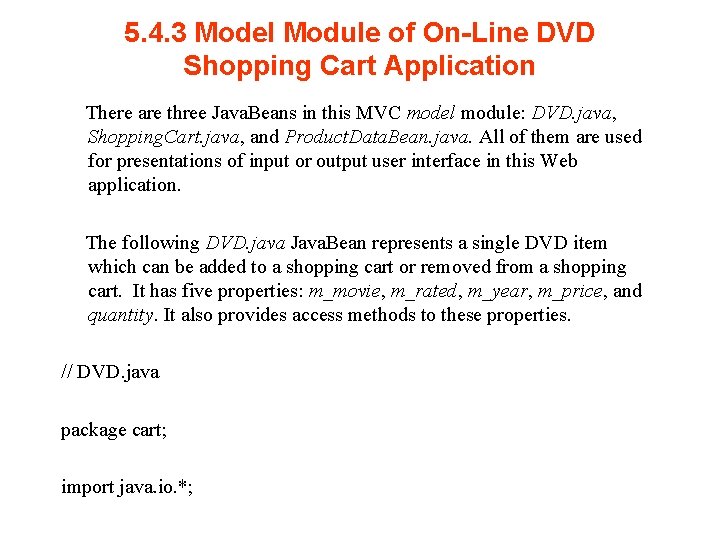
5. 4. 3 Model Module of On-Line DVD Shopping Cart Application There are three Java. Beans in this MVC model module: DVD. java, Shopping. Cart. java, and Product. Data. Bean. java. All of them are used for presentations of input or output user interface in this Web application. The following DVD. java Java. Bean represents a single DVD item which can be added to a shopping cart or removed from a shopping cart. It has five properties: m_movie, m_rated, m_year, m_price, and quantity. It also provides access methods to these properties. // DVD. java package cart; import java. io. *;
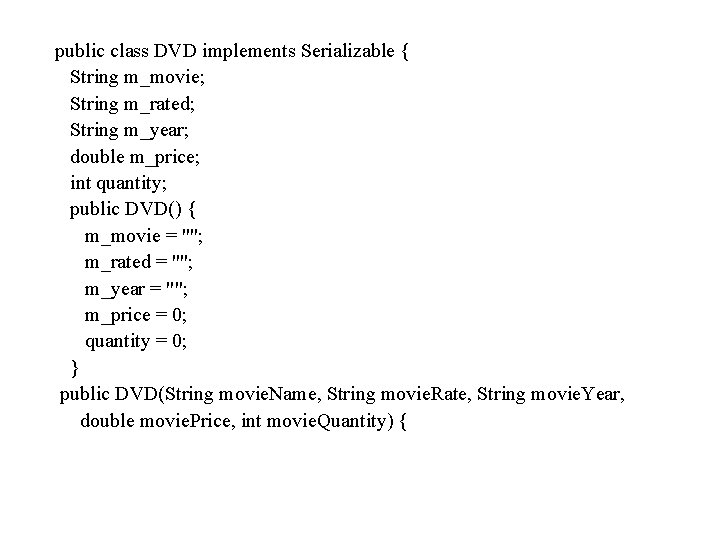
public class DVD implements Serializable { String m_movie; String m_rated; String m_year; double m_price; int quantity; public DVD() { m_movie = ""; m_rated = ""; m_year = ""; m_price = 0; quantity = 0; } public DVD(String movie. Name, String movie. Rate, String movie. Year, double movie. Price, int movie. Quantity) {
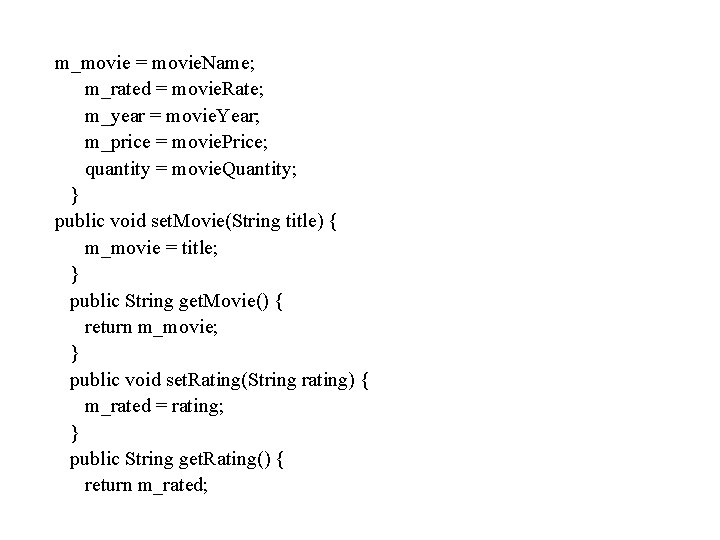
m_movie = movie. Name; m_rated = movie. Rate; m_year = movie. Year; m_price = movie. Price; quantity = movie. Quantity; } public void set. Movie(String title) { m_movie = title; } public String get. Movie() { return m_movie; } public void set. Rating(String rating) { m_rated = rating; } public String get. Rating() { return m_rated;
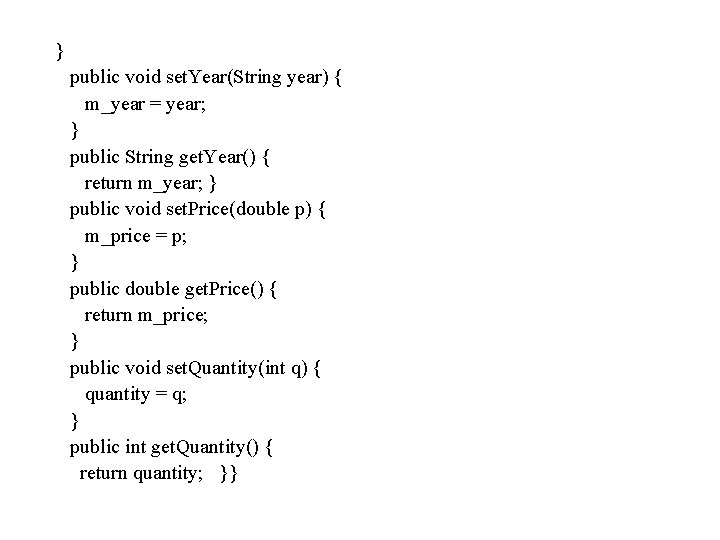
} public void set. Year(String year) { m_year = year; } public String get. Year() { return m_year; } public void set. Price(double p) { m_price = p; } public double get. Price() { return m_price; } public void set. Quantity(int q) { quantity = q; } public int get. Quantity() { return quantity; }}
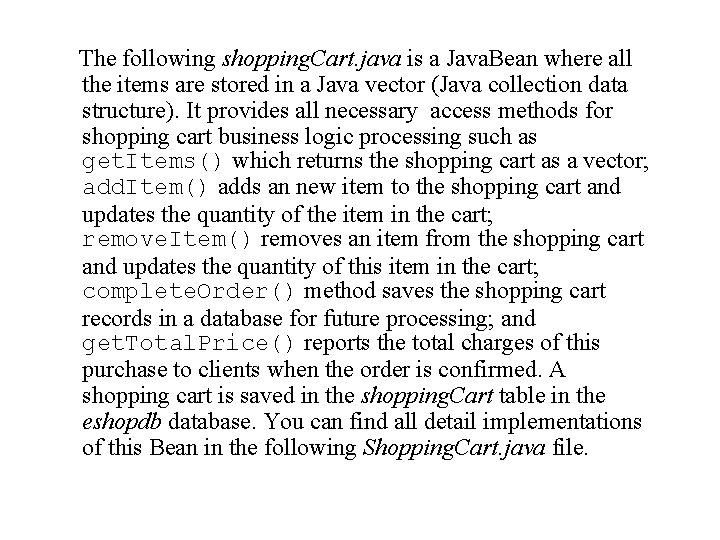
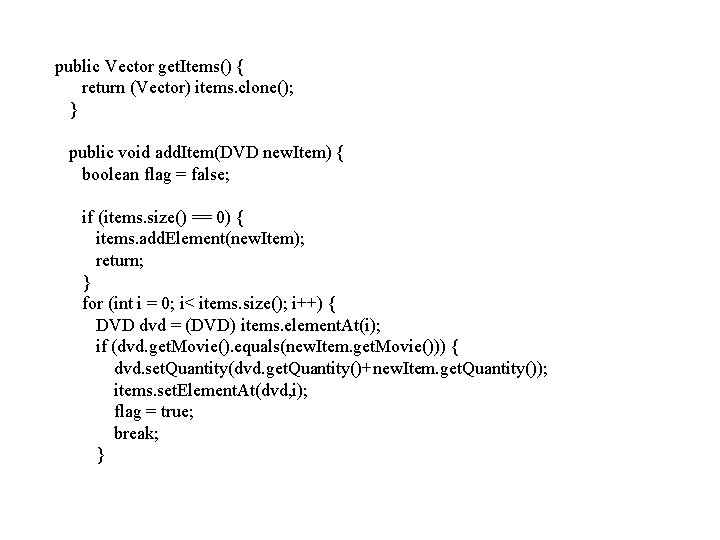
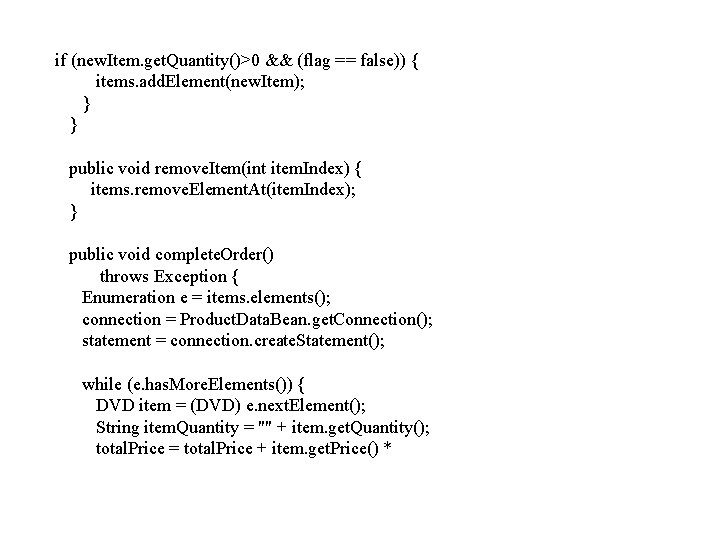
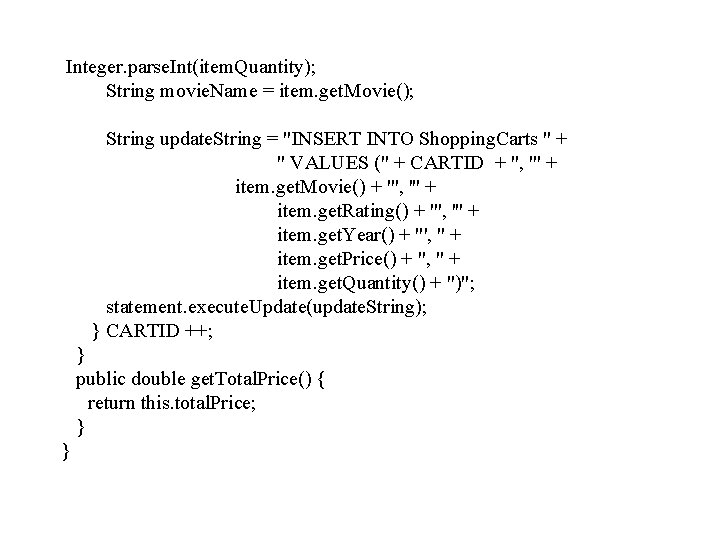
The following shopping. Cart. java is a Java. Bean where all the items are stored in a Java vector (Java collection data structure). It provides all necessary access methods for shopping cart business logic processing such as get. Items() which returns the shopping cart as a vector; add. Item() adds an new item to the shopping cart and updates the quantity of the item in the cart; remove. Item() removes an item from the shopping cart and updates the quantity of this item in the cart; complete. Order() method saves the shopping cart records in a database for future processing; and get. Total. Price() reports the total charges of this purchase to clients when the order is confirmed. A shopping cart is saved in the shopping. Cart table in the eshopdb database. You can find all detail implementations of this Bean in the following Shopping. Cart. java file.
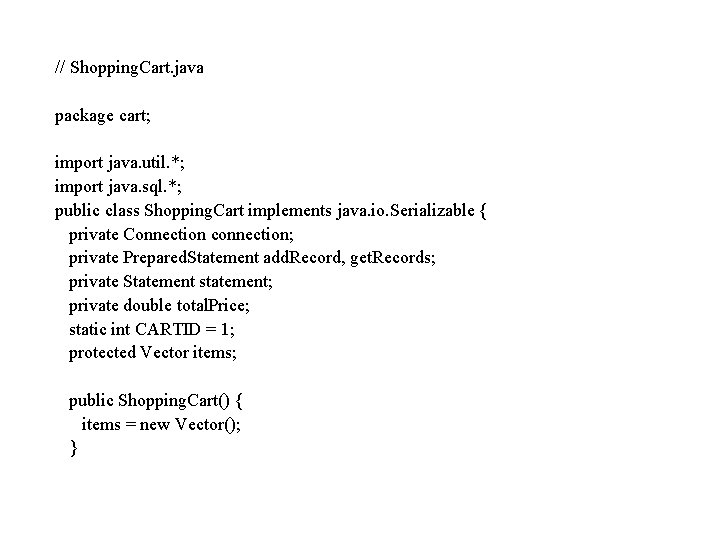
// Shopping. Cart. java package cart; import java. util. *; import java. sql. *; public class Shopping. Cart implements java. io. Serializable { private Connection connection; private Prepared. Statement add. Record, get. Records; private Statement statement; private double total. Price; static int CARTID = 1; protected Vector items; public Shopping. Cart() { items = new Vector(); }
public Vector get. Items() { return (Vector) items. clone(); } public void add. Item(DVD new. Item) { boolean flag = false; if (items. size() == 0) { items. add. Element(new. Item); return; } for (int i = 0; i< items. size(); i++) { DVD dvd = (DVD) items. element. At(i); if (dvd. get. Movie(). equals(new. Item. get. Movie())) { dvd. set. Quantity(dvd. get. Quantity()+new. Item. get. Quantity()); items. set. Element. At(dvd, i); flag = true; break; }
if (new. Item. get. Quantity()>0 && (flag == false)) { items. add. Element(new. Item); } } public void remove. Item(int item. Index) { items. remove. Element. At(item. Index); } public void complete. Order() throws Exception { Enumeration e = items. elements(); connection = Product. Data. Bean. get. Connection(); statement = connection. create. Statement(); while (e. has. More. Elements()) { DVD item = (DVD) e. next. Element(); String item. Quantity = "" + item. get. Quantity(); total. Price = total. Price + item. get. Price() *
Your First BMP Entity Bean (cont. ) public String ejb. Find. By. Primary. Key(String primary. Key) throws Finder. Exception { try { Boolean result = select. By. Primary. Key(primary. Key); } catch (Exception ex) { throw new EJBException("ejb. Find. By. Primary. Key: "); } if (result) { return primary. Key; } else { throw new Object. Not. Found. Exception ("Row for id " + primary. Key + " not found. "); } }
Integer. parse. Int(item. Quantity); String movie. Name = item. get. Movie(); String update. String = "INSERT INTO Shopping. Carts " + " VALUES (" + CARTID + ", '" + item. get. Movie() + "', '" + item. get. Rating() + "', '" + item. get. Year() + "', " + item. get. Price() + ", " + item. get. Quantity() + ")"; statement. execute. Update(update. String); } CARTID ++; } public double get. Total. Price() { return this. total. Price; } }

The Product. Data. Bean. java Java. Bean represents the DVD online store catalog which is supported by the products table in the eshopdb database. The first time a client accesses the online DVD store, the catalog is loaded from the database by JDBC calls. // Product. Data. Bean. java package cart; import java. io. *; import java. sql. *; import java. util. *; public class Product. Data. Bean implements Serializable { private static Connection connection; private Prepared. Statement add. Record, get. Records;
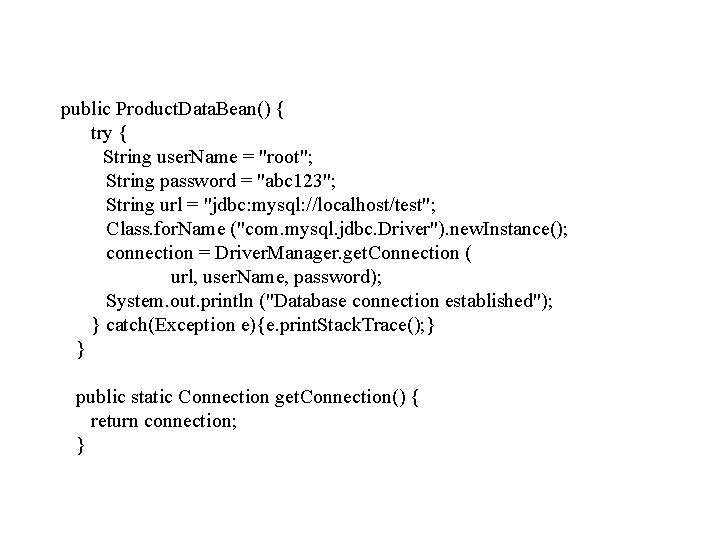
public Product. Data. Bean() { try { String user. Name = "root"; String password = "abc 123"; String url = "jdbc: mysql: //localhost/test"; Class. for. Name ("com. mysql. jdbc. Driver"). new. Instance(); connection = Driver. Manager. get. Connection ( url, user. Name, password); System. out. println ("Database connection established"); } catch(Exception e){e. print. Stack. Trace(); } } public static Connection get. Connection() { return connection; }
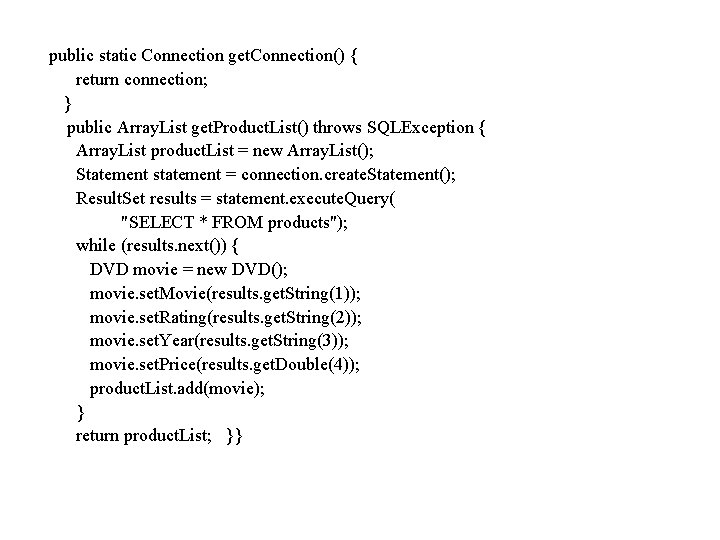
public static Connection get. Connection() { return connection; } public Array. List get. Product. List() throws SQLException { Array. List product. List = new Array. List(); Statement statement = connection. create. Statement(); Result. Set results = statement. execute. Query( "SELECT * FROM products"); while (results. next()) { DVD movie = new DVD(); movie. set. Movie(results. get. String(1)); movie. set. Rating(results. get. String(2)); movie. set. Year(results. get. String(3)); movie. set. Price(results. get. Double(4)); product. List. add(movie); } return product. List; }}
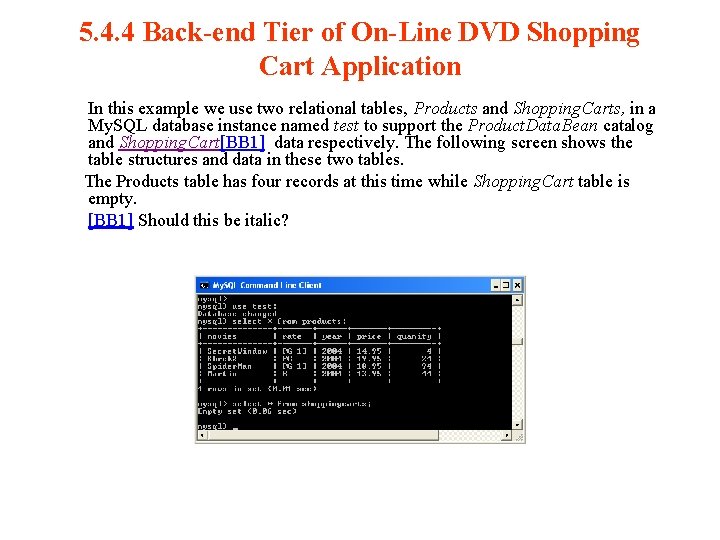
5. 4. 4 Back-end Tier of On-Line DVD Shopping Cart Application In this example we use two relational tables, Products and Shopping. Carts, in a My. SQL database instance named test to support the Product. Data. Bean catalog and Shopping. Cart[BB 1] data respectively. The following screen shows the table structures and data in these two tables. The Products table has four records at this time while Shopping. Cart table is empty. [BB 1] Should this be italic?
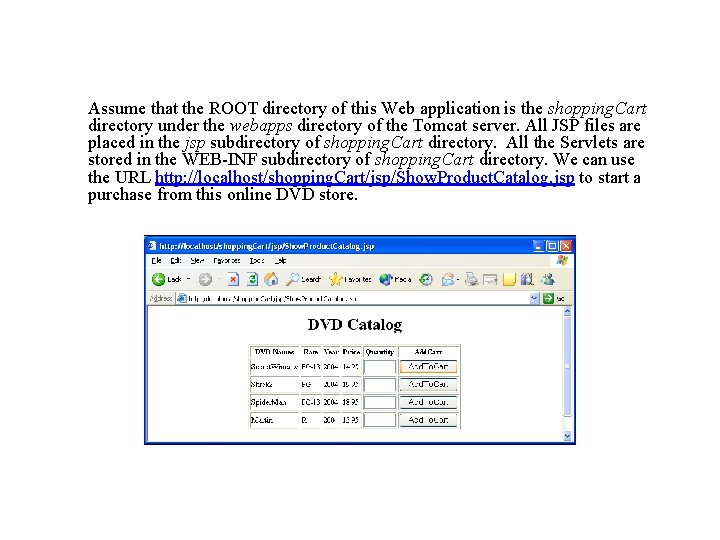
Assume that the ROOT directory of this Web application is the shopping. Cart directory under the webapps directory of the Tomcat server. All JSP files are placed in the jsp subdirectory of shopping. Cart directory. All the Servlets are stored in the WEB-INF subdirectory of shopping. Cart directory. We can use the URL http: //localhost/shopping. Cart/jsp/Show. Product. Catalog. jsp to start a purchase from this online DVD store.
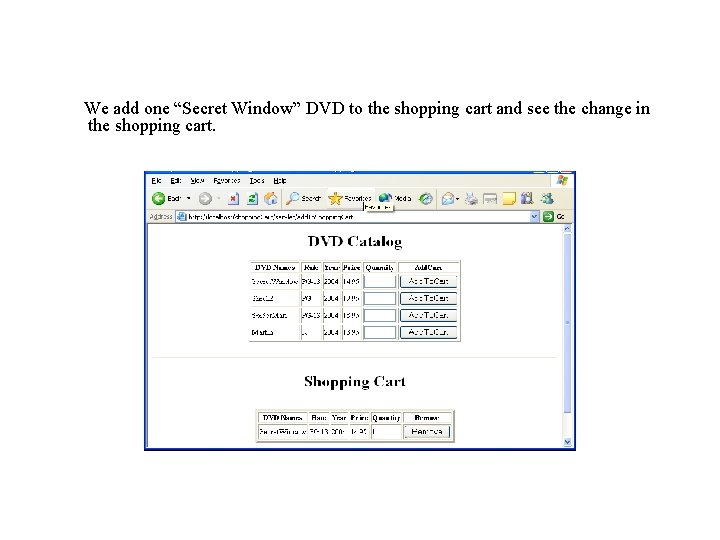
We add one “Secret Window” DVD to the shopping cart and see the change in the shopping cart.
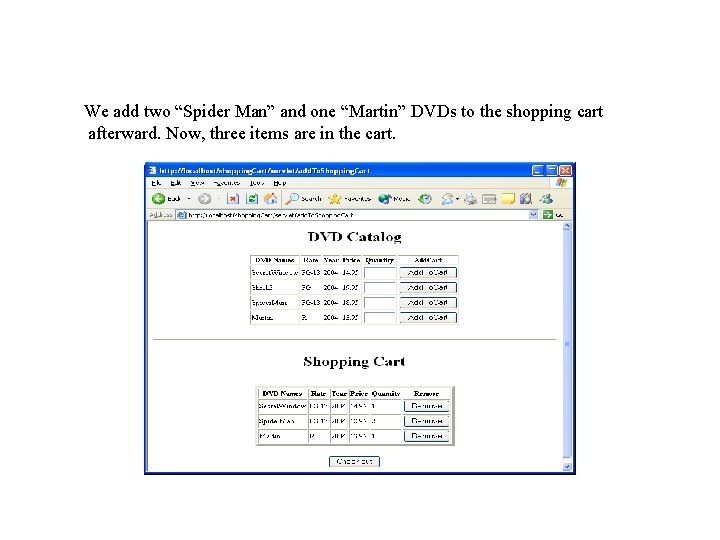
We add two “Spider Man” and one “Martin” DVDs to the shopping cart afterward. Now, three items are in the cart.
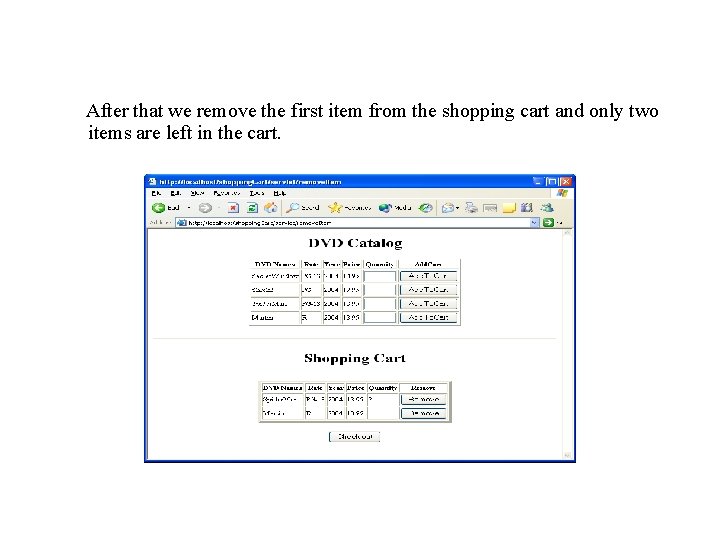
After that we remove the first item from the shopping cart and only two items are left in the cart.
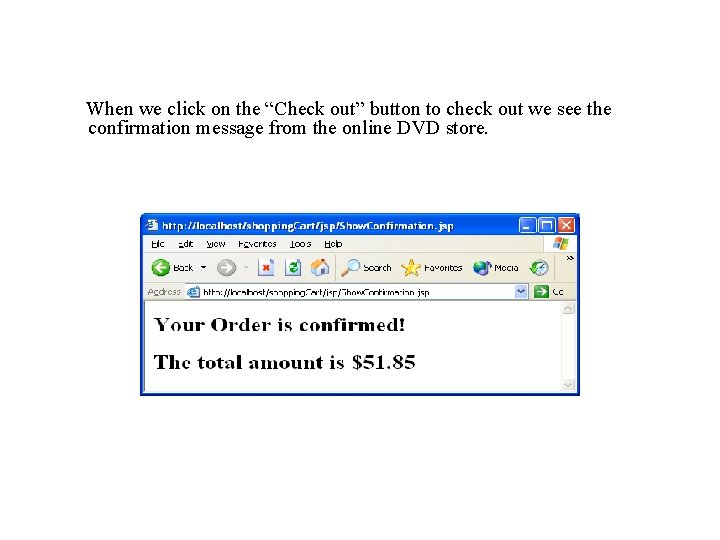
When we click on the “Check out” button to check out we see the confirmation message from the online DVD store.
- Slides: 91