
Chapter 5 Arrays Chapter 5 Arrays Java Programming
![Chapter 5: Arrays Creating Arrays • An array declaration contains [ and ] symbols](https://slidetodoc.com/presentation_image/733ece4df0183625a4dbe789656ee9b8/image-4.jpg "Chapter 5: Arrays Creating Arrays • An array declaration contains [ and ] symbols")
- Slides: 93
Chapter 5: Arrays Chapter 5 Arrays Java Programming FROM THE BEGINNING 1 Copyright © 2000 W. W. Norton & Company. All rights reserved.
Chapter 5: Arrays 5. 1 Creating and Using Arrays • A collection of data items stored under a single name is known as a data structure. • An object is one kind of data structure, because it can store multiple data items in its instance variables. • Another data structure in Java is the array. Java Programming FROM THE BEGINNING 2 Copyright © 2000 W. W. Norton & Company. All rights reserved.
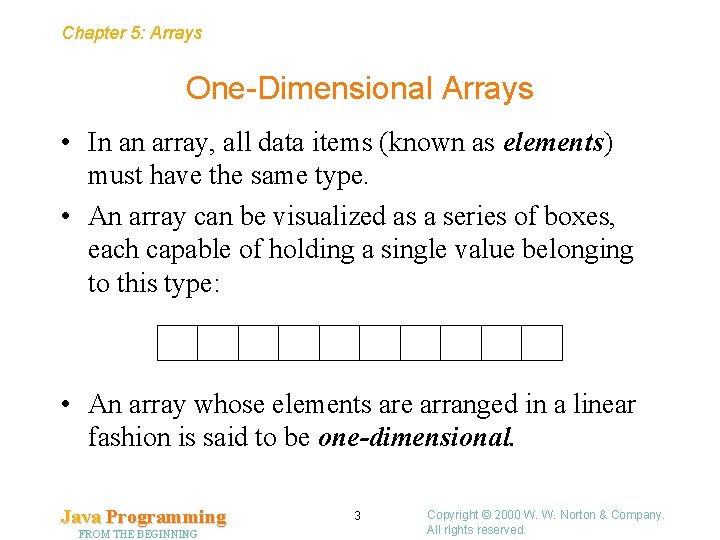
Chapter 5: Arrays One-Dimensional Arrays • In an array, all data items (known as elements) must have the same type. • An array can be visualized as a series of boxes, each capable of holding a single value belonging to this type: • An array whose elements are arranged in a linear fashion is said to be one-dimensional. Java Programming FROM THE BEGINNING 3 Copyright © 2000 W. W. Norton & Company. All rights reserved.
Chapter 5: Arrays Creating Arrays • An array declaration contains [ and ] symbols (“square brackets”): int[] a; • The elements of an array can be of any type. In particular, array elements can be objects: String[] b; Java Programming FROM THE BEGINNING 4 Copyright © 2000 W. W. Norton & Company. All rights reserved.
Chapter 5: Arrays Creating Arrays • Declaring an array variable doesn’t cause Java to allocate any space for the array’s elements. • One way to allocate this space is to use the new keyword: a = new int[10]; • Be careful not to access the elements of an array before the array has been allocated. Doing so will cause a Null. Pointer. Exception to occur. Java Programming FROM THE BEGINNING 5 Copyright © 2000 W. W. Norton & Company. All rights reserved.
Chapter 5: Arrays Creating Arrays • It’s legal to allocate space for the elements of an array at the same time the array is declared: int[] a = new int[10]; • The value inside the square brackets can be any expression that evaluates to a single int value: int n = 10; int[] a = new int[n]; Java Programming FROM THE BEGINNING 6 Copyright © 2000 W. W. Norton & Company. All rights reserved.
Chapter 5: Arrays Creating Arrays • An array can be initialized at the time it’s declared: int[] a = {3, 0, 3, 4, 5}; • The word new isn’t used if an initializer is present. • When an array is created using new, the elements of the array are given default values: – Numbers are set to zero. – boolean elements are set to false. – Array and object elements are set to null. Java Programming FROM THE BEGINNING 7 Copyright © 2000 W. W. Norton & Company. All rights reserved.
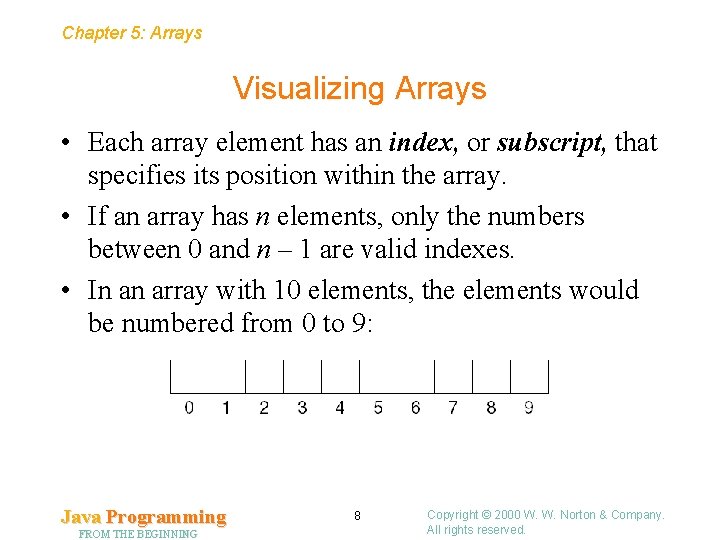
Chapter 5: Arrays Visualizing Arrays • Each array element has an index, or subscript, that specifies its position within the array. • If an array has n elements, only the numbers between 0 and n – 1 are valid indexes. • In an array with 10 elements, the elements would be numbered from 0 to 9: Java Programming FROM THE BEGINNING 8 Copyright © 2000 W. W. Norton & Company. All rights reserved.
Chapter 5: Arrays Array Subscripting • Subscripting is the act of selecting a particular element by its position in the array. • If a is an array, then a[i] represents the ith element in a. • An array subscript can be any expression, provided that it evaluates to an int value. • Examples of subscripting: a[0] a[i] a[2*i-1] Java Programming FROM THE BEGINNING 9 Copyright © 2000 W. W. Norton & Company. All rights reserved.
Chapter 5: Arrays Array Subscripting • Attempting to access a nonexistent array element causes an error named Array. Index. Out. Of. Bounds. Exception. • An array element behaves just like a variable of the element’s type: a[i] = 10; System. out. println(a[i]); Java Programming FROM THE BEGINNING 10 Copyright © 2000 W. W. Norton & Company. All rights reserved.
Chapter 5: Arrays Array Subscripting • If the elements of an array are objects, they can call instance methods. • For example, if the array b contains String objects, the call b[i]. length() would return the length of the string stored in b[i]. Java Programming FROM THE BEGINNING 11 Copyright © 2000 W. W. Norton & Company. All rights reserved.
Chapter 5: Arrays Processing the Elements in an Array • If it becomes necessary to visit all the elements in an array, a counting loop can be used: – The counter will be initialized to 0. – Each time through the loop, the counter will be incremented. – The loop will terminate when the counter reaches the number of elements in the array. • The number of elements in an array a is given by the expression a. length. Java Programming FROM THE BEGINNING 12 Copyright © 2000 W. W. Norton & Company. All rights reserved.
Chapter 5: Arrays Processing the Elements in an Array • A loop that adds up the elements in the array a, leaving the result in the sum variable: int sum = 0; int i = 0; while (i < a. length) { sum += a[i]; i++; } Java Programming FROM THE BEGINNING 13 Copyright © 2000 W. W. Norton & Company. All rights reserved.
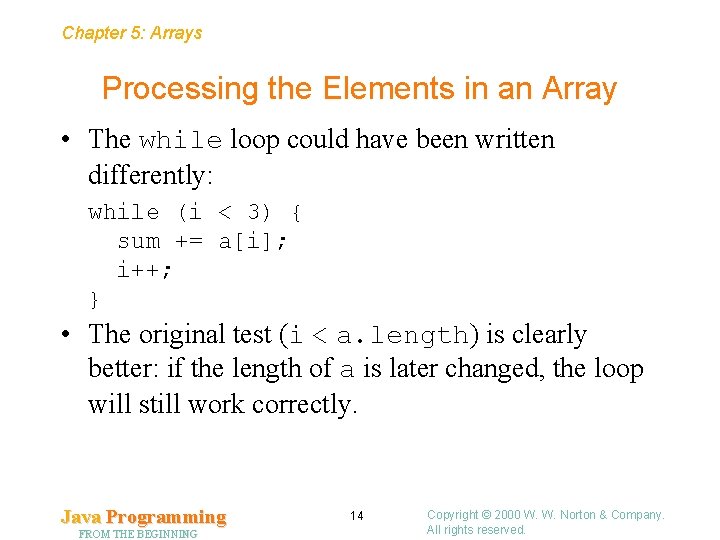
Chapter 5: Arrays Processing the Elements in an Array • The while loop could have been written differently: while (i < 3) { sum += a[i]; i++; } • The original test (i < a. length) is clearly better: if the length of a is later changed, the loop will still work correctly. Java Programming FROM THE BEGINNING 14 Copyright © 2000 W. W. Norton & Company. All rights reserved.
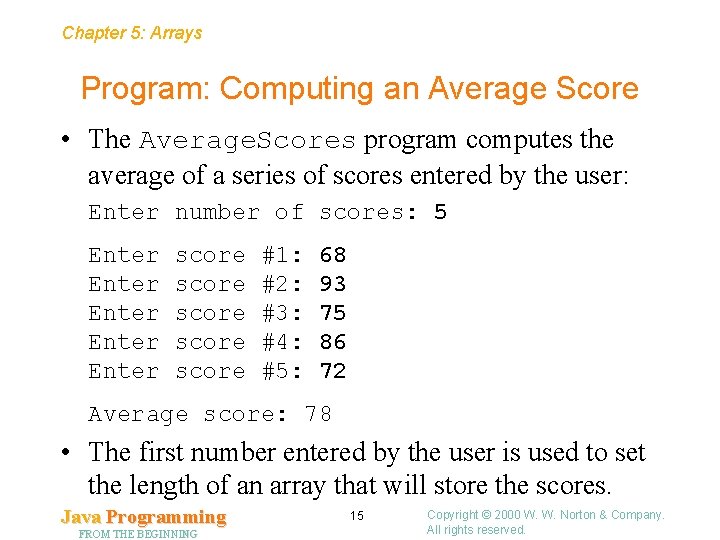
Chapter 5: Arrays Program: Computing an Average Score • The Average. Scores program computes the average of a series of scores entered by the user: Enter number of scores: 5 Enter Enter score score #1: #2: #3: #4: #5: 68 93 75 86 72 Average score: 78 • The first number entered by the user is used to set the length of an array that will store the scores. Java Programming FROM THE BEGINNING 15 Copyright © 2000 W. W. Norton & Company. All rights reserved.
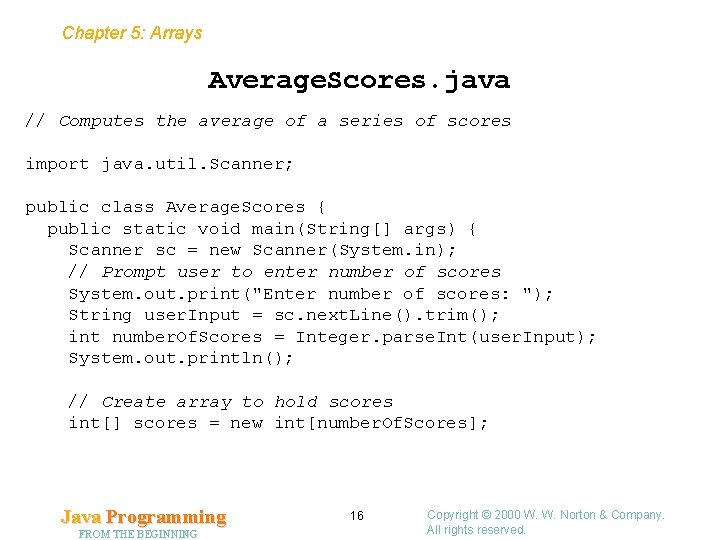
Chapter 5: Arrays Average. Scores. java // Computes the average of a series of scores import java. util. Scanner; public class Average. Scores { public static void main(String[] args) { Scanner sc = new Scanner(System. in); // Prompt user to enter number of scores System. out. print("Enter number of scores: "); String user. Input = sc. next. Line(). trim(); int number. Of. Scores = Integer. parse. Int(user. Input); System. out. println(); // Create array to hold scores int[] scores = new int[number. Of. Scores]; Java Programming FROM THE BEGINNING 16 Copyright © 2000 W. W. Norton & Company. All rights reserved.
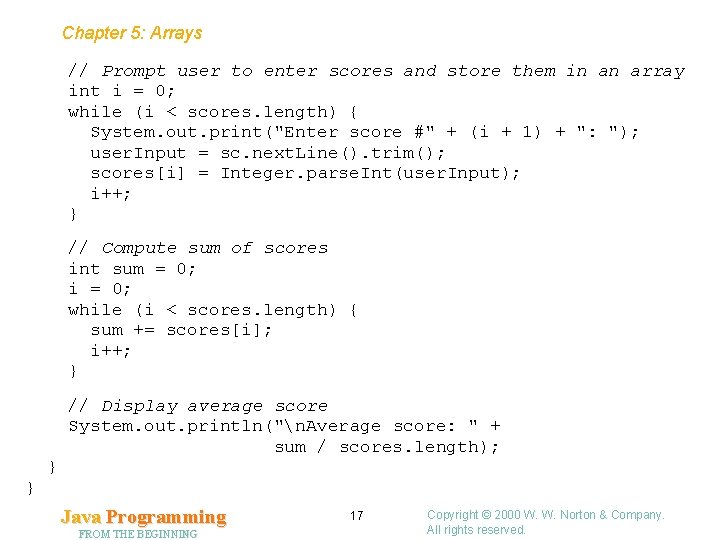
Chapter 5: Arrays // Prompt user to enter scores and store them in an array int i = 0; while (i < scores. length) { System. out. print("Enter score #" + (i + 1) + ": "); user. Input = sc. next. Line(). trim(); scores[i] = Integer. parse. Int(user. Input); i++; } // Compute sum of scores int sum = 0; i = 0; while (i < scores. length) { sum += scores[i]; i++; } // Display average score System. out. println("n. Average score: " + sum / scores. length); } } Java Programming FROM THE BEGINNING 17 Copyright © 2000 W. W. Norton & Company. All rights reserved.
Chapter 5: Arrays 5. 2 The for Statement • The Average. Scores program contains two loops with the same general form: i = 0; while (i < scores. length) { … i++; } • Because this kind of loop is so common, Java provides a better way to write it: for (i = 0; i < scores. length; i++) { … } Java Programming FROM THE BEGINNING 18 Copyright © 2000 W. W. Norton & Company. All rights reserved.
Chapter 5: Arrays General Form of the for Statement • Form of the for statement: for ( initialization ; test ; update ) statement • Initialization is an initialization step that’s performed once, before the loop begins to execute. • Test controls loop termination (the loop continues executing as long as test is true). • Update is an operation to be performed at the end of each loop iteration. Java Programming FROM THE BEGINNING 19 Copyright © 2000 W. W. Norton & Company. All rights reserved.
Chapter 5: Arrays for Statements Versus while Statements • Except in a couple of cases, a for loop of the form for ( initialization ; test ; update ) statement is equivalent to the following while loop: initialization ; while ( test ) { statement update ; } Java Programming FROM THE BEGINNING 20 Copyright © 2000 W. W. Norton & Company. All rights reserved.
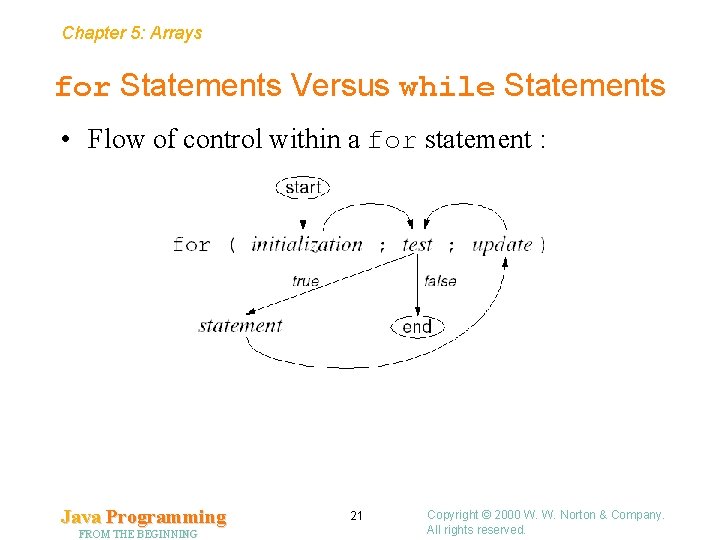
Chapter 5: Arrays for Statements Versus while Statements • Flow of control within a for statement : Java Programming FROM THE BEGINNING 21 Copyright © 2000 W. W. Norton & Company. All rights reserved.
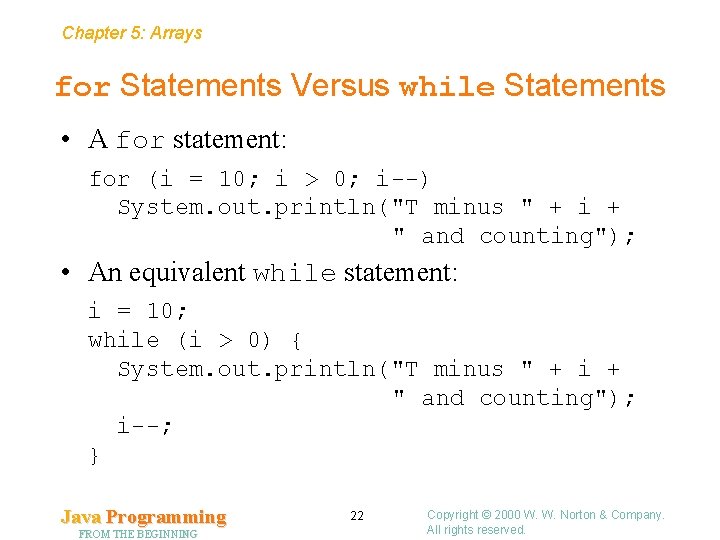
Chapter 5: Arrays for Statements Versus while Statements • A for statement: for (i = 10; i > 0; i--) System. out. println("T minus " + i + " and counting"); • An equivalent while statement: i = 10; while (i > 0) { System. out. println("T minus " + i + " and counting"); i--; } Java Programming FROM THE BEGINNING 22 Copyright © 2000 W. W. Norton & Company. All rights reserved.
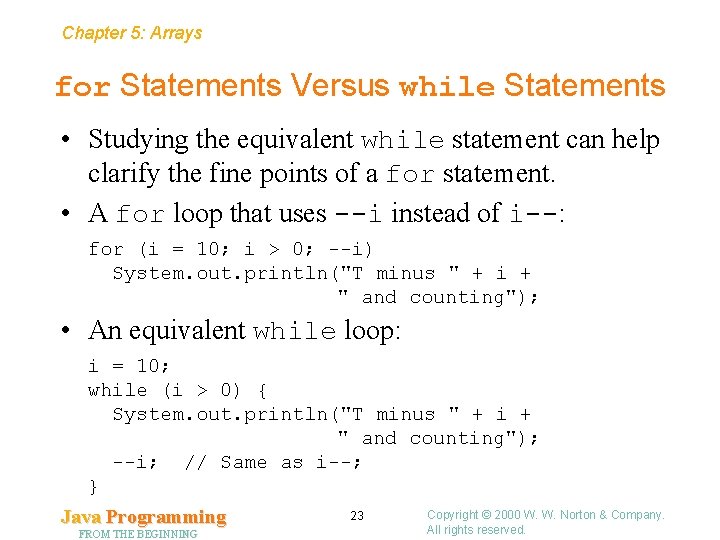
Chapter 5: Arrays for Statements Versus while Statements • Studying the equivalent while statement can help clarify the fine points of a for statement. • A for loop that uses --i instead of i--: for (i = 10; i > 0; --i) System. out. println("T minus " + i + " and counting"); • An equivalent while loop: i = 10; while (i > 0) { System. out. println("T minus " + i + " and counting"); --i; // Same as i--; } Java Programming FROM THE BEGINNING 23 Copyright © 2000 W. W. Norton & Company. All rights reserved.
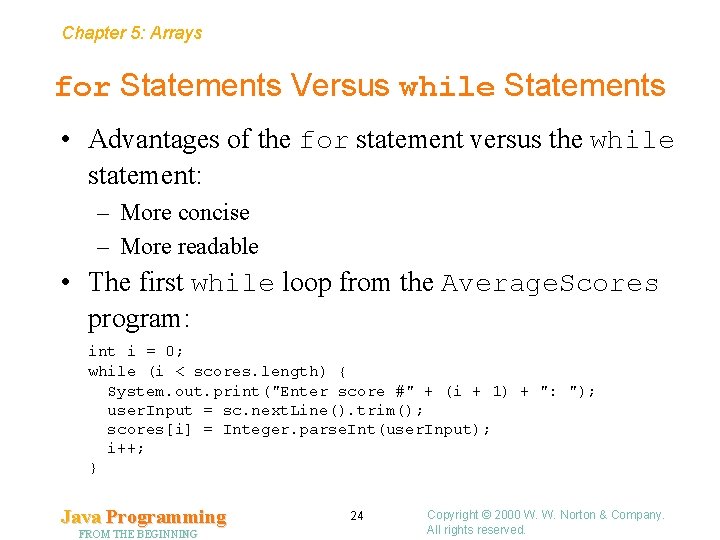
Chapter 5: Arrays for Statements Versus while Statements • Advantages of the for statement versus the while statement: – More concise – More readable • The first while loop from the Average. Scores program: int i = 0; while (i < scores. length) { System. out. print("Enter score #" + (i + 1) + ": "); user. Input = sc. next. Line(). trim(); scores[i] = Integer. parse. Int(user. Input); i++; } Java Programming FROM THE BEGINNING 24 Copyright © 2000 W. W. Norton & Company. All rights reserved.
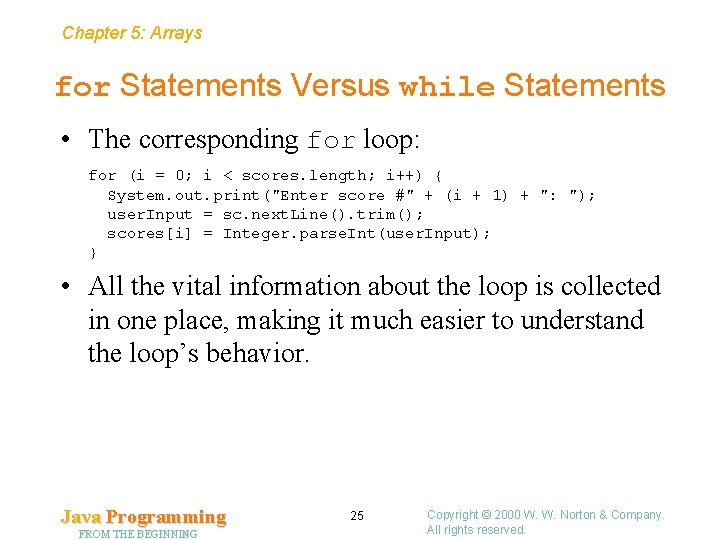
Chapter 5: Arrays for Statements Versus while Statements • The corresponding for loop: for (i = 0; i < scores. length; i++) { System. out. print("Enter score #" + (i + 1) + ": "); user. Input = sc. next. Line(). trim(); scores[i] = Integer. parse. Int(user. Input); } • All the vital information about the loop is collected in one place, making it much easier to understand the loop’s behavior. Java Programming FROM THE BEGINNING 25 Copyright © 2000 W. W. Norton & Company. All rights reserved.
Chapter 5: Arrays for Statement Idioms • for statements are often written in certain characteristic ways, known as idioms. • Experienced programmers tend to use the same idiom every time. Java Programming FROM THE BEGINNING 26 Copyright © 2000 W. W. Norton & Company. All rights reserved.
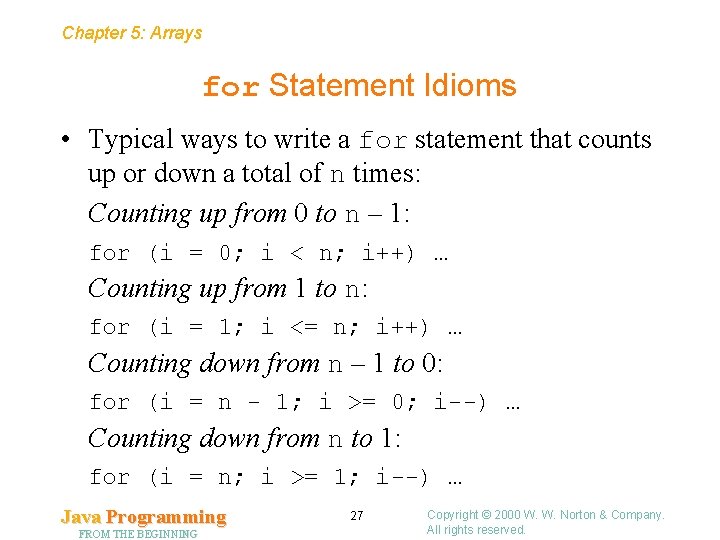
Chapter 5: Arrays for Statement Idioms • Typical ways to write a for statement that counts up or down a total of n times: Counting up from 0 to n – 1: for (i = 0; i < n; i++) … Counting up from 1 to n: for (i = 1; i <= n; i++) … Counting down from n – 1 to 0: for (i = n - 1; i >= 0; i--) … Counting down from n to 1: for (i = n; i >= 1; i--) … Java Programming FROM THE BEGINNING 27 Copyright © 2000 W. W. Norton & Company. All rights reserved.
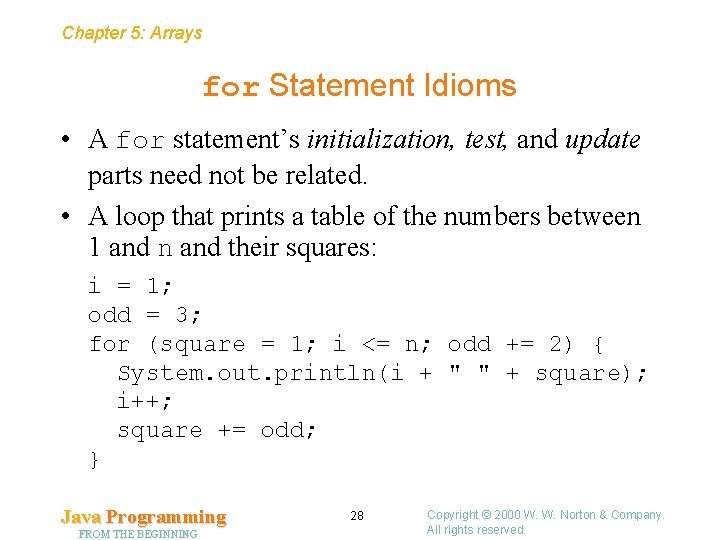
Chapter 5: Arrays for Statement Idioms • A for statement’s initialization, test, and update parts need not be related. • A loop that prints a table of the numbers between 1 and n and their squares: i = 1; odd = 3; for (square = 1; i <= n; odd += 2) { System. out. println(i + " " + square); i++; square += odd; } Java Programming FROM THE BEGINNING 28 Copyright © 2000 W. W. Norton & Company. All rights reserved.
Chapter 5: Arrays Omitting Expressions in a for Statement • The three parts that control a for loop are optional—any or all can be omitted. • If initialization is omitted, no initialization is performed before the loop is executed: i = 10; for (; i > 0; i--) System. out. println("T minus " + i + " and counting"); Java Programming FROM THE BEGINNING 29 Copyright © 2000 W. W. Norton & Company. All rights reserved.
Chapter 5: Arrays Omitting Expressions in a for Statement • If the update part of a for statement is missing, the loop body is responsible for ensuring that the value of test eventually becomes false: for (i = 10; i > 0; ) System. out. println("T minus " + i-- + " and counting"); Java Programming FROM THE BEGINNING 30 Copyright © 2000 W. W. Norton & Company. All rights reserved.
Chapter 5: Arrays Omitting Expressions in a for Statement • When both initialization and update are omitted, the loop is just a while statement in disguise. • For example, the loop for (; i > 0; ) System. out. println("T minus " + i-- + " and counting"); is the same as while (i > 0) System. out. println("T minus " + i-- + " and counting"); • The while version is preferable. Java Programming FROM THE BEGINNING 31 Copyright © 2000 W. W. Norton & Company. All rights reserved.
Chapter 5: Arrays Omitting Expressions in a for Statement • If the test part is missing, it defaults to true, so the for statement doesn’t terminate (unless stopped in some other fashion). • For example, some programmers use the following for statement to establish an infinite loop: for (; ; ) … • The break statement can be used to cause the loop to terminate. Java Programming FROM THE BEGINNING 32 Copyright © 2000 W. W. Norton & Company. All rights reserved.
Chapter 5: Arrays Declaring Control Variables • For convenience, the initialization part of a for statement may declare a variable: for (int i = 0; i < n; i++) … • A variable declared in this way can’t be accessed outside the loop. (The variable isn’t visible outside the loop. ) • It’s illegal for the enclosing method to declare a variable with the same name, but it is legal for two for statements to declare the same variable. Java Programming FROM THE BEGINNING 33 Copyright © 2000 W. W. Norton & Company. All rights reserved.
Chapter 5: Arrays Commas in for Statements • In a for statement, both initialization and update are allowed to contain commas: for (i = 0, j = 0; i < n; i++, j += i) … • Any number of expressions are allowed within initialization and update, provided that each can stand alone as a statement. • When expressions are joined using commas, the expressions are evaluated from left to right. • Using commas in a for statement is useful primarily when a loop has two or more counters. Java Programming FROM THE BEGINNING 34 Copyright © 2000 W. W. Norton & Company. All rights reserved.
Chapter 5: Arrays Program: Computing an Average Score (Revisited) Average. Scores 2. java // Computes the average of a series of scores import java. util. Scanner; public class Average. Scores 2 { public static void main(String[] args) { Scanner sc = new Scanner(System. in); // Prompt user to enter number of scores System. out. print("Enter number of scores: "); String user. Input = sc. next. Line(). trim(); int number. Of. Scores = Integer. parse. Int(user. Input); System. out. println(); // Create array to hold scores int[] scores = new int[number. Of. Scores]; Java Programming FROM THE BEGINNING 35 Copyright © 2000 W. W. Norton & Company. All rights reserved.
Chapter 5: Arrays // Prompt user to enter scores and store them in an array for (int i = 0; i < scores. length; i++) { System. out. print("Enter score #" + (i + 1) + ": "); user. Input = sc. next. Line(). trim(); scores[i] = Integer. parse. Int(user. Input); } // Compute sum of scores int sum = 0; for (int i = 0; i < scores. length; i++) sum += scores[i]; // Display average score System. out. println("n. Average score: " + sum / scores. length); } } Java Programming FROM THE BEGINNING 36 Copyright © 2000 W. W. Norton & Company. All rights reserved.
Chapter 5: Arrays 5. 3 Accessing Array Elements Sequentially • Many array loops involve sequential access, in which elements are accessed in sequence, from first to last. Java Programming FROM THE BEGINNING 37 Copyright © 2000 W. W. Norton & Company. All rights reserved.
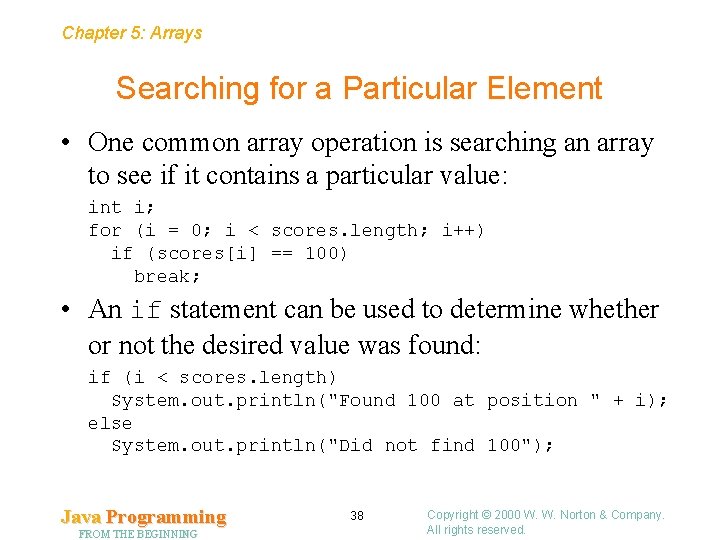
Chapter 5: Arrays Searching for a Particular Element • One common array operation is searching an array to see if it contains a particular value: int i; for (i = 0; i < scores. length; i++) if (scores[i] == 100) break; • An if statement can be used to determine whether or not the desired value was found: if (i < scores. length) System. out. println("Found 100 at position " + i); else System. out. println("Did not find 100"); Java Programming FROM THE BEGINNING 38 Copyright © 2000 W. W. Norton & Company. All rights reserved.
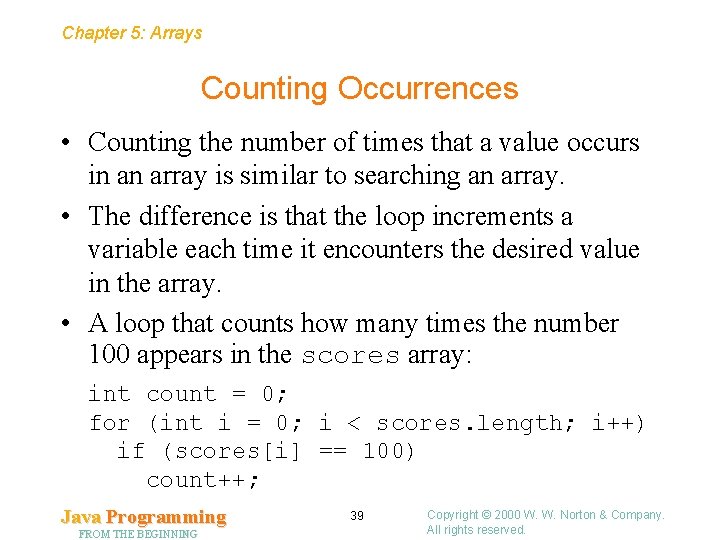
Chapter 5: Arrays Counting Occurrences • Counting the number of times that a value occurs in an array is similar to searching an array. • The difference is that the loop increments a variable each time it encounters the desired value in the array. • A loop that counts how many times the number 100 appears in the scores array: int count = 0; for (int i = 0; i < scores. length; i++) if (scores[i] == 100) count++; Java Programming FROM THE BEGINNING 39 Copyright © 2000 W. W. Norton & Company. All rights reserved.
Chapter 5: Arrays Finding the Largest and Smallest Elements • Finding the largest (or smallest element) in an array is another common operation. • The strategy is to visit each element in the array, using a variable named largest to keep track of the largest element seen so far. • As each element is visited, it’s compared with the value stored in largest. If the element is larger than largest, then it’s copied into largest. Java Programming FROM THE BEGINNING 40 Copyright © 2000 W. W. Norton & Company. All rights reserved.
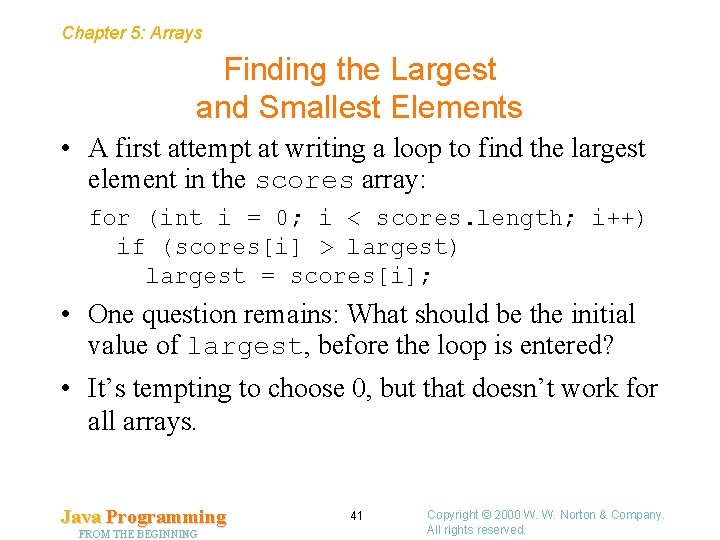
Chapter 5: Arrays Finding the Largest and Smallest Elements • A first attempt at writing a loop to find the largest element in the scores array: for (int i = 0; i < scores. length; i++) if (scores[i] > largest) largest = scores[i]; • One question remains: What should be the initial value of largest, before the loop is entered? • It’s tempting to choose 0, but that doesn’t work for all arrays. Java Programming FROM THE BEGINNING 41 Copyright © 2000 W. W. Norton & Company. All rights reserved.
Chapter 5: Arrays Finding the Largest and Smallest Elements • The best initial value for largest is one of the elements in the array —typically the one at position 0. • The finished loop: int largest = scores[0]; for (int i = 1; i < scores. length; i++) if (scores[i] > largest) largest = scores[i]; Notice that the loop now initializes i to 1 rather than 0. Java Programming FROM THE BEGINNING 42 Copyright © 2000 W. W. Norton & Company. All rights reserved.
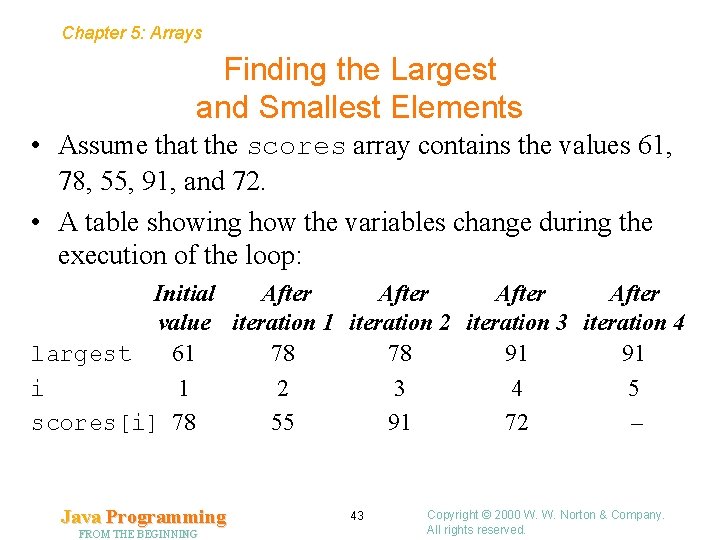
Chapter 5: Arrays Finding the Largest and Smallest Elements • Assume that the scores array contains the values 61, 78, 55, 91, and 72. • A table showing how the variables change during the execution of the loop: Initial After value iteration 1 iteration 2 iteration 3 iteration 4 largest 61 78 78 91 91 i 1 2 3 4 5 scores[i] 78 55 91 72 – Java Programming FROM THE BEGINNING 43 Copyright © 2000 W. W. Norton & Company. All rights reserved.
Chapter 5: Arrays Finding the Largest and Smallest Elements • The technique for finding the smallest element in an array is similar: int smallest = scores[0]; for (int i = 1; i < scores. length; i++) if (scores[i] < smallest) smallest = scores[i]; Java Programming FROM THE BEGINNING 44 Copyright © 2000 W. W. Norton & Company. All rights reserved.
Chapter 5: Arrays 5. 4 Accessing Array Elements Randomly • One of the biggest advantages of arrays is that a program can access their elements in any order. • This capability is often called random access. Java Programming FROM THE BEGINNING 45 Copyright © 2000 W. W. Norton & Company. All rights reserved.
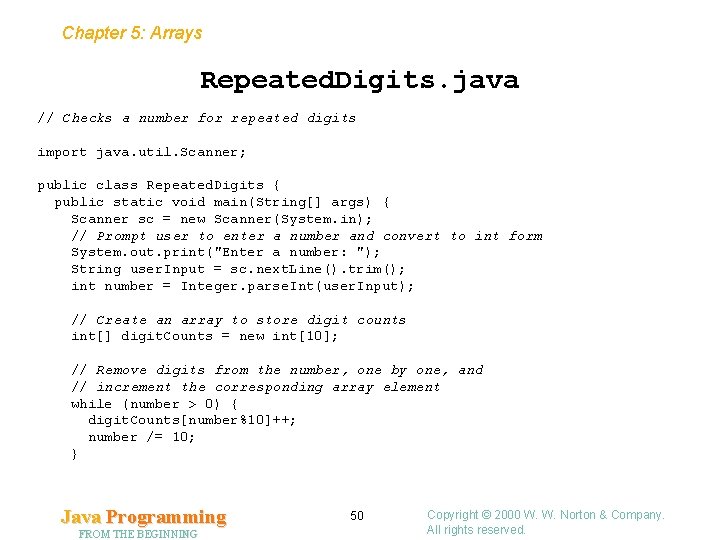
Chapter 5: Arrays Program: Finding Repeated Digits in a Number • The Repeated. Digits program will determine which digits in a number appear more than once: Enter a number: 392522459 Repeated digits: 2 5 9 The digits will be displayed in increasing order, from smallest to largest. • If the user enters a number such as 361, the program will display the message No repeated digits. Java Programming FROM THE BEGINNING 46 Copyright © 2000 W. W. Norton & Company. All rights reserved.
Chapter 5: Arrays Storing Digits • Repeated. Digits will use an array of int values to keep track of how many times each digit appears in the user’s number. • The array, named digit. Counts, will be indexed from 0 to 9 to correspond to the 10 possible digits. • Initially, every element of the array will have the value 0. • The user’s input will be converted into an integer and stored in a variable named number. Java Programming FROM THE BEGINNING 47 Copyright © 2000 W. W. Norton & Company. All rights reserved.
Chapter 5: Arrays Design of the Repeated. Digits Program • The program will examine number’s digits one at a time, incrementing one of the elements of digit. Counts each time, using the statement digit. Counts[number%10]++; • After each increment, the program will remove the last digit of number by dividing it by 10. • When number reaches zero, the digit. Counts array will contain counts indicating how many times each digit appeared in the original number. Java Programming FROM THE BEGINNING 48 Copyright © 2000 W. W. Norton & Company. All rights reserved.
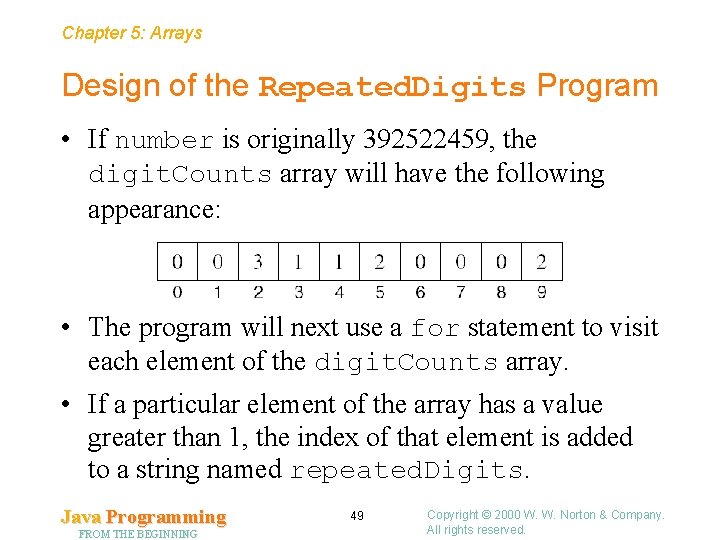
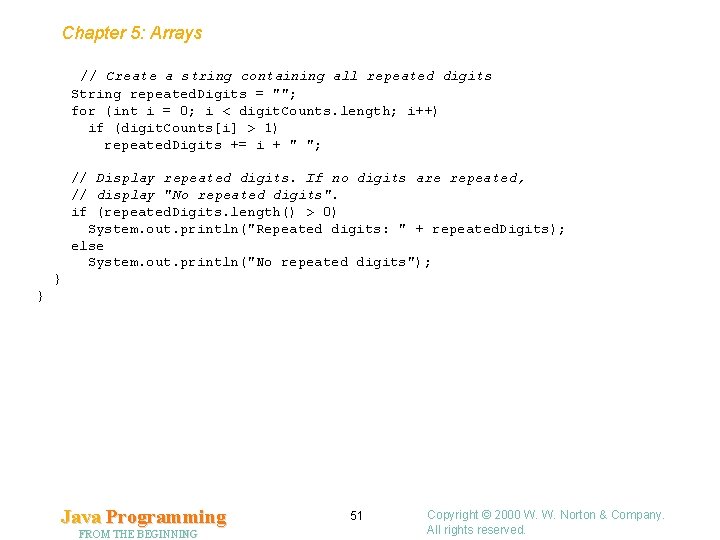
Chapter 5: Arrays Design of the Repeated. Digits Program • If number is originally 392522459, the digit. Counts array will have the following appearance: • The program will next use a for statement to visit each element of the digit. Counts array. • If a particular element of the array has a value greater than 1, the index of that element is added to a string named repeated. Digits. Java Programming FROM THE BEGINNING 49 Copyright © 2000 W. W. Norton & Company. All rights reserved.
Chapter 5: Arrays Repeated. Digits. java // Checks a number for repeated digits import java. util. Scanner; public class Repeated. Digits { public static void main(String[] args) { Scanner sc = new Scanner(System. in); // Prompt user to enter a number and convert to int form System. out. print("Enter a number: "); String user. Input = sc. next. Line(). trim(); int number = Integer. parse. Int(user. Input); // Create an array to store digit counts int[] digit. Counts = new int[10]; // Remove digits from the number, one by one, and // increment the corresponding array element while (number > 0) { digit. Counts[number%10]++; number /= 10; } Java Programming FROM THE BEGINNING 50 Copyright © 2000 W. W. Norton & Company. All rights reserved.
Chapter 5: Arrays // Create a string containing all repeated digits String repeated. Digits = ""; for (int i = 0; i < digit. Counts. length; i++) if (digit. Counts[i] > 1) repeated. Digits += i + " "; // Display repeated digits. If no digits are repeated, // display "No repeated digits". if (repeated. Digits. length() > 0) System. out. println("Repeated digits: " + repeated. Digits); else System. out. println("No repeated digits"); } } Java Programming FROM THE BEGINNING 51 Copyright © 2000 W. W. Norton & Company. All rights reserved.
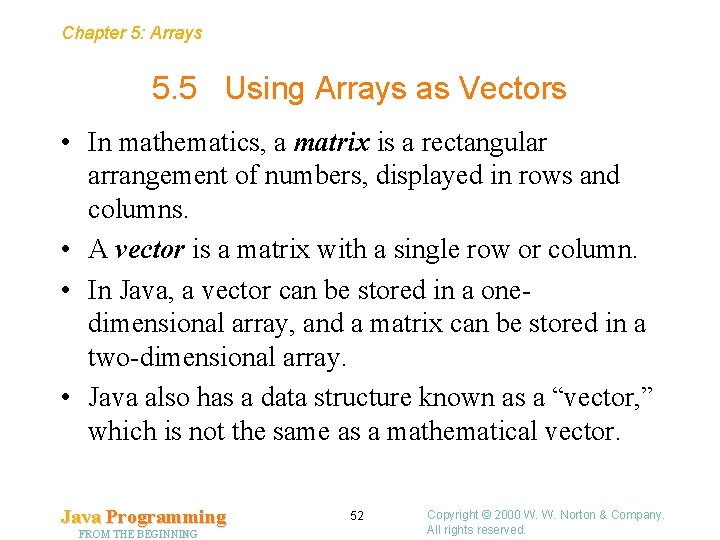
Chapter 5: Arrays 5. 5 Using Arrays as Vectors • In mathematics, a matrix is a rectangular arrangement of numbers, displayed in rows and columns. • A vector is a matrix with a single row or column. • In Java, a vector can be stored in a onedimensional array, and a matrix can be stored in a two-dimensional array. • Java also has a data structure known as a “vector, ” which is not the same as a mathematical vector. Java Programming FROM THE BEGINNING 52 Copyright © 2000 W. W. Norton & Company. All rights reserved.
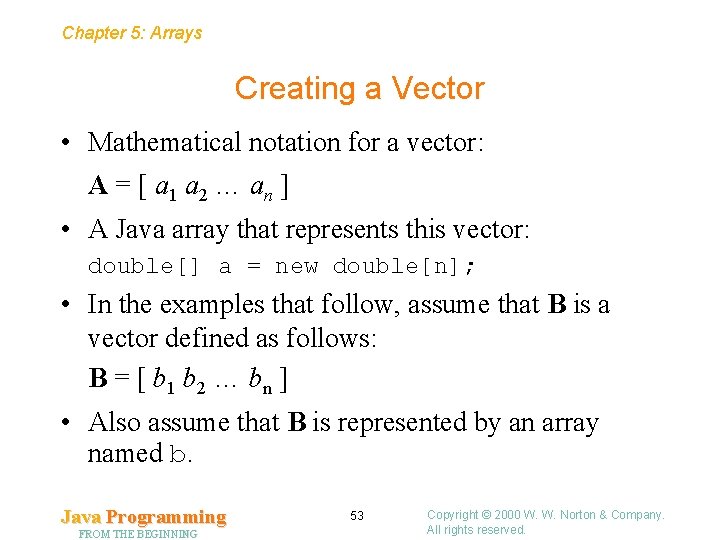
Chapter 5: Arrays Creating a Vector • Mathematical notation for a vector: A = [ a 1 a 2 … an ] • A Java array that represents this vector: double[] a = new double[n]; • In the examples that follow, assume that B is a vector defined as follows: B = [ b 1 b 2 … bn ] • Also assume that B is represented by an array named b. Java Programming FROM THE BEGINNING 53 Copyright © 2000 W. W. Norton & Company. All rights reserved.
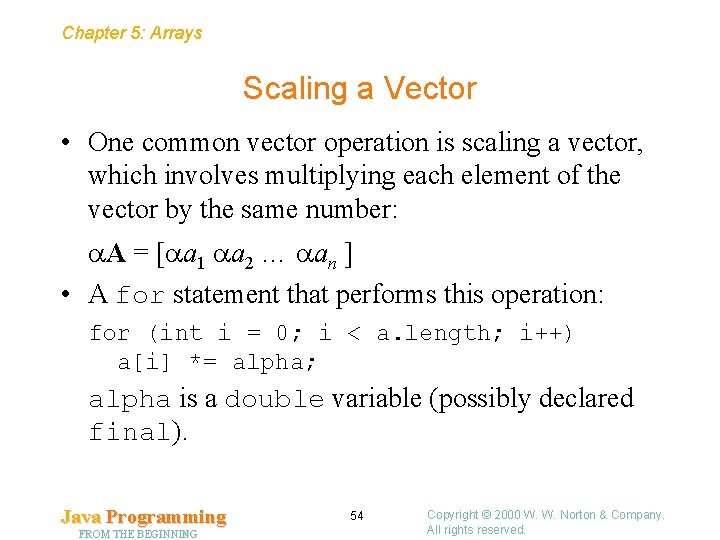
Chapter 5: Arrays Scaling a Vector • One common vector operation is scaling a vector, which involves multiplying each element of the vector by the same number: A = [ a 1 a 2 … an ] • A for statement that performs this operation: for (int i = 0; i < a. length; i++) a[i] *= alpha; alpha is a double variable (possibly declared final). Java Programming FROM THE BEGINNING 54 Copyright © 2000 W. W. Norton & Company. All rights reserved.
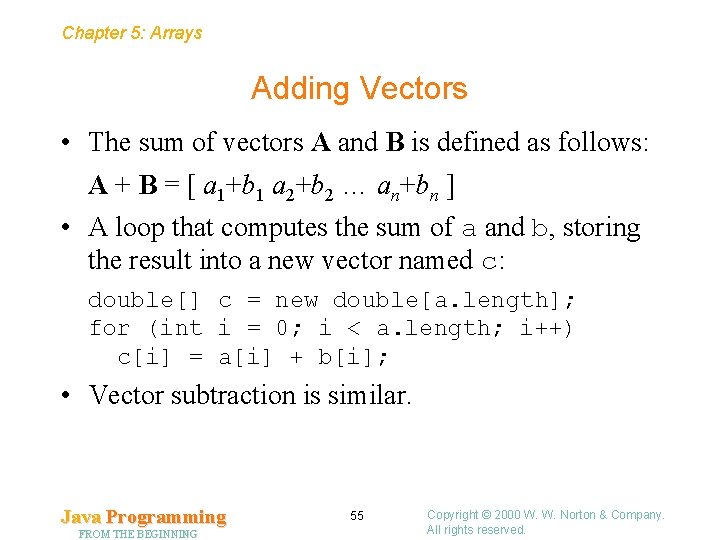
Chapter 5: Arrays Adding Vectors • The sum of vectors A and B is defined as follows: A + B = [ a 1+b 1 a 2+b 2 … an+bn ] • A loop that computes the sum of a and b, storing the result into a new vector named c: double[] c = new double[a. length]; for (int i = 0; i < a. length; i++) c[i] = a[i] + b[i]; • Vector subtraction is similar. Java Programming FROM THE BEGINNING 55 Copyright © 2000 W. W. Norton & Company. All rights reserved.
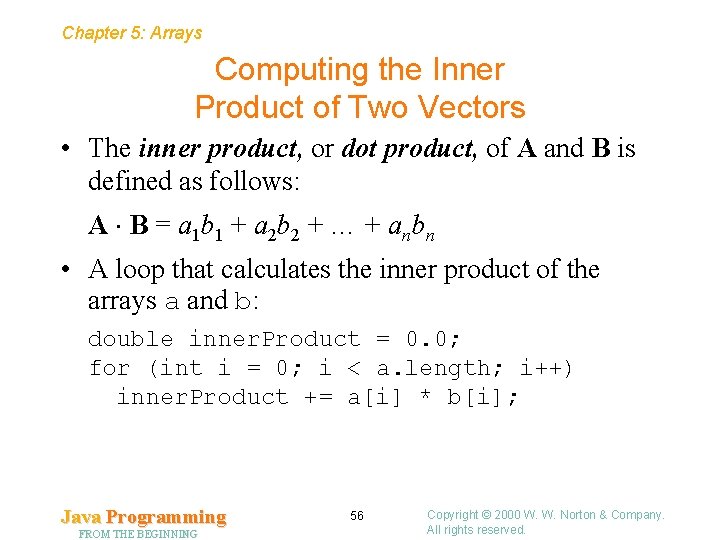
Chapter 5: Arrays Computing the Inner Product of Two Vectors • The inner product, or dot product, of A and B is defined as follows: A B = a 1 b 1 + a 2 b 2 + … + anbn • A loop that calculates the inner product of the arrays a and b: double inner. Product = 0. 0; for (int i = 0; i < a. length; i++) inner. Product += a[i] * b[i]; Java Programming FROM THE BEGINNING 56 Copyright © 2000 W. W. Norton & Company. All rights reserved.
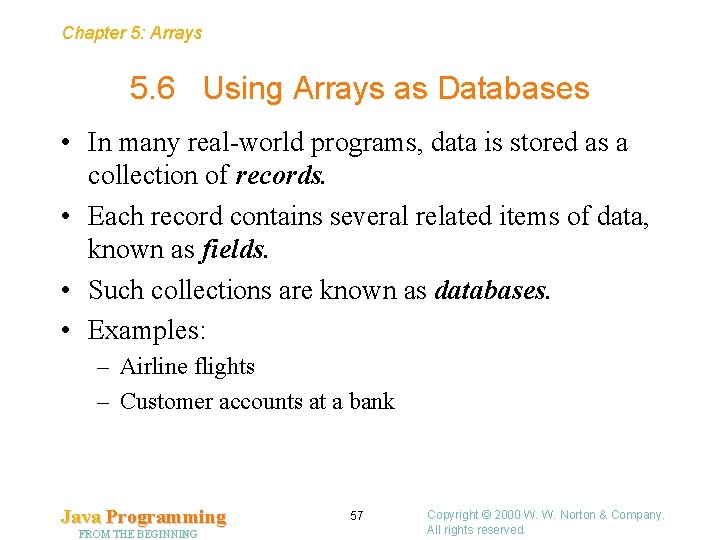
Chapter 5: Arrays 5. 6 Using Arrays as Databases • In many real-world programs, data is stored as a collection of records. • Each record contains several related items of data, known as fields. • Such collections are known as databases. • Examples: – Airline flights – Customer accounts at a bank Java Programming FROM THE BEGINNING 57 Copyright © 2000 W. W. Norton & Company. All rights reserved.
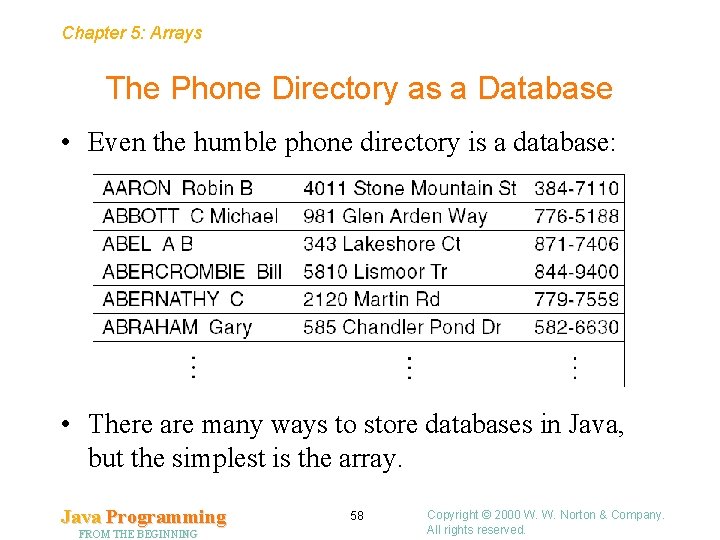
Chapter 5: Arrays The Phone Directory as a Database • Even the humble phone directory is a database: • There are many ways to store databases in Java, but the simplest is the array. Java Programming FROM THE BEGINNING 58 Copyright © 2000 W. W. Norton & Company. All rights reserved.
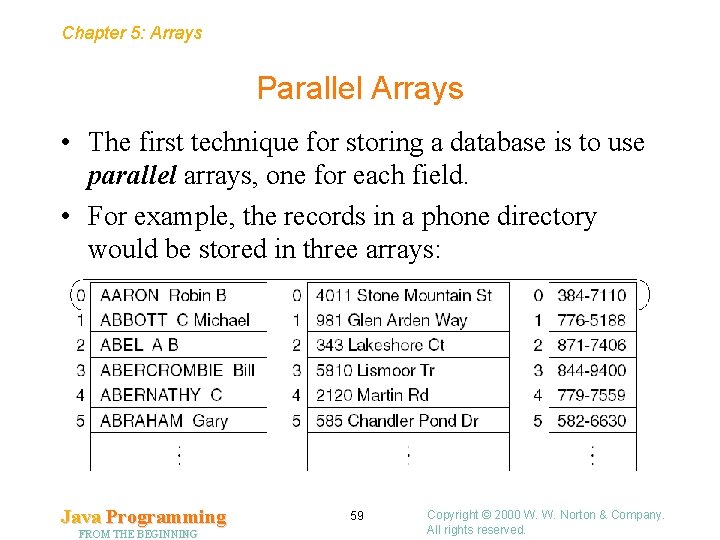
Chapter 5: Arrays Parallel Arrays • The first technique for storing a database is to use parallel arrays, one for each field. • For example, the records in a phone directory would be stored in three arrays: Java Programming FROM THE BEGINNING 59 Copyright © 2000 W. W. Norton & Company. All rights reserved.
Chapter 5: Arrays Parallel Arrays • Parallel arrays can be used to store a collection of points, where a point consists of an x coordinate and a y coordinate: int[] x. Coordinates = new int[100]; int[] y. Coordinates = new int[100]; • The values of x. Coordinates[i] and y. Coordinates[i] represent a single point. Java Programming FROM THE BEGINNING 60 Copyright © 2000 W. W. Norton & Company. All rights reserved.
Chapter 5: Arrays Parallel Arrays • Parallel arrays can be useful. However, they suffer from two problems: – It’s better to deal with one data structure rather than several. – Maintenance is more difficult. Changing the length of one parallel array requires changing the lengths of the others as well. Java Programming FROM THE BEGINNING 61 Copyright © 2000 W. W. Norton & Company. All rights reserved.
Chapter 5: Arrays of Objects • The alternative to parallel arrays is to treat each record as an object, then store those objects in an array. • A Phone. Record object could store a name, address, and phone number. • A Point object could contain instance variables named x and y. (The Java API has such a class. ) • An array of Point objects: Point[] points = new Point[100]; Java Programming FROM THE BEGINNING 62 Copyright © 2000 W. W. Norton & Company. All rights reserved.
Chapter 5: Arrays Creating a Database • Consider the problem of keeping track of the accounts in a bank, where each account has an account number (a String object) and a balance (a double value). • One way to store the database would be to use two parallel arrays: String[] account. Numbers = new String[100]; double[] account. Balances = new double[100]; • A third variable would keep track of how many accounts are currently stored in the database: int num. Accounts = 0; Java Programming FROM THE BEGINNING 63 Copyright © 2000 W. W. Norton & Company. All rights reserved.
Chapter 5: Arrays Creating a Database • Statements that add a new account to the database: account. Numbers[num. Accounts] = new. Account. Number; account. Balances[num. Accounts] = new. Balance; num. Accounts++; • num. Accounts serves two roles. It keeps track of the number of accounts, but it also indicates the next available “empty” position in the two arrays. Java Programming FROM THE BEGINNING 64 Copyright © 2000 W. W. Norton & Company. All rights reserved.
Chapter 5: Arrays Creating a Database • Another way to store the bank database would be to use a single array whose elements are Bank. Account objects. • The Bank. Account class will have two instance variables (the account number and the balance). • Bank. Account constructors and methods: public Bank. Account(String account. Number, double initial. Balance) public void deposit(double amount) public void withdraw(double amount) public String get. Number() public double get. Balance() Java Programming FROM THE BEGINNING 65 Copyright © 2000 W. W. Norton & Company. All rights reserved.
Chapter 5: Arrays Creating a Database • Bank. Account objects will be stored in the accounts array: Bank. Account[] accounts = new Bank. Account[100]; • num. Accounts will track the number of accounts currently stored in the array. • Fundamental operations on a database: – – Adding a new record Deleting a record Locating a record Modifying a record Java Programming FROM THE BEGINNING 66 Copyright © 2000 W. W. Norton & Company. All rights reserved.
Chapter 5: Arrays Adding a Record to a Database • Adding a record to a database is done by creating a new object and storing it in the array at the next available position: accounts[num. Accounts] = new Bank. Account(number, balance); num. Accounts++; • The two statements can be combined: accounts[num. Accounts++] = new Bank. Account(number, balance); • In some cases, the records in a database will need to be stored in a particular order. Java Programming FROM THE BEGINNING 67 Copyright © 2000 W. W. Norton & Company. All rights reserved.
Chapter 5: Arrays Removing a Record from a Database • When a record is removed from a database, it leaves a “hole”—an element that doesn’t contain a record. • The hole can be filled by moving the last record there and decrementing num. Accounts: accounts[i] = accounts[num. Accounts-1]; num. Accounts--; • These statements can be combined: accounts[i] = accounts[--num. Accounts]; • This technique works even when the database contains only one record. Java Programming FROM THE BEGINNING 68 Copyright © 2000 W. W. Norton & Company. All rights reserved.
Chapter 5: Arrays Searching a Database • Searching a database usually involves looking for a record that matches a certain “key” value. • Statements that search the accounts array for a record containing a particular account number: int i; for (i = 0; i < num. Accounts; i++) if (accounts[i]. get. Number(). equals(number)) break; • Once the loop has terminated, the next step is to test whether i is less than num. Accounts. If so, the value of i indicates the position of the record. Java Programming FROM THE BEGINNING 69 Copyright © 2000 W. W. Norton & Company. All rights reserved.
Chapter 5: Arrays Modifying a Record in a Database • A record can be updated by calling a method that changes the object’s state. • A statement that deposits money into the account located at position i in the accounts array: accounts[i]. deposit(amount); • It’s sometimes more convenient to assign an array element to a variable, and then use the variable when performing the update: Bank. Account current. Account = accounts[i]; current. Account. deposit(amount); Java Programming FROM THE BEGINNING 70 Copyright © 2000 W. W. Norton & Company. All rights reserved.
Chapter 5: Arrays 5. 7 Arrays as Objects • Like objects, arrays are created using the new keyword. • Arrays really are objects, and array variables have the same properties as object variables. • An object variable doesn’t actually store an object. Instead, it stores a reference to an object. Array variables work the same way. Java Programming FROM THE BEGINNING 71 Copyright © 2000 W. W. Norton & Company. All rights reserved.
Chapter 5: Arrays Properties of Object Variables • Object variables have the following properties: – When an object variable is declared, it’s not necessary for the variable to refer to an object immediately. – The value of an object variable can be changed as often as desired. – Several object variables can refer to the same object. – When no variable refers to an object, it becomes eligible for garbage collection. – Assigning one object variable to another causes only a reference to be copied; no new object is created. – Testing whether two object variables are equal or not equal compares the references stored in the variables. Java Programming FROM THE BEGINNING 72 Copyright © 2000 W. W. Norton & Company. All rights reserved.
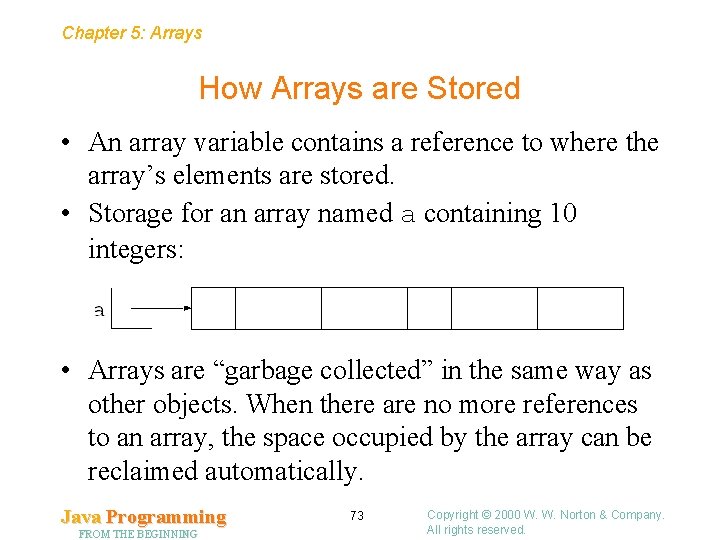
Chapter 5: Arrays How Arrays are Stored • An array variable contains a reference to where the array’s elements are stored. • Storage for an array named a containing 10 integers: • Arrays are “garbage collected” in the same way as other objects. When there are no more references to an array, the space occupied by the array can be reclaimed automatically. Java Programming FROM THE BEGINNING 73 Copyright © 2000 W. W. Norton & Company. All rights reserved.
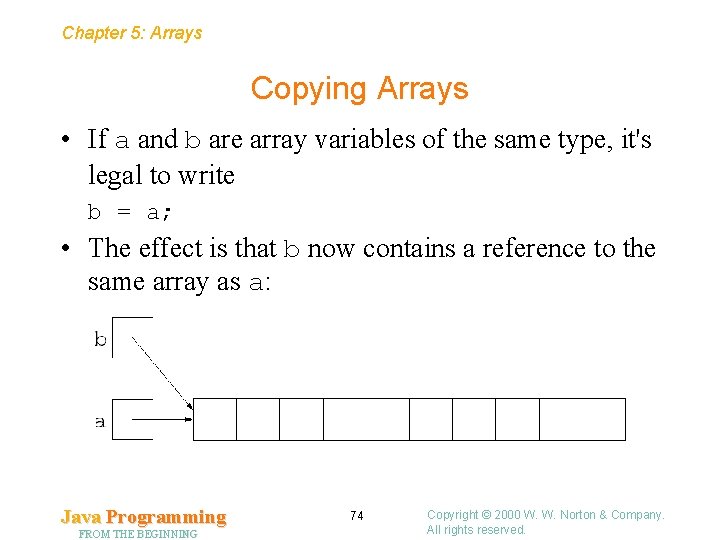
Chapter 5: Arrays Copying Arrays • If a and b are array variables of the same type, it's legal to write b = a; • The effect is that b now contains a reference to the same array as a: Java Programming FROM THE BEGINNING 74 Copyright © 2000 W. W. Norton & Company. All rights reserved.
Chapter 5: Arrays Copying Arrays • The assignment operator doesn’t make a true copy of an array. To make a genuine copy, there are two strategies: – Create a new array of the same length as the old one and copy the elements from the old array to the new one. – Use the clone method. • Testing whether two array variables are equal (or not equal) is legal. However, this only checks whether the two variables refer to the same array. • Checking whether two arrays contain identical elements requires writing a loop. Java Programming FROM THE BEGINNING 75 Copyright © 2000 W. W. Norton & Company. All rights reserved.
Chapter 5: Arrays Resizing an Array • Although arrays have fixed sizes, it’s possible to resize an array if it becomes full. The trick is to create an entirely new array to replace the old one. • Resizing an array takes three steps: 1. Create a new array that’s larger than the old one. 2. Copy the elements of the old array into the new array. 3. Assign the new array to the old array variable. Java Programming FROM THE BEGINNING 76 Copyright © 2000 W. W. Norton & Company. All rights reserved.
Chapter 5: Arrays Resizing an Array • Code that doubles the size of the accounts array: Bank. Account[] temp. Array = new Bank. Account[accounts. length*2]; for (int i = 0; i < accounts. length; i++) temp. Array[i] = accounts[i]; accounts = temp. Array; • For additional speed, Java provides a method named System. arraycopy that can be used to copy elements from one array to another. Java Programming FROM THE BEGINNING 77 Copyright © 2000 W. W. Norton & Company. All rights reserved.
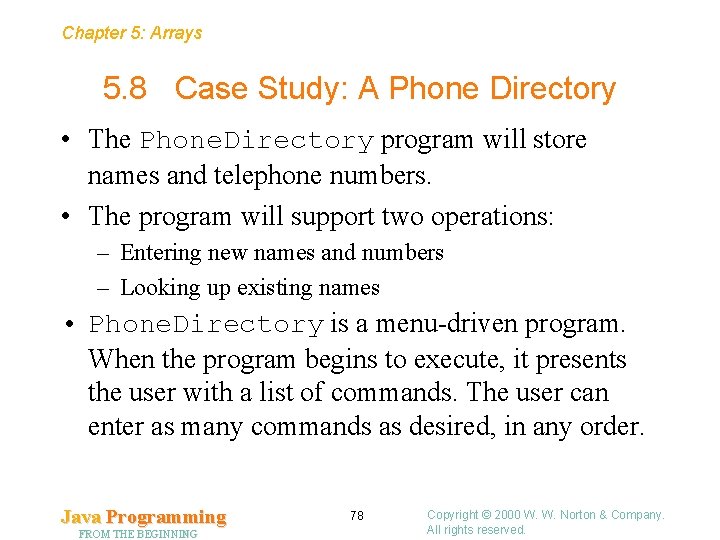
Chapter 5: Arrays 5. 8 Case Study: A Phone Directory • The Phone. Directory program will store names and telephone numbers. • The program will support two operations: – Entering new names and numbers – Looking up existing names • Phone. Directory is a menu-driven program. When the program begins to execute, it presents the user with a list of commands. The user can enter as many commands as desired, in any order. Java Programming FROM THE BEGINNING 78 Copyright © 2000 W. W. Norton & Company. All rights reserved.
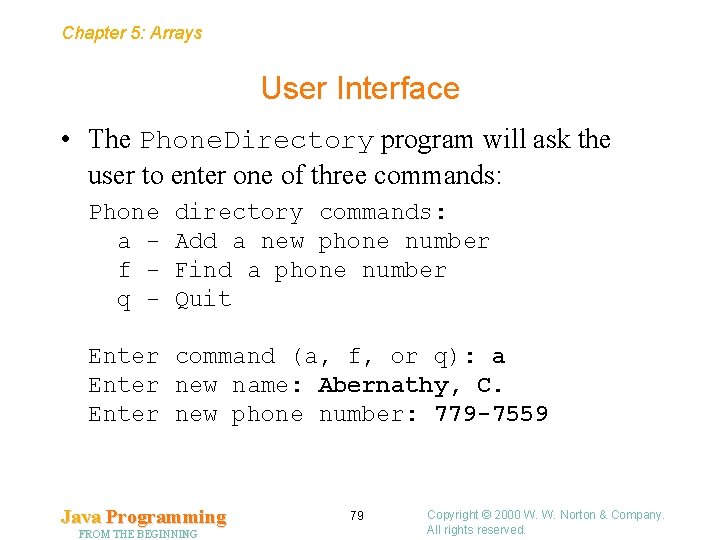
Chapter 5: Arrays User Interface • The Phone. Directory program will ask the user to enter one of three commands: Phone a f q - directory commands: Add a new phone number Find a phone number Quit Enter command (a, f, or q): a Enter new name: Abernathy, C. Enter new phone number: 779 -7559 Java Programming FROM THE BEGINNING 79 Copyright © 2000 W. W. Norton & Company. All rights reserved.
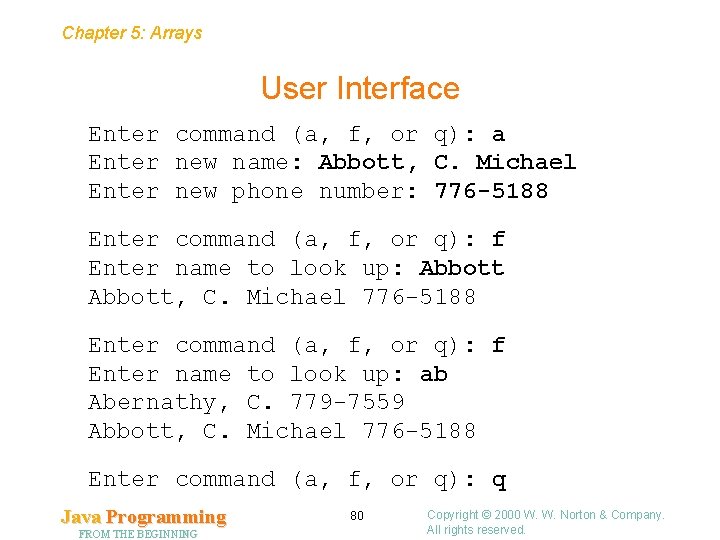
Chapter 5: Arrays User Interface Enter command (a, f, or q): a Enter new name: Abbott, C. Michael Enter new phone number: 776 -5188 Enter command (a, f, or q): f Enter name to look up: Abbott, C. Michael 776 -5188 Enter command (a, f, or q): f Enter name to look up: ab Abernathy, C. 779 -7559 Abbott, C. Michael 776 -5188 Enter command (a, f, or q): q Java Programming FROM THE BEGINNING 80 Copyright © 2000 W. W. Norton & Company. All rights reserved.
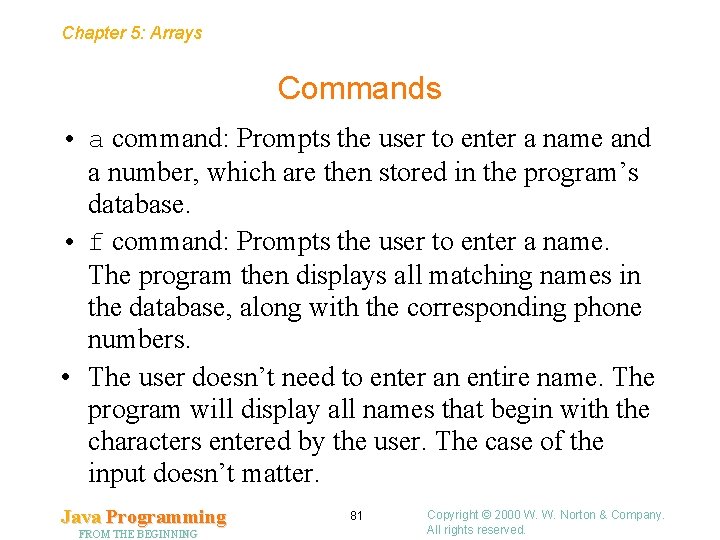
Chapter 5: Arrays Commands • a command: Prompts the user to enter a name and a number, which are then stored in the program’s database. • f command: Prompts the user to enter a name. The program then displays all matching names in the database, along with the corresponding phone numbers. • The user doesn’t need to enter an entire name. The program will display all names that begin with the characters entered by the user. The case of the input doesn’t matter. Java Programming FROM THE BEGINNING 81 Copyright © 2000 W. W. Norton & Company. All rights reserved.
Chapter 5: Arrays Design of the Phone. Directory Program • Overall design for the program: 1. Display a list of commands. 2. Read and execute commands. • A pseudocode version of step 2: while (true) { Prompt user to enter command; Execute command; } • When the user enters the “quit” command, the loop will terminate by executing a break statement or a return statement. Java Programming FROM THE BEGINNING 82 Copyright © 2000 W. W. Norton & Company. All rights reserved.
Chapter 5: Arrays Design of the Phone. Directory Program • The body of the while loop will need to test whether the command is a, f, q, or something else. • A good way to implement a series of related tests is to use a cascaded if statement. Java Programming FROM THE BEGINNING 83 Copyright © 2000 W. W. Norton & Company. All rights reserved.
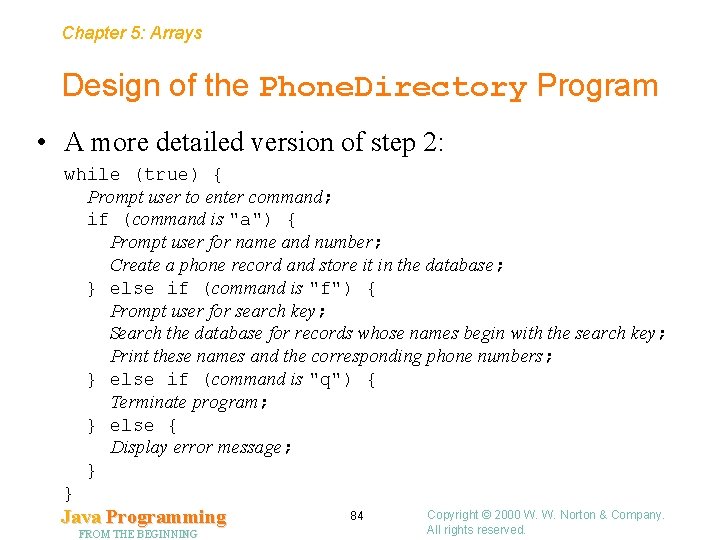
Chapter 5: Arrays Design of the Phone. Directory Program • A more detailed version of step 2: while (true) { Prompt user to enter command; if (command is "a") { Prompt user for name and number; Create a phone record and store it in the database; } else if (command is "f") { Prompt user for search key; Search the database for records whose names begin with the search key; Print these names and the corresponding phone numbers; } else if (command is "q") { Terminate program; } else { Display error message; } } Java Programming FROM THE BEGINNING 84 Copyright © 2000 W. W. Norton & Company. All rights reserved.
Chapter 5: Arrays Design of the Phone. Directory Program • Each name and phone number will be stored in a Phone. Record object. The database will be an array of Phone. Record objects. • The Phone. Record class will need a constructor to initialize the name and number instance variables. • It will also need a couple of getters, get. Name and get. Number, which return the values of the instance variables. Java Programming FROM THE BEGINNING 85 Copyright © 2000 W. W. Norton & Company. All rights reserved.
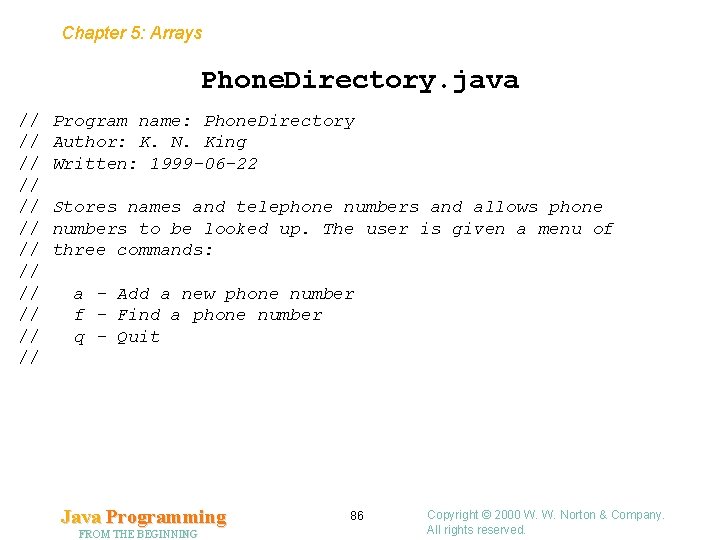
Chapter 5: Arrays Phone. Directory. java // // // Program name: Phone. Directory Author: K. N. King Written: 1999 -06 -22 Stores names and telephone numbers and allows phone numbers to be looked up. The user is given a menu of three commands: a - Add a new phone number f - Find a phone number q - Quit Java Programming FROM THE BEGINNING 86 Copyright © 2000 W. W. Norton & Company. All rights reserved.
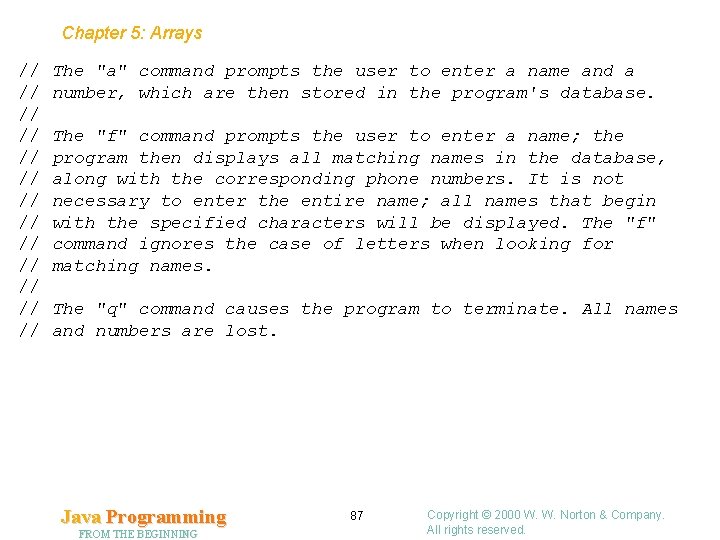
Chapter 5: Arrays // // // // The "a" command prompts the user to enter a name and a number, which are then stored in the program's database. The "f" command prompts the user to enter a name; the program then displays all matching names in the database, along with the corresponding phone numbers. It is not necessary to enter the entire name; all names that begin with the specified characters will be displayed. The "f" command ignores the case of letters when looking for matching names. The "q" command causes the program to terminate. All names and numbers are lost. Java Programming FROM THE BEGINNING 87 Copyright © 2000 W. W. Norton & Company. All rights reserved.
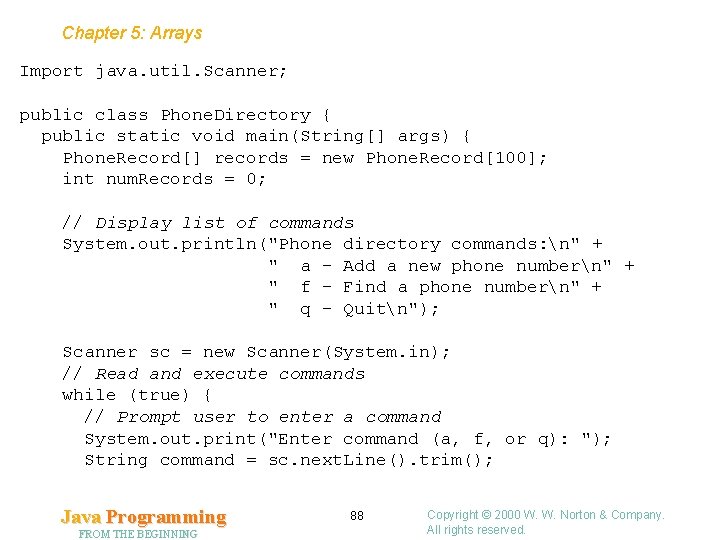
Chapter 5: Arrays Import java. util. Scanner; public class Phone. Directory { public static void main(String[] args) { Phone. Record[] records = new Phone. Record[100]; int num. Records = 0; // Display list of commands System. out. println("Phone directory commands: n" + " a - Add a new phone numbern" + " f - Find a phone numbern" + " q - Quitn"); Scanner sc = new Scanner(System. in); // Read and execute commands while (true) { // Prompt user to enter a command System. out. print("Enter command (a, f, or q): "); String command = sc. next. Line(). trim(); Java Programming FROM THE BEGINNING 88 Copyright © 2000 W. W. Norton & Company. All rights reserved.
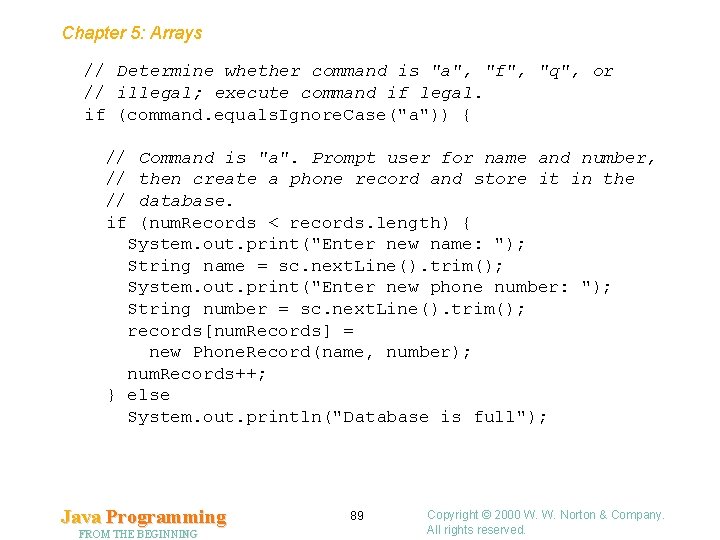
Chapter 5: Arrays // Determine whether command is "a", "f", "q", or // illegal; execute command if legal. if (command. equals. Ignore. Case("a")) { // // // if Command is "a". Prompt user for name and number, then create a phone record and store it in the database. (num. Records < records. length) { System. out. print("Enter new name: "); String name = sc. next. Line(). trim(); System. out. print("Enter new phone number: "); String number = sc. next. Line(). trim(); records[num. Records] = new Phone. Record(name, number); num. Records++; } else System. out. println("Database is full"); Java Programming FROM THE BEGINNING 89 Copyright © 2000 W. W. Norton & Company. All rights reserved.
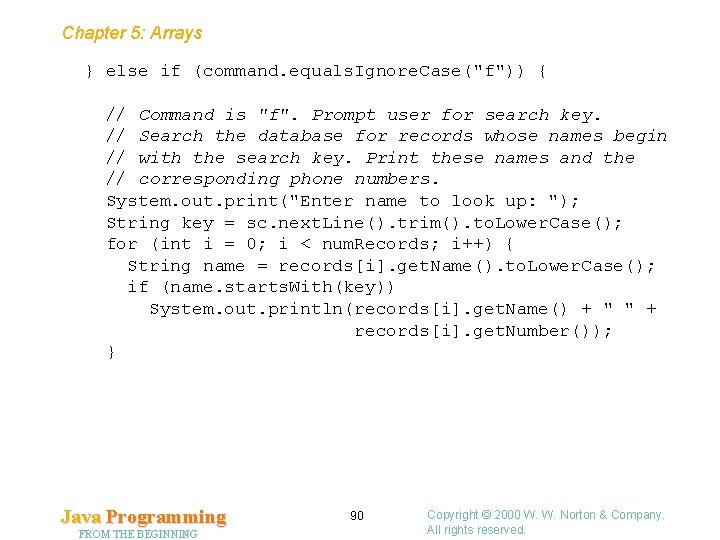
Chapter 5: Arrays } else if (command. equals. Ignore. Case("f")) { // Command is "f". Prompt user for search key. // Search the database for records whose names begin // with the search key. Print these names and the // corresponding phone numbers. System. out. print("Enter name to look up: "); String key = sc. next. Line(). trim(). to. Lower. Case(); for (int i = 0; i < num. Records; i++) { String name = records[i]. get. Name(). to. Lower. Case(); if (name. starts. With(key)) System. out. println(records[i]. get. Name() + " " + records[i]. get. Number()); } Java Programming FROM THE BEGINNING 90 Copyright © 2000 W. W. Norton & Company. All rights reserved.
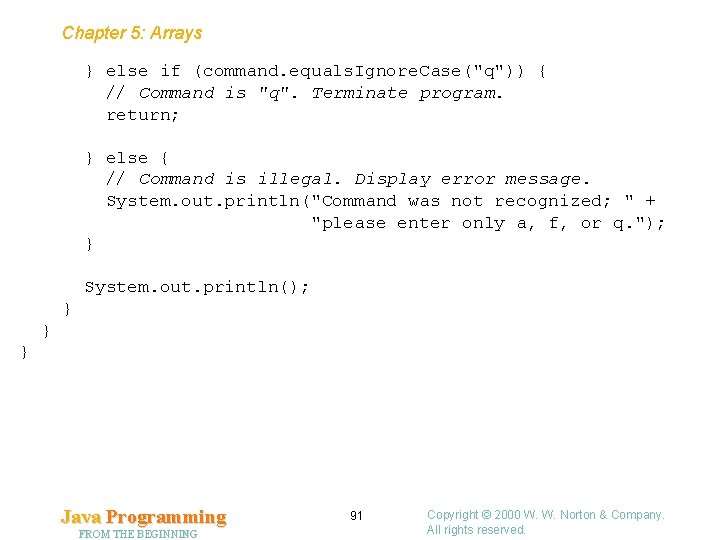
Chapter 5: Arrays } else if (command. equals. Ignore. Case("q")) { // Command is "q". Terminate program. return; } else { // Command is illegal. Display error message. System. out. println("Command was not recognized; " + "please enter only a, f, or q. "); } System. out. println(); } } } Java Programming FROM THE BEGINNING 91 Copyright © 2000 W. W. Norton & Company. All rights reserved.
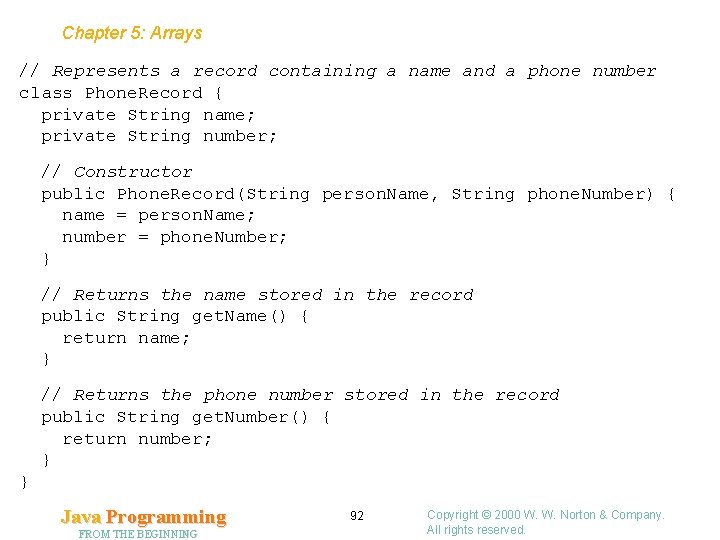
Chapter 5: Arrays // Represents a record containing a name and a phone number class Phone. Record { private String name; private String number; // Constructor public Phone. Record(String person. Name, String phone. Number) { name = person. Name; number = phone. Number; } // Returns the name stored in the record public String get. Name() { return name; } // Returns the phone number stored in the record public String get. Number() { return number; } } Java Programming FROM THE BEGINNING 92 Copyright © 2000 W. W. Norton & Company. All rights reserved.
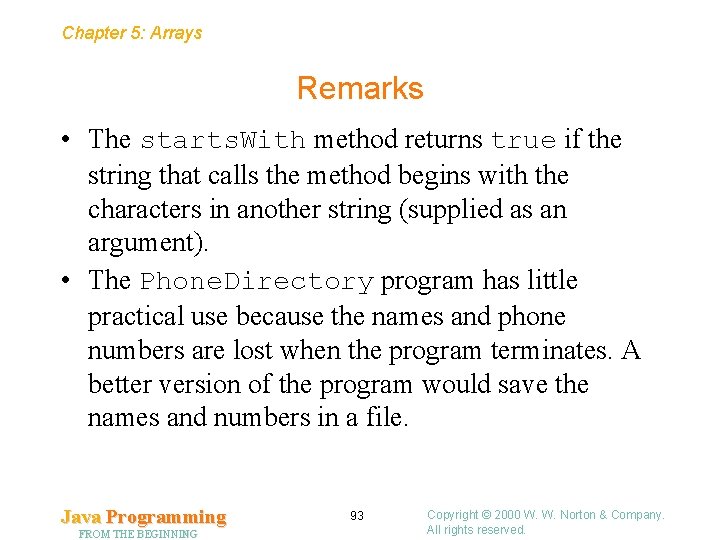
Chapter 5: Arrays Remarks • The starts. With method returns true if the string that calls the method begins with the characters in another string (supplied as an argument). • The Phone. Directory program has little practical use because the names and phone numbers are lost when the program terminates. A better version of the program would save the names and numbers in a file. Java Programming FROM THE BEGINNING 93 Copyright © 2000 W. W. Norton & Company. All rights reserved.