
Chapter 4 VLAN Trunking Protocol VTP CCNA 3
- Slides: 44
Chapter 4 VLAN Trunking Protocol (VTP) CCNA 3 -1 Chapter 4
Note for Instructors • These presentations are the result of a collaboration among the instructors at St. Clair College in Windsor, Ontario. • Thanks must go out to Rick Graziani of Cabrillo College. His material and additional information was used as a reference in their creation. • If anyone finds any errors or omissions, please let me know at: • tdame@stclaircollege. ca. CCNA 3 -2 Chapter 4
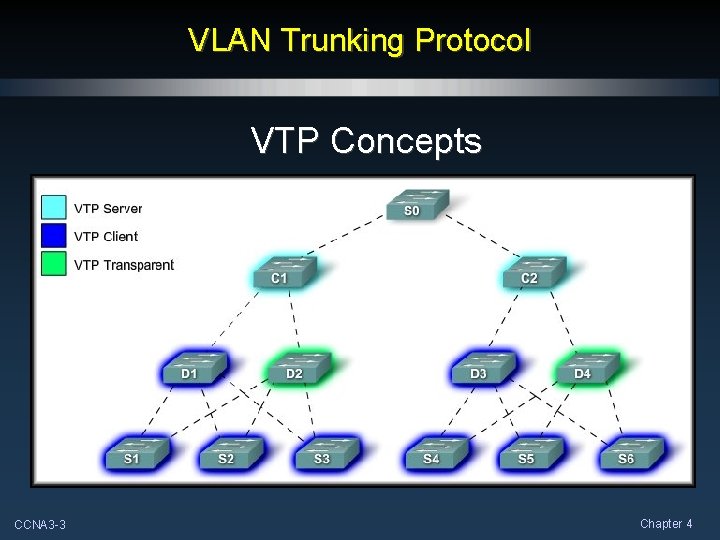
VLAN Trunking Protocol VTP Concepts CCNA 3 -3 Chapter 4
What is VTP? • The VLAN Trunking Protocol (VTP) allows you to simplify the management of the VLAN database across multiple switches. • As the number of switches increases on a small- or mediumsized business network, the overall administration required to manage VLANs and trunks in a network becomes a challenge. CCNA 3 -4 Chapter 4
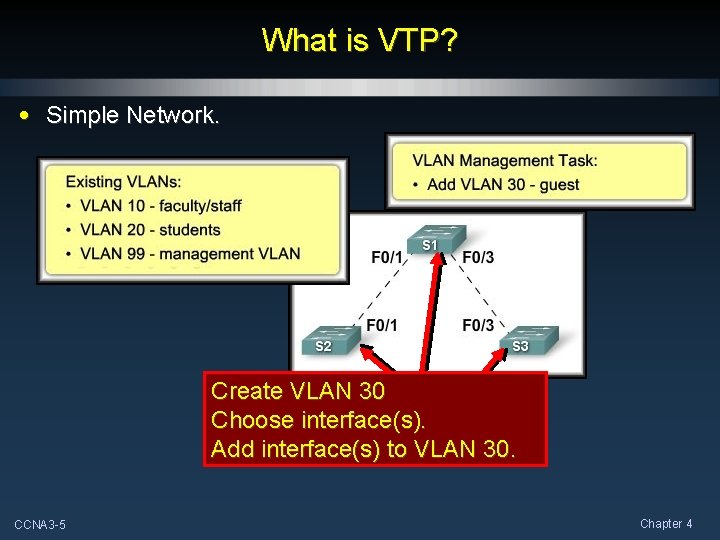
What is VTP? • Simple Network. Create VLAN 30 Choose interface(s). Add interface(s) to VLAN 30. CCNA 3 -5 Chapter 4
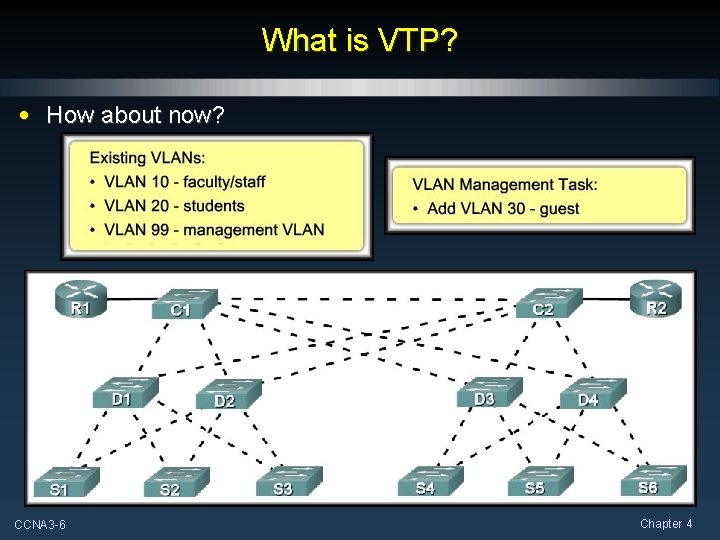
What is VTP? • How about now? CCNA 3 -6 Chapter 4
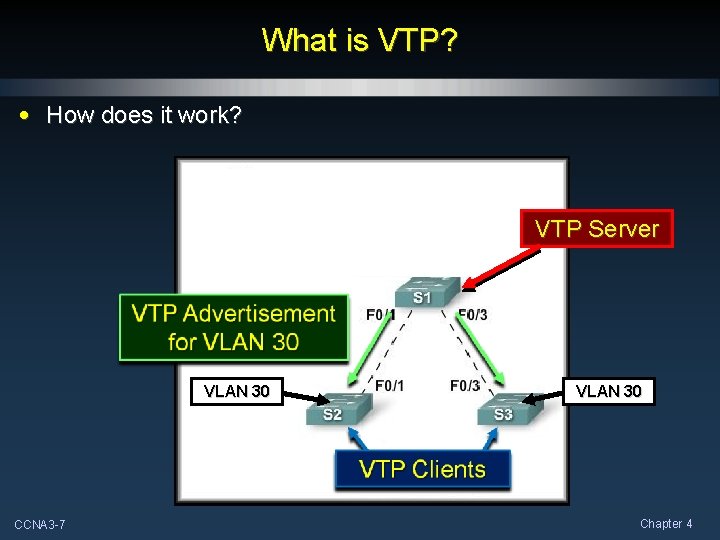
What is VTP? • How does it work? VTP Server VLAN 30 CCNA 3 -7 VLAN 30 Chapter 4
Benefits of VTP • The VLAN Trunking Protocol (VTP) allows you to simplify the management of the VLAN database across multiple switches. • Benefits: • VLAN configuration consistency across the entire network. • Accurate tracking and monitoring of VLANs. • Dynamic reporting of added VLANs across a network. CCNA 3 -8 Chapter 4
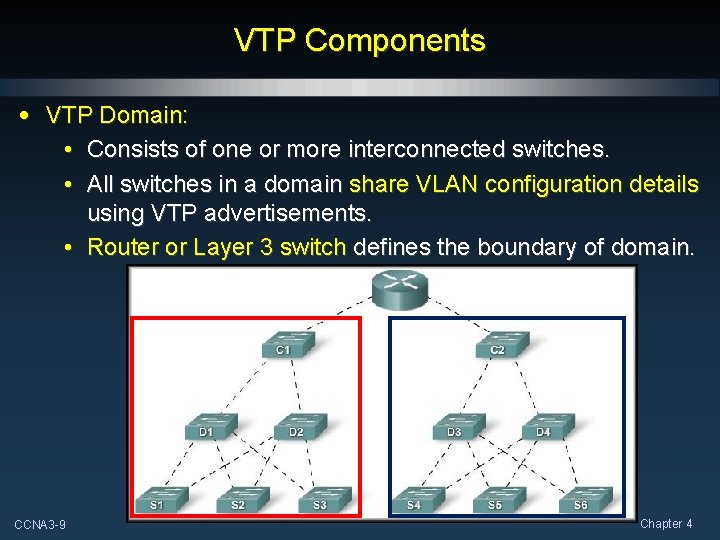
VTP Components • VTP Domain: • Consists of one or more interconnected switches. • All switches in a domain share VLAN configuration details using VTP advertisements. • Router or Layer 3 switch defines the boundary of domain. CCNA 3 -9 Chapter 4
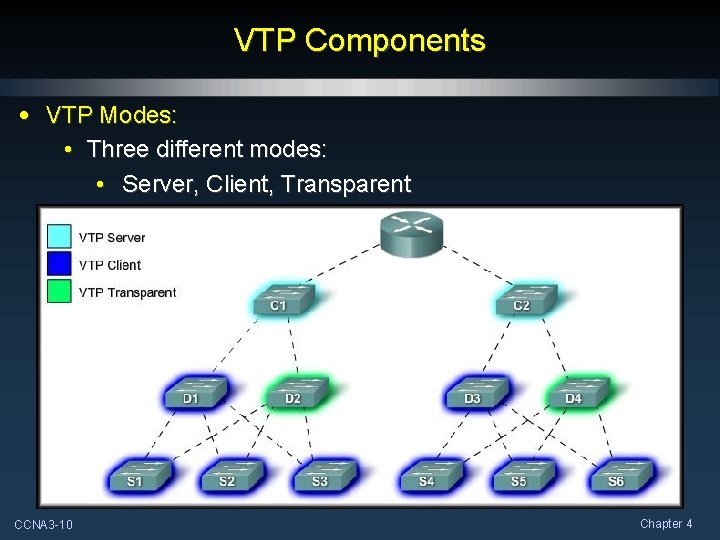
VTP Components • VTP Modes: • Three different modes: • Server, Client, Transparent CCNA 3 -10 Chapter 4
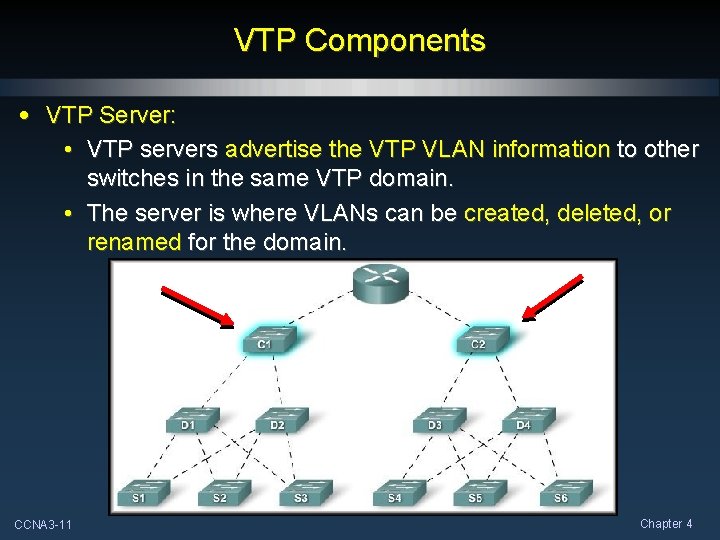
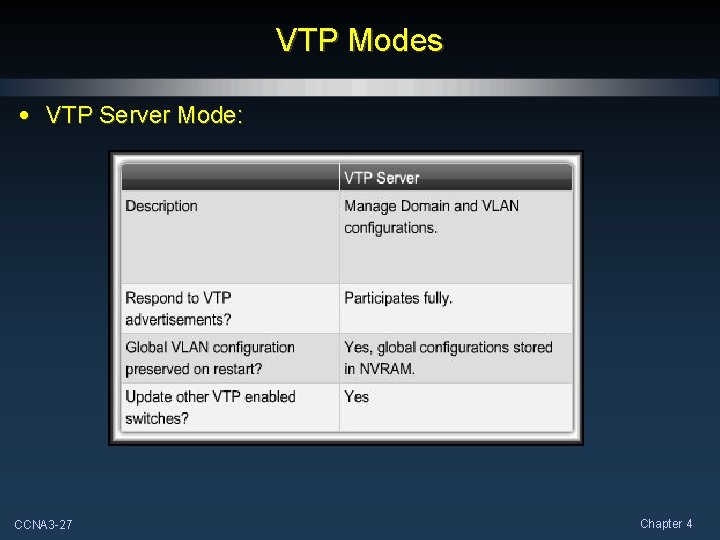
VTP Components • VTP Server: • VTP servers advertise the VTP VLAN information to other switches in the same VTP domain. • The server is where VLANs can be created, deleted, or renamed for the domain. CCNA 3 -11 Chapter 4
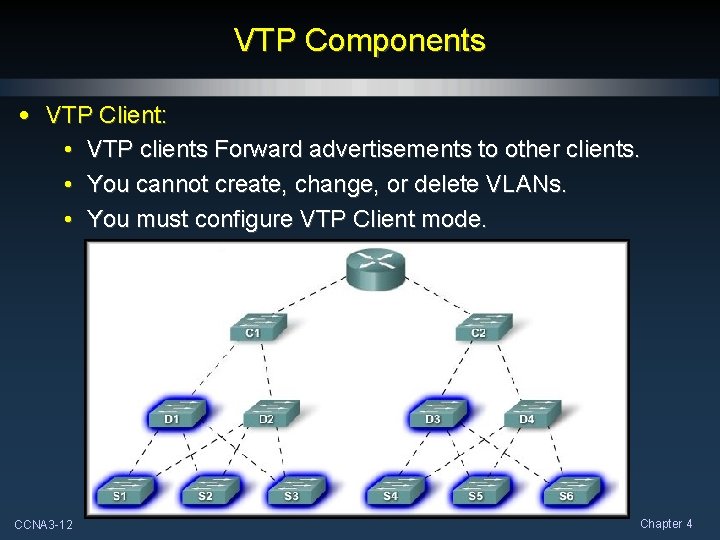
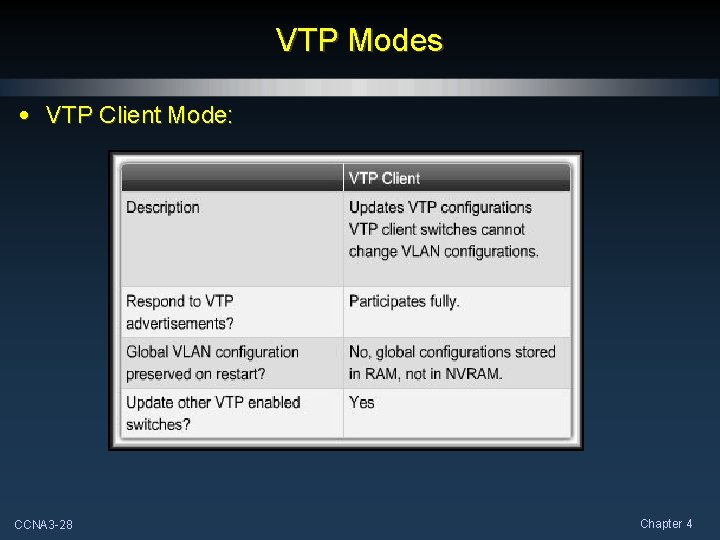
VTP Components • VTP Client: • VTP clients Forward advertisements to other clients. • You cannot create, change, or delete VLANs. • You must configure VTP Client mode. CCNA 3 -12 Chapter 4
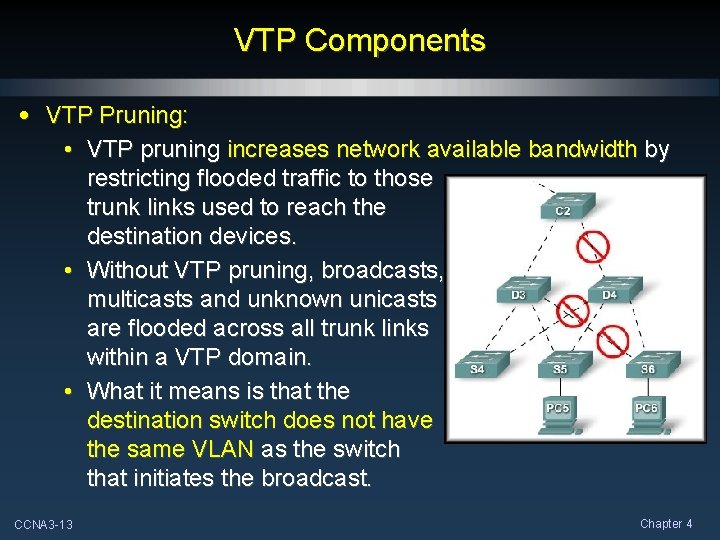
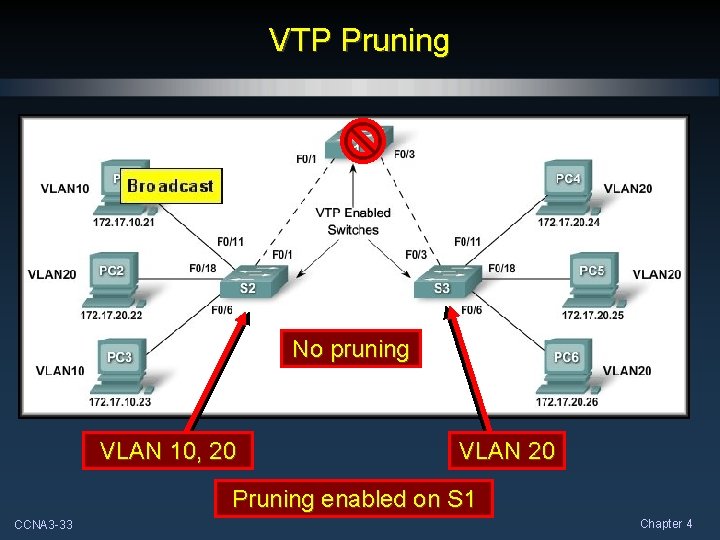
VTP Components • VTP Pruning: • VTP pruning increases network available bandwidth by restricting flooded traffic to those trunk links used to reach the destination devices. • Without VTP pruning, broadcasts, multicasts and unknown unicasts are flooded across all trunk links within a VTP domain. • What it means is that the destination switch does not have the same VLAN as the switch that initiates the broadcast. CCNA 3 -13 Chapter 4
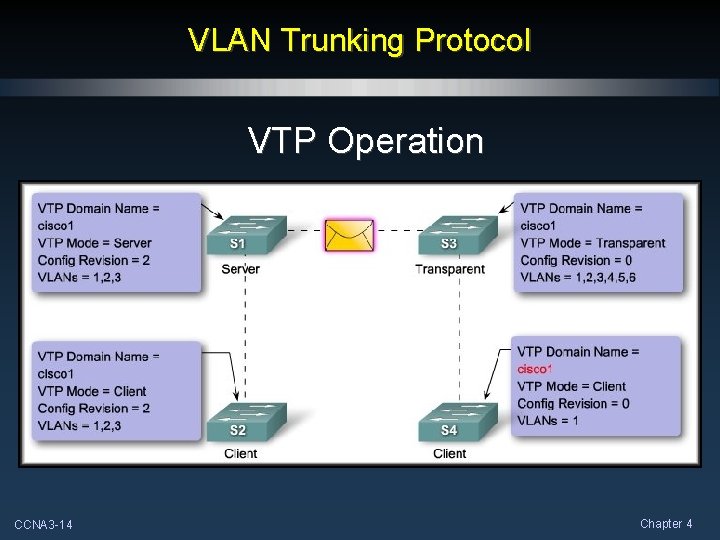
VLAN Trunking Protocol VTP Operation CCNA 3 -14 Chapter 4
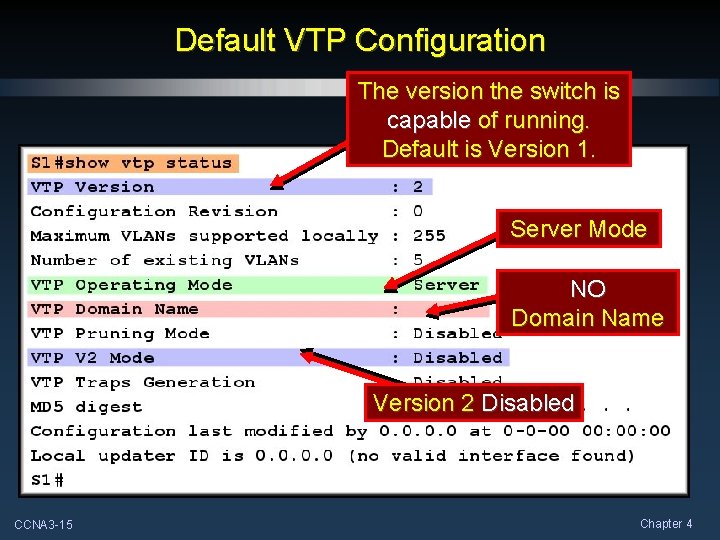
Default VTP Configuration The version the switch is capable of running. Default is Version 1. Server Mode NO Domain Name Version 2 Disabled CCNA 3 -15 Chapter 4
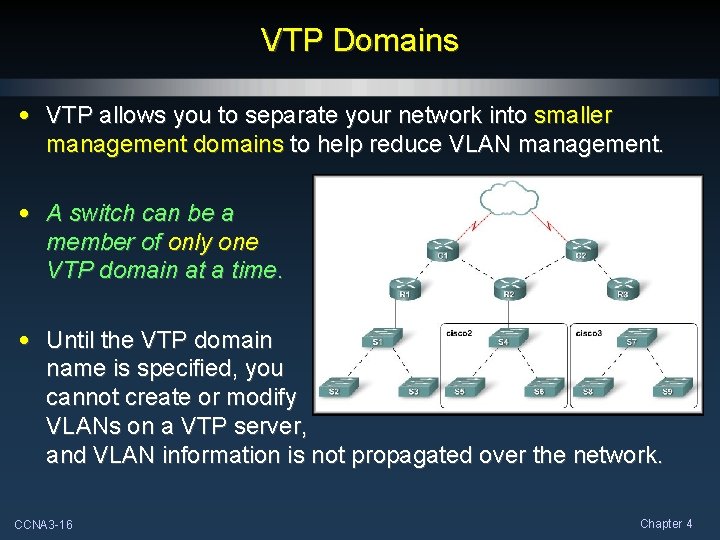
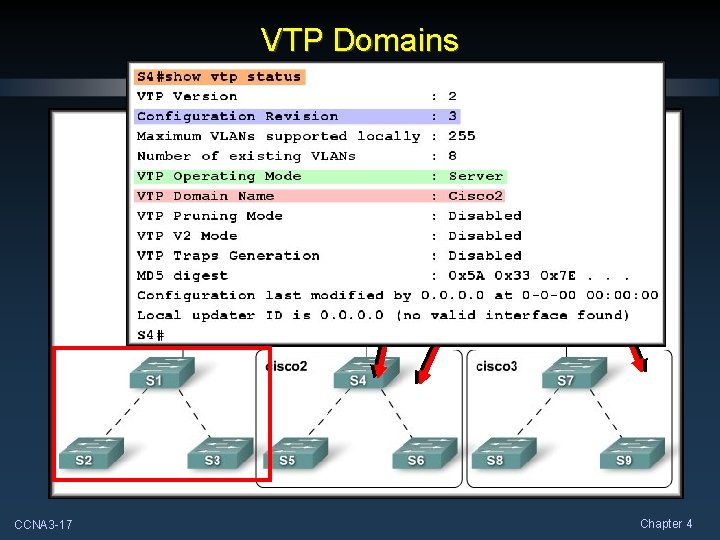
VTP Domains • VTP allows you to separate your network into smaller management domains to help reduce VLAN management. • A switch can be a member of only one VTP domain at a time. • Until the VTP domain name is specified, you cannot create or modify VLANs on a VTP server, and VLAN information is not propagated over the network. CCNA 3 -16 Chapter 4
VTP Domains Two domains configured. CCNA 3 -17 Chapter 4
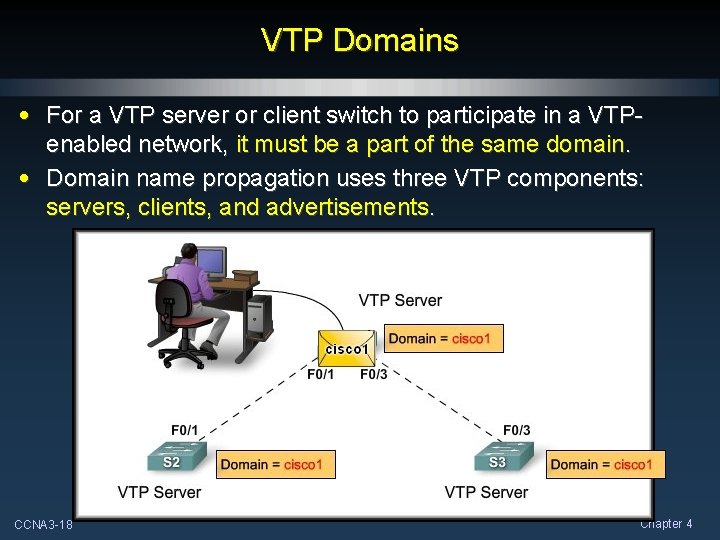
VTP Domains • For a VTP server or client switch to participate in a VTPenabled network, it must be a part of the same domain. • Domain name propagation uses three VTP components: servers, clients, and advertisements. CCNA 3 -18 Chapter 4
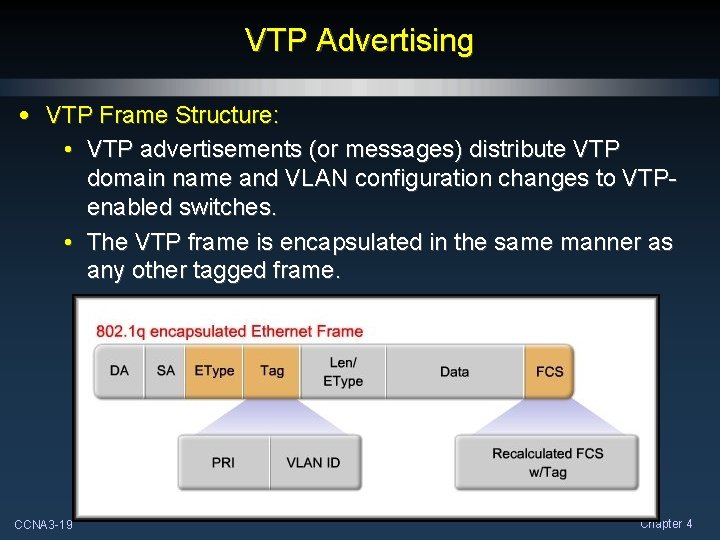
VTP Advertising • VTP Frame Structure: • VTP advertisements (or messages) distribute VTP domain name and VLAN configuration changes to VTPenabled switches. • The VTP frame is encapsulated in the same manner as any other tagged frame. CCNA 3 -19 Chapter 4
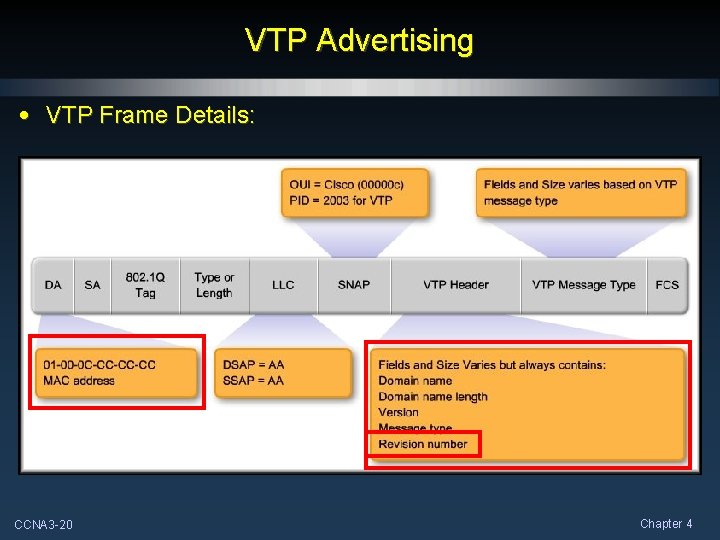
VTP Advertising • VTP Frame Details: CCNA 3 -20 Chapter 4
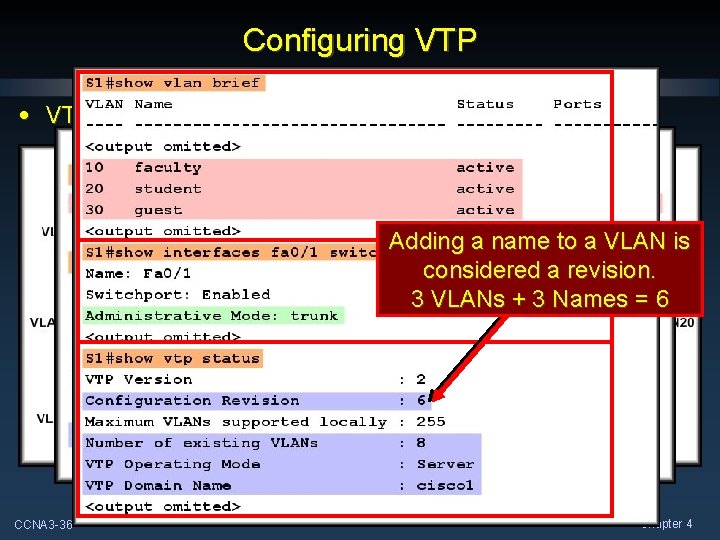
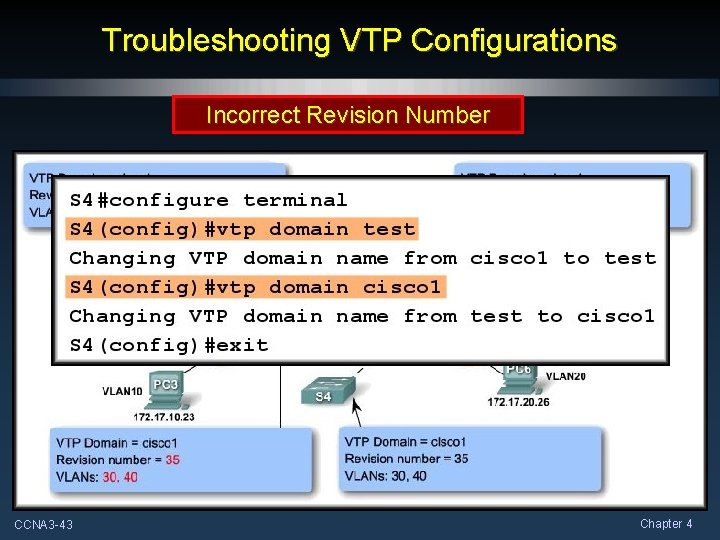
VTP Revision Number • VTP Revision Number (Default Zero): • The configuration revision number is a 32 -bit number that indicates the level of revision for a VTP frame. • Each time a VLAN is added or removed, the configuration revision number is incremented. • Each VTP device tracks the VTP configuration revision number. • A VTP domain name change resets the revision number to zero. • The revision number plays an important role in enabling VTP to distribute and synchronize VTP domain and VLAN configuration information. (More to come) CCNA 3 -21 Chapter 4
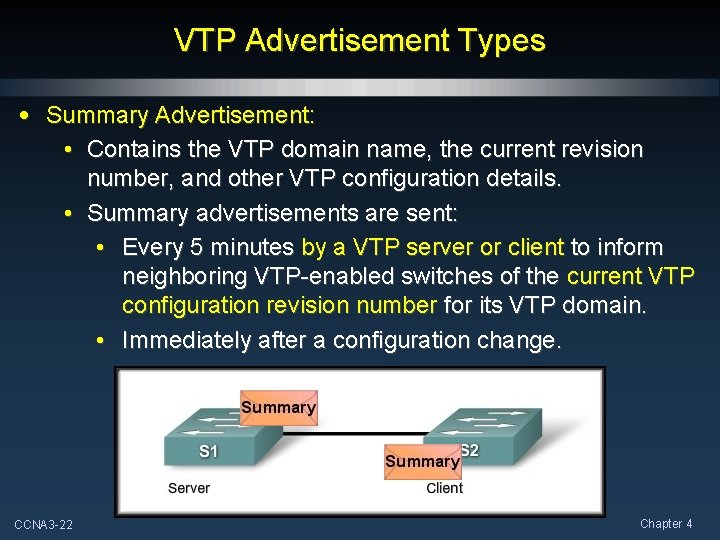
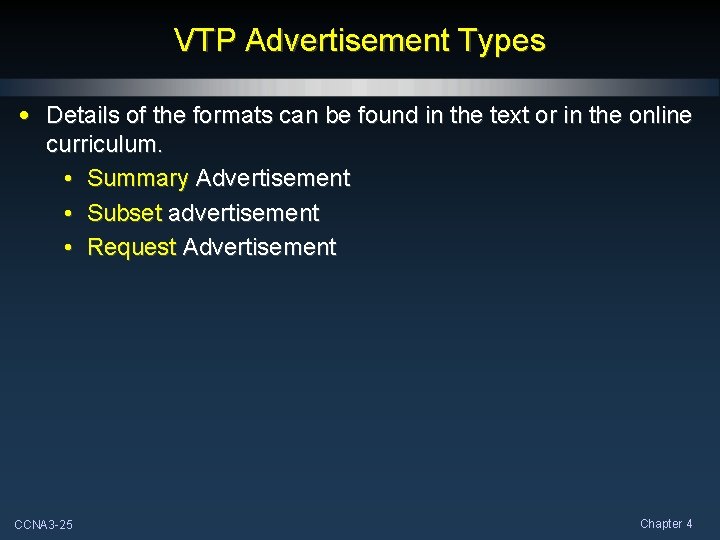
VTP Advertisement Types • Summary Advertisement: • Contains the VTP domain name, the current revision number, and other VTP configuration details. • Summary advertisements are sent: • Every 5 minutes by a VTP server or client to inform neighboring VTP-enabled switches of the current VTP configuration revision number for its VTP domain. • Immediately after a configuration change. CCNA 3 -22 Chapter 4
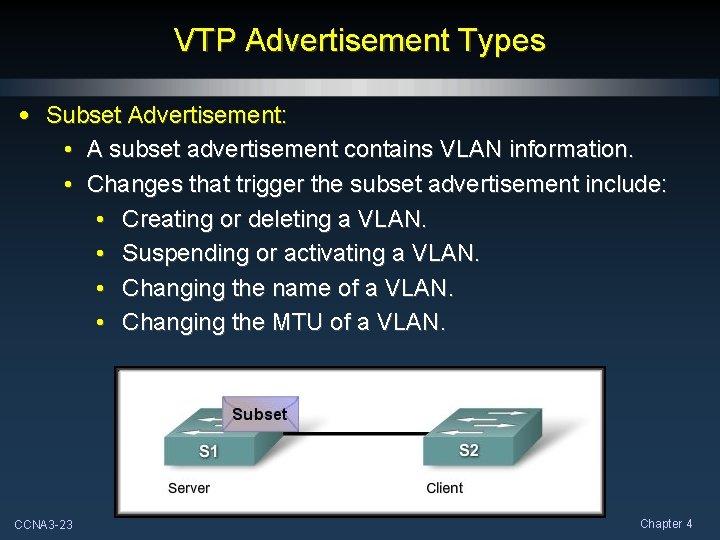
VTP Advertisement Types • Subset Advertisement: • A subset advertisement contains VLAN information. • Changes that trigger the subset advertisement include: • Creating or deleting a VLAN. • Suspending or activating a VLAN. • Changing the name of a VLAN. • Changing the MTU of a VLAN. CCNA 3 -23 Chapter 4
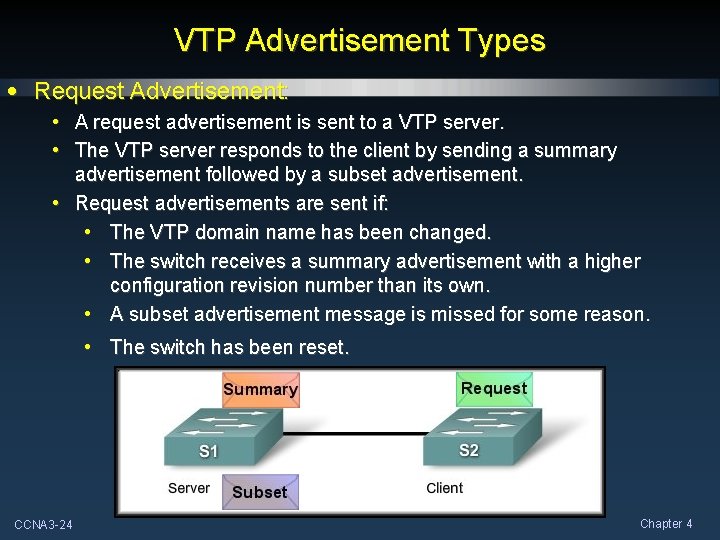
VTP Advertisement Types • Request Advertisement: • A request advertisement is sent to a VTP server. • The VTP server responds to the client by sending a summary advertisement followed by a subset advertisement. • Request advertisements are sent if: • The VTP domain name has been changed. • The switch receives a summary advertisement with a higher configuration revision number than its own. • A subset advertisement message is missed for some reason. • The switch has been reset. CCNA 3 -24 Chapter 4
VTP Advertisement Types • Details of the formats can be found in the text or in the online curriculum. • Summary Advertisement • Subset advertisement • Request Advertisement CCNA 3 -25 Chapter 4
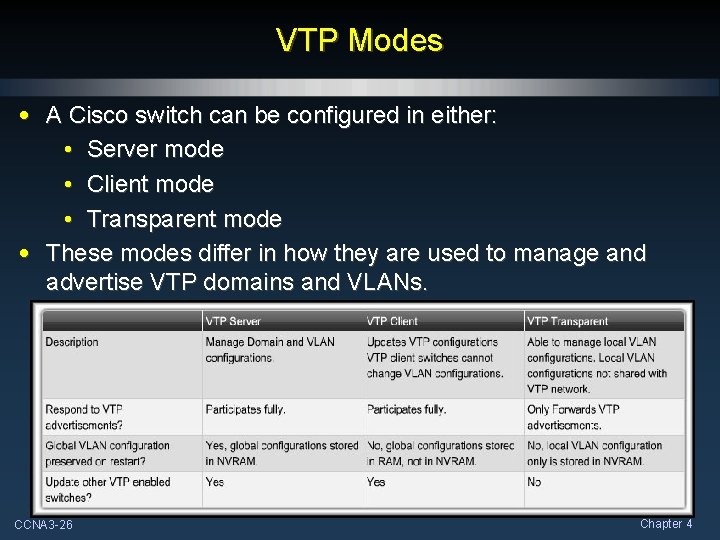
VTP Modes • A Cisco switch can be configured in either: • Server mode • Client mode • Transparent mode • These modes differ in how they are used to manage and advertise VTP domains and VLANs. CCNA 3 -26 Chapter 4
VTP Modes • VTP Server Mode: CCNA 3 -27 Chapter 4
VTP Modes • VTP Client Mode: CCNA 3 -28 Chapter 4
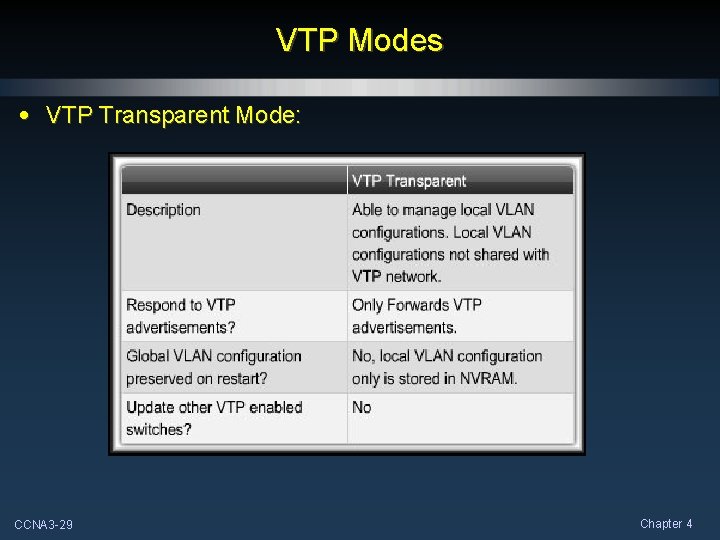
VTP Modes • VTP Transparent Mode: CCNA 3 -29 Chapter 4
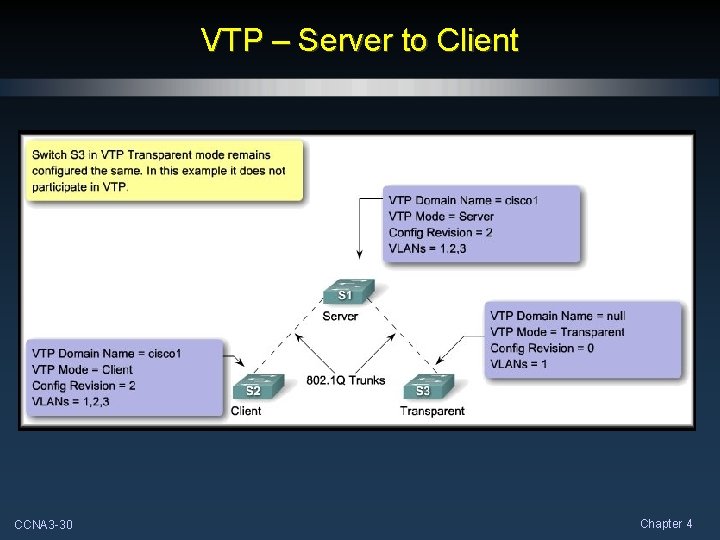
VTP – Server to Client CCNA 3 -30 Chapter 4
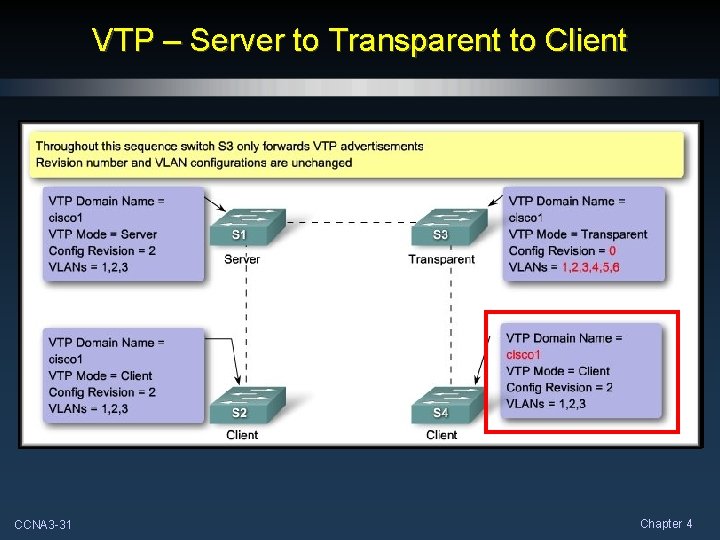
VTP – Server to Transparent to Client S 1 Periodic S 1 Response Updates S 4 Requests CCNA 3 -31 Chapter 4
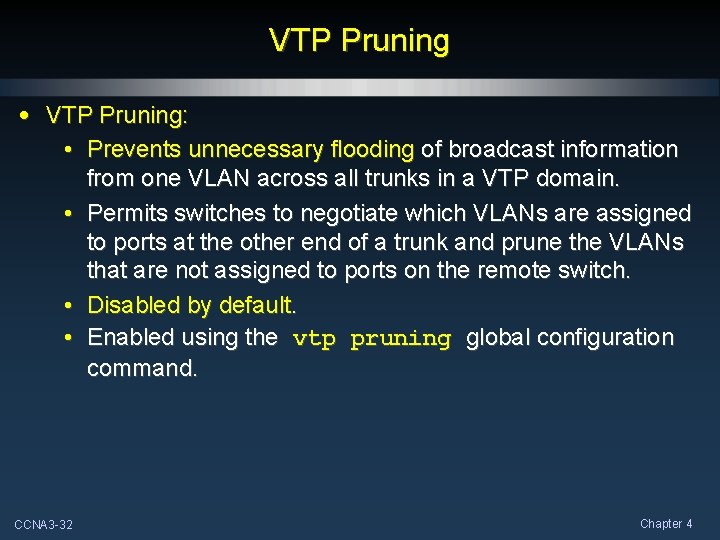
VTP Pruning • VTP Pruning: • Prevents unnecessary flooding of broadcast information from one VLAN across all trunks in a VTP domain. • Permits switches to negotiate which VLANs are assigned to ports at the other end of a trunk and prune the VLANs that are not assigned to ports on the remote switch. • Disabled by default. • Enabled using the vtp pruning global configuration command. CCNA 3 -32 Chapter 4
VTP Pruning No pruning VLAN 10, 20 VLAN 20 Pruning enabled on S 1 CCNA 3 -33 Chapter 4
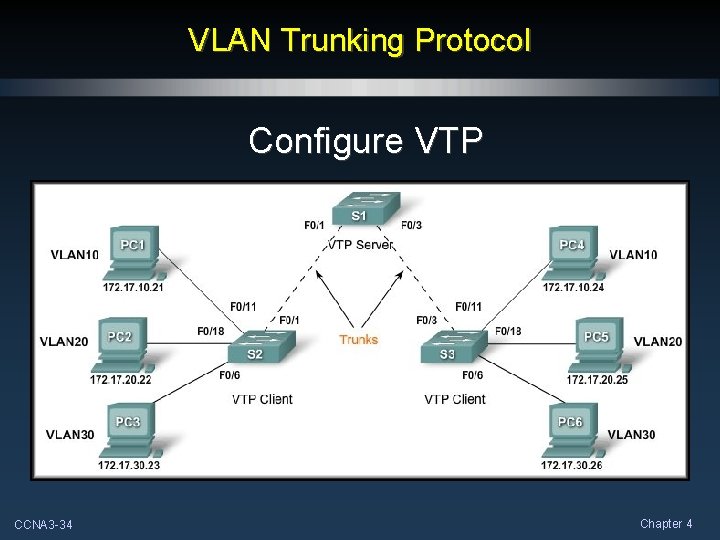
VLAN Trunking Protocol Configure VTP CCNA 3 -34 Chapter 4
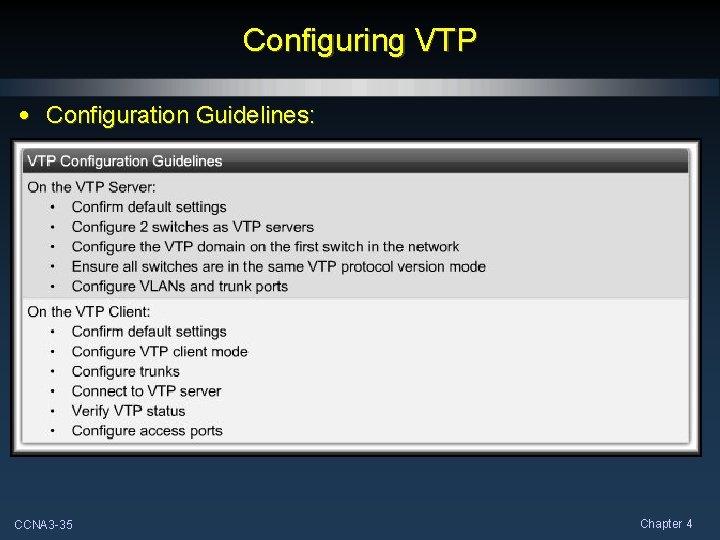
Configuring VTP • Configuration Guidelines: CCNA 3 -35 Chapter 4
Configuring VTP • VTP Server Configuration: Adding a name to a VLAN is considered a revision. 3 VLANs + 3 Names = 6 CCNA 3 -36 Chapter 4
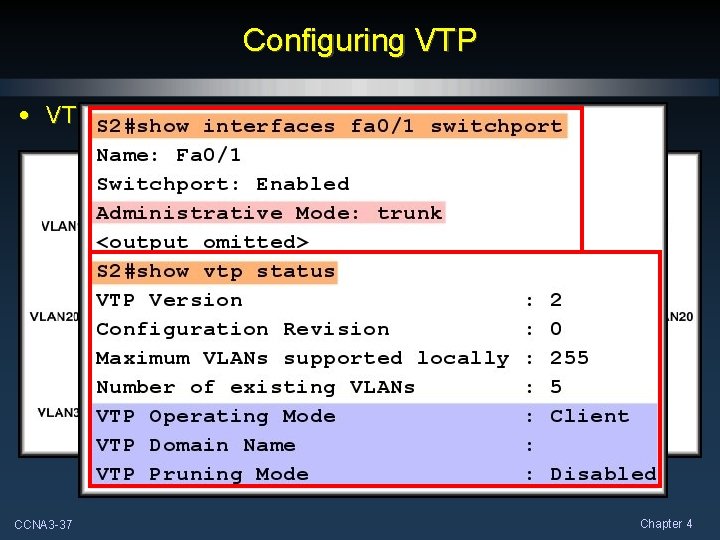
Configuring VTP • VTP Client Configuration: CCNA 3 -37 Chapter 4
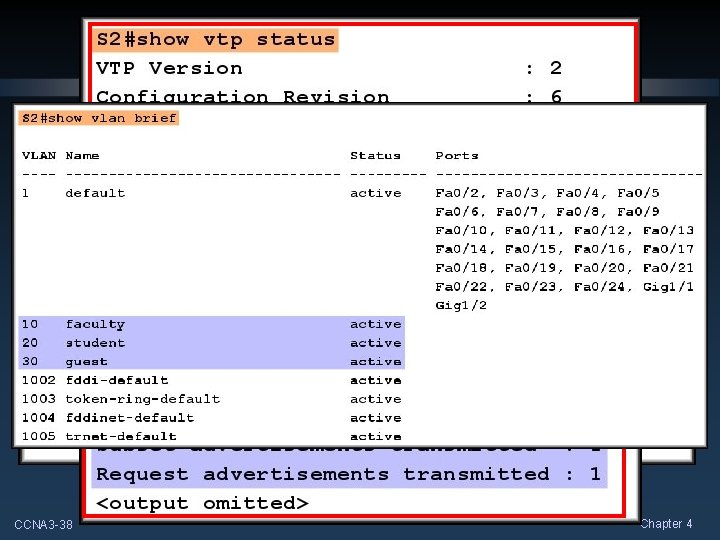
Configuring VTP • Connect the Devices and Verify VTP: CCNA 3 -38 Chapter 4
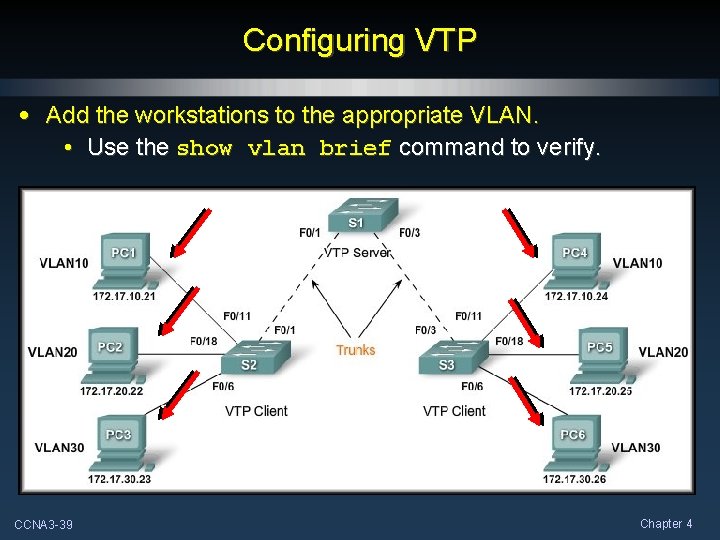
Configuring VTP • Add the workstations to the appropriate VLAN. • Use the show vlan brief command to verify. CCNA 3 -39 Chapter 4
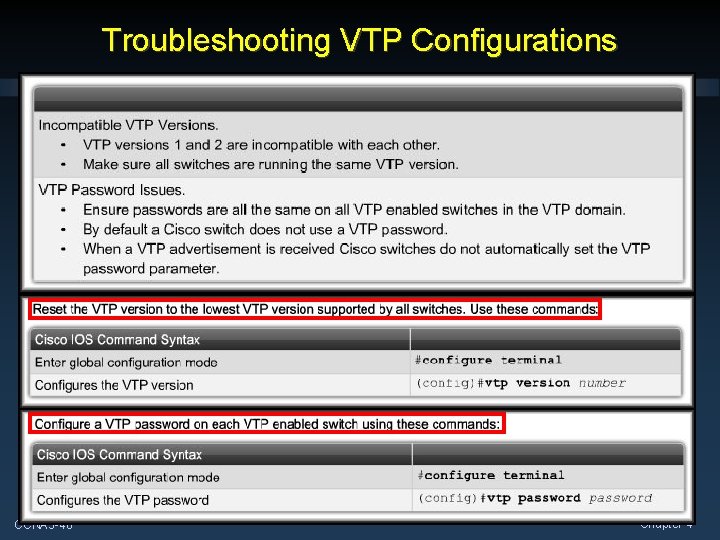
Troubleshooting VTP Configurations CCNA 3 -40 Chapter 4
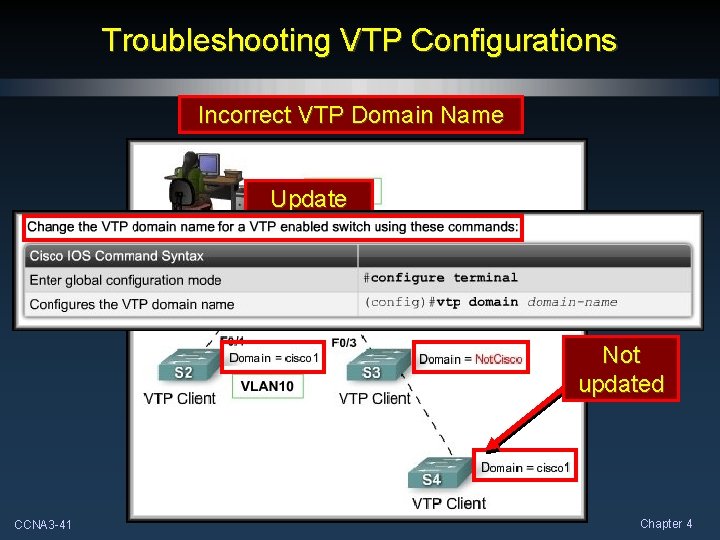
Troubleshooting VTP Configurations Incorrect VTP Domain Name Update Not updated CCNA 3 -41 Chapter 4
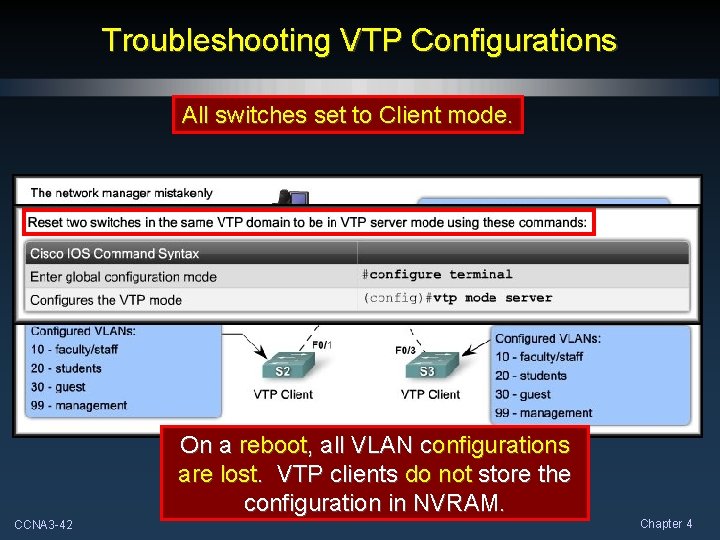
Troubleshooting VTP Configurations All switches set to Client mode. On a reboot, all VLAN configurations are lost. VTP clients do not store the configuration in NVRAM. CCNA 3 -42 Chapter 4
Troubleshooting VTP Configurations Incorrect Revision Number CCNA 3 -43 Chapter 4
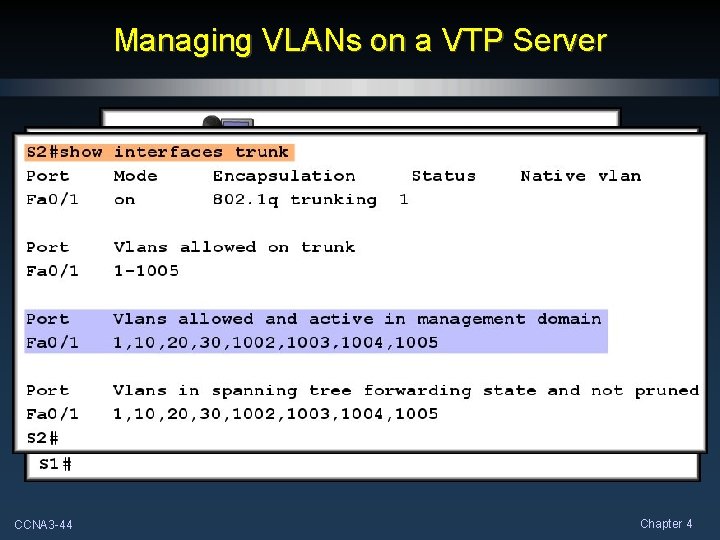
Managing VLANs on a VTP Server CCNA 3 -44 Chapter 4