
Chapter 4 Using Variables 1 LESSON What is
Chapter 4 Using Variables 1
LESSON: What is a VARIABLE? “________________. ” (Price, 2016) Part of the awesome power of computers is to store vast amounts of information. Sometimes the information changes, sometimes you get new results from calculations, and sometimes the computer needs new input from outside sources. You know that when you use a computer program, you do not have to go into the code to establish information or change it. That’s what VARIABLES do. It stores data until the program needs it or you need to change it (it varies!) 2
To establish a VARIABLE for __________: variable. Name = “string. Characters. In. Quotes” To establish a VARIABLE for __________: variable. Name = number. No. Quotes NOW, anytime that you need to reference that word or number, you can use the variable. WHY NOT just re-write the word or number? Because VARIABLES vary! _______________If you were entering a class, would all the student names be the same? NO! If you were entering test scores, would they all be the 3 same? NO!
variable. Name = “string. Characters. In. Quotes” These are ASSIGNMENT STATEMENTS: variable. Name = number. No. Quotes assignment operator THE VARIABLE NAME MUST BE ON THE LEFT! Numbers can perform arithmetic operations. Strings cannot, BUT! There are other cool things that they can do! ______________________. Sometimes we need to set the numeric variables = 0 or the characters/strings =“”, especially when we are using loops! 4
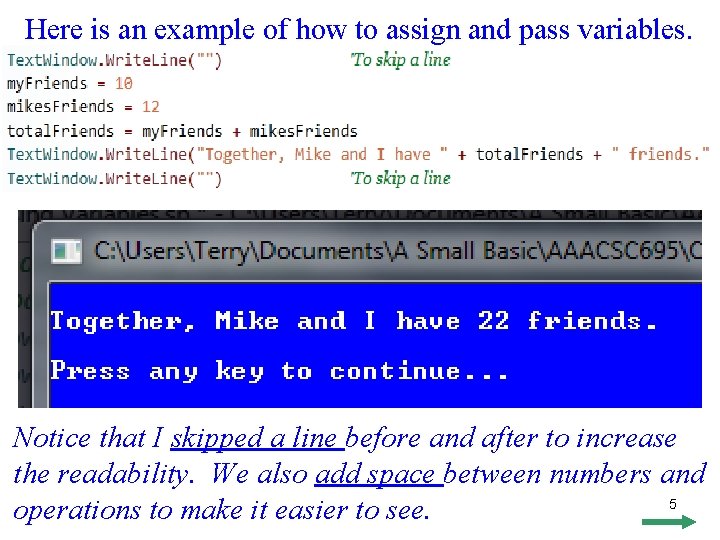
Here is an example of how to assign and pass variables. Notice that I skipped a line before and after to increase the readability. We also add space between numbers and 5 operations to make it easier to see.
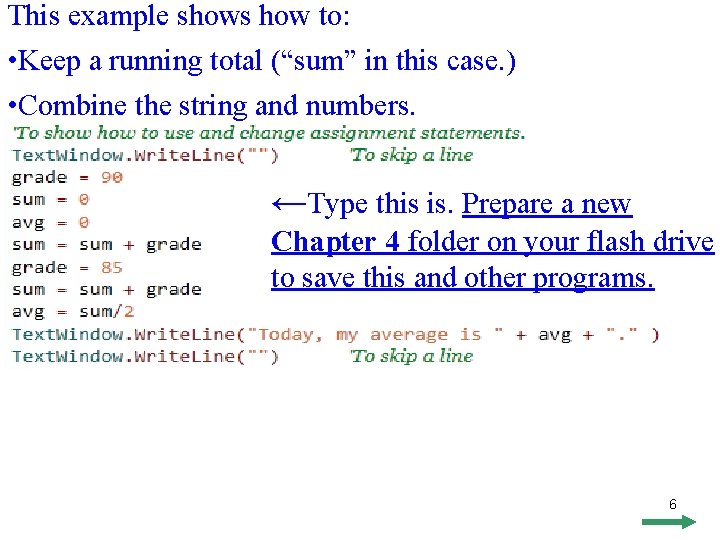
This example shows how to: • Keep a running total (“sum” in this case. ) • Combine the string and numbers. ←Type this is. Prepare a new Chapter 4 folder on your flash drive to save this and other programs. 6
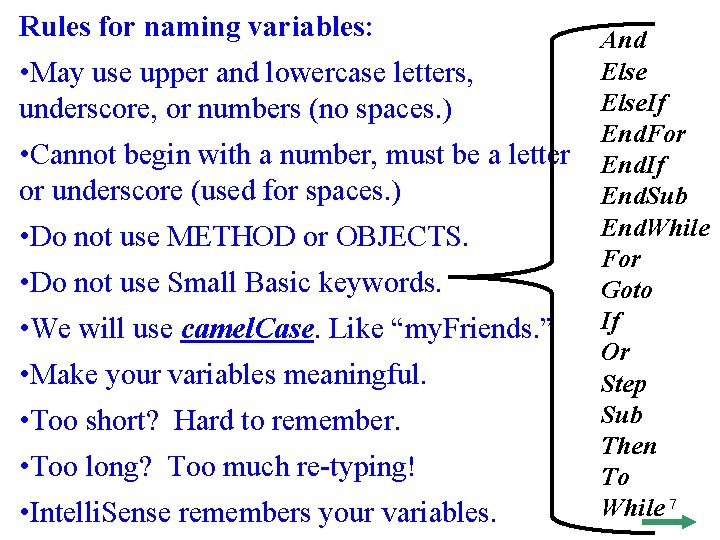
Rules for naming variables: • May use upper and lowercase letters, underscore, or numbers (no spaces. ) • Cannot begin with a number, must be a letter or underscore (used for spaces. ) • Do not use METHOD or OBJECTS. • Do not use Small Basic keywords. • We will use camel. Case. Like “my. Friends. ” • Make your variables meaningful. • Too short? Hard to remember. • Too long? Too much re-typing! • Intelli. Sense remembers your variables. And Else. If End. For End. If End. Sub End. While For Goto If Or Step Sub Then To While 7
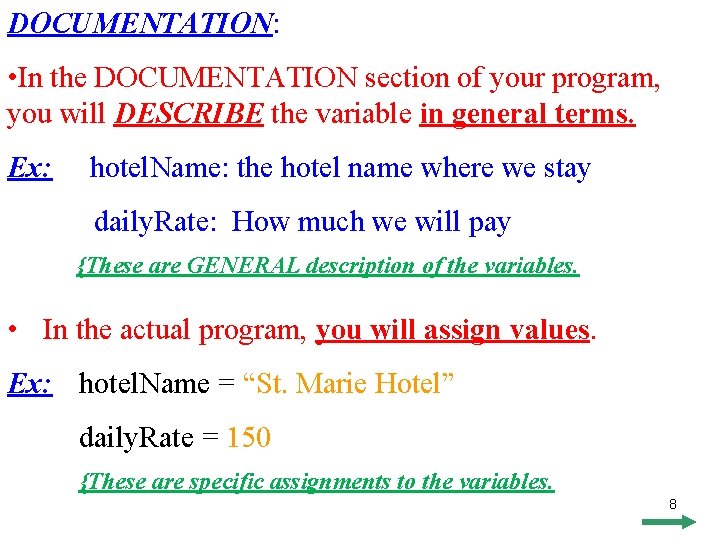
DOCUMENTATION: • In the DOCUMENTATION section of your program, you will DESCRIBE the variable in general terms. Ex: hotel. Name: the hotel name where we stay daily. Rate: How much we will pay {These are GENERAL description of the variables. • In the actual program, you will assign values. Ex: hotel. Name = “St. Marie Hotel” daily. Rate = 150 {These are specific assignments to the variables. 8
Mini Program 1: • Use your shell, add DOCUMENTATION description. • Use VARIABLES section to describe each variable. • Assign a numeric VARIABLE to the number of pets you have (you need at least 3, make some up, if you have to. ) • Assign character VARIABLES to their names. • Use the VARIABLE to say. “I have {number} pets. ” • Use VARIABLES to list each of their names. “Their names are {name 1}, {name 2}, and {name 3}. ” • Do not forget to have a nice background color, font, etc. • SAVE, but do not print, I will check it via VISION. • Due _____ 9
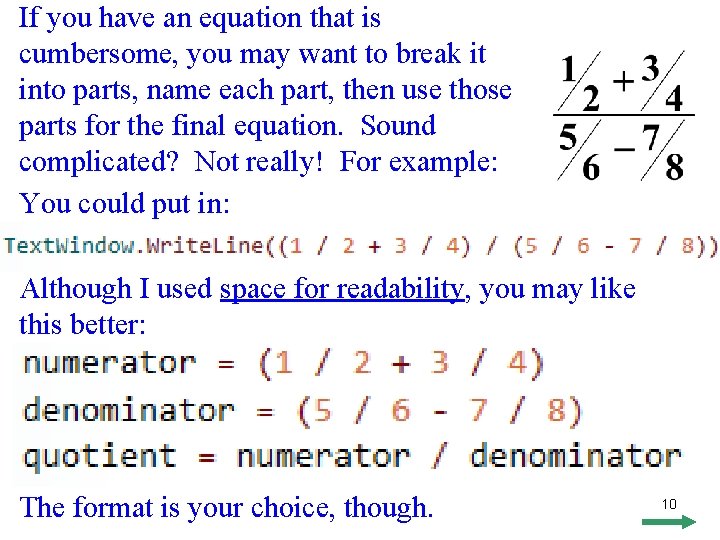
If you have an equation that is cumbersome, you may want to break it into parts, name each part, then use those parts for the final equation. Sound complicated? Not really! For example: You could put in: Although I used space for readability, you may like this better: The format is your choice, though. 10
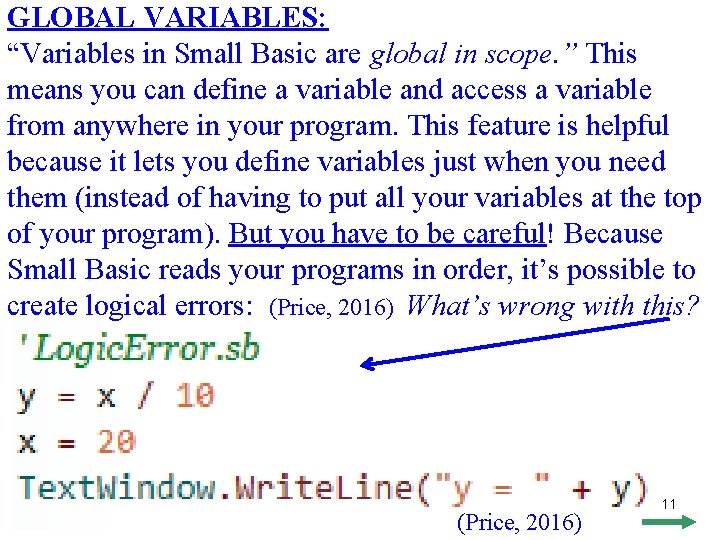
GLOBAL VARIABLES: “Variables in Small Basic are global in scope. ” This means you can define a variable and access a variable from anywhere in your program. This feature is helpful because it lets you define variables just when you need them (instead of having to put all your variables at the top of your program). But you have to be careful! Because Small Basic reads your programs in order, it’s possible to create logical errors: (Price, 2016) What’s wrong with this? (Price, 2016) 11
Chapter 4 Programming Assignment • Use your SHELL and SAVE AS TOTAL PRICE • You will do #2, on Page 54. • You will list your variables in the VARIABLE section, ***IDENTIFYING THEM IN A GENERAL WAY*** • Change the amounts. • Assign the variable. *** THIS IS WHERE YOU GIVE THE VARIABLES THEIR SPECIFIC VALUES *** • Write the code that will create that calculate that amount. • Change the font and background color. • Write a sentence that includes the item, quantity, & total. • Turn in a copy of the program and output. 12 • Due _____
- Slides: 12