
CHAPTER 4 SELECTIONS ACKNOWLEDGEMENT THESE SLIDES ARE ADAPTED

- Slides: 38
CHAPTER 4 SELECTIONS ACKNOWLEDGEMENT: THESE SLIDES ARE ADAPTED FROM SLIDES PROVIDED WITH INTRODUCTION TO PROGRAMMING USING PYTHON, LIANG (PEARSON 2013)
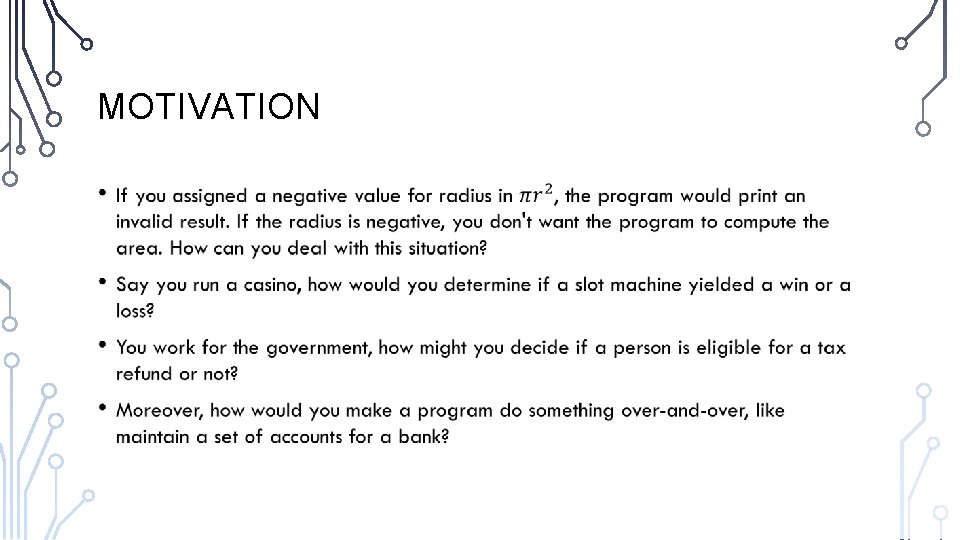
MOTIVATION •
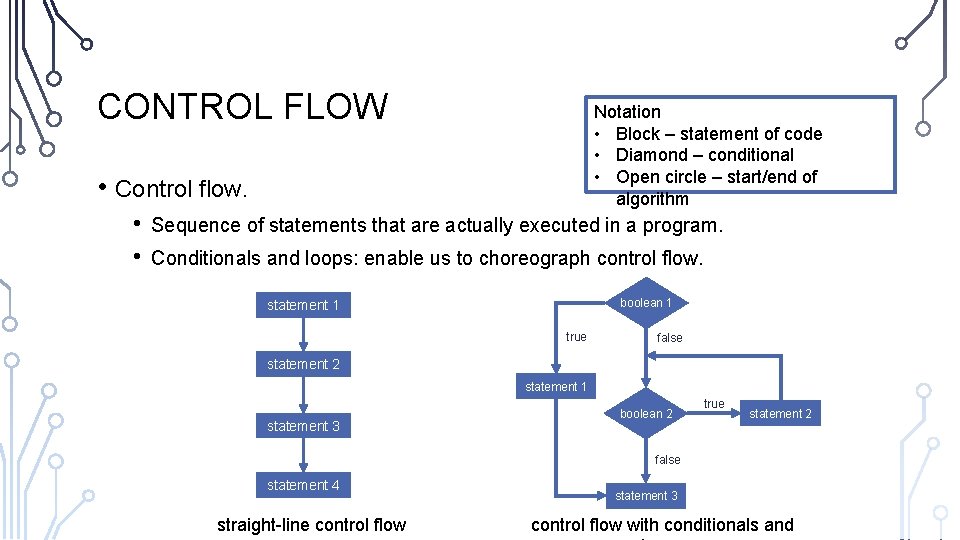
CONTROL FLOW Notation • Block – statement of code • Diamond – conditional • Open circle – start/end of algorithm • Control flow. • • Sequence of statements that are actually executed in a program. Conditionals and loops: enable us to choreograph control flow. boolean 1 statement 1 true false statement 2 statement 1 statement 3 boolean 2 true statement 2 false statement 4 straight-line control flow statement 3 control flow with conditionals and
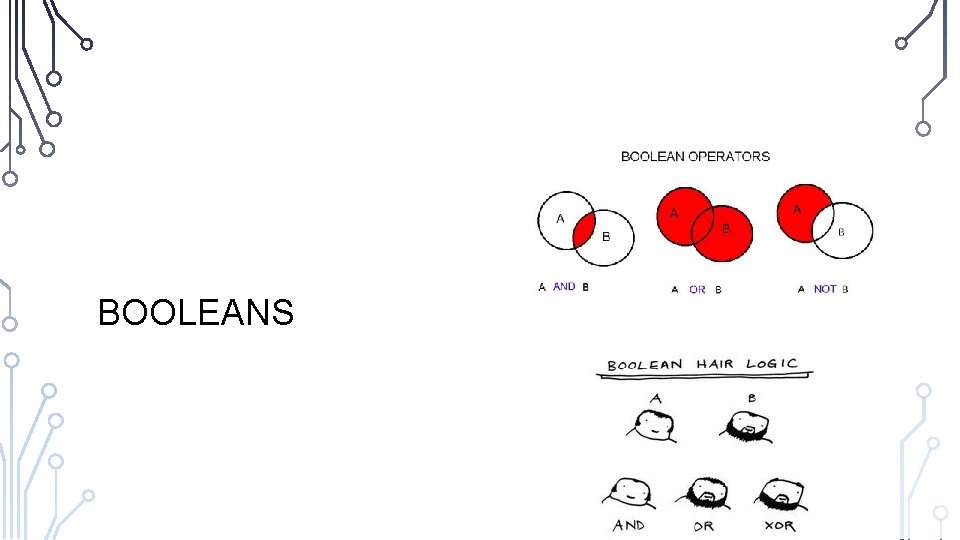
BOOLEANS
THE BOOLEAN TYPE AND OPERATORS •
RELATIONAL OPERATORS
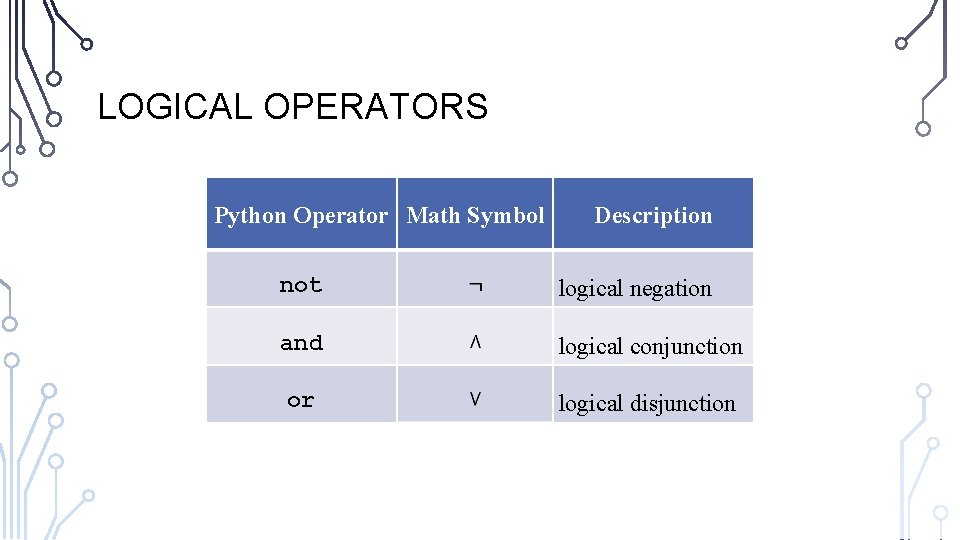
LOGICAL OPERATORS Python Operator Math Symbol Description not logical negation and logical conjunction or logical disjunction
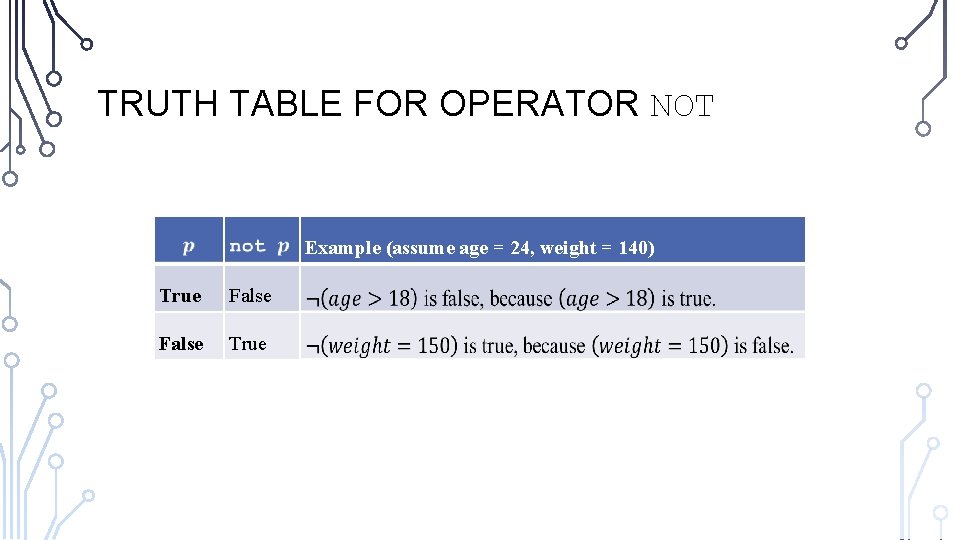
TRUTH TABLE FOR OPERATOR NOT Example (assume age = 24, weight = 140) True False True
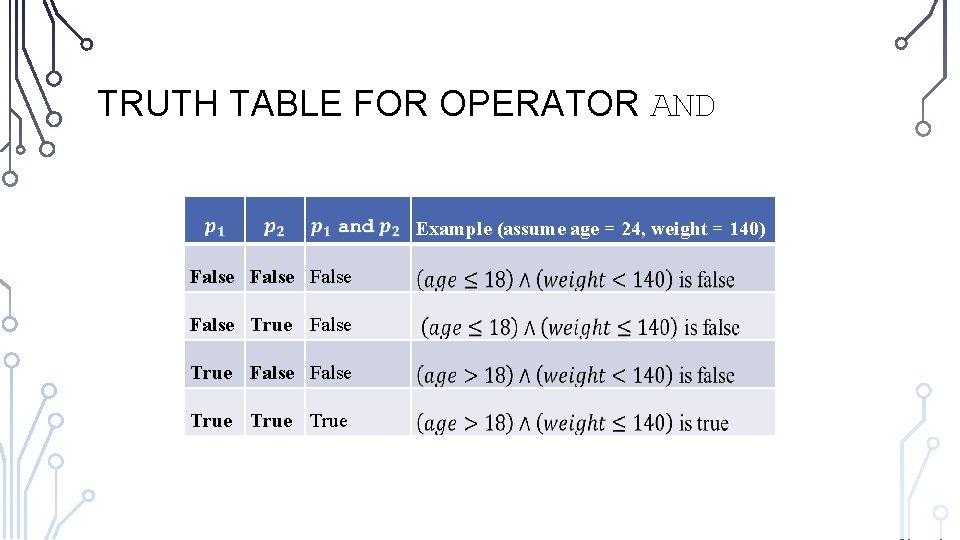
TRUTH TABLE FOR OPERATOR AND Example (assume age = 24, weight = 140) False False True True
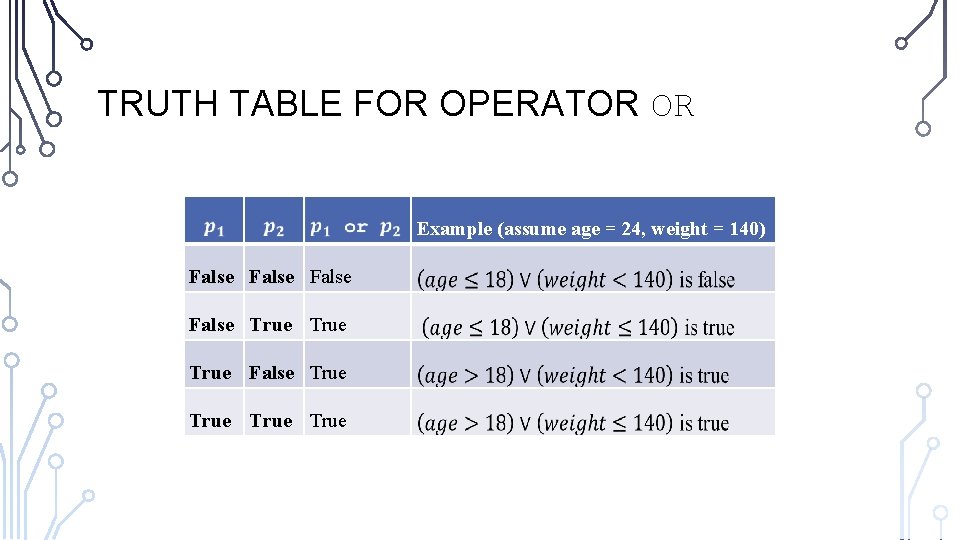
TRUTH TABLE FOR OPERATOR OR Example (assume age = 24, weight = 140) False True False True
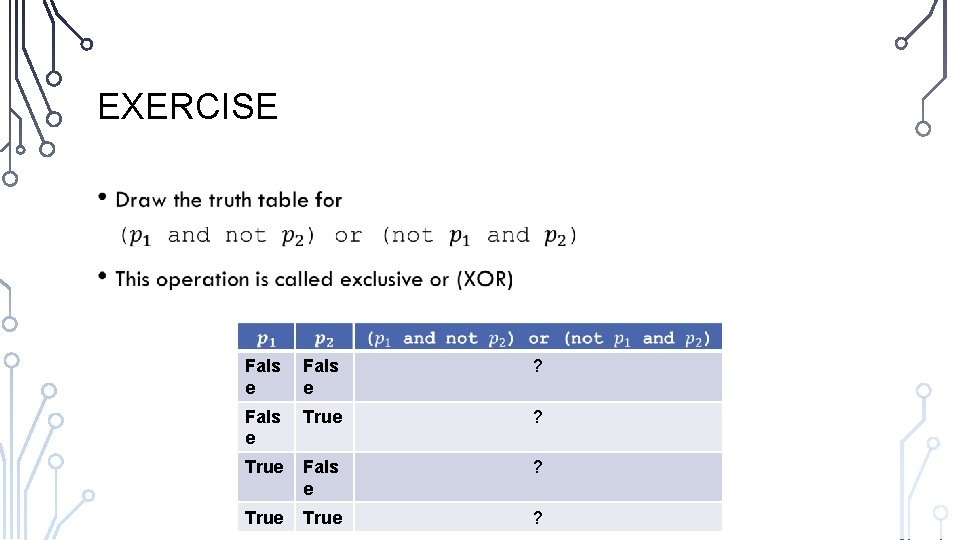
EXERCISE • Fals e ? Fals e True ? True Fals e ? True ?
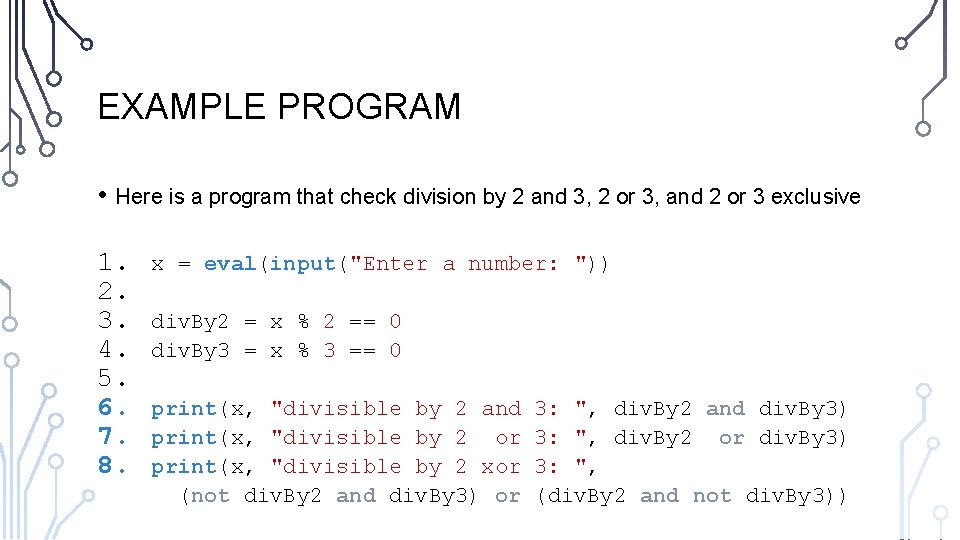
EXAMPLE PROGRAM • Here is a program that check division by 2 and 3, 2 or 3, and 2 or 3 exclusive 1. 2. 3. 4. 5. 6. 7. 8. x = eval(input("Enter a number: ")) div. By 2 = x % 2 == 0 div. By 3 = x % 3 == 0 print(x, "divisible by 2 and print(x, "divisible by 2 or print(x, "divisible by 2 xor (not div. By 2 and div. By 3) or 3: ", div. By 2 and div. By 3) 3: ", div. By 2 or div. By 3) 3: ", (div. By 2 and not div. By 3))
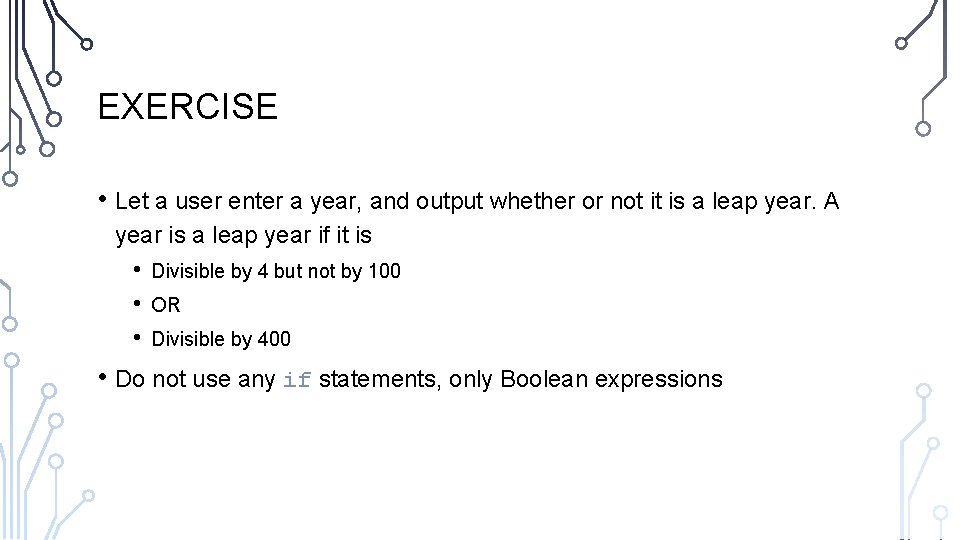
EXERCISE • Let a user enter a year, and output whether or not it is a leap year. A year is a leap year if it is • • • Divisible by 4 but not by 100 OR Divisible by 400 • Do not use any if statements, only Boolean expressions
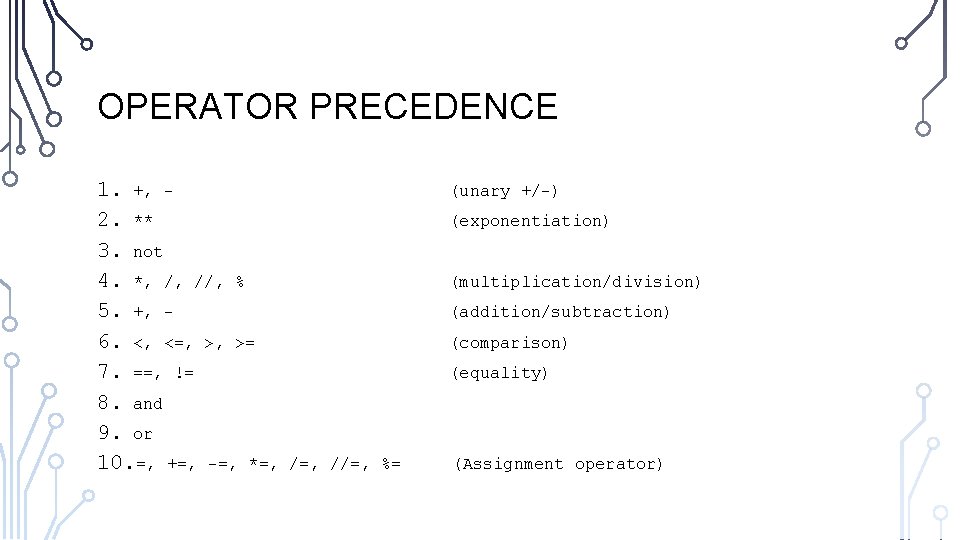
OPERATOR PRECEDENCE 1. +, 2. ** 3. not 4. *, /, //, % 5. +, 6. <, <=, >, >= 7. ==, != 8. and 9. or 10. =, +=, -=, *=, (unary +/-) (exponentiation) (multiplication/division) (addition/subtraction) (comparison) (equality) /=, //=, %= (Assignment operator)
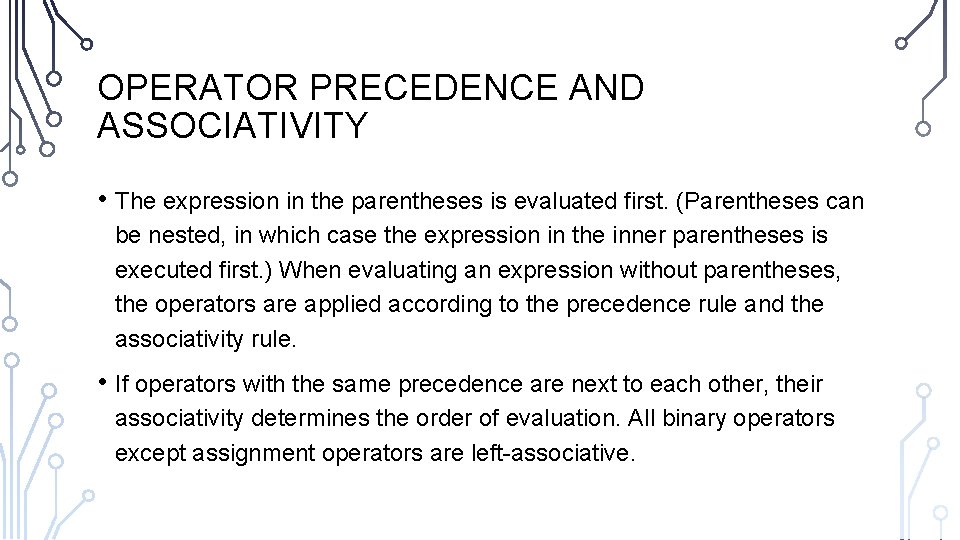
OPERATOR PRECEDENCE AND ASSOCIATIVITY • The expression in the parentheses is evaluated first. (Parentheses can be nested, in which case the expression in the inner parentheses is executed first. ) When evaluating an expression without parentheses, the operators are applied according to the precedence rule and the associativity rule. • If operators with the same precedence are next to each other, their associativity determines the order of evaluation. All binary operators except assignment operators are left-associative.
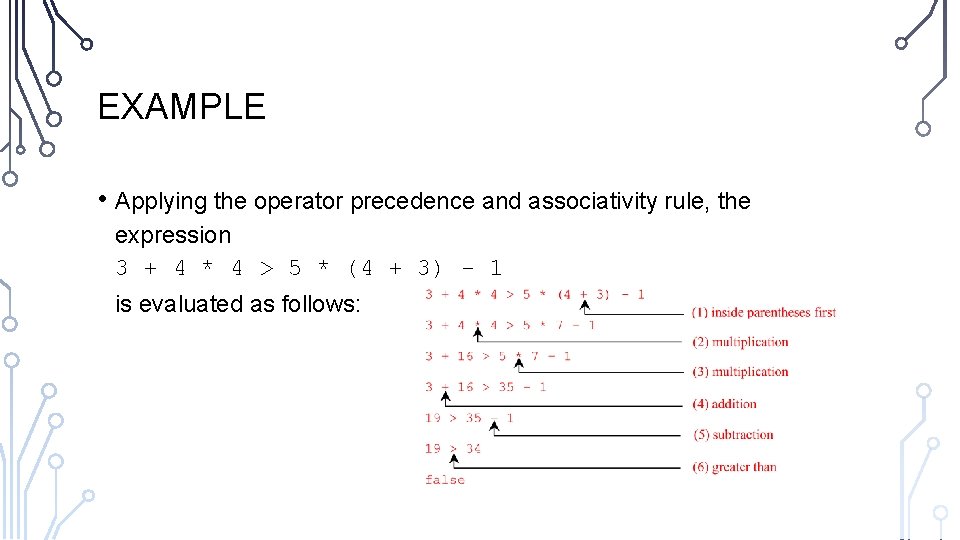
EXAMPLE • Applying the operator precedence and associativity rule, the expression 3 + 4 * 4 > 5 * (4 + 3) - 1 is evaluated as follows:
SELECTIONS AKA CONDITIONALS
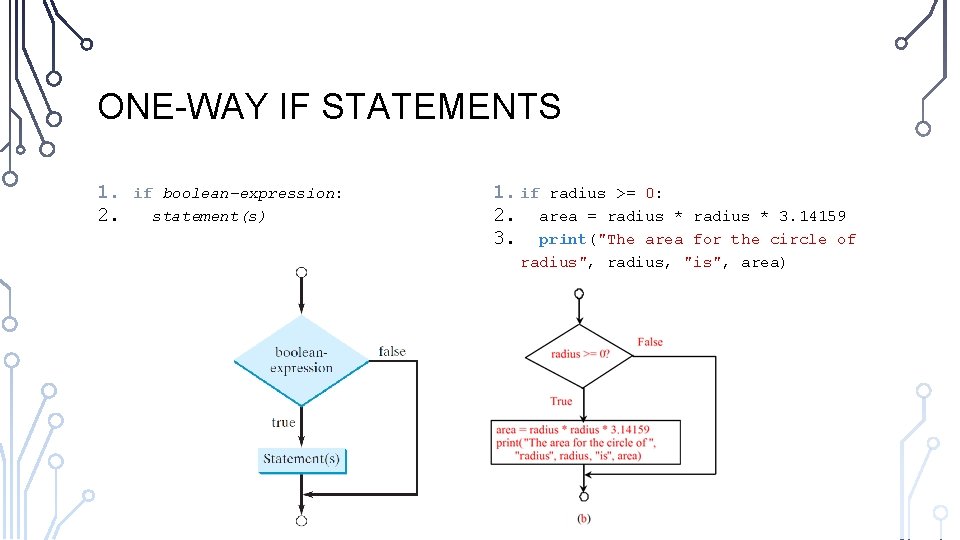
ONE-WAY IF STATEMENTS 1. 2. if boolean-expression: statement(s) 1. if radius >= 0: 2. area = radius * 3. print("The area radius * 3. 14159 for the circle of radius", radius, "is", area)
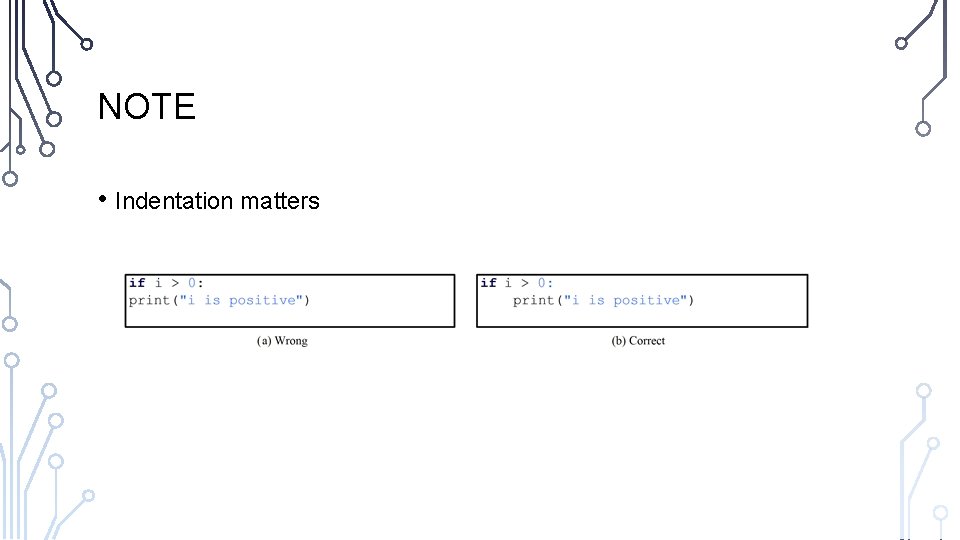
NOTE • Indentation matters
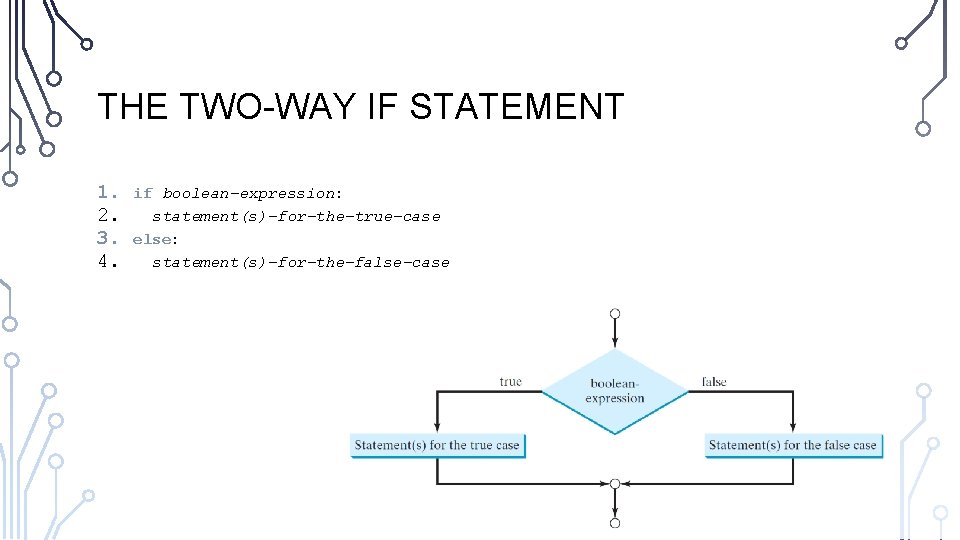
THE TWO-WAY IF STATEMENT 1. 2. 3. 4. if boolean-expression: statement(s)-for-the-true-case else: statement(s)-for-the-false-case
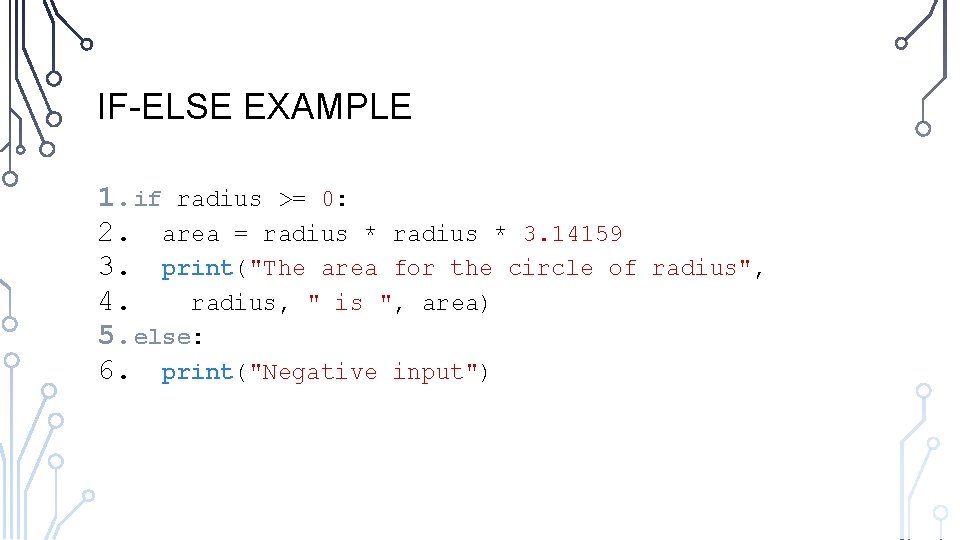
IF-ELSE EXAMPLE 1. if radius >= 0: 2. area = radius * 3. 14159 3. print("The area for the circle of 4. radius, " is ", area) 5. else: 6. print("Negative input") radius",
EXERCISE: GUESSING GAME • Use random. randint(1, 99) to generate a random number between 1 and 99 • Remember to import random • Have a user guess the number. If the user is correct output a winning message, otherwise output a losing message • Lets solve together. Program along with me.
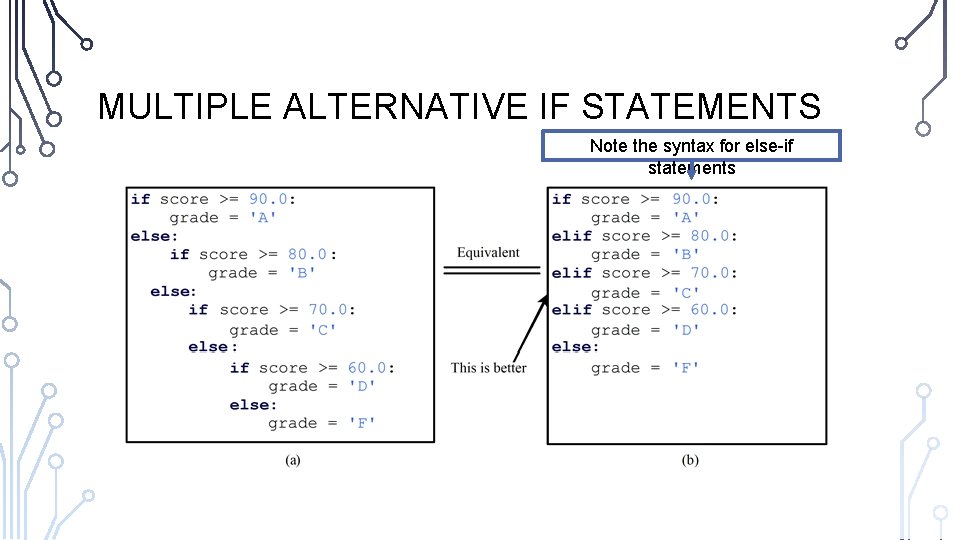
MULTIPLE ALTERNATIVE IF STATEMENTS Note the syntax for else-if statements
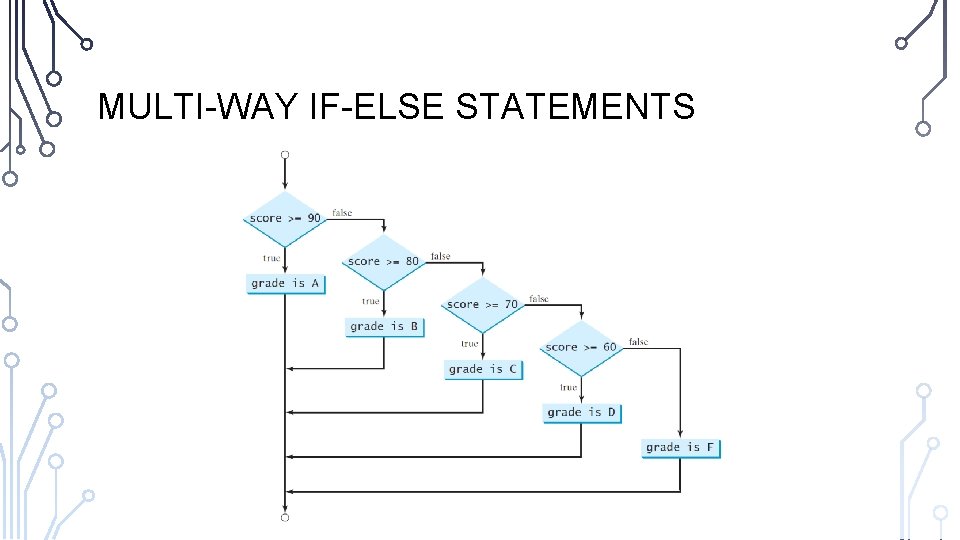
MULTI-WAY IF-ELSE STATEMENTS
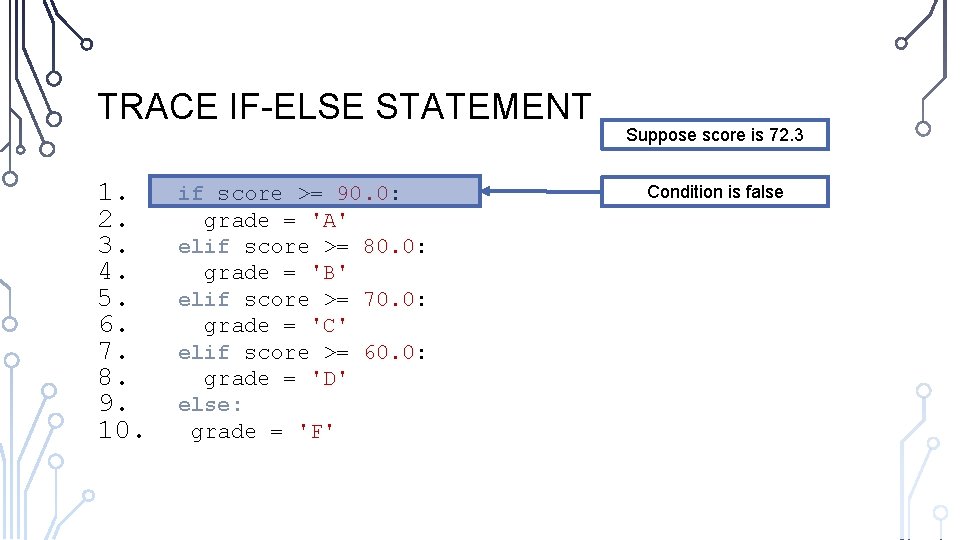
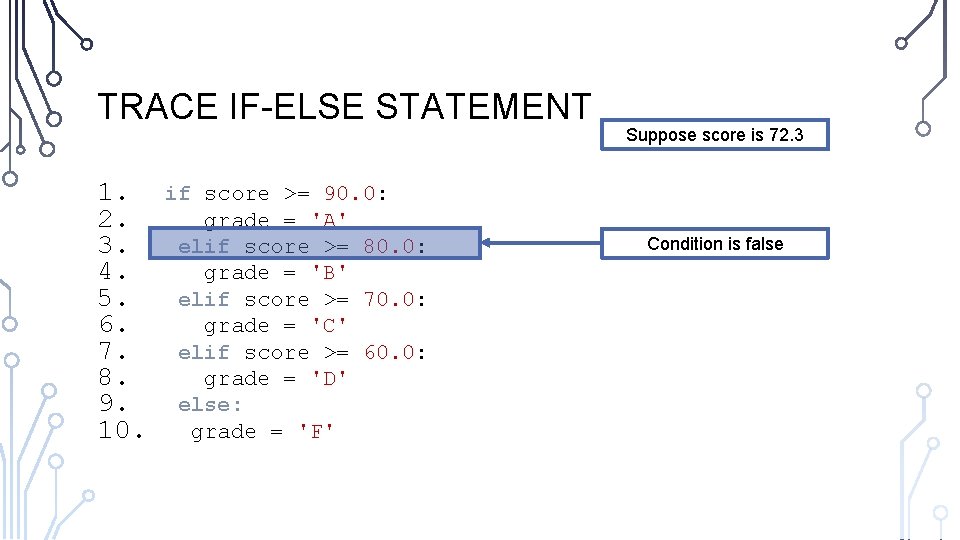
TRACE IF-ELSE STATEMENT 1. 2. 3. 4. 5. 6. 7. 8. 9. 10. if score >= 90. 0: grade = 'A' elif score >= 80. 0: grade = 'B' elif score >= 70. 0: grade = 'C' elif score >= 60. 0: grade = 'D' else: grade = 'F' Suppose score is 72. 3 Condition is false
TRACE IF-ELSE STATEMENT 1. 2. 3. 4. 5. 6. 7. 8. 9. 10. if score >= 90. 0: grade = 'A' elif score >= 80. 0: grade = 'B' elif score >= 70. 0: grade = 'C' elif score >= 60. 0: grade = 'D' else: grade = 'F' Suppose score is 72. 3 Condition is false
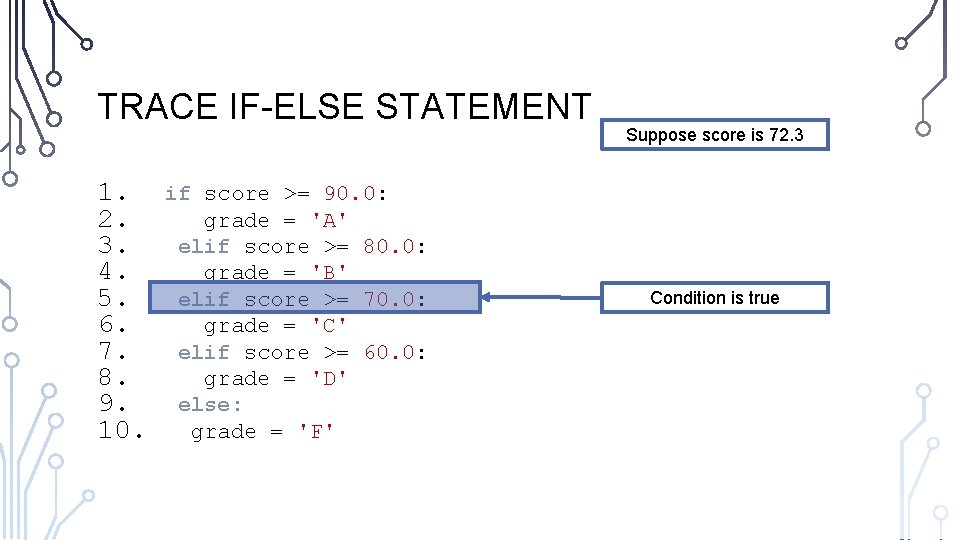
TRACE IF-ELSE STATEMENT 1. 2. 3. 4. 5. 6. 7. 8. 9. 10. if score >= 90. 0: grade = 'A' elif score >= 80. 0: grade = 'B' elif score >= 70. 0: grade = 'C' elif score >= 60. 0: grade = 'D' else: grade = 'F' Suppose score is 72. 3 Condition is true
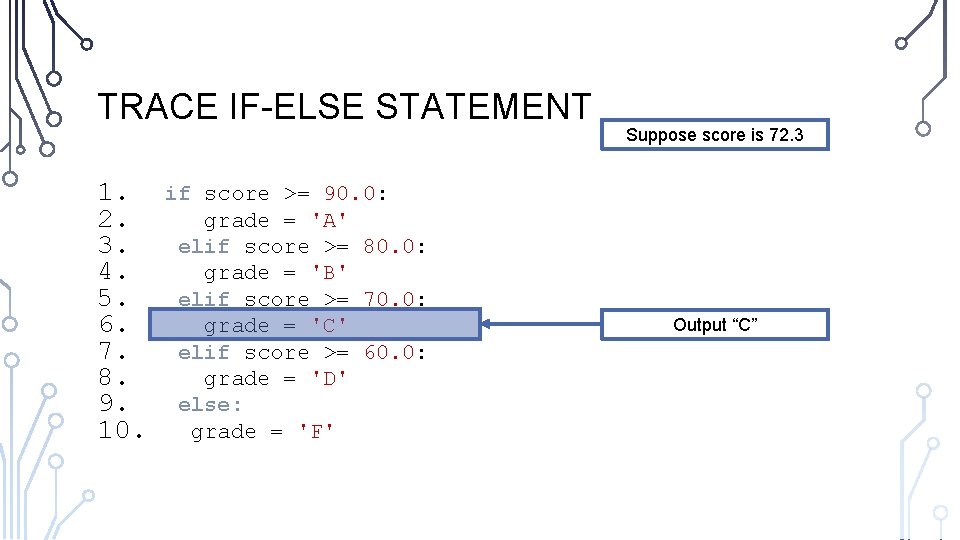
TRACE IF-ELSE STATEMENT 1. 2. 3. 4. 5. 6. 7. 8. 9. 10. if score >= 90. 0: grade = 'A' elif score >= 80. 0: grade = 'B' elif score >= 70. 0: grade = 'C' elif score >= 60. 0: grade = 'D' else: grade = 'F' Suppose score is 72. 3 Output “C”
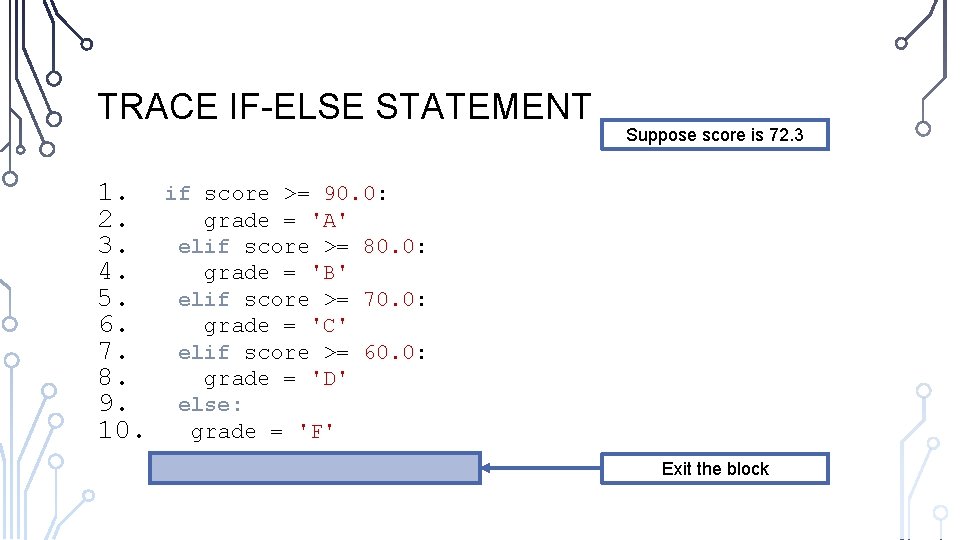
TRACE IF-ELSE STATEMENT 1. 2. 3. 4. 5. 6. 7. 8. 9. 10. Suppose score is 72. 3 if score >= 90. 0: grade = 'A' elif score >= 80. 0: grade = 'B' elif score >= 70. 0: grade = 'C' elif score >= 60. 0: grade = 'D' else: grade = 'F' Exit the block
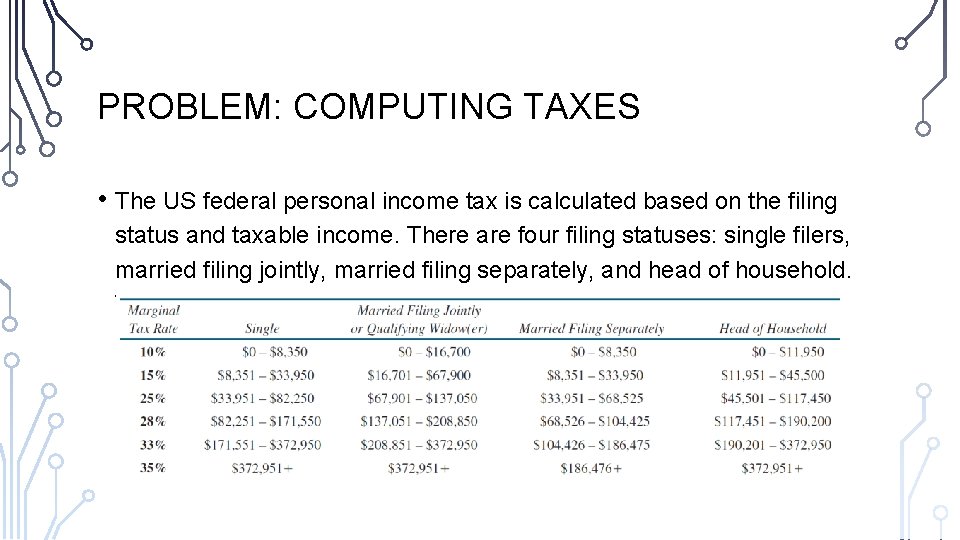
PROBLEM: COMPUTING TAXES • The US federal personal income tax is calculated based on the filing status and taxable income. There are four filing statuses: single filers, married filing jointly, married filing separately, and head of household. The tax rates for 2009 are shown below.
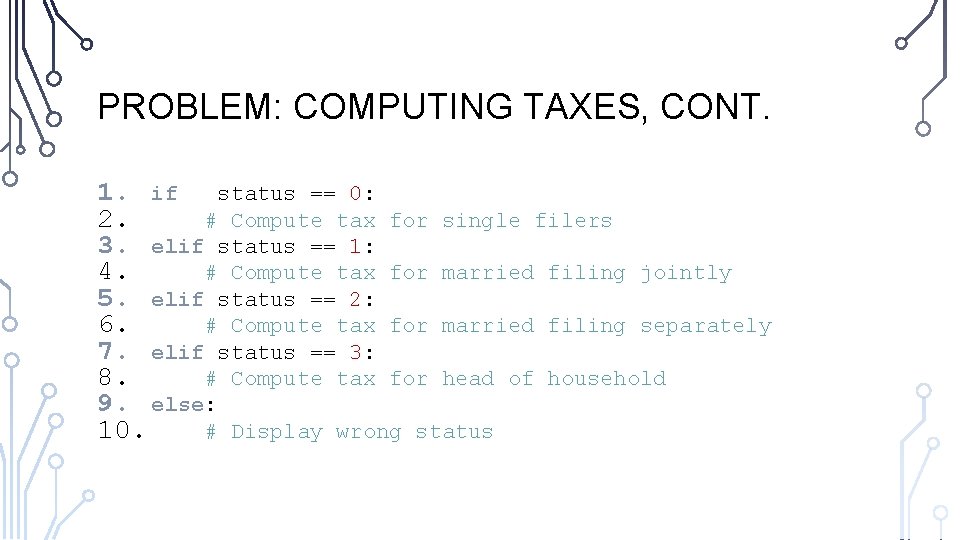
PROBLEM: COMPUTING TAXES, CONT. 1. if status == 0: 2. # Compute tax for single filers 3. elif status == 1: 4. # Compute tax for married filing jointly 5. elif status == 2: 6. # Compute tax for married filing separately 7. elif status == 3: 8. # Compute tax for head of household 9. else: 10. # Display wrong status
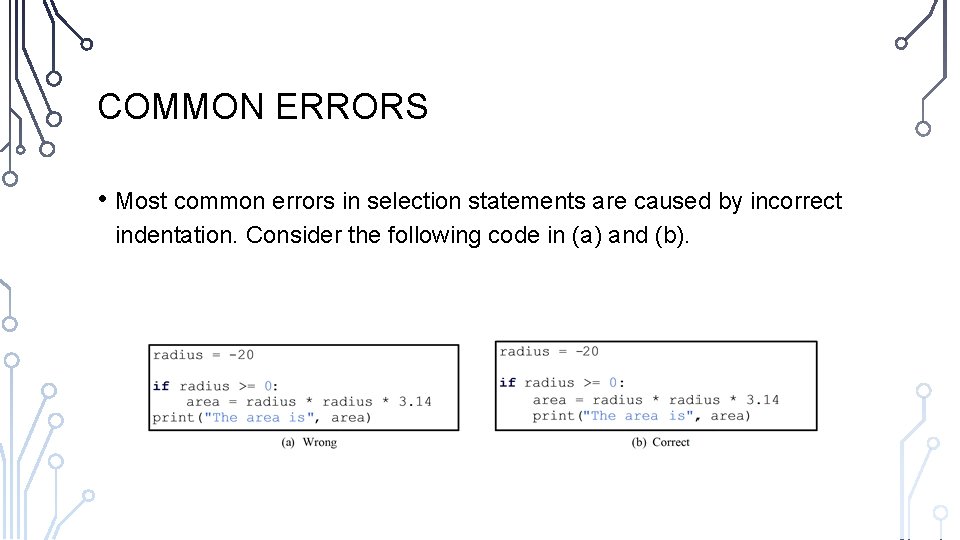
COMMON ERRORS • Most common errors in selection statements are caused by incorrect indentation. Consider the following code in (a) and (b).
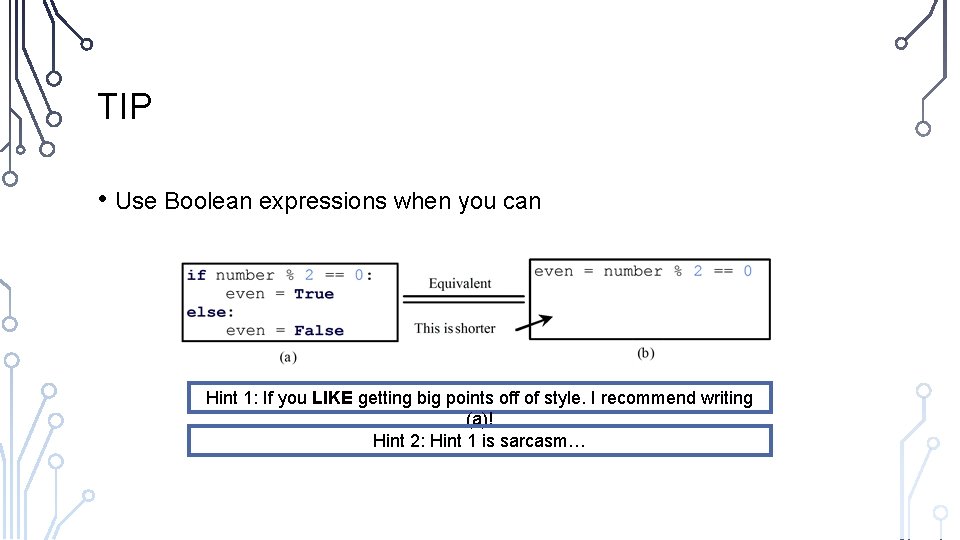
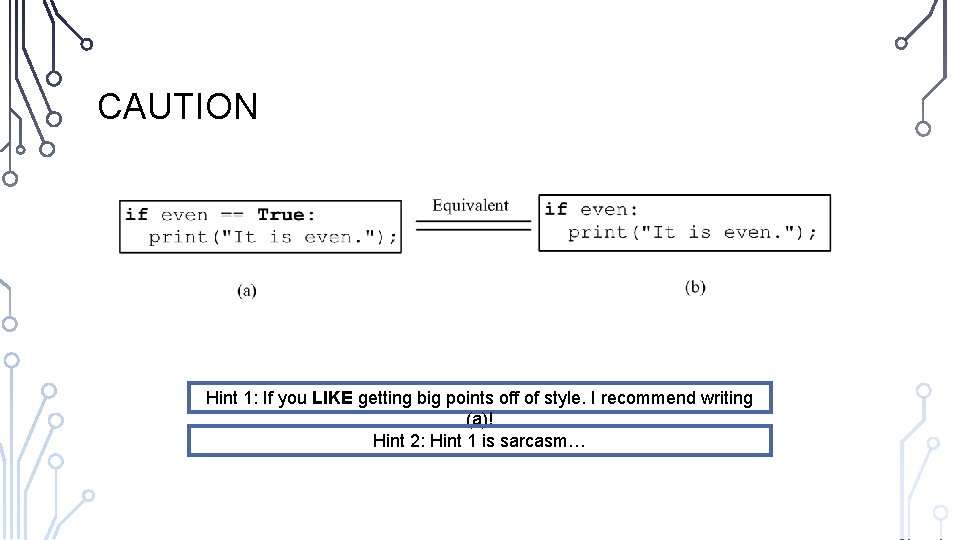
TIP • Use Boolean expressions when you can Hint 1: If you LIKE getting big points off of style. I recommend writing (a)! Hint 2: Hint 1 is sarcasm…
CAUTION Hint 1: If you LIKE getting big points off of style. I recommend writing (a)! Hint 2: Hint 1 is sarcasm…
EXERCISE: GUESSING GAME • Extend the previous guessing game example to allow two guesses, and descriptive messages of a guess being correct, over, or under. • Hint: We have 3 conditions per guess…
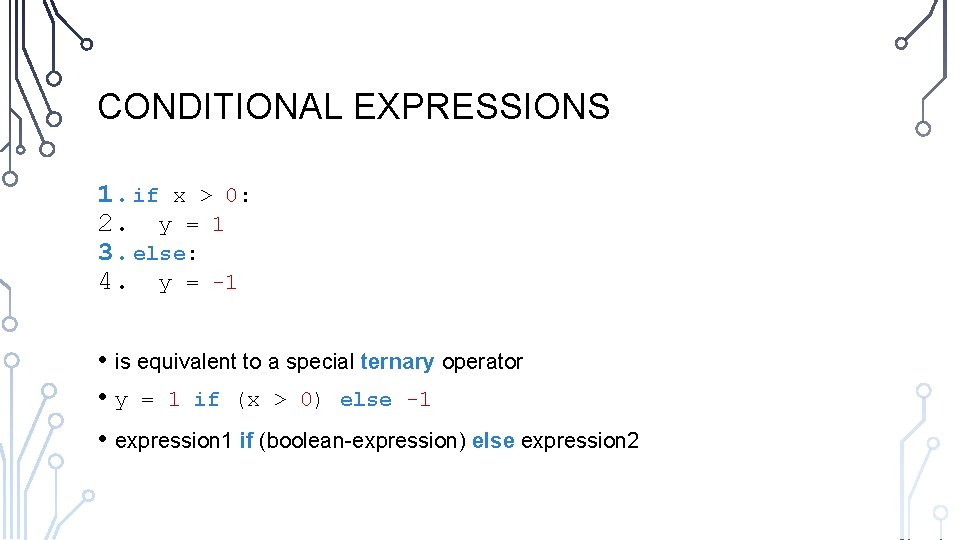
CONDITIONAL EXPRESSIONS 1. if x > 0: 2. y = 1 3. else: 4. y = -1 • is equivalent to a special ternary operator • y = 1 if (x > 0) else -1 • expression 1 if (boolean-expression) else expression 2
EXERCISE: GRAPHICS • Write a program that prompts the user to enter the center, width, and heights of two rectangles and determines whether the second rectangle is inside the first, overlaps with the first, or does not overlap • • Display text describing the case in the window output (not the console) Bonus, calculate the rectangular overlap and display it in another color (red)
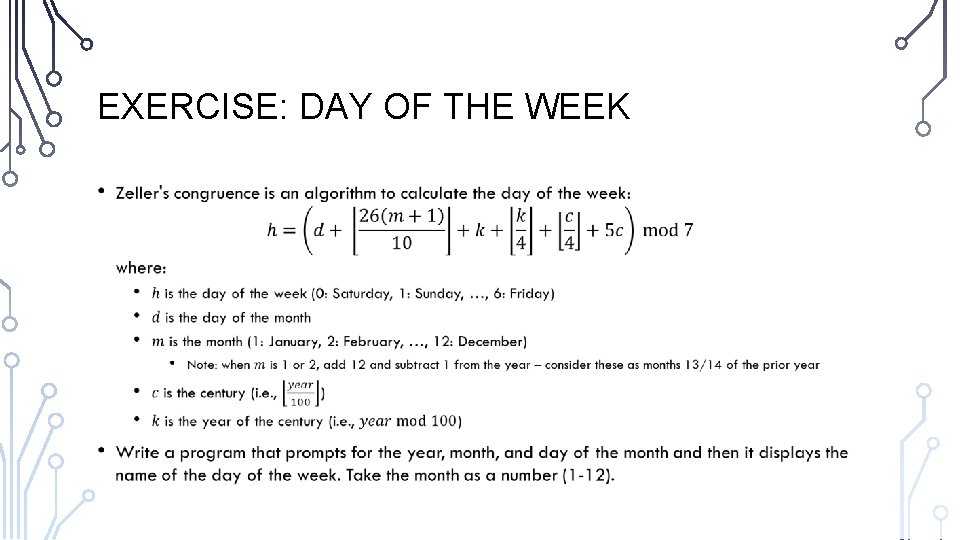
EXERCISE: DAY OF THE WEEK •