
Chapter 4 Program Input and the Software Design



![File contains: A[space]B[space]C[Enter] char first ; char middle ; char last ; cin >>](https://slidetodoc.com/presentation_image_h2/6654a6132ad33197422d7088ce55752d/image-11.jpg "File contains: A[space]B[space]C[Enter] char first ; char middle ; char last ; cin >>")
![File contains: [space]25[space]J[space]2[Enter] int age ; char initial ; float bill ; cin >>](https://slidetodoc.com/presentation_image_h2/6654a6132ad33197422d7088ce55752d/image-12.jpg "File contains: [space]25[space]J[space]2[Enter] int age ; char initial ; float bill ; cin >>")



- Slides: 58
Chapter 4 Program Input and the Software Design Process 1
Chapter 4 Topics l l l Input Statements to Read Values for a Program using >>, and functions get, ignore, getline Prompting for Interactive Input/Output Using Data Files for Input and Output Object-Oriented Design Principles Functional Decomposition Methodology 2
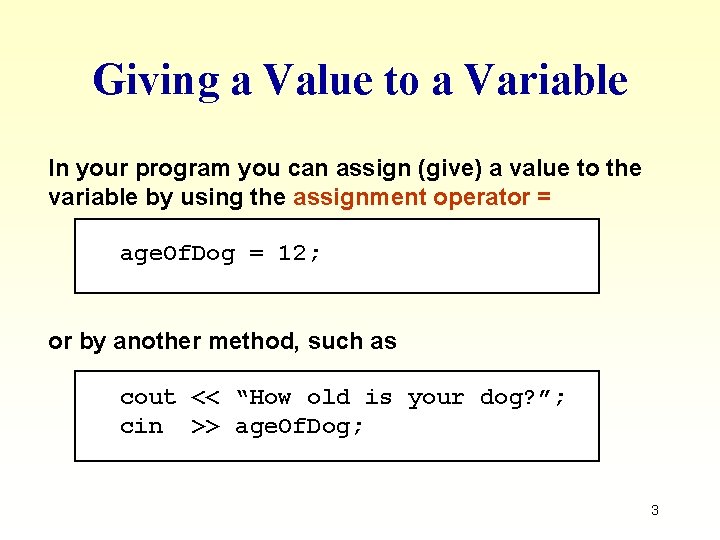
Giving a Value to a Variable In your program you can assign (give) a value to the variable by using the assignment operator = age. Of. Dog = 12; or by another method, such as cout << “How old is your dog? ”; cin >> age. Of. Dog; 3
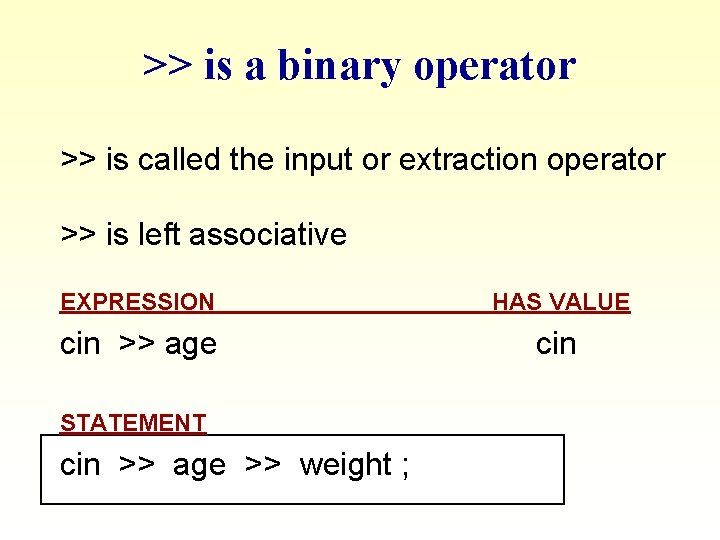
>> is a binary operator >> is called the input or extraction operator >> is left associative EXPRESSION HAS VALUE cin >> age cin STATEMENT cin >> age >> weight ;
Extraction Operator ( >> ) l variable cin is predefined to denote an input stream from the standard input device ( the keyboard ) l the extraction operator >> called “get from” takes 2 operands. The left operand is a stream expression, such as cin--the right operand is a variable of simple type. l operator >> attempts to extract the next item from the input stream and store its value in the right operand variable
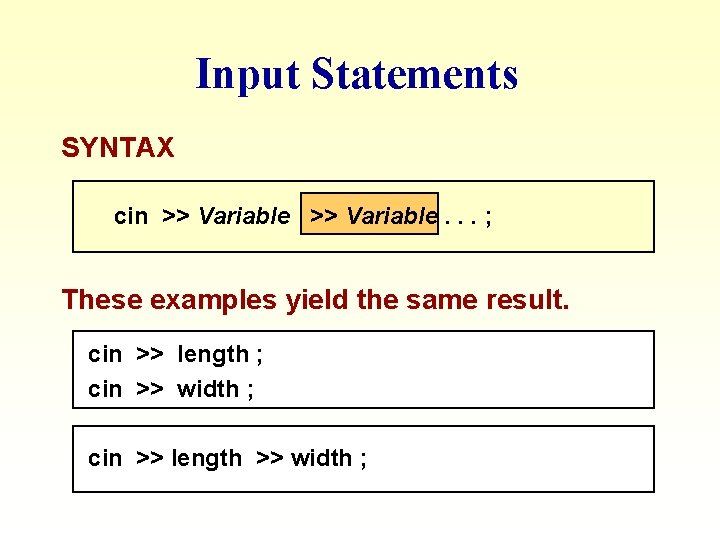
Input Statements SYNTAX cin >> Variable. . . ; These examples yield the same result. cin >> length ; cin >> width ; cin >> length >> width ;
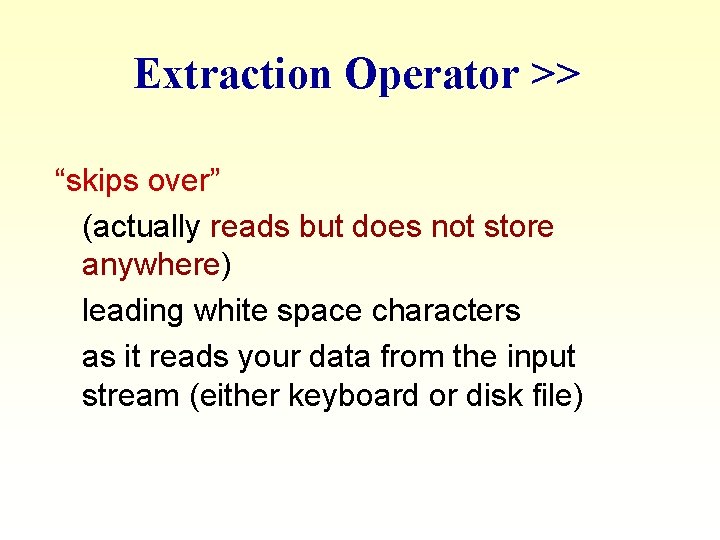
Extraction Operator >> “skips over” (actually reads but does not store anywhere) leading white space characters as it reads your data from the input stream (either keyboard or disk file)
Input Examples Syntax: cin >> var 1 >> var 2 >> var 3. . . Example: characters: ; assume the input stream contains the following sequence of 12 17 -19 int X, Y, Z; cin >> X >> Y >> Z; 4 int X, Y, Z, W; cin >> X >> Y >> Z; cin >> W; In both examples, assuming they’re done independently, the result is X = 12, Y = 17, and Z = -19. Also, in the second, W = 4. 8
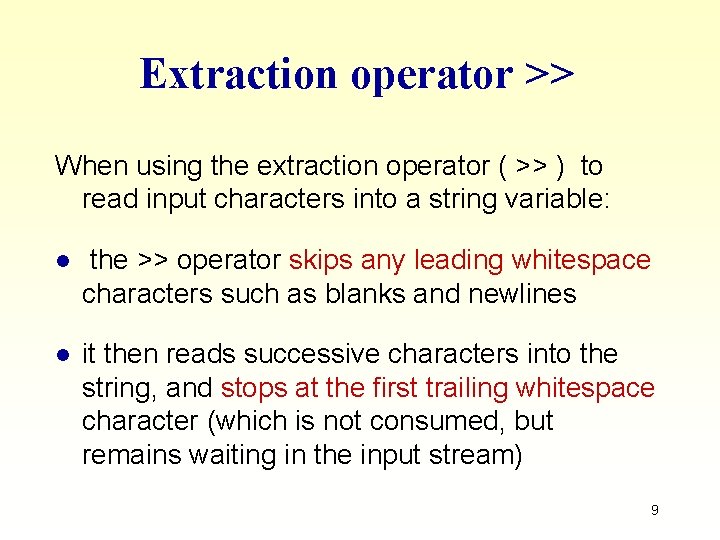
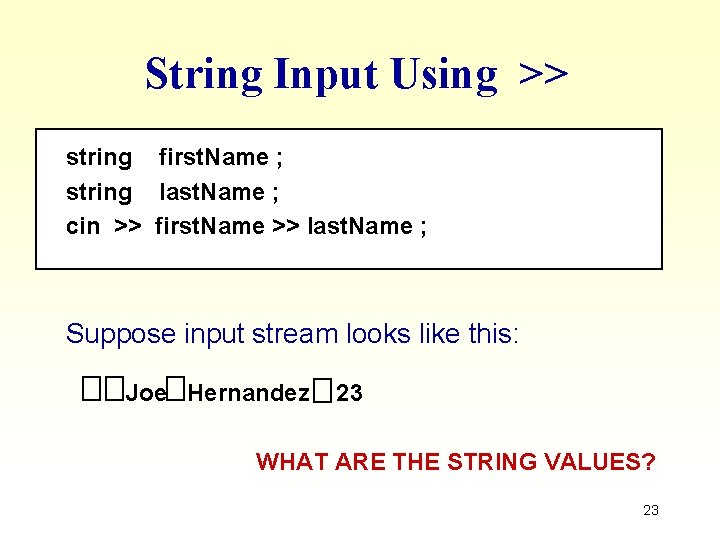
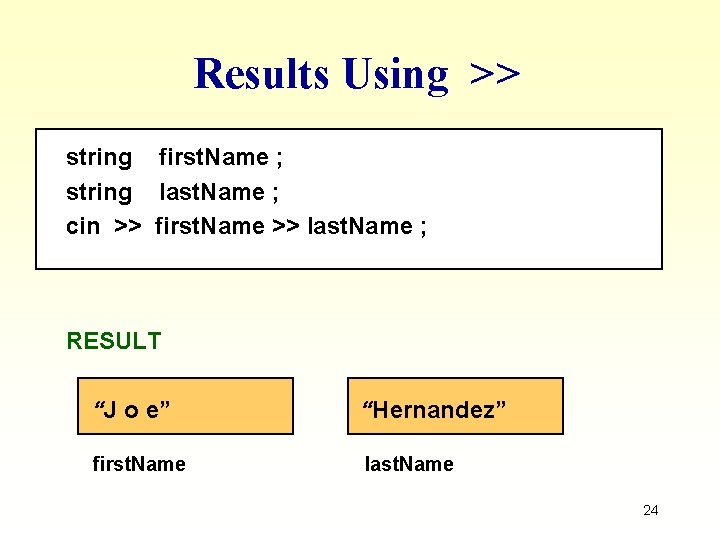
Extraction operator >> When using the extraction operator ( >> ) to read input characters into a string variable: l the >> operator skips any leading whitespace characters such as blanks and newlines l it then reads successive characters into the string, and stops at the first trailing whitespace character (which is not consumed, but remains waiting in the input stream) 9
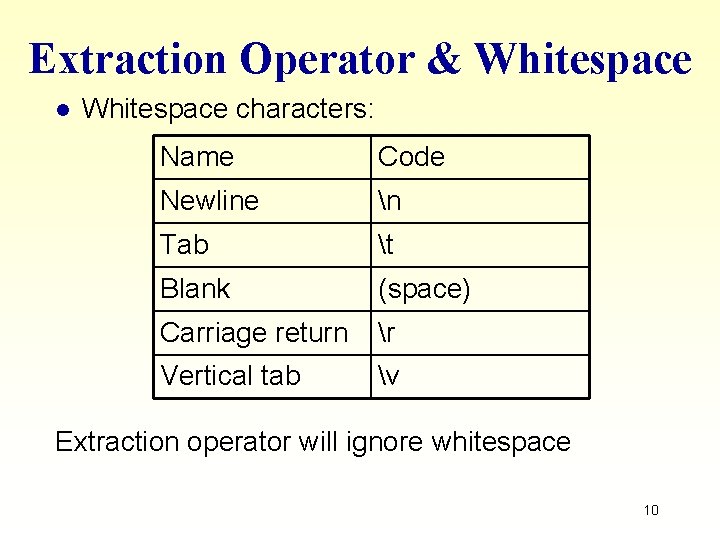
Extraction Operator & Whitespace l Whitespace characters: Name Code Newline n Tab t Blank (space) Carriage return r Vertical tab v Extraction operator will ignore whitespace 10
File contains: A[space]B[space]C[Enter] char first ; char middle ; char last ; cin >> first ; cin >> middle ; cin >> last ; first middle last ‘A’ ‘B’ ‘C’ first middle last NOTE: A file reading marker is left pointing to the newline character after the ‘C’ in the input stream.
File contains: [space]25[space]J[space]2[Enter] int age ; char initial ; float bill ; cin >> age ; cin >> initial ; cin >> bill ; age initial bill 25 ‘J’ 2. 0 age initial bill NOTE: A file reading marker is left pointing to the newline character after the 2 in the input stream.
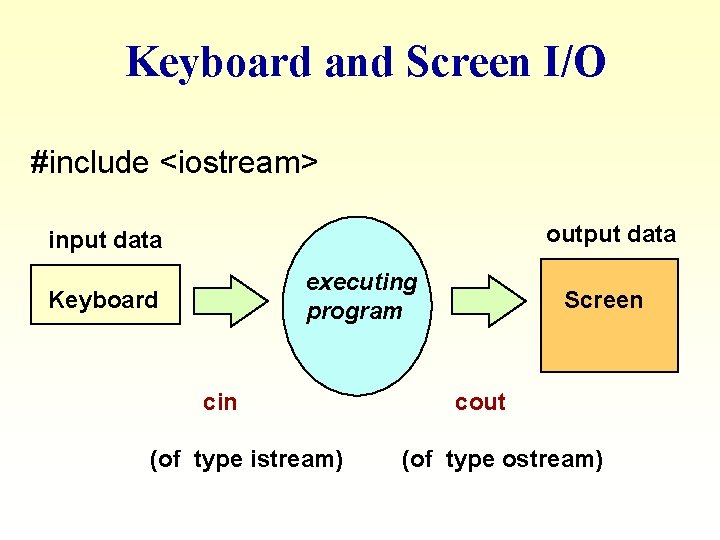
Keyboard and Screen I/O #include <iostream> output data input data executing program Keyboard cin (of type istream) Screen cout (of type ostream)
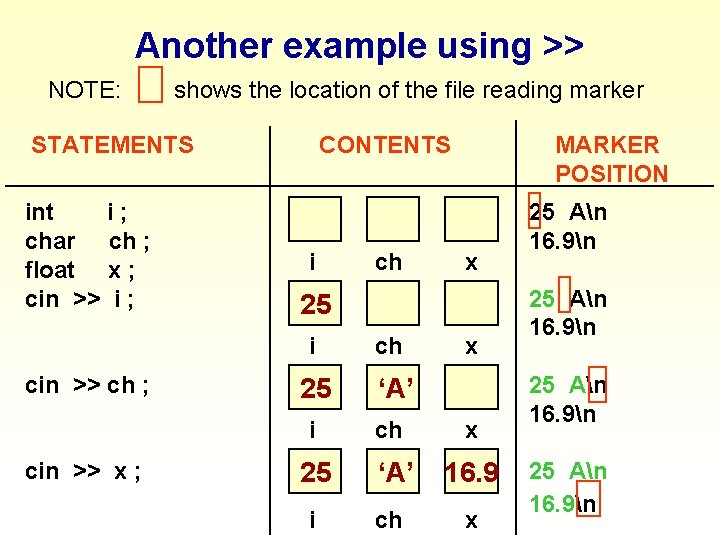
Another example using >> NOTE: shows the location of the file reading marker STATEMENTS int i; char ch ; float x ; cin >> i ; CONTENTS i 25 i cin >> x ; x 25 i cin >> ch ; ch MARKER POSITION 25 i ch x ‘A’ ch x 16. 9 x 25 An 16. 9n
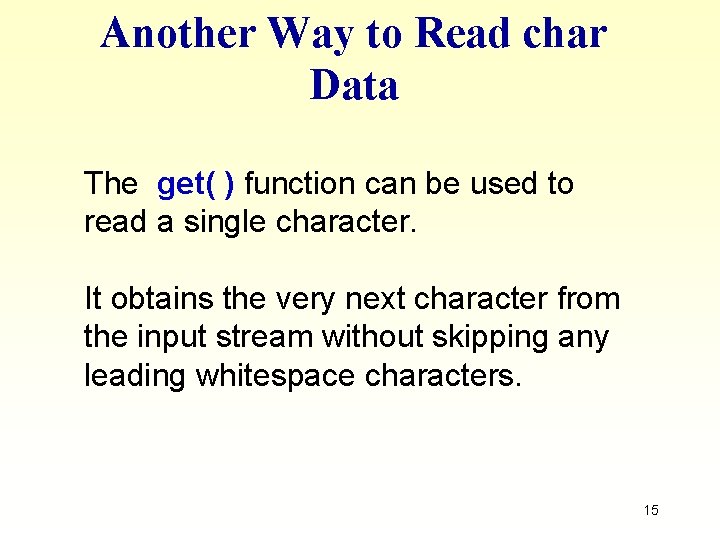
Another Way to Read char Data The get( ) function can be used to read a single character. It obtains the very next character from the input stream without skipping any leading whitespace characters. 15
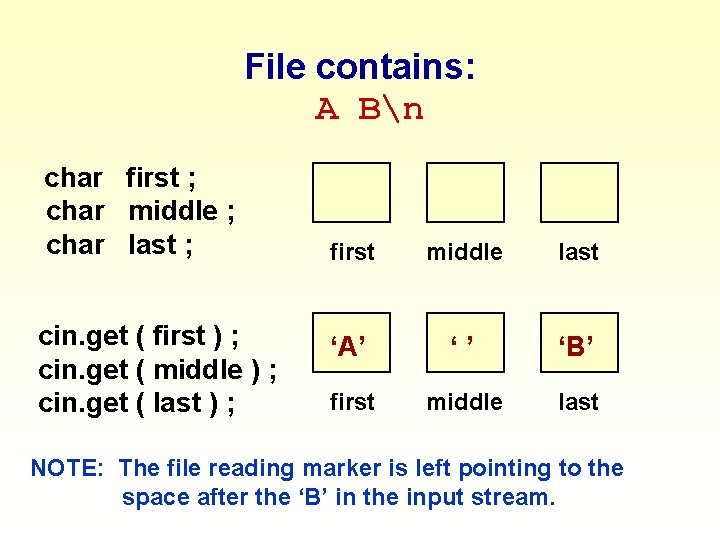
File contains: A Bn char first ; char middle ; char last ; cin. get ( first ) ; cin. get ( middle ) ; cin. get ( last ) ; first middle last ‘A’ ‘’ ‘B’ first middle last NOTE: The file reading marker is left pointing to the space after the ‘B’ in the input stream.
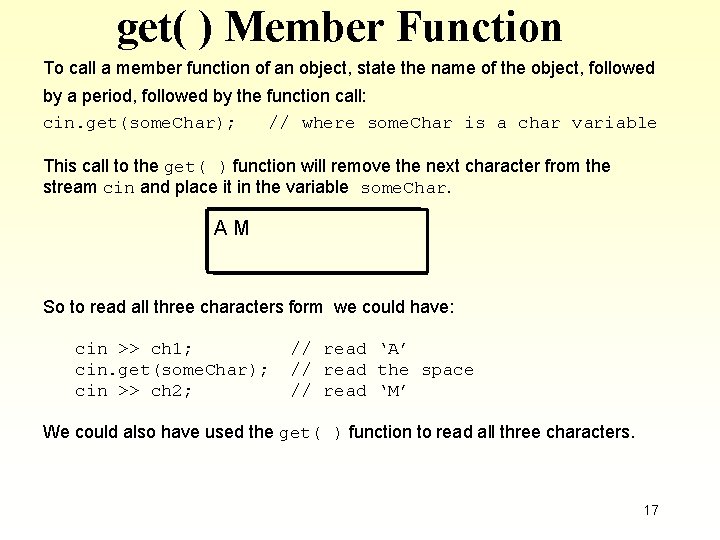
get( ) Member Function To call a member function of an object, state the name of the object, followed by a period, followed by the function call: cin. get(some. Char); // where some. Char is a char variable This call to the get( ) function will remove the next character from the stream cin and place it in the variable some. Char. AM So to read all three characters form we could have: cin >> ch 1; cin. get(some. Char); cin >> ch 2; // read ‘A’ // read the space // read ‘M’ We could also have used the get( ) function to read all three characters. 17
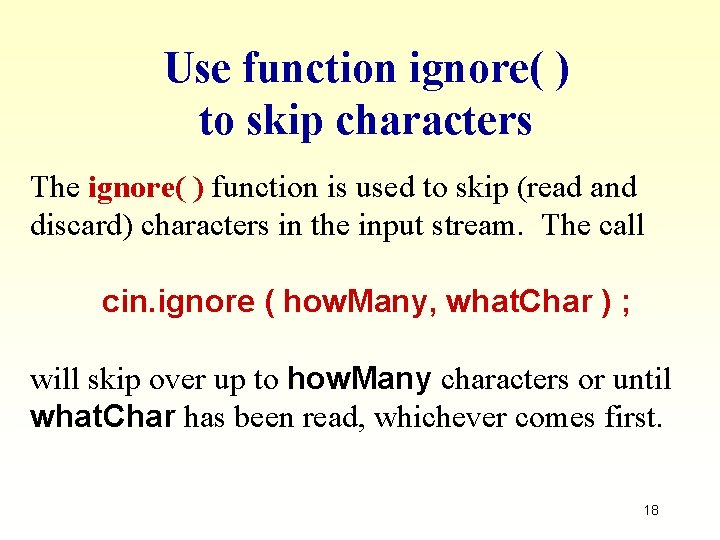
Use function ignore( ) to skip characters The ignore( ) function is used to skip (read and discard) characters in the input stream. The call cin. ignore ( how. Many, what. Char ) ; will skip over up to how. Many characters or until what. Char has been read, whichever comes first. 18
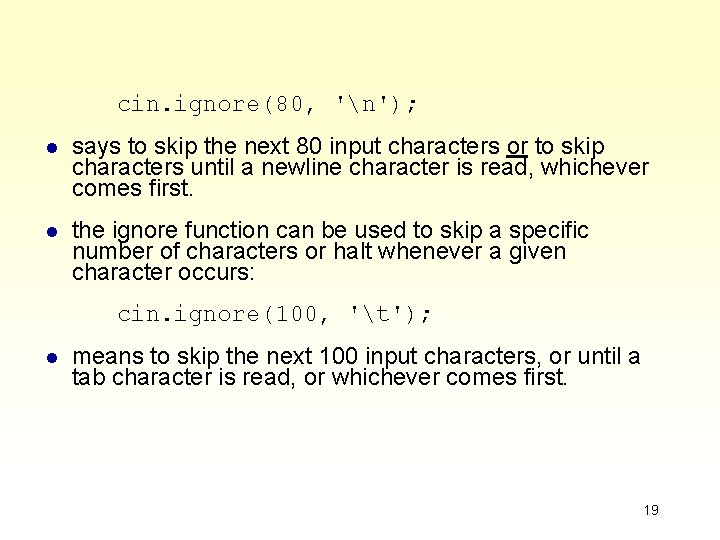
cin. ignore(80, 'n'); l says to skip the next 80 input characters or to skip characters until a newline character is read, whichever comes first. l the ignore function can be used to skip a specific number of characters or halt whenever a given character occurs: cin. ignore(100, 't'); l means to skip the next 100 input characters, or until a tab character is read, or whichever comes first. 19
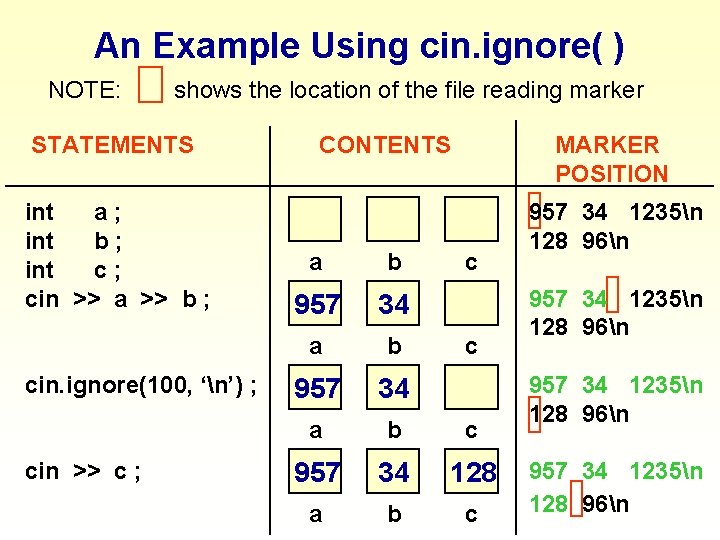
An Example Using cin. ignore( ) NOTE: shows the location of the file reading marker STATEMENTS int a; int b; int c; cin >> a >> b ; cin. ignore(100, ‘n’) ; cin >> c ; CONTENTS MARKER POSITION a b c 957 34 128 a b c c 957 34 1235n 128 96n
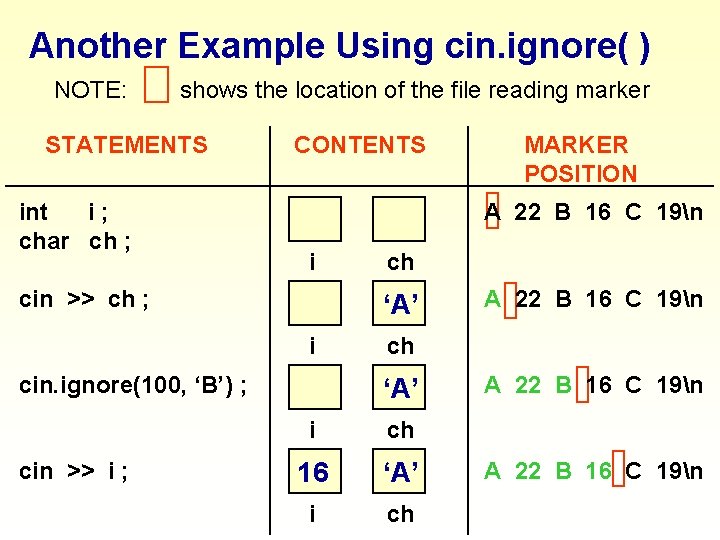
Another Example Using cin. ignore( ) NOTE: shows the location of the file reading marker STATEMENTS int i; char ch ; cin >> ch ; cin. ignore(100, ‘B’) ; cin >> i ; CONTENTS MARKER POSITION A 22 B 16 C 19n i ch 957 34 ‘A’ i ch 957 16 34 ‘A’ i ch A 22 B 16 C 19n
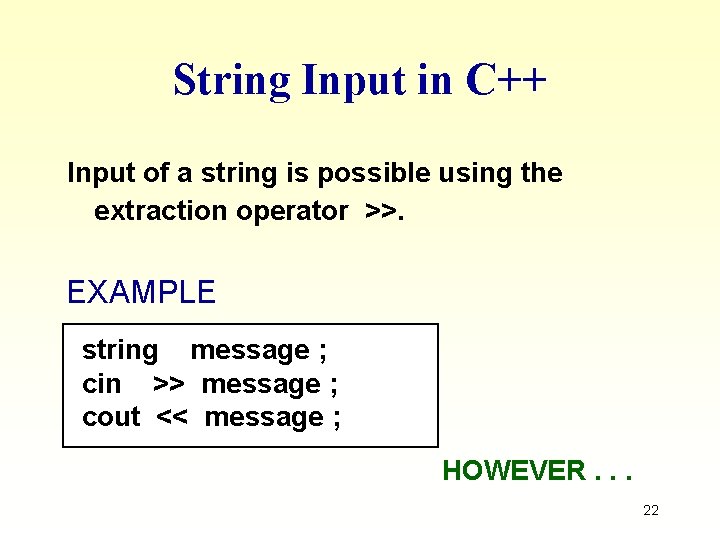
String Input in C++ Input of a string is possible using the extraction operator >>. EXAMPLE string message ; cin >> message ; cout << message ; HOWEVER. . . 22
String Input Using >> string first. Name ; string last. Name ; cin >> first. Name >> last. Name ; Suppose input stream looks like this: Joe Hernandez 23 WHAT ARE THE STRING VALUES? 23
Results Using >> string first. Name ; string last. Name ; cin >> first. Name >> last. Name ; RESULT “J o e” “Hernandez” first. Name last. Name 24
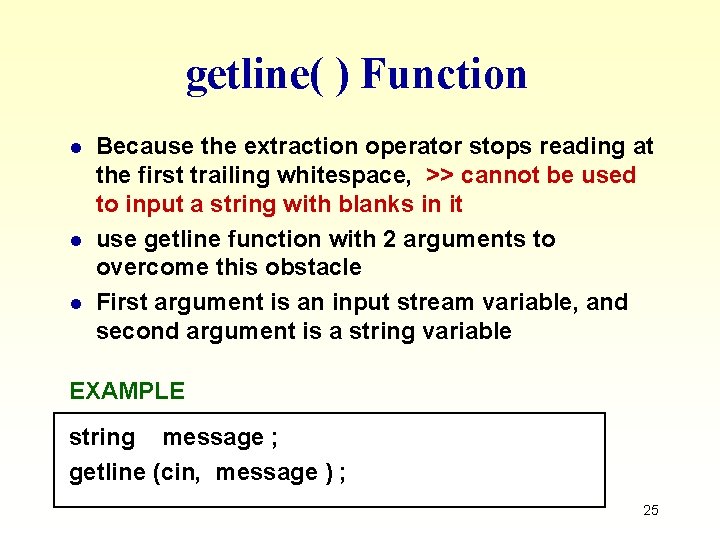
getline( ) Function l l l Because the extraction operator stops reading at the first trailing whitespace, >> cannot be used to input a string with blanks in it use getline function with 2 arguments to overcome this obstacle First argument is an input stream variable, and second argument is a string variable EXAMPLE string message ; getline (cin, message ) ; 25
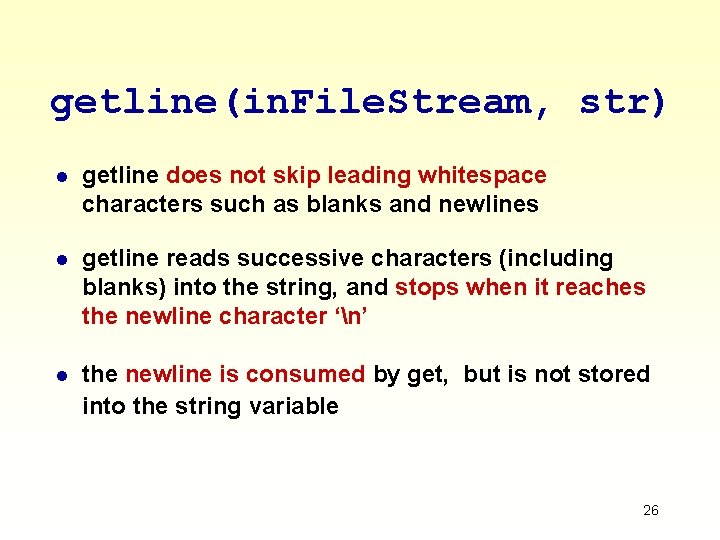
getline(in. File. Stream, str) l getline does not skip leading whitespace characters such as blanks and newlines l getline reads successive characters (including blanks) into the string, and stops when it reaches the newline character ‘n’ l the newline is consumed by get, but is not stored into the string variable 26
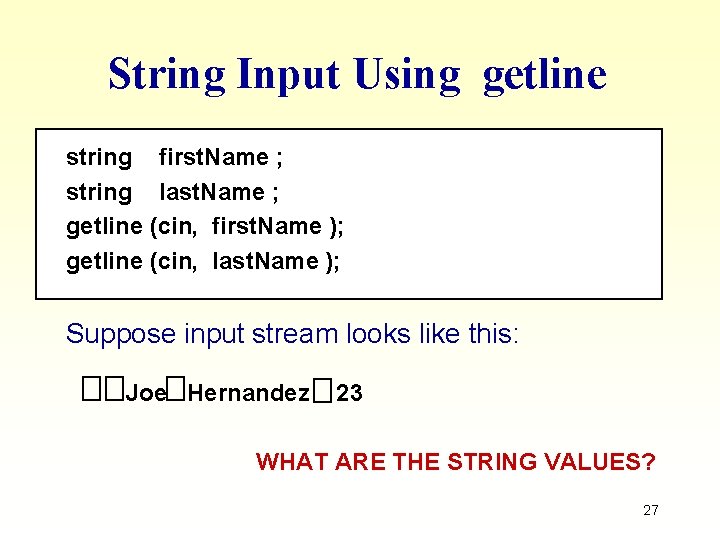
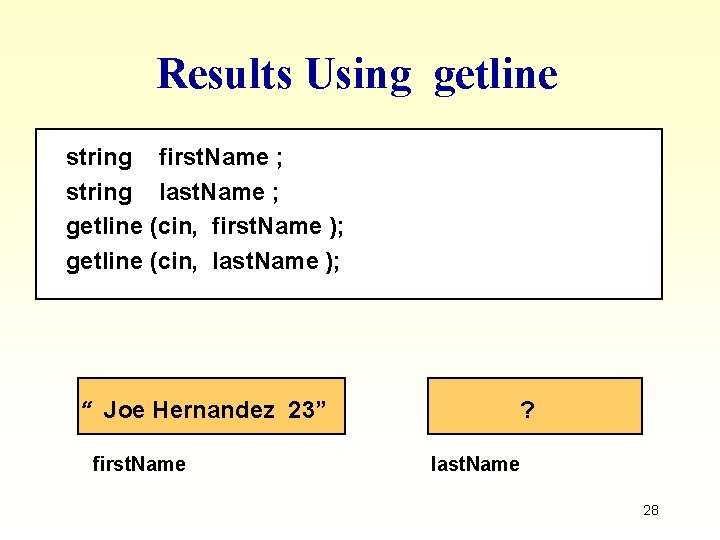
String Input Using getline string first. Name ; string last. Name ; getline (cin, first. Name ); getline (cin, last. Name ); Suppose input stream looks like this: Joe Hernandez 23 WHAT ARE THE STRING VALUES? 27
Results Using getline string first. Name ; string last. Name ; getline (cin, first. Name ); getline (cin, last. Name ); “ Joe Hernandez 23” first. Name ? last. Name 28
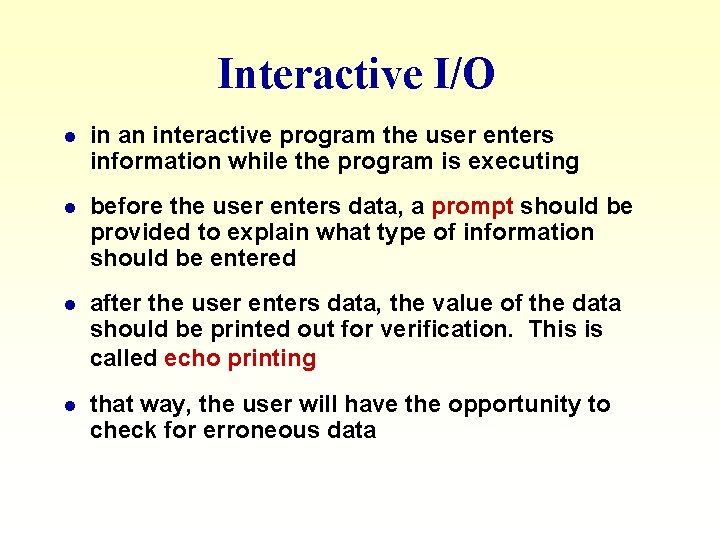
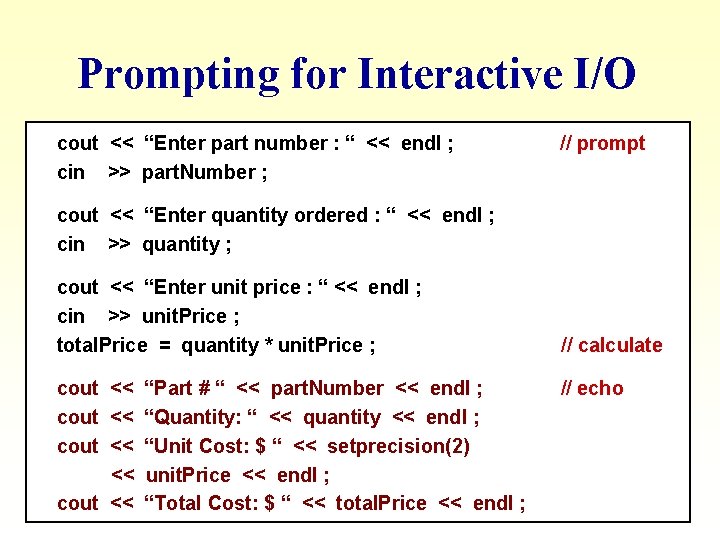
Interactive I/O l in an interactive program the user enters information while the program is executing l before the user enters data, a prompt should be provided to explain what type of information should be entered l after the user enters data, the value of the data should be printed out for verification. This is called echo printing l that way, the user will have the opportunity to check for erroneous data
Prompting for Interactive I/O cout << “Enter part number : “ << endl ; cin >> part. Number ; // prompt cout << “Enter quantity ordered : “ << endl ; cin >> quantity ; cout << “Enter unit price : “ << endl ; cin >> unit. Price ; total. Price = quantity * unit. Price ; cout << “Part # “ << part. Number << endl ; cout << “Quantity: “ << quantity << endl ; cout << “Unit Cost: $ “ << setprecision(2) << unit. Price << endl ; cout << “Total Cost: $ “ << total. Price << endl ; // calculate // echo
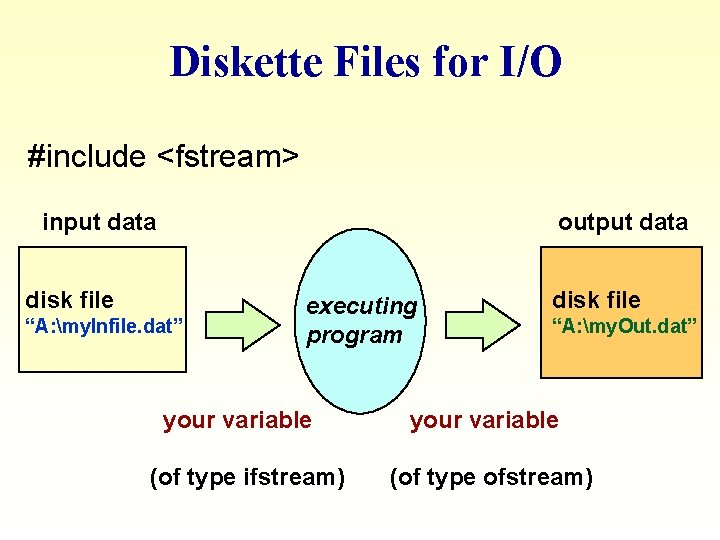
Diskette Files for I/O #include <fstream> input data output data disk file “A: my. Infile. dat” executing program your variable (of type ifstream) disk file “A: my. Out. dat” your variable (of type ofstream)
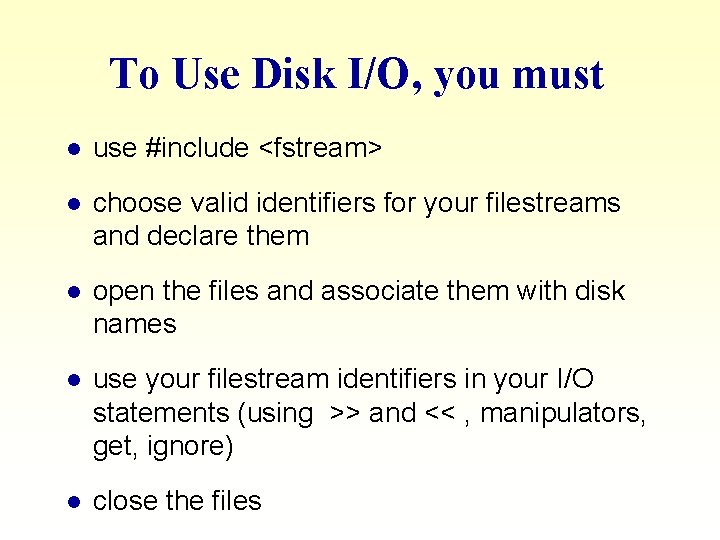
To Use Disk I/O, you must l use #include <fstream> l choose valid identifiers for your filestreams and declare them l open the files and associate them with disk names l use your filestream identifiers in your I/O statements (using >> and << , manipulators, get, ignore) l close the files
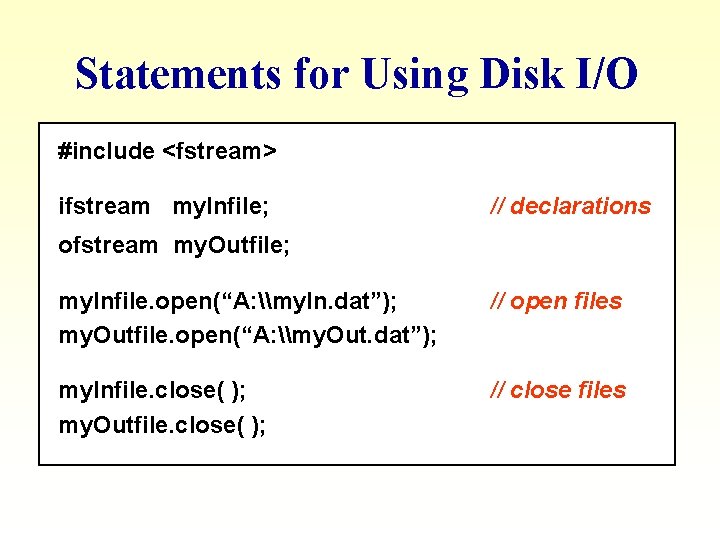
Statements for Using Disk I/O #include <fstream> ifstream my. Infile; // declarations ofstream my. Outfile; my. Infile. open(“A: \my. In. dat”); my. Outfile. open(“A: \my. Out. dat”); // open files my. Infile. close( ); my. Outfile. close( ); // close files
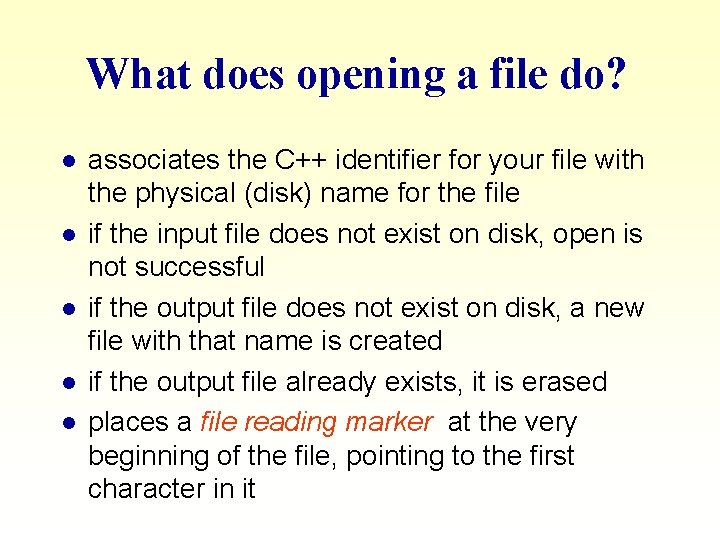
What does opening a file do? l l l associates the C++ identifier for your file with the physical (disk) name for the file if the input file does not exist on disk, open is not successful if the output file does not exist on disk, a new file with that name is created if the output file already exists, it is erased places a file reading marker at the very beginning of the file, pointing to the first character in it
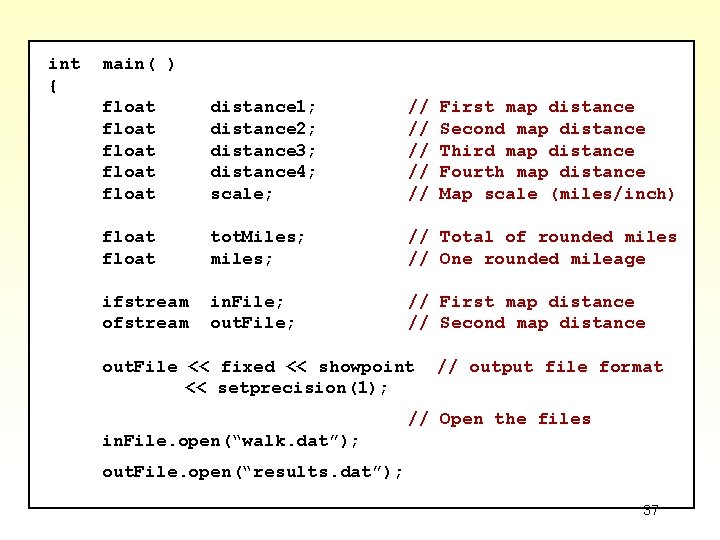
Map Measurement Case Study You want a program to determine walking distances between 4 sights in the city. Your city map legend says one inch on the map equals 1/4 mile in the city. Read from a file the 4 measured distances between sights on the map and the map scale. Output to a file the rounded (to the nearest tenth) walking distances between 35 the 4 sights.
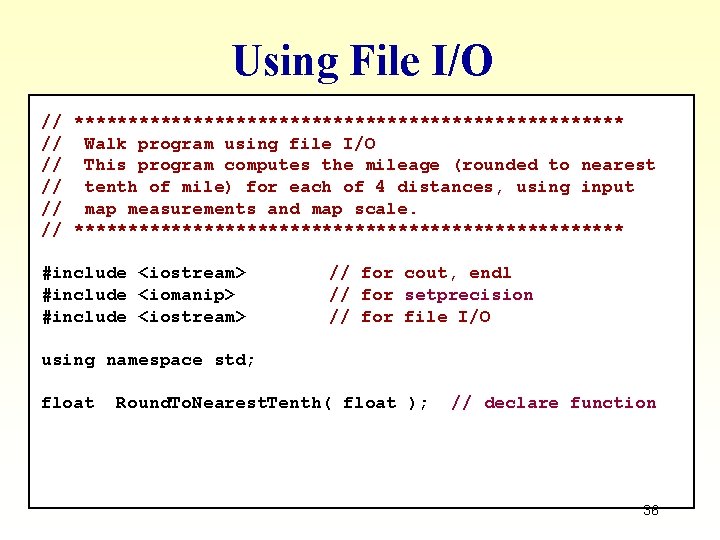
Using File I/O // ************************** // Walk program using file I/O // This program computes the mileage (rounded to nearest // tenth of mile) for each of 4 distances, using input // map measurements and map scale. // ************************** #include <iostream> #include <iomanip> #include <iostream> // for cout, endl // for setprecision // for file I/O using namespace std; float Round. To. Nearest. Tenth( float ); // declare function 36
int { main( ) float float distance 1; distance 2; distance 3; distance 4; scale; // // // float tot. Miles; miles; // Total of rounded miles // One rounded mileage ifstream ofstream in. File; out. File; // First map distance // Second map distance out. File << fixed << showpoint << setprecision(1); First map distance Second map distance Third map distance Fourth map distance Map scale (miles/inch) // output file format // Open the files in. File. open(“walk. dat”); out. File. open(“results. dat”); 37
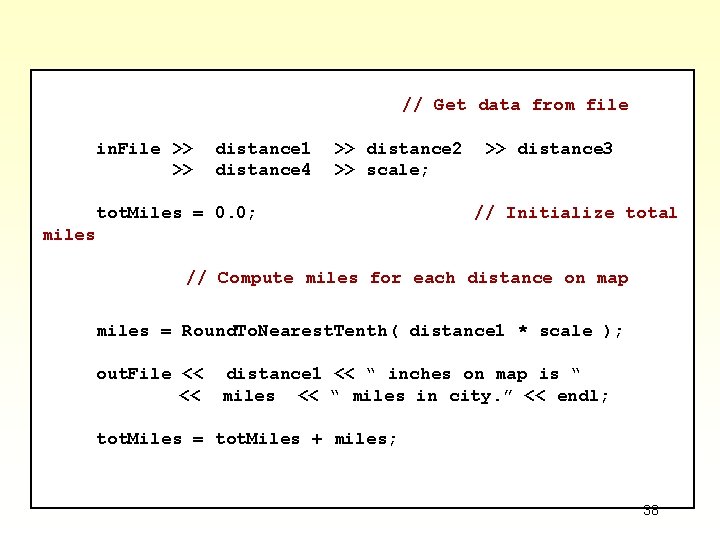
// Get data from file in. File >> >> distance 1 distance 4 >> distance 2 >> scale; tot. Miles = 0. 0; >> distance 3 // Initialize total miles // Compute miles for each distance on map miles = Round. To. Nearest. Tenth( distance 1 * scale ); out. File << << distance 1 << “ inches on map is “ miles << “ miles in city. ” << endl; tot. Miles = tot. Miles + miles; 38
miles = Round. To. Nearest. Tenth( distance 2 * scale ); out. File << << distance 2 << “ inches on map is “ miles << “ miles in city. ” << endl; tot. Miles = tot. Miles + miles; miles = Round. To. Nearest. Tenth( distance 3 * scale ); out. File << << distance 3 << “ inches on map is “ miles << “ miles in city. ” << endl; tot. Miles = tot. Miles + miles; miles = Round. To. Nearest. Tenth( distance 4 * scale ); out. File << << distance 4 << “ inches on map is “ miles << “ miles in city. ” << endl; tot. Miles = tot. Miles + miles; 39
// Write total miles to output file out. File << << return 0 ; endl << “Total walking mileage is tot. Miles << “ miles. ” << endl; // “ Successful completion } // ************************** float // Round. To. Nearest. Tenth ( /* in */ float. Value) Function returns float. Value rounded to nearest tenth. { return float(int(float. Value * 10. 0 + 0. 5)) / 10. 0; } 40
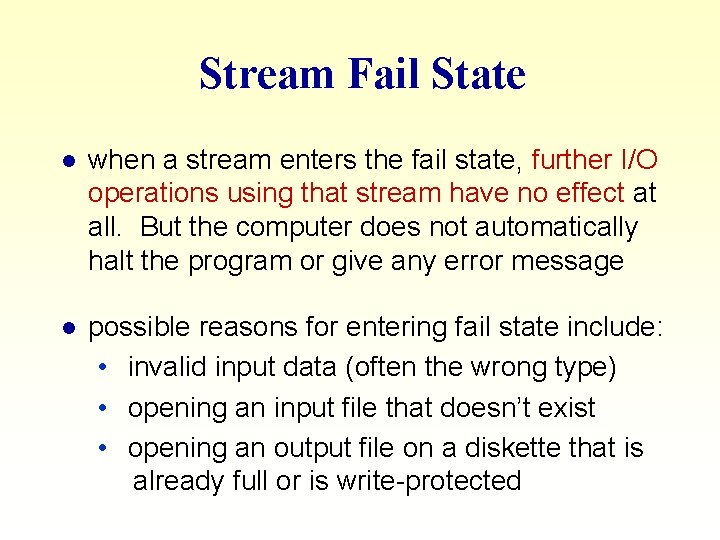
Stream Fail State l when a stream enters the fail state, further I/O operations using that stream have no effect at all. But the computer does not automatically halt the program or give any error message l possible reasons for entering fail state include: • invalid input data (often the wrong type) • opening an input file that doesn’t exist • opening an output file on a diskette that is already full or is write-protected
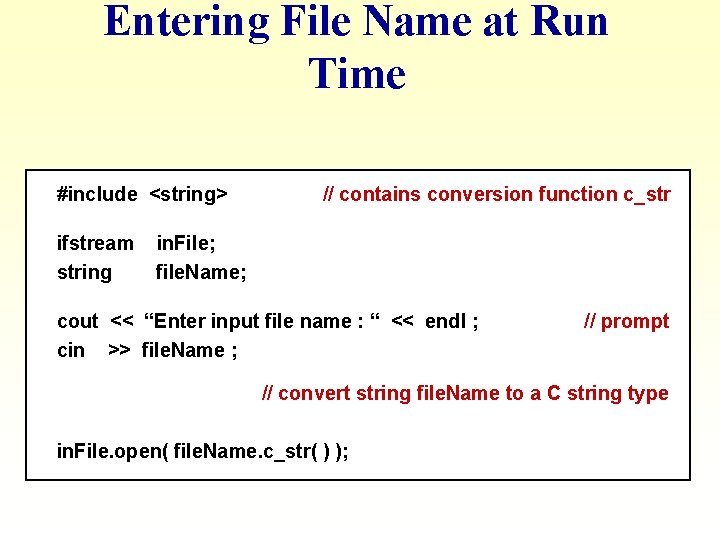
Entering File Name at Run Time #include <string> ifstream string // contains conversion function c_str in. File; file. Name; cout << “Enter input file name : “ << endl ; cin >> file. Name ; // prompt // convert string file. Name to a C string type in. File. open( file. Name. c_str( ) );
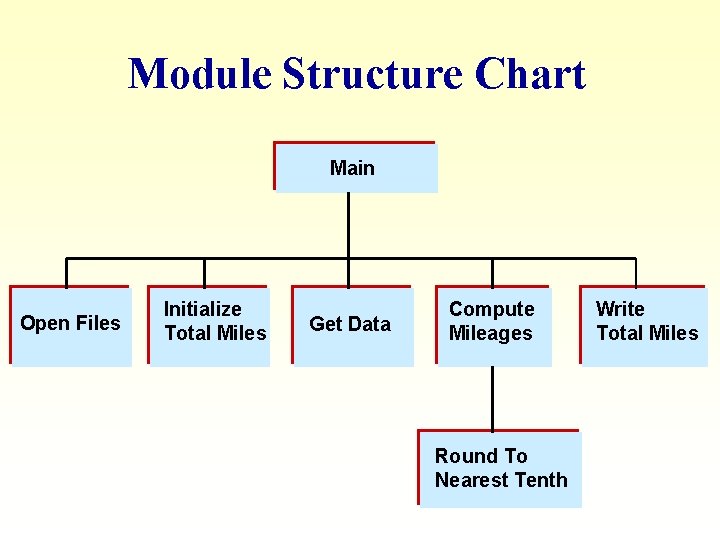
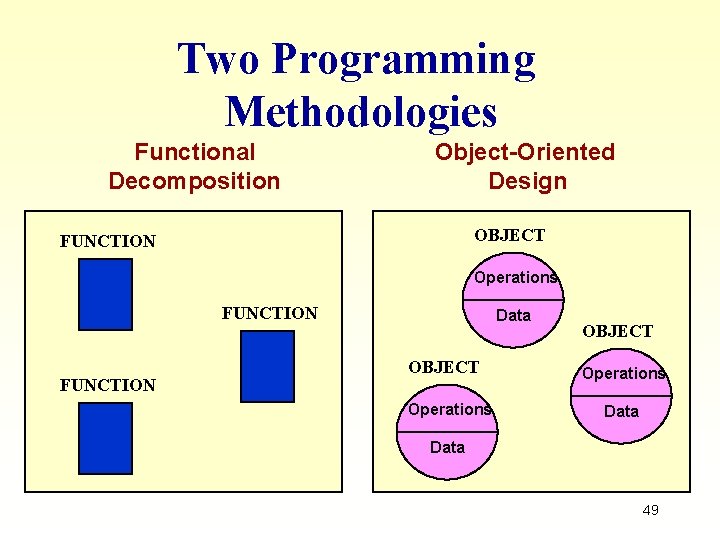
Functional Decomposition A technique for developing a program in which the problem is divided into more easily handled subproblems, the solutions of which create a solution to the overall problem. In functional decomposition, we work from the abstract (a list of the major steps in our solution) to the particular (algorithmic steps that can be translated directly into code in C++ or another language).
Functional Decomposition FOCUS is on actions and algorithms. BEGINS by breaking the solution into a series of major steps. This process continues until each subproblem cannot be divided further or has an obvious solution. UNITS are modules representing algorithms. A module is a collection of concrete and abstract steps that solves a subproblem. A module structure chart (hierarchical solution tree) is often created. DATA plays a secondary role in support of actions to be performed.
Module Structure Chart Main Open Files Initialize Total Miles Get Data Compute Mileages Round To Nearest Tenth Write Total Miles
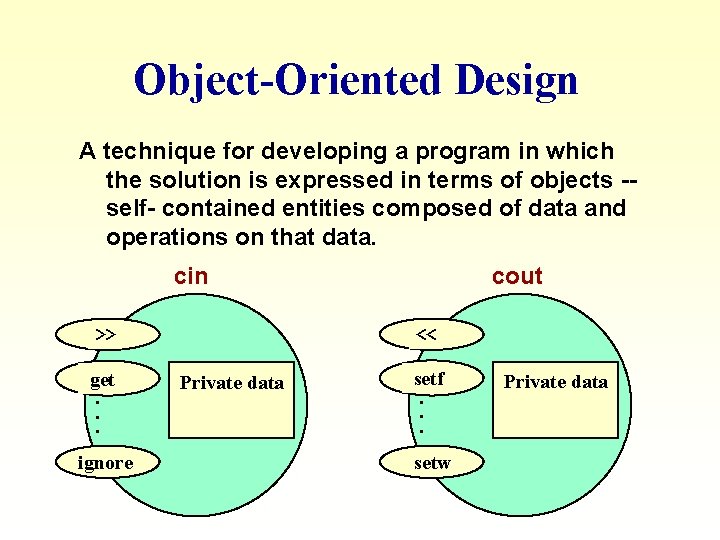
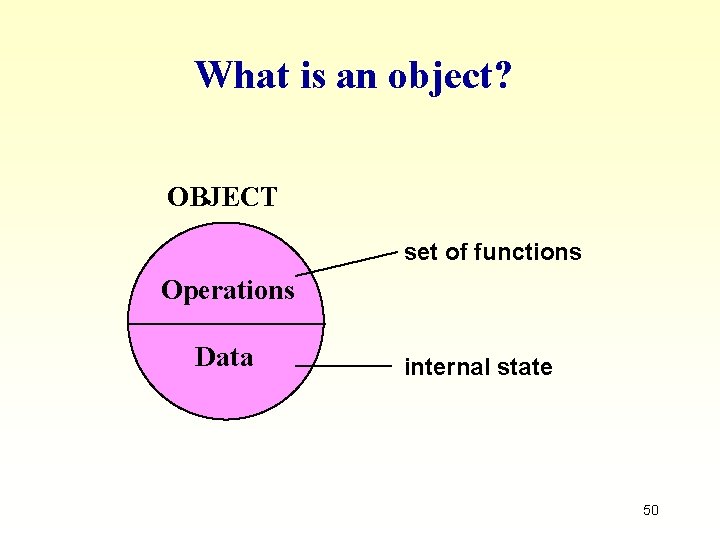
Object-Oriented Design A technique for developing a program in which the solution is expressed in terms of objects -self- contained entities composed of data and operations on that data. cin << >> get. . . ignore cout Private data setf. . . setw Private data
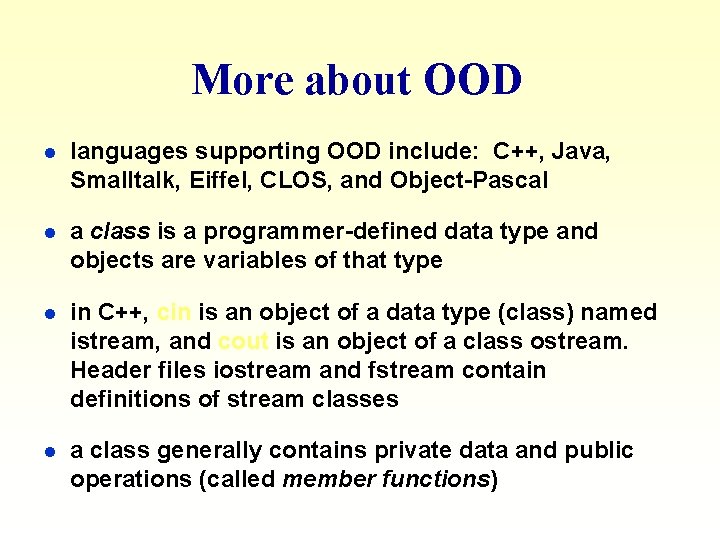
More about OOD l languages supporting OOD include: C++, Java, Smalltalk, Eiffel, CLOS, and Object-Pascal l a class is a programmer-defined data type and objects are variables of that type l in C++, cin is an object of a data type (class) named istream, and cout is an object of a class ostream. Header files iostream and fstream contain definitions of stream classes l a class generally contains private data and public operations (called member functions)
Object-Oriented Design (OOD) FOCUS is on entities called objects and operations on those objects, all bundled together. BEGINS by identifying the major objects in the problem, and choosing appropriate operations on those objects. UNITS are objects. Programs are collections of objects that communicate with each other. DATA plays a leading role. Algorithms are used to implement operations on the objects and to enable interaction of objects with each other.
Two Programming Methodologies Functional Decomposition Object-Oriented Design OBJECT FUNCTION Operations FUNCTION Data OBJECT Operations Data 49
What is an object? OBJECT set of functions Operations Data internal state 50
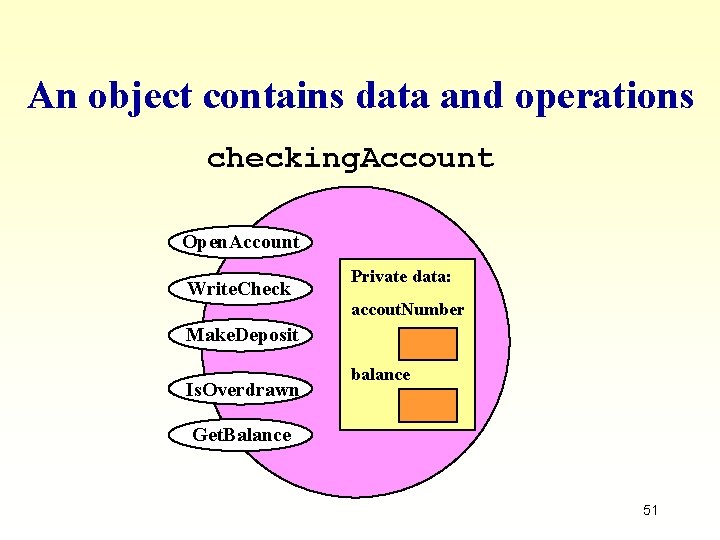
An object contains data and operations checking. Account Open. Account Write. Check Private data: accout. Number Make. Deposit Is. Overdrawn balance Get. Balance 51
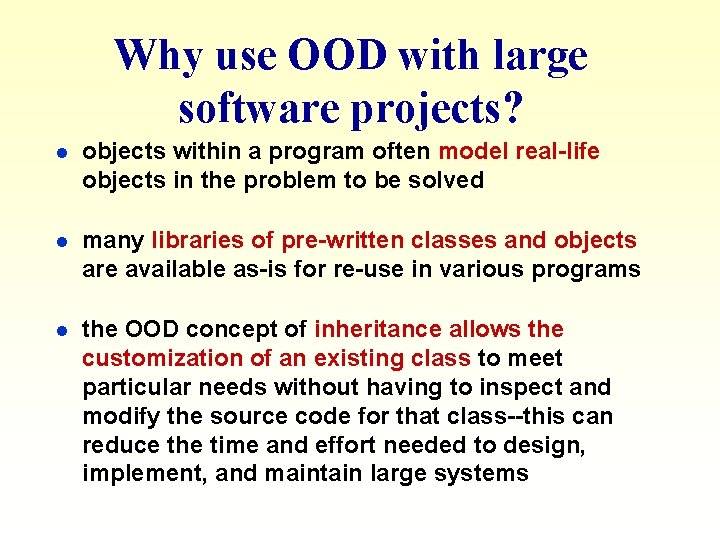
Why use OOD with large software projects? l objects within a program often model real-life objects in the problem to be solved l many libraries of pre-written classes and objects are available as-is for re-use in various programs l the OOD concept of inheritance allows the customization of an existing class to meet particular needs without having to inspect and modify the source code for that class--this can reduce the time and effort needed to design, implement, and maintain large systems
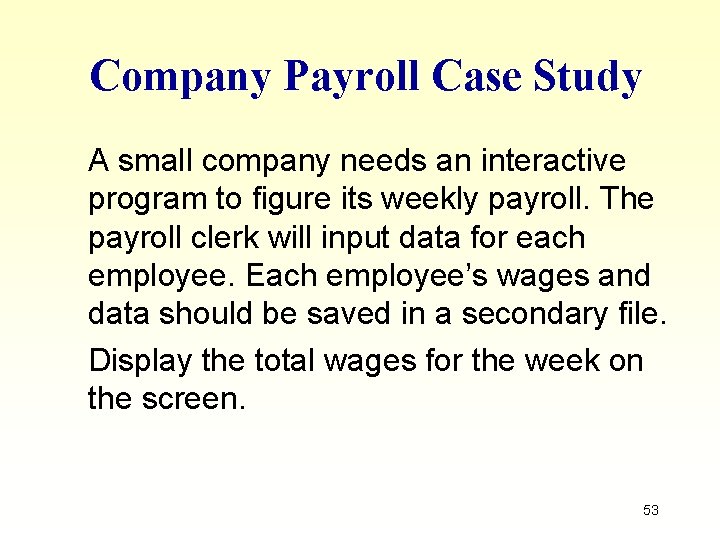
Company Payroll Case Study A small company needs an interactive program to figure its weekly payroll. The payroll clerk will input data for each employee. Each employee’s wages and data should be saved in a secondary file. Display the total wages for the week on the screen. 53
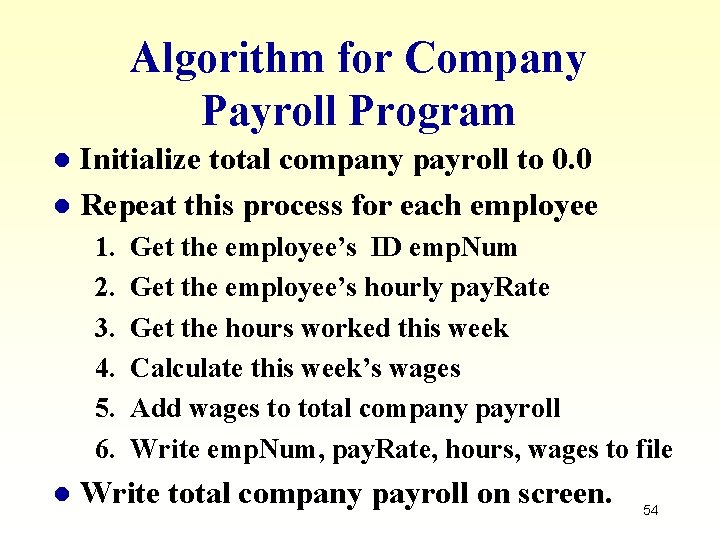
Algorithm for Company Payroll Program Initialize total company payroll to 0. 0 l Repeat this process for each employee l 1. 2. 3. 4. 5. 6. l Get the employee’s ID emp. Num Get the employee’s hourly pay. Rate Get the hours worked this week Calculate this week’s wages Add wages to total company payroll Write emp. Num, pay. Rate, hours, wages to file Write total company payroll on screen. 54
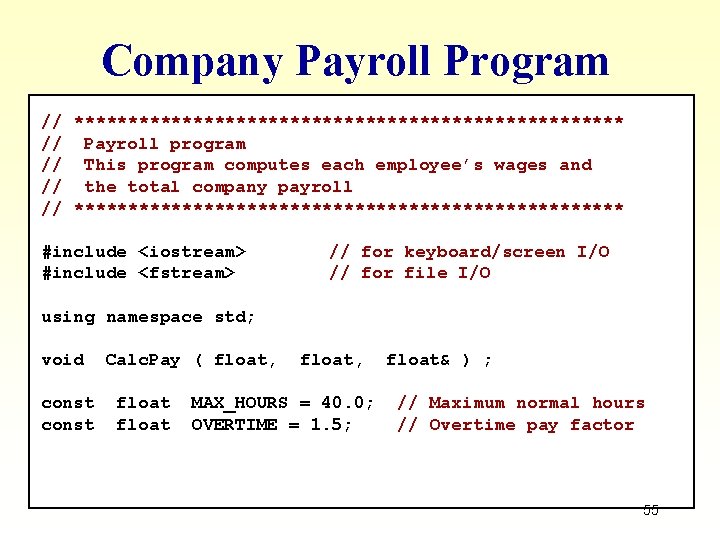
Company Payroll Program // ************************** // Payroll program // This program computes each employee’s wages and // the total company payroll // ************************** #include <iostream> #include <fstream> // for keyboard/screen I/O // for file I/O using namespace std; void const Calc. Pay ( float, float, MAX_HOURS = 40. 0; OVERTIME = 1. 5; float& ) ; // Maximum normal hours // Overtime pay factor 55
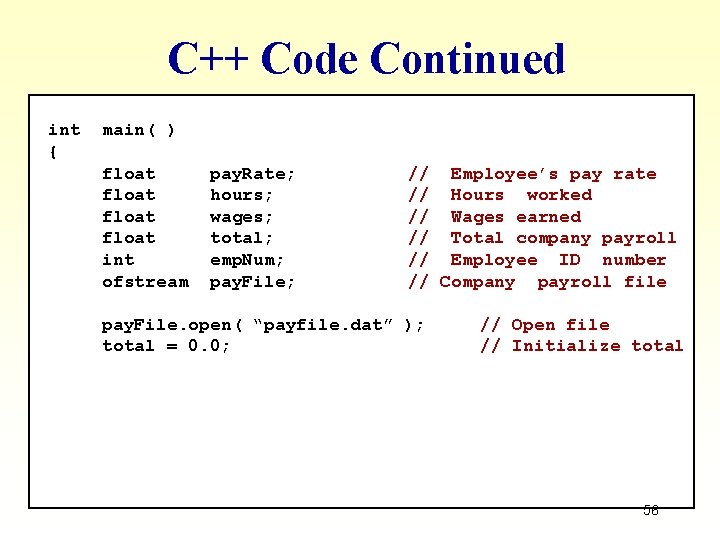
C++ Code Continued int { main( ) float int ofstream pay. Rate; hours; wages; total; emp. Num; pay. File; // Employee’s pay rate // Hours worked // Wages earned // Total company payroll // Employee ID number // Company payroll file pay. File. open( “payfile. dat” ); total = 0. 0; // Open file // Initialize total 56
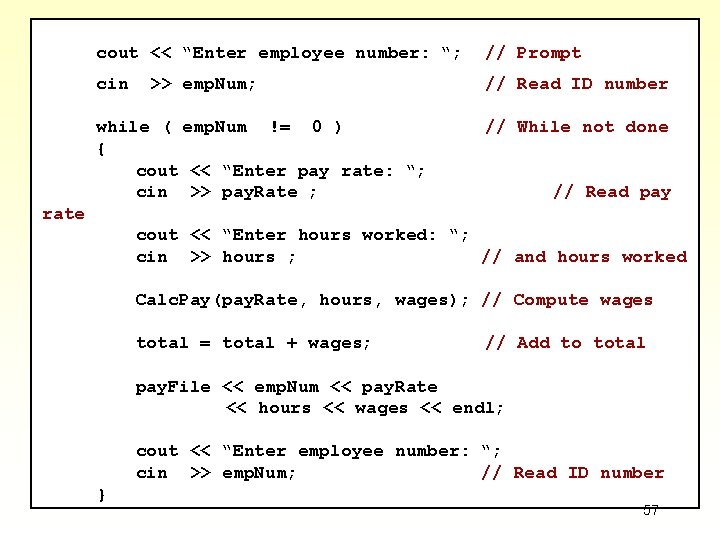
cout << “Enter employee number: “; // Prompt cin // Read ID number >> emp. Num; while ( emp. Num != 0 ) { cout << “Enter pay rate: “; cin >> pay. Rate ; // While not done // Read pay rate cout << “Enter hours worked: “; cin >> hours ; // and hours worked Calc. Pay(pay. Rate, hours, wages); // Compute wages total = total + wages; // Add to total pay. File << emp. Num << pay. Rate << hours << wages << endl; cout << “Enter employee number: “; cin >> emp. Num; // Read ID number } 57
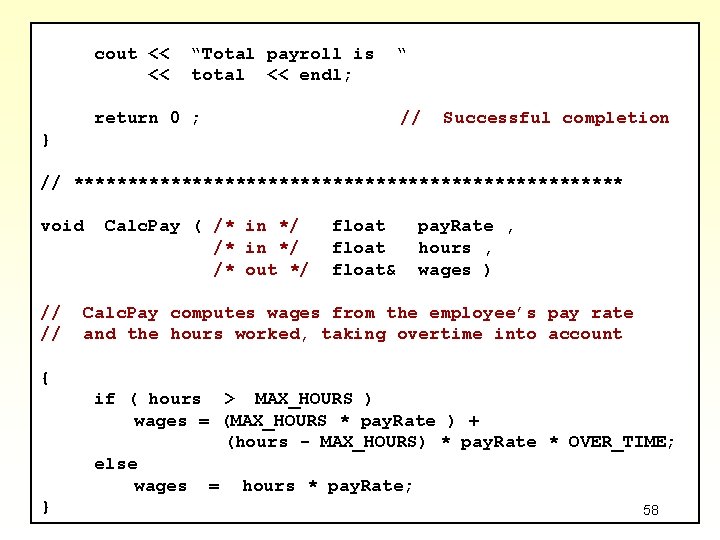
cout << << “Total payroll is total << endl; “ return 0 ; // Successful completion } // ************************** void // // Calc. Pay ( /* in */ /* out */ float& pay. Rate , hours , wages ) Calc. Pay computes wages from the employee’s pay rate and the hours worked, taking overtime into account { if ( hours > MAX_HOURS ) wages = (MAX_HOURS * pay. Rate ) + (hours - MAX_HOURS) * pay. Rate * OVER_TIME; else wages = hours * pay. Rate; } 58