
Chapter 4 Loops Liang Introduction to Java Programming

- Slides: 45
Chapter 4 Loops Liang, Introduction to Java Programming, Seventh Edition, (c) 2009 Pearson Education, Inc. All rights reserved. 0136012671 1
Motivations Suppose that you need to print a string (e. g. , "Welcome to Java!") a hundred times. It would be tedious to have to write the following statement a hundred times: System. out. println("Welcome to Java!"); So, how do you solve this problem? 2
Objectives F F F F To use while, do-while, and for loop statements to control the repetition of statements (§§ 4. 2 -4. 4). To understand the flow of control in loop statements (§§ 4. 24. 4). To use Boolean expressions to control loop statements (§§ 4. 24. 4). To know the similarities and differences between three types of loops (§ 4. 5). To write nested loops (§ 4. 6). To learn the techniques for minimizing numerical errors (§ 4. 7). To implement program control with break and continue (§ 4. 9). (GUI) To control a loop with a confirmation dialog (§ 4. 10). Liang, Introduction to Java Programming, Seventh Edition, (c) 2009 Pearson Education, Inc. All rights reserved. 0136012671 3
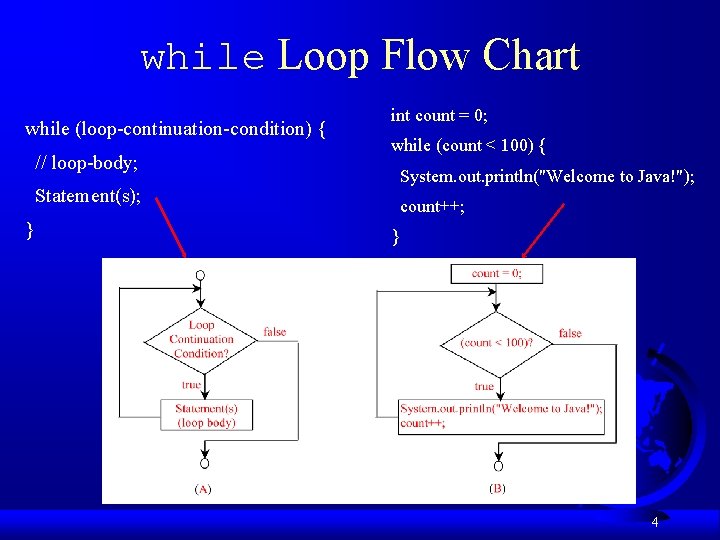
while Loop Flow Chart while (loop-continuation-condition) { // loop-body; Statement(s); } int count = 0; while (count < 100) { System. out. println("Welcome to Java!"); count++; } 4
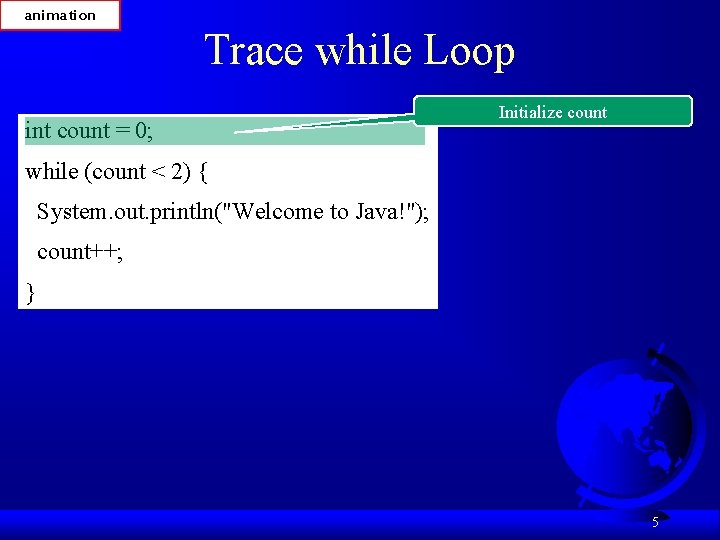
animation Trace while Loop int count = 0; Initialize count while (count < 2) { System. out. println("Welcome to Java!"); count++; } 5
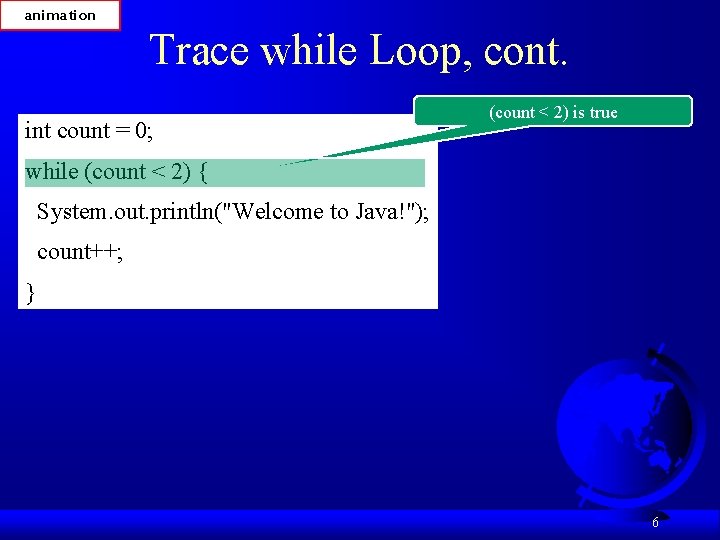
animation Trace while Loop, cont. int count = 0; (count < 2) is true while (count < 2) { System. out. println("Welcome to Java!"); count++; } 6
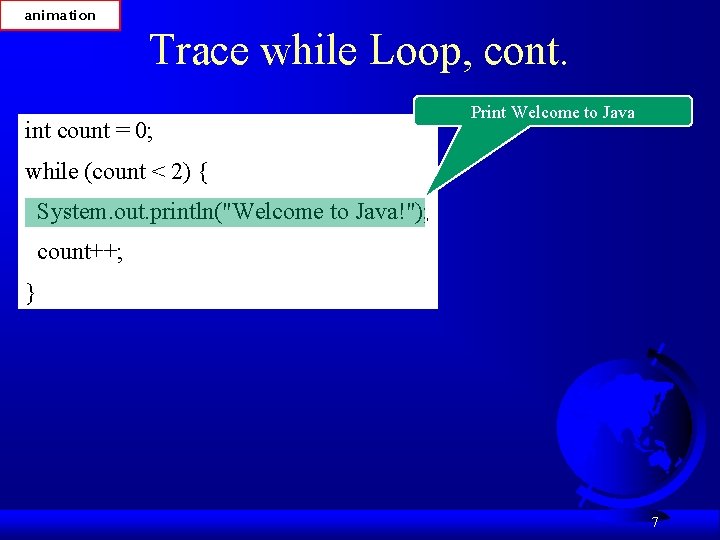
animation Trace while Loop, cont. int count = 0; Print Welcome to Java while (count < 2) { System. out. println("Welcome to Java!"); count++; } 7
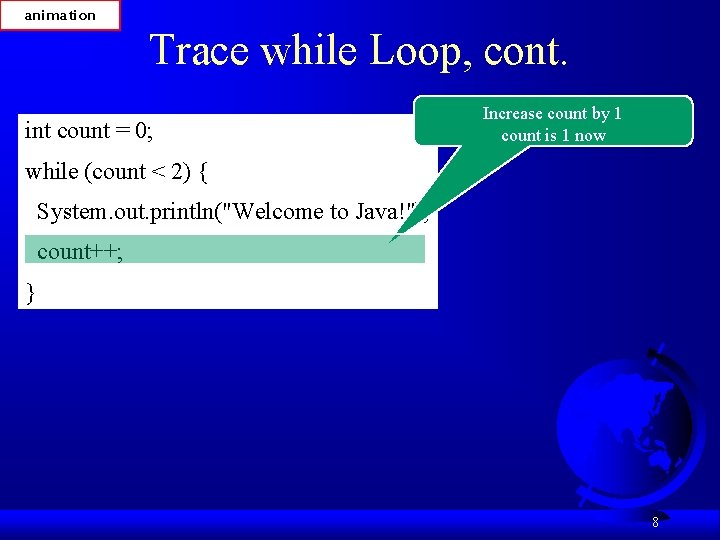
animation Trace while Loop, cont. int count = 0; Increase count by 1 count is 1 now while (count < 2) { System. out. println("Welcome to Java!"); count++; } 8
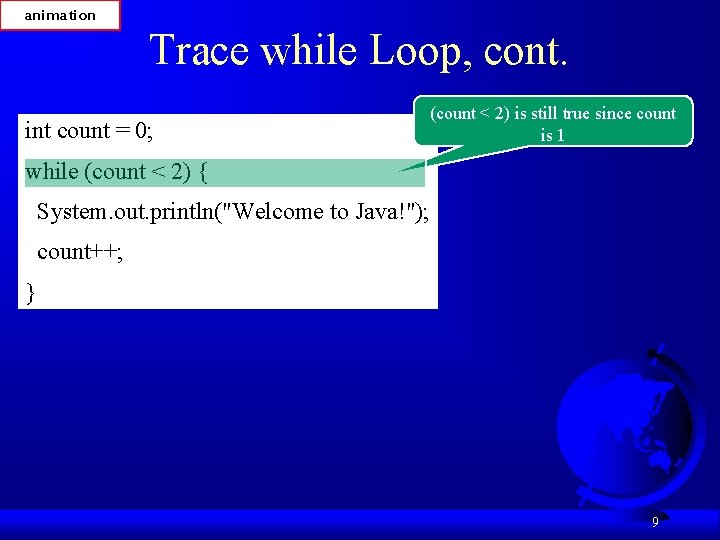
animation Trace while Loop, cont. int count = 0; (count < 2) is still true since count is 1 while (count < 2) { System. out. println("Welcome to Java!"); count++; } 9
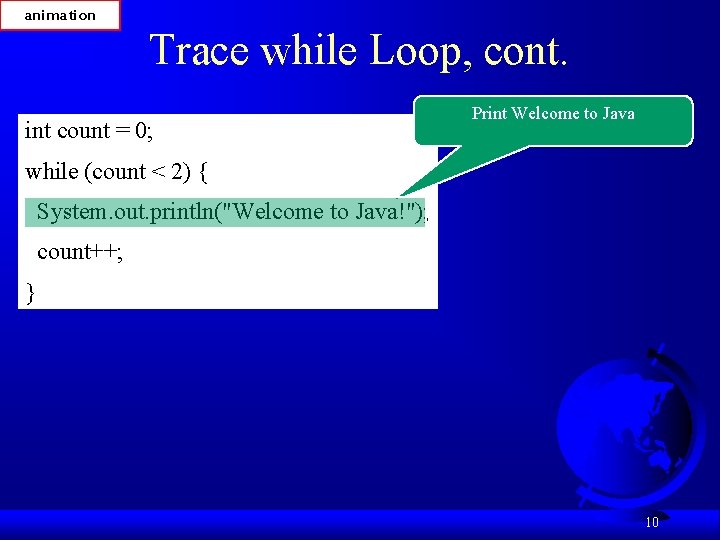
animation Trace while Loop, cont. int count = 0; Print Welcome to Java while (count < 2) { System. out. println("Welcome to Java!"); count++; } 10
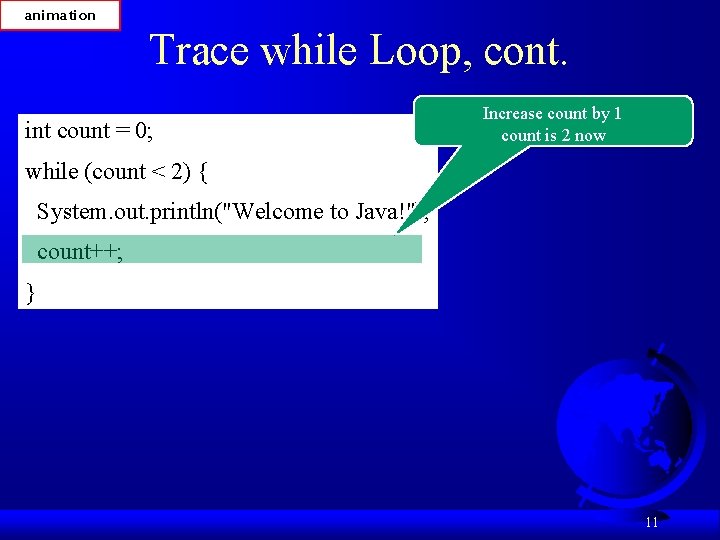
animation Trace while Loop, cont. int count = 0; Increase count by 1 count is 2 now while (count < 2) { System. out. println("Welcome to Java!"); count++; } 11
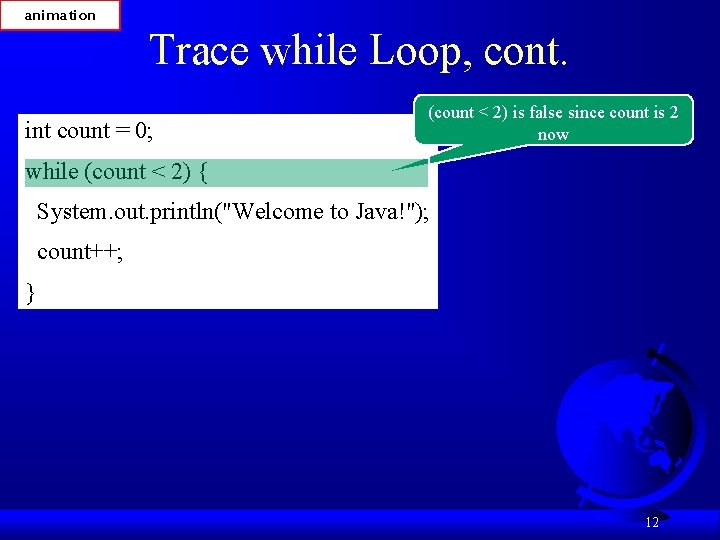
animation Trace while Loop, cont. int count = 0; (count < 2) is false since count is 2 now while (count < 2) { System. out. println("Welcome to Java!"); count++; } 12
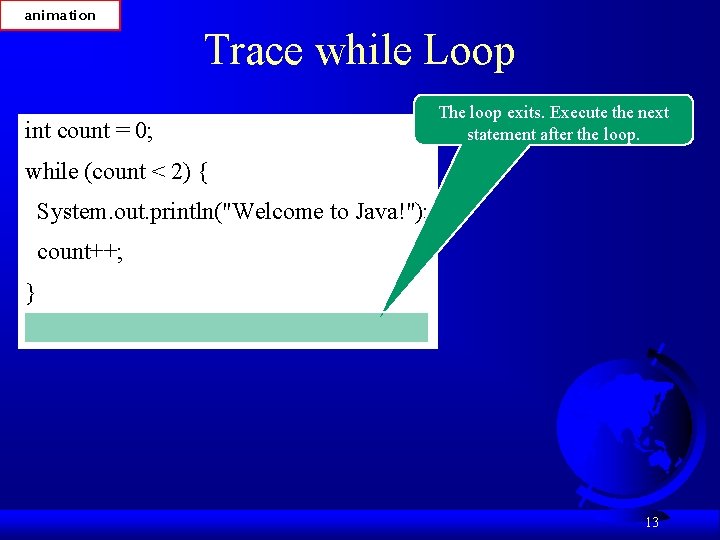
animation Trace while Loop int count = 0; The loop exits. Execute the next statement after the loop. while (count < 2) { System. out. println("Welcome to Java!"); count++; } 13
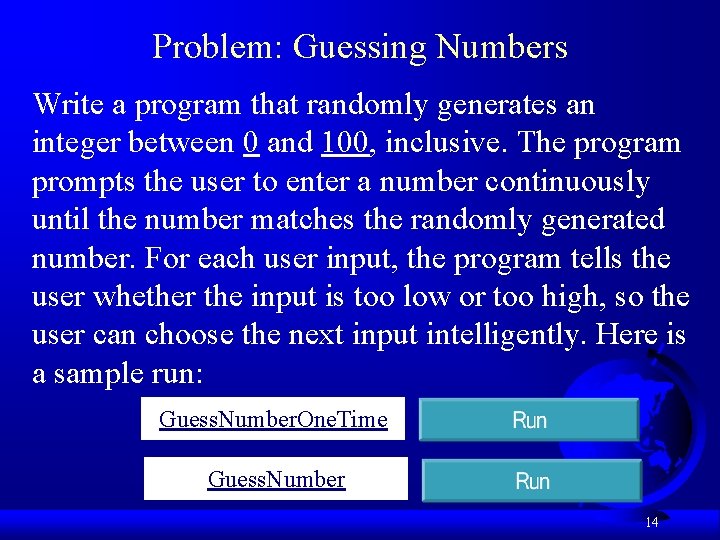
Problem: Guessing Numbers Write a program that randomly generates an integer between 0 and 100, inclusive. The program prompts the user to enter a number continuously until the number matches the randomly generated number. For each user input, the program tells the user whether the input is too low or too high, so the user can choose the next input intelligently. Here is a sample run: Guess. Number. One. Time Guess. Number 14
Problem: An Advanced Math Learning Tool The Math subtraction learning tool program generates just one question for each run. You can use a loop to generate questions repeatedly. This example gives a program that generates five questions and reports the number of the correct answers after a student answers all five questions. Subtraction. Quiz. Loop 15
Ending a Loop with a Sentinel Value Often the number of times a loop is executed is not predetermined. You may use an input value to signify the end of the loop. Such a value is known as a sentinel value. Write a program that reads and calculates the sum of an unspecified number of integers. The input 0 signifies the end of the input. Sentinel. Value 16
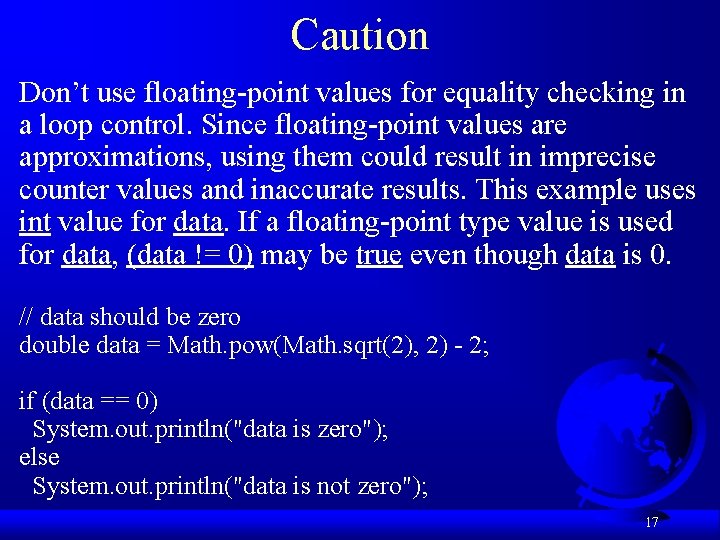
Caution Don’t use floating-point values for equality checking in a loop control. Since floating-point values are approximations, using them could result in imprecise counter values and inaccurate results. This example uses int value for data. If a floating-point type value is used for data, (data != 0) may be true even though data is 0. // data should be zero double data = Math. pow(Math. sqrt(2), 2) - 2; if (data == 0) System. out. println("data is zero"); else System. out. println("data is not zero"); 17
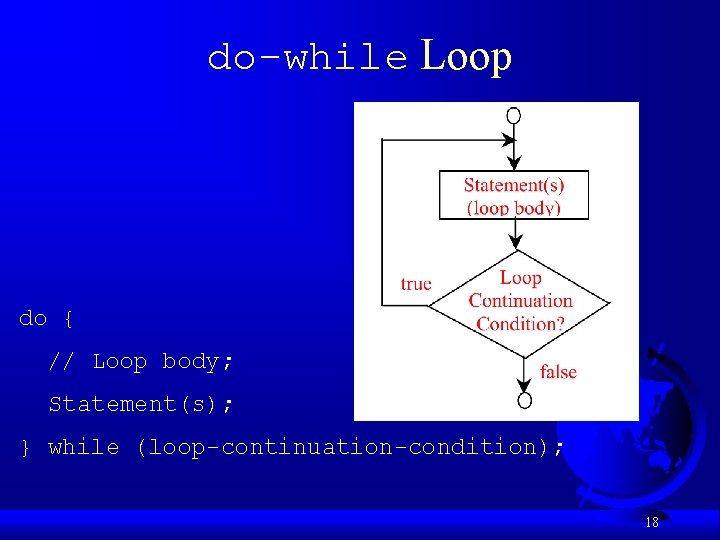
do-while Loop do { // Loop body; Statement(s); } while (loop-continuation-condition); 18
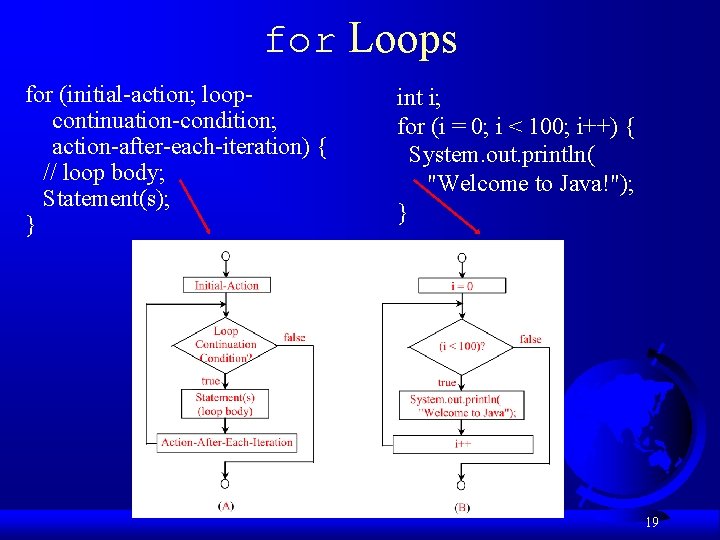
for Loops for (initial-action; loopcontinuation-condition; action-after-each-iteration) { // loop body; Statement(s); } int i; for (i = 0; i < 100; i++) { System. out. println( "Welcome to Java!"); } 19
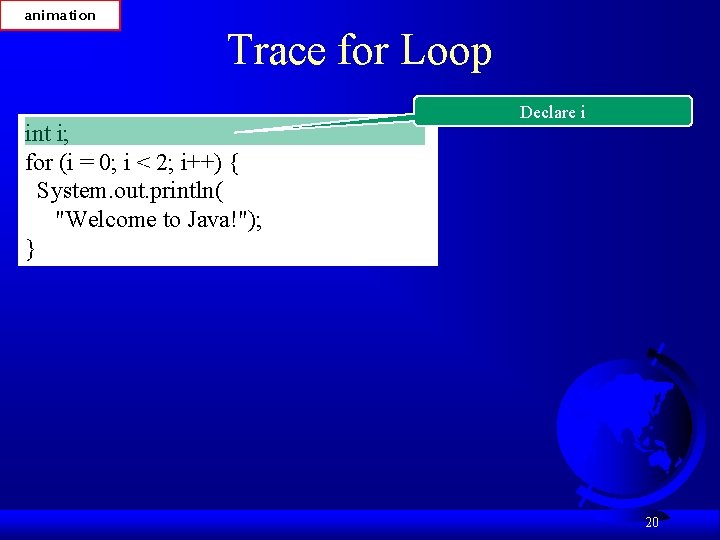
animation Trace for Loop int i; for (i = 0; i < 2; i++) { System. out. println( "Welcome to Java!"); } Declare i 20
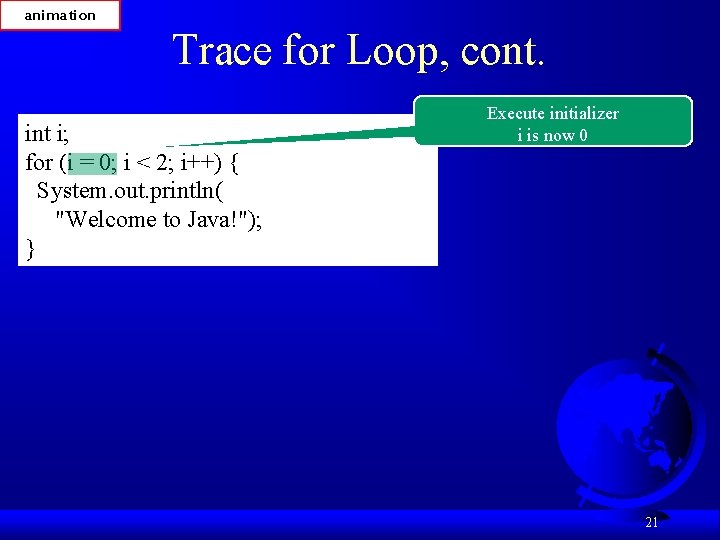
animation Trace for Loop, cont. int i; for (i = 0; i < 2; i++) { System. out. println( "Welcome to Java!"); } Execute initializer i is now 0 21
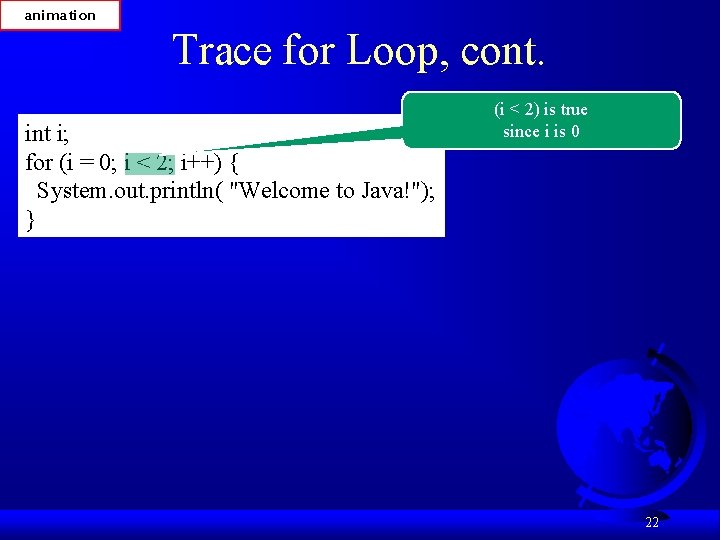
animation Trace for Loop, cont. int i; for (i = 0; i < 2; i++) { System. out. println( "Welcome to Java!"); } (i < 2) is true since i is 0 22
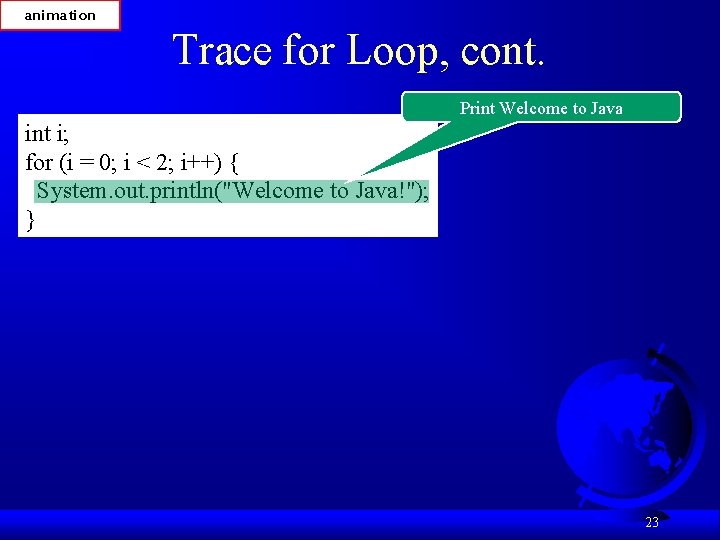
animation Trace for Loop, cont. Print Welcome to Java int i; for (i = 0; i < 2; i++) { System. out. println("Welcome to Java!"); } 23
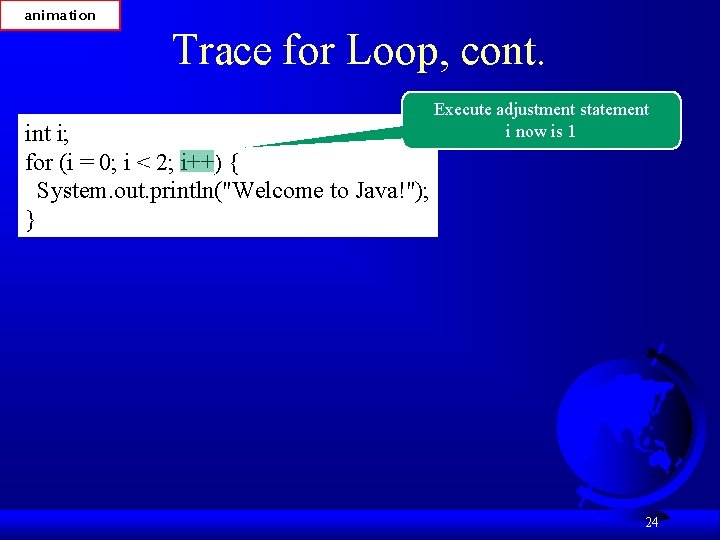
animation Trace for Loop, cont. Execute adjustment statement i now is 1 int i; for (i = 0; i < 2; i++) { System. out. println("Welcome to Java!"); } 24
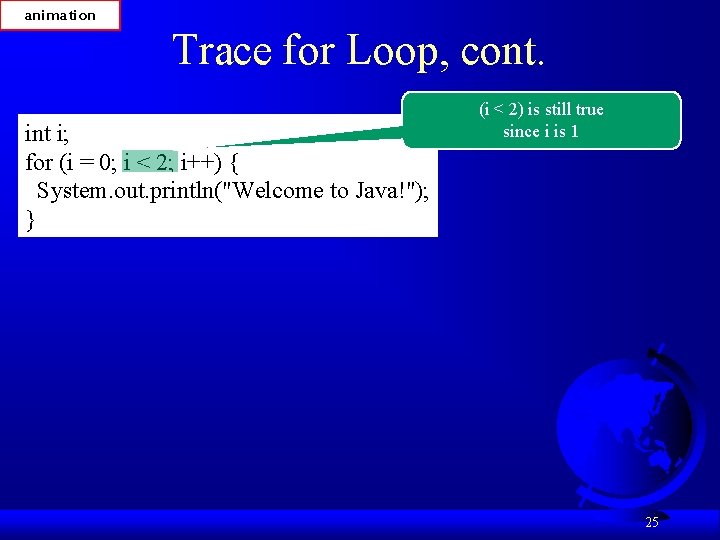
animation Trace for Loop, cont. int i; for (i = 0; i < 2; i++) { System. out. println("Welcome to Java!"); } (i < 2) is still true since i is 1 25
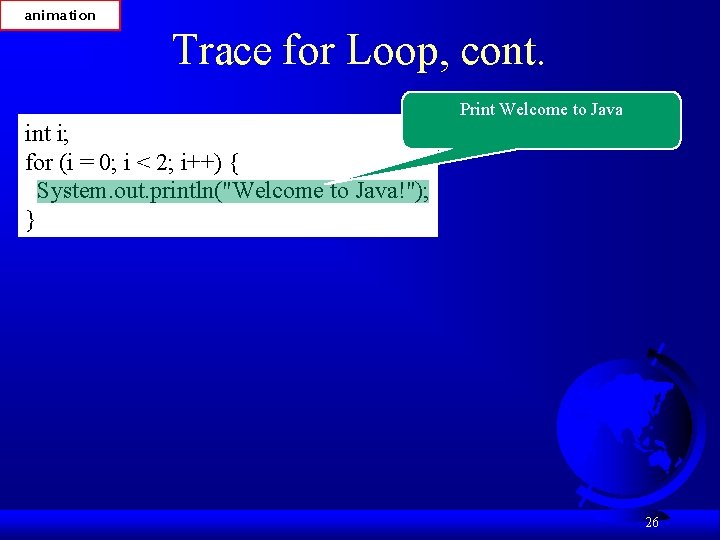
animation Trace for Loop, cont. Print Welcome to Java int i; for (i = 0; i < 2; i++) { System. out. println("Welcome to Java!"); } 26
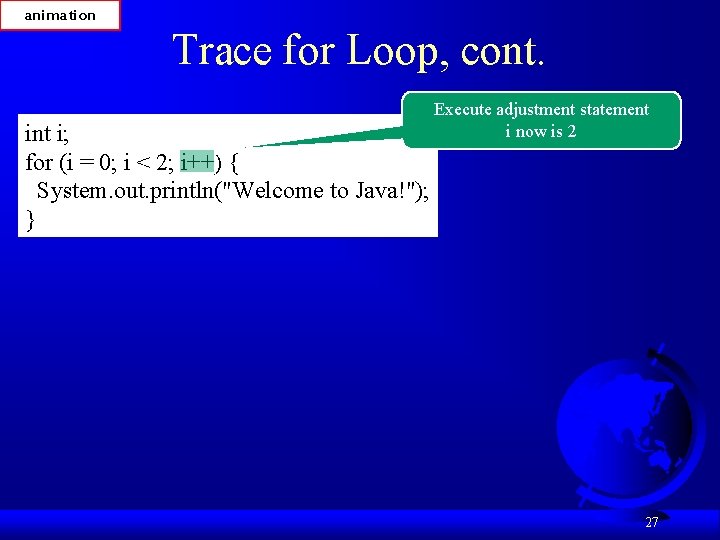
animation Trace for Loop, cont. Execute adjustment statement i now is 2 int i; for (i = 0; i < 2; i++) { System. out. println("Welcome to Java!"); } 27
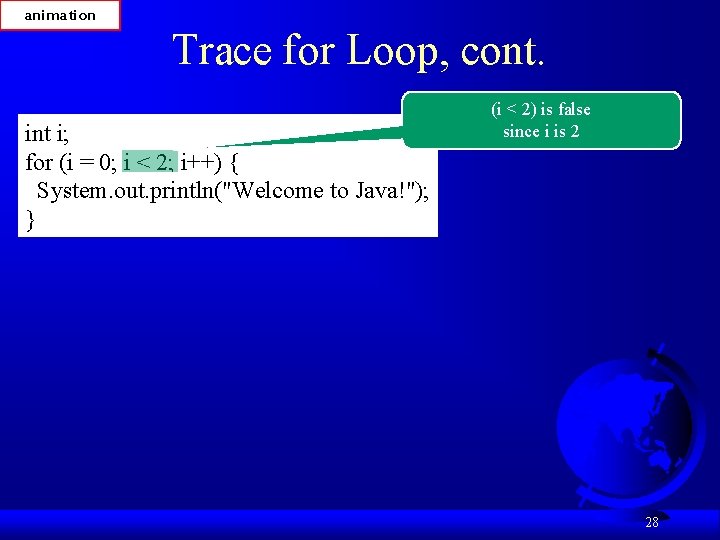
animation Trace for Loop, cont. int i; for (i = 0; i < 2; i++) { System. out. println("Welcome to Java!"); } (i < 2) is false since i is 2 28
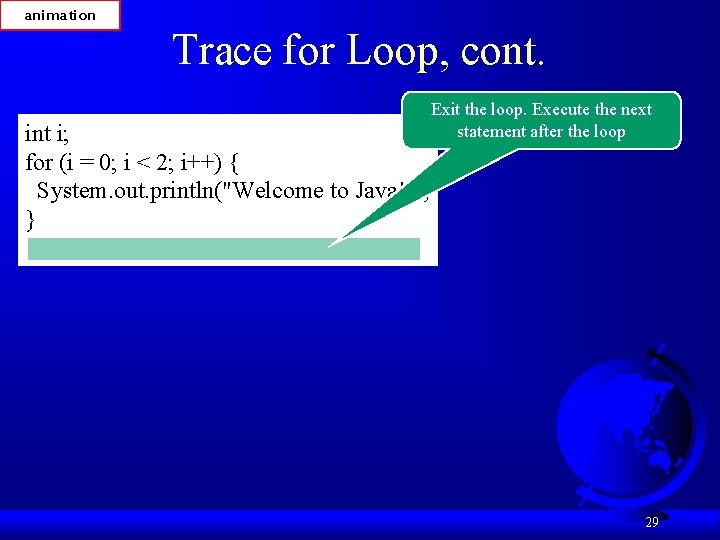
animation Trace for Loop, cont. Exit the loop. Execute the next statement after the loop int i; for (i = 0; i < 2; i++) { System. out. println("Welcome to Java!"); } 29
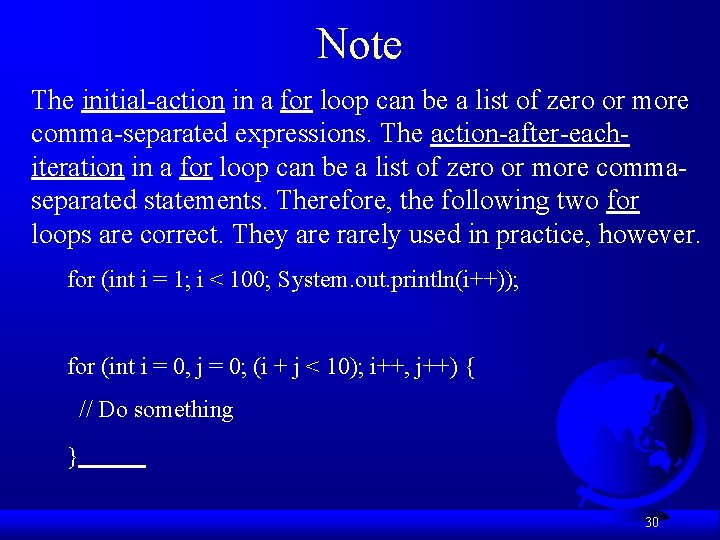
Note The initial-action in a for loop can be a list of zero or more comma-separated expressions. The action-after-eachiteration in a for loop can be a list of zero or more commaseparated statements. Therefore, the following two for loops are correct. They are rarely used in practice, however. for (int i = 1; i < 100; System. out. println(i++)); for (int i = 0, j = 0; (i + j < 10); i++, j++) { // Do something } 30
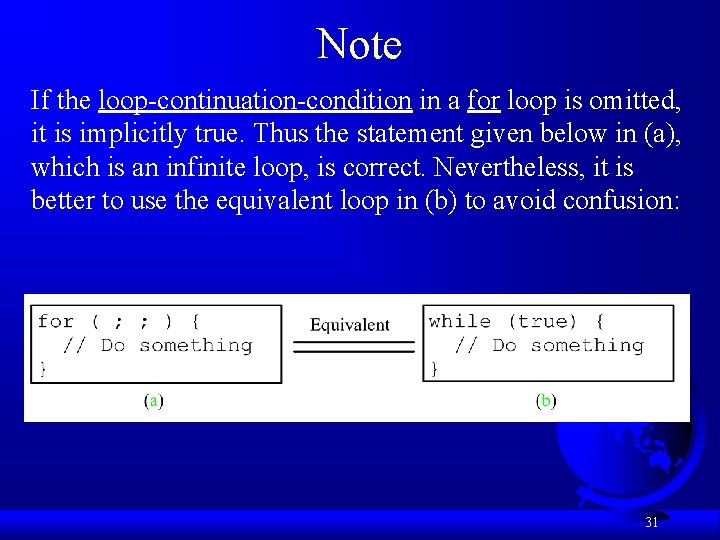
Note If the loop-continuation-condition in a for loop is omitted, it is implicitly true. Thus the statement given below in (a), which is an infinite loop, is correct. Nevertheless, it is better to use the equivalent loop in (b) to avoid confusion: 31
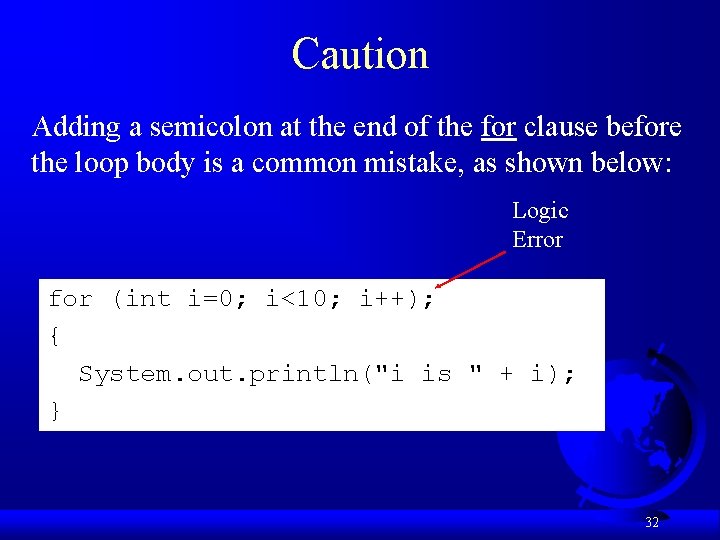
Caution Adding a semicolon at the end of the for clause before the loop body is a common mistake, as shown below: Logic Error for (int i=0; i<10; i++); { System. out. println("i is " + i); } 32
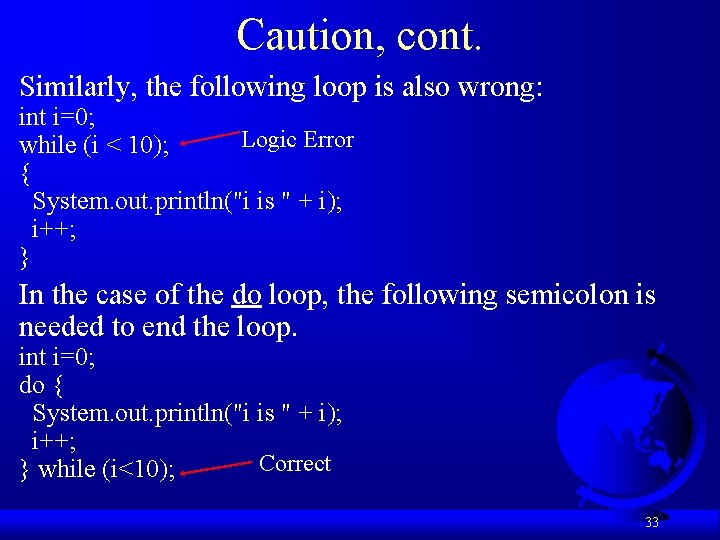
Caution, cont. Similarly, the following loop is also wrong: int i=0; Logic Error while (i < 10); { System. out. println("i is " + i); i++; } In the case of the do loop, the following semicolon is needed to end the loop. int i=0; do { System. out. println("i is " + i); i++; Correct } while (i<10); 33
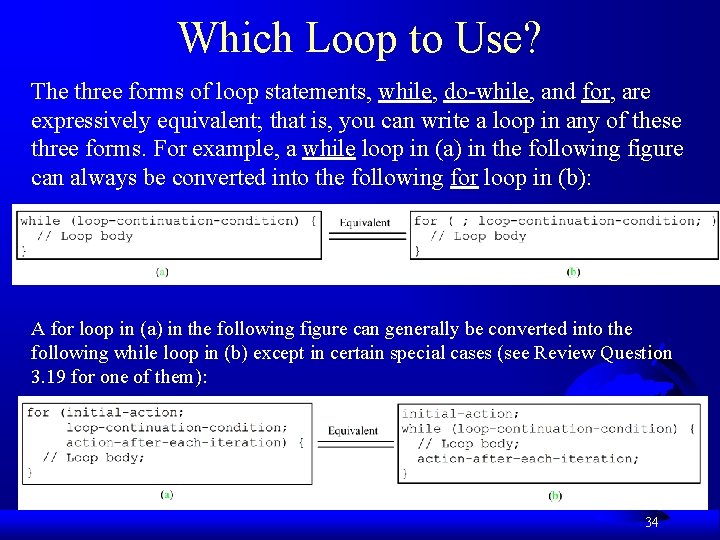
Which Loop to Use? The three forms of loop statements, while, do-while, and for, are expressively equivalent; that is, you can write a loop in any of these three forms. For example, a while loop in (a) in the following figure can always be converted into the following for loop in (b): A for loop in (a) in the following figure can generally be converted into the following while loop in (b) except in certain special cases (see Review Question 3. 19 for one of them): 34
Recommendations Use the one that is most intuitive and comfortable for you. In general, a for loop may be used if the number of repetitions is known, as, for example, when you need to print a message 100 times. A while loop may be used if the number of repetitions is not known, as in the case of reading the numbers until the input is 0. A do-while loop can be used to replace a while loop if the loop body has to be executed before testing the continuation condition. 35
Nested Loops Problem: Write a program that uses nested for loops to print a multiplication table. Multiplication. Table 36
Minimizing Numerical Errors Numeric errors involving floating-point numbers are inevitable. This section discusses how to minimize such errors through an example. Listing 4. 7 presents an example that sums a series that starts with 0. 01 and ends with 1. 0. The numbers in the series will increment by 0. 01, as follows: 0. 01 + 0. 02 + 0. 03 and so on. Test. Sum 37
Problem: Finding the Greatest Common Divisor Problem: Write a program that prompts the user to enter two positive integers and finds their greatest common divisor. Solution: Suppose you enter two integers 4 and 2, their greatest common divisor is 2. Suppose you enter two integers 16 and 24, their greatest common divisor is 8. So, how do you find the greatest common divisor? Let the two input integers be n 1 and n 2. You know number 1 is a common divisor, but it may not be the greatest commons divisor. So you can check whether k (for k = 2, 3, 4, and so on) is a common divisor for n 1 and n 2, until k is greater than n 1 or n 2. Greatest. Common. Divisor Run 38
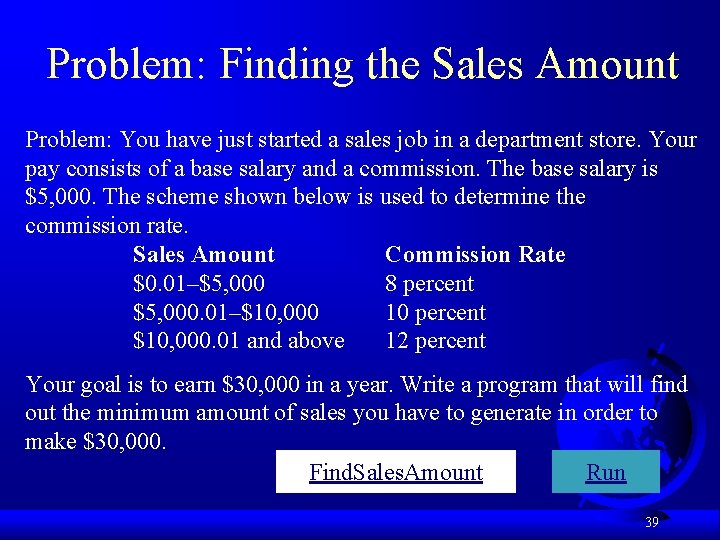
Problem: Finding the Sales Amount Problem: You have just started a sales job in a department store. Your pay consists of a base salary and a commission. The base salary is $5, 000. The scheme shown below is used to determine the commission rate. Sales Amount Commission Rate $0. 01–$5, 000 8 percent $5, 000. 01–$10, 000 10 percent $10, 000. 01 and above 12 percent Your goal is to earn $30, 000 in a year. Write a program that will find out the minimum amount of sales you have to generate in order to make $30, 000. Find. Sales. Amount Run 39
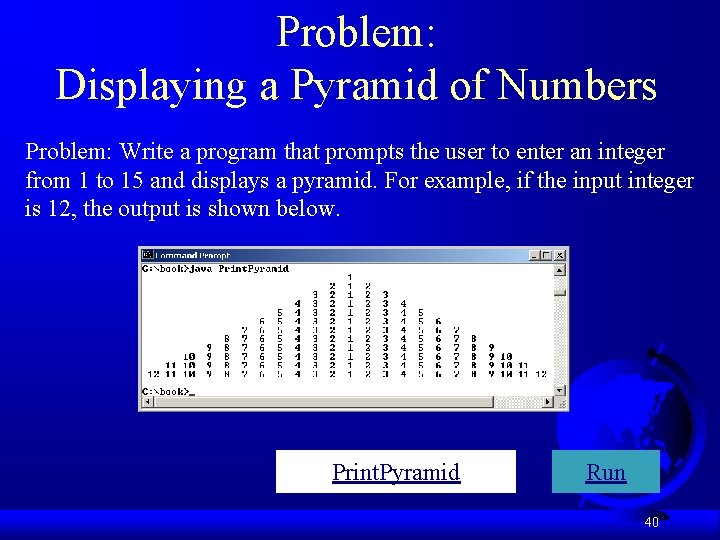
Problem: Displaying a Pyramid of Numbers Problem: Write a program that prompts the user to enter an integer from 1 to 15 and displays a pyramid. For example, if the input integer is 12, the output is shown below. Print. Pyramid Run 40
Using break and continue Examples for using the break and continue keywords: F Test. Break. java Test. Break F Test. Continue. java Test. Continue 41
Guessing Number Problem Revisited Listing 4. 2 gives a program for guessing a number. You can rewrite it using a break statement, as shown in Listing 4. 13. Guess. Number. Using. Break 42
Problem: Displaying Prime Numbers Problem: Write a program that displays the first 50 prime numbers in five lines, each of which contains 10 numbers. An integer greater than 1 is prime if its only positive divisor is 1 or itself. For example, 2, 3, 5, and 7 are prime numbers, but 4, 6, 8, and 9 are not. Solution: The problem can be broken into the following tasks: • For number = 2, 3, 4, 5, 6, . . . , test whether the number is prime. • Determine whether a given number is prime. • Count the prime numbers. • Print each prime number, and print 10 numbers per line. Prime. Number Run 43
(GUI) Controlling a Loop with a Confirmation Dialog A sentinel-controlled loop can be implemented using a confirmation dialog. The answers Yes or No to continue or terminate the loop. The template of the loop may look as follows: int option = 0; while (option == JOption. Pane. YES_OPTION) { System. out. println("continue loop"); option = JOption. Pane. show. Confirm. Dialog(null, "Continue? "); } Sentinel. Value. Using. Confirmation. Dialog Run 44
Companion Website Debugging Loops in IDE Tools Supplements II. C, II. E, and II. G. 45