
Chapter 4 Fundamentals of Digital Audio Computers and


- Slides: 44
Chapter 4 Fundamentals of Digital Audio “Computers and Creativity” Richard D. Webster, COSC 109 Instructor Office: 7800 York Road, Room 422 | Phone: (410) 704 -2424 e-mail: webster@towson. edu 109 website: https: //tigerweb. towson. edu/webster/109/index. html 1
Sound • A wave that is generated by vibrating objects in a medium such as air • Examples of vibrating objects: – vocal cords of a person – guitar strings – tunning fork 2
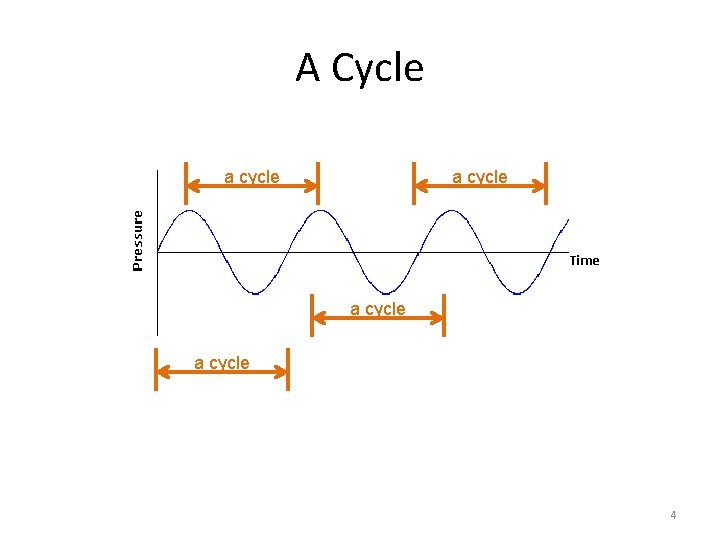
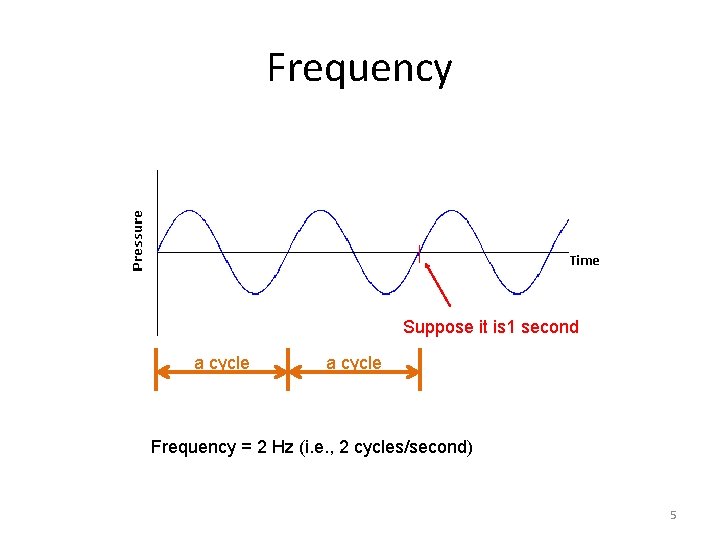
Frequency of Sound Wave • Refers to the number of complete back-andforth cycles of vibrational motion of the medium particles per unit of time • Unit for frequency: Hz (Hertz) • 1 Hz = 1 cycle/second 3
A Cycle a cycle 4
Frequency Suppose it is 1 second a cycle Frequency = 2 Hz (i. e. , 2 cycles/second) 5
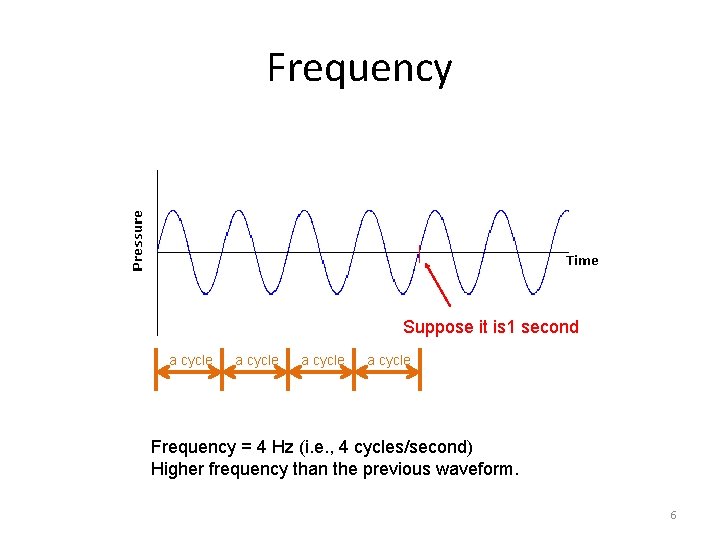
Frequency Suppose it is 1 second a cycle Frequency = 4 Hz (i. e. , 4 cycles/second) Higher frequency than the previous waveform. 6
Pitch of Sound • Sound frequency • Higher frequency: higher pitch • human ear can hear sound ranging from 20 Hz to 20, 000 Hz 7
Sound Intensity vs. Loudness • Sound intensity: – an objective measurement – can be measured with auditory devices – in decibels (d. B) • Loudness: – a subjective perception – measured by human listeners – human ears have different sensitivity to different sound frequency – in general, higher sound intensity means louder sound 8
Application of Decibels • Many audio-editing programs use decibels for the audio amplitude • 0 d. B: – Threshold of hearing – minimum sound pressure level at which humans can hear a sound at a given frequency – does NOT mean zero sound intensity – does NOT mean absence of sound wave • about 120 d. B: – threshold of pain – sound intensity that is 1012 times greater than 0 d. B 9
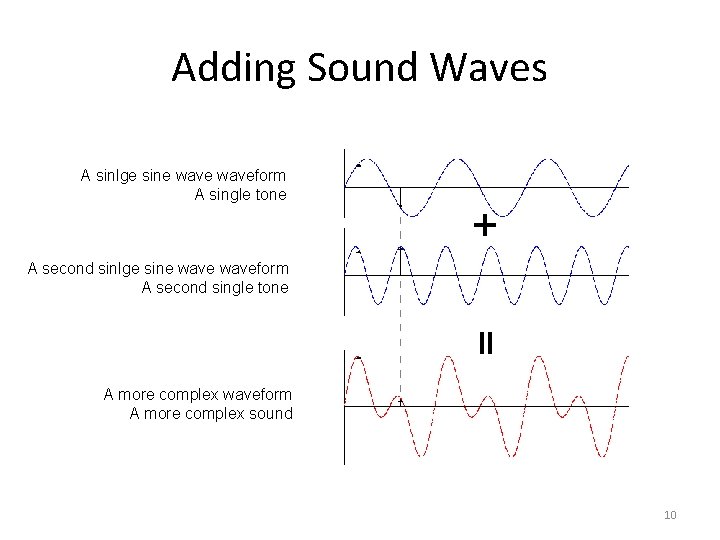
Adding Sound Waves A sinlge sine waveform A single tone A second sinlge sine waveform A second single tone A more complex waveform A more complex sound 10
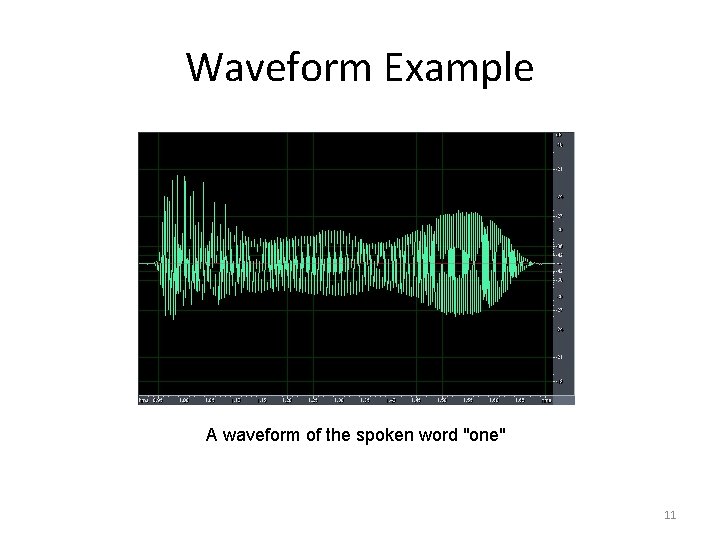
Waveform Example A waveform of the spoken word "one" 11
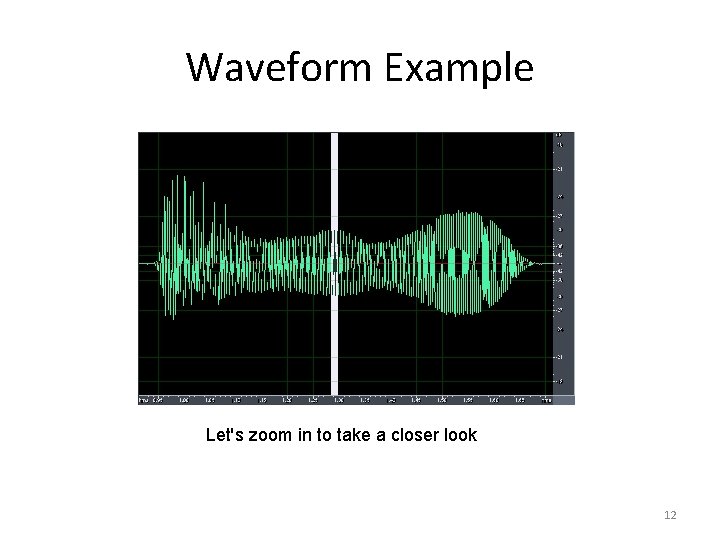
Waveform Example Let's zoom in to take a closer look 12
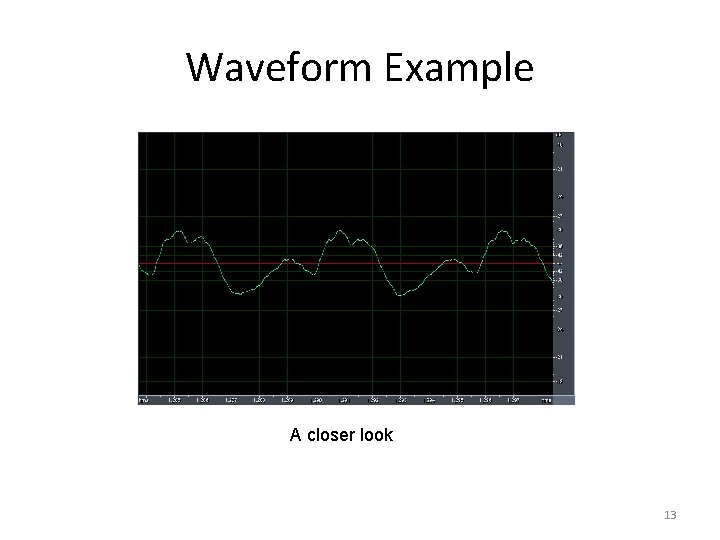
Waveform Example A closer look 13
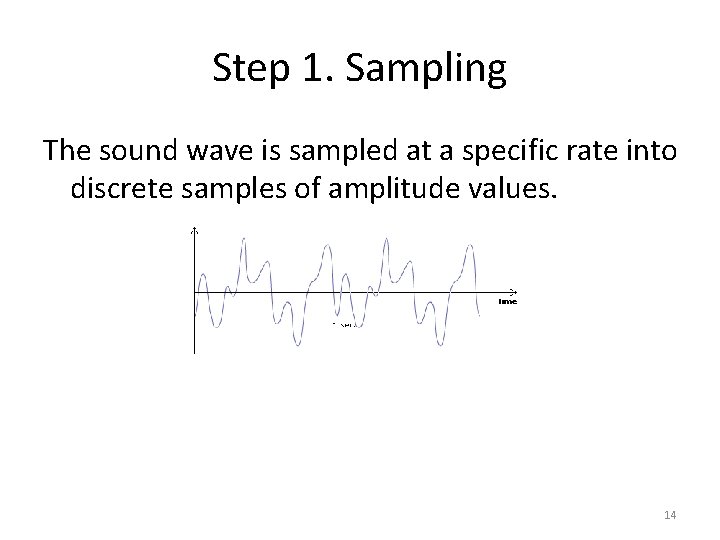
Step 1. Sampling The sound wave is sampled at a specific rate into discrete samples of amplitude values. 14
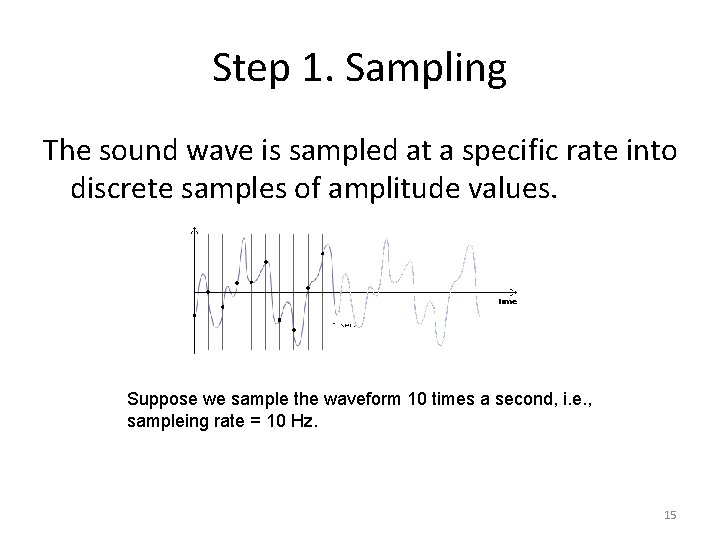
Step 1. Sampling The sound wave is sampled at a specific rate into discrete samples of amplitude values. Suppose we sample the waveform 10 times a second, i. e. , sampleing rate = 10 Hz. 15
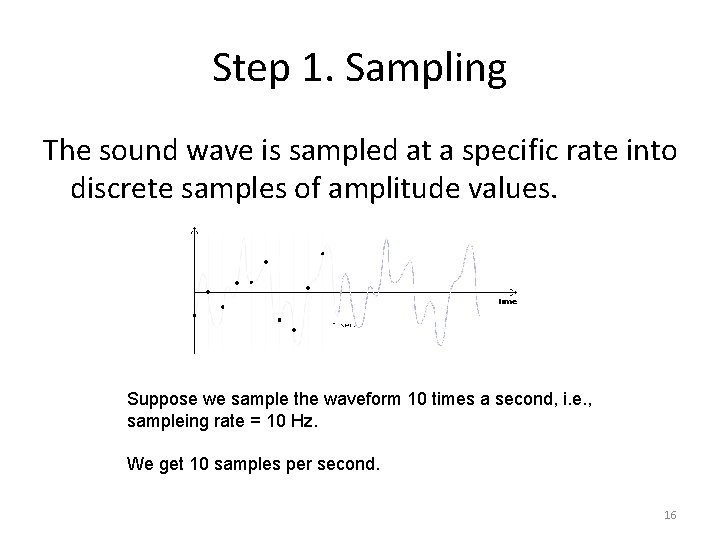
Step 1. Sampling The sound wave is sampled at a specific rate into discrete samples of amplitude values. Suppose we sample the waveform 10 times a second, i. e. , sampleing rate = 10 Hz. We get 10 samples per second. 16
Step 1. Sampling The sound wave is sampled at a specific rate into discrete samples of amplitude values. Reconstructing the waveform using the discrete sample points. 17
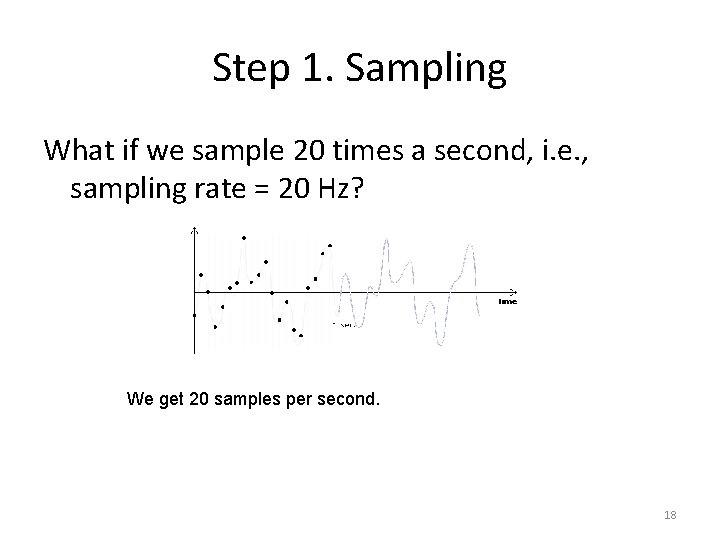
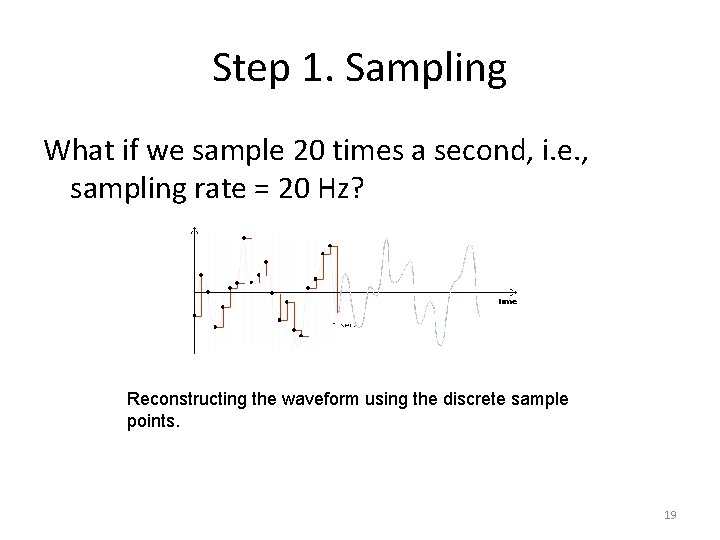
Step 1. Sampling What if we sample 20 times a second, i. e. , sampling rate = 20 Hz? We get 20 samples per second. 18
Step 1. Sampling What if we sample 20 times a second, i. e. , sampling rate = 20 Hz? Reconstructing the waveform using the discrete sample points. 19
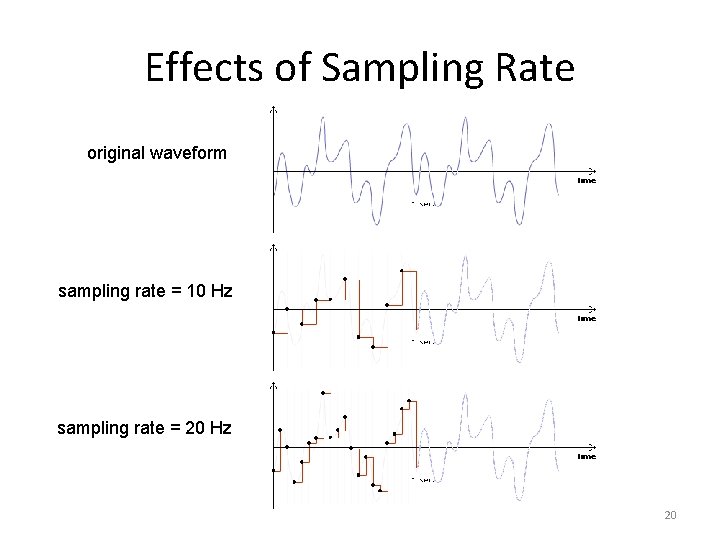
Effects of Sampling Rate original waveform sampling rate = 10 Hz sampling rate = 20 Hz 20
Effects of Sampling Rate Higher sampling rate: • The reconstructed wave looks closer to the original wave • More sample points, and thus larger file size 21
Sampling Rate Examples • 11, 025 Hz AM Radio Quality/Speech • 22, 050 Hz Near FM Radio Quality (high-end multimedia) • 44, 100 Hz CD Quality • 48, 000 Hz DAT (digital audio tape) Quality • 96, 000 Hz DVD-Audio Quality • 192, 000 Hz DVD-Audio Quality 22
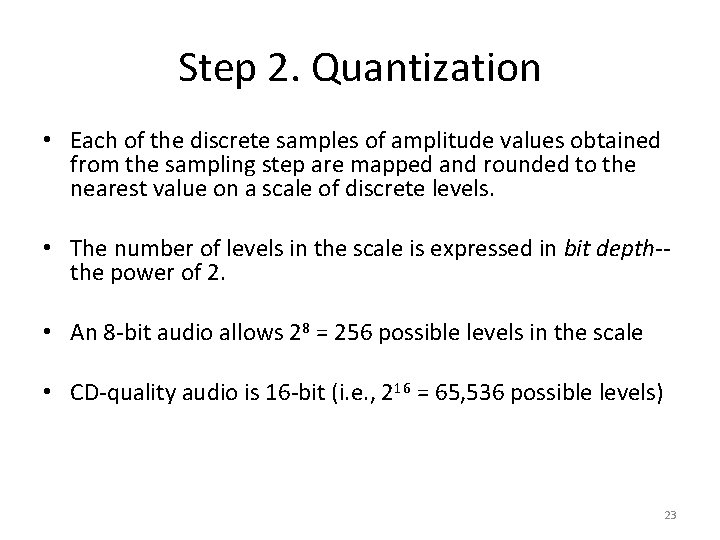
Step 2. Quantization • Each of the discrete samples of amplitude values obtained from the sampling step are mapped and rounded to the nearest value on a scale of discrete levels. • The number of levels in the scale is expressed in bit depth-the power of 2. • An 8 -bit audio allows 28 = 256 possible levels in the scale • CD-quality audio is 16 -bit (i. e. , 216 = 65, 536 possible levels) 23
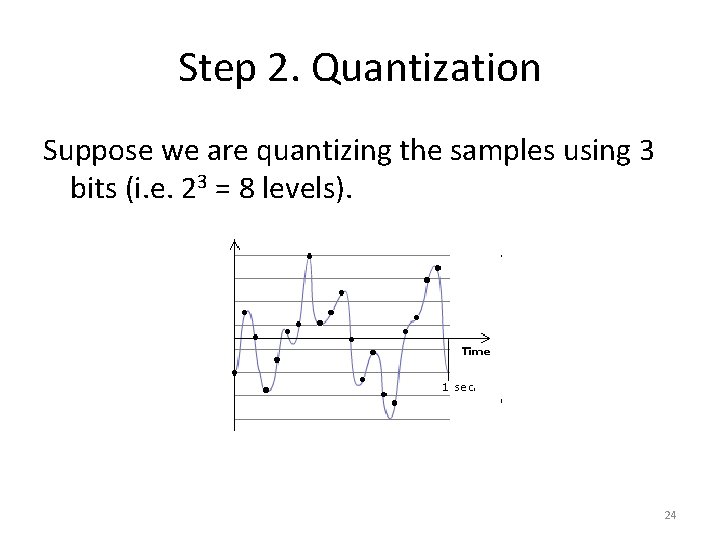
Step 2. Quantization Suppose we are quantizing the samples using 3 bits (i. e. 23 = 8 levels). 24
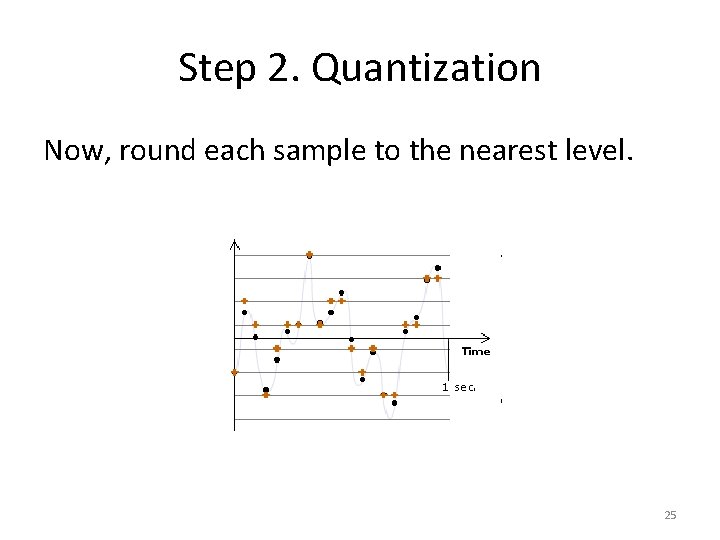
Step 2. Quantization Now, round each sample to the nearest level. 25
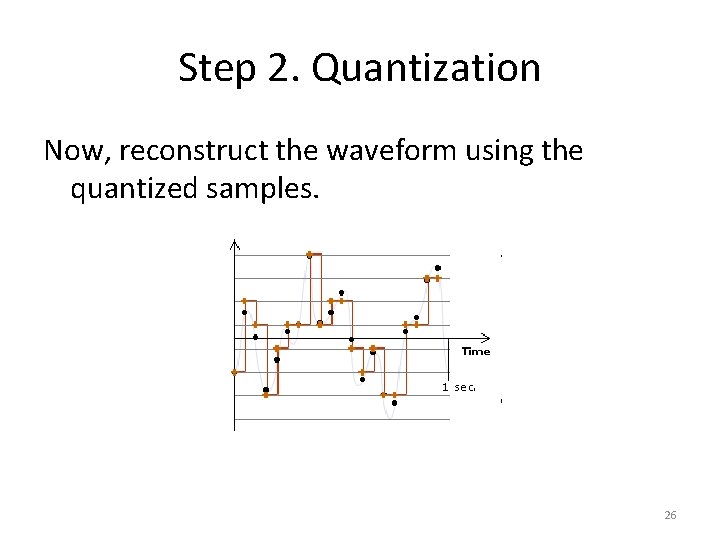
Step 2. Quantization Now, reconstruct the waveform using the quantized samples. 26
Effects of Quantization • Data with different original amplitudes may be quantized onto the same level loss of subtle differences of samples • With lower bit depth, samples with larger differences may also be quantized onto the same level. 27
Bit Depth • Bit depth of a digital audio is also referred to as resolution. • For digital audio, higher resolution means higher bit depth. 28
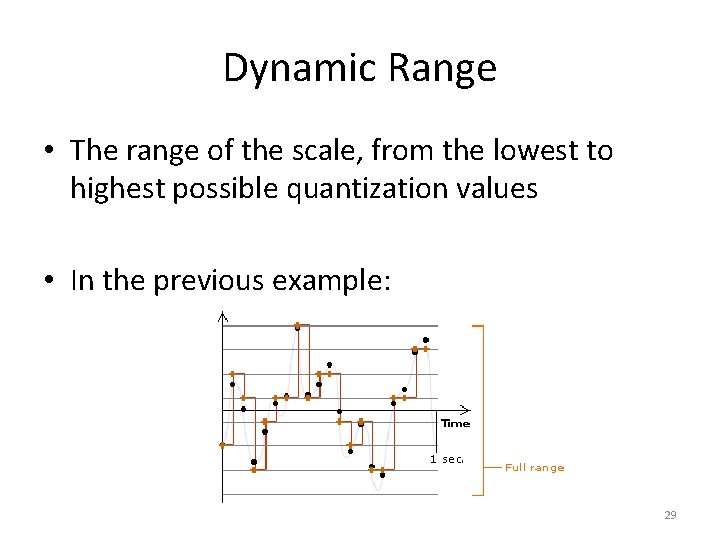
Dynamic Range • The range of the scale, from the lowest to highest possible quantization values • In the previous example: 29
Choices of Sampling Rate and Bit Depth Higher sampling rate and bit depth: • deliver better fidelity of a digitized file • result in a larger file size (undesirable) 30
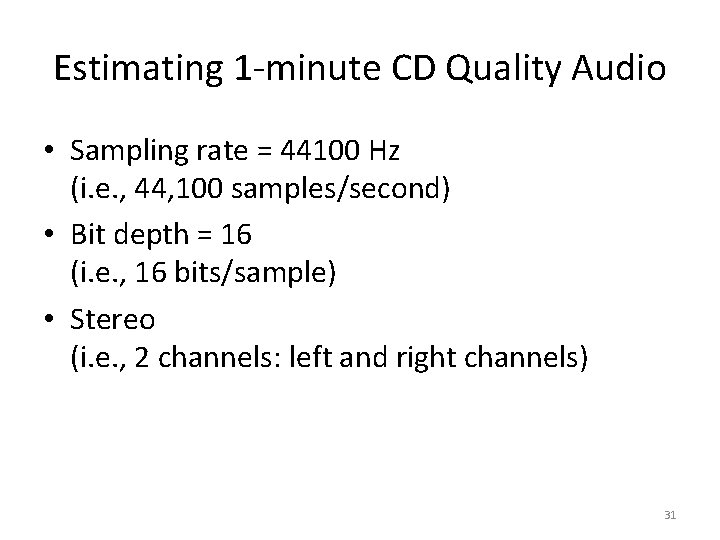
Estimating 1 -minute CD Quality Audio • Sampling rate = 44100 Hz (i. e. , 44, 100 samples/second) • Bit depth = 16 (i. e. , 16 bits/sample) • Stereo (i. e. , 2 channels: left and right channels) 31
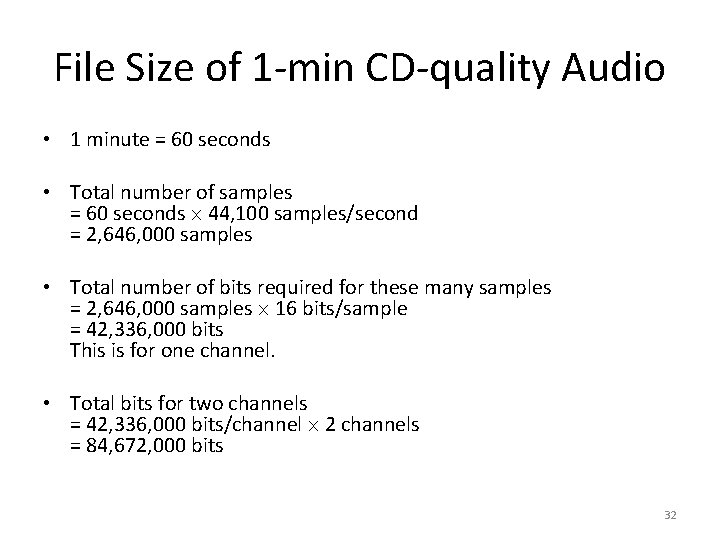
File Size of 1 -min CD-quality Audio • 1 minute = 60 seconds • Total number of samples = 60 seconds 44, 100 samples/second = 2, 646, 000 samples • Total number of bits required for these many samples = 2, 646, 000 samples 16 bits/sample = 42, 336, 000 bits This is for one channel. • Total bits for two channels = 42, 336, 000 bits/channel 2 channels = 84, 672, 000 bits 32
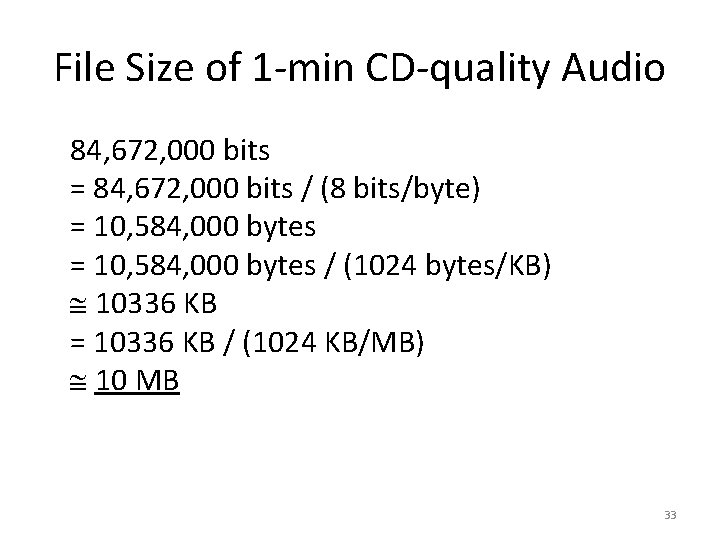
File Size of 1 -min CD-quality Audio 84, 672, 000 bits = 84, 672, 000 bits / (8 bits/byte) = 10, 584, 000 bytes / (1024 bytes/KB) 10336 KB = 10336 KB / (1024 KB/MB) 10 MB 33
General Strategies to Reduce Digital Media File Size • Reduce sampling rate • Reduce bit depth • Apply compression • For digital audio, these can also be options: – reducing the number of channels – shorten the length of the audio 34
Reduce Sampling Rate • Sacrifices the fidelity of the digitized audio • Need to weigh the quality against the file size • Need to consider: – human perception of the audio (e. g. , How perceptibe is the audio with lower sampling rate? ) – how the audio is used • music: may need higher sampling rate • short sound clips such as explosion and looping ambient background noise: may work well with lower sampling rate 35
Human Hearing Range • Human hearing range: 20 Hz to 20, 000 Hz • Most sensitive to 2, 000 Hz to 5, 000 Hz 36
Nyquist Theorem We must sample at least 2 points in each sound wave cycle to be able to reconstruct the sound wave satisfactorily. Sampling rate of the audio twice of the audio frequency (called a Nyquist rate) Sampling rate of the audio is higher for audio with higher pitch 37
Most Common Choices of Bit Depth • 8 -bit – usually sufficient for speech – in general, too low for music • 16 -bit – minimal bit depth for music • 24 -bit • 32 -bit 38
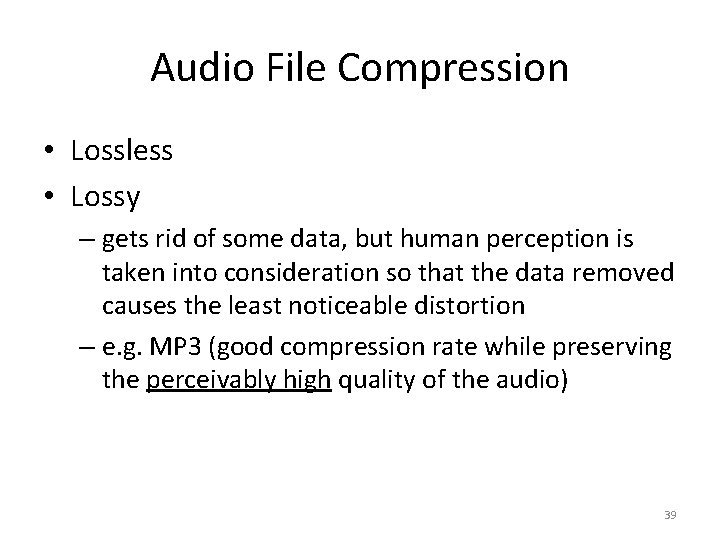
Audio File Compression • Lossless • Lossy – gets rid of some data, but human perception is taken into consideration so that the data removed causes the least noticeable distortion – e. g. MP 3 (good compression rate while preserving the perceivably high quality of the audio) 39
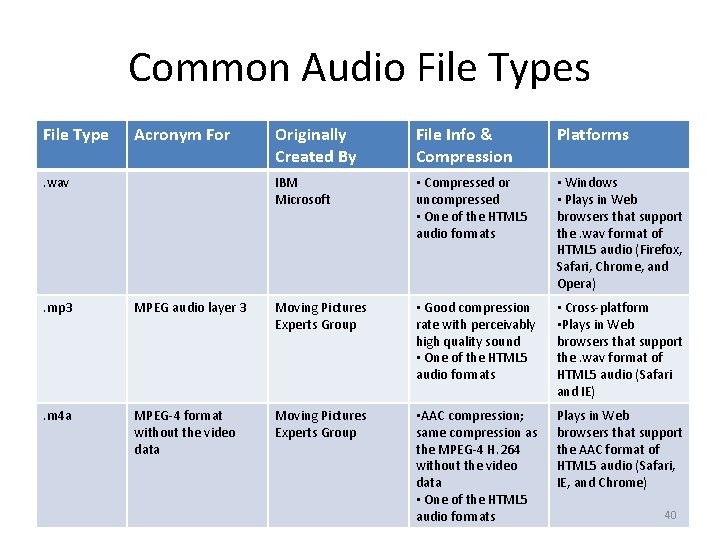
Common Audio File Types File Type Acronym For . wav Originally Created By File Info & Compression Platforms IBM Microsoft • Compressed or uncompressed • One of the HTML 5 audio formats • Windows • Plays in Web browsers that support the. wav format of HTML 5 audio (Firefox, Safari, Chrome, and Opera) . mp 3 MPEG audio layer 3 Moving Pictures Experts Group • Good compression rate with perceivably high quality sound • One of the HTML 5 audio formats • Cross-platform • Plays in Web browsers that support the. wav format of HTML 5 audio (Safari and IE) . m 4 a MPEG-4 format without the video data Moving Pictures Experts Group • AAC compression; same compression as the MPEG-4 H. 264 without the video data • One of the HTML 5 audio formats Plays in Web browsers that support the AAC format of HTML 5 audio (Safari, IE, and Chrome) 40
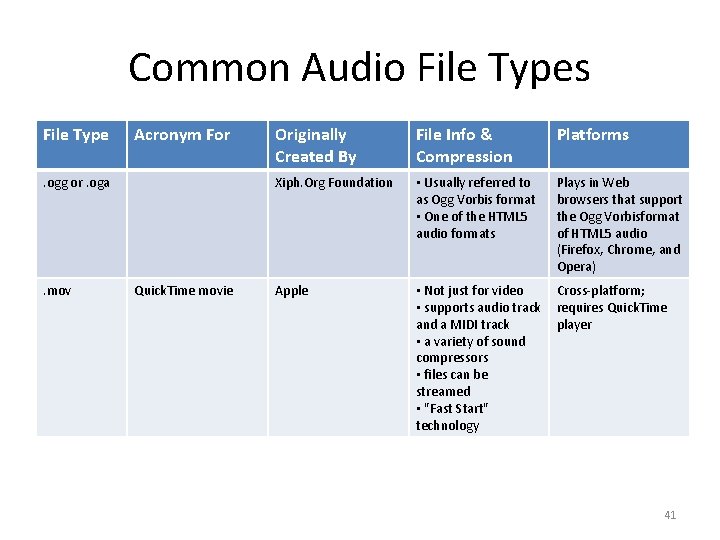
Common Audio File Types File Type Acronym For . ogg or. oga . mov Quick. Time movie Originally Created By File Info & Compression Platforms Xiph. Org Foundation • Usually referred to as Ogg Vorbis format • One of the HTML 5 audio formats Plays in Web browsers that support the Ogg Vorbisformat of HTML 5 audio (Firefox, Chrome, and Opera) Apple • Not just for video • supports audio track and a MIDI track • a variety of sound compressors • files can be streamed • "Fast Start" technology Cross-platform; requires Quick. Time player 41
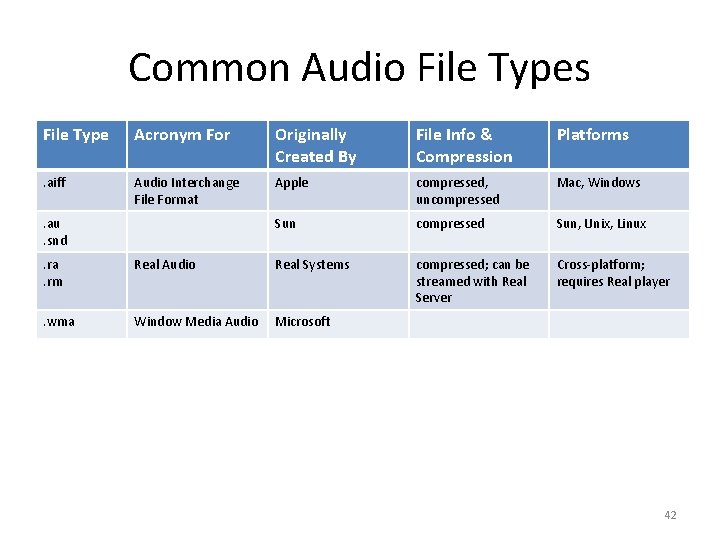
Common Audio File Types File Type Acronym For Originally Created By File Info & Compression Platforms . aiff Audio Interchange File Format Apple compressed, uncompressed Mac, Windows Sun compressed Sun, Unix, Linux compressed; can be streamed with Real Server Cross-platform; requires Real player . au. snd. ra. rm Real Audio Real Systems . wma Window Media Audio Microsoft 42
Choosing an Audio File Type Determined by the intended use • File size limitation • Intended audience • Whether as a source file • Is your audio used on the Web? – file types that offer high compression – streaming audio file types 43
Intended Audience • What is the equipment that your audience will use to listen to your audio? • If they are listening on computers, what are their operating systems? – cross-platform vs. single platform If you are keeping the file for future editing, choose a file type: • uncompressed • allows lossless compression 44