
Chapter 4 Fundamental Data Types Chapter 4 Fundamental
- Slides: 63
Chapter 4 Fundamental Data Types Chapter 4 Fundamental Data Types 1
Chapter Goals q q To understand integer and floating-point numbers To recognize the limitations of the numeric types To become aware of causes for overflow and roundoff errors To understand the proper use of constants Chapter 4 Fundamental Data Types 2
Chapter Goals q q q To write arithmetic expressions in Java To use the String type to define and manipulate character strings To learn how to read program input and produce formatted output Chapter 4 Fundamental Data Types 3
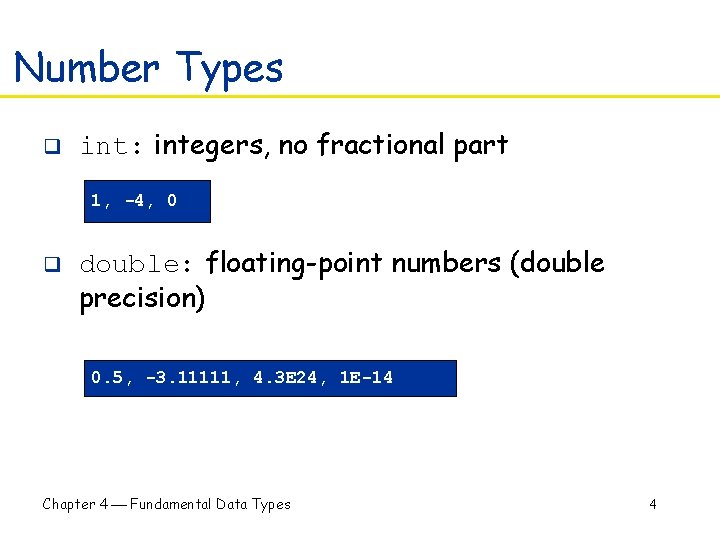
Number Types q int: integers, no fractional part 1, -4, 0 q double: floating-point numbers (double precision) 0. 5, -3. 11111, 4. 3 E 24, 1 E-14 Chapter 4 Fundamental Data Types 4
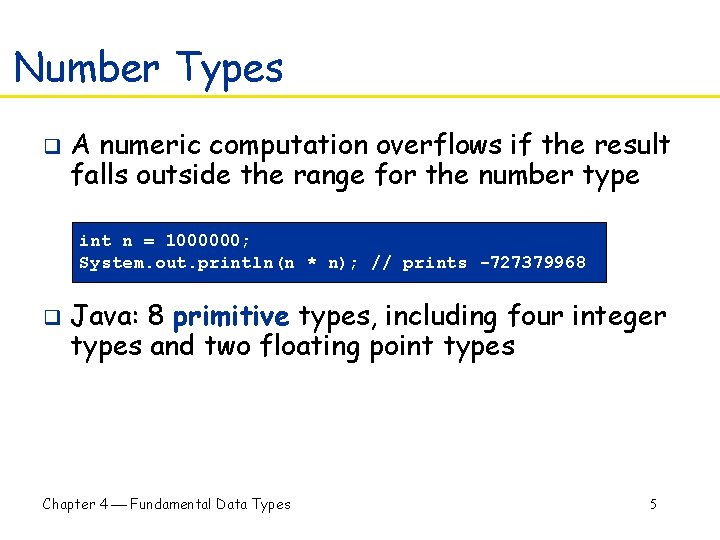
Number Types q A numeric computation overflows if the result falls outside the range for the number type int n = 1000000; System. out. println(n * n); // prints -727379968 q Java: 8 primitive types, including four integer types and two floating point types Chapter 4 Fundamental Data Types 5
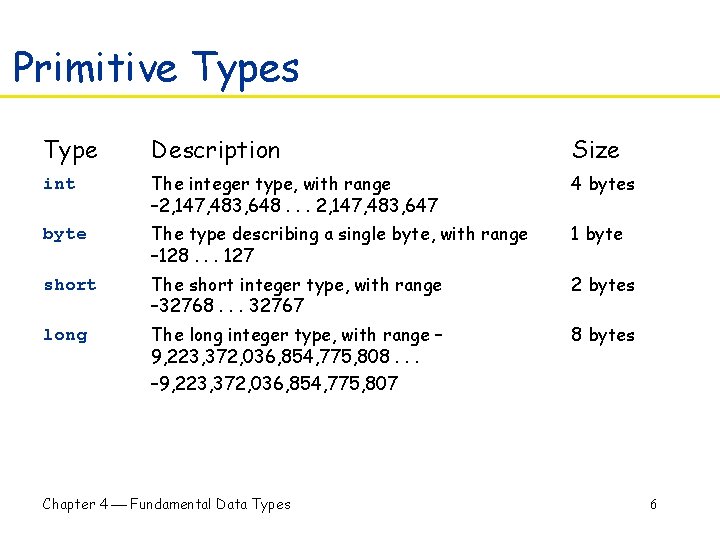
Primitive Types Type Description Size int The integer type, with range – 2, 147, 483, 648. . . 2, 147, 483, 647 4 bytes byte The type describing a single byte, with range – 128. . . 127 1 byte short The short integer type, with range – 32768. . . 32767 2 bytes long The long integer type, with range – 9, 223, 372, 036, 854, 775, 808. . . 8 bytes – 9, 223, 372, 036, 854, 775, 807 Chapter 4 Fundamental Data Types 6
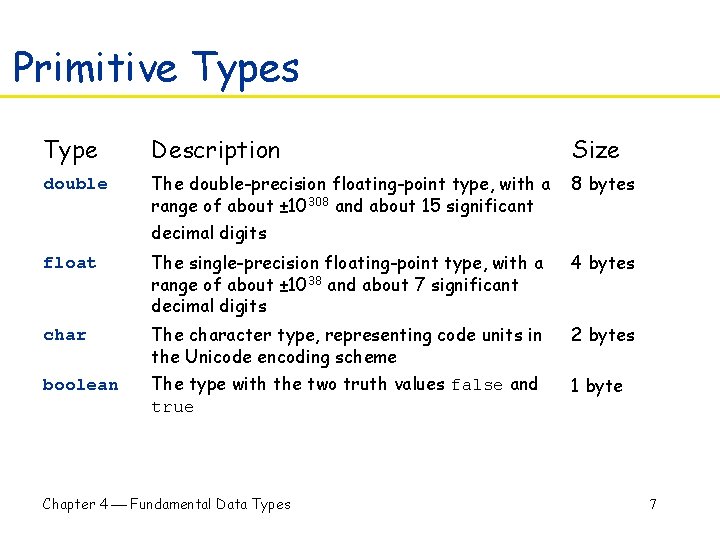
Primitive Types Type Description Size double The double-precision floating-point type, with a range of about ± 10308 and about 15 significant 8 bytes decimal digits float The single-precision floating-point type, with a range of about ± 1038 and about 7 significant decimal digits 4 bytes char The character type, representing code units in the Unicode encoding scheme 2 bytes boolean The type with the two truth values false and true 1 byte Chapter 4 Fundamental Data Types 7
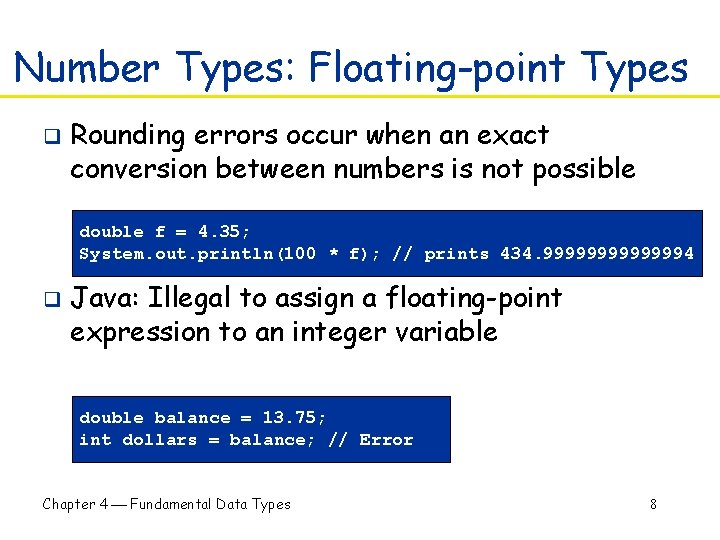
Number Types: Floating-point Types q Rounding errors occur when an exact conversion between numbers is not possible double f = 4. 35; System. out. println(100 * f); // prints 434. 99999994 q Java: Illegal to assign a floating-point expression to an integer variable double balance = 13. 75; int dollars = balance; // Error Chapter 4 Fundamental Data Types 8
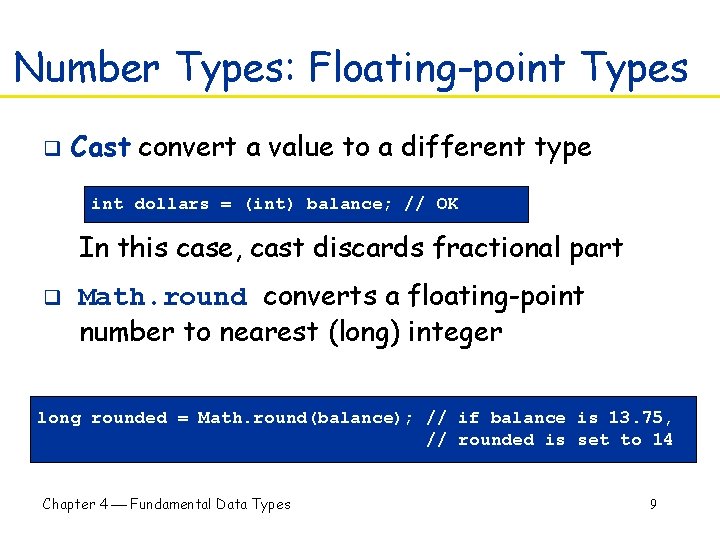
Number Types: Floating-point Types q Cast convert a value to a different type int dollars = (int) balance; // OK In this case, cast discards fractional part q Math. round converts a floating-point number to nearest (long) integer long rounded = Math. round(balance); // if balance is 13. 75, // rounded is set to 14 Chapter 4 Fundamental Data Types 9
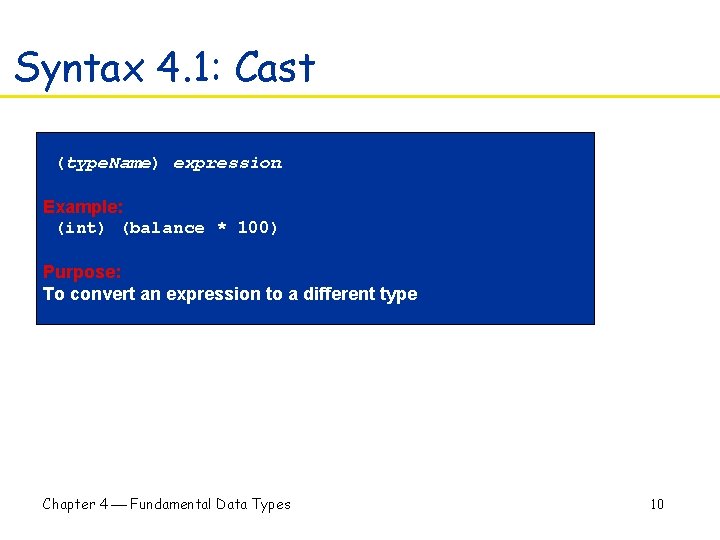
Syntax 4. 1: Cast (type. Name) expression Example: (int) (balance * 100) Purpose: To convert an expression to a different type Chapter 4 Fundamental Data Types 10
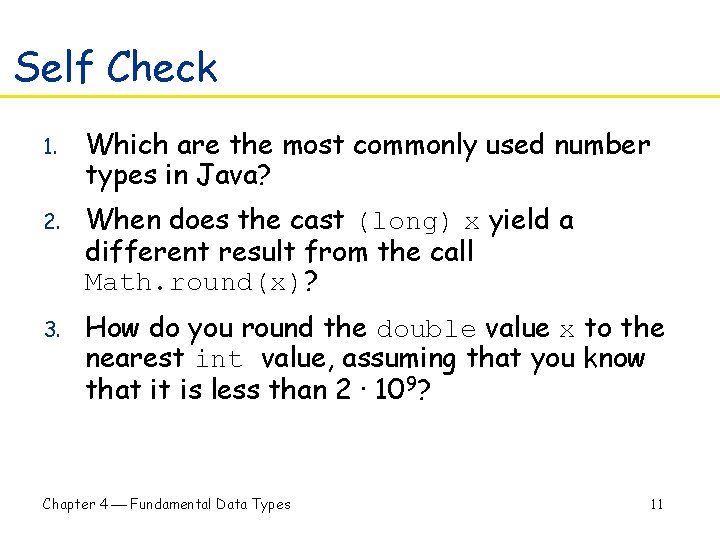
Self Check 1. Which are the most commonly used number types in Java? 2. When does the cast (long) x yield a different result from the call Math. round(x)? 3. How do you round the double value x to the nearest int value, assuming that you know that it is less than 2 · 109? Chapter 4 Fundamental Data Types 11
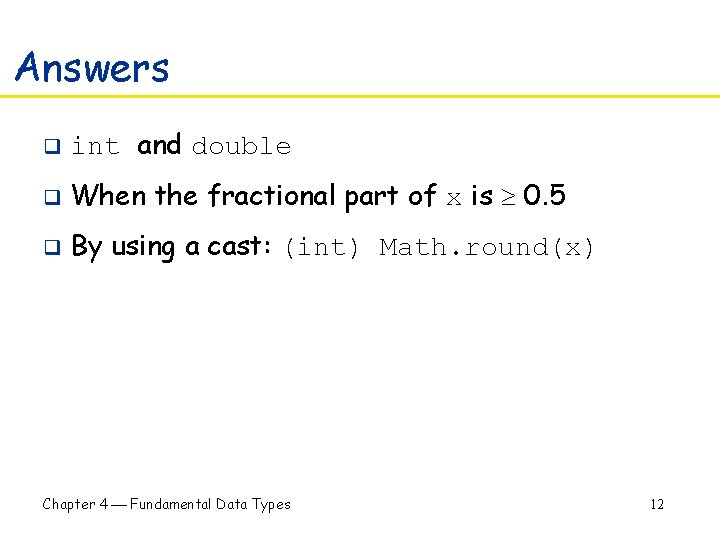
Answers q int and double q When the fractional part of x is 0. 5 q By using a cast: (int) Math. round(x) Chapter 4 Fundamental Data Types 12
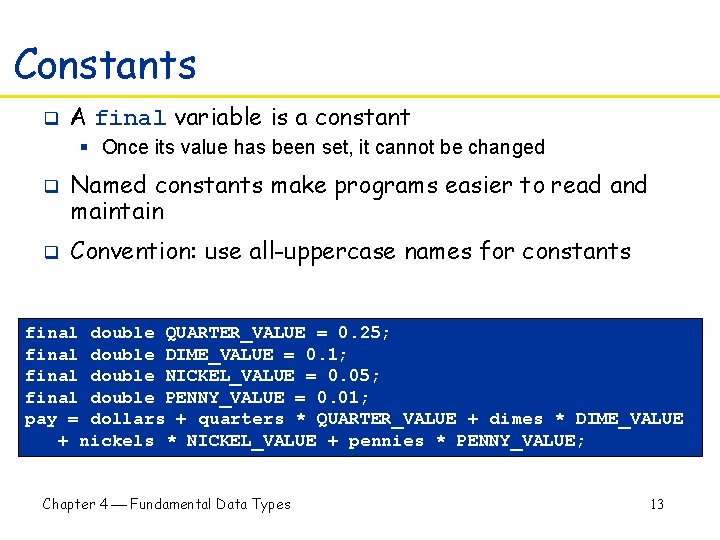
Constants final q A final variable is a constant § Once its value has been set, it cannot be changed q q Named constants make programs easier to read and maintain Convention: use all-uppercase names for constants final double QUARTER_VALUE = 0. 25; final double DIME_VALUE = 0. 1; final double NICKEL_VALUE = 0. 05; final double PENNY_VALUE = 0. 01; pay = dollars + quarters * QUARTER_VALUE + dimes * DIME_VALUE + nickels * NICKEL_VALUE + pennies * PENNY_VALUE; Chapter 4 Fundamental Data Types 13
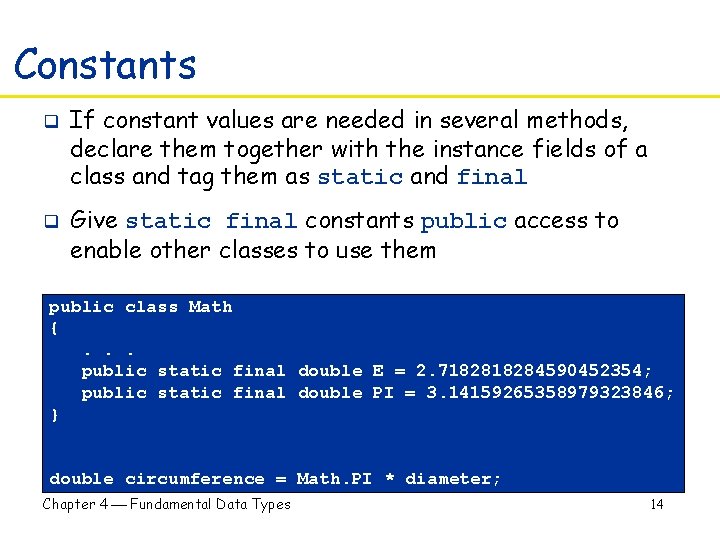
Constants static final q q If constant values are needed in several methods, declare them together with the instance fields of a class and tag them as static and final Give static final constants public access to enable other classes to use them public class Math {. . . public static final double E = 2. 718284590452354; public static final double PI = 3. 14159265358979323846; } double circumference = Math. PI * diameter; Chapter 4 Fundamental Data Types 14
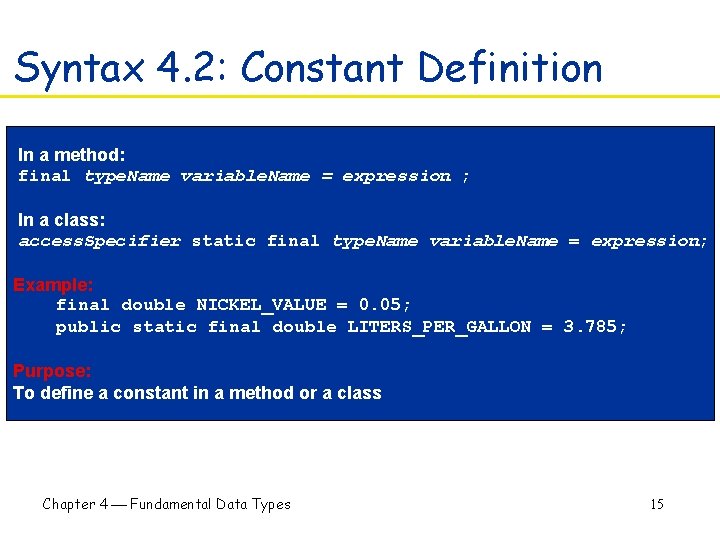
Syntax 4. 2: Constant Definition In a method: final type. Name variable. Name = expression ; In a class: access. Specifier static final type. Name variable. Name = expression; Example: final double NICKEL_VALUE = 0. 05; public static final double LITERS_PER_GALLON = 3. 785; Purpose: To define a constant in a method or a class Chapter 4 Fundamental Data Types 15
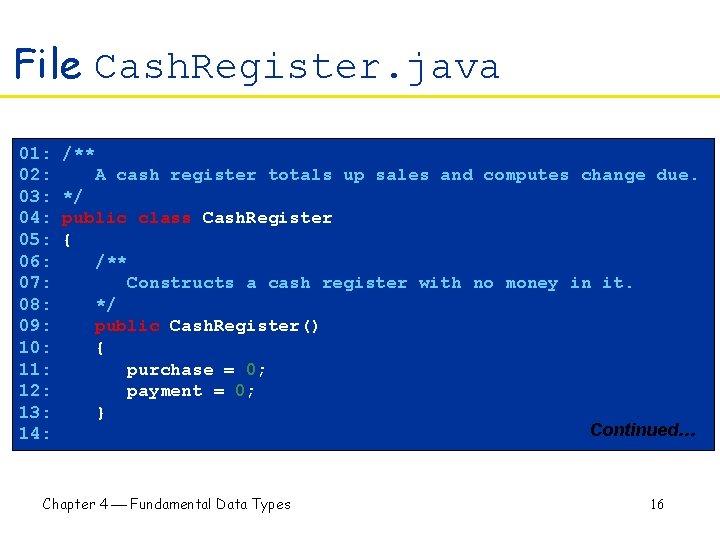
File Cash. Register. java 01: 02: 03: 04: 05: 06: 07: 08: 09: 10: 11: 12: 13: 14: /** A cash register totals up sales and computes change due. */ public class Cash. Register { /** Constructs a cash register with no money in it. */ public Cash. Register() { purchase = 0; payment = 0; } Continued… Chapter 4 Fundamental Data Types 16
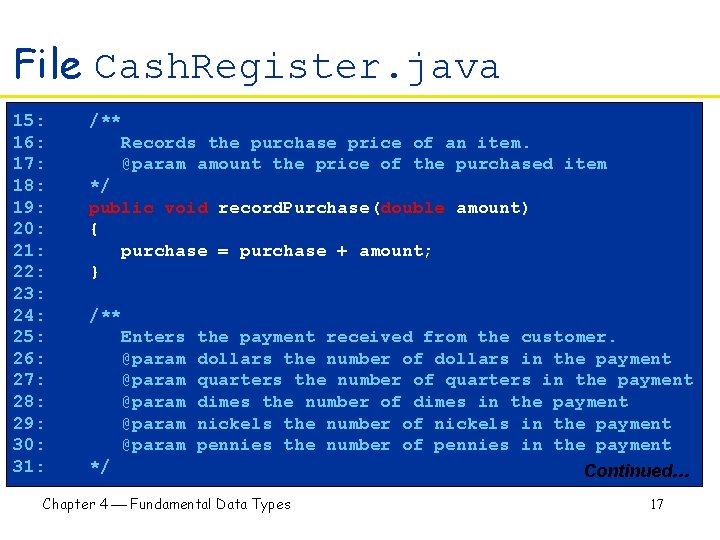
File Cash. Register. java 15: 16: 17: 18: 19: 20: 21: 22: 23: 24: 25: 26: 27: 28: 29: 30: 31: /** Records the purchase price of an item. @param amount the price of the purchased item */ public void record. Purchase(double amount) { purchase = purchase + amount; } /** Enters @param @param */ the payment received from the customer. dollars the number of dollars in the payment quarters the number of quarters in the payment dimes the number of dimes in the payment nickels the number of nickels in the payment pennies the number of pennies in the payment Continued… Chapter 4 Fundamental Data Types 17
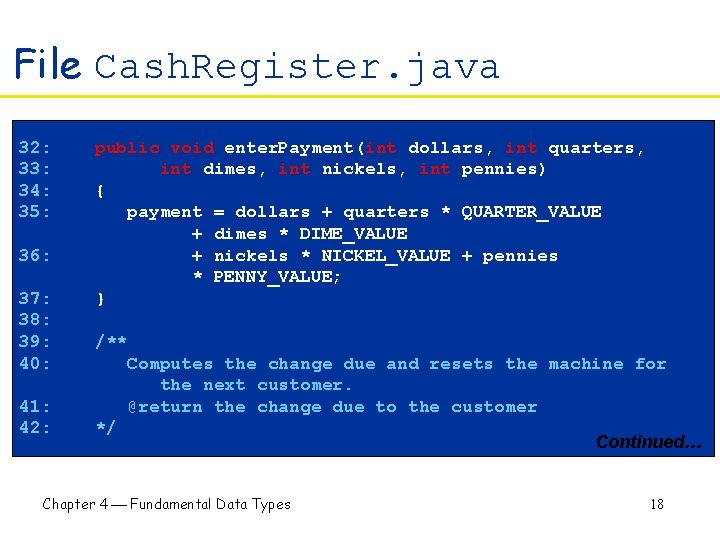
File Cash. Register. java 32: 33: 34: 35: 36: 37: 38: 39: 40: 41: 42: public void enter. Payment(int dollars, int quarters, int dimes, int nickels, int pennies) { payment = dollars + quarters * QUARTER_VALUE + dimes * DIME_VALUE + nickels * NICKEL_VALUE + pennies * PENNY_VALUE; } /** Computes the change due and resets the machine for the next customer. @return the change due to the customer */ Chapter 4 Fundamental Data Types Continued… 18
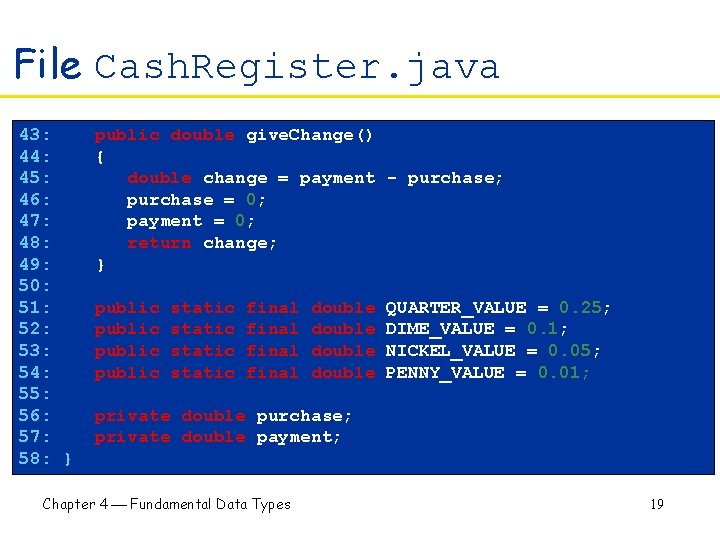
File Cash. Register. java 43: 44: 45: 46: 47: 48: 49: 50: 51: 52: 53: 54: 55: 56: 57: 58: } public double give. Change() { double change = payment - purchase; purchase = 0; payment = 0; return change; } public static final double QUARTER_VALUE = 0. 25; DIME_VALUE = 0. 1; NICKEL_VALUE = 0. 05; PENNY_VALUE = 0. 01; private double purchase; private double payment; Chapter 4 Fundamental Data Types Continued… 19
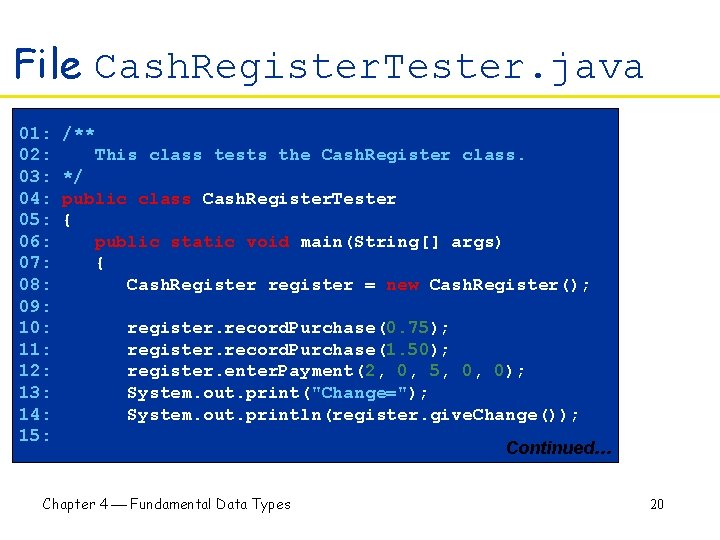
File Cash. Register. Tester. java 01: 02: 03: 04: 05: 06: 07: 08: 09: 10: 11: 12: 13: 14: 15: /** This class tests the Cash. Register class. */ public class Cash. Register. Tester { public static void main(String[] args) { Cash. Register register = new Cash. Register(); register. record. Purchase(0. 75); register. record. Purchase(1. 50); register. enter. Payment(2, 0, 5, 0, 0); System. out. print("Change="); System. out. println(register. give. Change()); Chapter 4 Fundamental Data Types Continued… 20
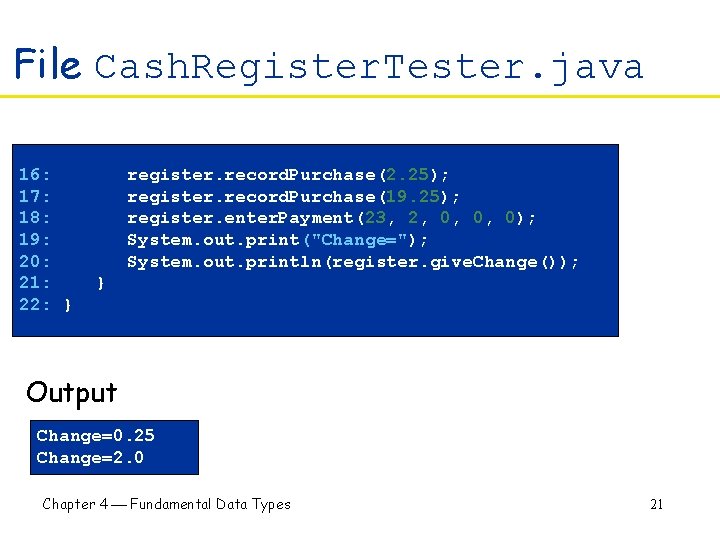
File Cash. Register. Tester. java 16: 17: 18: 19: 20: 21: 22: } register. record. Purchase(2. 25); register. record. Purchase(19. 25); register. enter. Payment(23, 2, 0, 0, 0); System. out. print("Change="); System. out. println(register. give. Change()); } Output Change=0. 25 Change=2. 0 Chapter 4 Fundamental Data Types 21
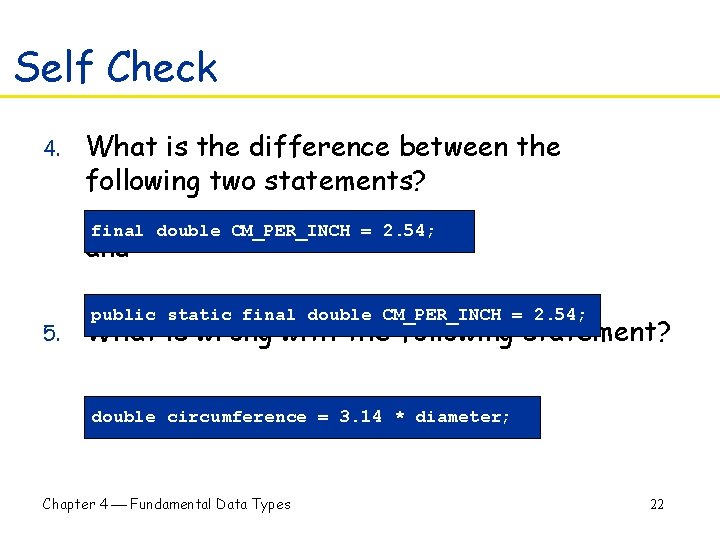
Self Check 4. What is the difference between the following two statements? final double CM_PER_INCH = 2. 54; and 5. public static final double CM_PER_INCH = 2. 54; What is wrong with the following statement? double circumference = 3. 14 * diameter; Chapter 4 Fundamental Data Types 22
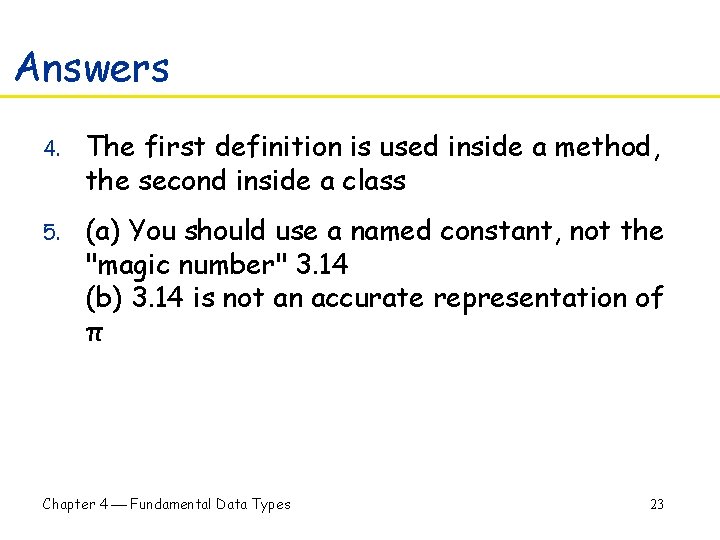
Answers 4. The first definition is used inside a method, the second inside a class 5. (a) You should use a named constant, not the "magic number" 3. 14 (b) 3. 14 is not an accurate representation of π Chapter 4 Fundamental Data Types 23
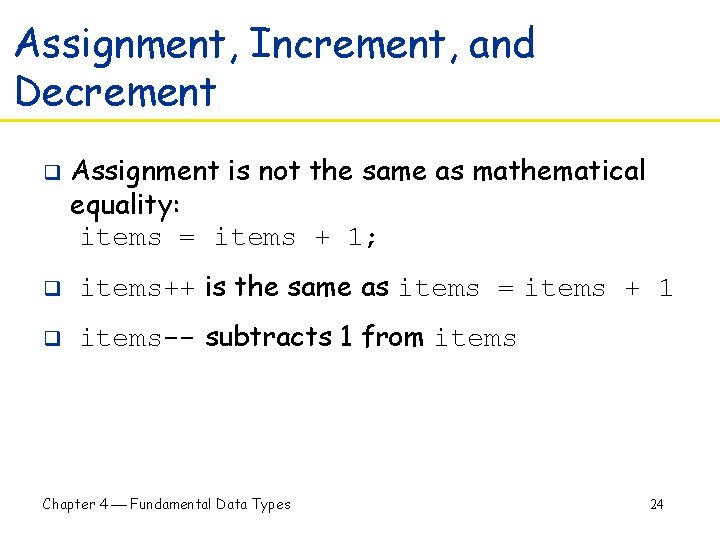
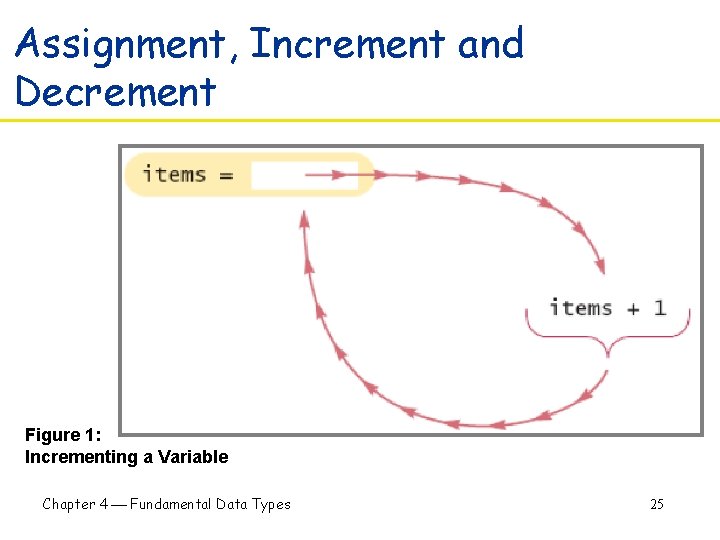
Assignment, Increment, and Decrement q Assignment is not the same as mathematical equality: items = items + 1; q items++ is the same as items = items + 1 q items-- subtracts 1 from items Chapter 4 Fundamental Data Types 24
Assignment, Increment and Decrement Figure 1: Incrementing a Variable Chapter 4 Fundamental Data Types 25
Self Check 6. What is the meaning of the following statement? balance = balance + amount; 7. What is the value of n after the following sequence of statements? n--; n++; n--; Chapter 4 Fundamental Data Types 26
Answers 6. The statement adds the amount value to the balance variable 7. One less than it was before Chapter 4 Fundamental Data Types 27
Arithmetic Operations q q / is the division operator If both arguments are integers, the result is an integer --- the remainder is discarded 7. 0 / 4 yields 1. 75 7 / 4 yields 1 Get remainder with % (known as "modulo") 7 % 4 is 3 Chapter 4 Fundamental Data Types 28
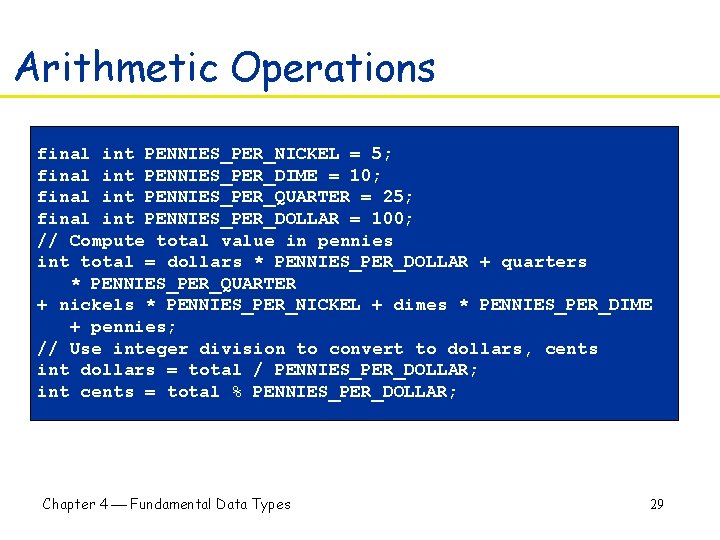
Arithmetic Operations final int PENNIES_PER_NICKEL = 5; final int PENNIES_PER_DIME = 10; final int PENNIES_PER_QUARTER = 25; final int PENNIES_PER_DOLLAR = 100; // Compute total value in pennies int total = dollars * PENNIES_PER_DOLLAR + quarters * PENNIES_PER_QUARTER + nickels * PENNIES_PER_NICKEL + dimes * PENNIES_PER_DIME + pennies; // Use integer division to convert to dollars, cents int dollars = total / PENNIES_PER_DOLLAR; int cents = total % PENNIES_PER_DOLLAR; Chapter 4 Fundamental Data Types 29
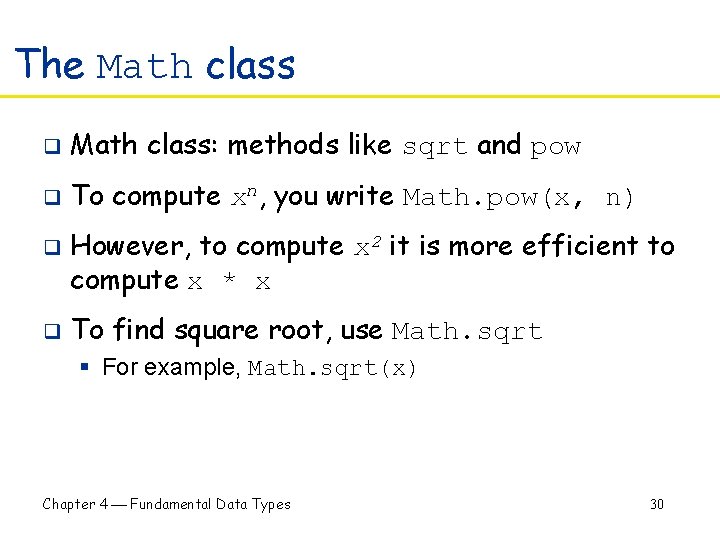
The Math class q Math class: methods like sqrt and pow q To compute xn, you write Math. pow(x, n) q q However, to compute x 2 it is more efficient to compute x * x To find square root, use Math. sqrt § For example, Math. sqrt(x) Chapter 4 Fundamental Data Types 30
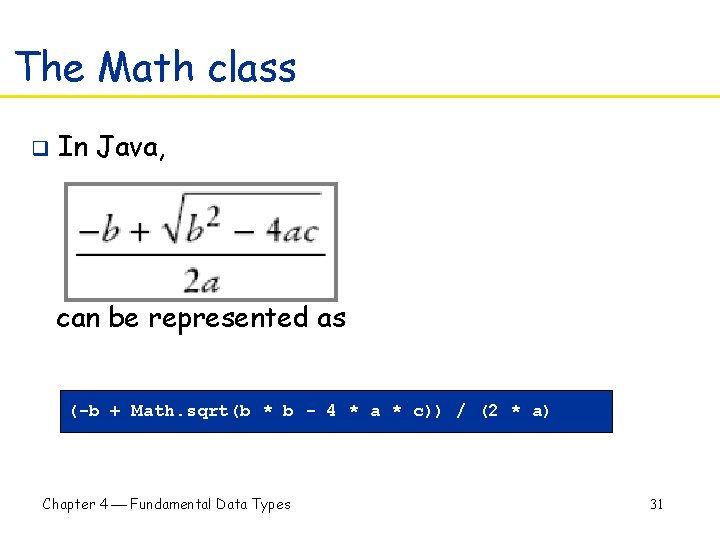
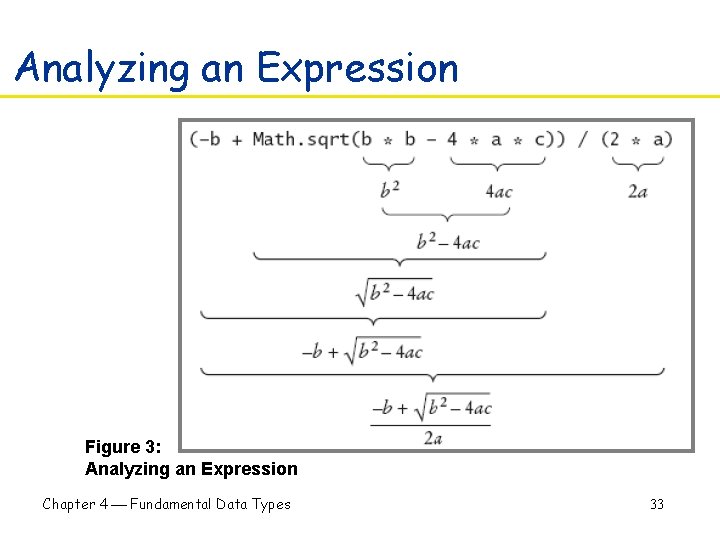
The Math class q In Java, can be represented as (-b + Math. sqrt(b * b - 4 * a * c)) / (2 * a) Chapter 4 Fundamental Data Types 31
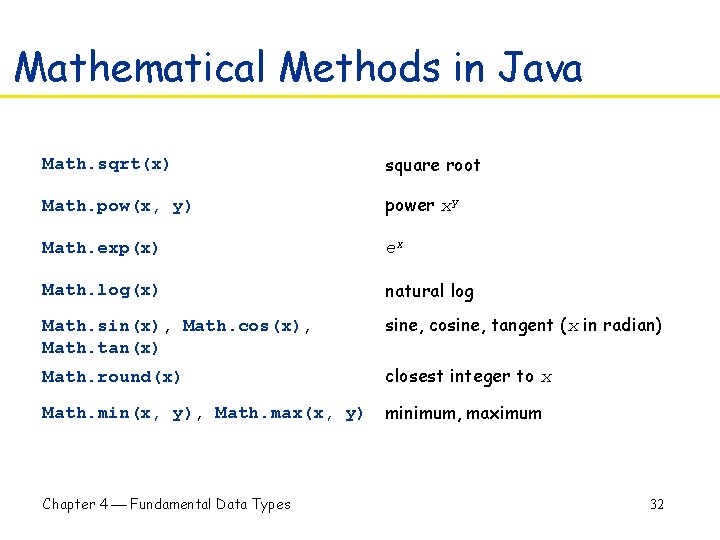
Mathematical Methods in Java Math. sqrt(x) square root Math. pow(x, y) power xy Math. exp(x) ex Math. log(x) natural log Math. sin(x), Math. cos(x), Math. tan(x) sine, cosine, tangent (x in radian) Math. round(x) closest integer to x Math. min(x, y), Math. max(x, y) minimum, maximum Chapter 4 Fundamental Data Types 32
Analyzing an Expression Figure 3: Analyzing an Expression Chapter 4 Fundamental Data Types 33
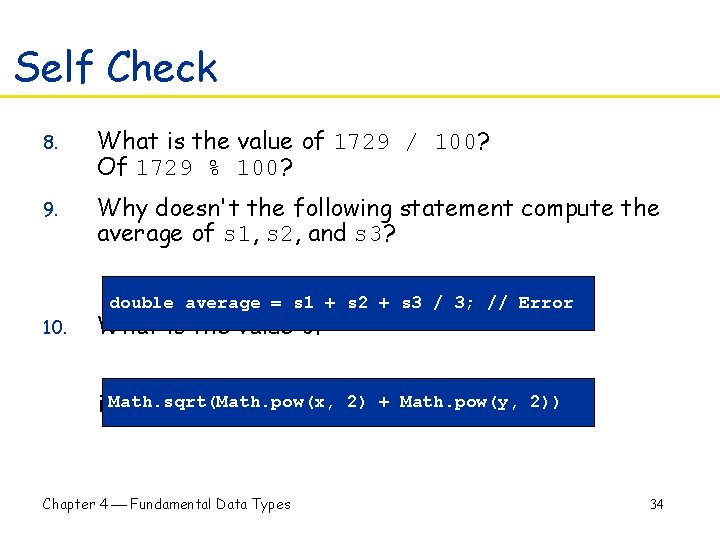
Self Check 8. What is the value of 1729 / 100? Of 1729 % 100? 9. Why doesn't the following statement compute the average of s 1, s 2, and s 3? double average = s 1 + s 2 + s 3 / 3; // Error 10. What is the value of 2) + in. Math. sqrt(Math. pow(x, mathematical notation? Chapter 4 Fundamental Data Types Math. pow(y, 2)) 34
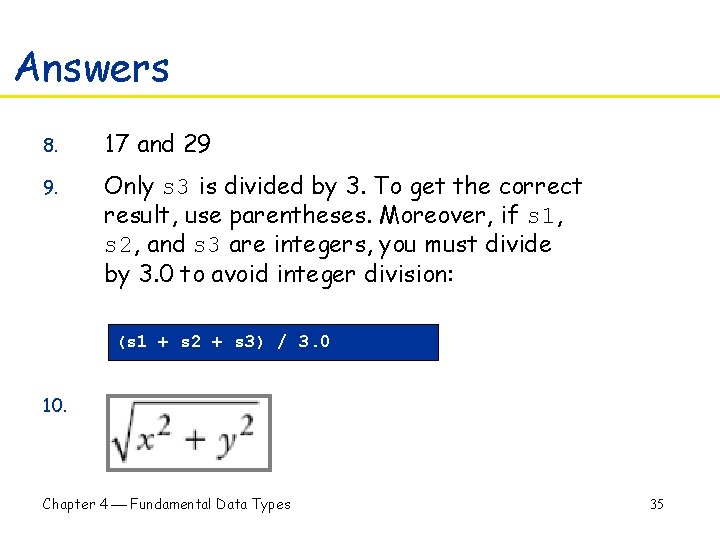
Answers 8. 17 and 29 9. Only s 3 is divided by 3. To get the correct result, use parentheses. Moreover, if s 1, s 2, and s 3 are integers, you must divide by 3. 0 to avoid integer division: (s 1 + s 2 + s 3) / 3. 0 10. Chapter 4 Fundamental Data Types 35
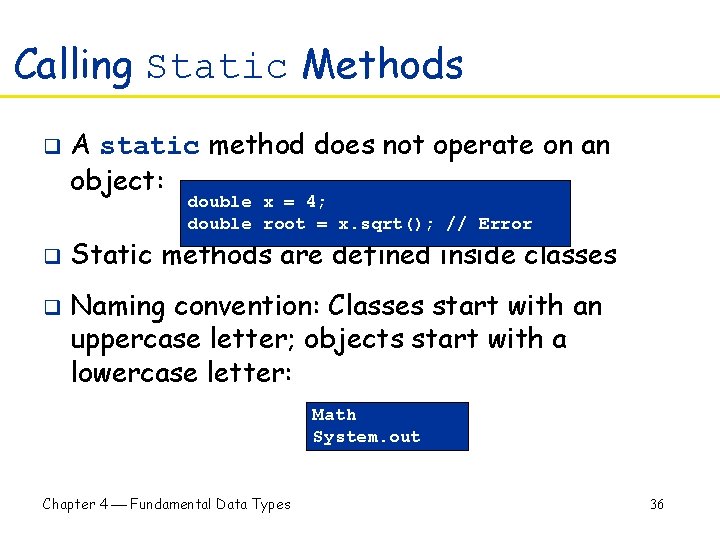
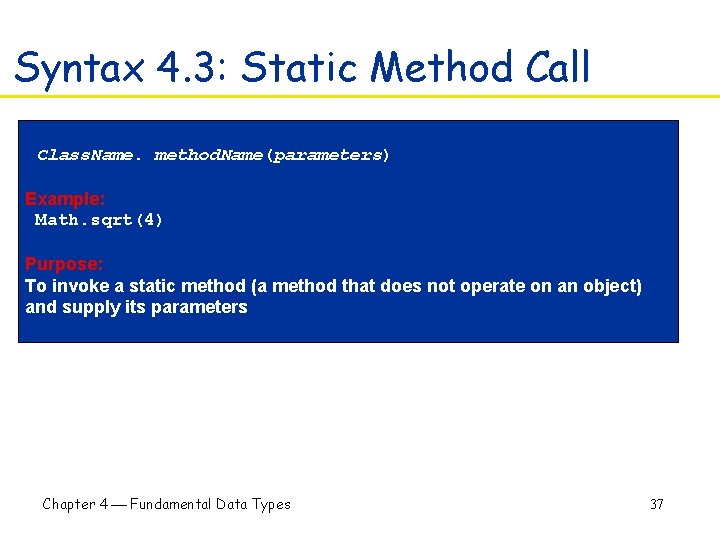
Calling Static Methods q A static method does not operate on an object: double x = 4; double root = x. sqrt(); // Error q q Static methods are defined inside classes Naming convention: Classes start with an uppercase letter; objects start with a lowercase letter: Math System. out Chapter 4 Fundamental Data Types 36
Syntax 4. 3: Static Method Call Class. Name. method. Name(parameters) Example: Math. sqrt(4) Purpose: To invoke a static method (a method that does not operate on an object) and supply its parameters Chapter 4 Fundamental Data Types 37
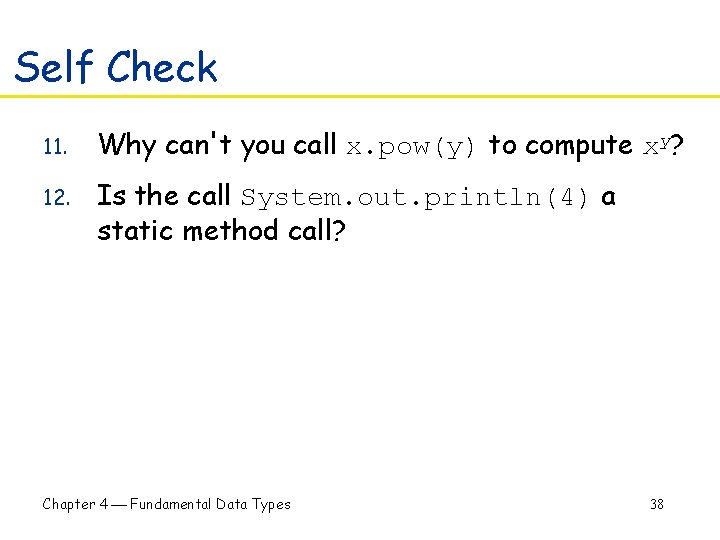
Self Check 11. Why can't you call x. pow(y) to compute xy? 12. Is the call System. out. println(4) a static method call? Chapter 4 Fundamental Data Types 38
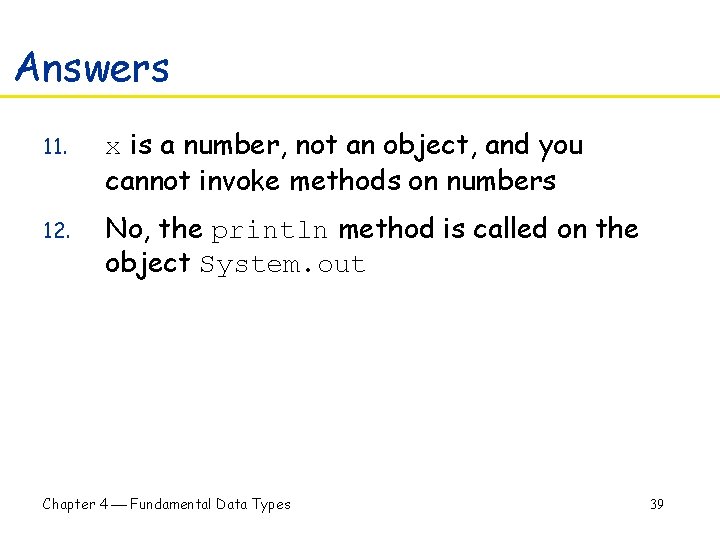
Answers 11. x is a number, not an object, and you cannot invoke methods on numbers 12. No, the println method is called on the object System. out Chapter 4 Fundamental Data Types 39
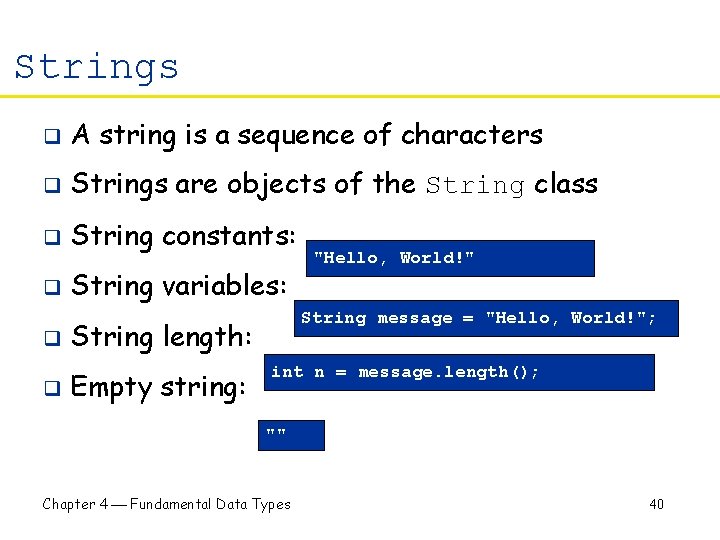
Strings q A string is a sequence of characters q Strings are objects of the String class q String constants: q String variables: q q String message = "Hello, World!"; String length: Empty string: "Hello, World!" int n = message. length(); "" Chapter 4 Fundamental Data Types 40
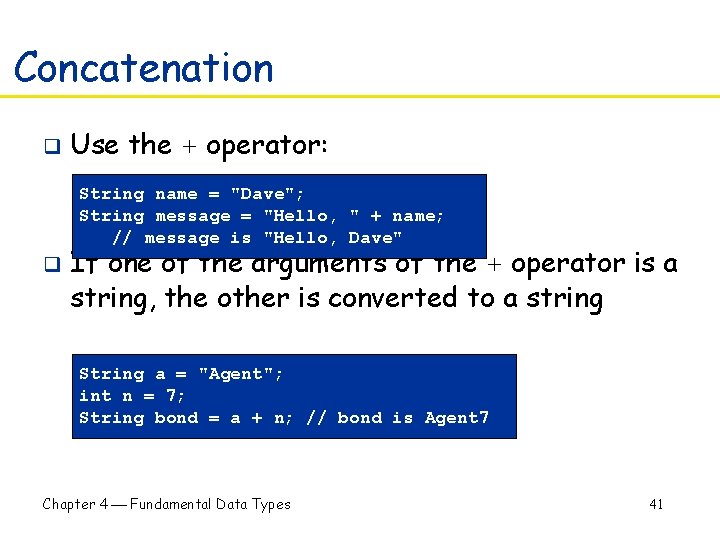
Concatenation q Use the + operator: String name = "Dave"; String message = "Hello, " + name; // message is "Hello, Dave" q If one of the arguments of the + operator is a string, the other is converted to a string String a = "Agent"; int n = 7; String bond = a + n; // bond is Agent 7 Chapter 4 Fundamental Data Types 41
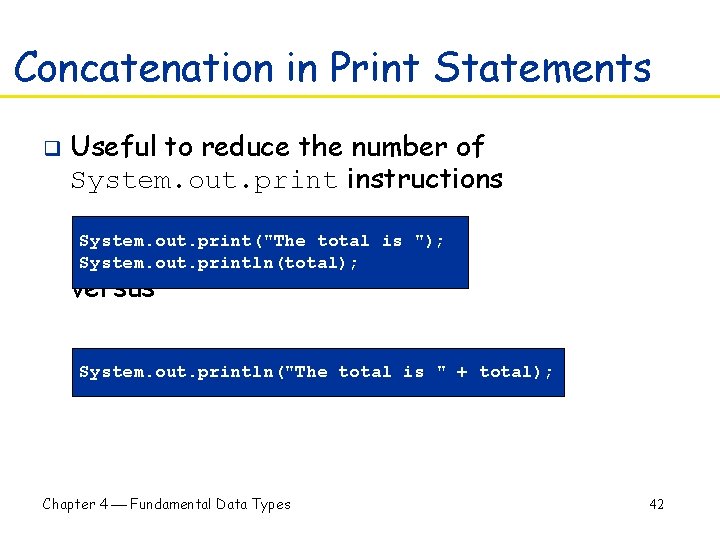
Concatenation in Print Statements q Useful to reduce the number of System. out. print instructions System. out. print("The total is "); System. out. println(total); versus System. out. println("The total is " + total); Chapter 4 Fundamental Data Types 42
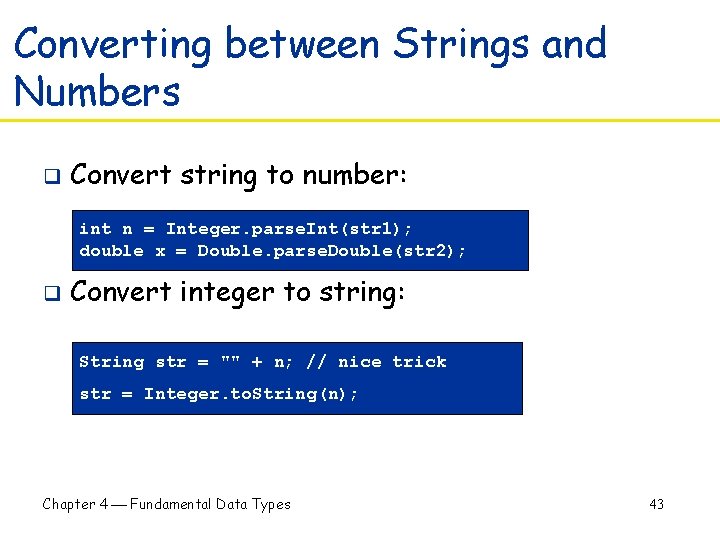
Converting between Strings and Numbers q Convert string to number: int n = Integer. parse. Int(str 1); double x = Double. parse. Double(str 2); q Convert integer to string: String str = "" + n; // nice trick str = Integer. to. String(n); Chapter 4 Fundamental Data Types 43
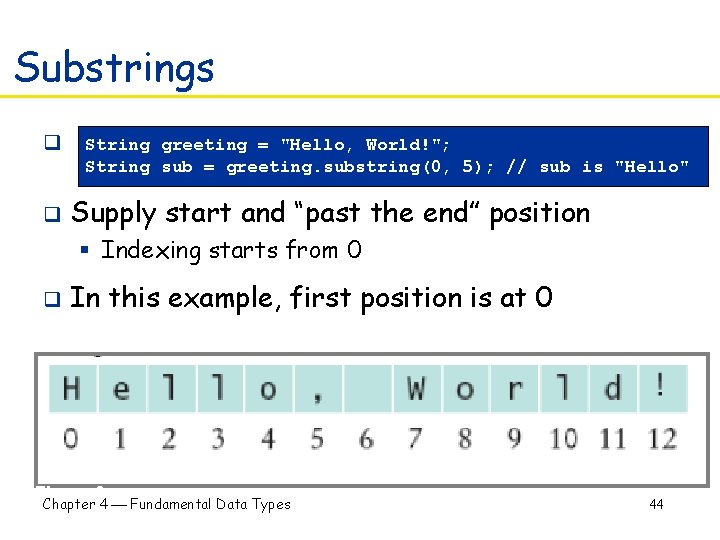
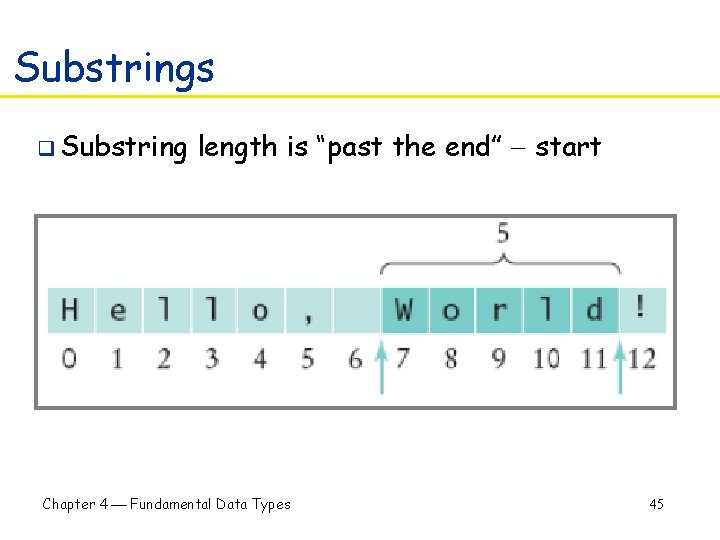
Substrings q q String greeting = "Hello, World!"; String sub = greeting. substring(0, 5); // sub is "Hello" Supply start and “past the end” position § Indexing starts from 0 q In this example, first position is at 0 Figure 3: Chapter 4 Fundamental Data Types String Positions 44
Substrings q Substring length is “past the end” start Figure 4: Extracting a Substring Chapter 4 Fundamental Data Types 45
Self Check 13. Assuming the String variable s holds the value "Agent", what is the effect of the assignment s = s + s. length()? 14. Assuming the String variable river holds the value "Mississippi", what is the value of river. substring(1, 2)? Of river. substring(2, river. length() - 3)? Chapter 4 Fundamental Data Types 46
Answers 13. s is set to the string Agent 5 14. The strings "i" and "ssissi" Chapter 4 Fundamental Data Types 47
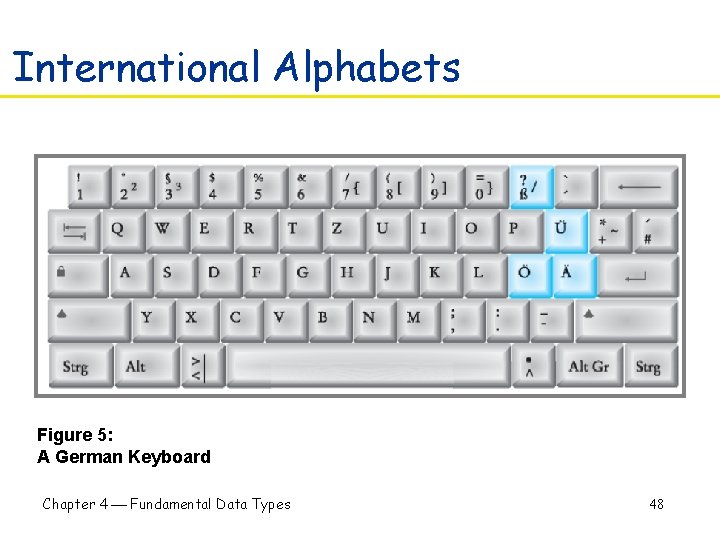
International Alphabets Figure 5: A German Keyboard Chapter 4 Fundamental Data Types 48
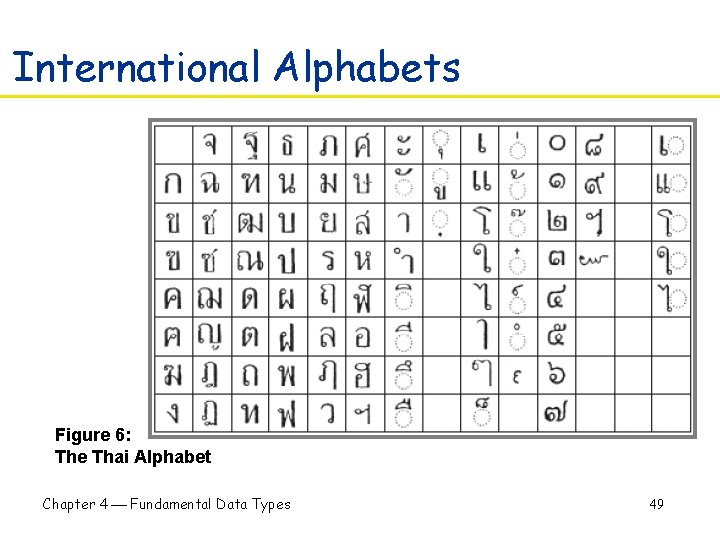
International Alphabets Figure 6: The Thai Alphabet Chapter 4 Fundamental Data Types 49
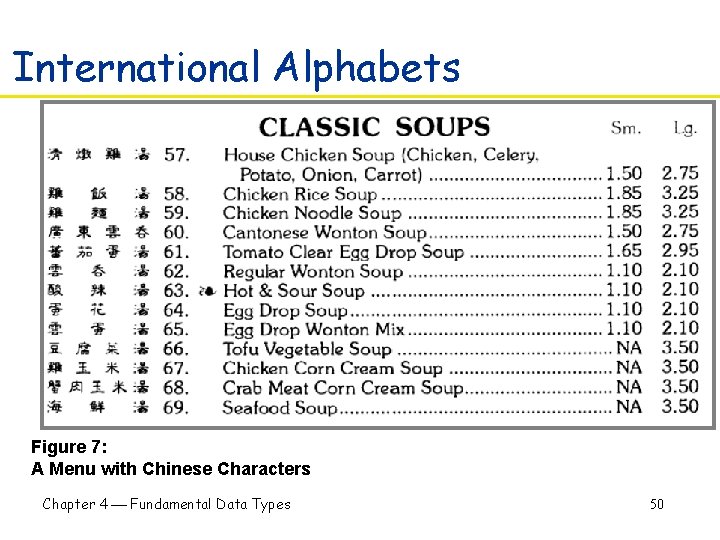
International Alphabets Figure 7: A Menu with Chinese Characters Chapter 4 Fundamental Data Types 50
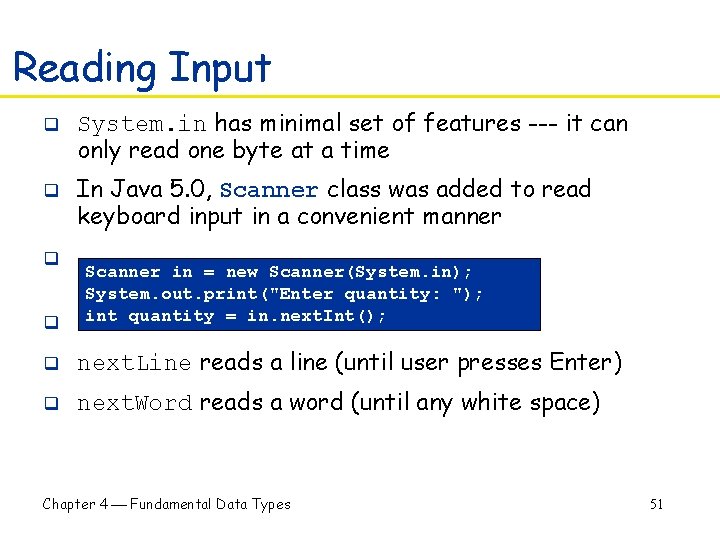
Reading Input q q System. in has minimal set of features --- it can only read one byte at a time In Java 5. 0, Scanner class was added to read keyboard input in a convenient manner q Scanner in = new Scanner(System. in); System. out. print("Enter quantity: "); int quantity =reads in. next. Int(); q next. Double a double q next. Line reads a line (until user presses Enter) q next. Word reads a word (until any white space) Chapter 4 Fundamental Data Types 51
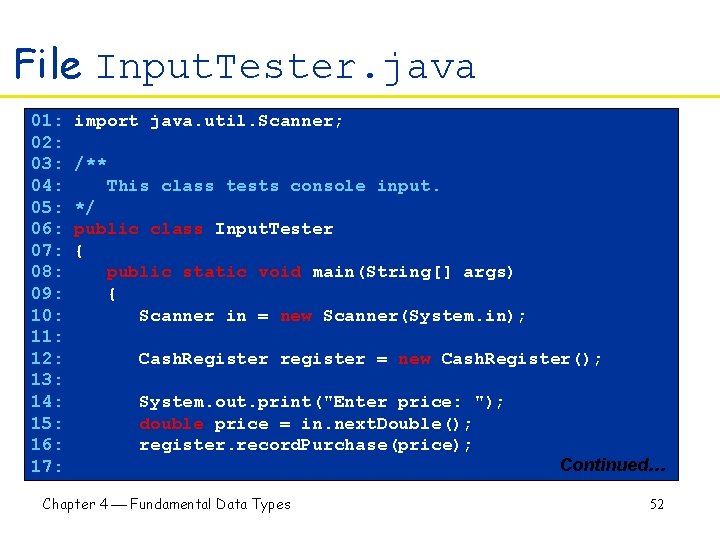
File Input. Tester. java 01: 02: 03: 04: 05: 06: 07: 08: 09: 10: 11: 12: 13: 14: 15: 16: 17: import java. util. Scanner; /** This class tests console input. */ public class Input. Tester { public static void main(String[] args) { Scanner in = new Scanner(System. in); Cash. Register register = new Cash. Register(); System. out. print("Enter price: "); double price = in. next. Double(); register. record. Purchase(price); Chapter 4 Fundamental Data Types Continued… 52
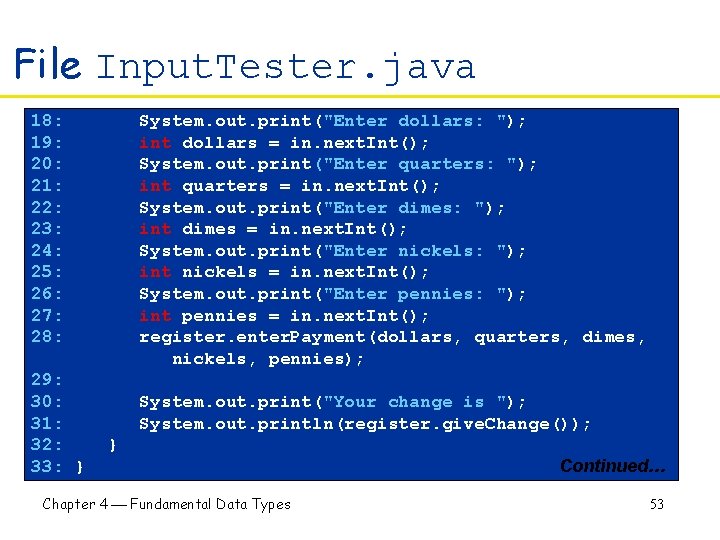
File Input. Tester. java 18: 19: 20: 21: 22: 23: 24: 25: 26: 27: 28: 29: 30: 31: 32: 33: } System. out. print("Enter dollars: "); int dollars = in. next. Int(); System. out. print("Enter quarters: "); int quarters = in. next. Int(); System. out. print("Enter dimes: "); int dimes = in. next. Int(); System. out. print("Enter nickels: "); int nickels = in. next. Int(); System. out. print("Enter pennies: "); int pennies = in. next. Int(); register. enter. Payment(dollars, quarters, dimes, nickels, pennies); System. out. print("Your change is "); System. out. println(register. give. Change()); } Chapter 4 Fundamental Data Types Continued… 53
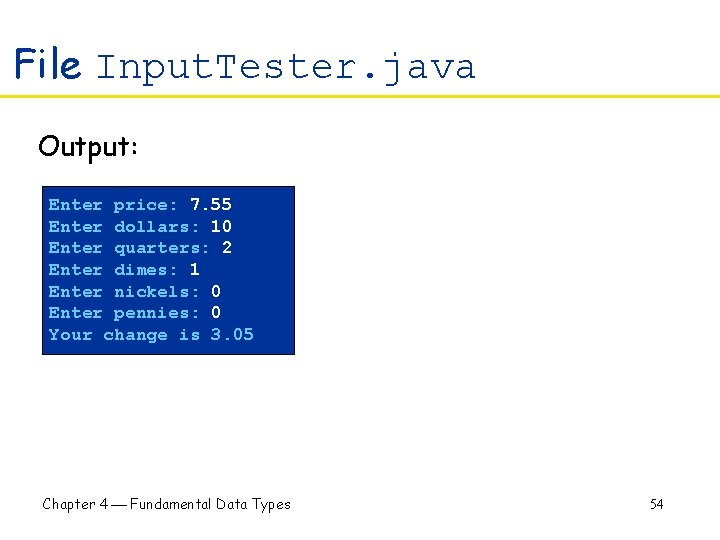
File Input. Tester. java Output: Enter price: 7. 55 Enter dollars: 10 Enter quarters: 2 Enter dimes: 1 Enter nickels: 0 Enter pennies: 0 Your change is 3. 05 Chapter 4 Fundamental Data Types 54
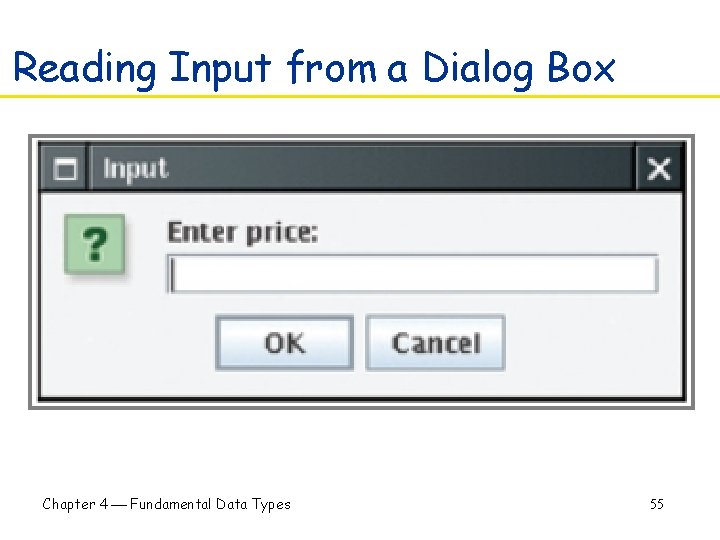
Reading Input from a Dialog Box Figure 8: An Input Dialog Box Chapter 4 Fundamental Data Types 55
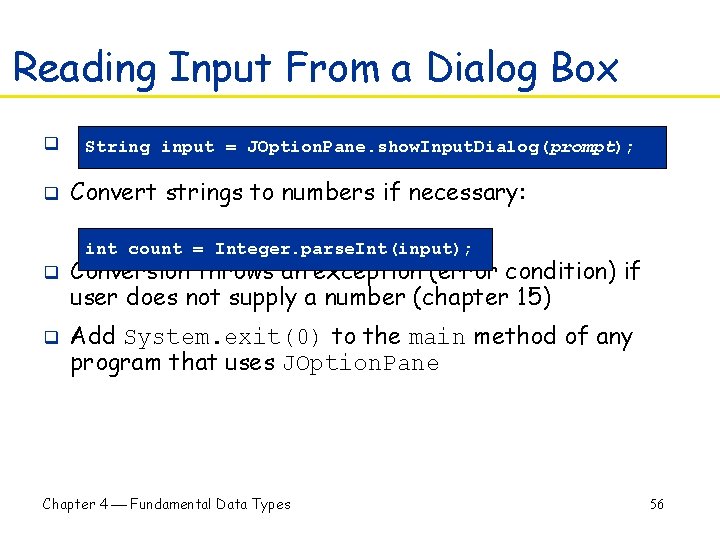
Reading Input From a Dialog Box q q String input = JOption. Pane. show. Input. Dialog(prompt); Convert strings to numbers if necessary: int count = Integer. parse. Int(input); q q Conversion throws an exception (error condition) if user does not supply a number (chapter 15) Add System. exit(0) to the main method of any program that uses JOption. Pane Chapter 4 Fundamental Data Types 56
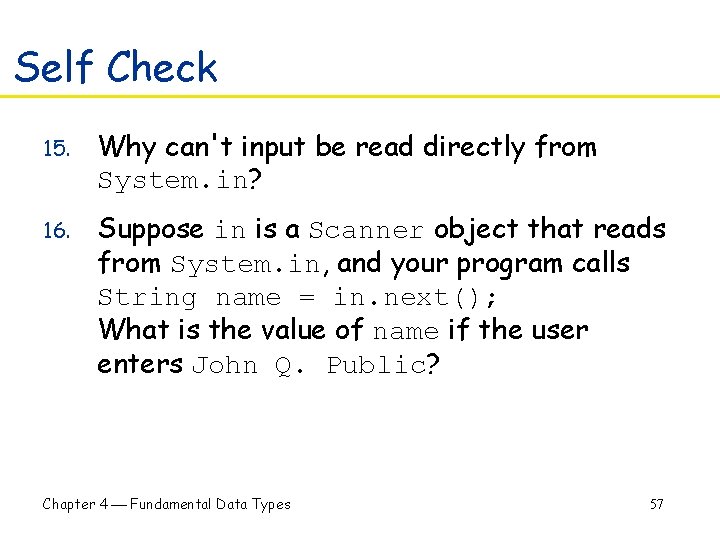
Self Check 15. Why can't input be read directly from System. in? 16. Suppose in is a Scanner object that reads from System. in, and your program calls String name = in. next(); What is the value of name if the user enters John Q. Public? Chapter 4 Fundamental Data Types 57
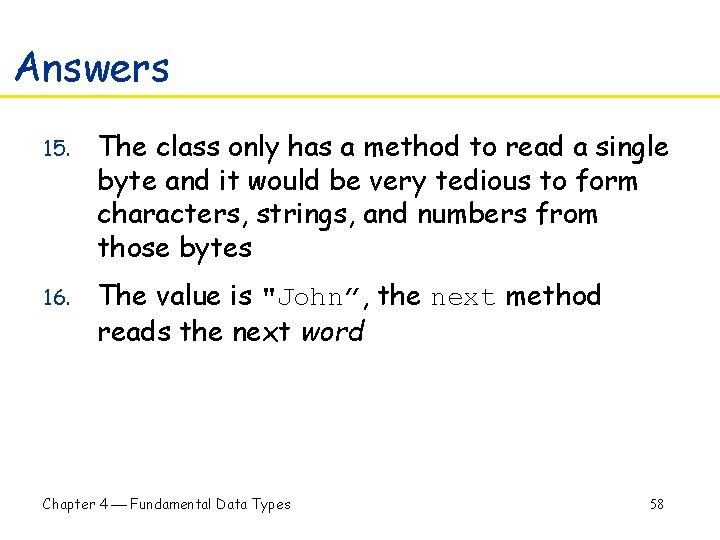
Answers 15. The class only has a method to read a single byte and it would be very tedious to form characters, strings, and numbers from those bytes 16. The value is "John”, the next method reads the next word Chapter 4 Fundamental Data Types 58
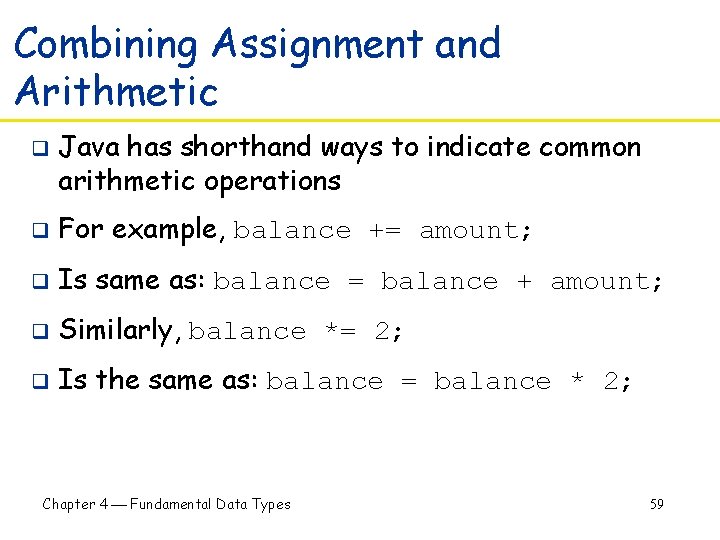
Combining Assignment and Arithmetic q Java has shorthand ways to indicate common arithmetic operations q For example, balance += amount; q Is same as: balance = balance + amount; q Similarly, balance *= 2; q Is the same as: balance = balance * 2; Chapter 4 Fundamental Data Types 59
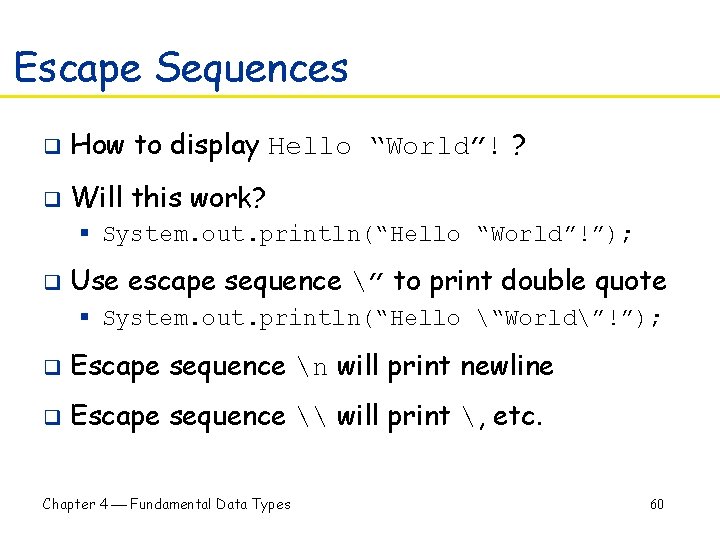
Escape Sequences q How to display Hello “World”! ? q Will this work? § System. out. println(“Hello “World”!”); q Use escape sequence ” to print double quote § System. out. println(“Hello “World”!”); q Escape sequence n will print newline q Escape sequence \ will print , etc. Chapter 4 Fundamental Data Types 60
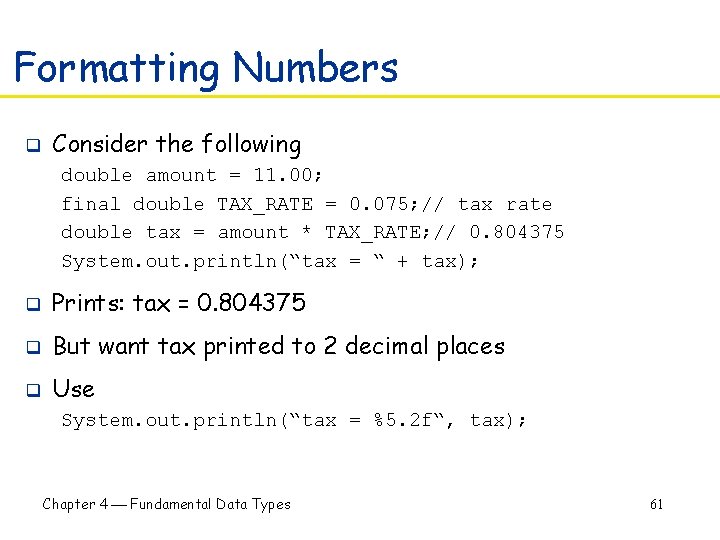
Formatting Numbers q Consider the following double amount = 11. 00; final double TAX_RATE = 0. 075; // tax rate double tax = amount * TAX_RATE; // 0. 804375 System. out. println(“tax = “ + tax); q Prints: tax = 0. 804375 q But want tax printed to 2 decimal places q Use System. out. println(“tax = %5. 2 f“, tax); Chapter 4 Fundamental Data Types 61
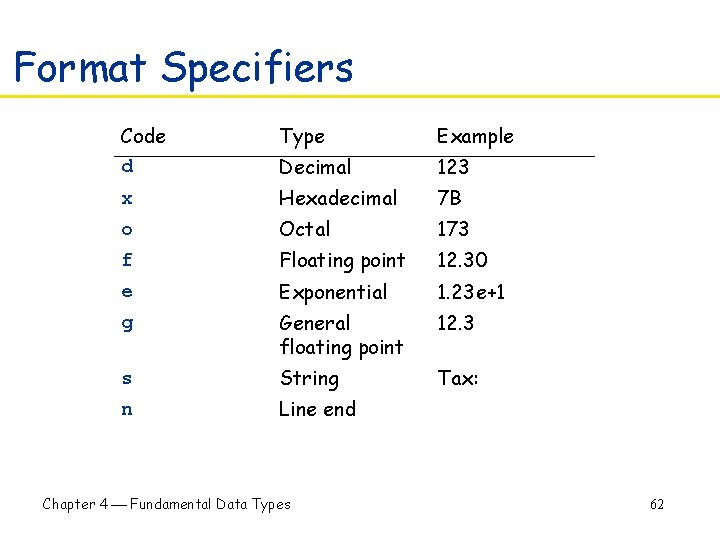
Format Specifiers Code d Type Example Decimal 123 x Hexadecimal 7 B o Octal 173 f Floating point 12. 30 e Exponential 1. 23 e+1 g General floating point 12. 3 s String Tax: n Line end Chapter 4 Fundamental Data Types 62
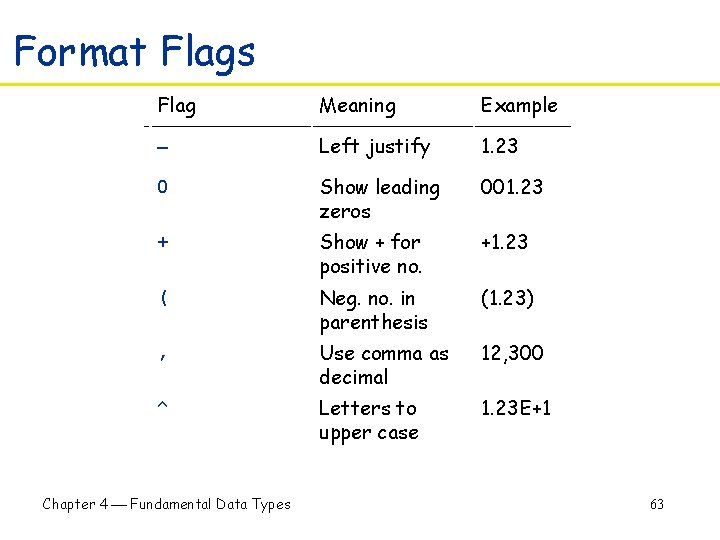
Format Flags Flag Meaning Example Left justify 1. 23 0 Show leading zeros 001. 23 + Show + for positive no. +1. 23 ( Neg. no. in parenthesis (1. 23) , Use comma as decimal 12, 300 ^ Letters to upper case 1. 23 E+1 Chapter 4 Fundamental Data Types 63