
Chapter 4 Exposure Fstop Shutter Speed and Other


- Slides: 24
Chapter 4 Exposure F-stop, Shutter Speed and Other Things
The Exposure Triangle n The three elements of the exposure triangle Shutter Speed n Aperture n ISO n n These three elements working together determine the exposure of the image.
The Exposure Triangle
Shutter Speed Refers to the amount of time the sensor is exposed to (or sees) light. n Shutter speed is measured in seconds or in most cases fractions of a second. n Shutter speeds available to you on your camera will usually double (approximately) with each setting. n 1/8, 1/15, 1/30, 1/60, 1/125, 1/250, 1/500, 1/1000 n
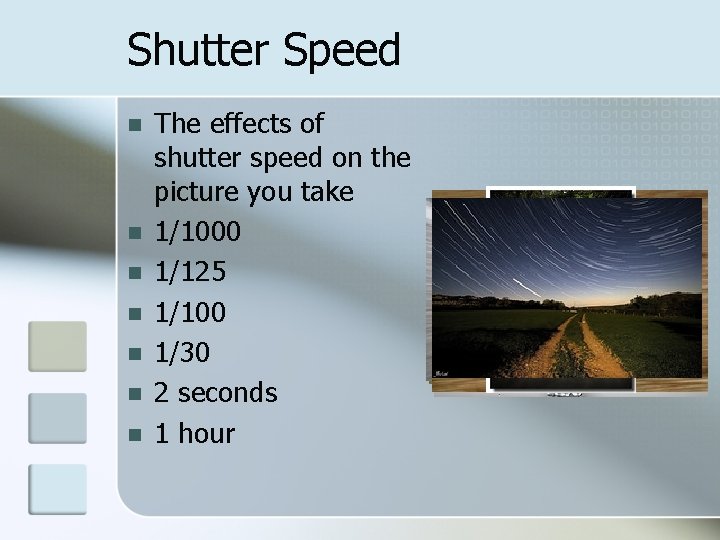
Shutter Speed n n n n The effects of shutter speed on the picture you take 1/1000 1/125 1/100 1/30 2 seconds 1 hour
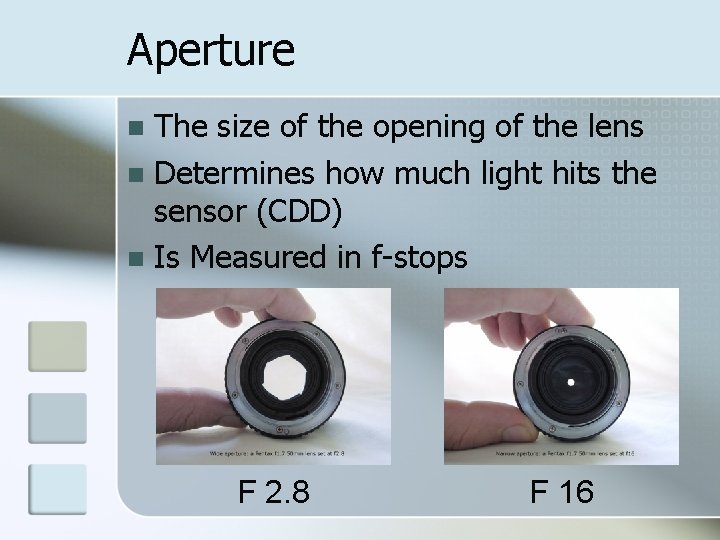
Aperture The size of the opening of the lens n Determines how much light hits the sensor (CDD) n Is Measured in f-stops n F 2. 8 F 16
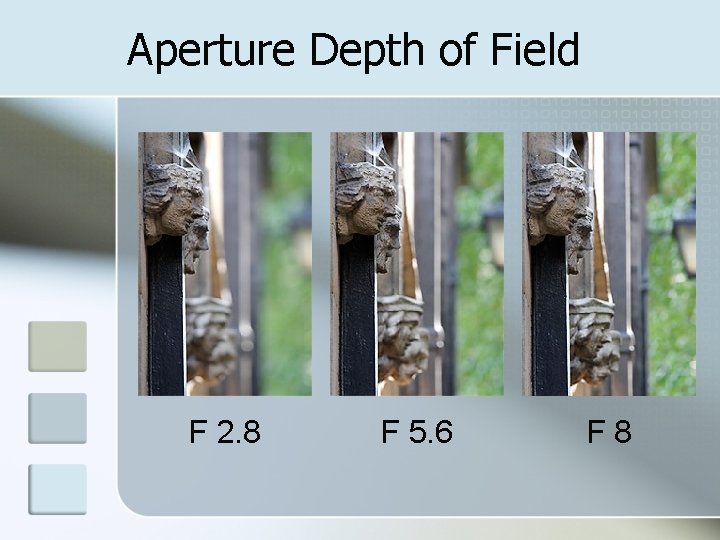
Aperture controls depth of field. n Depth of field is how much is in focus from the front to the back of the picture. n
Aperture Depth of Field F 2. 8 F 5. 6 F 8
F-stop Shutter Speed and Creativity Aperture and Shutter Speed can also be used in the creative process of creating an image. n It is a this point that the difference in cameras comes into play. n The more mode setting you have on your camera the greater control you can have on f-stop and shutter speed settings. n
Metering Mode The metering system in a digital camera measures the amount of light in the scene and calculates the bestfit exposure value based on the metering mode set in the camera n Three metering modes that most cameras have; n Portrait n Landscape n Sports n
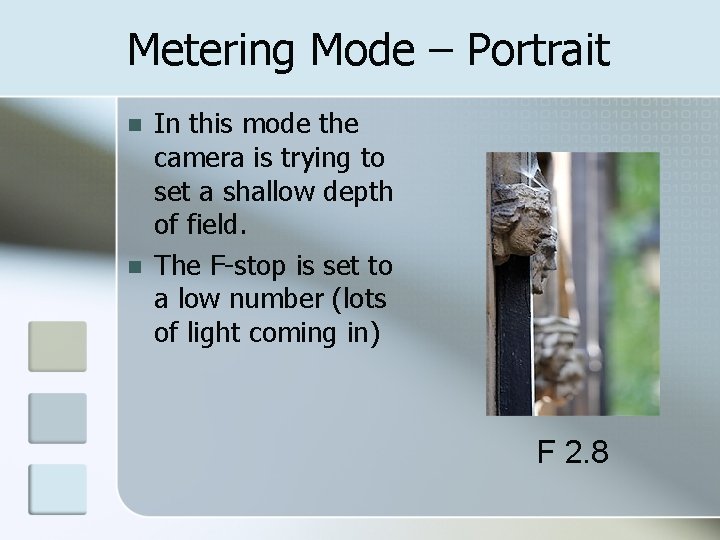
Metering Mode – Portrait n n In this mode the camera is trying to set a shallow depth of field. The F-stop is set to a low number (lots of light coming in) F 2. 8
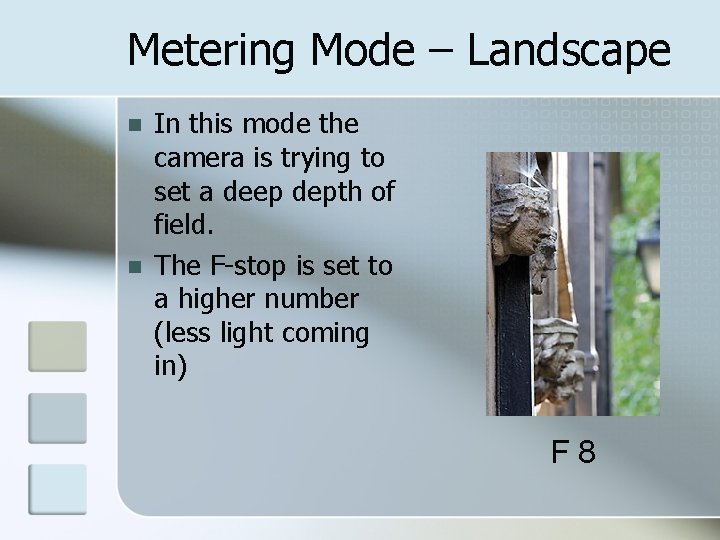
Metering Mode – Landscape n n In this mode the camera is trying to set a deep depth of field. The F-stop is set to a higher number (less light coming in) F 8
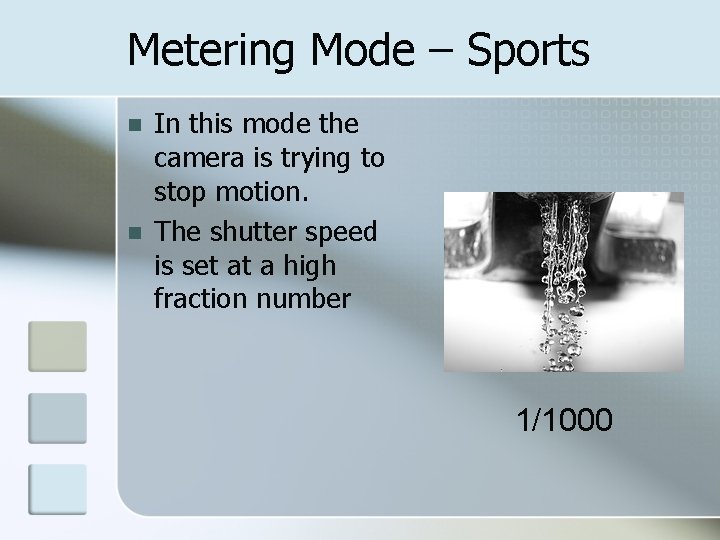
Metering Mode – Sports n n In this mode the camera is trying to stop motion. The shutter speed is set at a high fraction number 1/1000
Metering Modes – More Advanced n Some cameras have more modes on there dials, two of them are AT n AV n
Metering Modes – AT The AT mode allows you to fix the time the shutter is open. n The camera then determines the proper f-stop to create a correctly exposed picture. n If your shutter speed setting causes the camera to exceed the range of fstop your camera has you will receive a warning. n You can take the picture but you may get unexpected results. n
Metering Modes – AV The AV mode allows you to fix the fstop n The camera then determines the proper shutter speed to create a correctly exposed picture. n If your f-stop setting creates a situation where the shutter speed setting is two slow you will receive a warning n You can take the picture but it may create a blurry picture n
Metering Modes – M The M mode is totally manual n You set both the f-stop and shutter speed. n In digital cameras you can see the results of the setting you make on the LCD screen. n
Metering Method n Remember you also have three metering methods; Center-weighted Average Metering n Spot (Partial) Metering n Matrix or Evaluative Metering n n These work in with the modes you set to expose the picture correctly.
Exposure Problems Some shooting situations create problems for the exposure system. n Some examples are: n Snow scenes n Beach scenes n Backlit scenes. n n Many cameras have additional metering modes to help compensate for the unusual lighting conditions that these scenes create.
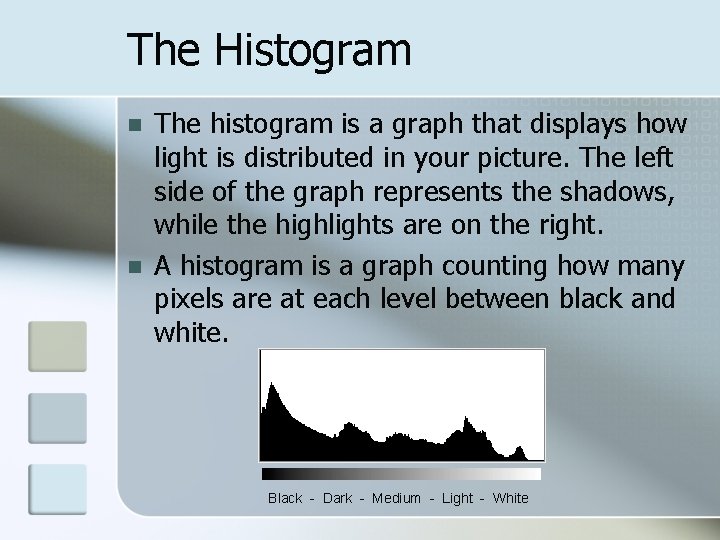
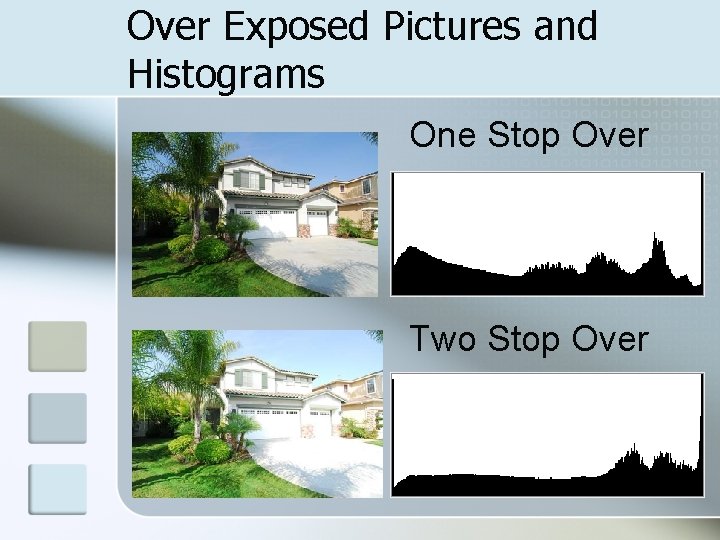
The Histogram n n The histogram is a graph that displays how light is distributed in your picture. The left side of the graph represents the shadows, while the highlights are on the right. A histogram is a graph counting how many pixels are at each level between black and white. Black - Dark - Medium - Light - White
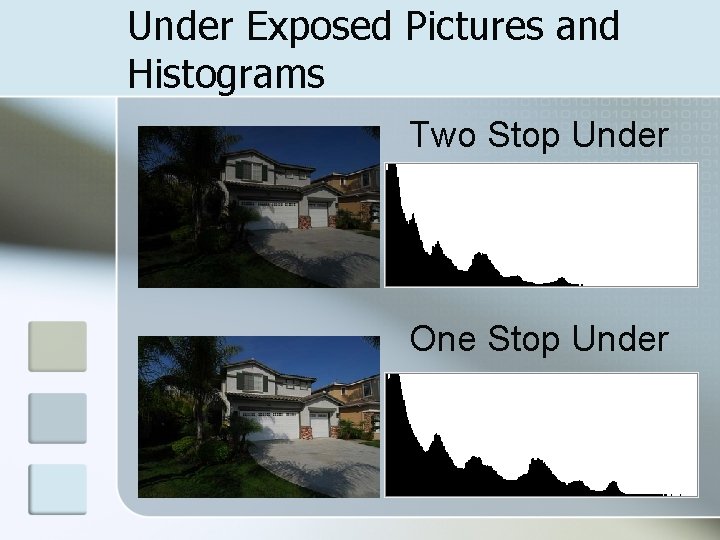
Under Exposed Pictures and Histograms Two Stop Under One Stop Under
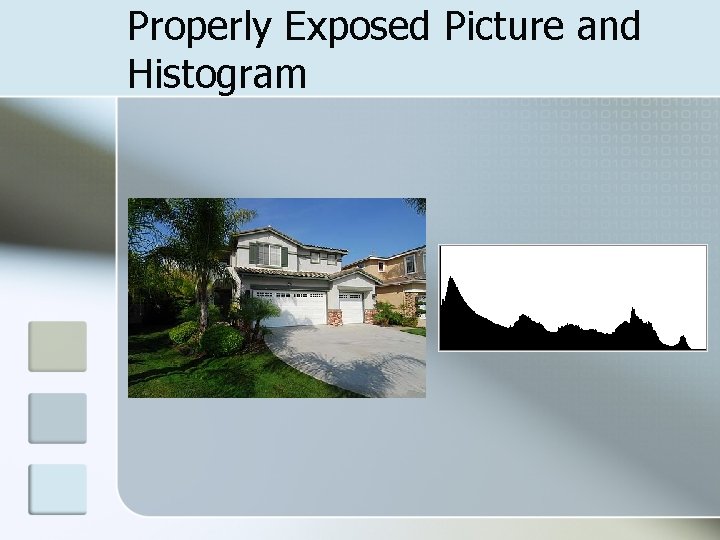
Properly Exposed Picture and Histogram
Over Exposed Pictures and Histograms One Stop Over Two Stop Over
Simulation Web Site The address below will take you to a Web site that simulates Exposure control n http: //www. photonhead. com/simcam/ n