
Chapter 3 Variables Functions Math and Strings Starting
Chapter 3: Variables, Functions, Math, and Strings Starting Out with Alice: A Visual Introduction to Programming Third Edition by Tony Gaddis Copyright © 2012 Pearson Education, Inc. Publishing as Pearson Addison-Wesley
3. 1 Variables • Programs may need to store data when running and it stores that data in a variable • A variable is a named storage location in the computer’s memory • The following types of data (or variables) can be stored: – – local variables parameter variables class-level variables world-level variables Copyright © 2012 Pearson Education, Inc. Publishing as Pearson Addison-Wesley 3 -2
3. 1 Variable Types • Local variables • belongs to a specific method • used only by the instructions that the variable belongs to • when a method stops, the variables cease to exist • Parameter variables • used to hold an argument that is passed to a called method • Class-level variables • variable that belongs to a specific object • World-level variables • variable that belongs to the world Copyright © 2012 Pearson Education, Inc. Publishing as Pearson Addison-Wesley 3 -3
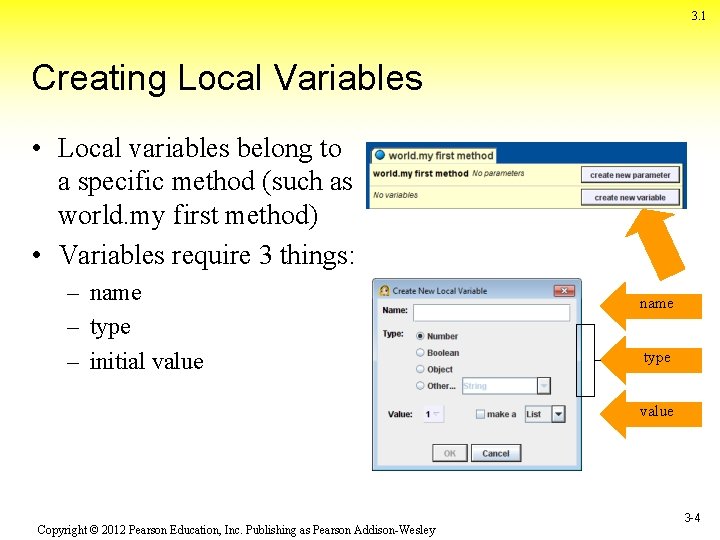
3. 1 Creating Local Variables • Local variables belong to a specific method (such as world. my first method) • Variables require 3 things: – name – type – initial value name type value Copyright © 2012 Pearson Education, Inc. Publishing as Pearson Addison-Wesley 3 -4
3. 1 Names and Types and Initial Values • Variable Names • Must be unique within the method • Should be meaningful and reflect the variable’s purpose • Named using camel. Case • Variable Types • Numbers, Boolean, Objects, Other (such as String, Color, or Sound) • Initial Value • Value initially stored in the variable Copyright © 2012 Pearson Education, Inc. Publishing as Pearson Addison-Wesley 3 -5
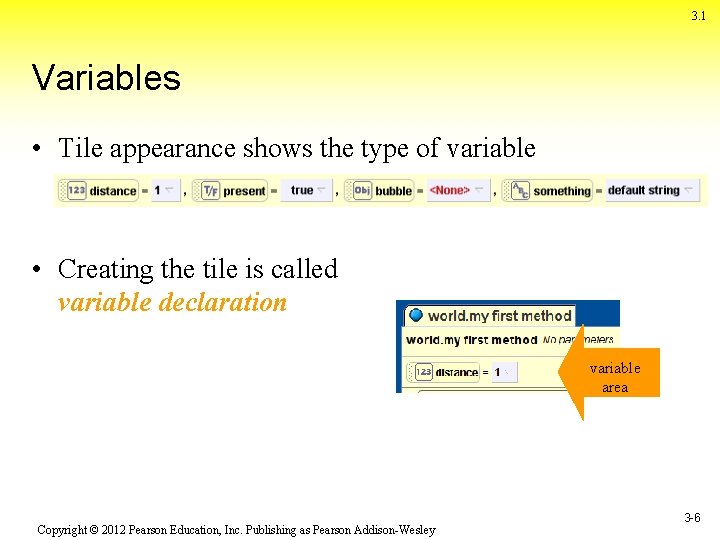
3. 1 Variables • Tile appearance shows the type of variable • Creating the tile is called variable declaration variable area Copyright © 2012 Pearson Education, Inc. Publishing as Pearson Addison-Wesley 3 -6
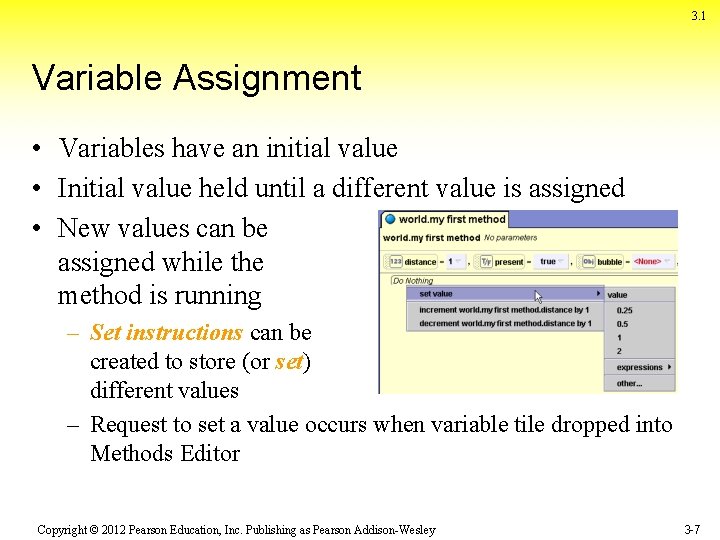
3. 1 Variable Assignment • Variables have an initial value • Initial value held until a different value is assigned • New values can be assigned while the method is running – Set instructions can be created to store (or set) different values – Request to set a value occurs when variable tile dropped into Methods Editor Copyright © 2012 Pearson Education, Inc. Publishing as Pearson Addison-Wesley 3 -7

Variable Task…… • -Complete Tutorial 3 -1 Creating and using a variable on page 116 -117 • -Complete tutorial 3 -2 Creating a set instruction for a variable on pages 118 -119 Copyright © 2012 Pearson Education, Inc. Publishing as Pearson Addison-Wesley 3 -8
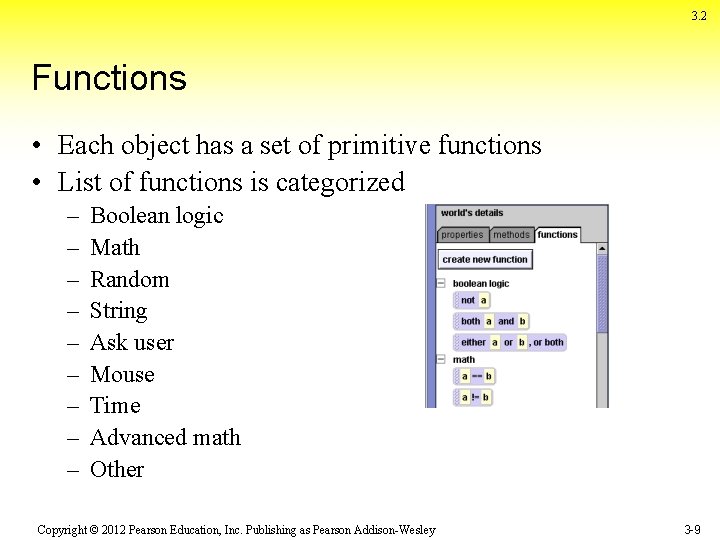
3. 2 Functions • Each object has a set of primitive functions • List of functions is categorized – – – – – Boolean logic Math Random String Ask user Mouse Time Advanced math Other Copyright © 2012 Pearson Education, Inc. Publishing as Pearson Addison-Wesley 3 -9
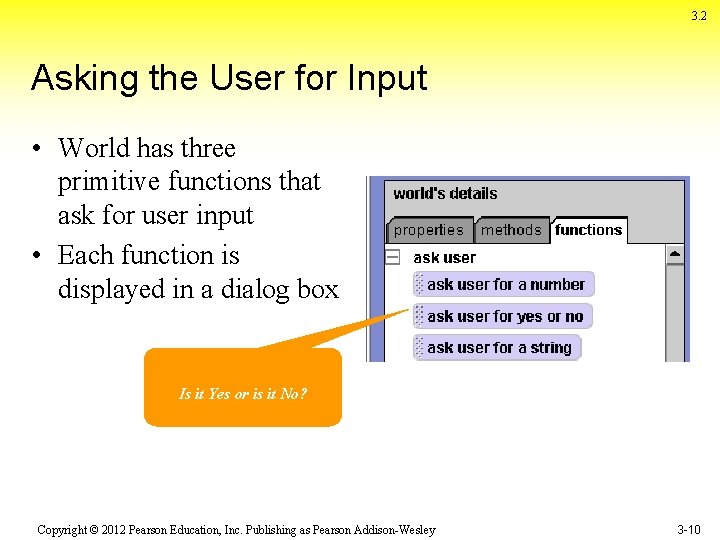
3. 2 Asking the User for Input • World has three primitive functions that ask for user input • Each function is displayed in a dialog box Is it Yes or is it No? Copyright © 2012 Pearson Education, Inc. Publishing as Pearson Addison-Wesley 3 -10
Task…… • Create the tutorial on page 122 which is called Calling an ask user function on pages 122 -125 Copyright © 2012 Pearson Education, Inc. Publishing as Pearson Addison-Wesley 3 -11

3. 2 Primitive Object Functions • Each object has primitive functions different from the world’s primitive functions – – – Proximity Size Spatial relation Point of view Other Copyright © 2012 Pearson Education, Inc. Publishing as Pearson Addison-Wesley 3 -12
Task…. • Create tutorial 3 -4 called Using a proximity function on pages 127 -129 Copyright © 2012 Pearson Education, Inc. Publishing as Pearson Addison-Wesley 3 -13
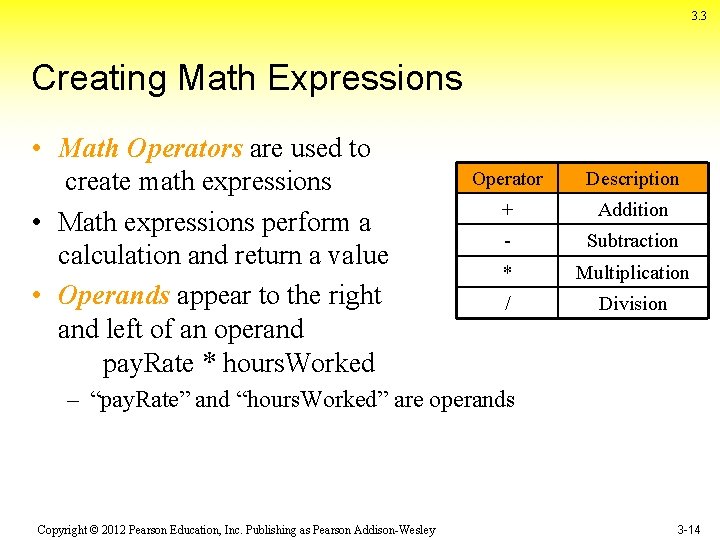
3. 3 Creating Math Expressions • Math Operators are used to create math expressions • Math expressions perform a calculation and return a value • Operands appear to the right and left of an operand pay. Rate * hours. Worked Operator Description + Addition - Subtraction * Multiplication / Division – “pay. Rate” and “hours. Worked” are operands Copyright © 2012 Pearson Education, Inc. Publishing as Pearson Addison-Wesley 3 -14
Task……. . • Complete the Using Math to avoid collisions within Tutorial 3 -5 on pages 132 -138 Copyright © 2012 Pearson Education, Inc. Publishing as Pearson Addison-Wesley 3 -15
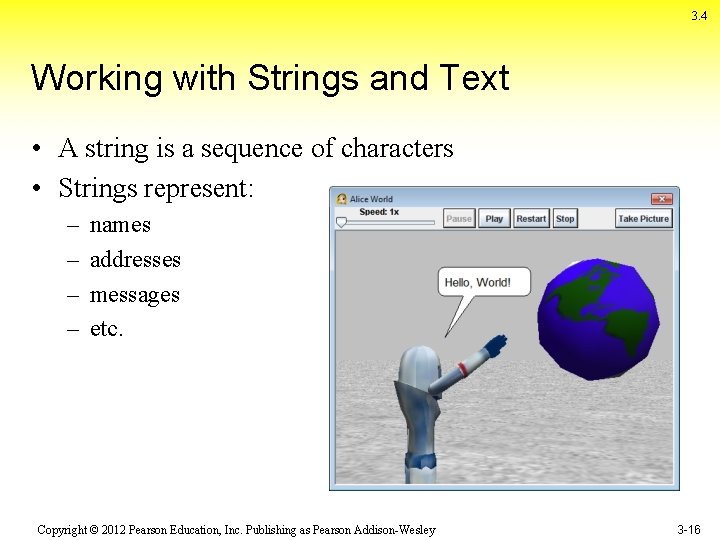
3. 4 Working with Strings and Text • A string is a sequence of characters • Strings represent: – – names addresses messages etc. Copyright © 2012 Pearson Education, Inc. Publishing as Pearson Addison-Wesley 3 -16
3. 4 Asking the User to Enter a String • World’s primitive function can ask use to enter string (text) • The function returns the text the user enters • Joining separate sets of strings is called concatenation What’s your Hello, Jo! name? – “Hello” joins with the user’s name Copyright © 2012 Pearson Education, Inc. Publishing as Pearson Addison-Wesley 3 -17
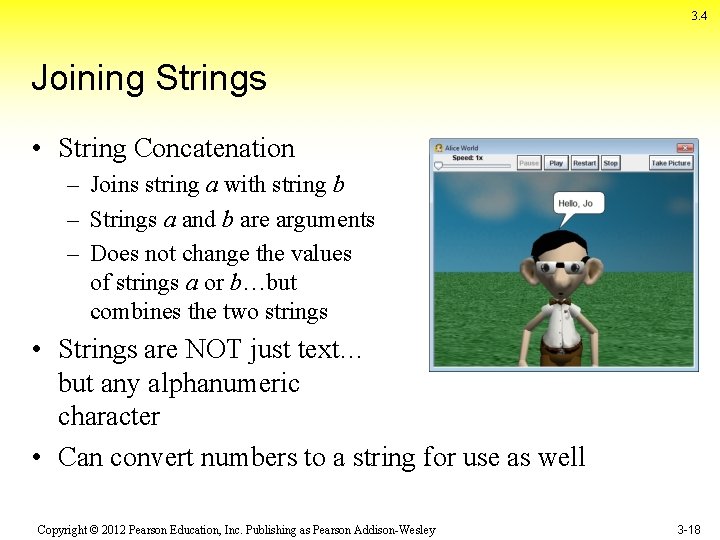
3. 4 Joining Strings • String Concatenation – Joins string a with string b – Strings a and b are arguments – Does not change the values of strings a or b…but combines the two strings • Strings are NOT just text… but any alphanumeric character • Can convert numbers to a string for use as well Copyright © 2012 Pearson Education, Inc. Publishing as Pearson Addison-Wesley 3 -18
Task…. • Complete the tutorial on page 141 3 -6 called Converting a Number variable to a string. Copyright © 2012 Pearson Education, Inc. Publishing as Pearson Addison-Wesley 3 -19
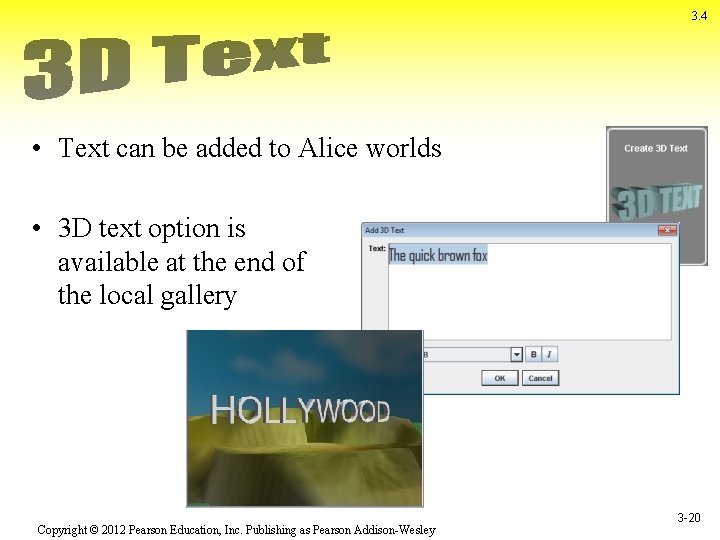
3. 4 • Text can be added to Alice worlds • 3 D text option is available at the end of the local gallery Copyright © 2012 Pearson Education, Inc. Publishing as Pearson Addison-Wesley 3 -20
Skills Check…… • Students will choose three of the following to complete from pages 146 – 148. (50 points each) • -Exercise 1, 3, 4, 5 • Students should complete the following challenge programs(100 points each) • 7&9 Copyright © 2012 Pearson Education, Inc. Publishing as Pearson Addison-Wesley 3 -21
- Slides: 21