
Chapter 3 Using Classes and Objects Chapter Scope
Chapter 3 Using Classes and Objects
Chapter Scope • • Creating objects Services of the String class The Java API class library The Random and Math classes Formatting output Introducing enumerated types Wrapper classes Java Foundations, 3 rd Edition, Lewis/De. Pasquale/Chase 3 -2
Creating Objects • A variable holds either a primitive type or a reference to an object • A class name can be used as a type to declare an object reference variable String title; • No object is created with this declaration • An object reference variable holds the address of an object • The object itself must be created separately Java Foundations, 3 rd Edition, Lewis/De. Pasquale/Chase 3 -3
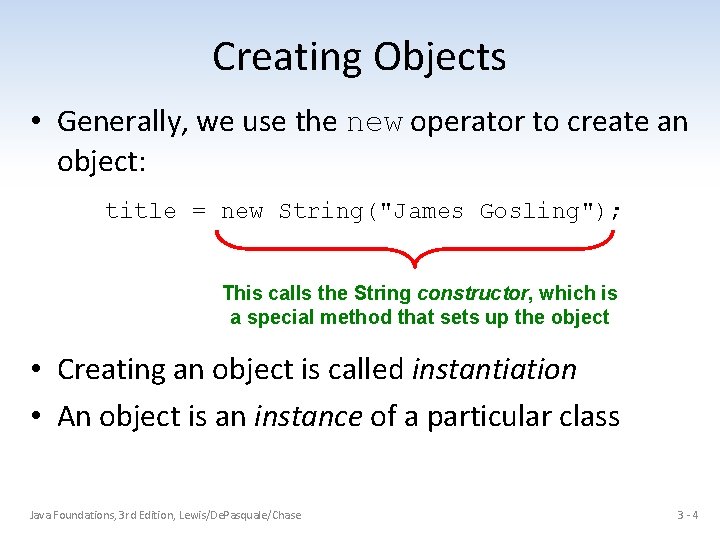
Creating Objects • Generally, we use the new operator to create an object: title = new String("James Gosling"); This calls the String constructor, which is a special method that sets up the object • Creating an object is called instantiation • An object is an instance of a particular class Java Foundations, 3 rd Edition, Lewis/De. Pasquale/Chase 3 -4
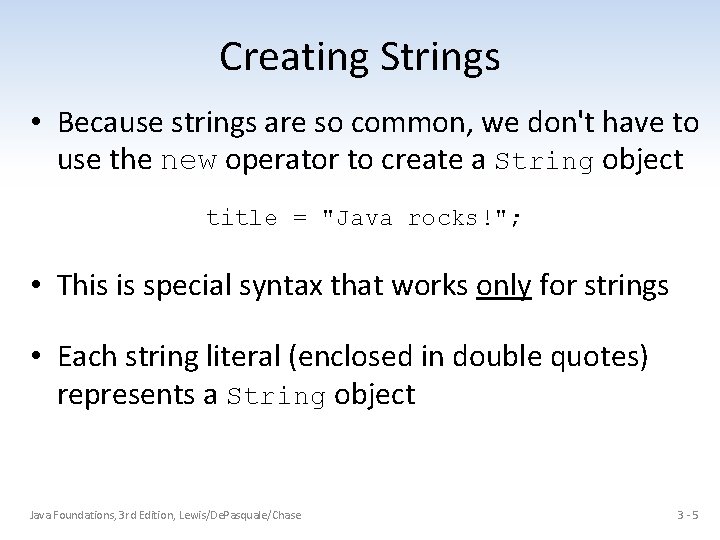
Creating Strings • Because strings are so common, we don't have to use the new operator to create a String object title = "Java rocks!"; • This is special syntax that works only for strings • Each string literal (enclosed in double quotes) represents a String object Java Foundations, 3 rd Edition, Lewis/De. Pasquale/Chase 3 -5
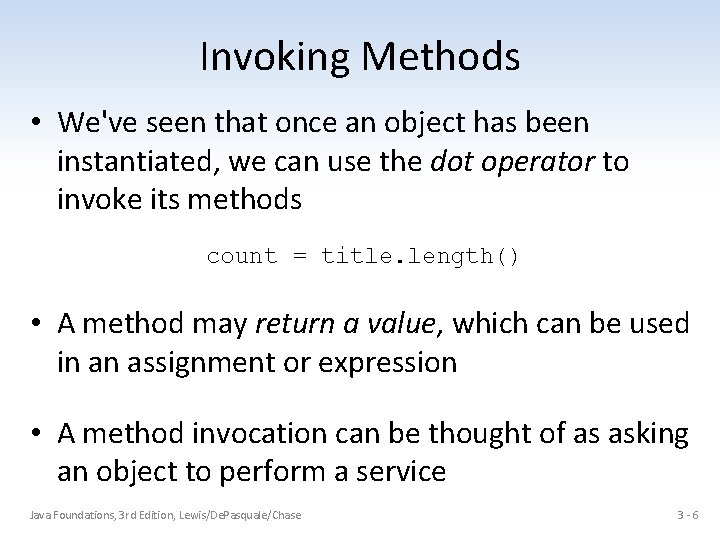
Invoking Methods • We've seen that once an object has been instantiated, we can use the dot operator to invoke its methods count = title. length() • A method may return a value, which can be used in an assignment or expression • A method invocation can be thought of as asking an object to perform a service Java Foundations, 3 rd Edition, Lewis/De. Pasquale/Chase 3 -6
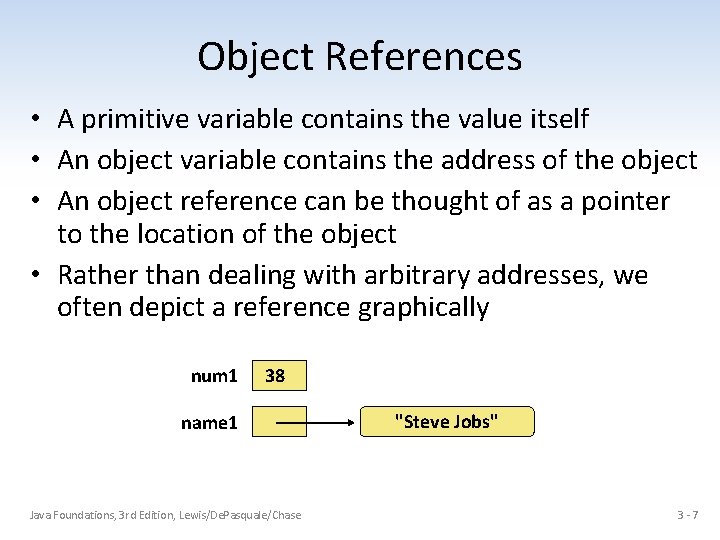
Object References • A primitive variable contains the value itself • An object variable contains the address of the object • An object reference can be thought of as a pointer to the location of the object • Rather than dealing with arbitrary addresses, we often depict a reference graphically num 1 38 name 1 Java Foundations, 3 rd Edition, Lewis/De. Pasquale/Chase "Steve Jobs" 3 -7
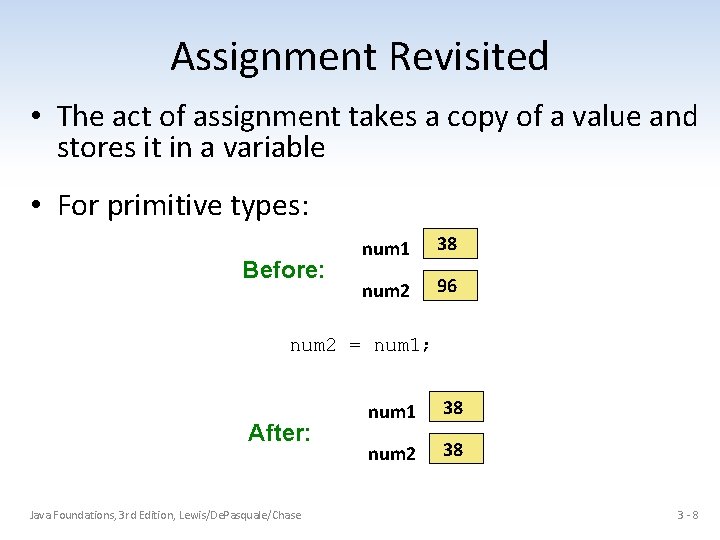
Assignment Revisited • The act of assignment takes a copy of a value and stores it in a variable • For primitive types: Before: num 1 38 num 2 96 num 2 = num 1; After: Java Foundations, 3 rd Edition, Lewis/De. Pasquale/Chase num 1 38 num 2 38 3 -8
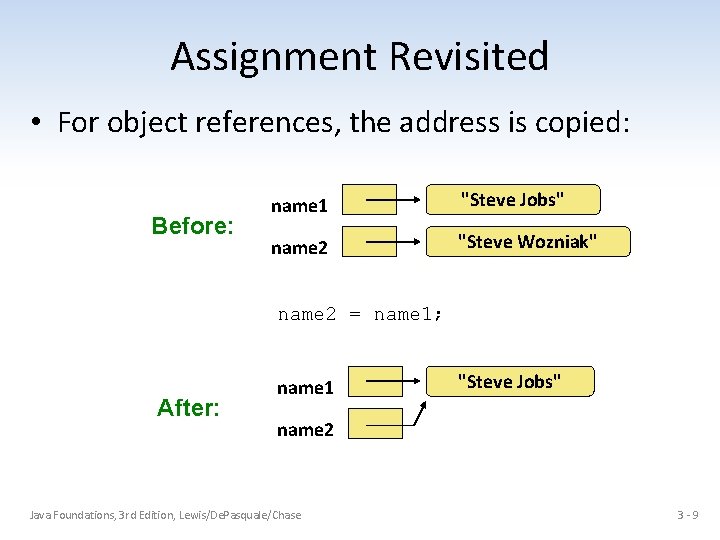
Assignment Revisited • For object references, the address is copied: Before: name 1 "Steve Jobs" name 2 "Steve Wozniak" name 2 = name 1; After: name 1 "Steve Jobs" name 2 Java Foundations, 3 rd Edition, Lewis/De. Pasquale/Chase 3 -9
Aliases • Two or more references that refer to the same object are called aliases of each other • That creates an interesting situation: one object can be accessed using multiple reference variables • Aliases can be useful, but should be managed carefully • Changing an object through one reference changes it for all of its aliases, because there is really one object Java Foundations, 3 rd Edition, Lewis/De. Pasquale/Chase 3 - 10
Garbage Collection • When an object no longer has any valid references to it, it can no longer be accessed by the program • The object is useless, and therefore is called garbage • Java performs automatic garbage collection periodically, returning an object's memory to the system for future use • In other languages, the programmer is responsible for performing garbage collection explicitly Java Foundations, 3 rd Edition, Lewis/De. Pasquale/Chase 3 - 11
The String Class • Once a String object has been created, neither its value nor its length can be changed • Thus we say that an object of the String class is immutable • However, several methods of the String class return new String objects that are modified versions of the original Java Foundations, 3 rd Edition, Lewis/De. Pasquale/Chase 3 - 12
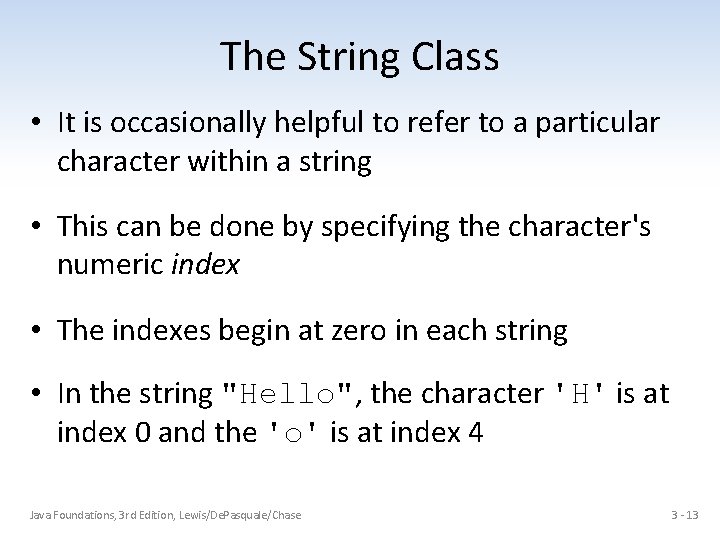
The String Class • It is occasionally helpful to refer to a particular character within a string • This can be done by specifying the character's numeric index • The indexes begin at zero in each string • In the string "Hello", the character 'H' is at index 0 and the 'o' is at index 4 Java Foundations, 3 rd Edition, Lewis/De. Pasquale/Chase 3 - 13
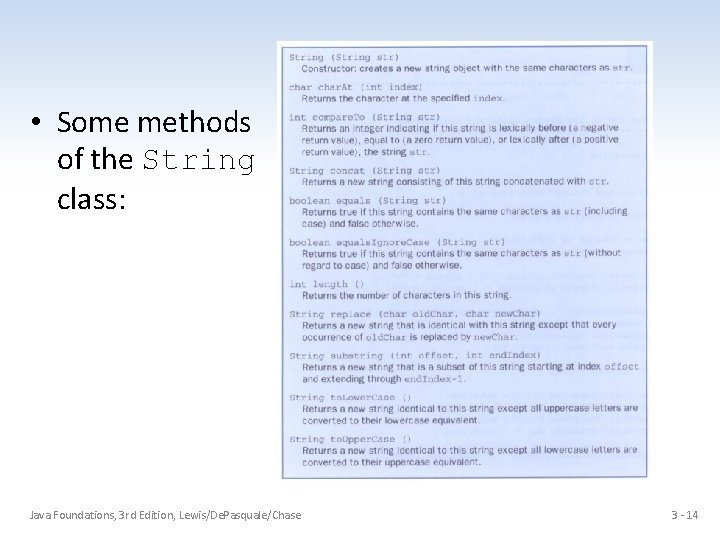
• Some methods of the String class: Java Foundations, 3 rd Edition, Lewis/De. Pasquale/Chase 3 - 14
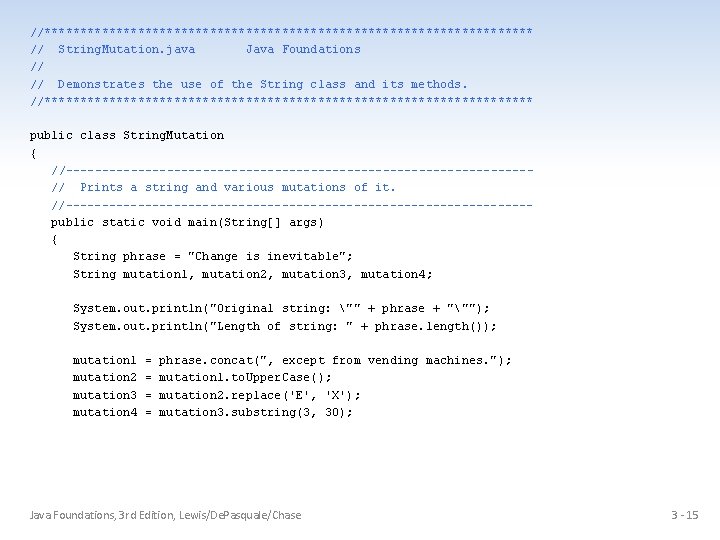
//********************************** // String. Mutation. java Java Foundations // // Demonstrates the use of the String class and its methods. //********************************** public class String. Mutation { //--------------------------------// Prints a string and various mutations of it. //--------------------------------public static void main(String[] args) { String phrase = "Change is inevitable"; String mutation 1, mutation 2, mutation 3, mutation 4; System. out. println("Original string: "" + phrase + """); System. out. println("Length of string: " + phrase. length()); mutation 1 mutation 2 mutation 3 mutation 4 = = phrase. concat(", except from vending machines. "); mutation 1. to. Upper. Case(); mutation 2. replace('E', 'X'); mutation 3. substring(3, 30); Java Foundations, 3 rd Edition, Lewis/De. Pasquale/Chase 3 - 15
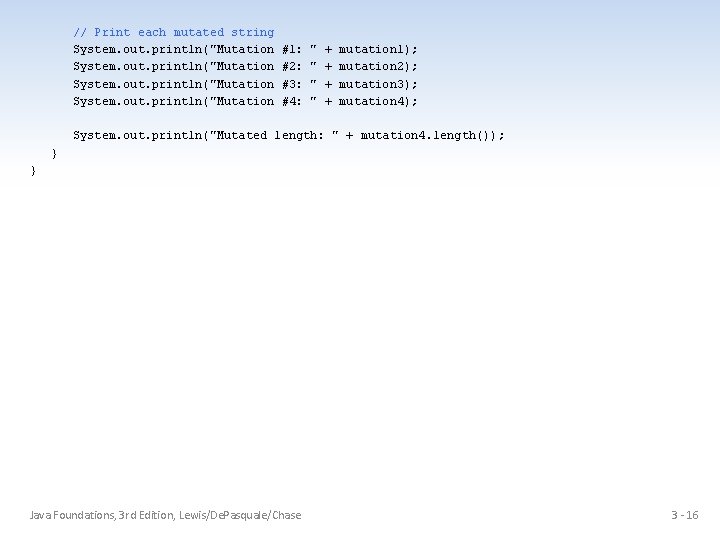
// Print each mutated string System. out. println("Mutation #1: #2: #3: #4: " " + + mutation 1); mutation 2); mutation 3); mutation 4); System. out. println("Mutated length: " + mutation 4. length()); } } Java Foundations, 3 rd Edition, Lewis/De. Pasquale/Chase 3 - 16
The Java API • A class library is a collection of classes that we can use when developing programs • The Java API is the standard class library that is part of any Java development environment • API stands for Application Programming Interface • Various classes we've already used (System , Scanner, String) are part of the Java API • Other class libraries can be obtained through third party vendors, or you can create them yourself Java Foundations, 3 rd Edition, Lewis/De. Pasquale/Chase 3 - 17
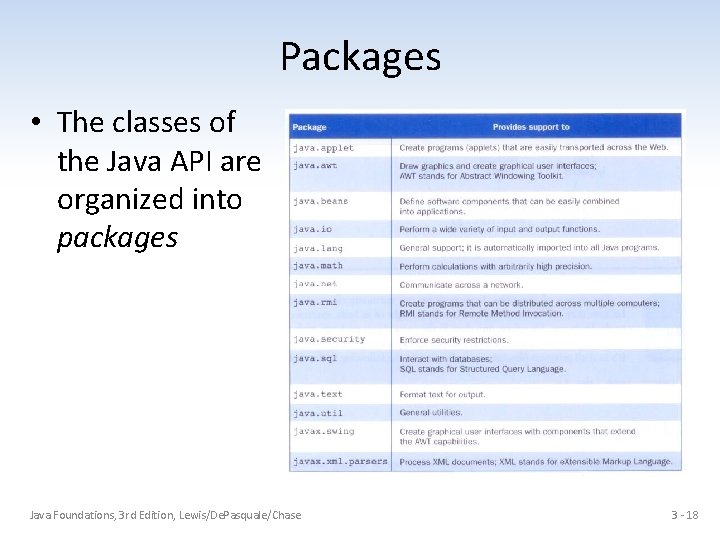
Packages • The classes of the Java API are organized into packages Java Foundations, 3 rd Edition, Lewis/De. Pasquale/Chase 3 - 18
Import Declarations • When you want to use a class from a package, you could use its fully qualified name java. util. Scanner • Or you can import the class, and then use just the class name: import java. util. Scanner; • To import all classes in a particular package, you can use the * wildcard character: import java. util. *; Java Foundations, 3 rd Edition, Lewis/De. Pasquale/Chase 3 - 19
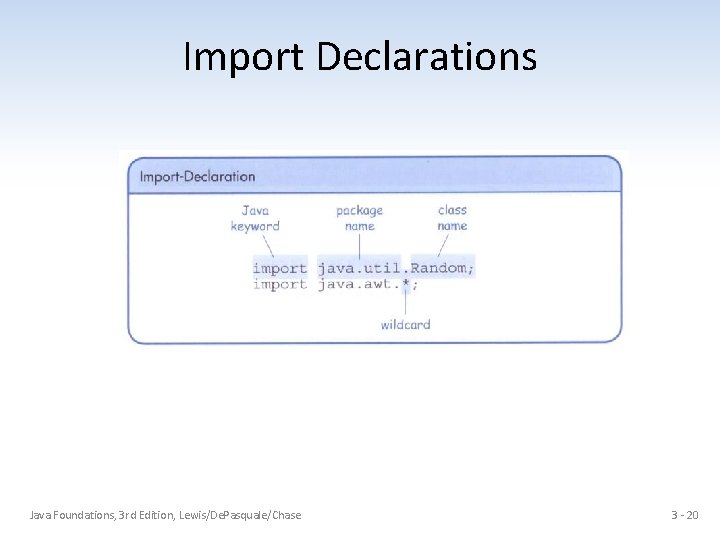
Import Declarations Java Foundations, 3 rd Edition, Lewis/De. Pasquale/Chase 3 - 20
The java. lang Package • All classes of the java. lang package are imported automatically into all programs • It's as if all programs contain the following line import java. lang. *; • That's why we didn't have to import the System or String classes explicitly in earlier programs • The Scanner class, on the other hand, is part of the java. util package, and therefore must be imported Java Foundations, 3 rd Edition, Lewis/De. Pasquale/Chase 3 - 21
The Random Class • The Random class is part of the java. util package • It provides methods that generate pseudorandom numbers • A Random object performs complicated calculations based on a seed value to produce a stream of seemingly random values Java Foundations, 3 rd Edition, Lewis/De. Pasquale/Chase 3 - 22
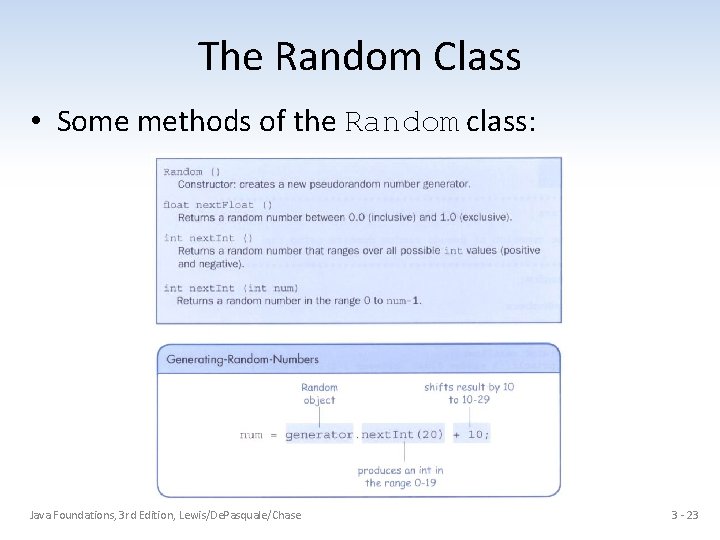
The Random Class • Some methods of the Random class: Java Foundations, 3 rd Edition, Lewis/De. Pasquale/Chase 3 - 23
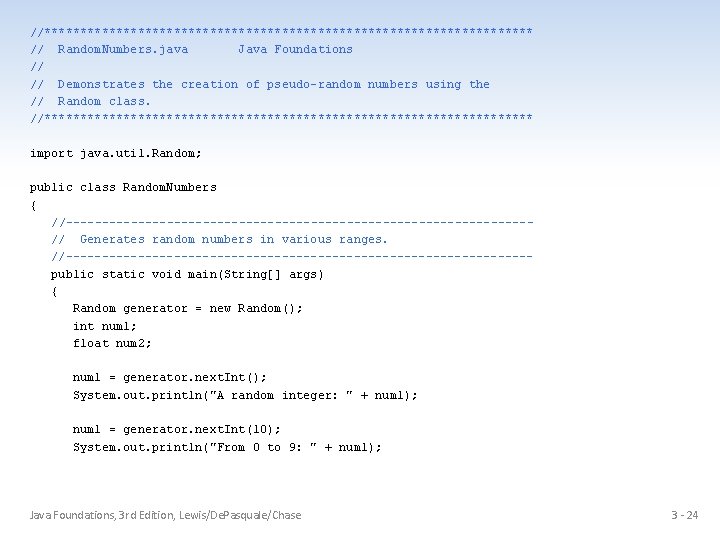
//********************************** // Random. Numbers. java Java Foundations // // Demonstrates the creation of pseudo-random numbers using the // Random class. //********************************** import java. util. Random; public class Random. Numbers { //--------------------------------// Generates random numbers in various ranges. //--------------------------------public static void main(String[] args) { Random generator = new Random(); int num 1; float num 2; num 1 = generator. next. Int(); System. out. println("A random integer: " + num 1); num 1 = generator. next. Int(10); System. out. println("From 0 to 9: " + num 1); Java Foundations, 3 rd Edition, Lewis/De. Pasquale/Chase 3 - 24
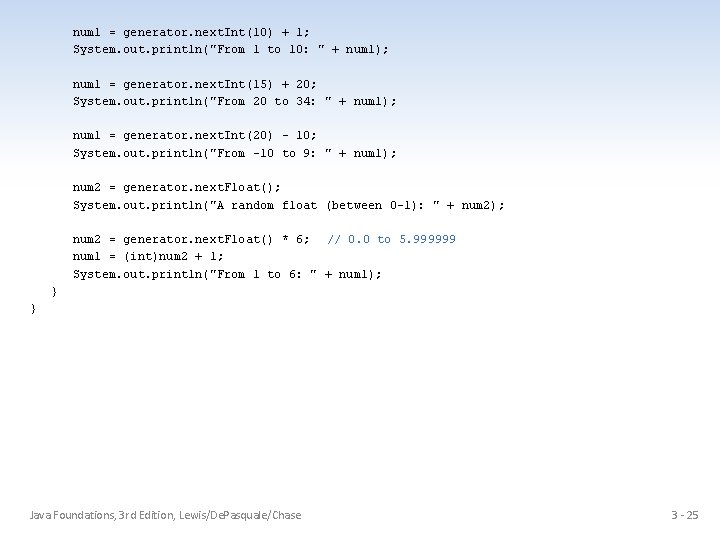
num 1 = generator. next. Int(10) + 1; System. out. println("From 1 to 10: " + num 1); num 1 = generator. next. Int(15) + 20; System. out. println("From 20 to 34: " + num 1); num 1 = generator. next. Int(20) - 10; System. out. println("From -10 to 9: " + num 1); num 2 = generator. next. Float(); System. out. println("A random float (between 0 -1): " + num 2); num 2 = generator. next. Float() * 6; // 0. 0 to 5. 999999 num 1 = (int)num 2 + 1; System. out. println("From 1 to 6: " + num 1); } } Java Foundations, 3 rd Edition, Lewis/De. Pasquale/Chase 3 - 25
The Math Class • The Math class is part of the java. lang package • The Math class contains methods that perform various mathematical functions • These include: – absolute value – square root – exponentiation – trigonometric functions Java Foundations, 3 rd Edition, Lewis/De. Pasquale/Chase 3 - 26
The Math Class • The methods of the Math class are static methods (also called class methods) • Static methods can be invoked through the class name – no object of the Math class is needed value = Math. cos(90) + Math. sqrt(delta); • We'll discuss static methods in more detail later Java Foundations, 3 rd Edition, Lewis/De. Pasquale/Chase 3 - 27
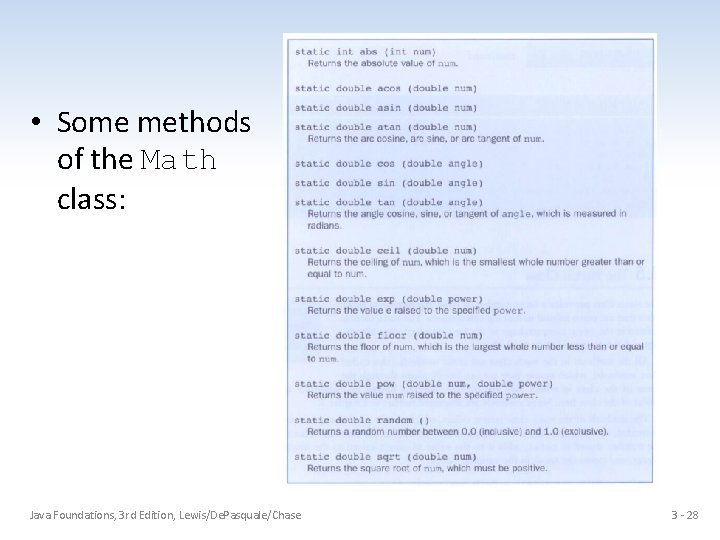
• Some methods of the Math class: Java Foundations, 3 rd Edition, Lewis/De. Pasquale/Chase 3 - 28
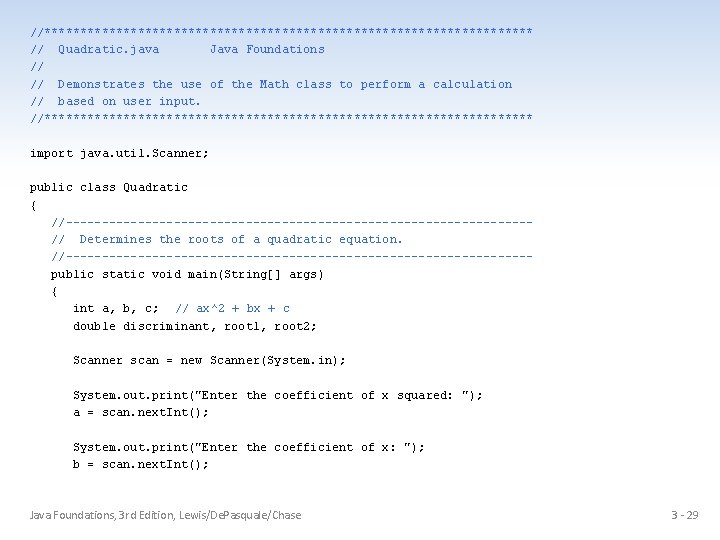
//********************************** // Quadratic. java Java Foundations // // Demonstrates the use of the Math class to perform a calculation // based on user input. //********************************** import java. util. Scanner; public class Quadratic { //--------------------------------// Determines the roots of a quadratic equation. //--------------------------------public static void main(String[] args) { int a, b, c; // ax^2 + bx + c double discriminant, root 1, root 2; Scanner scan = new Scanner(System. in); System. out. print("Enter the coefficient of x squared: "); a = scan. next. Int(); System. out. print("Enter the coefficient of x: "); b = scan. next. Int(); Java Foundations, 3 rd Edition, Lewis/De. Pasquale/Chase 3 - 29
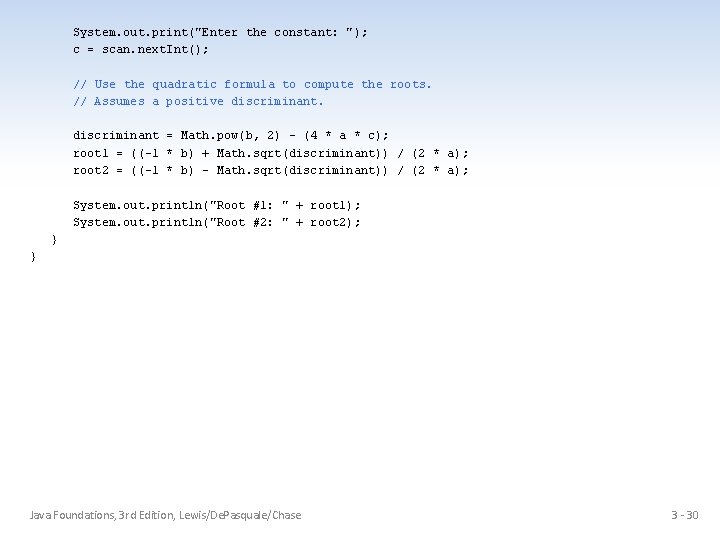
System. out. print("Enter the constant: "); c = scan. next. Int(); // Use the quadratic formula to compute the roots. // Assumes a positive discriminant = Math. pow(b, 2) - (4 * a * c); root 1 = ((-1 * b) + Math. sqrt(discriminant)) / (2 * a); root 2 = ((-1 * b) - Math. sqrt(discriminant)) / (2 * a); System. out. println("Root #1: " + root 1); System. out. println("Root #2: " + root 2); } } Java Foundations, 3 rd Edition, Lewis/De. Pasquale/Chase 3 - 30
Formatting Ouput • It is often necessary to format values in certain ways so that they can be presented properly • The Java API contains classes that provide formatting capabilities • The Number. Format class allows you to format values as currency or percentages • The Decimal. Format class allows you to format values based on a pattern • Both are part of the java. text package Java Foundations, 3 rd Edition, Lewis/De. Pasquale/Chase 3 - 31
Formatting Output • The Number. Format class has static methods that return a formatter object get. Currency. Instance() get. Percent. Instance() • Each formatter object has a method called format that returns a string with the specified information in the appropriate format Java Foundations, 3 rd Edition, Lewis/De. Pasquale/Chase 3 - 32
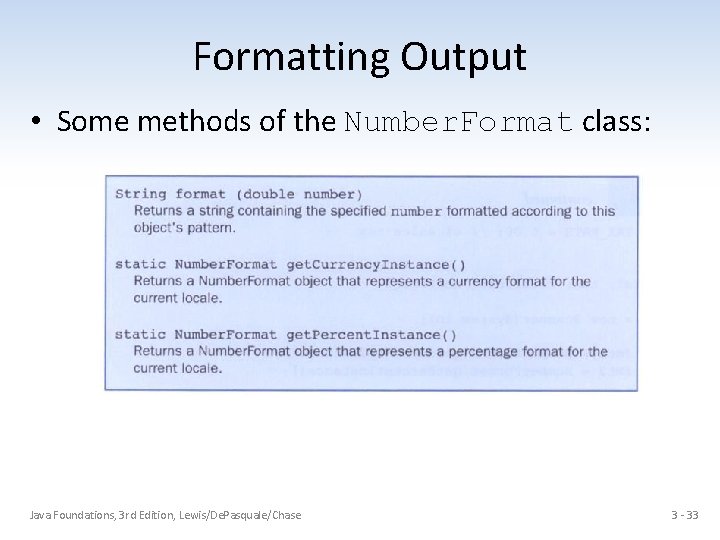
Formatting Output • Some methods of the Number. Format class: Java Foundations, 3 rd Edition, Lewis/De. Pasquale/Chase 3 - 33
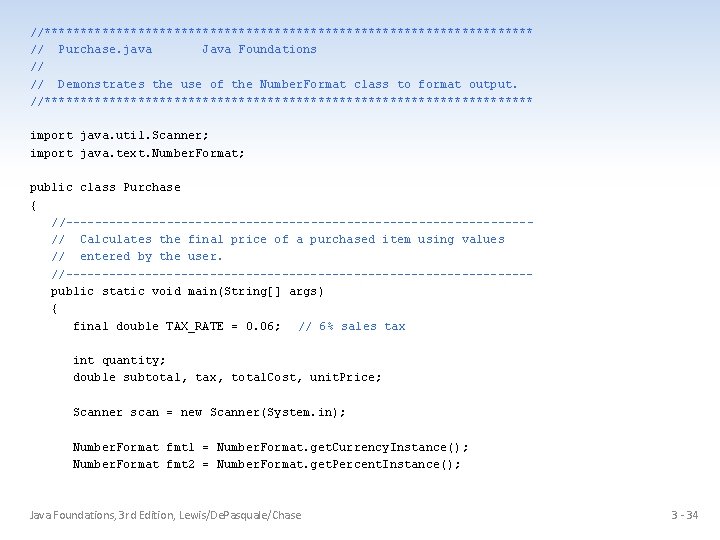
//********************************** // Purchase. java Java Foundations // // Demonstrates the use of the Number. Format class to format output. //********************************** import java. util. Scanner; import java. text. Number. Format; public class Purchase { //--------------------------------// Calculates the final price of a purchased item using values // entered by the user. //--------------------------------public static void main(String[] args) { final double TAX_RATE = 0. 06; // 6% sales tax int quantity; double subtotal, tax, total. Cost, unit. Price; Scanner scan = new Scanner(System. in); Number. Format fmt 1 = Number. Format. get. Currency. Instance(); Number. Format fmt 2 = Number. Format. get. Percent. Instance(); Java Foundations, 3 rd Edition, Lewis/De. Pasquale/Chase 3 - 34
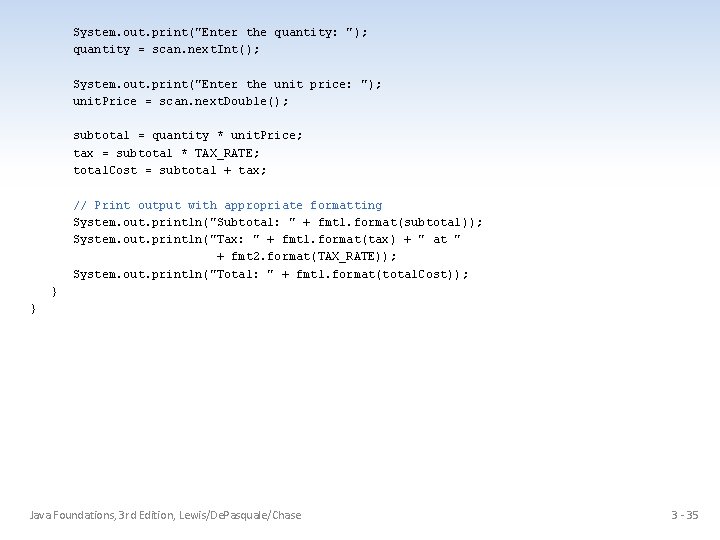
System. out. print("Enter the quantity: "); quantity = scan. next. Int(); System. out. print("Enter the unit price: "); unit. Price = scan. next. Double(); subtotal = quantity * unit. Price; tax = subtotal * TAX_RATE; total. Cost = subtotal + tax; // Print output with appropriate formatting System. out. println("Subtotal: " + fmt 1. format(subtotal)); System. out. println("Tax: " + fmt 1. format(tax) + " at " + fmt 2. format(TAX_RATE)); System. out. println("Total: " + fmt 1. format(total. Cost)); } } Java Foundations, 3 rd Edition, Lewis/De. Pasquale/Chase 3 - 35
Formatting Output • The Decimal. Format class can be used to format a floating point value in various ways • For example, you can specify that the number should be truncated to three decimal places • The constructor of the Decimal. Format class takes a string that represents a pattern for the formatted number Java Foundations, 3 rd Edition, Lewis/De. Pasquale/Chase 3 - 36
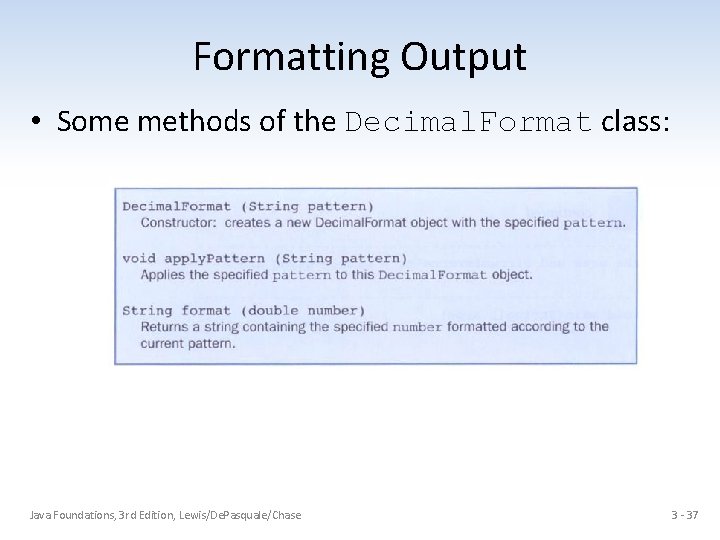
Formatting Output • Some methods of the Decimal. Format class: Java Foundations, 3 rd Edition, Lewis/De. Pasquale/Chase 3 - 37
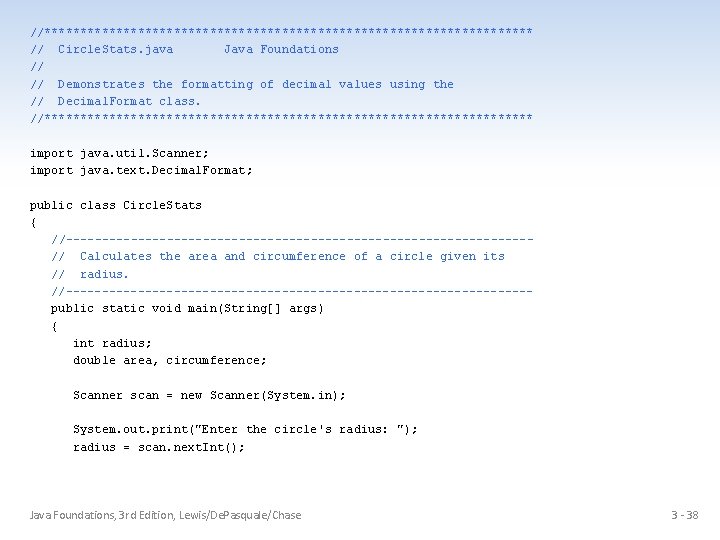
//********************************** // Circle. Stats. java Java Foundations // // Demonstrates the formatting of decimal values using the // Decimal. Format class. //********************************** import java. util. Scanner; import java. text. Decimal. Format; public class Circle. Stats { //--------------------------------// Calculates the area and circumference of a circle given its // radius. //--------------------------------public static void main(String[] args) { int radius; double area, circumference; Scanner scan = new Scanner(System. in); System. out. print("Enter the circle's radius: "); radius = scan. next. Int(); Java Foundations, 3 rd Edition, Lewis/De. Pasquale/Chase 3 - 38
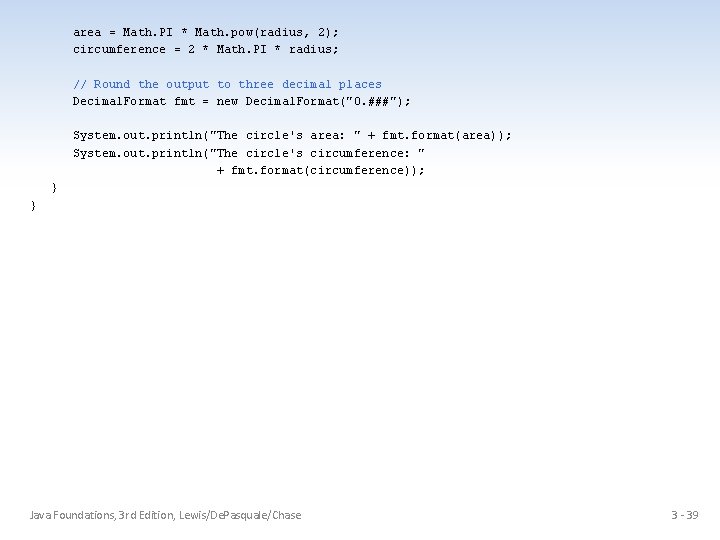
area = Math. PI * Math. pow(radius, 2); circumference = 2 * Math. PI * radius; // Round the output to three decimal places Decimal. Format fmt = new Decimal. Format("0. ###"); System. out. println("The circle's area: " + fmt. format(area)); System. out. println("The circle's circumference: " + fmt. format(circumference)); } } Java Foundations, 3 rd Edition, Lewis/De. Pasquale/Chase 3 - 39
Enumerated Types • Java allows you to define an enumerated type, which can then be used to declare variables • An enumerated type establishes all possible values for a variable of that type • The values are identifiers of your own choosing • The following declaration creates an enumerated type called Season enum Season {winter, spring, summer, fall}; • Any number of values can be listed Java Foundations, 3 rd Edition, Lewis/De. Pasquale/Chase 3 - 40
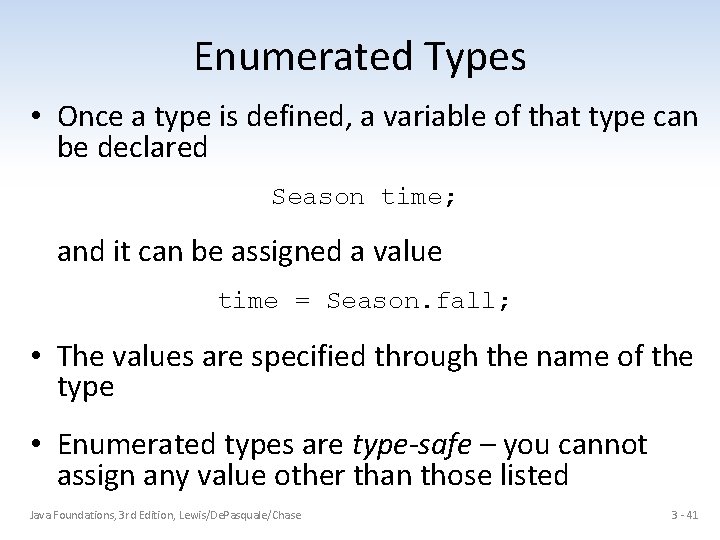
Enumerated Types • Once a type is defined, a variable of that type can be declared Season time; and it can be assigned a value time = Season. fall; • The values are specified through the name of the type • Enumerated types are type-safe – you cannot assign any value other than those listed Java Foundations, 3 rd Edition, Lewis/De. Pasquale/Chase 3 - 41
Enumerated Types • Internally, each value of an enumerated type is stored as an integer, called its ordinal value • The first value in an enumerated type has an ordinal value of zero, the second one, and so on • However, you cannot assign a numeric value to an enumerated type, even if it corresponds to a valid ordinal value Java Foundations, 3 rd Edition, Lewis/De. Pasquale/Chase 3 - 42
Enumerated Types • The declaration of an enumerated type is a special type of class, and each variable of that type is an object • The ordinal method returns the ordinal value of the object • The name method returns the name of the identifier corresponding to the object's value Java Foundations, 3 rd Edition, Lewis/De. Pasquale/Chase 3 - 43
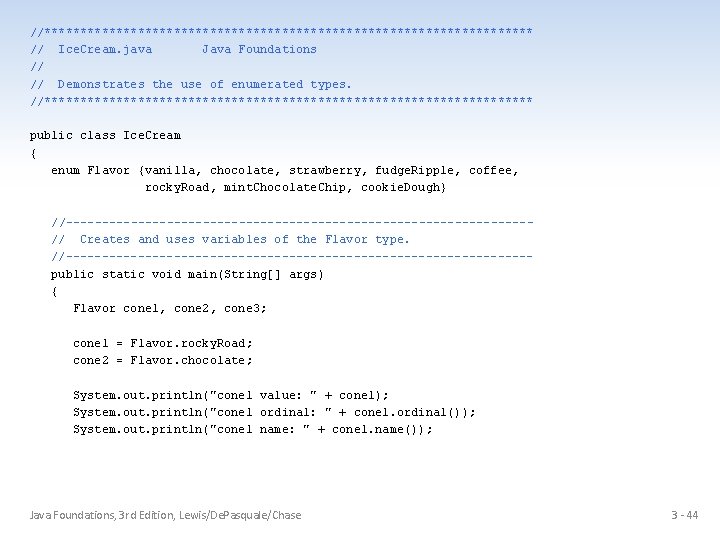
//********************************** // Ice. Cream. java Java Foundations // // Demonstrates the use of enumerated types. //********************************** public class Ice. Cream { enum Flavor {vanilla, chocolate, strawberry, fudge. Ripple, coffee, rocky. Road, mint. Chocolate. Chip, cookie. Dough} //--------------------------------// Creates and uses variables of the Flavor type. //--------------------------------public static void main(String[] args) { Flavor cone 1, cone 2, cone 3; cone 1 = Flavor. rocky. Road; cone 2 = Flavor. chocolate; System. out. println("cone 1 value: " + cone 1); System. out. println("cone 1 ordinal: " + cone 1. ordinal()); System. out. println("cone 1 name: " + cone 1. name()); Java Foundations, 3 rd Edition, Lewis/De. Pasquale/Chase 3 - 44
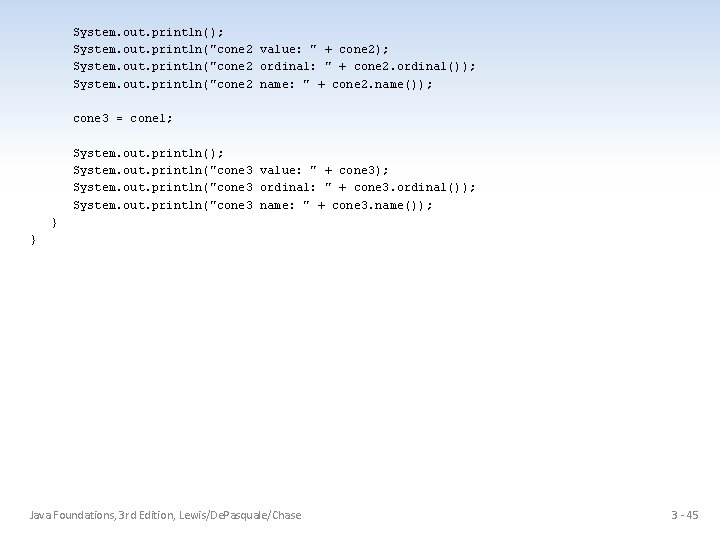
System. out. println(); System. out. println("cone 2 value: " + cone 2); System. out. println("cone 2 ordinal: " + cone 2. ordinal()); System. out. println("cone 2 name: " + cone 2. name()); cone 3 = cone 1; System. out. println(); System. out. println("cone 3 value: " + cone 3); System. out. println("cone 3 ordinal: " + cone 3. ordinal()); System. out. println("cone 3 name: " + cone 3. name()); } } Java Foundations, 3 rd Edition, Lewis/De. Pasquale/Chase 3 - 45
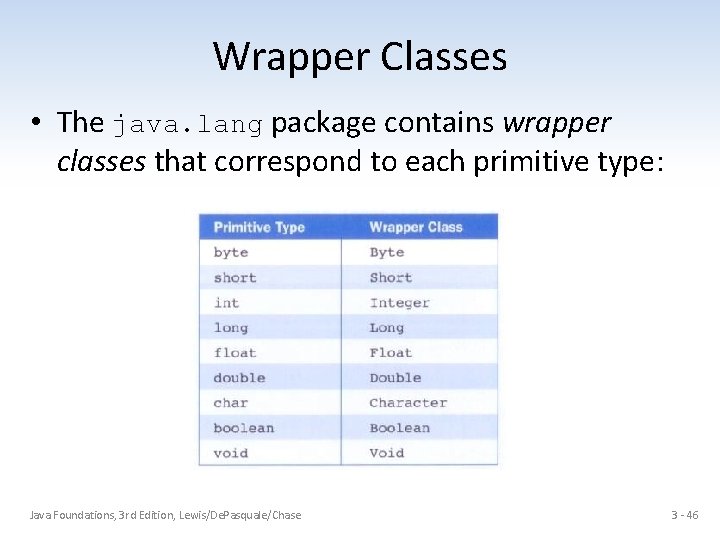
Wrapper Classes • The java. lang package contains wrapper classes that correspond to each primitive type: Java Foundations, 3 rd Edition, Lewis/De. Pasquale/Chase 3 - 46
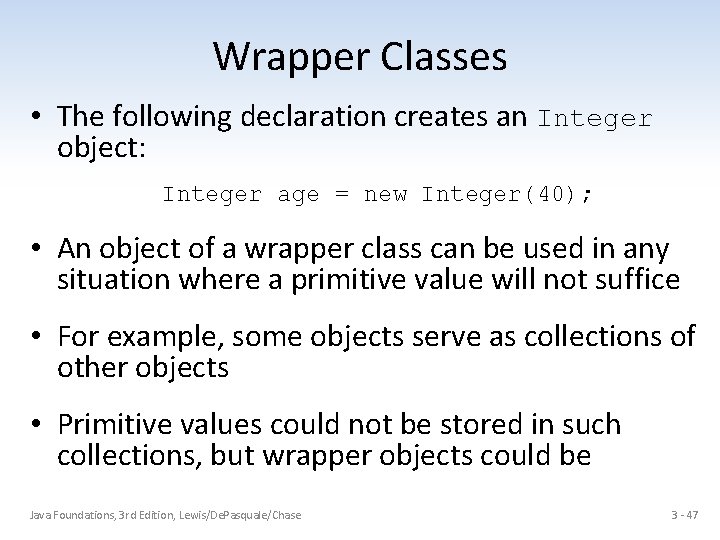
Wrapper Classes • The following declaration creates an Integer object: Integer age = new Integer(40); • An object of a wrapper class can be used in any situation where a primitive value will not suffice • For example, some objects serve as collections of other objects • Primitive values could not be stored in such collections, but wrapper objects could be Java Foundations, 3 rd Edition, Lewis/De. Pasquale/Chase 3 - 47
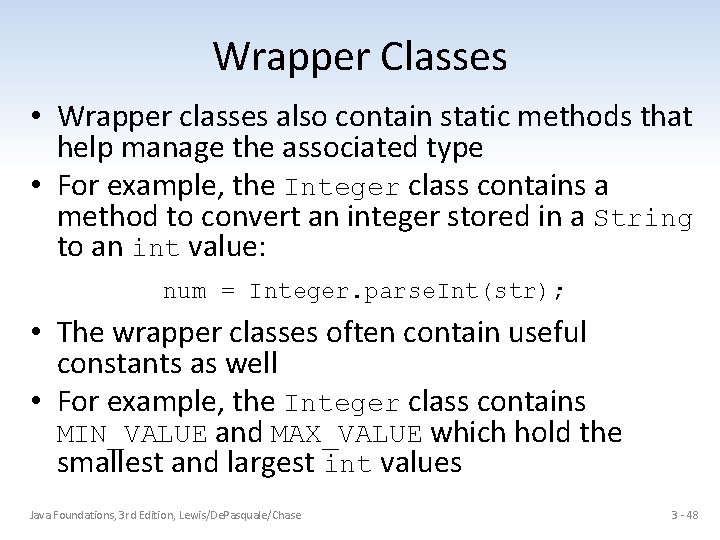
Wrapper Classes • Wrapper classes also contain static methods that help manage the associated type • For example, the Integer class contains a method to convert an integer stored in a String to an int value: num = Integer. parse. Int(str); • The wrapper classes often contain useful constants as well • For example, the Integer class contains MIN_VALUE and MAX_VALUE which hold the smallest and largest int values Java Foundations, 3 rd Edition, Lewis/De. Pasquale/Chase 3 - 48
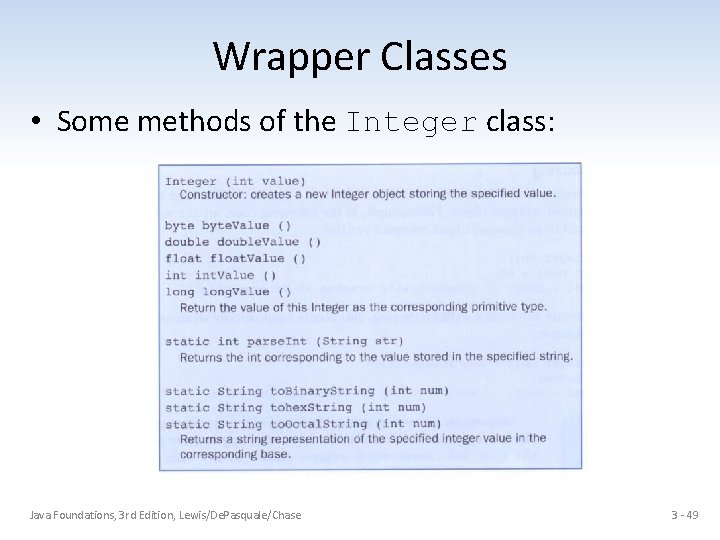
Wrapper Classes • Some methods of the Integer class: Java Foundations, 3 rd Edition, Lewis/De. Pasquale/Chase 3 - 49
Autoboxing • Autoboxing is the automatic conversion of a primitive value to a corresponding wrapper object Integer obj; int num = 42; obj = num; • The assignment creates the appropriate Integer object • The reverse conversion (called unboxing) also occurs automatically as needed Java Foundations, 3 rd Edition, Lewis/De. Pasquale/Chase 3 - 50
- Slides: 50