
Chapter 3 Using Application Session Objects in ECommerce
Chapter 3 Using Application & Session Objects in E-Commerce Application Objective: • Tracking customer • With cookies. • Session & Application variables. • With global. asa file.
Cookie. • Cookies were developed by Netscape to fix a perceived deficit in the way that Web servers & Web Browsers interact. • Without cookies the interaction between web servers and browsers is stateless i. e is you cannot identify the same user of your website as the same user moves from page to page. • They pose threat to people’s privacy. • When the customer visits your web site, store the information on his computer using cookies. This information can be used to identify the customer in his next visit.
Types of cookies • Session cookies. § Are stored in memory. § Will last on the customer’s computer only while the customer is visiting your web site. • Persistent cookies. § Can last many months/years. § Are stored in text file on customer’s computer. § It is called cookie file in widows computer & magic cookie file on Macintosh computer. § Netscape stores all cookies from every Web site in one file named “cookies. txt” while MS Internet explorer create separate file for each Web site. All these are stored in /windows/cookies folder.
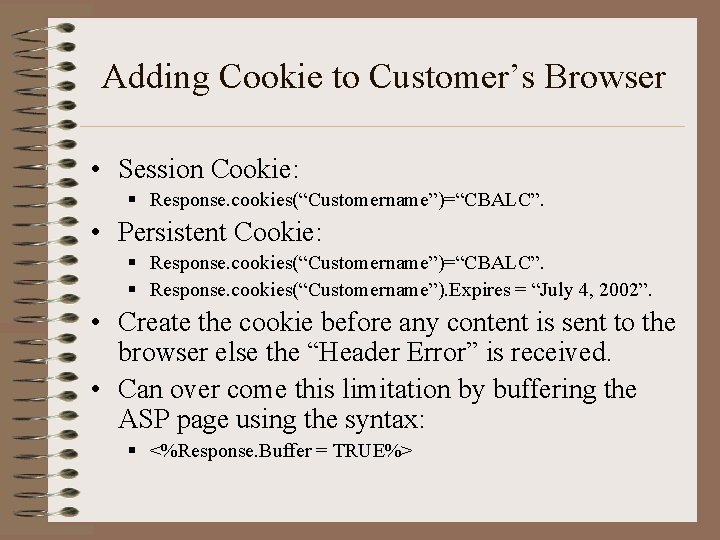
Adding Cookie to Customer’s Browser • Session Cookie: § Response. cookies(“Customername”)=“CBALC”. • Persistent Cookie: § Response. cookies(“Customername”)=“CBALC”. § Response. cookies(“Customername”). Expires = “July 4, 2002”. • Create the cookie before any content is sent to the browser else the “Header Error” is received. • Can over come this limitation by buffering the ASP page using the syntax: § <%Response. Buffer = TRUE%>
Limitations of Cookies • A single computer can hold max of 300 cookies from all web sites. • A single web site can add max of 20 cookies. • A cookie can hold max of 4 KB data, including both the cookie name & data in it.
Reading Cookies from customer’s Browser • • Syntax: 1. Username = Request. cookies(“username”) 2. Username=Request(“username”); As in 2 nd syntax the cookie collection is not explicitly specified, the collections are search in following order: 1. 2. 3. 4. 5. Query. String Form Cookies Client. Certificates Server. Variables
Tracking Customer using Session Variables • Is used to identify the customer as he moves from one page to another on a web site. • They completely rely on cookies. • PWS & IIS automatically adds special cookie called ASPSession. ID cookie to associate session variable to a particular user. • Are stored in memory & can any information like text, numbers, arrays & Active. X Components.
Drawback • Cannot created APSession. ID , if the user’s browser dose not support cookies. • Without APSession. ID, session variable cannot be associated to the user as he moves between pages. • Each user has unique session variable. • They persist until the user leaves your Web Site. • The default time for a session variable is 20 minutes which can be changed. • Session. timeout = 60 • Used to store a customer’s shopping cart.

Tracking a session with a Session. ID • The session object has a valuable property for uniquely identifying the user (Session. ID property). • Each visitor to the website is automatically assigned a unique number which can be retrieved using Session. Id property. Ending User Session • By default in 20 min. • Using session. Abandon
Using Application Variables • Like session variable can store information over multiple pages. • Unlike session variable, they are not associated with a particular user. • The values stored in an application variable can be assigned and retrieved by very user of our web site. • To create application variable, syntax is: Application(“myvar”)=“Hello World” • To Display the syntax is: Response. Write Application(“myvar”) • Used to store frequently accessed but infrequently modified database records in memory.
Removing Application Variables From Memory • Unlike session variables application variables are not automatically removed from the memory. • In prior versions there was no way to remove them from the memory. • They remained in the memory until the web service was stopped / Global. asa file was modified / ASP application was unloaded. • New version of ASP use the Remove() / Removeall() to remove a particular / all application variables from the memory respectively.
Using the Global. asa File • Is a special file that contain ASP scripts. • It is not used to display contents. • It is used to handle global application events. • The file contains subroutines that are triggered by four types of events.
Events List • Session_On. Start Event. • Is triggered when customer first arrives at your web site. • The event occurs immediately after a customer requests the first page. • Session_On. End Event. • This event occurs when the user session ends i. e when the user session times out / abandon() method of session object is called. • Application_On. Start Event. • Is triggered when the first page is retrived from the Web site after your web site has been started. • Occurs before the Session_On. Start Event. • Application_On. End Event. • Occurs when server shuts down. • Occurs after Session_On. End Event.
- Slides: 13