
CHAPTER 3 Software for Educators Chapter 3 Software
















- Slides: 55
CHAPTER 3 Software for Educators
Chapter 3: Software for Educators 2 Chapter Objectives • Explain the role of an operating system and list the main operating systems used on today’s computers • Define and describe a user interface and a graphical user interface • Identify the important features of widely used software applications • Describe the advantages of software suites
Chapter 3: Software for Educators 3 Chapter Objectives • Explain how to create documents • Discuss why the use of video authoring and editing software is important for K- 12 schools • Explain the difference between software application, Web application, and apps • Explain how to work with different versions of software applications
The Operating System • System Software • The programs that control and maintain the operation of the computer and its devices • The two parts of system software the Operating System (OS) and utility programs. • Operating system (OS) (sometimes called the platform) coordinates all activities among computer hardware resources, applications and the user. • Utility programs are used to maintain the health of the operating system.
Operating System Functions • start up the computer • provide user interface • manage memory • schedule jobs and • • configure devices control a network administer security Provide file management and other utilities monitor performance
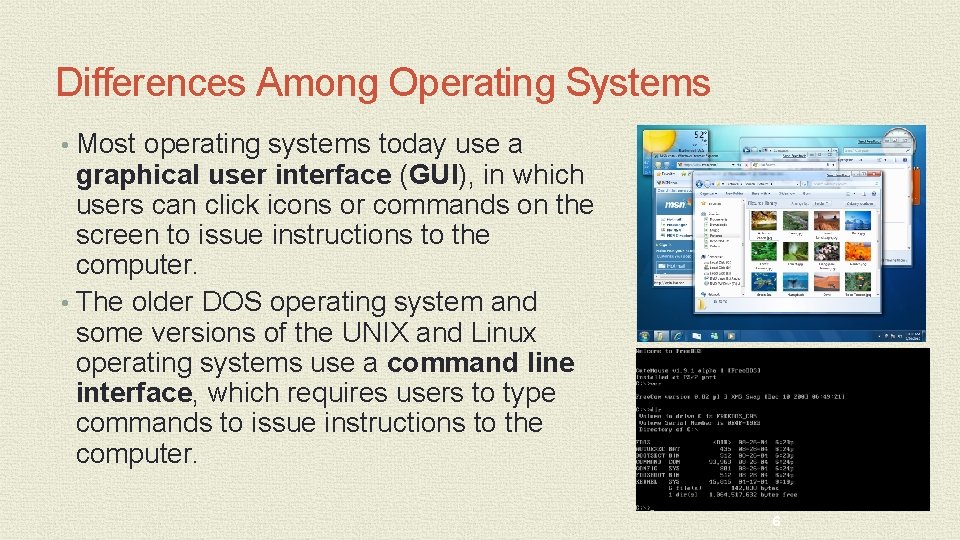
Differences Among Operating Systems • Most operating systems today use a graphical user interface (GUI), in which users can click icons or commands on the screen to issue instructions to the computer. • The older DOS operating system and some versions of the UNIX and Linux operating systems use a command line interface, which requires users to type commands to issue instructions to the computer. 6
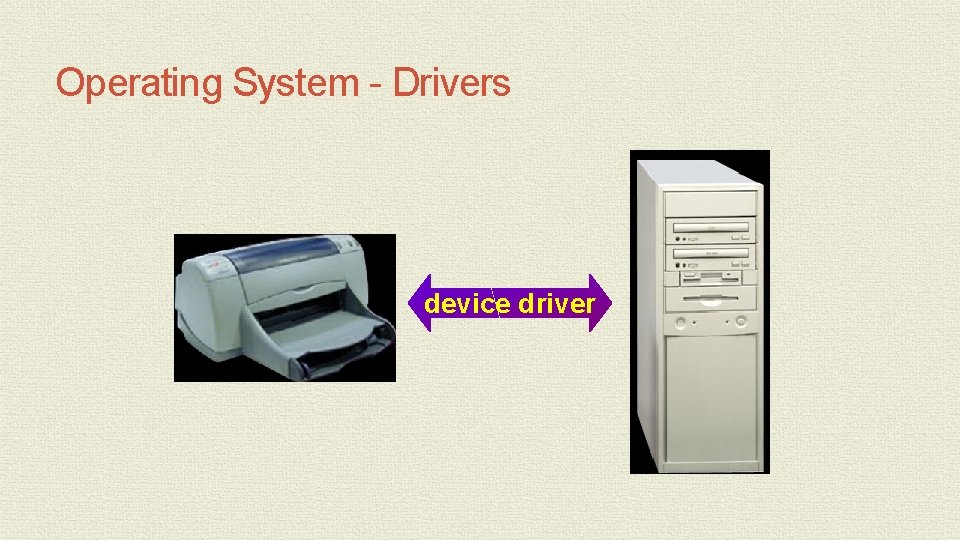
Operating Systems – Configuring Hardware • When the OS starts up it must find and configure all of the hardware attached to the PC • It does this by using device drivers • This is a small program that tells the operating system how to configure and communicate with each peace of hardware. • Each device attached to a PC has a unique driver • These drivers are either found in the OS system or come with the hardware on a CD/DVD disk.
Operating System - Drivers device driver
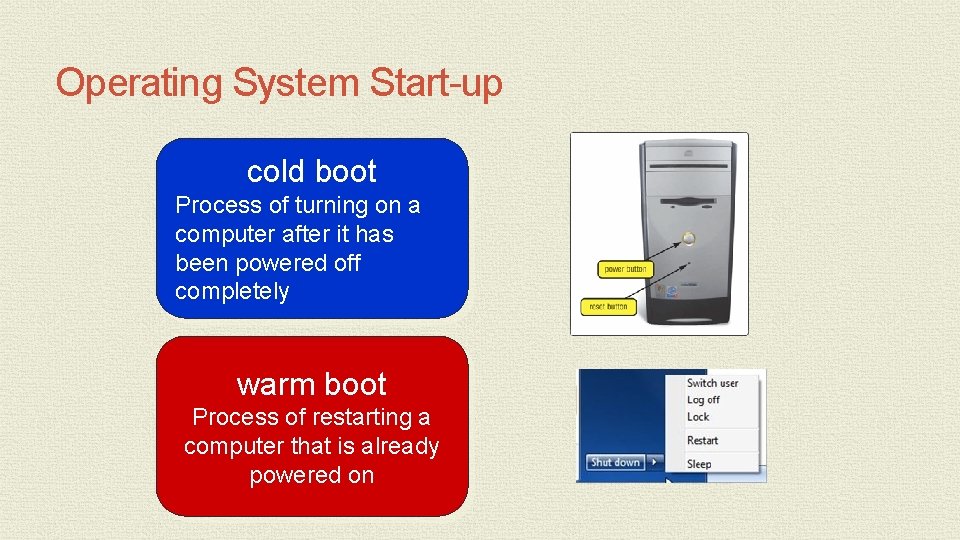
Operating System Start-up cold boot Process of turning on a computer after it has been powered off completely warm boot Process of restarting a computer that is already powered on
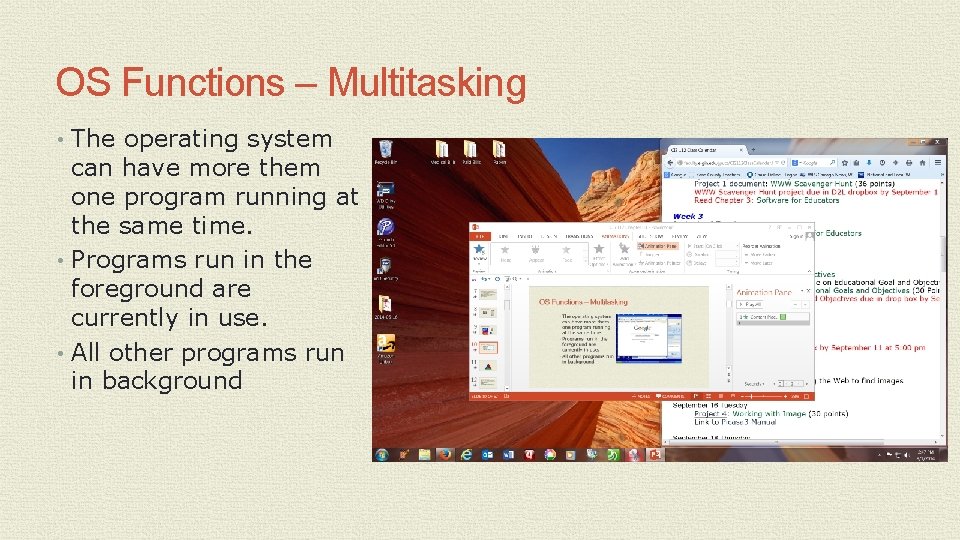
OS Functions – Multitasking • The operating system can have more them one program running at the same time. • Programs run in the foreground are currently in use. • All other programs run in background
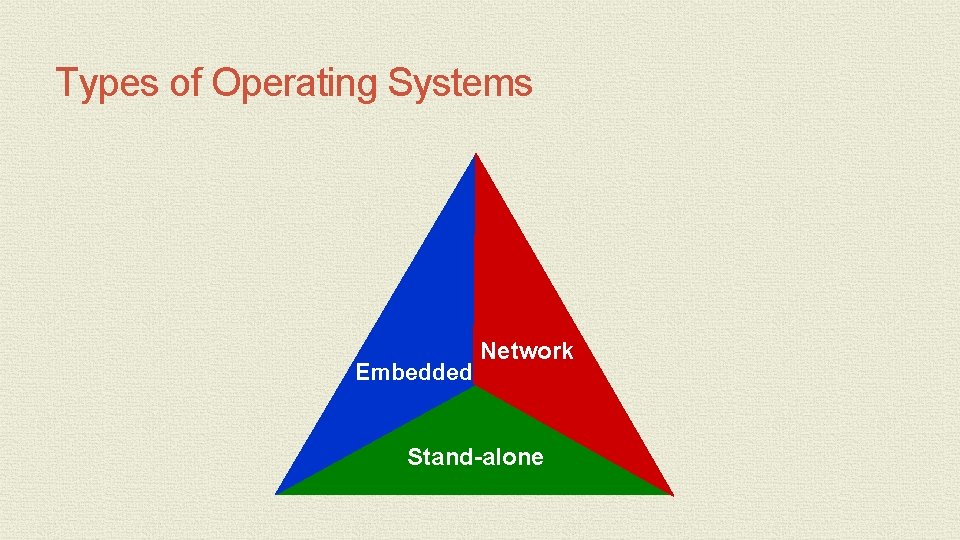
Types of Operating Systems Embedded Network Stand-alone
Network Operating System • There a number of network operating systems • These systems are designed to link multiple computers and peripherals together
Embedded Operating Systems • Operating systems for mobile devices
Utility Programs • A system software that allows the user to perform maintenance type tasks including • Managing the computer • Its device • Its programs
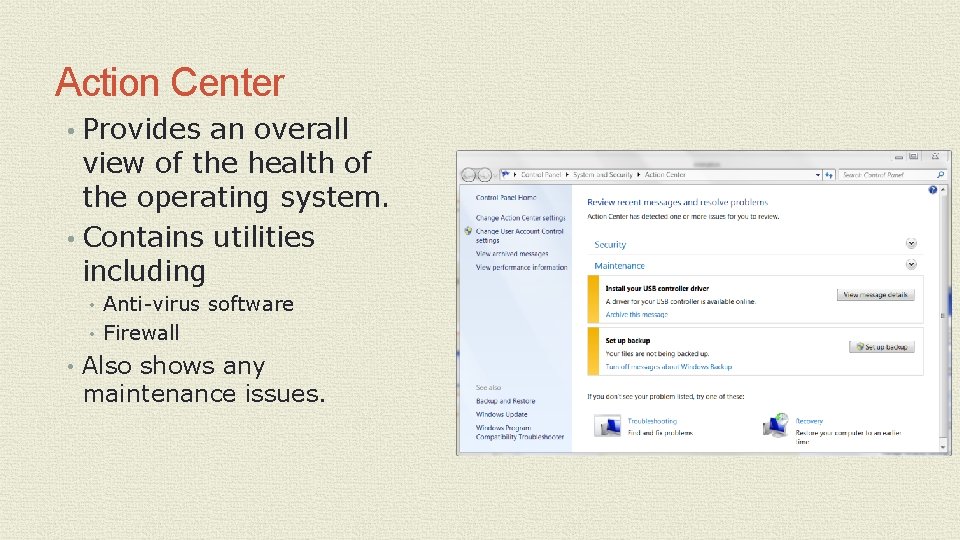
Action Center • Provides an overall view of the health of the operating system. • Contains utilities including • Anti-virus software • Firewall • Also shows any maintenance issues.
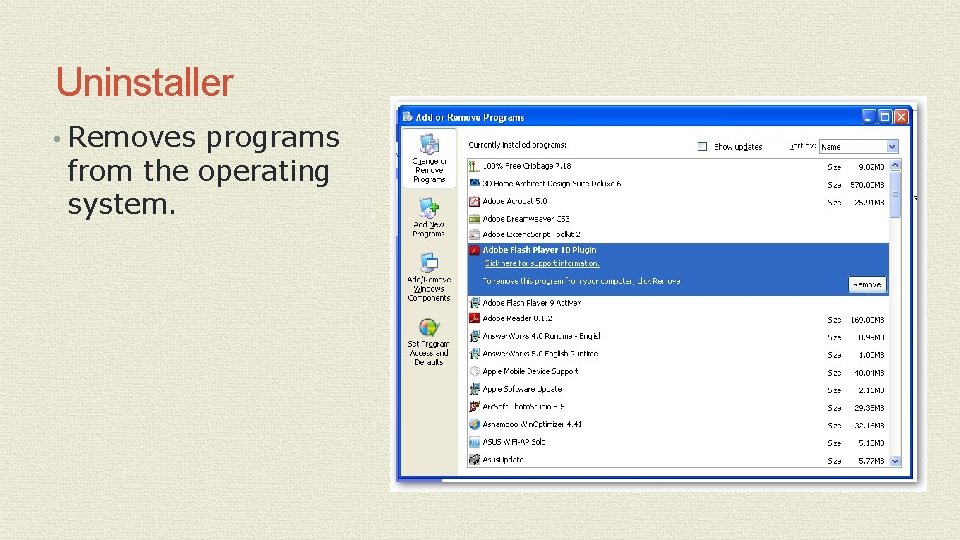
Uninstaller • Removes programs from the operating system.
Disk Cleanup • A program that scans for unnecessary files • It then gives you the option to remove the files.
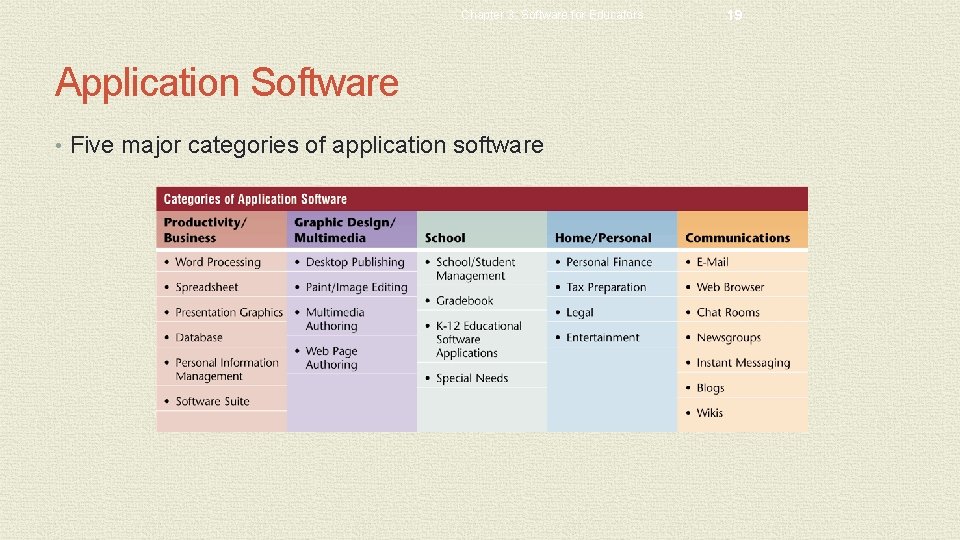
Chapter 3: Software for Educators Application Software • Programs designed to perform specific tasks for users • As a productivity / business tool • Assisting with graphics and multimedia projects • Supporting school and professional activities • Helping with home and personal activities • Facilitating communications 18
Chapter 3: Software for Educators Application Software • Five major categories of application software 19
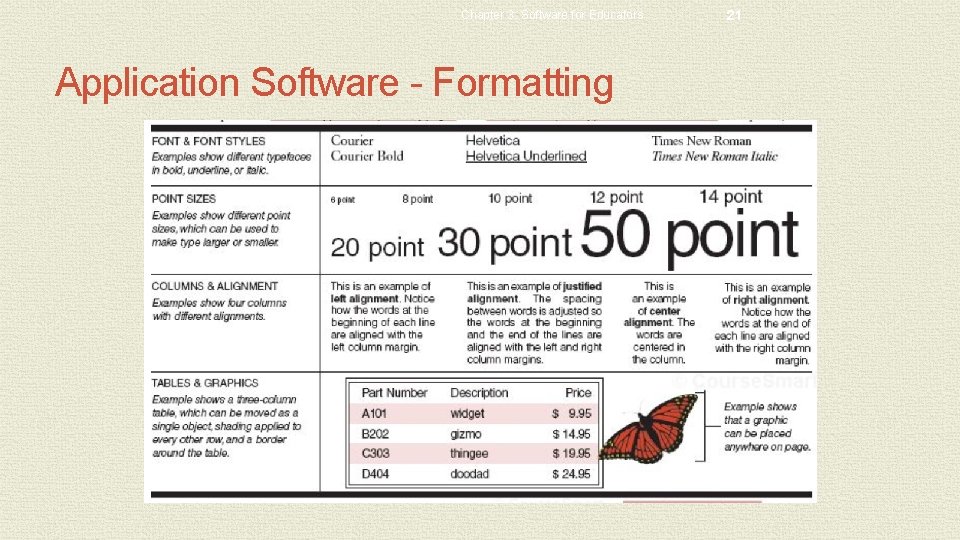
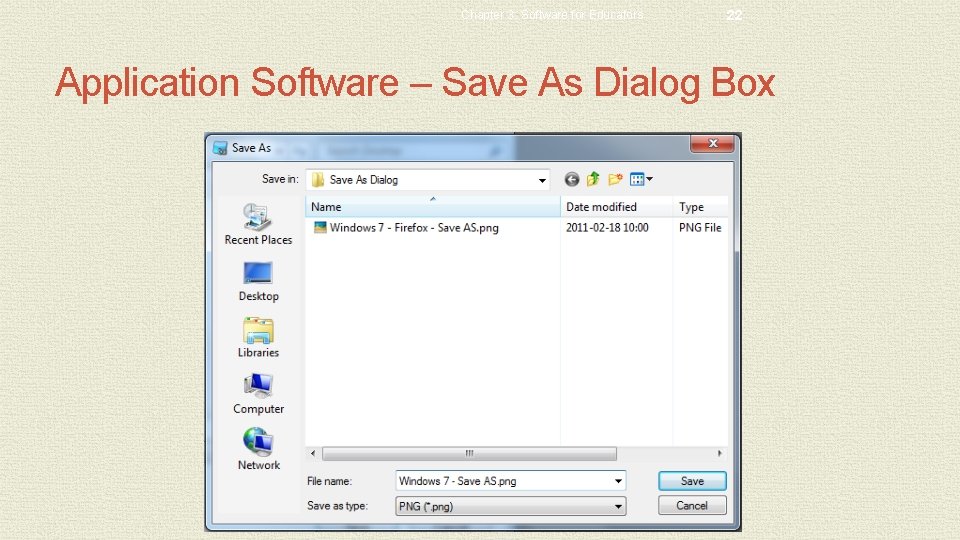
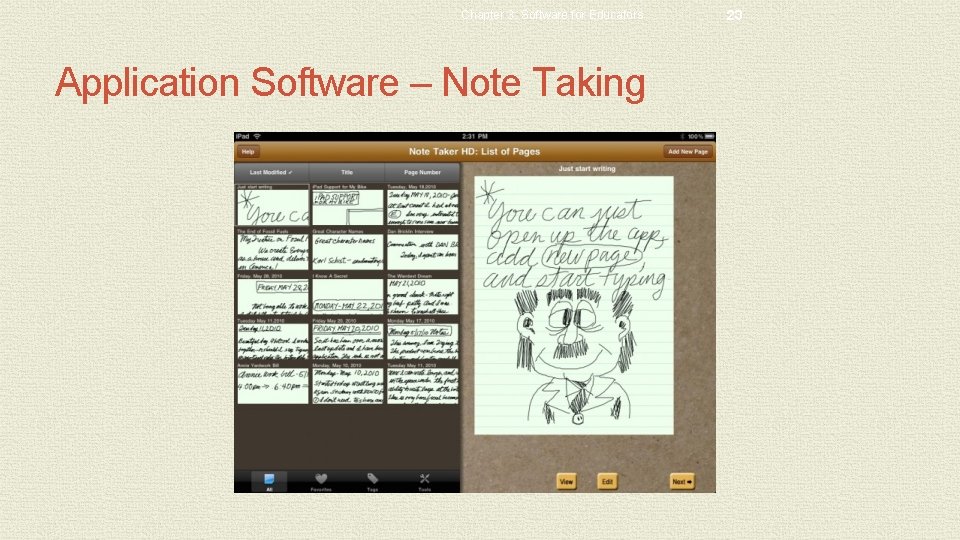
Chapter 3: Software for Educators Application Software • Working with Software Applications • Document - Piece of work created with an application • Creating • Editing • Formatting • Font size • Font style • Printing • Saving • Dialog box • Voice recognition • Note taking software 20
Chapter 3: Software for Educators Application Software - Formatting 21
Chapter 3: Software for Educators 22 Application Software – Save As Dialog Box
Chapter 3: Software for Educators Application Software – Note Taking 23
Chapter 3: Software for Educators Productivity Software • Word Processing Software • Used to create, edit, and format textual documents 24
Productivity Software • Word Processing Software • Formatting features • • Font and font size Color Borders Clip art Margins Wordwrap Scrolling
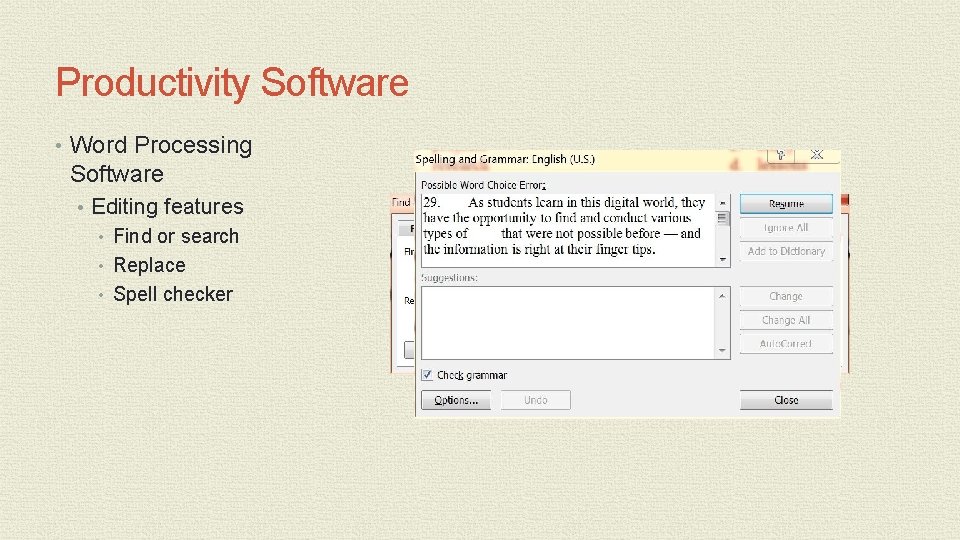
Productivity Software • Word Processing Software • Editing features • Find or search • Replace • Spell checker
Productivity Software • Refer to the chart on page 111 to see a more complete list of Word processing features.
Chapter 3: Software for Educators 28 Productivity Software • Spreadsheet Software • Allows you to organize numeric data in rows and columns, collectively called a spreadsheet or worksheet
Chapter 3: Software for Educators 29 Productivity Software • Spreadsheet organization • Worksheet has columns and rows • Cell - Intersection of a row and a column • Cells can contain • Labels • Values • Formulas • Web addresses • Multimedia • Calculations • Formula - Performs calculations on data in the worksheet and displays the results in a cell • Function – A predefined formula that performs common calculations
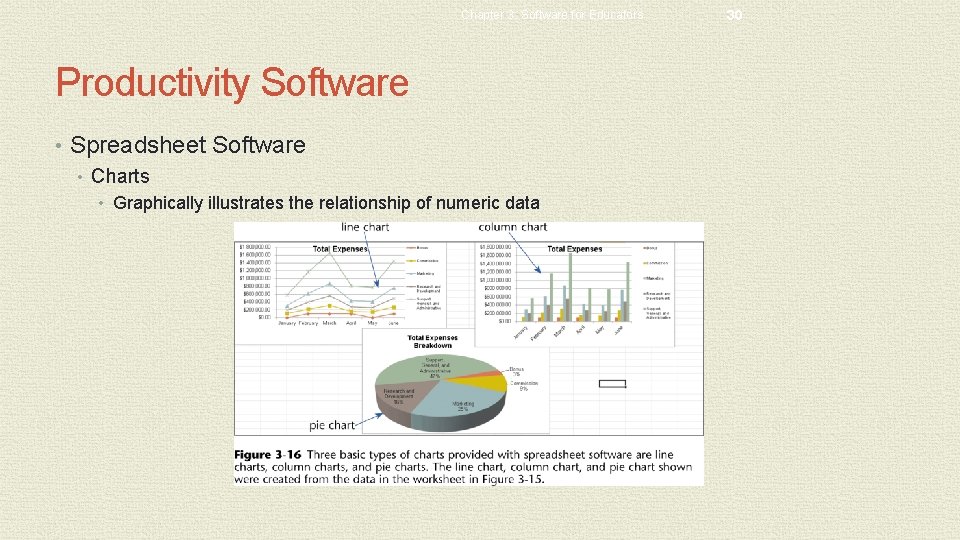
Chapter 3: Software for Educators Productivity Software • Spreadsheet Software • Charts • Graphically illustrates the relationship of numeric data 30
Productivity Software • Database - A collection of data organized in a manner that allows access, retrieval, and use of that data • Similar to a manual filing system • Database software is where all of the information collected from forms either online or hard copy are kept. • Information in the form of reports are generated from that information.
Chapter 3: Software for Educators 32 Productivity Software • Presentation Graphics Software • Allows you to create documents called presentations which are used to communicate ideas, messages, and other information to a group • Predefined formats - define colors and other elements for backgrounds, text, and other special effects • Various slide layouts • Clip art / image gallery • Integrating electronic presentations into the classroom • Nonlinear teaching and learning • Students and teachers create presentations • Can link to other slides, presentations, and to the Web
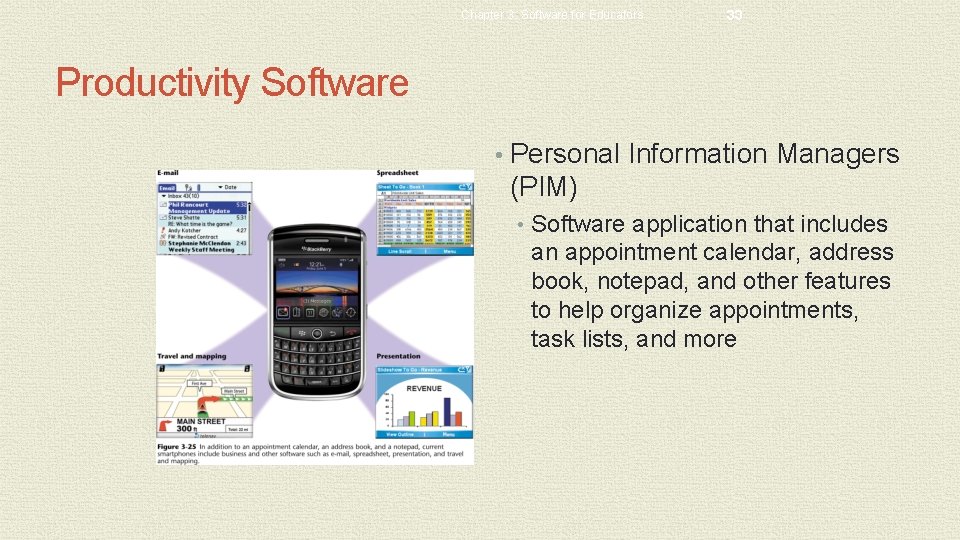
Chapter 3: Software for Educators 33 Productivity Software • Personal Information Managers (PIM) • Software application that includes an appointment calendar, address book, notepad, and other features to help organize appointments, task lists, and more
Chapter 3: Software for Educators 34 Application Programs, Web Applications, and Apps • A Web application, or Web app, is an application that allows users to access and interact with software from any computer or device that is connected to the Internet — which is sometimes called cloud computing • Many types of application software available as Web applications • Thousands of games are available • Experts often use the term Web 2. 0 to describe Web applications • Web applications and application software programs are usually multipurpose programs • Application programs typically are installed on a computer before they are run, and Web applications are accessed via the Web
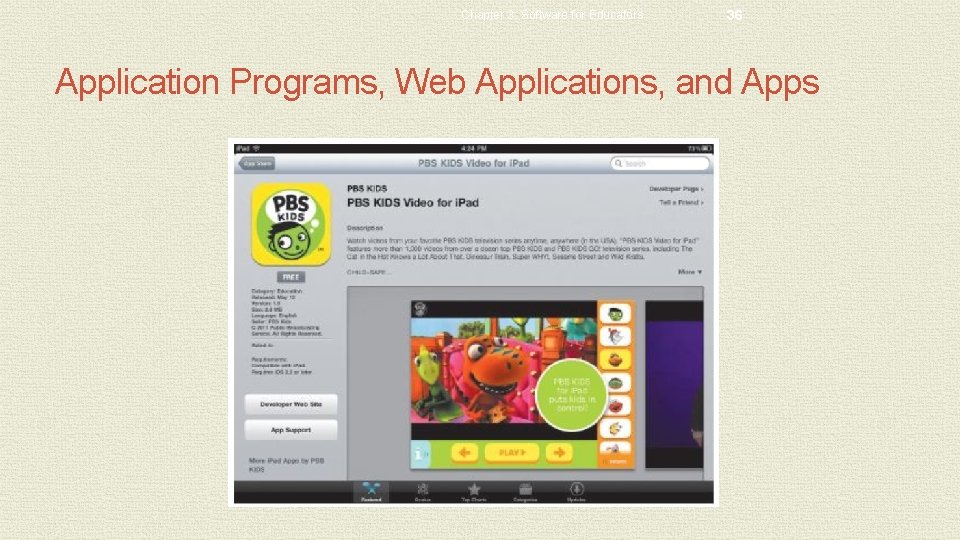
Chapter 3: Software for Educators 35 Application Programs, Web Applications, and Apps • Today, virtually all mobile device users download and use apps on their smartphones, tablet computers, and other mobile devices • An app, also called a mobile app, is a program you can download and use primarily on your mobile device • Apps often are single purpose programs
Chapter 3: Software for Educators 36 Application Programs, Web Applications, and Apps
Productivity Software • Software Suites • Collection of individual application software packages sold as a single package • Lower cost • Ease of use • Common interface
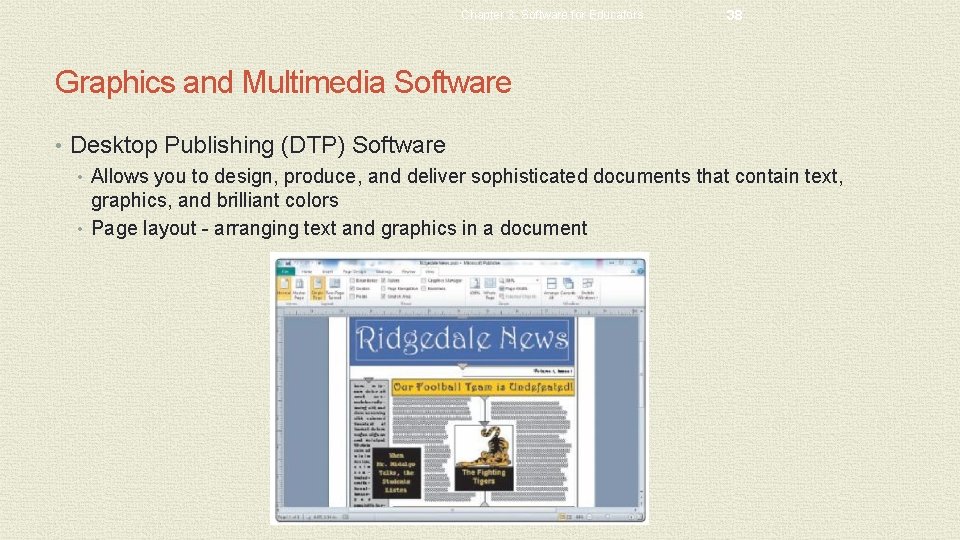
Chapter 3: Software for Educators 38 Graphics and Multimedia Software • Desktop Publishing (DTP) Software • Allows you to design, produce, and deliver sophisticated documents that contain text, graphics, and brilliant colors • Page layout - arranging text and graphics in a document
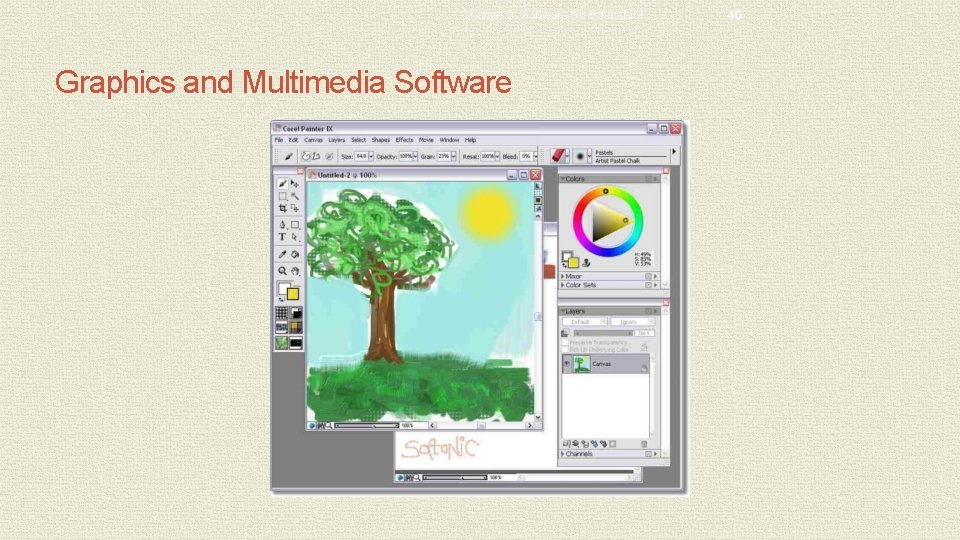
Chapter 3: Software for Educators 39 Graphics and Multimedia Software • Paint/Image-Editing Software • Allows you to draw pictures, shapes, and other graphical images using various tools on the screen • Paint software • Draw pictures, shapes, and other graphics • Image-editing software • Modify existing graphics • Photo editing software • Edit digital photographs
Chapter 3: Software for Educators Graphics and Multimedia Software 40
Graphics and Multimedia Software • Clip Art/Image Gallery • Collection of clip art and photographs • Miscellaneous items • Fonts • Animations • Sounds • Video and audio files • Search engine image files. • Be careful of copyright
Chapter 3: Software for Educators 42 Graphics and Multimedia Software • Multimedia Authoring Software - used to create electronic presentations, simulations, and software demonstrations that can contain: • Text • Graphics • Video • Audio • Animation • Screen captures • Usually developed by professional
Graphics and Multimedia Software • Video and Audio Editing Software • Modify a segment of a video, known as a clip • Add and remove clips • Add special effects • Sounds • Banners • Credits
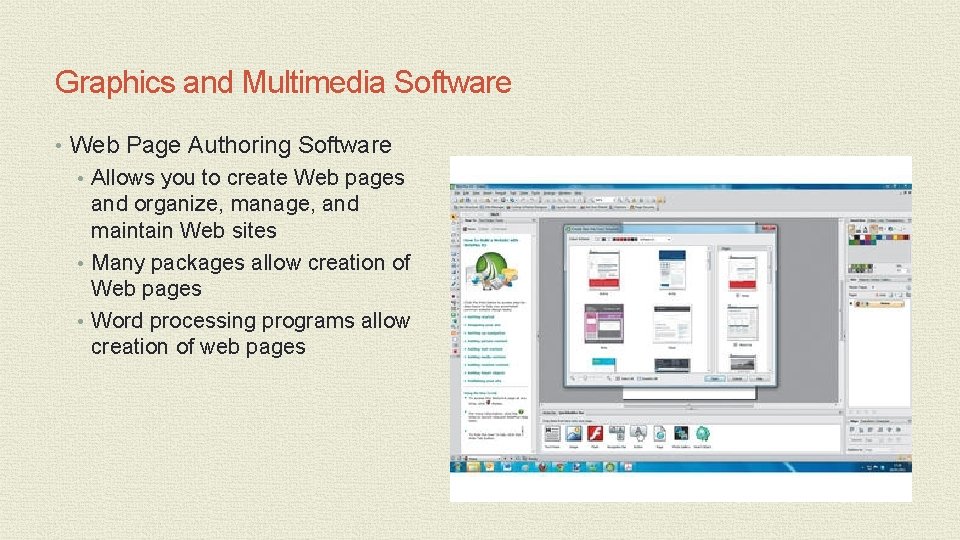
Graphics and Multimedia Software • Web Page Authoring Software • Allows you to create Web pages and organize, manage, and maintain Web sites • Many packages allow creation of Web pages • Word processing programs allow creation of web pages
Chapter 3: Software for Educators 45 Software for School Use • School and Student Management Software • School management software • Centralized program that allows district and school personnel to manage school district operations • Student management software • Allows administrators, teachers, and other staff to track information on students • Grade book Software • Allows teachers to track and organize student tests, homework, lab work, and other scores • Often integrates with other software packages
K-12 Educational Software • An educational software application refers to computer software products used to support teaching and learning of subject-related content • The number and quality of educational software applications designed specifically for the K-12 learning environment have increased dramatically in the past few years
Chapter 3: Software for Educators 47 K-12 Educational Software • Computer-assisted instruction is software designed to help teach facts, information, and/or skills associated with subject-related materials • Drill-and-practice software is software that first supplies factual information and then through repetitive exercises allows students to continue to work on specific materials to remember or memorize the information • Also called skills-reinforcement software • Remediation is reviewing content many times and using alternative means to help a student grasp the concepts being taught. An educational game usually includes a set of rules, and students can compete against other students or the game itself • A tutorial is a teaching program designed to help individuals learn to use a product or concepts • Educational computer simulation or a video game is a computerized model of real life that represents a physical or simulated process • Integrated learning system (ILS) is a sophisticated software program usually developed by an established educational software corporation as a complete educational software solution in one package
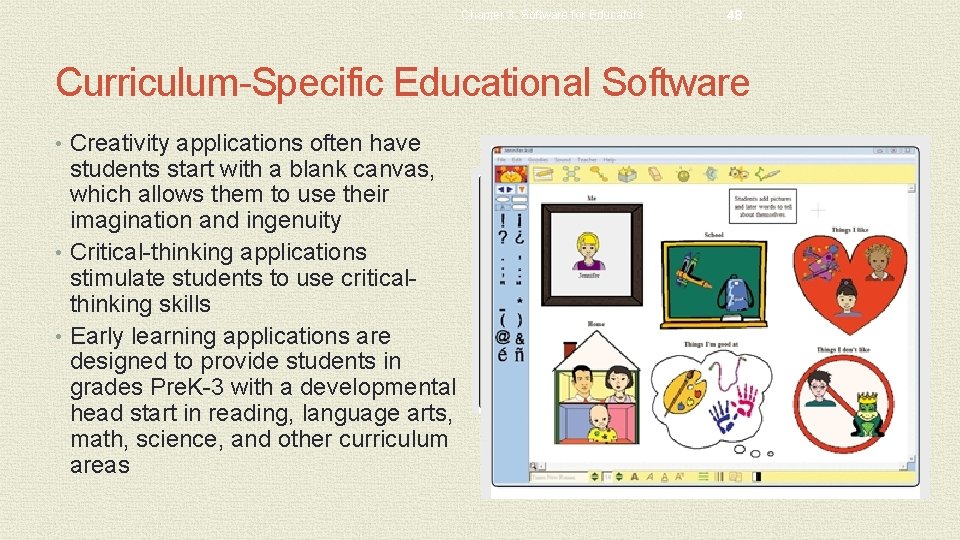
Chapter 3: Software for Educators 48 Curriculum-Specific Educational Software • Creativity applications often have students start with a blank canvas, which allows them to use their imagination and ingenuity • Critical-thinking applications stimulate students to use criticalthinking skills • Early learning applications are designed to provide students in grades Pre. K-3 with a developmental head start in reading, language arts, math, science, and other curriculum areas
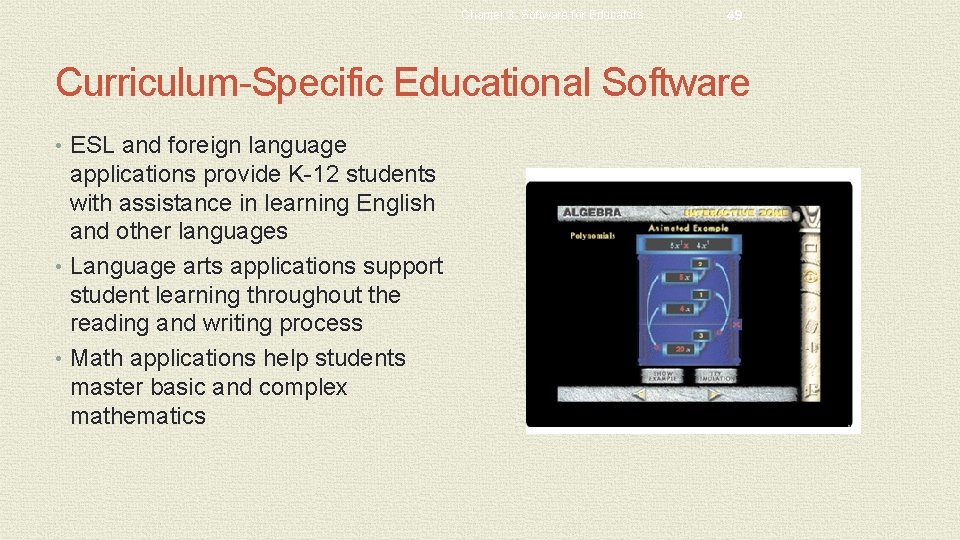
Chapter 3: Software for Educators 49 Curriculum-Specific Educational Software • ESL and foreign language applications provide K-12 students with assistance in learning English and other languages • Language arts applications support student learning throughout the reading and writing process • Math applications help students master basic and complex mathematics
Chapter 3: Software for Educators 50 Curriculum-Specific Educational Software • Science applications are available for all grade levels and assist students in learning a wide variety of science concepts • Social studies applications encourage higher-order thinking skills, provide reinforcement of facts, and allow students to define their own path
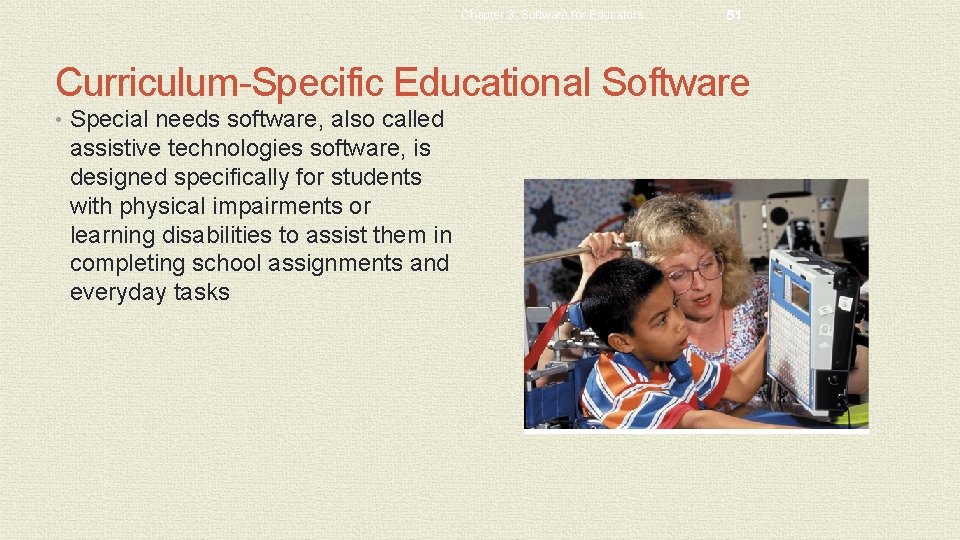
Chapter 3: Software for Educators 51 Curriculum-Specific Educational Software • Special needs software, also called assistive technologies software, is designed specifically for students with physical impairments or learning disabilities to assist them in completing school assignments and everyday tasks
Learning Aids and Support Tools • Help • Online help • Web-based help • Tutorials • FAQs
Chapter 3: Software for Educators 53 Software Versions and Upgrades • Software programs are designated by a version number • Upgrade is a new version designed to replace an older version • Using Different Software Versions • A school may have a mix of different software versions installed on its computers • Determine software version with the software’s About or Information command • Older version of software may not open files created with the newer version
Chapter 3: Software for Educators 54 Chapter Summary • Explain the role of an operating system and list the main operating systems used on today’s computers • Define and describe a user interface and a graphical user interface • Identify the important features of widely used software applications • Describe the advantages of software suites
Chapter 3: Software for Educators 55 Chapter Summary • Explain how to create documents • Discuss why the use of video authoring and editing software is important for K- 12 schools • Explain the difference between software application, Web application, and app • Explain how to work with different versions of software applications