
Chapter 3 Software Design Use case Diagram Nouf
- Slides: 33
Chapter 3: Software Design –Use case Diagram Nouf Alghanmi
Introduction • Use cases allows for documenting the system from the users’ points of view. • By “user” we mean anything external to the system, which interacts with the system. • – E. g. , a person, another information system, a hardware device. • Use case modeling helps with three of the most difficult aspects of development: • Capturing requirements • Planning iterations of development • Validating systems 2
Introduction • A use case diagram shows only a small part of the information we need. Each use case must be described in detail using text. ⇒ The use case diagram can be seen as a concise summary of the information contained in all the descriptions of the use cases. 3
Introduction • • Main notations of a use case diagram Actors Use cases Relations • • • Between actors and use cases Between actors Between use cases 4
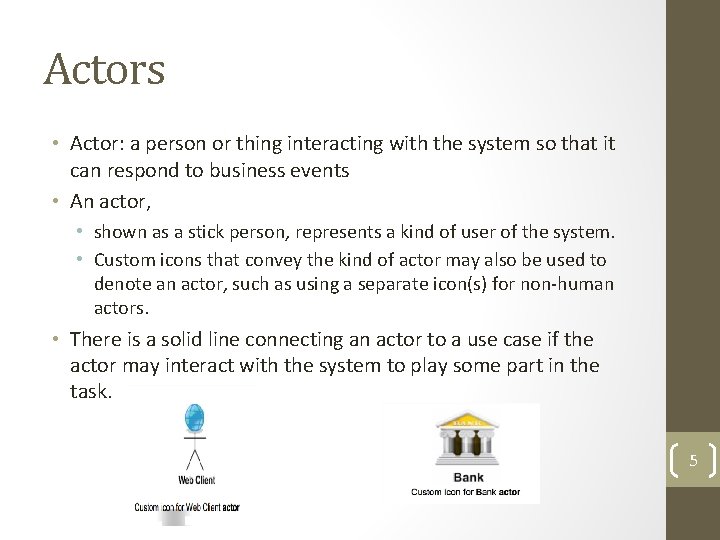
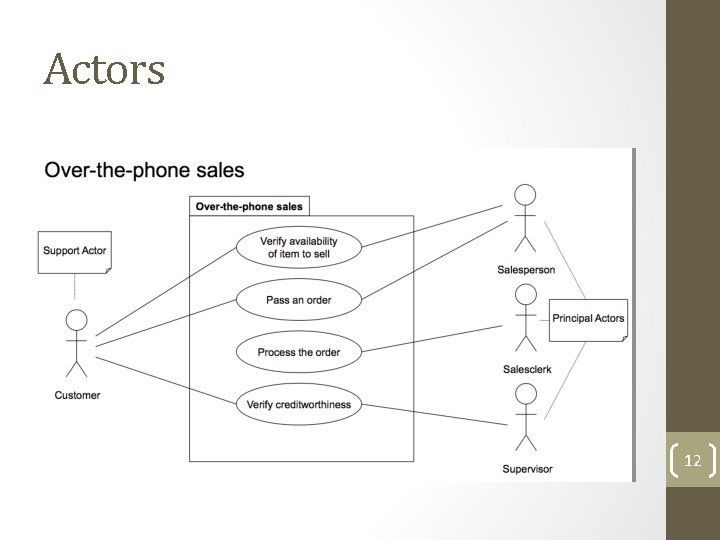
Actors • Actor: a person or thing interacting with the system so that it can respond to business events • An actor, • shown as a stick person, represents a kind of user of the system. • Custom icons that convey the kind of actor may also be used to denote an actor, such as using a separate icon(s) for non-human actors. • There is a solid line connecting an actor to a use case if the actor may interact with the system to play some part in the task. 5
Actors • Representation of an external person, software, process, organization, etc. interacting with the system being developed. • The actor can consult or modify the state of the system: interaction with the use case by sending messages. • As an answer to the actor’s action, the system provides a service: the use case corresponding to the desired functionality. 6
Actors • All actors must have names according to the assumed role , Examples of actor names (user roles): – Customer – Web. Client – Student – Passenger – Payment System 7
Actors • Categories of actors – Principal actors – Support actors – “Backstage” actors 8
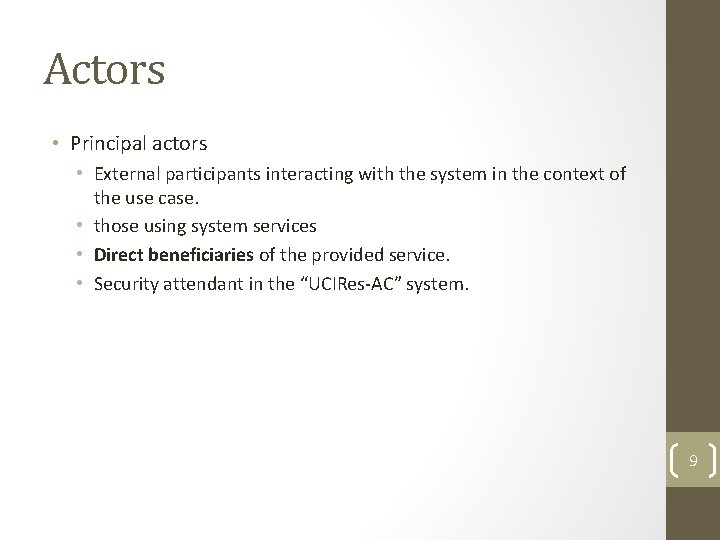
Actors • Principal actors • External participants interacting with the system in the context of the use case. • those using system services • Direct beneficiaries of the provided service. • Security attendant in the “UCIRes-AC” system. 9
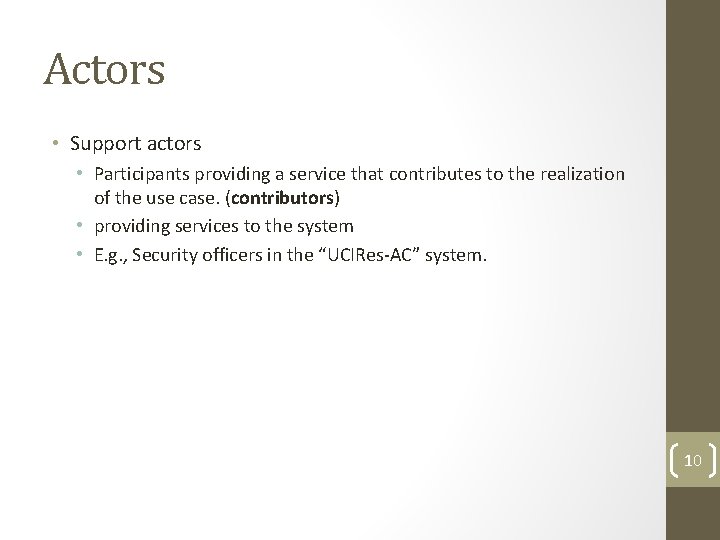
Actors • Support actors • Participants providing a service that contributes to the realization of the use case. (contributors) • providing services to the system • E. g. , Security officers in the “UCIRes-AC” system. 10
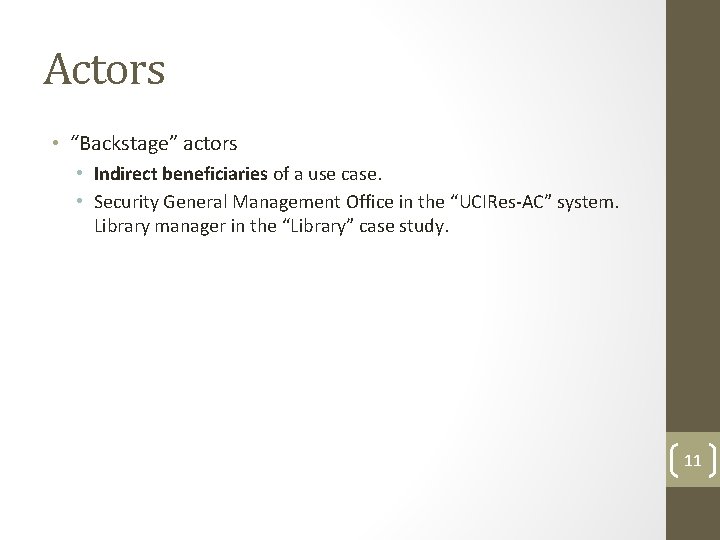
Actors • “Backstage” actors • Indirect beneficiaries of a use case. • Security General Management Office in the “UCIRes-AC” system. Library manager in the “Library” case study. 11
Actors 12
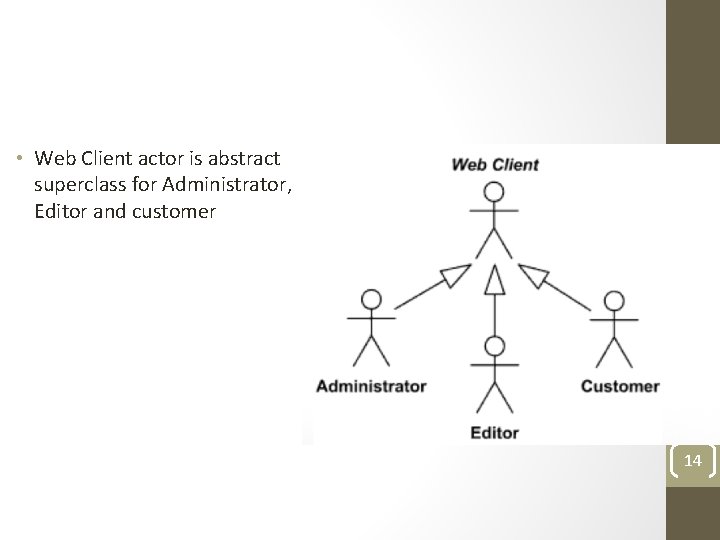
Relationship between actors • Generalization • We can define abstract or concrete actors and specialize them using generalization relationship. • Generalization between actors is rendered as a solid directed line with a large arrowhead (same as for generalization between classes). 13
• Web Client actor is abstract superclass for Administrator, Editor and customer 14
Use Case • Each use case describes a unit of complete and useful functionality that the subject (system under construction or consideration) provides to its users. • Each use case must have a name. Examples of use case names: – Place Order – Update Subscription – Transfer Funds Use case is usually shown as an ellipse containing the name of the use case. 15
Relationships Between Use Cases • Use cases could be organized using following relationships: 1. Generalization 2. Extend 3. Include 16
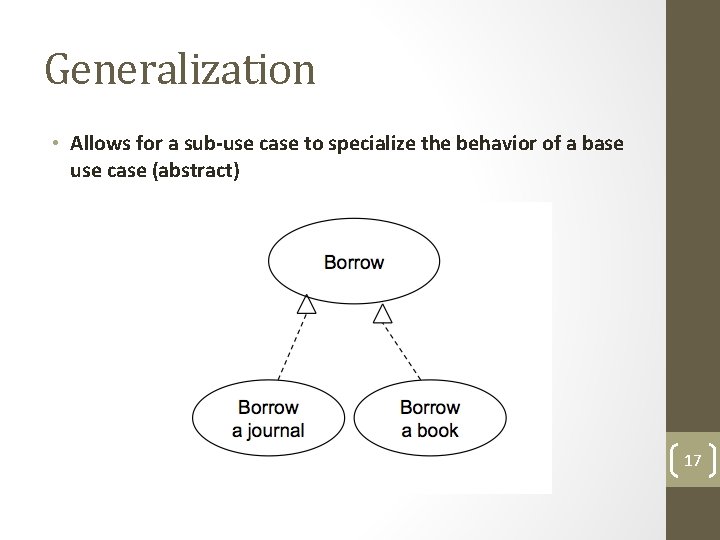
Generalization • Allows for a sub-use case to specialize the behavior of a base use case (abstract) 17
The <<Extend>> relationship • Extend is a directed relationship that specifies how and when the behavior defined in usually supplementary (optional) extending use can be inserted into the behavior defined in the extended use case. • The extension takes place at one or more extension points defined in the extended use case. 18
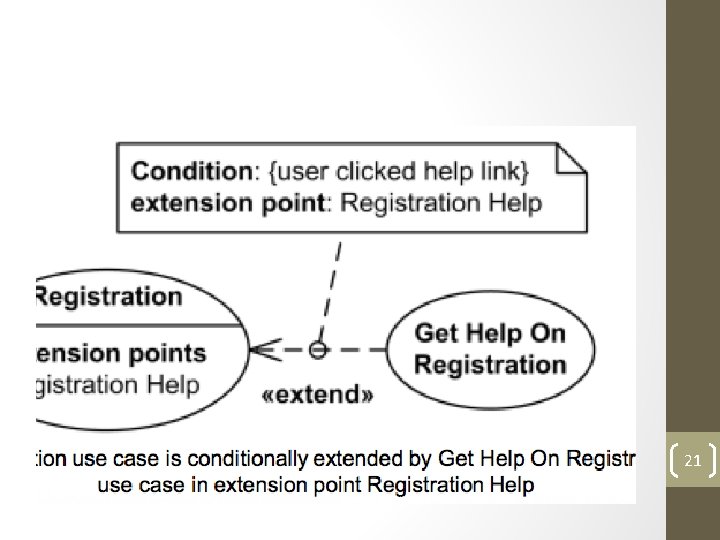
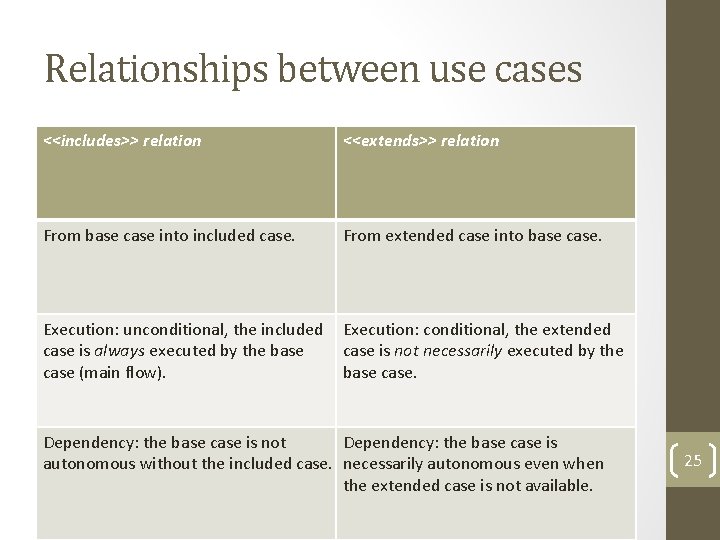
The <<Extend>> relationship • We use the relation <<extends>> to underline an alternative scenario complex enough to be a use case. • Is not necessarily executed even if the base use case is instantiated. • Executed only if one of the corresponding extension points is reached. 19
The <<Extend>> relationship • The condition of the extend relationship as well as the references to the extension points are optionally shown in a comment note attached to the corresponding extend relationship. 20
21
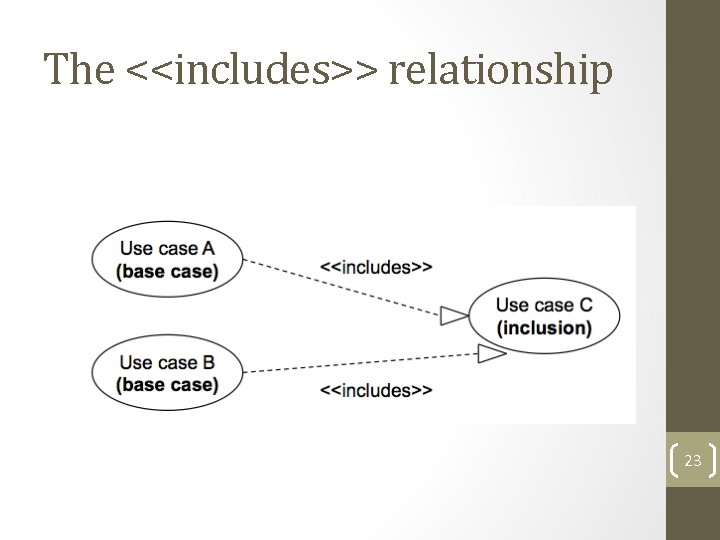
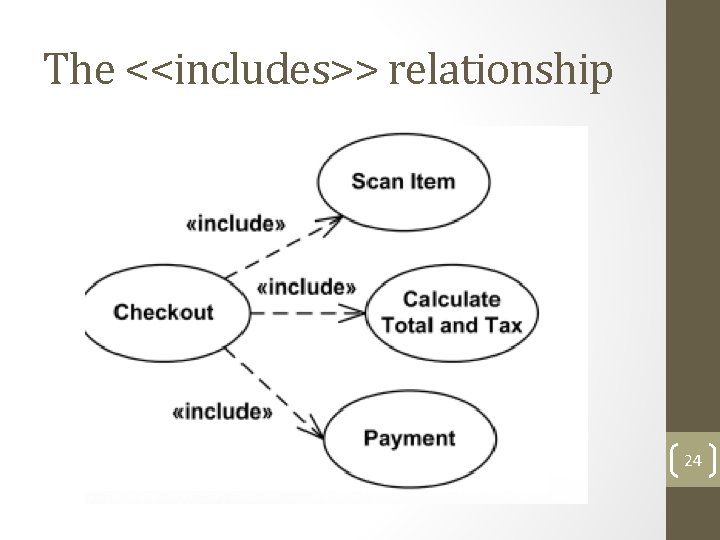
The <<includes>> relationship • <<includes>> represents that the source use case makes uses of the target use case. • Called at a specific point within the main flow. • Executed necessarily within the base case. • We use the <<includes>> relation in order to: - Factorize sub functions that are common between use cases. - Decompose a complex use case into sub-cases. 22
The <<includes>> relationship 23
The <<includes>> relationship 24
Relationships between use cases <<includes>> relation <<extends>> relation From base case into included case. From extended case into base case. Execution: unconditional, the included Execution: conditional, the extended case is always executed by the base case is not necessarily executed by the case (main flow). base case. Dependency: the base case is not Dependency: the base case is autonomous without the included case. necessarily autonomous even when the extended case is not available. 25
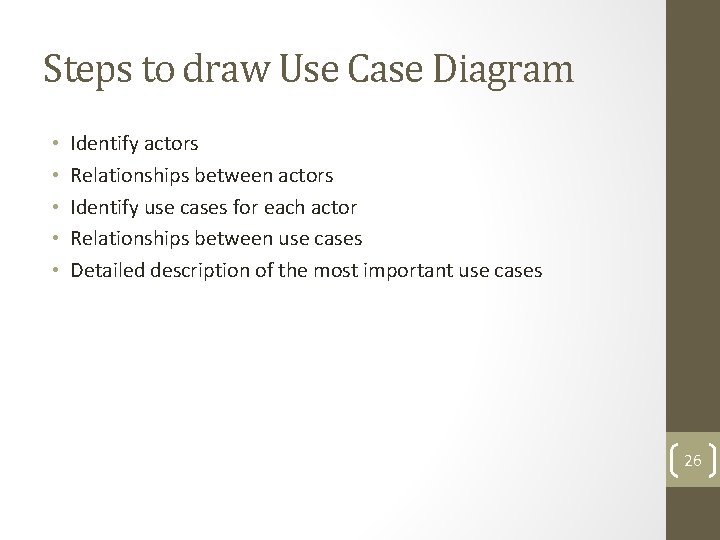
Steps to draw Use Case Diagram • • • Identify actors Relationships between actors Identify use cases for each actor Relationships between use cases Detailed description of the most important use cases 26
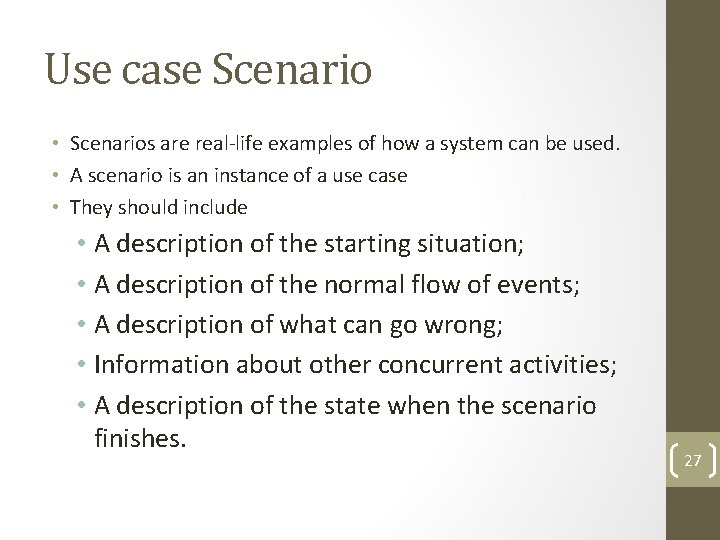
Use case Scenario • Scenarios are real-life examples of how a system can be used. • A scenario is an instance of a use case • They should include • A description of the starting situation; • A description of the normal flow of events; • A description of what can go wrong; • Information about other concurrent activities; • A description of the state when the scenario finishes. 27
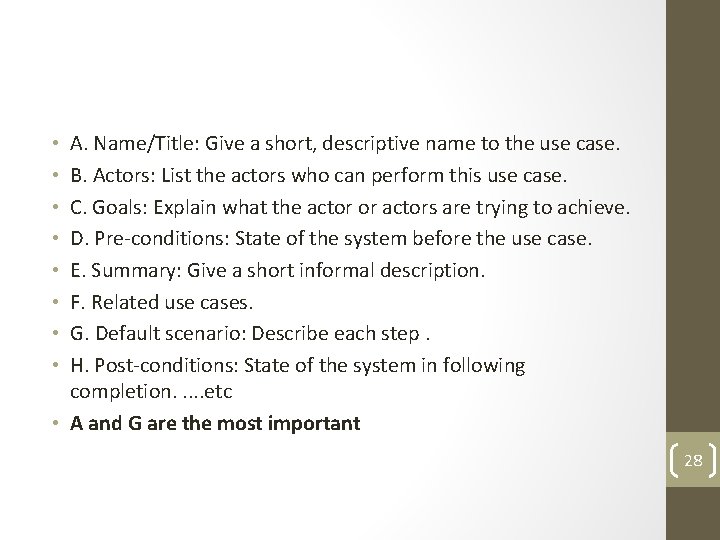
A. Name/Title: Give a short, descriptive name to the use case. B. Actors: List the actors who can perform this use case. C. Goals: Explain what the actor or actors are trying to achieve. D. Pre-conditions: State of the system before the use case. E. Summary: Give a short informal description. F. Related use cases. G. Default scenario: Describe each step. H. Post-conditions: State of the system in following completion. . . etc • A and G are the most important • • 28
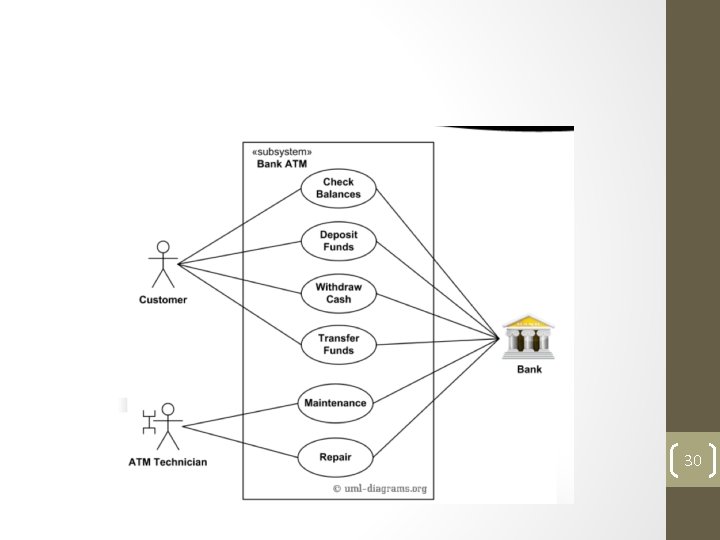
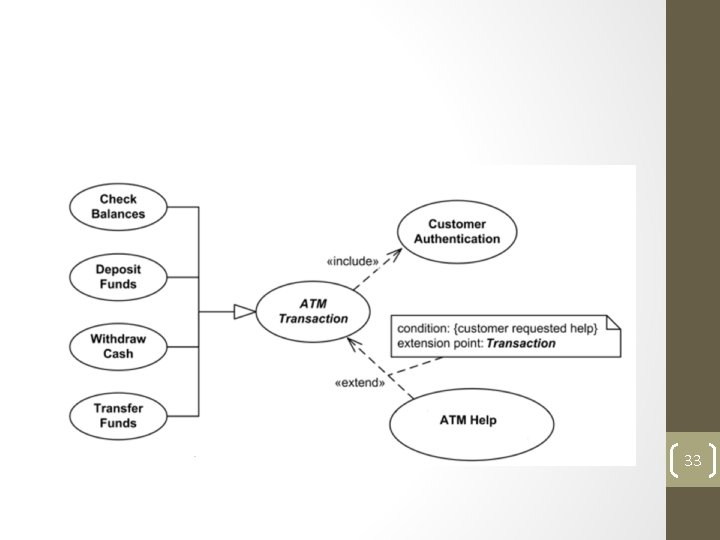
Example 1 : Automated Teller Machine (ATM ) • Customer uses bank ATM to check balances of his/her bank accounts, deposit funds, withdraw cash and/or transfer funds . ATM Technician provides maintenance and repairs. All these use cases also involve Bank whether it is related to customer transactions or to the ATM servicing 29
30
• Checking balances , depositing funds, withdrawing cash and/or transfer funds are kinds of ATM transaction. • On most bank ATMs, the customer is authenticated by inserting a plastic ATM card and entering a personal identification number (PIN). Customer Authentication is required for every ATM transaction. 31
• If needed, customer may ask ATM for help. ATM Transaction is at the location specified by the Menu and the bank customer requests help, e. g. by selecting Help menu item. • ATM Technician maintains or repairs Bank includes Replenishing ATM with cash, ink or printer paper, Upgrades of hardware, firmware or software, and remote or on-site Diagnostics 32
33