
Chapter 3 Requirements Determination Systems analysis and design






- Slides: 49
Chapter 3 Requirements Determination Systems analysis and design SEVENTH EDITION DENNIS, WIXOM, AND ROTH
Learning Objectives • Explain the analysis phase of the SDLC. • Describe the content and purpose of the requirements definition statement. • Classify requirements correctly as business, user, functional, or nonfunctional requirements. • Employ the requirement elicitation techniques of interviews, JAD sessions, questionnaires, document analysis, and observation. • Define the role that each requirement elicitation technique plays in determining requirements. • Describe several analysis strategies that can help the analyst discover requirements. Copyright © 2019 John Wiley & Sons, Inc. 2
The Analysis Phase Determining what the new system should do Copyright © 2019 John Wiley & Sons, Inc. 3
Overview of the Analysis Phase • Goal is to develop a clear understanding of the new system’s requirements • Understand the “As-Is” system • Identify Improvements • Develop the “To-Be” system concept • Use critical thinking skills to determine the true causes of problems • Apply knowledge of IS and business to outline ways to solve the problems in the new system Copyright © 2019 John Wiley & Sons, Inc. 4
Requirements Determination Understanding requirements Copyright © 2019 John Wiley & Sons, Inc. 5
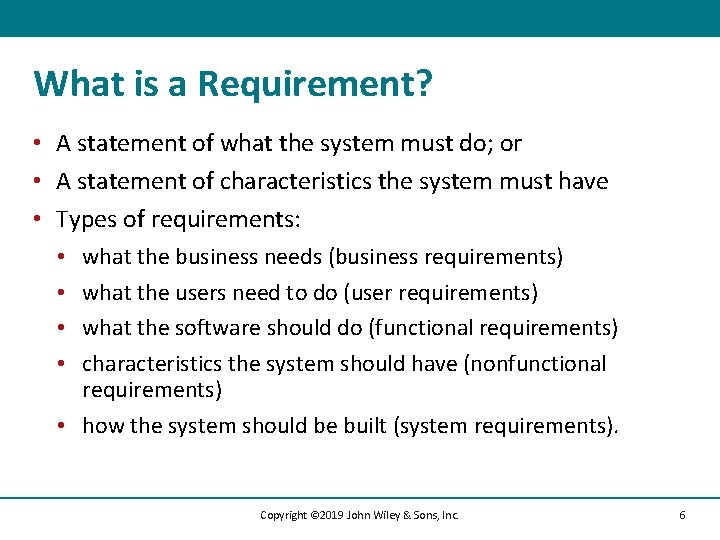
What is a Requirement? • A statement of what the system must do; or • A statement of characteristics the system must have • Types of requirements: what the business needs (business requirements) what the users need to do (user requirements) what the software should do (functional requirements) characteristics the system should have (nonfunctional requirements) • how the system should be built (system requirements). • • Copyright © 2019 John Wiley & Sons, Inc. 6
User Requirements • What the user needs to do to complete a needed job or task • Focus on user tasks that are integral to business operations • Understanding user tasks helps reveal ways that the new system can support those tasks Copyright © 2019 John Wiley & Sons, Inc. 7
Functional Requirements • A process the system should perform as a part of supporting a user task, or • Information the system should provide as the user performs a task • Specify the support the system will provide to the user in fulfilling his/her work tasks Copyright © 2019 John Wiley & Sons, Inc. 8
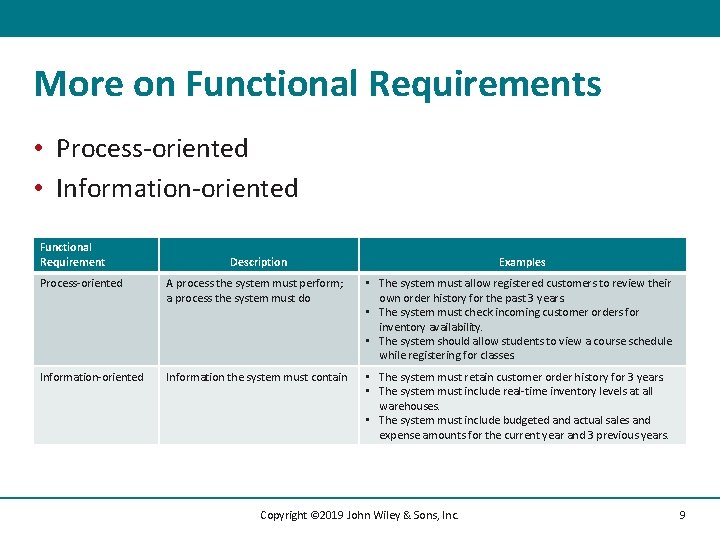
More on Functional Requirements • Process-oriented • Information-oriented Functional Requirement Description Examples Process-oriented A process the system must perform; a process the system must do • The system must allow registered customers to review their own order history for the past 3 years. • The system must check incoming customer orders for inventory availability. • The system should allow students to view a course schedule while registering for classes. Information-oriented Information the system must contain • The system must retain customer order history for 3 years. • The system must include real-time inventory levels at all warehouses. • The system must include budgeted and actual sales and expense amounts for the current year and 3 previous years. Copyright © 2019 John Wiley & Sons, Inc. 9
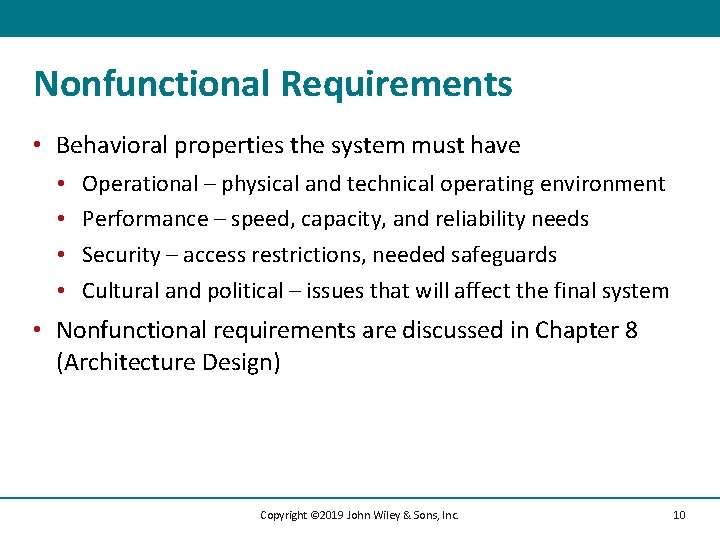
Nonfunctional Requirements • Behavioral properties the system must have • • Operational – physical and technical operating environment Performance – speed, capacity, and reliability needs Security – access restrictions, needed safeguards Cultural and political – issues that will affect the final system • Nonfunctional requirements are discussed in Chapter 8 (Architecture Design) Copyright © 2019 John Wiley & Sons, Inc. 10
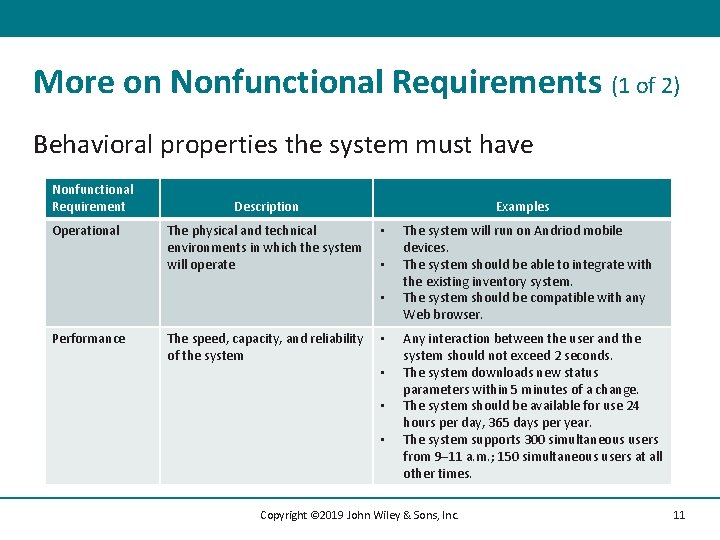
More on Nonfunctional Requirements (1 of 2) Behavioral properties the system must have Nonfunctional Requirement Operational Description The physical and technical environments in which the system will operate Examples • • • Performance The speed, capacity, and reliability of the system • • The system will run on Andriod mobile devices. The system should be able to integrate with the existing inventory system. The system should be compatible with any Web browser. Any interaction between the user and the system should not exceed 2 seconds. The system downloads new status parameters within 5 minutes of a change. The system should be available for use 24 hours per day, 365 days per year. The system supports 300 simultaneous users from 9– 11 a. m. ; 150 simultaneous users at all other times. Copyright © 2019 John Wiley & Sons, Inc. 11
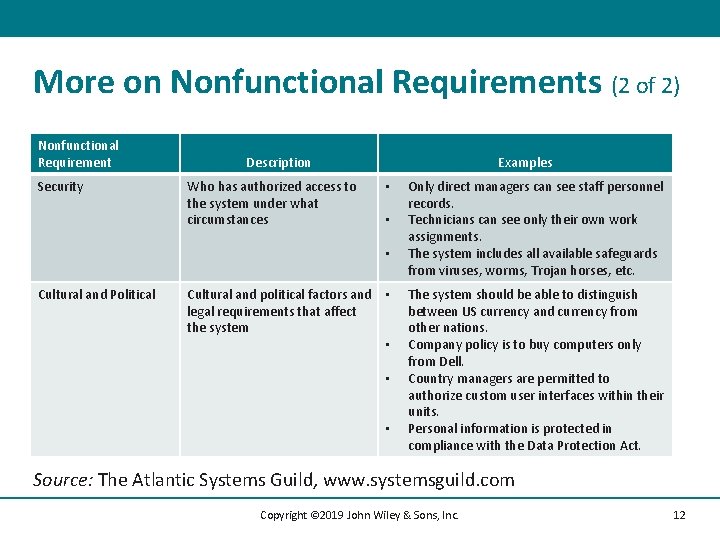
More on Nonfunctional Requirements (2 of 2) Nonfunctional Requirement Security Description Who has authorized access to the system under what circumstances Examples • • • Cultural and Political Cultural and political factors and • legal requirements that affect the system • • • Only direct managers can see staff personnel records. Technicians can see only their own work assignments. The system includes all available safeguards from viruses, worms, Trojan horses, etc. The system should be able to distinguish between US currency and currency from other nations. Company policy is to buy computers only from Dell. Country managers are permitted to authorize custom user interfaces within their units. Personal information is protected in compliance with the Data Protection Act. Source: The Atlantic Systems Guild, www. systemsguild. com Copyright © 2019 John Wiley & Sons, Inc. 12
Documenting Requirements • Requirements definition report • Text document listing requirements in outline form • Organized in logical groupings • Priorities may be included • Key purpose is to define the project scope • what is included • what is not included. Copyright © 2019 John Wiley & Sons, Inc. 13
Requirements Elicitation Techniques Ways to discover requirements Copyright © 2019 John Wiley & Sons, Inc. 14
Requirements Elicitation in Practice • Use every interaction with managers and users to garner interest, support, and enthusiasm for project • Choose participants carefully • Make respectful use of people’s time Copyright © 2019 John Wiley & Sons, Inc. 15
Interviews (1 of 2) • Most important and most used fact-finding technique • The systems analysts collects information from individuals face to face • Who should be interviewed? • Managers in early project stages to get broad understanding • Staff can provide details and specifics later. • Political issues are important – may be necessary to interview influential people, even if they are not too knowledgeable Copyright © 2019 John Wiley & Sons, Inc. 16
Interviews (2 of 2) • Interview Structure • Top-Down (broad to specific; most common) • Bottom-up (specific to broad; useful for collecting details) • Question Type • Open-ended – broad concepts; opinions • Closed-ended – learn or confirm facts and details • Probing – resolve confusion; follow-up Copyright © 2019 John Wiley & Sons, Inc. 17
Interview as a Requirements Elicitation Technique strengths • Interviewee can respond freely and openly to questions. • Interviewee can be asked for more feedback. • Questions can be adapted or reworded for each individual. • Interviewee’s nonverbal communication can be observed. weaknesses • Very time-consuming, and therefore costly, fact-finding approach. • Success is highly dependent on the systems analyst's human relations skills. • May be impractical due to the location of interviewees. Copyright © 2019 John Wiley & Sons, Inc. 18
Interviewing – Practical Tips • • • Prepare, prepare! Don’t waste the interviewee’s time Take notes during and after the interview Don’t be afraid to ask for clarification Be aware of non-verbal cues (body language) Send interview summary as soon as possible. Request confirmation and corrections Copyright © 2019 John Wiley & Sons, Inc. 19
JAD – Joint Application Development • An extensive, structured group process • GOAL: produce complete requirements definition document • Directly involves project sponsor, key managers, and key users with systems analysts • Requires a trained facilitator • Requires a comfortable facility for long-term, intensive group work; preferably off-site • Expensive but valuable Copyright © 2019 John Wiley & Sons, Inc. 20
Electronic JAD – e-JAD • Any group activity may experience problems with group dynamics • e-JAD helps group overcome group dynamic issues – dominance, status differences, fear of reprisal • e-JAD provides ways for members to contribute, comment on, and rate ideas anonymously • Requires a trained e-JAD facilitator and groupware software Copyright © 2019 John Wiley & Sons, Inc. 21
JAD Practical Tips • Obtain training as a facilitator • Top management support needed to enable the right people to commit to the JAD sessions • Following completion of JAD sessions, distribute Requirements Definition document to group for confirmation and correction • Introduce JAD to organization with small demo project and build on that experience Copyright © 2019 John Wiley & Sons, Inc. 22
Questionnaires (1 of 2) • Special-purpose documents that allow the analyst to collect information and opinions from respondents. • Mass produced and distributed. • Respondents complete the questionnaire on their own time. • Facts are collected from a large number of people while maintaining uniform responses. • When dealing with a large audience, no other fact-finding technique can tabulate the same facts as efficiently. Copyright © 2019 John Wiley & Sons, Inc. 23
Questionnaires (2 of 2) • Fixed-format questions • Similar to a multiple-choice exam question • Must be able to anticipate potential answers to questions • Easy to tabulate results • Free-format questions • Like an essay question – open-ended • Response is unpredictable • Harder to tabulate results Copyright © 2019 John Wiley & Sons, Inc. 24
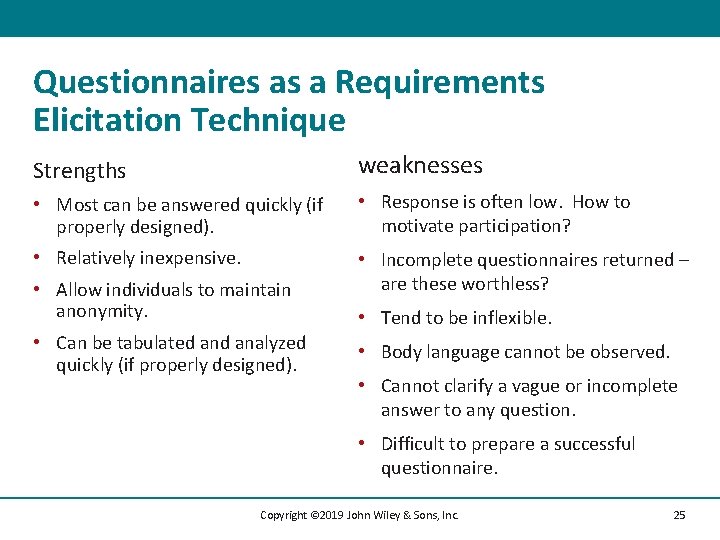
Questionnaires as a Requirements Elicitation Technique Strengths weaknesses • Most can be answered quickly (if properly designed). • Response is often low. How to motivate participation? • Relatively inexpensive. • Incomplete questionnaires returned – are these worthless? • Allow individuals to maintain anonymity. • Can be tabulated analyzed quickly (if properly designed). • Tend to be inflexible. • Body language cannot be observed. • Cannot clarify a vague or incomplete answer to any question. • Difficult to prepare a successful questionnaire. Copyright © 2019 John Wiley & Sons, Inc. 25
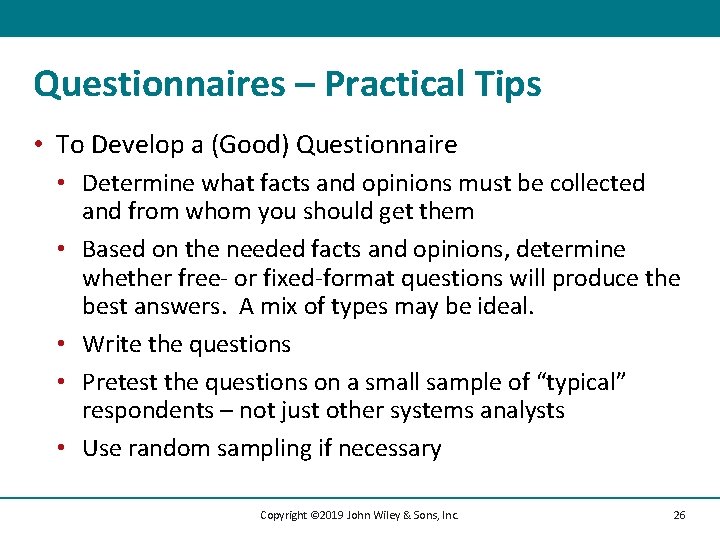
Questionnaires – Practical Tips • To Develop a (Good) Questionnaire • Determine what facts and opinions must be collected and from whom you should get them • Based on the needed facts and opinions, determine whether free- or fixed-format questions will produce the best answers. A mix of types may be ideal. • Write the questions • Pretest the questions on a small sample of “typical” respondents – not just other systems analysts • Use random sampling if necessary Copyright © 2019 John Wiley & Sons, Inc. 26
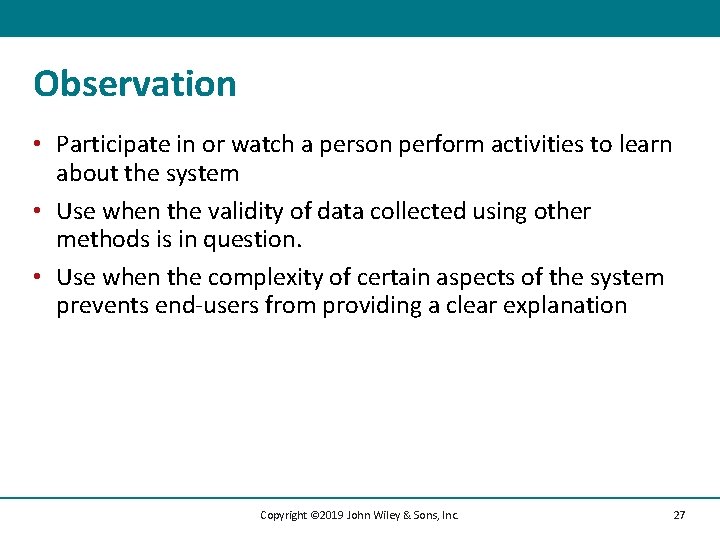
Observation • Participate in or watch a person perform activities to learn about the system • Use when the validity of data collected using other methods is in question. • Use when the complexity of certain aspects of the system prevents end-users from providing a clear explanation Copyright © 2019 John Wiley & Sons, Inc. 27
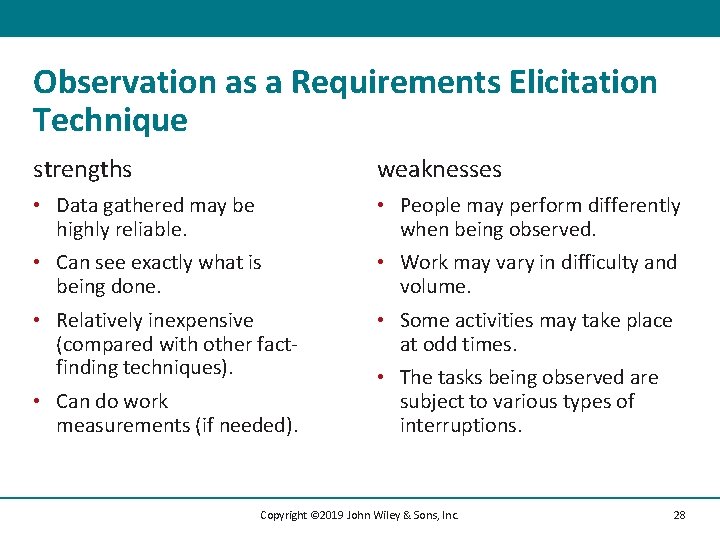
Observation as a Requirements Elicitation Technique strengths weaknesses • Data gathered may be highly reliable. • People may perform differently when being observed. • Can see exactly what is being done. • Work may vary in difficulty and volume. • Relatively inexpensive (compared with other factfinding techniques). • Some activities may take place at odd times. • Can do work measurements (if needed). • The tasks being observed are subject to various types of interruptions. Copyright © 2019 John Wiley & Sons, Inc. 28
Observation– Practical Tips • To Do Observation Well… • Properly plan for observation. • Obtain approval and inform people of your purpose. • Conduct observations first when the work load is normal, followed by observations during peak periods. • Obtain samples of documents or forms that will be used by those being observed. • Apply the sampling techniques discussed earlier for observation. • Review observation notes with appropriate individuals. Copyright © 2019 John Wiley & Sons, Inc. 29
Document Analysis (1 of 2) • Collect Facts from Existing Documentation • Organizational chart. • History that led to the project. • Documentation from previous system studies and designs performed by systems analysts and consultants. • Analyze Facts to Determine Currency • Even outdated documentation may be useful • Must recognize what is current and what is outdated. Copyright © 2019 John Wiley & Sons, Inc. 30
Document Analysis (2 of 2) • Analyze to Understand the Documentation • Take notes, draw pictures, and use systems analysis and design tools to model what you are learning or proposing for the system. • Use Appropriate Sampling Techniques Copyright © 2019 John Wiley & Sons, Inc. 31
Document Analysis – Practical Tips • To Employ Document Analysis Well… • Good place to start • • • History Vocabulary Key personnel • Learn as much as you can from existing documentation. • People get annoyed being asked about things you could have learned from existing documentation. Copyright © 2019 John Wiley & Sons, Inc. 32
Comparing Techniques (1 of 2) • • • Depth Breadth Integration User involvement Cost Copyright © 2019 John Wiley & Sons, Inc. 33
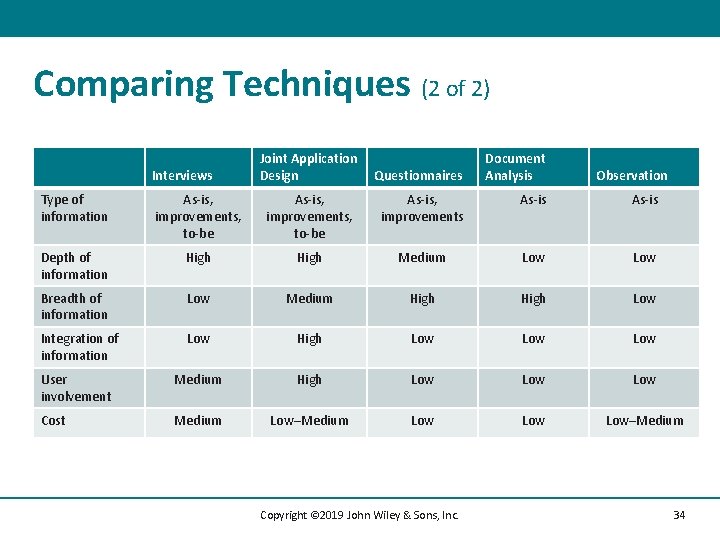
Comparing Techniques (2 of 2) Interviews Joint Application Design Questionnaires Document Analysis Observation Type of information As-is, improvements, to-be As-is, improvements As-is Depth of information High Medium Low Breadth of information Low Medium High Low Integration of information Low High Low Low User involvement Medium High Low Low Cost Medium Low–Medium Low Low–Medium Copyright © 2019 John Wiley & Sons, Inc. 34
Requirements Analysis Strategies Ways to discover true underlying requirements Copyright © 2019 John Wiley & Sons, Inc. 35
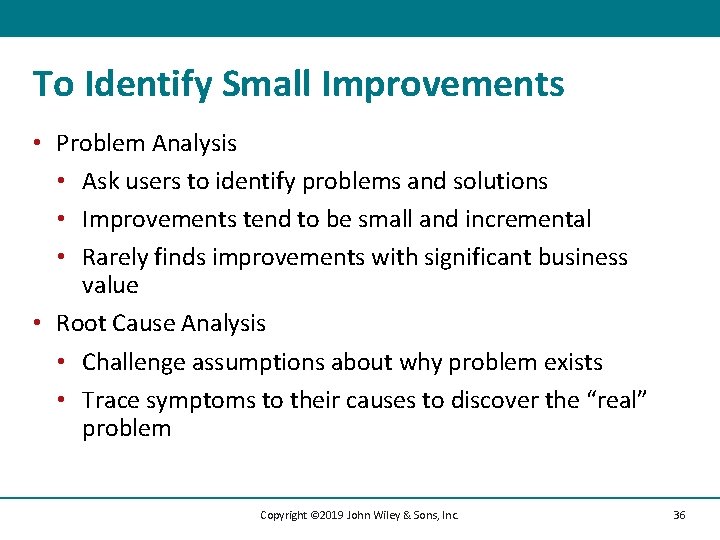
To Identify Small Improvements • Problem Analysis • Ask users to identify problems and solutions • Improvements tend to be small and incremental • Rarely finds improvements with significant business value • Root Cause Analysis • Challenge assumptions about why problem exists • Trace symptoms to their causes to discover the “real” problem Copyright © 2019 John Wiley & Sons, Inc. 36
To Identify Moderate Improvements • • Goal is to improve efficiency and effectiveness Expect moderate changes to existing systems Expect moderate impact and value to organization Types of activities: • Duration Analysis • Activity-Based Costing • Informal Benchmarking Copyright © 2019 John Wiley & Sons, Inc. 37
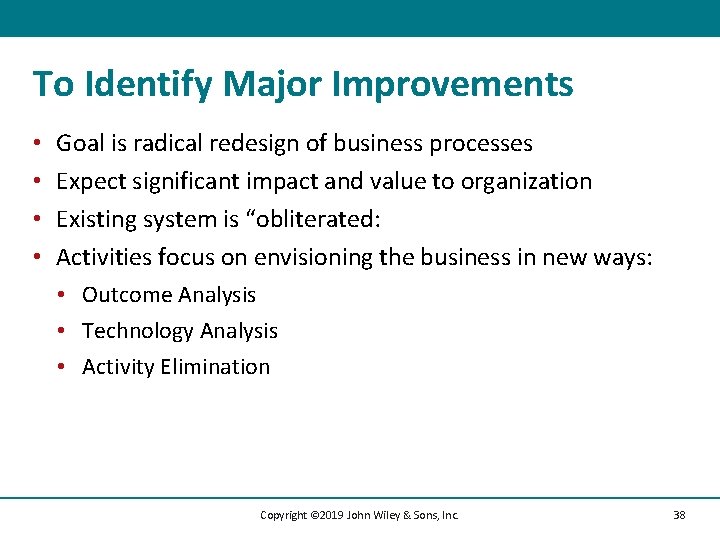
To Identify Major Improvements • • Goal is radical redesign of business processes Expect significant impact and value to organization Existing system is “obliterated: Activities focus on envisioning the business in new ways: • Outcome Analysis • Technology Analysis • Activity Elimination Copyright © 2019 John Wiley & Sons, Inc. 38
Outcome Analysis • Consider desirable outcomes from customers’ perspective • Consider what the organization could enable the customer to do • Brainstorm on desirable customer outcomes enabled by Information Systems and new technologies Copyright © 2019 John Wiley & Sons, Inc. 39
Technology Analysis • Analysts list important and interesting technologies • Managers list important and interesting technologies • The group reviews each list and identifies how each technology might apply to and benefit the business • Brainstorming with special emphasis on technology use Copyright © 2019 John Wiley & Sons, Inc. 40
Activity Elimination • Identify what would happen if each organizational activity were eliminated • Use “force-fit” to test all possibilities • Insist that all activities are potentially eliminated, even if it seems preposterous. • Brainstorming technique that helps to overcome “but we’ve always done it that way” limitations on thinking Copyright © 2019 John Wiley & Sons, Inc. 41
Practical Tips – Summing It Up (1 of 4) • Do your homework • Use indirect sources for orientation to the environment (research, document analysis) • Respect the participants’ time • Select participants carefully – political influence can be important • Use requirements-gathering process to “promote” the project Copyright © 2019 John Wiley & Sons, Inc. 42
Practical Tips – Summing It Up (2 of 4) • Document analysis • Problem history, terminology/vocabulary; key players • Observation • Rich data source but remember to interpret carefully. Focus on “real” system, not by-the-book • Surveys/questionnaires • Broad coverage, lower costs • Pretest with “typical” respondents • Be creative to encourage participation Copyright © 2019 John Wiley & Sons, Inc. 43
Practical Tips – Summing It Up (3 of 4) • Joint Application Development (JAD/e-JAD) • Trained facilitator is essential to success • Select participants carefully • Proven to reduce scope creep because participants understand the process of identifying requirements Copyright © 2019 John Wiley & Sons, Inc. 44
Practical Tips – Summing It Up (4 of 4) • Interviews • NOT a simple conversational dialogue • Planning and preparation pay off • Get a range of perspectives – managerial to operational • Use an approach that suits the interviewee • Allow time to digest what you have learned • Remember to follow-up to confirm/clarify • Be ready to handle unexpected behaviors Copyright © 2019 John Wiley & Sons, Inc. 45
After reading and studying this chapter, you should be able to: (1 of 3) • Explain the purpose of the analysis phase. Discuss how its purpose differs from the design phase. • Discuss the contents and purpose of the system proposal. • Explain the concept of a requirement in an IS development project. • Discuss the difference between a functional requirement and a nonfunctional requirement. Explain how both contribute to our understanding of the new information system. • Discuss how to use interviews when eliciting requirements. • Discuss how to use JAD when eliciting requirements. • Discuss how to use questionnaires when eliciting requirements. Copyright © 2018 John Wiley & Sons, Inc. 46
After reading and studying this chapter, you should be able to: (2 of 3) • • • Discuss how to use document analysis when eliciting requirements. Discuss how to use observation when eliciting requirements. Describe the problem analysis strategy and how it contributes to the analysis phase. Describe the root cause analysis strategy and how it contributes to the analysis phase. Describe the duration analysis strategy and how it contributes to the analysis phase. Describe the activity-based costing strategy and how it contributes to the analysis phase. Copyright © 2018 John Wiley & Sons, Inc. 47
After reading and studying this chapter, you should be able to: (3 of 3) Describe the informal benchmarking strategy and how it contributes to the analysis phase. • Describe the outcome analysis strategy and how it contributes to the analysis phase. • Describe the technology analysis strategy and how it contributes to the analysis phase. • Describe the activity elimination strategy and how it contributes to the analysis phase. • Copyright © 2018 John Wiley & Sons, Inc. 48
Copyright © 2019 John Wiley & Sons, Inc. All rights reserved. Reproduction or translation of this work beyond that permitted in Section 117 of the 1976 United States Act without the express written permission of the copyright owner is unlawful. Request for further information should be addressed to the Permissions Department, John Wiley & Sons, Inc. The purchaser may make back-up copies for his/her own use only and not for distribution or resale. The Publisher assumes no responsibility for errors, omissions, or damages, caused by the use of these programs or from the use of the information contained herein. Copyright © 2019 John Wiley & Sons, Inc. 49