
Chapter 3 OperatingSystem Structures n System Components n
- Slides: 40
Chapter 3: Operating-System Structures n System Components n Operating System Services n System Calls n Communication Models n Operating System Structures
Common System Components n Process Management n Main Memory Management n File Management n Secondary Storage Management n I/O System Management n Networking n Protection System
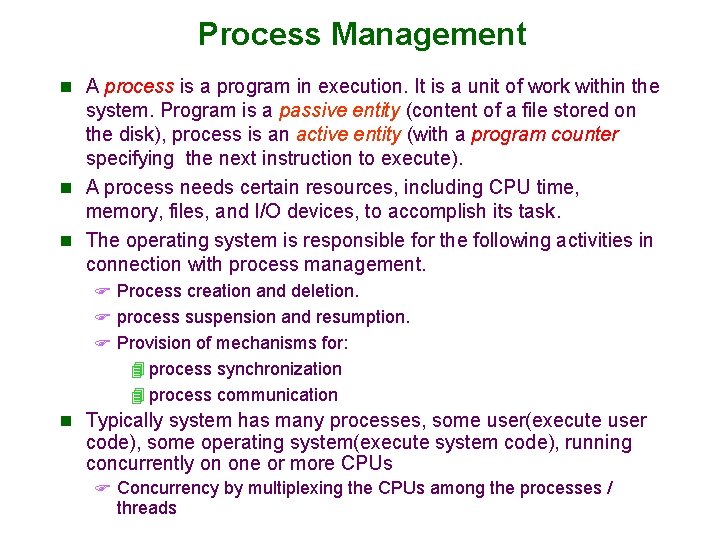
Process Management n A process is a program in execution. It is a unit of work within the system. Program is a passive entity (content of a file stored on the disk), process is an active entity (with a program counter specifying the next instruction to execute). n A process needs certain resources, including CPU time, memory, files, and I/O devices, to accomplish its task. n The operating system is responsible for the following activities in connection with process management. F Process creation and deletion. F process suspension and resumption. F Provision of mechanisms for: 4 process synchronization 4 process communication n Typically system has many processes, some user(execute user code), some operating system(execute system code), running concurrently on one or more CPUs F Concurrency by multiplexing the CPUs among the processes / threads
Process Management Activities The operating system is responsible for the following activities in connection with process management: n Creating and deleting both user and system processes n Suspending and resuming processes n Providing mechanisms for process synchronization n Providing mechanisms for process communication n Providing mechanisms for deadlock handling
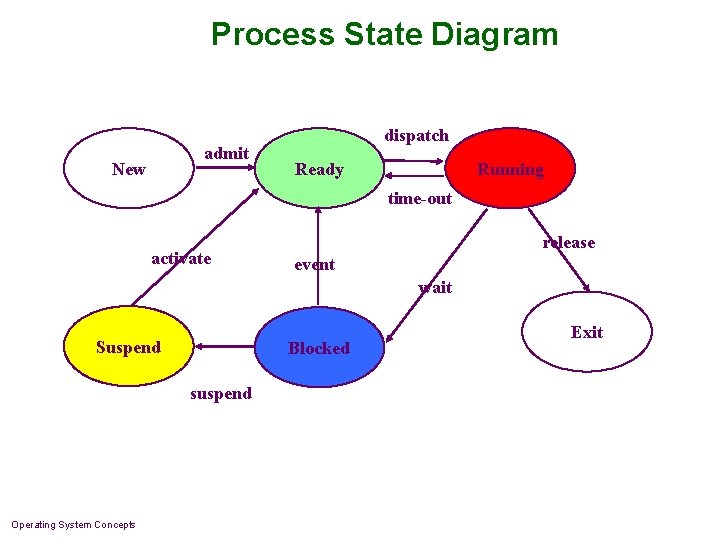
Process State Diagram admit New dispatch Ready Running time-out activate release event wait Suspend Blocked suspend Operating System Concepts Exit
Main-Memory Management n Memory is a large array of words or bytes, each with its own n n address. Memory is a repository of quickly accessible data shared by the CPU and I/O devices. To execute a program (or part) all of the instructions must be in memory All (or part) of the data that is needed by the program must be in memory. Main memory is a volatile storage device. It loses its contents in the case of system failure. Memory management determines what is in memory and when F Optimizing CPU utilization and computer response to users n Memory management activities: F Keeping track of which parts of memory are currently being used and by whom F Deciding which processes (or parts of processes) and data to move into and out of memory F Allocating and deallocating memory space as needed
File Management n OS provides uniform, logical view of information storage F Abstracts physical properties to logical storage unit - file F A file is a collection of related information defined by its creator. Commonly, files represent programs (both source and object forms) and data. F Each medium is controlled by device (i. e. , disk drive, tape drive). 4 Varying properties include access speed, capacity, datatransfer rate, access method (sequential or random). n File-System management F Files usually organized into directories F Access control on most systems to determine who can access and how (read, write, append) F OS activities include 4 Creating and deleting files and directories 4 Primitives to manipulate(change name, type etc. ) files and directories 4 Mapping files onto secondary storage 4 Backup files onto stable (non-volatile) storage media
Secondary-Storage Management n Since main memory (primary storage) is volatile and too small to accommodate all data and programs permanently, the computer system must provide secondary storage to back up main memory. n Usually disks used to store data and programs that does not fit in main memory or data that must be kept for a “long” period of time. n The operating system is responsible for the following activities in connection with disk management: F Free space management F Storage allocation F Disk scheduling
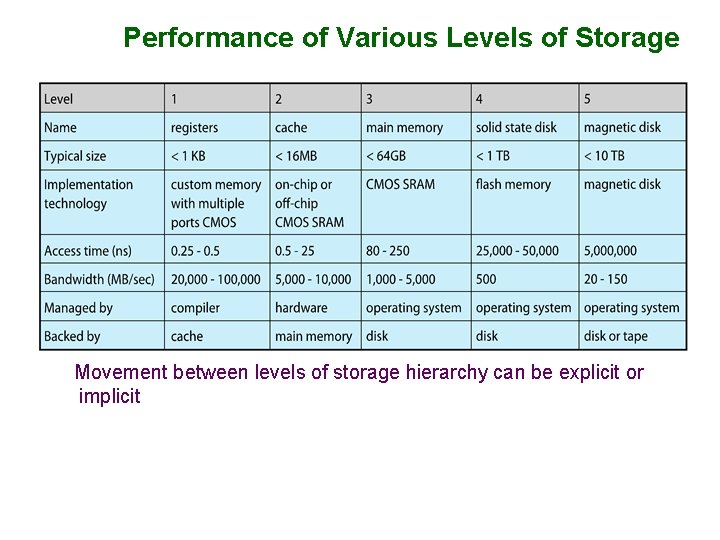
Performance of Various Levels of Storage Movement between levels of storage hierarchy can be explicit or implicit
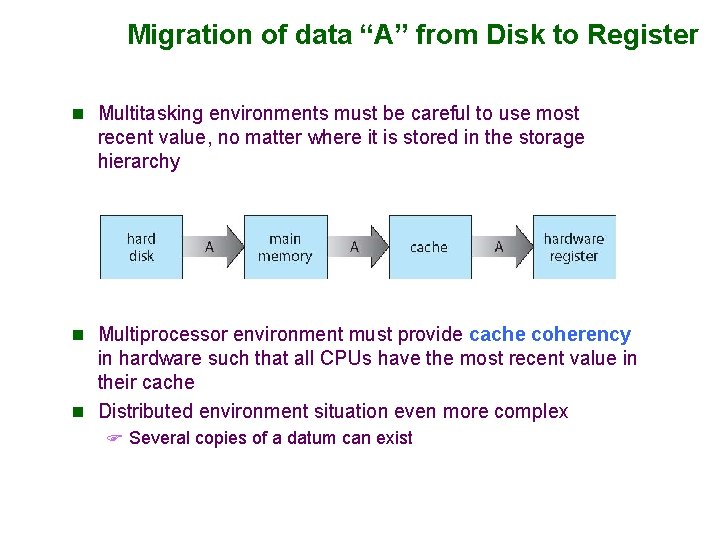
Migration of data “A” from Disk to Register n Multitasking environments must be careful to use most recent value, no matter where it is stored in the storage hierarchy n Multiprocessor environment must provide cache coherency in hardware such that all CPUs have the most recent value in their cache n Distributed environment situation even more complex F Several copies of a datum can exist
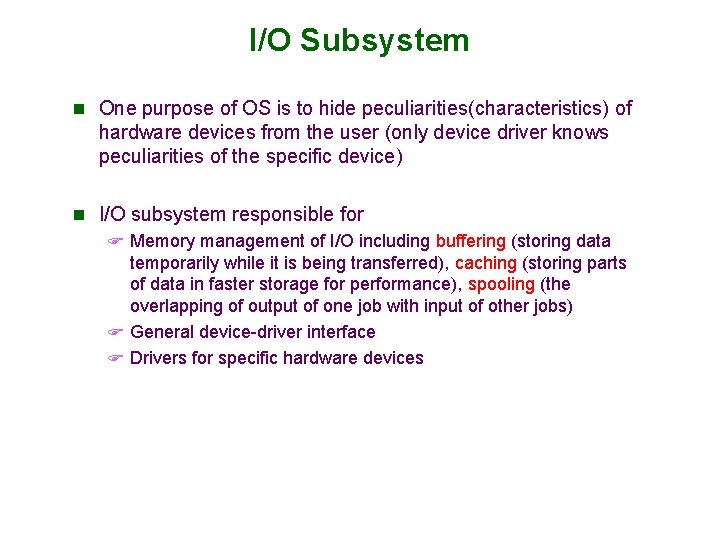
I/O Subsystem n One purpose of OS is to hide peculiarities(characteristics) of hardware devices from the user (only device driver knows peculiarities of the specific device) n I/O subsystem responsible for F Memory management of I/O including buffering (storing data temporarily while it is being transferred), caching (storing parts of data in faster storage for performance), spooling (the overlapping of output of one job with input of other jobs) F General device-driver interface F Drivers for specific hardware devices
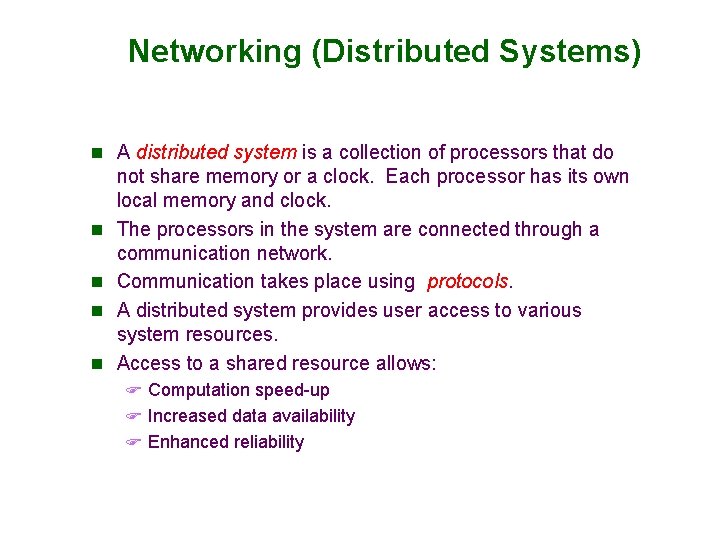
Networking (Distributed Systems) n A distributed system is a collection of processors that do n n not share memory or a clock. Each processor has its own local memory and clock. The processors in the system are connected through a communication network. Communication takes place using protocols. A distributed system provides user access to various system resources. Access to a shared resource allows: F Computation speed-up F Increased data availability F Enhanced reliability
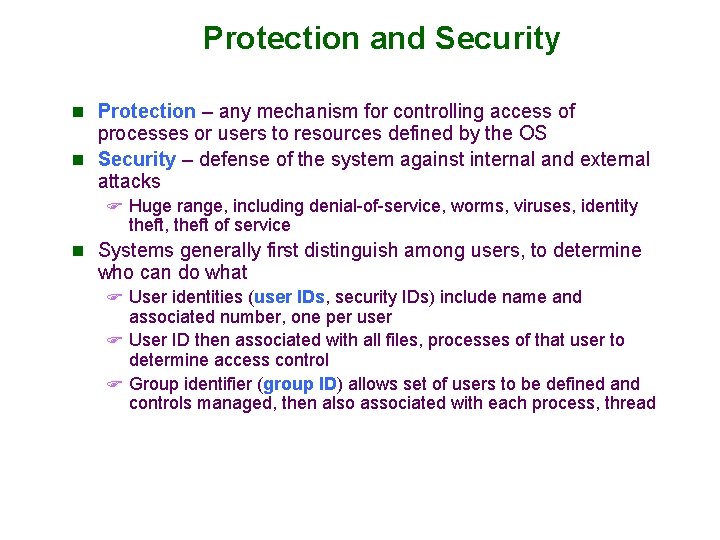
Protection and Security n Protection – any mechanism for controlling access of processes or users to resources defined by the OS n Security – defense of the system against internal and external attacks F Huge range, including denial-of-service, worms, viruses, identity theft, theft of service n Systems generally first distinguish among users, to determine who can do what F User identities (user IDs, security IDs) include name and associated number, one per user F User ID then associated with all files, processes of that user to determine access control F Group identifier (group ID) allows set of users to be defined and controls managed, then also associated with each process, thread
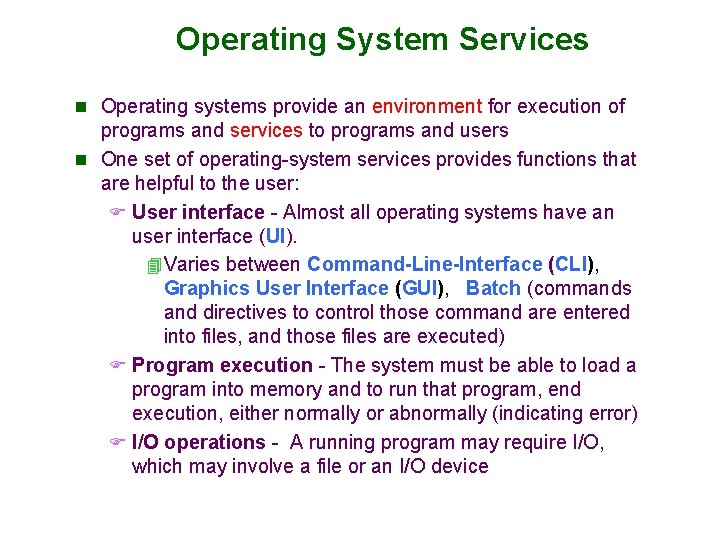
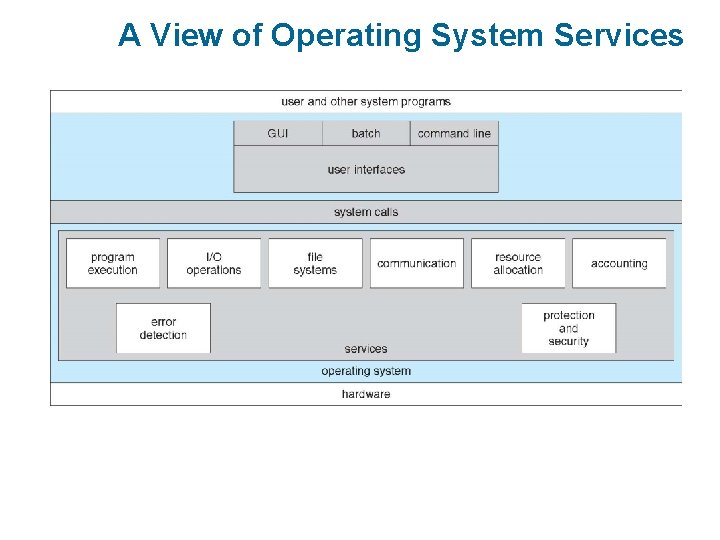
Operating System Services n Operating systems provide an environment for execution of programs and services to programs and users n One set of operating-system services provides functions that are helpful to the user: F User interface - Almost all operating systems have an user interface (UI). 4 Varies between Command-Line-Interface (CLI), Graphics User Interface (GUI), Batch (commands and directives to control those command are entered into files, and those files are executed) F Program execution - The system must be able to load a program into memory and to run that program, end execution, either normally or abnormally (indicating error) F I/O operations - A running program may require I/O, which may involve a file or an I/O device
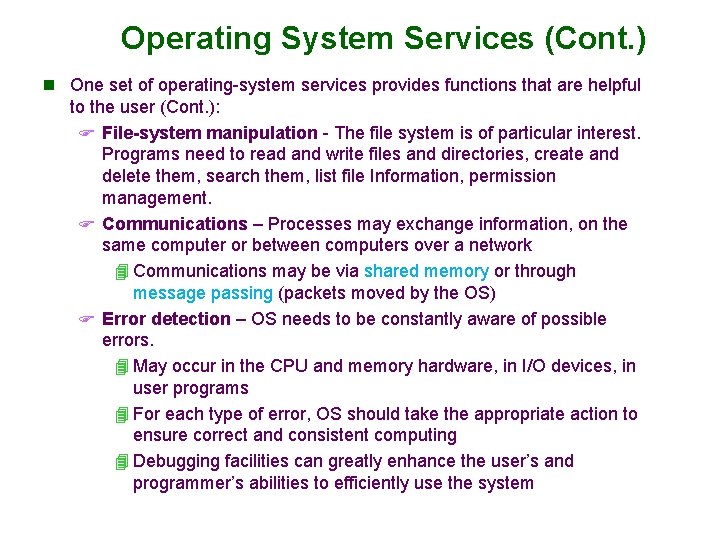
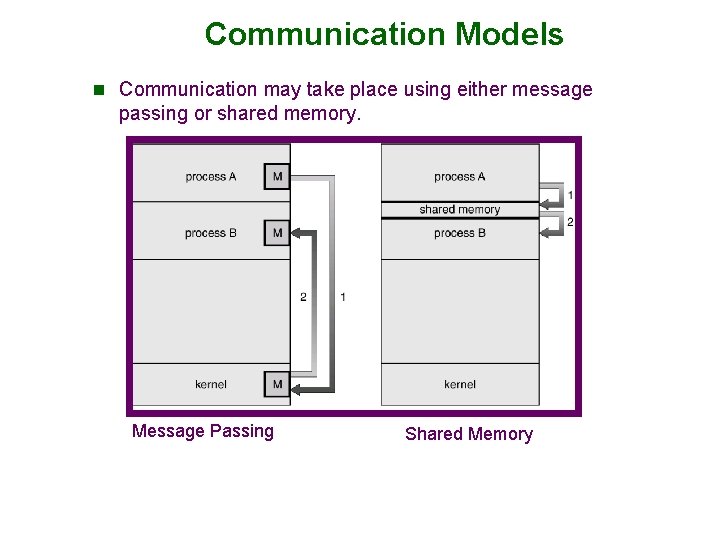
Operating System Services (Cont. ) n One set of operating-system services provides functions that are helpful to the user (Cont. ): F File-system manipulation - The file system is of particular interest. Programs need to read and write files and directories, create and delete them, search them, list file Information, permission management. F Communications – Processes may exchange information, on the same computer or between computers over a network 4 Communications may be via shared memory or through message passing (packets moved by the OS) F Error detection – OS needs to be constantly aware of possible errors. 4 May occur in the CPU and memory hardware, in I/O devices, in user programs 4 For each type of error, OS should take the appropriate action to ensure correct and consistent computing 4 Debugging facilities can greatly enhance the user’s and programmer’s abilities to efficiently use the system
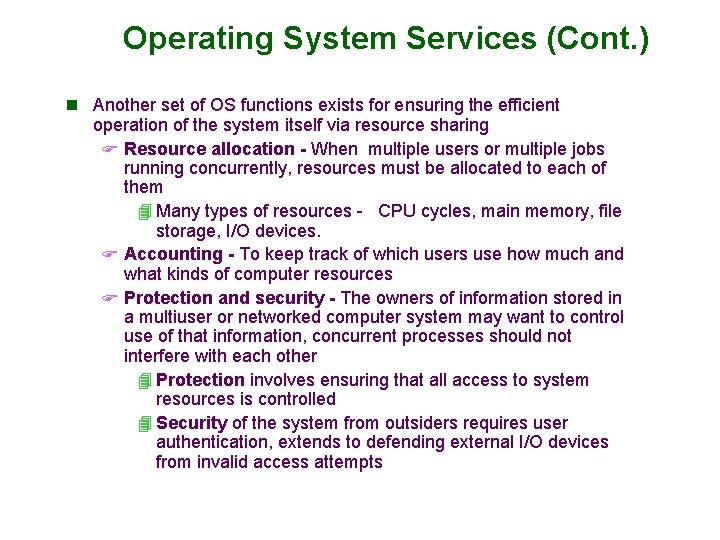
Operating System Services (Cont. ) n Another set of OS functions exists for ensuring the efficient operation of the system itself via resource sharing F Resource allocation - When multiple users or multiple jobs running concurrently, resources must be allocated to each of them 4 Many types of resources - CPU cycles, main memory, file storage, I/O devices. F Accounting - To keep track of which users use how much and what kinds of computer resources F Protection and security - The owners of information stored in a multiuser or networked computer system may want to control use of that information, concurrent processes should not interfere with each other 4 Protection involves ensuring that all access to system resources is controlled 4 Security of the system from outsiders requires user authentication, extends to defending external I/O devices from invalid access attempts
A View of Operating System Services
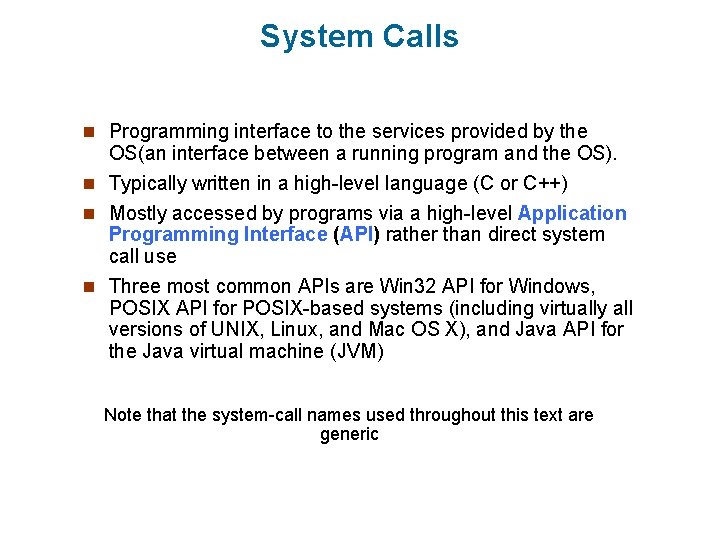
System Calls n Programming interface to the services provided by the OS(an interface between a running program and the OS). n Typically written in a high-level language (C or C++) n Mostly accessed by programs via a high-level Application Programming Interface (API) rather than direct system call use n Three most common APIs are Win 32 API for Windows, POSIX API for POSIX-based systems (including virtually all versions of UNIX, Linux, and Mac OS X), and Java API for the Java virtual machine (JVM) Note that the system-call names used throughout this text are generic
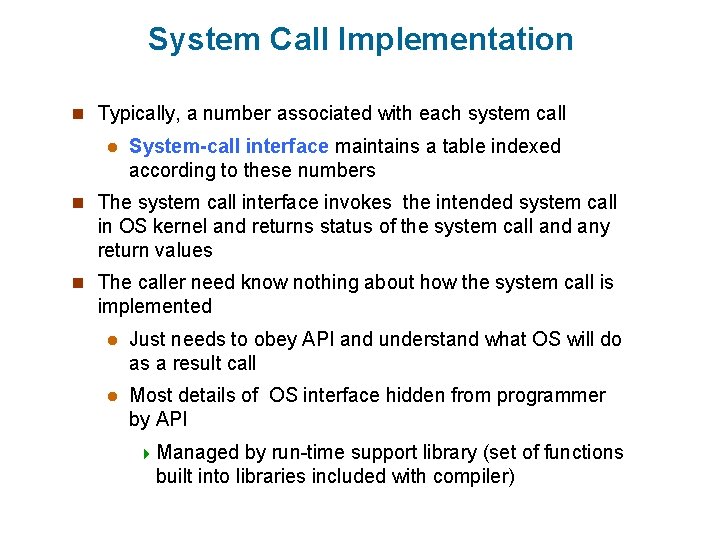
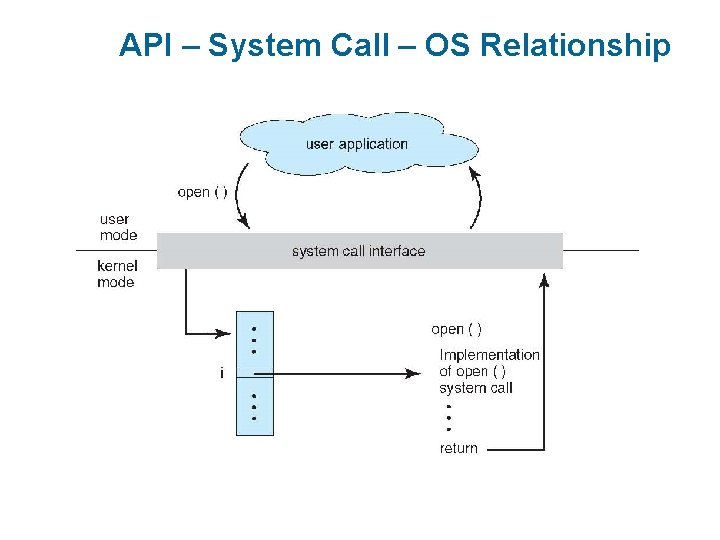
System Call Implementation n Typically, a number associated with each system call l System-call interface maintains a table indexed according to these numbers n The system call interface invokes the intended system call in OS kernel and returns status of the system call and any return values n The caller need know nothing about how the system call is implemented l Just needs to obey API and understand what OS will do as a result call l Most details of OS interface hidden from programmer by API 4 Managed by run-time support library (set of functions built into libraries included with compiler)
API – System Call – OS Relationship
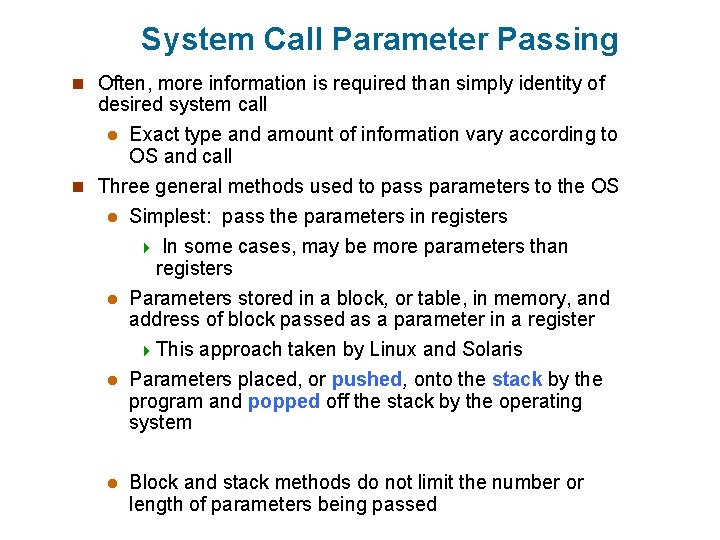
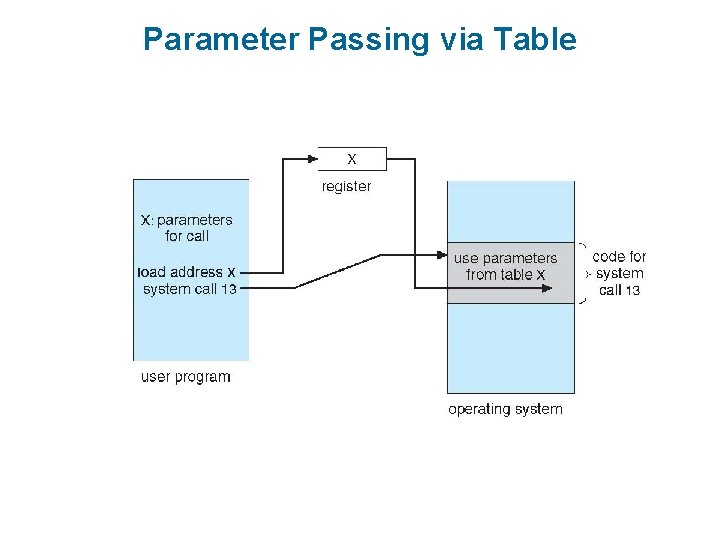
System Call Parameter Passing n Often, more information is required than simply identity of desired system call l Exact type and amount of information vary according to OS and call n Three general methods used to pass parameters to the OS l Simplest: pass the parameters in registers 4 In some cases, may be more parameters than registers l Parameters stored in a block, or table, in memory, and address of block passed as a parameter in a register 4 This approach taken by Linux and Solaris l Parameters placed, or pushed, onto the stack by the program and popped off the stack by the operating system l Block and stack methods do not limit the number or length of parameters being passed
Parameter Passing via Table
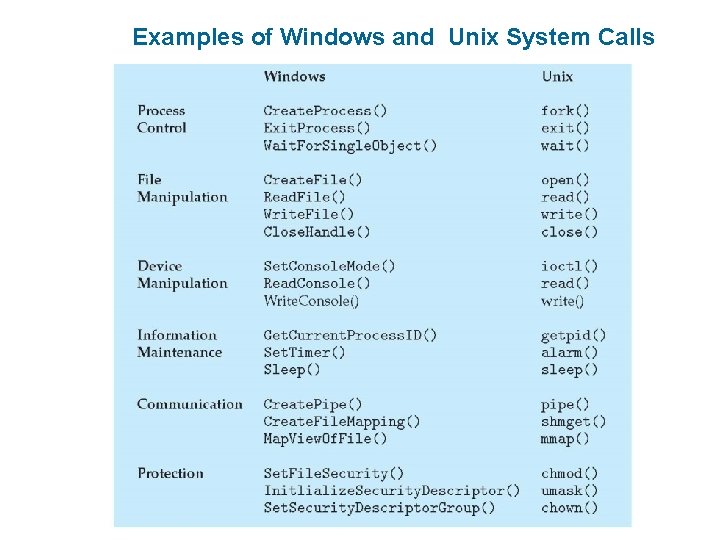
Examples of Windows and Unix System Calls
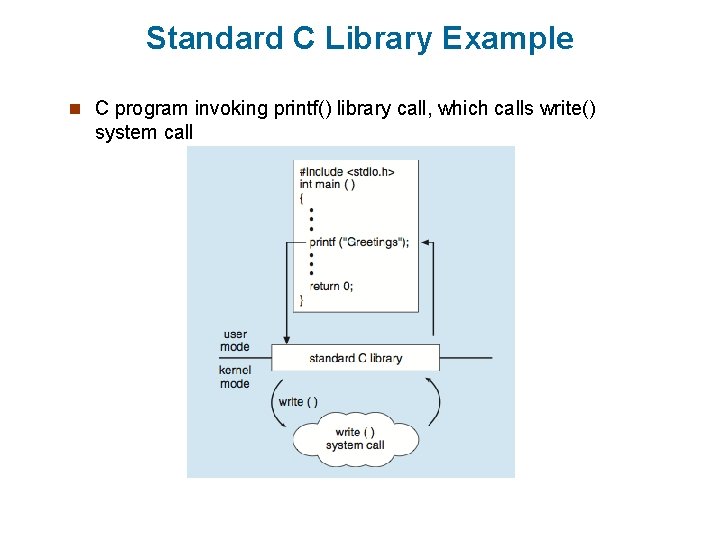
Standard C Library Example n C program invoking printf() library call, which calls write() system call
Communication Models n Communication may take place using either message passing or shared memory. Message Passing Shared Memory
Operating System Structures (reading assignment) n General-purpose OS is very large program n Various ways to structure ones F Simple structure – MS-DOS F More complex -- UNIX F Layered – an abstrcation F Microkernel -Mach
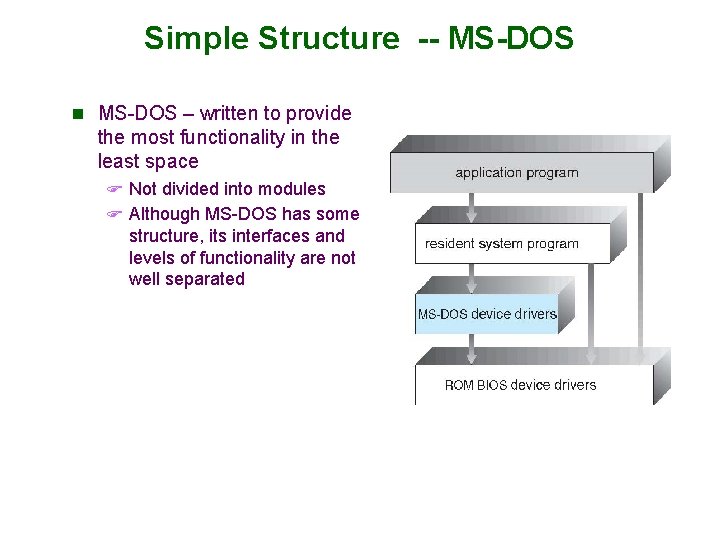
Simple Structure -- MS-DOS n MS-DOS – written to provide the most functionality in the least space F Not divided into modules F Although MS-DOS has some structure, its interfaces and levels of functionality are not well separated
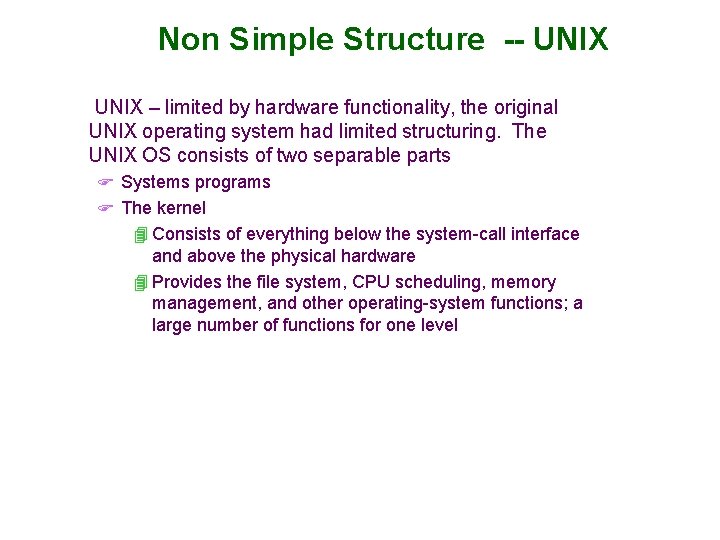
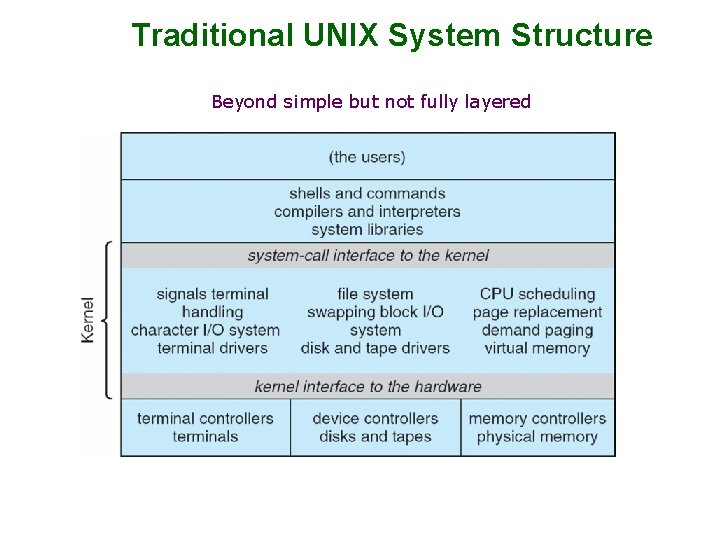
Non Simple Structure -- UNIX – limited by hardware functionality, the original UNIX operating system had limited structuring. The UNIX OS consists of two separable parts F Systems programs F The kernel 4 Consists of everything below the system-call interface and above the physical hardware 4 Provides the file system, CPU scheduling, memory management, and other operating-system functions; a large number of functions for one level
Traditional UNIX System Structure Beyond simple but not fully layered
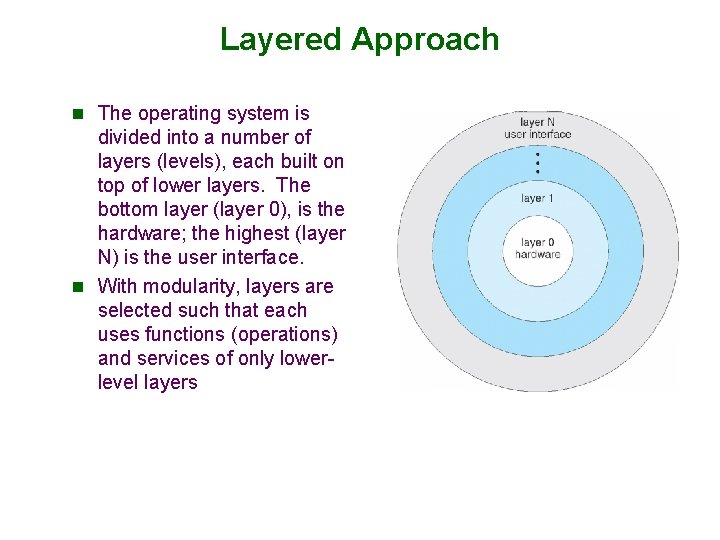
Layered Approach n The operating system is divided into a number of layers (levels), each built on top of lower layers. The bottom layer (layer 0), is the hardware; the highest (layer N) is the user interface. n With modularity, layers are selected such that each uses functions (operations) and services of only lowerlevel layers
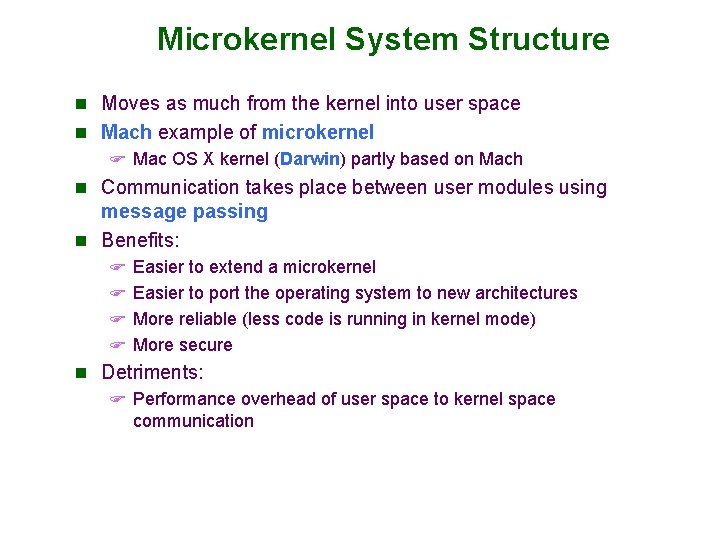
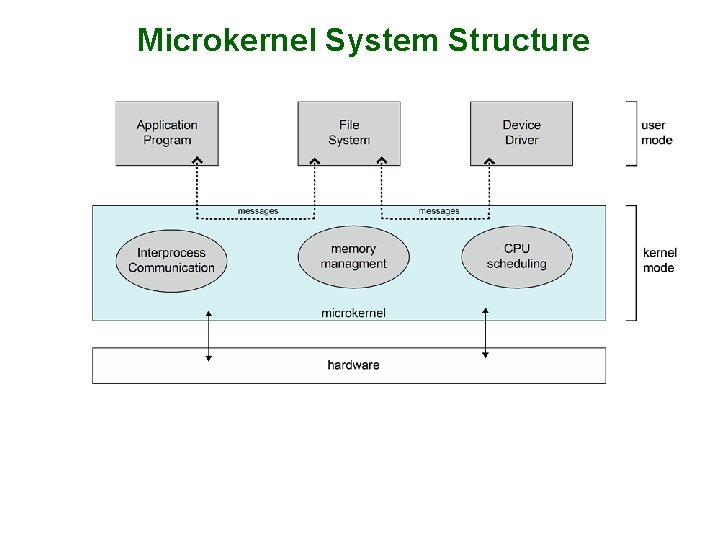
Microkernel System Structure n Moves as much from the kernel into user space n Mach example of microkernel F Mac OS X kernel (Darwin) partly based on Mach n Communication takes place between user modules using message passing n Benefits: F Easier to extend a microkernel F Easier to port the operating system to new architectures F More reliable (less code is running in kernel mode) F More secure n Detriments: F Performance overhead of user space to kernel space communication
Microkernel System Structure
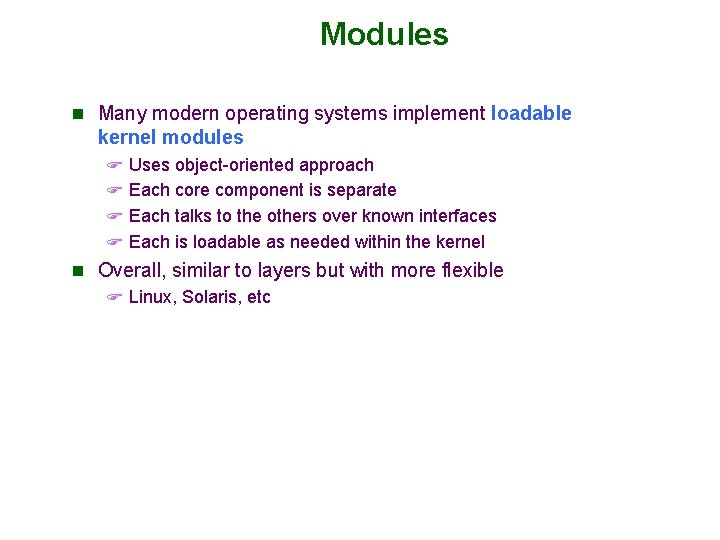
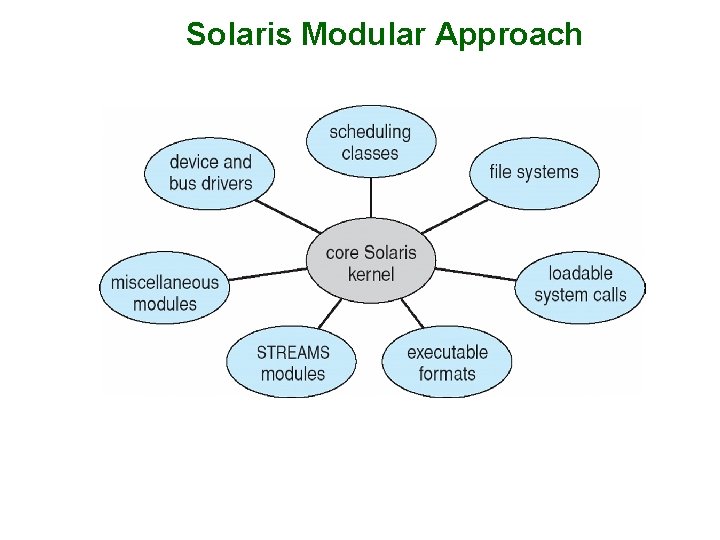
Modules n Many modern operating systems implement loadable kernel modules F Uses object-oriented approach F Each core component is separate F Each talks to the others over known interfaces F Each is loadable as needed within the kernel n Overall, similar to layers but with more flexible F Linux, Solaris, etc
Solaris Modular Approach
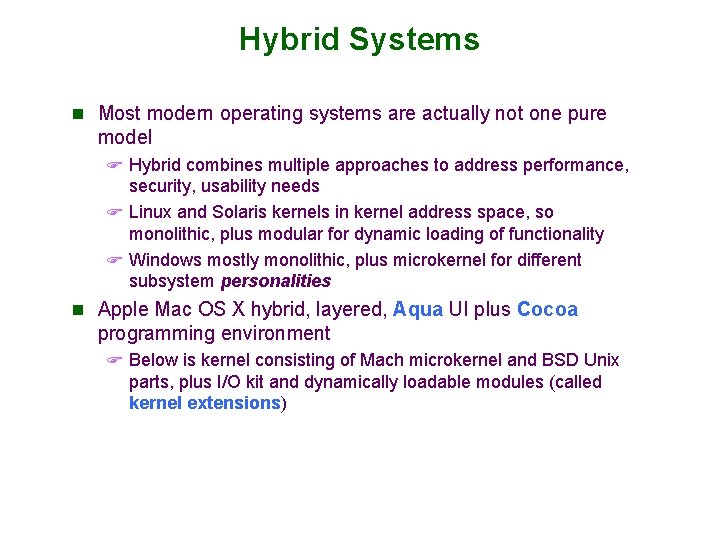
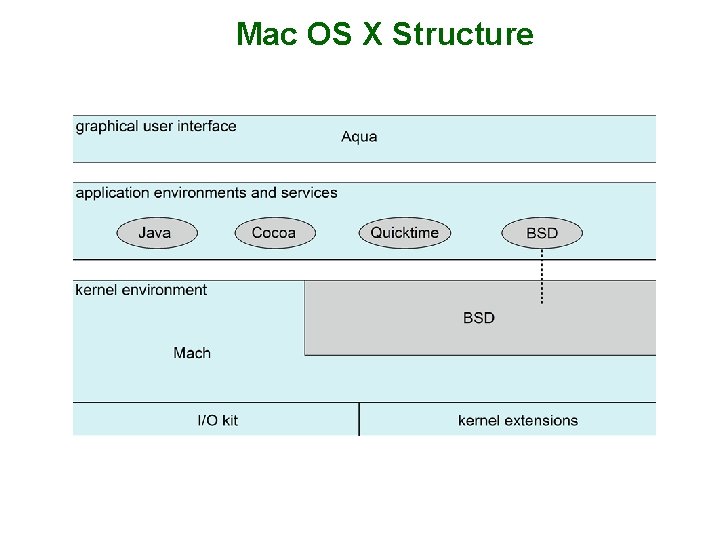
Hybrid Systems n Most modern operating systems are actually not one pure model F Hybrid combines multiple approaches to address performance, security, usability needs F Linux and Solaris kernels in kernel address space, so monolithic, plus modular for dynamic loading of functionality F Windows mostly monolithic, plus microkernel for different subsystem personalities n Apple Mac OS X hybrid, layered, Aqua UI plus Cocoa programming environment F Below is kernel consisting of Mach microkernel and BSD Unix parts, plus I/O kit and dynamically loadable modules (called kernel extensions)
Mac OS X Structure
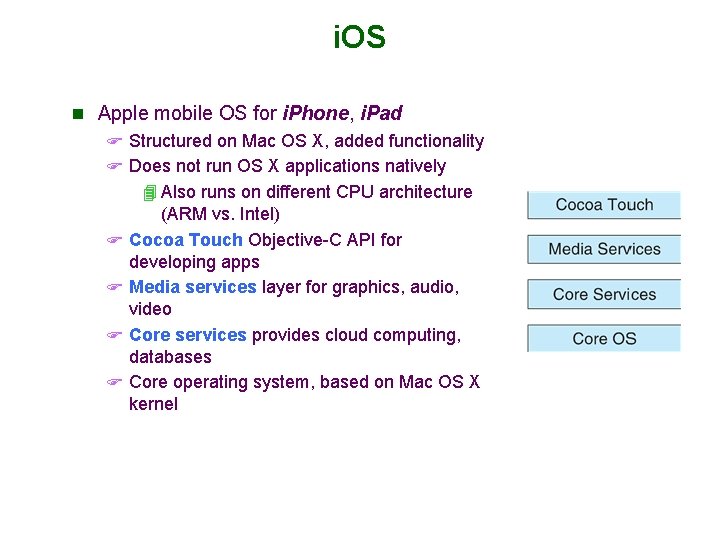
i. OS n Apple mobile OS for i. Phone, i. Pad F Structured on Mac OS X, added functionality F Does not run OS X applications natively 4 Also runs on different CPU architecture (ARM vs. Intel) F Cocoa Touch Objective-C API for developing apps F Media services layer for graphics, audio, video F Core services provides cloud computing, databases F Core operating system, based on Mac OS X kernel
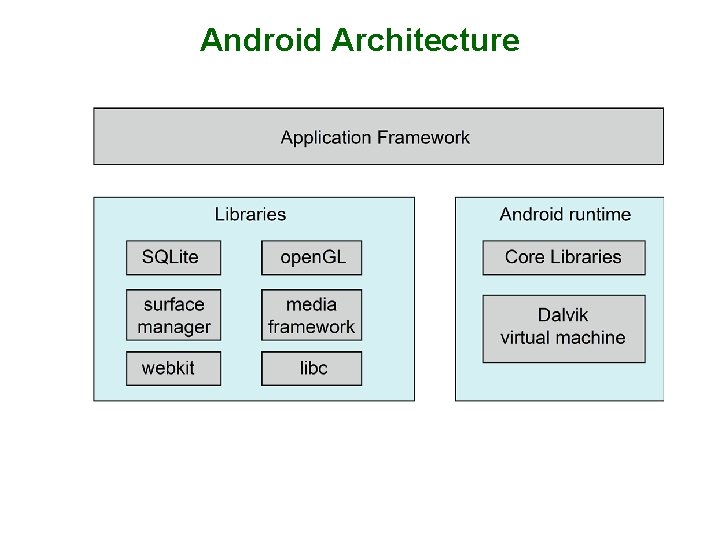
Android n Developed by Open Handset Alliance (mostly Google) F Open Source n Similar stack to IOS n Based on Linux kernel but modified F Provides process, memory, device-driver management F Adds power management n Runtime environment includes core set of libraries and Dalvik virtual machine F Apps developed in Java plus Android API 4 Java class files compiled to Java bytecode then translated to executable than runs in Dalvik VM n Libraries include frameworks for web browser (webkit), database (SQLite), multimedia, smaller libc
Android Architecture
System Boot n When power initialized on system, execution starts at a fixed memory location F Firmware ROM used to hold initial boot code n Operating system must be made available to hardware so hardware can start it F Small piece of code – bootstrap loader, stored in ROM or EEPROM locates the kernel, loads it into memory, and starts it F Bootstrap program initializes all aspects of the system, from CPU registers to device controller to memory contents. n Common bootstrap loader, GRUB, allows selection of kernel from multiple disks, versions, kernel options n Kernel loads and system is then running(it can start providing services to the system and its users).