
Chapter 3 Numeric Types Expressions and Output DaleWeemsHeadington

- Slides: 77
Chapter 3 Numeric Types, Expressions, and Output Dale/Weems/Headington 1
Chapter 3 Topics l l l l l Constants of Type int and float Evaluating Arithmetic Expressions Implicit Type Coercion and Explicit Type Conversion Calling a Value-Returning Function Using Function Arguments Using C++ Library Functions in Expressions Calling a Void Function C++ Manipulators to Format Output String Operations length, find, substr 2
C++ Data Types simple integral enum structured floating array struct union class char short int long bool float double long double address pointer reference 3
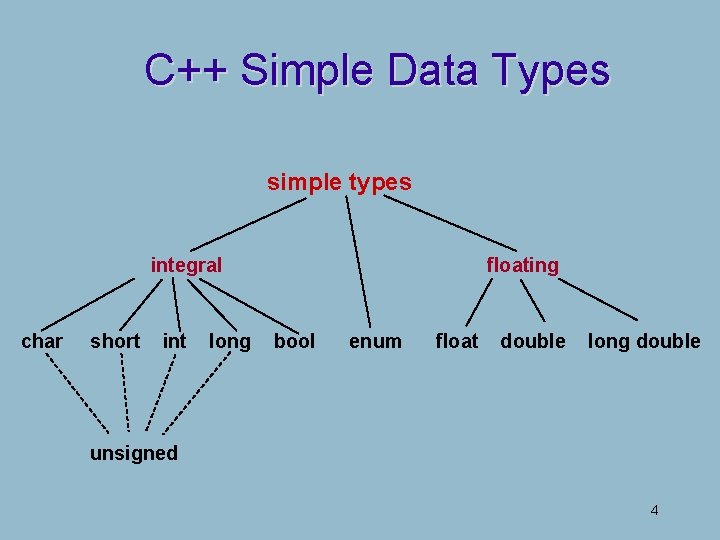
C++ Simple Data Types simple types integral char short int long floating bool enum float double long double unsigned 4
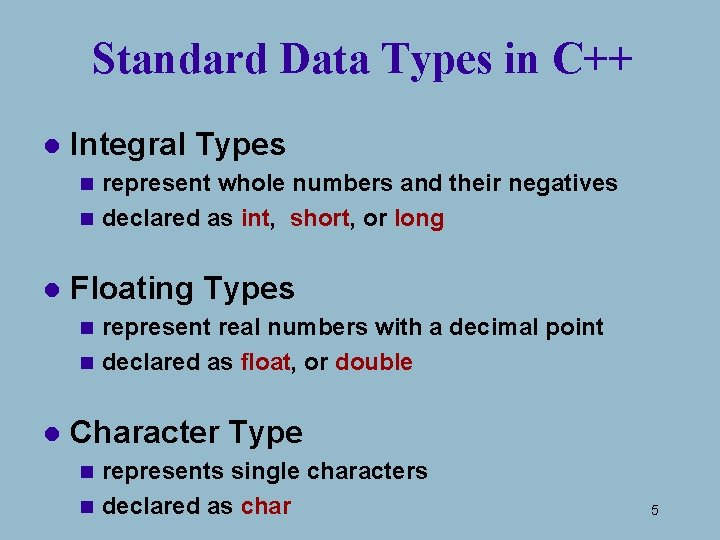
Standard Data Types in C++ l Integral Types represent whole numbers and their negatives n declared as int, short, or long n l Floating Types represent real numbers with a decimal point n declared as float, or double n l Character Type represents single characters n declared as char n 5
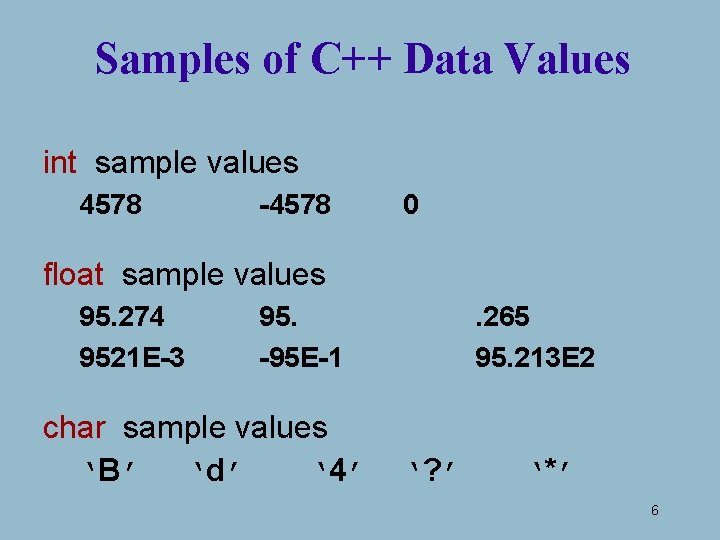
Samples of C++ Data Values int sample values 4578 -4578 0 float sample values 95. 274 9521 E-3 95. -95 E-1 char sample values ‘B’ ‘d’ ‘ 4’ . 265 95. 213 E 2 ‘? ’ ‘*’ 6
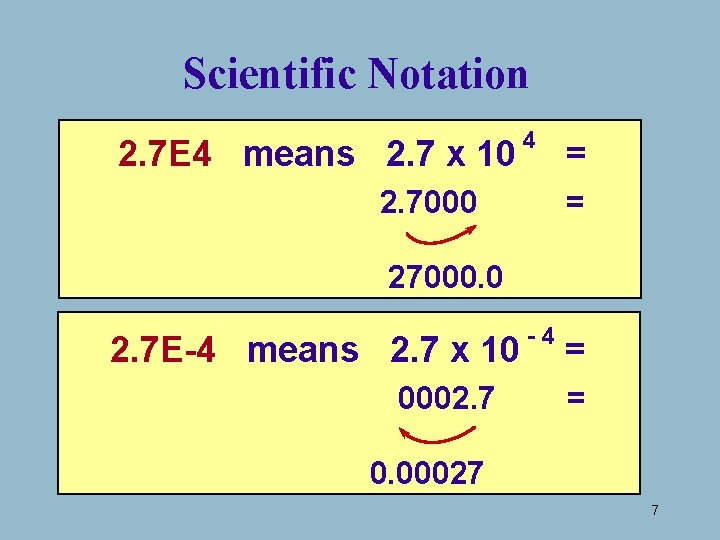
Scientific Notation 2. 7 E 4 means 2. 7 x 10 4 2. 7000 = = 27000. 0 2. 7 E-4 means 2. 7 x 10 0002. 7 -4 = = 0. 00027 7
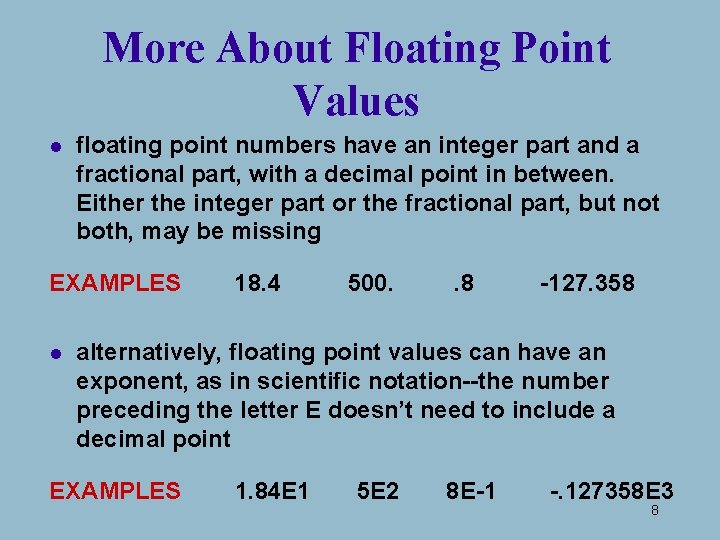
More About Floating Point Values l floating point numbers have an integer part and a fractional part, with a decimal point in between. Either the integer part or the fractional part, but not both, may be missing EXAMPLES l 18. 4 500. . 8 -127. 358 alternatively, floating point values can have an exponent, as in scientific notation--the number preceding the letter E doesn’t need to include a decimal point EXAMPLES 1. 84 E 1 5 E 2 8 E-1 -. 127358 E 3 8
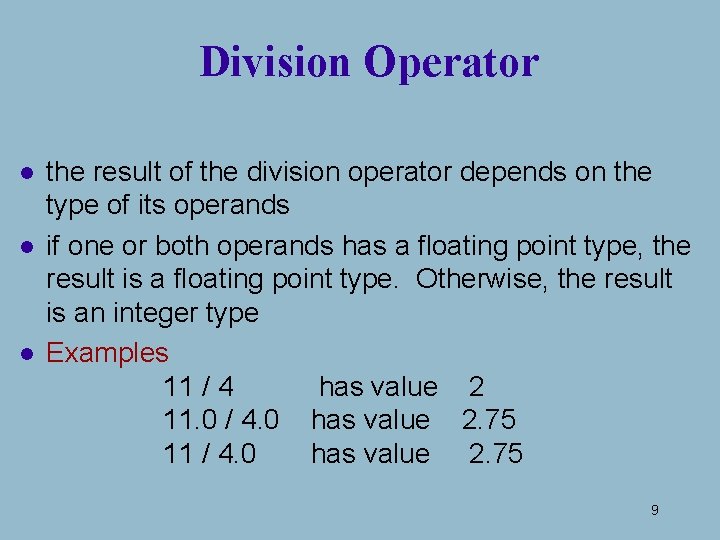
Division Operator l l l the result of the division operator depends on the type of its operands if one or both operands has a floating point type, the result is a floating point type. Otherwise, the result is an integer type Examples 11 / 4 has value 2 11. 0 / 4. 0 has value 2. 75 11 / 4. 0 has value 2. 75 9
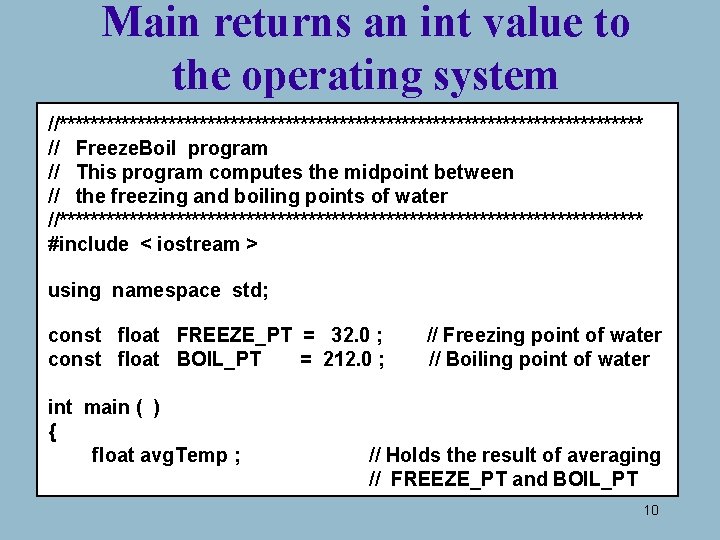
Main returns an int value to the operating system //************************************** // Freeze. Boil program // This program computes the midpoint between // the freezing and boiling points of water //************************************** #include < iostream > using namespace std; const float FREEZE_PT = 32. 0 ; const float BOIL_PT = 212. 0 ; int main ( ) { float avg. Temp ; // Freezing point of water // Boiling point of water // Holds the result of averaging // FREEZE_PT and BOIL_PT 10
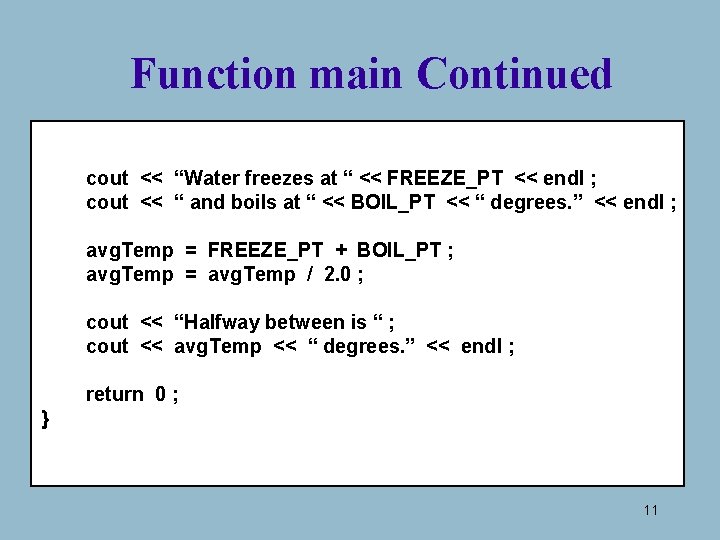
Function main Continued cout << “Water freezes at “ << FREEZE_PT << endl ; cout << “ and boils at “ << BOIL_PT << “ degrees. ” << endl ; avg. Temp = FREEZE_PT + BOIL_PT ; avg. Temp = avg. Temp / 2. 0 ; cout << “Halfway between is “ ; cout << avg. Temp << “ degrees. ” << endl ; return 0 ; } 11
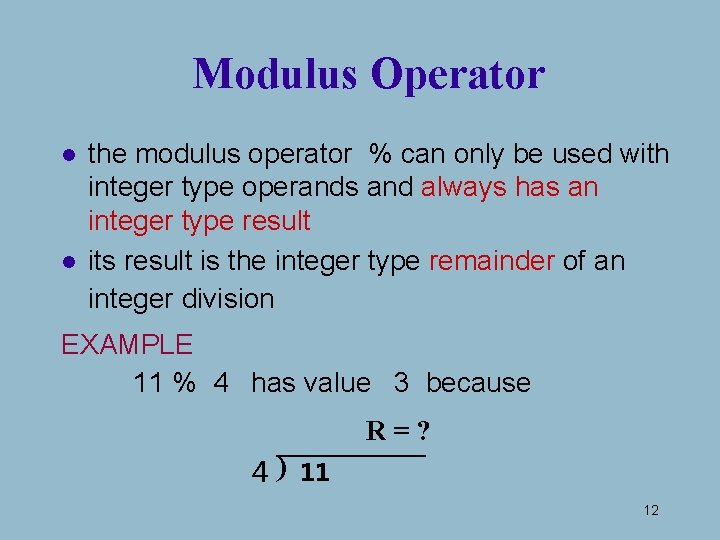
Modulus Operator l l the modulus operator % can only be used with integer type operands and always has an integer type result its result is the integer type remainder of an integer division EXAMPLE 11 % 4 has value 3 because R=? 4 ) 11 12
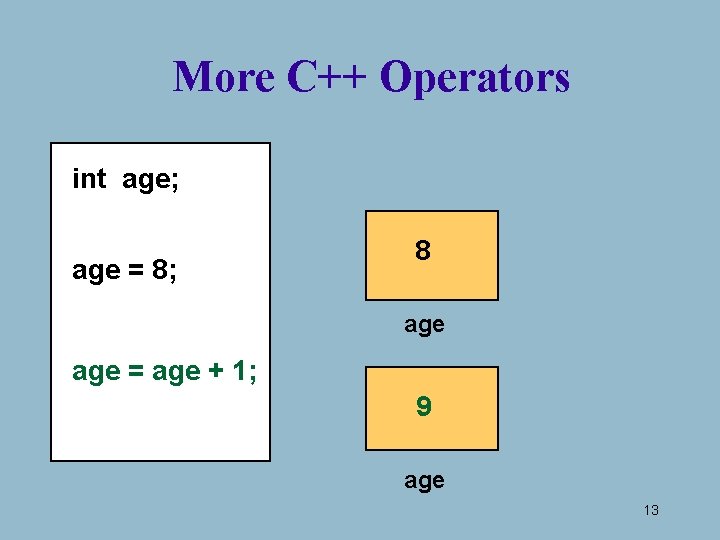
More C++ Operators int age; age = 8; 8 age = age + 1; 9 age 13
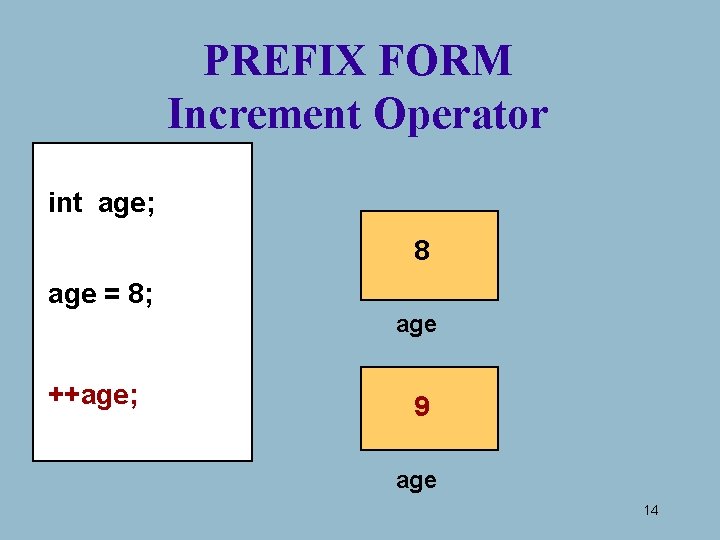
PREFIX FORM Increment Operator int age; 8 age = 8; age ++age; 9 age 14
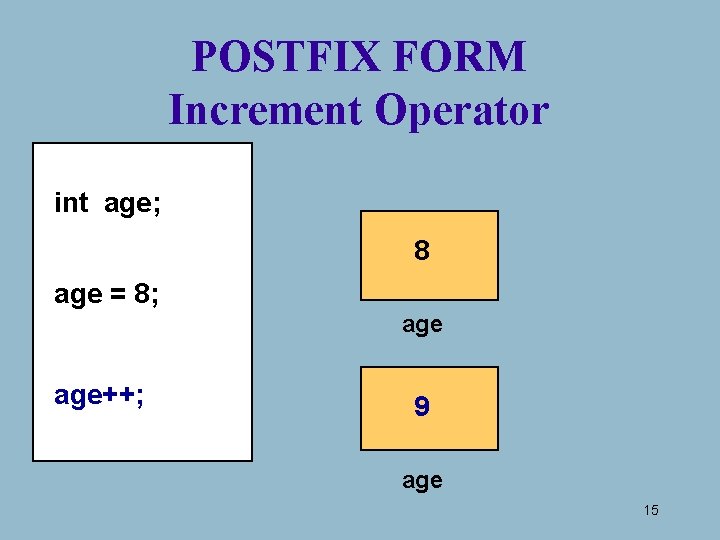
POSTFIX FORM Increment Operator int age; 8 age = 8; age++; 9 age 15
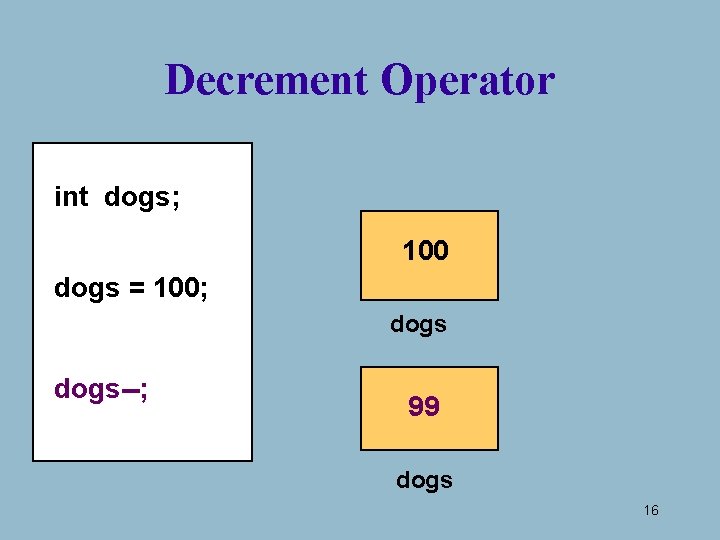
Decrement Operator int dogs; 100 dogs = 100; dogs--; 99 dogs 16
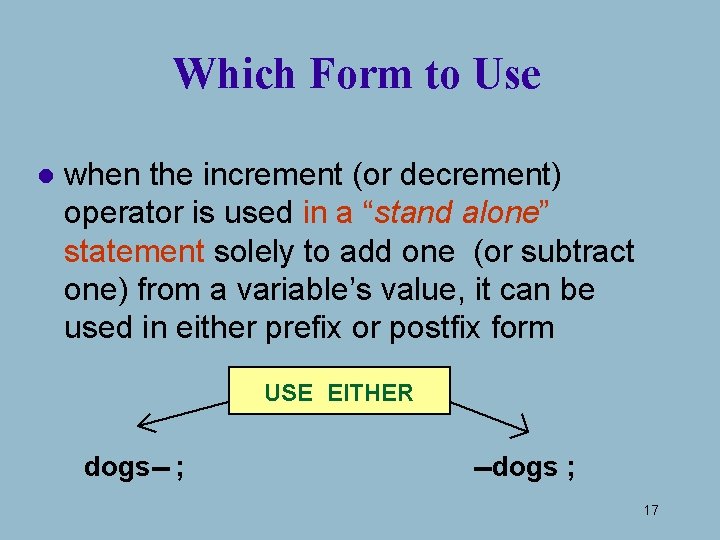
Which Form to Use l when the increment (or decrement) operator is used in a “stand alone” statement solely to add one (or subtract one) from a variable’s value, it can be used in either prefix or postfix form USE EITHER dogs-- ; --dogs ; 17
BUT. . . l when the increment (or decrement) operator is used in a statement with other operators, the prefix and postfix forms can yield different results WE’LL SEE HOW LATER. . . 18
What is an Expression in C++? l An expression is a valid arrangement of variables, constants, and operators. l in C++ each expression can be evaluated to compute a value of a given type l the value of the expression 9. 3 * 4. 5 is 41. 85 19
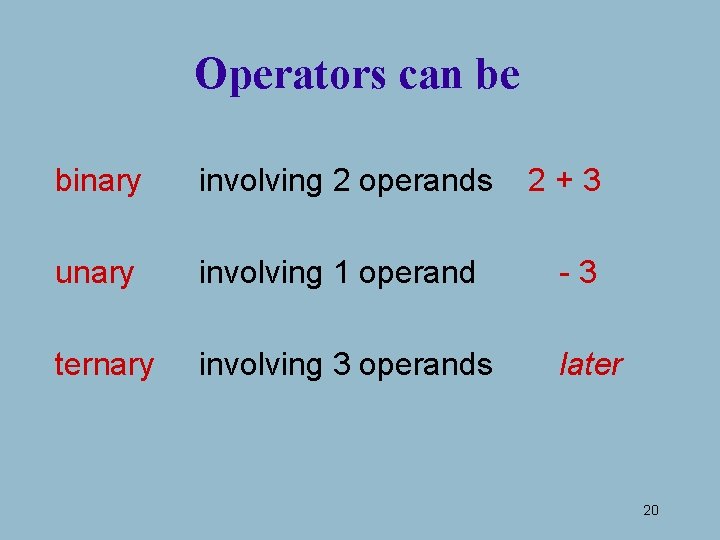
Operators can be binary involving 2 operands 2+3 unary involving 1 operand -3 ternary involving 3 operands later 20
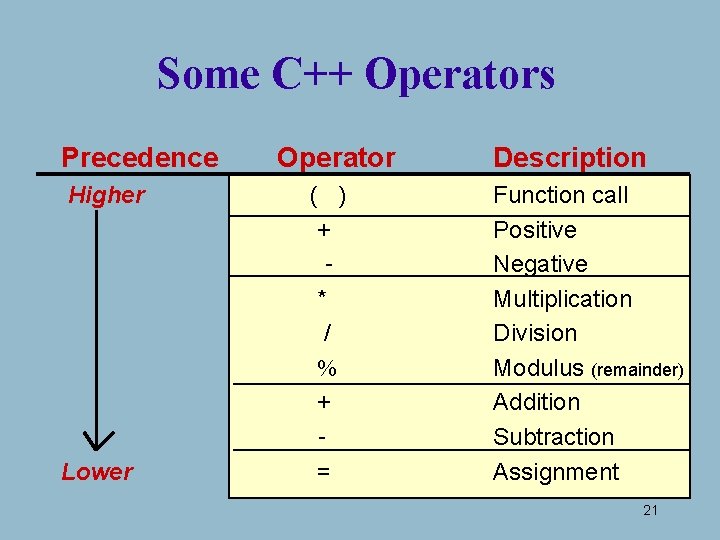
Some C++ Operators Precedence Higher Lower Operator ( ) + * / % + = Description Function call Positive Negative Multiplication Division Modulus (remainder) Addition Subtraction Assignment 21
Precedence l higher Precedence determines which operator is applied first in an expression having several operators 22
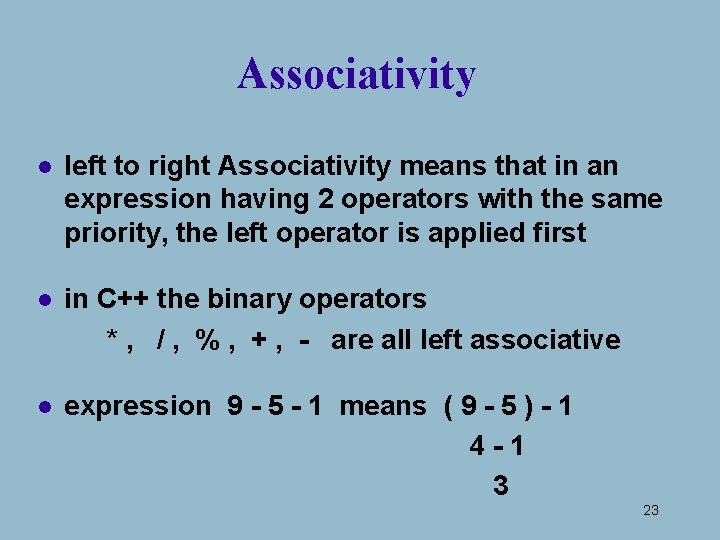
Associativity l left to right Associativity means that in an expression having 2 operators with the same priority, the left operator is applied first l in C++ the binary operators * , / , % , + , - are all left associative l expression 9 - 5 - 1 means ( 9 - 5 ) - 1 4 -1 3 23
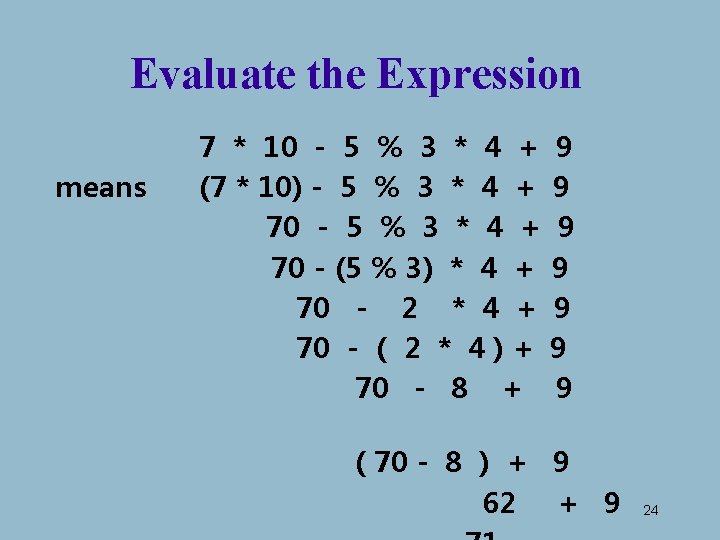
Evaluate the Expression means 7 * 10 - 5 % 3 * 4 + (7 * 10) - 5 % 3 * 4 + 70 - (5 % 3) * 4 + 70 - 2 * 4 + 70 - ( 2 * 4 ) + 70 - 8 + 9 9 9 9 ( 70 - 8 ) + 9 62 + 9 24
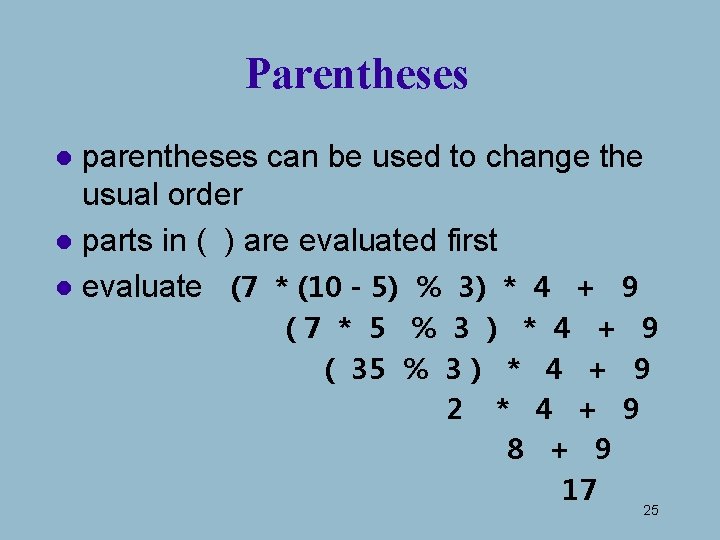
Parentheses parentheses can be used to change the usual order l parts in ( ) are evaluated first l evaluate (7 * (10 - 5) % 3) * 4 + 9 l (7 * 5 % 3 ) * 4 + 9 ( 35 % 3 ) * 4 + 9 2 * 4 + 9 8 + 9 17 25
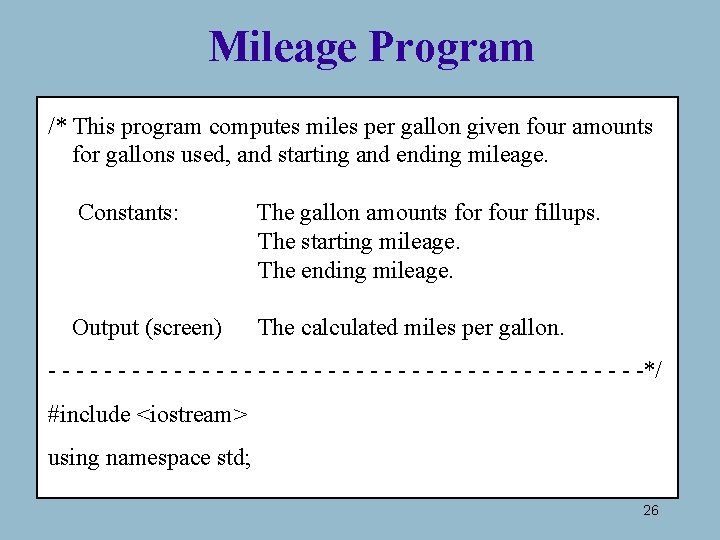
Mileage Program /* This program computes miles per gallon given four amounts for gallons used, and starting and ending mileage. Constants: The gallon amounts for four fillups. The starting mileage. The ending mileage. Output (screen) The calculated miles per gallon. - - - - - - - - - - -*/ #include <iostream> using namespace std; 26
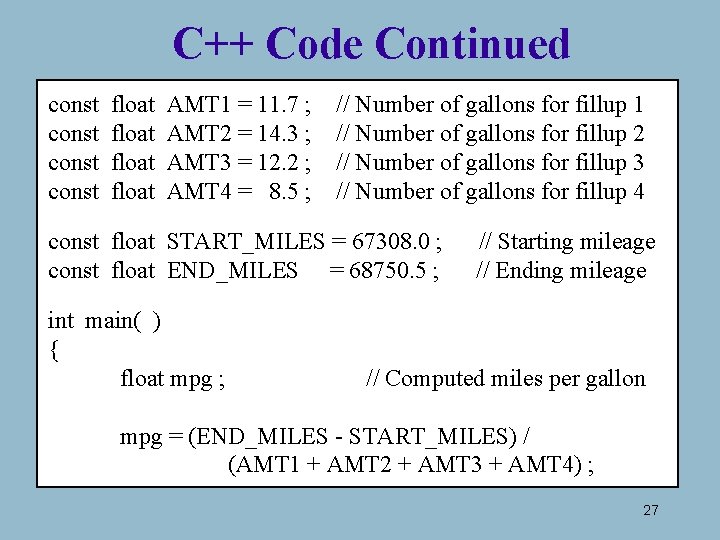
C++ Code Continued const float AMT 1 = 11. 7 ; AMT 2 = 14. 3 ; AMT 3 = 12. 2 ; AMT 4 = 8. 5 ; // Number of gallons for fillup 1 // Number of gallons for fillup 2 // Number of gallons for fillup 3 // Number of gallons for fillup 4 const float START_MILES = 67308. 0 ; const float END_MILES = 68750. 5 ; int main( ) { float mpg ; // Starting mileage // Ending mileage // Computed miles per gallon mpg = (END_MILES - START_MILES) / (AMT 1 + AMT 2 + AMT 3 + AMT 4) ; 27
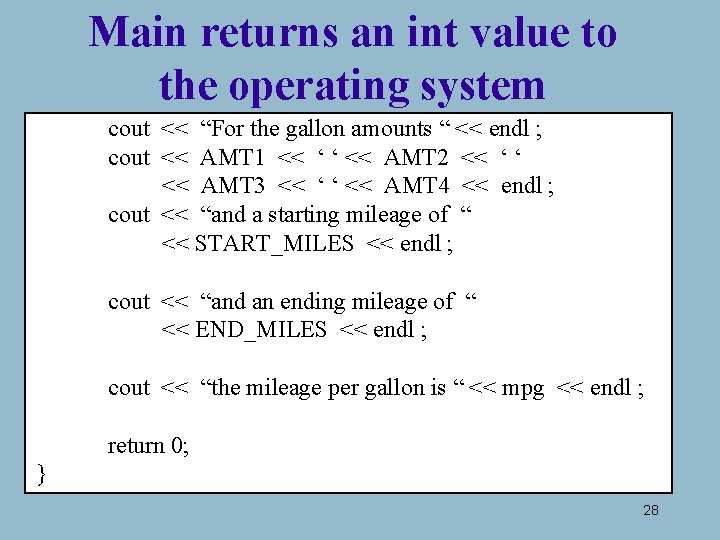
Main returns an int value to the operating system cout << “For the gallon amounts “ << endl ; cout << AMT 1 << ‘ ‘ << AMT 2 << ‘ ‘ << AMT 3 << ‘ ‘ << AMT 4 << endl ; cout << “and a starting mileage of “ << START_MILES << endl ; cout << “and an ending mileage of “ << END_MILES << endl ; cout << “the mileage per gallon is “ << mpg << endl ; return 0; } 28
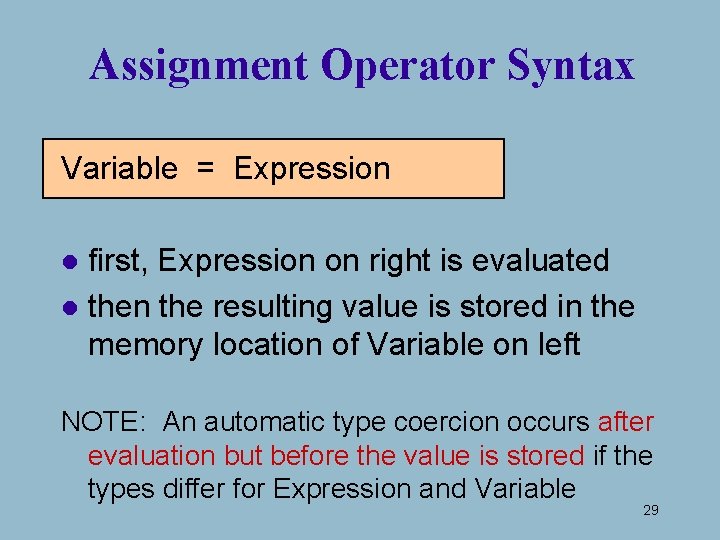
Assignment Operator Syntax Variable = Expression first, Expression on right is evaluated l then the resulting value is stored in the memory location of Variable on left l NOTE: An automatic type coercion occurs after evaluation but before the value is stored if the types differ for Expression and Variable 29
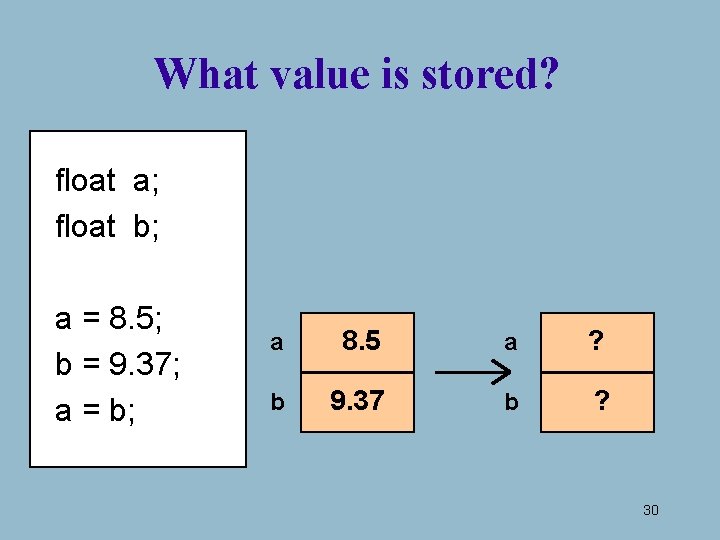
What value is stored? float a; float b; a = 8. 5; b = 9. 37; a = b; a 8. 5 a ? b 9. 37 b ? 30
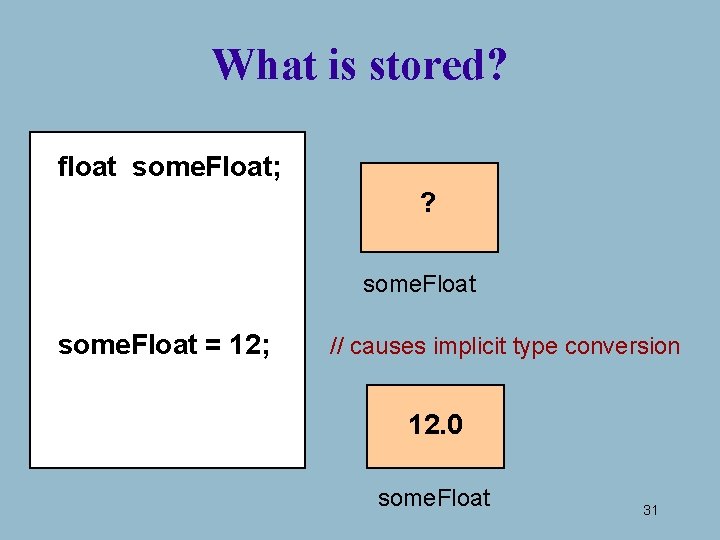
What is stored? float some. Float; ? some. Float = 12; // causes implicit type conversion 12. 0 some. Float 31
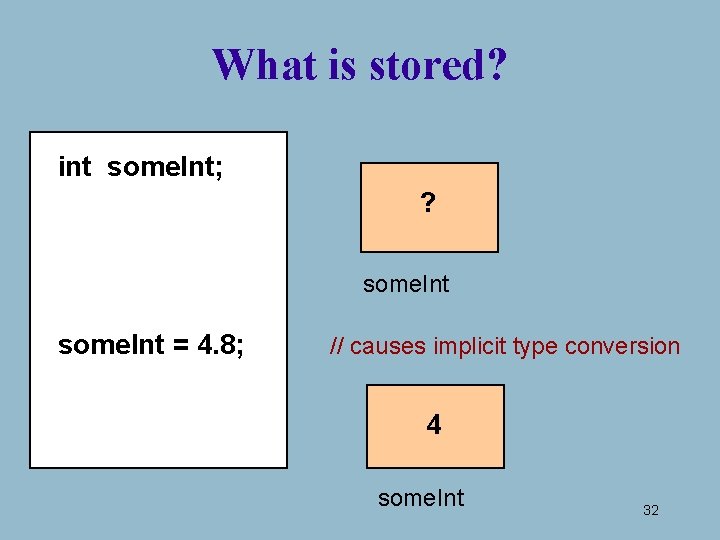
What is stored? int some. Int; ? some. Int = 4. 8; // causes implicit type conversion 4 some. Int 32
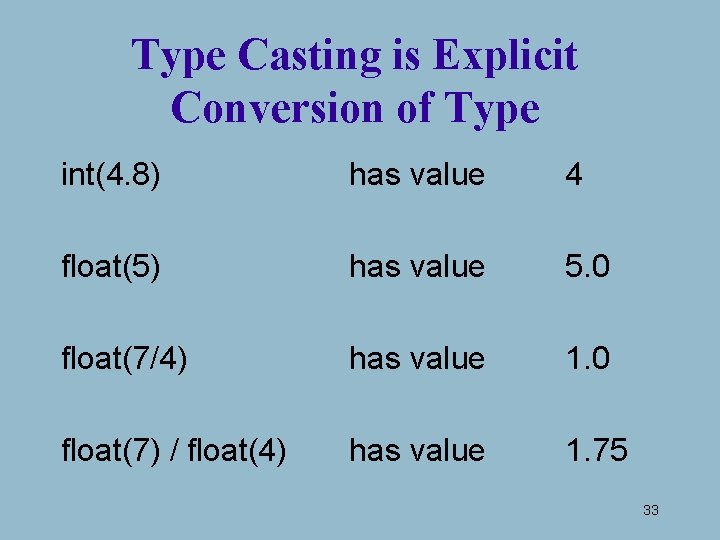
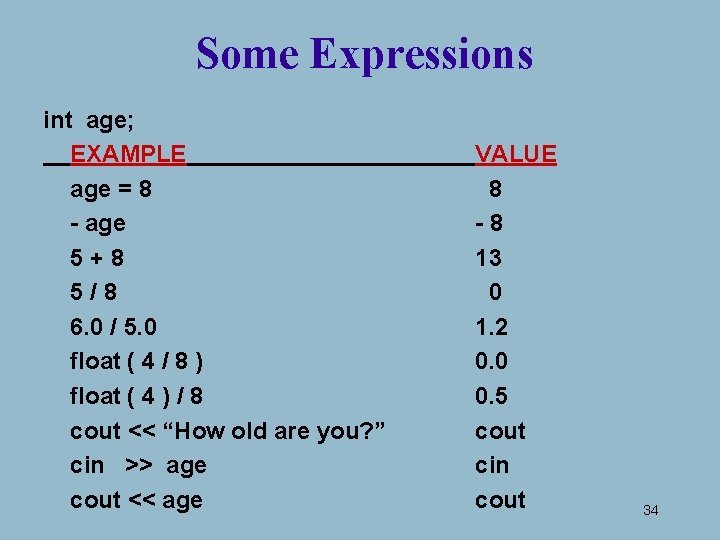
Type Casting is Explicit Conversion of Type int(4. 8) has value 4 float(5) has value 5. 0 float(7/4) has value 1. 0 float(7) / float(4) has value 1. 75 33
Some Expressions int age; EXAMPLE age = 8 - age 5+8 5/8 6. 0 / 5. 0 float ( 4 / 8 ) float ( 4 ) / 8 cout << “How old are you? ” cin >> age cout << age VALUE 8 -8 13 0 1. 2 0. 0 0. 5 cout cin cout 34
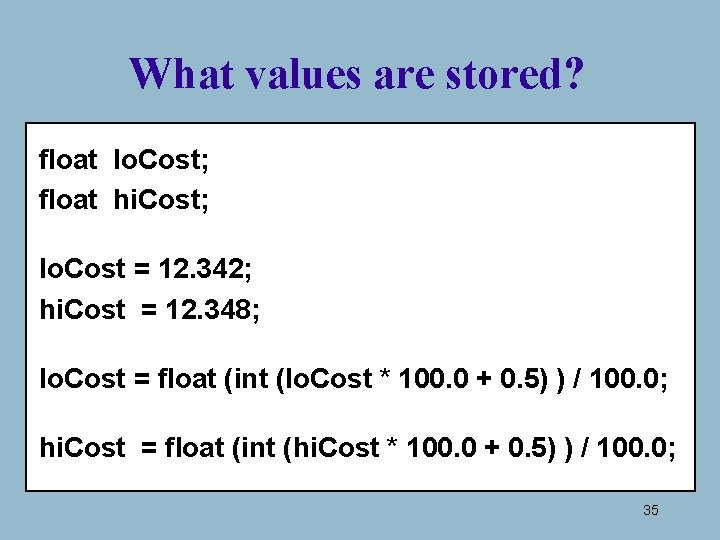
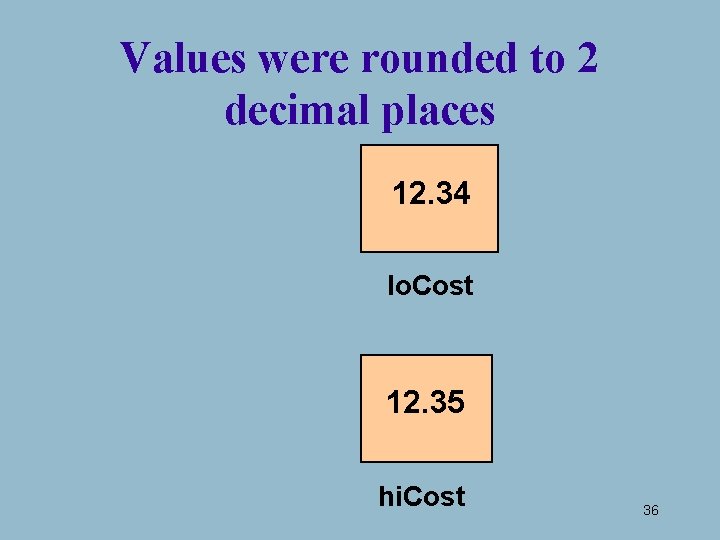
What values are stored? float lo. Cost; float hi. Cost; lo. Cost = 12. 342; hi. Cost = 12. 348; lo. Cost = float (int (lo. Cost * 100. 0 + 0. 5) ) / 100. 0; hi. Cost = float (int (hi. Cost * 100. 0 + 0. 5) ) / 100. 0; 35
Values were rounded to 2 decimal places 12. 34 lo. Cost 12. 35 hi. Cost 36
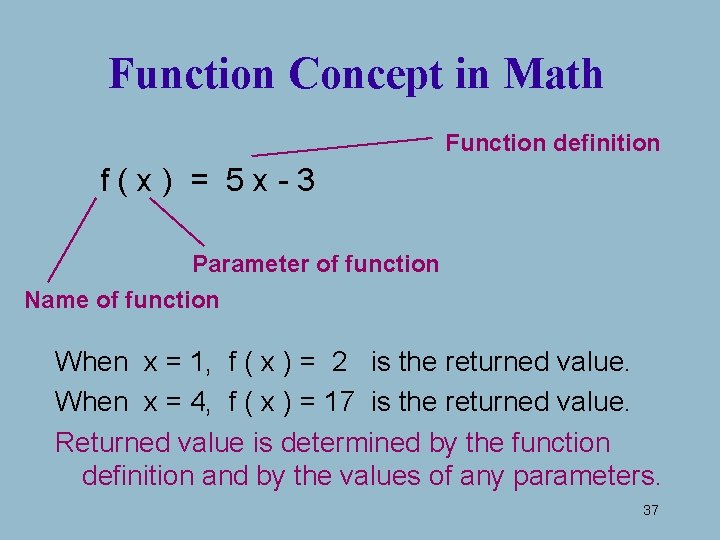
Function Concept in Math Function definition f(x) = 5 x-3 Parameter of function Name of function When x = 1, f ( x ) = 2 is the returned value. When x = 4, f ( x ) = 17 is the returned value. Returned value is determined by the function definition and by the values of any parameters. 37
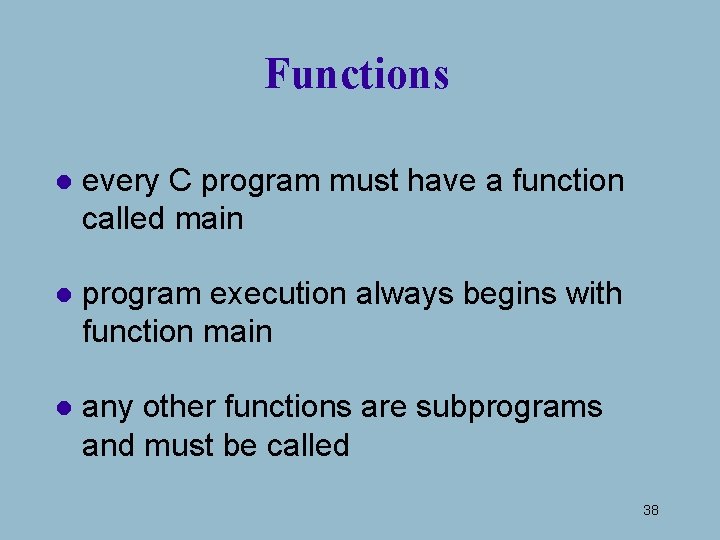
Functions l every C program must have a function called main l program execution always begins with function main l any other functions are subprograms and must be called 38
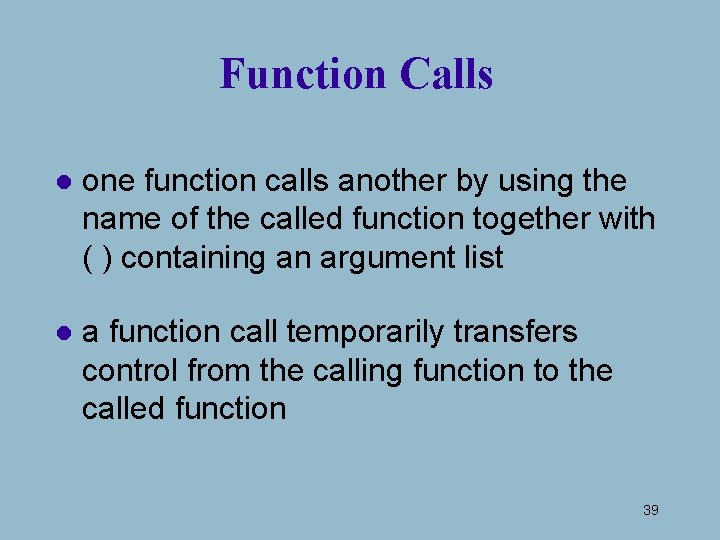
Function Calls l one function calls another by using the name of the called function together with ( ) containing an argument list l a function call temporarily transfers control from the calling function to the called function 39
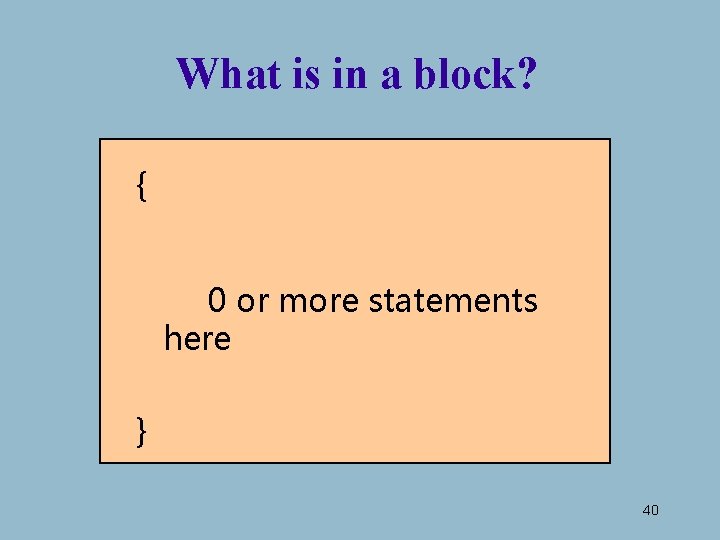
What is in a block? { 0 or more statements here } 40
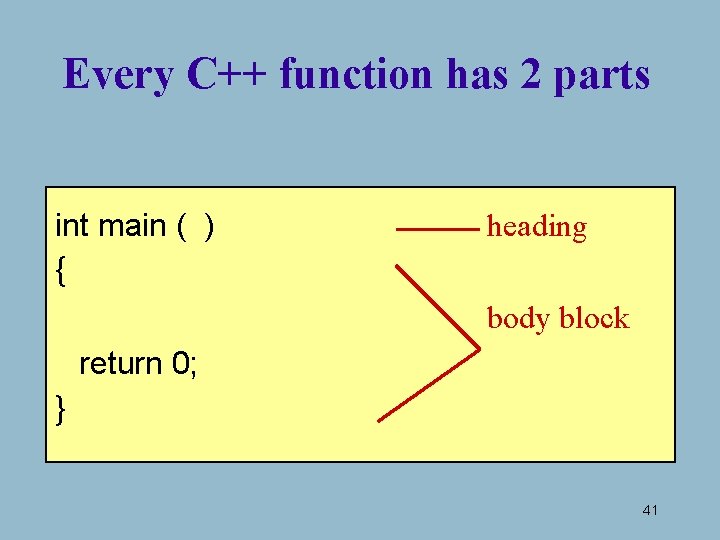
Every C++ function has 2 parts int main ( ) { heading body block return 0; } 41
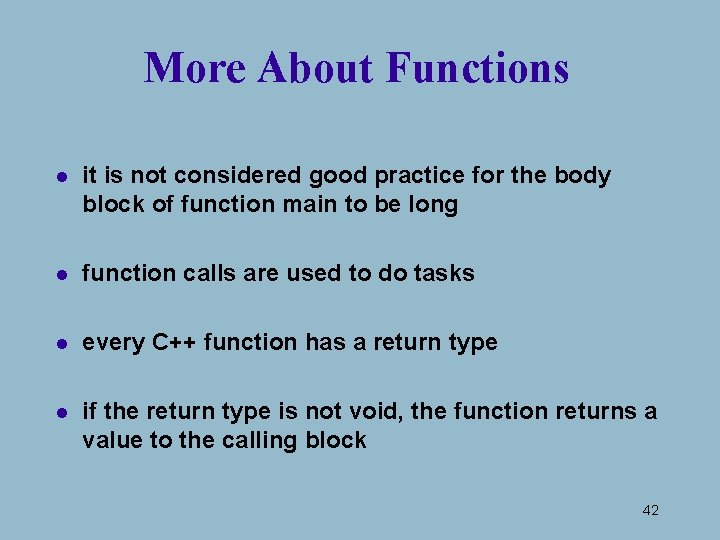
More About Functions l it is not considered good practice for the body block of function main to be long l function calls are used to do tasks l every C++ function has a return type l if the return type is not void, the function returns a value to the calling block 42
Where are functions? located in libraries OR written by programmers 43
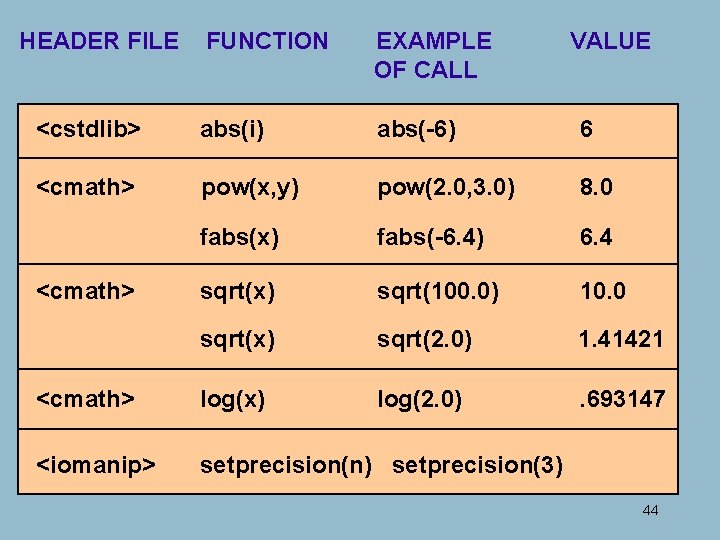
HEADER FILE FUNCTION EXAMPLE OF CALL <cstdlib> abs(i) abs(-6) 6 <cmath> pow(x, y) pow(2. 0, 3. 0) 8. 0 fabs(x) fabs(-6. 4) 6. 4 sqrt(x) sqrt(100. 0) 10. 0 sqrt(x) sqrt(2. 0) 1. 41421 <cmath> log(x) log(2. 0) . 693147 <iomanip> setprecision(n) setprecision(3) <cmath> VALUE 44
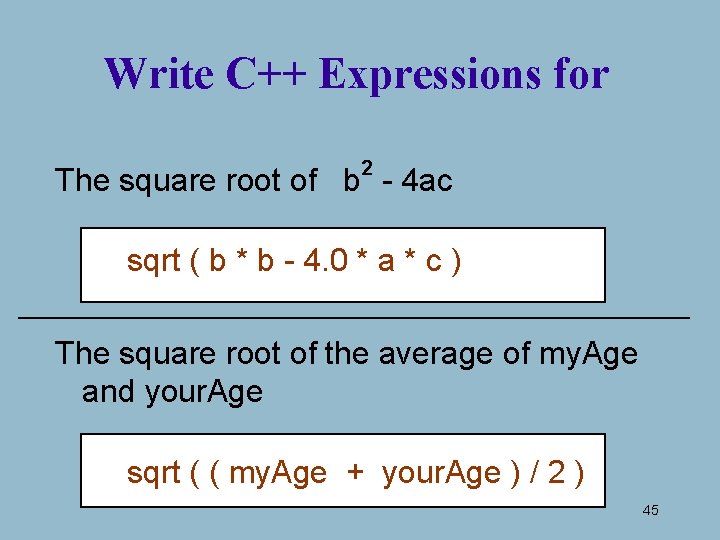
Write C++ Expressions for 2 The square root of b - 4 ac sqrt ( b * b - 4. 0 * a * c ) The square root of the average of my. Age and your. Age sqrt ( ( my. Age + your. Age ) / 2 ) 45
Function Call l a function call temporarily transfers control to the called function’s code l when the function’s code has finished executing, control is transferred back to the calling block 46
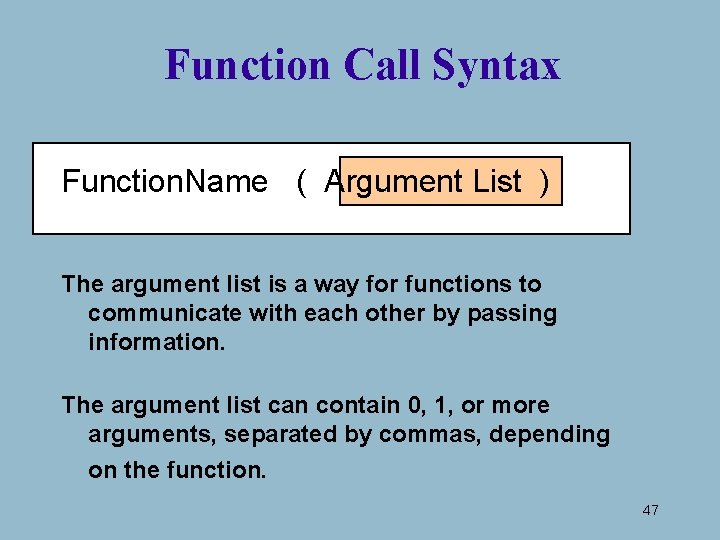
Function Call Syntax Function. Name ( Argument List ) The argument list is a way for functions to communicate with each other by passing information. The argument list can contain 0, 1, or more arguments, separated by commas, depending on the function. 47
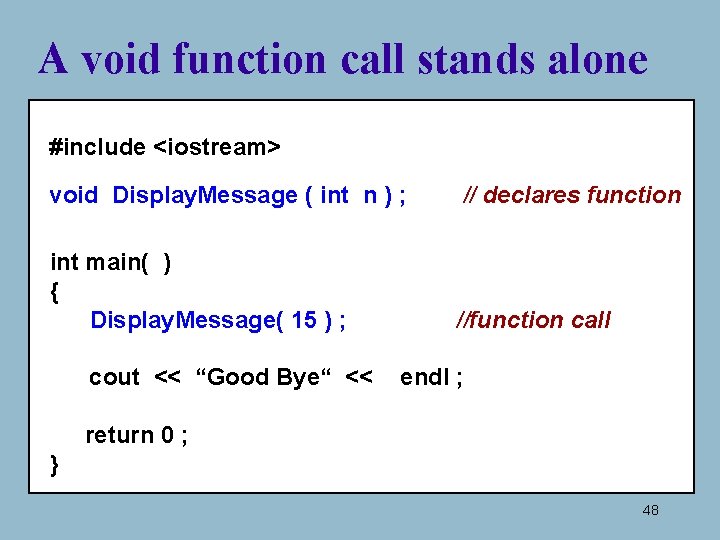
A void function call stands alone #include <iostream> void Display. Message ( int n ) ; // declares function int main( ) { Display. Message( 15 ) ; //function call cout << “Good Bye“ << endl ; return 0 ; } 48
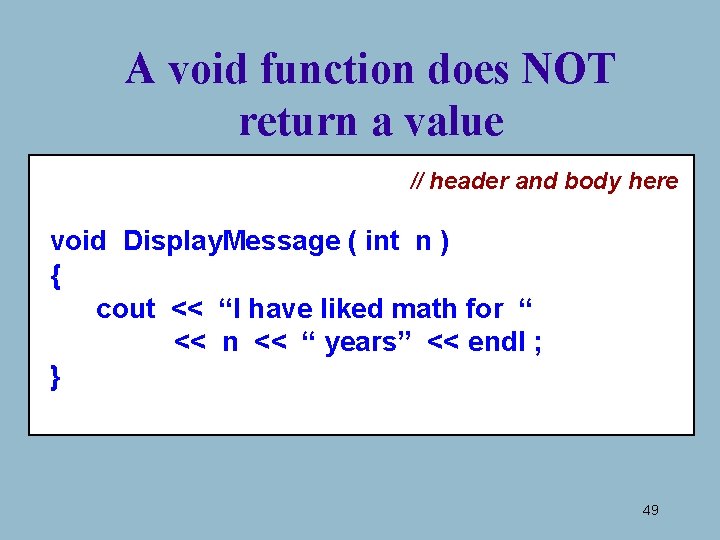
A void function does NOT return a value // header and body here void Display. Message ( int n ) { cout << “I have liked math for “ << n << “ years” << endl ; } 49
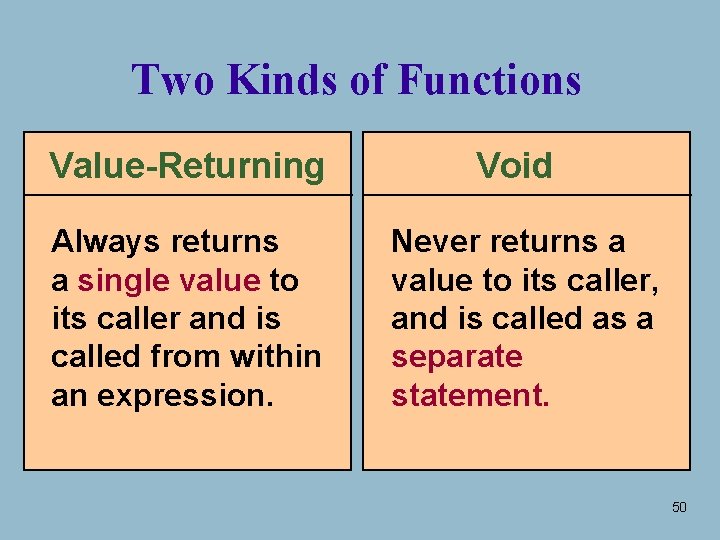
Two Kinds of Functions Value-Returning Always returns a single value to its caller and is called from within an expression. Void Never returns a value to its caller, and is called as a separate statement. 50
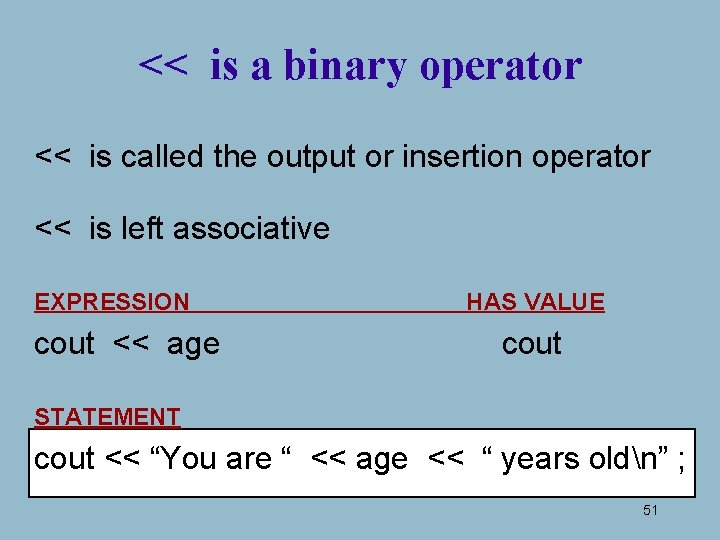
<< is a binary operator << is called the output or insertion operator << is left associative EXPRESSION cout << age HAS VALUE cout STATEMENT cout << “You are “ << age << “ years oldn” ; 51
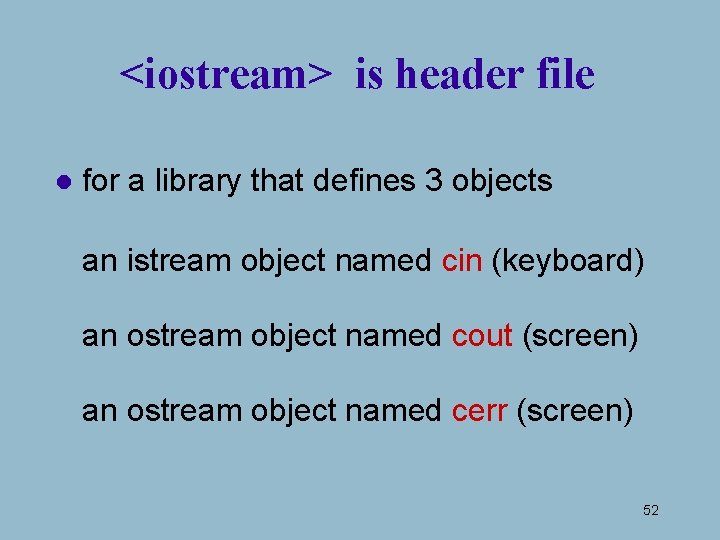
<iostream> is header file l for a library that defines 3 objects an istream object named cin (keyboard) an ostream object named cout (screen) an ostream object named cerr (screen) 52
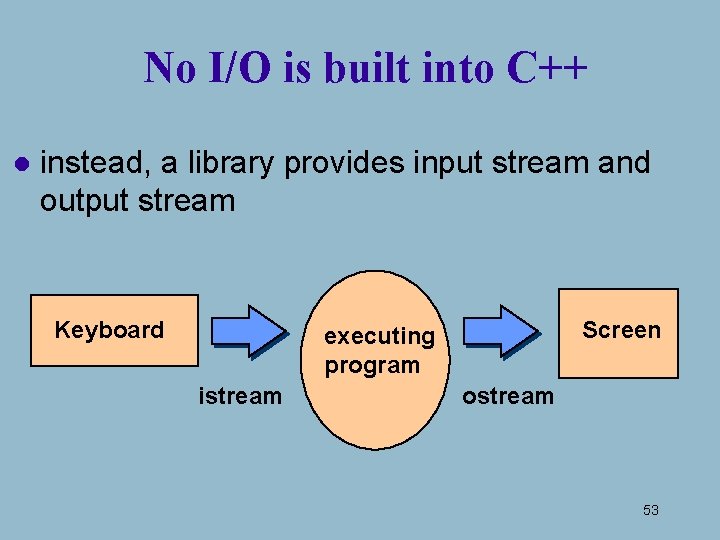
No I/O is built into C++ l instead, a library provides input stream and output stream Keyboard Screen executing program istream ostream 53
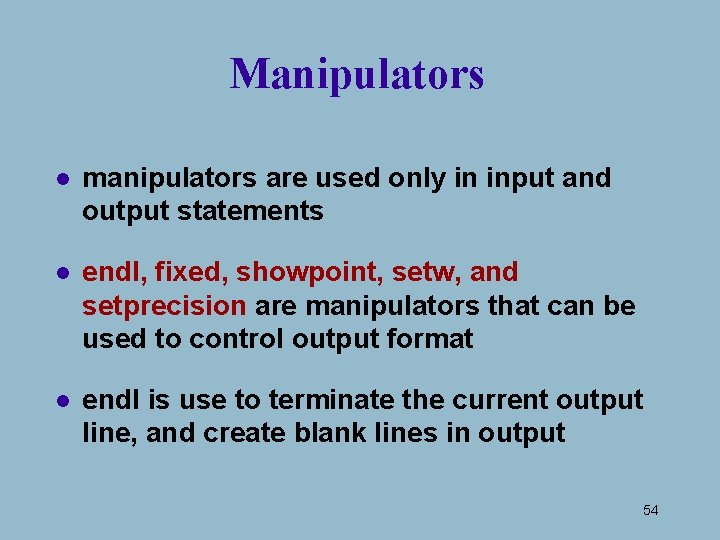
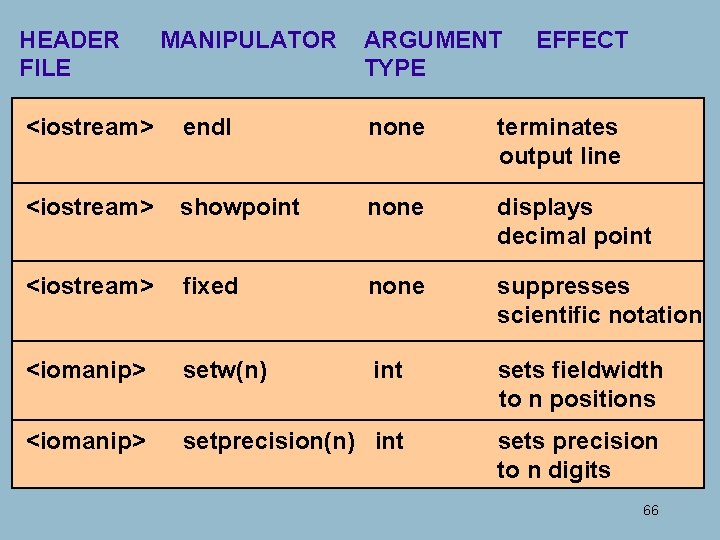
Manipulators l manipulators are used only in input and output statements l endl, fixed, showpoint, setw, and setprecision are manipulators that can be used to control output format l endl is use to terminate the current output line, and create blank lines in output 54
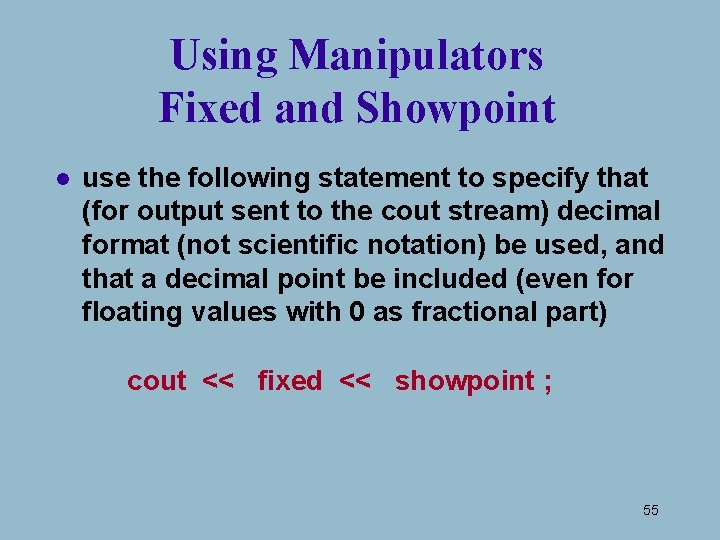
Using Manipulators Fixed and Showpoint l use the following statement to specify that (for output sent to the cout stream) decimal format (not scientific notation) be used, and that a decimal point be included (even for floating values with 0 as fractional part) cout << fixed << showpoint ; 55
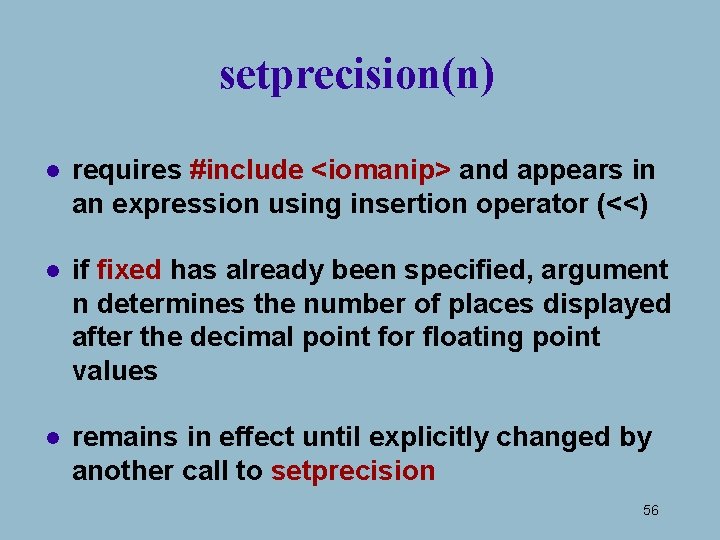
setprecision(n) l requires #include <iomanip> and appears in an expression using insertion operator (<<) l if fixed has already been specified, argument n determines the number of places displayed after the decimal point for floating point values l remains in effect until explicitly changed by another call to setprecision 56
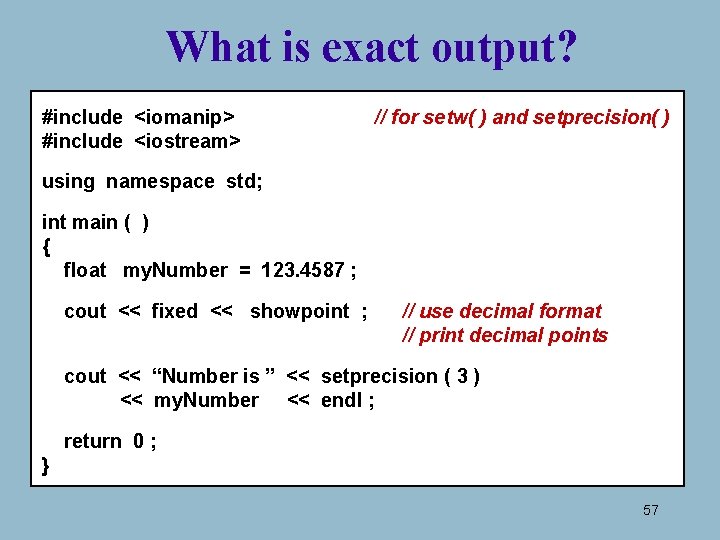
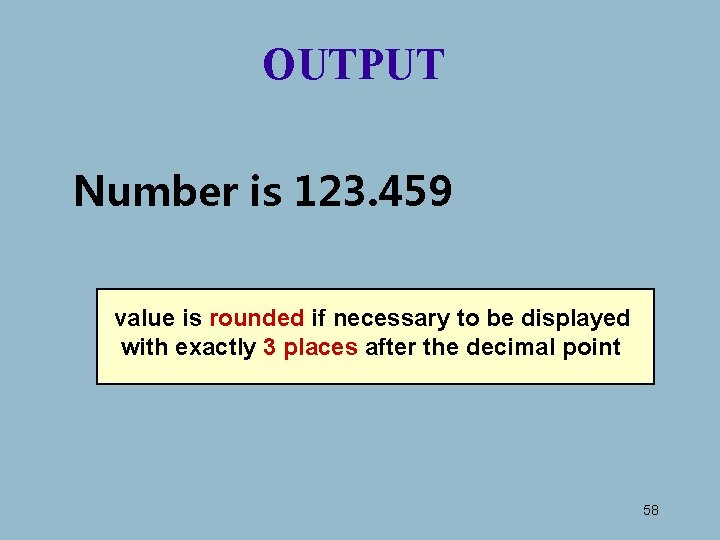
What is exact output? #include <iomanip> #include <iostream> // for setw( ) and setprecision( ) using namespace std; int main ( ) { float my. Number = 123. 4587 ; cout << fixed << showpoint ; // use decimal format // print decimal points cout << “Number is ” << setprecision ( 3 ) << my. Number << endl ; return 0 ; } 57
OUTPUT Number is 123. 459 value is rounded if necessary to be displayed with exactly 3 places after the decimal point 58
Manipulator setw l “set width” lets us control how many character positions the next data item should occupy when it is output l setw is only formatting numbers and strings, not char type data 59
setw(n) l requires #include <iomanip> and appears in an expression using insertion operator (<<) l argument n is called the fieldwidth specification, and determines the number of character positions in which to display a right-justified number or string (not char data). The number of positions used is expanded if n is too narrow l “set width” affects only the very next item displayed, and is useful to align columns of output 60
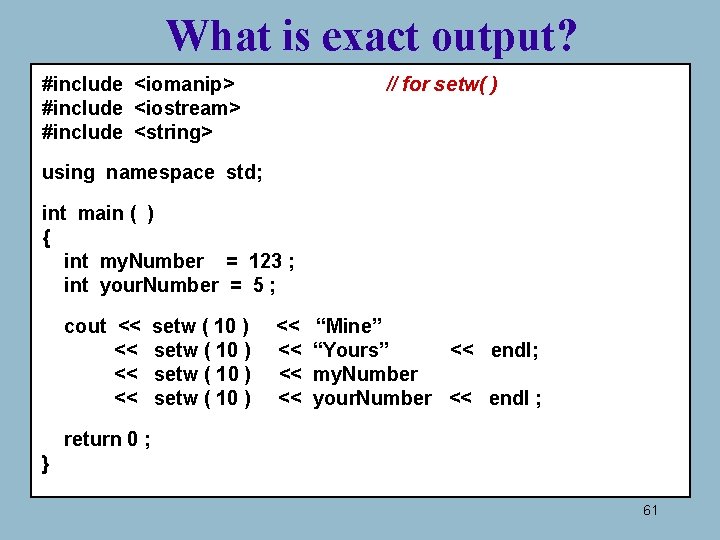
What is exact output? #include <iomanip> #include <iostream> #include <string> // for setw( ) using namespace std; int main ( ) { int my. Number = 123 ; int your. Number = 5 ; cout << << setw ( 10 ) << << “Mine” “Yours” << endl; my. Number your. Number << endl ; return 0 ; } 61
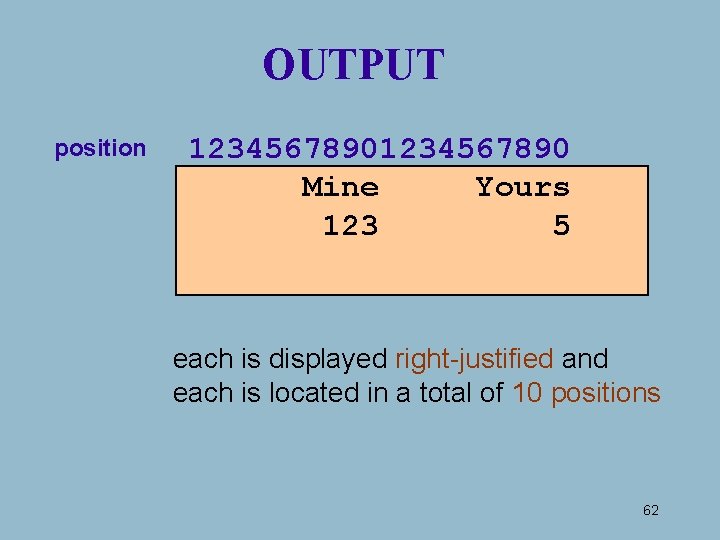
OUTPUT position 1234567890 Mine Yours 123 5 each is displayed right-justified and each is located in a total of 10 positions 62
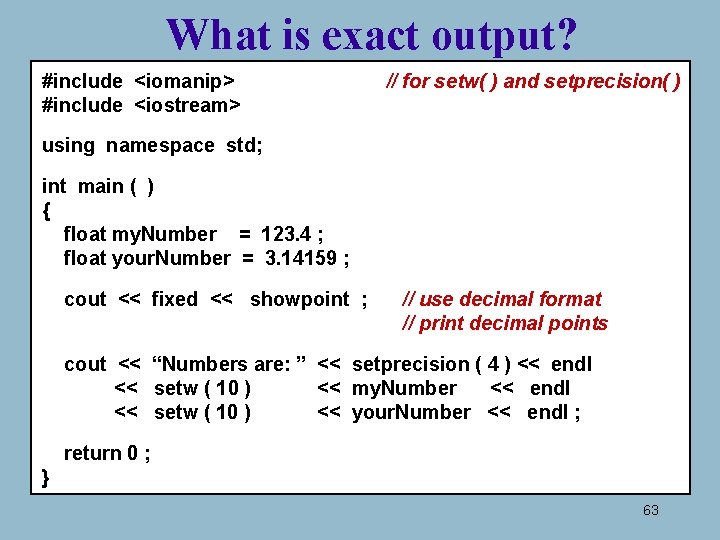
What is exact output? #include <iomanip> #include <iostream> // for setw( ) and setprecision( ) using namespace std; int main ( ) { float my. Number = 123. 4 ; float your. Number = 3. 14159 ; cout << fixed << showpoint ; // use decimal format // print decimal points cout << “Numbers are: ” << setprecision ( 4 ) << endl << setw ( 10 ) << my. Number << endl << setw ( 10 ) << your. Number << endl ; return 0 ; } 63
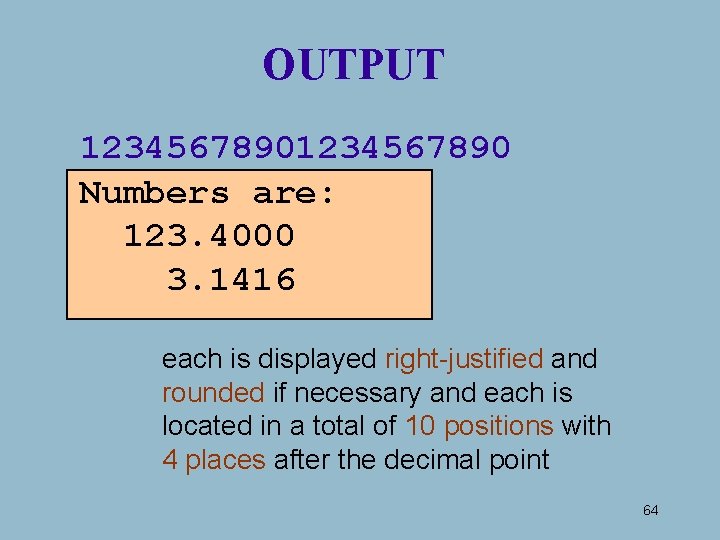
OUTPUT 1234567890 Numbers are: 123. 4000 3. 1416 each is displayed right-justified and rounded if necessary and each is located in a total of 10 positions with 4 places after the decimal point 64
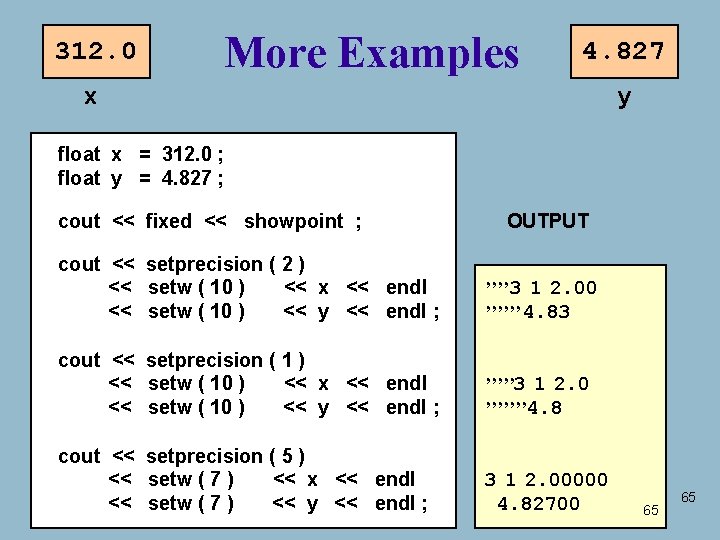
312. 0 More Examples 4. 827 x y float x = 312. 0 ; float y = 4. 827 ; cout << fixed << showpoint ; OUTPUT cout << setprecision ( 2 ) << setw ( 10 ) << x << endl << setw ( 10 ) << y << endl ; ’’’’ 3 1 2. 00 ’’’’’’ 4. 83 cout << setprecision ( 1 ) << setw ( 10 ) << x << endl << setw ( 10 ) << y << endl ; ’’’’’ 3 1 2. 0 ’’’’’’’ 4. 8 cout << setprecision ( 5 ) << setw ( 7 ) << x << endl << setw ( 7 ) << y << endl ; 3 1 2. 00000 4. 82700 65 65
HEADER FILE MANIPULATOR ARGUMENT TYPE EFFECT <iostream> endl none terminates output line <iostream> showpoint none displays decimal point <iostream> fixed none suppresses scientific notation <iomanip> setw(n) int sets fieldwidth to n positions <iomanip> setprecision(n) int sets precision to n digits 66
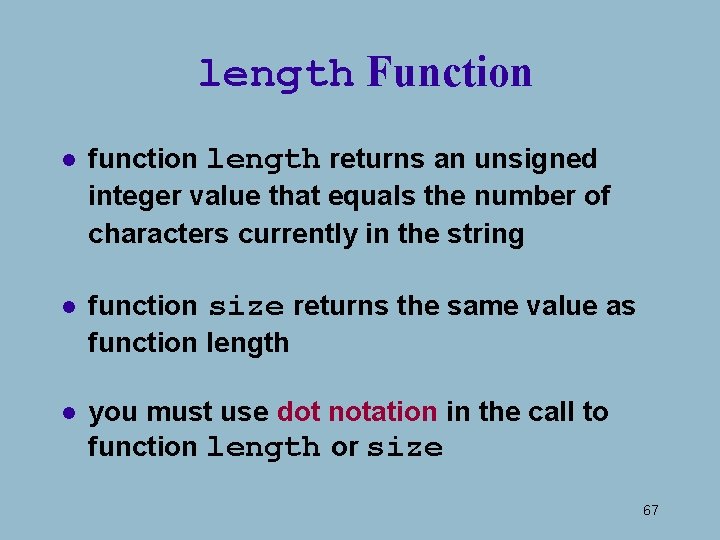
length Function l function length returns an unsigned integer value that equals the number of characters currently in the string l function size returns the same value as function length l you must use dot notation in the call to function length or size 67
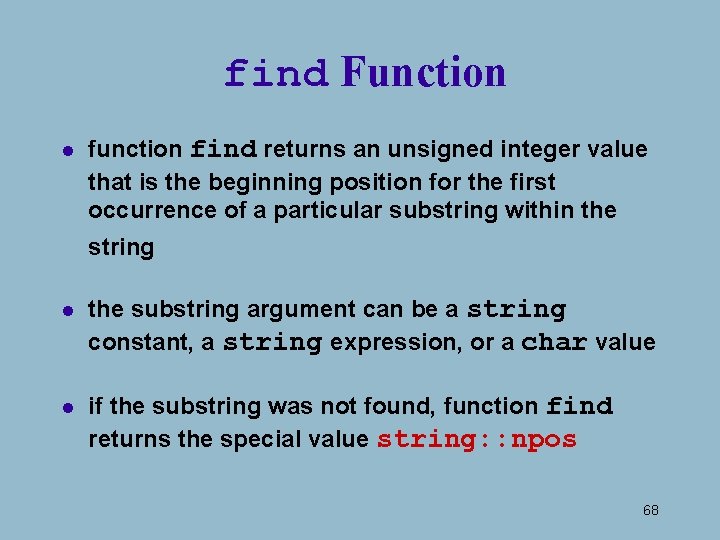
find Function l function find returns an unsigned integer value that is the beginning position for the first occurrence of a particular substring within the string l the substring argument can be a string constant, a string expression, or a char value l if the substring was not found, function find returns the special value string: : npos 68
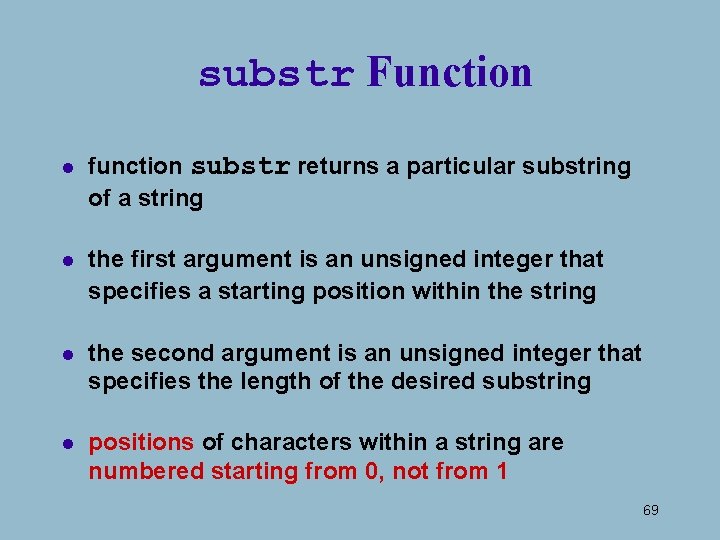
substr Function l function substr returns a particular substring of a string l the first argument is an unsigned integer that specifies a starting position within the string l the second argument is an unsigned integer that specifies the length of the desired substring l positions of characters within a string are numbered starting from 0, not from 1 69
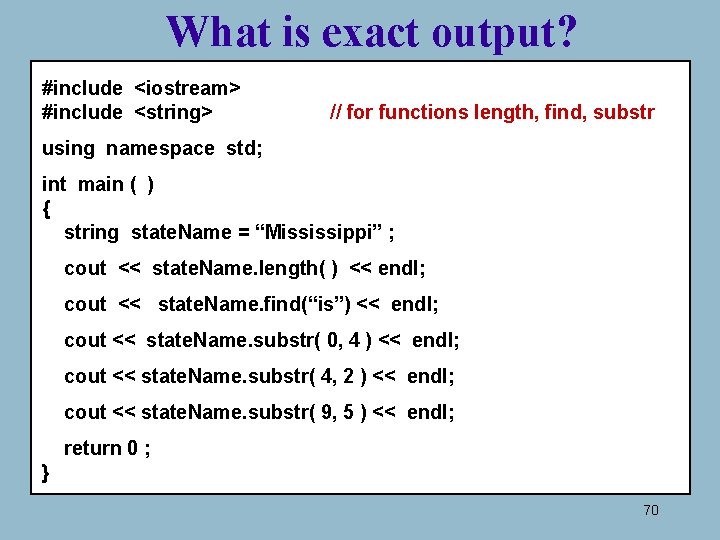
What is exact output? #include <iostream> #include <string> // for functions length, find, substr using namespace std; int main ( ) { string state. Name = “Mississippi” ; cout << state. Name. length( ) << endl; cout << state. Name. find(“is”) << endl; cout << state. Name. substr( 0, 4 ) << endl; cout << state. Name. substr( 4, 2 ) << endl; cout << state. Name. substr( 9, 5 ) << endl; return 0 ; } 70
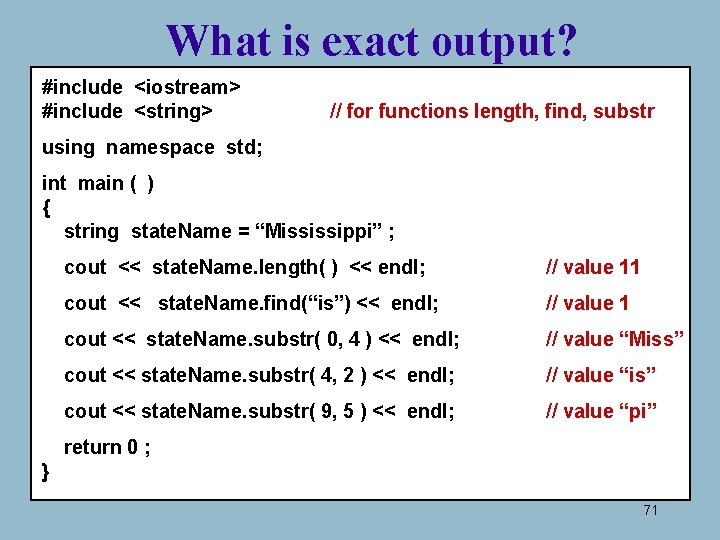
What is exact output? #include <iostream> #include <string> // for functions length, find, substr using namespace std; int main ( ) { string state. Name = “Mississippi” ; cout << state. Name. length( ) << endl; // value 11 cout << state. Name. find(“is”) << endl; // value 1 cout << state. Name. substr( 0, 4 ) << endl; // value “Miss” cout << state. Name. substr( 4, 2 ) << endl; // value “is” cout << state. Name. substr( 9, 5 ) << endl; // value “pi” return 0 ; } 71
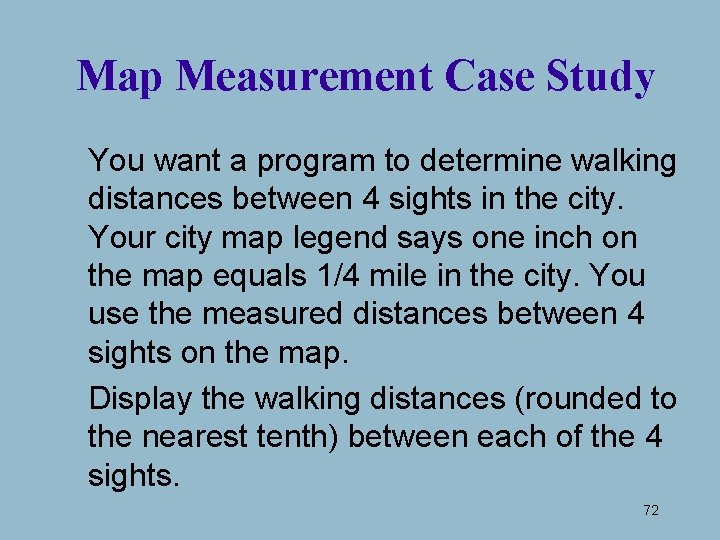
Map Measurement Case Study You want a program to determine walking distances between 4 sights in the city. Your city map legend says one inch on the map equals 1/4 mile in the city. You use the measured distances between 4 sights on the map. Display the walking distances (rounded to the nearest tenth) between each of the 4 sights. 72
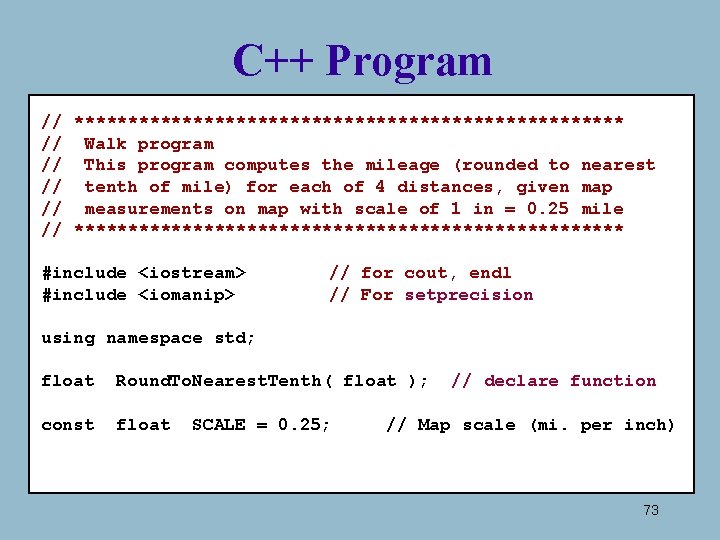
C++ Program // ************************** // Walk program // This program computes the mileage (rounded to nearest // tenth of mile) for each of 4 distances, given map // measurements on map with scale of 1 in = 0. 25 mile // ************************** #include <iostream> #include <iomanip> // for cout, endl // For setprecision using namespace std; float Round. To. Nearest. Tenth( float ); const float SCALE = 0. 25; // declare function // Map scale (mi. per inch) 73
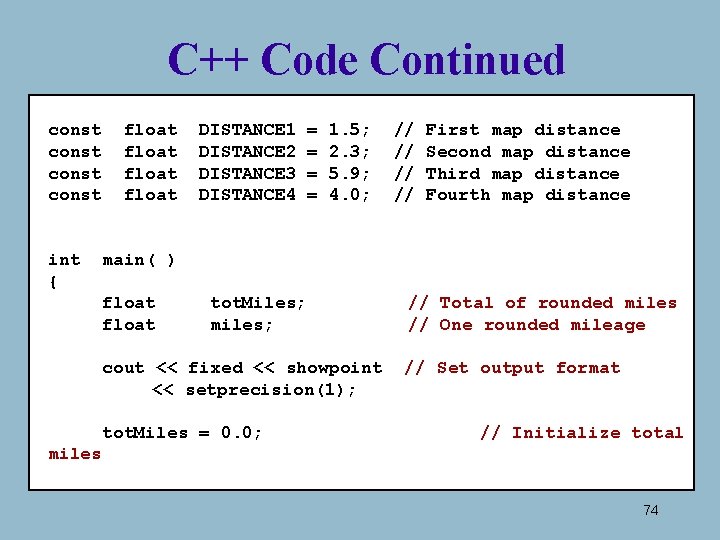
C++ Code Continued const int { float DISTANCE 1 DISTANCE 2 DISTANCE 3 DISTANCE 4 = = 1. 5; 2. 3; 5. 9; 4. 0; // // First map distance Second map distance Third map distance Fourth map distance main( ) float tot. Miles; miles; cout << fixed << showpoint << setprecision(1); tot. Miles = 0. 0; // Total of rounded miles // One rounded mileage // Set output format // Initialize total miles 74
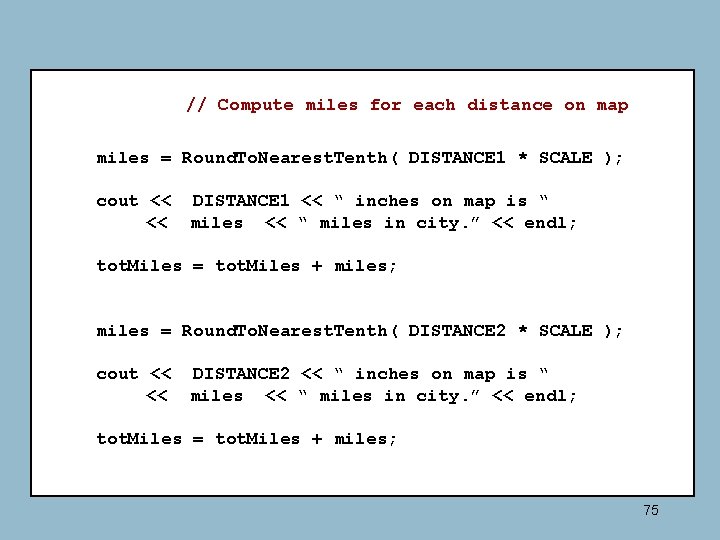
// Compute miles for each distance on map miles = Round. To. Nearest. Tenth( DISTANCE 1 * SCALE ); cout << DISTANCE 1 << “ inches on map is “ << miles << “ miles in city. ” << endl; tot. Miles = tot. Miles + miles; miles = Round. To. Nearest. Tenth( DISTANCE 2 * SCALE ); cout << DISTANCE 2 << “ inches on map is “ << miles << “ miles in city. ” << endl; tot. Miles = tot. Miles + miles; 75
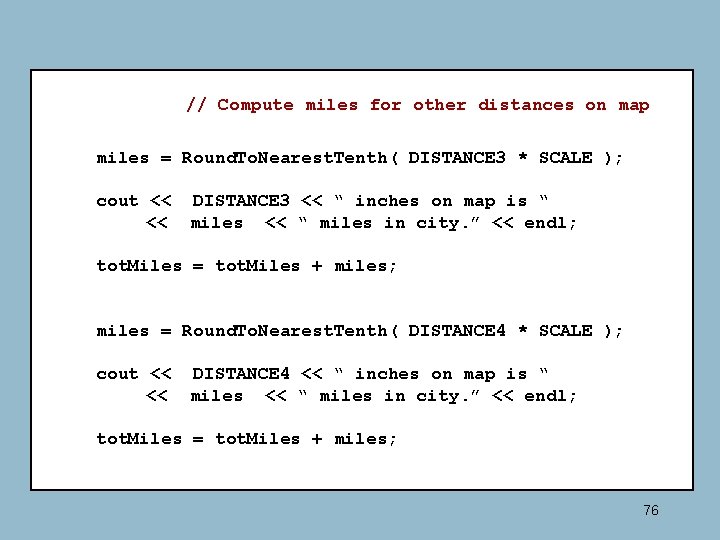
// Compute miles for other distances on map miles = Round. To. Nearest. Tenth( DISTANCE 3 * SCALE ); cout << DISTANCE 3 << “ inches on map is “ << miles << “ miles in city. ” << endl; tot. Miles = tot. Miles + miles; miles = Round. To. Nearest. Tenth( DISTANCE 4 * SCALE ); cout << DISTANCE 4 << “ inches on map is “ << miles << “ miles in city. ” << endl; tot. Miles = tot. Miles + miles; 76
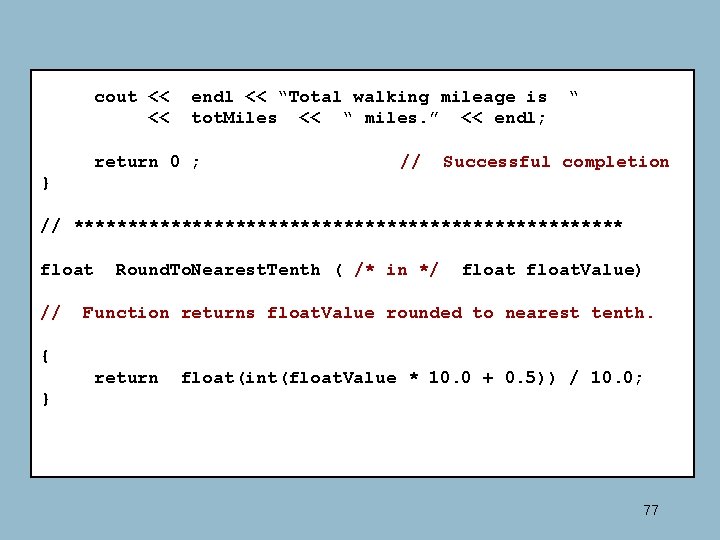
cout << << endl << “Total walking mileage is tot. Miles << “ miles. ” << endl; return 0 ; // “ Successful completion } // ************************** float // Round. To. Nearest. Tenth ( /* in */ float. Value) Function returns float. Value rounded to nearest tenth. { return float(int(float. Value * 10. 0 + 0. 5)) / 10. 0; } 77