
CHAPTER 3 MEMORY MANAGEMENT Introduction Memory is an
- Slides: 54
CHAPTER 3 MEMORY MANAGEMENT
Introduction • Memory is an important resource that must be carefully managed. Why is memory so important? • Most machine instructions take memory addresses as arguments but none take disk addresses Any instruction in execution and any data being used by the instructions must be in memory And why is the management so crucial ? • Even though the amount of memory used in computers are increasing remarkably, programs are getting bigger faster than memories - programs expand to fill the memory available to hold them. • To improve both the utilization of CPU and the speed of its response to users, computers must keep as many as possible processes in memory. 2
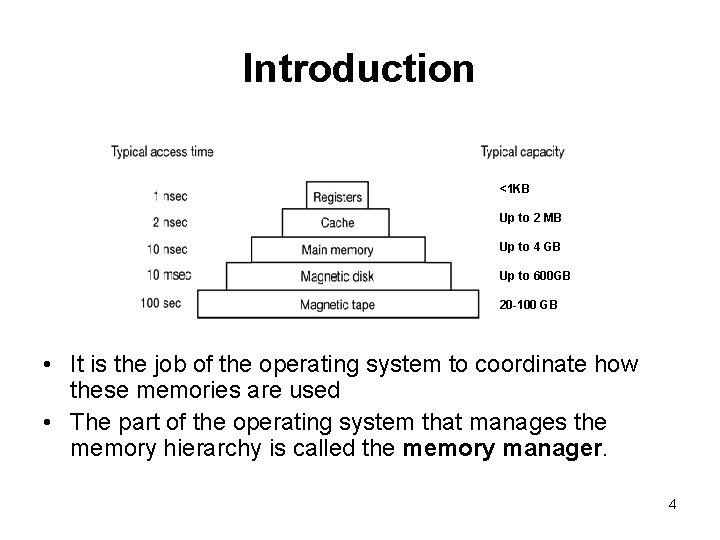
Introduction • Programmers usually would like – – • an infinitely large inexpensive infinitely fast and nonvolatile memory Unfortunately technology does not provide such memories. most computers have a memory hierarchy 3
Introduction <1 KB Up to 2 MB Up to 4 GB Up to 600 GB 20 -100 GB • It is the job of the operating system to coordinate how these memories are used • The part of the operating system that manages the memory hierarchy is called the memory manager. 4
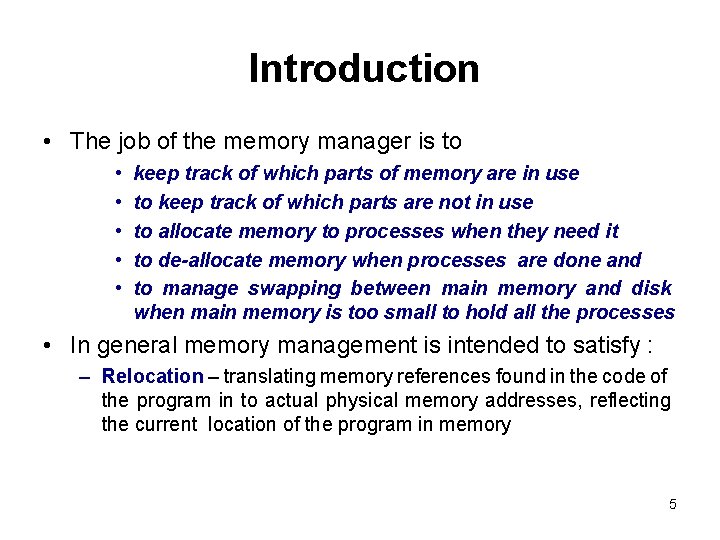
Introduction • The job of the memory manager is to • • • keep track of which parts of memory are in use to keep track of which parts are not in use to allocate memory to processes when they need it to de-allocate memory when processes are done and to manage swapping between main memory and disk when main memory is too small to hold all the processes • In general memory management is intended to satisfy : – Relocation – translating memory references found in the code of the program in to actual physical memory addresses, reflecting the current location of the program in memory 5
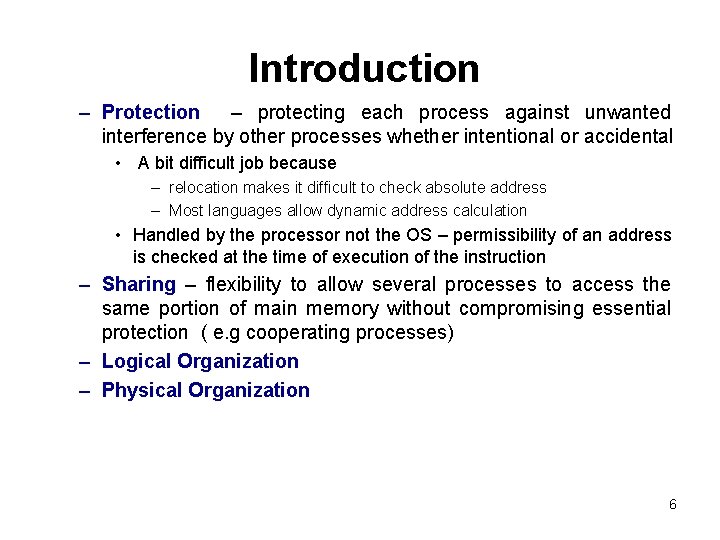
Introduction – Protection – protecting each process against unwanted interference by other processes whether intentional or accidental • A bit difficult job because – relocation makes it difficult to check absolute address – Most languages allow dynamic address calculation • Handled by the processor not the OS – permissibility of an address is checked at the time of execution of the instruction – Sharing – flexibility to allow several processes to access the same portion of main memory without compromising essential protection ( e. g cooperating processes) – Logical Organization – Physical Organization 6
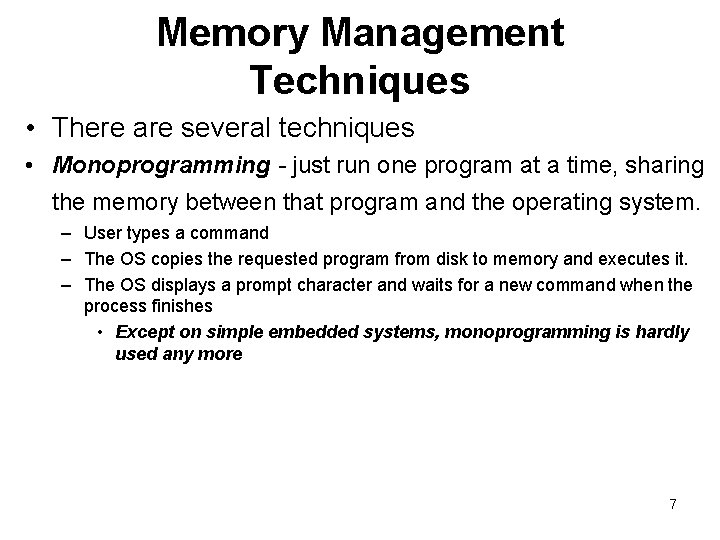
Memory Management Techniques • There are several techniques • Monoprogramming - just run one program at a time, sharing the memory between that program and the operating system. – User types a command – The OS copies the requested program from disk to memory and executes it. – The OS displays a prompt character and waits for a new command when the process finishes • Except on simple embedded systems, monoprogramming is hardly used any more 7
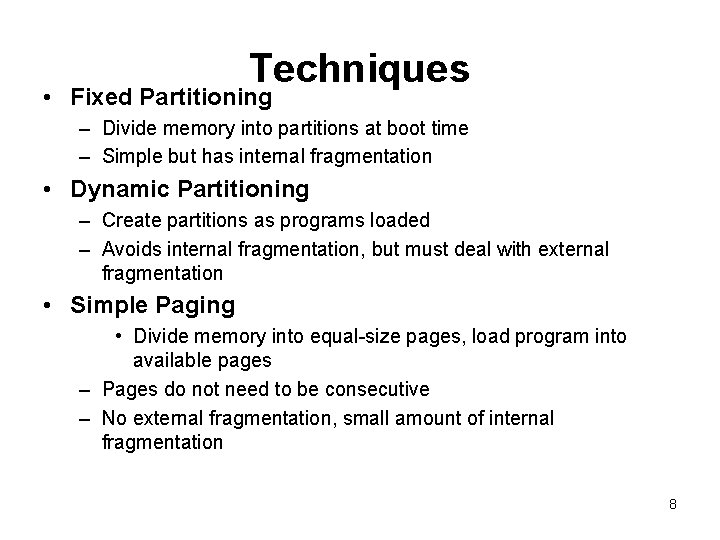
Techniques • Fixed Partitioning – Divide memory into partitions at boot time – Simple but has internal fragmentation • Dynamic Partitioning – Create partitions as programs loaded – Avoids internal fragmentation, but must deal with external fragmentation • Simple Paging • Divide memory into equal-size pages, load program into available pages – Pages do not need to be consecutive – No external fragmentation, small amount of internal fragmentation 8
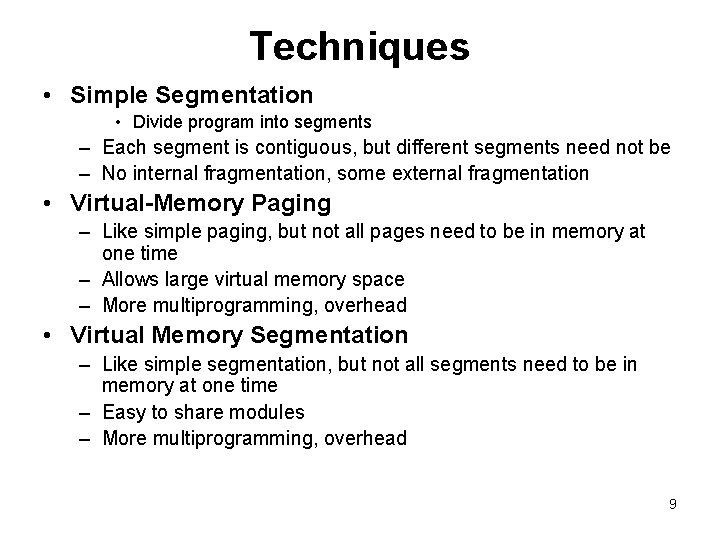
Techniques • Simple Segmentation • Divide program into segments – Each segment is contiguous, but different segments need not be – No internal fragmentation, some external fragmentation • Virtual-Memory Paging – Like simple paging, but not all pages need to be in memory at one time – Allows large virtual memory space – More multiprogramming, overhead • Virtual Memory Segmentation – Like simple segmentation, but not all segments need to be in memory at one time – Easy to share modules – More multiprogramming, overhead 9
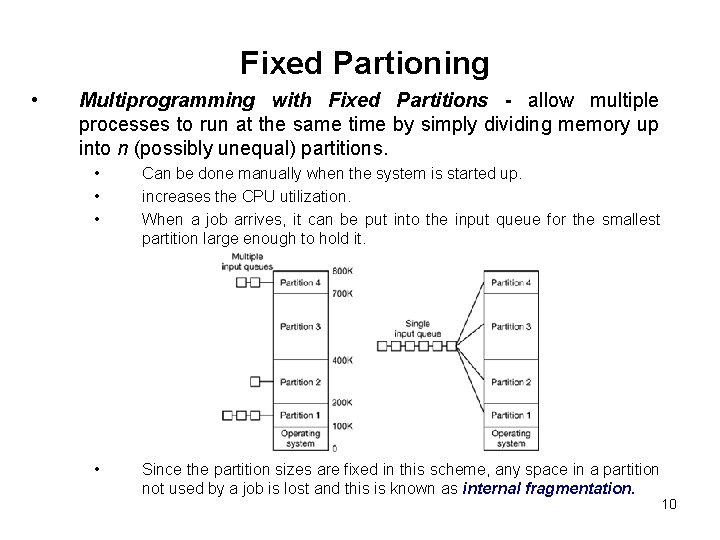
Fixed Partioning • Multiprogramming with Fixed Partitions - allow multiple processes to run at the same time by simply dividing memory up into n (possibly unequal) partitions. • • • Can be done manually when the system is started up. increases the CPU utilization. When a job arrives, it can be put into the input queue for the smallest partition large enough to hold it. • Since the partition sizes are fixed in this scheme, any space in a partition not used by a job is lost and this is known as internal fragmentation. 10
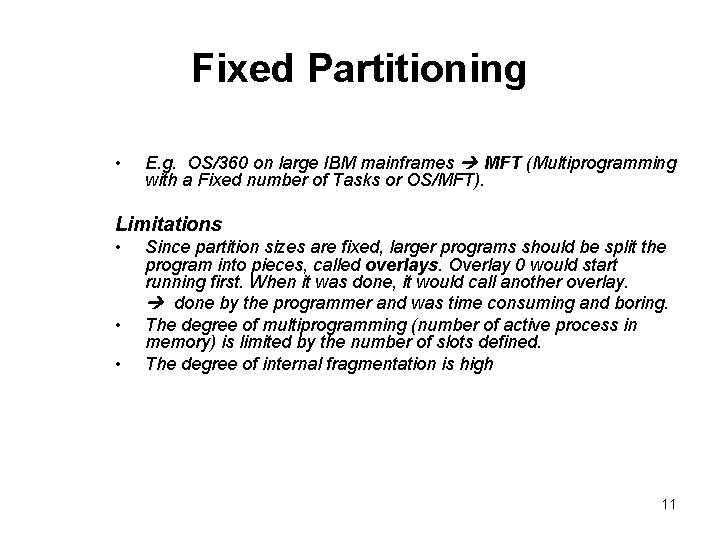
Fixed Partitioning • E. g. OS/360 on large IBM mainframes MFT (Multiprogramming with a Fixed number of Tasks or OS/MFT). Limitations • • • Since partition sizes are fixed, larger programs should be split the program into pieces, called overlays. Overlay 0 would start running first. When it was done, it would call another overlay. done by the programmer and was time consuming and boring. The degree of multiprogramming (number of active process in memory) is limited by the number of slots defined. The degree of internal fragmentation is high 11
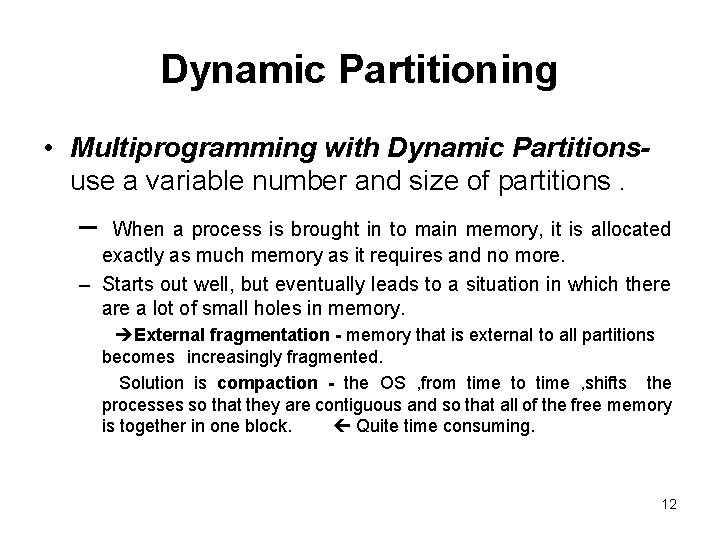
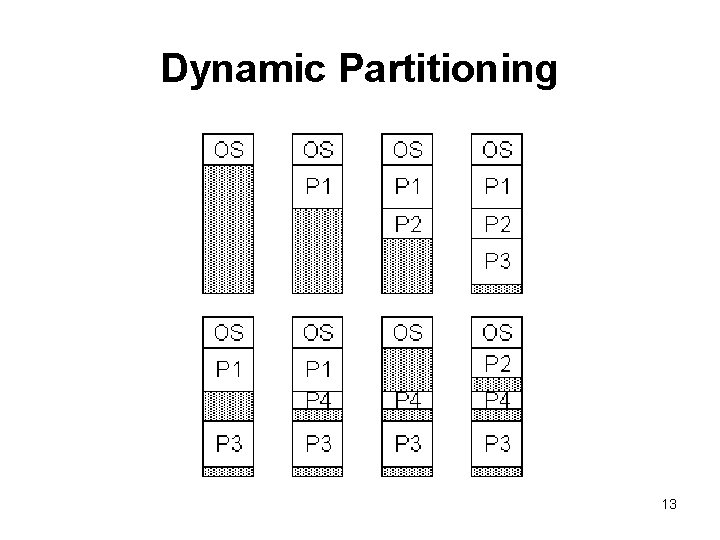
Dynamic Partitioning • Multiprogramming with Dynamic Partitionsuse a variable number and size of partitions. – When a process is brought in to main memory, it is allocated exactly as much memory as it requires and no more. – Starts out well, but eventually leads to a situation in which there a lot of small holes in memory. External fragmentation - memory that is external to all partitions becomes increasingly fragmented. Solution is compaction - the OS , from time to time , shifts the processes so that they are contiguous and so that all of the free memory is together in one block. Quite time consuming. 12
Dynamic Partitioning 13
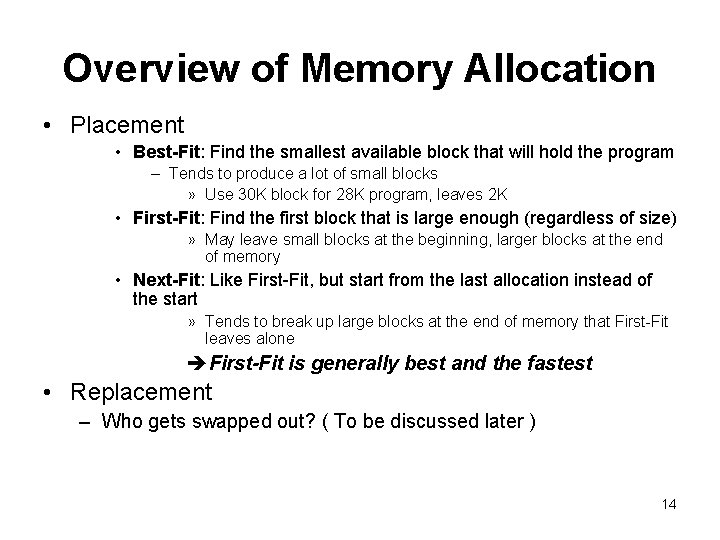
Overview of Memory Allocation • Placement • Best-Fit: Find the smallest available block that will hold the program – Tends to produce a lot of small blocks » Use 30 K block for 28 K program, leaves 2 K • First-Fit: Find the first block that is large enough (regardless of size) » May leave small blocks at the beginning, larger blocks at the end of memory • Next-Fit: Like First-Fit, but start from the last allocation instead of the start » Tends to break up large blocks at the end of memory that First-Fit leaves alone First-Fit is generally best and the fastest • Replacement – Who gets swapped out? ( To be discussed later ) 14
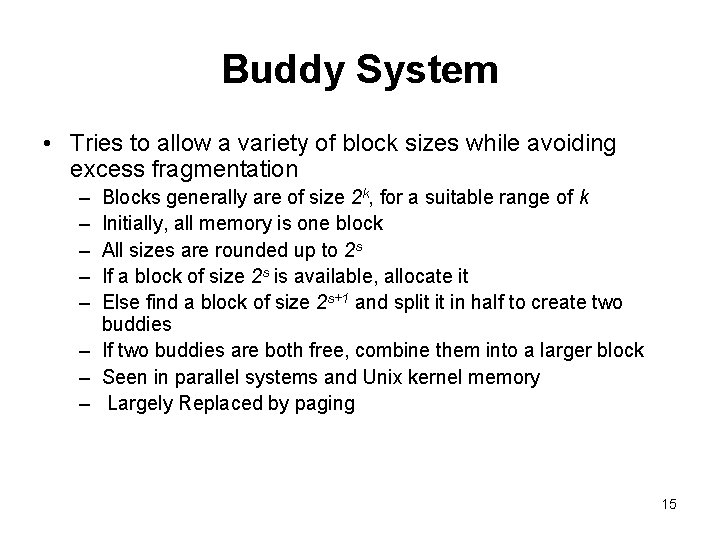
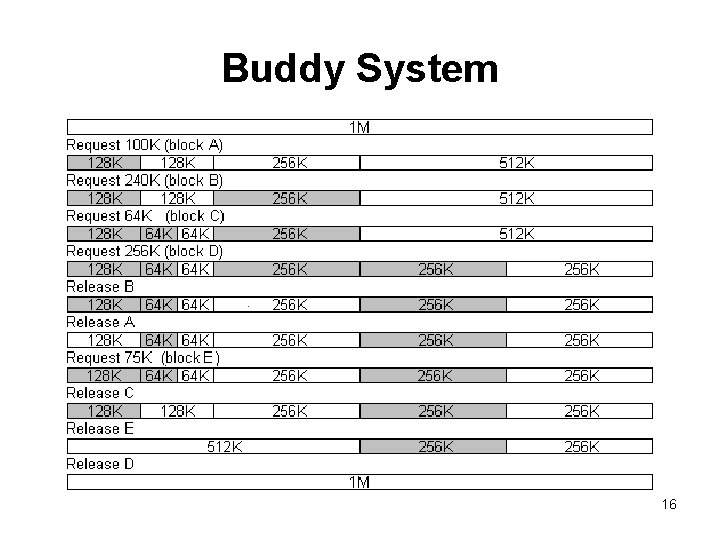
Buddy System • Tries to allow a variety of block sizes while avoiding excess fragmentation – – – Blocks generally are of size 2 k, for a suitable range of k Initially, all memory is one block All sizes are rounded up to 2 s If a block of size 2 s is available, allocate it Else find a block of size 2 s+1 and split it in half to create two buddies – If two buddies are both free, combine them into a larger block – Seen in parallel systems and Unix kernel memory – Largely Replaced by paging 15
Buddy System 16
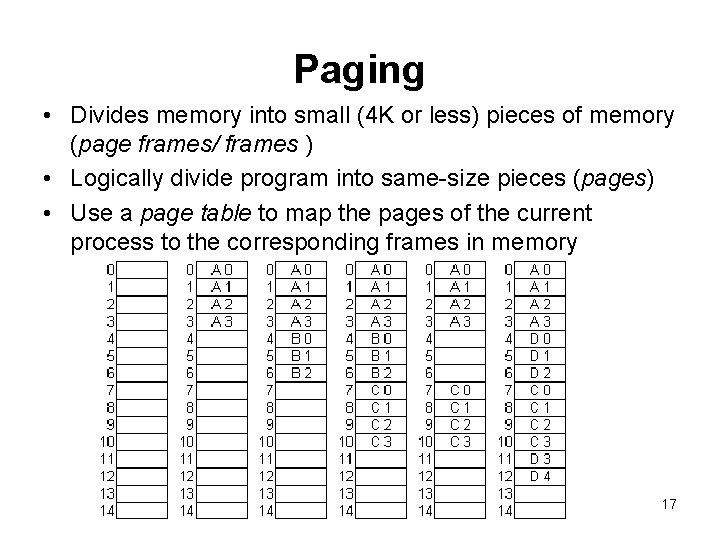
Paging • Divides memory into small (4 K or less) pieces of memory (page frames/ frames ) • Logically divide program into same-size pieces (pages) • Use a page table to map the pages of the current process to the corresponding frames in memory 17
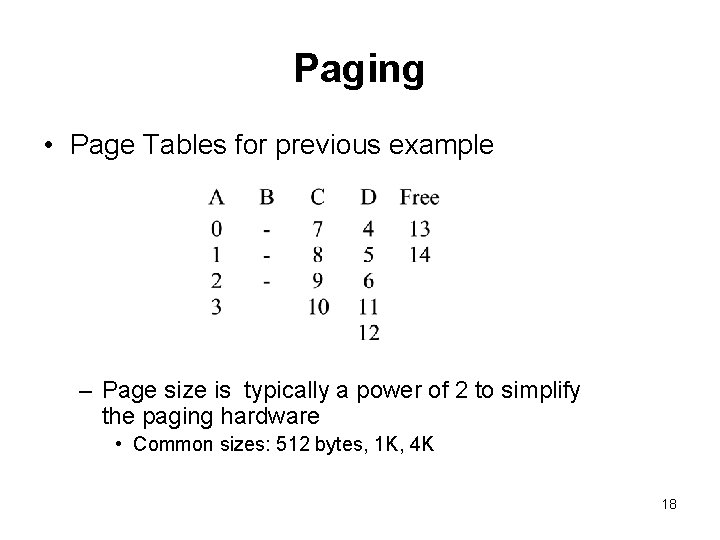
Paging • Page Tables for previous example – Page size is typically a power of 2 to simplify the paging hardware • Common sizes: 512 bytes, 1 K, 4 K 18
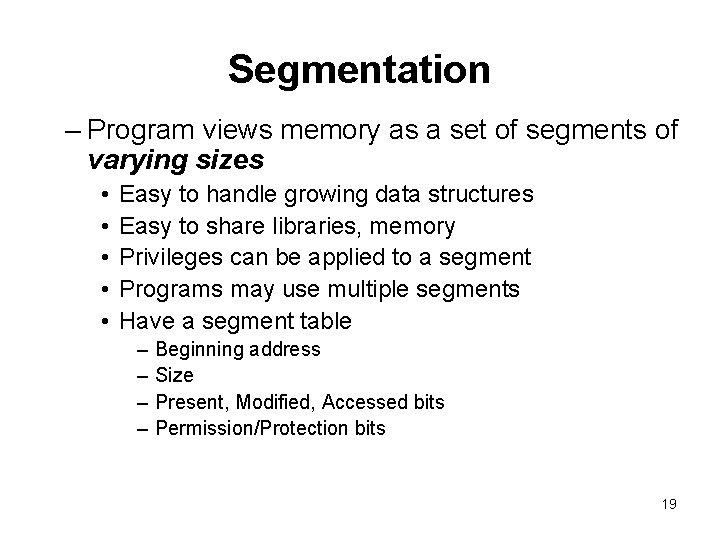
Segmentation – Program views memory as a set of segments of varying sizes • • • Easy to handle growing data structures Easy to share libraries, memory Privileges can be applied to a segment Programs may use multiple segments Have a segment table – – Beginning address Size Present, Modified, Accessed bits Permission/Protection bits 19
Paging and Segmentation • Simple paging is similar to fixed partitioning. The differences are : • With paging the partitions are rather small and a program may occupy more than one partition • The partitions need not be contiguous • The degree of internal fragmentation is small • Simple segmentation is similar to dynamic partitioning. The differences are : • With segmentation , a program may occupy more than one partition • The partitions need not be contiguous • The degree of external fragmentation is small 20
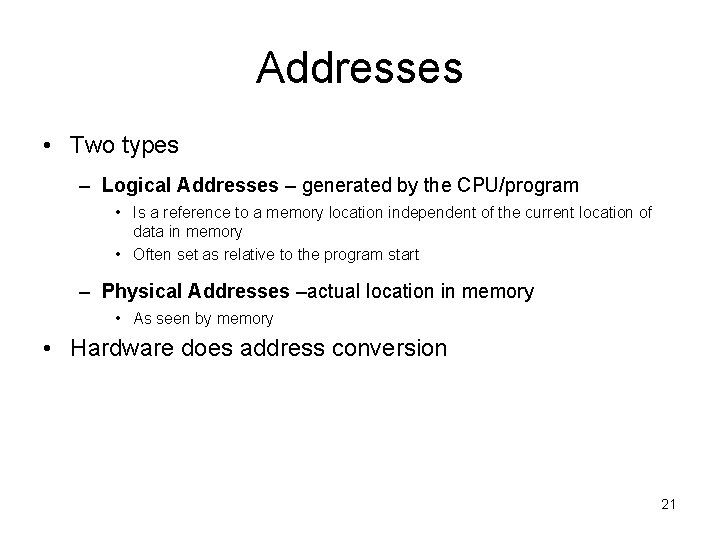
Addresses • Two types – Logical Addresses – generated by the CPU/program • Is a reference to a memory location independent of the current location of data in memory • Often set as relative to the program start – Physical Addresses –actual location in memory • As seen by memory • Hardware does address conversion 21
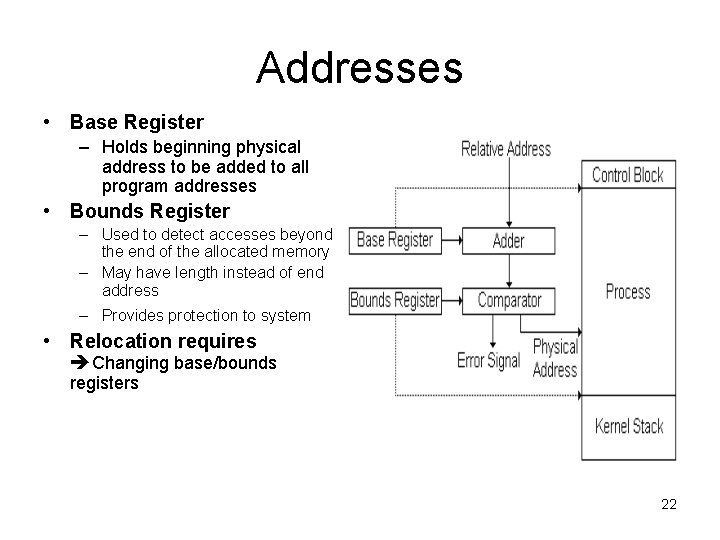
Addresses • Base Register – Holds beginning physical address to be added to all program addresses • Bounds Register – Used to detect accesses beyond the end of the allocated memory – May have length instead of end address – Provides protection to system • Relocation requires Changing base/bounds registers 22
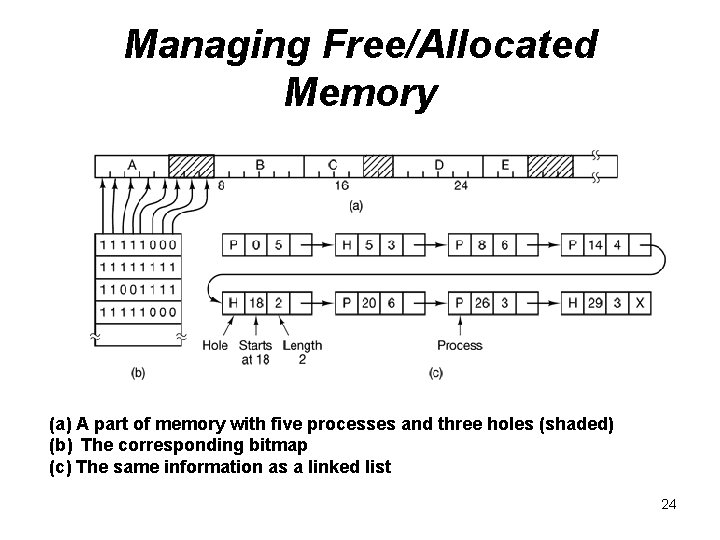
Managing Free/Allocated Memory • When memory is assigned dynamically, the operating system must manage it. In general terms, there are two ways to keep track of memory usage: bitmaps and linked lists. – Memory Management with Bitmaps - memory is divided up into allocation units, perhaps as small as a few words and perhaps as large as several kilobytes. • Keep a bitmap corresponding to each allocation unit ithat s a bit in the bitmap, – Bitmap could be 0 if the unit is free and 1 if it is occupied (or vice versa). – Problem - when it has been decided to bring a k unit process into memory, the memory manager must search the bitmap to find a run of k consecutive 0 bits in the map. » a slow operation (because the run may straddle word boundaries in the map). – Memory Management with Linked Lists- the OS maintains a linked list of allocated and free memory segments 23
Managing Free/Allocated Memory (a) A part of memory with five processes and three holes (shaded) (b) The corresponding bitmap (c) The same information as a linked list 24
Virtual Memory • With a batch system, organizing memory into fixed partitions is simple and effective. – Each job is loaded into a partition when it gets to the head of the queue. – It stays in memory until it has finished. – As long as enough jobs can be kept in memory to keep the CPU busy all the time, there is no reason to use anything more complicated. • With timesharing systems, the situation is different. – Sometimes there is not enough main memory to hold all the currently active processes, • so excess processes must he kept on disk and brought in to run dynamically. • For these situations, two general approaches to memory management can be used, depending (in part) on the available hardware. – Swapping - bring each process in its entirety, run it for a while, then put it back on the disk. the simplest strategy; used with partitioning systems – Virtual memory- keep excess processes on disk and allow programs to run even when they are only partially in main memory used with paging and segmentation 25
Virtual Memory • Advantages of loading memory only part of a process into – A process can be larger than main memory – More processes are maintained in main memory because we only load some pieces of the process • Real Memory – The physical memory occupied by a program • Virtual memory – The larger memory space perceived by the program – Allows very effective multiprogramming and relieves the user of unnecessary tight constraints of main memory 26
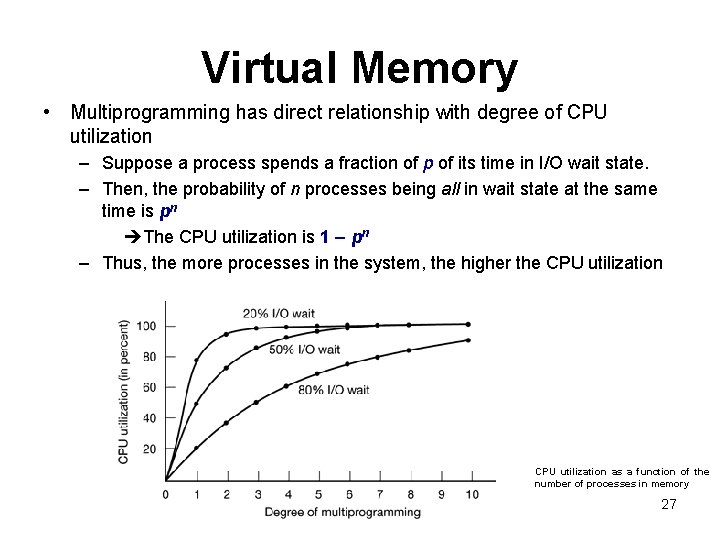
Virtual Memory • Multiprogramming has direct relationship with degree of CPU utilization – Suppose a process spends a fraction of p of its time in I/O wait state. – Then, the probability of n processes being all in wait state at the same time is pn The CPU utilization is 1 – pn – Thus, the more processes in the system, the higher the CPU utilization as a function of the number of processes in memory 27
Virtual Memory • Resident Set – parts of the program being actively used – Remaining parts of program on disk • Is virtual memory management scheme practical? – Does it not involve too much of a swapping and hence reduce CPU efficiency? – On the contrary ; • Keeping many processes increases CPU efficiency • Practice has shown that program and data references tend to cluster – A program tends to reference the same items. Even if same item not used, nearby items will often be referenced Principle of Locality 28
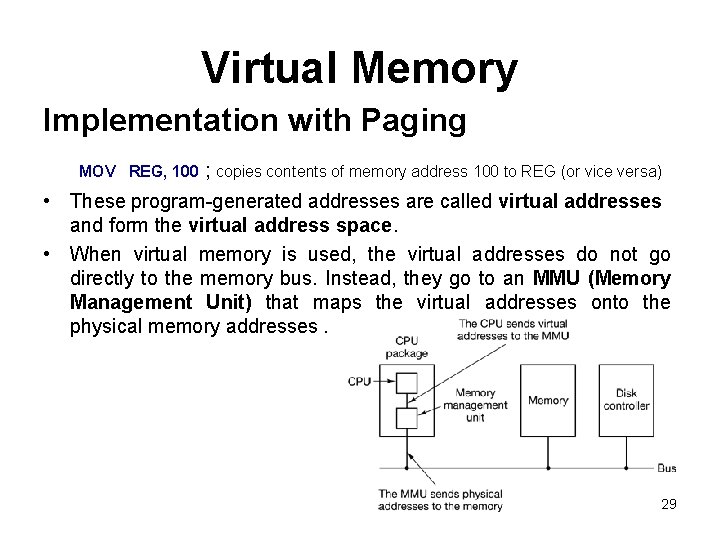
Virtual Memory Implementation with Paging MOV REG, 100 ; copies contents of memory address 100 to REG (or vice versa) • These program-generated addresses are called virtual addresses and form the virtual address space. • When virtual memory is used, the virtual addresses do not go directly to the memory bus. Instead, they go to an MMU (Memory Management Unit) that maps the virtual addresses onto the physical memory addresses. 29
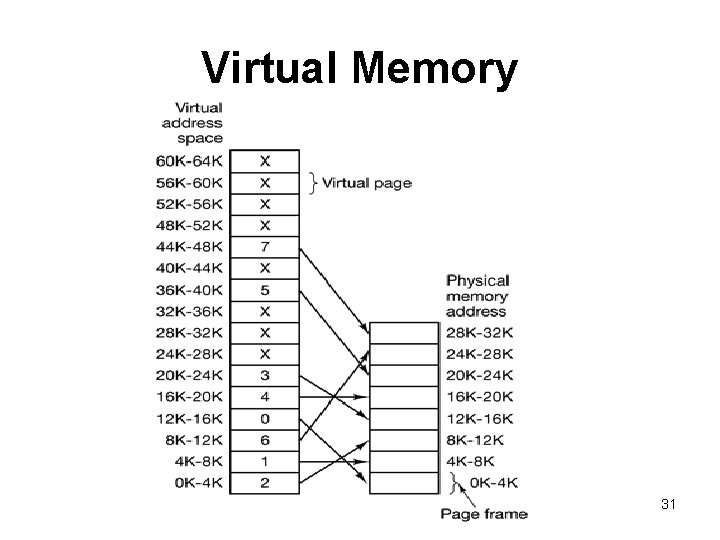
Virtual Memory • Example - A computer that can generate 16 -bit virtual addresses (0 - 64 K ) and has only 32 KB of physical memory – although 64 -KB programs can be written, they cannot be loaded into memory in their entirety and run. – A complete copy of a program’s core image, up to 64 KB, must be present on the disk, however, so that pieces can be brought in as needed. • The virtual address space is divided up into units called pages. • The corresponding units in the physical memory are called page frames. – Transfers between RAM and disk are always in units of a page. • Considering a page size of 4 KB , we have – 16 virtual pages – 8 page frames 30
Virtual Memory 31
Virtual Memory • MOV REG, 0 – virtual address 0 is sent to the MMU. – The MMU sees that this virtual address falls in page 0 (0 to 4095), which according to its mapping is page frame 2 (8192 to 12287). – It thus transforms the address to 8192 and outputs address 8192 onto the bus. – The memory knows nothing at all about the MMU and just sees a request for reading or writing address 8192, which it honors. Thus, the MMU has effectively mapped all virtual addresses between 0 and 4095 onto physical addresses 8192 to 12287. • MOV REG, 8192 is effectively transformed into MOV REG, 24576 because virtual address 8192 is in virtual page 2 and this page is mapped onto physical page frame 6 (physical addresses 24576 to 28671). 32
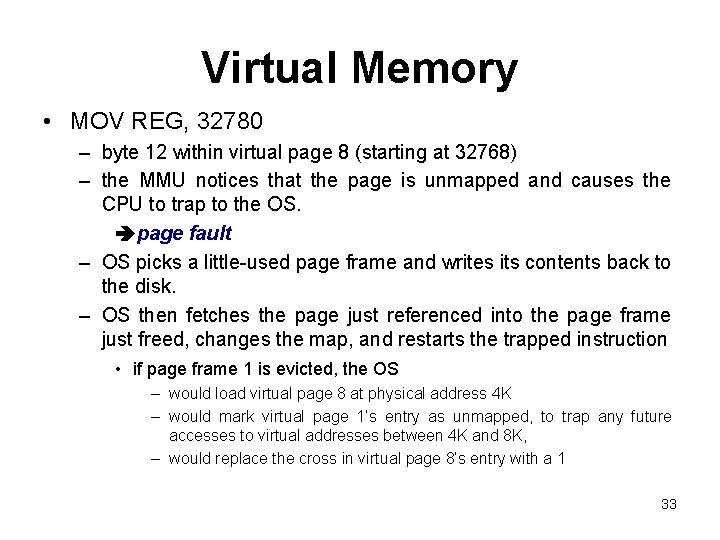
Virtual Memory • MOV REG, 32780 – byte 12 within virtual page 8 (starting at 32768) – the MMU notices that the page is unmapped and causes the CPU to trap to the OS. page fault – OS picks a little-used page frame and writes its contents back to the disk. – OS then fetches the page just referenced into the page frame just freed, changes the map, and restarts the trapped instruction • if page frame 1 is evicted, the OS – would load virtual page 8 at physical address 4 K – would mark virtual page 1’s entry as unmapped, to trap any future accesses to virtual addresses between 4 K and 8 K, – would replace the cross in virtual page 8’s entry with a 1 33
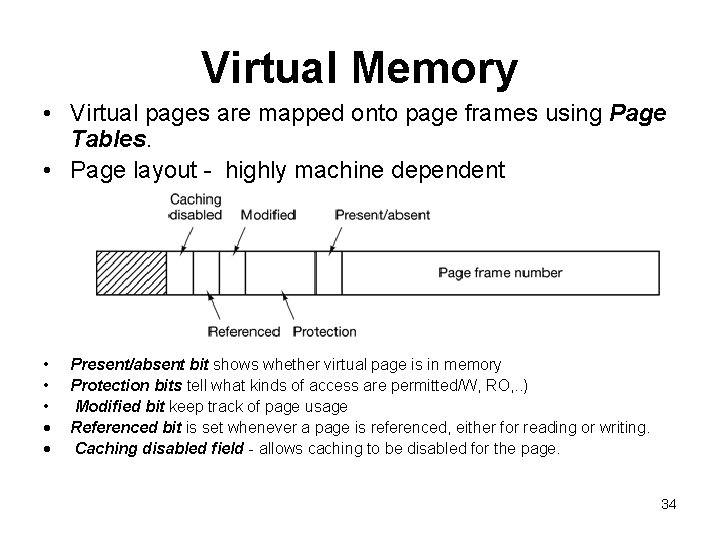
Virtual Memory • Virtual pages are mapped onto page frames using Page Tables. • Page layout - highly machine dependent • • • Present/absent bit shows whether virtual page is in memory Protection bits tell what kinds of access are permitted/W, RO, . . ) Modified bit keep track of page usage Referenced bit is set whenever a page is referenced, either for reading or writing. Caching disabled field - allows caching to be disabled for the page. 34
Virtual Memory • Two major issues must be faced: – the page table can be extremely large • 32 bits virtual address with a 4 -KB page size 1 M entries • 64 -bit virtual address with a 4 -KB page 4. 6. . x 1015 entries • Some systems put page tables in virtual address space – the mapping must be fast. • the virtual-to-physical mapping must be done on every memory reference. • A typical instruction has an instruction word, and often a memory operand as well. it is necessary to make 1, 2, or sometimes more page table references per instruction 35
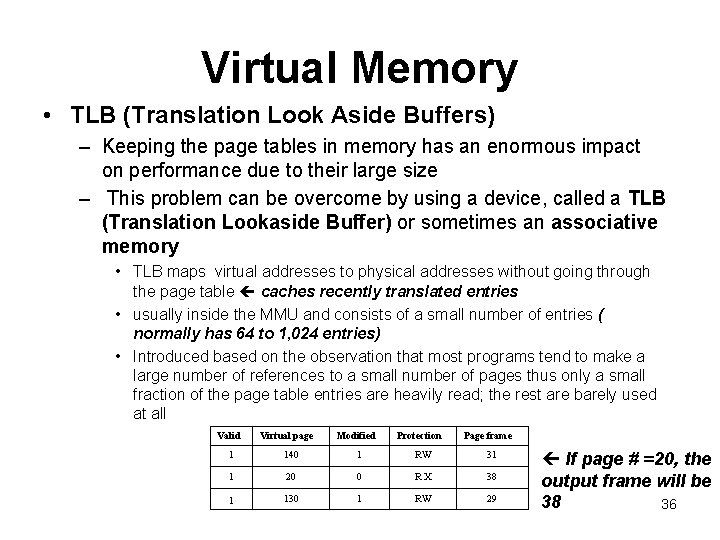
Virtual Memory • TLB (Translation Look Aside Buffers) – Keeping the page tables in memory has an enormous impact on performance due to their large size – This problem can be overcome by using a device, called a TLB (Translation Lookaside Buffer) or sometimes an associative memory • TLB maps virtual addresses to physical addresses without going through the page table caches recently translated entries • usually inside the MMU and consists of a small number of entries ( normally has 64 to 1, 024 entries) • Introduced based on the observation that most programs tend to make a large number of references to a small number of pages thus only a small fraction of the page table entries are heavily read; the rest are barely used at all Valid Virtual page Modified Protection Page frame 1 140 1 RW 31 1 20 0 RX 38 1 130 1 RW 29 If page # =20, the output frame will be 38 36
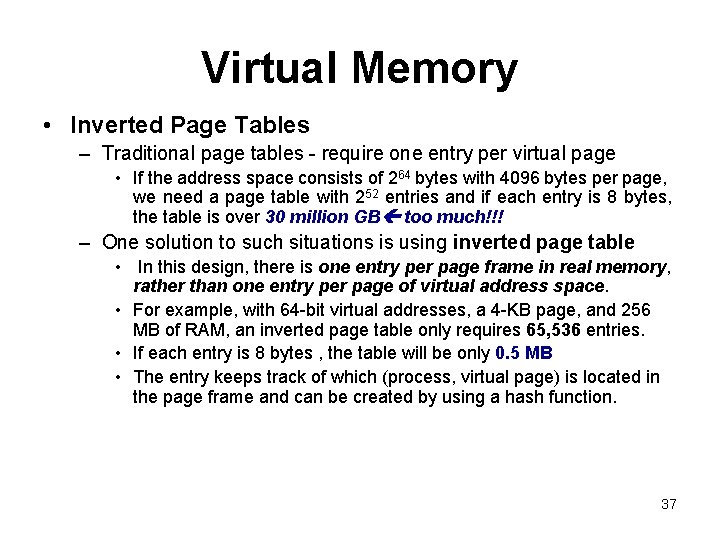
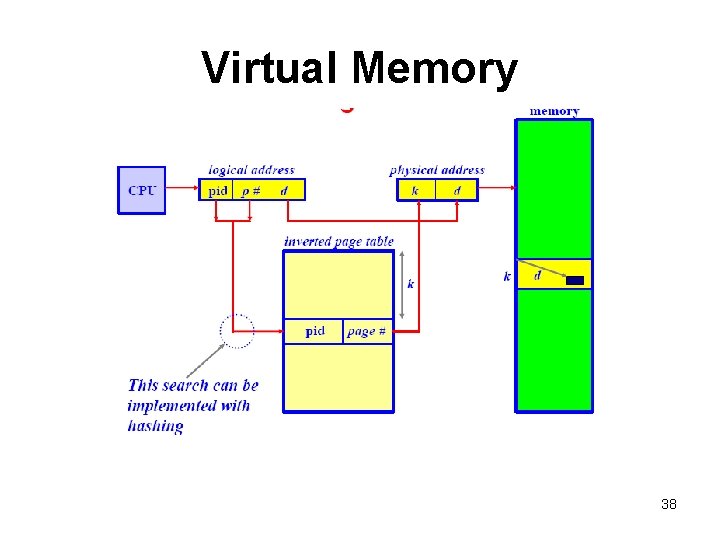
Virtual Memory • Inverted Page Tables – Traditional page tables - require one entry per virtual page • If the address space consists of 264 bytes with 4096 bytes per page, we need a page table with 252 entries and if each entry is 8 bytes, the table is over 30 million GB too much!!! – One solution to such situations is using inverted page table • In this design, there is one entry per page frame in real memory, rather than one entry per page of virtual address space. • For example, with 64 -bit virtual addresses, a 4 -KB page, and 256 MB of RAM, an inverted page table only requires 65, 536 entries. • If each entry is 8 bytes , the table will be only 0. 5 MB • The entry keeps track of which (process, virtual page) is located in the page frame and can be created by using a hash function. 37
Virtual Memory 38
Virtual Memory • Does a paging system have fragmentation? – No external fragmentation because un-used page frames can be used by the next process. – Have internal fragmentation because the address space is divided into equal size pages, all but the last one will be filled completely. Thus, the last page contains internal fragmentation 39
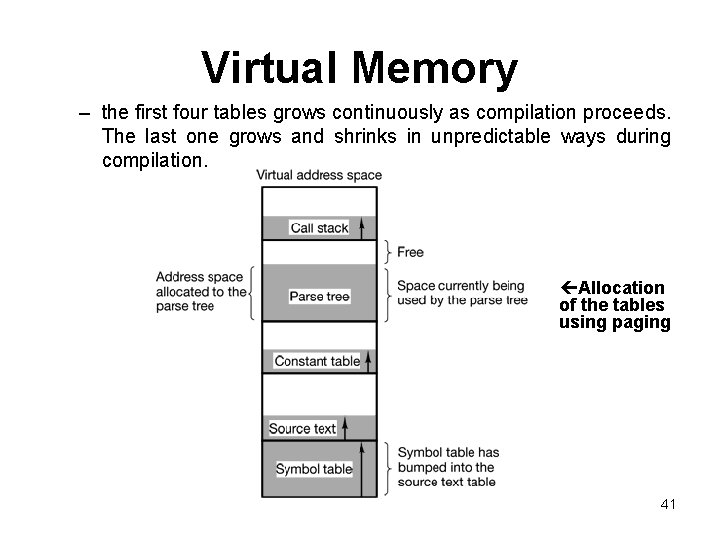
Virtual Memory Implementation with Segmentation • VM implementation with paging is one-dimensional – virtual addresses go from 0 to some maximum address, one address after another. – However, for many problems, having two or more separate virtual address spaces may be much better than having only one. – Example, a compiler has many tables that are built up as compilation proceeds, possibly including: • • • source text being saved for the printed listing (on batch systems) symbol table, containing the names and attributes of variables table containing all the integer and floating-point constants used parse tree, containing the syntactic analysis of the program stack used for procedure calls within the compiler 40
Virtual Memory – the first four tables grows continuously as compilation proceeds. The last one grows and shrinks in unpredictable ways during compilation. Allocation of the tables using paging 41
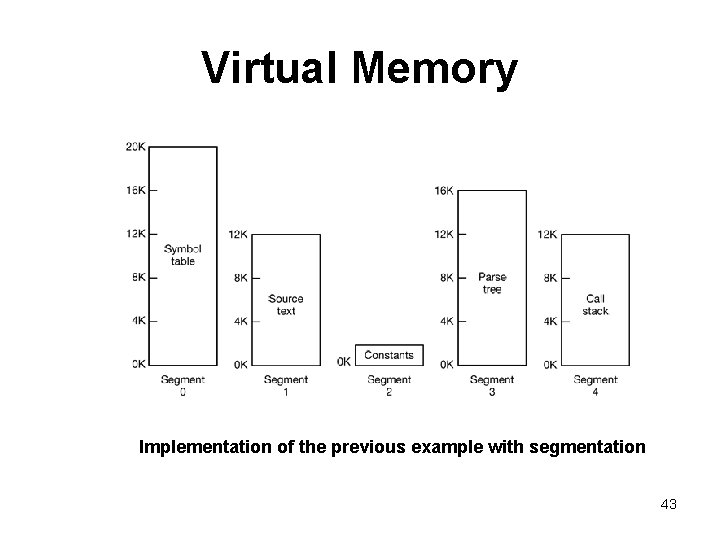
Virtual Memory • Consider what happens if a program has an exceptionally large number of variables but a normal amount of everything else. – The chunk of address space allocated for the symbol table may fill up, but there may be lots of room in the other tables. • The compiler could simply issue a message saying that the compilation cannot continue due to too many variables( not fair because unused space is left in the other tables) • Play Robin Hood- take space from the tables with an excess of room and give it to the tables with little room. – analogous to managing one’s own overlays—a nuisance – Solution is to provide the machine with many completely independent address spaces, called segments. – Each segment consists of a linear sequence of addresses, from 0 to some maximum. • Different segments may, and usually do, have different lengths • Segment lengths may change during execution • segments are usually very large so segment fill up is rare 42
Virtual Memory Implementation of the previous example with segmentation 43
Virtual Memory • A segment is a logical entity, which the programmer is aware of and uses as a logical entity. • A segmented memory – Simplifies the handling of data structures that are growing or shrinking – If the procedure in segment n is subsequently modified and recompiled, no other procedures need be changed (because no starting addresses have been modified), even if the new version is larger than the old one. – Facilitates sharing procedures or data between several processes – A programmer can enforce different kinds of protection for different segments 44
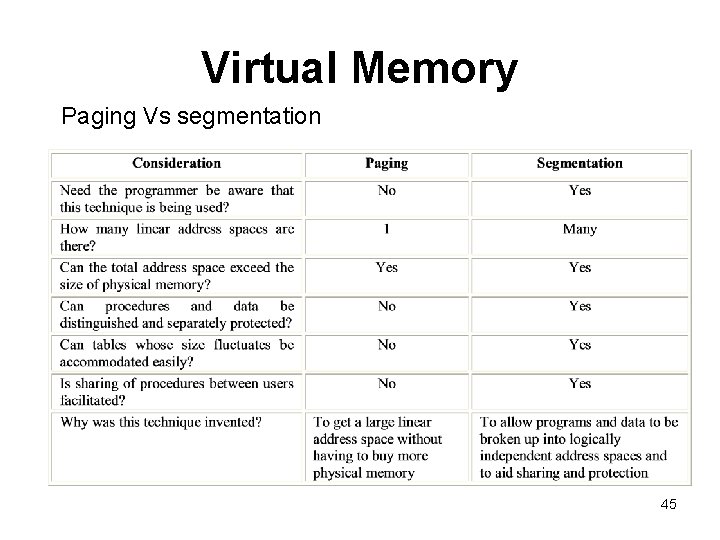
Virtual Memory Paging Vs segmentation 45
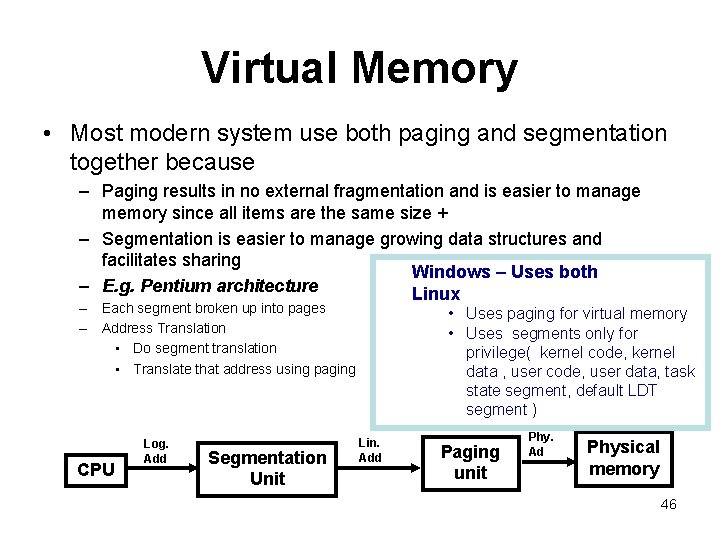
Virtual Memory • Most modern system use both paging and segmentation together because – Paging results in no external fragmentation and is easier to manage memory since all items are the same size + – Segmentation is easier to manage growing data structures and facilitates sharing Windows – Uses both – E. g. Pentium architecture Linux – Each segment broken up into pages – Address Translation • Do segment translation • Translate that address using paging CPU Log. Add Segmentation Unit • Uses paging for virtual memory • Uses segments only for privilege( kernel code, kernel data , user code, user data, task state segment, default LDT segment ) Lin. Add Paging unit Phy. Ad Physical memory 46
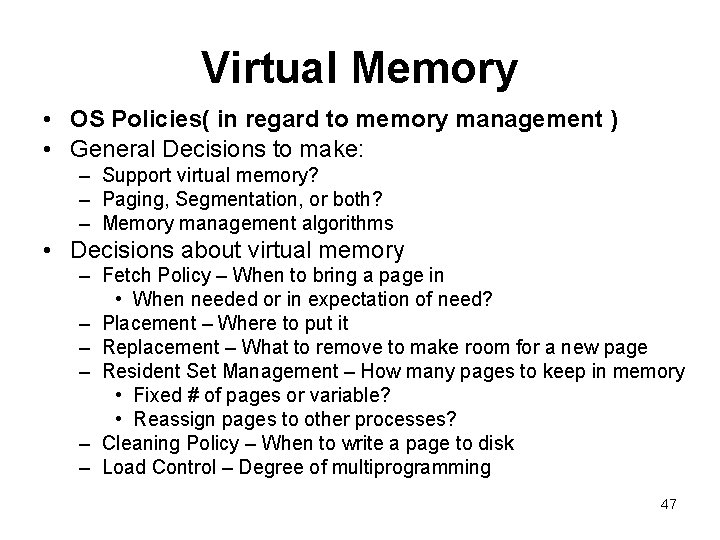
Virtual Memory • OS Policies( in regard to memory management ) • General Decisions to make: – Support virtual memory? – Paging, Segmentation, or both? – Memory management algorithms • Decisions about virtual memory – Fetch Policy – When to bring a page in • When needed or in expectation of need? – Placement – Where to put it – Replacement – What to remove to make room for a new page – Resident Set Management – How many pages to keep in memory • Fixed # of pages or variable? • Reassign pages to other processes? – Cleaning Policy – When to write a page to disk – Load Control – Degree of multiprogramming 47
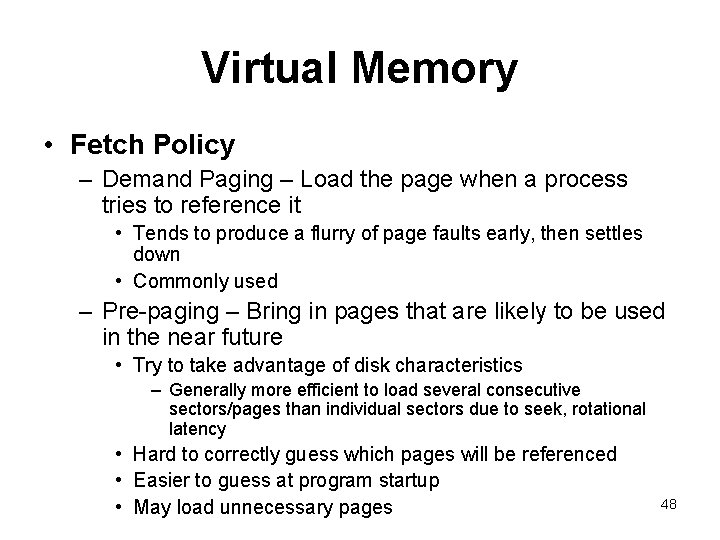
Virtual Memory • Fetch Policy – Demand Paging – Load the page when a process tries to reference it • Tends to produce a flurry of page faults early, then settles down • Commonly used – Pre-paging – Bring in pages that are likely to be used in the near future • Try to take advantage of disk characteristics – Generally more efficient to load several consecutive sectors/pages than individual sectors due to seek, rotational latency • Hard to correctly guess which pages will be referenced • Easier to guess at program startup • May load unnecessary pages 48
Virtual Memory • Placement Policy – Trivial in a paging system ( all pages are equal ) – Best-fit, First-Fit, or Next-Fit can be used with segmentation • Replacement Policy – Which page to replace when a new page needs to be loaded – The fewer number of page faults a technique generates, the better the algorithm is – Tends to combine several things: • How many page frames are allocated • From pages being considered, selecting one page to be replaced • Replace only a page in the current process, or from all processes 49
Virtual Memory – Frame Locking • Require a page to stay in memory – E. g. O. S. Kernel and Interrupt Handlers, Real. Time processes, Other key data structures • Implemented by bit in data structures – Basic Algorithms • Optimal - Select the page that will not be referenced for the longest time in the future Limitation » There is no way of knowing that • Least recently used (LRU) - Locate the page that hasn’t been referenced for the longest time – Nearly as good at optimal policy in many cases Limitation » Must keep a ordered list of pages or last accessed time for all pages (scanning and updating takes time ) 50
Virtual Memory • First in, First out- remove the page that has been in memory for long – Easy to implement Limitation » It may remove an important and heavily used process • Clock Algorithm – We think of pages as circular buffer and keep a pointer to the buffer and a bit to indicate use – Set a use bit when loaded or used – When a page frame is needed, » we examine the page under the pointer » If its use bit is 0, we replace it » Otherwise, we clear the use bit and advance – Gives a performance close to LRU with low overhead of FIFO 51
Virtual Memory • The Second Chance Algorithm- looks for an old page that has not been referenced in the previous clock interval and replaces that page. • Working Set Page Replacement Algorithm – finds a page that is not in the working set and evicts it. • Working Set Clock Page Replacement Algorithm – – Which one is good? • As seen above each of them are good in some way. But generally the fewer number of page faults an algorithm generates, the better the algorithm it is. • Let p be the probability of a page fault ( p usually is between 0 and 1 , i. e. , 0 p 1) • Effective access time is (1 - p) x memory access time + p x page fault time page fault rate p should be small 52
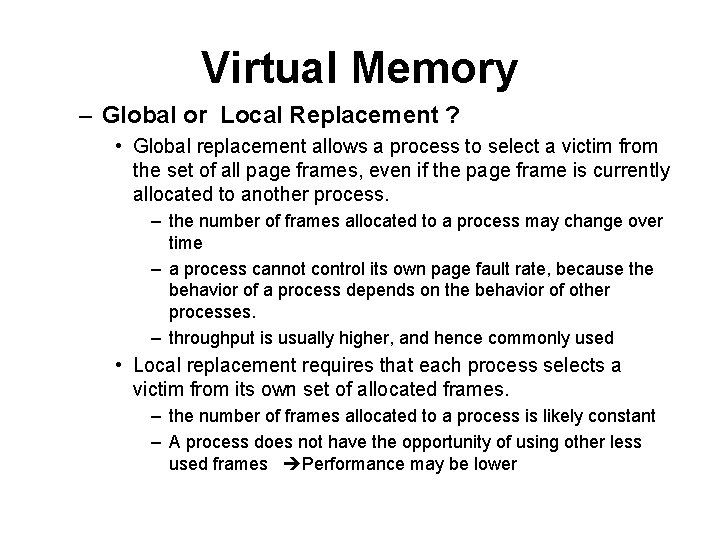
Virtual Memory – Global or Local Replacement ? • Global replacement allows a process to select a victim from the set of all page frames, even if the page frame is currently allocated to another process. – the number of frames allocated to a process may change over time – a process cannot control its own page fault rate, because the behavior of a process depends on the behavior of other processes. – throughput is usually higher, and hence commonly used • Local replacement requires that each process selects a victim from its own set of allocated frames. – the number of frames allocated to a process is likely constant – A process does not have the opportunity of using other less used frames Performance may be lower
Assignment • Compare and Contrast – Fixed partitioning – Dynamic partitioning – Virtual Memory Paging – Virtual Memory Segmentation – What is overlay? • Which memory management technique uses overlay 54