
Chapter 3 Memory Chapter 3 Objectives n Define
Chapter 3 Memory
Chapter 3 Objectives n Define memory n Determine how memory is measured n Differentiate between the various types of memory n Define RAM n Define cache memory
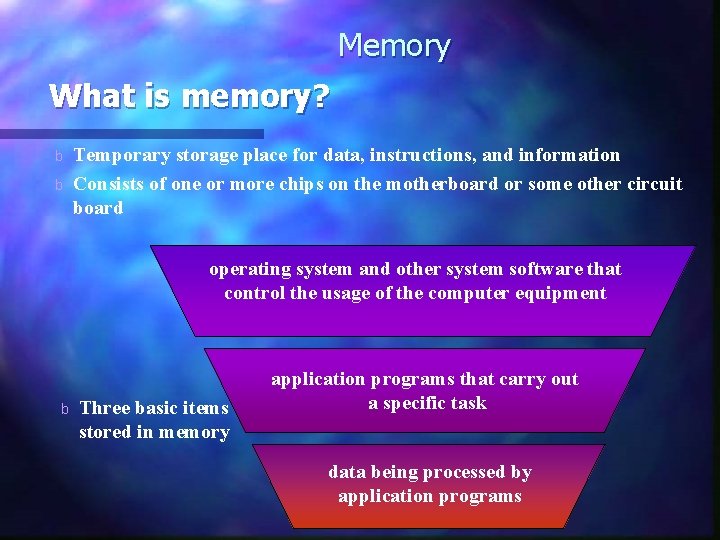
Memory What is memory? b b Temporary storage place for data, instructions, and information Consists of one or more chips on the motherboard or some other circuit board operating system and other system software that control the usage of the computer equipment b Three basic items stored in memory application programs that carry out a specific task data being processed by application programs
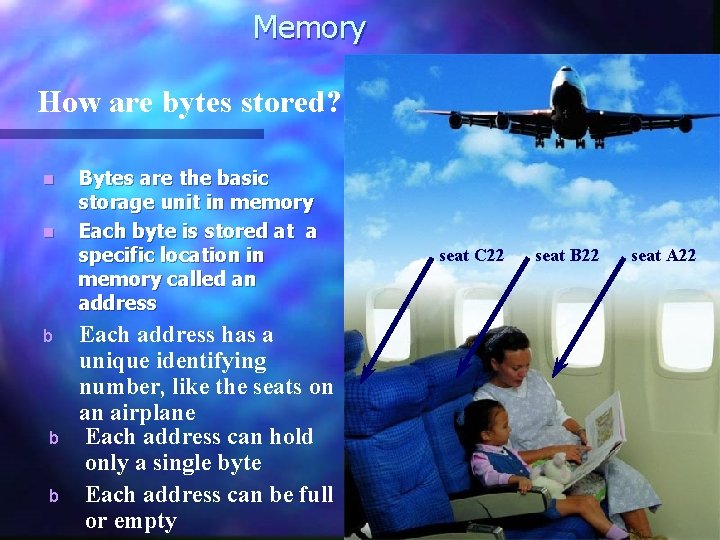
Memory How are bytes stored? n n b b b Bytes are the basic storage unit in memory Each byte is stored at a specific location in memory called an address Each address has a unique identifying number, like the seats on an airplane Each address can hold only a single byte Each address can be full or empty seat C 22 seat B 22 seat A 22
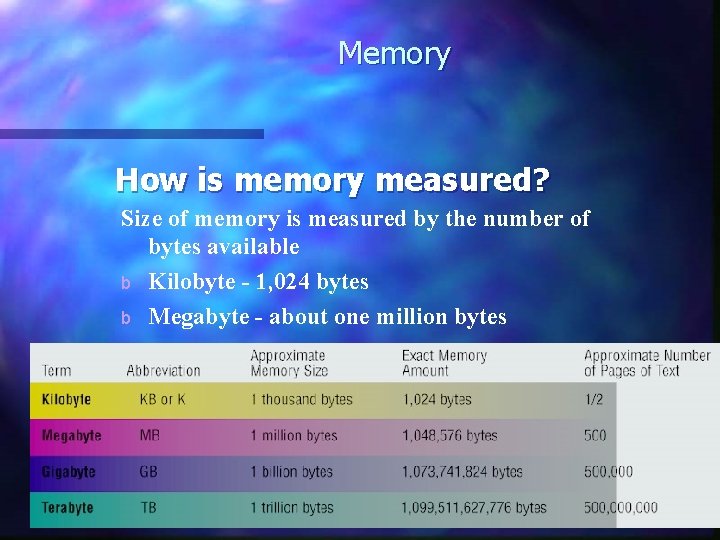
Memory How is memory measured? Size of memory is measured by the number of bytes available b Kilobyte - 1, 024 bytes b Megabyte - about one million bytes

Memory What are the two types of memory in the system unit? Volatile Memory volatile memory Loses its contents when the computer's power is turned off nonvolatile memory
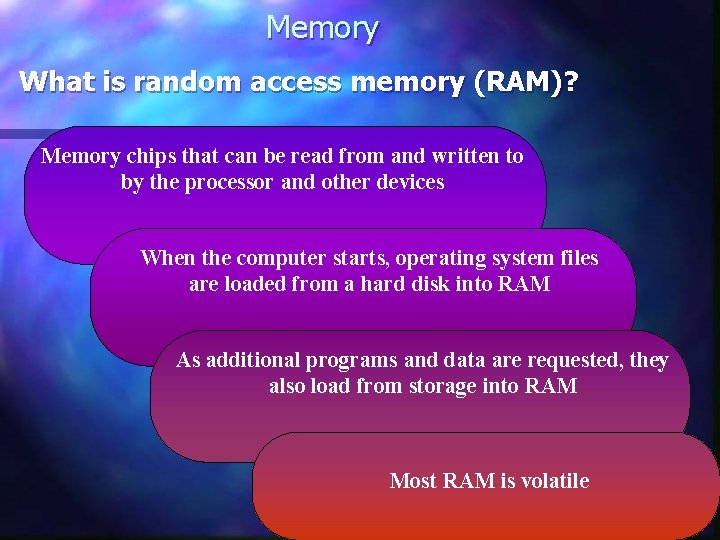
Memory What is random access memory (RAM)? Memory chips that can be read from and written to by the processor and other devices When the computer starts, operating system files are loaded from a hard disk into RAM As additional programs and data are requested, they also load from storage into RAM Most RAM is volatile
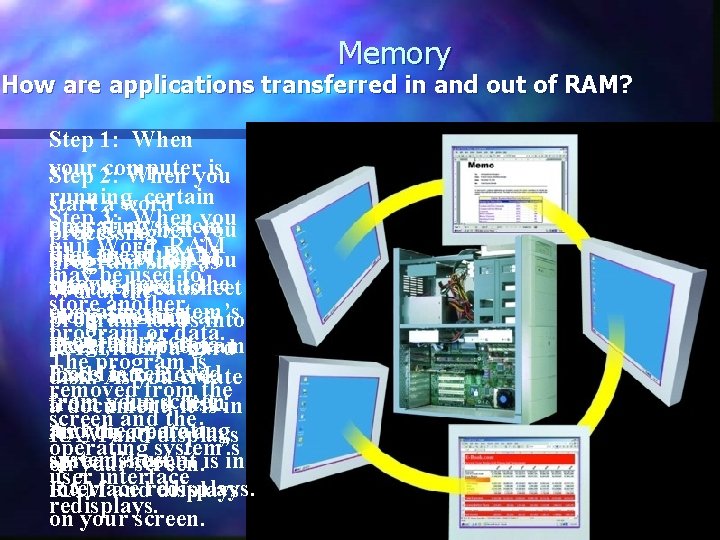
Memory How are applications transferred in and out of RAM? Step 1: When your computer is Step 2: When you running, certain start a word Step 3: When you operating system Step 5: When you processing quit Word, RAM files are in RAM. quit Excel, RAM Step 4: When you program such as may be used to Shown here is may be used start a spreadsheet Word, the tothe store another operating system’s store another program such as loads into program or data. user program Excel, theor program RAMinterface. from adata. hard The program is Excel is removed loads into RAM disk. As you create removed from the from your screen a hard disk. a document, it is in screen and the operating As you create a RAM and displays operating system’s user spreadsheet, it is in on your screen. user interface RAM andredisplays. on your screen. Storage (hard disk) RAM
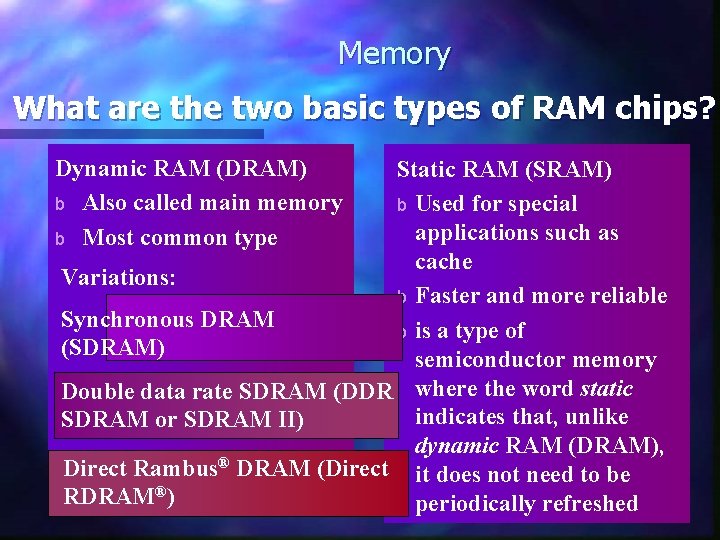
Memory What are the two basic types of RAM chips? Dynamic RAM (DRAM) b Also called main memory b Most common type Static RAM (SRAM) b Used for special applications such as cache Variations: b Faster and more reliable Synchronous DRAM b is a type of (SDRAM) semiconductor memory Double data rate SDRAM (DDR where the word static indicates that, unlike SDRAM or SDRAM II) dynamic RAM (DRAM), Direct Rambus® DRAM (Direct it does not need to be RDRAM®) periodically refreshed
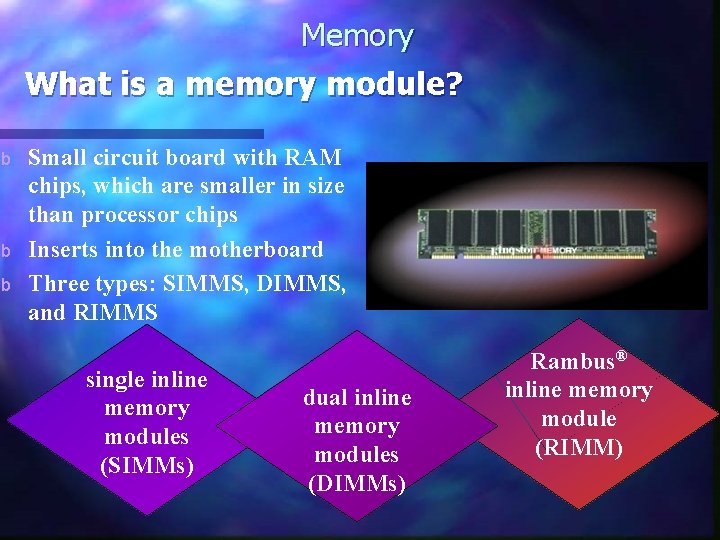
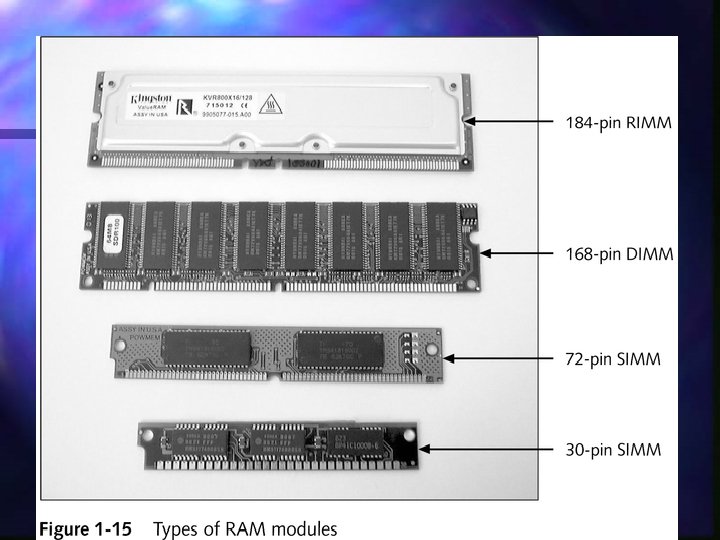
Memory What is a memory module? b b b Small circuit board with RAM chips, which are smaller in size than processor chips Inserts into the motherboard Three types: SIMMS, DIMMS, and RIMMS single inline memory modules (SIMMs) dual inline memory modules (DIMMs) Rambus® inline memory module (RIMM)
Organizing DRAM n DRAM is considered the standard n n low cost, high speed, and ability to store data in a relatively small package Many varieties of DRAM n DRAM stores programs and data in 8 -bit (1 byte) chunks of memory n Chips have historically been referenced with respect to their depth and width n n 1 Meg x 4 256 K x 1
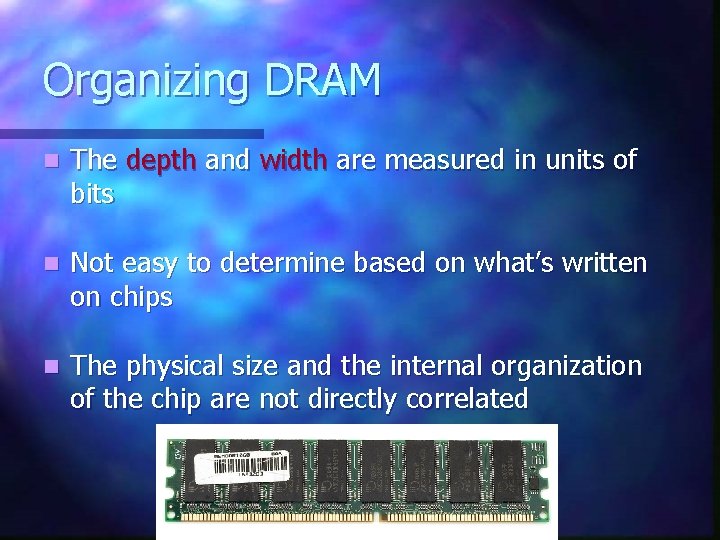
Organizing DRAM n The depth and width are measured in units of bits n Not easy to determine based on what’s written on chips n The physical size and the internal organization of the chip are not directly correlated

Review: Memory Controller Chip n The memory controller chip (MCC) is a device that facilitates the flow of data from the RAM to the CPU n Data is placed on the External Data Bus MCC n Width of data bus related to width of DRAM
DRAM - Dynamic RAM n n n In DRAM a transistor and a capacitor are paired to create a memory cell, which represents a single bit of data. A DRAM chip have data lines: one chip might handle 8 -bit-wide data, another 16 -bit-wide data. It also has address lines Tech’s describe chips by bits rather than byte (ex x 8 , x 16) An individual DRAM chip that holds 1, 048, 576 rows and 8 columns, for ex. , would be a 1 Mx 8 chip.
Organizing DRAM The original 8088 processor had an 8 -bit frontside bus. All the commands given to an 8088 were in 8 -bit chuncks. So a RAM is needed that could store data in 8 -bit (1 -byte) chunck. n Today’s DRAM chips may have widths greater than 1 bit, but back in the old days, all DRAM chips were 1 bit wide. i. e. you only had sizes like 64 Kx 1, so eight 1 -bit chips are electronically organized with memory controller chip to be eight wide. They look like a single 8 -bit-wide DRAM chip to CPU. n
Practical RAM n How did 8088 handled 2 -byte commands? It took the command 1 byte at a time. it took twice as long to handle the command because the MCC had to go to RAM twice. n 8086 had 16 -bit frontside bus. RAM and MCC are changed accordingly.
Bus Review n Address Bus n n n External Data Bus n n This is where data is placed once addressed MCC retrieves data from RAM then places on EDB Width of data bus dictates width of RAM Frontside Bus n n This addresses the RAM Number of lines in address bus determines max RAM (32 lines = 4 GB, 36 lines = 64 GB) Same as External Data Bus Backside Bus n Used to access cache
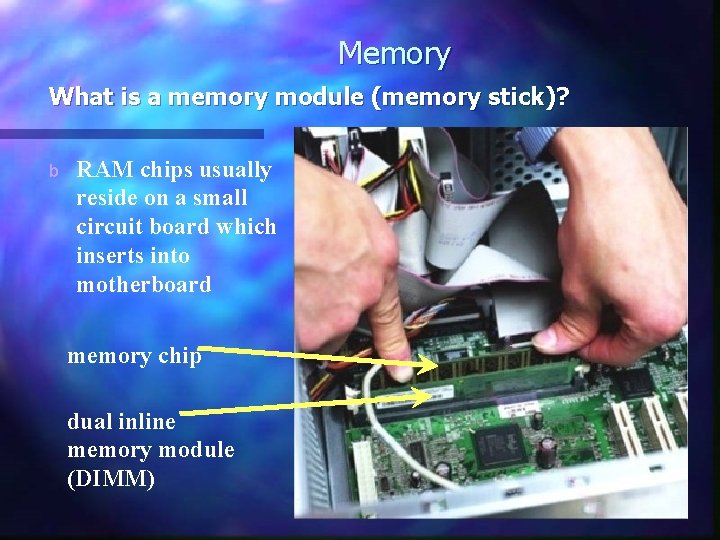
Memory What is a memory module (memory stick)? b RAM chips usually reside on a small circuit board which inserts into motherboard memory chip dual inline memory module (DIMM)
DRAM sticks n n As CPU data bus sizes increased, so too the need for RAM wide enough to fill the bus. Intel 80386 CPU for ex, had a 32 -bit data bus and thus the need for 32 bit wide DRAM. It is waste of space to line up 32 1 bit-wide DRAM chips on a motherboard. Wider DRAM chips were created, ex: x 4, x 8, and x 16 (modern chips come in x 32, x 64) and multiples of them were put on a small circuit board called a stick or module. Ex: A 512 -MB stick of RAM means that the total capacity of RAM is 512 Mega bytes Exercise: what is the difference between DRAM width and module width?
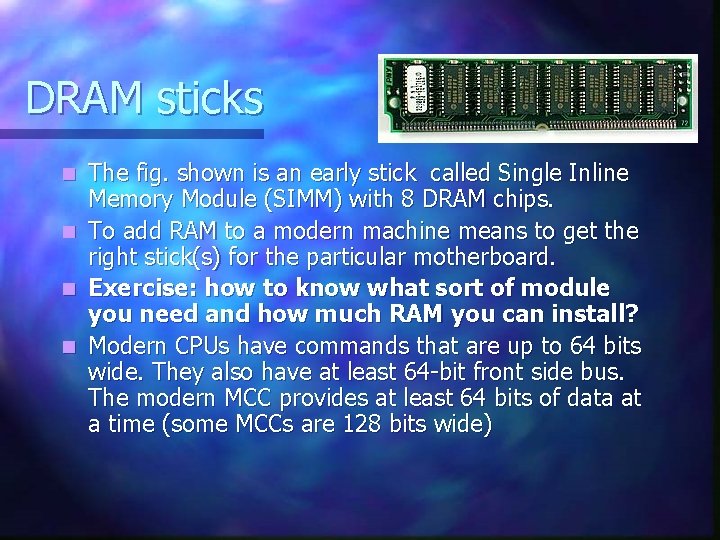
DRAM sticks The fig. shown is an early stick called Single Inline Memory Module (SIMM) with 8 DRAM chips. n To add RAM to a modern machine means to get the right stick(s) for the particular motherboard. n Exercise: how to know what sort of module you need and how much RAM you can install? n Modern CPUs have commands that are up to 64 bits wide. They also have at least 64 -bit front side bus. The modern MCC provides at least 64 bits of data at a time (some MCCs are 128 bits wide) n
RAM Modules RAM memory chips are sold in modules. n 5 modern types n • • • SIMM DIMM SODIMM RIMM SORIMM
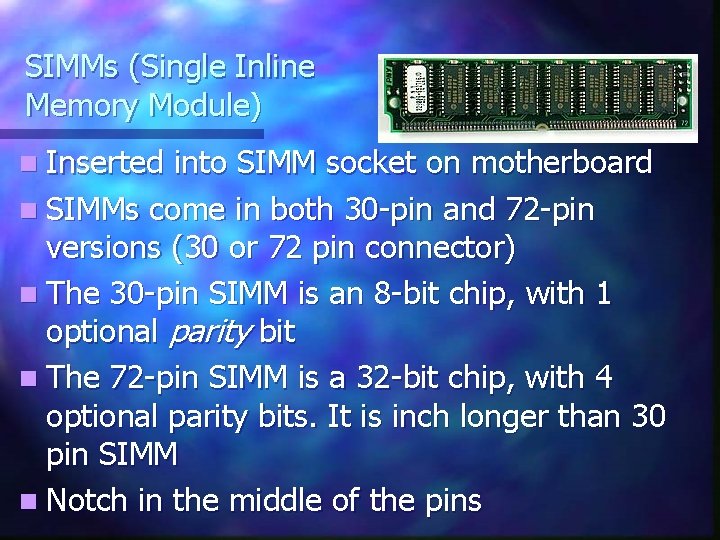
SIMMs (Single Inline Memory Module) n Inserted into SIMM socket on motherboard n SIMMs come in both 30 -pin and 72 -pin versions (30 or 72 pin connector) n The 30 -pin SIMM is an 8 -bit chip, with 1 optional parity bit n The 72 -pin SIMM is a 32 -bit chip, with 4 optional parity bits. It is inch longer than 30 pin SIMM n Notch in the middle of the pins
Banking n Combining the widths of DRAM to match the width of the external data bus is called banking n The number of sticks that make up a bank depends on the MCC, which in turn depends on the CPU’s external data bus size n n EDB of 64 bits = 2 SIMMS 32 bits wide EDB of 64 bits = 1 DIMM 64 bits wide
Calculating the number of memory modules you must install to create one full bank n Determine the data bus width of the processor for ex( 64 bits) n Determine the bit width of the memory module for ex (32 bits). n Divide the data bus width of the processor by the bit width of the memory module, you will get 2 is the number of memory modules you must install to create one full bank
Consumer RAM n RAM has widths larger than bytes 8 bits wide = Byte n 16 bits wide = word n 32 bits wide = double word n n However, n still referred to in bytes 256 MB, 512 MB, 1 GB sticks
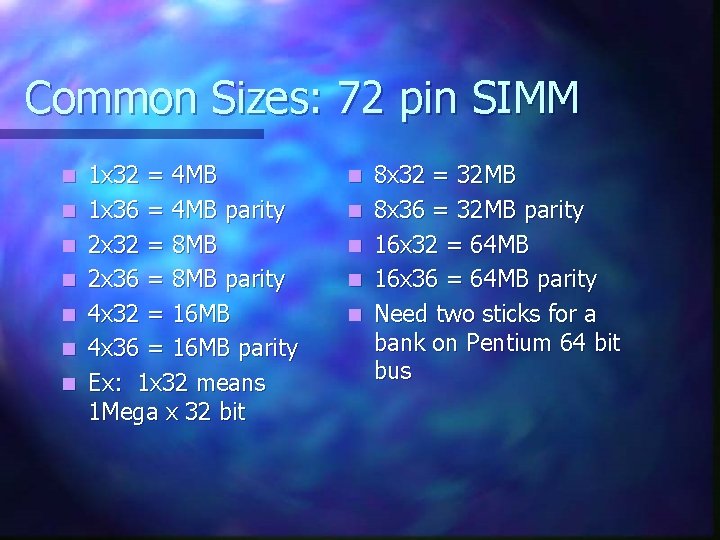
Common Sizes: 72 pin SIMM n n n n 1 x 32 = 4 MB 1 x 36 = 4 MB parity 2 x 32 = 8 MB 2 x 36 = 8 MB parity 4 x 32 = 16 MB 4 x 36 = 16 MB parity Ex: 1 x 32 means 1 Mega x 32 bit n n n 8 x 32 = 32 MB 8 x 36 = 32 MB parity 16 x 32 = 64 MB 16 x 36 = 64 MB parity Need two sticks for a bank on Pentium 64 bit bus
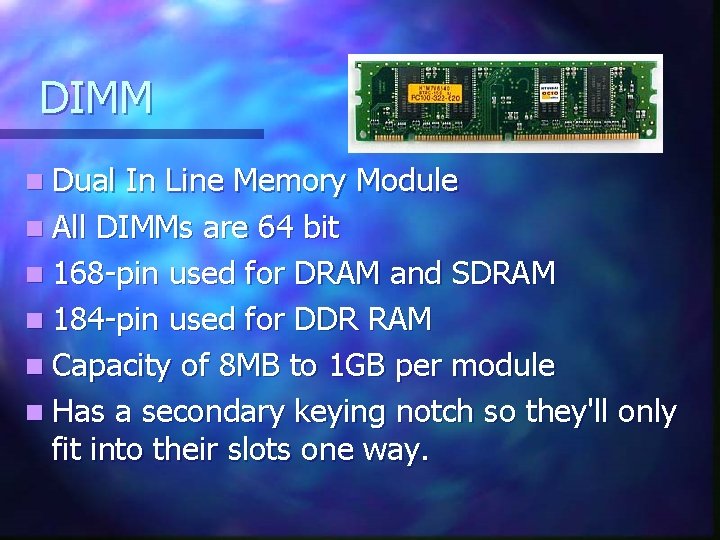
DIMM n Dual In Line Memory Module n All DIMMs are 64 bit n 168 -pin used for DRAM and SDRAM n 184 -pin used for DDR RAM n Capacity of 8 MB to 1 GB per module n Has a secondary keying notch so they'll only fit into their slots one way.
Common Sizes for DIMM n 1 x 64 = 8 MB n 2 x 64 = 16 MB n 4 x 64 = 32 MB n 8 x 64 = 64 MB n 16 x 64 = 128 M n 32 x 64= ? (exercise)
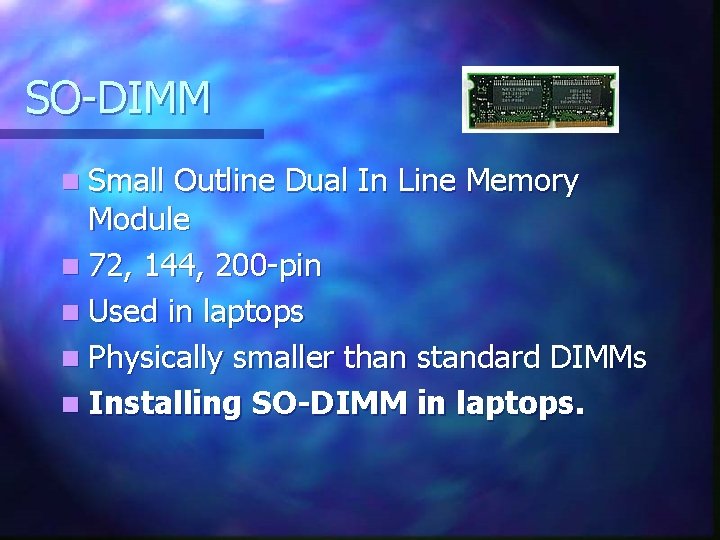
SO-DIMM n Small Outline Dual In Line Memory Module n 72, 144, 200 -pin n Used in laptops n Physically smaller than standard DIMMs n Installing SO-DIMM in laptops.
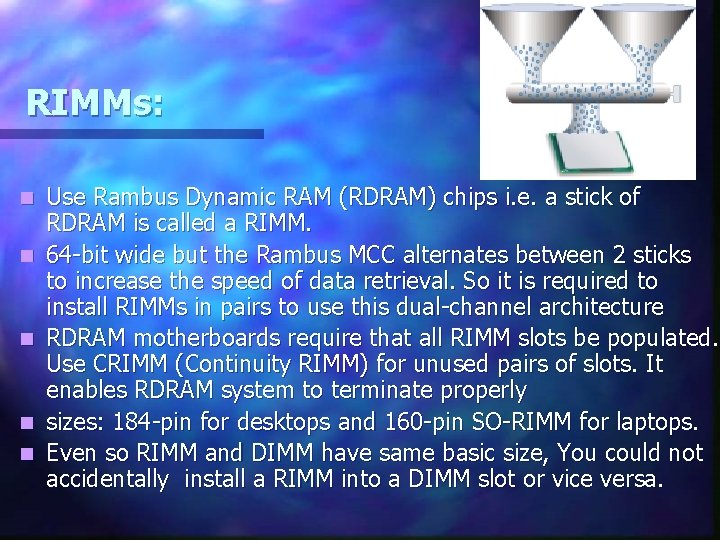
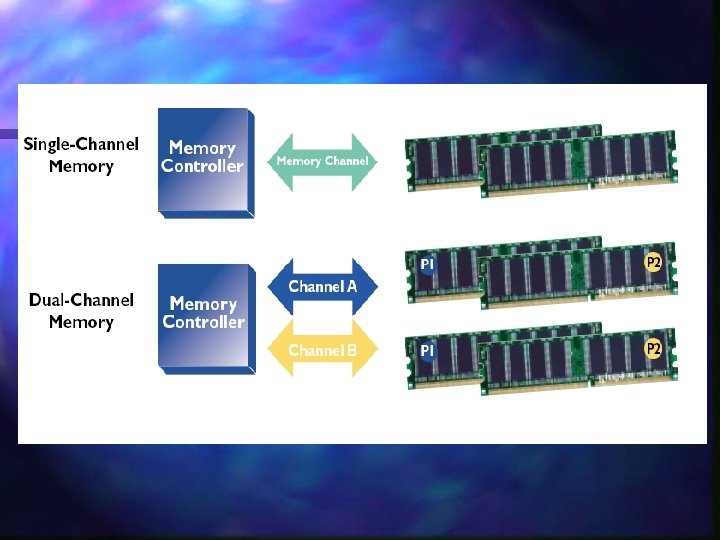
RIMMs: n n n Use Rambus Dynamic RAM (RDRAM) chips i. e. a stick of RDRAM is called a RIMM. 64 -bit wide but the Rambus MCC alternates between 2 sticks to increase the speed of data retrieval. So it is required to install RIMMs in pairs to use this dual-channel architecture RDRAM motherboards require that all RIMM slots be populated. Use CRIMM (Continuity RIMM) for unused pairs of slots. It enables RDRAM system to terminate properly sizes: 184 -pin for desktops and 160 -pin SO-RIMM for laptops. Even so RIMM and DIMM have same basic size, You could not accidentally install a RIMM into a DIMM slot or vice versa.
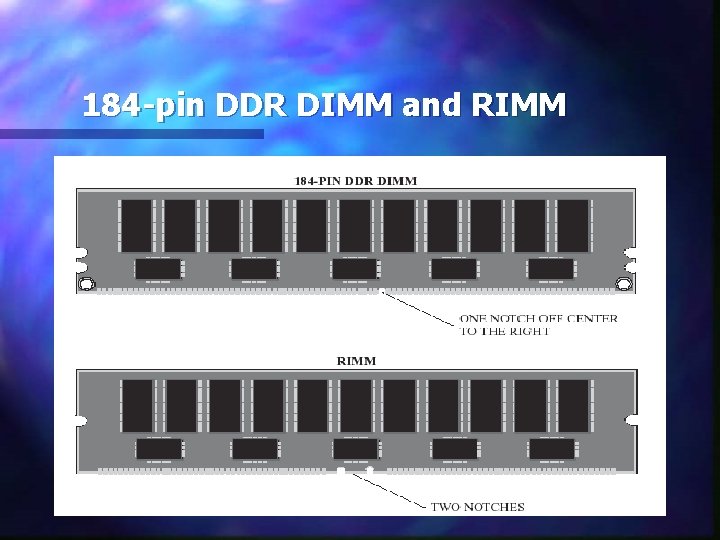
184 -pin DDR DIMM and RIMM
Types of RAM technologies n FPM RAM obsolete n SDRAM n RDRAM n DDR SDRAM n DDR 2 SDRAM
SDRAM n n n n SDRAM: Synchronous DRAM (DRAM is asynchronous). Tied to the system clock. The RAM speed had to match or exceed system speed or the computer would be ubstable or would not wok at all (66, 75, 83, 100, 133) Mhz are the common SDRAM speeds in the early SDRAM systems. The speeds were prefixed with a “PC”, for ex: PC 66, PC 133. For a Pentium III computer with 100 -MHz frontside bus, you needed to buy SDRAM DIMMs rated to handle it as PC 100 or PC 133 Made on a DIMM stick in a wide variety of pin sizes. Common size on desktops: 168 -pin DIMM Laptop DIMM: 68 -pin , … Laptop SODIMM: 72 -pin , . . .
SDRAM n When the CPU is ready to access data from memory, it goes to a specified clock point. The CPU knows when operations are going to be completed and when data is going to be available. No wait states means better performance.
RDRAM: Rambus Dynamic RAM n SDRAM could not be fast enough to handle quadpumped 400 -Mhz frontside bus. RDRAM developed by Rambus Inc. n Used for Pentium 4 n RDRAM had a speeding rate 600, 700, 800 and 1066 MHz versions n RDRAM employed dual-channel architecture n A stick of RDRAM is called RIMM n 184 -pin RIMM, 160 -pin SO-RIMM for laptops
RDRAM n Became obsolete: - technology was owned wholly by Rambus. - Expense (it costs more than SDRAM) - RDRAM worked only on Pentium 4 (closed deal with the technology)
DDR SDRAM: Double data rate synchronous dynamic RAM n DDR RAM was developed from SDRAM technology n It doubles the throughput of SDRAM by making 2 processes for every clock cycle. n Runs at 200, 266, 333 …. 600 MHz n DDR RAM uses 184 -pin DIMMs that are different from SDRAM DIMMs. They will not fit in the same socket.
DDR SDRAM n Example: A Pentium PC has a 64 bit external data bus. 64 bits = 8 bytes. With a 100 Mhz motherboard clock, the DDR chip runs at 200 Mhz. (2 processes/clock cycle) DDR 200 n The processor can access 200 x 8 (the width of all DDR SDRAM) = 1600 M bytes/second PC 1600 n
DDR II DDR-II extends DDR with some improvements in its electrical characteristics so as to run faster with less power n The speed comes by clock doubling the input/output circuits on the chips. This does not speed up the core RAM that holds data. n 240 -pin DIMM n Ex n Core RAM Clock speed 100 Mhz 133 Mhz 250 Mhz DDR I/O speed 200 Mhz 266 Mhz 500 Mhz DDR 2 speed PC speed rating DDR 2 -400 PC 3200 DDR 2 -532 PC 4200 DDR 2 -1000 PC 8000
Double sided DIMMs n Single sided sticks have chips on one side (bank) of the stick. n Double sided sticks have chips on both sides (two banks). n Some motherboards can’t use Double sided sticks or can only use them in certain ways.
Memory latency The delay in RAM’s response time n RAM with a lower latency –such as CL 2 - is faster than RAM with a higher latency –such as CL 3 n If you speed up the system clock, the stick might take an extra click before it can respond n Exercise: how motherboard enable you to adjust RAM timing? n
Parity and ECC n n n It is possible that a RAM chip give bad data to the memory controller ( 1 0 or 0 1) Parity RAM: first type of error-detecting RAM. It stores an extra bit of data (called parity bit) that the MCC used to verify if the data was correct. Not all errors are detected by parity and no correction occurs Each time data is placed in RAM parity bit is set Each time you access data in RAM, parity bit is checked Parity is usually implemented by adding an extra chip on the memory module that is one bit wide and as deep as all the other chips in the module
ECC (Error Correction Code) RAM n n n n n A special type of RAM ECC detects a single bit is incorrect. It fixes the error on the fly and correct it ECC requires more bits for each byte. 90% of data errors are single-bit errors, ECC does a very good job. Can detect multiple bit errors but cannot correct them. ECC costs a lot more, because of the additional number of bits. It is also slower than non-ECC RAMs comes in every DIMM package type It needs a motherboard with an MCC designed to use ECC. Only expensive motherboard for high-end systems use ECC.
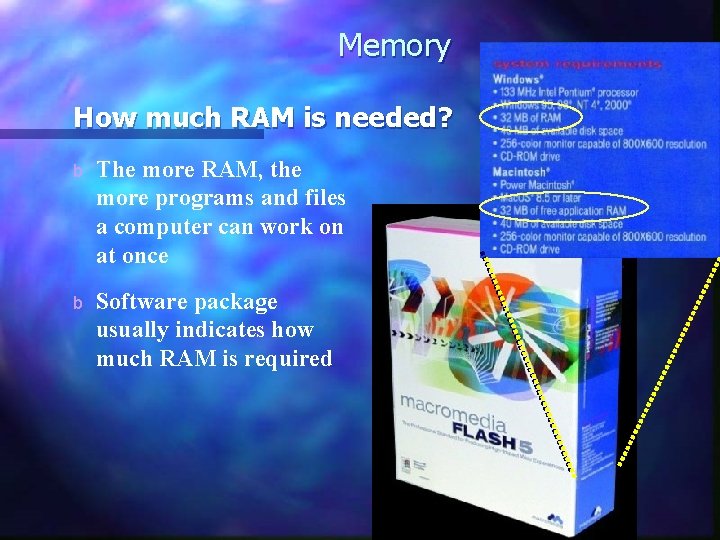
Memory How much RAM is needed? b The more RAM, the more programs and files a computer can work on at once b Software package usually indicates how much RAM is required
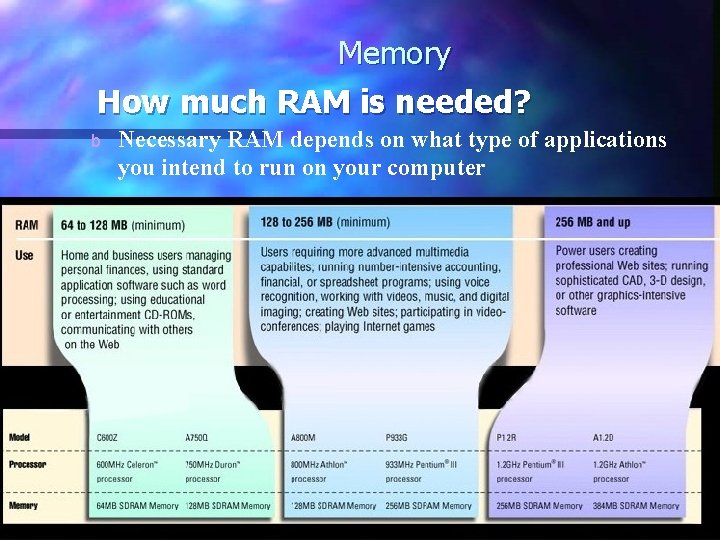
Memory How much RAM is needed? b Necessary RAM depends on what type of applications you intend to run on your computer
Does adding more RAM to your computer make it faster? n n adding RAM will normally cause your computer to seem faster on certain types of operations. When you run a program such as a word processor or an Internet browser, the microprocessor in your computer pulls the executable file (. exe) off the hard disk and loads it into RAM. Then the microprocessor loads in the data files at which you want to look, which might total several megabytes if you are looking at more than one document or browsing a page with a lot of graphics. Besides all of those applications, the operating system itself is taking up a good bit of space.
Do You Need RAM? n Two RAM symptoms point to needing more n General system sluggishness Especially as more programs are opened n Disk thrashing or excessive hard drive accessing Caused by excessive paging n Note: Disk thrashing can also be caused by disk fragmentation
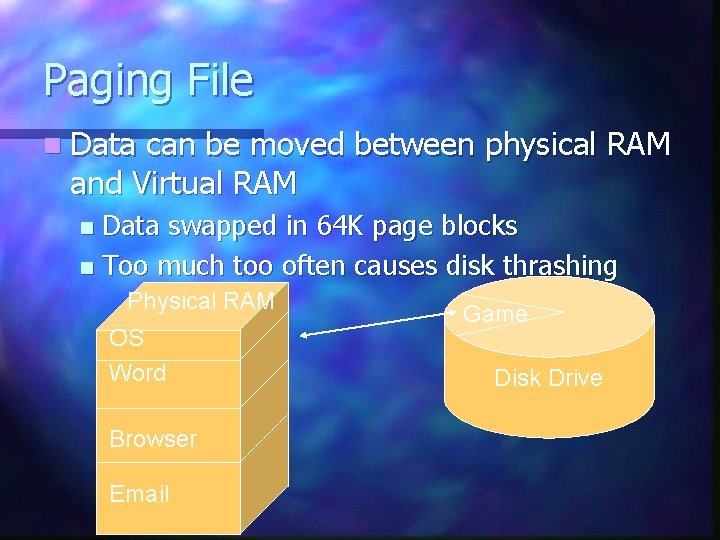
Paging File n Data can be moved between physical RAM and Virtual RAM Data swapped in 64 K page blocks n Too much too often causes disk thrashing n Physical RAM OS Word Browser Email Game Disk Drive
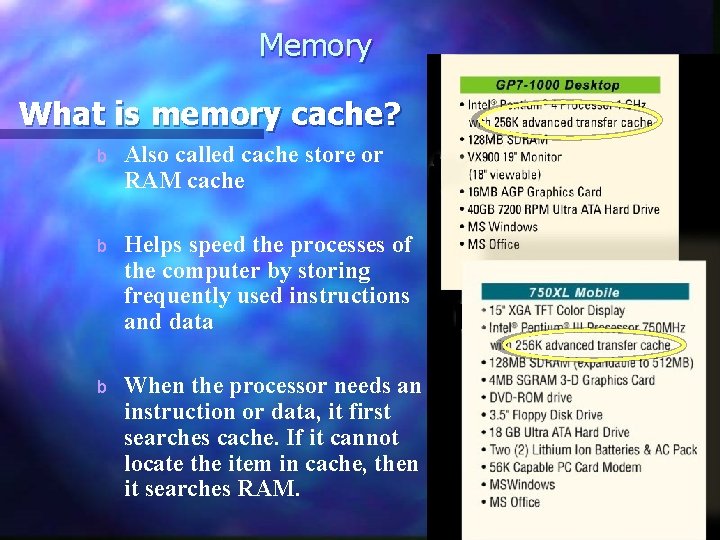
Memory What is memory cache? b Also called cache store or RAM cache b Helps speed the processes of the computer by storing frequently used instructions and data b When the processor needs an instruction or data, it first searches cache. If it cannot locate the item in cache, then it searches RAM.
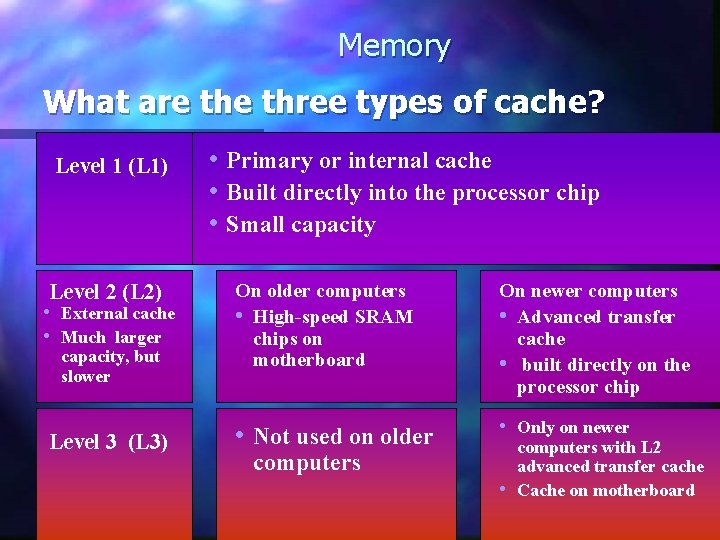
Memory What are three types of cache? Level 1 (L 1) Level 2 (L 2) • External cache • Much larger capacity, but slower Level 3 (L 3) • Primary or internal cache • Built directly into the processor chip • Small capacity On older computers • High-speed SRAM chips on motherboard On newer computers • Advanced transfer cache • built directly on the processor chip • Not used on older • Only on newer computers with L 2 advanced transfer cache • Cache on motherboard
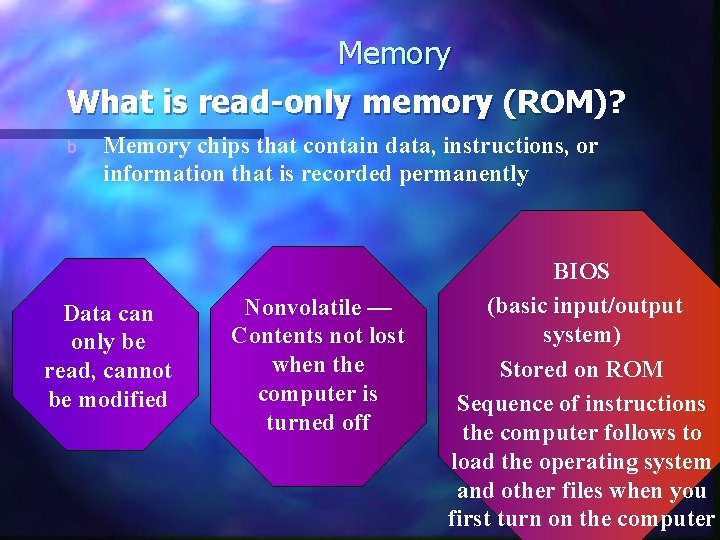
Memory What is read-only memory (ROM)? b Memory chips that contain data, instructions, or information that is recorded permanently Data can only be read, cannot be modified Nonvolatile — Contents not lost when the computer is turned off BIOS (basic input/output system) Stored on ROM Sequence of instructions the computer follows to load the operating system and other files when you first turn on the computer
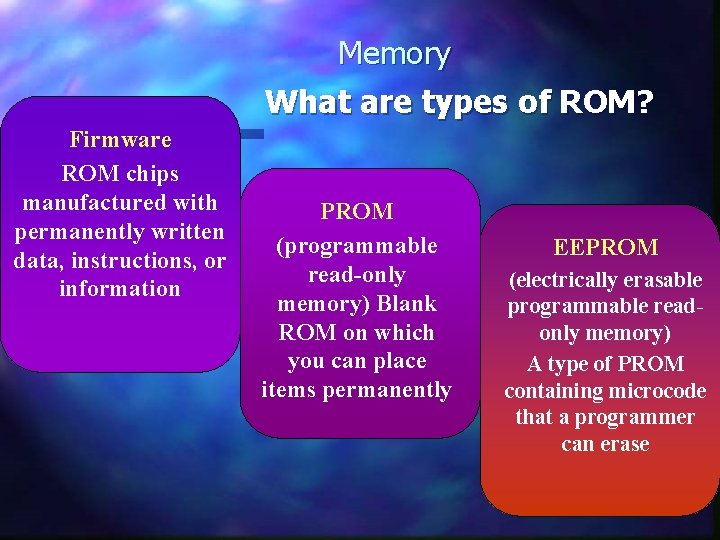
Memory What are types of ROM? Firmware ROM chips manufactured with permanently written data, instructions, or information PROM (programmable read-only memory) Blank ROM on which you can place items permanently EEPROM (electrically erasable programmable readonly memory) A type of PROM containing microcode that a programmer can erase
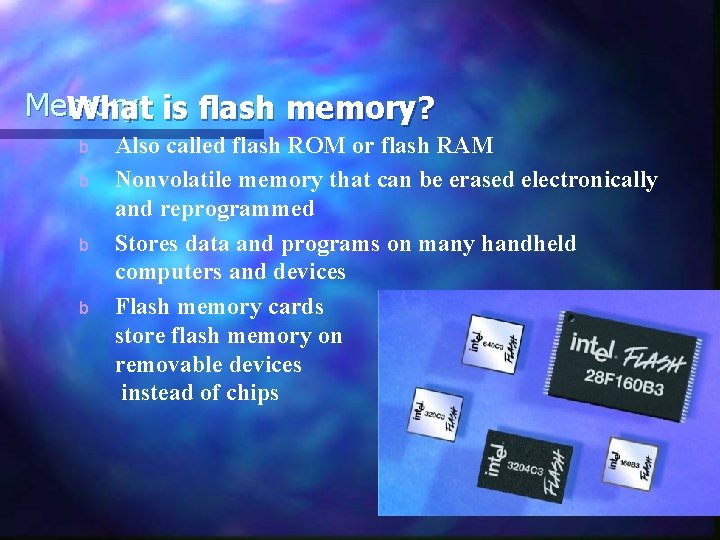
Memory What is flash memory? b b Also called flash ROM or flash RAM Nonvolatile memory that can be erased electronically and reprogrammed Stores data and programs on many handheld computers and devices Flash memory cards store flash memory on removable devices instead of chips
Quiz n Match: SIMM- DIMM-RIMM-CRIMM 1. 2. 3. 4. SDRAM…………… RDRAM…………… DDR SDRAM………. . DDR 2 …………. .
- Slides: 56