
Chapter 3 Managing the Information Systems Project A

- Slides: 66
Chapter 3 Managing the Information Systems Project
A Brief Case Study: Denver International Airport In 1988, Denver, Colorado embarked on a project to construct a state-of-the-art airport to replace the existing Stapleton Airport. Stapleton was viewed as incapable of expansion because of its location. The newly proposed airport would reduce costs of operation, allow for sufficient growth, and eliminate pollution and air traffic delays. The new airport, named Denver International Airport (DIA) was scheduled to open on October 31, 1993.
In the September 1994 issue of Scientific American, W. Wayt Gibbs chronicled the DIA as an example of a modern software crisis: "Denver's new international airport was to be the pride of the Rockies, a wonder of modern engineering. Twice the size of Manhattan, 10 times the breadth of Heathrow, the airport is big enough to land three jets simultaneously in bad weather. Even more impressive than its girth is the airport's subterranean baggagehandling system. Tearing like intelligent coal-mine cars along 21 miles of steel track, 4, 000 independent "telecars" route and deliver luggage between the counters, gates and claim areas of 20 different airlines. A central nervous system of some 100 computers networked to one another and to 5, 000 electric eyes, 400 radio receivers and 56 bar-code scanners orchestrates the safe and timely arrival of every valise and ski bag.
At least that is the plan. For nine months, this Gulliver has been held captive by Lilliputians-errors in the software that controls its automated baggage system. Scheduled for takeoff by last Halloween, the airport's grand opening was postponed until December to allow BAE Automated Systems time to flush the gremlins out of its $193 -million system. December yielded to March slipped to May. In June the airport's planners, their bond rating demoted to junk and their budget hemorrhaging red ink at the rate of $1. 1 million a day in interest and operating costs, conceded that they could not predict when the baggage system would stabilize enough for the airport to open “
Eventually the Denver International Airport (DIA) did open, but the advanced baggage system was only partially functioning. The four delayed openings of the airport caused many residents to speculate that DIA really stood for "Do It Again, " "Doesn't Include Airlines, " or "Done In April". In order to finally open the terminal, the city invested $51 million to install a conventional baggage system as a work around to the high-tech system. Ironically, the conventional system was completed four weeks ahead of schedule and $3. 4 million under budget. The obvious question is: why was the high-tech system so difficult to implement? Video from MSNBC
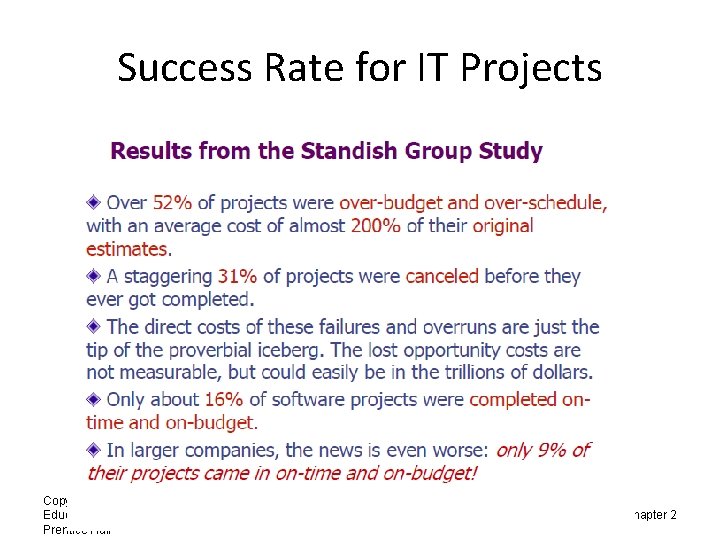
Success Rate for IT Projects Copyright © 2011 Pearson Education, Inc. Publishing as Prentice Hall 6 9/10/2021 Chapter 2
Importance of Project Management • Project management may be the most important aspect of systems development. • Effective PM helps to ensure – The meeting of customer expectations. – The satisfying of budget and time constraints. • PM skills are difficult and important to learn. Copyright © 2011 Pearson Education, Inc. Publishing as Prentice Hall 7 Chapter 3
Deciding on Systems Projects • System Service Request (SSR) – A standard form for requesting or proposing systems development work within an organization • Feasibility study – A study that determines whether a requested system makes economic and operational sense for an organization Copyright © 2011 Pearson Education, Inc. Publishing as Prentice Hall 8 Chapter 3
Managing the Information Systems Project • Project – A planned undertaking of related activities to reach an objective that has a beginning and an end • Project management – A controlled process of initiating, planning, executing, and closing down a project Copyright © 2011 Pearson Education, Inc. Publishing as Prentice Hall 9 Chapter 3
Managing the Information Systems Project (cont. ) • Project manager – Systems analyst with management and leadership skills responsible for leading project initiation, planning, execution, and closedown • Deliverable – The end product of an SDLC phase Copyright © 2011 Pearson Education, Inc. Publishing as Prentice Hall 10 Chapter 3
Phases of Project Management Process • • Phase 1: Initiation Phase 2: Planning/Controlling Phase 3: Execution/Controlling Phase 4: Closedown Copyright © 2011 Pearson Education, Inc. Publishing as Prentice Hall 11 Chapter 3
Planning and Control • • • With no plan it is almost impossible to control the project Controlling involves tracking progress against a plan and modifying the plan when variances are observed James Lewis refers to planning and control as the Siamese twins of project management – codependent upon one another and inseparable
Controlling the Project Control is exercised by comparing where you are to where you are supposed to be so that corrective action can be taken when there is a deviation. From J. P. Lewis, Fundamentals of Project Planning
Planning Asks … • • • What must be done? How will it be done? Who will do it? How long will it take? How much will it cost?
Strategies for Effective Planning • Plan for planning – Good plans aren’t developed on an ad hoc basis – Planning sessions should be carefully planned • The persons who will work the plan should participate in its development • Expect to change the plan – Conditions change – New information is discovered • Risk management should be included • Understanding the purpose of the planning – Accurate and clear problem statement – SMART objectives – How are the objectives to be achieved?
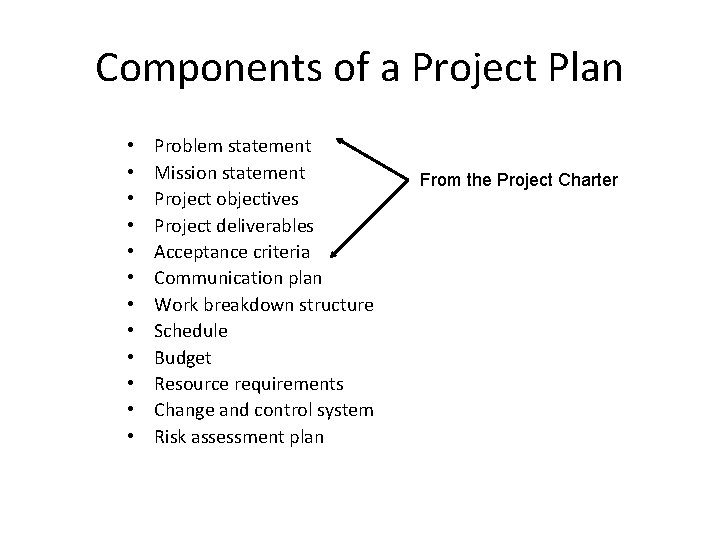
Components of a Project Plan • • • Problem statement Mission statement Project objectives Project deliverables Acceptance criteria Communication plan Work breakdown structure Schedule Budget Resource requirements Change and control system Risk assessment plan From the Project Charter
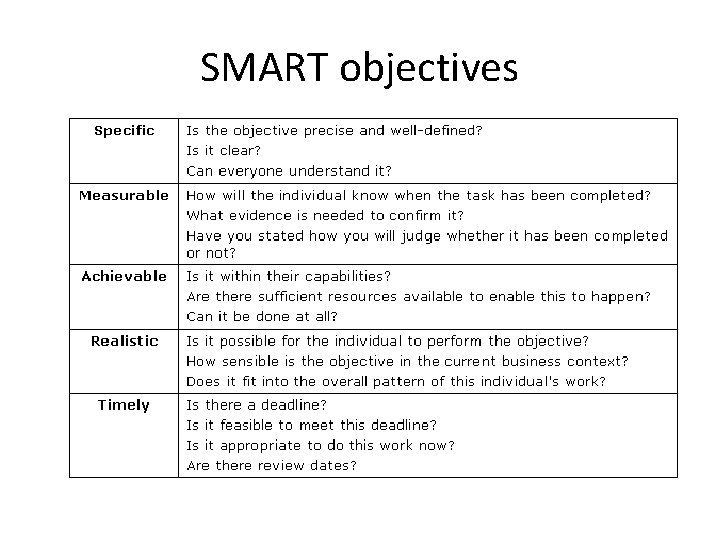
SMART objectives
Creating the Project Plan
The Plan versus a Schedule • The plan – – Defines the activities Documents the interaction between activities Estimates the duration for completing each activity Analyzes the sequences, duration and resource requirements to crate a project schedule • The schedule – Determine start and finish dates for project activities – Often must be iterated(along with processes that are the input) especially the duration estimating
Project Planning Techniques • Provide regular status updates to stakeholders • Include team members in planning sessions and plan preparation • Provide various alternatives to management – Scope constrained alternatives – Time constrained alternatives – Resources alternatives • Plan to plan • Obtain plan approval before beginning execution
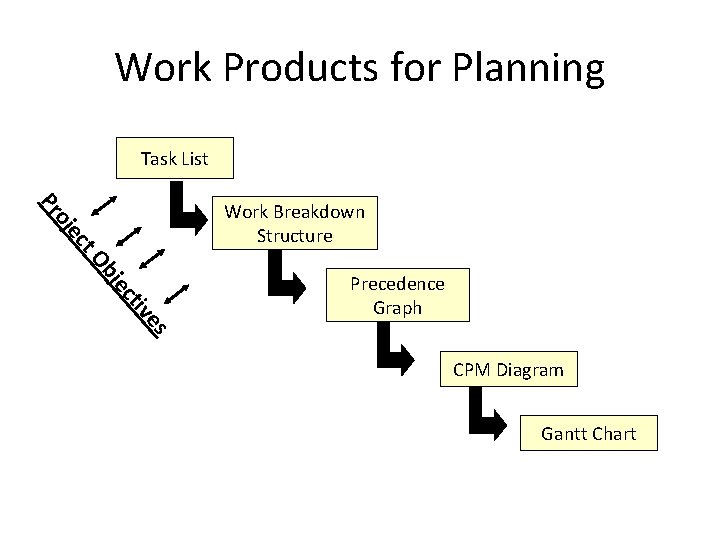
Work Products for Planning Task List t. O ec oj Pr Work Breakdown Structure ec bj es tiv Precedence Graph CPM Diagram Gantt Chart
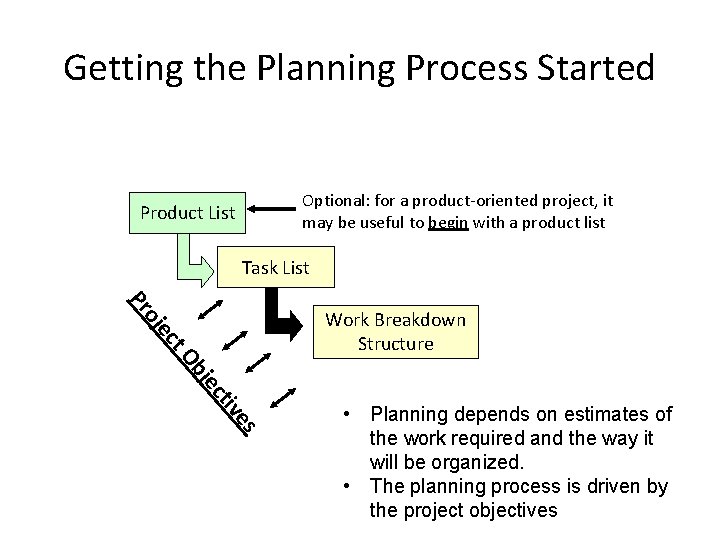
Getting the Planning Process Started Optional: for a product-oriented project, it may be useful to begin with a product list Product List Task List Pr ct e oj Work Breakdown Structure c je Ob es tiv • Planning depends on estimates of the work required and the way it will be organized. • The planning process is driven by the project objectives
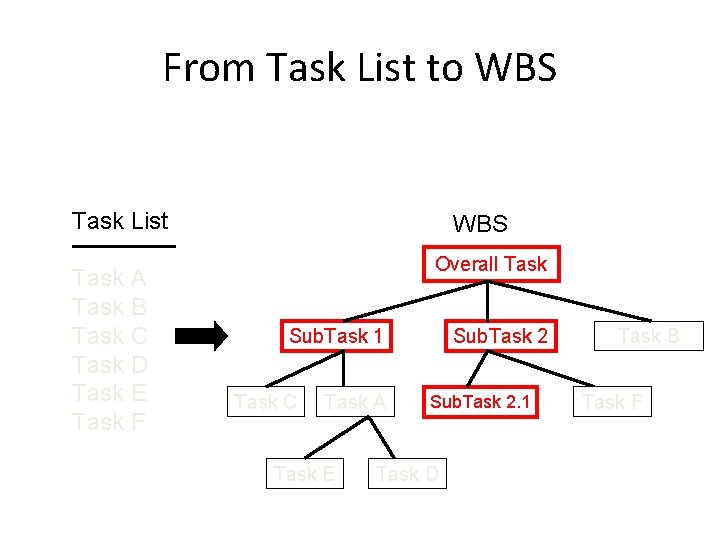
From Task List to WBS Task List Task A Task B Task C Task D Task E Task F WBS Overall Task Sub. Task 1 Task C Task A Task E Sub. Task 2. 1 Task D Task B Task F
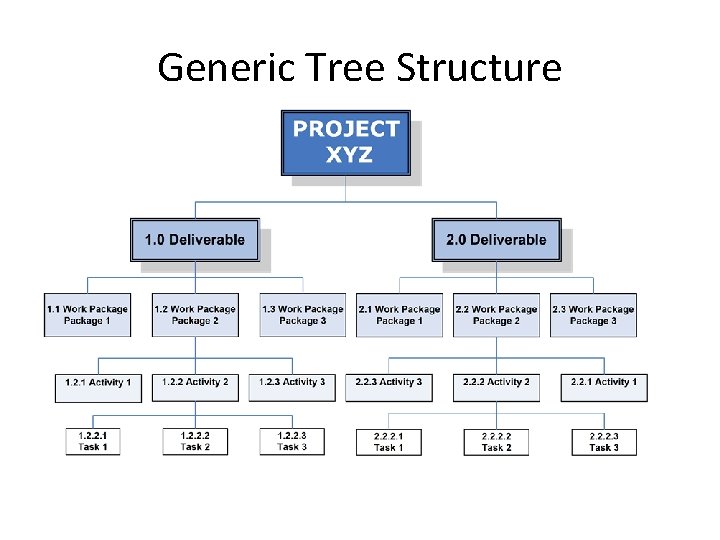
Generic Tree Structure
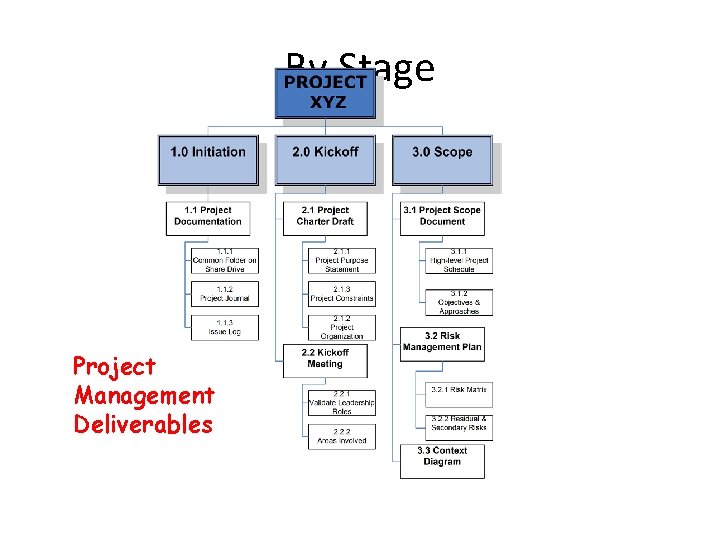
By Stage Project Management Deliverables
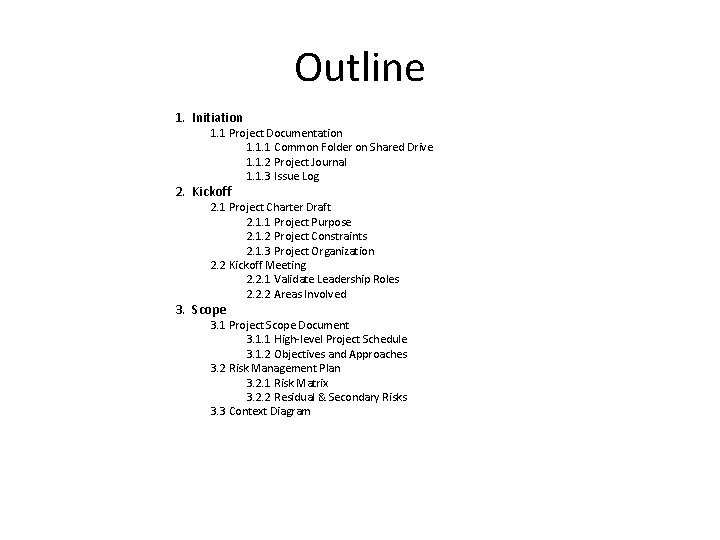
Outline 1. Initiation 1. 1 Project Documentation 1. 1. 1 Common Folder on Shared Drive 1. 1. 2 Project Journal 1. 1. 3 Issue Log 2. Kickoff 2. 1 Project Charter Draft 2. 1. 1 Project Purpose 2. 1. 2 Project Constraints 2. 1. 3 Project Organization 2. 2 Kickoff Meeting 2. 2. 1 Validate Leadership Roles 2. 2. 2 Areas Involved 3. Scope 3. 1 Project Scope Document 3. 1. 1 High-level Project Schedule 3. 1. 2 Objectives and Approaches 3. 2 Risk Management Plan 3. 2. 1 Risk Matrix 3. 2. 2 Residual & Secondary Risks 3. 3 Context Diagram
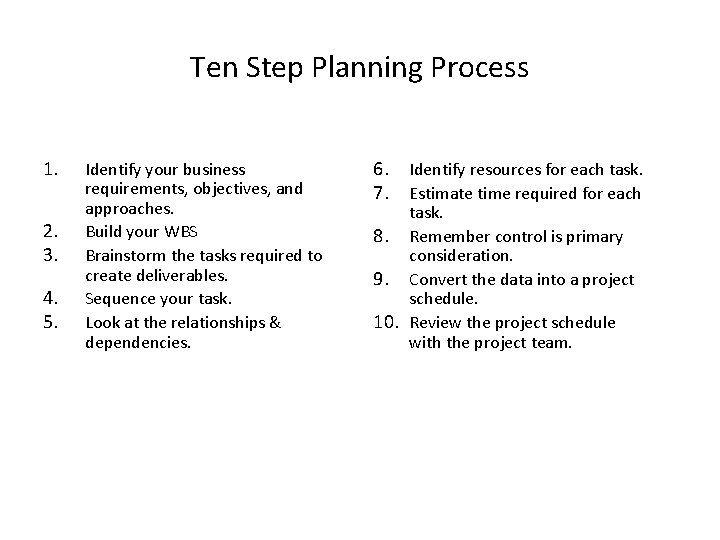
Ten Step Planning Process 1. 2. 3. 4. 5. Identify your business requirements, objectives, and approaches. Build your WBS Brainstorm the tasks required to create deliverables. Sequence your task. Look at the relationships & dependencies. 6. 7. Identify resources for each task. Estimate time required for each task. 8. Remember control is primary consideration. 9. Convert the data into a project schedule. 10. Review the project schedule with the project team.
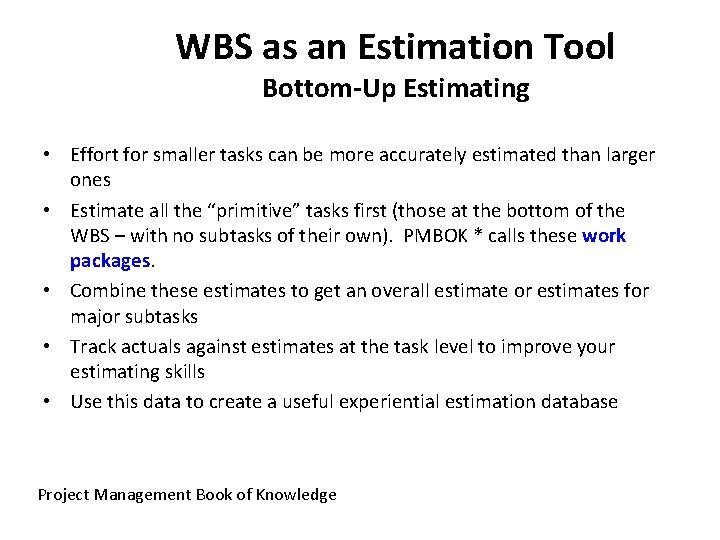
WBS as an Estimation Tool Bottom-Up Estimating • Effort for smaller tasks can be more accurately estimated than larger ones • Estimate all the “primitive” tasks first (those at the bottom of the WBS – with no subtasks of their own). PMBOK * calls these work packages. • Combine these estimates to get an overall estimate or estimates for major subtasks • Track actuals against estimates at the task level to improve your estimating skills • Use this data to create a useful experiential estimation database Project Management Book of Knowledge
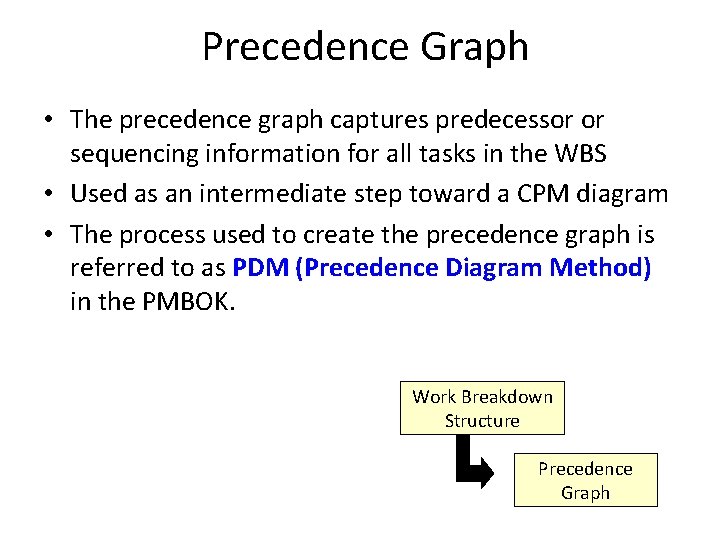
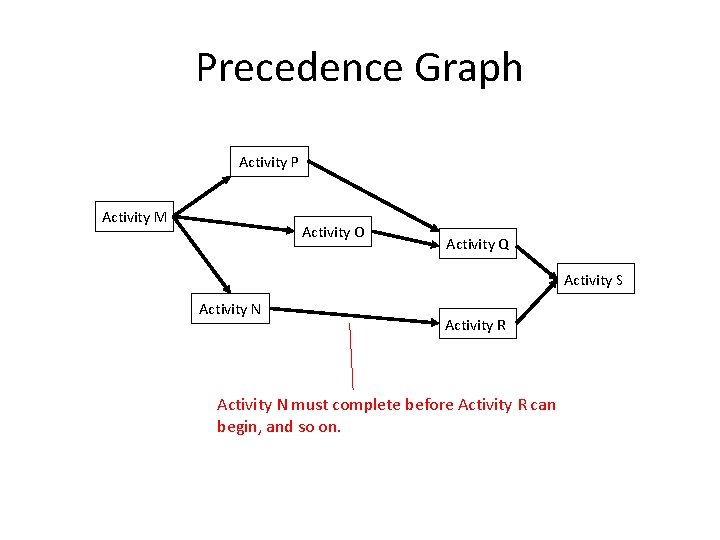
Precedence Graph • The precedence graph captures predecessor or sequencing information for all tasks in the WBS • Used as an intermediate step toward a CPM diagram • The process used to create the precedence graph is referred to as PDM (Precedence Diagram Method) in the PMBOK. Work Breakdown Structure Precedence Graph
Precedence Graph Activity P Activity M Activity O Activity Q Activity S Activity N Activity R Activity N must complete before Activity R can begin, and so on.
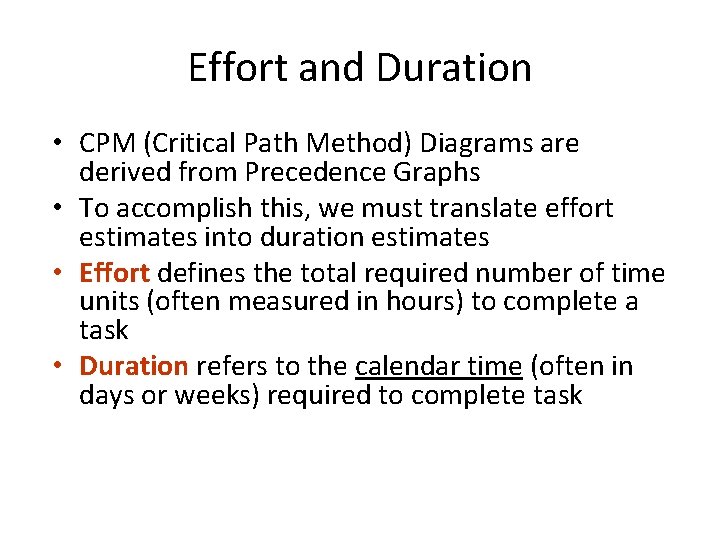
Effort and Duration • CPM (Critical Path Method) Diagrams are derived from Precedence Graphs • To accomplish this, we must translate effort estimates into duration estimates • Effort defines the total required number of time units (often measured in hours) to complete a task • Duration refers to the calendar time (often in days or weeks) required to complete task
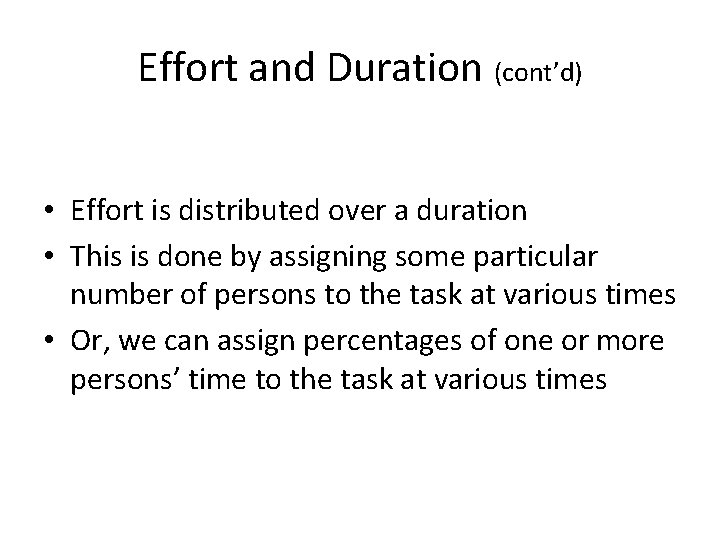
Effort and Duration (cont’d) • Effort is distributed over a duration • This is done by assigning some particular number of persons to the task at various times • Or, we can assign percentages of one or more persons’ time to the task at various times
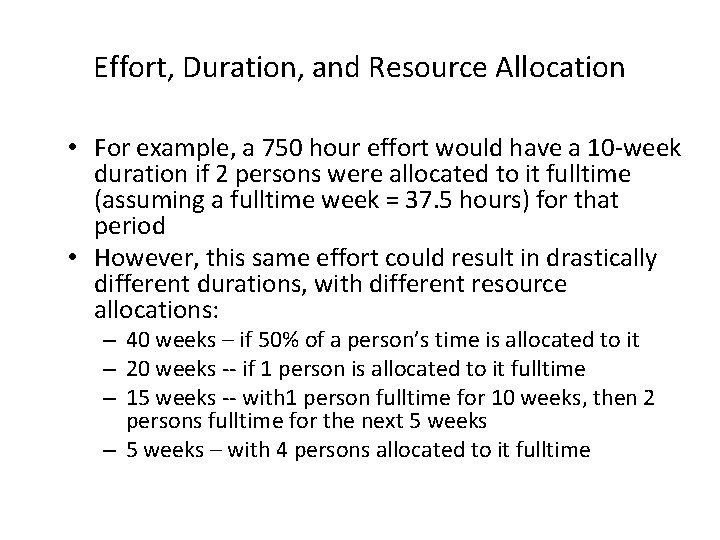
Effort, Duration, and Resource Allocation • For example, a 750 hour effort would have a 10 -week duration if 2 persons were allocated to it fulltime (assuming a fulltime week = 37. 5 hours) for that period • However, this same effort could result in drastically different durations, with different resource allocations: – 40 weeks – if 50% of a person’s time is allocated to it – 20 weeks -- if 1 person is allocated to it fulltime – 15 weeks -- with 1 person fulltime for 10 weeks, then 2 persons fulltime for the next 5 weeks – with 4 persons allocated to it fulltime
Effort, Duration, and Resource Allocation (cont’d) It is important to remember that the required effort is just one factor that goes into making a duration estimate. We’ve all heard it: If one woman can produce a baby in 9 months, how soon can 9 women produce a baby?
Effort, Duration, and Float (Slack) • If we allocate resources so that a task is completed before it is absolutely necessary for all the other task(s) waiting for it to complete, we say that we have built float or slack time into our schedule • Float adds flexibility to a project’s schedule and hence it is important to recognize when it is possible • The Critical Path Method (CPM) Diagram captures this feature of a project
CPM Diagrams According to the PMBOK: PMBOK View “The Critical Path Method (CPM) is a network analysis technique used to predict project duration by analyzing which sequence of activities (which path) has the least amount of scheduling flexibility (the least amount of float). Early dates are calculated by means of a forward pass, using the specified start date. Late dates are calculated using a backward pass, starting from a specified completion date – usually the forward pass calculated project early finish date. ”
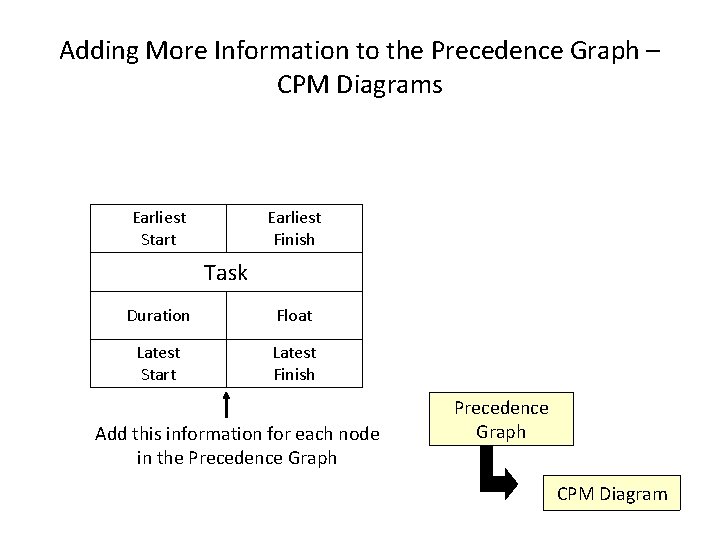
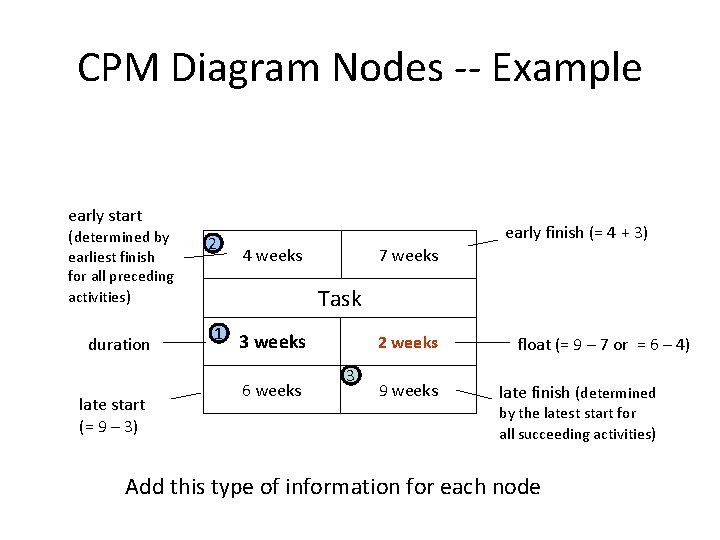
Adding More Information to the Precedence Graph – CPM Diagrams Earliest Start Earliest Finish Task Duration Float Latest Start Latest Finish Add this information for each node in the Precedence Graph CPM Diagram
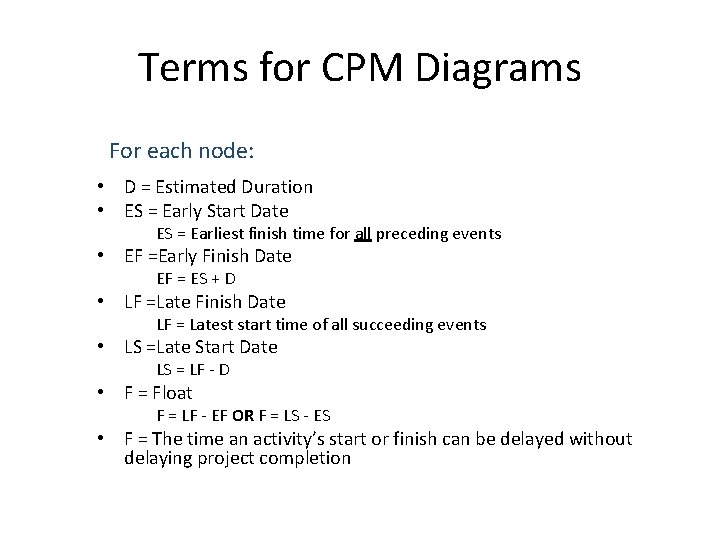
Terms for CPM Diagrams For each node: • D = Estimated Duration • ES = Early Start Date ES = Earliest finish time for all preceding events • EF =Early Finish Date EF = ES + D • LF =Late Finish Date LF = Latest start time of all succeeding events • LS =Late Start Date LS = LF - D • F = Float F = LF - EF OR F = LS - ES • F = The time an activity’s start or finish can be delayed without delaying project completion
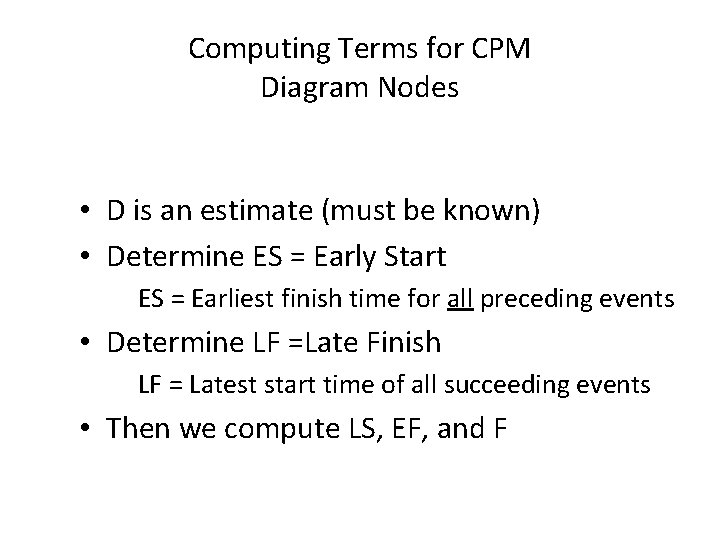
Computing Terms for CPM Diagram Nodes • D is an estimate (must be known) • Determine ES = Early Start ES = Earliest finish time for all preceding events • Determine LF =Late Finish LF = Latest start time of all succeeding events • Then we compute LS, EF, and F
CPM Diagram Nodes -- Example early start (determined by earliest finish for all preceding activities) duration late start (= 9 – 3) 2 early finish (= 4 + 3) 4 weeks 7 weeks Task 1 3 weeks 6 weeks 2 weeks 3 9 weeks float (= 9 – 7 or = 6 – 4) late finish (determined by the latest start for all succeeding activities) Add this type of information for each node
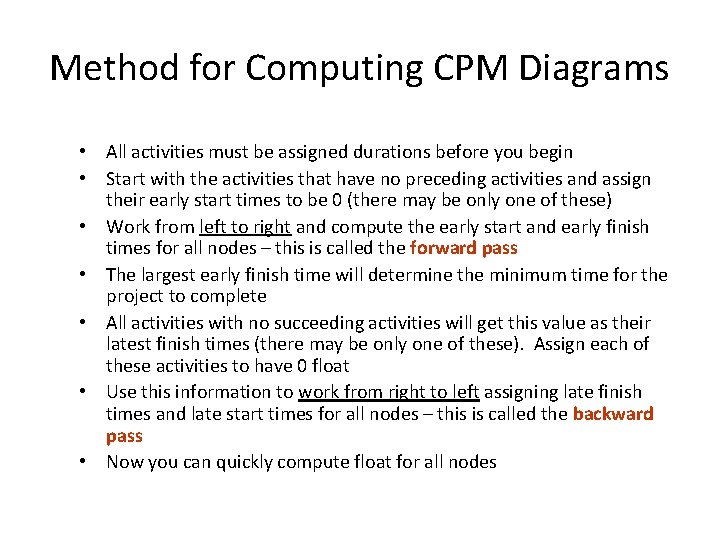
Method for Computing CPM Diagrams • All activities must be assigned durations before you begin • Start with the activities that have no preceding activities and assign their early start times to be 0 (there may be only one of these) • Work from left to right and compute the early start and early finish times for all nodes – this is called the forward pass • The largest early finish time will determine the minimum time for the project to complete • All activities with no succeeding activities will get this value as their latest finish times (there may be only one of these). Assign each of these activities to have 0 float • Use this information to work from right to left assigning late finish times and late start times for all nodes – this is called the backward pass • Now you can quickly compute float for all nodes
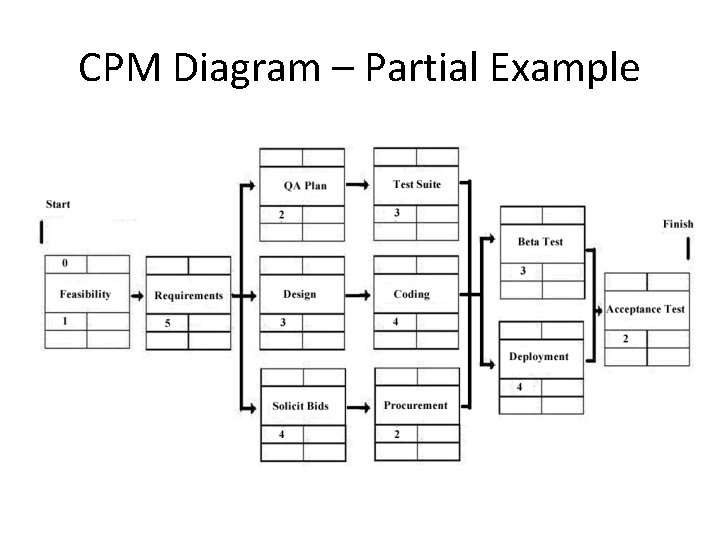
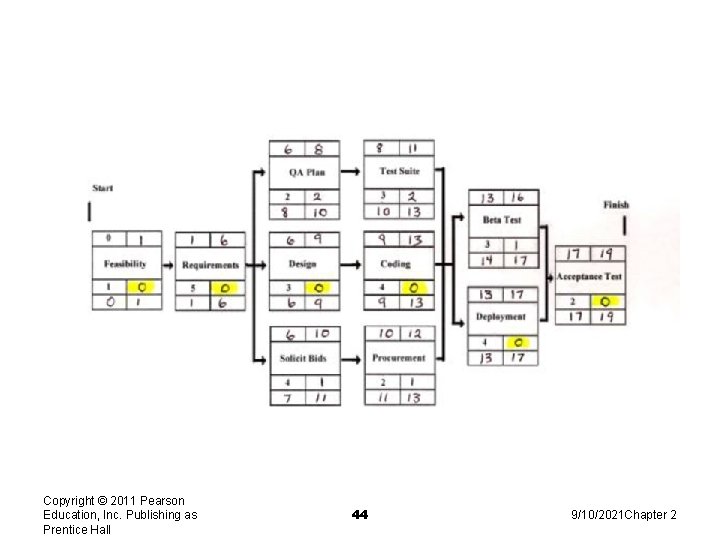
Team Activity 1: CPM Diagram Consider the CPM Diagram (partial) given on the next slide Complete the diagram by determining the missing information for each node.
CPM Diagram – Partial Example
Copyright © 2011 Pearson Education, Inc. Publishing as Prentice Hall 44 9/10/2021 Chapter 2
Critical Paths • If an activity that has 0 float slips, the entire project will slip by that amount • This is why activities that have 0 float are said to be on a critical path • There may be multiple critical paths for a project • Many practitioners establish some threshold amount of float (suitably small) and compute near-critical paths as well
Critical Paths (cont’d) • Note that critical (and near-critical) paths are dynamic and change as the actual (as opposed to estimated) schedule unfolds • Critical (and near-critical) paths must be recomputed each time there is an activity slippage anywhere in the schedule that is larger than that activity’s float
Why Compute Critical Paths? • Can be used to focus resources and attention more efficiently and effectively • Best resources can be assigned to critical path activities • Allows project manager to monitor crucial activities more closely • Helps prioritize risks, so risk mitigation activities can be focused on the most important potential risk events • “Near-critical” tasks can also be identified and tracked
Why Compute Critical Paths? (cont’d) • Schedule “emergencies” can be addressed by “crashing” or fast-tracking critical path activities • Crashing means compressing activity duration • Fast-tracking means doing things in parallel • Danger in crashing or fast-tracking is increased risk
Team Activity 2: Critical Paths Consider the CPM Diagram you completed in the previous activity. 1) What is the shortest possible duration for the project? 2) Identify the critical path (or paths). Consider questions 3 and 4 independently of each other. 3) If Procurement slips 3 weeks, what is the impact on the project duration? What happens to the critical path 4) If Beta Test slips 2 weeks (with no other slippage), what is the impact on the project duration?
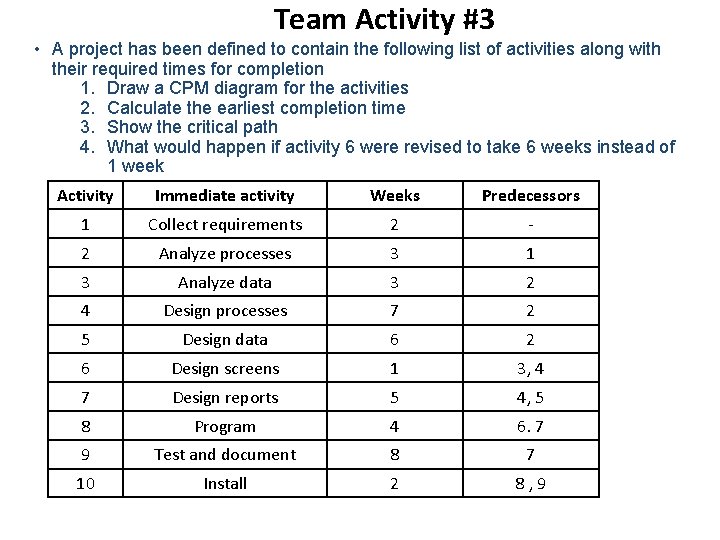
Team Activity #3 • A project has been defined to contain the following list of activities along with their required times for completion 1. Draw a CPM diagram for the activities 2. Calculate the earliest completion time 3. Show the critical path 4. What would happen if activity 6 were revised to take 6 weeks instead of 1 week Activity Immediate activity Weeks Predecessors 1 Collect requirements 2 - 2 Analyze processes 3 1 3 Analyze data 3 2 4 Design processes 7 2 5 Design data 6 2 6 Design screens 1 3, 4 7 Design reports 5 4, 5 8 Program 4 6. 7 9 Test and document 8 7 10 Install 2 8, 9
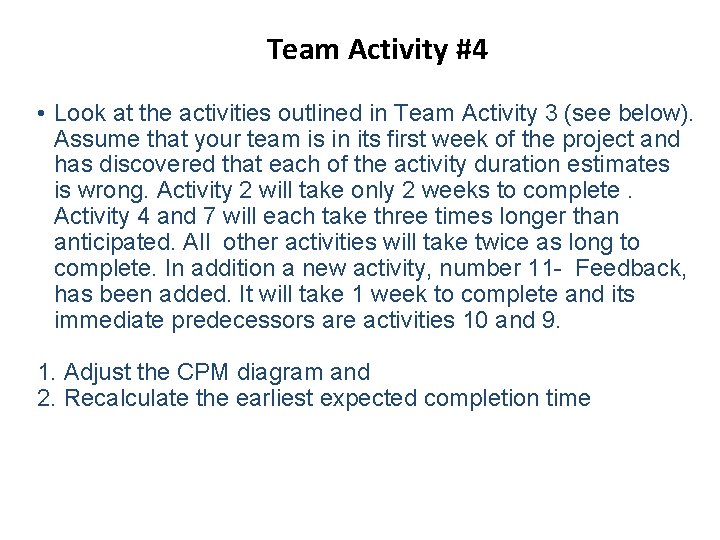
Team Activity #4 • Look at the activities outlined in Team Activity 3 (see below). Assume that your team is in its first week of the project and has discovered that each of the activity duration estimates is wrong. Activity 2 will take only 2 weeks to complete. Activity 4 and 7 will each take three times longer than anticipated. All other activities will take twice as long to complete. In addition a new activity, number 11 - Feedback, has been added. It will take 1 week to complete and its immediate predecessors are activities 10 and 9. 1. Adjust the CPM diagram and 2. Recalculate the earliest expected completion time
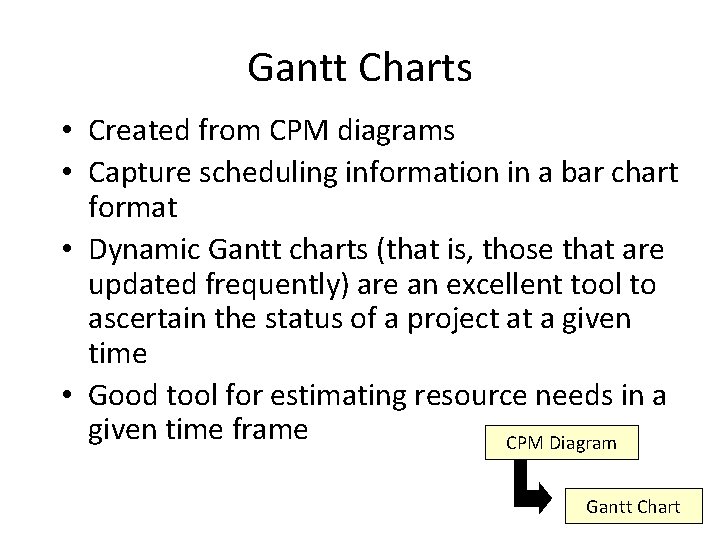
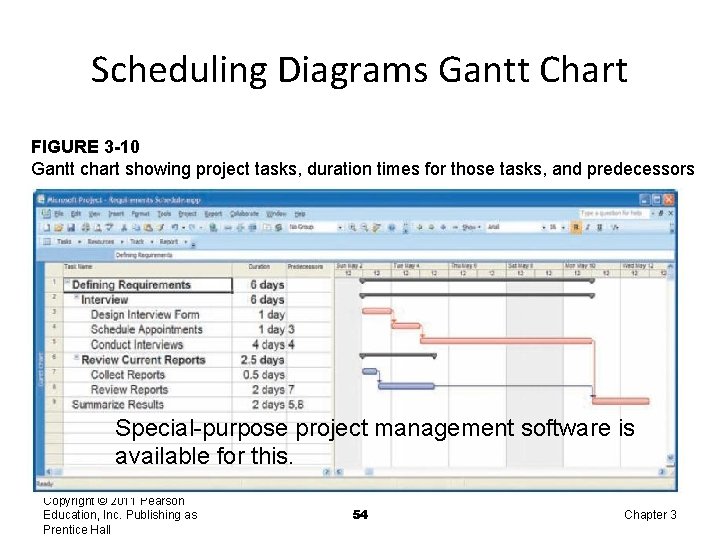
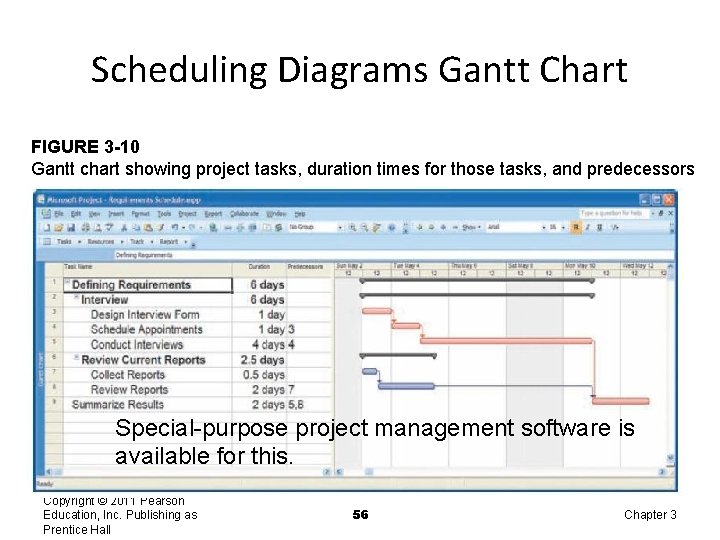
Gantt Charts • Created from CPM diagrams • Capture scheduling information in a bar chart format • Dynamic Gantt charts (that is, those that are updated frequently) are an excellent tool to ascertain the status of a project at a given time • Good tool for estimating resource needs in a given time frame CPM Diagram Gantt Chart
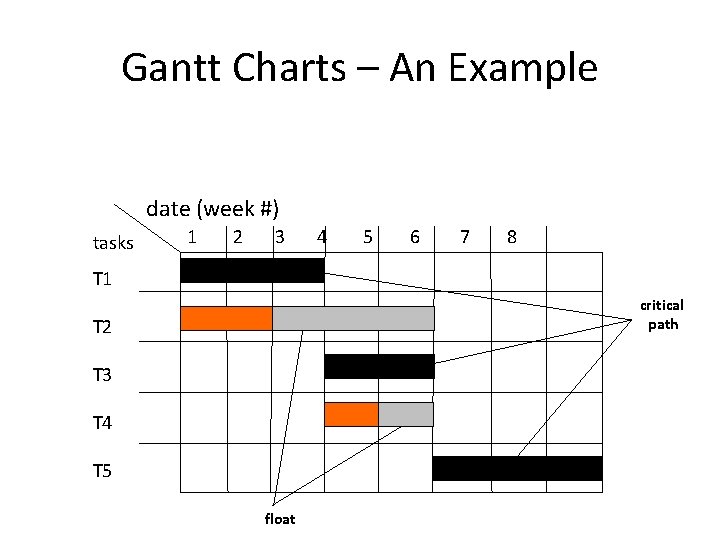
Gantt Charts – An Example date (week #) tasks 1 2 3 4 5 6 7 8 T 1 critical path T 2 T 3 T 4 T 5 float
Scheduling Diagrams Gantt Chart FIGURE 3 -10 Gantt chart showing project tasks, duration times for those tasks, and predecessors Special-purpose project management software is available for this. Copyright © 2011 Pearson Education, Inc. Publishing as Prentice Hall 54 Chapter 3
Team Activity #5: Gantt Chart Construct a Gantt chart for your CPM diagram created in Activity 3 1) Create a Gantt chart from your CPM Diagram. 2) What kind of resources do you anticipate needing in week 6? 3) Can you tell how many resources you will need of each type/category? Hint: Are duration and effort the same?
Scheduling Diagrams Gantt Chart FIGURE 3 -10 Gantt chart showing project tasks, duration times for those tasks, and predecessors Special-purpose project management software is available for this. Copyright © 2011 Pearson Education, Inc. Publishing as Prentice Hall 56 Chapter 3
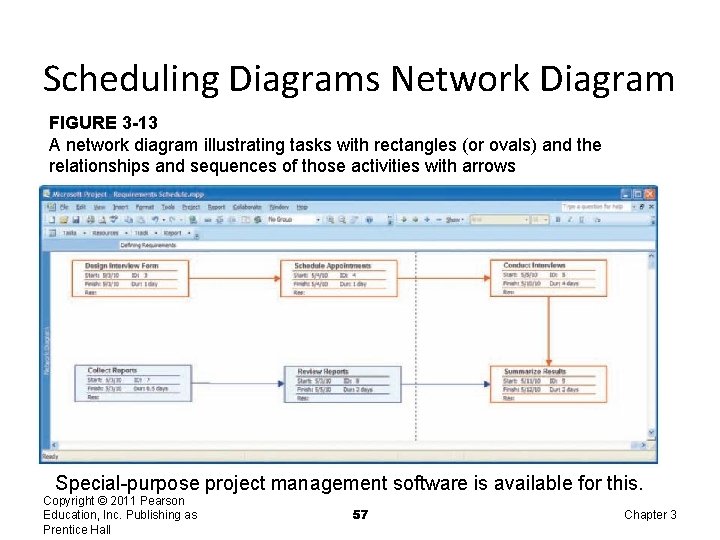
Scheduling Diagrams Network Diagram FIGURE 3 -13 A network diagram illustrating tasks with rectangles (or ovals) and the relationships and sequences of those activities with arrows Special-purpose project management software is available for this. Copyright © 2011 Pearson Education, Inc. Publishing as Prentice Hall 57 Chapter 3
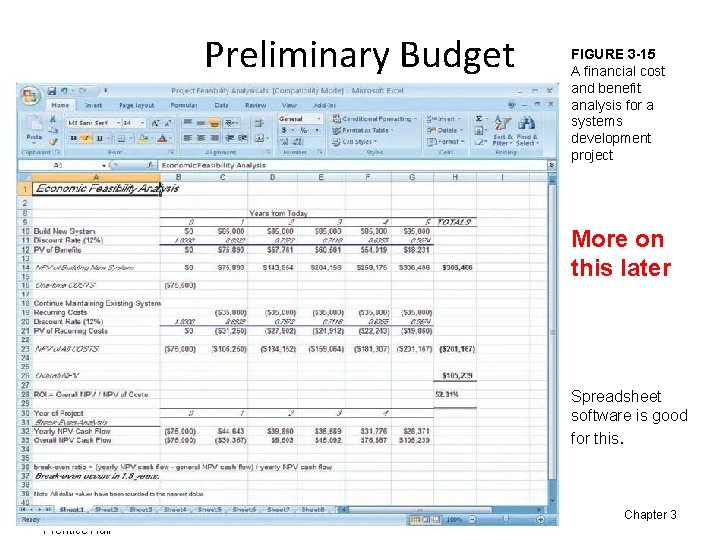
Preliminary Budget FIGURE 3 -15 A financial cost and benefit analysis for a systems development project More on this later Spreadsheet software is good for this. Copyright © 2011 Pearson Education, Inc. Publishing as Prentice Hall 58 Chapter 3
PM Phase 3: Project Execution • Plans created in prior phases are put into action. • Actions – Execute baseline project plan – Monitor progress against baseline plan – Manage changes in baseline plan – Maintain project workbook – Communicate project status Copyright © 2011 Pearson Education, Inc. Publishing as Prentice Hall 59 Chapter 3
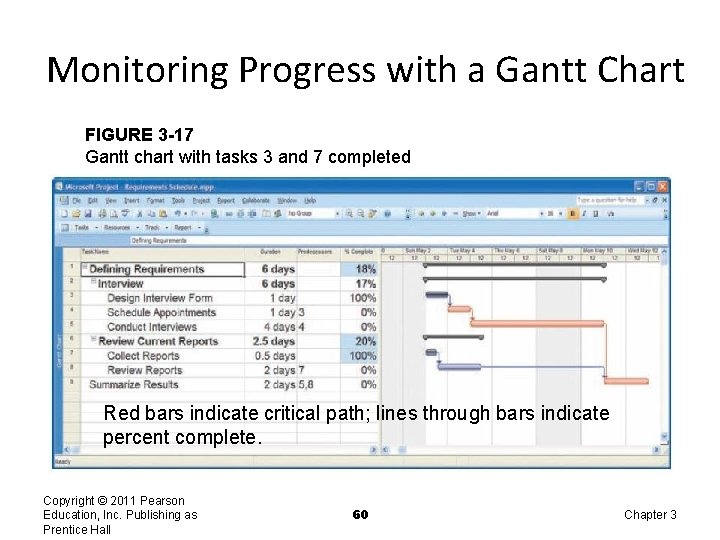
Monitoring Progress with a Gantt Chart FIGURE 3 -17 Gantt chart with tasks 3 and 7 completed Red bars indicate critical path; lines through bars indicate percent complete. Copyright © 2011 Pearson Education, Inc. Publishing as Prentice Hall 60 Chapter 3
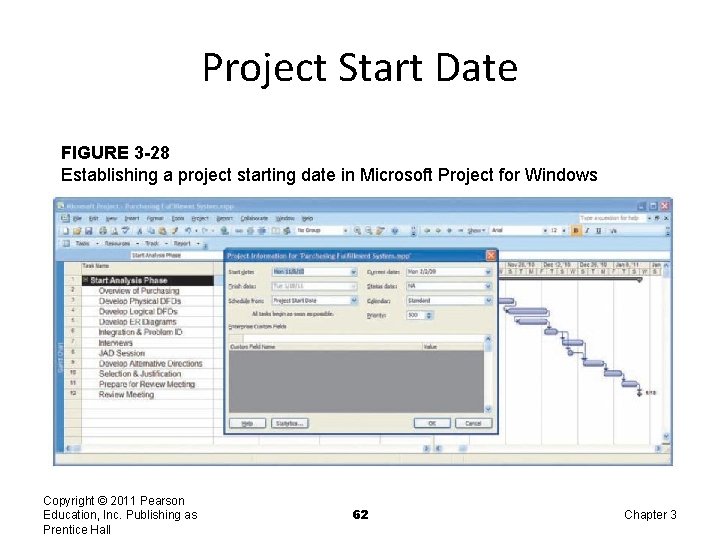
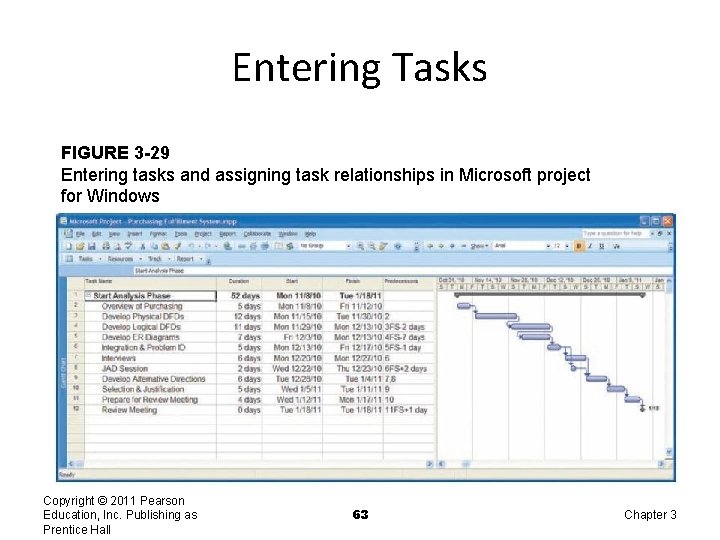
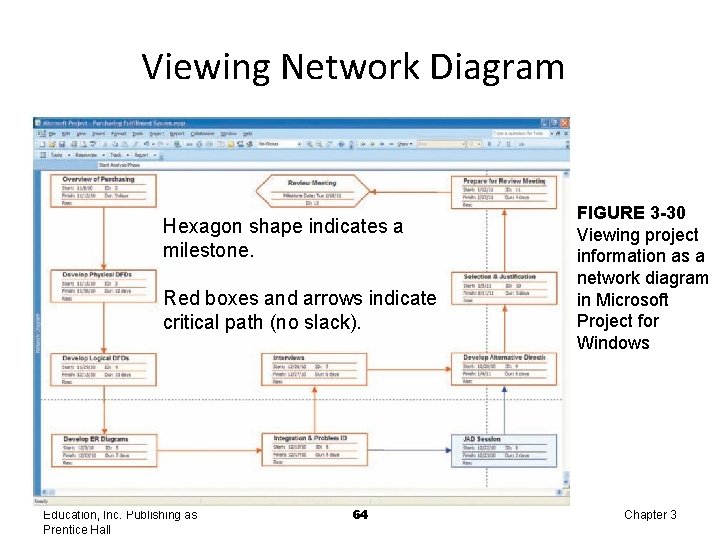
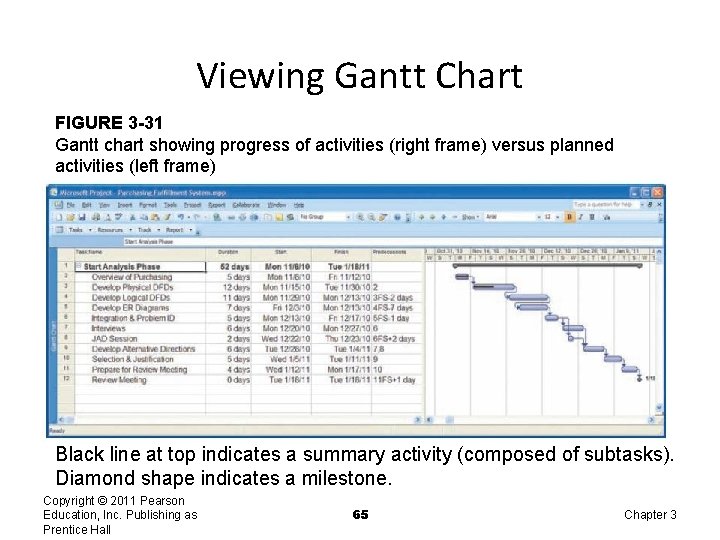
Using Project Management Software • Many powerful software tools exist for assisting with project management. • Example: Microsoft Project can help with – Entering project start date. – Establishing tasks and task dependencies. – Viewing project information as Gantt or Network diagrams. Copyright © 2011 Pearson Education, Inc. Publishing as Prentice Hall 61 Chapter 3
Project Start Date FIGURE 3 -28 Establishing a project starting date in Microsoft Project for Windows Copyright © 2011 Pearson Education, Inc. Publishing as Prentice Hall 62 Chapter 3
Entering Tasks FIGURE 3 -29 Entering tasks and assigning task relationships in Microsoft project for Windows Copyright © 2011 Pearson Education, Inc. Publishing as Prentice Hall 63 Chapter 3
Viewing Network Diagram Hexagon shape indicates a milestone. Red boxes and arrows indicate critical path (no slack). Copyright © 2011 Pearson Education, Inc. Publishing as Prentice Hall 64 FIGURE 3 -30 Viewing project information as a network diagram in Microsoft Project for Windows Chapter 3
Viewing Gantt Chart FIGURE 3 -31 Gantt chart showing progress of activities (right frame) versus planned activities (left frame) Black line at top indicates a summary activity (composed of subtasks). Diamond shape indicates a milestone. Copyright © 2011 Pearson Education, Inc. Publishing as Prentice Hall 65 Chapter 3
Summary • In this chapter you learned how to: ü Explain the process of managing an information systems project. ü Describe the skills required to be an effective project manager. ü List and describe the skills and activities of a project manager during project initiation, project planning, project execution, and project closedown. ü Explain what is meant by critical path scheduling and describe the process of creating Gantt charts and network diagrams. ü Explain how commercial project management software packages can be used to assist in representing and managing project schedules. Copyright © 2011 Pearson Education, Inc. Publishing as Prentice Hall 66 Chapter 3