
Chapter 3 Introduction to UNIX system Chapter 3

![Organising directory q ls -- list directory garfield@decunx: ~[xx]$ ls c doc my_file garfield@decunx:](https://slidetodoc.com/presentation_image/6f30c8f7abfd7d8aef6b6e035e7a60e6/image-13.jpg "Organising directory q ls -- list directory garfield@decunx: ~[xx]$ ls c doc my_file garfield@decunx:")
![Organising directory q mkdir -- make a new directory garfield@decunx: ~[xx]$ mkdir temp q](https://slidetodoc.com/presentation_image/6f30c8f7abfd7d8aef6b6e035e7a60e6/image-14.jpg "Organising directory q mkdir -- make a new directory garfield@decunx: ~[xx]$ mkdir temp q")
![Organising directory q cd -- change directory garfield@decunx: ~[xx]$ cd doc garfield@decunx: ~/doc[xx]$ pwd](https://slidetodoc.com/presentation_image/6f30c8f7abfd7d8aef6b6e035e7a60e6/image-15.jpg "Organising directory q cd -- change directory garfield@decunx: ~[xx]$ cd doc garfield@decunx: ~/doc[xx]$ pwd")
![File access permissions garfield@decunx: ~[xx]$ ls -l drwx------ 1 garfield cpe 99 512 May](https://slidetodoc.com/presentation_image/6f30c8f7abfd7d8aef6b6e035e7a60e6/image-16.jpg "File access permissions garfield@decunx: ~[xx]$ ls -l drwx------ 1 garfield cpe 99 512 May")
![File access permissions q chmod -- change mode garfield@decunx: ~[xx]$ chmod g+rx c garfield@decunx:](https://slidetodoc.com/presentation_image/6f30c8f7abfd7d8aef6b6e035e7a60e6/image-17.jpg "File access permissions q chmod -- change mode garfield@decunx: ~[xx]$ chmod g+rx c garfield@decunx:")
![Printing files q lpq -- check printer queue garfield@decunx: ~[xx]$ lpq -Ppsmr Rank Owner](https://slidetodoc.com/presentation_image/6f30c8f7abfd7d8aef6b6e035e7a60e6/image-24.jpg "Printing files q lpq -- check printer queue garfield@decunx: ~[xx]$ lpq -Ppsmr Rank Owner")
![Customising UNIX environment q Changing a shell variable: garfield@decunx: ~[xx]$ PS 1='Yes ! '](https://slidetodoc.com/presentation_image/6f30c8f7abfd7d8aef6b6e035e7a60e6/image-31.jpg "Customising UNIX environment q Changing a shell variable: garfield@decunx: ~[xx]$ PS 1='Yes ! '")
![Customising UNIX environment q Creating/changing a user-defined variable: garfield@decunx: ~[xx]$ bad garfield@decunx: ~[xx]$ /home/stu](https://slidetodoc.com/presentation_image/6f30c8f7abfd7d8aef6b6e035e7a60e6/image-32.jpg "Customising UNIX environment q Creating/changing a user-defined variable: garfield@decunx: ~[xx]$ bad garfield@decunx: ~[xx]$ /home/stu")
![Customising UNIX environment q Alias: a synonym for command/statement. garfield@decunx: ~[xx]$ alias dir='ls' garfield@decunx:](https://slidetodoc.com/presentation_image/6f30c8f7abfd7d8aef6b6e035e7a60e6/image-33.jpg "Customising UNIX environment q Alias: a synonym for command/statement. garfield@decunx: ~[xx]$ alias dir='ls' garfield@decunx:")
- Slides: 35
Chapter 3 Introduction to UNIX system Chapter 3: Introduction to UNIX system 1
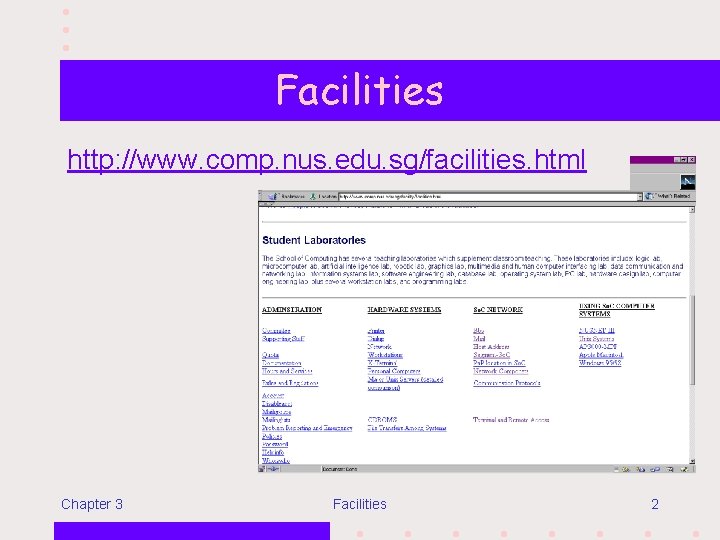
Facilities http: //www. comp. nus. edu. sg/facilities. html Chapter 3 Facilities 2
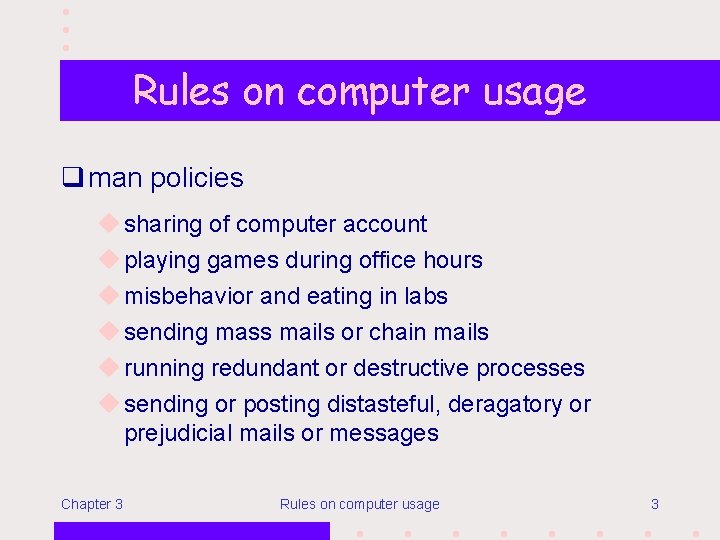
Rules on computer usage q man policies u sharing of computer account u playing games during office hours u misbehavior and eating in labs u sending mass mails or chain mails u running redundant or destructive processes u sending or posting distasteful, deragatory or prejudicial mails or messages Chapter 3 Rules on computer usage 3
Logging in to and out of NUSNET-III and UNIX machines q Follow the steps given in chapter 3 of Preparatory Course for Programming. Chapter 3 Logging in and out 4
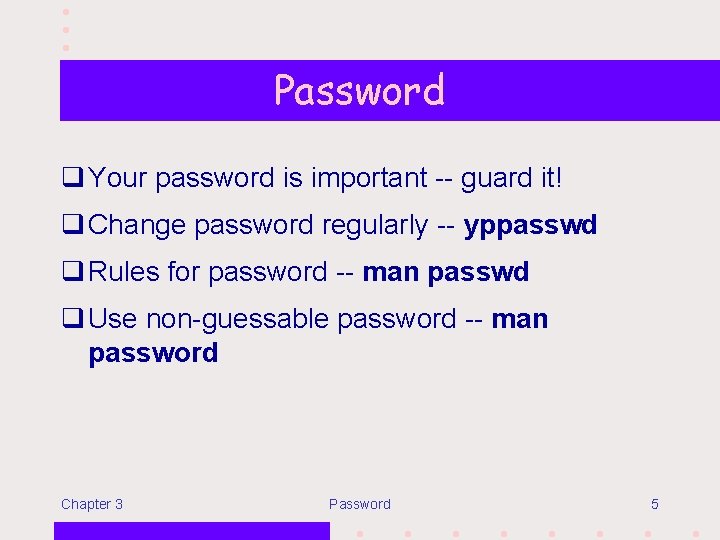
Password q Your password is important -- guard it! q Change password regularly -- yppasswd q Rules for password -- man passwd q Use non-guessable password -- man password Chapter 3 Password 5
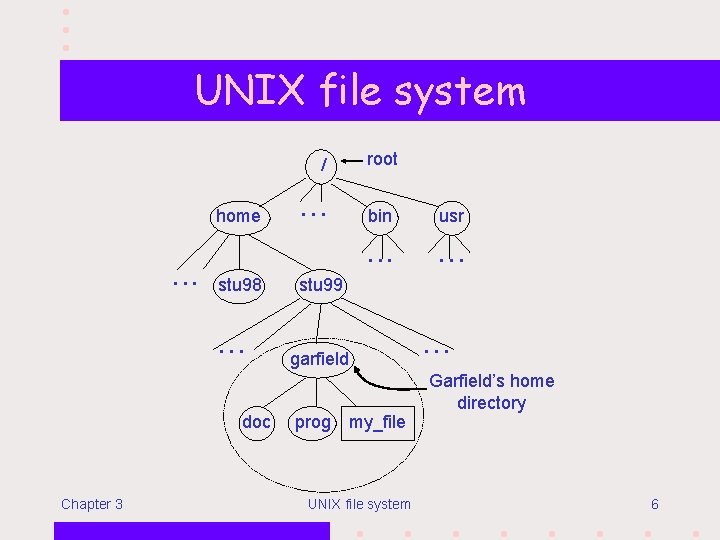
UNIX file system / home. . . stu 98. . . doc Chapter 3 . . . root bin usr . . . stu 99 garfield prog my_file UNIX file system . . . Garfield’s home directory 6
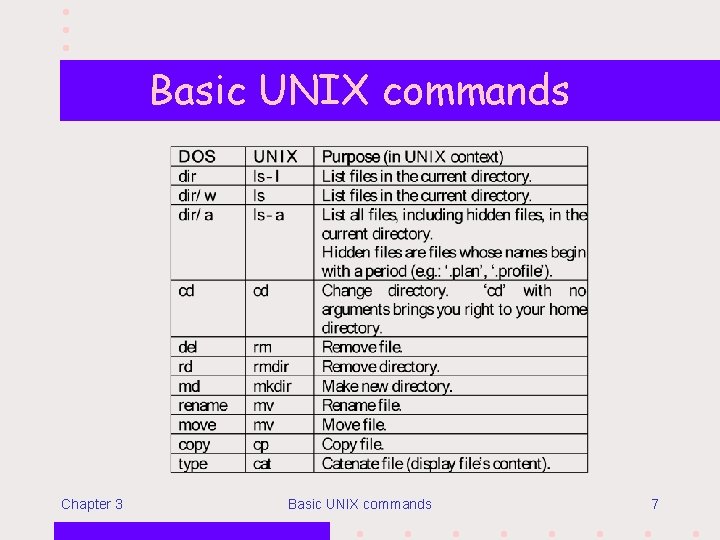
Basic UNIX commands Chapter 3 Basic UNIX commands 7
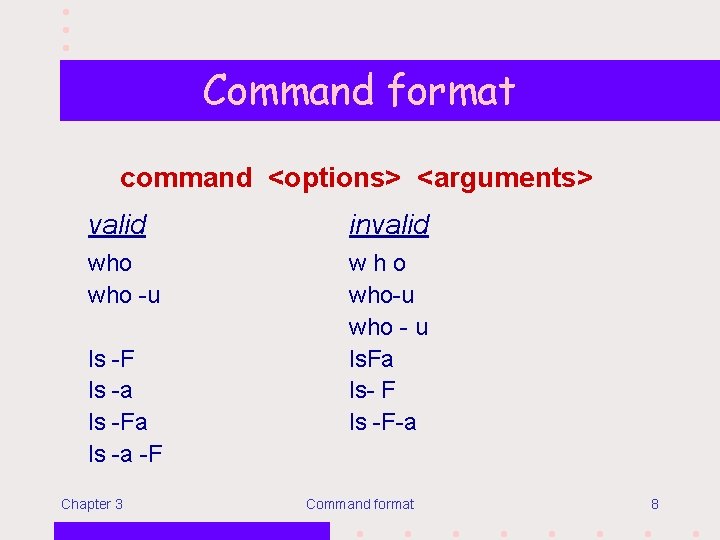
Command format command <options> <arguments> valid invalid who -u who-u who - u ls. Fa ls- F ls -F-a ls -F ls -a ls -Fa ls -a -F Chapter 3 Command format 8
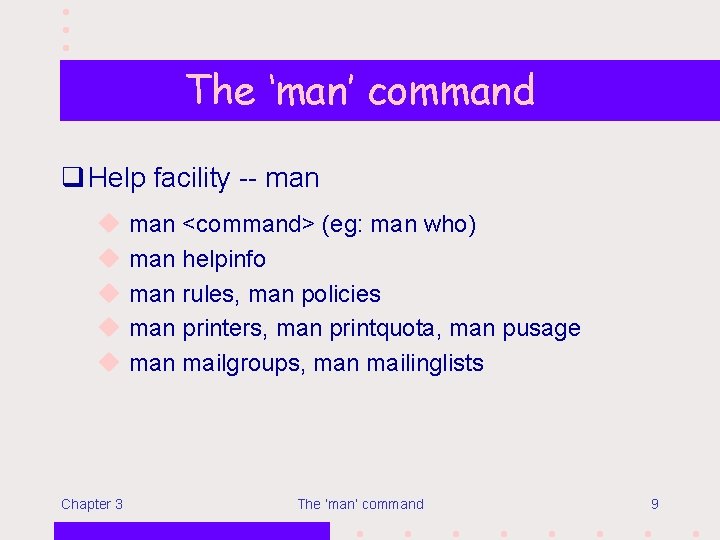
The ‘man’ command q Help facility -- man u u u Chapter 3 man <command> (eg: man who) man helpinfo man rules, man policies man printers, man printquota, man pusage man mailgroups, man mailinglists The ‘man’ command 9
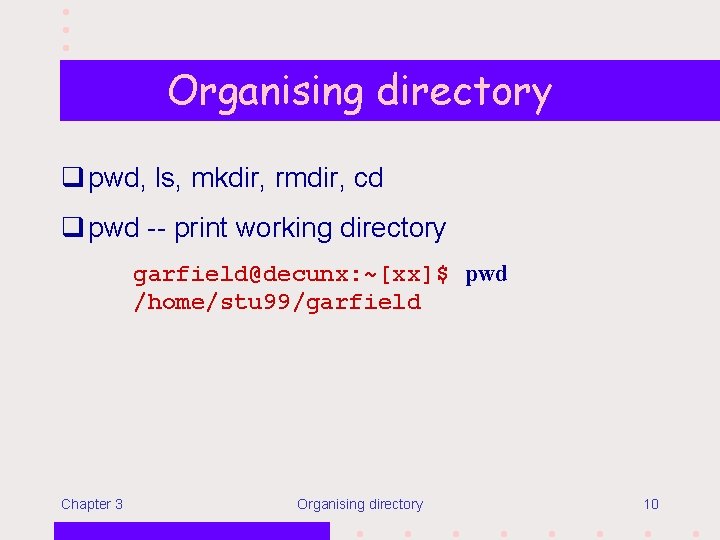
Organising directory q pwd, ls, mkdir, rmdir, cd q pwd -- print working directory garfield@decunx: ~[xx]$ pwd /home/stu 99/garfield Chapter 3 Organising directory 10
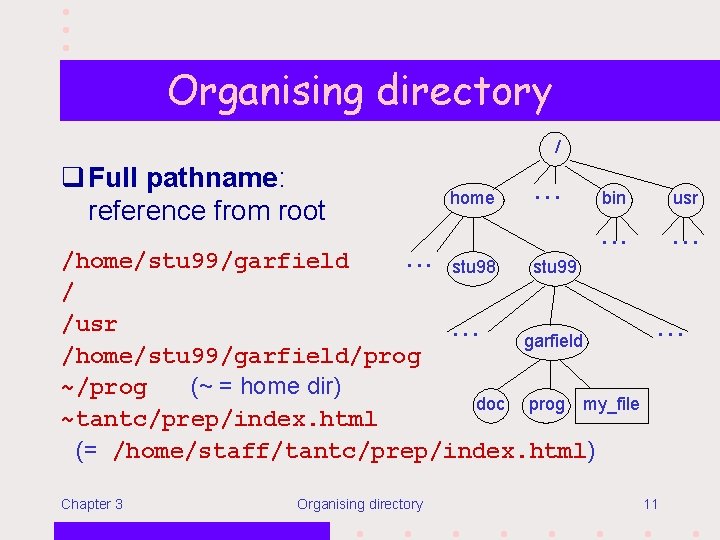
Organising directory / q Full pathname: reference from root home . . . bin usr . . stu 98 /home/stu 99/garfield stu 99 / /usr. . . garfield /home/stu 99/garfield/prog ~/prog (~ = home dir) doc prog my_file ~tantc/prep/index. html (= /home/staff/tantc/prep/index. html) Chapter 3 Organising directory . . . 11
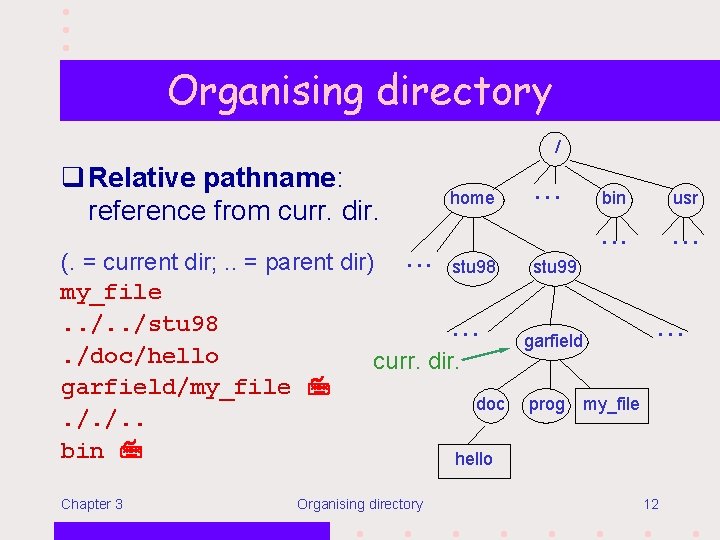
Organising directory / q Relative pathname: reference from curr. dir. home (. = current dir; . . = parent dir). . . stu 98 my_file. . /stu 98. . /doc/hello curr. dir. garfield/my_file doc. /. /. . bin hello Chapter 3 Organising directory . . . bin usr . . . stu 99 garfield . . . prog my_file 12
Organising directory q ls -- list directory garfield@decunx: ~[xx]$ ls c doc my_file garfield@decunx: ~[xx]$ ls -F c/ doc/ my_file garfield@decunx: ~[xx]$ ls -l drwx------rw------Chapter 3 1 garfield cpe 99 512 May 10 09: 39 c 512 Jun 21 19: 43 doc 142 May 5 14: 20 my_file Organising directory 13
Organising directory q mkdir -- make a new directory garfield@decunx: ~[xx]$ mkdir temp q rmdir -- remove a directory (must be empty) garfield@decunx: ~[xx]$ rmdir temp Chapter 3 Organising directory 14
Organising directory q cd -- change directory garfield@decunx: ~[xx]$ cd doc garfield@decunx: ~/doc[xx]$ pwd /home/stu 99/garfield/doc q cd without argument -- return to home directory Chapter 3 Organising directory 15
File access permissions garfield@decunx: ~[xx]$ ls -l drwx------ 1 garfield cpe 99 512 May 10 09: 39 c d rwx --- --d = directory - = file Chapter 3 u g o Access: r = read w = write x = execute/access File access permissions 16
File access permissions q chmod -- change mode garfield@decunx: ~[xx]$ chmod g+rx c garfield@decunx: ~[xx]$ chmod g+r c/example 1. c garfield Lower protection code for these directories and file c prog . . . example 1. c Chapter 3 File access permissions 17
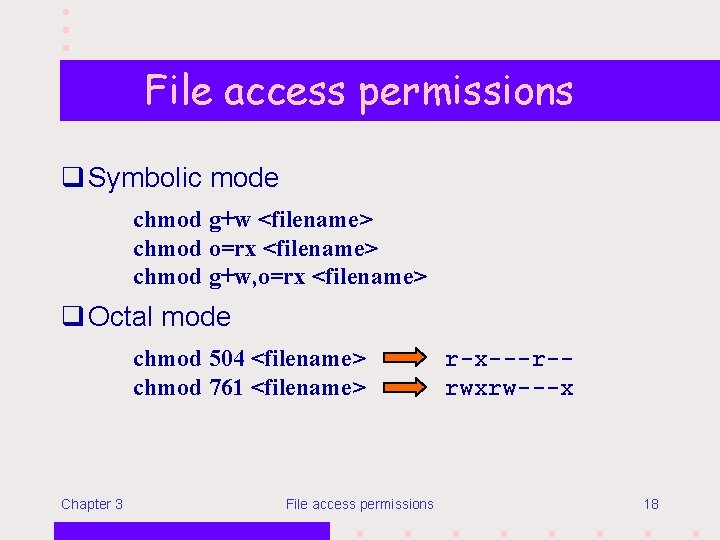
File access permissions q Symbolic mode chmod g+w <filename> chmod o=rx <filename> chmod g+w, o=rx <filename> q Octal mode chmod 504 <filename> chmod 761 <filename> Chapter 3 File access permissions r-x---r-rwxrw---x 18
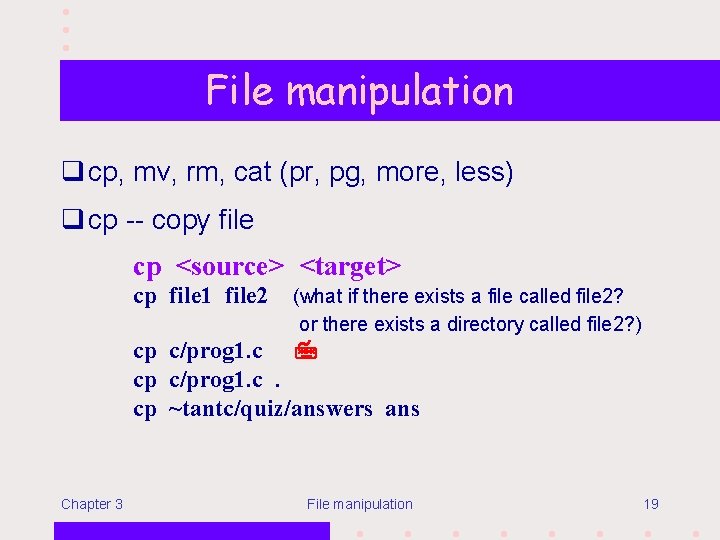
File manipulation q cp, mv, rm, cat (pr, pg, more, less) q cp -- copy file cp <source> <target> cp file 1 file 2 (what if there exists a file called file 2? or there exists a directory called file 2? ) cp c/prog 1. c. cp ~tantc/quiz/answers ans Chapter 3 File manipulation 19
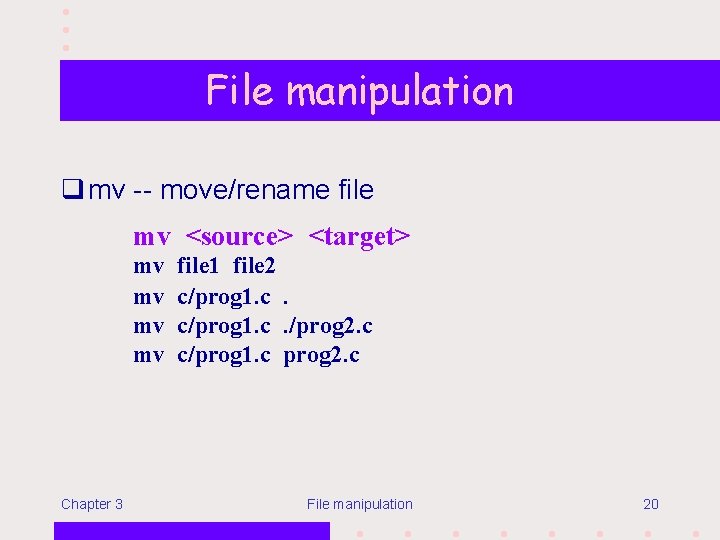
File manipulation q mv -- move/rename file mv <source> <target> mv mv Chapter 3 file 1 file 2 c/prog 1. c. /prog 2. c c/prog 1. c prog 2. c File manipulation 20
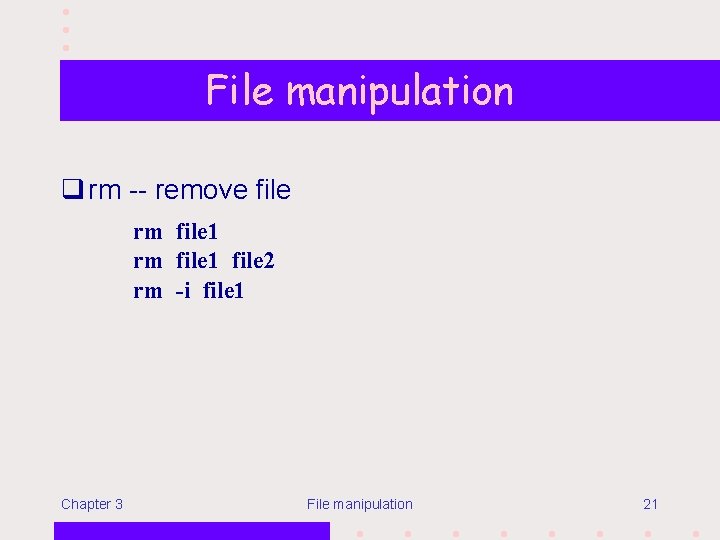
File manipulation q rm -- remove file rm file 1 file 2 rm -i file 1 Chapter 3 File manipulation 21
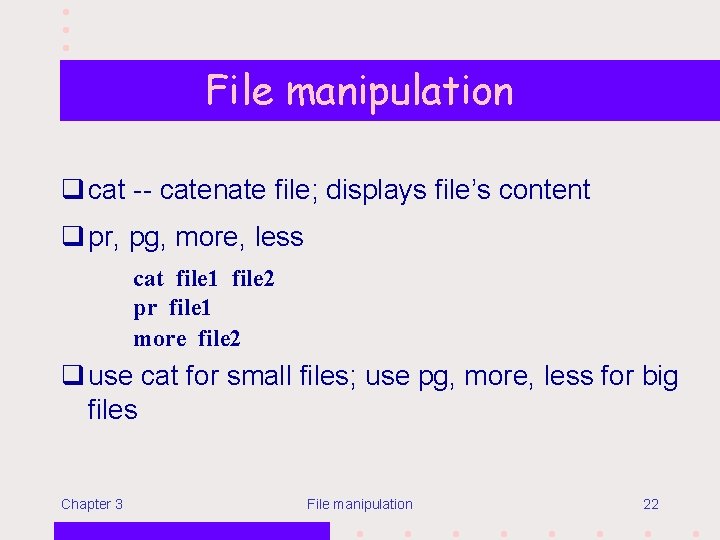
File manipulation q cat -- catenate file; displays file’s content q pr, pg, more, less cat file 1 file 2 pr file 1 more file 2 q use cat for small files; use pg, more, less for big files Chapter 3 File manipulation 22
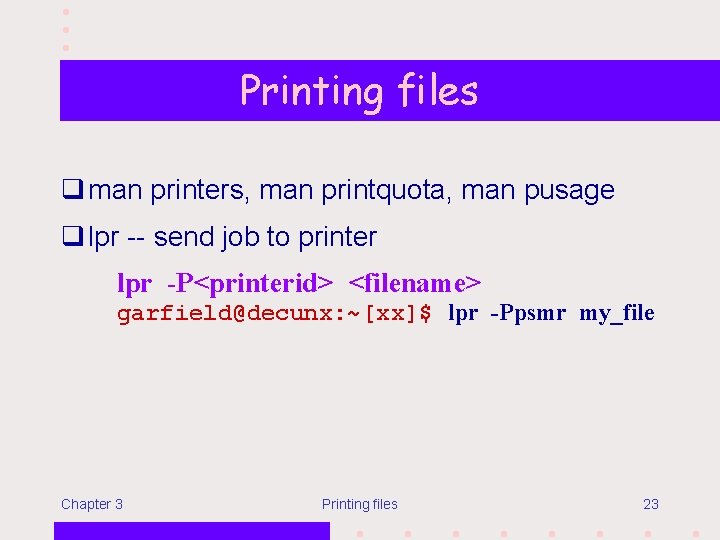
Printing files q man printers, man printquota, man pusage q lpr -- send job to printer lpr -P<printerid> <filename> garfield@decunx: ~[xx]$ lpr -Ppsmr my_file Chapter 3 Printing files 23
Printing files q lpq -- check printer queue garfield@decunx: ~[xx]$ lpq -Ppsmr Rank Owner active tantc 1 st garfield Job 822 823 Files exercise 1 my_file Total Size 38284 bytes 142 bytes q lprm -- remove print job garfield@decunx: ~[xx]$ lprm –Ppsmr 823 Chapter 3 Printing files 24
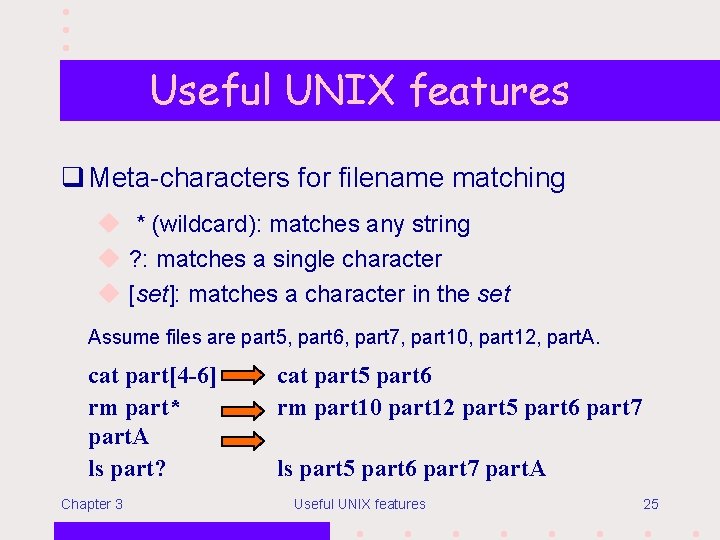
Useful UNIX features q Meta-characters for filename matching u * (wildcard): matches any string u ? : matches a single character u [set]: matches a character in the set Assume files are part 5, part 6, part 7, part 10, part 12, part. A. cat part[4 -6] rm part* part. A ls part? Chapter 3 cat part 5 part 6 rm part 10 part 12 part 5 part 6 part 7 ls part 5 part 6 part 7 part. A Useful UNIX features 25
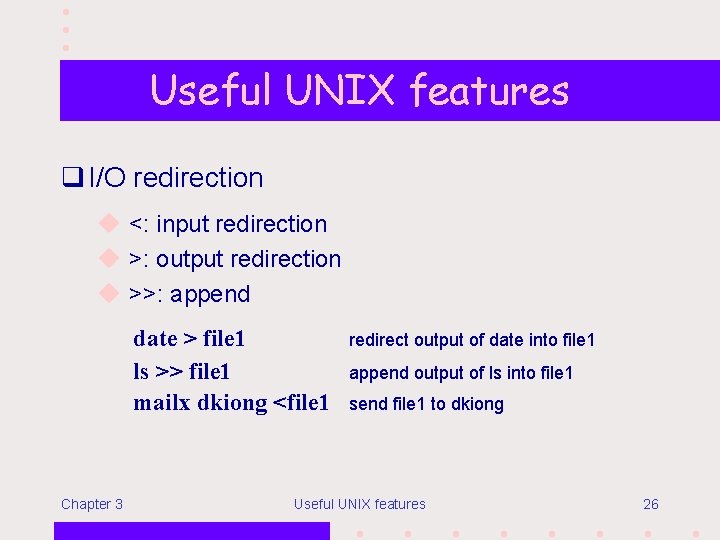
Useful UNIX features q I/O redirection u <: input redirection u >: output redirection u >>: append date > file 1 ls >> file 1 mailx dkiong <file 1 Chapter 3 redirect output of date into file 1 append output of ls into file 1 send file 1 to dkiong Useful UNIX features 26
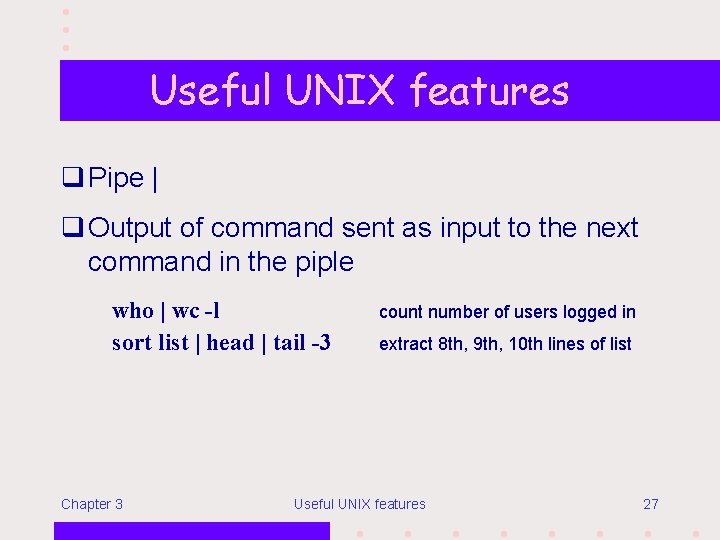
Useful UNIX features q Pipe | q Output of command sent as input to the next command in the piple who | wc -l sort list | head | tail -3 Chapter 3 count number of users logged in extract 8 th, 9 th, 10 th lines of list Useful UNIX features 27
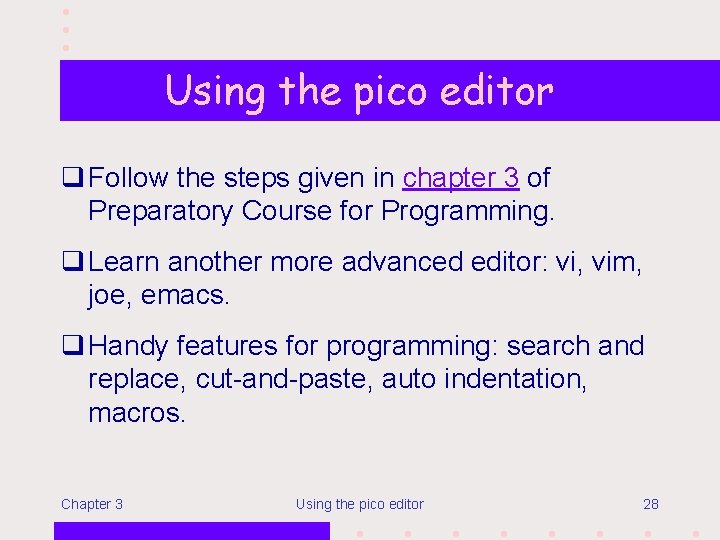
Using the pico editor q Follow the steps given in chapter 3 of Preparatory Course for Programming. q Learn another more advanced editor: vi, vim, joe, emacs. q Handy features for programming: search and replace, cut-and-paste, auto indentation, macros. Chapter 3 Using the pico editor 28
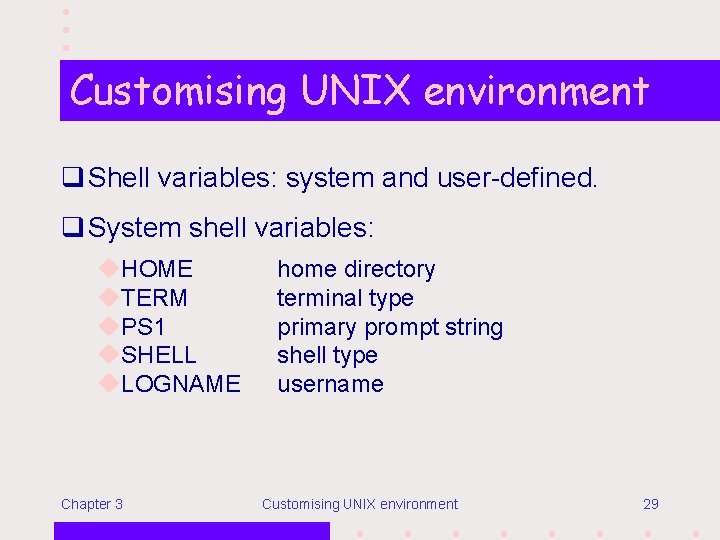
Customising UNIX environment q Shell variables: system and user-defined. q System shell variables: u. HOME u. TERM u. PS 1 u. SHELL u. LOGNAME Chapter 3 home directory terminal type primary prompt string shell type username Customising UNIX environment 29
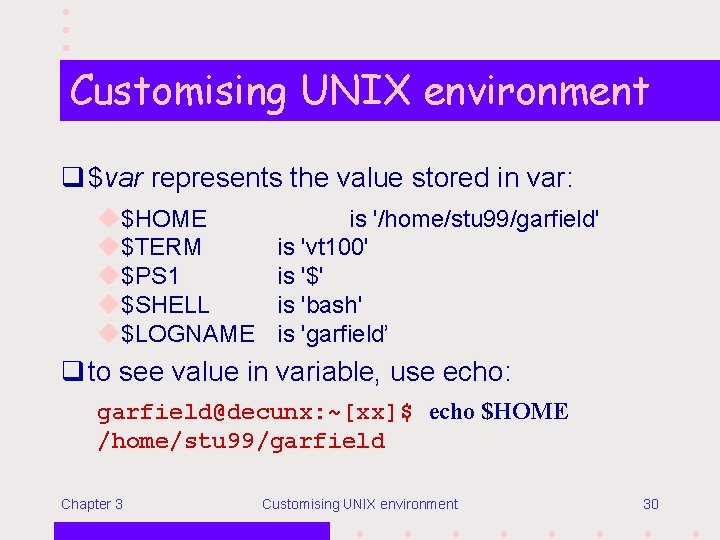
Customising UNIX environment q $var represents the value stored in var: u$HOME u$TERM u$PS 1 u$SHELL u$LOGNAME is '/home/stu 99/garfield' is 'vt 100' is '$' is 'bash' is 'garfield’ q to see value in variable, use echo: garfield@decunx: ~[xx]$ echo $HOME /home/stu 99/garfield Chapter 3 Customising UNIX environment 30
Customising UNIX environment q Changing a shell variable: garfield@decunx: ~[xx]$ PS 1='Yes ! ' Yes! echo "what does PS 1 contain? Ans: $PS 1" what does PS 1 contain? Ans: Yes! Chapter 3 Customising UNIX environment 31
Customising UNIX environment q Creating/changing a user-defined variable: garfield@decunx: ~[xx]$ bad garfield@decunx: ~[xx]$ /home/stu 99/garfield Chapter 3 good="bad" echo $good xyz="$HOME" echo $xyz Customising UNIX environment 32
Customising UNIX environment q Alias: a synonym for command/statement. garfield@decunx: ~[xx]$ alias dir='ls' garfield@decunx: ~[xx]$ dir c/ doc/ my_file garfield@decunx: ~[xx]$ alias bye='exit' garfield@decunx: ~[xx]$ bye (log out…) q unalias to remove alias: garfield@decunx: ~[xx]$ unalias bye Chapter 3 Customising UNIX environment 33
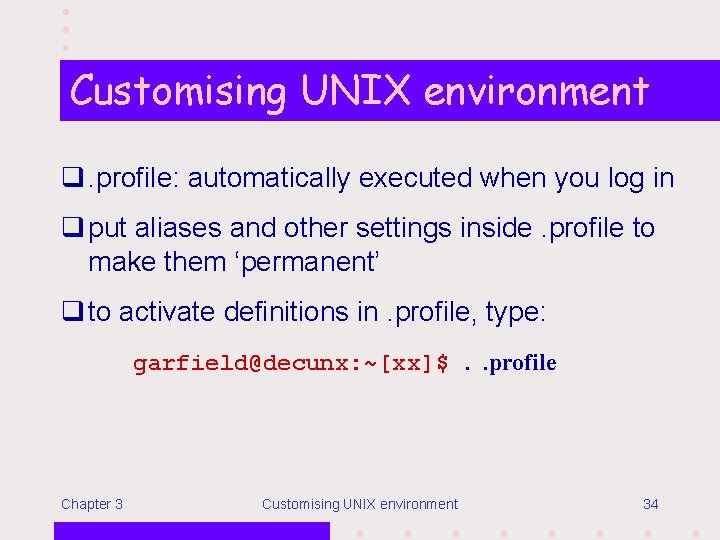
Customising UNIX environment q. profile: automatically executed when you log in q put aliases and other settings inside. profile to make them ‘permanent’ q to activate definitions in. profile, type: garfield@decunx: ~[xx]$. . profile Chapter 3 Customising UNIX environment 34
Homework Try exercises behind chapter 3. Chapter 3 Homework 35