
Chapter 3 Database Architectures and the Web MultiUser
Chapter 3 Database Architectures and the Web
Multi-User DBMS Architectures u Teleprocessing u File-server u Client-server
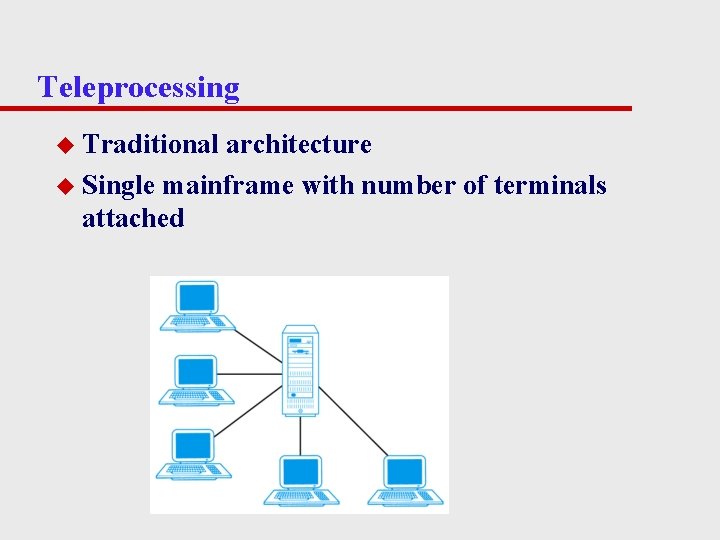
Teleprocessing u Traditional architecture u Single mainframe with number of terminals attached
File-Server u File-server connected to several workstations across network u Database resides on file-server u DBMS and applications run on each workstation u Disadvantages: – Significant network traffic – Copy of DBMS on each workstation – Concurrency, recovery and integrity control more complex
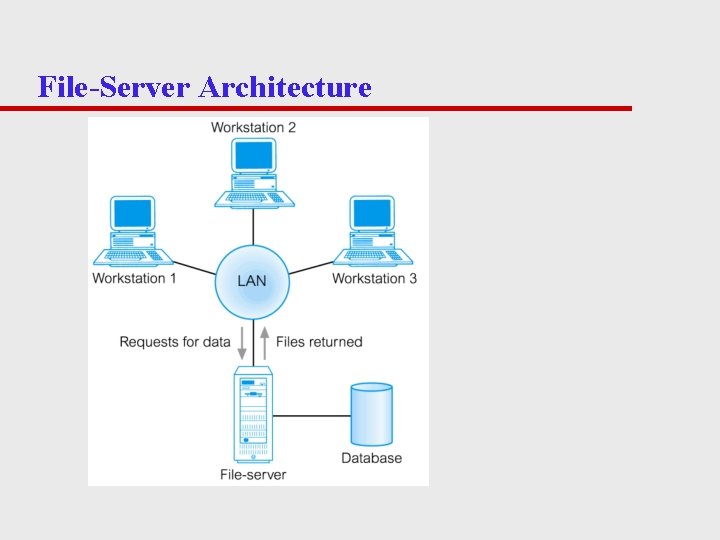
File-Server Architecture
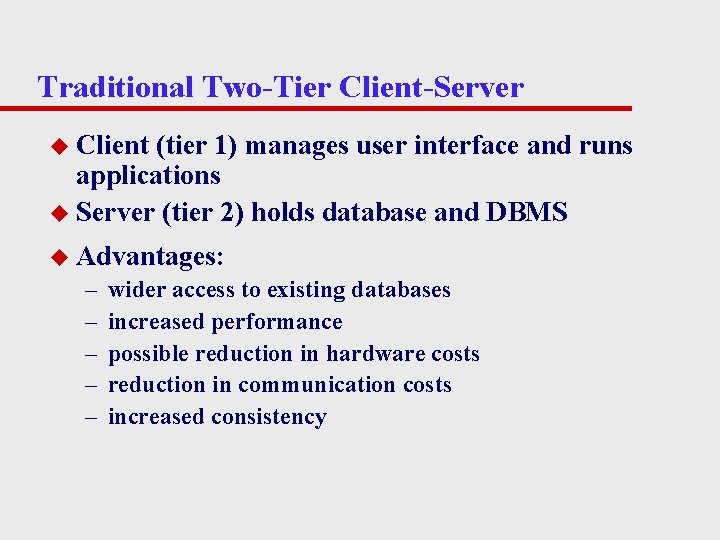
Traditional Two-Tier Client-Server u Client (tier 1) manages user interface and runs applications u Server (tier 2) holds database and DBMS u Advantages: – – – wider access to existing databases increased performance possible reduction in hardware costs reduction in communication costs increased consistency
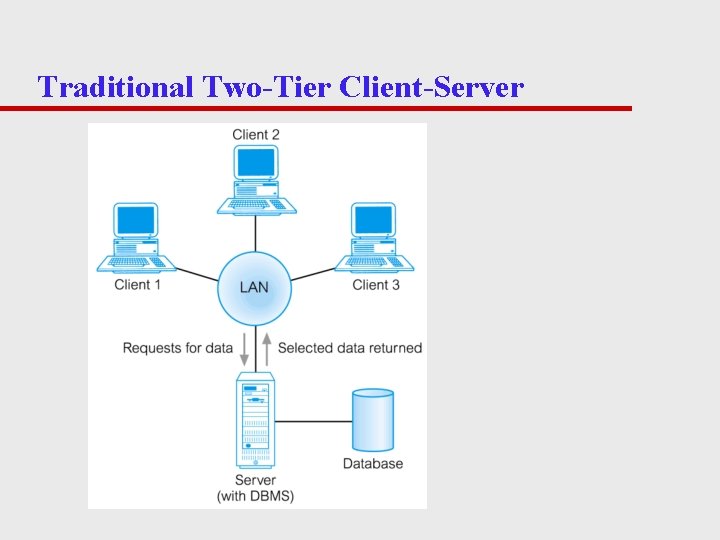
Traditional Two-Tier Client-Server
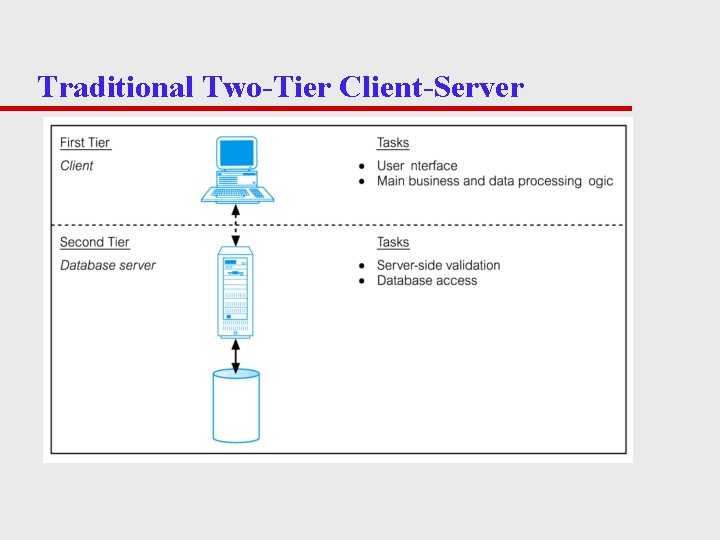
Traditional Two-Tier Client-Server
Three-Tier Client-Server u Problems preventing true scalability in 2 -tier: – ‘Fat’ client, requiring considerable resources on client’s computer to run effectively – Significant client side administration overhead u 1995 - three layers proposed
Three-Tier Client-Server u Advantages: – ‘Thin’ client » Requires less expensive hardware – Application maintenance centralized – Easier to modify/replace one tier without affecting others – Separation business logic from database functions → easier to implement load balancing – Maps naturally to Web environment
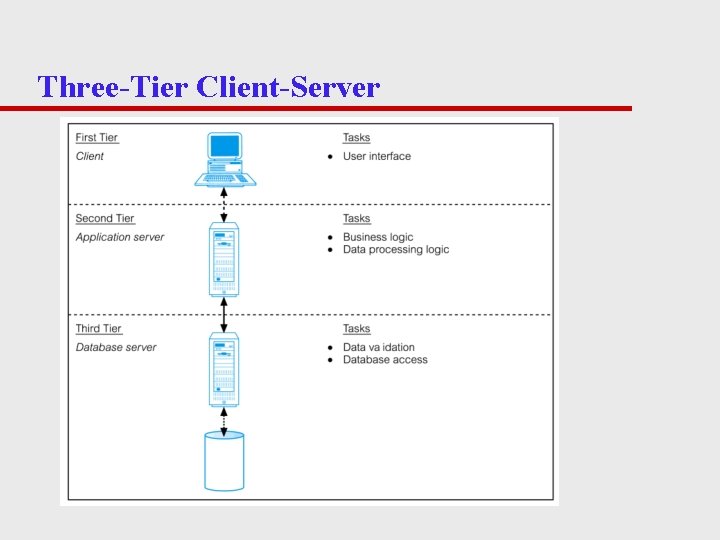
Three-Tier Client-Server
Transaction Processing Monitors (TPM) u Program that controls data transfer between clients and servers in order to provide a consistent environment, particularly for Online Transaction Processing (OLTP).
TPM u Transaction processing monitor – Controls data transfer between clients/servers – Provides a consistent environment, particularly for online transaction processing (OLTP) – Significant advantages » » » Transaction routing Managing distributed transactions Load balancing Funneling Increased reliability
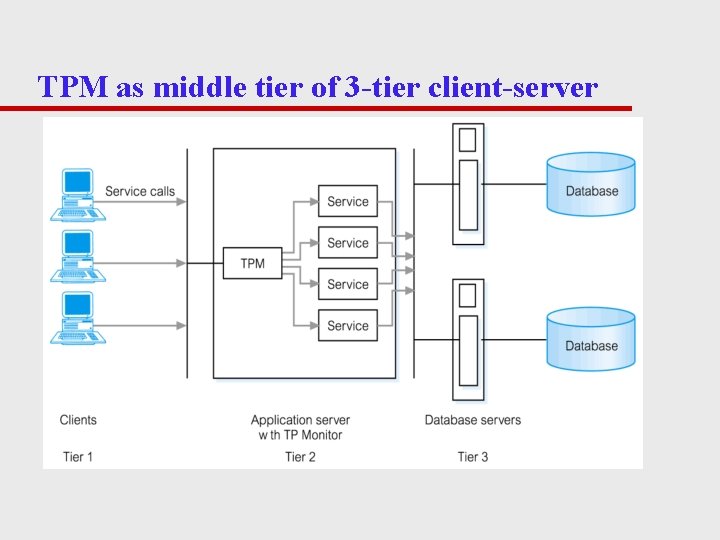
TPM as middle tier of 3 -tier client-server
Multi-user DBMS Architectures u Teleprocessing – Traditional architecture for multi-user systems – One computer with a single central processing unit (CPU) and a number of terminals – Put a huge burden on the central computer u Downsizing – Replacing expensive mainframe computers with more cost-effective networks of personal computers
Multi-user DBMS Architectures u File-server architecture – Processing distributed about network – Disadvantages: » Large amount of network traffic » Full copy of DBMS required on each workstation » Concurrency, recovery, and integrity control are complex
Multi-user DBMS Architectures u Traditional two-tier client–server architecture – Client process requires some resource – Server provides the resource – Basic separation of four main components of business application – Typical interaction between client and server
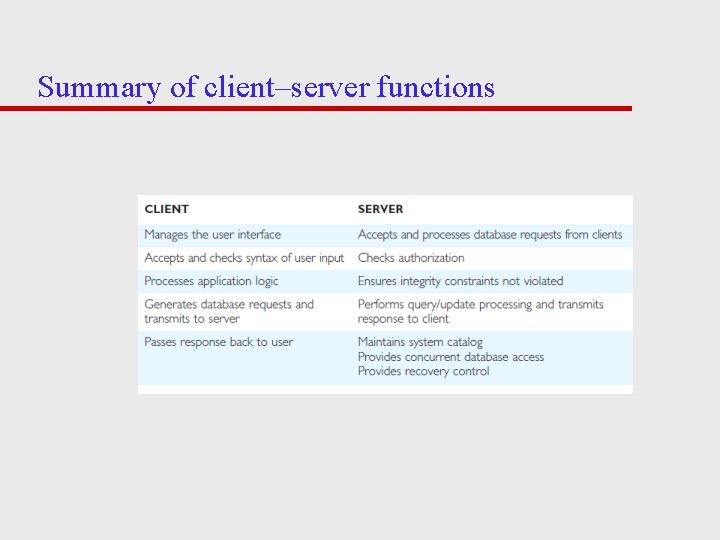
Summary of client–server functions
Multi-user DBMS Architectures u Three-tier client–server architecture – User interface layer – Business logic and data processing layer – DBMS – Many advantages over traditional two-tier or single-tier designs
Multi-user DBMS Architectures u N-tier architectures – Three-tier architecture can be expanded to n tiers u Application servers – Hosts an application programming interface (API) to expose business logic and business processes for use by other applications
Multi-user DBMS Architectures u Middleware – Software that mediates with other software – Communication among disparate applications – Six main types » » » Asynchronous Remote Procedure Call (RPC) Synchronous RPC Publish/Subscribe Message-Oriented middleware (MOM) Object-request broker (ORB) SQL-oriented data access
Web Services and Service-Oriented Architectures u Web service – Software system that supports interoperable machine-to-machine interaction over network – No user interface – Examples of Web services » Microsoft Virtual Earth Web service – Uses widely accepted technologies and standards
Web Services and Service-Oriented Architectures u Service-Oriented Architectures (SOA) – Architecture for building applications that implement business processes as sets of services u Some principles built upon: – Loose coupling – Reusability – Composability
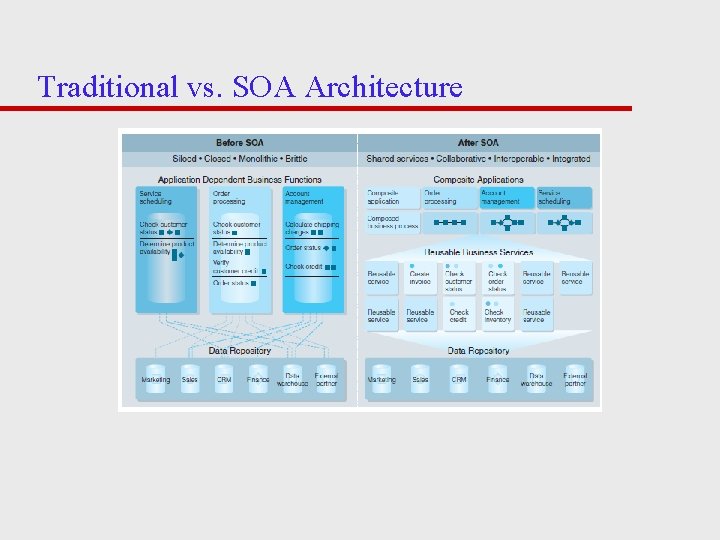
Traditional vs. SOA Architecture
Distributed DBMSs u Distributed database – Logically interrelated collection of shared data physically (single database) distributed over network u Distributed DBMS – Software system that permits management of distributed database – Distribution transparent to users
Distributed DBMSs u Characteristics of DDBMS – Collection of logically related shared data – Data split into fragments – Fragments may be replicated – Fragments/replicas allocated to sites – Sites linked by communications network – Data at each site controlled by DBMS – DMBS handles local apps autonomously – Each DBMS in one or more global app
Distributed DBMSs u Distributed processing – Centralized database that can be accessed over computer network u System consists of data physically distributed across number of sites in network
Data Warehousing u Data warehouse – Consolidated/integrated view of corporate data – Drawn from disparate operational data sources – Range of end-user access tools capable of supporting simple to highly complex queries to support decision making – Subject-oriented, integrated, time-variant, and nonvolatile
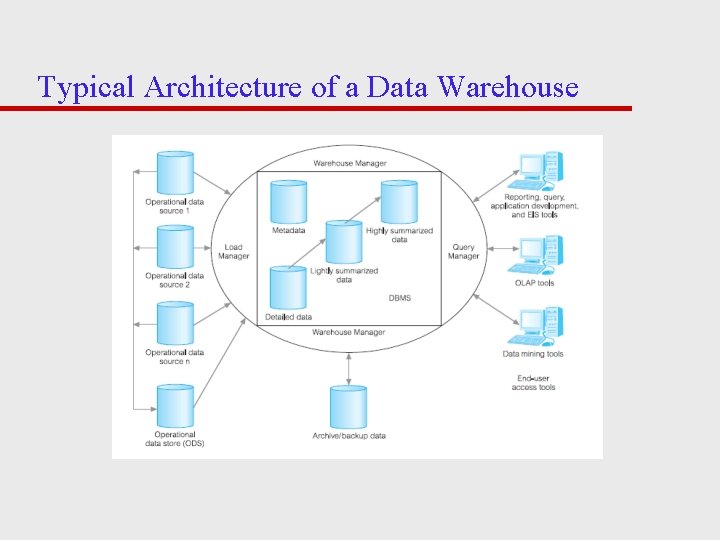
Typical Architecture of a Data Warehouse
Components of a DBMS u Major components of a DBMS: – Query processor – Database manager (DM) – File manager – DML preprocessor – DDL compiler – Catalog manager
Components of a DBMS u Major software components for database manager – Transaction manager – Authorization control – Scheduler – Command processor – Recovery manager – Integrity checker – Buffer manager – Query optimizer
Oracle Architecture u Oracle’s logical database structure – Tablespaces – Schemas – Data blocks – Extents/segments
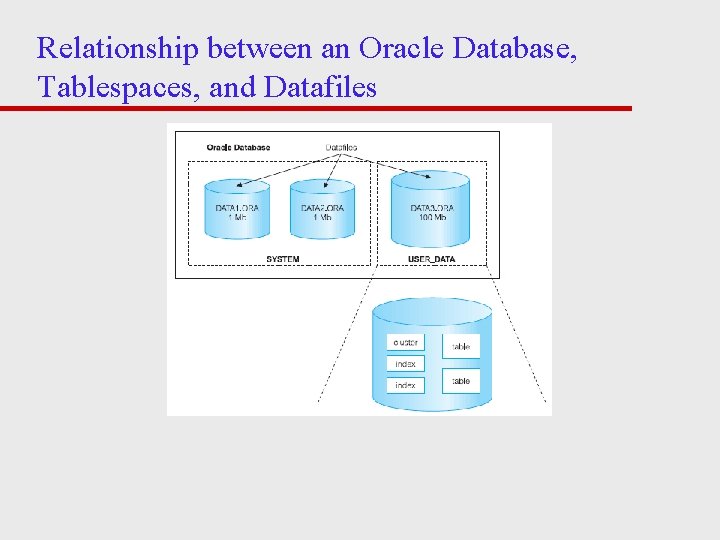
Relationship between an Oracle Database, Tablespaces, and Datafiles
Oracle Architecture u Oracle’s physical database structure – Datafiles – Redo log files – Control files u The Oracle instance – Oracle processes and shared memory required to access information in the database
- Slides: 34