
Chapter 3 Data Representation slides modified by Erin
Chapter 3 Data Representation (slides modified by Erin Chambers)
Data and Computers are multimedia devices, dealing with a vast array of information categories Computers store, present, and help us modify • • • 2 Numbers Text Audio Images and graphics Video

Data and Computers Data compression Reduction in the amount of space needed to store a piece of data Compression ratio The size of the compressed data divided by the size of the original data A data compression techniques can be lossless, which means the data can be retrieved without any loss of the original information lossy, which means some information may be lost in the process of compaction 3
Analog and Digital Information Computers are finite! How do we represent an infinite world? We represent enough of the world to satisfy our computational needs and our senses of sight and sound 4
Analog and Digital Information can be represented in one of two ways: analog or digital Analog data A continuous representation, analogous to the actual information it represents Digital data A discrete representation, breaking the information up into separate elements 5
Analog and Digital Information 6
Analog and Digital Information Computers cannot work well with analog data, so we digitize the data Digitize Breaking data into pieces and representing those pieces separately Why do we use binary to represent digitized data? 7
Electronic Signals Important facts about electronic signals • An analog signal continually fluctuates in voltage up and down • A digital signal has only a high or low state, corresponding to the two binary digits • All electronic signals (both analog and digital) degrade as they move down a line • The voltage of the signal fluctuates due to environmental effects 8
Electronic Signals (Cont’d) Periodically, a digital signal is reclocked to regain its original shape 9
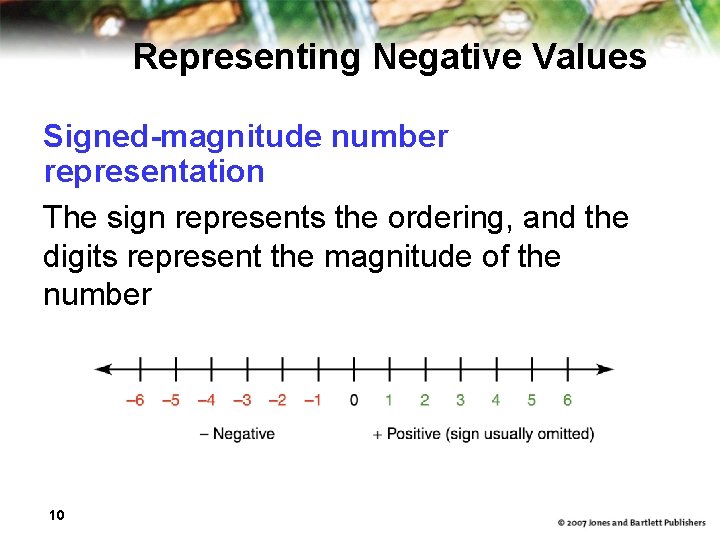
Representing Negative Values Signed-magnitude number representation The sign represents the ordering, and the digits represent the magnitude of the number 10
Representing Negative Values There is a problem with the sign-magnitude representation: There is a plus zero and minus zero, which causes unnecessary complexity Solution: Keep all numbers as integer values, with half of them representing negative numbers 11
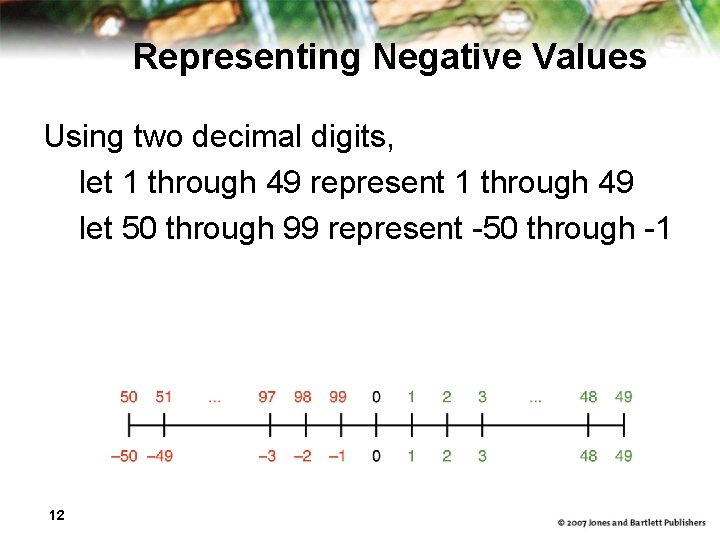
Representing Negative Values Using two decimal digits, let 1 through 49 represent 1 through 49 let 50 through 99 represent -50 through -1 12
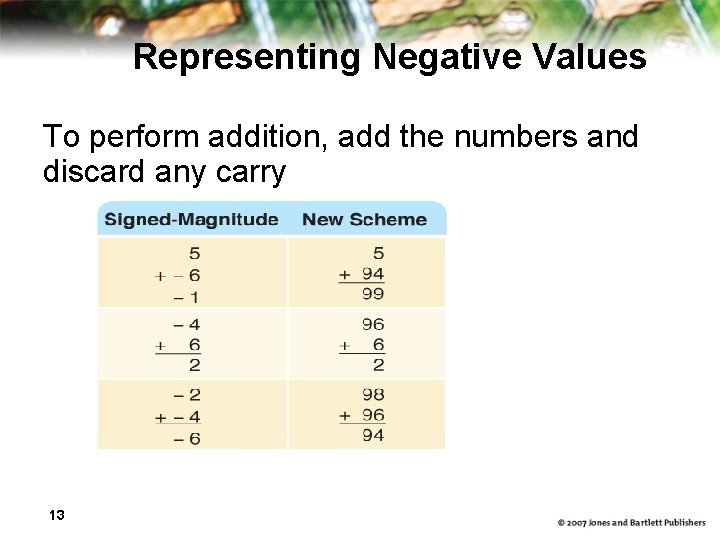
Representing Negative Values To perform addition, add the numbers and discard any carry 13
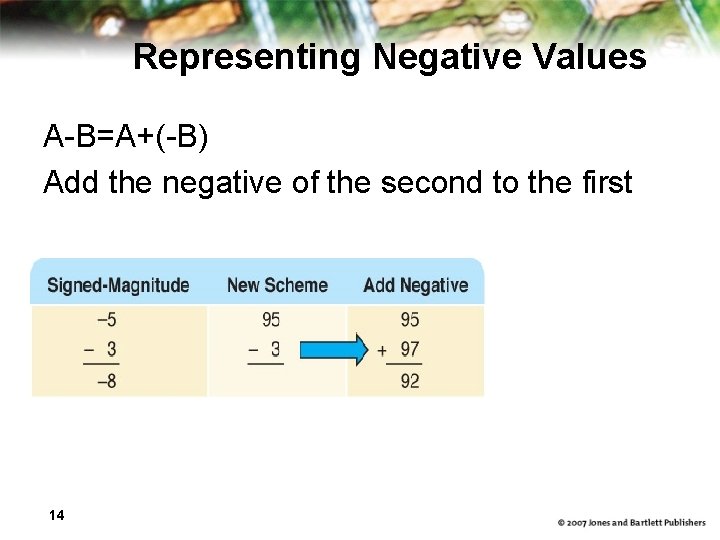
Representing Negative Values A-B=A+(-B) Add the negative of the second to the first 14
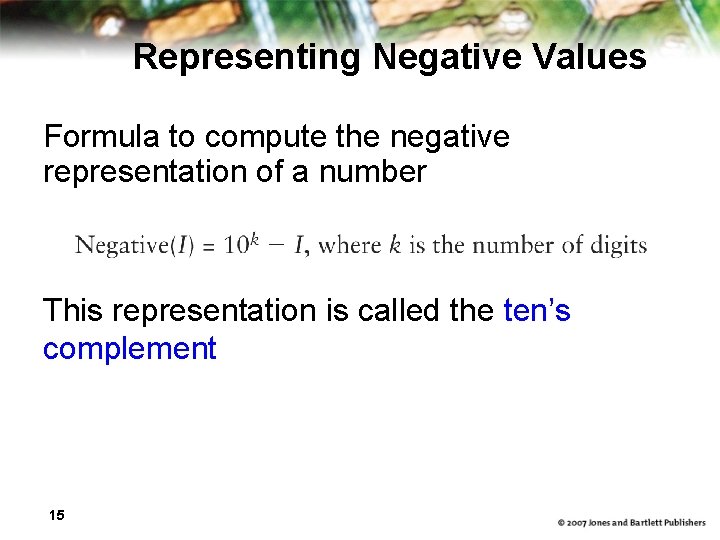
Representing Negative Values Formula to compute the negative representation of a number This representation is called the ten’s complement 15
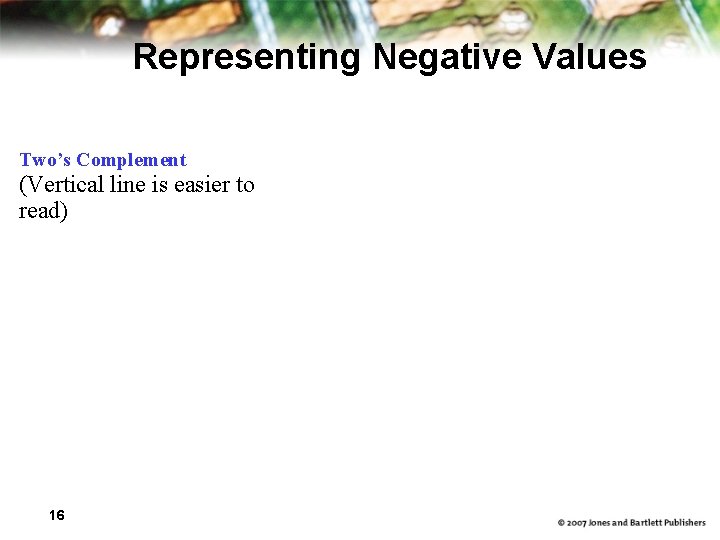
Representing Negative Values Two’s Complement (Vertical line is easier to read) 16
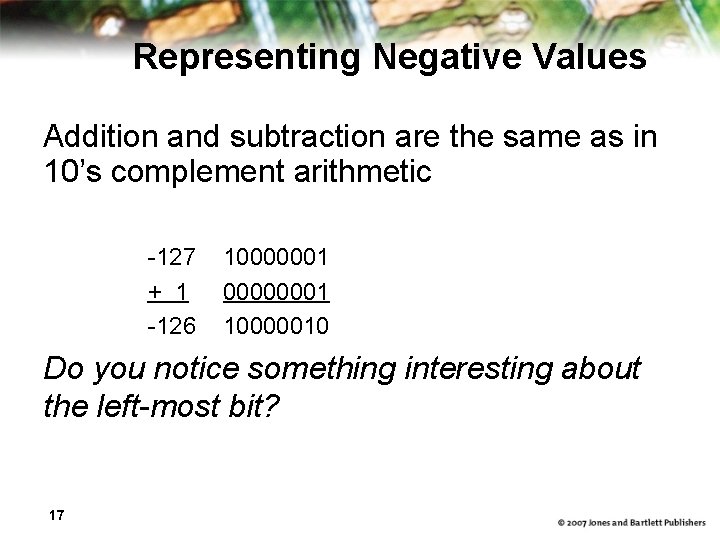
Representing Negative Values Addition and subtraction are the same as in 10’s complement arithmetic -127 + 1 -126 10000001 00000001 10000010 Do you notice something interesting about the left-most bit? 17
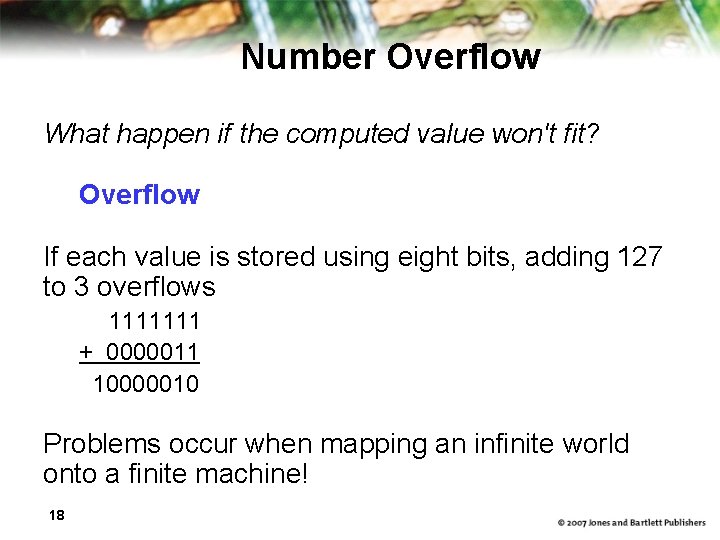
Number Overflow What happen if the computed value won't fit? Overflow If each value is stored using eight bits, adding 127 to 3 overflows 1111111 + 0000011 10000010 Problems occur when mapping an infinite world onto a finite machine! 18
Representing Real Numbers Real numbers A number with a whole part and a fractional part 104. 32, 0. 999999, 357. 0, and 3. 14159 Positions to the right of the decimal point are the tenths position: 10 -1, 10 -2 , 10 -3 … 19
Representing Real Numbers Same rules apply in binary as in decimal Decimal point is actually the radix point Positions to the right of the radix point in binary are 2 -1 (one half), 2 -2 (one quarter), 2 -3 (one eighth) … 20
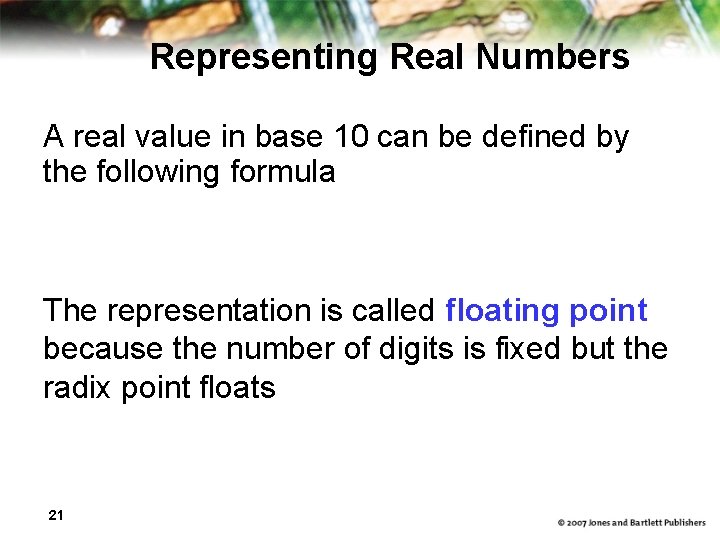
Representing Real Numbers A real value in base 10 can be defined by the following formula The representation is called floating point because the number of digits is fixed but the radix point floats 21
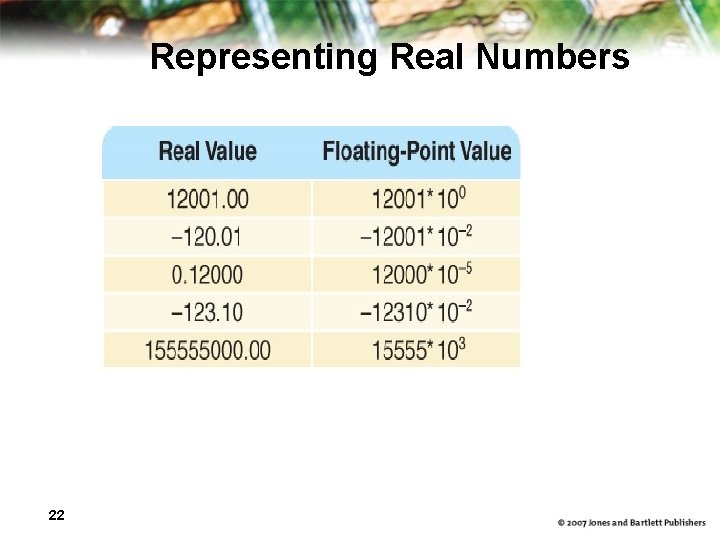
Representing Real Numbers 22
Representing Text What must be provided to represent text? There are finite number of characters to represent, so list them all and assign each a binary string Character set A list of characters and the codes used to represent each one Computer manufacturers agreed to standardize 23
The ASCII Character Set ASCII stands for American Standard Code for Information Interchange ASCII originally used seven bits to represent each character, allowing for 128 unique characters Later extended ASCII evolved so that all eight bits were used How many characters could be represented? 24
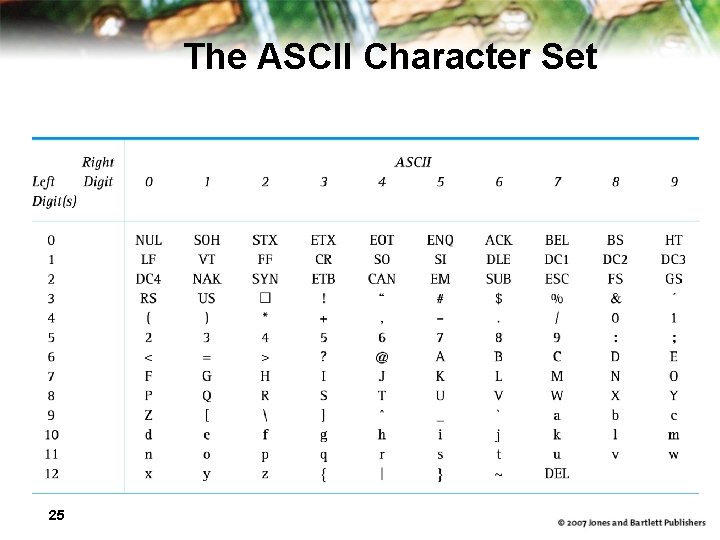
The ASCII Character Set 25
The ASCII Character Set The first 32 characters in the ASCII character chart do not have a simple character representation to print to the screen What do you think they are used for? 26
The Unicode Character Set Extended ASCII is not enough for international use Unicode uses 16 bits per character How many characters can UNICODE represent? Unicode is a superset of ASCII The first 256 characters correspond exactly to the extended ASCII character set 27
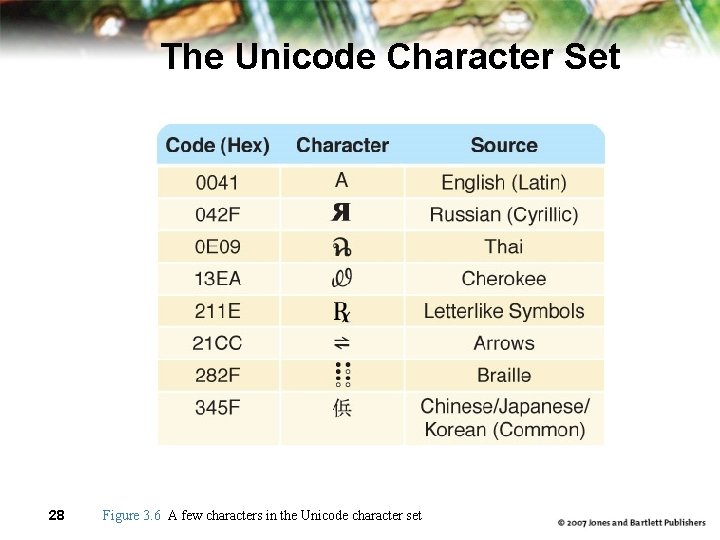
The Unicode Character Set 28 Figure 3. 6 A few characters in the Unicode character set
Text Compression Assigning 16 bits to each character in a document uses too much file space We need ways to store and transmit text efficiently Text compression techniques keyword encoding run-length encoding Huffman encoding 29
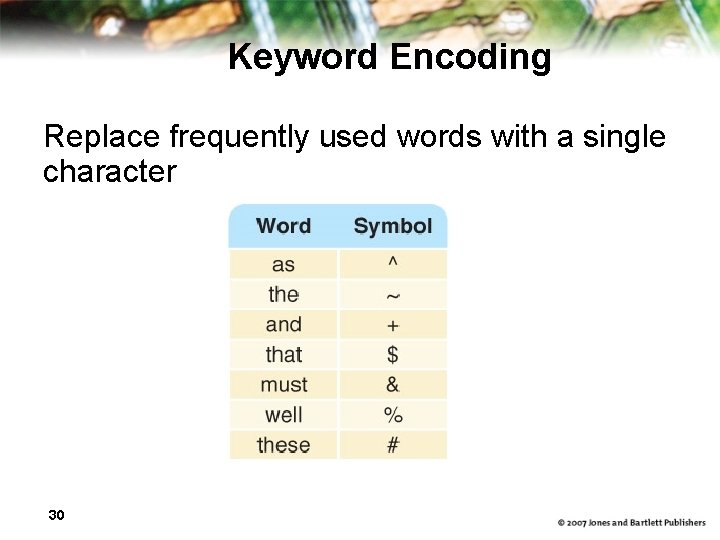
Keyword Encoding Replace frequently used words with a single character 30
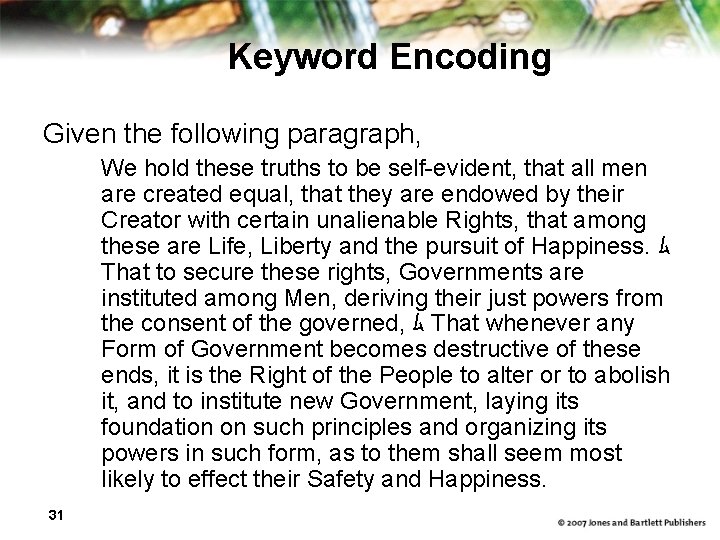
Keyword Encoding Given the following paragraph, We hold these truths to be self-evident, that all men are created equal, that they are endowed by their Creator with certain unalienable Rights, that among these are Life, Liberty and the pursuit of Happiness. ム That to secure these rights, Governments are instituted among Men, deriving their just powers from the consent of the governed, ム That whenever any Form of Government becomes destructive of these ends, it is the Right of the People to alter or to abolish it, and to institute new Government, laying its foundation on such principles and organizing its powers in such form, as to them shall seem most likely to effect their Safety and Happiness. 31
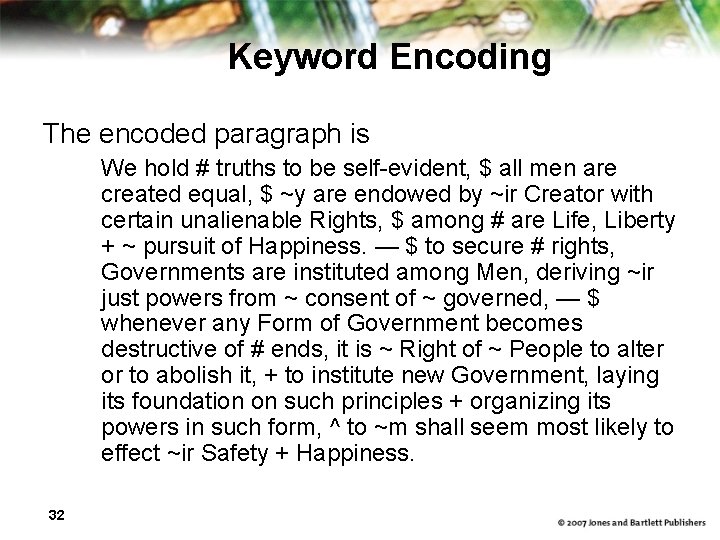
Keyword Encoding The encoded paragraph is We hold # truths to be self-evident, $ all men are created equal, $ ~y are endowed by ~ir Creator with certain unalienable Rights, $ among # are Life, Liberty + ~ pursuit of Happiness. — $ to secure # rights, Governments are instituted among Men, deriving ~ir just powers from ~ consent of ~ governed, — $ whenever any Form of Government becomes destructive of # ends, it is ~ Right of ~ People to alter or to abolish it, + to institute new Government, laying its foundation on such principles + organizing its powers in such form, ^ to ~m shall seem most likely to effect ~ir Safety + Happiness. 32
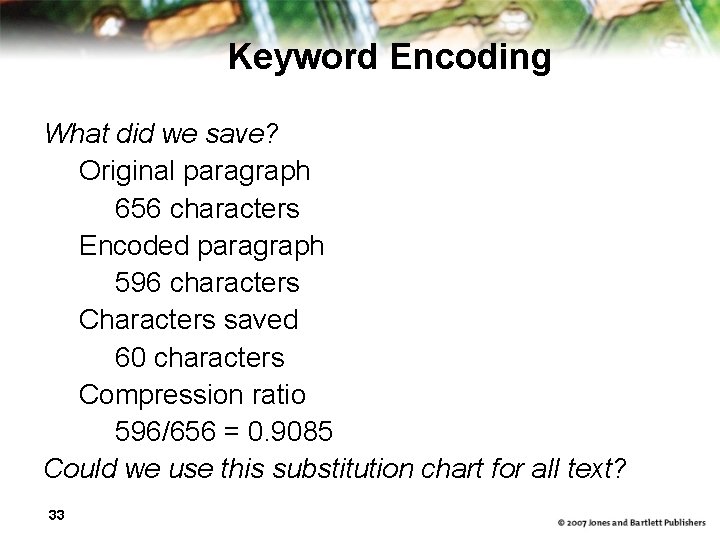
Keyword Encoding What did we save? Original paragraph 656 characters Encoded paragraph 596 characters Characters saved 60 characters Compression ratio 596/656 = 0. 9085 Could we use this substitution chart for all text? 33
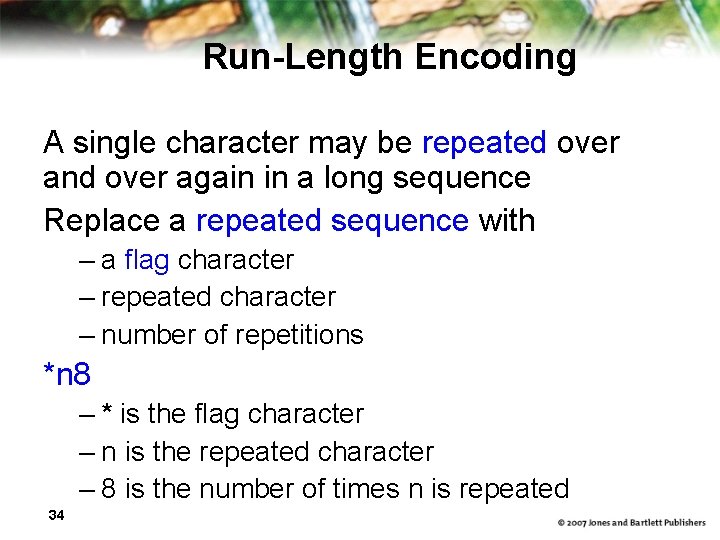
Run-Length Encoding A single character may be repeated over and over again in a long sequence Replace a repeated sequence with – a flag character – repeated character – number of repetitions *n 8 – * is the flag character – n is the repeated character – 8 is the number of times n is repeated 34
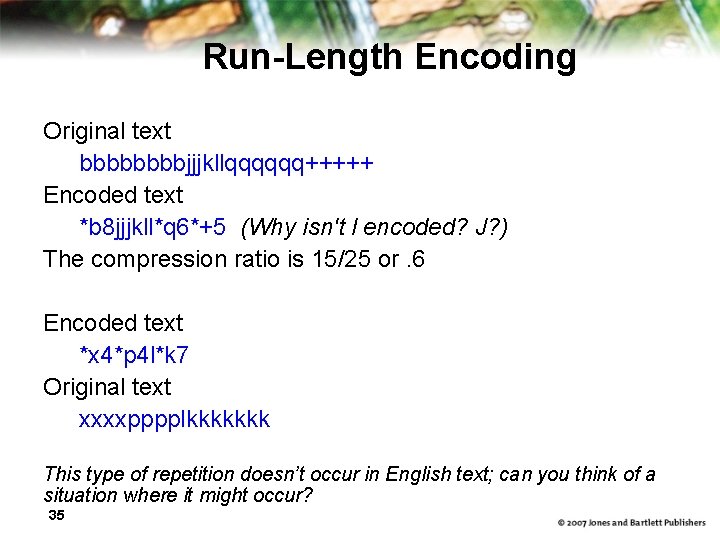
Run-Length Encoding Original text bbbbjjjkllqqqqqq+++++ Encoded text *b 8 jjjkll*q 6*+5 (Why isn't l encoded? J? ) The compression ratio is 15/25 or. 6 Encoded text *x 4*p 4 l*k 7 Original text xxxxpppplkkkkkkk This type of repetition doesn’t occur in English text; can you think of a situation where it might occur? 35
Huffman Encoding Why should the character “X" and "z" take up the same number of bits as "e" or " "? Huffman codes use variable-length bit strings to represent each character More frequently used letters have shorter strings to represent them 36
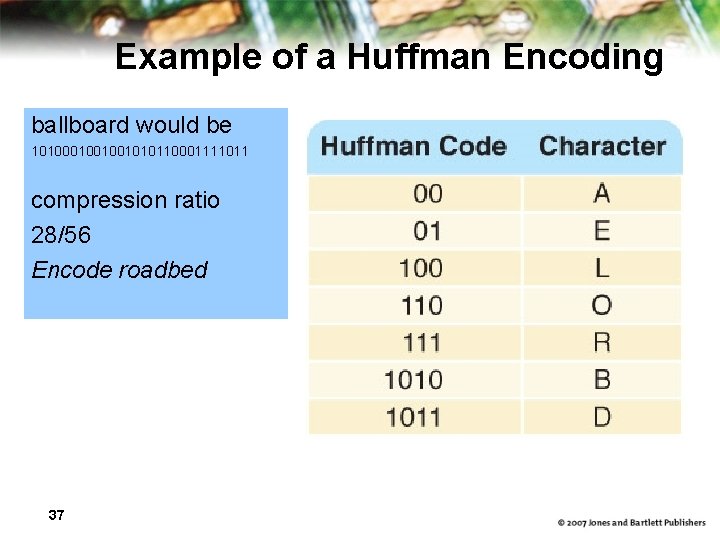
Example of a Huffman Encoding ballboard would be 101001001010110001111011 compression ratio 28/56 Encode roadbed 37
Huffman Encoding In Huffman encoding no character's bit string is the prefix of any other character's bit string To decode look for match left to right, bit by bit record letter when a match is found begin where you left off, going left to right 38
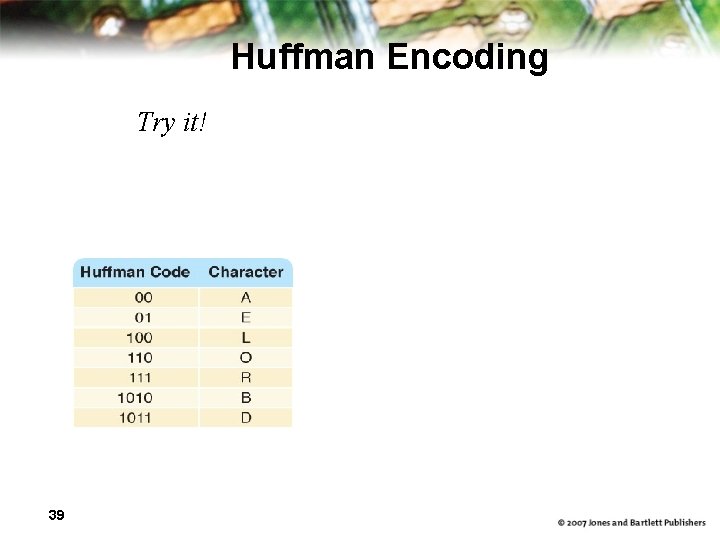
Huffman Encoding Try it! 39
Huffman Encoding Technique for determining codes guarantees the prefix property of the codes Two types of codes – general, based on use of letters in English (Spanish, …. ) – specialized, based on text itself or specific types of text 40
Representing Audio Information 41
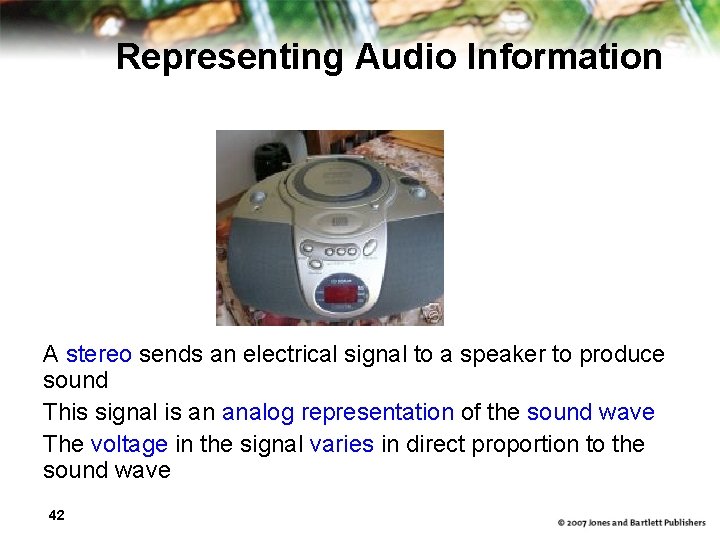
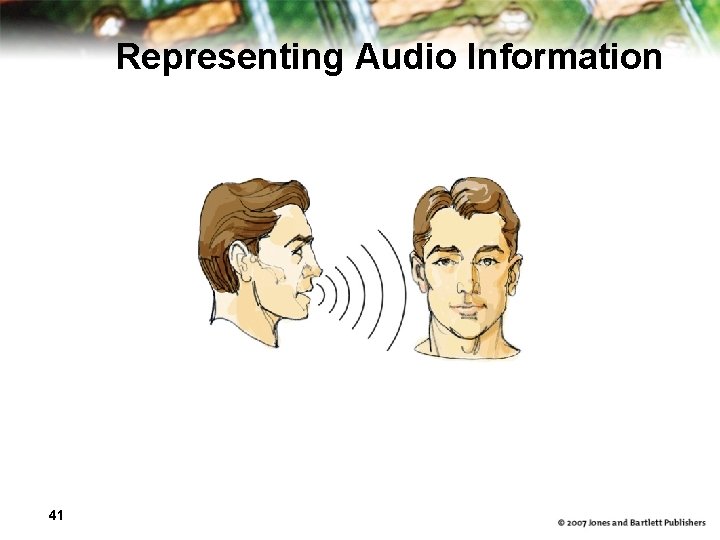
Representing Audio Information A stereo sends an electrical signal to a speaker to produce sound This signal is an analog representation of the sound wave The voltage in the signal varies in direct proportion to the sound wave 42
Representing Audio Information Digitize the signal by sampling – periodically measure the voltage – record the numeric value How often should we sample? A sampling rate of about 40, 000 times per second is enough to create a reasonable sound reproduction 43
Representing Audio Information CDs store audio infomation digitally On the surface of the CD are microscopic pits that represent binary digits A low intensity laser is pointed as the disc The laser light reflects strongly if the surface is smooth and poorly if the surface is pitted 44
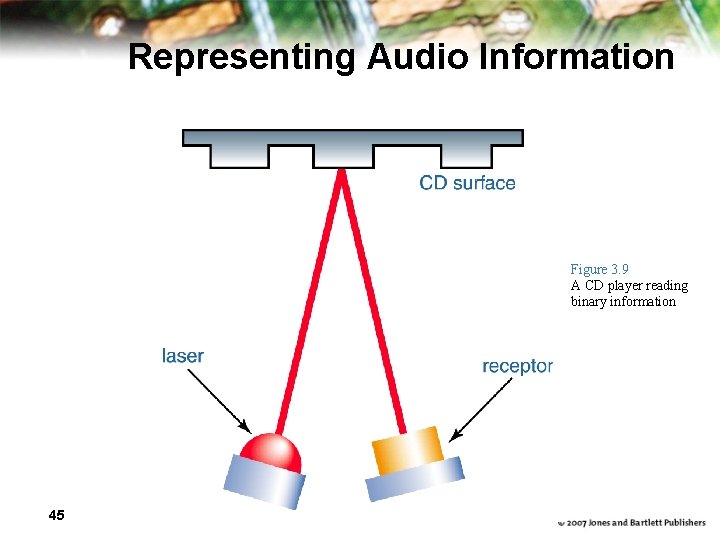
Representing Audio Information Figure 3. 9 A CD player reading binary information 45
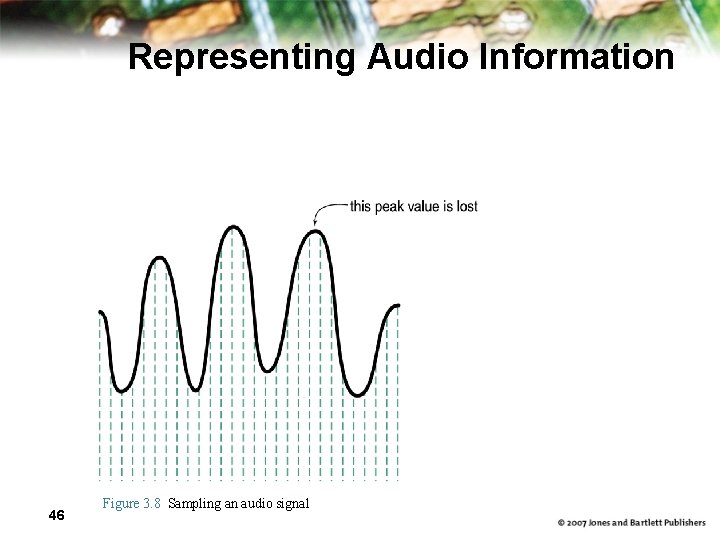
Representing Audio Information 46 Figure 3. 8 Sampling an audio signal
Audio Formats – WAV, AU, AIFF, VQF, and MP 3 (MPEG-2, audio layer 3 file) is dominant – analyzes the frequency spread and discards information that can’t be heard by humans – bit stream is compressed using a form of Huffman encoding to achieve additional compression Is this a lossy or lossless compression (or both)? 47
Representing Images and Graphics Color Perception of the frequencies of light that reach the retinas of our eyes Retinas have three types of color photoreceptor cone cells that correspond to the colors of red, green, and blue 48
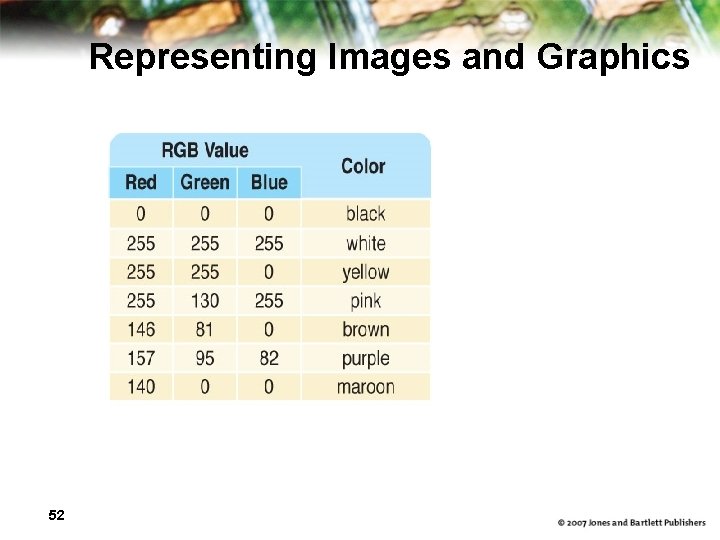
Representing Images and Graphics Color is expressed as an RGB (red-greenblue) value--three numbers that indicate the relative contribution of each of these three primary colors An RGB value of (255, 0) maximizes the contribution of red and green, and minimizes the contribution of blue, which results in a bright yellow 49
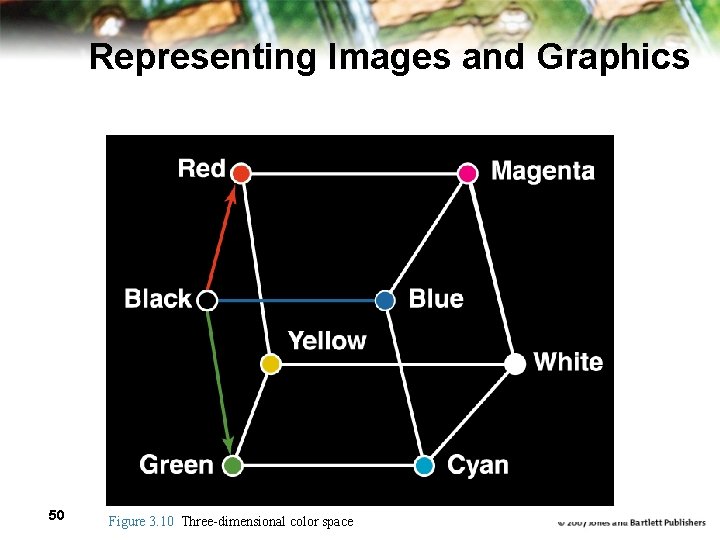
Representing Images and Graphics 50 Figure 3. 10 Three-dimensional color space
Representing Images and Graphics color depth The amount of data that is used to represent a color Hi. Color A 16 -bit color depth: five bits used for each number in an RGB value with the extra bit sometimes used to represent transparency True. Color A 24 -bit color depth: eight bits used for each number in an RGB value 51
Representing Images and Graphics 52
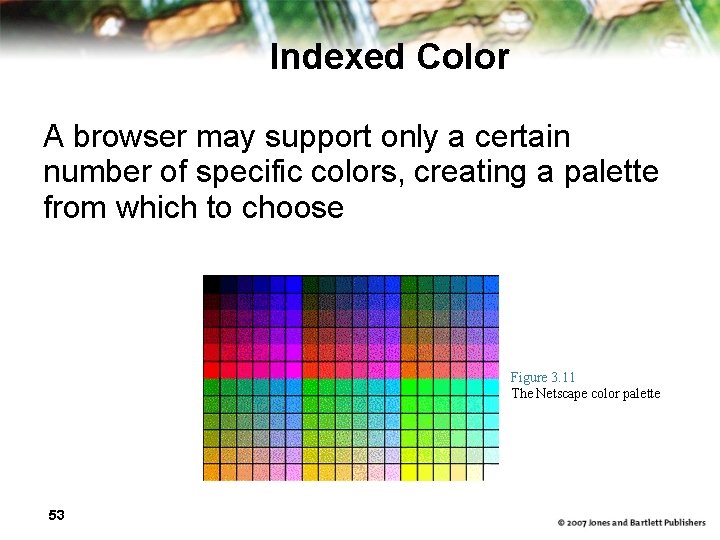
Indexed Color A browser may support only a certain number of specific colors, creating a palette from which to choose Figure 3. 11 The Netscape color palette 53
Digitized Images and Graphics Digitizing a picture Representing it as a collection of individual dots called pixels Resolution The number of pixels used to represent a picture Raster Graphics Storage of data on a pixel-by-pixel basis Bitmap (BMP), GIF, JPEG, and PNG are rastergrahics formats 54
Digitized Images and Graphics Bitmap format Contains the pixel color values of the image from left to right and from top to bottom GIF format (indexed color) Each image is made up of only 256 colors JPEG format Averages color hues over short distances PNG format Like GIF but achieves greater compression with wider range of color depths Which is better for line drawings? Pictures? 55

Digitized Images and Graphics Figure 3. 12 A digitized picture composed of many individual pixels 56
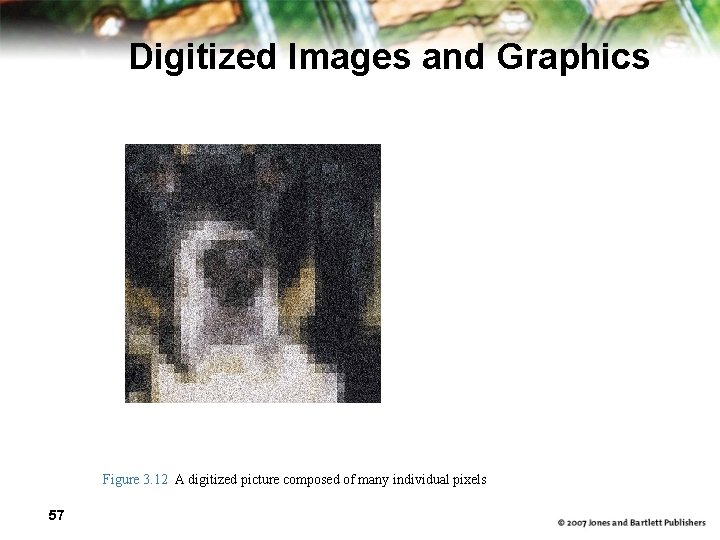
Digitized Images and Graphics Figure 3. 12 A digitized picture composed of many individual pixels 57
Vector Graphics Vector graphics A format that describes an image in terms of lines and geometric shapes A vector graphic is a series of commands that describe a line’s direction, thickness, and color The file sizes tend to be smaller because not every pixel is described 58
Vector Graphics The good side and the bad side… Vector graphics can be resized mathematically and changes can be calculated dynamically as needed Vector graphics are not good for representing real-world images 59
Representing Video codec COmpressor/DECompressor Methods used to shrink the size of a movie to allow it to be played on a computer or over a network Almost all video codecs use lossy compressions to minimize the huge amounts of data associated with video 60
Representing Video Temporal compression A technique based on differences between consecutive frames: If most of an image in two frames hasn’t changed, why should we waste space to duplicate all of the similar information? Spatial compression A technique based on removing redundant information within a frame: This problem is essentially the same as that faced when compressing still images 61
Ethical Issues MGM Studios, Inc. v. Grokster, Ltd. Describe the background for this lawsuit What role did Napster play in this case? What was the decision in this case? Has this case affected you personally? 62
- Slides: 62