
Chapter 3 Control Statements Liang Introduction to C
- Slides: 58
Chapter 3 Control Statements Liang, Introduction to C++ Programming, (c) 2007 Pearson Education, Inc. All rights reserved. 013225445 X 1
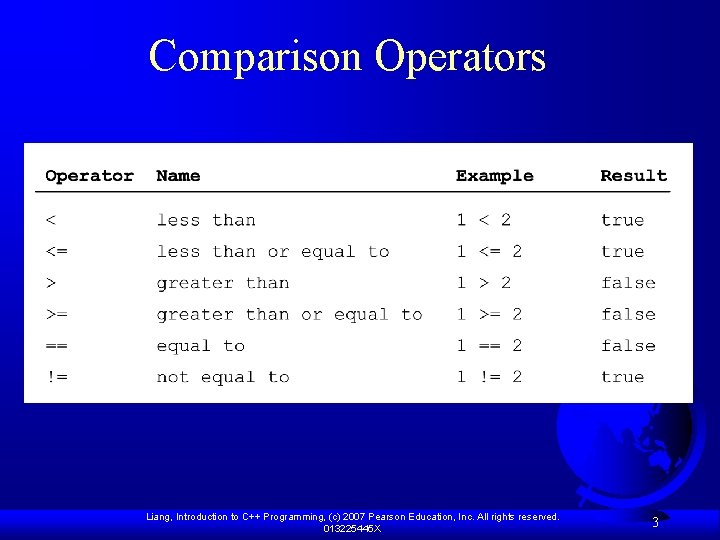
The bool Type and Operators Often in a program you need to compare two values, such as whether i is greater than j. C++ provides six relational operators (also known as comparison operators) in Table 3. 1 that can be used to compare two values. Liang, Introduction to C++ Programming, (c) 2007 Pearson Education, Inc. All rights reserved. 013225445 X 2
Comparison Operators Liang, Introduction to C++ Programming, (c) 2007 Pearson Education, Inc. All rights reserved. 013225445 X 3
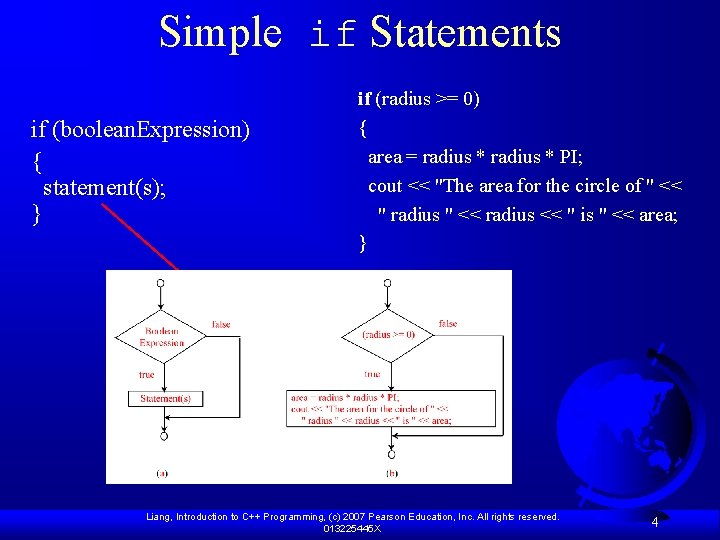
Simple if Statements if (boolean. Expression) { statement(s); } if (radius >= 0) { area = radius * PI; cout << "The area for the circle of " << " radius " << radius << " is " << area; } Liang, Introduction to C++ Programming, (c) 2007 Pearson Education, Inc. All rights reserved. 013225445 X 4
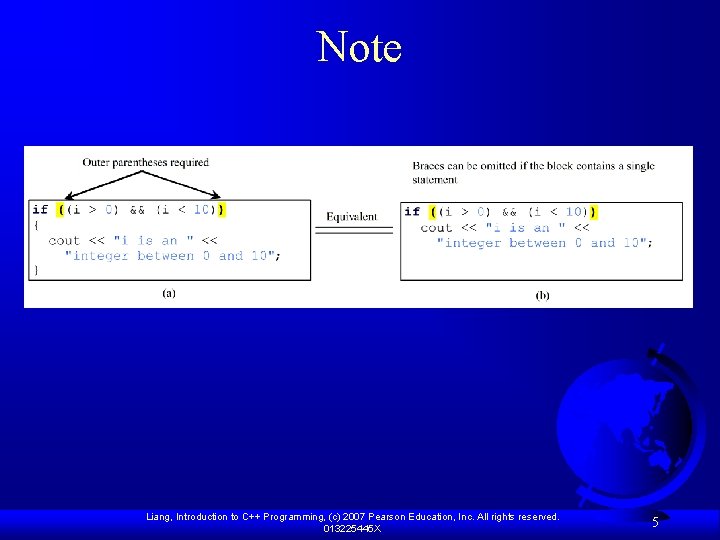
Note Liang, Introduction to C++ Programming, (c) 2007 Pearson Education, Inc. All rights reserved. 013225445 X 5
Examples Listing 3. 1 gives a program that checks whether a number is even or odd. The program prompts the user to enter an integer (line 9) and displays “number is even” if it is even (lines 11 -12) and “number is odd” if it is odd (lines 14 -15). Test. Boolean Run Liang, Introduction to C++ Programming, (c) 2007 Pearson Education, Inc. All rights reserved. 013225445 X 6
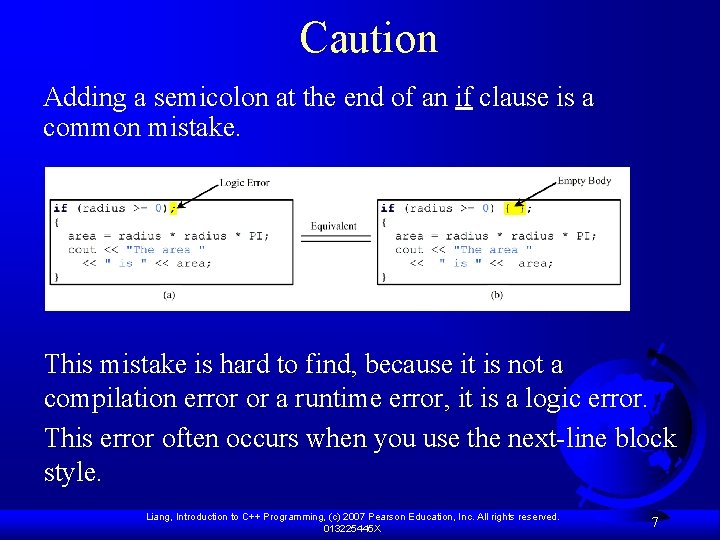
Caution Adding a semicolon at the end of an if clause is a common mistake. This mistake is hard to find, because it is not a compilation error or a runtime error, it is a logic error. This error often occurs when you use the next-line block style. Liang, Introduction to C++ Programming, (c) 2007 Pearson Education, Inc. All rights reserved. 013225445 X 7
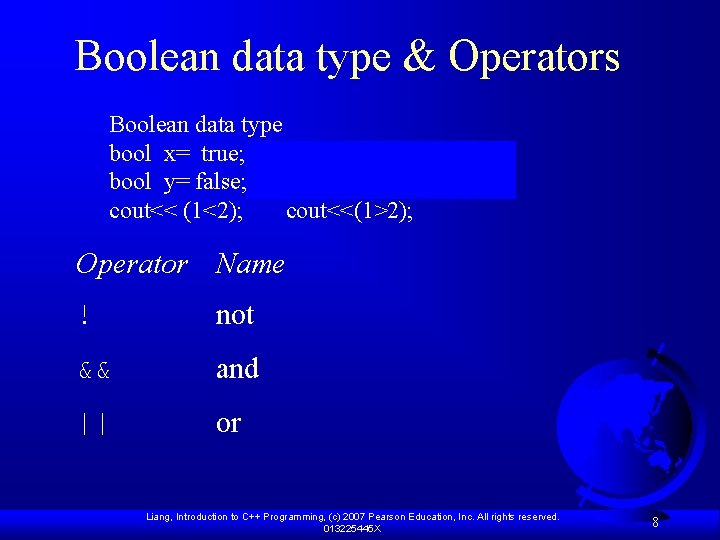
Boolean data type & Operators Boolean data type bool x= true; // any value other than zero bool y= false; // the value is 0 cout<< (1<2); cout<<(1>2); Operator Name ! not && and || or Liang, Introduction to C++ Programming, (c) 2007 Pearson Education, Inc. All rights reserved. 013225445 X 8
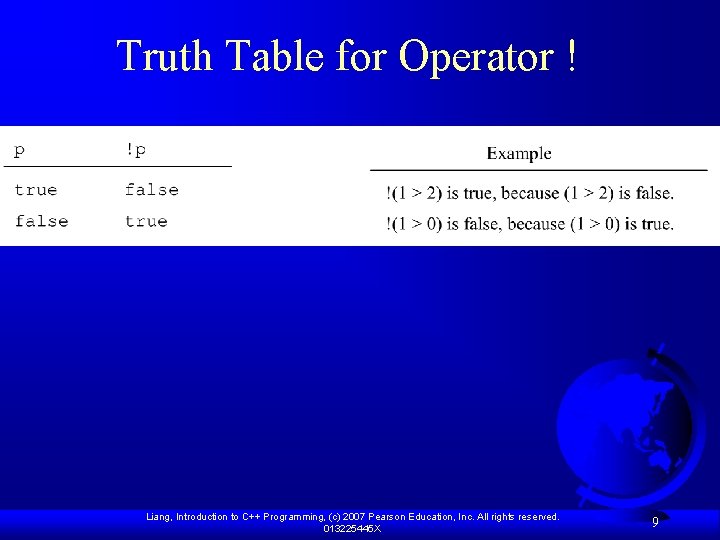
Truth Table for Operator ! Liang, Introduction to C++ Programming, (c) 2007 Pearson Education, Inc. All rights reserved. 013225445 X 9
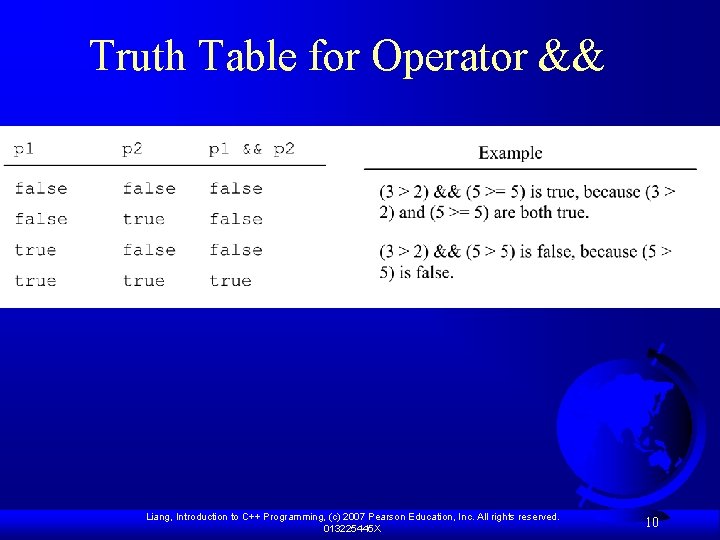
Truth Table for Operator && Liang, Introduction to C++ Programming, (c) 2007 Pearson Education, Inc. All rights reserved. 013225445 X 10
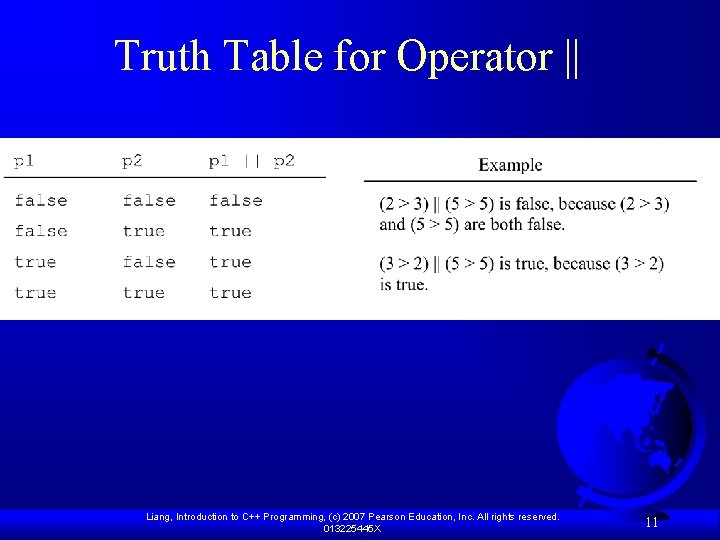
Truth Table for Operator || Liang, Introduction to C++ Programming, (c) 2007 Pearson Education, Inc. All rights reserved. 013225445 X 11
Examples Listing 3. 3 gives a program that checks whether a number is divisible by 2 and 3, whether a number is divisible by 2 or 3, and whether a number is divisible by 2 or 3 but not both: Test. Boolean. Operators Run Liang, Introduction to C++ Programming, (c) 2007 Pearson Education, Inc. All rights reserved. 013225445 X 12
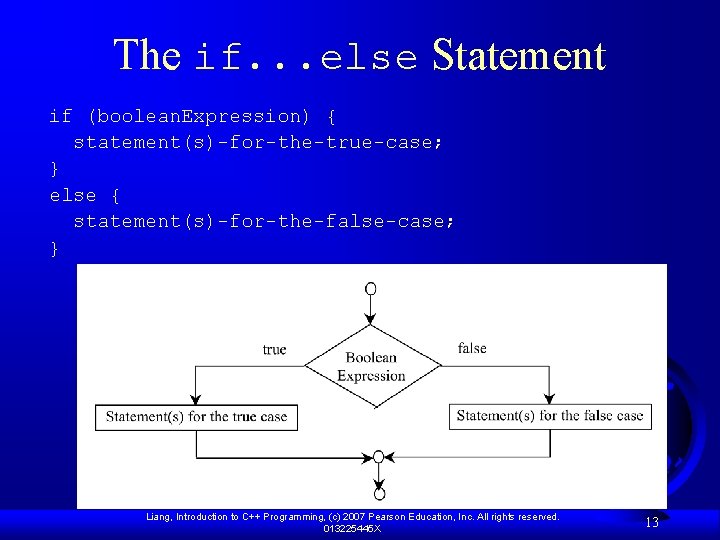
The if. . . else Statement if (boolean. Expression) { statement(s)-for-the-true-case; } else { statement(s)-for-the-false-case; } Liang, Introduction to C++ Programming, (c) 2007 Pearson Education, Inc. All rights reserved. 013225445 X 13
Examples Listing 3. 4 presents a program that lets the user enter a year and checks whether it is a leap year. A year is a leap year if it is divisible by 4 but not by 100 or if it is divisible by 400. So you can use the following Boolean expression to check whether a year is a leap year: (year % 4 == 0 && year % 100 != 0) || (year % 400 == 0) Leap. Year Run Liang, Introduction to C++ Programming, (c) 2007 Pearson Education, Inc. All rights reserved. 013225445 X 14
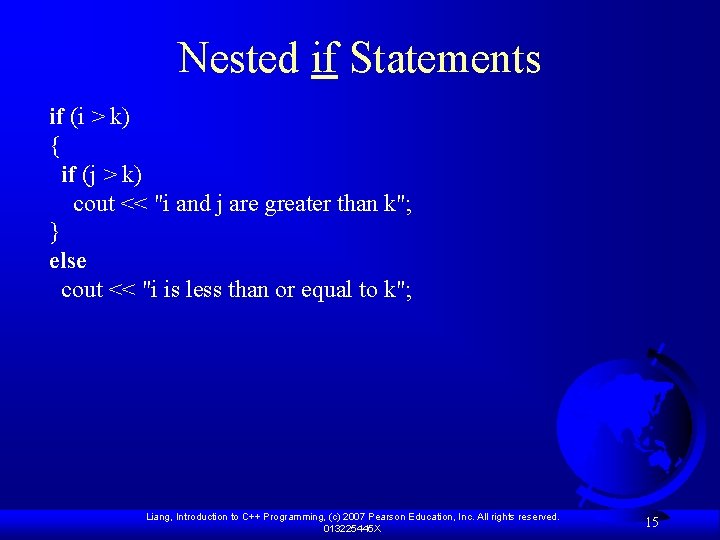
Nested if Statements if (i > k) { if (j > k) cout << "i and j are greater than k"; } else cout << "i is less than or equal to k"; Liang, Introduction to C++ Programming, (c) 2007 Pearson Education, Inc. All rights reserved. 013225445 X 15
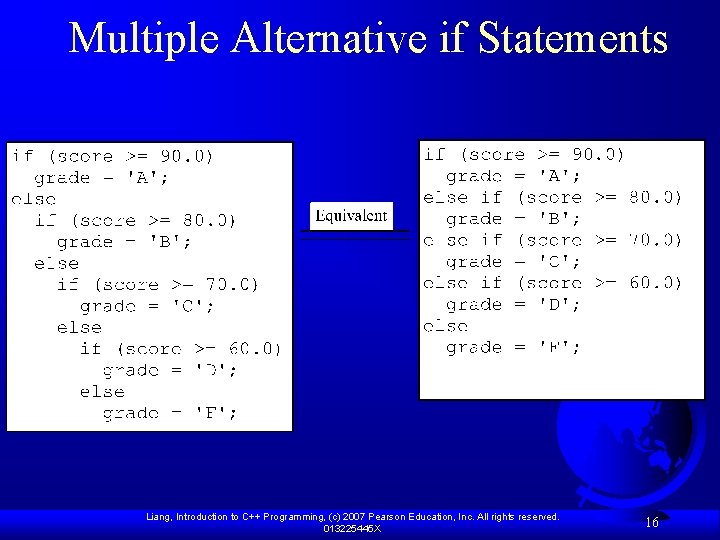
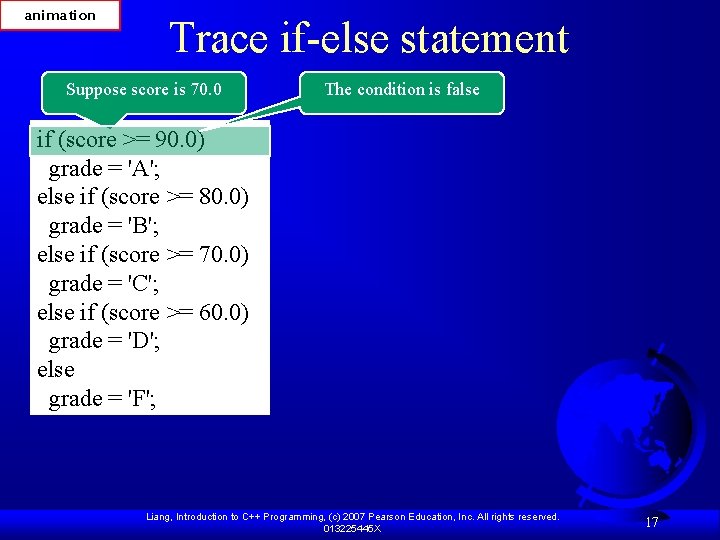
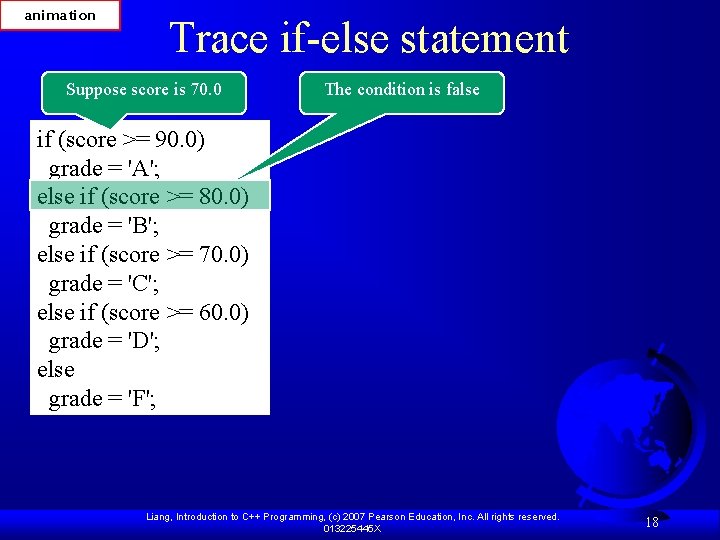
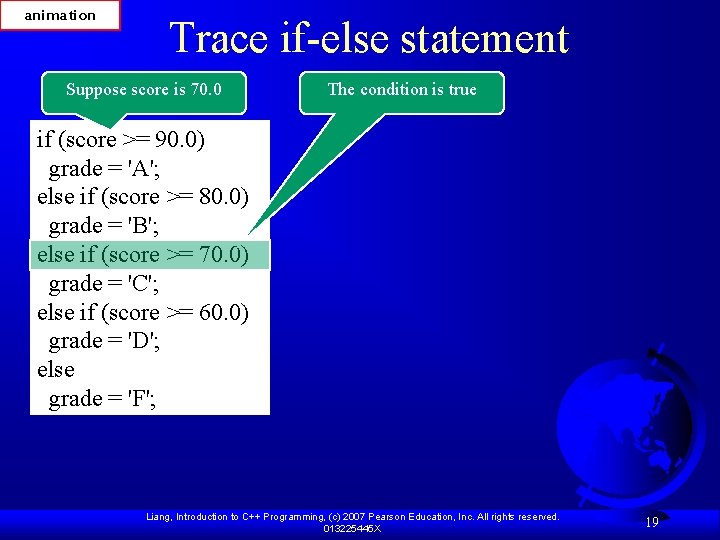
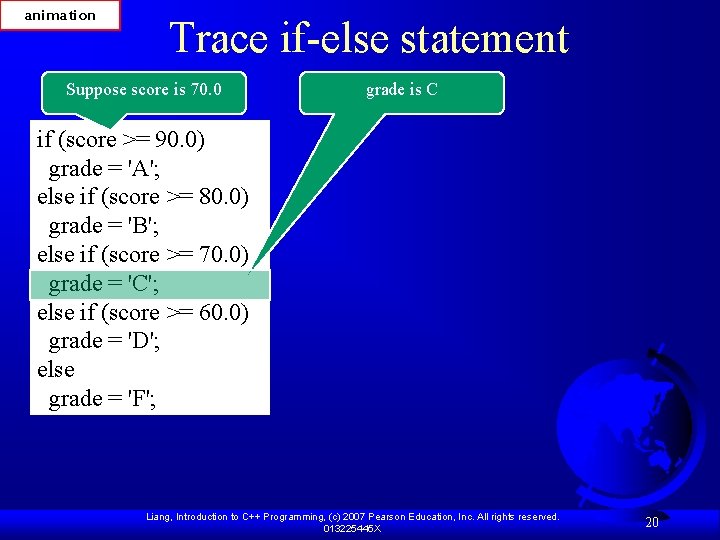
Multiple Alternative if Statements Liang, Introduction to C++ Programming, (c) 2007 Pearson Education, Inc. All rights reserved. 013225445 X 16
animation Trace if-else statement Suppose score is 70. 0 The condition is false if (score >= 90. 0) grade = 'A'; else if (score >= 80. 0) grade = 'B'; else if (score >= 70. 0) grade = 'C'; else if (score >= 60. 0) grade = 'D'; else grade = 'F'; Liang, Introduction to C++ Programming, (c) 2007 Pearson Education, Inc. All rights reserved. 013225445 X 17
animation Trace if-else statement Suppose score is 70. 0 The condition is false if (score >= 90. 0) grade = 'A'; else if (score >= 80. 0) grade = 'B'; else if (score >= 70. 0) grade = 'C'; else if (score >= 60. 0) grade = 'D'; else grade = 'F'; Liang, Introduction to C++ Programming, (c) 2007 Pearson Education, Inc. All rights reserved. 013225445 X 18
animation Trace if-else statement Suppose score is 70. 0 The condition is true if (score >= 90. 0) grade = 'A'; else if (score >= 80. 0) grade = 'B'; else if (score >= 70. 0) grade = 'C'; else if (score >= 60. 0) grade = 'D'; else grade = 'F'; Liang, Introduction to C++ Programming, (c) 2007 Pearson Education, Inc. All rights reserved. 013225445 X 19
animation Trace if-else statement Suppose score is 70. 0 grade is C if (score >= 90. 0) grade = 'A'; else if (score >= 80. 0) grade = 'B'; else if (score >= 70. 0) grade = 'C'; else if (score >= 60. 0) grade = 'D'; else grade = 'F'; Liang, Introduction to C++ Programming, (c) 2007 Pearson Education, Inc. All rights reserved. 013225445 X 20
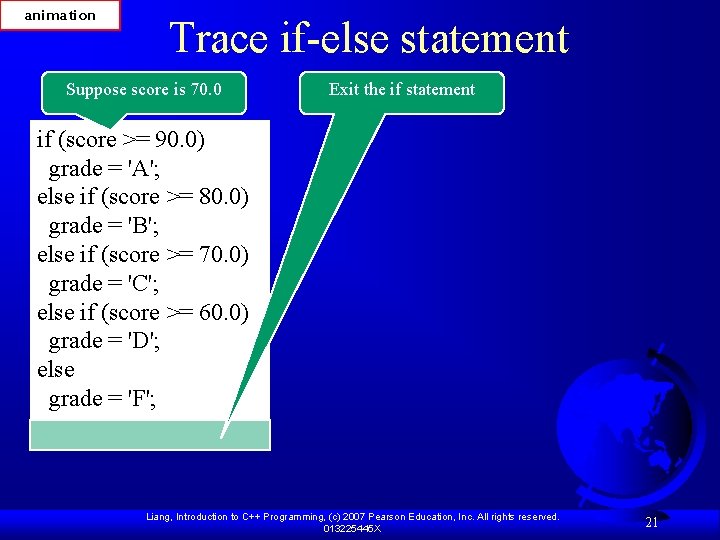
animation Trace if-else statement Suppose score is 70. 0 Exit the if statement if (score >= 90. 0) grade = 'A'; else if (score >= 80. 0) grade = 'B'; else if (score >= 70. 0) grade = 'C'; else if (score >= 60. 0) grade = 'D'; else grade = 'F'; Liang, Introduction to C++ Programming, (c) 2007 Pearson Education, Inc. All rights reserved. 013225445 X 21
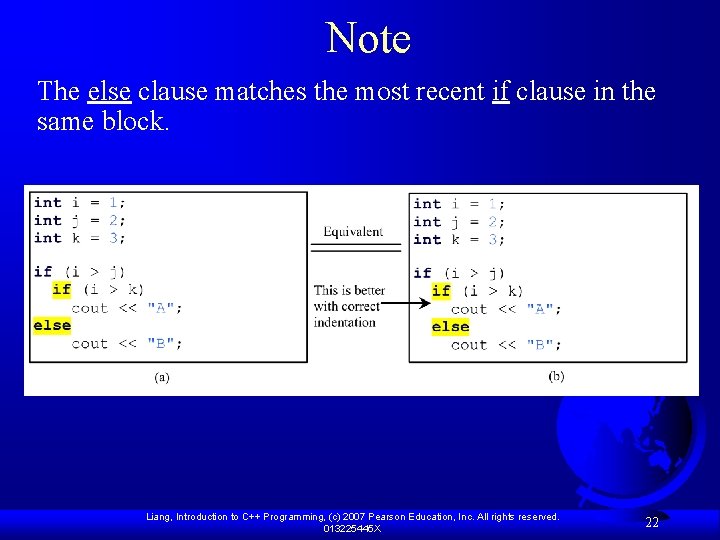
Note The else clause matches the most recent if clause in the same block. Liang, Introduction to C++ Programming, (c) 2007 Pearson Education, Inc. All rights reserved. 013225445 X 22
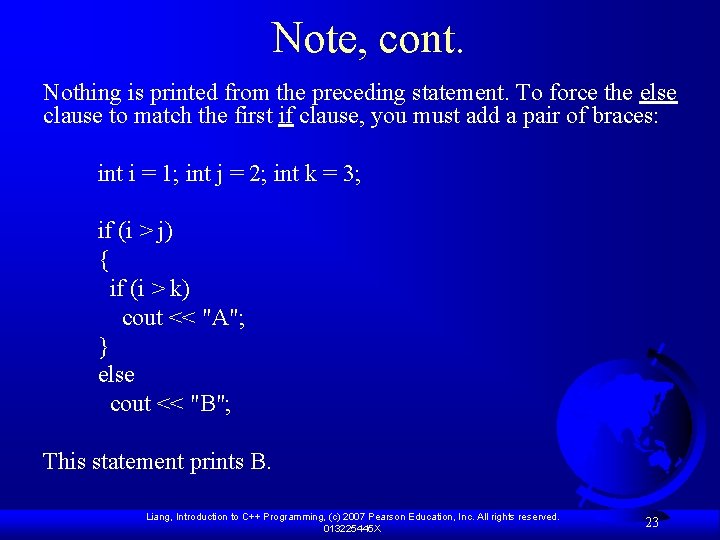
Note, cont. Nothing is printed from the preceding statement. To force the else clause to match the first if clause, you must add a pair of braces: int i = 1; int j = 2; int k = 3; if (i > j) { if (i > k) cout << "A"; } else cout << "B"; This statement prints B. Liang, Introduction to C++ Programming, (c) 2007 Pearson Education, Inc. All rights reserved. 013225445 X 23
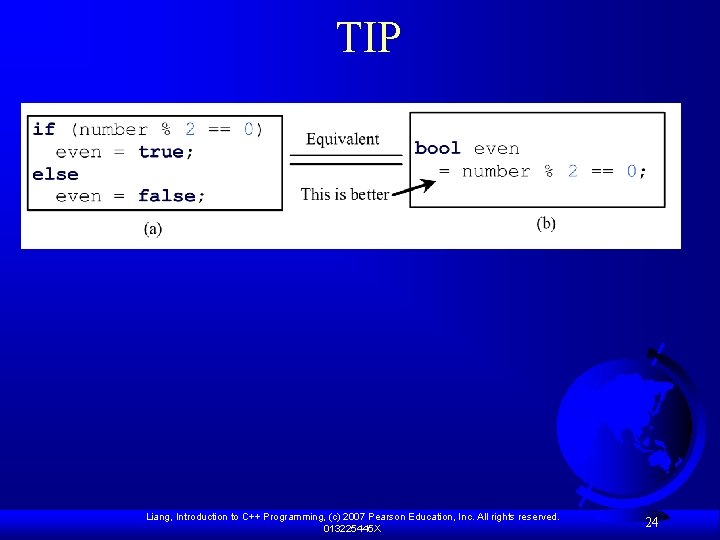
TIP Liang, Introduction to C++ Programming, (c) 2007 Pearson Education, Inc. All rights reserved. 013225445 X 24
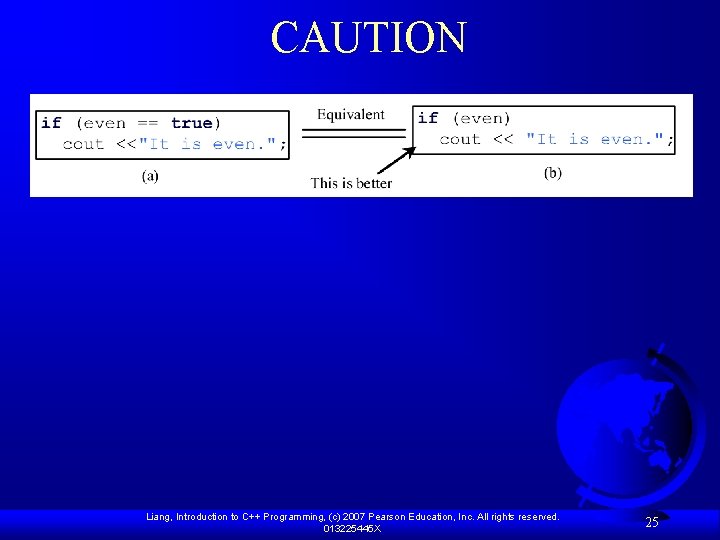
CAUTION Liang, Introduction to C++ Programming, (c) 2007 Pearson Education, Inc. All rights reserved. 013225445 X 25
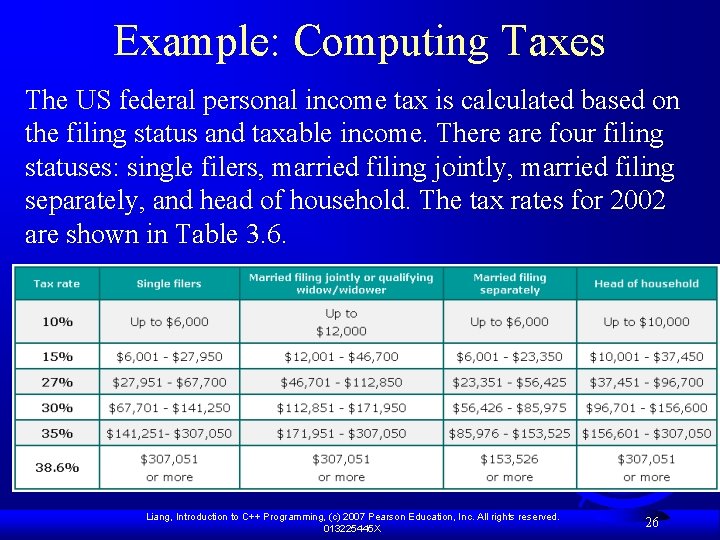
Example: Computing Taxes The US federal personal income tax is calculated based on the filing status and taxable income. There are four filing statuses: single filers, married filing jointly, married filing separately, and head of household. The tax rates for 2002 are shown in Table 3. 6. Liang, Introduction to C++ Programming, (c) 2007 Pearson Education, Inc. All rights reserved. 013225445 X 26
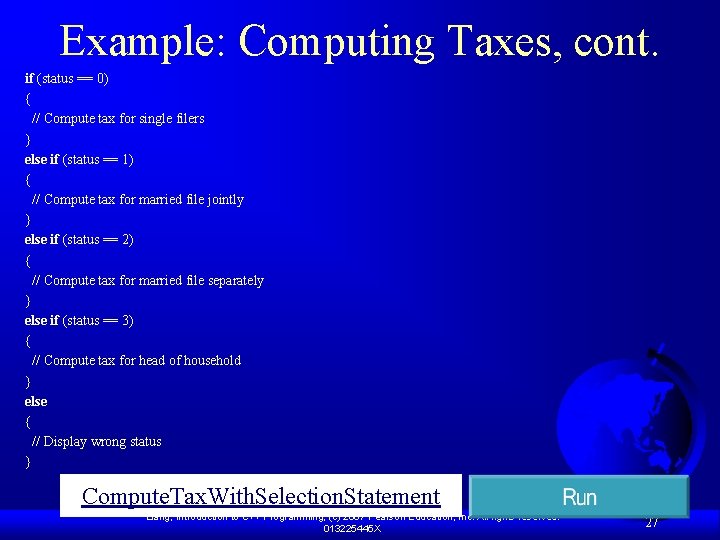
Example: Computing Taxes, cont. if (status == 0) { // Compute tax for single filers } else if (status == 1) { // Compute tax for married file jointly } else if (status == 2) { // Compute tax for married file separately } else if (status == 3) { // Compute tax for head of household } else { // Display wrong status } Compute. Tax. With. Selection. Statement Liang, Introduction to C++ Programming, (c) 2007 Pearson Education, Inc. All rights reserved. 013225445 X 27
rand() function rand() generates a random number (cstdlib) F cout<<rand()<<endl; F Give same result each time of execution. F – Since the default seed is 1 To change the seed value use the srand(seed) function F To ensure that the seed is changed every time you run the program use srand(time(0)) F Liang, Introduction to C++ Programming, (c) 2007 Pearson Education, Inc. All rights reserved. 013225445 X 28
Example: A Simple Math Learning Tool This example creates a program for a first grader to practice subtractions. The program randomly generates two single-digit integers number 1 and number 2 with number 1 > number 2 and displays a question such as “What is 9 – 2? ” to the student, as shown in the sample output. After the student types the answer, the program displays a message to indicate whether the answer is correct. Subtraction. Tutor Run Liang, Introduction to C++ Programming, (c) 2007 Pearson Education, Inc. All rights reserved. 013225445 X 29
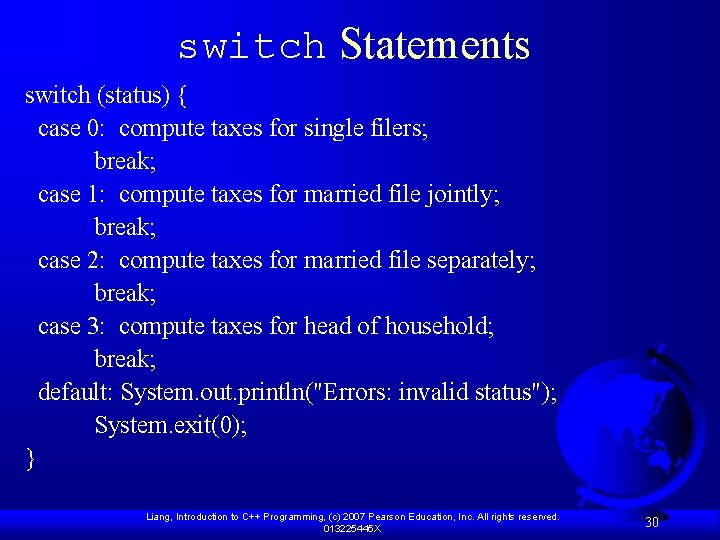
switch Statements switch (status) { case 0: compute taxes for single filers; break; case 1: compute taxes for married file jointly; break; case 2: compute taxes for married file separately; break; case 3: compute taxes for head of household; break; default: System. out. println("Errors: invalid status"); System. exit(0); } Liang, Introduction to C++ Programming, (c) 2007 Pearson Education, Inc. All rights reserved. 013225445 X 30
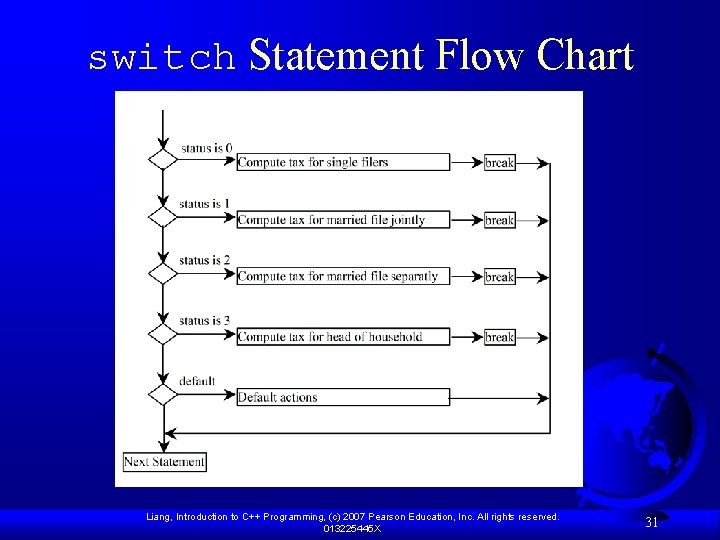
switch Statement Flow Chart Liang, Introduction to C++ Programming, (c) 2007 Pearson Education, Inc. All rights reserved. 013225445 X 31
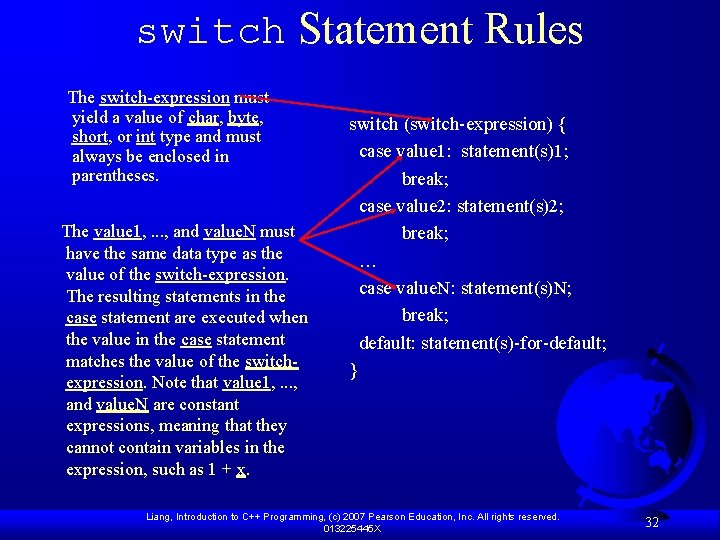
switch Statement Rules The switch-expression must yield a value of char, byte, short, or int type and must always be enclosed in parentheses. The value 1, . . . , and value. N must have the same data type as the value of the switch-expression. The resulting statements in the case statement are executed when the value in the case statement matches the value of the switchexpression. Note that value 1, . . . , and value. N are constant expressions, meaning that they cannot contain variables in the expression, such as 1 + x. switch (switch-expression) { case value 1: statement(s)1; break; case value 2: statement(s)2; break; … case value. N: statement(s)N; break; default: statement(s)-for-default; } Liang, Introduction to C++ Programming, (c) 2007 Pearson Education, Inc. All rights reserved. 013225445 X 32
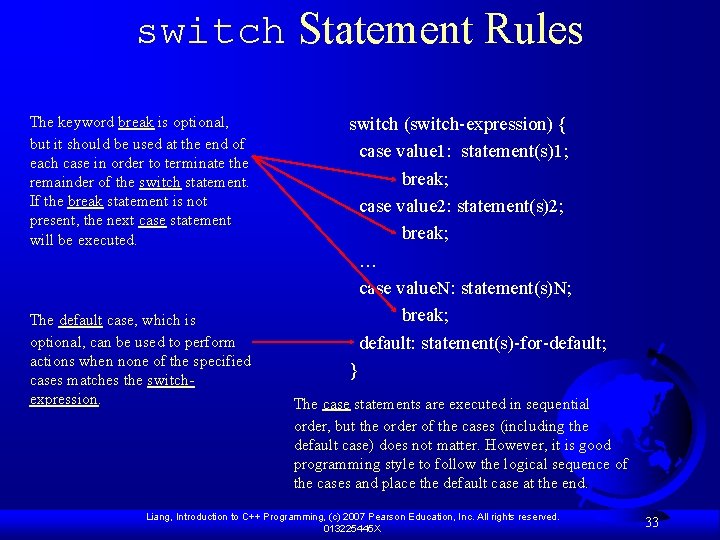
switch Statement Rules The keyword break is optional, but it should be used at the end of each case in order to terminate the remainder of the switch statement. If the break statement is not present, the next case statement will be executed. The default case, which is optional, can be used to perform actions when none of the specified cases matches the switchexpression. switch (switch-expression) { case value 1: statement(s)1; break; case value 2: statement(s)2; break; … case value. N: statement(s)N; break; default: statement(s)-for-default; } The case statements are executed in sequential order, but the order of the cases (including the default case) does not matter. However, it is good programming style to follow the logical sequence of the cases and place the default case at the end. Liang, Introduction to C++ Programming, (c) 2007 Pearson Education, Inc. All rights reserved. 013225445 X 33
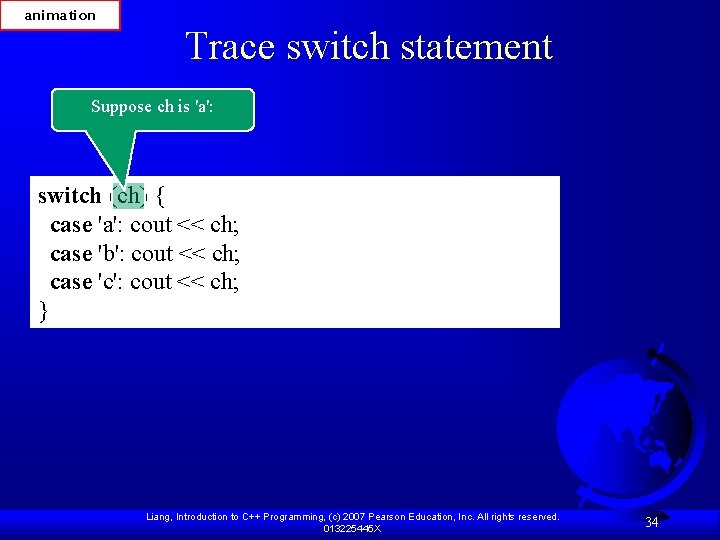
animation Trace switch statement Suppose ch is 'a': switch (ch) { case 'a': cout << ch; case 'b': cout << ch; case 'c': cout << ch; } Liang, Introduction to C++ Programming, (c) 2007 Pearson Education, Inc. All rights reserved. 013225445 X 34
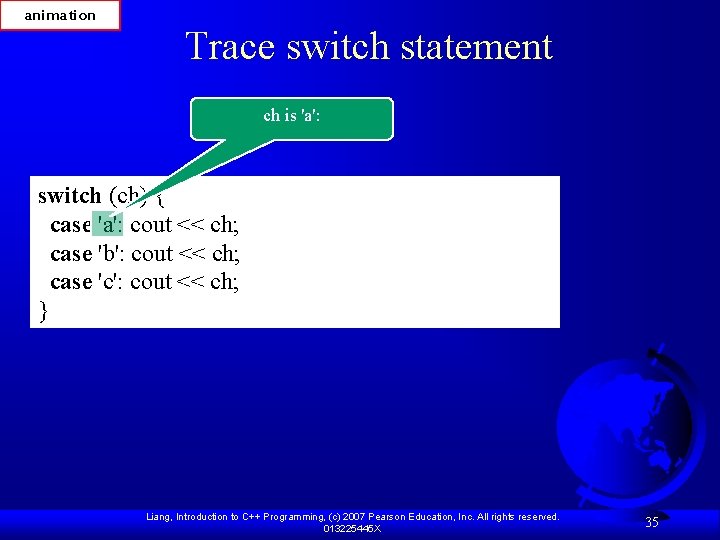
animation Trace switch statement ch is 'a': switch (ch) { case 'a': cout << ch; case 'b': cout << ch; case 'c': cout << ch; } Liang, Introduction to C++ Programming, (c) 2007 Pearson Education, Inc. All rights reserved. 013225445 X 35
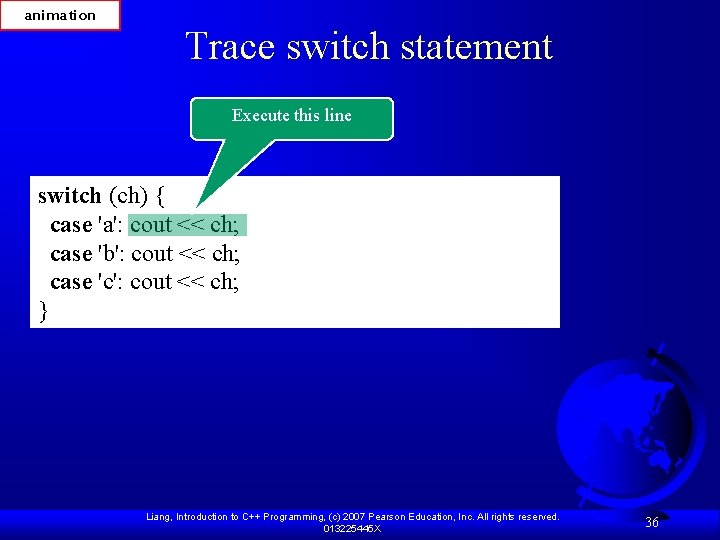
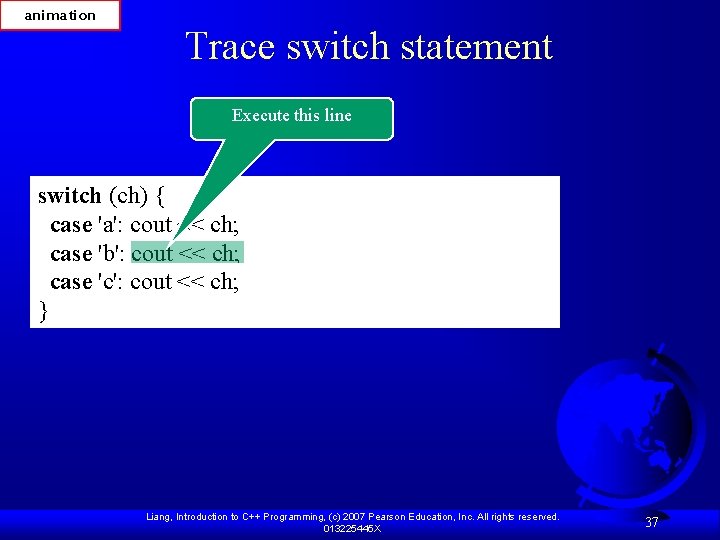
animation Trace switch statement Execute this line switch (ch) { case 'a': cout << ch; case 'b': cout << ch; case 'c': cout << ch; } Liang, Introduction to C++ Programming, (c) 2007 Pearson Education, Inc. All rights reserved. 013225445 X 36
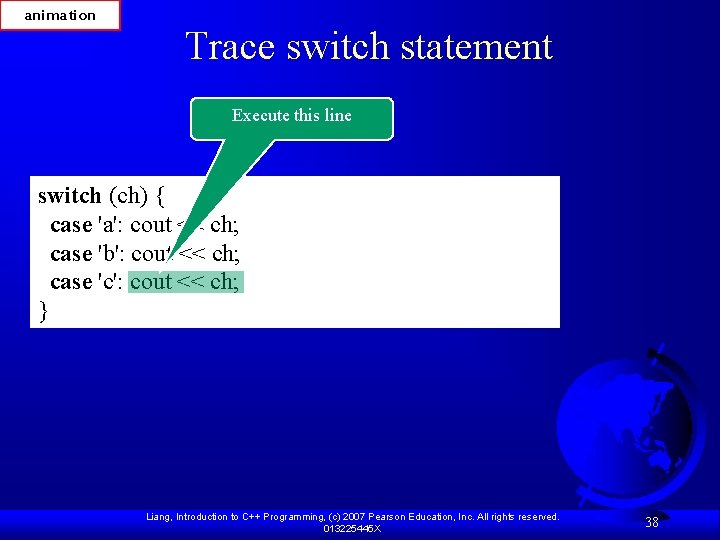
animation Trace switch statement Execute this line switch (ch) { case 'a': cout << ch; case 'b': cout << ch; case 'c': cout << ch; } Liang, Introduction to C++ Programming, (c) 2007 Pearson Education, Inc. All rights reserved. 013225445 X 37
animation Trace switch statement Execute this line switch (ch) { case 'a': cout << ch; case 'b': cout << ch; case 'c': cout << ch; } Liang, Introduction to C++ Programming, (c) 2007 Pearson Education, Inc. All rights reserved. 013225445 X 38
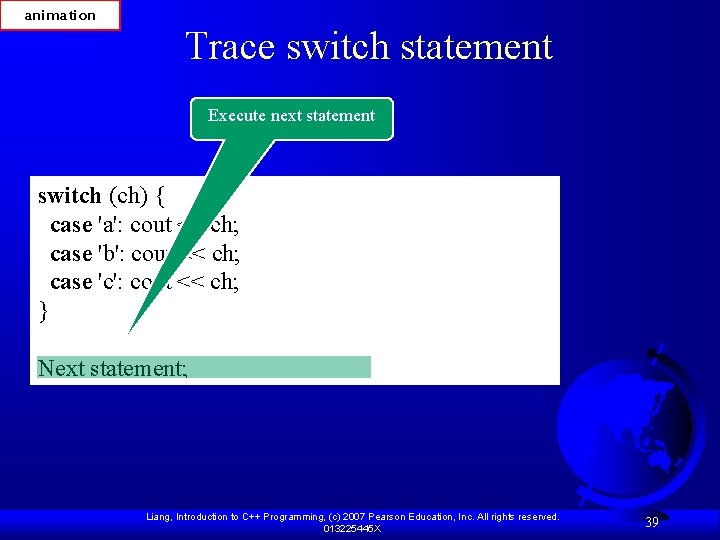
animation Trace switch statement Execute next statement switch (ch) { case 'a': cout << ch; case 'b': cout << ch; case 'c': cout << ch; } Next statement; Liang, Introduction to C++ Programming, (c) 2007 Pearson Education, Inc. All rights reserved. 013225445 X 39
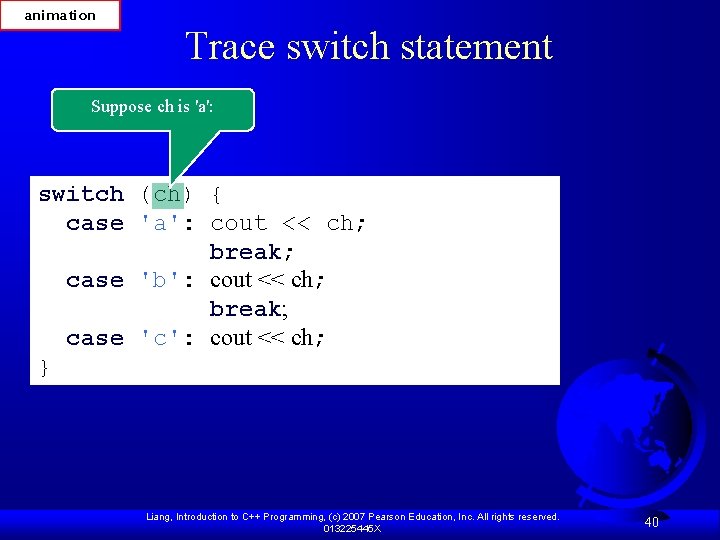
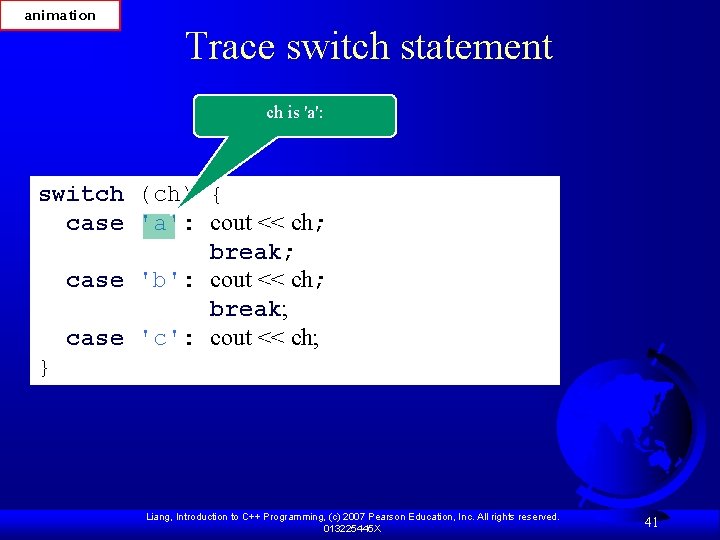
animation Trace switch statement Suppose ch is 'a': switch (ch) { case 'a': cout << ch; break; case 'b': cout << ch; break; case 'c': cout << ch; } Liang, Introduction to C++ Programming, (c) 2007 Pearson Education, Inc. All rights reserved. 013225445 X 40
animation Trace switch statement ch is 'a': switch (ch) { case 'a': cout << ch; break; case 'b': cout << ch; break; case 'c': cout << ch; } Liang, Introduction to C++ Programming, (c) 2007 Pearson Education, Inc. All rights reserved. 013225445 X 41
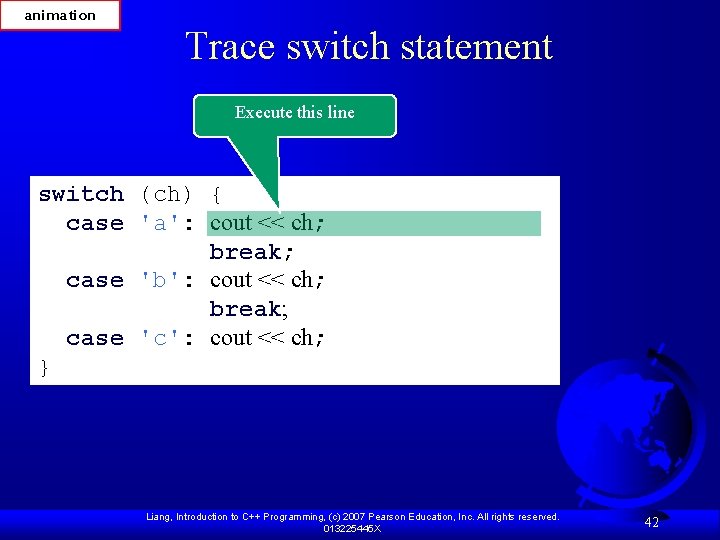
animation Trace switch statement Execute this line switch (ch) { case 'a': cout << ch; break; case 'b': cout << ch; break; case 'c': cout << ch; } Liang, Introduction to C++ Programming, (c) 2007 Pearson Education, Inc. All rights reserved. 013225445 X 42
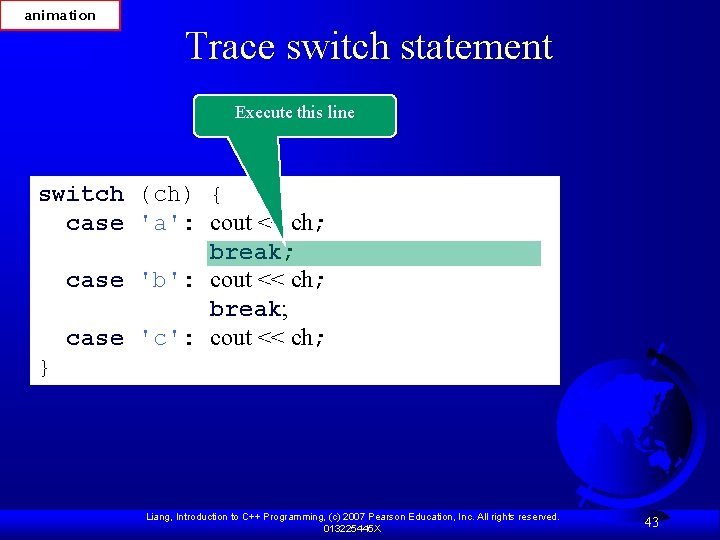
animation Trace switch statement Execute this line switch (ch) { case 'a': cout << ch; break; case 'b': cout << ch; break; case 'c': cout << ch; } Liang, Introduction to C++ Programming, (c) 2007 Pearson Education, Inc. All rights reserved. 013225445 X 43
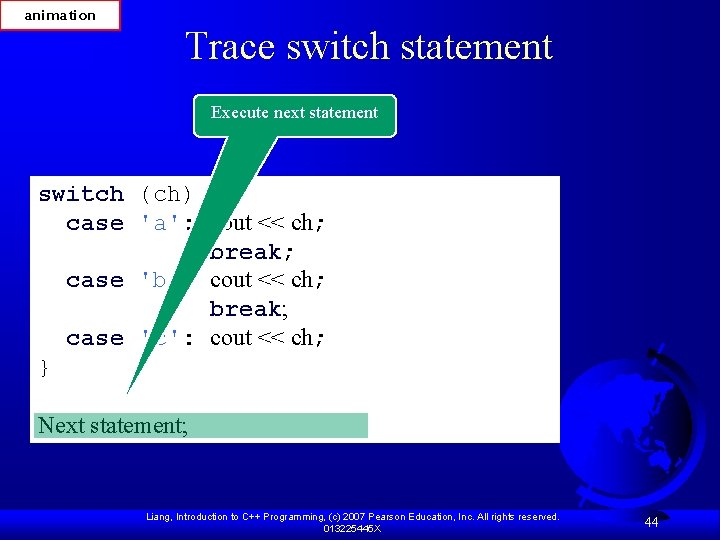
animation Trace switch statement Execute next statement switch (ch) { case 'a': cout << ch; break; case 'b': cout << ch; break; case 'c': cout << ch; } Next statement; Liang, Introduction to C++ Programming, (c) 2007 Pearson Education, Inc. All rights reserved. 013225445 X 44
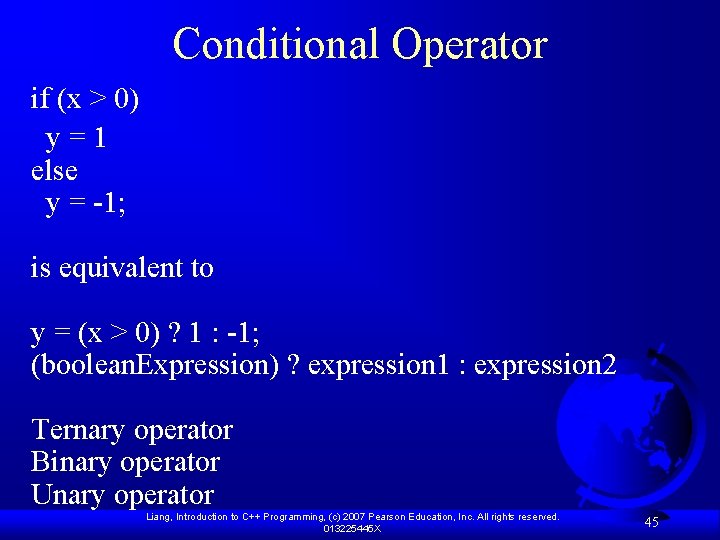
Conditional Operator if (x > 0) y=1 else y = -1; is equivalent to y = (x > 0) ? 1 : -1; (boolean. Expression) ? expression 1 : expression 2 Ternary operator Binary operator Unary operator Liang, Introduction to C++ Programming, (c) 2007 Pearson Education, Inc. All rights reserved. 013225445 X 45
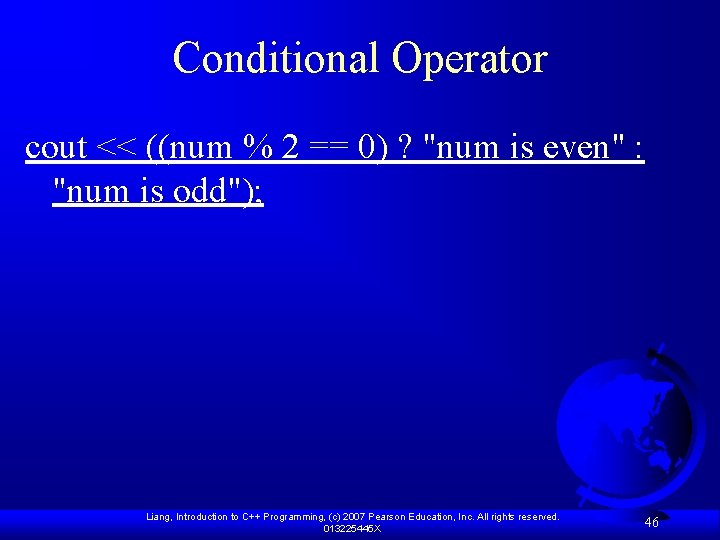
Conditional Operator cout << ((num % 2 == 0) ? "num is even" : "num is odd"); Liang, Introduction to C++ Programming, (c) 2007 Pearson Education, Inc. All rights reserved. 013225445 X 46
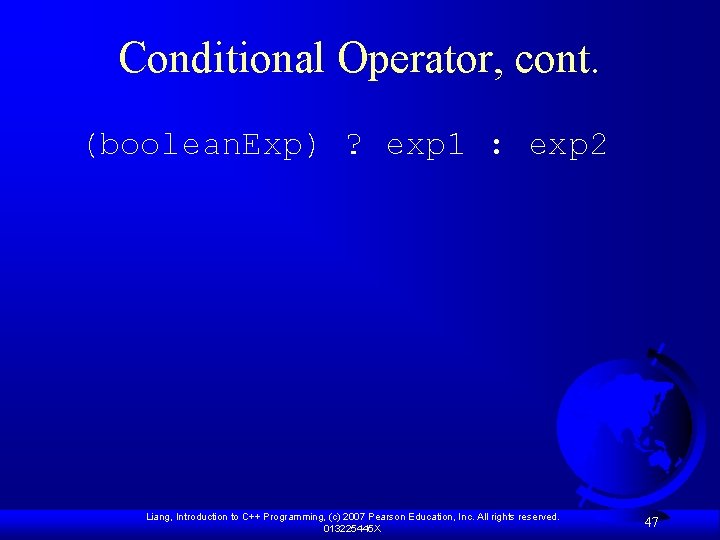
Conditional Operator, cont. (boolean. Exp) ? exp 1 : exp 2 Liang, Introduction to C++ Programming, (c) 2007 Pearson Education, Inc. All rights reserved. 013225445 X 47
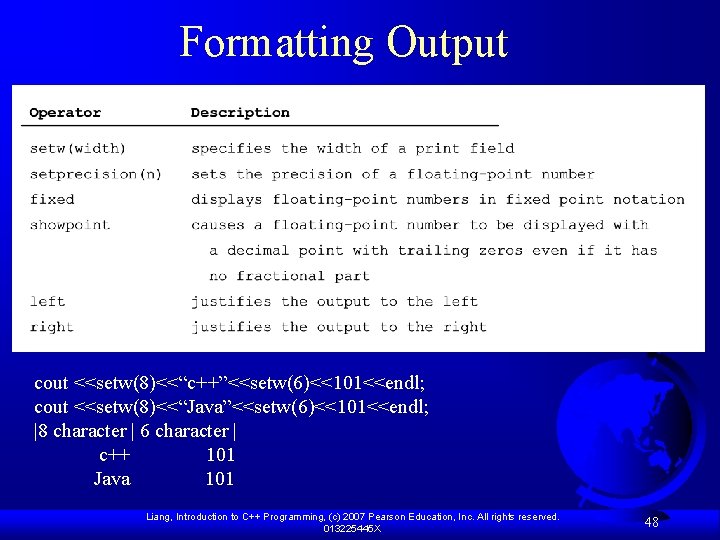
Formatting Output cout <<setw(8)<<“c++”<<setw(6)<<101<<endl; cout <<setw(8)<<“Java”<<setw(6)<<101<<endl; |8 character | 6 character | c++ 101 Java 101 Liang, Introduction to C++ Programming, (c) 2007 Pearson Education, Inc. All rights reserved. 013225445 X 48
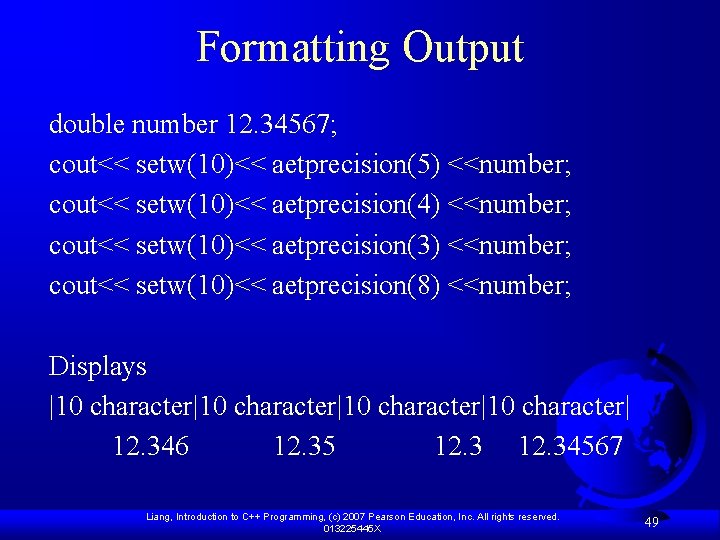
Formatting Output double number 12. 34567; cout<< setw(10)<< aetprecision(5) <<number; cout<< setw(10)<< aetprecision(4) <<number; cout<< setw(10)<< aetprecision(3) <<number; cout<< setw(10)<< aetprecision(8) <<number; Displays |10 character|10 character| 12. 346 12. 35 12. 34567 Liang, Introduction to C++ Programming, (c) 2007 Pearson Education, Inc. All rights reserved. 013225445 X 49
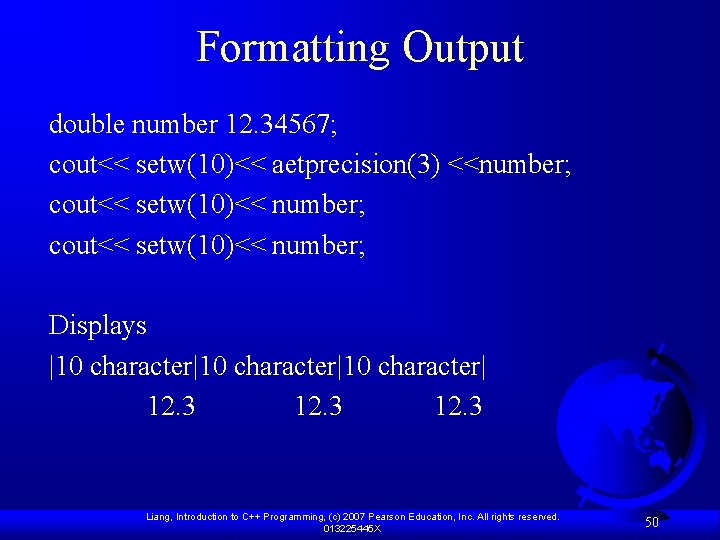
Formatting Output double number 12. 34567; cout<< setw(10)<< aetprecision(3) <<number; cout<< setw(10)<< number; Displays |10 character|10 character| 12. 3 Liang, Introduction to C++ Programming, (c) 2007 Pearson Education, Inc. All rights reserved. 013225445 X 50
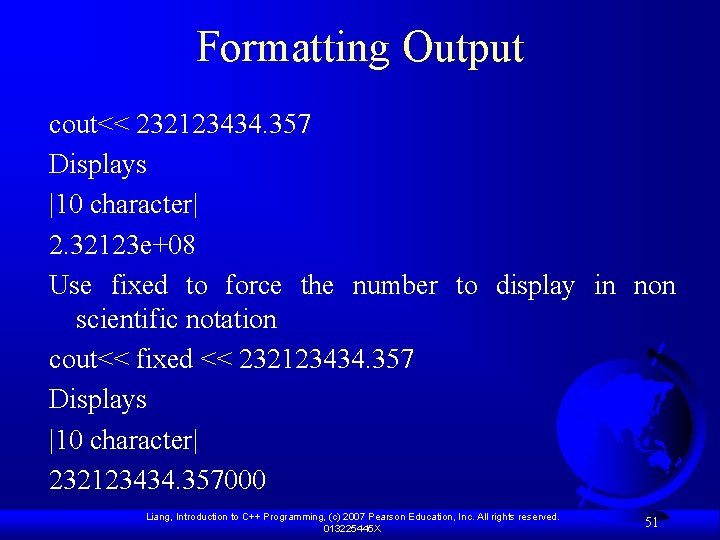
Formatting Output cout<< 232123434. 357 Displays |10 character| 2. 32123 e+08 Use fixed to force the number to display in non scientific notation cout<< fixed << 232123434. 357 Displays |10 character| 232123434. 357000 Liang, Introduction to C++ Programming, (c) 2007 Pearson Education, Inc. All rights reserved. 013225445 X 51
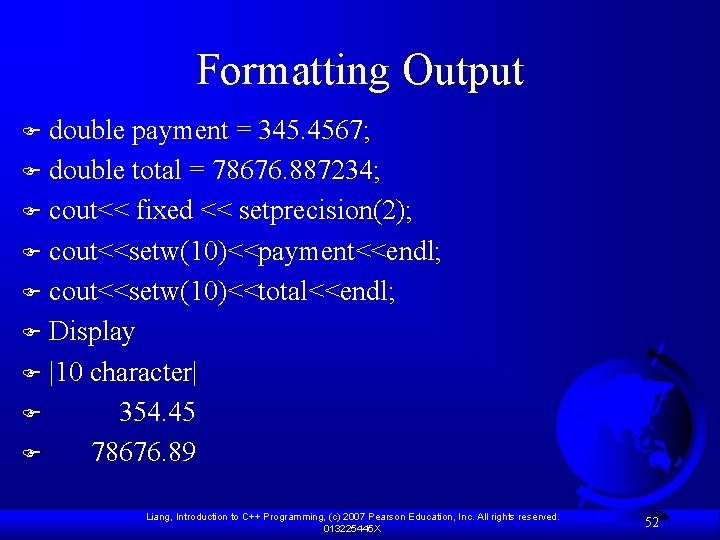
Formatting Output double payment = 345. 4567; F double total = 78676. 887234; F cout<< fixed << setprecision(2); F cout<<setw(10)<<payment<<endl; F cout<<setw(10)<<total<<endl; F Display F |10 character| F 354. 45 F 78676. 89 F Liang, Introduction to C++ Programming, (c) 2007 Pearson Education, Inc. All rights reserved. 013225445 X 52
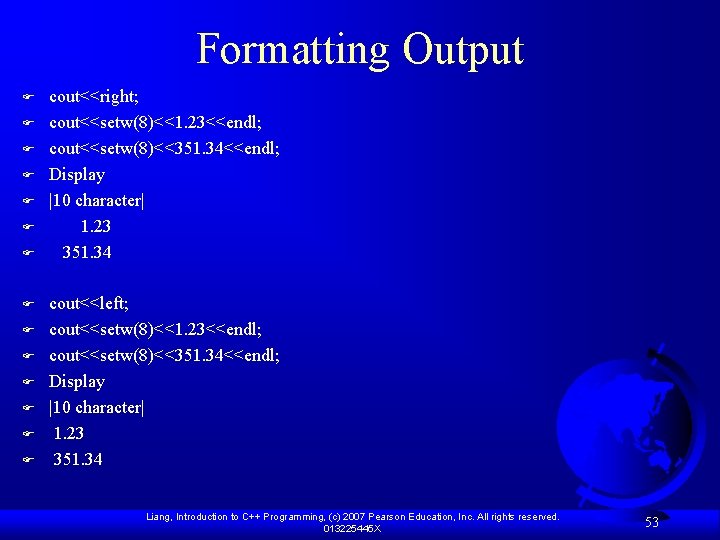
Formatting Output F F F F cout<<right; cout<<setw(8)<<1. 23<<endl; cout<<setw(8)<<351. 34<<endl; Display |10 character| 1. 23 351. 34 cout<<left; cout<<setw(8)<<1. 23<<endl; cout<<setw(8)<<351. 34<<endl; Display |10 character| 1. 23 351. 34 Liang, Introduction to C++ Programming, (c) 2007 Pearson Education, Inc. All rights reserved. 013225445 X 53
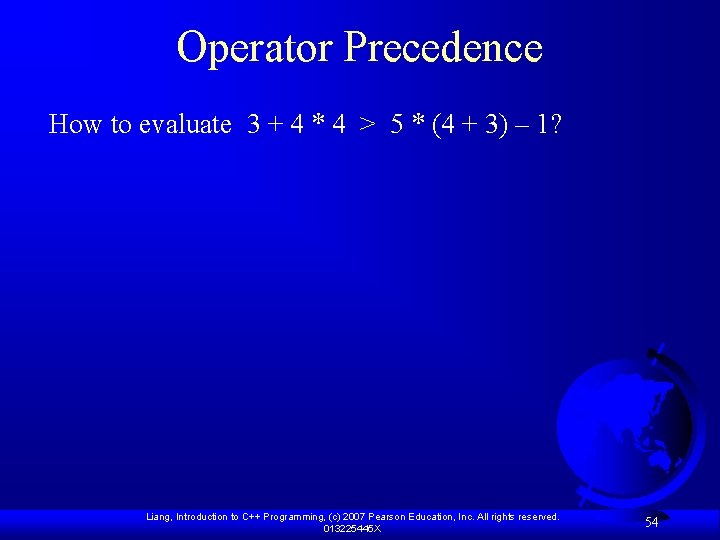
Operator Precedence How to evaluate 3 + 4 * 4 > 5 * (4 + 3) – 1? Liang, Introduction to C++ Programming, (c) 2007 Pearson Education, Inc. All rights reserved. 013225445 X 54
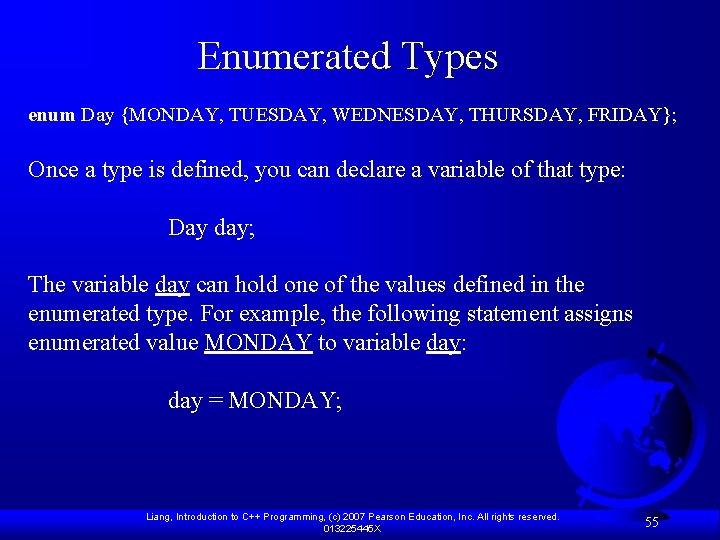
Enumerated Types enum Day {MONDAY, TUESDAY, WEDNESDAY, THURSDAY, FRIDAY}; Once a type is defined, you can declare a variable of that type: Day day; The variable day can hold one of the values defined in the enumerated type. For example, the following statement assigns enumerated value MONDAY to variable day: day = MONDAY; Liang, Introduction to C++ Programming, (c) 2007 Pearson Education, Inc. All rights reserved. 013225445 X 55
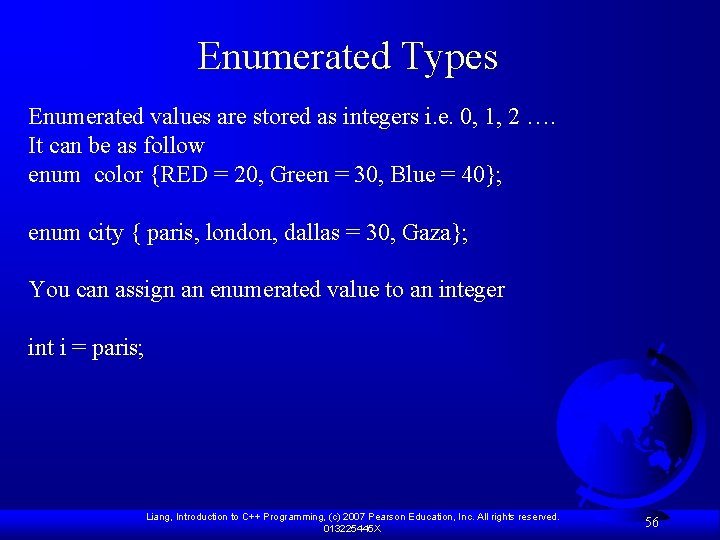
Enumerated Types Enumerated values are stored as integers i. e. 0, 1, 2 …. It can be as follow enum color {RED = 20, Green = 30, Blue = 40}; enum city { paris, london, dallas = 30, Gaza}; You can assign an enumerated value to an integer int i = paris; Liang, Introduction to C++ Programming, (c) 2007 Pearson Education, Inc. All rights reserved. 013225445 X 56
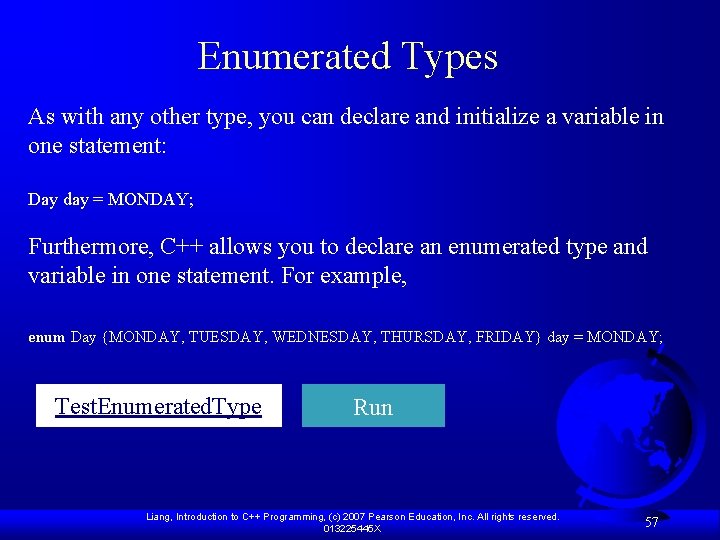
Enumerated Types As with any other type, you can declare and initialize a variable in one statement: Day day = MONDAY; Furthermore, C++ allows you to declare an enumerated type and variable in one statement. For example, enum Day {MONDAY, TUESDAY, WEDNESDAY, THURSDAY, FRIDAY} day = MONDAY; Test. Enumerated. Type Run Liang, Introduction to C++ Programming, (c) 2007 Pearson Education, Inc. All rights reserved. 013225445 X 57
Assignments F Read chapter 3 F Review Questions : 3, 4, 6, 7, 9, 10, 11, 14, 19, 29. F Solve the following programming ex. F 2, 3, 5, 9. Liang, Introduction to C++ Programming, (c) 2007 Pearson Education, Inc. All rights reserved. 013225445 X 58