
Chapter 3 Basic Application Software 3 2 Competencies
Chapter 3 Basic Application Software
3 -2 Competencies (Monday) • Discuss common features of most software applications • Discuss word processors and word processing features • Describe spreadsheets and spreadsheet features Copyright © 2010 by The Mc. Graw-Hill Companies, Inc. All rights reserved.
3 -3 Competencies (Wednesday) • Discuss database management systems and database management features • Describe presentation graphics and presentation graphics features • Discuss integrated software and software suites • Describe ways to share data between applications Copyright © 2010 by The Mc. Graw-Hill Companies, Inc. All rights reserved.
3 -4 Introduction • Tasks such as business correspondence, sales projections, graphic design, and data processing used to require trained specialists. • All these tasks, and many more, can be accomplished using microcomputers and application software. • Competent end users in today’s world need to understand the capabilities of basic application software including word processors, spreadsheets, database management systems, and presentation programs. Copyright © 2010 by The Mc. Graw-Hill Companies, Inc. All rights reserved.
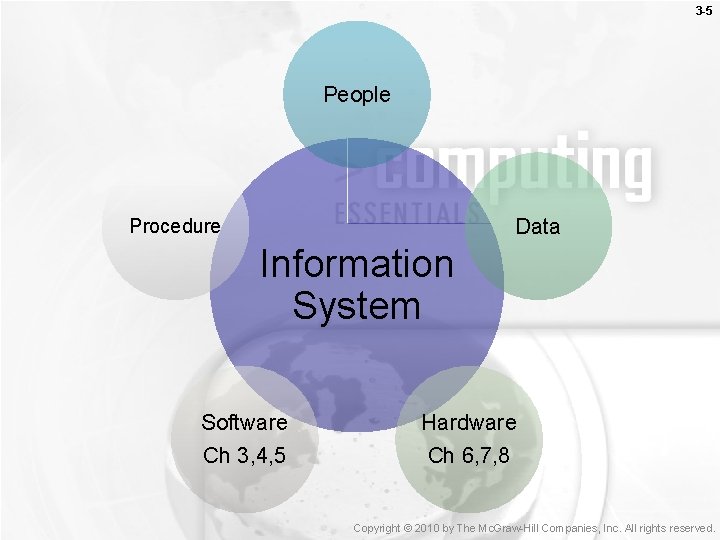
3 -5 People Data Procedure Information System Software Ch 3, 4, 5 Hardware Ch 6, 7, 8 Copyright © 2010 by The Mc. Graw-Hill Companies, Inc. All rights reserved.
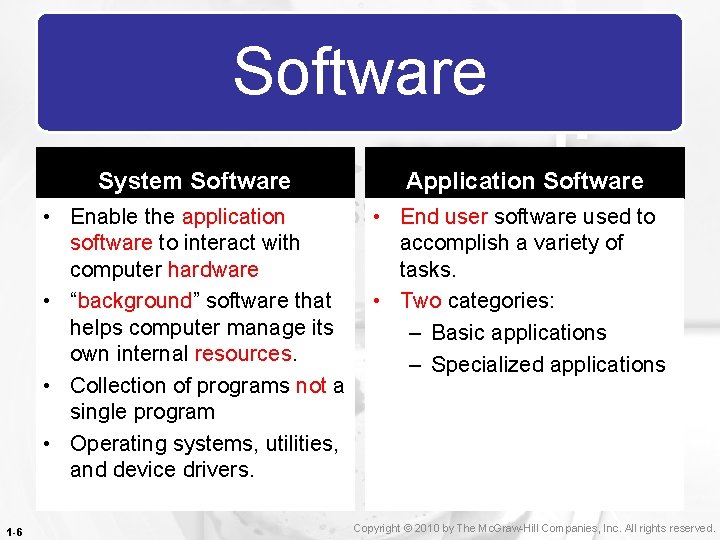
Software 1 -6 System Software Application Software • Enable the application software to interact with computer hardware • “background” software that helps computer manage its own internal resources. • Collection of programs not a single program • Operating systems, utilities, and device drivers. • End user software used to accomplish a variety of tasks. • Two categories: – Basic applications – Specialized applications Copyright © 2010 by The Mc. Graw-Hill Companies, Inc. All rights reserved.
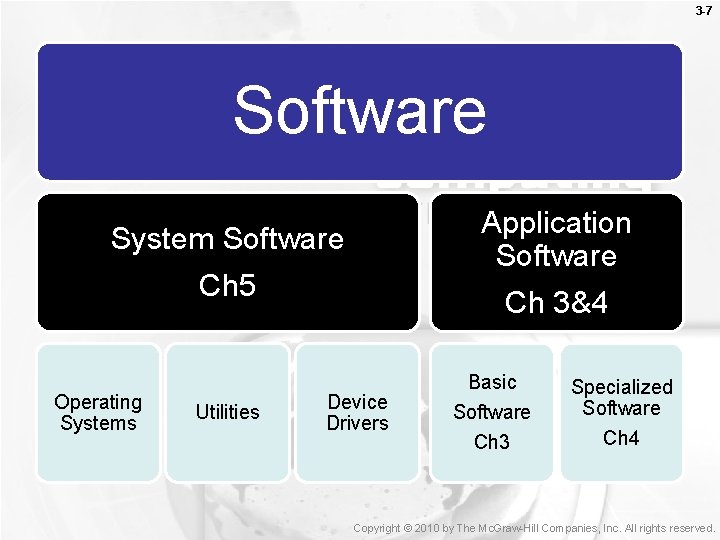
3 -7 Software Application Software Ch 3&4 System Software Ch 5 Operating Systems Utilities Device Drivers Basic Software Ch 3 Specialized Software Ch 4 Copyright © 2010 by The Mc. Graw-Hill Companies, Inc. All rights reserved.
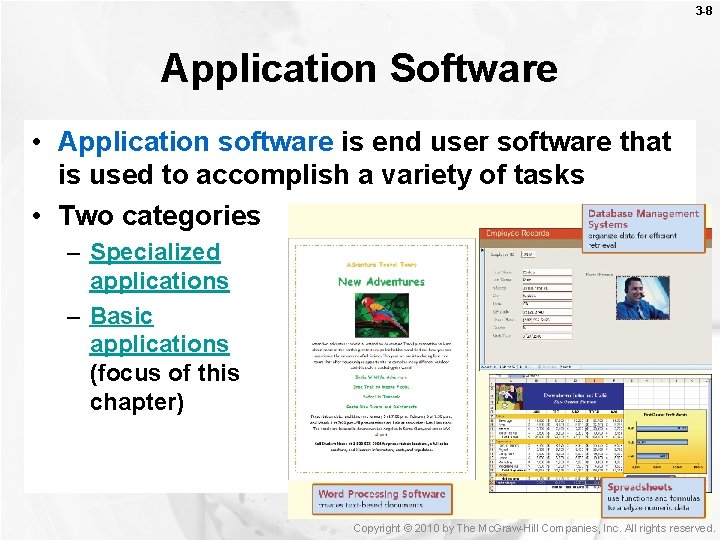
3 -8 Application Software • Application software is end user software that is used to accomplish a variety of tasks • Two categories – Specialized applications – Basic applications (focus of this chapter) Copyright © 2010 by The Mc. Graw-Hill Companies, Inc. All rights reserved.
3 -9 Specialized Applications • Also known as special-purpose applications • Includes thousands of other programs that are more narrowly focused on specific disciplines and occupations • Examples: – – – Graphic programs Audio and video editors Multimedia creation programs Web authoring Virtual reality programs Copyright © 2010 by The Mc. Graw-Hill Companies, Inc. All rights reserved.
3 -10 Basic Applications • Basic applications are also called generalpurpose • Common types – – Word processors Spreadsheets Database management systems Presentation graphics Return Copyright © 2010 by The Mc. Graw-Hill Companies, Inc. All rights reserved.
3 -11 Human Computer Interaction • A user interface is the portion of application that allows you to control and interact with the program. • Examples: – Motion Tracking Interface (eye toy) – Voice User Interface (speech recognition) – Graphical User Interface (Window) Copyright © 2010 by The Mc. Graw-Hill Companies, Inc. All rights reserved.
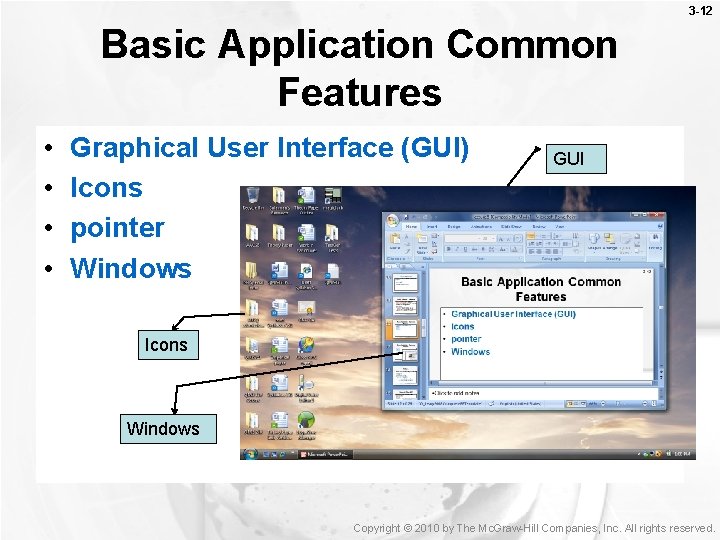
3 -12 Basic Application Common Features • • Graphical User Interface (GUI) Icons pointer Windows GUI Icons Windows Copyright © 2010 by The Mc. Graw-Hill Companies, Inc. All rights reserved.
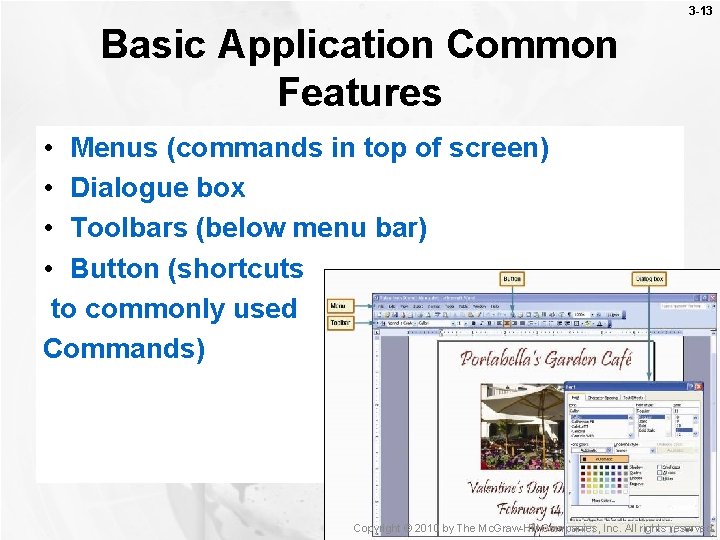
3 -13 Basic Application Common Features • Menus (commands in top of screen) • Dialogue box • Toolbars (below menu bar) • Button (shortcuts to commonly used Commands) Copyright © 2010 by The Mc. Graw-Hill Companies, Inc. All rights reserved.

3 -14 Toolbars • Examples – Standard Toolbar – Speech Recognition Standard Copyright © 2010 by The Mc. Graw-Hill Companies, Inc. All rights reserved.
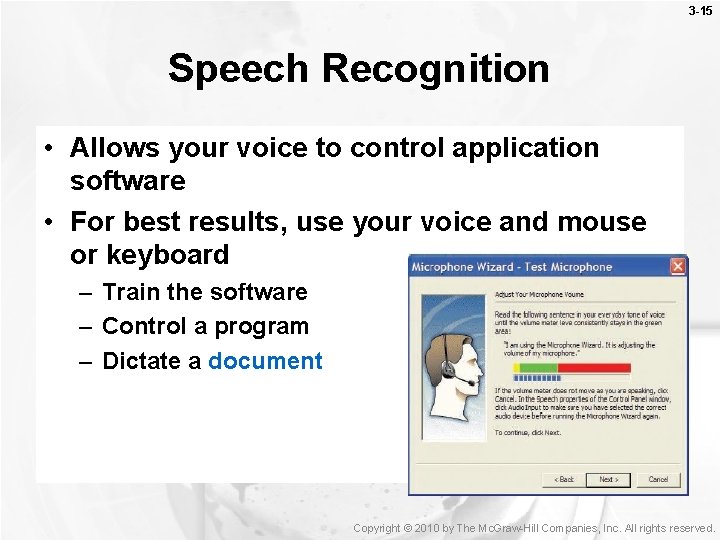
3 -15 Speech Recognition • Allows your voice to control application software • For best results, use your voice and mouse or keyboard – Train the software – Control a program – Dictate a document Copyright © 2010 by The Mc. Graw-Hill Companies, Inc. All rights reserved.

3 -16 Microsoft Office 2007 • Newest version of Microsoft Office • New Interface – Ribbons – Contextual Tabs – Galleries Copyright © 2010 by The Mc. Graw-Hill Companies, Inc. All rights reserved.
3 -17 Word Processors • Used to create text-based documents – Memos, letters, and faxes – Newsletters, manuals, and brochures • Word processing programs – Microsoft Word – Corel Word. Perfect – Microsoft Word for Mac Copyright © 2010 by The Mc. Graw-Hill Companies, Inc. All rights reserved.
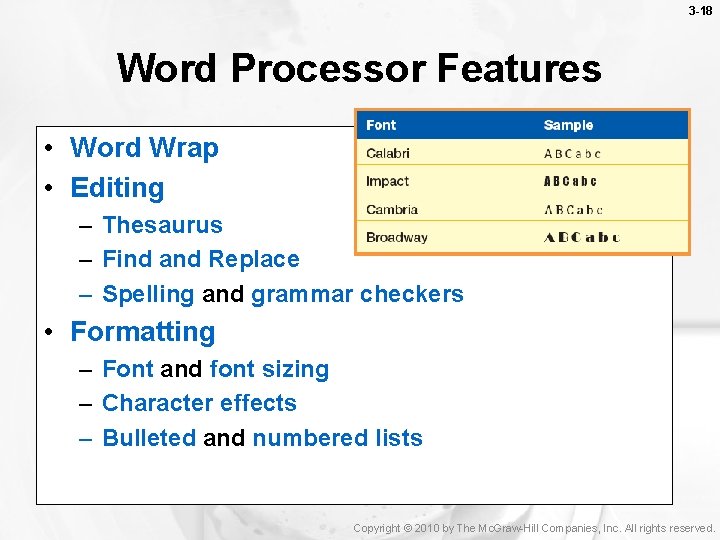
3 -18 Word Processor Features • Word Wrap • Editing – Thesaurus – Find and Replace – Spelling and grammar checkers • Formatting – Font and font sizing – Character effects – Bulleted and numbered lists Copyright © 2010 by The Mc. Graw-Hill Companies, Inc. All rights reserved.
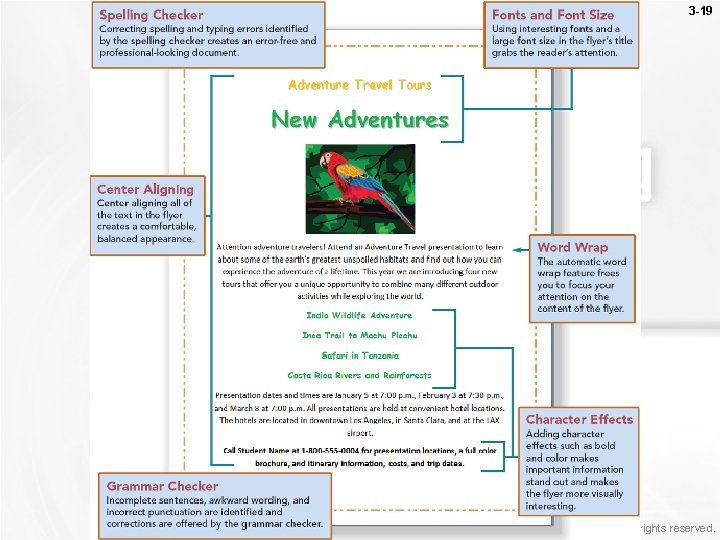
3 -19 Return Copyright © 2010 by The Mc. Graw-Hill Companies, Inc. All rights reserved.
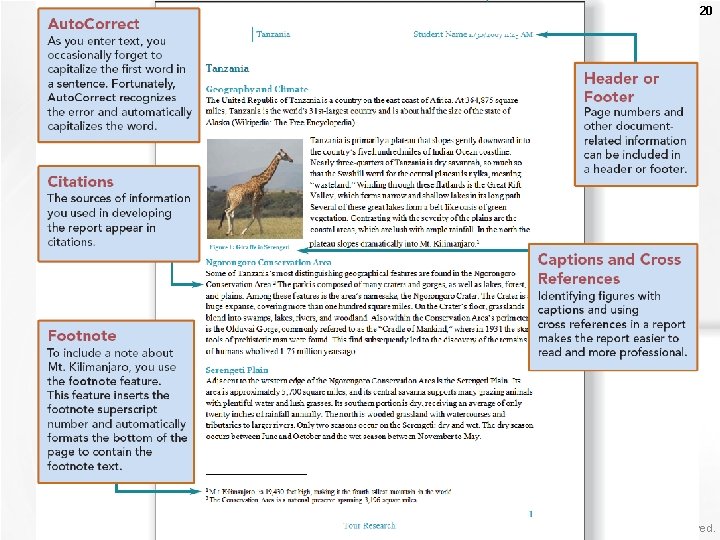
3 -20 Copyright © 2010 by The Mc. Graw-Hill Companies, Inc. All rights reserved.
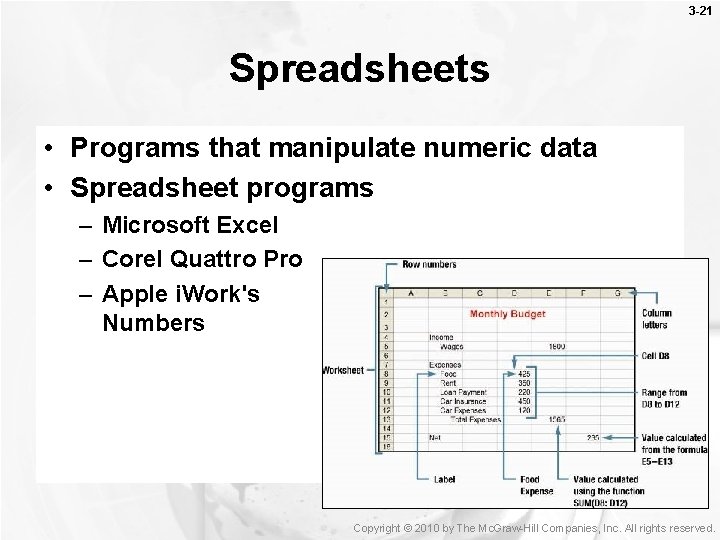
3 -21 Spreadsheets • Programs that manipulate numeric data • Spreadsheet programs – Microsoft Excel – Corel Quattro Pro – Apple i. Work's Numbers Copyright © 2010 by The Mc. Graw-Hill Companies, Inc. All rights reserved.
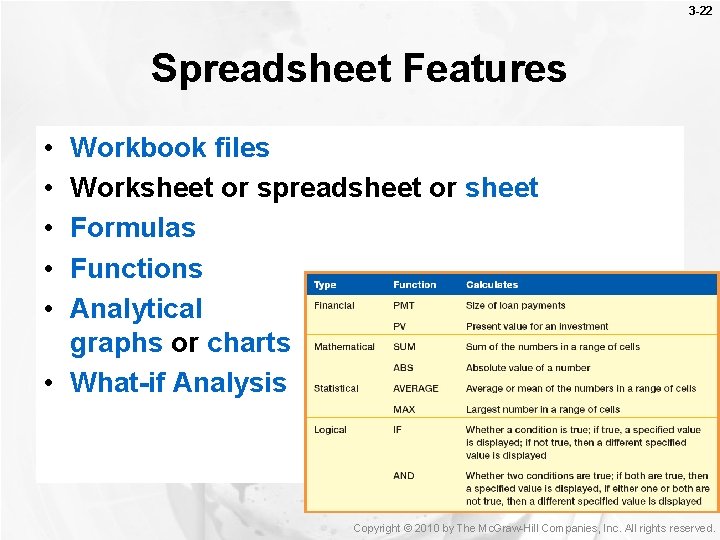
3 -22 Spreadsheet Features • • • Workbook files Worksheet or spreadsheet or sheet Formulas Functions Analytical graphs or charts • What-if Analysis Copyright © 2010 by The Mc. Graw-Hill Companies, Inc. All rights reserved.
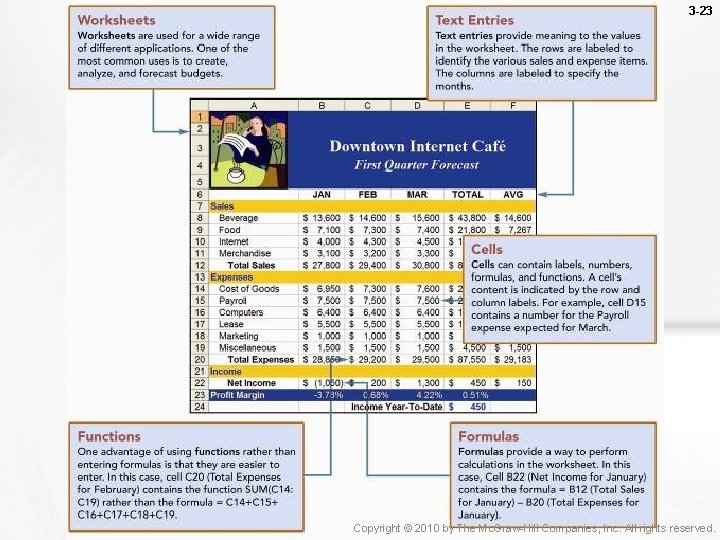
3 -23 Return Copyright © 2010 by The Mc. Graw-Hill Companies, Inc. All rights reserved.
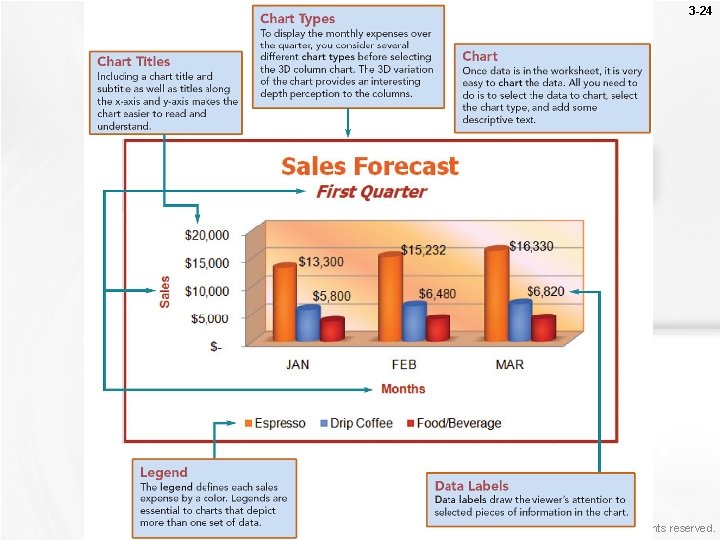
3 -24 Return Copyright © 2010 by The Mc. Graw-Hill Companies, Inc. All rights reserved.
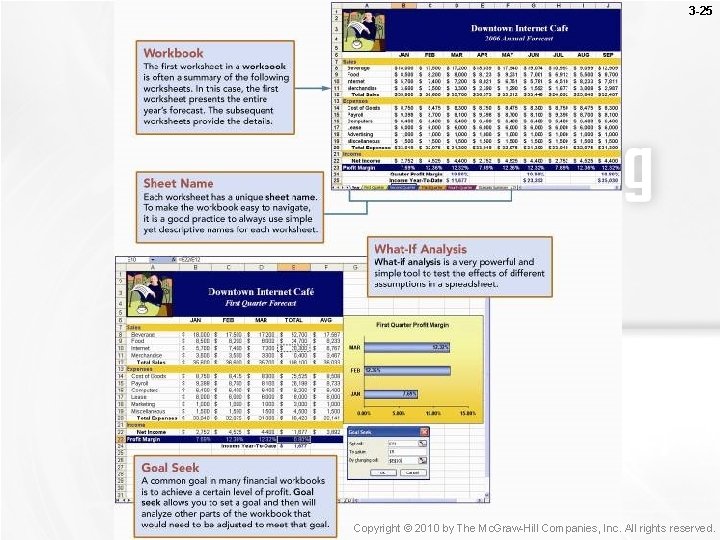
3 -25 Copyright © 2010 by The Mc. Graw-Hill Companies, Inc. All rights reserved.
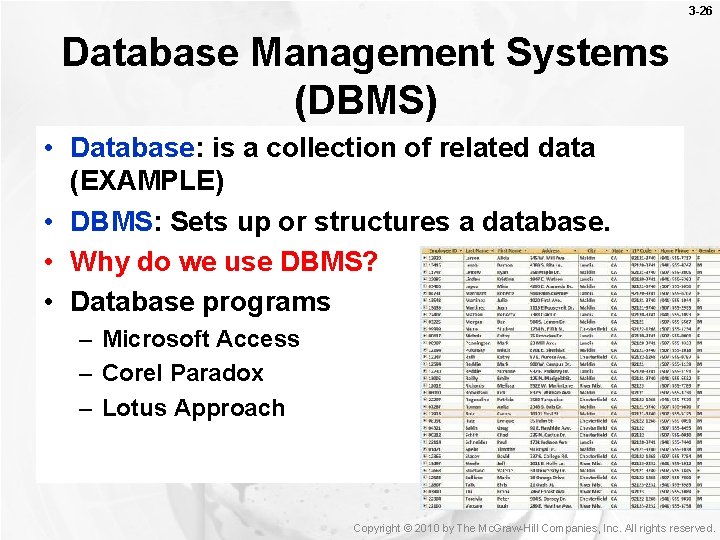
3 -26 Database Management Systems (DBMS) • Database: is a collection of related data (EXAMPLE) • DBMS: Sets up or structures a database. • Why do we use DBMS? • Database programs – Microsoft Access – Corel Paradox – Lotus Approach Copyright © 2010 by The Mc. Graw-Hill Companies, Inc. All rights reserved.
3 -27 Database Features • Relational database (most widely used db structure). • Data is organized into related Tables – Records (record of a thing) – Fields (to describe the column) – Primary key (to link tables and identify records) • Record sorting • Queries (request for specific data) • Forms (to enter and modify records) • Reports (printouts of tables and queries) Copyright © 2010 by The Mc. Graw-Hill Companies, Inc. All rights reserved.
3 -28 Database Case • Creating a Database • Creating a Query Copyright © 2010 by The Mc. Graw-Hill Companies, Inc. All rights reserved.
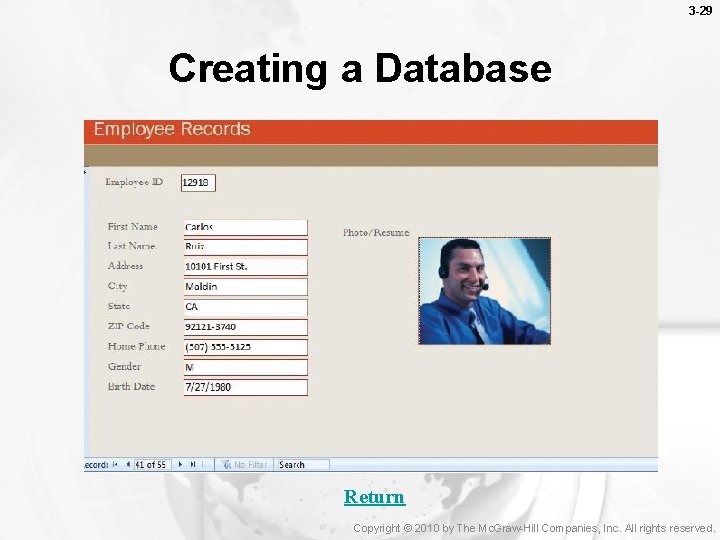
3 -29 Creating a Database Return Copyright © 2010 by The Mc. Graw-Hill Companies, Inc. All rights reserved.
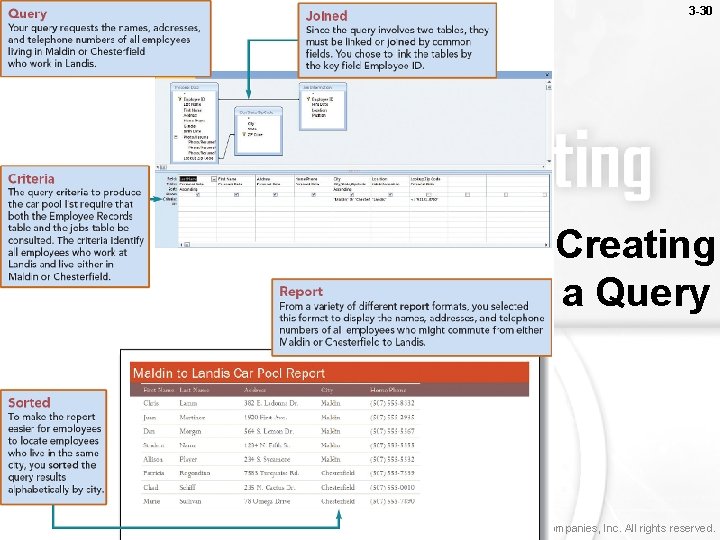
3 -30 Creating a Query Copyright © 2010 by The Mc. Graw-Hill Companies, Inc. All rights reserved.
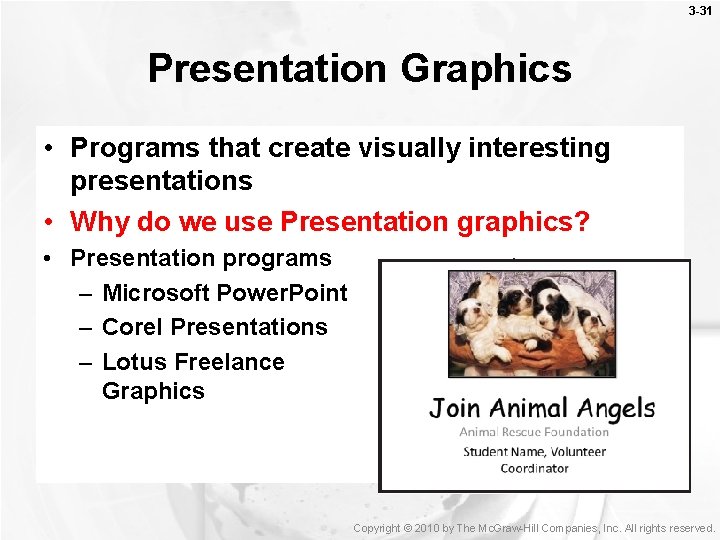
3 -31 Presentation Graphics • Programs that create visually interesting presentations • Why do we use Presentation graphics? • Presentation programs – Microsoft Power. Point – Corel Presentations – Lotus Freelance Graphics Copyright © 2010 by The Mc. Graw-Hill Companies, Inc. All rights reserved.
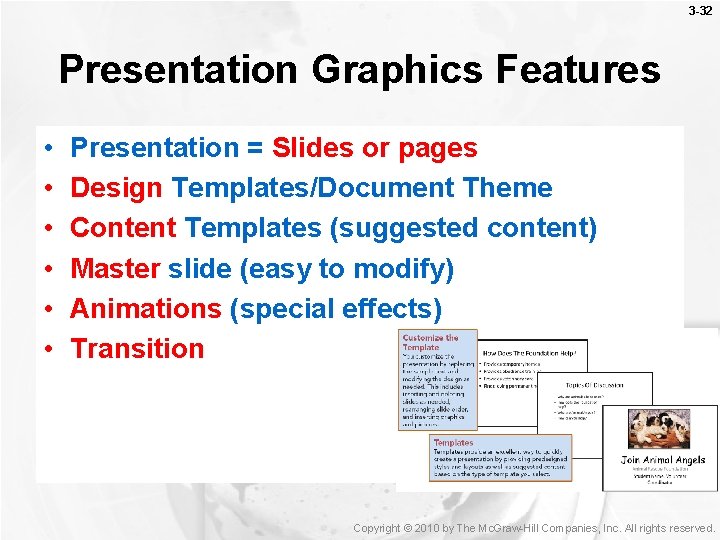
3 -32 Presentation Graphics Features • • • Presentation = Slides or pages Design Templates/Document Theme Content Templates (suggested content) Master slide (easy to modify) Animations (special effects) Transition Copyright © 2010 by The Mc. Graw-Hill Companies, Inc. All rights reserved.
3 -33 Presentation Graphics Case • Creating a Presentation • Updating a Presentation Copyright © 2010 by The Mc. Graw-Hill Companies, Inc. All rights reserved.
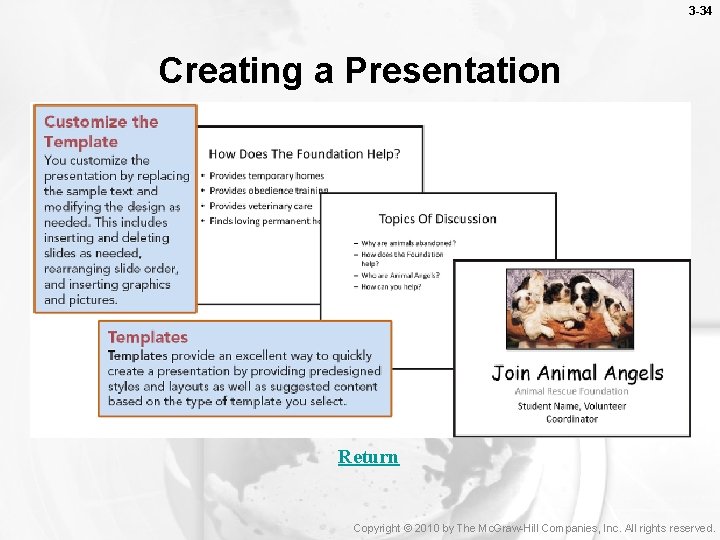
3 -34 Creating a Presentation Return Copyright © 2010 by The Mc. Graw-Hill Companies, Inc. All rights reserved.
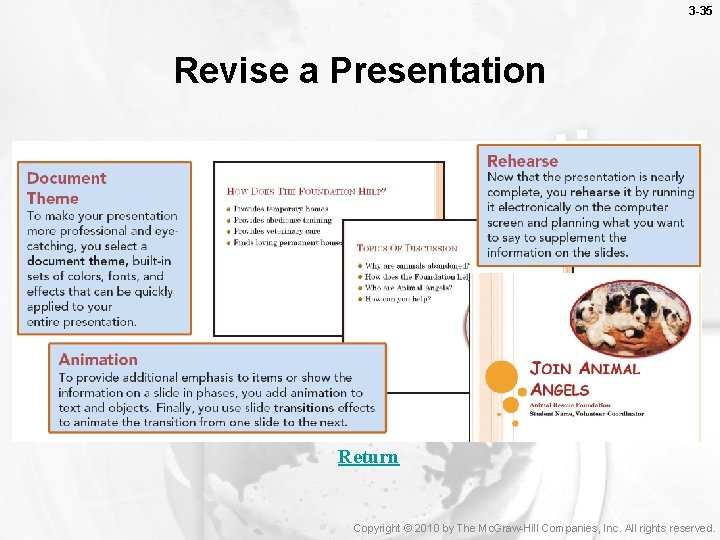
3 -35 Revise a Presentation Return Copyright © 2010 by The Mc. Graw-Hill Companies, Inc. All rights reserved.
3 -36 Integrated Packages • A single program that provides the functionality of several widely used programs – Popular with many home users – Classified as personal or home software • Advantages are cost and simplicity • Disadvantages are limited functions • The most widely used package is Microsoft Works (why do you think it was discontinued? ) Copyright © 2010 by The Mc. Graw-Hill Companies, Inc. All rights reserved.
3 -37 Software Suites • Collection of separate application programs sold as a group (why use it? ) • Four types of suites – Productivity suite or Business suite – Alternative office suites (watch) • Downloadable suites (Open office) • Online office suites (Google Docs - disadvantages) – specialized suite (graphics) – Utility suite (Norton) • Share Data between applications Copyright © 2010 by The Mc. Graw-Hill Companies, Inc. All rights reserved.
- Slides: 37