
Chapter 25 Multimedia Objectives Upon completion you will
Chapter 25 Multimedia Objectives Upon completion you will be able to: • Know the characteristics of the 3 types of services • Understand the methods of digitizing and compressing. • Understand jitter, translation, and mixing in real-time traffic • Understand the role of RTP and RTCP in real-time traffic • Understand how the Internet can be used as a telephone network TCP/IP Protocol Suite 1
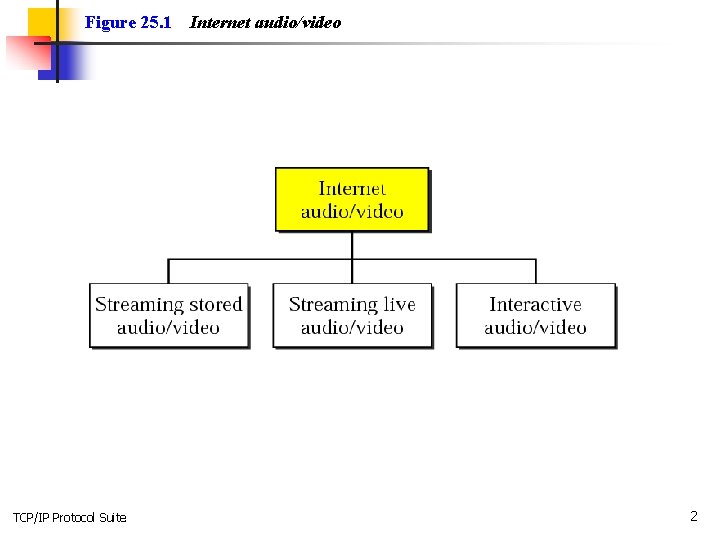
Figure 25. 1 TCP/IP Protocol Suite Internet audio/video 2

Note: Streaming stored audio/video refers to on-demand requests for compressed audio/video files. TCP/IP Protocol Suite 3
Note: Streaming live audio/video refers to the broadcasting of radio and TV programs through the Internet. TCP/IP Protocol Suite 4
Note: Interactive audio/video refers to the use of the Internet for interactive audio/video applications. TCP/IP Protocol Suite 5
25. 1 DIGITIZING AUDIO AND VIDEO Before audio or video signals can be sent on the Internet, they need to be digitized. We discuss audio and video separately. The topics discussed in this section include: Digitizing Audio Digitizing Video TCP/IP Protocol Suite 6
Note: Compression is needed to send video over the Internet. TCP/IP Protocol Suite 7
25. 2 AUDIO AND VIDEO COMPRESSION To send audio or video over the Internet requires compression. The topics discussed in this section include: Audio Compression Video Compression TCP/IP Protocol Suite 8
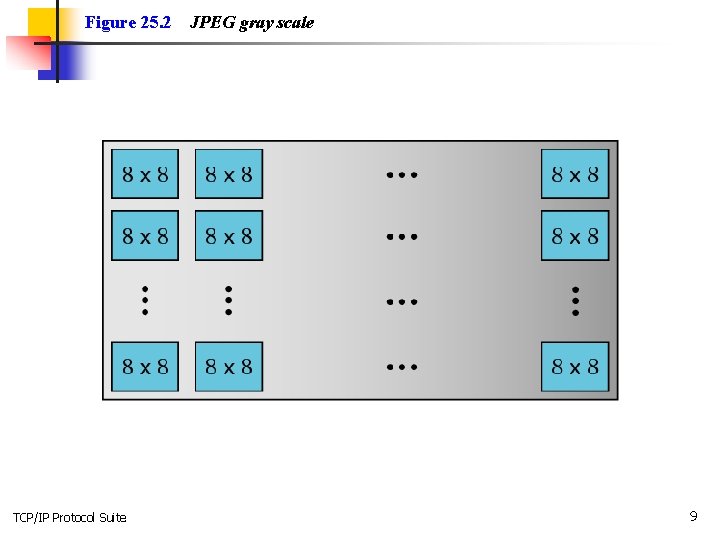
Figure 25. 2 TCP/IP Protocol Suite JPEG gray scale 9
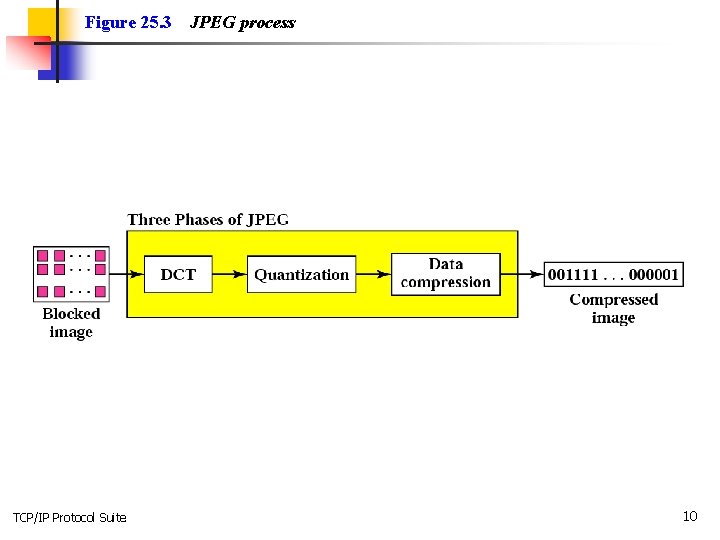
Figure 25. 3 TCP/IP Protocol Suite JPEG process 10
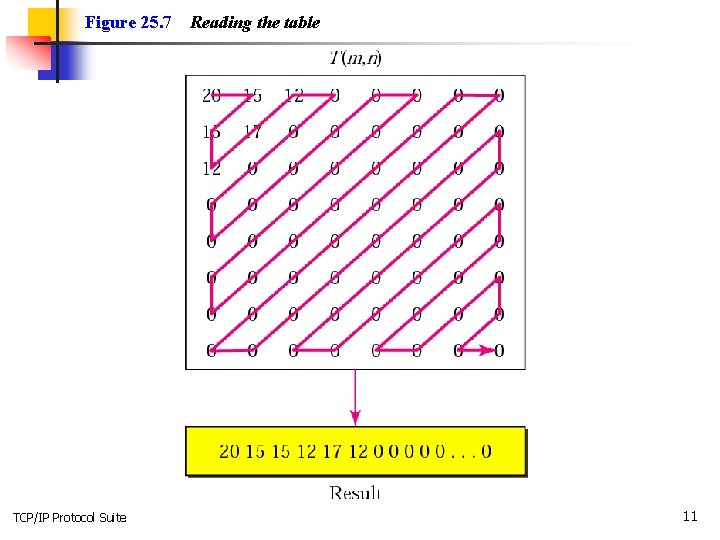
Figure 25. 7 TCP/IP Protocol Suite Reading the table 11

Figure 25. 8 TCP/IP Protocol Suite MPEG frames 12
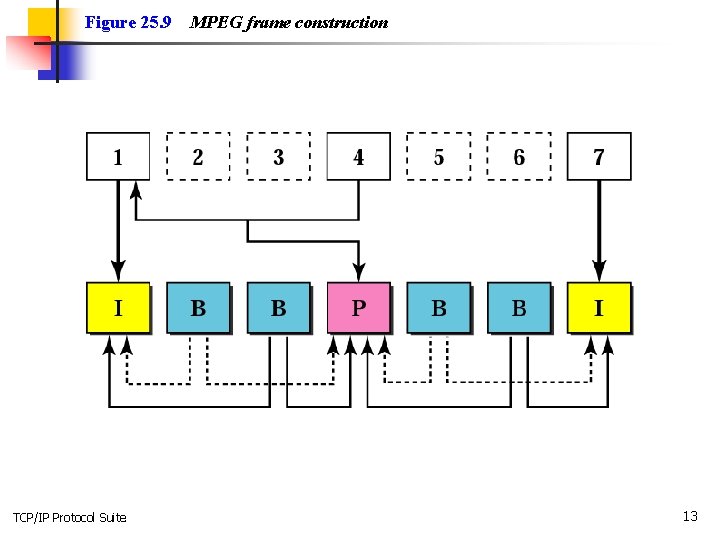
Figure 25. 9 TCP/IP Protocol Suite MPEG frame construction 13
25. 3 STREAMING STORED AUDIO/VIDEO We turn our attention to a specific applications called streaming stored audio and video. We use four approaches to show a file can be downloaded, each with a different complexity. The topics discussed in this section include: First Approach: Using a Web Server Second Approach: Using a Web Server with Metafile Third Approach: Using a Media Server Fourth Approach: Using a Media Server and RTSP TCP/IP Protocol Suite 14
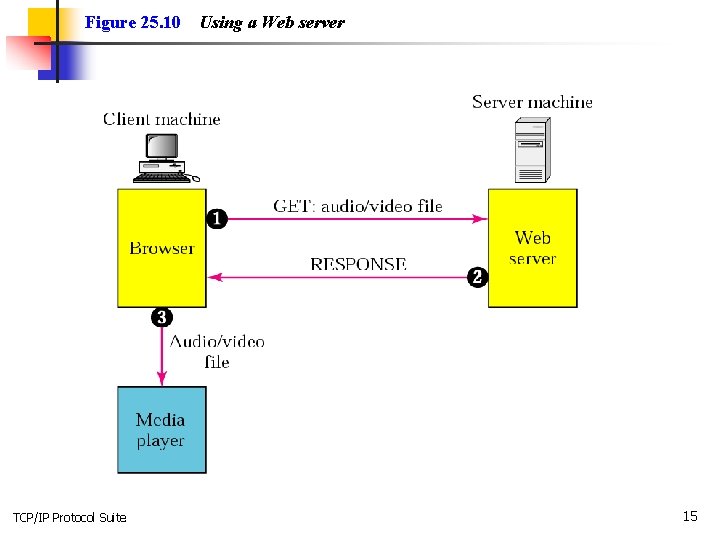
Figure 25. 10 TCP/IP Protocol Suite Using a Web server 15
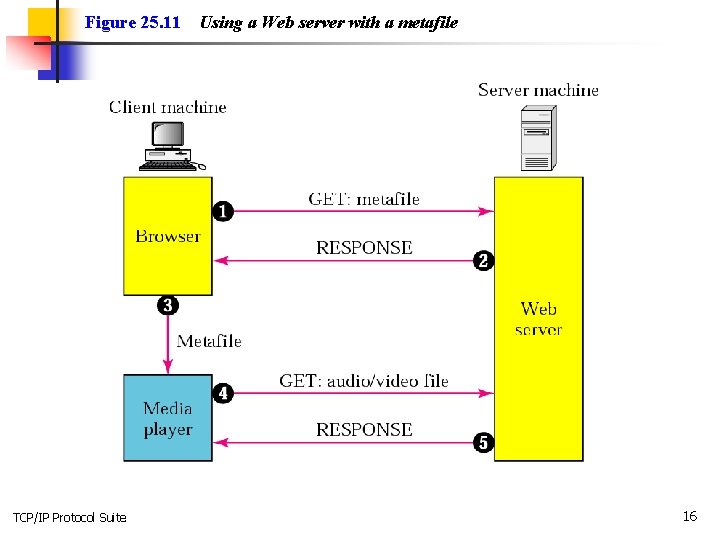
Figure 25. 11 TCP/IP Protocol Suite Using a Web server with a metafile 16
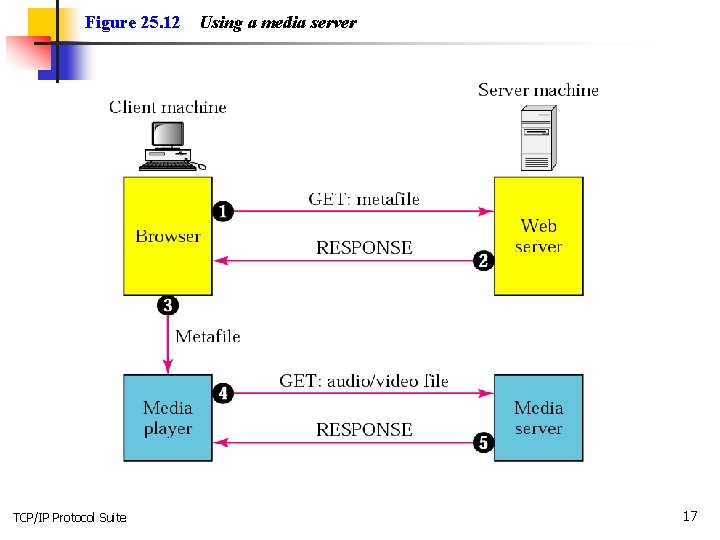
Figure 25. 12 TCP/IP Protocol Suite Using a media server 17
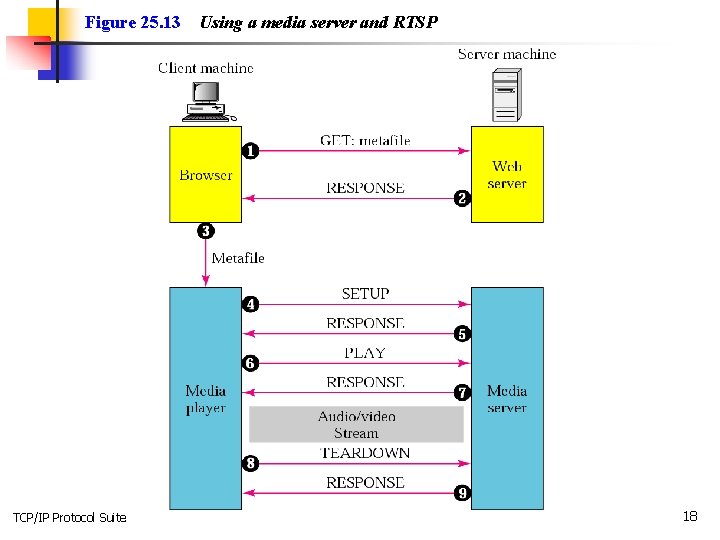
Figure 25. 13 TCP/IP Protocol Suite Using a media server and RTSP 18
25. 4 STREAMING LIVE AUDIO/VIDEO In streaming live audio/video the stations broadcast through the Internet. Communication is multicast and live. Live streaming is better suited to the multicast services of IP and the use of protocols such as UDP and RTP. TCP/IP Protocol Suite 19
25. 5 REAL-TIME INTERACTIVE AUDIO/VIDEO In real-time interactive audio/video, people communicate visually and orally with one another in real time. Examples include video conferencing and the Internet phone or voice over IP. The topics discussed in this section include: Characteristics TCP/IP Protocol Suite 20
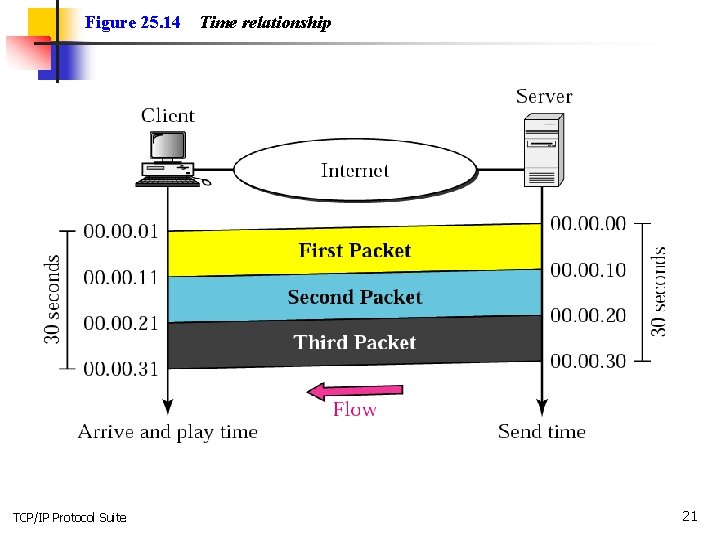
Figure 25. 14 TCP/IP Protocol Suite Time relationship 21
Note: Jitter is introduced in real-time data by the delay between packets. TCP/IP Protocol Suite 22
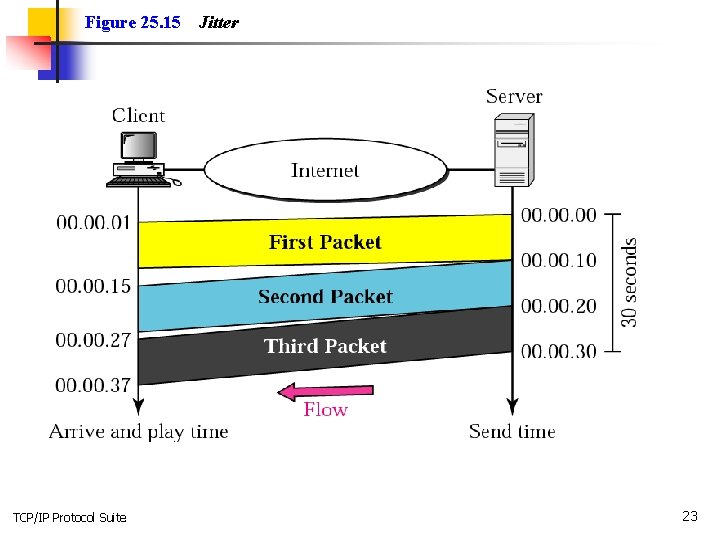
Figure 25. 15 TCP/IP Protocol Suite Jitter 23
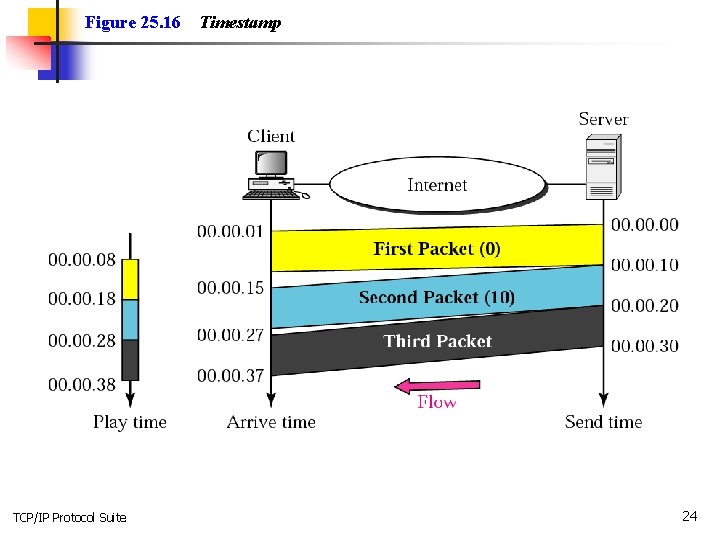
Figure 25. 16 TCP/IP Protocol Suite Timestamp 24
Note: To prevent jitter, we can timestamp the packets and separate the arrival time from the playback time. TCP/IP Protocol Suite 25
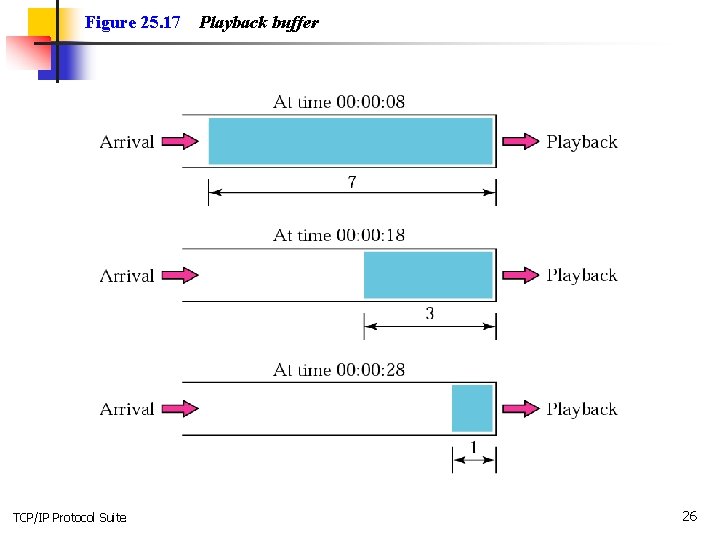
Figure 25. 17 TCP/IP Protocol Suite Playback buffer 26
Note: A playback buffer is required for real-time traffic. TCP/IP Protocol Suite 27
Note: A sequence number on each packet is required for real-time traffic. TCP/IP Protocol Suite 28
Note: Real-time traffic needs the support of multicasting. TCP/IP Protocol Suite 29
Note: Translation means changing the encoding of a payload to a lower quality to match the bandwidth of the receiving network. TCP/IP Protocol Suite 30
Note: Mixing means combining several streams of traffic into one stream. TCP/IP Protocol Suite 31
Note: TCP, with all its sophistication, is not suitable for interactive multimedia traffic because we cannot allow retransmission of packets. TCP/IP Protocol Suite 32
Note: UDP is more suitable than TCP for interactive traffic. However, we need the services of RTP, another transport layer protocol, to make up for the deficiencies of UDP. TCP/IP Protocol Suite 33
25. 6 RTP Real-time Transport Protocol (RTP) is the protocol designed to handle real-time traffic on the Internet. RTP does not have a delivery mechanism; it must be used with UDP. The topics discussed in this section include: RTP Packet Format UDP Port TCP/IP Protocol Suite 34
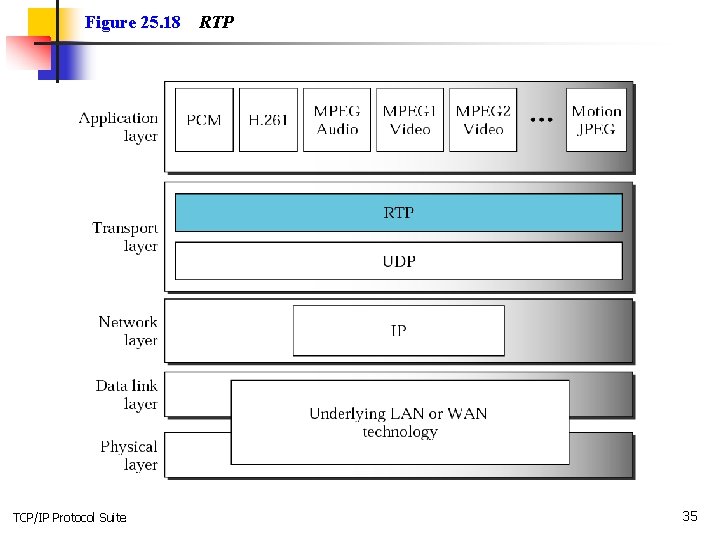
Figure 25. 18 TCP/IP Protocol Suite RTP 35
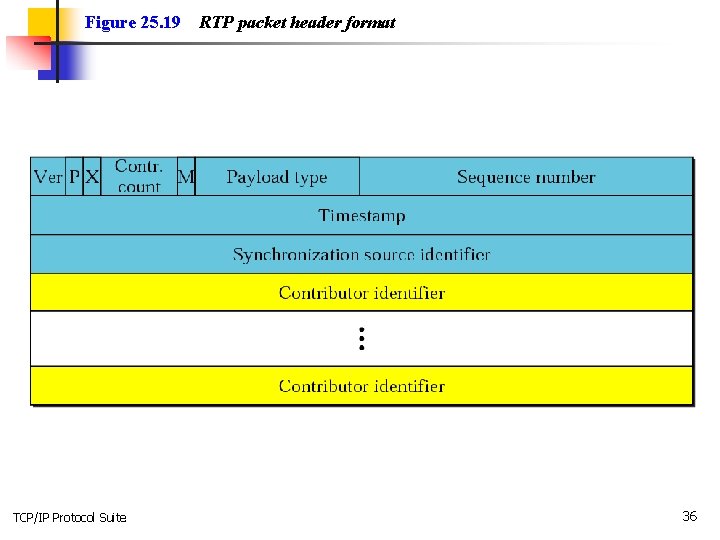
Figure 25. 19 TCP/IP Protocol Suite RTP packet header format 36
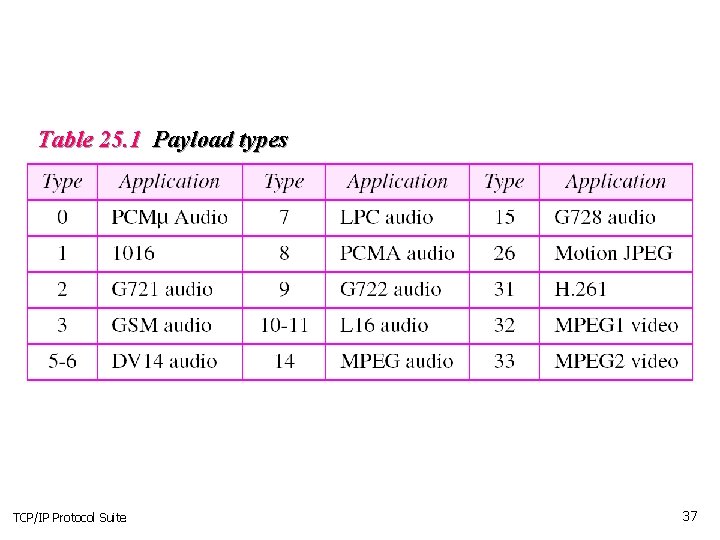
Table 25. 1 Payload types TCP/IP Protocol Suite 37
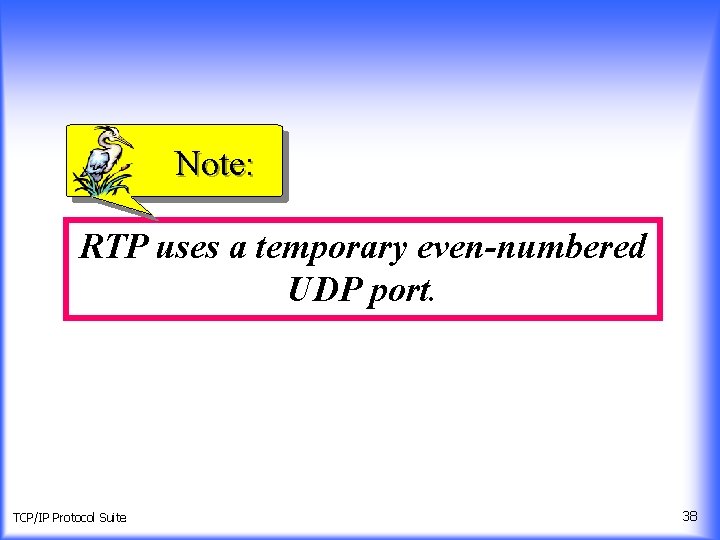
Note: RTP uses a temporary even-numbered UDP port. TCP/IP Protocol Suite 38
25. 7 RTCP Real-time Transport Control Protocol (RTCP) is a protocol that allows messages that control the flow and quality of data. RTCP has five types of messages. The topics discussed in this section include: Sender Report Receiver Report Source Description Message Bye Message Application Specific Message UDP Port TCP/IP Protocol Suite 39
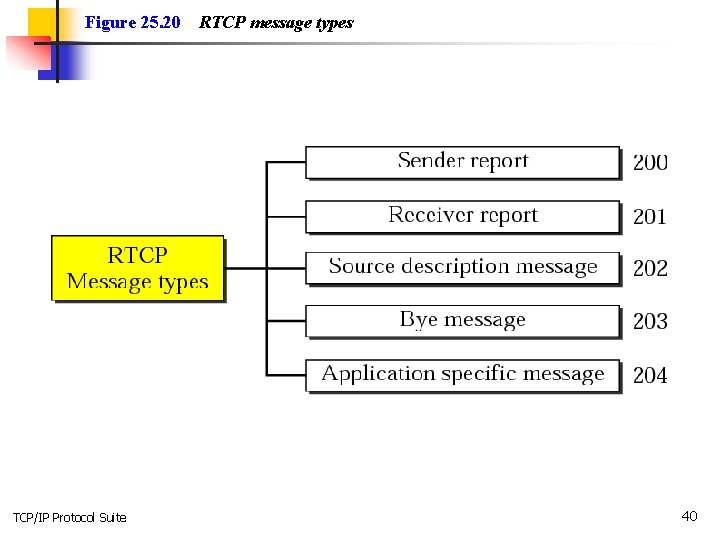
Figure 25. 20 TCP/IP Protocol Suite RTCP message types 40
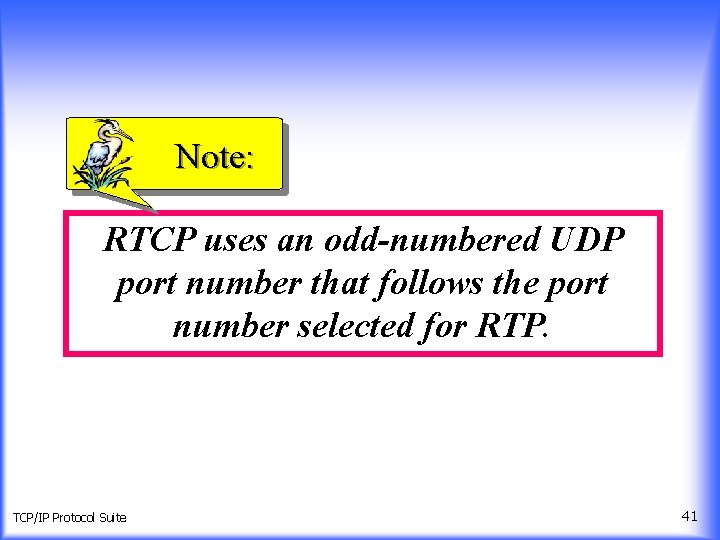
Note: RTCP uses an odd-numbered UDP port number that follows the port number selected for RTP. TCP/IP Protocol Suite 41
25. 8 VOICE OVER IP Voice over IP, or Internet telephony is an application that allows communication between two parties over the packet-switched Internet. Two protocols have been designed to handle this type of communication: SIP and H. 323. The topics discussed in this section include: SIP H. 323 TCP/IP Protocol Suite 42
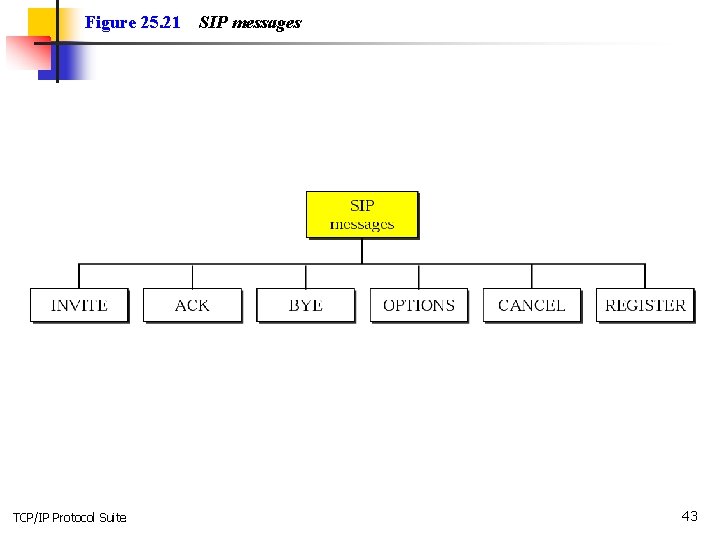
Figure 25. 21 TCP/IP Protocol Suite SIP messages 43
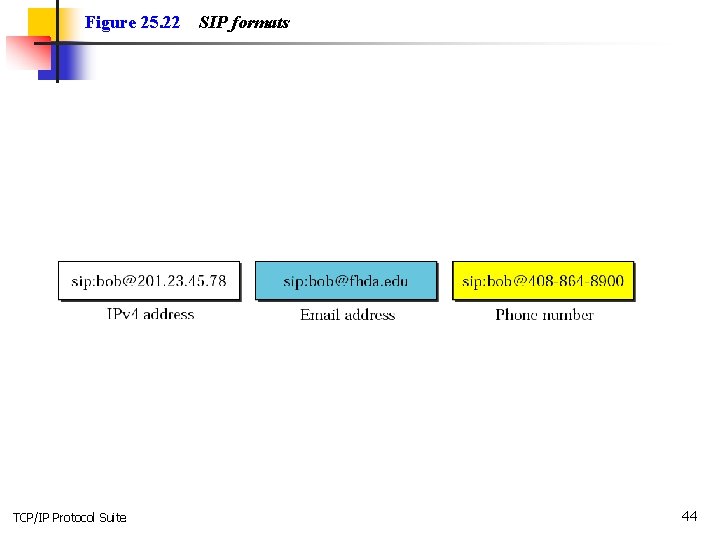
Figure 25. 22 TCP/IP Protocol Suite SIP formats 44
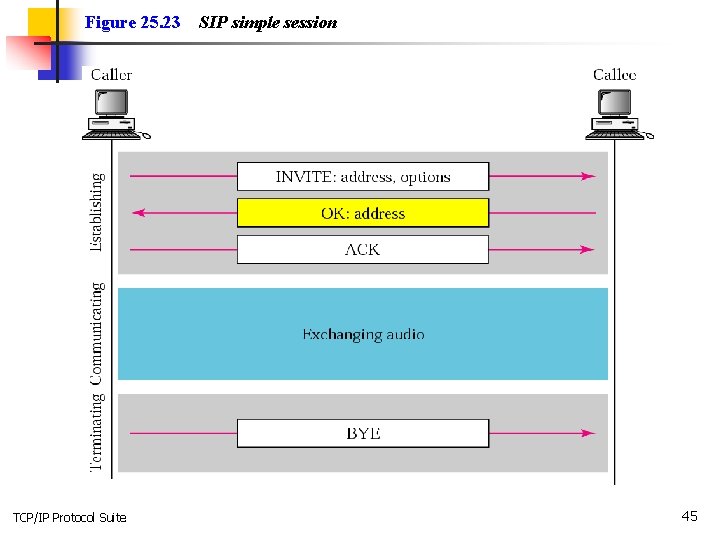
Figure 25. 23 TCP/IP Protocol Suite SIP simple session 45
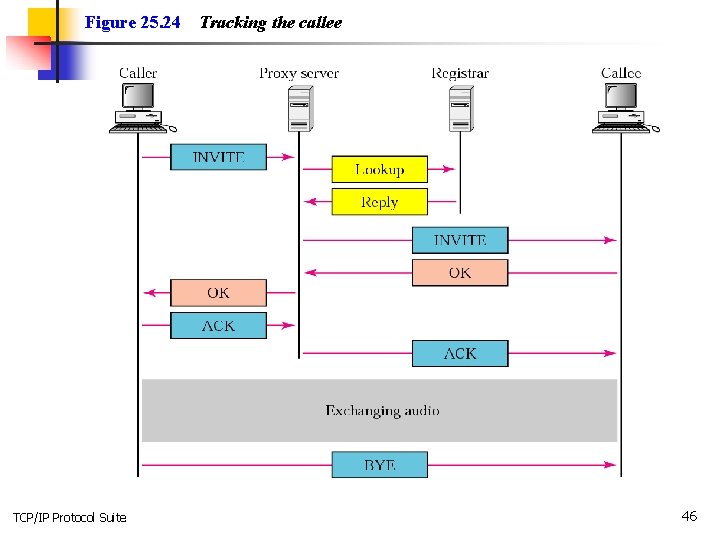
Figure 25. 24 TCP/IP Protocol Suite Tracking the callee 46
- Slides: 46