
Chapter 25 Analysis and interpretation of user observation
Chapter 25 Analysis and interpretation of user observation evaluation data

Analysis and interpretation • Analysis: “just the facts, ma’am” § usually just the statistical number crunching § (if you have quantifiable data, that is) § “observation” data: can be “quasi-scientific”, meaning a different set of analysis tools than “traditional” techniques like ANOVA • Interpretation: opinions § opportunity to opine about why you think data turned out the way it did
Collating the data • Collating the data: § a rather weak section of the book--all they’re saying is: • bring pen & paper • don’t forget to number your notes with subject id’s • maybe type them up…gosh! § there can be a whole lot more to this…

Collating the data • Collating the data (other considerations): § re-tool your app to record quantitative data, e. g. , time to completion (computers make good egg timers) § automatically store the data in (gasp!) database records---can use. csv instead, then read into SQL (really helps in teasing out data later) § see if you can use a stats package to help with the analysis (e. g. , the R language -- pretty powerful; will plot stuff too, fairly steep learning curve though) § maybe combine everything into a Makefile script (soooo convenient, especially for your advisor : )
Summarizing the data • “Time spent to recover from an error” = end time • • • start time Uh, that’s it? Wait, there’s more… “…we have not included details or methods for the statistical analysis of evaluation data. ” Are they kidding? That’s where all the powerful insights are! It’s next to impossible to publish papers without that crucial “p < 0. 01”

Finding usability defects • Usability defect = usability problem in the • • UI (I think we get that by now) Review the data to find defects Make a table • So far pretty lame chapter…
Quantitative Data • “Quantitative data are more eye catching for the • • • readers…and are often regarded as more objective than qualitative data. ” That’s just an awful thing to say (They’re confusing two issues and mixing in marketing notions such as “pseudoscientific jargon”--4 out of 5 doctors recommends…) Quantitative data allows numerical / statistical analysis with which you can make convincing arguments Quantitative data can still be subjective, e. g. , after quantifying a questionnaire

Stats • “Be particularly careful to avoid statistical language such • • • as `significant result’…” …if you don’t know what that means : ) Good call here --- never B. S. your way out of a poorly designed study…if the data doesn’t support your hypothesis, tough Summarizing quantitative data: § graphs, charts, yadda---crunch the numbers first, then worry about the graphics § descriptive stats: mean, median, etc. § inferential stats: statistical significance---that’s where it’s at---your claim to a scientific study § you still need to know what that means though
Descriptive Stats • “…many readers of usability reports either do not • • • have statistical training or re too busy to challenge your figures. ” Ok, some readers are ignorant (5 + 6 + 55) / 3 = 22 2 experts, 1 novice -- not enough data to say anything substantial but the point is made; can’t just blindly report stats, have to reason about the results
ANOVA • A very popular approach based on • • assumption of normal distribution Performs mean (and variance) comparisons Consider (5 + 6 + 55) / 3 = 22 Suppose we had a bunch of experts and a bunch of novices (say 10 each) Do ANOVA to see if the groups differ
Simple ANOVA example (using Excel’s data analysis) F(1, 18) = 2452. 74, p < 0. 01 “Experts performed task significantly faster than novices (F(1, 18) = 2452. 74, p < 0. 01). ” “Experts are probably faster than novices due to their considerable experience. ”
Qualitative Data • Often adds insights into quantitative results • Look for trends in user responses, • particularly in their statements, e. g. , “this is difficult”, things like that You may have to pay attention to body language, facial expressions, etc.
Coding scheme? • How to group comments? § § § by chronological order? by severity of defect? by UI component? your certainty of the cause of the comment? difficulty of fixing the defect? • Perhaps a coding scheme is needed? § any method of assigning a group, number, or label to an item of data § Say…I can use this: “A usability coding scheme for eye movement metrics”, see CHI 2006 workshop
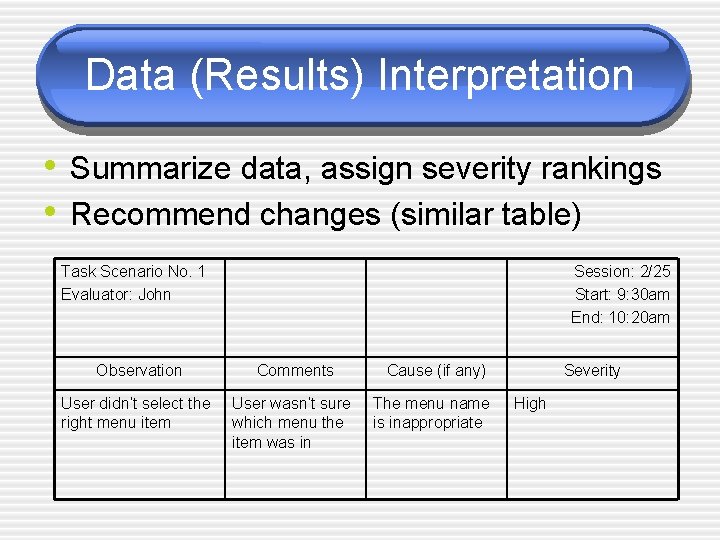
Data (Results) Interpretation • Summarize data, assign severity rankings • Recommend changes (similar table) Task Scenario No. 1 Evaluator: John Session: 2/25 Start: 9: 30 am End: 10: 20 am Observation Comments User didn’t select the right menu item User wasn’t sure which menu the item was in Cause (if any) The menu name is inappropriate Severity High
Write it up • Academic paper: § § § § abstract introduction background methodology results discussion conclusions & future work
- Slides: 15