
Chapter 2 Variables Learning Java through Alice Daly
Chapter 2 Variables
Learning Java through Alice © Daly and Wrigley Objectives • Describe the term variable. • Create valid variable names by following Java’s syntactical and stylistic rules. • Name and describe each of the primitive types used in the Java language. • Declare and assign values to variables. • Use comments, strings, and statements properly in coding. • Describe string concatenation. • Use escape codes to format output. 2
Learning Java through Alice © Daly and Wrigley Objectives Continued • List the rules of precedence in order. • Apply precedence rules to solve arithmetic Java statements. • Solve arithmetic Java statements that include a mixture of the 5 arithmetic operators. • Match shorthand assignment operators with their equivalent longhand notations. • Apply casting rules to coding situations. 3
Learning Java through Alice © Daly and Wrigley Java Variables • Constant Data – cannot be changed after the program compiles • Variable Data - might change after the program compiles ▫ Variables are locations in memory in which values can be stored. ▫ Variables have a type, name, and a value. 4
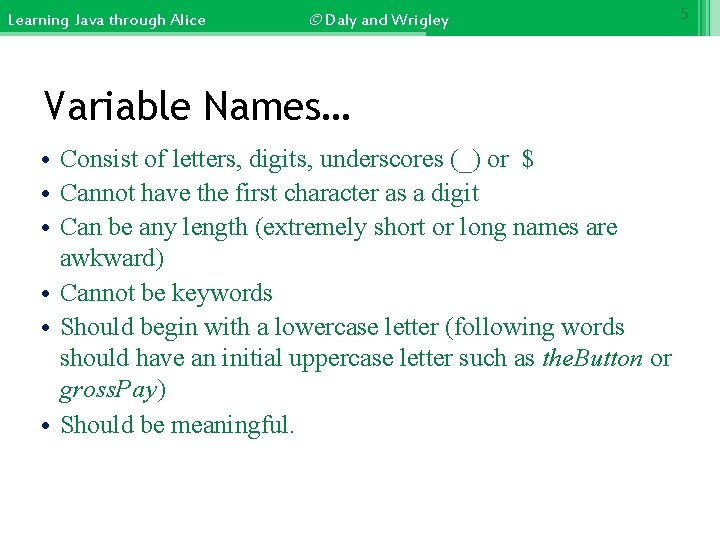
Learning Java through Alice © Daly and Wrigley Variable Names… • Consist of letters, digits, underscores (_) or $ • Cannot have the first character as a digit • Can be any length (extremely short or long names are awkward) • Cannot be keywords • Should begin with a lowercase letter (following words should have an initial uppercase letter such as the. Button or gross. Pay) • Should be meaningful. 5
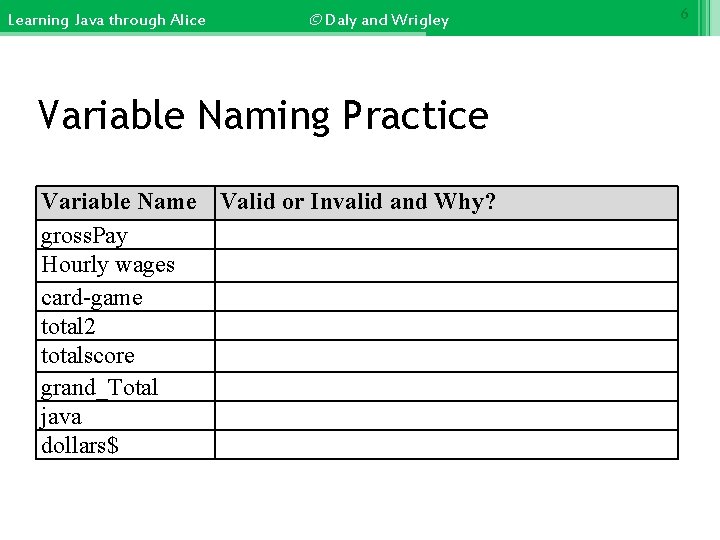
Learning Java through Alice © Daly and Wrigley Variable Naming Practice Variable Name Valid or Invalid and Why? gross. Pay Hourly wages card-game total 2 totalscore grand_Total java dollars$ 6
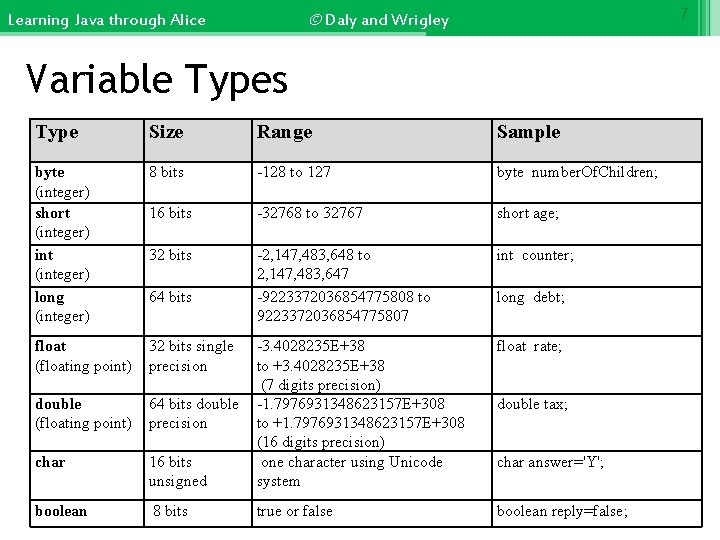
7 © Daly and Wrigley Learning Java through Alice Variable Types Type Size Range Sample byte (integer) short (integer) int (integer) long (integer) 8 bits -128 to 127 byte number. Of. Children; 16 bits -32768 to 32767 short age; 32 bits -2, 147, 483, 648 to 2, 147, 483, 647 -9223372036854775808 to 9223372036854775807 int counter; float (floating point) 32 bits single precision float rate; double (floating point) 64 bits double precision char 16 bits unsigned -3. 4028235 E+38 to +3. 4028235 E+38 (7 digits precision) -1. 7976931348623157 E+308 to +1. 7976931348623157 E+308 (16 digits precision) one character using Unicode system boolean 8 bits true or false boolean reply=false; 64 bits long debt; double tax; char answer='Y';

Learning Java through Alice © Daly and Wrigley 8 Declaring Variables • Must be declared before they can be used. • Should only be declared once in a program. • Are usually declared at the beginning of a class. ▫ Example: int number; • You can declare multiple variable names of same type by separating with commas. ▫ Example: int x, y, z;
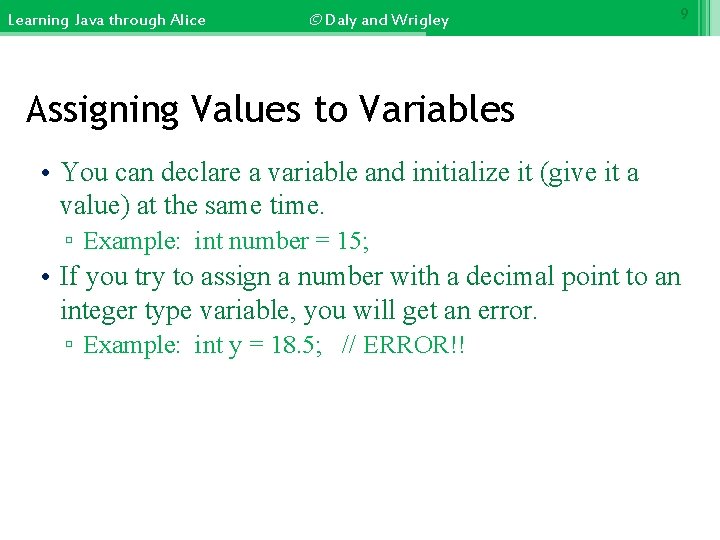
Learning Java through Alice © Daly and Wrigley 9 Assigning Values to Variables • You can declare a variable and initialize it (give it a value) at the same time. ▫ Example: int number = 15; • If you try to assign a number with a decimal point to an integer type variable, you will get an error. ▫ Example: int y = 18. 5; // ERROR!!
Learning Java through Alice © Daly and Wrigley 10 Assigning Values to Variables Continued… • By default, whole numbers are of type int and decimal point numbers are of type double. • If you declare a variable with a type other than int or double, you will need to attach a letter to the numeric constant or you will get an error. Example: If you declare the variable "a" to be a float and want to assign it the value of 100. 98 you would need to write it as: float a = 100. 98 F; OR float a = 100. 98 f;
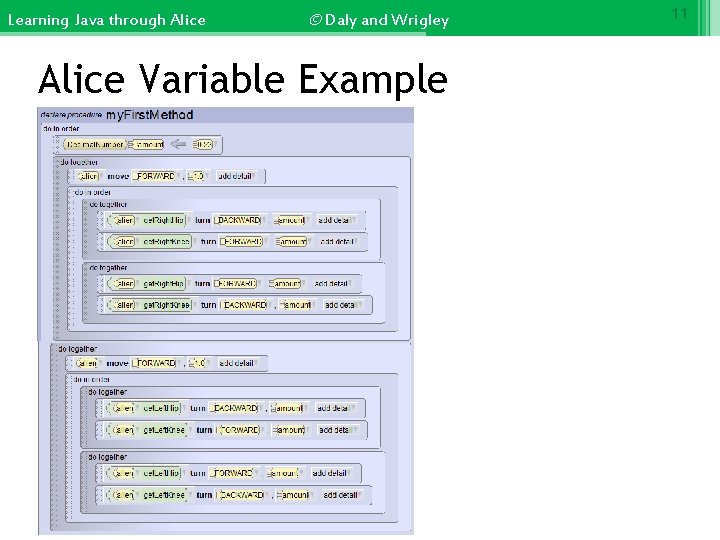
Learning Java through Alice © Daly and Wrigley Alice Variable Example 11
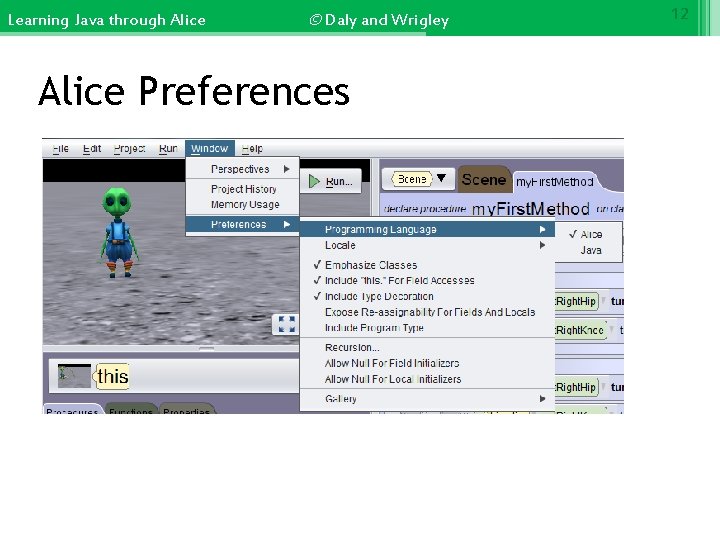
Learning Java through Alice © Daly and Wrigley Alice Preferences 12
Learning Java through Alice © Daly and Wrigley Statements • Statements are the simplest thing you can do in Java. ▫ Forms a single Java operation. ▫ Generally ends with a semicolon. ▫ Block of statements are surrounded by curly braces { }. ▫ Samples : int i; //declares variable i to be integer i = a + 1; // this is an arithmetic statement System. out. println ("Hello World"); // this is a print statement 13
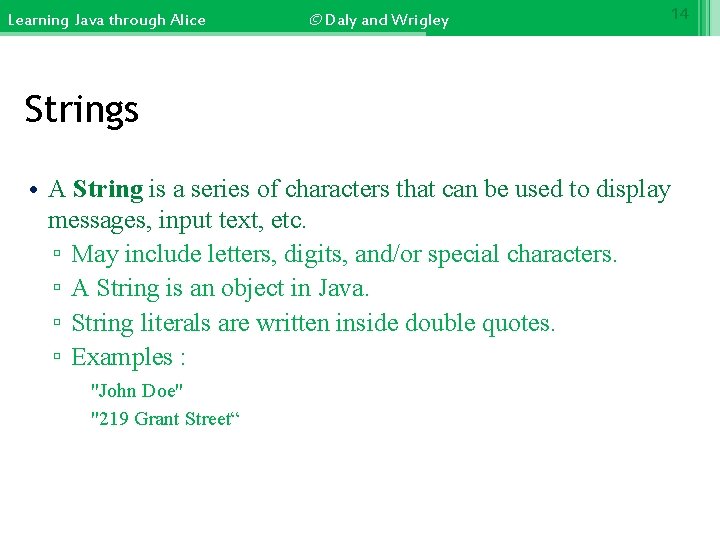
Learning Java through Alice © Daly and Wrigley 14 Strings • A String is a series of characters that can be used to display messages, input text, etc. ▫ May include letters, digits, and/or special characters. ▫ A String is an object in Java. ▫ String literals are written inside double quotes. ▫ Examples : "John Doe" "219 Grant Street“
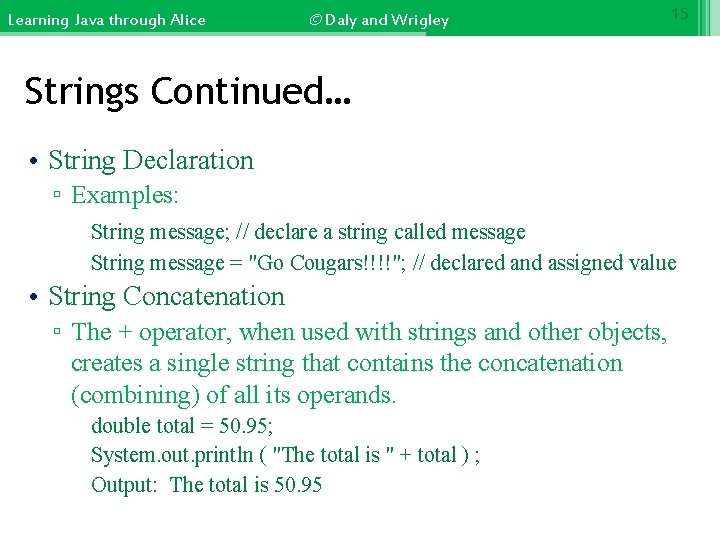
Learning Java through Alice © Daly and Wrigley 15 Strings Continued… • String Declaration ▫ Examples: String message; // declare a string called message String message = "Go Cougars!!!!"; // declared and assigned value • String Concatenation ▫ The + operator, when used with strings and other objects, creates a single string that contains the concatenation (combining) of all its operands. double total = 50. 95; System. out. println ( "The total is " + total ) ; Output: The total is 50. 95
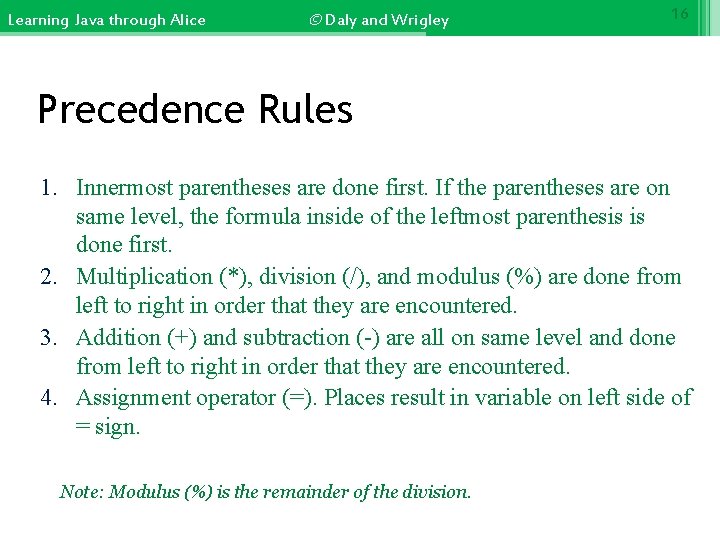
Learning Java through Alice © Daly and Wrigley 16 Precedence Rules 1. Innermost parentheses are done first. If the parentheses are on same level, the formula inside of the leftmost parenthesis is done first. 2. Multiplication (*), division (/), and modulus (%) are done from left to right in order that they are encountered. 3. Addition (+) and subtraction (-) are all on same level and done from left to right in order that they are encountered. 4. Assignment operator (=). Places result in variable on left side of = sign. Note: Modulus (%) is the remainder of the division.
Learning Java through Alice Practice © Daly and Wrigley 17
Learning Java through Alice © Daly and Wrigley Integer Division • When dividing two integers: ▫ the quotient is an integer ▫ the remainder is truncated • Dividing by zero creates a run-time error 18
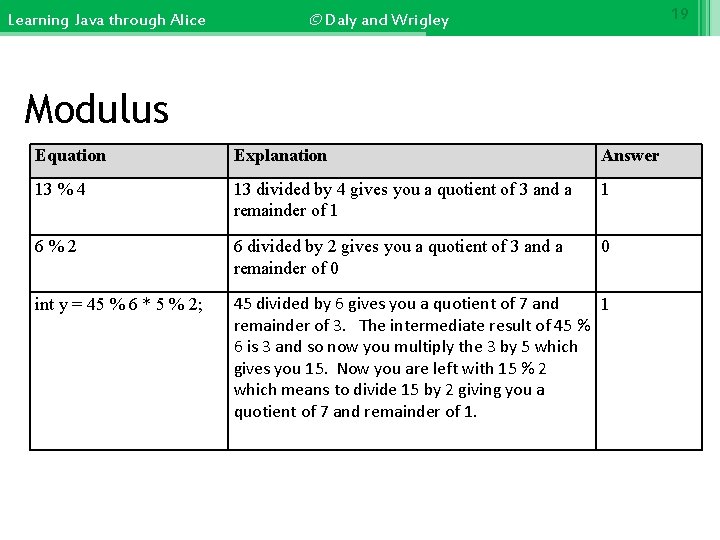
Learning Java through Alice 19 © Daly and Wrigley Modulus Equation Explanation Answer 13 % 4 13 divided by 4 gives you a quotient of 3 and a remainder of 1 1 6%2 6 divided by 2 gives you a quotient of 3 and a remainder of 0 0 int y = 45 % 6 * 5 % 2; 45 divided by 6 gives you a quotient of 7 and 1 remainder of 3. The intermediate result of 45 % 6 is 3 and so now you multiply the 3 by 5 which gives you 15. Now you are left with 15 % 2 which means to divide 15 by 2 giving you a quotient of 7 and remainder of 1.
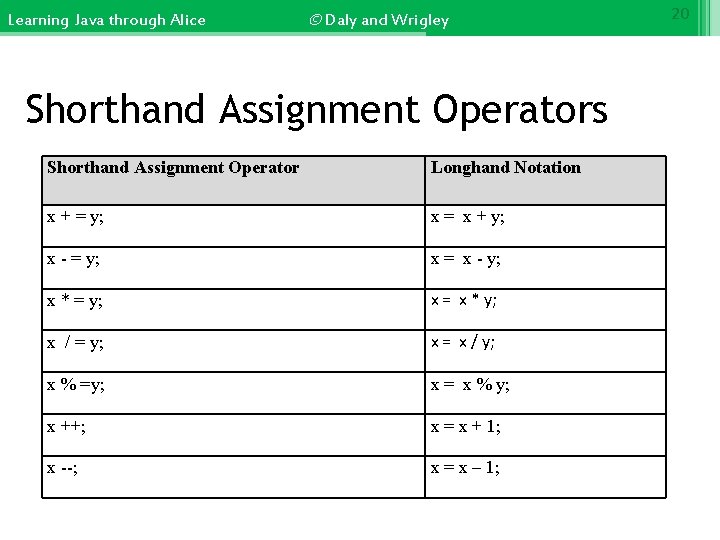
Learning Java through Alice © Daly and Wrigley Shorthand Assignment Operators Shorthand Assignment Operator Longhand Notation x + = y; x = x + y; x - = y; x = x - y; x * = y; x = x * y; x / = y; x = x / y; x % =y; x = x % y; x ++; x = x + 1; x --; x = x – 1; 20
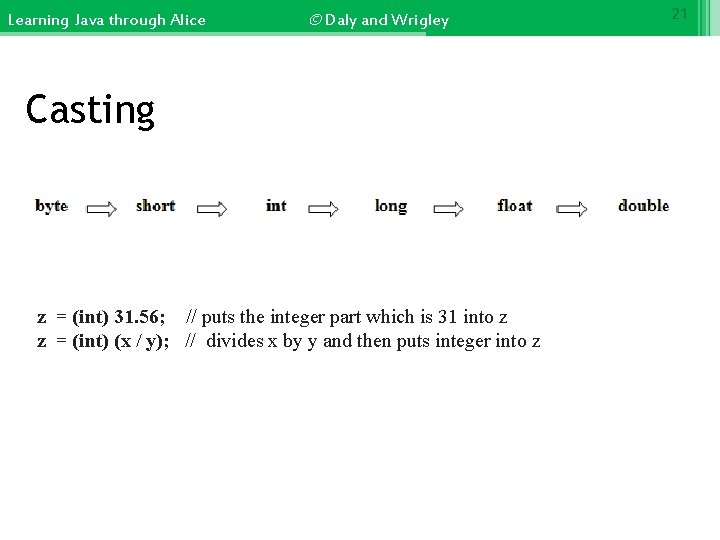
Learning Java through Alice © Daly and Wrigley Casting z = (int) 31. 56; // puts the integer part which is 31 into z z = (int) (x / y); // divides x by y and then puts integer into z part of answer in z 21
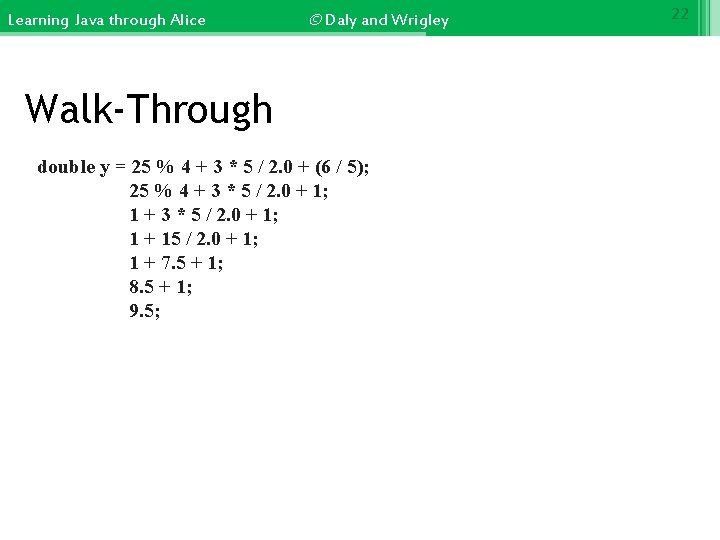
Learning Java through Alice © Daly and Wrigley Walk-Through double y = 25 % 4 + 3 * 5 / 2. 0 + (6 / 5); 25 % 4 + 3 * 5 / 2. 0 + 1; 1 + 15 / 2. 0 + 1; 1 + 7. 5 + 1; 8. 5 + 1; 9. 5; 22
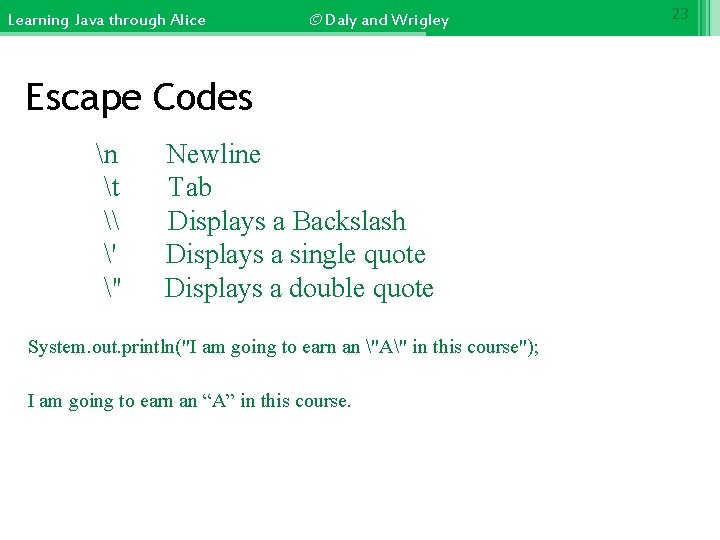
Learning Java through Alice © Daly and Wrigley Escape Codes n t \ ' " Newline Tab Displays a Backslash Displays a single quote Displays a double quote System. out. println("I am going to earn an "A" in this course"); I am going to earn an “A” in this course. 23
- Slides: 23