
Chapter 2 User Management CSNB 113 SYSTEM ADMINISTRATION
Chapter 2 User Management CSNB 113 SYSTEM ADMINISTRATION College of Information Technology Universiti Tenaga Nasional (UNITEN)
Objectives Examine /etc/group and /etc/passwd Create, modify, and delete user accounts with useradd, usermod, and userdel SN 2014
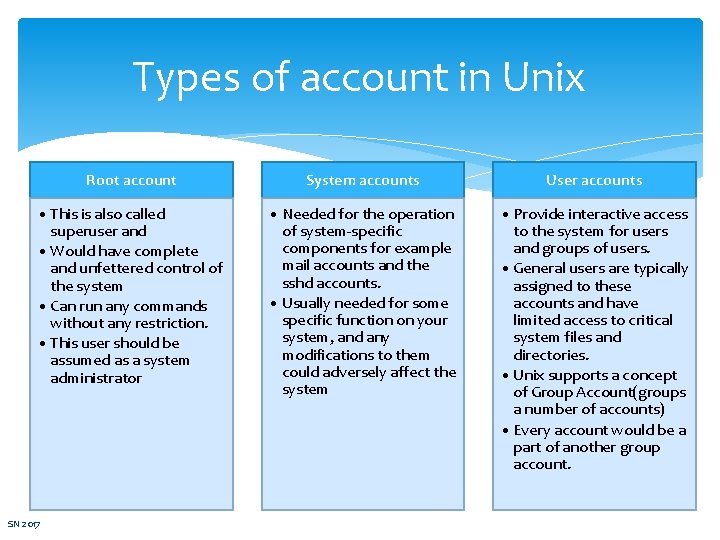
Types of account in Unix Root account System accounts User accounts • This is also called superuser and • Would have complete and unfettered control of the system • Can run any commands without any restriction. • This user should be assumed as a system administrator • Needed for the operation of system-specific components for example mail accounts and the sshd accounts. • Usually needed for some specific function on your system, and any modifications to them could adversely affect the system • Provide interactive access to the system for users and groups of users. • General users are typically assigned to these accounts and have limited access to critical system files and directories. • Unix supports a concept of Group Account(groups a number of accounts) • Every account would be a part of another group account. SN 2017
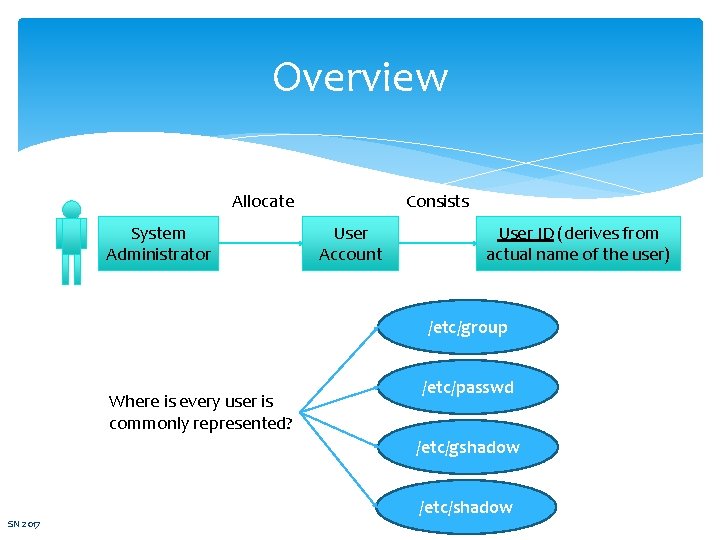
Overview Allocate System Administrator Consists User Account User ID (derives from actual name of the user) /etc/group Where is every user is commonly represented? /etc/passwd /etc/gshadow SN 2017 /etc/shadow
/etc/group Contains the group information for each account Group database is maintained in /etc/group Contains GID; number and name A group compromises one or more members having a separate set of privileges A user has one primary group, AND may have one or more supplementary group All the default groups are system account specific groups and it is not recommended to use them for ordinary accounts SN 2017
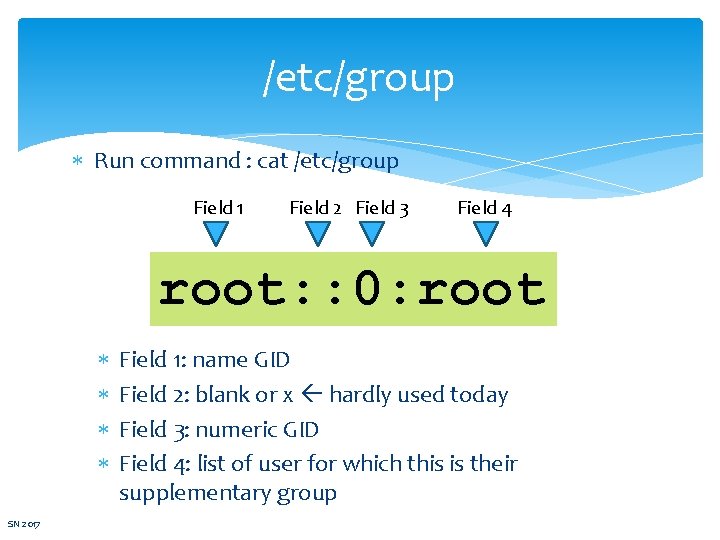
/etc/group Run command : cat /etc/group Field 1 Field 2 Field 3 Field 4 root: : 0: root SN 2017 Field 1: name GID Field 2: blank or x hardly used today Field 3: numeric GID Field 4: list of user for which this is their supplementary group
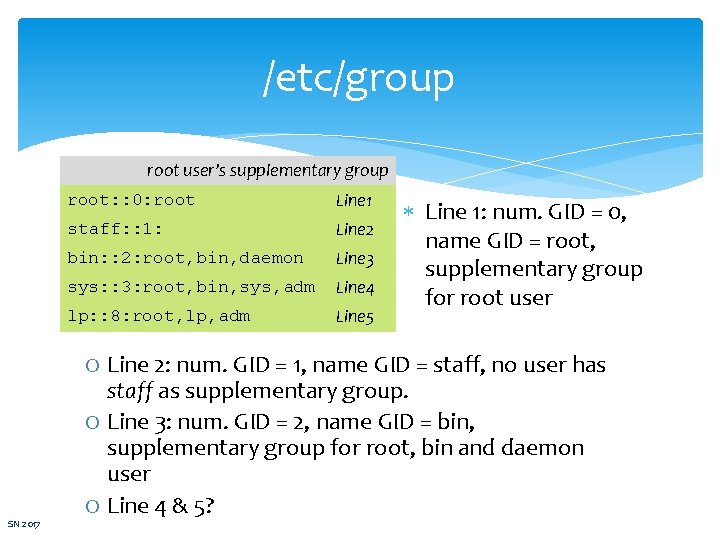
/etc/group root user’s supplementary group root: : 0: root Line 1 staff: : 1: Line 2 bin: : 2: root, bin, daemon Line 3 sys: : 3: root, bin, sys, adm Line 4 lp: : 8: root, lp, adm Line 5 Line 1: num. GID = 0, name GID = root, supplementary group for root user O Line 2: num. GID = 1, name GID = staff, no user has SN 2017 staff as supplementary group. O Line 3: num. GID = 2, name GID = bin, supplementary group for root, bin and daemon user O Line 4 & 5?
/etc/shadow & /etc/gshadow /etc/shadow − Holds the encrypted password of the corresponding account. Not all the systems support this file. /etc/gshadow − This file contains secure group account information. SN 2017
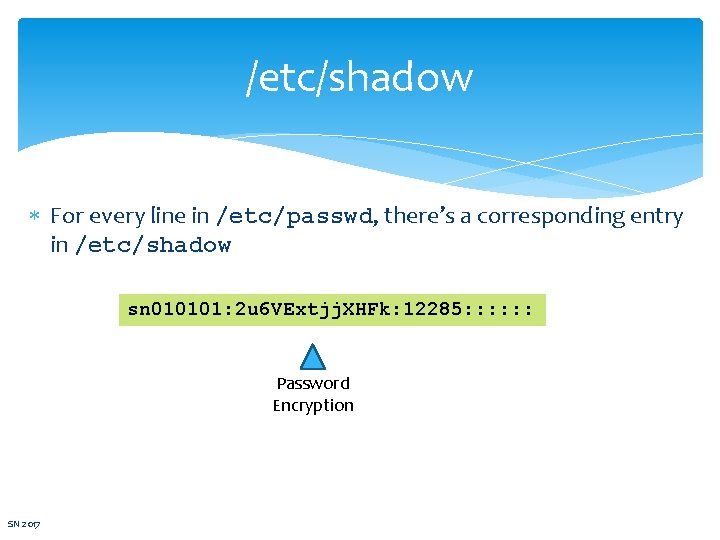
/etc/shadow For every line in /etc/passwd, there’s a corresponding entry in /etc/shadow sn 010101: 2 u 6 VExtjj. XHFk: 12285: : : Password Encryption SN 2017
/etc/passwd Store all user information except password encryption /etc/passwd and /etc/shadow – use by login and passwd programs – for login authentication SN 2017
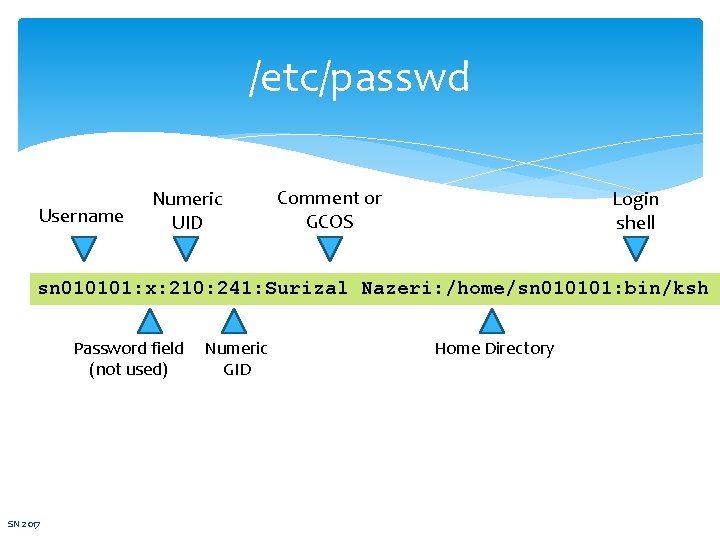
/etc/passwd Username Numeric UID Comment or GCOS Login shell sn 010101: x: 210: 241: Surizal Nazeri: /home/sn 010101: bin/ksh Password field (not used) SN 2017 Numeric GID Home Directory
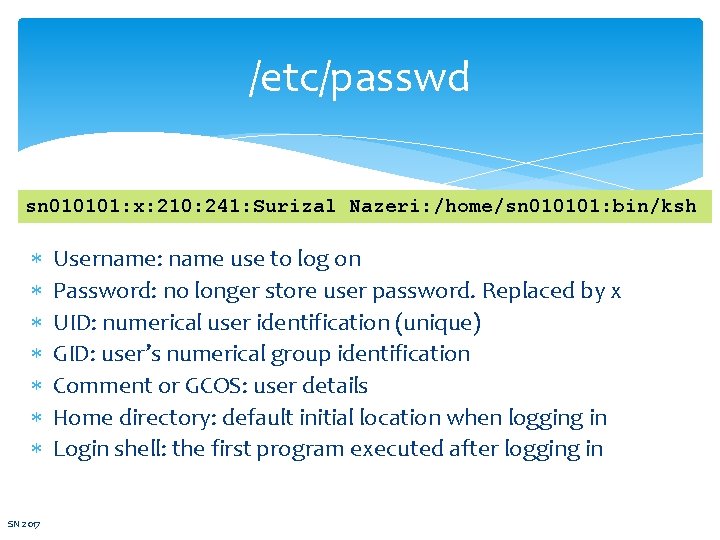
/etc/passwd sn 010101: x: 210: 241: Surizal Nazeri: /home/sn 010101: bin/ksh SN 2017 Username: name use to log on Password: no longer store user password. Replaced by x UID: numerical user identification (unique) GID: user’s numerical group identification Comment or GCOS: user details Home directory: default initial location when logging in Login shell: the first program executed after logging in

Adding a User useradd command: add user to the system Also creates user’s mailbox – set MAIL variable to point to /var/mail or /var/spool/mail # useradd –u 210 –g dba –c “Surizal Nazeri” –d /home/sn 010101 –s /bin/ksh –m sn 010101 Options: -u: UID -g: GID -c: Comment or GCOS SN 2017 -d: default initial location when logging in -s: Login shell -m: ensure create home directory
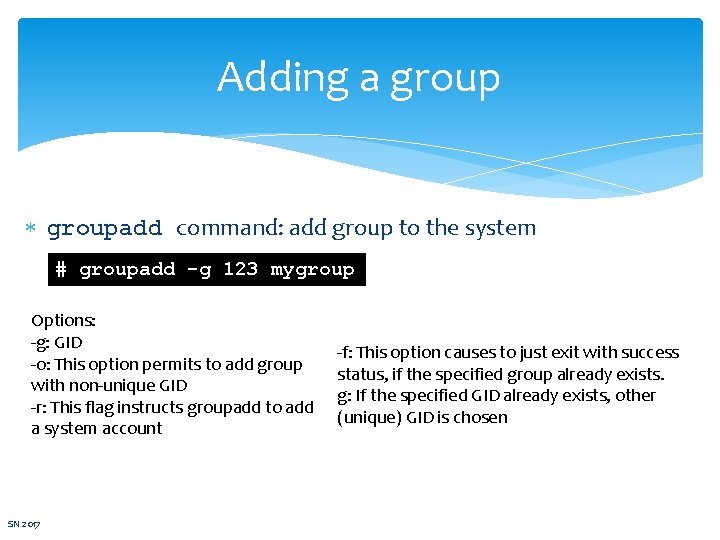
Adding a groupadd command: add group to the system # groupadd -g 123 mygroup Options: -g: GID -o: This option permits to add group with non-unique GID -r: This flag instructs groupadd to add a system account SN 2017 -f: This option causes to just exit with success status, if the specified group already exists. g: If the specified GID already exists, other (unique) GID is chosen
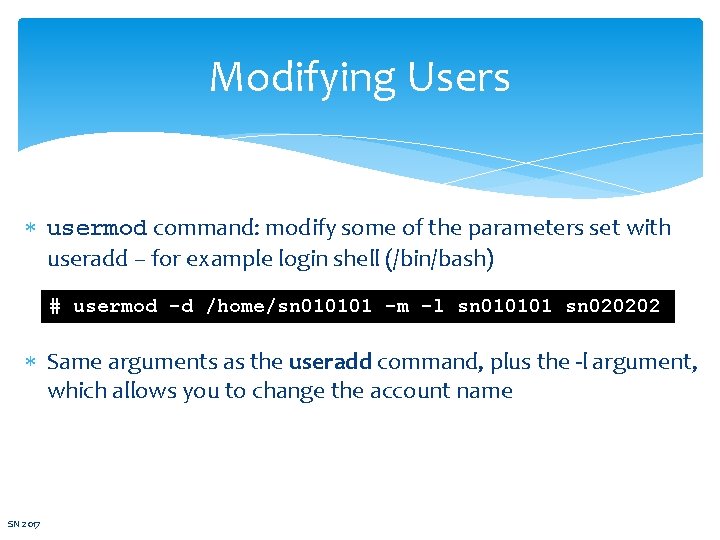
Modifying Users usermod command: modify some of the parameters set with useradd – for example login shell (/bin/bash) # usermod -d /home/sn 010101 -m -l sn 010101 sn 020202 Same arguments as the useradd command, plus the -l argument, which allows you to change the account name SN 2017
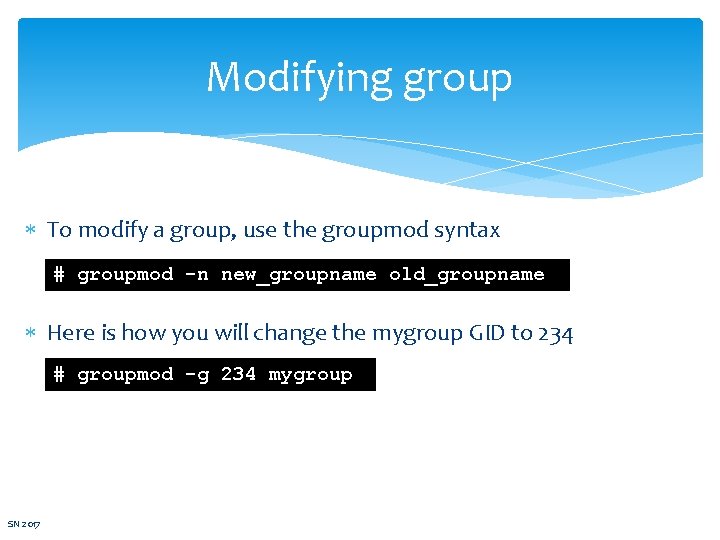
Modifying group To modify a group, use the groupmod syntax # groupmod -n new_groupname old_groupname Here is how you will change the mygroup GID to 234 # groupmod -g 234 mygroup SN 2017
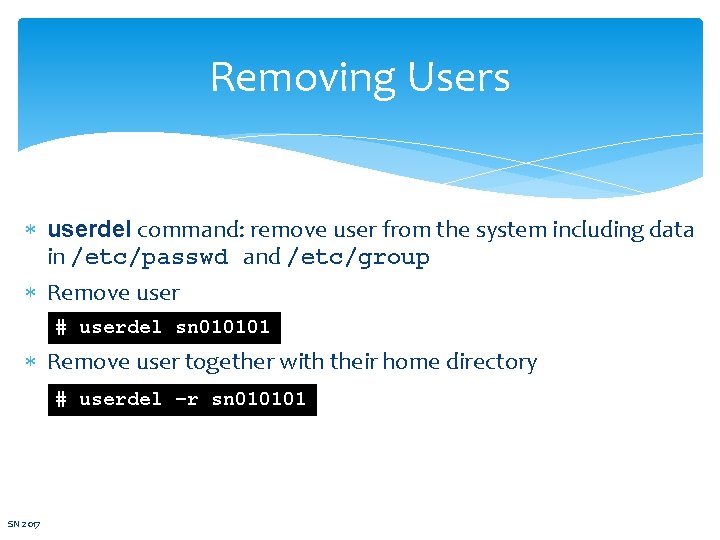
Removing Users userdel command: remove user from the system including data in /etc/passwd and /etc/group Remove user # userdel sn 010101 Remove user together with their home directory # userdel –r sn 010101 SN 2017
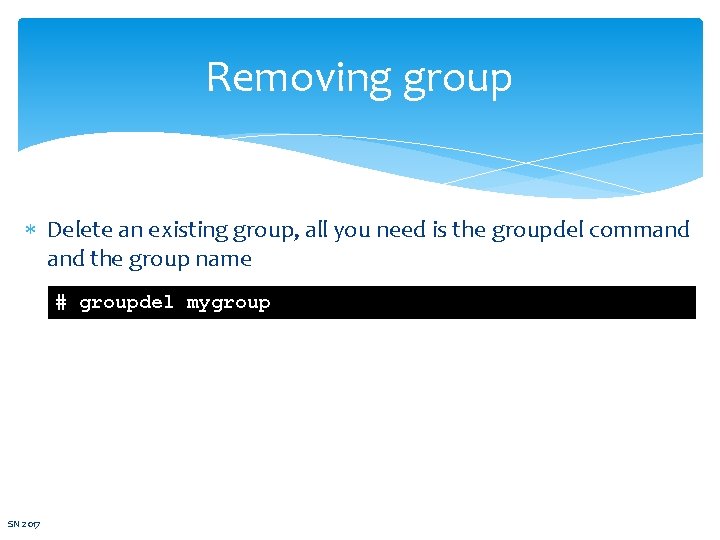
Removing group Delete an existing group, all you need is the groupdel command the group name # groupdel mygroup SN 2017
References 1. Das, S. (2012). Your UNIX/LINUX The Ultimate Guide: Third Edition. Mc. Graw-Hill 2. Hahn, H. (2008). Harley Hahn's Guide to Unix and Linux. California: Mc. Graw-Hill Higher Education SN 2017
- Slides: 19