
Chapter 2 The Client Side HTML CIS 275Web

Chapter 2: The Client Side: HTML CIS 275—Web Application Development for Business I
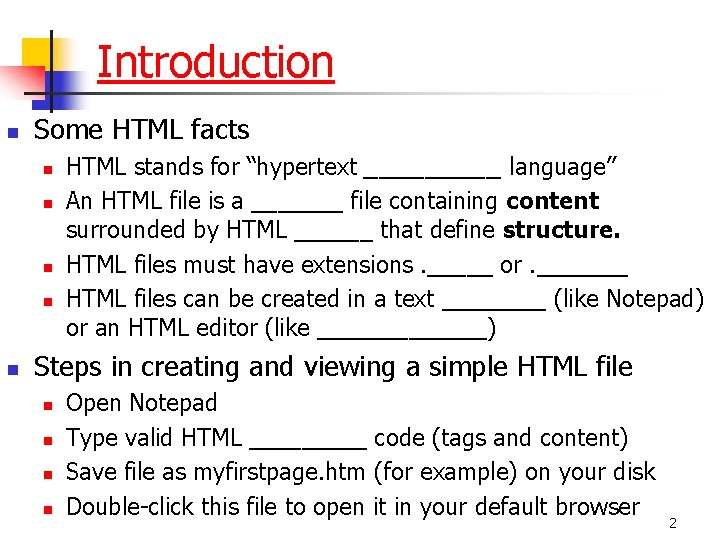
Introduction n Some HTML facts n n n HTML stands for “hypertext _____ language” An HTML file is a _______ file containing content surrounded by HTML ______ that define structure. HTML files must have extensions. _____ or. _______ HTML files can be created in a text ____ (like Notepad) or an HTML editor (like _______) Steps in creating and viewing a simple HTML file n n Open Notepad Type valid HTML _____ code (tags and content) Save file as myfirstpage. htm (for example) on your disk Double-click this file to open it in your default browser 2
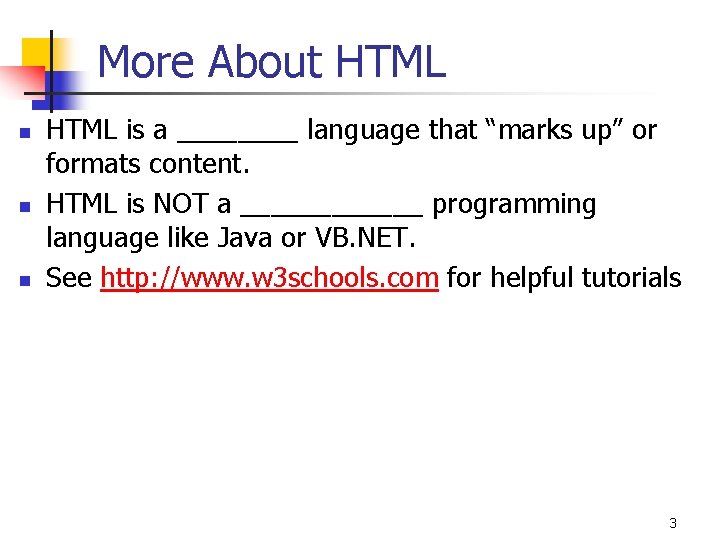
More About HTML n n n HTML is a ____ language that “marks up” or formats content. HTML is NOT a ______ programming language like Java or VB. NET. See http: //www. w 3 schools. com for helpful tutorials 3
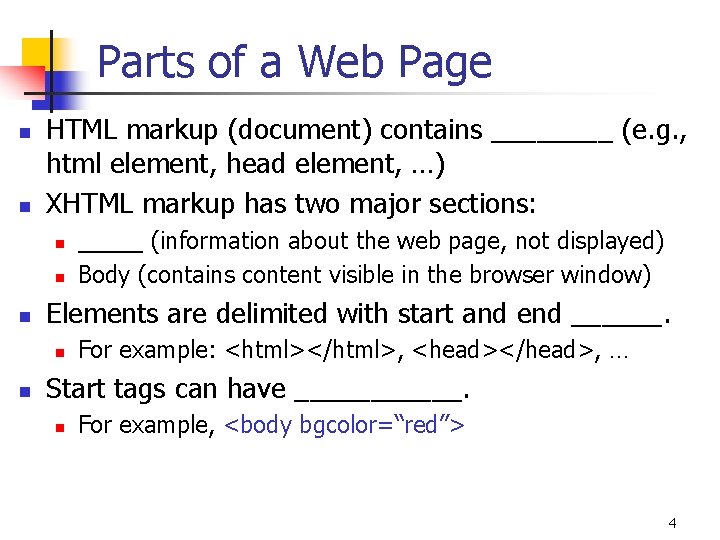
Parts of a Web Page n n HTML markup (document) contains ____ (e. g. , html element, head element, …) XHTML markup has two major sections: n n n Elements are delimited with start and end ______. n n _____ (information about the web page, not displayed) Body (contains content visible in the browser window) For example: <html></html>, <head></head>, … Start tags can have ______. n For example, <body bgcolor=“red”> 4
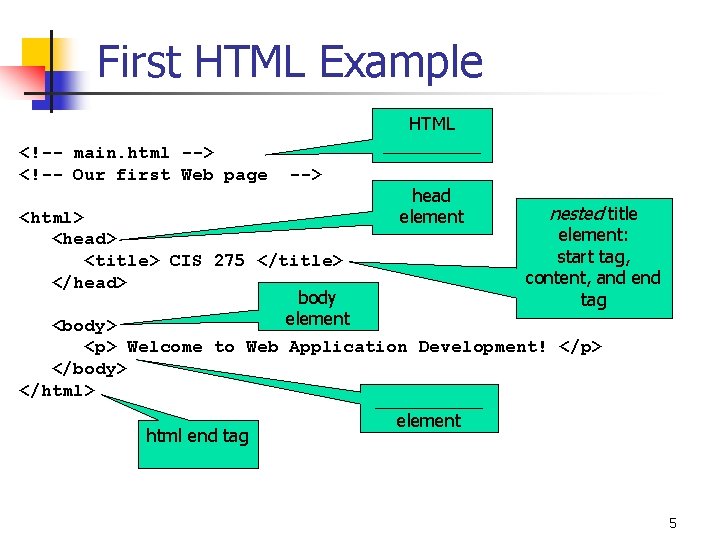
First HTML Example <!-- main. html --> <!-- Our first Web page HTML _____ --> <html> <head> <title> CIS 275 </title> </head> body element <body> head element nested title element: start tag, content, and end tag <p> Welcome to Web Application Development! </p> </body> </html> ______ element html end tag 5
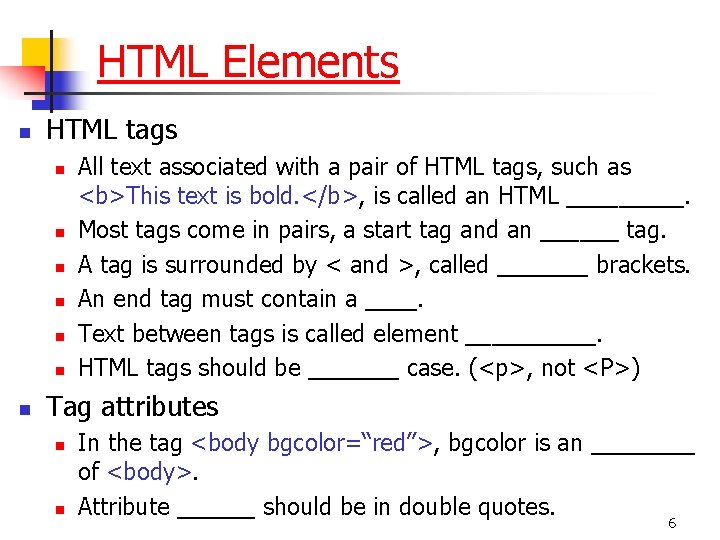
HTML Elements n HTML tags n n n n All text associated with a pair of HTML tags, such as <b>This text is bold. </b>, is called an HTML _____. Most tags come in pairs, a start tag and an ______ tag. A tag is surrounded by < and >, called _______ brackets. An end tag must contain a ____. Text between tags is called element _____. HTML tags should be _______ case. (<p>, not <P>) Tag attributes n n In the tag <body bgcolor=“red”>, bgcolor is an ____ of <body>. Attribute ______ should be in double quotes. 6
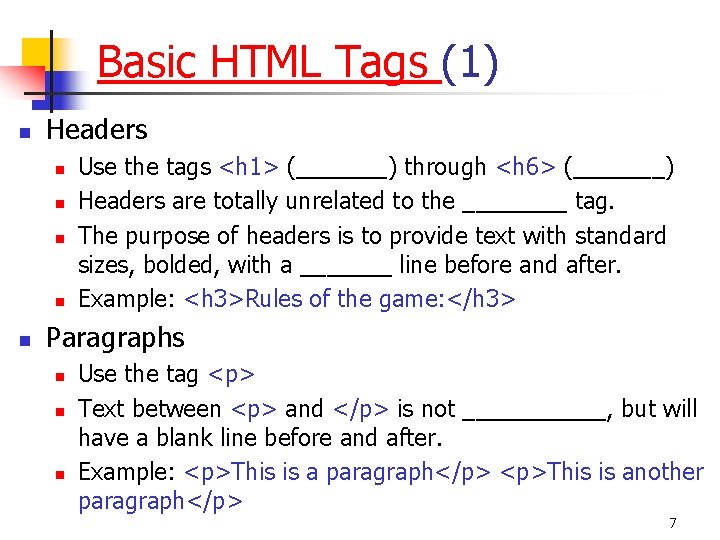
Basic HTML Tags (1) n Headers n n n Use the tags <h 1> (_______) through <h 6> (_______) Headers are totally unrelated to the ____ tag. The purpose of headers is to provide text with standard sizes, bolded, with a _______ line before and after. Example: <h 3>Rules of the game: </h 3> Paragraphs n n n Use the tag <p> Text between <p> and </p> is not ______, but will have a blank line before and after. Example: <p>This is a paragraph</p> <p>This is another paragraph</p> 7
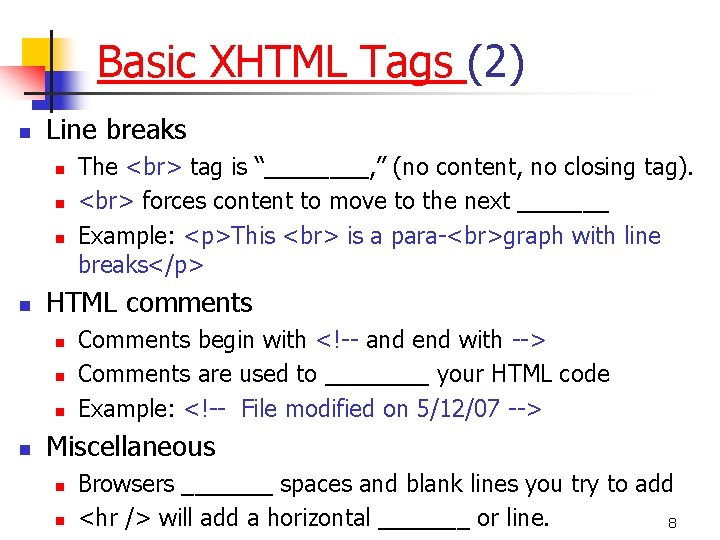
Basic XHTML Tags (2) n Line breaks n n HTML comments n n The tag is “____, ” (no content, no closing tag). forces content to move to the next _______ Example: <p>This is a para- graph with line breaks</p> Comments begin with <!-- and end with --> Comments are used to ____ your HTML code Example: <!-- File modified on 5/12/07 --> Miscellaneous n n Browsers _______ spaces and blank lines you try to add <hr /> will add a horizontal _______ or line. 8
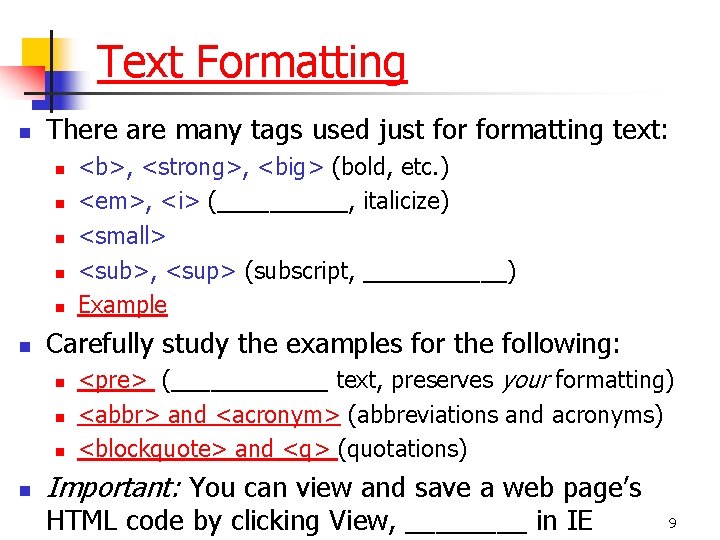
Text Formatting n There are many tags used just formatting text: n n n Carefully study the examples for the following: n n <b>, <strong>, <big> (bold, etc. ) <em>, <i> (_____, italicize) <small> <sub>, <sup> (subscript, ______) Example <pre> (______ text, preserves your formatting) <abbr> and <acronym> (abbreviations and acronyms) <blockquote> and <q> (quotations) Important: You can view and save a web page’s HTML code by clicking View, ____ in IE 9
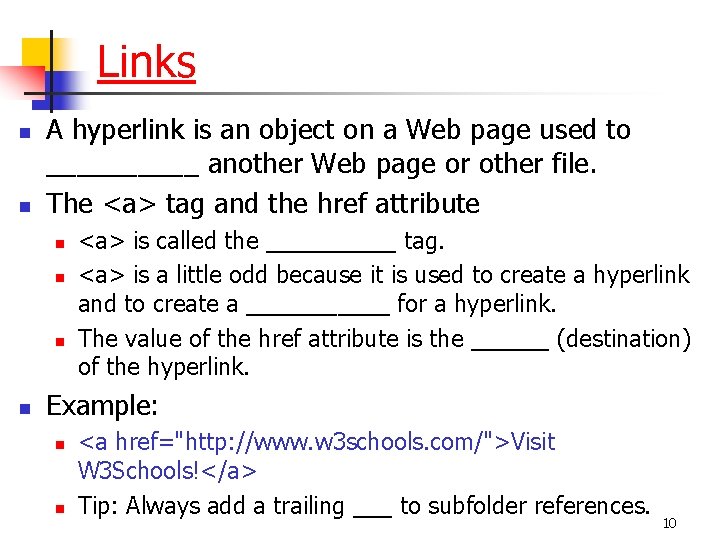
Links n n A hyperlink is an object on a Web page used to _____ another Web page or other file. The <a> tag and the href attribute n n <a> is called the _____ tag. <a> is a little odd because it is used to create a hyperlink and to create a ______ for a hyperlink. The value of the href attribute is the ______ (destination) of the hyperlink. Example: n n <a href="http: //www. w 3 schools. com/">Visit W 3 Schools!</a> Tip: Always add a trailing ___ to subfolder references. 10
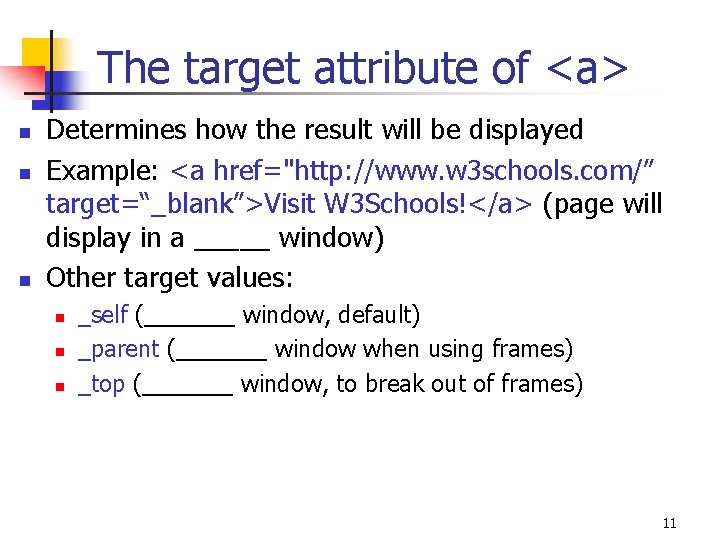
The target attribute of <a> n n n Determines how the result will be displayed Example: <a href="http: //www. w 3 schools. com/” target=“_blank”>Visit W 3 Schools!</a> (page will display in a _____ window) Other target values: n n n _self (_______ window, default) _parent (_______ window when using frames) _top (_______ window, to break out of frames) 11
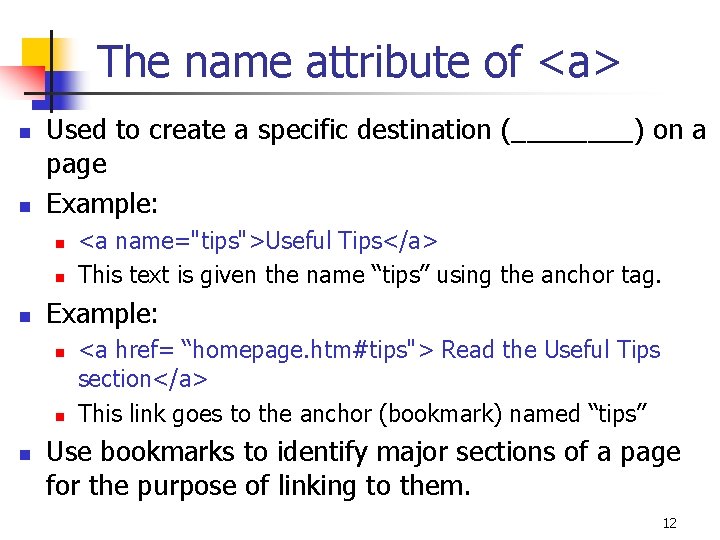
The name attribute of <a> n n Used to create a specific destination (____) on a page Example: n n n <a name="tips">Useful Tips</a> This text is given the name “tips” using the anchor tag. <a href= “homepage. htm#tips"> Read the Useful Tips section</a> This link goes to the anchor (bookmark) named “tips” Use bookmarks to identify major sections of a page for the purpose of linking to them. 12
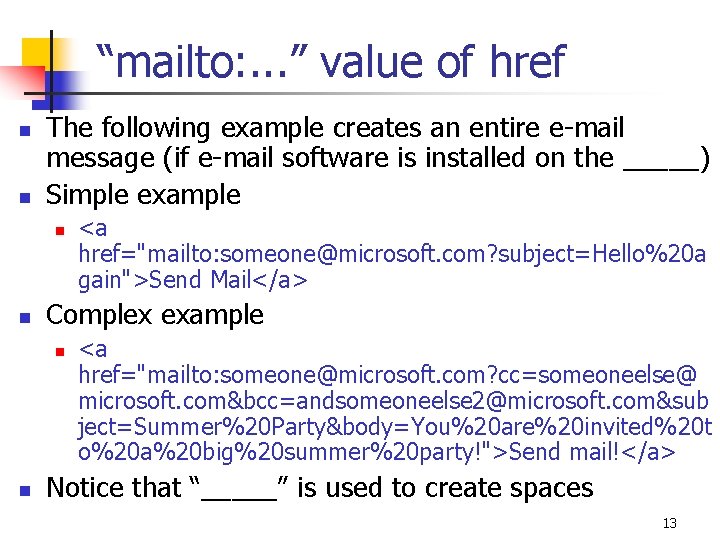
“mailto: . . . ” value of href n n The following example creates an entire e-mail message (if e-mail software is installed on the _____) Simple example n n Complex example n n <a href="mailto: someone@microsoft. com? subject=Hello%20 a gain">Send Mail</a> <a href="mailto: someone@microsoft. com? cc=someoneelse@ microsoft. com&bcc=andsomeoneelse 2@microsoft. com&sub ject=Summer%20 Party&body=You%20 are%20 invited%20 t o%20 a%20 big%20 summer%20 party!">Send mail!</a> Notice that “_____” is used to create spaces 13
Images n n n Images are added to web pages with the _____ tag. The key attribute of the <img> tag is _____, which specifies the ______ of the graphics file. The _____ attribute specifies the alternative text that appears when the pointer is positioned over a pic. Images take time to load, so use them carefully. Other information about images: n n You can use the background attribute of the <body> tag <img> has attributes align, height, width Place the <img> tag between <a></a> to make it a link Check the examples for more information. 14
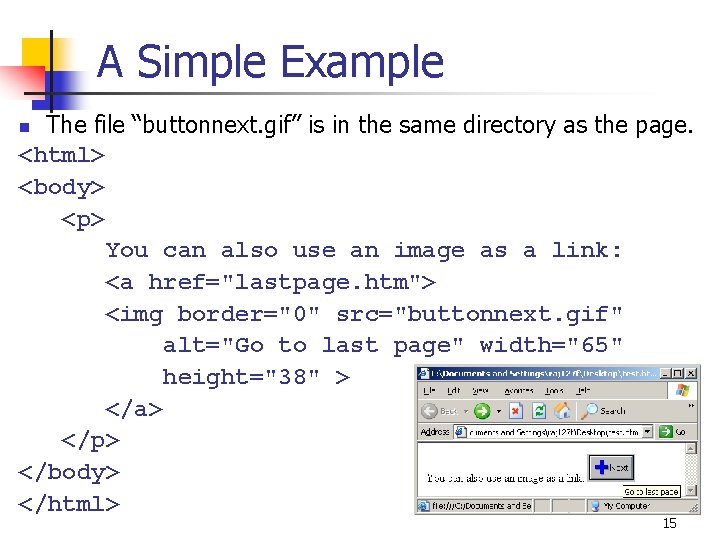
A Simple Example The file “buttonnext. gif” is in the same directory as the page. <html> <body> <p> You can also use an image as a link: <a href="lastpage. htm"> <img border="0" src="buttonnext. gif" alt="Go to last page" width="65" height="38" > </a> </p> </body> </html> n 15
Character Entities n n n Certain characters (such as <) have special meaning in an HTML document and cannot be used as _____. Other characters don’t exist on the _____. In either case, a character _______ must be used instead. E. g. , a < must be written as _____ or < . The most common character entity is the nonbreaking ______ ( ), used to create spaces in an HTML document. (You could use the _____ tag. ) You can experiment using this example. 16
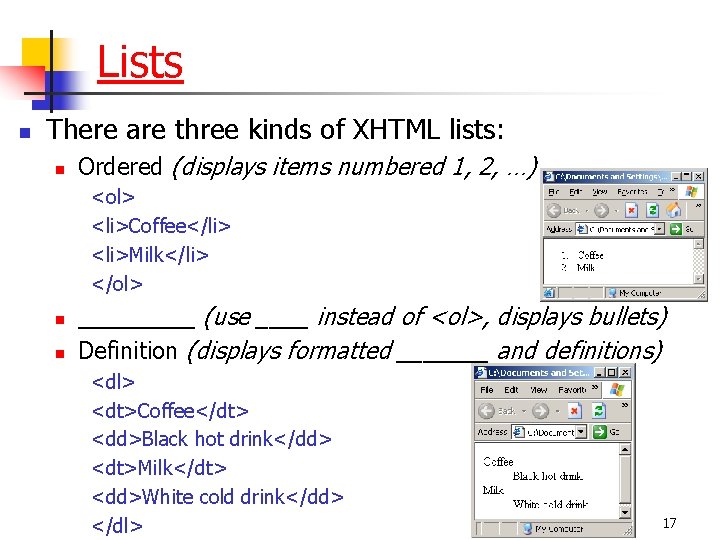
Lists n There are three kinds of XHTML lists: n Ordered (displays items numbered 1, 2, …) <ol> <li>Coffee</li> <li>Milk</li> </ol> n n _____ (use ____ instead of <ol>, displays bullets) Definition (displays formatted _______ and definitions) <dl> <dt>Coffee</dt> <dd>Black hot drink</dd> <dt>Milk</dt> <dd>White cold drink</dd> </dl> 17
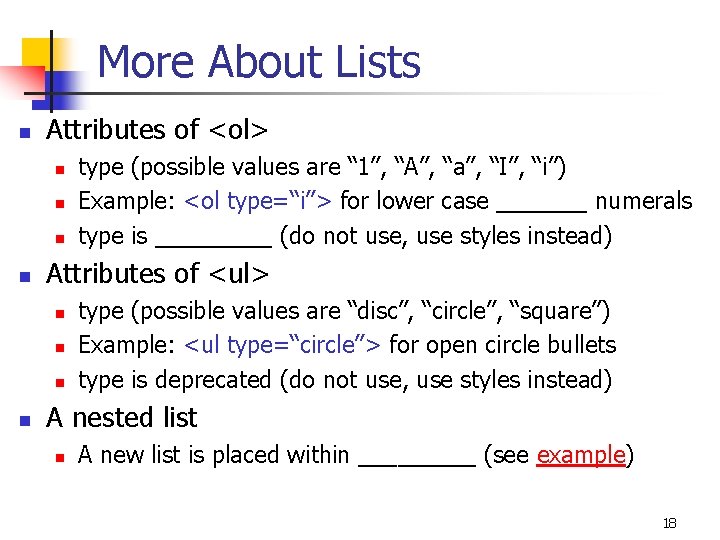
More About Lists n Attributes of <ol> n n Attributes of <ul> n n type (possible values are “ 1”, “A”, “a”, “I”, “i”) Example: <ol type=“i”> for lower case _______ numerals type is _____ (do not use, use styles instead) type (possible values are “disc”, “circle”, “square”) Example: <ul type=“circle”> for open circle bullets type is deprecated (do not use, use styles instead) A nested list n A new list is placed within _____ (see example) 18
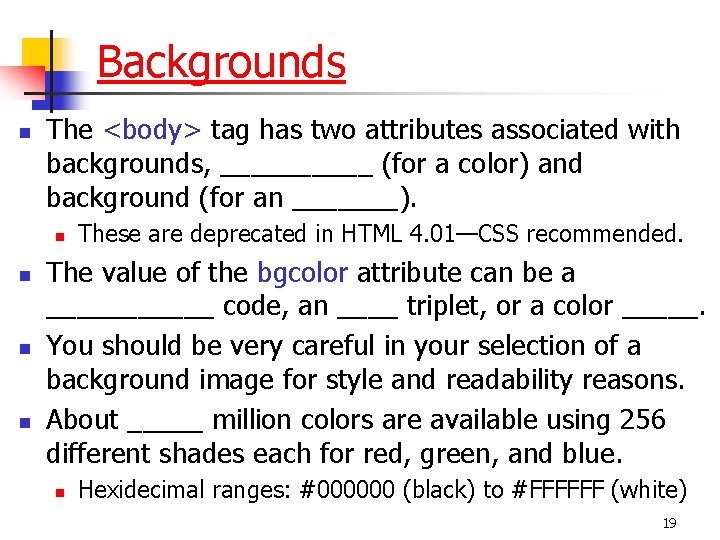
Backgrounds n The <body> tag has two attributes associated with backgrounds, _____ (for a color) and background (for an _______). n n These are deprecated in HTML 4. 01—CSS recommended. The value of the bgcolor attribute can be a ______ code, an ____ triplet, or a color _____. You should be very careful in your selection of a background image for style and readability reasons. About _____ million colors are available using 256 different shades each for red, green, and blue. n Hexidecimal ranges: #000000 (black) to #FFFFFF (white) 19
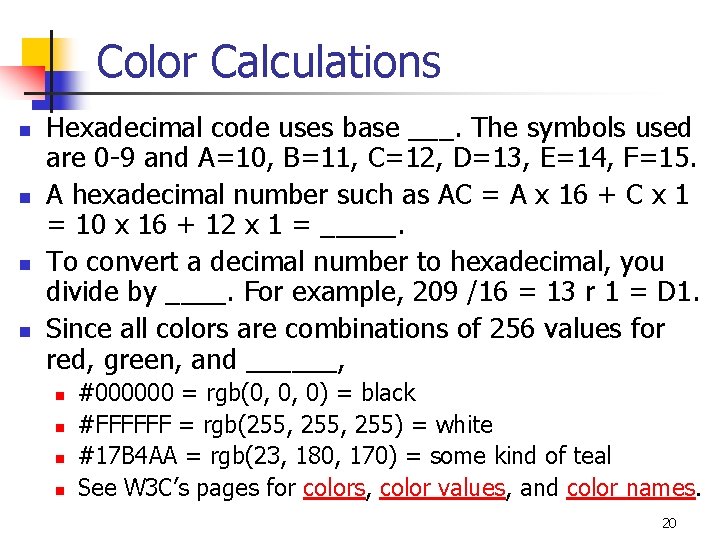
Color Calculations n n Hexadecimal code uses base ___. The symbols used are 0 -9 and A=10, B=11, C=12, D=13, E=14, F=15. A hexadecimal number such as AC = A x 16 + C x 1 = 10 x 16 + 12 x 1 = _____. To convert a decimal number to hexadecimal, you divide by ____. For example, 209 /16 = 13 r 1 = D 1. Since all colors are combinations of 256 values for red, green, and ______, n n #000000 = rgb(0, 0, 0) = black #FFFFFF = rgb(255, 255) = white #17 B 4 AA = rgb(23, 180, 170) = some kind of teal See W 3 C’s pages for colors, color values, and color names. 20
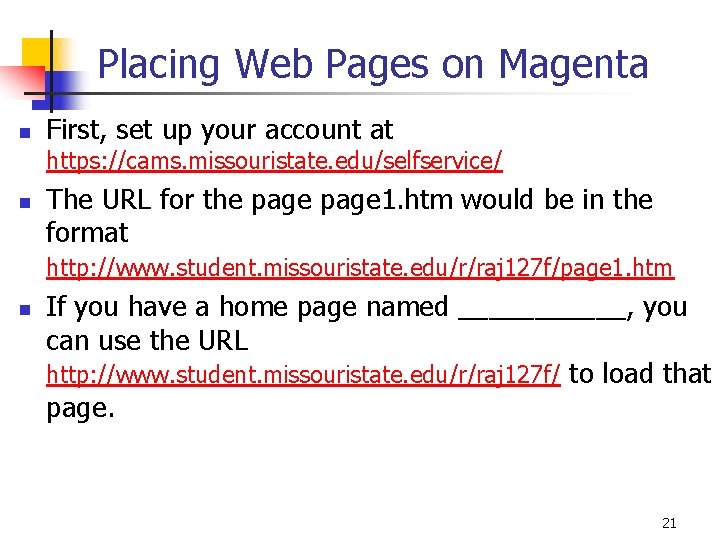
Placing Web Pages on Magenta n First, set up your account at https: //cams. missouristate. edu/selfservice/ n The URL for the page 1. htm would be in the format http: //www. student. missouristate. edu/r/raj 127 f/page 1. htm n If you have a home page named ______, you can use the URL http: //www. student. missouristate. edu/r/raj 127 f/ to load that page. 21
Copying Files to Magenta n Open you web folder on Magenta: n n n Select Start, ______ Enter \magenta, click OK Open the Web folder, open the folder with the name that is the first letter in your userid, open the folder with the name that is your userid Do NOT delete any _____ folders or files in your web folder on Magenta Copy all HTML documents to the ______ directory of your web folder (or create subfolders to hold your HTML files) All multimedia files should be placed in the ____ folder (you may want to put sound files or movie files in their own special folders) 22
Creating a Site on Tripod. com n n n n Go to http: //www. tripod. lycos. com/. Select New Users: Sign Up Select Tripod Free Sign Up (free hosting displays ads) Complete Step 1: Membership Complete Step 2: Confirmation If your username is “cis 275 msu”, your URL is http: //cis 275 msu. tripod. com/. At http: //www. tripod. lycos. com/build/index. html, you can use Tripod’s HTML Editor or File Manager. Things are a lot easier if you use Front. Page or Dreamweaver to create, edit, and publish pages. 23
- Slides: 23