
Chapter 2 Problem Solving In this chapter you
Chapter 2: Problem Solving In this chapter you will learn about: Introduction to Problem Solving Software development method (SDM) Specification of needs Problem analysis Design and algorithmic representation Implementation Testing and verification Documentation Principles of Programming - NI July 2005 1
Introduction to Problem Solving Problem solving is the process of transforming the description of a problem into a solution by using our knowledge of the problem domain and by relying on our ability to select and use appropriate problem-solving strategies, techniques and tools. Computers can be used to help us solving problems Principles of Programming - NI July 2005 2
Software Development Method (SDM) 1. 2. 3. 4. 5. 6. Specification of needs Problem analysis Design and algorithmic representation Implementation Testing and verification Documentation Principles of Programming - NI July 2005 3
Specification of Needs To understand exactly: what the problem is what is needed to solve it what the solution should provide if there are constraints and special conditions. Principles of Programming - NI July 2005 4
Problem Analysis In the analysis phase, we should identify the following: Inputs to the problem, their form and the input media to be used Outputs expected from the problem, their form and the output media to be used Special constraints or conditions (if any) Formulas or equations to be used Principles of Programming - NI July 2005 5
Design and Algorithmic Representation An algorithm is a sequence of a finite number of steps arranged in a specific logical order which, when executed, produces the solution for a problem. An algorithm must satisfy these requirements: It may have an input(s) It must have an output It should not be ambiguous (there should not be different interpretations to it) Every step in algorithm must be clear as what it is supposed to do Principles of Programming - NI July 2005 6
Design and Algorithmic Representation cont. . It must be general (it can be used for different inputs) It must be correct and it must solve the problem for which it is designed It must execute and terminate in a finite amount of time It must be efficient enough so that it can solve the intended problem using the resource currently available on the computer An algorithm can be represented using pseudocodes or flowcharts. Principles of Programming - NI July 2005 7
Control Structure In order to tackle a problem, we need a correct algorithm to apply the algorithm at the 'good' moment to decide which algorithm to apply (sometimes there are more than one, depending on conditions) to know if a certain operation must be repeated In short: we need a suitable Control Structure In 1966, two researchers, C. Bohn and G. Jacopini, demonstrated that any algorithm can be described using only 3 control structures: sequence, selection and repetition. Principles of Programming - NI July 2005 8
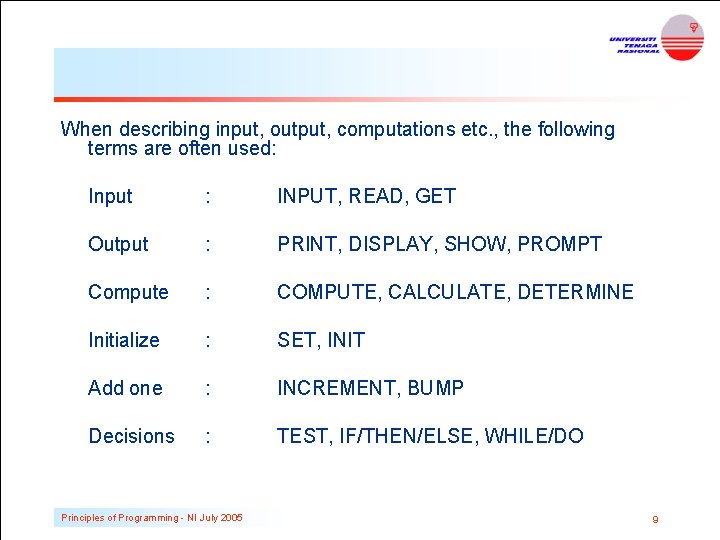
When describing input, output, computations etc. , the following terms are often used: Input : INPUT, READ, GET Output : PRINT, DISPLAY, SHOW, PROMPT Compute : COMPUTE, CALCULATE, DETERMINE Initialize : SET, INIT Add one : INCREMENT, BUMP Decisions : TEST, IF/THEN/ELSE, WHILE/DO Principles of Programming - NI July 2005 9
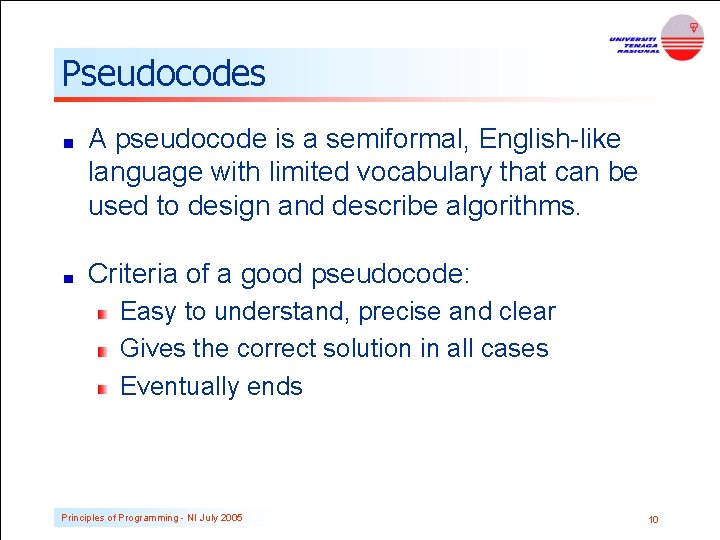
Pseudocodes A pseudocode is a semiformal, English-like language with limited vocabulary that can be used to design and describe algorithms. Criteria of a good pseudocode: Easy to understand, precise and clear Gives the correct solution in all cases Eventually ends Principles of Programming - NI July 2005 10
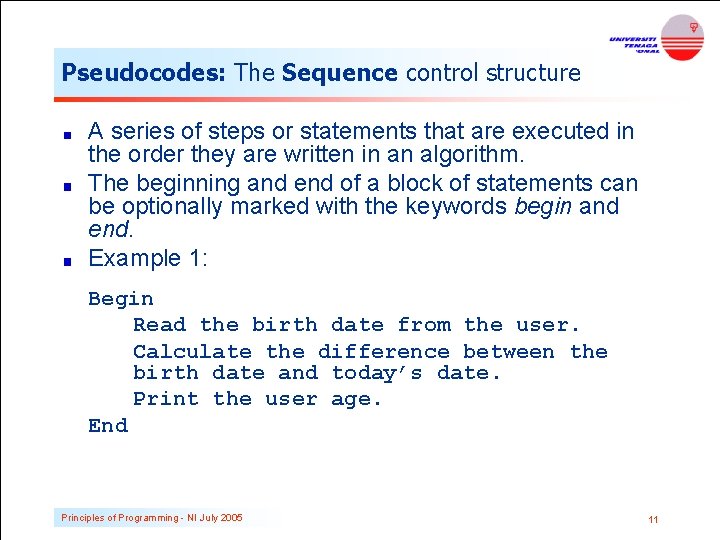
Pseudocodes: The Sequence control structure A series of steps or statements that are executed in the order they are written in an algorithm. The beginning and end of a block of statements can be optionally marked with the keywords begin and end. Example 1: Begin Read the birth date from the user. Calculate the difference between the birth date and today’s date. Print the user age. End Principles of Programming - NI July 2005 11

Algorithm (Sequence) Problem: Calculate your two childrens’ allowances, based upon 75 cents per year old. Known Values Rate = 75 cents per year Inputs Ages of children Calculations Allowance = Age x Rate Outputs Allowances for each child Principles of Programming - NI July 2005 12
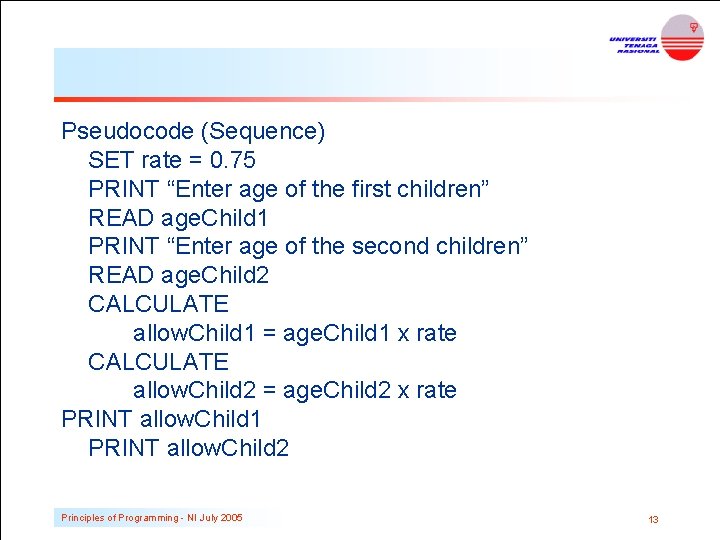
Pseudocode (Sequence) SET rate = 0. 75 PRINT “Enter age of the first children” READ age. Child 1 PRINT “Enter age of the second children” READ age. Child 2 CALCULATE allow. Child 1 = age. Child 1 x rate CALCULATE allow. Child 2 = age. Child 2 x rate PRINT allow. Child 1 PRINT allow. Child 2 Principles of Programming - NI July 2005 13
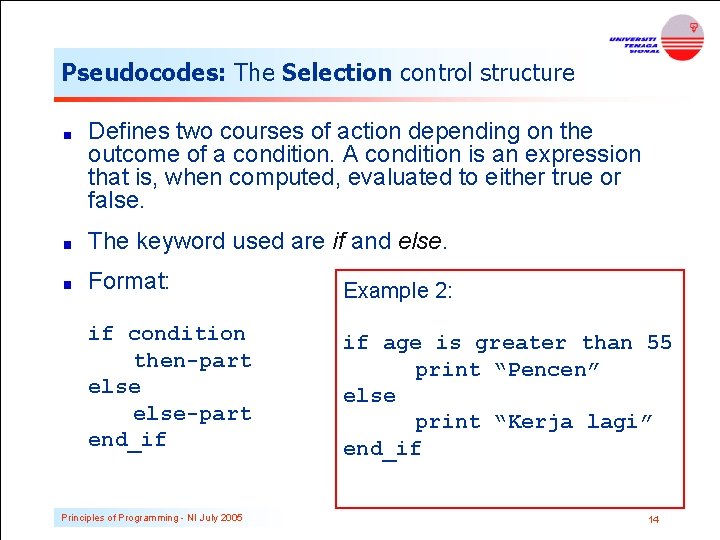
Pseudocodes: The Selection control structure Defines two courses of action depending on the outcome of a condition. A condition is an expression that is, when computed, evaluated to either true or false. The keyword used are if and else. Format: Example 2: if condition then-part else-part end_if if age is greater than 55 print “Pencen” else print “Kerja lagi” end_if Principles of Programming - NI July 2005 14
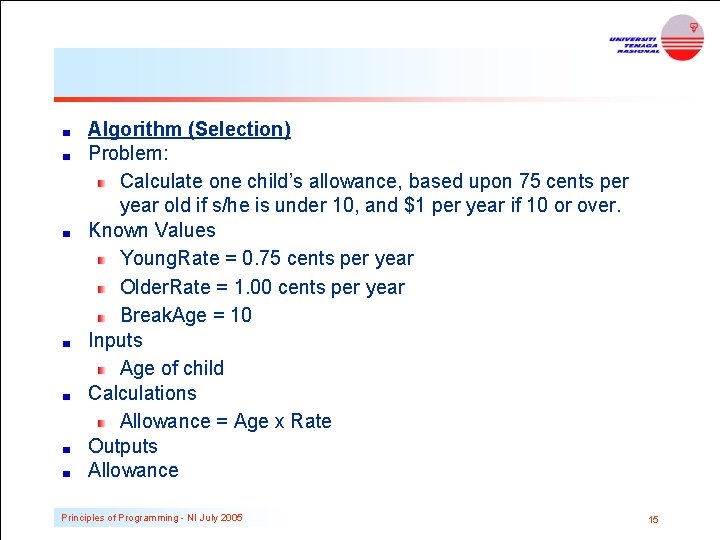
Algorithm (Selection) Problem: Calculate one child’s allowance, based upon 75 cents per year old if s/he is under 10, and $1 per year if 10 or over. Known Values Young. Rate = 0. 75 cents per year Older. Rate = 1. 00 cents per year Break. Age = 10 Inputs Age of child Calculations Allowance = Age x Rate Outputs Allowance Principles of Programming - NI July 2005 15
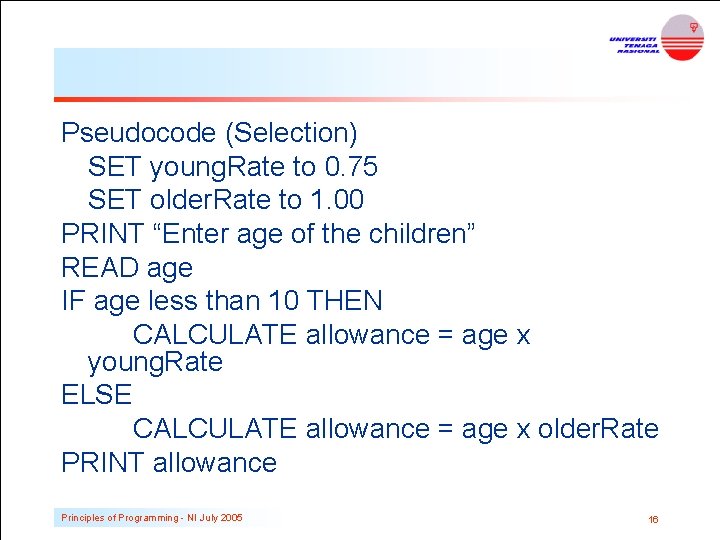
Pseudocode (Selection) SET young. Rate to 0. 75 SET older. Rate to 1. 00 PRINT “Enter age of the children” READ age IF age less than 10 THEN CALCULATE allowance = age x young. Rate ELSE CALCULATE allowance = age x older. Rate PRINT allowance Principles of Programming - NI July 2005 16
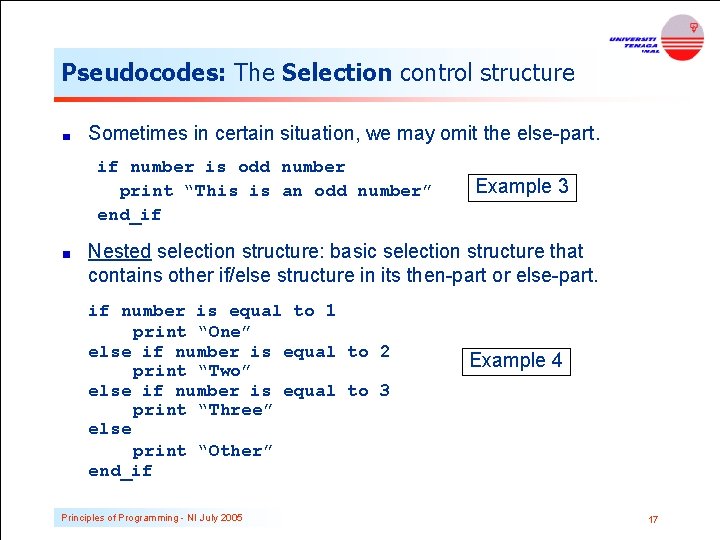
Pseudocodes: The Selection control structure Sometimes in certain situation, we may omit the else-part. if number is odd number print “This is an odd number” end_if Example 3 Nested selection structure: basic selection structure that contains other if/else structure in its then-part or else-part. if number is equal to 1 print “One” else if number is equal to 2 print “Two” else if number is equal to 3 print “Three” else print “Other” end_if Principles of Programming - NI July 2005 Example 4 17
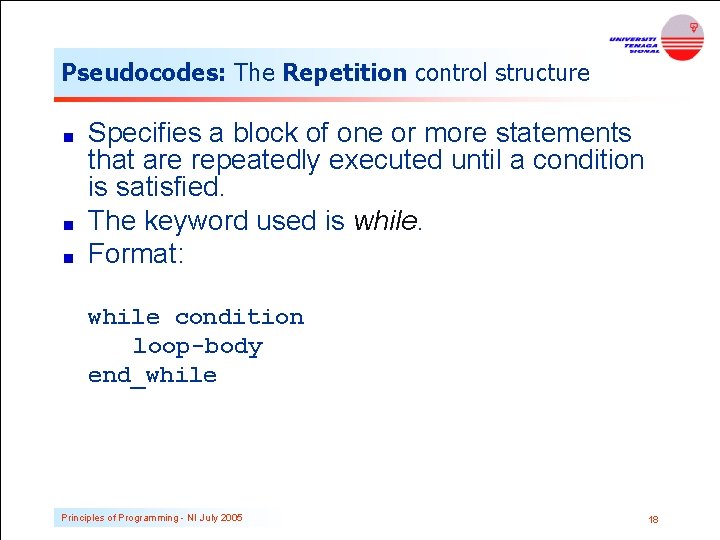
Pseudocodes: The Repetition control structure Specifies a block of one or more statements that are repeatedly executed until a condition is satisfied. The keyword used is while. Format: while condition loop-body end_while Principles of Programming - NI July 2005 18
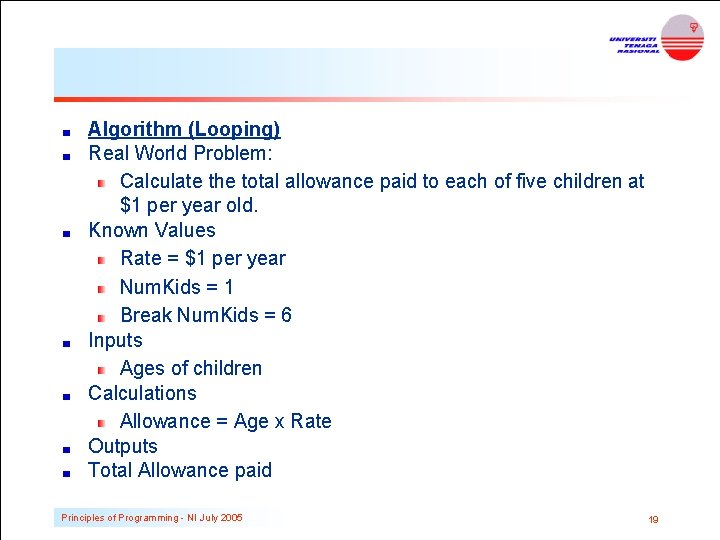
Algorithm (Looping) Real World Problem: Calculate the total allowance paid to each of five children at $1 per year old. Known Values Rate = $1 per year Num. Kids = 1 Break Num. Kids = 6 Inputs Ages of children Calculations Allowance = Age x Rate Outputs Total Allowance paid Principles of Programming - NI July 2005 19
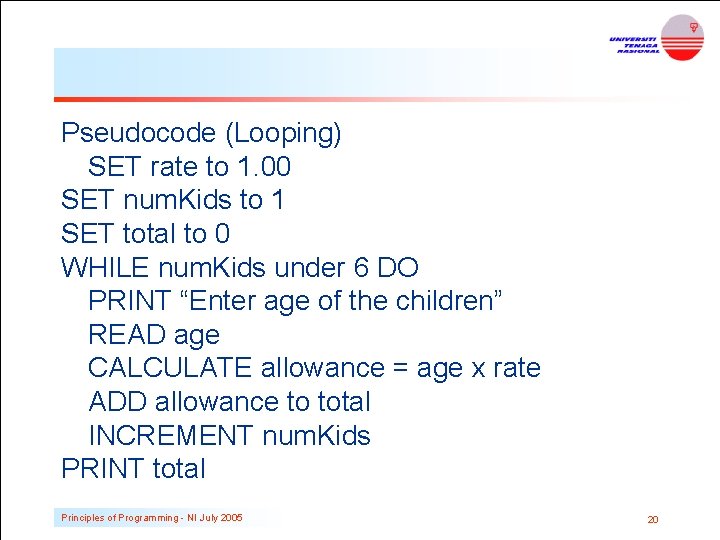
Pseudocode (Looping) SET rate to 1. 00 SET num. Kids to 1 SET total to 0 WHILE num. Kids under 6 DO PRINT “Enter age of the children” READ age CALCULATE allowance = age x rate ADD allowance to total INCREMENT num. Kids PRINT total Principles of Programming - NI July 2005 20
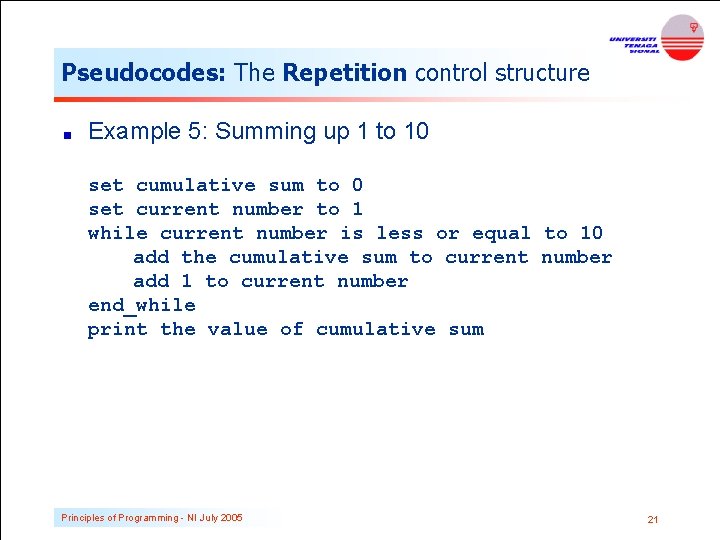
Pseudocodes: The Repetition control structure Example 5: Summing up 1 to 10 set cumulative sum to 0 set current number to 1 while current number is less or equal to 10 add the cumulative sum to current number add 1 to current number end_while print the value of cumulative sum Principles of Programming - NI July 2005 21
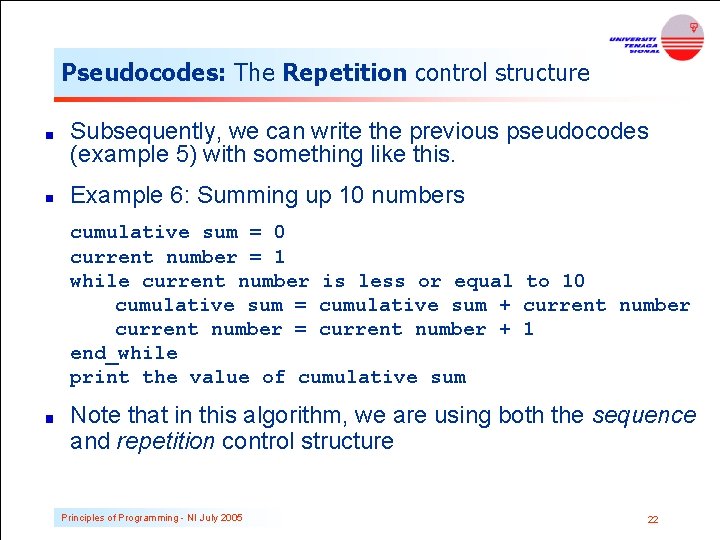
Pseudocodes: The Repetition control structure Subsequently, we can write the previous pseudocodes (example 5) with something like this. Example 6: Summing up 10 numbers cumulative sum = 0 current number = 1 while current number is less or equal to 10 cumulative sum = cumulative sum + current number = current number + 1 end_while print the value of cumulative sum Note that in this algorithm, we are using both the sequence and repetition control structure Principles of Programming - NI July 2005 22
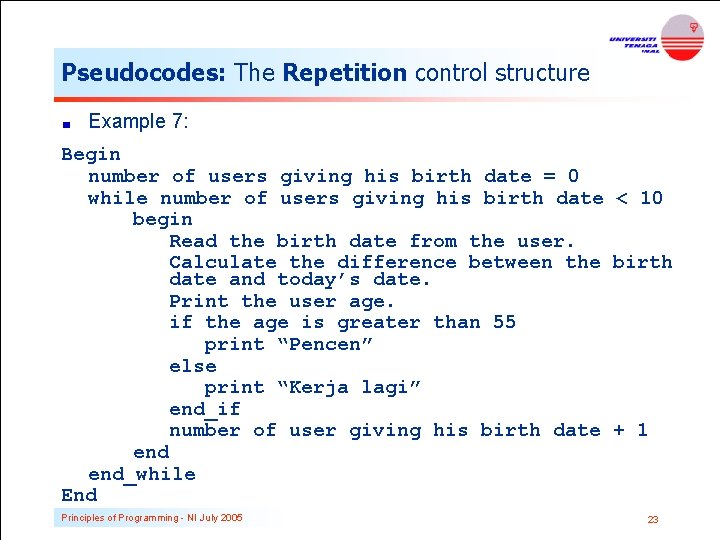
Pseudocodes: The Repetition control structure Example 7: Begin number of users giving his birth date = 0 while number of users giving his birth date < 10 begin Read the birth date from the user. Calculate the difference between the birth date and today’s date. Print the user age. if the age is greater than 55 print “Pencen” else print “Kerja lagi” end_if number of user giving his birth date + 1 end_while End Principles of Programming - NI July 2005 23
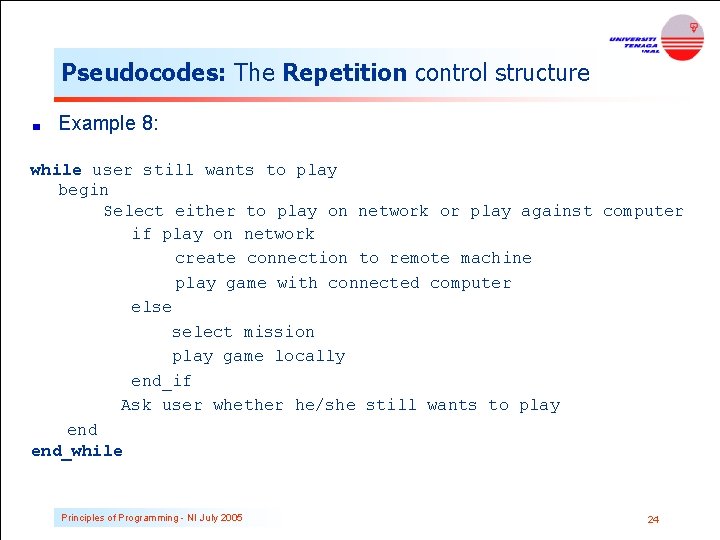
Pseudocodes: The Repetition control structure Example 8: while user still wants to play begin Select either to play on network or play against computer if play on network create connection to remote machine play game with connected computer else select mission play game locally end_if Ask user whether he/she still wants to play end_while Principles of Programming - NI July 2005 24
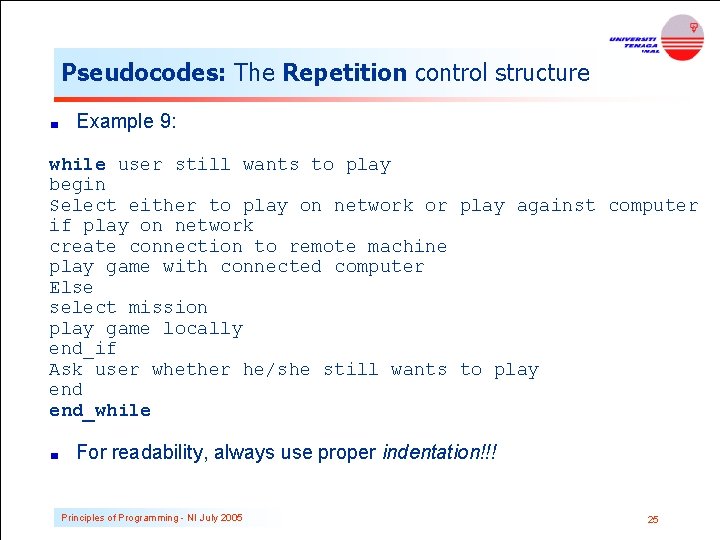
Pseudocodes: The Repetition control structure Example 9: while user still wants to play begin Select either to play on network or play against computer if play on network create connection to remote machine play game with connected computer Else select mission play game locally end_if Ask user whether he/she still wants to play end_while For readability, always use proper indentation!!! Principles of Programming - NI July 2005 25
Flowcharts is a graph used to depict or show a step by step solution using symbols which represent a task. The symbols used consist of geometrical shapes that are connected by flow lines. It is an alternative to pseudocoding; whereas a pseudocode description is verbal, a flowchart is graphical in nature. Principles of Programming - NI July 2005 26
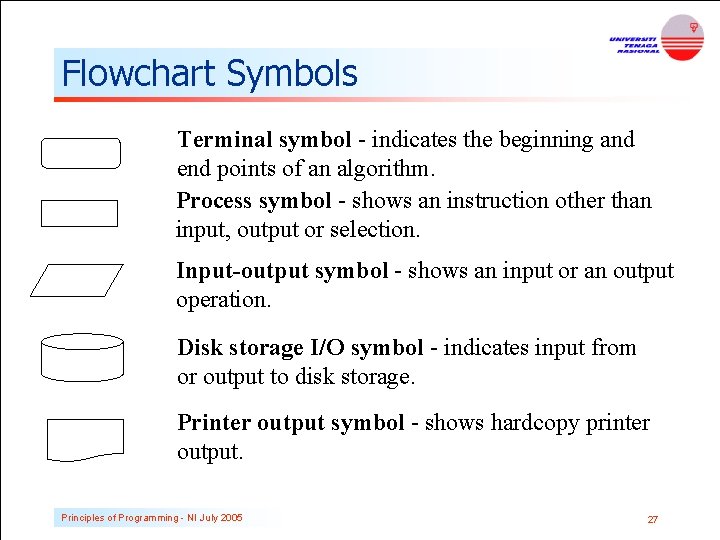
Flowchart Symbols Terminal symbol - indicates the beginning and end points of an algorithm. Process symbol - shows an instruction other than input, output or selection. Input-output symbol - shows an input or an output operation. Disk storage I/O symbol - indicates input from or output to disk storage. Printer output symbol - shows hardcopy printer output. Principles of Programming - NI July 2005 27
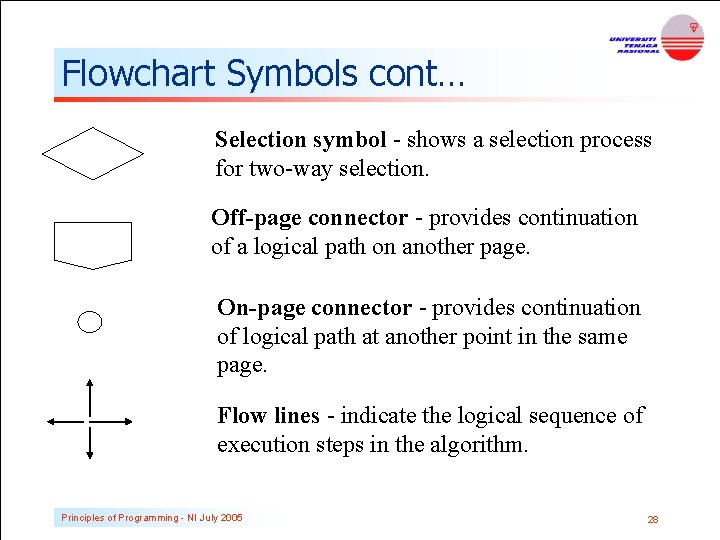
Flowchart Symbols cont… Selection symbol - shows a selection process for two-way selection. Off-page connector - provides continuation of a logical path on another page. On-page connector - provides continuation of logical path at another point in the same page. Flow lines - indicate the logical sequence of execution steps in the algorithm. Principles of Programming - NI July 2005 28
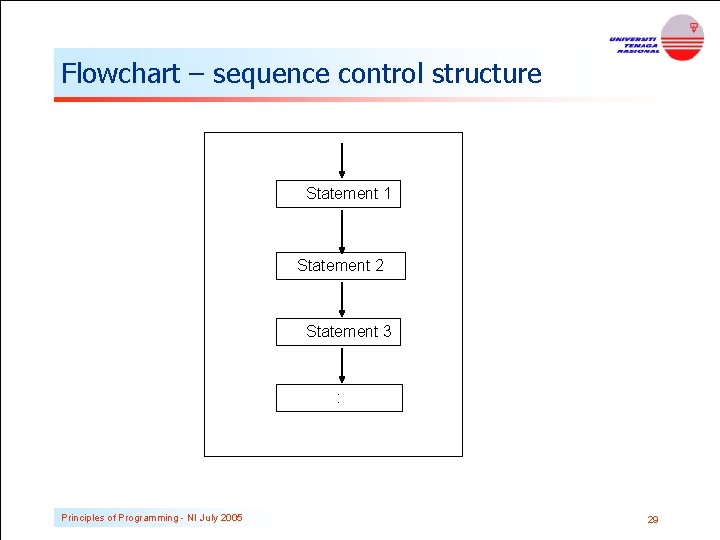
Flowchart – sequence control structure Statement 1 Statement 2 Statement 3 : Principles of Programming - NI July 2005 29
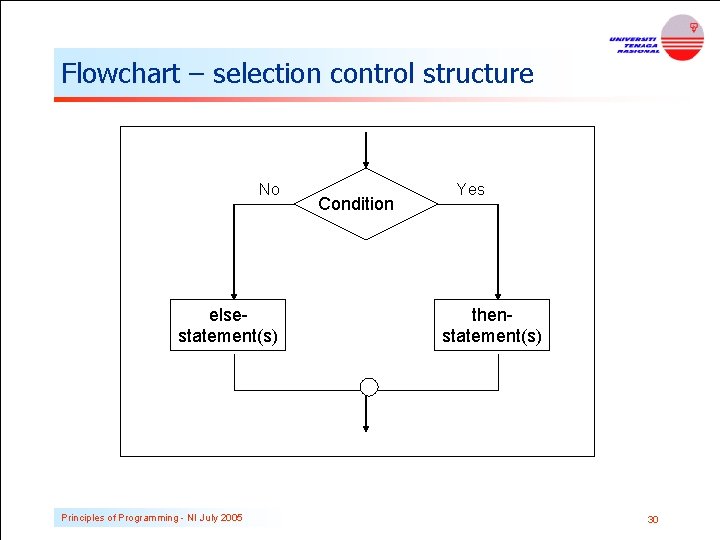
Flowchart – selection control structure No elsestatement(s) Principles of Programming - NI July 2005 Condition Yes thenstatement(s) 30
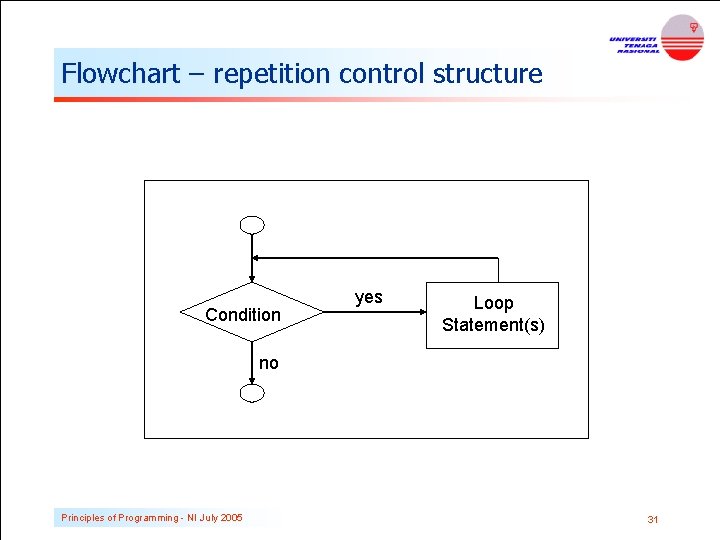
Flowchart – repetition control structure Condition yes Loop Statement(s) no Principles of Programming - NI July 2005 31
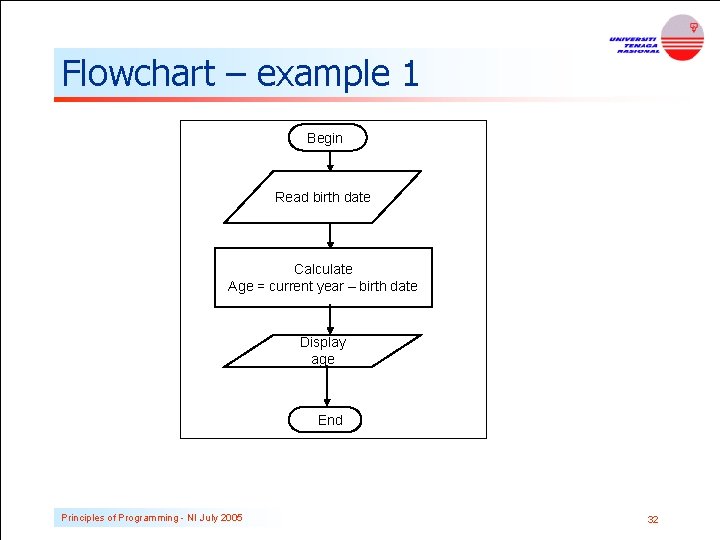
Flowchart – example 1 Begin Read birth date Calculate Age = current year – birth date Display age End Principles of Programming - NI July 2005 32
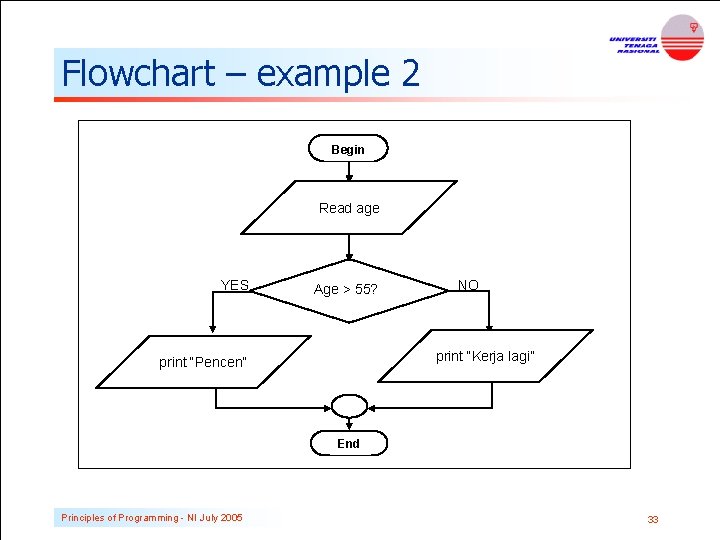
Flowchart – example 2 Begin Read age YES Age > 55? NO print “Kerja lagi” print “Pencen” End Principles of Programming - NI July 2005 33
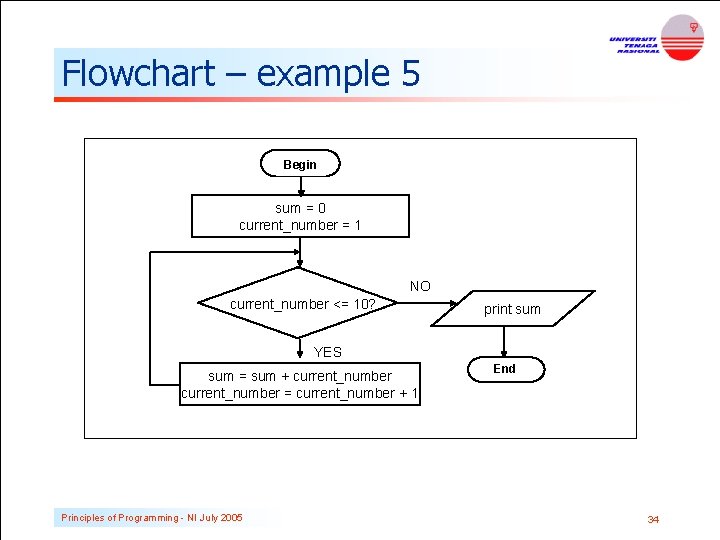
Flowchart – example 5 Begin sum = 0 current_number = 1 NO current_number <= 10? print sum YES sum = sum + current_number = current_number + 1 Principles of Programming - NI July 2005 End 34
Flowchart - exercises Write the equivalent flowchart for each of the examples given in pseudocoding, i. e Example 3 Example 4 Example 7 Example 8 Principles of Programming - NI July 2005 35
Implementation The process of implementing an algorithm by writing a computer program using a programming language (for example, using C language) The output of the program must be the solution of the intended problem The program must not do anything that it is not supposed to do (Think of those many viruses, buffer overflows, trojan horses, etc. that we experience almost daily. All these result from programs doing more than they were intended to do) Principles of Programming - NI July 2005 36
Testing and Verification Program testing is the process of executing a program to demonstrate its correctness Program verification is the process of ensuring that a program meets userrequirement After the program is compiled, we must run the program and test/verify it with different inputs before the program can be released to the public or other users (or to the instructor of this class) Principles of Programming - NI July 2005 37
Documentation Contains details produced at all stages of the program development cycle. Can be done in 2 ways: Writing comments between your line of codes Creating a separate text file to explain the program Important not only for other people to use or modify your program, but also for you to understand your own program after a long time (believe me, you will forget the details of your own program after some time. . . ) Principles of Programming - NI July 2005 38
Documentation cont… Documentation is so important because: You may return to this program in future to use the whole of or a part of it again Other programmer or end user will need some information about your program for reference or maintenance You may someday have to modify the program, or may discover some errors or weaknesses in your program Although documentation is listed as the last stage of software development method, it is actually an ongoing process which should be done from the very beginning of the software development process. Principles of Programming - NI July 2005 39
Exercise Draw a flowchart and pseudocode for the following program: A program that will take one input, the amount of sales made by a promoter and then calculate the commission that he/she earns. If the total sale is more than RM 1000, the commission is 10% of the total sale, otherwise 8% of the total sale. Display the commission he/she earns. Principles of Programming - NI July 2005 40
Volume calculation Write a pseudocode and a flowchart for a C program that read the value of the height, width and length of a box from the user and print its volume. Principles of Programming - NI July 2005 41
Calculating Electricity Bills The unit for electricity usage is k. Wh. For domestic usage, the monthly rate is 21. 8 cents/unit for the first 200 unit, 25. 8 cents/unit for the next 800 units and 27. 8 cents/unit for each additional units. Given the amount of electricity units (in k. Wh) used by a customer, calculate the amount of money needs to be paid by the customer to TNB. A bill statement needs to be printed out. Write a pseudocode and a flow chart to solve the above problem. Principles of Programming - NI July 2005 42
Sum of 1 to n Write a pseudocode and a flowchart for a program that reads a positive integer n and then computes and prints the sum of all integers between 1 and n. Principles of Programming - NI July 2005 43
Summary This chapter introduced the concept of problem solving-a process of transforming the description of a problem into a solution. A commonly used method – SDM which consists of 6 steps 3 basic control structures : sequence, selection and repetition structures Pseudocode vs. Flow chart T. H. E E. N. D Principles of Programming - NI July 2005 44
- Slides: 44